trailer FORD MAVERICK 2023 Owners Manual
[x] Cancel search | Manufacturer: FORD, Model Year: 2023, Model line: MAVERICK, Model: FORD MAVERICK 2023Pages: 556, PDF Size: 14.79 MB
Page 13 of 556
Cross Traffic Alert
What Is Cross Traffic Alert......................244
How Does Cross Traffic Alert Work......244
Cross Traffic Alert Precautions..............244
Cross Traffic Alert Limitations...............244
Switching Cross Traffic Alert On and Off........................................................................244
Locating the Cross Traffic Alert Sensors........................................................................245
Cross Traffic Alert Indicators..................245
Cross Traffic Alert – Troubleshooting........................................................................246
Pre-Collision Assist
What Is Pre-Collision Assist....................247
How Does Pre-Collision Assist Work........................................................................247
Pre-Collision Assist Precautions...........247
Pre-Collision Assist Limitations............248
Switching Pre-Collision Assist On andOff................................................................248
Locating the Pre-Collision Assist Sensors........................................................................249
Distance Indication....................................249
Distance Alert................................................251
Automatic Emergency Braking...............251
Evasive Steering Assist.............................252
Pre-Collision Assist – Troubleshooting........................................................................253
Driver Alert
What Is Driver Alert....................................255
How Does Driver Alert Work...................255
Driver Alert Precautions...........................255
Driver Alert Limitations.............................255
Switching Driver Alert On and Off........256
Driver Alert Indicators...............................256
Driver Alert – Troubleshooting..............256
Load Carrying
Load Carrying Precautions......................257
Using a Slide-In Camper..........................258
Locating the Safety ComplianceCertification Labels...............................258
What Is the Gross Axle Weight Rating........................................................................258
What Is the Gross Vehicle Weight Rating........................................................................258
What Is the Gross Combined WeightRating..........................................................258
Calculating Payload...................................259
Calculating the Load Limit......................259
Pickup Bed
Pickup Bed Precautions...........................262
Pickup Bed Anchor Points.......................262
Tailgate Anchor Points.............................263
Pickup Bed Slots........................................264
Connecting a Trailer
Connecting a Trailer Precautions.........265
Connecting a Trailer...................................265
Towing a Trailer
Towing a Trailer Precautions..................267
Trailer Brake Precautions.........................267
Towing a Trailer Limitations...................268
Loading Your Trailer...................................268
Trailer Towing Hints...................................268
Launching or Retrieving a Boat orPersonal Watercraft..............................269
Towing Weights and Dimensions.........270
Integrated Trailer BrakeController
What Is the Integrated Trailer BrakeController...................................................272
Integrated Trailer Brake ControllerPrecautions...............................................272
Using the Integrated Trailer BrakeController...................................................272
Adjusting the Integrated Trailer BrakeController Mode......................................274
9
2023 Maverick (CFE) Canada/United States of America, enUSA, Edition date: 202208, First-PrintingTable of Contents
Page 14 of 556
Integrated Trailer Brake Controller –Troubleshooting......................................275
Trailer Sway Control
How Does Trailer Sway Control Work.........................................................................277
Trailer Sway Control Precautions..........277
Switching Trailer Sway Control On andOff.................................................................277
Driving Hints
Cold Weather Precautions......................278
Driving on Snow and Ice...........................278
Breaking-In....................................................278
Driving Economically.................................278
Driving in Special Conditions..................279
Driving Through Shallow Water............280
Floor Mats.....................................................280
Crash and BreakdownInformation
Roadside Assistance.................................282
High Voltage Battery Vehicle Precautions- Hybrid Electric Vehicle (HEV).........283
Switching the Hazard Flashers On andOff................................................................284
Jump Starting the Vehicle.......................284
Post-Crash Alert System.........................287
Post Impact Braking..................................288
Automatic Crash Shutoff........................288
Recovery Towing.........................................289
Transporting the Vehicle.........................290
Towing Your Vehicle
Towing Your Vehicle Precautions.........292
Recreationally Towing Your Vehicle -Gasoline, FWD.........................................292
Recreationally Towing Your Vehicle -Gasoline, AWD.........................................292
Recreationally Towing Your Vehicle -Hybrid Electric Vehicle (HEV)............292
Emergency Towing - Gasoline...............293
Emergency Towing - Hybrid ElectricVehicle (HEV)..........................................293
Towing Your Vehicle – Troubleshooting- Hybrid Electric Vehicle (HEV).........294
Fuses
Fuse Precautions........................................295
Under Hood Fuse Box...............................295
Body Control Module Fuse Box.............301
Identifying Fuse Types..............................303
Fuses – Troubleshooting.........................303
Maintenance
Maintenance Precautions.......................304
Opening and Closing the Hood............304
Under Hood Overview - 2.5L.................306
Under Hood Overview - 2.0L EcoBoost™........................................................................307
Engine Oil......................................................308
Checking the Coolant...............................309
Changing the Engine Air Filter - 2.0LEcoBoost™................................................313
Changing the Engine Air Filter - 2.5L,Hybrid Electric Vehicle (HEV).............314
Changing the Fuel Filter............................315
Drive Belt Routing Overview - 2.0LEcoBoost™................................................315
Changing the 12V Battery.........................315
Changing the 12V Battery - HybridElectric Vehicle (HEV)...........................318
Adjusting the Headlamps.......................320
Exterior Bulbs................................................321
Interior Bulbs................................................326
Vehicle Care
Cleaning Products.......................................327
Cleaning the Exterior.................................328
Cleaning the Interior..................................329
Repairing Minor Paint Damage..............332
Waxing Your Vehicle..................................332
10
2023 Maverick (CFE) Canada/United States of America, enUSA, Edition date: 202208, First-PrintingTable of Contents
Page 34 of 556
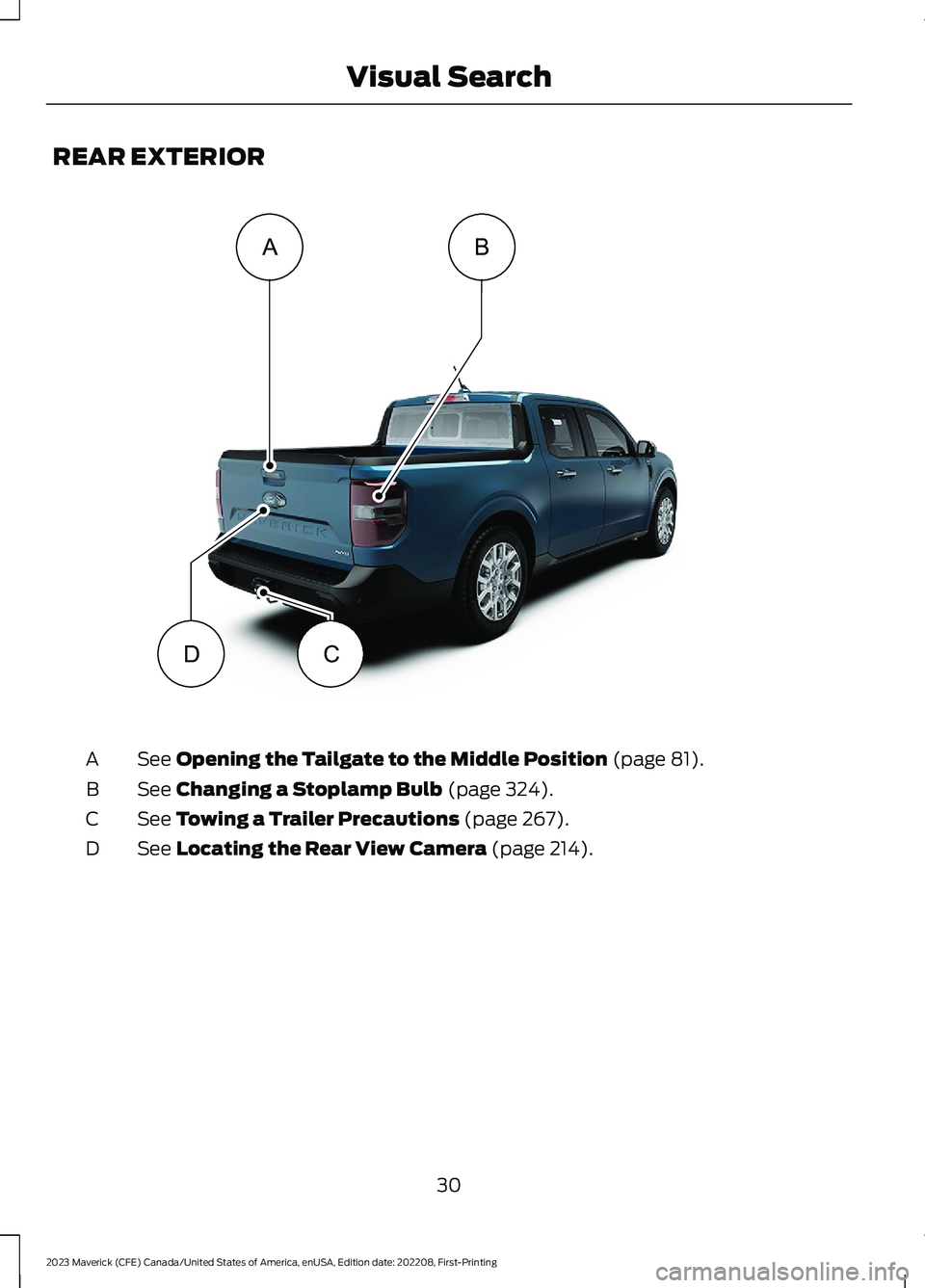
REAR EXTERIOR
See Opening the Tailgate to the Middle Position (page 81).A
See Changing a Stoplamp Bulb (page 324).B
See Towing a Trailer Precautions (page 267).C
See Locating the Rear View Camera (page 214).D
30
2023 Maverick (CFE) Canada/United States of America, enUSA, Edition date: 202208, First-PrintingVisual SearchADCBE358431
Page 120 of 556
INSTRUMENT CLUSTER
DISPLAY MAIN MENU -
VEHICLES WITH: 6.5 INCH
SCREEN
Menu Item
Select Screens
Audio
Phone
Settings
Display Setup
CUSTOMIZING THE
INSTRUMENT CLUSTER
DISPLAY - VEHICLES WITH: 4.2
INCH SCREEN
1.Using the information display controlson the steering wheel, select MyView.
2.Press the menu button.
3.Select a screen.
4.Press the OK button.
CUSTOMIZING THE
INSTRUMENT CLUSTER
DISPLAY - VEHICLES WITH: 6.5
INCH SCREEN
Adding Screens Using SelectScreens
You can select various screens to show onthe instrument cluster display.
1.Select Select Screens.
2.Use the controls on the steering wheelto highlight a screen to add.
3.Press the OK button.
Note:The amount of screens you can addis limited. If the selected screen does notappear, you must deselect items from themenu.
Select Screens
Calm screen
Fuel economy
Trip 1
Trip 2
This trip
EV Coach
Tire pressure
Intelligent AWD
Off-Road
Trailer light check
Seatbelts
Auto StartStop
Now playing
Note:Some options may appear slightlydifferent or not at all if items are optional.
Configuring Gauges
You can select which values yourspeedometer shows in the instrumentcluster display.
1.Select Display Setup.
2.Select a speed unit to display.
116
2023 Maverick (CFE) Canada/United States of America, enUSA, Edition date: 202208, First-PrintingInstrument Cluster Display
Page 170 of 556
WHAT IS A HYBRID ELECTRIC
VEHICLE
A hybrid vehicle has an electric motor anda high voltage battery combined with agasoline engine.
HOW DOES A HYBRID
ELECTRIC VEHICLE WORK
The hybrid vehicle combines electric andgasoline propulsion to provide optimalperformance and improved efficiency.
HYBRID ELECTRIC VEHICLE
DRIVING CHARACTERISTICS
The gasoline engine starts and stops toprovide power when required and to savefuel when not needed. When coasting atlow speeds, coming to a stop or standing,the gas engine normally shuts down andyour vehicle operates in electric-onlymode.
Conditions that may cause the gasolineengine to start or remain running include:
•Considerable vehicle acceleration.
•Driving uphill.
•The high voltage battery charge levelis low.
•Heating or cooling the vehicle interiorin high or low outside temperatures.
•The gasoline engine is below normaloperating temperature.
•Towing a trailer.
•Certain selectable drive modes couldcause the engine to run. See Selectinga Drive Mode (page 230).
Your hybrid vehicle also comes withstandard hydraulic braking andregenerative braking. Regenerative brakingis performed by your transmission andcaptures brake energy and stores it in thehigh voltage battery.
You could also notice that your enginecontinues to run instead of shutting offduring extended downhill driving. Theengine stays on during this engine brakingbut is not using any fuel.
You could also hear a slight whine orwhistle when operating your vehicle. Thisis the normal operation of the electricmotor in the hybrid system.
Note:Having your engine running is notalways an indication of inefficiency. In somecases, it is actually more efficient thandriving in electric mode.
HYBRID ELECTRIC VEHICLE
INDICATORS
When you start your vehicle, agreen READY indicator lightappears in the instrument clusterletting you know that your vehicle is readyfor driving.
The engine may not start because yourvehicle has a silent key start feature. Thisfuel saving feature allows your vehicle tobe ready to drive without requiring the gasengine to be running.
The indicator remains on when your vehicleis on, whether the engine is running or not,to indicate your vehicle is capable ofmovement using the electric motor, gasengine or both.
Typically, the engine does not start unlessthe vehicle is cold, a climate controlchange is requested or you press theaccelerator pedal.
166
2023 Maverick (CFE) Canada/United States of America, enUSA, Edition date: 202208, First-PrintingHybrid Electric Vehicle Information - Hybrid Electric Vehicle
(HEV)E293827
Page 176 of 556
FUEL QUALITY
SELECTING THE CORRECT FUEL
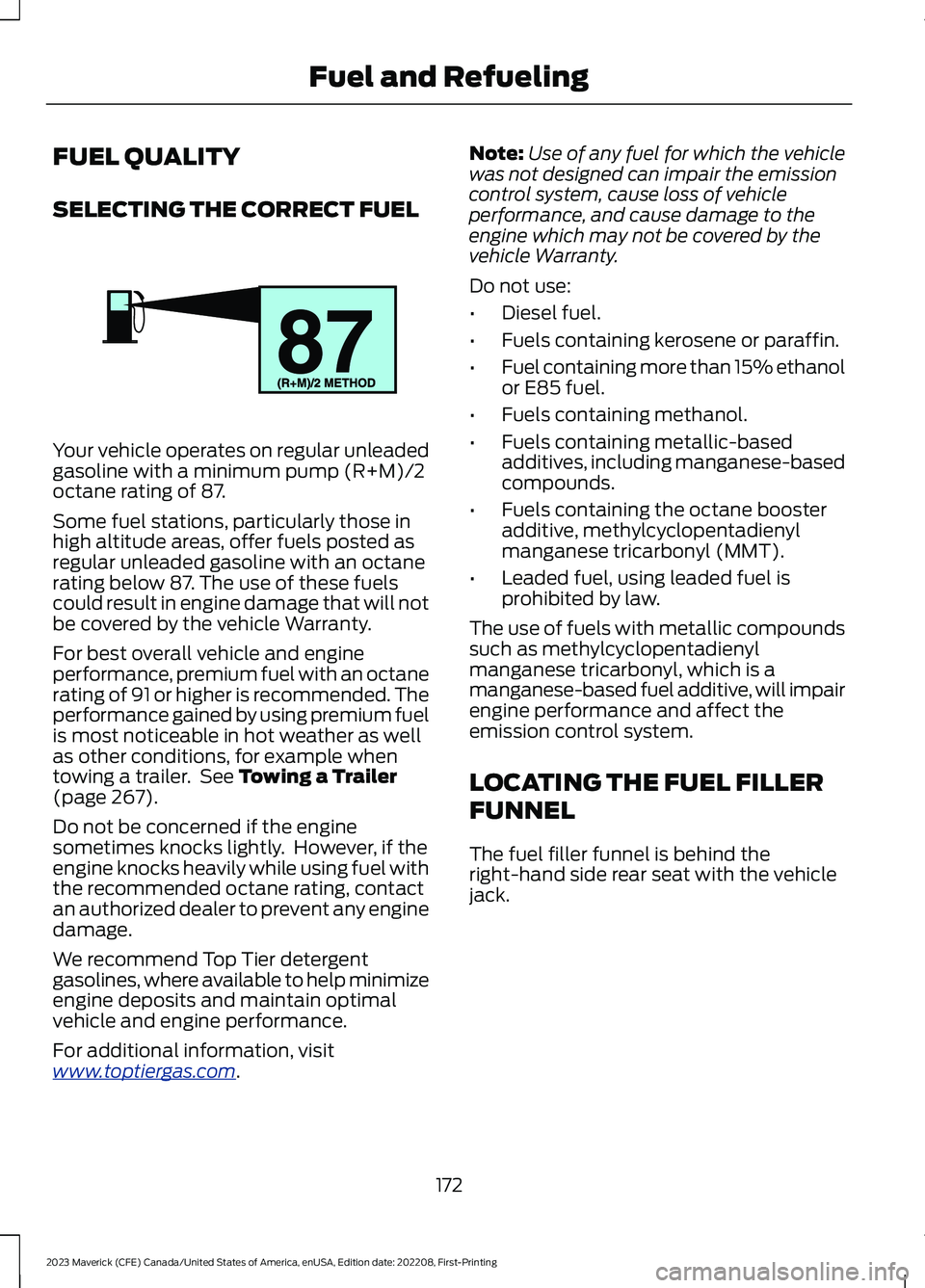
Your vehicle operates on regular unleadedgasoline with a minimum pump (R+M)/2octane rating of 87.
Some fuel stations, particularly those inhigh altitude areas, offer fuels posted asregular unleaded gasoline with an octanerating below 87. The use of these fuelscould result in engine damage that will notbe covered by the vehicle Warranty.
For best overall vehicle and engineperformance, premium fuel with an octanerating of 91 or higher is recommended. Theperformance gained by using premium fuelis most noticeable in hot weather as wellas other conditions, for example whentowing a trailer. See Towing a Trailer(page 267).
Do not be concerned if the enginesometimes knocks lightly. However, if theengine knocks heavily while using fuel withthe recommended octane rating, contactan authorized dealer to prevent any enginedamage.
We recommend Top Tier detergentgasolines, where available to help minimizeengine deposits and maintain optimalvehicle and engine performance.
For additional information, visitwww.toptiergas.com.
Note:Use of any fuel for which the vehiclewas not designed can impair the emissioncontrol system, cause loss of vehicleperformance, and cause damage to theengine which may not be covered by thevehicle Warranty.
Do not use:
•Diesel fuel.
•Fuels containing kerosene or paraffin.
•Fuel containing more than 15% ethanolor E85 fuel.
•Fuels containing methanol.
•Fuels containing metallic-basedadditives, including manganese-basedcompounds.
•Fuels containing the octane boosteradditive, methylcyclopentadienylmanganese tricarbonyl (MMT).
•Leaded fuel, using leaded fuel isprohibited by law.
The use of fuels with metallic compoundssuch as methylcyclopentadienylmanganese tricarbonyl, which is amanganese-based fuel additive, will impairengine performance and affect theemission control system.
LOCATING THE FUEL FILLER
FUNNEL
The fuel filler funnel is behind theright-hand side rear seat with the vehiclejack.
172
2023 Maverick (CFE) Canada/United States of America, enUSA, Edition date: 202208, First-PrintingFuel and RefuelingE161513
Page 187 of 556
DRIVE (D)
In drive (D) power is transmitted to thedriven wheels.
LOW (L) - GASOLINE
In low (L) your vehicle holds low gears.
Note:We recommend using this mode fordriving on hilly or mountainous roads orwhen towing a trailer. See Towing a Trailer(page 267).
LOW (L) - HYBRID ELECTRICVEHICLE (HEV)
In low (L) your vehicle decelerates morenoticeably than in drive (D) when theaccelerator pedal is released.
Note:We recommend using this mode fordriving on hilly or mountainous roads orwhen towing a trailer. See Towing a Trailer(page 267).
SHIFTING YOUR VEHICLE INTO
GEAR
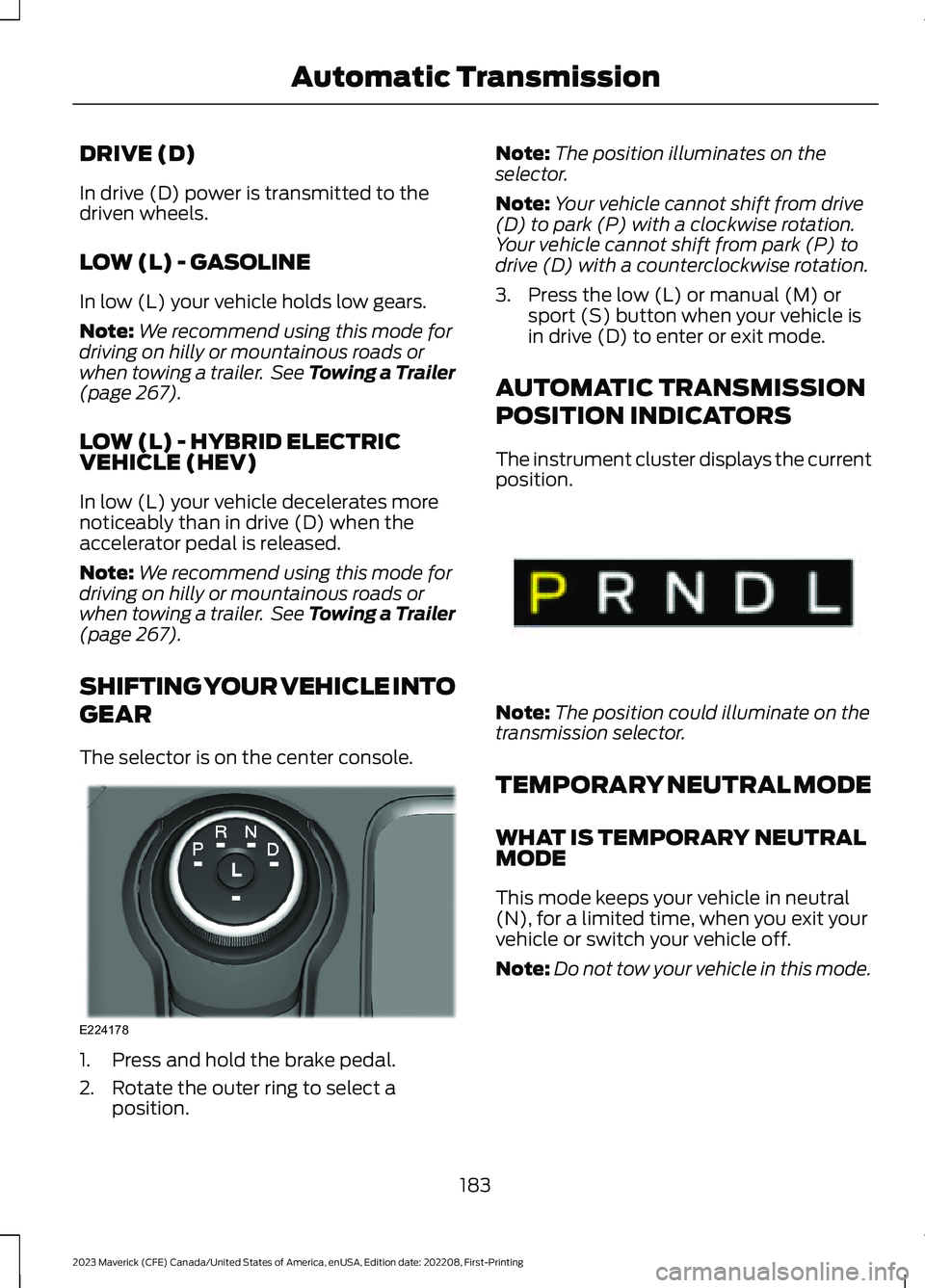
The selector is on the center console.
1.Press and hold the brake pedal.
2.Rotate the outer ring to select aposition.
Note:The position illuminates on theselector.
Note:Your vehicle cannot shift from drive(D) to park (P) with a clockwise rotation.Your vehicle cannot shift from park (P) todrive (D) with a counterclockwise rotation.
3.Press the low (L) or manual (M) orsport (S) button when your vehicle isin drive (D) to enter or exit mode.
AUTOMATIC TRANSMISSION
POSITION INDICATORS
The instrument cluster displays the currentposition.
Note:The position could illuminate on thetransmission selector.
TEMPORARY NEUTRAL MODE
WHAT IS TEMPORARY NEUTRALMODE
This mode keeps your vehicle in neutral(N), for a limited time, when you exit yourvehicle or switch your vehicle off.
Note:Do not tow your vehicle in this mode.
183
2023 Maverick (CFE) Canada/United States of America, enUSA, Edition date: 202208, First-PrintingAutomatic TransmissionE224178 E341619
Page 198 of 556
WHAT IS THE ELECTRIC
PARKING BRAKE
The electric parking brake is used to holdyour vehicle on slopes and flat roads.
APPLYING THE ELECTRIC
PARKING BRAKE
WARNING: Apply the parking brakeand make sure your vehicle is in park (P).Power the vehicle off and remove thekeys or remote control whenever youleave your vehicle. Failure to follow thisinstruction could result in personal injuryor death.
WARNING: If you drive extendeddistances with the parking brake applied,you could cause damage to the brakesystem.
WARNING: The electric parkingbrake does not operate if the vehiclebattery has run out of charge.
The electronic parking brakeswitch is on the center console.
1.Pull the switch up.
The red warning lamp flashes duringoperation and illuminates when the parkingbrake is applied.
Note:You can apply the electric parkingbrake when the power is off.
Note:The electric parking brake couldapply when you shift into park (P). See Park(P) (page 182).
APPLYING THE ELECTRIC
PARKING BRAKE IN AN
EMERGENCY
You can use the electric parking brake toslow or stop your vehicle in an emergency.
Pull the switch up and hold it.
The red warning lamp illuminates, a tonesounds and the stoplamps turn on whenyou use the electric parking brake in anemergency.
The electric parking brake continues toslow your vehicle down unless you releasethe switch.
Note:Do not apply the electric parkingbrake when your vehicle is moving, exceptin an emergency. If you repeatedly use theelectric parking brake to slow or stop yourvehicle, you could cause damage to thebrake system.
MANUALLY RELEASING THE
ELECTRIC PARKING BRAKE
1.Switch the ignition on.
2.Press and hold the brake pedal.
3.Push the switch down.
The red warning lamp turns off.
Pulling Away on a Hill When Towing aTrailer
1.Press and hold the brake pedal.
2.Pull the switch upward and hold it.
3.Shift into gear.
4.Press the accelerator pedal until enginehas developed sufficient torque toprevent your vehicle from rolling downthe hill.
5.Release the switch and pull away in anormal manner.
194
2023 Maverick (CFE) Canada/United States of America, enUSA, Edition date: 202208, First-PrintingElectric Parking BrakeE267156
Page 208 of 556
WHAT IS TRAIL CONTROL
WARNING: The system does notcontrol speed in low traction conditionsor extremely steep slopes. The systemis designed to be an aid and does notrelieve you of your responsibility to drivewith due care and attention. Failure tofollow this instruction could result inpersonal injury.
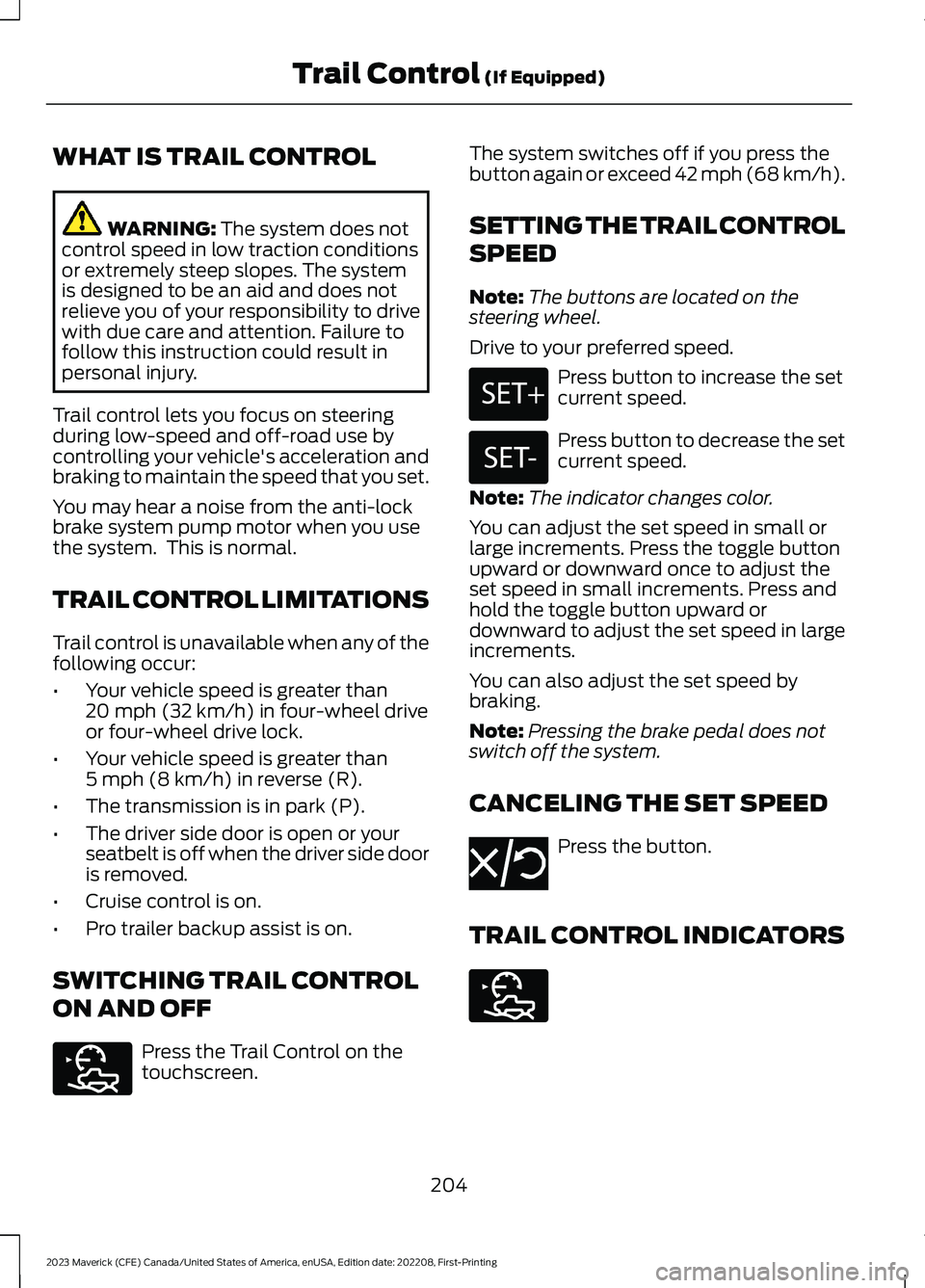
Trail control lets you focus on steeringduring low-speed and off-road use bycontrolling your vehicle's acceleration andbraking to maintain the speed that you set.
You may hear a noise from the anti-lockbrake system pump motor when you usethe system. This is normal.
TRAIL CONTROL LIMITATIONS
Trail control is unavailable when any of thefollowing occur:
•Your vehicle speed is greater than20 mph (32 km/h) in four-wheel driveor four-wheel drive lock.
•Your vehicle speed is greater than5 mph (8 km/h) in reverse (R).
•The transmission is in park (P).
•The driver side door is open or yourseatbelt is off when the driver side dooris removed.
•Cruise control is on.
•Pro trailer backup assist is on.
SWITCHING TRAIL CONTROL
ON AND OFF
Press the Trail Control on thetouchscreen.
The system switches off if you press thebutton again or exceed 42 mph (68 km/h).
SETTING THE TRAIL CONTROL
SPEED
Note:The buttons are located on thesteering wheel.
Drive to your preferred speed.
Press button to increase the setcurrent speed.
Press button to decrease the setcurrent speed.
Note:The indicator changes color.
You can adjust the set speed in small orlarge increments. Press the toggle buttonupward or downward once to adjust theset speed in small increments. Press andhold the toggle button upward ordownward to adjust the set speed in largeincrements.
You can also adjust the set speed bybraking.
Note:Pressing the brake pedal does notswitch off the system.
CANCELING THE SET SPEED
Press the button.
TRAIL CONTROL INDICATORS
204
2023 Maverick (CFE) Canada/United States of America, enUSA, Edition date: 202208, First-PrintingTrail Control (If Equipped)E272858 E246884 E246885 E350925 E272858
Page 215 of 556
PARKING AID PRECAUTIONS
WARNING: To help avoid personalinjury, always use caution when inreverse (R) and when using the sensingsystem.
WARNING: The system may notdetect objects with surfaces that absorbreflection. Always drive with due careand attention. Failure to take care mayresult in a crash.
WARNING: Traffic control systems,fluorescent lamps, inclement weather,air brakes, external motors and fans mayaffect the correct operation of thesensing system. This may cause reducedperformance or false alerts.
WARNING: The system may notdetect small or moving objects,particularly those close to the ground.
WARNING: The parking aid systemcan only assist you to detect objectswhen your vehicle is moving at parkingspeeds. To help avoid personal injury youmust take care when using the parkingaid system.
WARNING: The system may notfunction if the sensor is blocked.
WARNING: In cold and severeweather conditions the system may notfunction. Rain, snow and spray can alllimit sensor performance.
WARNING: If damage occurs in theimmediate area surrounding the sensor,have your vehicle checked as soon aspossible.
Note:If your vehicle sustains damageleaving the sensors misaligned, this willcause inaccurate measurements or falsealerts.
When you connect a trailer to your vehicle,the rear parking aid detects the trailer andprovides an alert. Disable the parking aidwhen you connect a trailer to prevent thealert.
Note:Connected trailers might be detectedby the vehicle and parking aid turns offautomatically in those instances.
Note:Certain add-on devices installedaround the bumper or fascia may createfalse alerts, for example, large trailerhitches, bike or surfboard racks, license platebrackets, bumper covers or any other devicethat could block the normal detection zoneof the parking aid system. Aftermarket sparetires or spare tire covers mounted to the reartailgate could cause false alerts from thepark aid system. Remove the add-on deviceto prevent false alerts.
Note: Keep the sensors free from snow, iceand large accumulations of dirt. If thesensors are covered, the system's accuracycan be affected.
Do not clean the sensors with sharpobjects.
Note: When using a programmed MyKey,you cannot switch the parking aids off. SeeMyKey™ (page 67).
REAR PARKING AID
WHAT IS THE REAR PARKING AID
Rear parking sensors detect objects behindyour vehicle when in reverse (R).
REAR PARKING AID LIMITATIONS
There is a decreased coverage area at theouter corners.
211
2023 Maverick (CFE) Canada/United States of America, enUSA, Edition date: 202208, First-PrintingParking Aids (If Equipped)