ignition FORD MONDEO 2006 2.G User Guide
[x] Cancel search | Manufacturer: FORD, Model Year: 2006, Model line: MONDEO, Model: FORD MONDEO 2006 2.GPages: 198, PDF Size: 4.69 MB
Page 40 of 198
Downloaded from www.Manualslib.com manuals search engine With the remote control: Pressthe unlock button once.
One flash of the direction indicatorsconfirms that all doors have beenunlocked, that the double lockingsystem is deactivated and that theanti-theft alarm system is disarmed.
Automatic relocking
To prevent the vehicle being leftunlocked inadvertently, centrallocking and the anti-theft alarmsystem will be reactivatedautomatically 45 seconds after thebutton is pressed if the followingoccurs during this period:
•No door is opened.
•The luggage compartment is notopened.
•The ignition is not switched on.
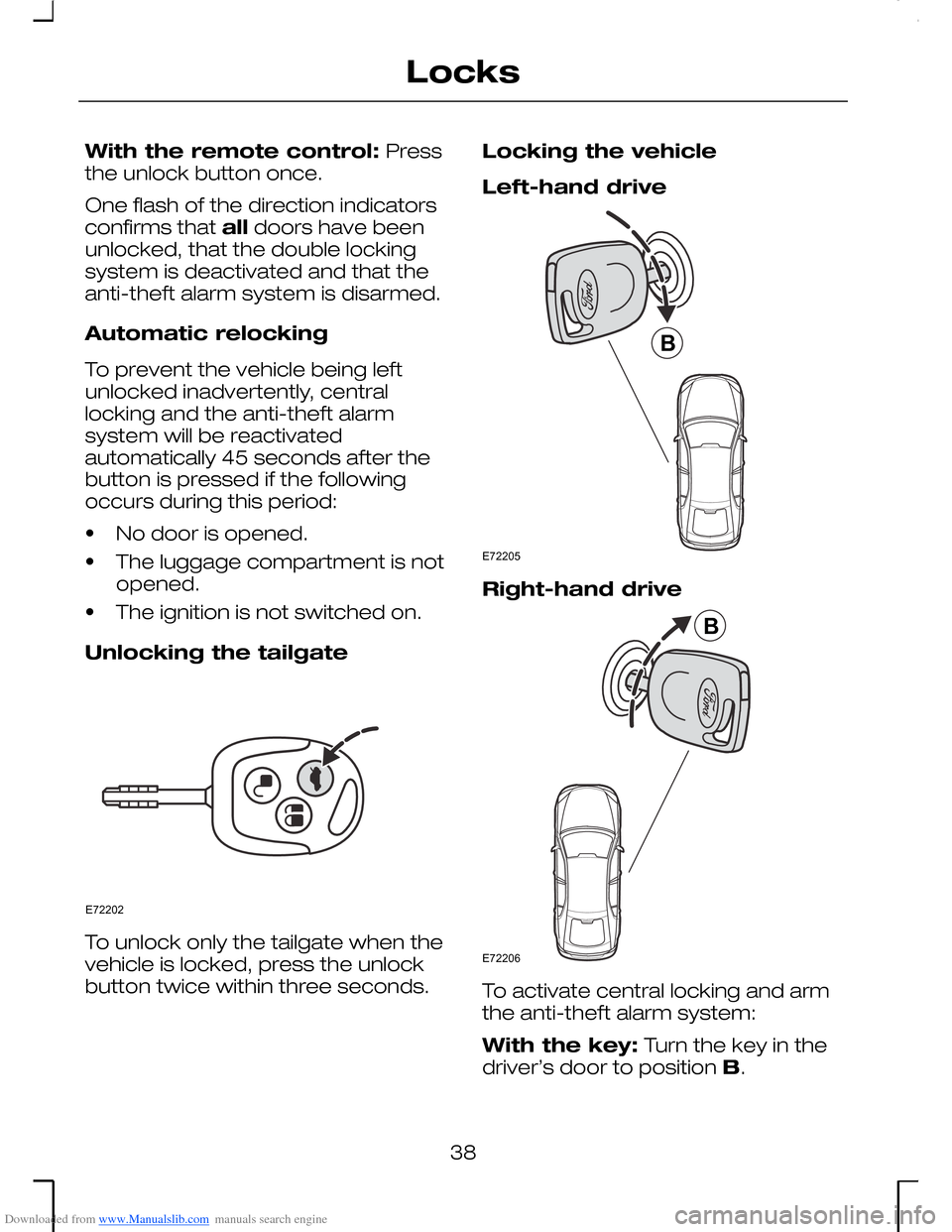
Unlocking the tailgate
To unlock only the tailgate when thevehicle is locked, press the unlockbutton twice within three seconds.
Locking the vehicle
Left-hand drive
Right-hand drive
To activate central locking and armthe anti-theft alarm system:
With the key: Turn the key in thedriver’s door to position B.
38
LocksE72202 E72205B E72206B
Page 43 of 198
Downloaded from www.Manualslib.com manuals search engine PRINCIPLE OF
OPERATION
The engine immobilisation system isa theft protection feature whichprevents the engine from beingstarted with an incorrectly coded key.
CODED KEYS
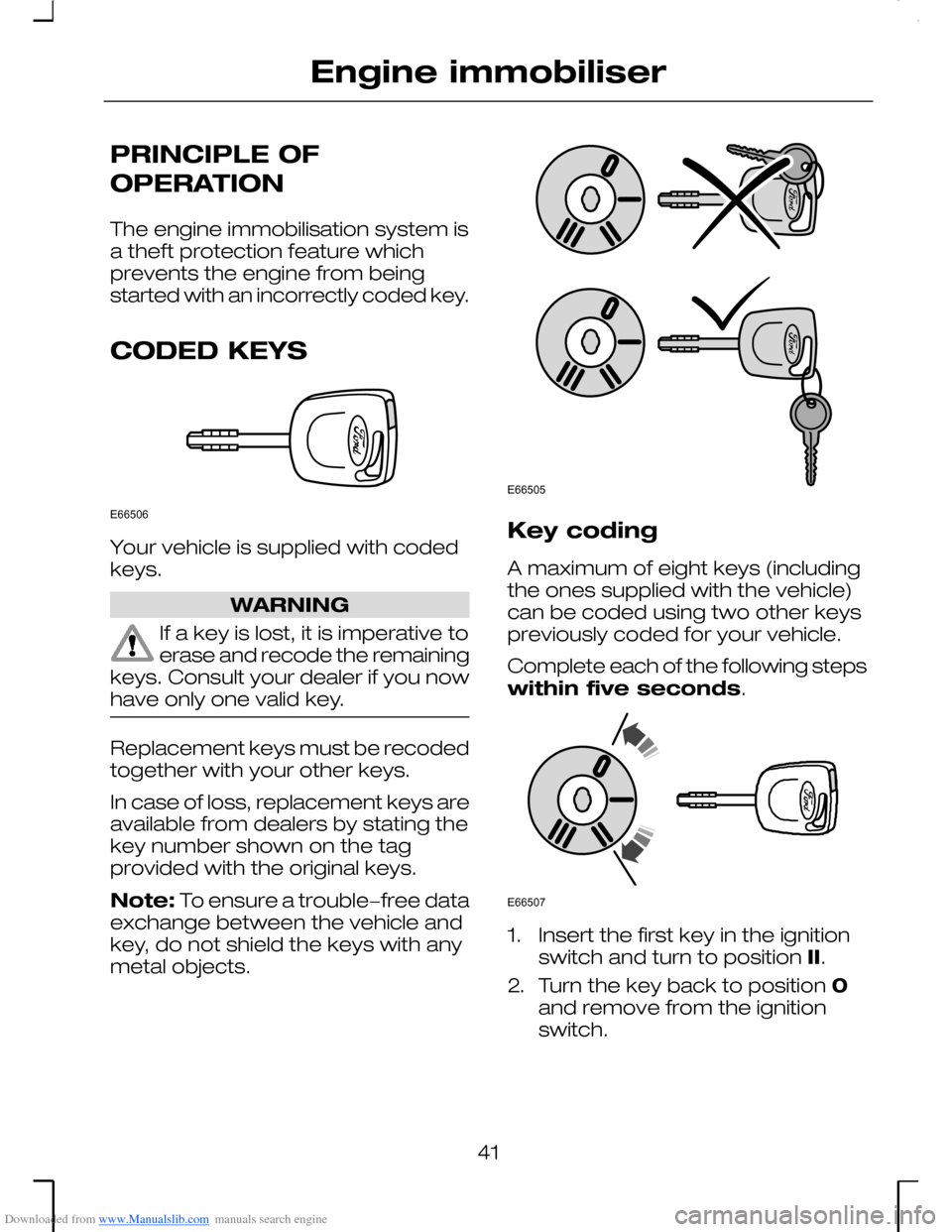
Your vehicle is supplied with codedkeys.
WARNING
If a key is lost, it is imperative toerase and recode the remainingkeys. Consult your dealer if you nowhave only one valid key.
Replacement keys must be recodedtogether with your other keys.
In case of loss, replacement keys areavailable from dealers by stating thekey number shown on the tagprovided with the original keys.
Note: To ensure a trouble−free dataexchange between the vehicle andkey, do not shield the keys with anymetal objects.
Key coding
A maximum of eight keys (includingthe ones supplied with the vehicle)can be coded using two other keyspreviously coded for your vehicle.
Complete each of the following stepswithin five seconds.
1.Insert the first key in the ignitionswitch and turn to position II.
2.Turn the key back to position 0and remove from the ignitionswitch.
41
Engine immobiliserE66506 E66505 E66507
Page 44 of 198
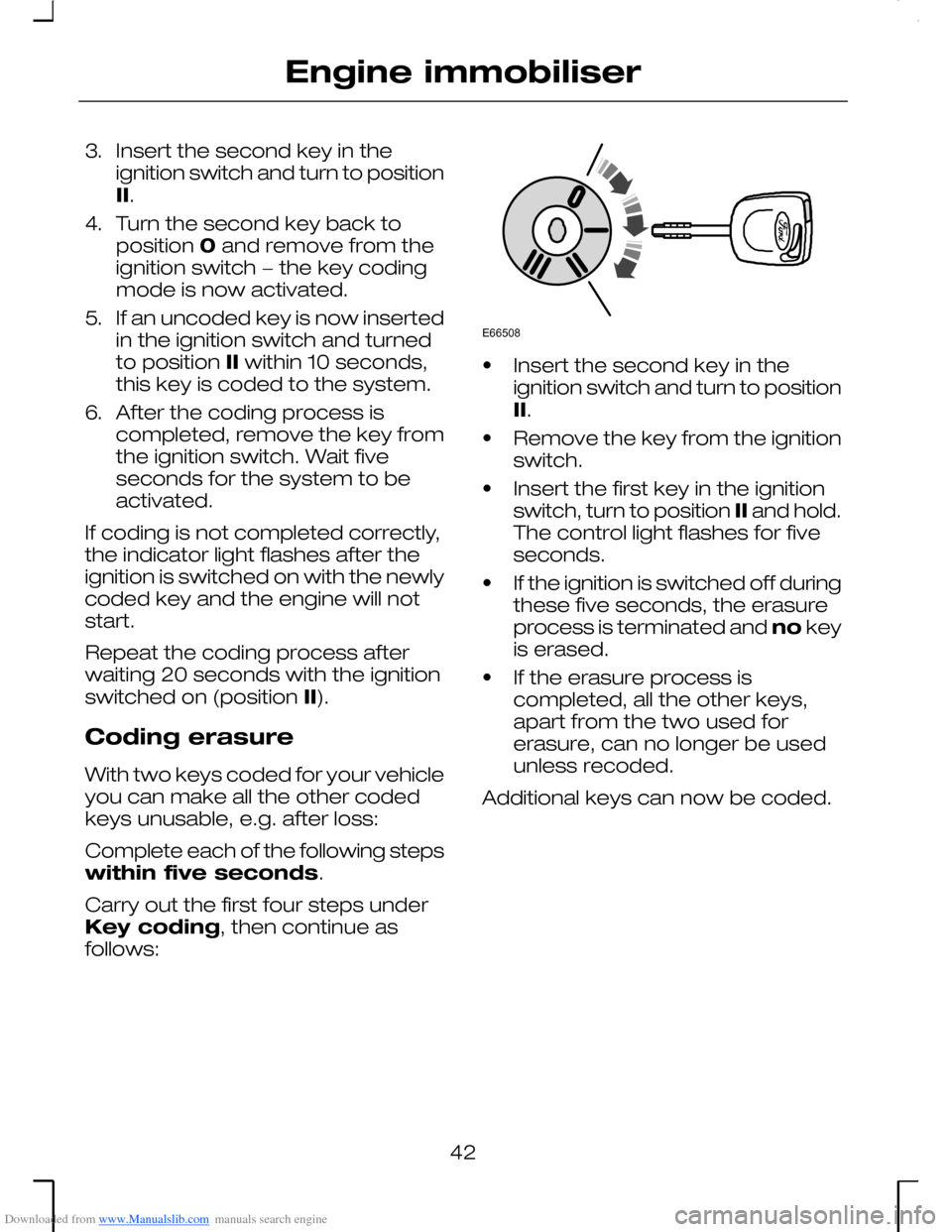
Downloaded from www.Manualslib.com manuals search engine 3.Insert the second key in theignition switch and turn to positionII.
4.Turn the second key back toposition 0 and remove from theignition switch − the key codingmode is now activated.
5.If an uncoded key is now insertedin the ignition switch and turnedto position II within 10 seconds,this key is coded to the system.
6.After the coding process iscompleted, remove the key fromthe ignition switch. Wait fiveseconds for the system to beactivated.
If coding is not completed correctly,the indicator light flashes after theignition is switched on with the newlycoded key and the engine will notstart.
Repeat the coding process afterwaiting 20 seconds with the ignitionswitched on (position II).
Coding erasure
With two keys coded for your vehicleyou can make all the other codedkeys unusable, e.g. after loss:
Complete each of the following stepswithin five seconds.
Carry out the first four steps underKey coding, then continue asfollows:
•Insert the second key in theignition switch and turn to positionII.
•Remove the key from the ignitionswitch.
•Insert the first key in the ignitionswitch, turn to position II and hold.The control light flashes for fiveseconds.
•If the ignition is switched off duringthese five seconds, the erasureprocess is terminated and no keyis erased.
•If the erasure process iscompleted, all the other keys,apart from the two used forerasure, can no longer be usedunless recoded.
Additional keys can now be coded.
42
Engine immobiliserE66508
Page 45 of 198
Downloaded from www.Manualslib.com manuals search engine ARMING THE ENGINE
IMMOBILISER
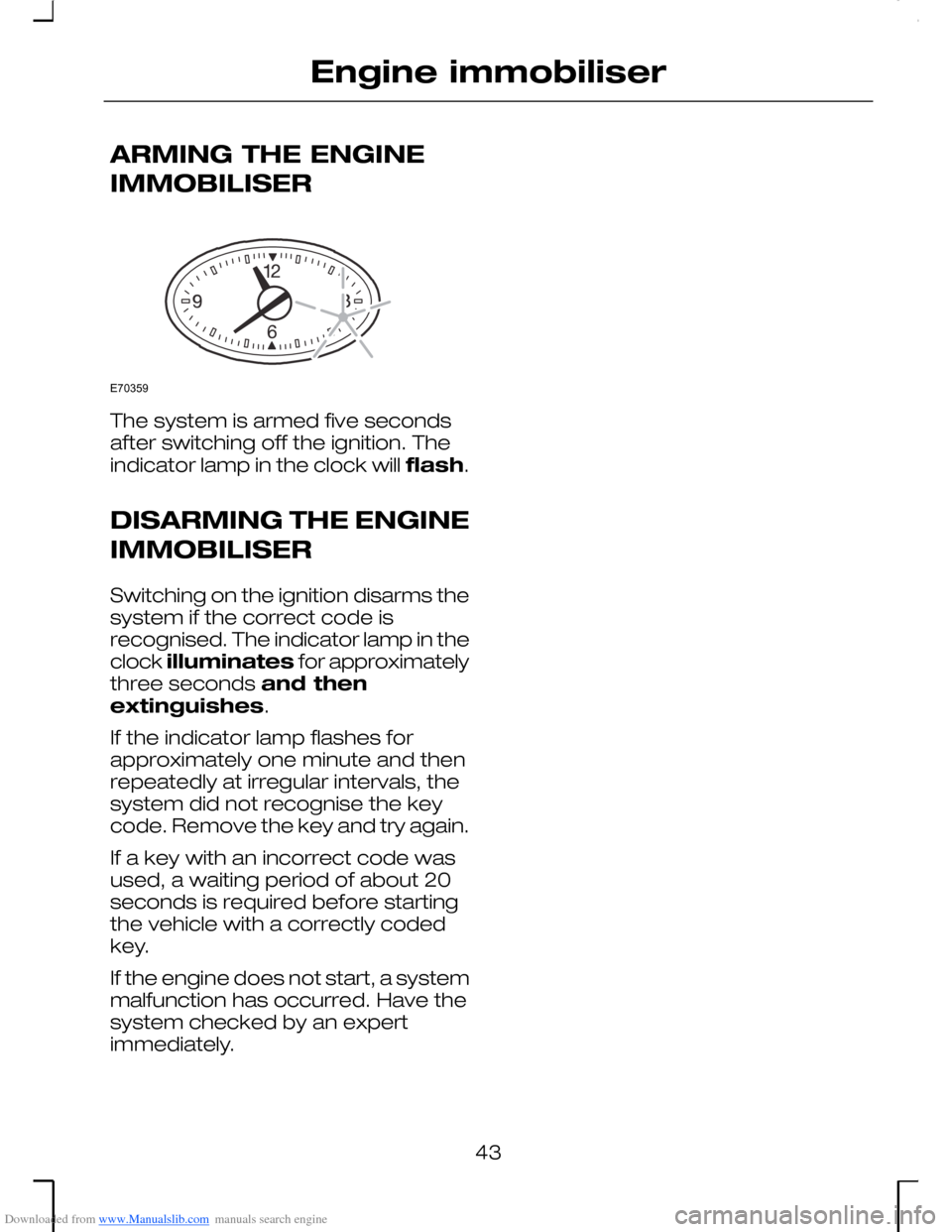
The system is armed five secondsafter switching off the ignition. Theindicator lamp in the clock will flash.
DISARMING THE ENGINE
IMMOBILISER
Switching on the ignition disarms thesystem if the correct code isrecognised. The indicator lamp in theclock illuminates for approximatelythree seconds and thenextinguishes.
If the indicator lamp flashes forapproximately one minute and thenrepeatedly at irregular intervals, thesystem did not recognise the keycode. Remove the key and try again.
If a key with an incorrect code wasused, a waiting period of about 20seconds is required before startingthe vehicle with a correctly codedkey.
If the engine does not start, a systemmalfunction has occurred. Have thesystem checked by an expertimmediately.
43
Engine immobiliserE70359
Page 47 of 198
Downloaded from www.Manualslib.com manuals search engine The anti-theft alarm system for thetailgate is deactivated when theluggage compartment is unlockedwith a key (4-door models) or theremote control (all models). Afterclosure, the alarm is once againarmed.
Vehicles with 3.0 l Duratec-VE/-ST or 2.5 l Duratec-VEengine
Note: Unlocking a front door with akey will not deactivate this alarm.
On vehicles with enhanced security(certain markets only), the anti-theftalarm system is deactivated bypressing the unlock button on theremote control.
To deactivate with a non-remote key,open the driver’s door with themechanical key. This starts a 12second delay chime before the alarmsounds. During this period the alarmsystem can be deactivated by turningthe key in the ignition to position II.
45
Alarm
Page 48 of 198
Downloaded from www.Manualslib.com manuals search engine ADJUSTING THE
STEERING WHEEL
WARNING
Never adjust the steering wheelwhen the vehicle is moving.
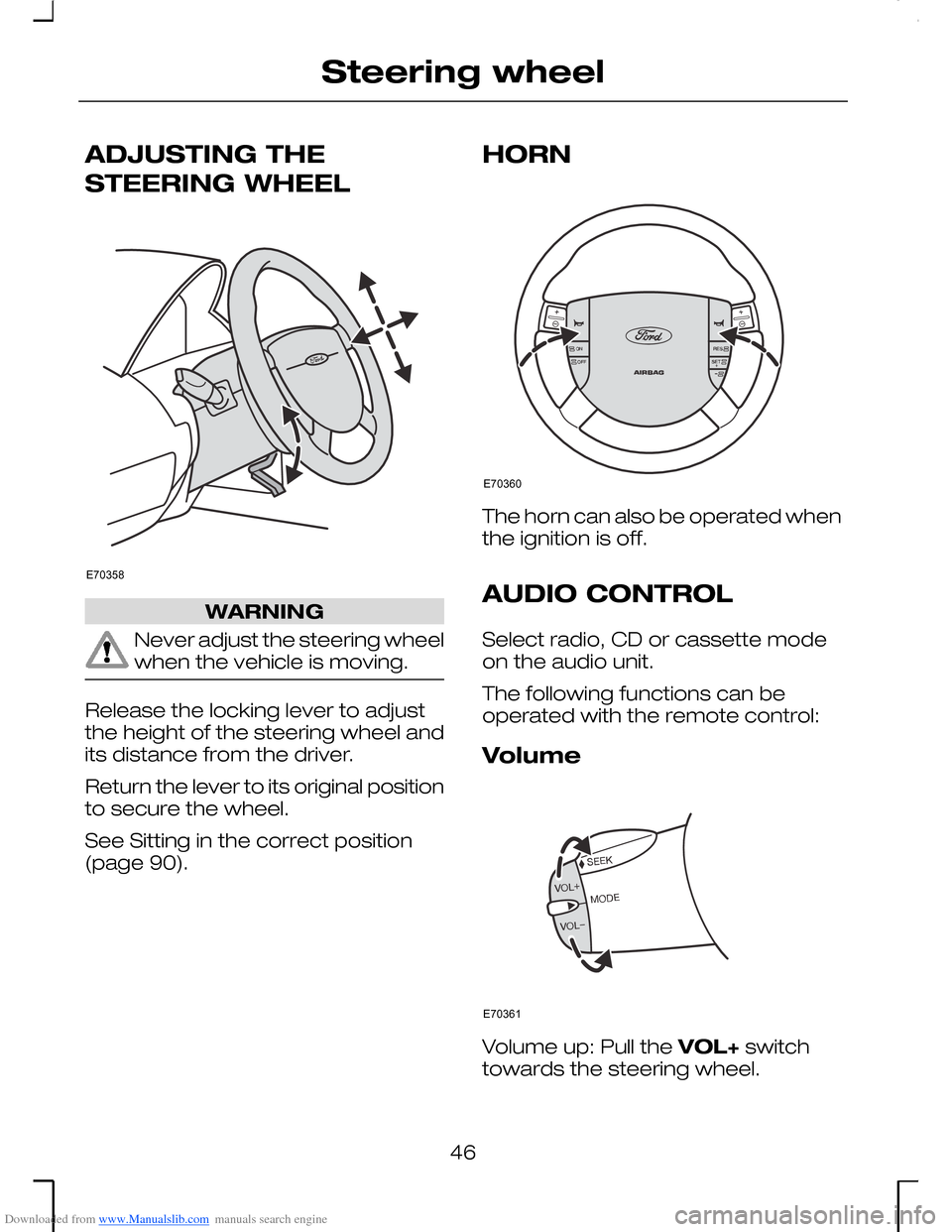
Release the locking lever to adjustthe height of the steering wheel andits distance from the driver.
Return the lever to its original positionto secure the wheel.
See Sitting in the correct position(page 90).
HORN
The horn can also be operated whenthe ignition is off.
AUDIO CONTROL
Select radio, CD or cassette modeon the audio unit.
The following functions can beoperated with the remote control:
Volume
Volume up: Pull the VOL+ switchtowards the steering wheel.
46
Steering wheelE70358 E70360 E70361
Page 51 of 198
Downloaded from www.Manualslib.com manuals search engine When autowipers is selected, thewipers will cycle once regardless ofwhether the windscreen is wet or dry.Thereafter, or when the ignition isswitched on with autowipersselected, the wipers will not cycleuntil water is detected on thewindscreen. Alternatively, move thelever to another position and thenselect autowipers, or operate thewasher.
The rain sensor will continuouslymeasure the amount of water on thewindscreen and adjust the speed ofthe front wipers automatically (singlewipe, intermittent, normal or highspeed wiping).
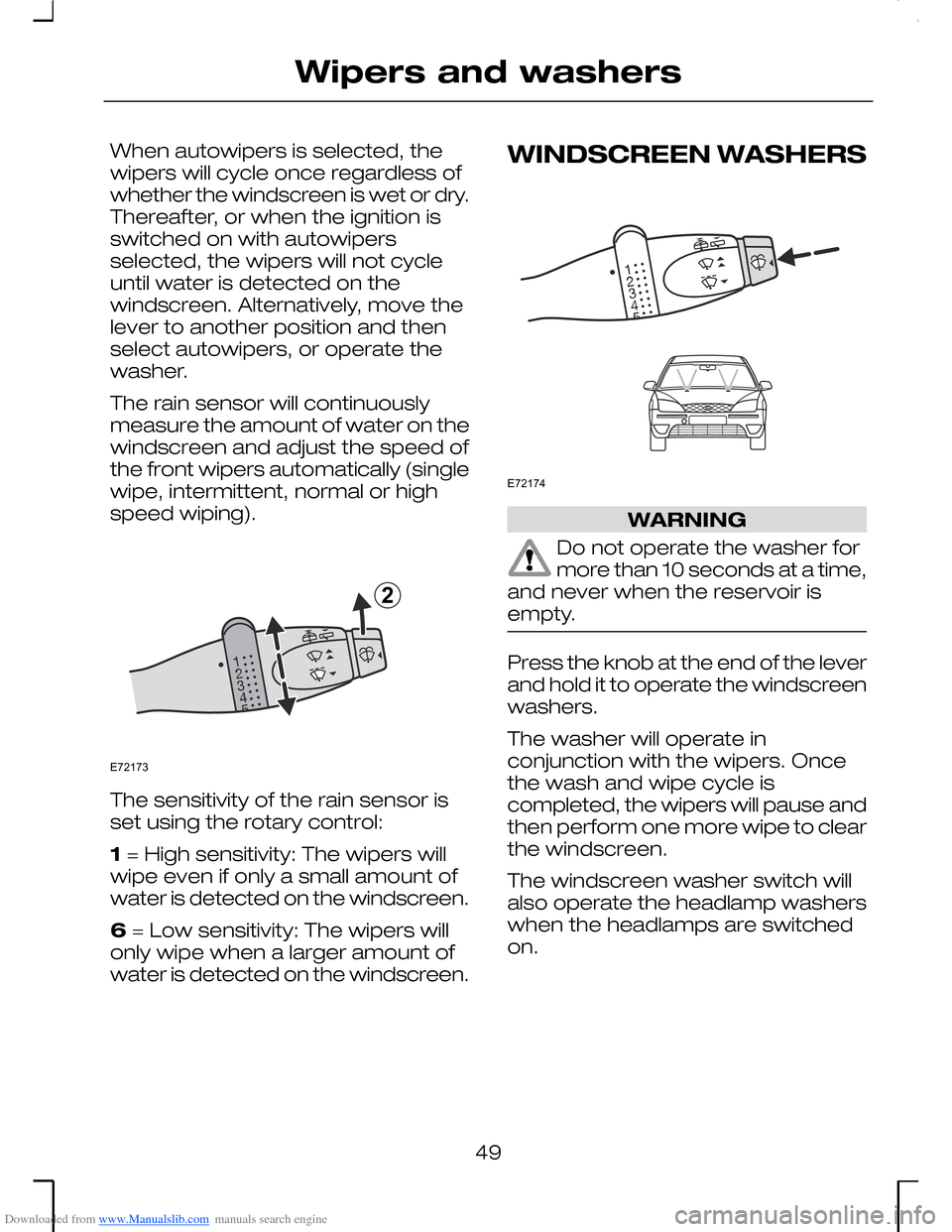
The sensitivity of the rain sensor isset using the rotary control:
1 = High sensitivity: The wipers willwipe even if only a small amount ofwater is detected on the windscreen.
6 = Low sensitivity: The wipers willonly wipe when a larger amount ofwater is detected on the windscreen.
WINDSCREEN WASHERS
WARNING
Do not operate the washer formore than 10 seconds at a time,and never when the reservoir isempty.
Press the knob at the end of the leverand hold it to operate the windscreenwashers.
The washer will operate inconjunction with the wipers. Oncethe wash and wipe cycle iscompleted, the wipers will pause andthen perform one more wipe to clearthe windscreen.
The windscreen washer switch willalso operate the headlamp washerswhen the headlamps are switchedon.
49
Wipers and washersE721732 E72174
Page 58 of 198
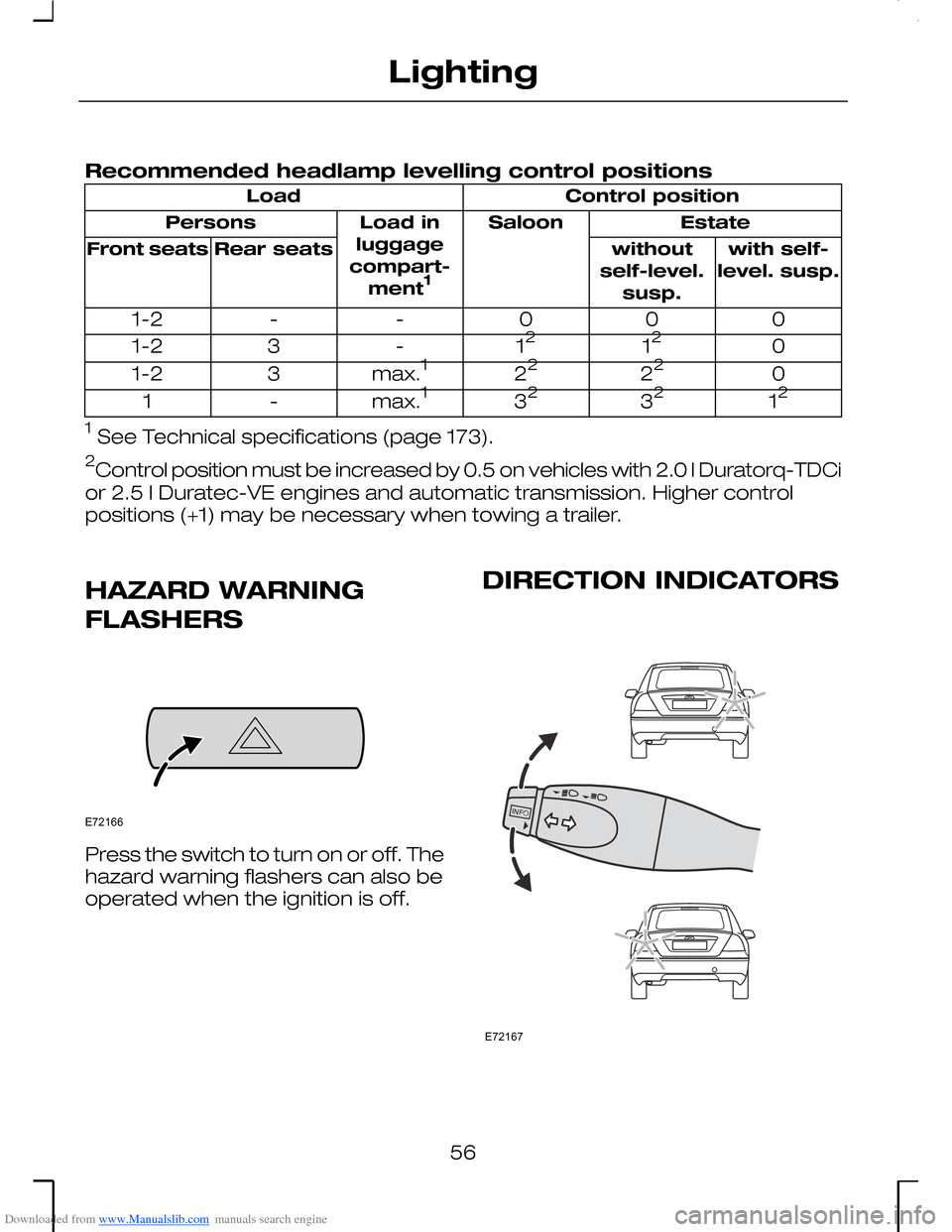
Downloaded from www.Manualslib.com manuals search engine Recommended headlamp levelling control positions
Control positionLoad
EstateSaloonLoad inluggagecompart-ment1
Persons
with self-level. susp.withoutself-level.susp.
Rear seatsFront seats
000--1-2
01212-31-2
02222max.131-2
123232max.1-1
1 See Technical specifications (page 173).
2Control position must be increased by 0.5 on vehicles with 2.0 l Duratorq-TDCi
or 2.5 l Duratec-VE engines and automatic transmission. Higher controlpositions (+1) may be necessary when towing a trailer.
HAZARD WARNING
FLASHERS
Press the switch to turn on or off. Thehazard warning flashers can also beoperated when the ignition is off.
DIRECTION INDICATORS
56
LightingE72166 E72167
Page 59 of 198
Downloaded from www.Manualslib.com manuals search engine Briefly tap the lever up or down andthe direction indicators will flash threetimes.
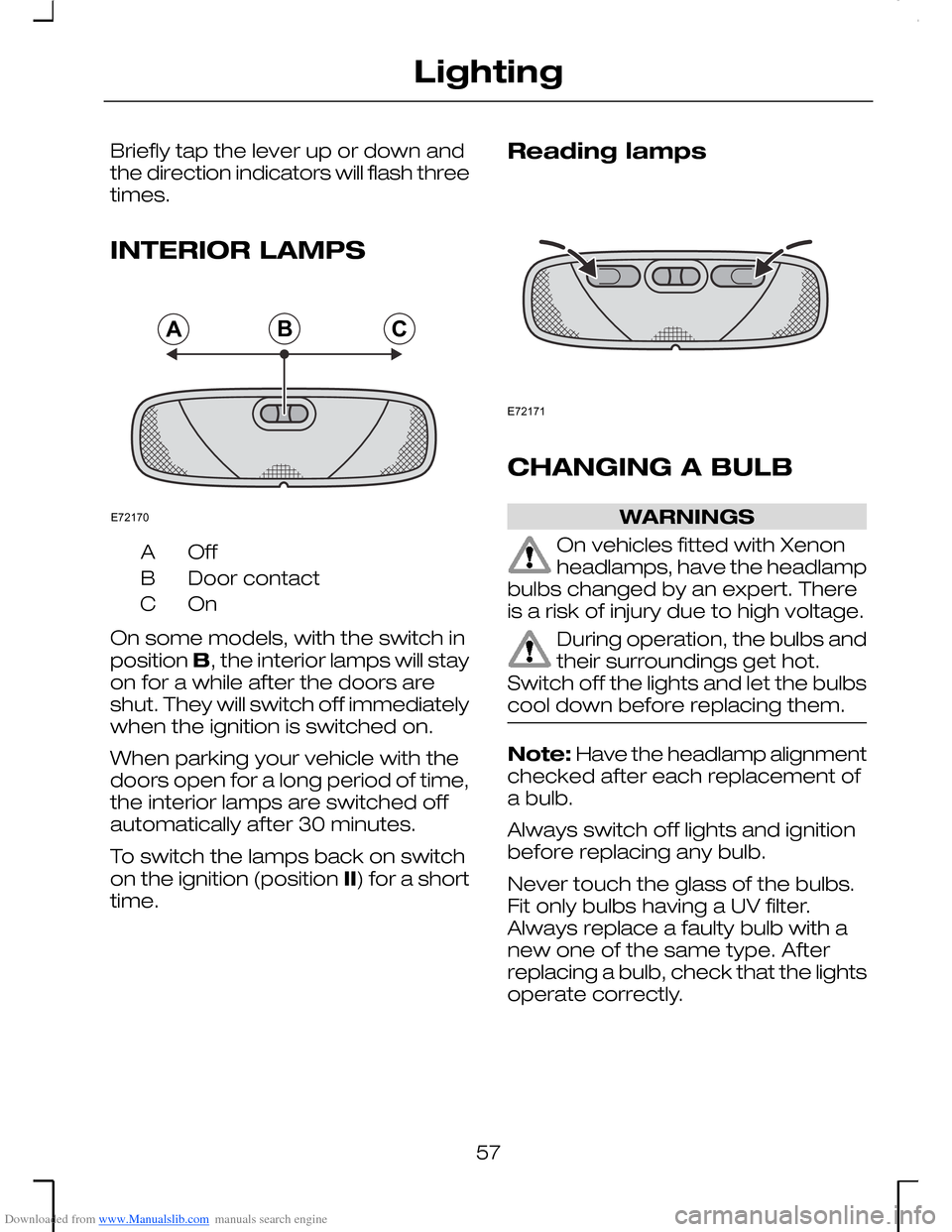
INTERIOR LAMPS
OffA
Door contactB
OnC
On some models, with the switch inposition B, the interior lamps will stayon for a while after the doors areshut. They will switch off immediatelywhen the ignition is switched on.
When parking your vehicle with thedoors open for a long period of time,the interior lamps are switched offautomatically after 30 minutes.
To switch the lamps back on switchon the ignition (position II) for a shorttime.
Reading lamps
CHANGING A BULB
WARNINGS
On vehicles fitted with Xenonheadlamps, have the headlampbulbs changed by an expert. Thereis a risk of injury due to high voltage.
During operation, the bulbs andtheir surroundings get hot.Switch off the lights and let the bulbscool down before replacing them.
Note: Have the headlamp alignmentchecked after each replacement ofa bulb.
Always switch off lights and ignitionbefore replacing any bulb.
Never touch the glass of the bulbs.Fit only bulbs having a UV filter.Always replace a faulty bulb with anew one of the same type. Afterreplacing a bulb, check that the lightsoperate correctly.
57
LightingABCE72170 E72171
Page 68 of 198
Downloaded from www.Manualslib.com manuals search engine Carefully prise out the lamp assemblyfrom the holder with a flat-bladedscrewdriver, and remove the bulb.
Install in the reverse order.
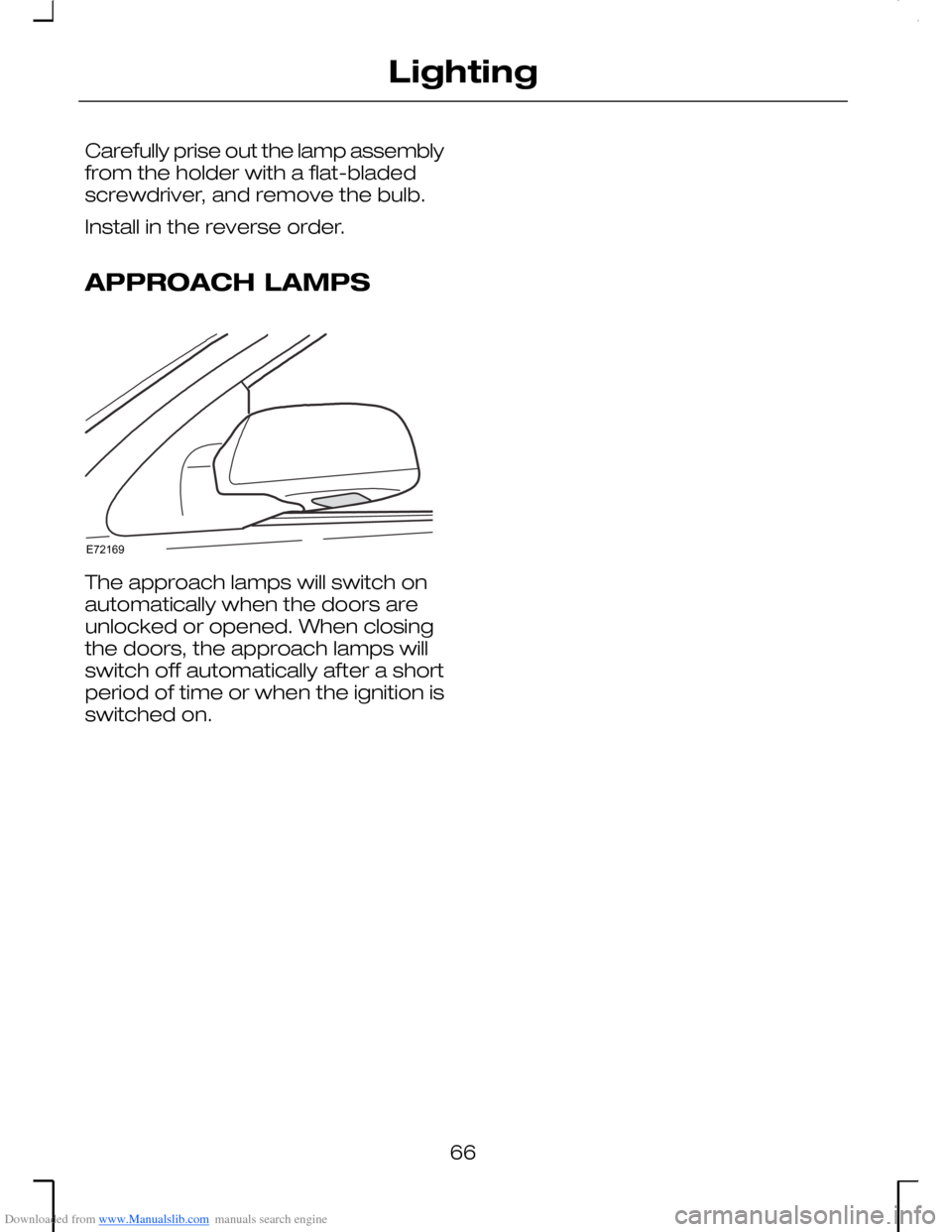
APPROACH LAMPS
The approach lamps will switch onautomatically when the doors areunlocked or opened. When closingthe doors, the approach lamps willswitch off automatically after a shortperiod of time or when the ignition isswitched on.
66
LightingE72169