instrument panel FORD MONDEO 2006 2.G Owners Manual
[x] Cancel search | Manufacturer: FORD, Model Year: 2006, Model line: MONDEO, Model: FORD MONDEO 2006 2.GPages: 198, PDF Size: 4.69 MB
Page 9 of 198
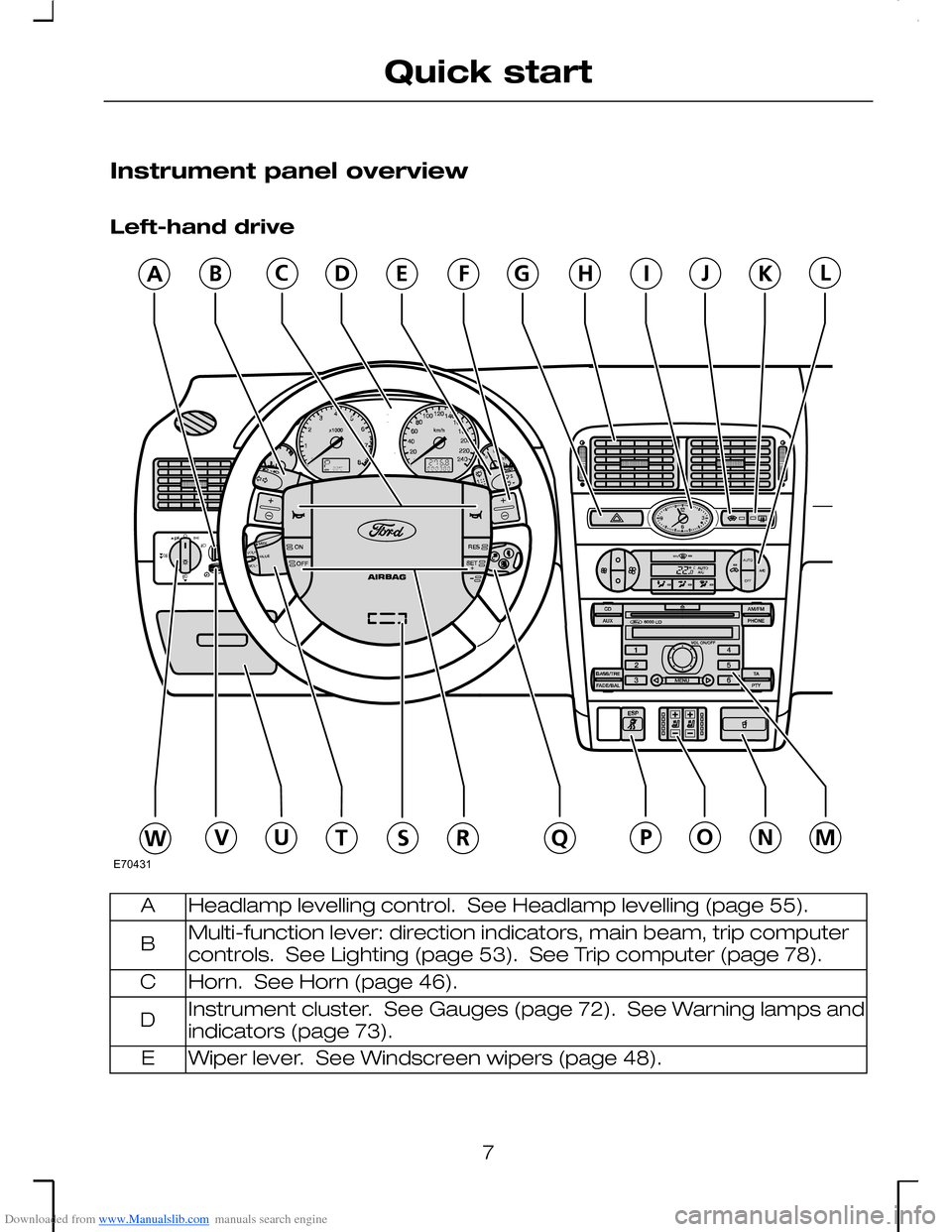
Downloaded from www.Manualslib.com manuals search engine Instrument panel overview
Left-hand drive
Headlamp levelling control. See Headlamp levelling (page 55).A
Multi-function lever: direction indicators, main beam, trip computercontrols. See Lighting (page 53). See Trip computer (page 78).B
Horn. See Horn (page 46).C
Instrument cluster. See Gauges (page 72). See Warning lamps andindicators (page 73).D
Wiper lever. See Windscreen wipers (page 48).E
7
Quick startE70431
Page 27 of 198
Downloaded from www.Manualslib.com manuals search engine PRINCIPLE OF OPERATION
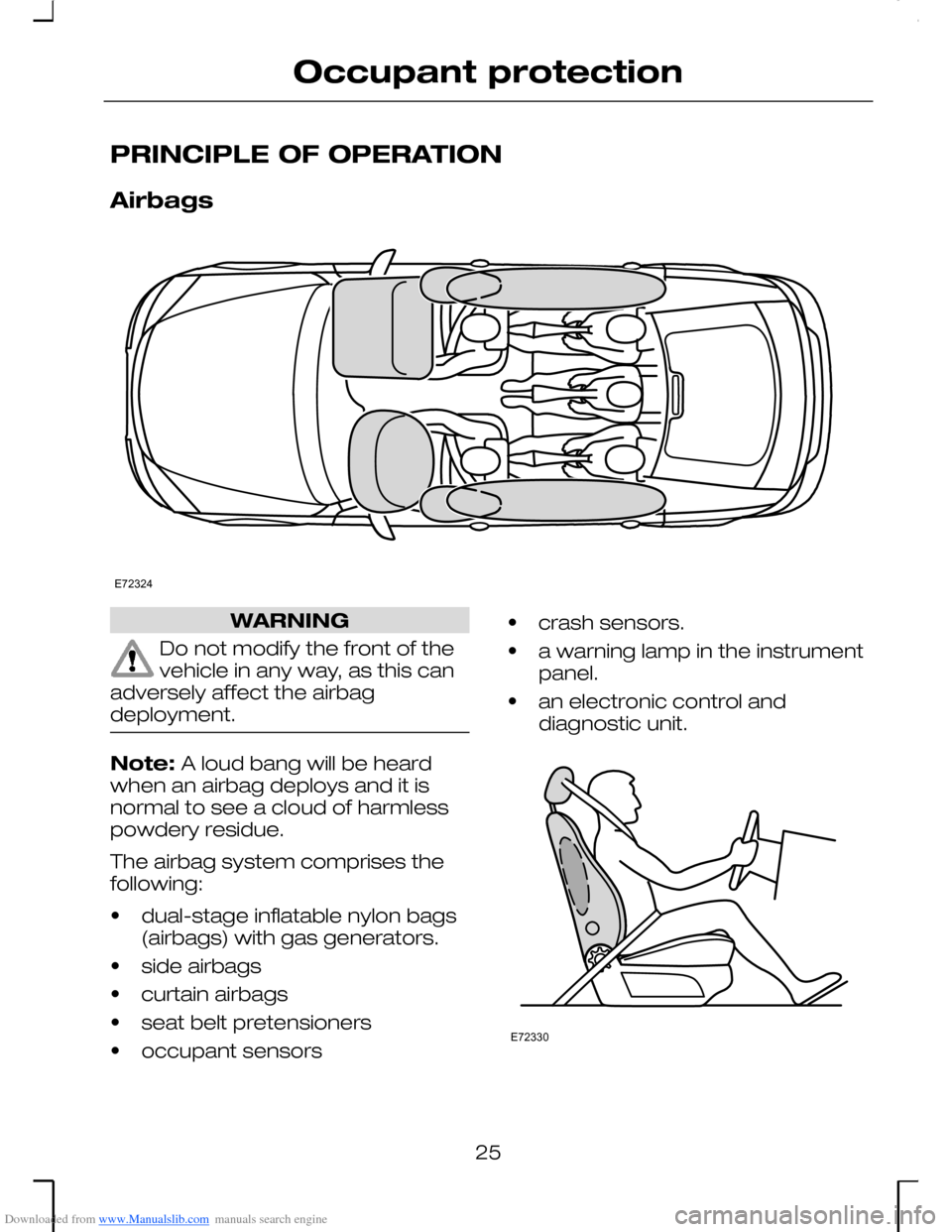
Airbags
WARNING
Do not modify the front of thevehicle in any way, as this canadversely affect the airbagdeployment.
Note: A loud bang will be heardwhen an airbag deploys and it isnormal to see a cloud of harmlesspowdery residue.
The airbag system comprises thefollowing:
•dual-stage inflatable nylon bags(airbags) with gas generators.
•side airbags
•curtain airbags
•seat belt pretensioners
•occupant sensors
•crash sensors.
•a warning lamp in the instrumentpanel.
•an electronic control anddiagnostic unit.
25
Occupant protectionE72324 E72330
Page 49 of 198
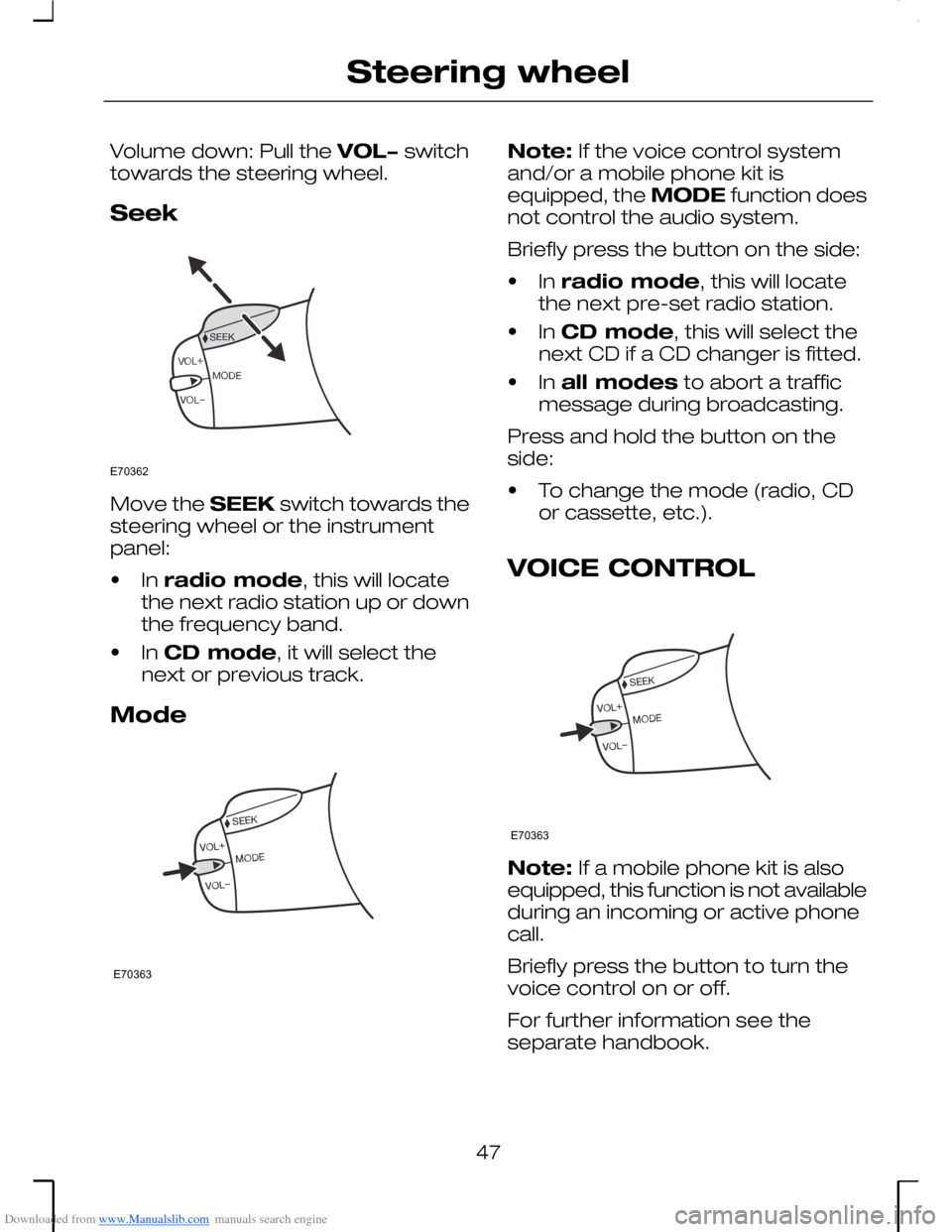
Downloaded from www.Manualslib.com manuals search engine Volume down: Pull the VOL− switchtowards the steering wheel.
Seek
Move the SEEK switch towards thesteering wheel or the instrumentpanel:
•In radio mode, this will locatethe next radio station up or downthe frequency band.
•In CD mode, it will select thenext or previous track.
Mode
Note: If the voice control systemand/or a mobile phone kit isequipped, the MODE function doesnot control the audio system.
Briefly press the button on the side:
•In radio mode, this will locatethe next pre-set radio station.
•In CD mode, this will select thenext CD if a CD changer is fitted.
•In all modes to abort a trafficmessage during broadcasting.
Press and hold the button on theside:
•To change the mode (radio, CDor cassette, etc.).
VOICE CONTROL
Note: If a mobile phone kit is alsoequipped, this function is not availableduring an incoming or active phonecall.
Briefly press the button to turn thevoice control on or off.
For further information see theseparate handbook.
47
Steering wheelE70362 E70363 E70363
Page 92 of 198
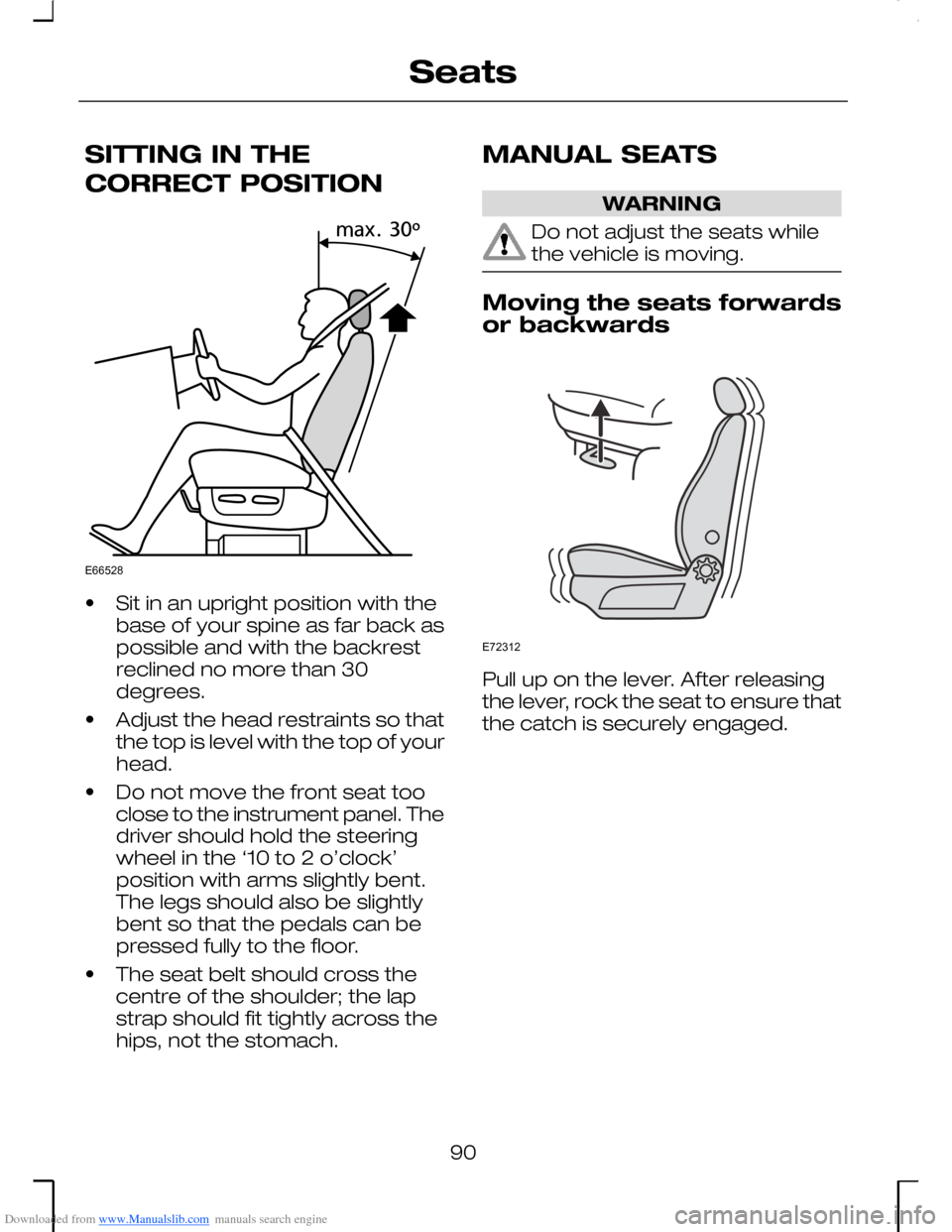
Downloaded from www.Manualslib.com manuals search engine SITTING IN THE
CORRECT POSITION
•Sit in an upright position with thebase of your spine as far back aspossible and with the backrestreclined no more than 30degrees.
•Adjust the head restraints so thatthe top is level with the top of yourhead.
•Do not move the front seat tooclose to the instrument panel. Thedriver should hold the steeringwheel in the ‘10 to 2 o’clock’position with arms slightly bent.The legs should also be slightlybent so that the pedals can bepressed fully to the floor.
•The seat belt should cross thecentre of the shoulder; the lapstrap should fit tightly across thehips, not the stomach.
MANUAL SEATS
WARNING
Do not adjust the seats whilethe vehicle is moving.
Moving the seats forwardsor backwards
Pull up on the lever. After releasingthe lever, rock the seat to ensure thatthe catch is securely engaged.
90
SeatsE66528 E72312
Page 139 of 198
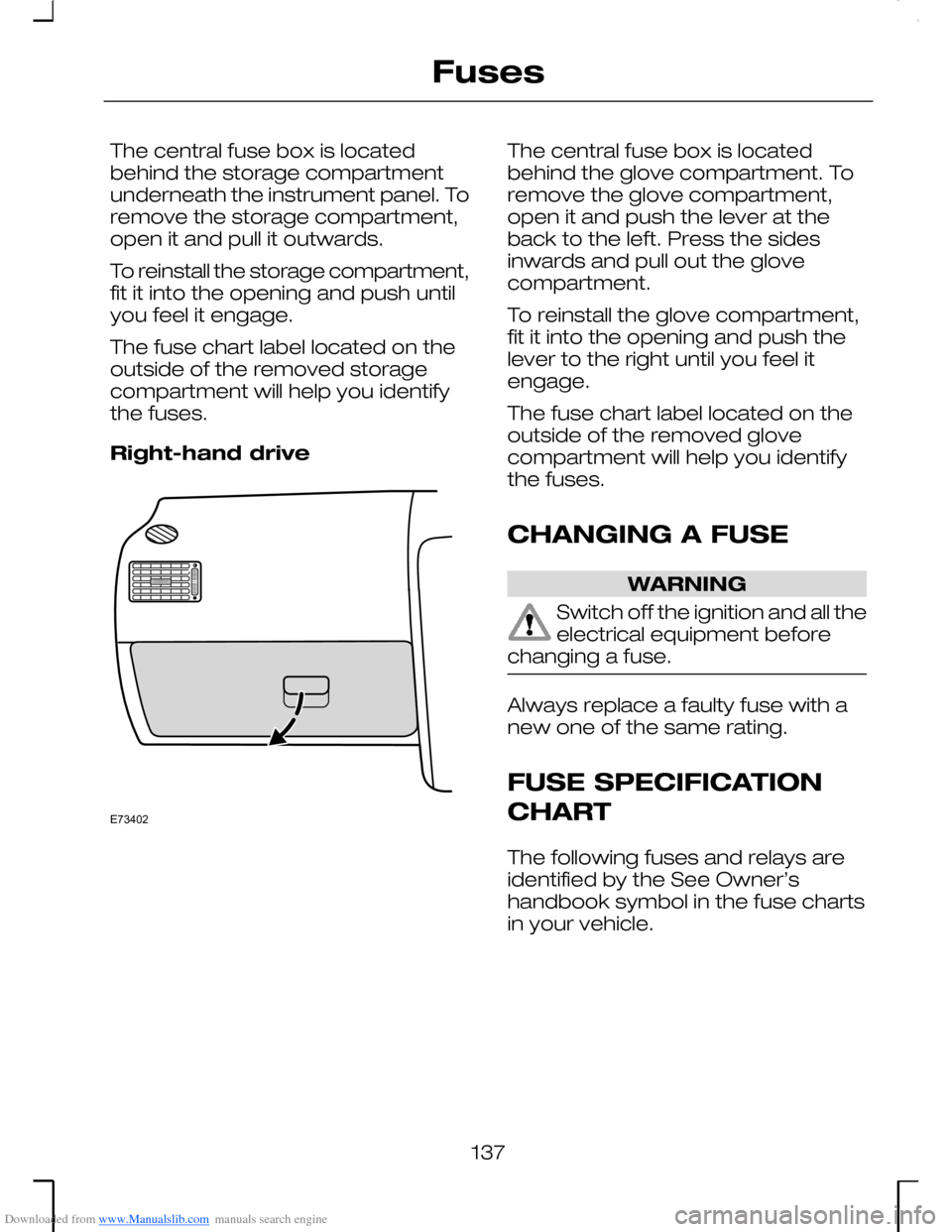
Downloaded from www.Manualslib.com manuals search engine The central fuse box is locatedbehind the storage compartmentunderneath the instrument panel. Toremove the storage compartment,open it and pull it outwards.
To reinstall the storage compartment,fit it into the opening and push untilyou feel it engage.
The fuse chart label located on theoutside of the removed storagecompartment will help you identifythe fuses.
Right-hand drive
The central fuse box is locatedbehind the glove compartment. Toremove the glove compartment,open it and push the lever at theback to the left. Press the sidesinwards and pull out the glovecompartment.
To reinstall the glove compartment,fit it into the opening and push thelever to the right until you feel itengage.
The fuse chart label located on theoutside of the removed glovecompartment will help you identifythe fuses.
CHANGING A FUSE
WARNING
Switch off the ignition and all theelectrical equipment beforechanging a fuse.
Always replace a faulty fuse with anew one of the same rating.
FUSE SPECIFICATION
CHART
The following fuses and relays areidentified by the See Owner’shandbook symbol in the fuse chartsin your vehicle.
137
FusesE73402
Page 174 of 198
Downloaded from www.Manualslib.com manuals search engine VEHICLE IDENTIFICATION
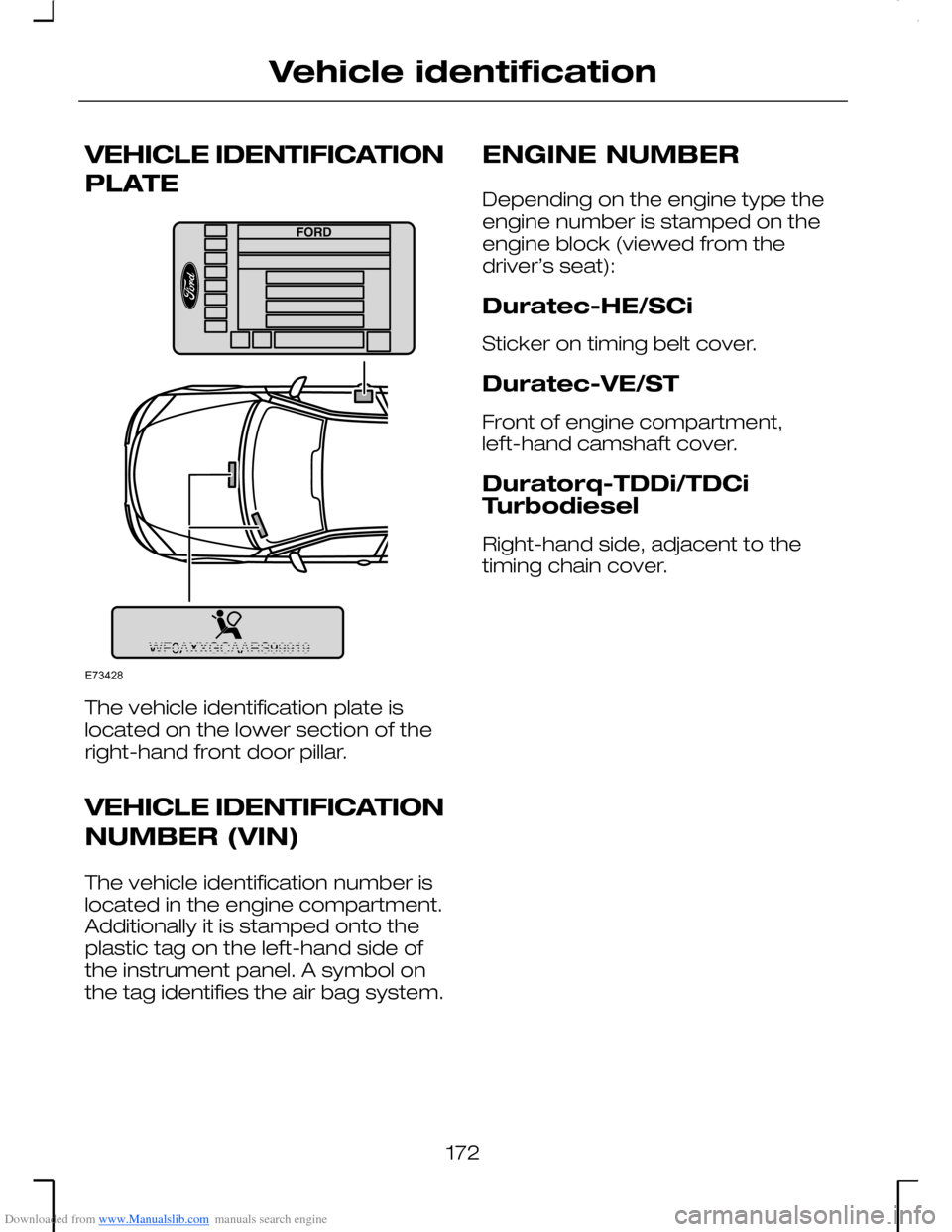
PLATE
The vehicle identification plate islocated on the lower section of theright-hand front door pillar.
VEHICLE IDENTIFICATION
NUMBER (VIN)
The vehicle identification number islocated in the engine compartment.Additionally it is stamped onto theplastic tag on the left-hand side ofthe instrument panel. A symbol onthe tag identifies the air bag system.
ENGINE NUMBER
Depending on the engine type theengine number is stamped on theengine block (viewed from thedriver’s seat):
Duratec-HE/SCi
Sticker on timing belt cover.
Duratec-VE/ST
Front of engine compartment,left-hand camshaft cover.
Duratorq-TDDi/TDCiTurbodiesel
Right-hand side, adjacent to thetiming chain cover.
172
Vehicle identificationE73428