steering FORD MONDEO 2014 4.G User Guide
[x] Cancel search | Manufacturer: FORD, Model Year: 2014, Model line: MONDEO, Model: FORD MONDEO 2014 4.GPages: 446, PDF Size: 29.09 MB
Page 59 of 446
Downloaded from www.Manualslib.com manuals search engine To reset the steering column to its normalstopping position:
1.Press the steering column control againafter encountering the new stoppingposition.
2.Continue pressing the control until itreaches the end of the column position.
A new stopping position is set. The nexttime you tilt or telescope the steeringcolumn, it will stop just short of the end ofthe column position.
Memory Feature
You can save and recall the steeringcolumn position with the memory function.See Memory Function (page 131).
Note:Pressing the adjustment controlduring memory recall cancels the operation.The column responds to the adjustmentcontrol.
Easy Entry and Exit Feature (If
Equipped)
When you switch the ignition off, thesteering column will move to the full upposition to allow extra room to exit yourvehicle. The column will return to theprevious setting when you switch theignition on. You can enable or disable thisfeature in the information display. SeeInformation Displays (page 86).
AUDIO CONTROL
Select the required source on the audiounit.
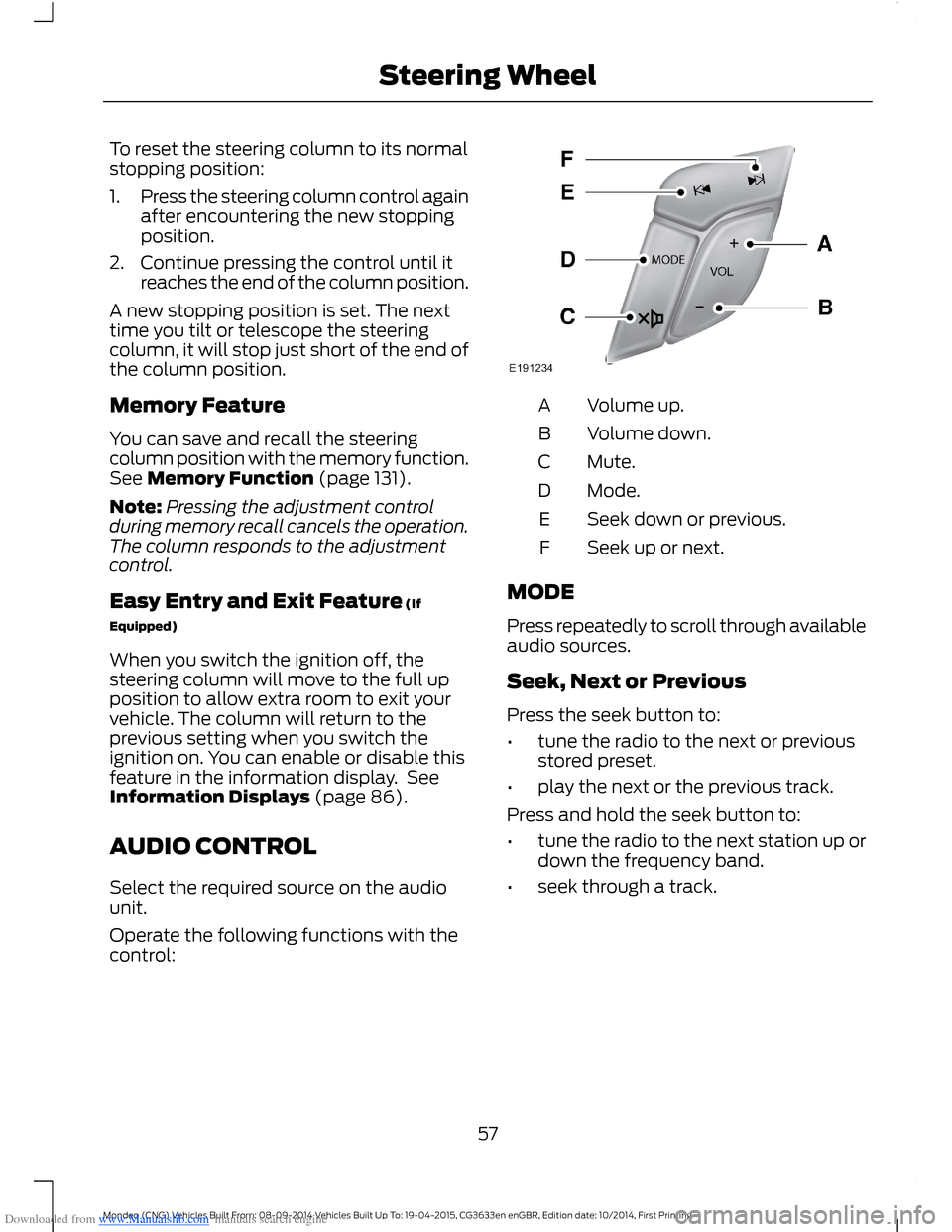
Operate the following functions with thecontrol:
Volume up.A
Volume down.B
Mute.C
Mode.D
Seek down or previous.E
Seek up or next.F
MODE
Press repeatedly to scroll through availableaudio sources.
Seek, Next or Previous
Press the seek button to:
•tune the radio to the next or previousstored preset.
•play the next or the previous track.
Press and hold the seek button to:
•tune the radio to the next station up ordown the frequency band.
•seek through a track.
57Mondeo (CNG) Vehicles Built From: 08-09-2014 Vehicles Built Up To: 19-04-2015, CG3633en enGBR, Edition date: 10/2014, First PrintingSteering Wheel
Page 60 of 446
Downloaded from www.Manualslib.com manuals search engine VOICE CONTROL
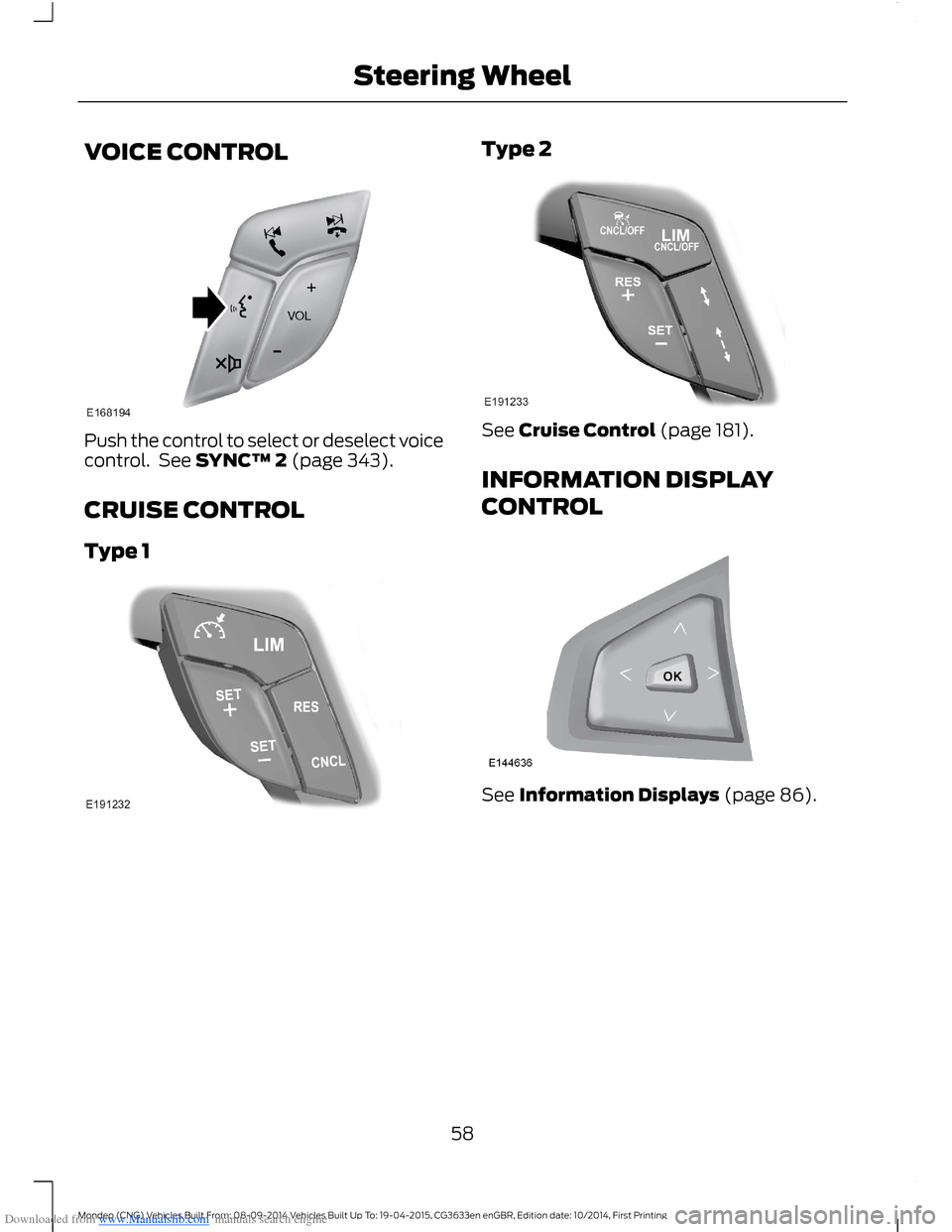
Push the control to select or deselect voicecontrol. See SYNC™ 2 (page 343).
CRUISE CONTROL
Type 1
Type 2
See Cruise Control (page 181).
INFORMATION DISPLAY
CONTROL
See Information Displays (page 86).
58Mondeo (CNG) Vehicles Built From: 08-09-2014 Vehicles Built Up To: 19-04-2015, CG3633en enGBR, Edition date: 10/2014, First PrintingSteering Wheel
Page 61 of 446
Downloaded from www.Manualslib.com manuals search engine Information Display ControlFeatures
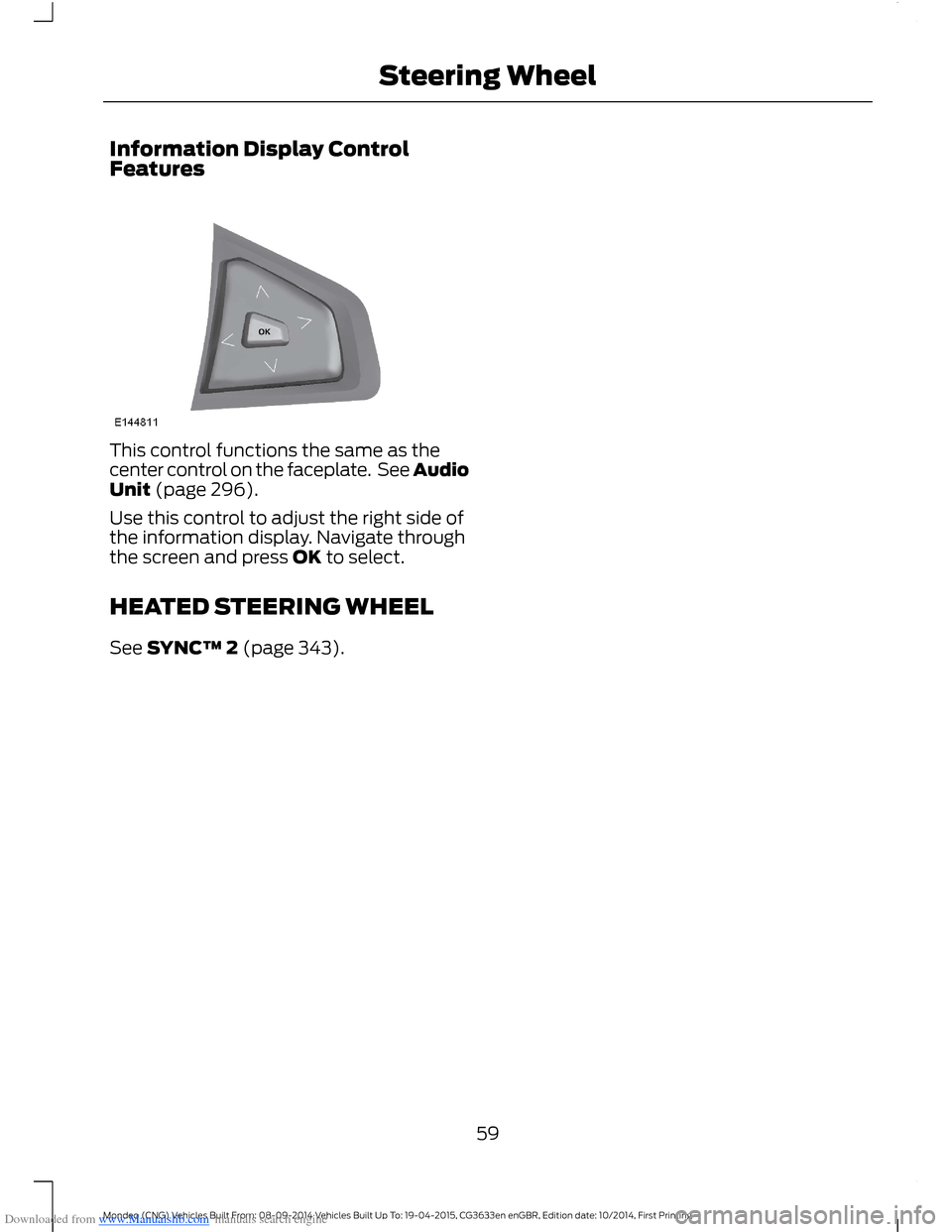
This control functions the same as thecenter control on the faceplate. See AudioUnit (page 296).
Use this control to adjust the right side ofthe information display. Navigate throughthe screen and press OK to select.
HEATED STEERING WHEEL
See SYNC™ 2 (page 343).
59Mondeo (CNG) Vehicles Built From: 08-09-2014 Vehicles Built Up To: 19-04-2015, CG3633en enGBR, Edition date: 10/2014, First PrintingSteering Wheel
Page 70 of 446
Downloaded from www.Manualslib.com manuals search engine 3.Press to close the control.
ADAPTIVE HEADLAMPS
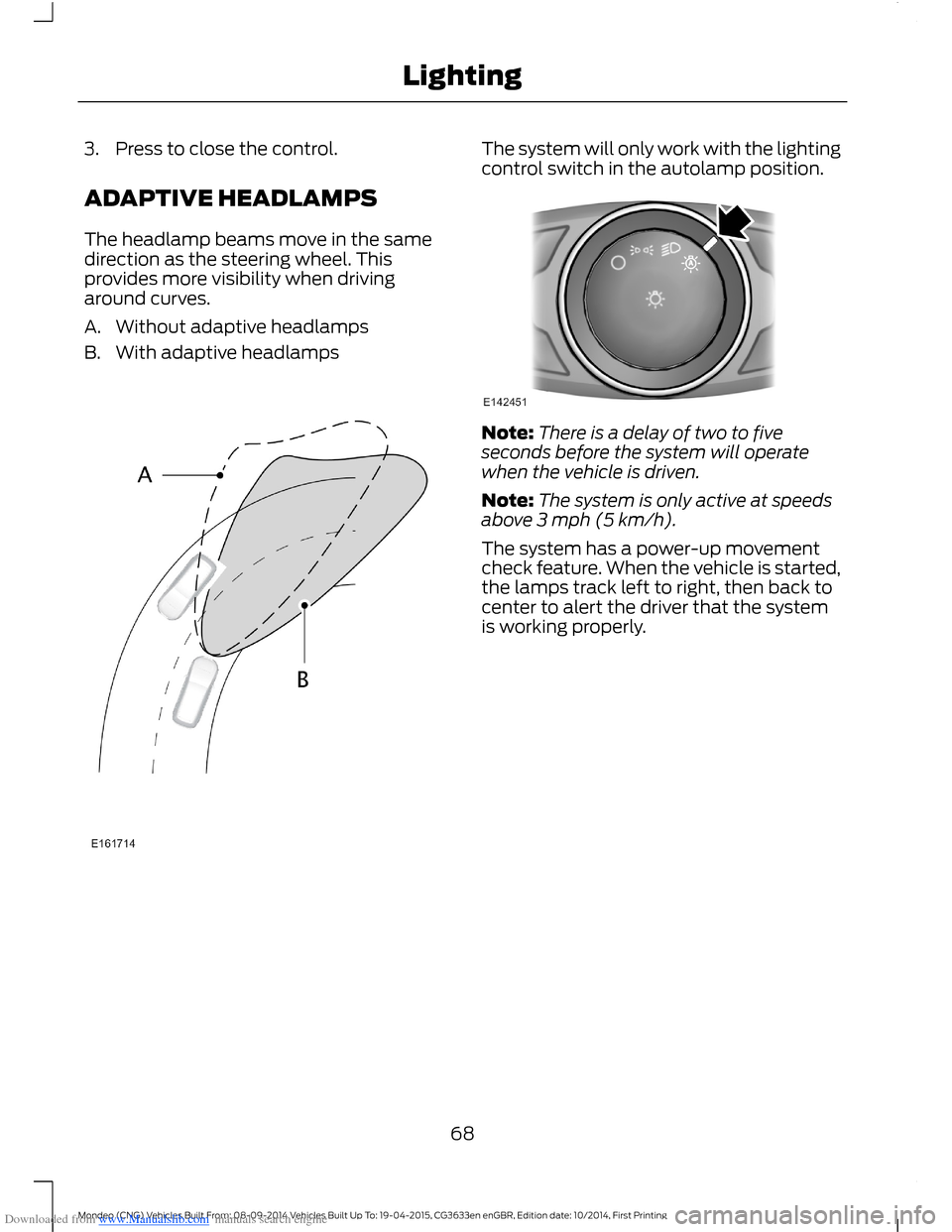
The headlamp beams move in the samedirection as the steering wheel. Thisprovides more visibility when drivingaround curves.
A.Without adaptive headlamps
B.With adaptive headlamps
The system will only work with the lightingcontrol switch in the autolamp position.
Note:There is a delay of two to fiveseconds before the system will operatewhen the vehicle is driven.
Note:The system is only active at speedsabove 3 mph (5 km/h).
The system has a power-up movementcheck feature. When the vehicle is started,the lamps track left to right, then back tocenter to alert the driver that the systemis working properly.
68Mondeo (CNG) Vehicles Built From: 08-09-2014 Vehicles Built Up To: 19-04-2015, CG3633en enGBR, Edition date: 10/2014, First PrintingLighting
Page 88 of 446
Downloaded from www.Manualslib.com manuals search engine GENERAL INFORMATION
WARNING
Driving while distracted can result inloss of vehicle control, crash andinjury. We strongly recommend thatyou use extreme caution when using anydevice that may take your focus off theroad. Your primary responsibility is the safeoperation of your vehicle. We recommendagainst the use of any hand-held devicewhile driving and encourage the use ofvoice-operated systems when possible.Make sure you are aware of all applicablelocal laws that may affect the use ofelectronic devices while driving.
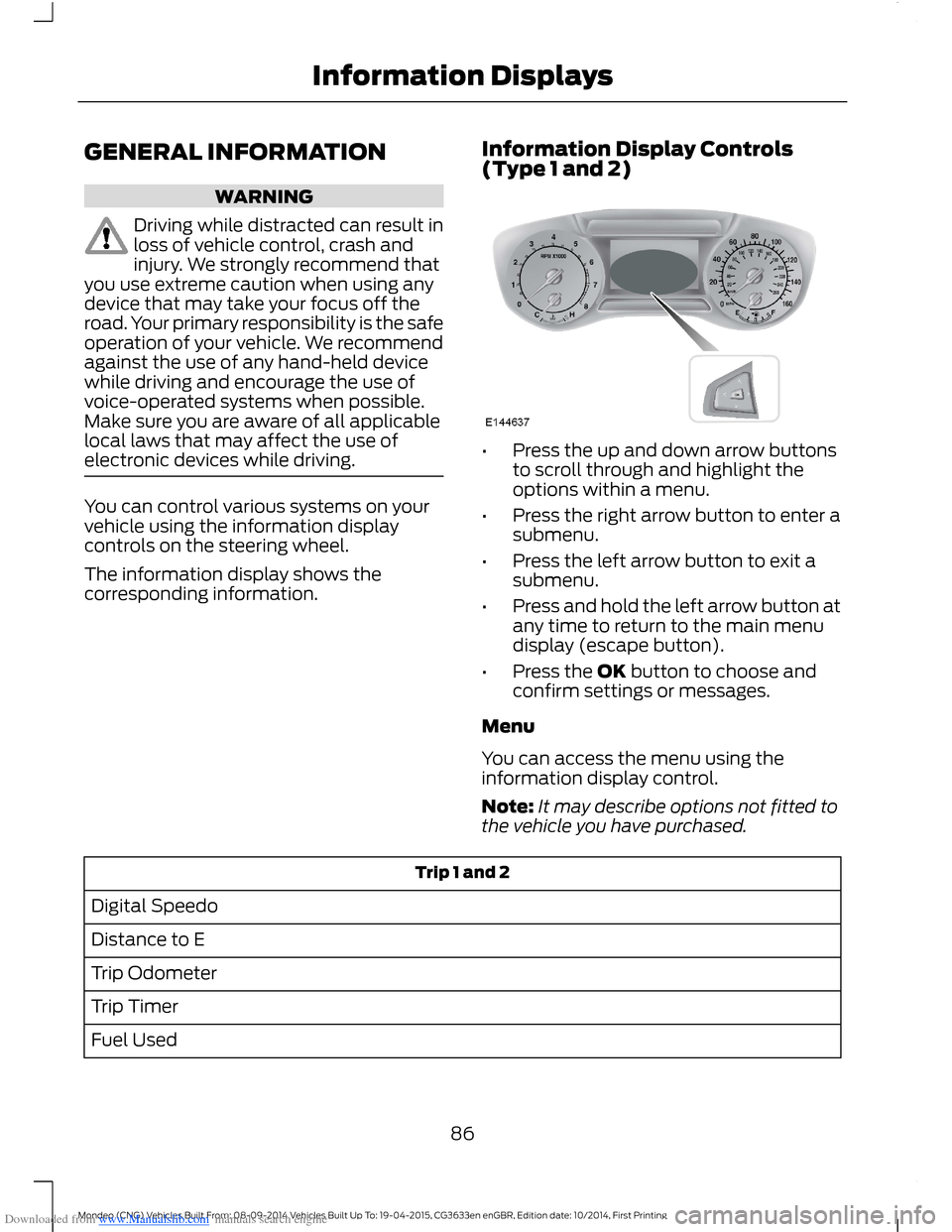
You can control various systems on yourvehicle using the information displaycontrols on the steering wheel.
The information display shows thecorresponding information.
Information Display Controls(Type 1 and 2)
•Press the up and down arrow buttonsto scroll through and highlight theoptions within a menu.
•Press the right arrow button to enter asubmenu.
•Press the left arrow button to exit asubmenu.
•Press and hold the left arrow button atany time to return to the main menudisplay (escape button).
•Press the OK button to choose andconfirm settings or messages.
Menu
You can access the menu using theinformation display control.
Note:It may describe options not fitted tothe vehicle you have purchased.
Trip 1 and 2
Digital Speedo
Distance to E
Trip Odometer
Trip Timer
Fuel Used
86Mondeo (CNG) Vehicles Built From: 08-09-2014 Vehicles Built Up To: 19-04-2015, CG3633en enGBR, Edition date: 10/2014, First PrintingInformation Displays
Page 90 of 446
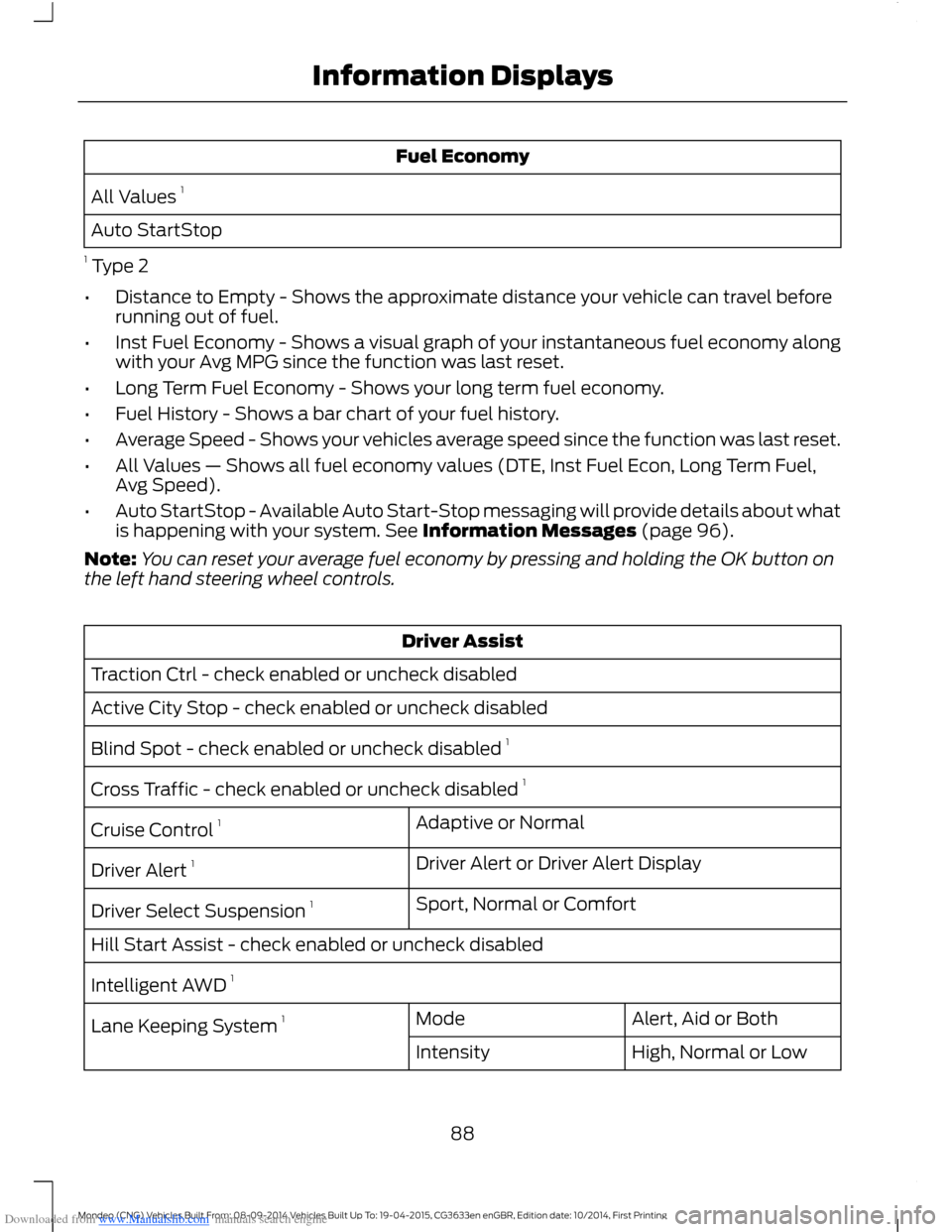
Downloaded from www.Manualslib.com manuals search engine Fuel Economy
All Values 1
Auto StartStop
1 Type 2
•Distance to Empty - Shows the approximate distance your vehicle can travel beforerunning out of fuel.
•Inst Fuel Economy - Shows a visual graph of your instantaneous fuel economy alongwith your Avg MPG since the function was last reset.
•Long Term Fuel Economy - Shows your long term fuel economy.
•Fuel History - Shows a bar chart of your fuel history.
•Average Speed - Shows your vehicles average speed since the function was last reset.
•All Values — Shows all fuel economy values (DTE, Inst Fuel Econ, Long Term Fuel,Avg Speed).
•Auto StartStop - Available Auto Start-Stop messaging will provide details about whatis happening with your system. See Information Messages (page 96).
Note:You can reset your average fuel economy by pressing and holding the OK button onthe left hand steering wheel controls.
Driver Assist
Traction Ctrl - check enabled or uncheck disabled
Active City Stop - check enabled or uncheck disabled
Blind Spot - check enabled or uncheck disabled 1
Cross Traffic - check enabled or uncheck disabled 1
Adaptive or NormalCruise Control 1
Driver Alert or Driver Alert DisplayDriver Alert 1
Sport, Normal or ComfortDriver Select Suspension 1
Hill Start Assist - check enabled or uncheck disabled
Intelligent AWD 1
Alert, Aid or BothModeLane Keeping System 1
High, Normal or LowIntensity
88Mondeo (CNG) Vehicles Built From: 08-09-2014 Vehicles Built Up To: 19-04-2015, CG3633en enGBR, Edition date: 10/2014, First PrintingInformation Displays
Page 94 of 446
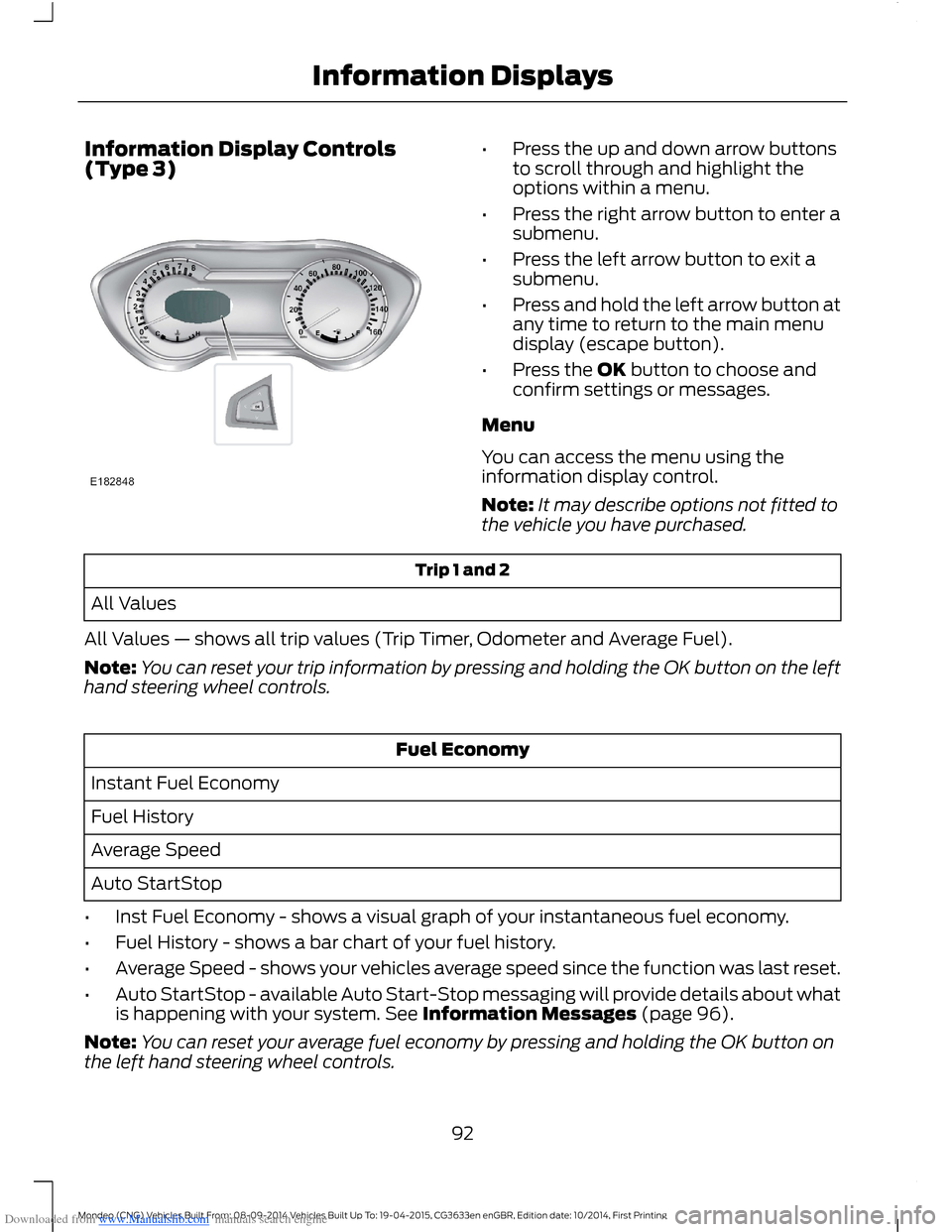
Downloaded from www.Manualslib.com manuals search engine Information Display Controls(Type 3)•Press the up and down arrow buttonsto scroll through and highlight theoptions within a menu.
•Press the right arrow button to enter asubmenu.
•Press the left arrow button to exit asubmenu.
•Press and hold the left arrow button atany time to return to the main menudisplay (escape button).
•Press the OK button to choose andconfirm settings or messages.
Menu
You can access the menu using theinformation display control.
Note:It may describe options not fitted tothe vehicle you have purchased.
Trip 1 and 2
All Values
All Values — shows all trip values (Trip Timer, Odometer and Average Fuel).
Note:You can reset your trip information by pressing and holding the OK button on the lefthand steering wheel controls.
Fuel Economy
Instant Fuel Economy
Fuel History
Average Speed
Auto StartStop
•Inst Fuel Economy - shows a visual graph of your instantaneous fuel economy.
•Fuel History - shows a bar chart of your fuel history.
•Average Speed - shows your vehicles average speed since the function was last reset.
•Auto StartStop - available Auto Start-Stop messaging will provide details about whatis happening with your system. See Information Messages (page 96).
Note:You can reset your average fuel economy by pressing and holding the OK button onthe left hand steering wheel controls.
92Mondeo (CNG) Vehicles Built From: 08-09-2014 Vehicles Built Up To: 19-04-2015, CG3633en enGBR, Edition date: 10/2014, First PrintingInformation Displays
Page 95 of 446
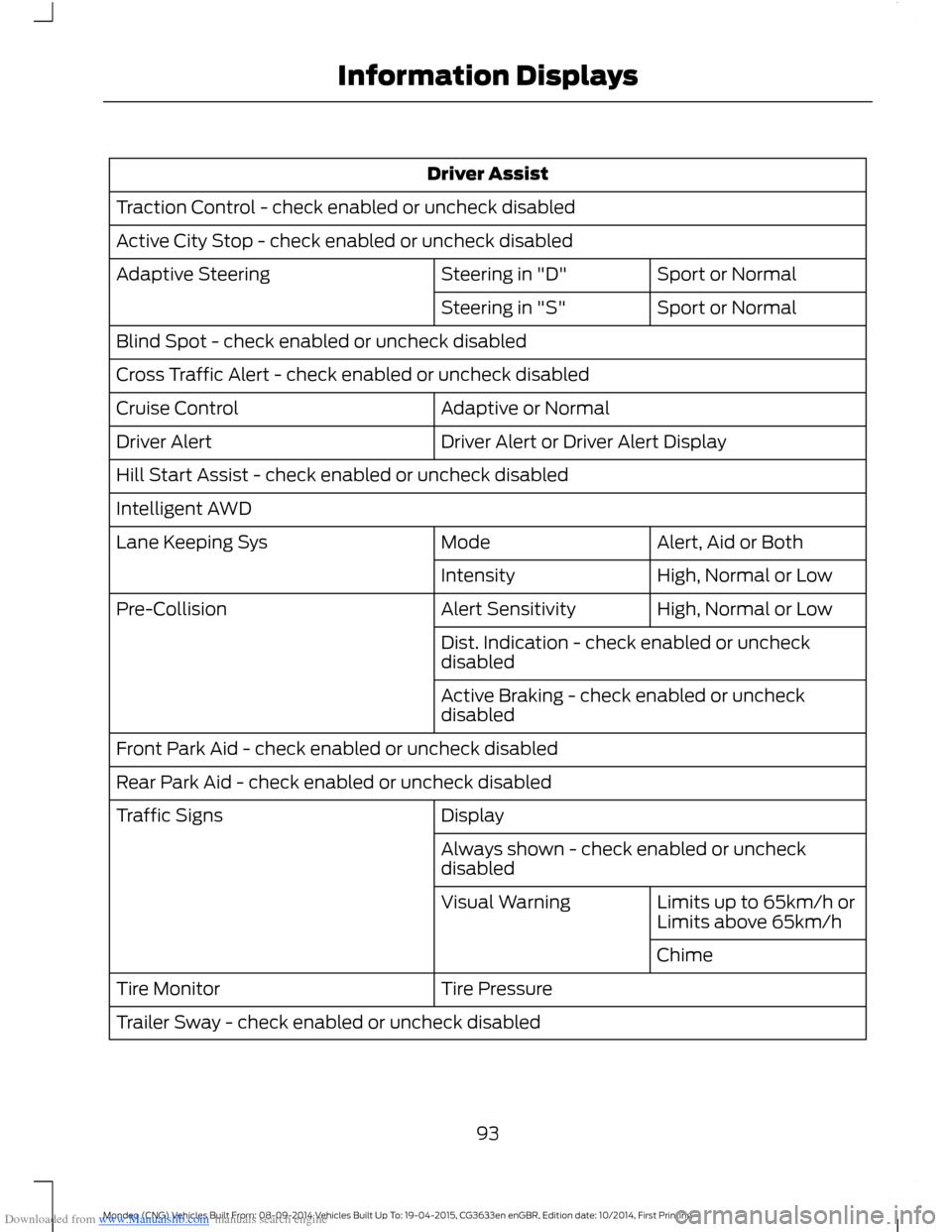
Downloaded from www.Manualslib.com manuals search engine Driver Assist
Traction Control - check enabled or uncheck disabled
Active City Stop - check enabled or uncheck disabled
Sport or NormalSteering in "D"Adaptive Steering
Sport or NormalSteering in "S"
Blind Spot - check enabled or uncheck disabled
Cross Traffic Alert - check enabled or uncheck disabled
Adaptive or NormalCruise Control
Driver Alert or Driver Alert DisplayDriver Alert
Hill Start Assist - check enabled or uncheck disabled
Intelligent AWD
Alert, Aid or BothModeLane Keeping Sys
High, Normal or LowIntensity
High, Normal or LowAlert SensitivityPre-Collision
Dist. Indication - check enabled or uncheckdisabled
Active Braking - check enabled or uncheckdisabled
Front Park Aid - check enabled or uncheck disabled
Rear Park Aid - check enabled or uncheck disabled
DisplayTraffic Signs
Always shown - check enabled or uncheckdisabled
Limits up to 65km/h orLimits above 65km/hVisual Warning
Chime
Tire PressureTire Monitor
Trailer Sway - check enabled or uncheck disabled
93Mondeo (CNG) Vehicles Built From: 08-09-2014 Vehicles Built Up To: 19-04-2015, CG3633en enGBR, Edition date: 10/2014, First PrintingInformation Displays
Page 100 of 446
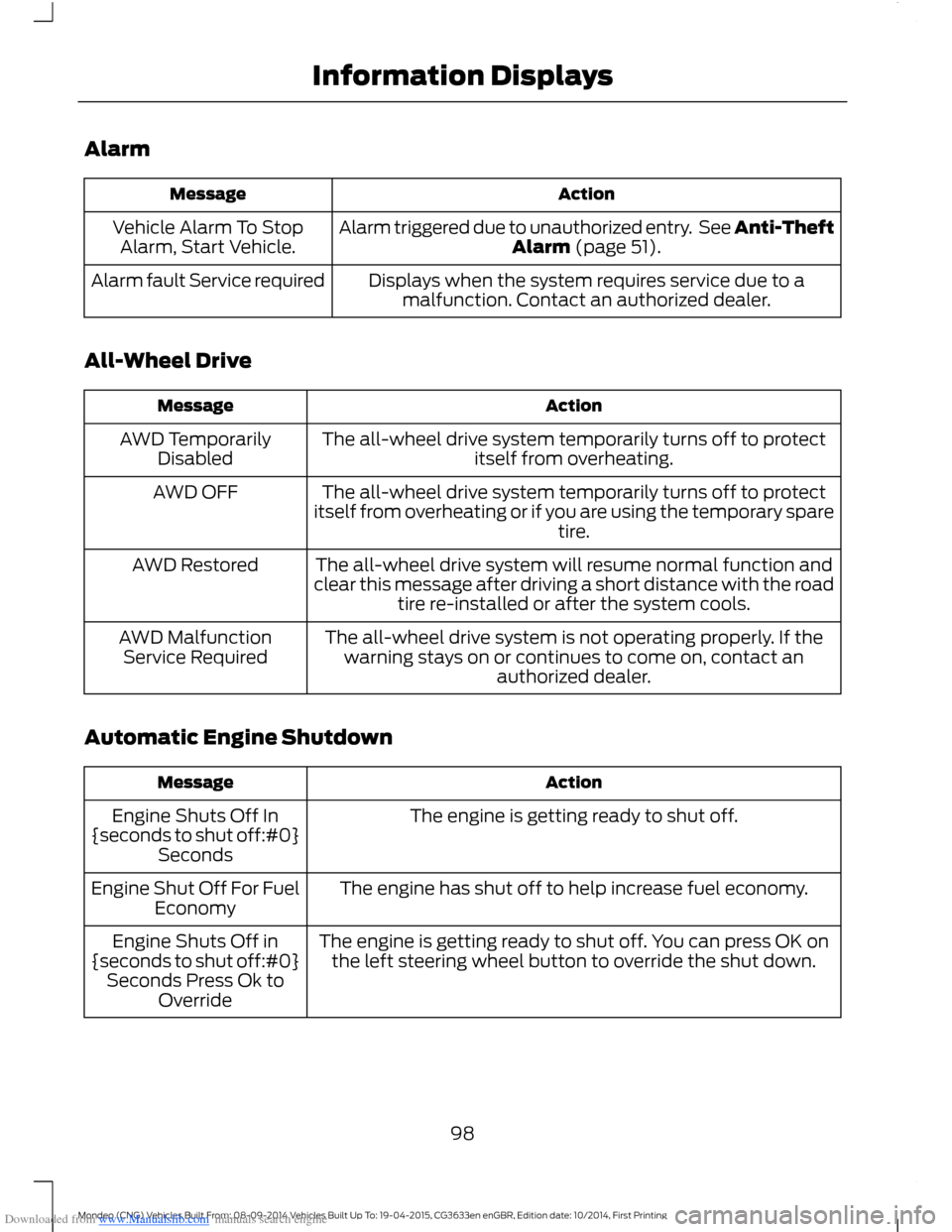
Downloaded from www.Manualslib.com manuals search engine Alarm
ActionMessage
Alarm triggered due to unauthorized entry. See Anti-TheftAlarm (page 51).Vehicle Alarm To StopAlarm, Start Vehicle.
Displays when the system requires service due to amalfunction. Contact an authorized dealer.Alarm fault Service required
All-Wheel Drive
ActionMessage
The all-wheel drive system temporarily turns off to protectitself from overheating.AWD TemporarilyDisabled
The all-wheel drive system temporarily turns off to protectitself from overheating or if you are using the temporary sparetire.
AWD OFF
The all-wheel drive system will resume normal function andclear this message after driving a short distance with the roadtire re-installed or after the system cools.
AWD Restored
The all-wheel drive system is not operating properly. If thewarning stays on or continues to come on, contact anauthorized dealer.
AWD MalfunctionService Required
Automatic Engine Shutdown
ActionMessage
The engine is getting ready to shut off.Engine Shuts Off In{seconds to shut off:#0}Seconds
The engine has shut off to help increase fuel economy.Engine Shut Off For FuelEconomy
The engine is getting ready to shut off. You can press OK onthe left steering wheel button to override the shut down.Engine Shuts Off in{seconds to shut off:#0}Seconds Press Ok toOverride
98Mondeo (CNG) Vehicles Built From: 08-09-2014 Vehicles Built Up To: 19-04-2015, CG3633en enGBR, Edition date: 10/2014, First PrintingInformation Displays
Page 106 of 446
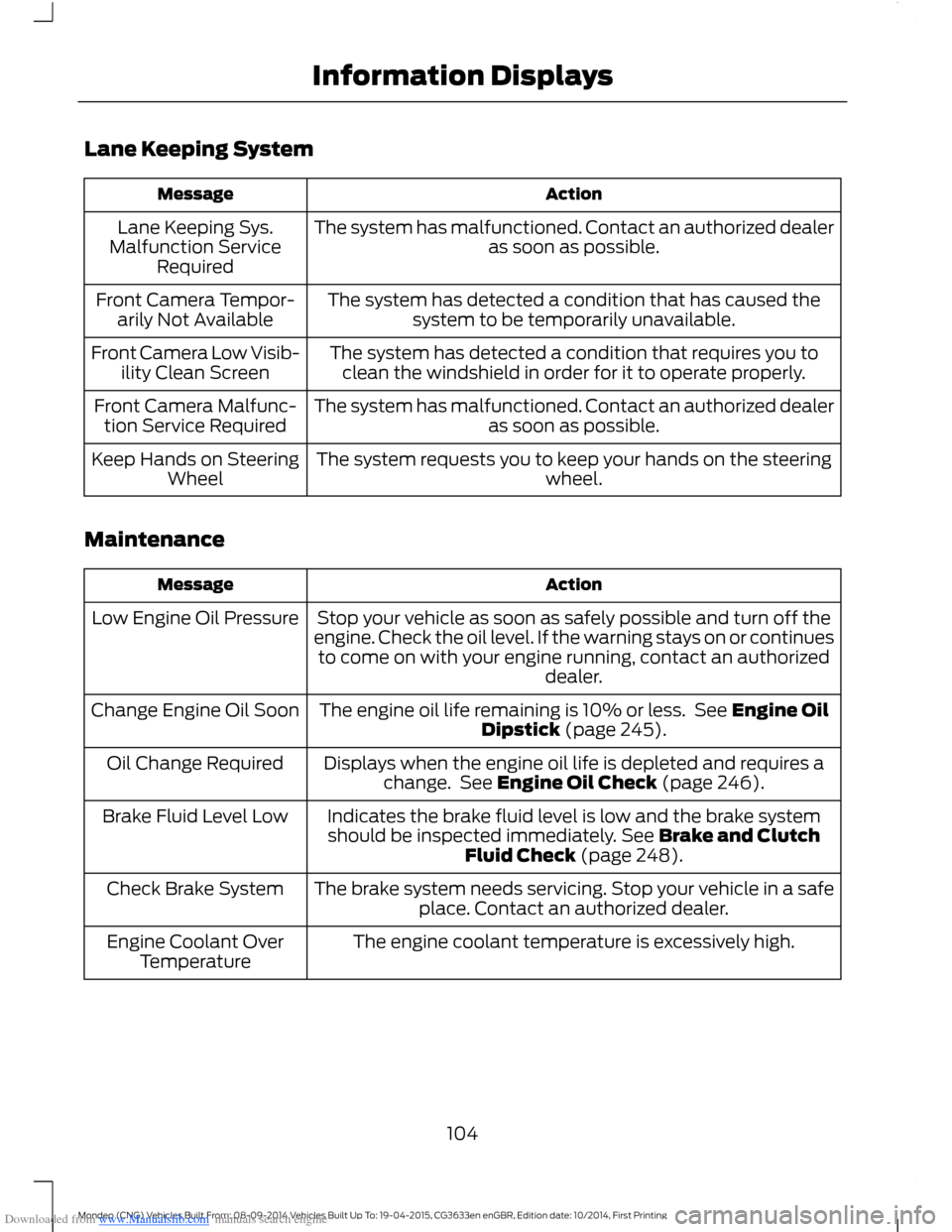
Downloaded from www.Manualslib.com manuals search engine Lane Keeping System
ActionMessage
The system has malfunctioned. Contact an authorized dealeras soon as possible.Lane Keeping Sys.Malfunction ServiceRequired
The system has detected a condition that has caused thesystem to be temporarily unavailable.Front Camera Tempor-arily Not Available
The system has detected a condition that requires you toclean the windshield in order for it to operate properly.Front Camera Low Visib-ility Clean Screen
The system has malfunctioned. Contact an authorized dealeras soon as possible.Front Camera Malfunc-tion Service Required
The system requests you to keep your hands on the steeringwheel.Keep Hands on SteeringWheel
Maintenance
ActionMessage
Stop your vehicle as soon as safely possible and turn off theengine. Check the oil level. If the warning stays on or continuesto come on with your engine running, contact an authorizeddealer.
Low Engine Oil Pressure
The engine oil life remaining is 10% or less. See Engine OilDipstick (page 245).Change Engine Oil Soon
Displays when the engine oil life is depleted and requires achange. See Engine Oil Check (page 246).Oil Change Required
Indicates the brake fluid level is low and the brake systemshould be inspected immediately. See Brake and ClutchFluid Check (page 248).
Brake Fluid Level Low
The brake system needs servicing. Stop your vehicle in a safeplace. Contact an authorized dealer.Check Brake System
The engine coolant temperature is excessively high.Engine Coolant OverTemperature
104Mondeo (CNG) Vehicles Built From: 08-09-2014 Vehicles Built Up To: 19-04-2015, CG3633en enGBR, Edition date: 10/2014, First PrintingInformation Displays