park assist FORD MONDEO 2014 4.G Owners Manual
[x] Cancel search | Manufacturer: FORD, Model Year: 2014, Model line: MONDEO, Model: FORD MONDEO 2014 4.GPages: 446, PDF Size: 29.09 MB
Page 5 of 446
Downloaded from www.Manualslib.com manuals search engine Starting and Stopping theEngine
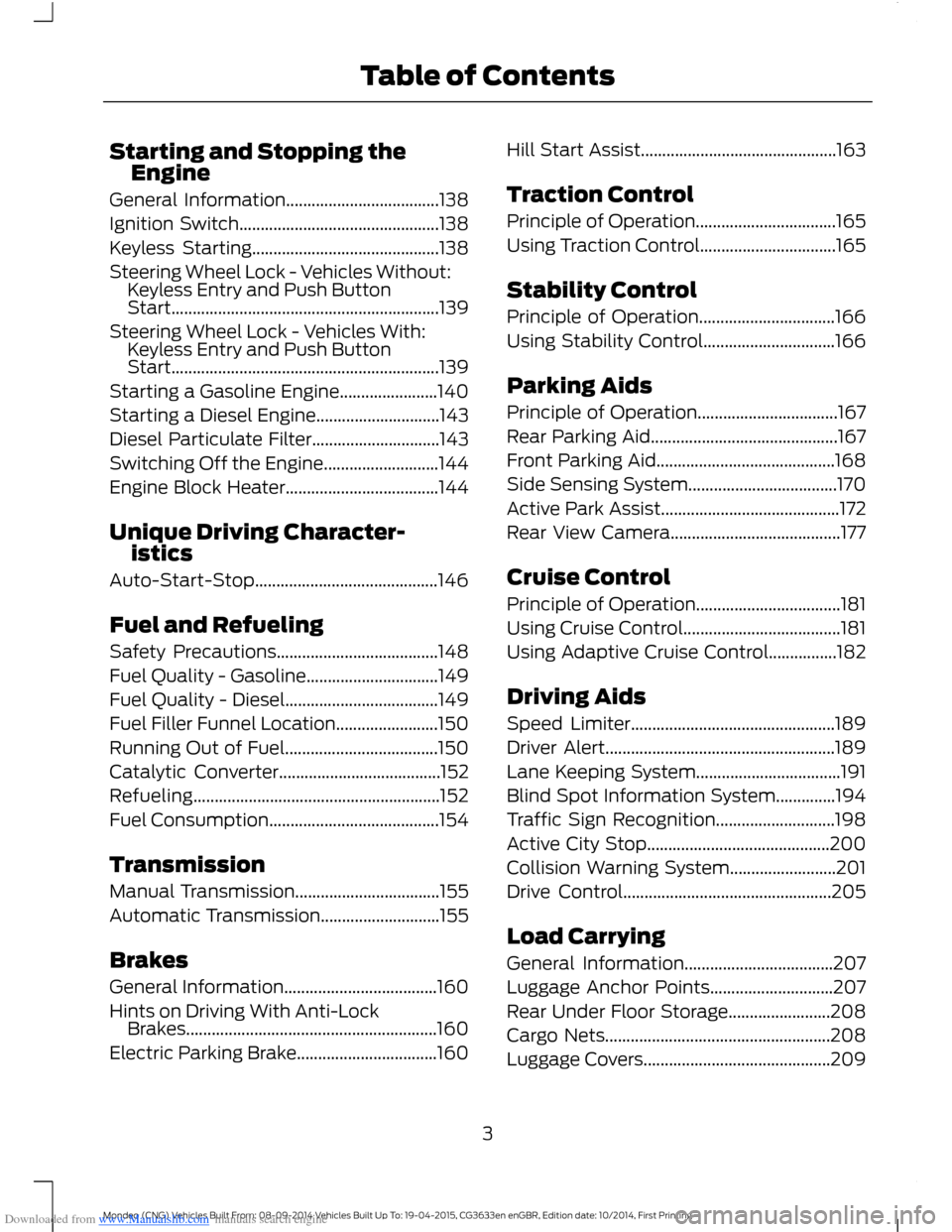
General Information....................................138
Ignition Switch...............................................138
Keyless Starting............................................138
Steering Wheel Lock - Vehicles Without:Keyless Entry and Push ButtonStart...............................................................139
Steering Wheel Lock - Vehicles With:Keyless Entry and Push ButtonStart...............................................................139
Starting a Gasoline Engine.......................140
Starting a Diesel Engine.............................143
Diesel Particulate Filter..............................143
Switching Off the Engine...........................144
Engine Block Heater....................................144
Unique Driving Character-istics
Auto-Start-Stop...........................................146
Fuel and Refueling
Safety Precautions......................................148
Fuel Quality - Gasoline...............................149
Fuel Quality - Diesel....................................149
Fuel Filler Funnel Location........................150
Running Out of Fuel....................................150
Catalytic Converter......................................152
Refueling..........................................................152
Fuel Consumption........................................154
Transmission
Manual Transmission..................................155
Automatic Transmission............................155
Brakes
General Information....................................160
Hints on Driving With Anti-LockBrakes...........................................................160
Electric Parking Brake.................................160
Hill Start Assist..............................................163
Traction Control
Principle of Operation.................................165
Using Traction Control................................165
Stability Control
Principle of Operation................................166
Using Stability Control...............................166
Parking Aids
Principle of Operation.................................167
Rear Parking Aid............................................167
Front Parking Aid..........................................168
Side Sensing System...................................170
Active Park Assist..........................................172
Rear View Camera........................................177
Cruise Control
Principle of Operation..................................181
Using Cruise Control.....................................181
Using Adaptive Cruise Control................182
Driving Aids
Speed Limiter................................................189
Driver Alert......................................................189
Lane Keeping System..................................191
Blind Spot Information System..............194
Traffic Sign Recognition............................198
Active City Stop...........................................200
Collision Warning System.........................201
Drive Control.................................................205
Load Carrying
General Information...................................207
Luggage Anchor Points.............................207
Rear Under Floor Storage........................208
Cargo Nets.....................................................208
Luggage Covers............................................209
3Mondeo (CNG) Vehicles Built From: 08-09-2014 Vehicles Built Up To: 19-04-2015, CG3633en enGBR, Edition date: 10/2014, First PrintingTable of Contents
Page 11 of 446
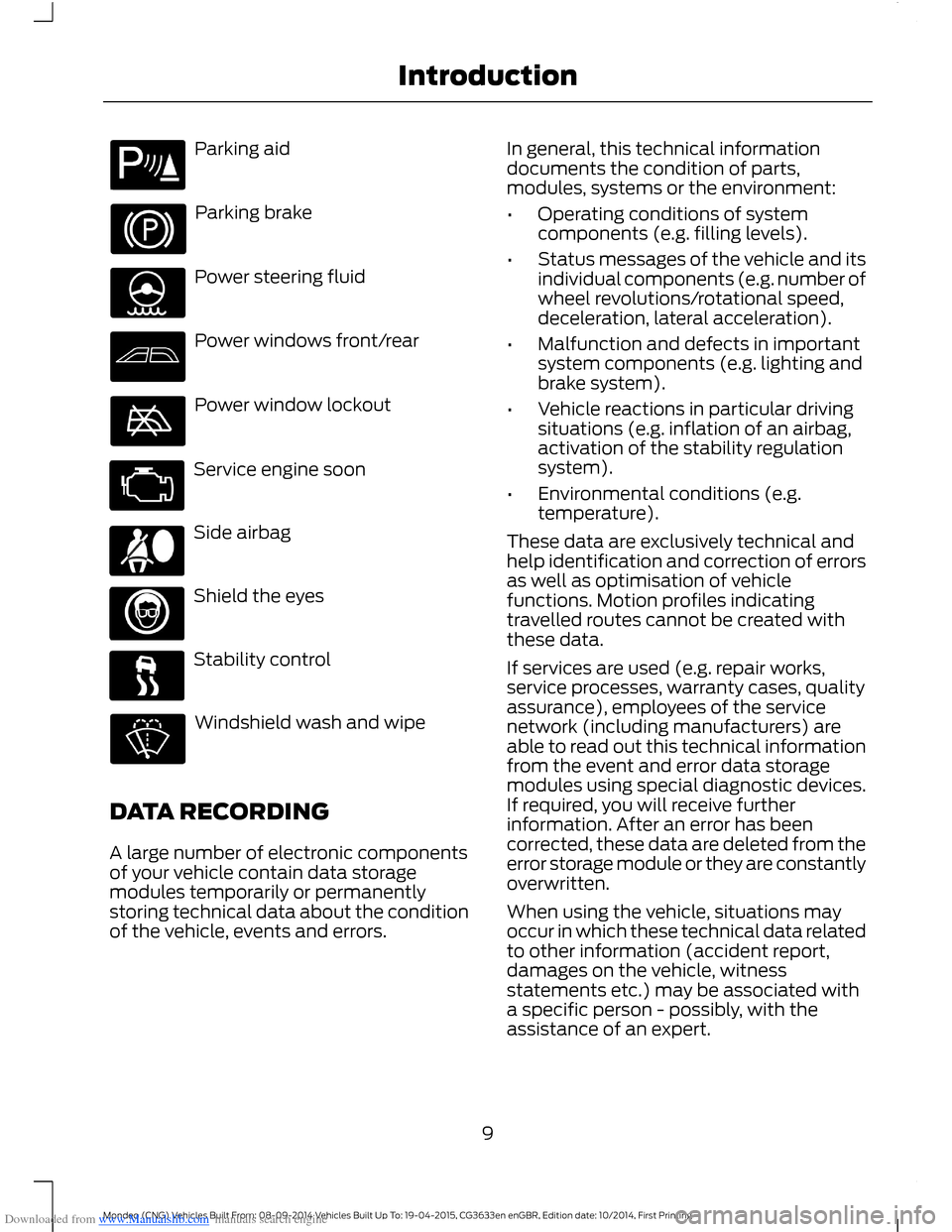
Downloaded from www.Manualslib.com manuals search engine Parking aid
Parking brake
Power steering fluid
Power windows front/rear
Power window lockout
Service engine soon
Side airbag
Shield the eyes
Stability control
Windshield wash and wipe
DATA RECORDING
A large number of electronic componentsof your vehicle contain data storagemodules temporarily or permanentlystoring technical data about the conditionof the vehicle, events and errors.
In general, this technical informationdocuments the condition of parts,modules, systems or the environment:
•Operating conditions of systemcomponents (e.g. filling levels).
•Status messages of the vehicle and itsindividual components (e.g. number ofwheel revolutions/rotational speed,deceleration, lateral acceleration).
•Malfunction and defects in importantsystem components (e.g. lighting andbrake system).
•Vehicle reactions in particular drivingsituations (e.g. inflation of an airbag,activation of the stability regulationsystem).
•Environmental conditions (e.g.temperature).
These data are exclusively technical andhelp identification and correction of errorsas well as optimisation of vehiclefunctions. Motion profiles indicatingtravelled routes cannot be created withthese data.
If services are used (e.g. repair works,service processes, warranty cases, qualityassurance), employees of the servicenetwork (including manufacturers) areable to read out this technical informationfrom the event and error data storagemodules using special diagnostic devices.If required, you will receive furtherinformation. After an error has beencorrected, these data are deleted from theerror storage module or they are constantlyoverwritten.
When using the vehicle, situations mayoccur in which these technical data relatedto other information (accident report,damages on the vehicle, witnessstatements etc.) may be associated witha specific person - possibly, with theassistance of an expert.
9Mondeo (CNG) Vehicles Built From: 08-09-2014 Vehicles Built Up To: 19-04-2015, CG3633en enGBR, Edition date: 10/2014, First PrintingIntroduction
Page 40 of 446
Downloaded from www.Manualslib.com manuals search engine PRINCIPLE OF OPERATION
The system allows you to program keyswith restricted driving modes to promotegood driving habits. You can use all but oneof the keys programmed to your vehiclewith these restricted modes.
Any keys that have not been programmedare referred to as an administrator key oradmin key. These can be used to:
•create a MyKey
•program optional MyKey settings
•clear all MyKey features.
When you have programmed a MyKey, youcan access the following information usingthe information display:
•How many admin keys and MyKeys areprogrammed to your vehicle.
•The total distance your vehicle hastraveled using a MyKey.
Note:Switch the ignition on to use thesystem.
Note:All MyKeys are programmed to thesame settings. You cannot program themindividually.
Standard Settings
The following settings cannot be changed:
•Safety belt minder. You cannot disablethis feature. The audio system willmute when this feature is activated.
•Early low fuel or charge. The low-fuelor low charge warning activates earlier,giving the MyKey user more time torefuel or recharge.
•Driver assist features, for examplenavigation, parking aids and Blind SpotInformation System (BLIS) with crosstraffic alert. These systems turn onautomatically whenever you switch theignition on.
Optional Settings
You can configure MyKey settings whenyou first create a MyKey. You can alsochange the settings afterward with anadmin key.
The following settings can be configuredusing an admin key:
•Various vehicle speed limits can be set.Warnings will be shown in the displayfollowed by an audible tone when yourvehicle reaches the set speed. Youcannot override the set speed by fullydepressing the accelerator pedal or bysetting cruise control.
•Various vehicle speed reminders canbe set. Warnings will be shown in thedisplay followed by an audible tonewhen the set vehicle speed isexceeded.
•Audio system maximum volume of45%. A message will be shown in thedisplay when you attempt to exceedthe limited volume. Automatic volumecontrol will be disabled.
•Always on setting. When this isselected you will not be able to switchoff Advance Trac, traction control,emergency assistance or the do notdisturb feature.
Vehicles with Keyless Entry
If a MyKey and an admin key are present,your vehicle will recognize the admin keyonly.
CREATING A MYKEY
Use the information display to create aMyKey:
38Mondeo (CNG) Vehicles Built From: 08-09-2014 Vehicles Built Up To: 19-04-2015, CG3633en enGBR, Edition date: 10/2014, First PrintingMyKey™
Page 91 of 446
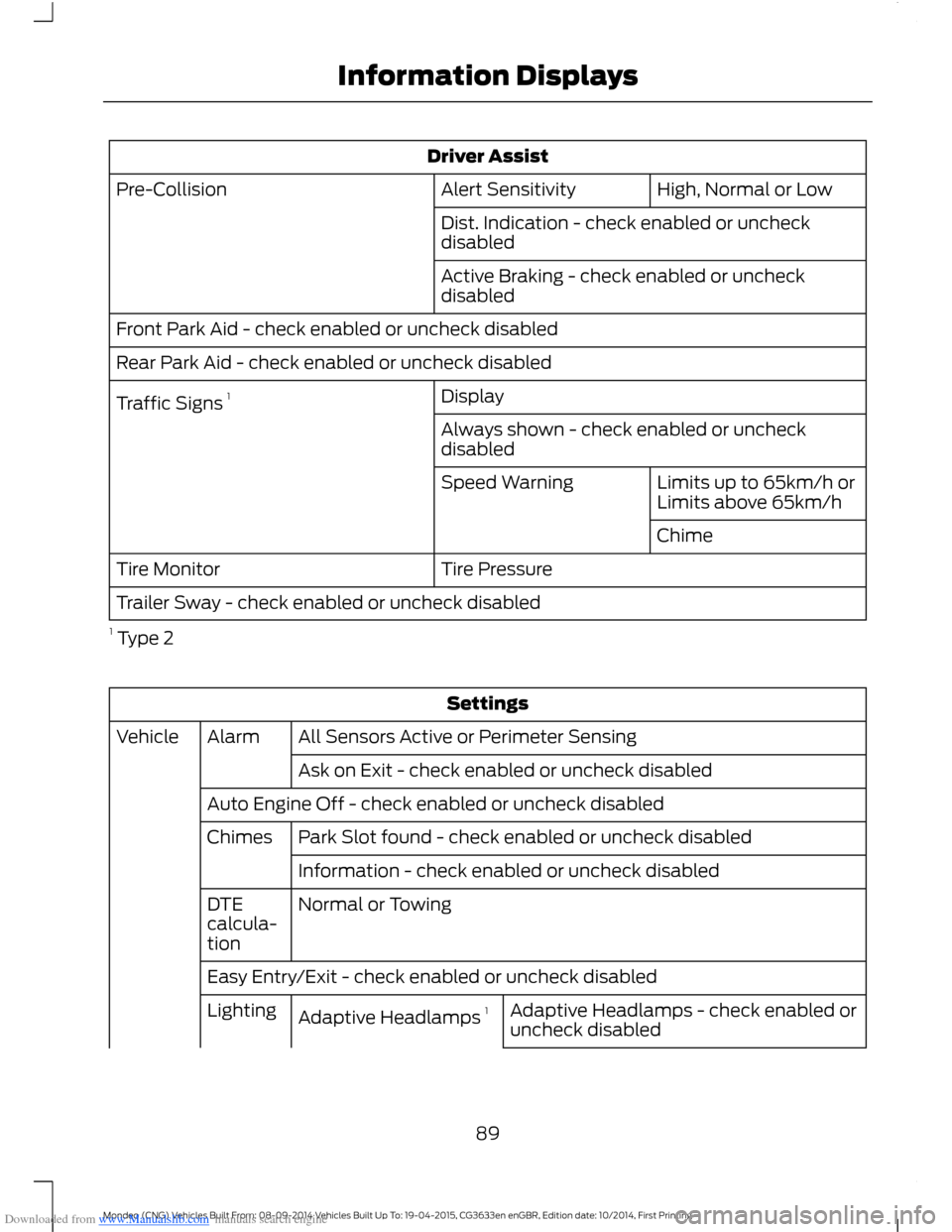
Downloaded from www.Manualslib.com manuals search engine Driver Assist
High, Normal or LowAlert SensitivityPre-Collision
Dist. Indication - check enabled or uncheckdisabled
Active Braking - check enabled or uncheckdisabled
Front Park Aid - check enabled or uncheck disabled
Rear Park Aid - check enabled or uncheck disabled
DisplayTraffic Signs 1
Always shown - check enabled or uncheckdisabled
Limits up to 65km/h orLimits above 65km/hSpeed Warning
Chime
Tire PressureTire Monitor
Trailer Sway - check enabled or uncheck disabled
1 Type 2
Settings
All Sensors Active or Perimeter SensingAlarmVehicle
Ask on Exit - check enabled or uncheck disabled
Auto Engine Off - check enabled or uncheck disabled
Park Slot found - check enabled or uncheck disabledChimes
Information - check enabled or uncheck disabled
Normal or TowingDTEcalcula-tion
Easy Entry/Exit - check enabled or uncheck disabled
Adaptive Headlamps - check enabled oruncheck disabledAdaptive Headlamps 1Lighting
89Mondeo (CNG) Vehicles Built From: 08-09-2014 Vehicles Built Up To: 19-04-2015, CG3633en enGBR, Edition date: 10/2014, First PrintingInformation Displays
Page 95 of 446
Downloaded from www.Manualslib.com manuals search engine Driver Assist
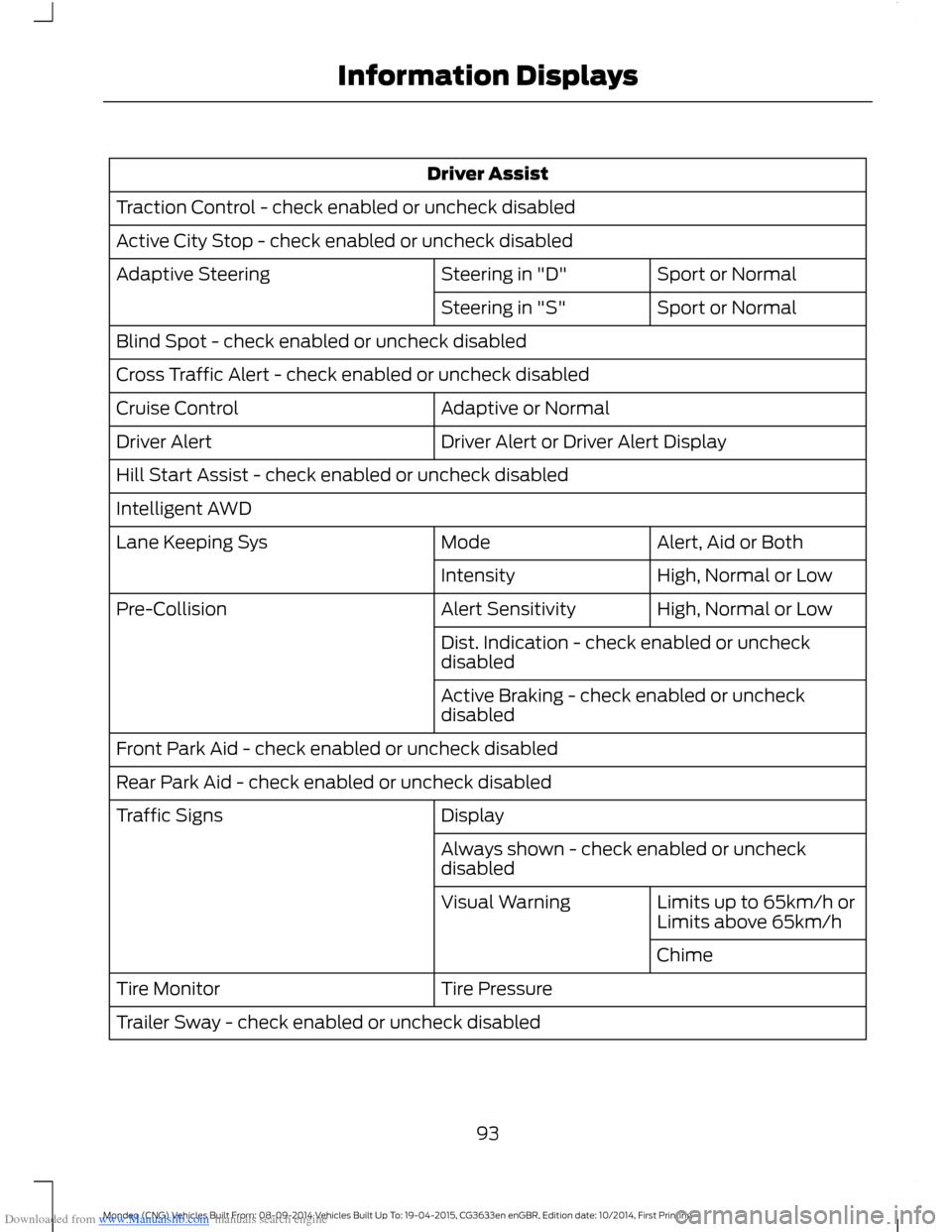
Traction Control - check enabled or uncheck disabled
Active City Stop - check enabled or uncheck disabled
Sport or NormalSteering in "D"Adaptive Steering
Sport or NormalSteering in "S"
Blind Spot - check enabled or uncheck disabled
Cross Traffic Alert - check enabled or uncheck disabled
Adaptive or NormalCruise Control
Driver Alert or Driver Alert DisplayDriver Alert
Hill Start Assist - check enabled or uncheck disabled
Intelligent AWD
Alert, Aid or BothModeLane Keeping Sys
High, Normal or LowIntensity
High, Normal or LowAlert SensitivityPre-Collision
Dist. Indication - check enabled or uncheckdisabled
Active Braking - check enabled or uncheckdisabled
Front Park Aid - check enabled or uncheck disabled
Rear Park Aid - check enabled or uncheck disabled
DisplayTraffic Signs
Always shown - check enabled or uncheckdisabled
Limits up to 65km/h orLimits above 65km/hVisual Warning
Chime
Tire PressureTire Monitor
Trailer Sway - check enabled or uncheck disabled
93Mondeo (CNG) Vehicles Built From: 08-09-2014 Vehicles Built Up To: 19-04-2015, CG3633en enGBR, Edition date: 10/2014, First PrintingInformation Displays
Page 97 of 446
Downloaded from www.Manualslib.com manuals search engine Settings
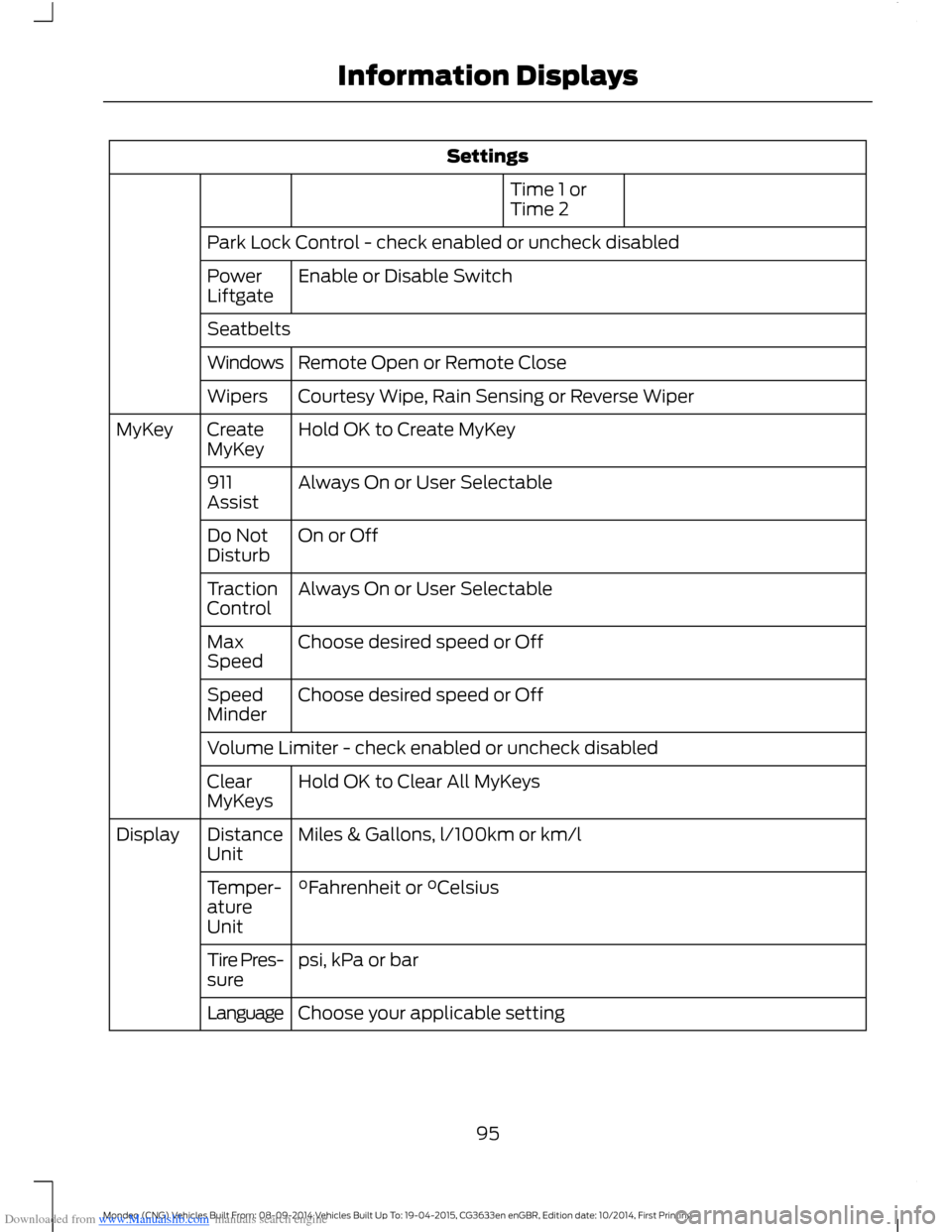
Time 1 orTime 2
Park Lock Control - check enabled or uncheck disabled
Enable or Disable SwitchPowerLiftgate
Seatbelts
Remote Open or Remote CloseWindows
Courtesy Wipe, Rain Sensing or Reverse WiperWipers
Hold OK to Create MyKeyCreateMyKeyMyKey
Always On or User Selectable911Assist
On or OffDo NotDisturb
Always On or User SelectableTractionControl
Choose desired speed or OffMaxSpeed
Choose desired speed or OffSpeedMinder
Volume Limiter - check enabled or uncheck disabled
Hold OK to Clear All MyKeysClearMyKeys
Miles & Gallons, l/100km or km/lDistanceUnitDisplay
°Fahrenheit or °CelsiusTemper-atureUnit
psi, kPa or barTire Pres-sure
Choose your applicable settingLanguage
95Mondeo (CNG) Vehicles Built From: 08-09-2014 Vehicles Built Up To: 19-04-2015, CG3633en enGBR, Edition date: 10/2014, First PrintingInformation Displays
Page 109 of 446
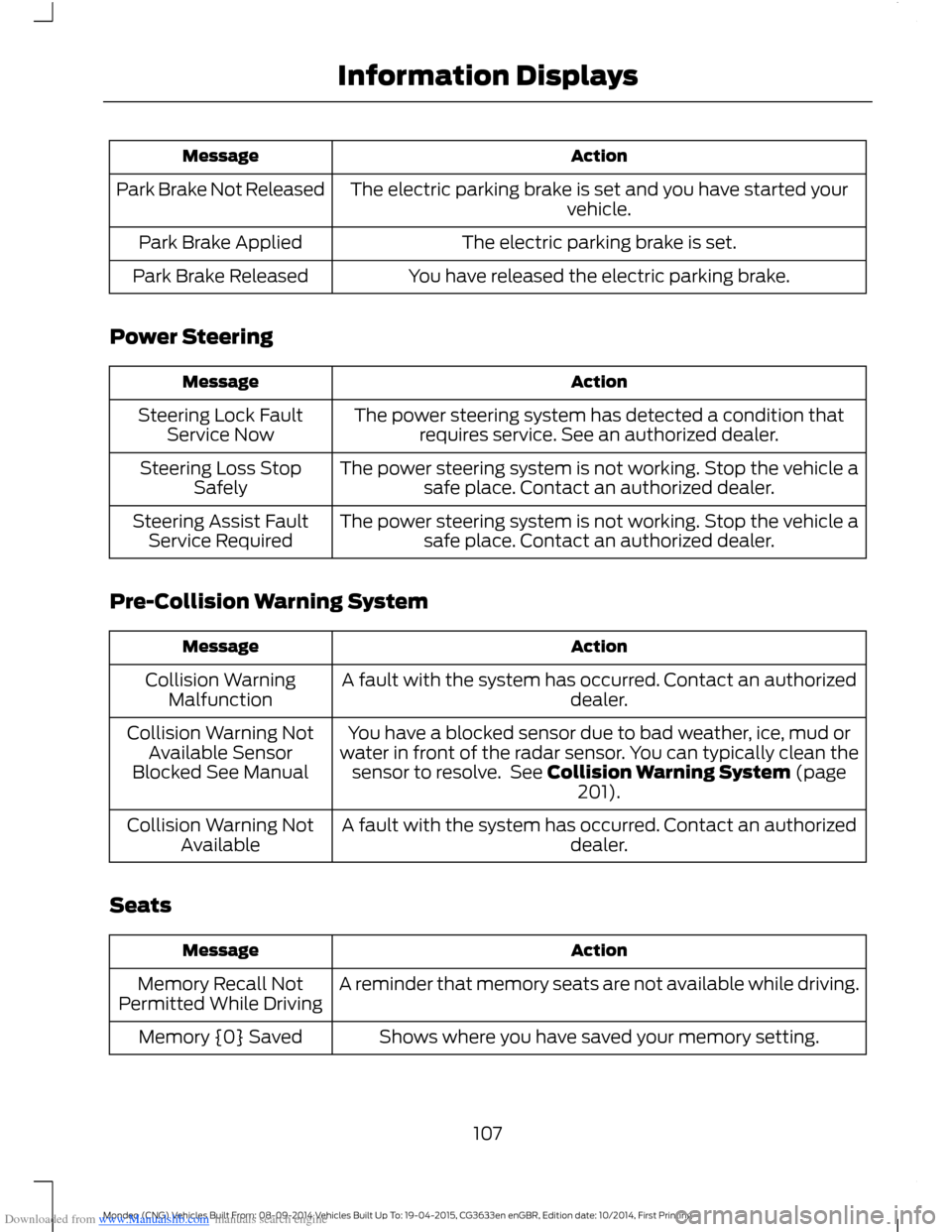
Downloaded from www.Manualslib.com manuals search engine ActionMessage
The electric parking brake is set and you have started yourvehicle.Park Brake Not Released
The electric parking brake is set.Park Brake Applied
You have released the electric parking brake.Park Brake Released
Power Steering
ActionMessage
The power steering system has detected a condition thatrequires service. See an authorized dealer.Steering Lock FaultService Now
The power steering system is not working. Stop the vehicle asafe place. Contact an authorized dealer.Steering Loss StopSafely
The power steering system is not working. Stop the vehicle asafe place. Contact an authorized dealer.Steering Assist FaultService Required
Pre-Collision Warning System
ActionMessage
A fault with the system has occurred. Contact an authorizeddealer.Collision WarningMalfunction
You have a blocked sensor due to bad weather, ice, mud orwater in front of the radar sensor. You can typically clean thesensor to resolve. See Collision Warning System (page201).
Collision Warning NotAvailable SensorBlocked See Manual
A fault with the system has occurred. Contact an authorizeddealer.Collision Warning NotAvailable
Seats
ActionMessage
A reminder that memory seats are not available while driving.Memory Recall NotPermitted While Driving
Shows where you have saved your memory setting.Memory {0} Saved
107Mondeo (CNG) Vehicles Built From: 08-09-2014 Vehicles Built Up To: 19-04-2015, CG3633en enGBR, Edition date: 10/2014, First PrintingInformation Displays
Page 124 of 446
Downloaded from www.Manualslib.com manuals search engine Do not use razor blades or other sharpobjects to clean or remove decals fromthe inside of the heated rear window.The vehicle warranty does not coverdamage caused to the heated rearwindow grid lines.
Heated Exterior Mirror (If Equipped)
When you switch the heated rear windowon, the heated exterior mirrors willautomatically turn on.
Note:Do not remove ice from the mirrorswith a scraper or adjust the mirror glasswhen it is frozen in place.
Note:Do not clean the mirror housing orglass with harsh abrasives, fuel or otherpetroleum-based cleaning products.
HEATED WINDSHIELD
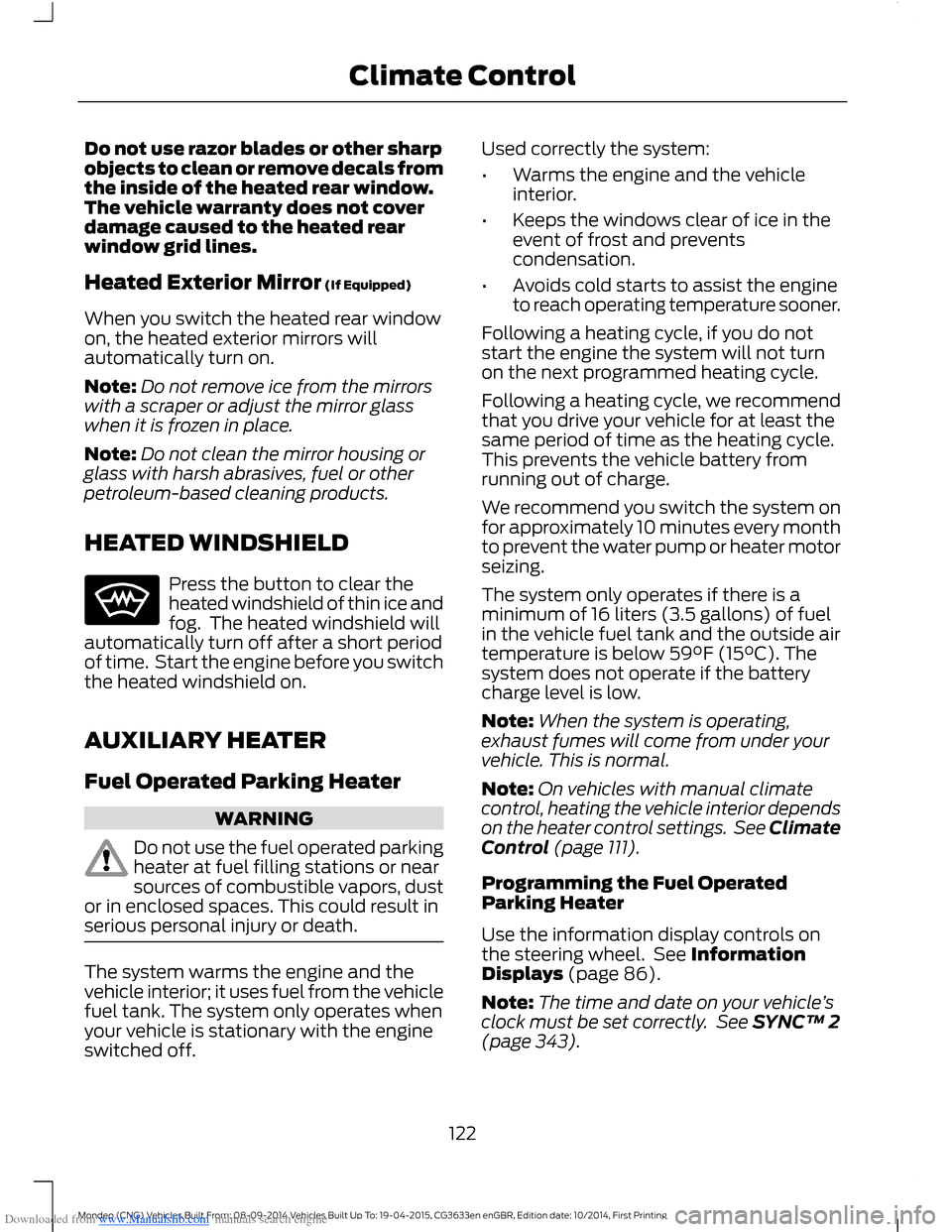
Press the button to clear theheated windshield of thin ice andfog. The heated windshield willautomatically turn off after a short periodof time. Start the engine before you switchthe heated windshield on.
AUXILIARY HEATER
Fuel Operated Parking Heater
WARNING
Do not use the fuel operated parkingheater at fuel filling stations or nearsources of combustible vapors, dustor in enclosed spaces. This could result inserious personal injury or death.
The system warms the engine and thevehicle interior; it uses fuel from the vehiclefuel tank. The system only operates whenyour vehicle is stationary with the engineswitched off.
Used correctly the system:
•Warms the engine and the vehicleinterior.
•Keeps the windows clear of ice in theevent of frost and preventscondensation.
•Avoids cold starts to assist the engineto reach operating temperature sooner.
Following a heating cycle, if you do notstart the engine the system will not turnon the next programmed heating cycle.
Following a heating cycle, we recommendthat you drive your vehicle for at least thesame period of time as the heating cycle.This prevents the vehicle battery fromrunning out of charge.
We recommend you switch the system onfor approximately 10 minutes every monthto prevent the water pump or heater motorseizing.
The system only operates if there is aminimum of 16 liters (3.5 gallons) of fuelin the vehicle fuel tank and the outside airtemperature is below 59°F (15°C). Thesystem does not operate if the batterycharge level is low.
Note:When the system is operating,exhaust fumes will come from under yourvehicle. This is normal.
Note:On vehicles with manual climatecontrol, heating the vehicle interior dependson the heater control settings. See ClimateControl (page 111).
Programming the Fuel OperatedParking Heater
Use the information display controls onthe steering wheel. See InformationDisplays (page 86).
Note:The time and date on your vehicle’sclock must be set correctly. See SYNC™ 2(page 343).
122Mondeo (CNG) Vehicles Built From: 08-09-2014 Vehicles Built Up To: 19-04-2015, CG3633en enGBR, Edition date: 10/2014, First PrintingClimate Control
Page 141 of 446
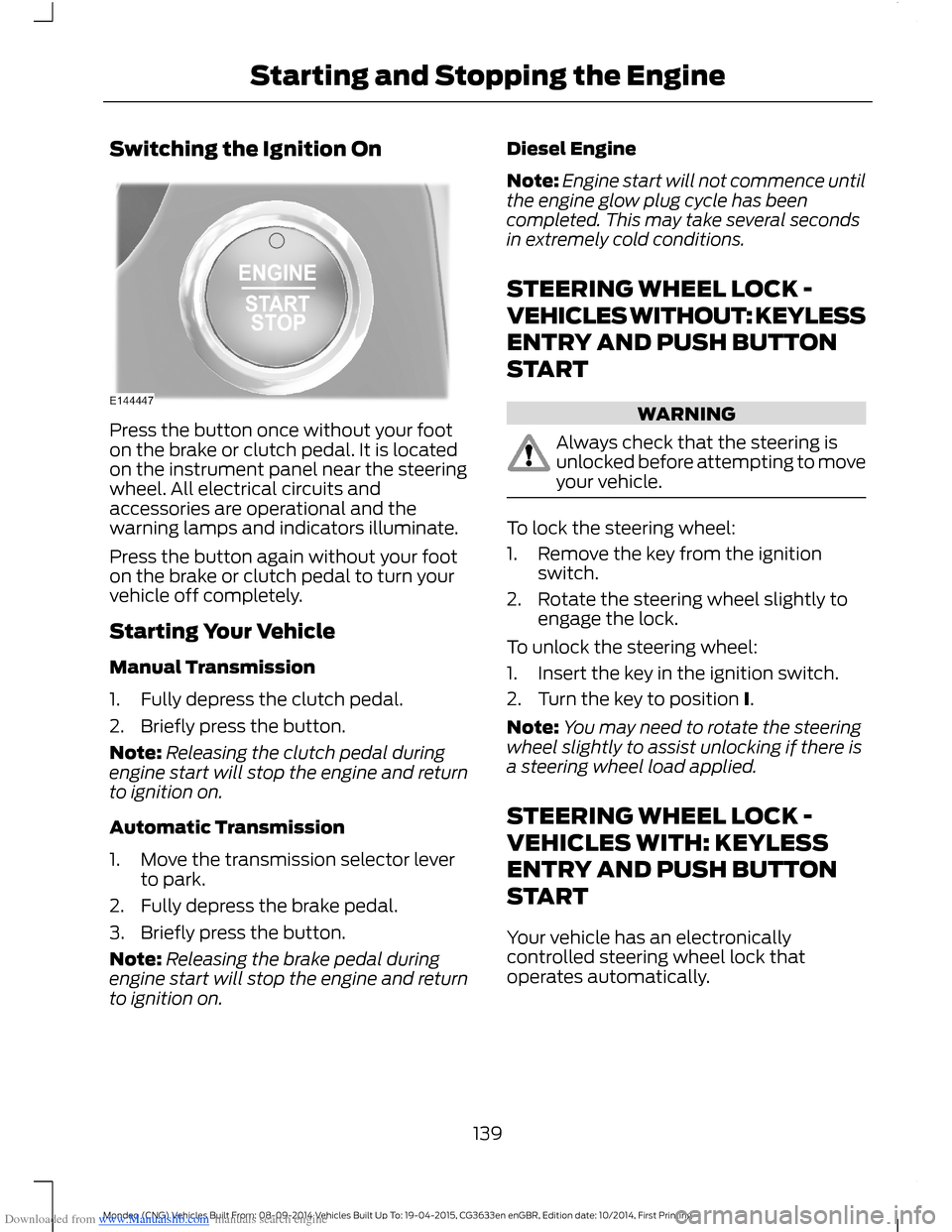
Downloaded from www.Manualslib.com manuals search engine Switching the Ignition On
Press the button once without your footon the brake or clutch pedal. It is locatedon the instrument panel near the steeringwheel. All electrical circuits andaccessories are operational and thewarning lamps and indicators illuminate.
Press the button again without your footon the brake or clutch pedal to turn yourvehicle off completely.
Starting Your Vehicle
Manual Transmission
1.Fully depress the clutch pedal.
2.Briefly press the button.
Note:Releasing the clutch pedal duringengine start will stop the engine and returnto ignition on.
Automatic Transmission
1.Move the transmission selector leverto park.
2.Fully depress the brake pedal.
3.Briefly press the button.
Note:Releasing the brake pedal duringengine start will stop the engine and returnto ignition on.
Diesel Engine
Note:Engine start will not commence untilthe engine glow plug cycle has beencompleted. This may take several secondsin extremely cold conditions.
STEERING WHEEL LOCK -
VEHICLES WITHOUT: KEYLESS
ENTRY AND PUSH BUTTON
START
WARNING
Always check that the steering isunlocked before attempting to moveyour vehicle.
To lock the steering wheel:
1.Remove the key from the ignitionswitch.
2.Rotate the steering wheel slightly toengage the lock.
To unlock the steering wheel:
1.Insert the key in the ignition switch.
2.Turn the key to position I.
Note:You may need to rotate the steeringwheel slightly to assist unlocking if there isa steering wheel load applied.
STEERING WHEEL LOCK -
VEHICLES WITH: KEYLESS
ENTRY AND PUSH BUTTON
START
Your vehicle has an electronicallycontrolled steering wheel lock thatoperates automatically.
139Mondeo (CNG) Vehicles Built From: 08-09-2014 Vehicles Built Up To: 19-04-2015, CG3633en enGBR, Edition date: 10/2014, First PrintingStarting and Stopping the Engine
Page 142 of 446
Downloaded from www.Manualslib.com manuals search engine The system will lock the steering wheelafter a short period of time once you haveparked your vehicle and the passive key isoutside your vehicle, or when you lock yourvehicle.
Note:The system will not lock the steeringwheel when the ignition is on or while yourvehicle is moving.
Unlocking the Steering Wheel
Switch the ignition on to unlock thesteering wheel.
Note:You may have to rotate the steeringwheel slightly to assist unlocking.
STARTING A GASOLINE
ENGINE
When you start the engine, the idle speedincreases. This helps to warm up theengine. If the engine idle speed does notslow down automatically, have yourvehicle checked by an authorized dealer.
Note:You can crank the engine for a totalof 60 seconds (without the engine starting)before the starting system temporarilydisables. The 60 seconds does not have tobe all at once. For example, if you crank theengine three times for 20 seconds eachtime, without the engine starting, youreached the 60-second time limit. Amessage appears in the information displayalerting you that you exceeded the crankingtime. You cannot attempt to start the enginefor at least 15 minutes. After 15 minutes, youare limited to a 15-second engine crankingtime. You need to wait 60 minutes beforeyou can crank the engine for 60 secondsagain.
Before starting your vehicle, check thefollowing:
•Make sure all occupants have fastenedtheir safety belts.
•Make sure the headlamps andelectrical accessories are off.
•Make sure the parking brake is on.
•Move the transmission selector leverto a low gear (manual transmission)or park (P) (automatic transmission).
•Switch the ignition key to position II. Ifyour vehicle is equipped with a keylessignition, see the following instructions.
Vehicles with an Ignition Key
Note:Do not touch the accelerator pedal.
1.Fully press the brake pedal. If yourvehicle is equipped with a manualtransmission, fully press the clutchpedal also.
2.Turn the key to position III to start theengine. Release the key when theengine starts.
Note:The engine may continue crankingfor up to 15 seconds or until it starts.
Note:If you cannot start the engine on thefirst try, wait for a short period and try again.
Vehicles with Keyless Start
Note:Do not touch the accelerator pedal.
Note:You must have your intelligent accesskey in the vehicle in order to shift thetransmission out of park (P).
1.Fully press the clutch pedal (manualtransmission) or brake pedal(automatic transmission).
2.Press the button.
140Mondeo (CNG) Vehicles Built From: 08-09-2014 Vehicles Built Up To: 19-04-2015, CG3633en enGBR, Edition date: 10/2014, First PrintingStarting and Stopping the Engine