radio FORD MUSTANG 1998 4.G User Guide
[x] Cancel search | Manufacturer: FORD, Model Year: 1998, Model line: MUSTANG, Model: FORD MUSTANG 1998 4.GPages: 192, PDF Size: 1.67 MB
Page 36 of 192
set preset stations. This feature is helpful on trips
when you travel between cities with different radio
stations.
Starting automatic memory store
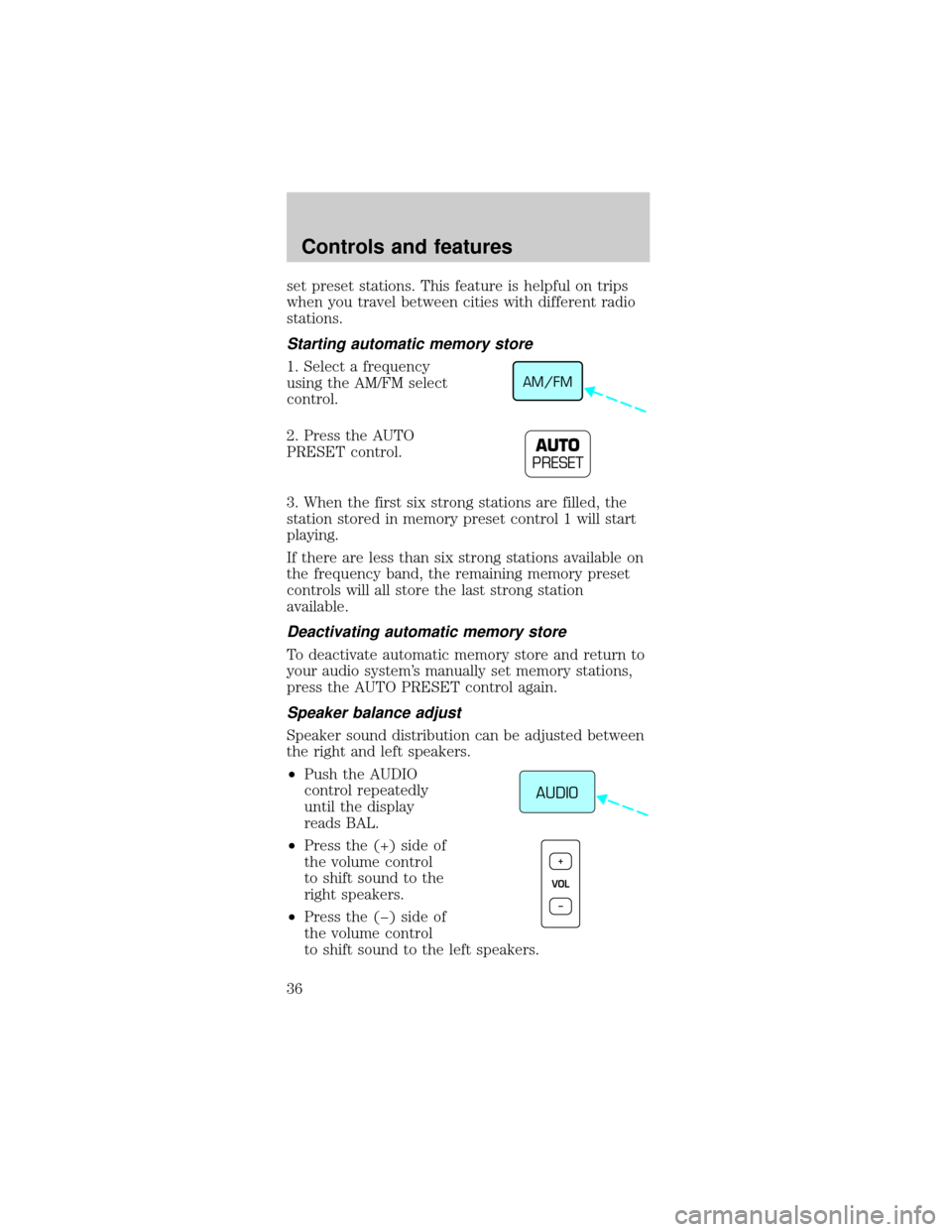
1. Select a frequency
using the AM/FM select
control.
2. Press the AUTO
PRESET control.
3. When the first six strong stations are filled, the
station stored in memory preset control 1 will start
playing.
If there are less than six strong stations available on
the frequency band, the remaining memory preset
controls will all store the last strong station
available.
Deactivating automatic memory store
To deactivate automatic memory store and return to
your audio system's manually set memory stations,
press the AUTO PRESET control again.
Speaker balance adjust
Speaker sound distribution can be adjusted between
the right and left speakers.
²Push the AUDIO
control repeatedly
until the display
reads BAL.
²Press the (+) side of
the volume control
to shift sound to the
right speakers.
²Press the (þ) side of
the volume control
to shift sound to the left speakers.
AM/FM
AUTO
PRESET
AUDIO
VOL+
–
Controls and features
36
Page 39 of 192
Play function
The system enters the
PLAY mode when a CD
is loaded, label side up,
into the disc opening.
The PLAY indicator will illuminate. The CD
automatically loads into the unit and begins play at
the beginning of the first track. When the CD
reaches the end, the disc player automatically
returns to the beginning of the CD and resumes
play.
Stop function
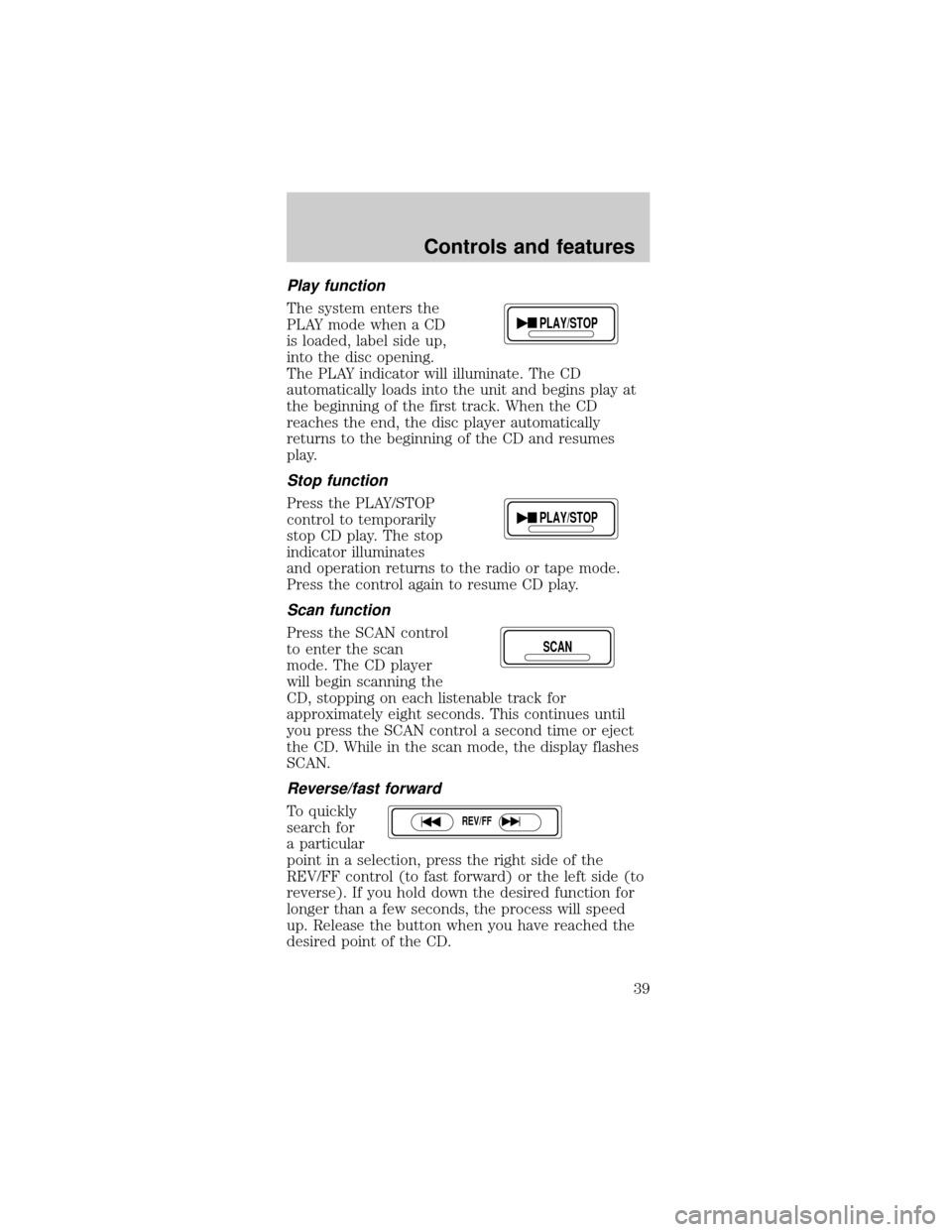
Press the PLAY/STOP
control to temporarily
stop CD play. The stop
indicator illuminates
and operation returns to the radio or tape mode.
Press the control again to resume CD play.
Scan function
Press the SCAN control
to enter the scan
mode. The CD player
will begin scanning the
CD, stopping on each listenable track for
approximately eight seconds. This continues until
you press the SCAN control a second time or eject
the CD. While in the scan mode, the display flashes
SCAN.
Reverse/fast forward
To quickly
search for
a particular
point in a selection, press the right side of the
REV/FF control (to fast forward) or the left side (to
reverse). If you hold down the desired function for
longer than a few seconds, the process will speed
up. Release the button when you have reached the
desired point of the CD.
PLAY/STOP
PLAY/STOP
SCAN
REV/FF
Controls and features
39
Page 40 of 192
If you hold down the fast forward control until the
end of the CD is reached, the display will show the
end time of the last track and the sound will be
muted. When the fast forward control is released,
the player will resume play at the beginning of the
first track.
AMS control
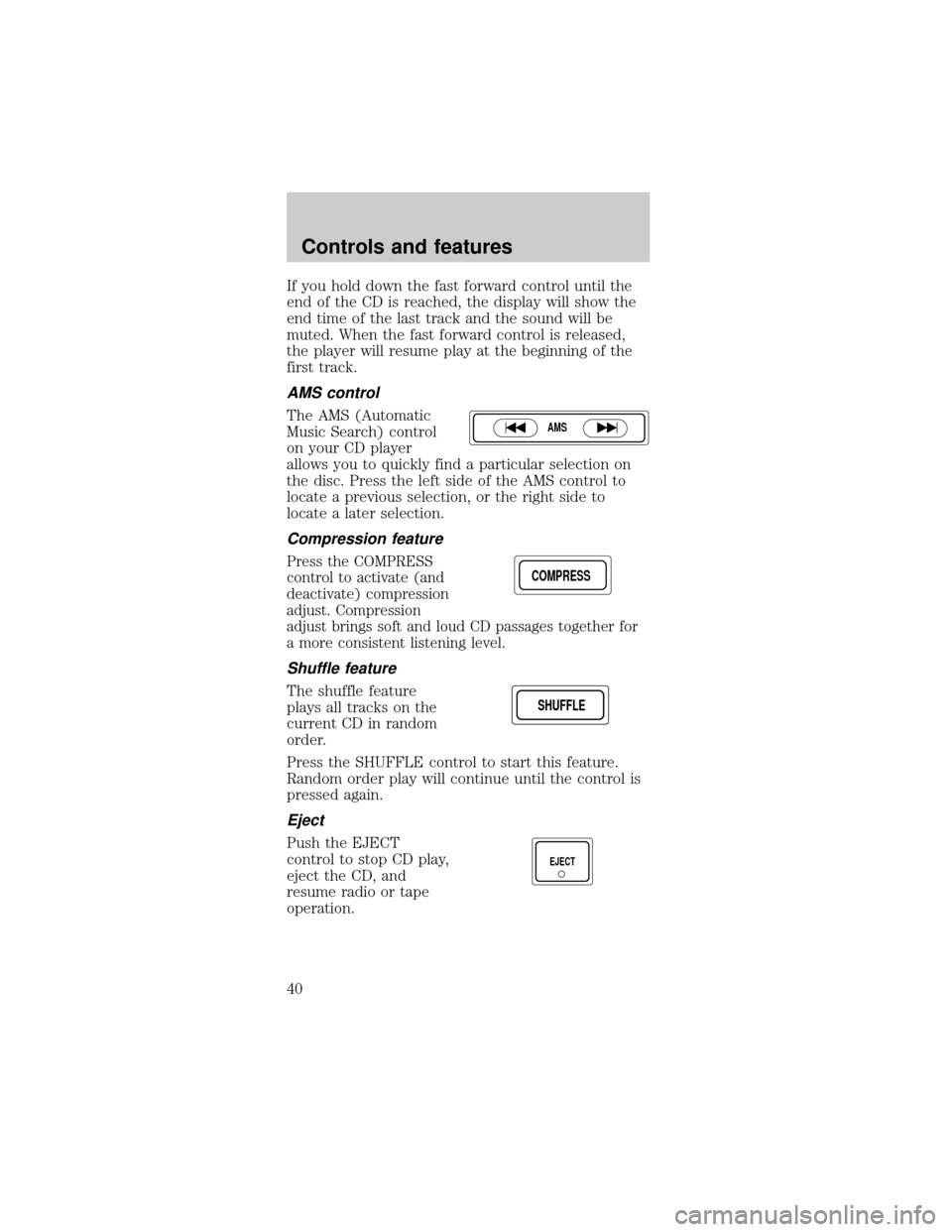
The AMS (Automatic
Music Search) control
on your CD player
allows you to quickly find a particular selection on
the disc. Press the left side of the AMS control to
locate a previous selection, or the right side to
locate a later selection.
Compression feature
Press the COMPRESS
control to activate (and
deactivate) compression
adjust. Compression
adjust brings soft and loud CD passages together for
a more consistent listening level.
Shuffle feature
The shuffle feature
plays all tracks on the
current CD in random
order.
Press the SHUFFLE control to start this feature.
Random order play will continue until the control is
pressed again.
Eject
Push the EJECT
control to stop CD play,
eject the CD, and
resume radio or tape
operation.
AMS
COMPRESS
SHUFFLESHUFFLE
EJECT
Controls and features
40
Page 42 of 192
Cleaning cassette player (if equipped)
Clean the tape player head with a cassette cleaning
cartridge after ten to twelve hours of play in order
to maintain the best sound and operation.
Cassette and cassette player care
²Use only cassettes that are 90 minutes long or
less.
²Do not expose tapes to direct sunlight, high
humidity, extreme heat or extreme cold. Allow
tapes that may have been exposed to extreme
temperatures to reach a moderate temperature
before playing.
²Tighten very loose tapes by inserting a finger or
pencil into the hole and turning the hub.
²Remove loose labels before inserting tapes.
²Do not leave tapes in the cassette player for a
long time when not being played.
Radio frequency information
The Federal Communications Commission (FCC)
and the Canadian Radio and Telecommunications
Communications (CRTC) establish the frequencies
AM and FM stations may use for their broadcasts.
Allowable frequencies are:
AM 530, 540±1600, 1610 kHz
FM 87.9, 88.1±107.1, 107.9 MHz
Not all frequencies are used in a given area.
Radio reception factors
Three factors can affect radio reception:
²Distance/strength.The further an FM signal
travels, the weaker it is. The listenable range of
the average FM station is approximately 40 km
(24 miles). This range can be affected by ªsignal
modulation.º Signal modulation is a process radio
stations use to increase their strength/volume
relative to other stations.
Controls and features
42
Page 43 of 192
²Terrain.Hills, mountains and tall buildings
between your vehicle's antenna and the radio
station signal can cause FM reception problems.
Static can be caused on AM stations by power
lines, electric fences, traffic lights and
thunderstorms. Moving away from an interfering
structure (out of its ªshadowº) returns your
reception to normal.
²Station overload.Weak signals are sometimes
captured by stronger signals when you pass a
broadcast tower. A stronger signal may
temporarily overtake a weaker signal and play
while the weak station frequency is displayed.
The audio system automatically switches to single
channel reception if it will improve the reception of
a station normally received in stereo.
Audio system warranties and service
Refer to the ªWarranty Guideº for audio system
warranty information.
If service is necessary, see your dealer or a qualified
technician.
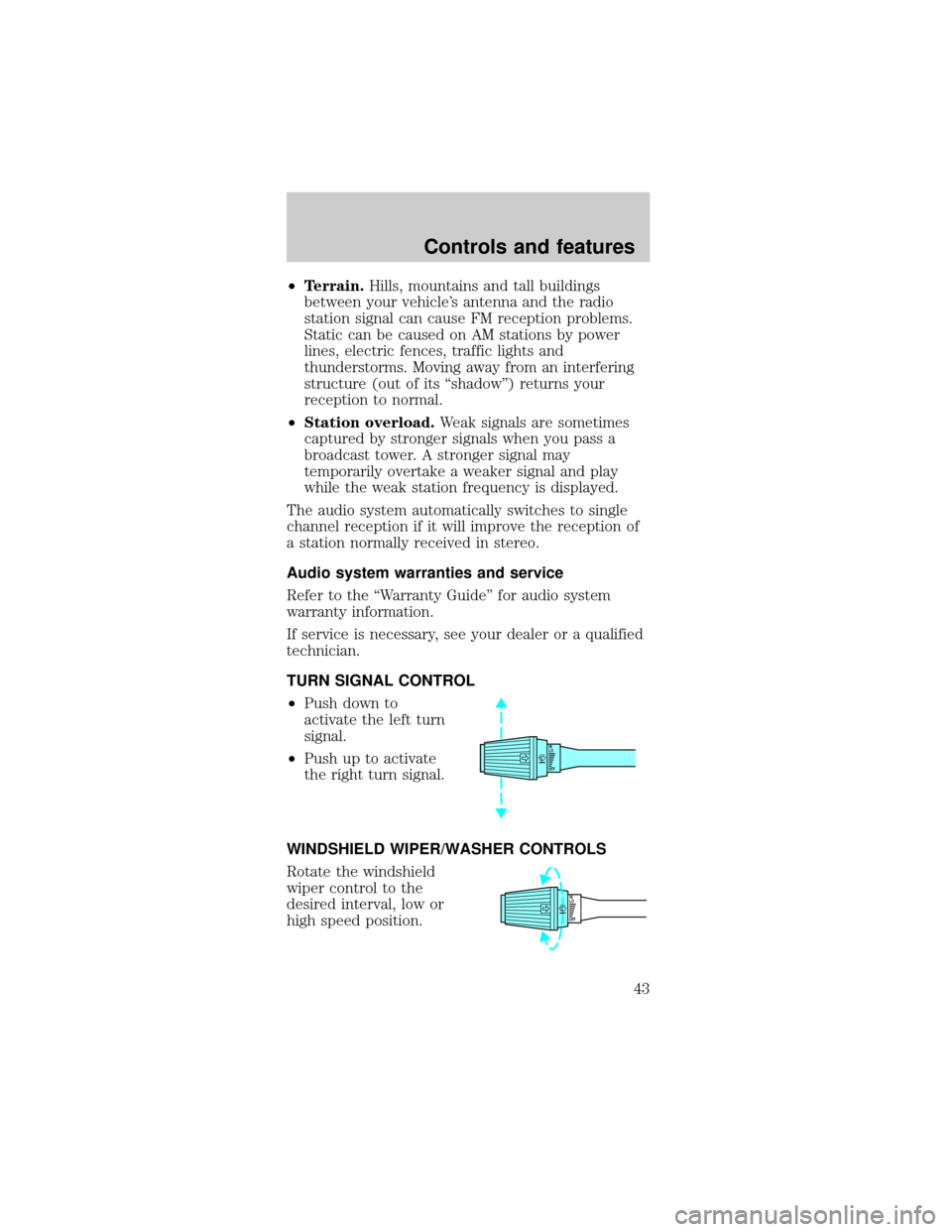
TURN SIGNAL CONTROL
²Push down to
activate the left turn
signal.
²Push up to activate
the right turn signal.
WINDSHIELD WIPER/WASHER CONTROLS
Rotate the windshield
wiper control to the
desired interval, low or
high speed position.
OFFHI
LO
OFFHI
LO
Controls and features
43
Page 45 of 192
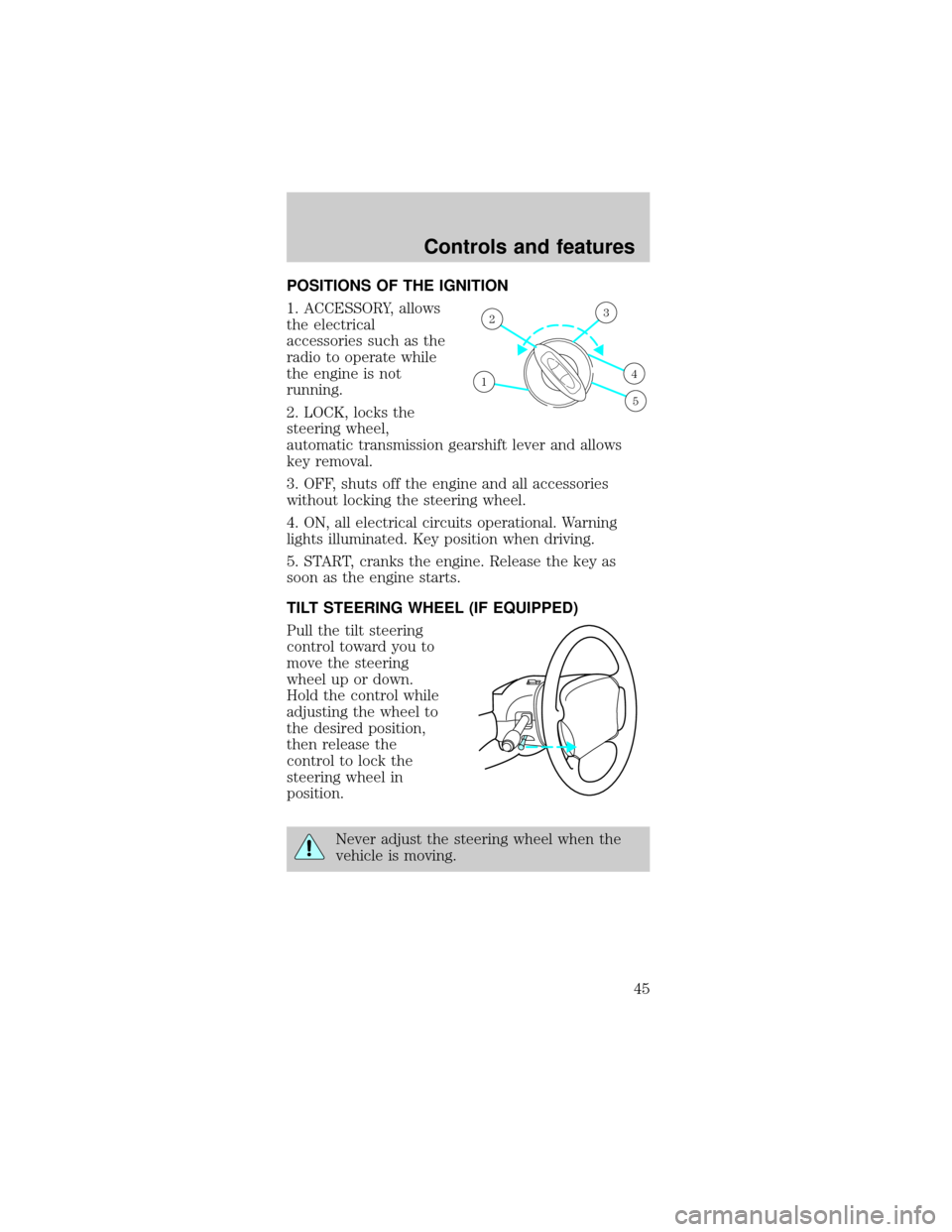
POSITIONS OF THE IGNITION
1. ACCESSORY, allows
the electrical
accessories such as the
radio to operate while
the engine is not
running.
2. LOCK, locks the
steering wheel,
automatic transmission gearshift lever and allows
key removal.
3. OFF, shuts off the engine and all accessories
without locking the steering wheel.
4. ON, all electrical circuits operational. Warning
lights illuminated. Key position when driving.
5. START, cranks the engine. Release the key as
soon as the engine starts.
TILT STEERING WHEEL (IF EQUIPPED)
Pull the tilt steering
control toward you to
move the steering
wheel up or down.
Hold the control while
adjusting the wheel to
the desired position,
then release the
control to lock the
steering wheel in
position.
Never adjust the steering wheel when the
vehicle is moving.
1
23
4
5
Controls and features
45
Page 59 of 192
After doors lock/unlock, press any control on all
transmitters (up to four). With each control press of
the transmitters, the door should cycle (lock/unlock)
to confirm programming. When completed, turn the
ignition to OFF. The door locks should cycle
(lock/unlock) one last time to confirm completion of
programming.
All transmitters must be programmed at the same
time.
Replacing the batteries
The transmitter is powered by two coin type
three-volt lithium batteries. Typical operating range
will allow you to be up to 10 meters (33 feet) away
from your vehicle. A decrease in operating range can
be caused by:
²weather conditions
²nearby radio towers
²structures around the vehicle
²other vehicles parked next to the vehicle
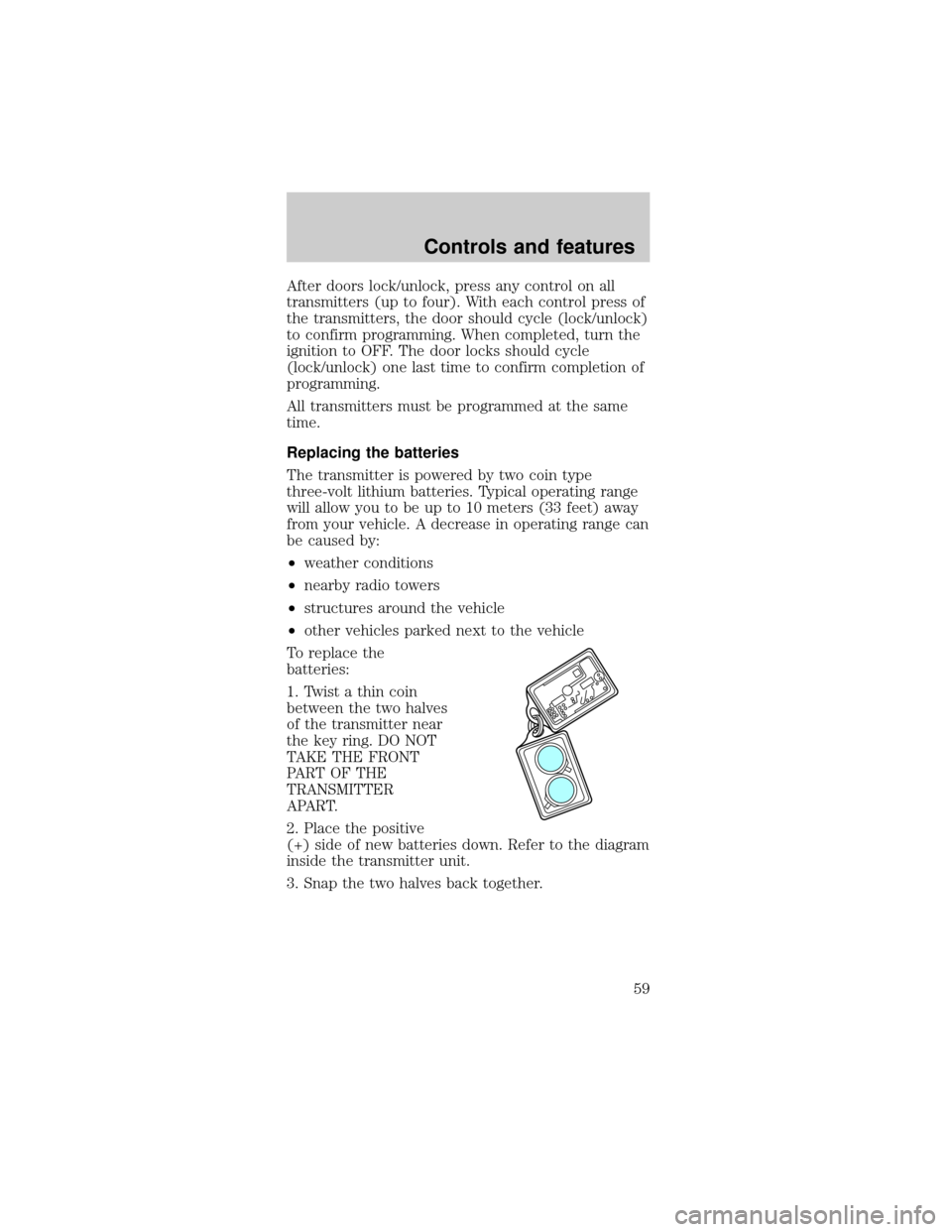
To replace the
batteries:
1. Twist a thin coin
between the two halves
of the transmitter near
the key ring. DO NOT
TAKE THE FRONT
PART OF THE
TRANSMITTER
APART.
2. Place the positive
(+) side of new batteries down. Refer to the diagram
inside the transmitter unit.
3. Snap the two halves back together.
Controls and features
59
Page 83 of 192
PREPARING TO START YOUR VEHICLE
Engine starting is controlled by the ignition system.
This system meets all Canadian Interference-Causing
Equipment standard requirements regulating the
impulse electrical field strength of radio noise.
When starting a fuel-injected engine, avoid pressing
the accelerator before or during starting. Only use
the accelerator when you have difficulty starting the
engine. For more information on starting the vehicle,
refer toStarting the enginein this chapter.
Extended idling at high engine speeds can
produce very high temperatures in the
engine and exhaust system, creating the risk of
fire or other damage.
Do not park, idle, or drive your vehicle in
dry grass or other dry ground cover. The
emission system heats up the engine compartment
and exhaust system, which can start a fire.
Do not start your vehicle in a closed garage
or in other enclosed areas. Exhaust fumes
can be toxic. Always open the garage door before
you start the engine. SeeGuarding against
exhaust fumesin this chapter for more
instructions.
If you smell exhaust fumes inside your
vehicle, have your dealer inspect your
vehicle immediately. Do not drive if you smell
exhaust fumes.
Starting
83
Page 112 of 192
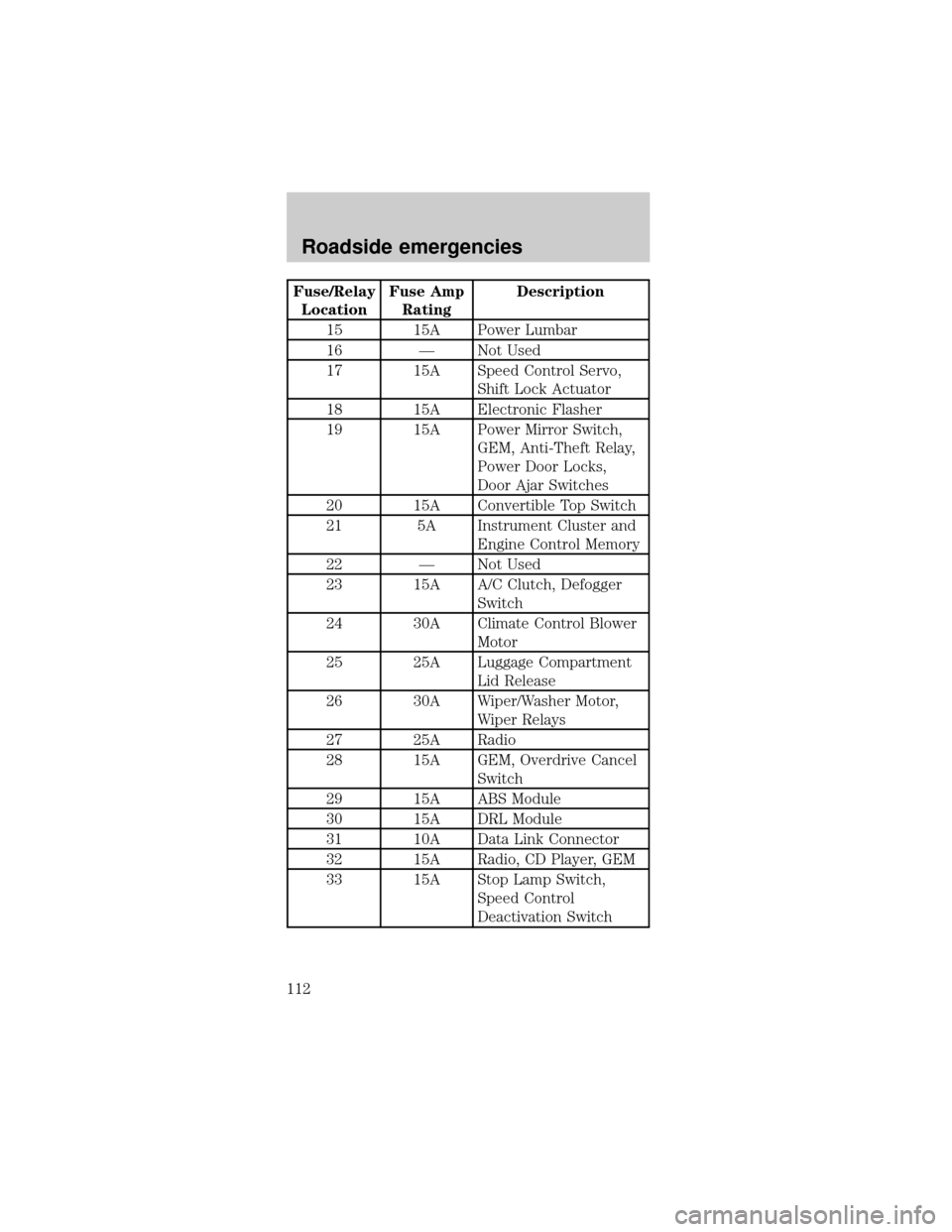
Fuse/Relay
LocationFuse Amp
RatingDescription
15 15A Power Lumbar
16 Ð Not Used
17 15A Speed Control Servo,
Shift Lock Actuator
18 15A Electronic Flasher
19 15A Power Mirror Switch,
GEM, Anti-Theft Relay,
Power Door Locks,
Door Ajar Switches
20 15A Convertible Top Switch
21 5A Instrument Cluster and
Engine Control Memory
22 Ð Not Used
23 15A A/C Clutch, Defogger
Switch
24 30A Climate Control Blower
Motor
25 25A Luggage Compartment
Lid Release
26 30A Wiper/Washer Motor,
Wiper Relays
27 25A Radio
28 15A GEM, Overdrive Cancel
Switch
29 15A ABS Module
30 15A DRL Module
31 10A Data Link Connector
32 15A Radio, CD Player, GEM
33 15A Stop Lamp Switch,
Speed Control
Deactivation Switch
Roadside emergencies
112
Page 115 of 192
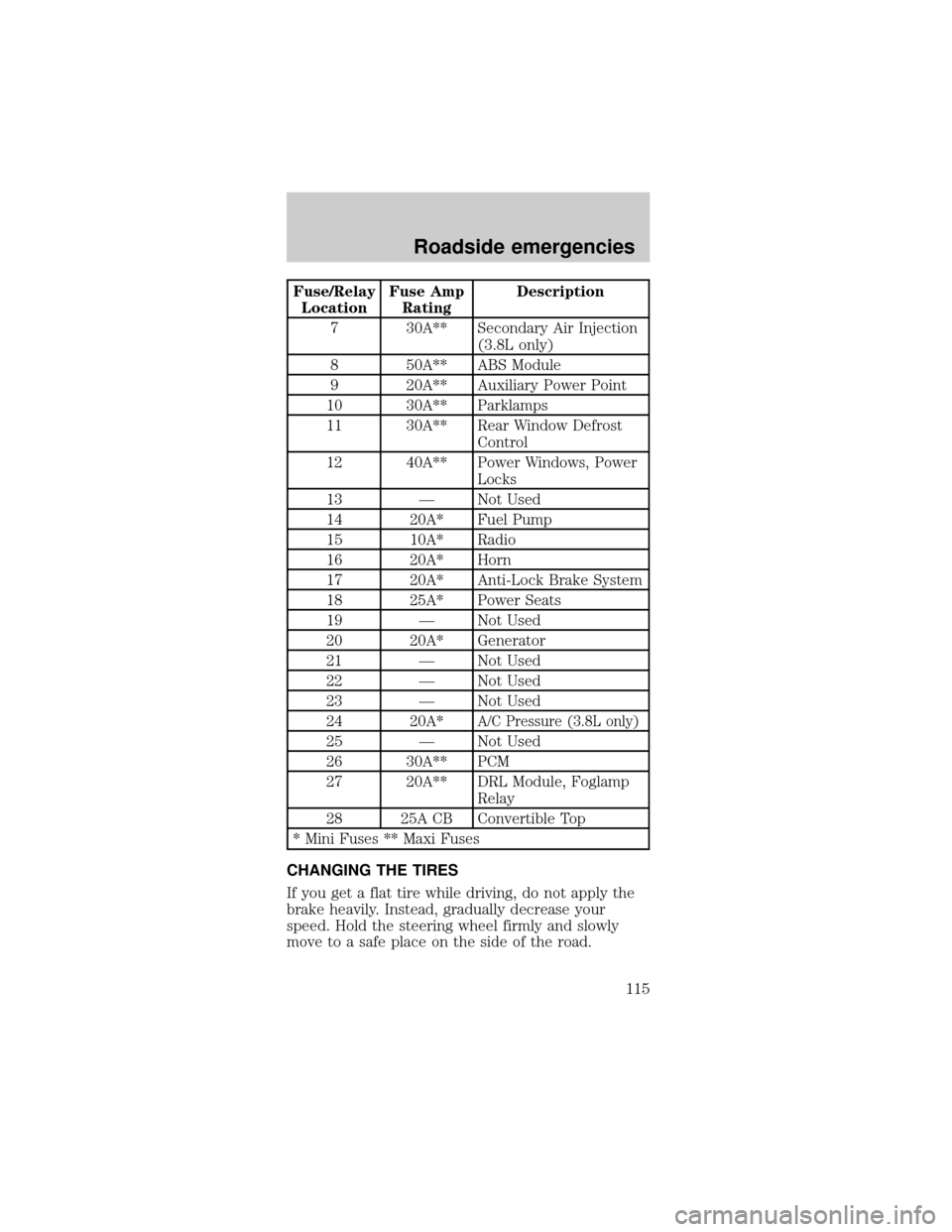
Fuse/Relay
LocationFuse Amp
RatingDescription
7 30A** Secondary Air Injection
(3.8L only)
8 50A** ABS Module
9 20A** Auxiliary Power Point
10 30A** Parklamps
11 30A** Rear Window Defrost
Control
12 40A** Power Windows, Power
Locks
13 Ð Not Used
14 20A* Fuel Pump
15 10A* Radio
16 20A* Horn
17 20A* Anti-Lock Brake System
18 25A* Power Seats
19 Ð Not Used
20 20A* Generator
21 Ð Not Used
22 Ð Not Used
23 Ð Not Used
24 20A*
A/C Pressure (3.8L only)
25 Ð Not Used
26 30A** PCM
27 20A** DRL Module, Foglamp
Relay
28 25A CB Convertible Top
* Mini Fuses ** Maxi Fuses
CHANGING THE TIRES
If you get a flat tire while driving, do not apply the
brake heavily. Instead, gradually decrease your
speed. Hold the steering wheel firmly and slowly
move to a safe place on the side of the road.
Roadside emergencies
115