CD player FORD MUSTANG 2000 4.G Owners Manual
[x] Cancel search | Manufacturer: FORD, Model Year: 2000, Model line: MUSTANG, Model: FORD MUSTANG 2000 4.GPages: 224, PDF Size: 1.86 MB
Page 35 of 224
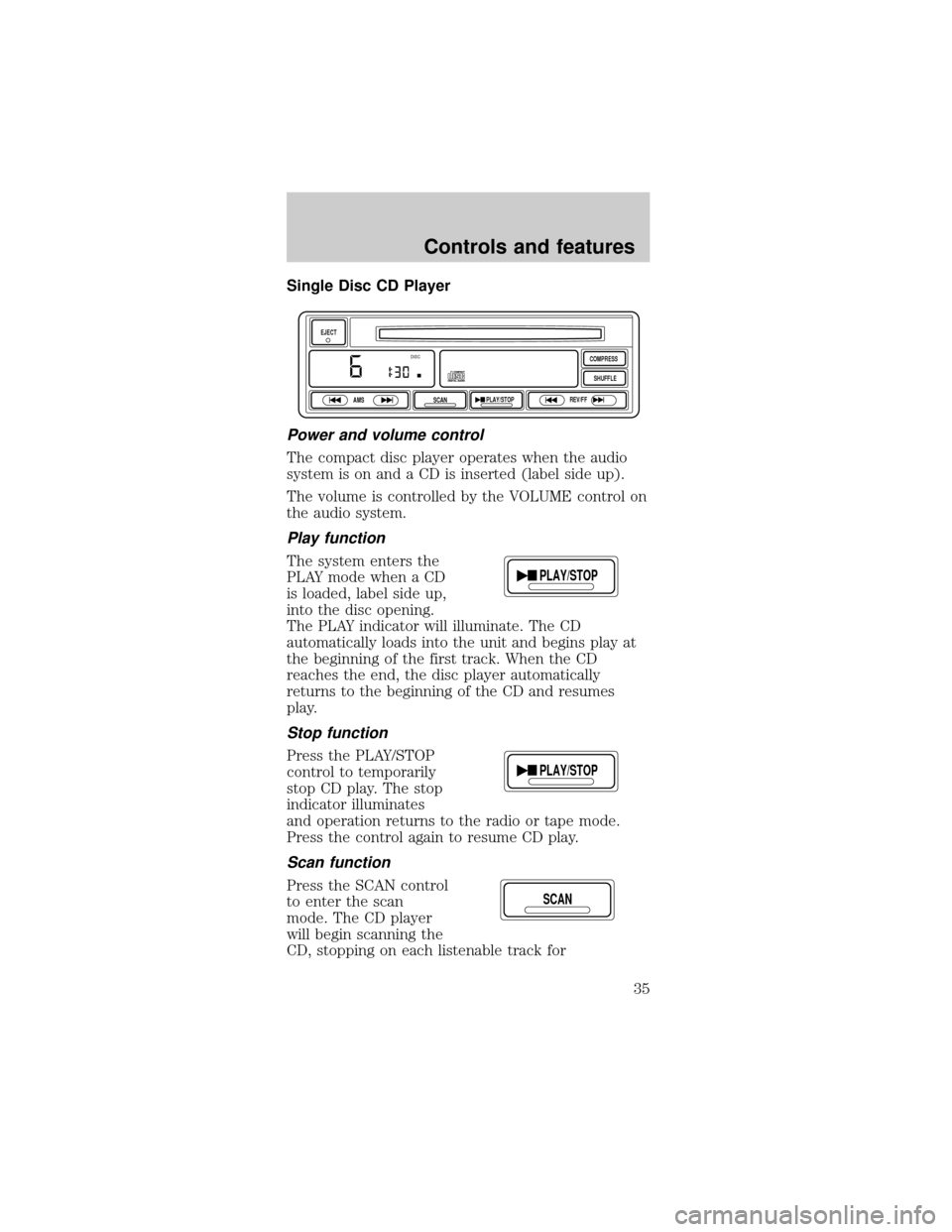
Single Disc CD Player
Power and volume control
The compact disc player operates when the audio
system is on and a CD is inserted (label side up).
The volume is controlled by the VOLUME control on
the audio system.
Play function
The system enters the
PLAY mode when a CD
is loaded, label side up,
into the disc opening.
The PLAY indicator will illuminate. The CD
automatically loads into the unit and begins play at
the beginning of the first track. When the CD
reaches the end, the disc player automatically
returns to the beginning of the CD and resumes
play.
Stop function
Press the PLAY/STOP
control to temporarily
stop CD play. The stop
indicator illuminates
and operation returns to the radio or tape mode.
Press the control again to resume CD play.
Scan function
Press the SCAN control
to enter the scan
mode. The CD player
will begin scanning the
CD, stopping on each listenable track for
EJECT
AMS
SCANPLAY/STOPREV/FFSHUFFLE COMPRESS
DISC
PLAY/STOP
PLAY/STOP
SCAN
Controls and features
35
Page 36 of 224
approximately eight seconds. This continues until
you press the SCAN control a second time or eject
the CD. While in the scan mode, the display flashes
SCAN.
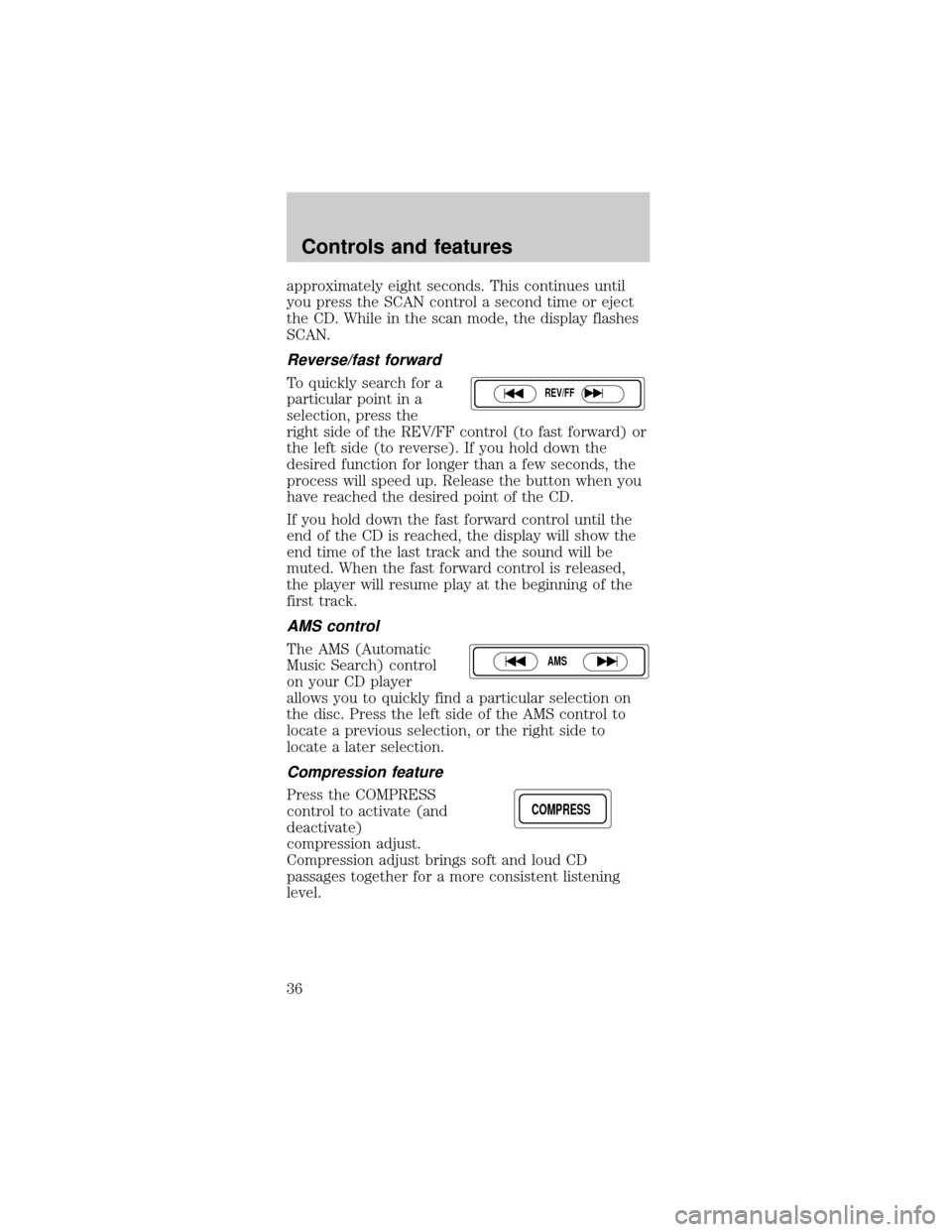
Reverse/fast forward
To quickly search for a
particular point in a
selection, press the
right side of the REV/FF control (to fast forward) or
the left side (to reverse). If you hold down the
desired function for longer than a few seconds, the
process will speed up. Release the button when you
have reached the desired point of the CD.
If you hold down the fast forward control until the
end of the CD is reached, the display will show the
end time of the last track and the sound will be
muted. When the fast forward control is released,
the player will resume play at the beginning of the
first track.
AMS control
The AMS (Automatic
Music Search) control
on your CD player
allows you to quickly find a particular selection on
the disc. Press the left side of the AMS control to
locate a previous selection, or the right side to
locate a later selection.
Compression feature
Press the COMPRESS
control to activate (and
deactivate)
compression adjust.
Compression adjust brings soft and loud CD
passages together for a more consistent listening
level.
REV/FF
AMS
COMPRESS
Controls and features
36
Page 37 of 224
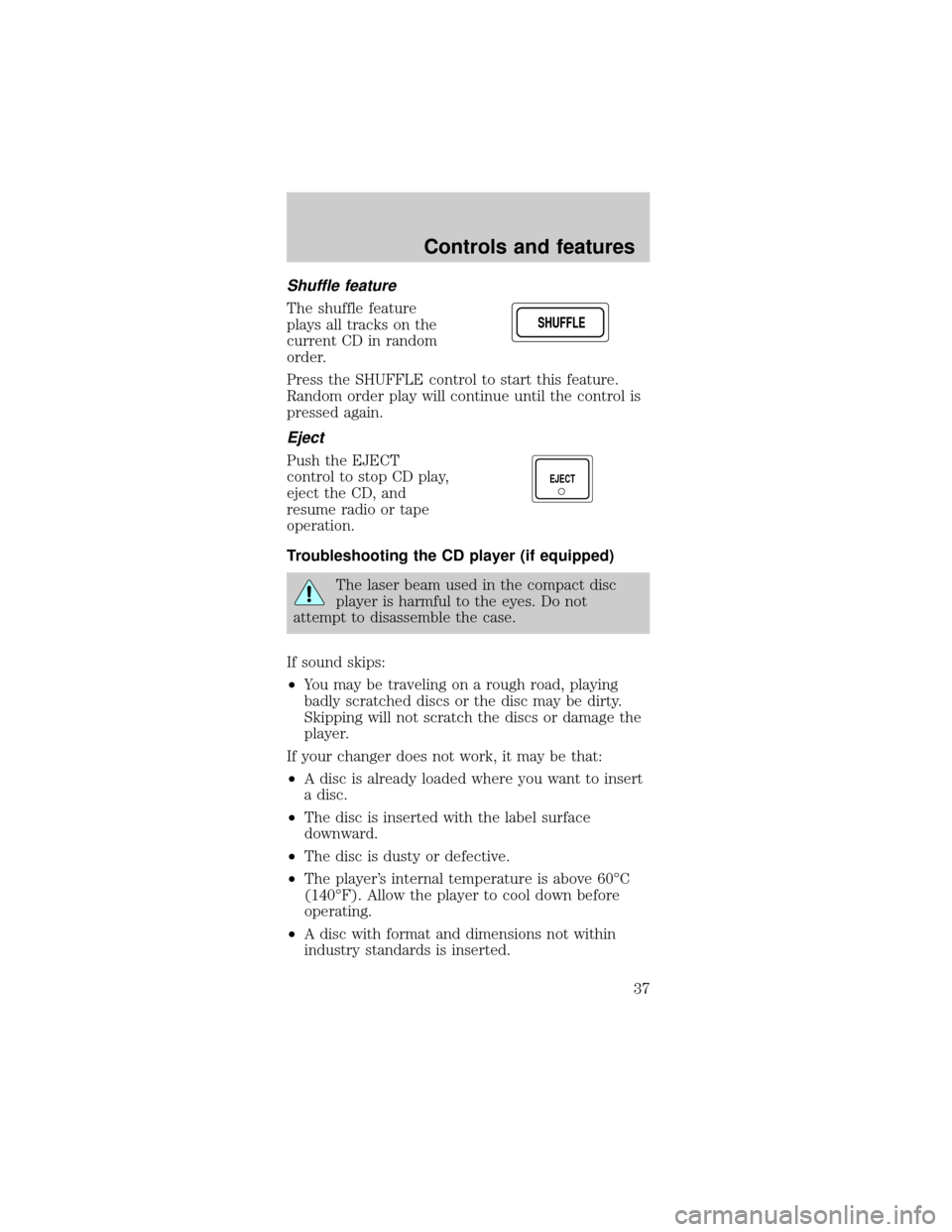
Shuffle feature
The shuffle feature
plays all tracks on the
current CD in random
order.
Press the SHUFFLE control to start this feature.
Random order play will continue until the control is
pressed again.
Eject
Push the EJECT
control to stop CD play,
eject the CD, and
resume radio or tape
operation.
Troubleshooting the CD player (if equipped)
The laser beam used in the compact disc
player is harmful to the eyes. Do not
attempt to disassemble the case.
If sound skips:
²You may be traveling on a rough road, playing
badly scratched discs or the disc may be dirty.
Skipping will not scratch the discs or damage the
player.
If your changer does not work, it may be that:
²A disc is already loaded where you want to insert
a disc.
²The disc is inserted with the label surface
downward.
²The disc is dusty or defective.
²The player's internal temperature is above 60ÉC
(140ÉF). Allow the player to cool down before
operating.
²A disc with format and dimensions not within
industry standards is inserted.
SHUFFLESHUFFLE
EJECT
Controls and features
37
Page 38 of 224

Cleaning compact discs
Inspect all discs for contamination before playing. If
necessary, clean discs only with an approved CD
cleaner and wipe from the center out to the edge.
Do not use circular motion.
CD and CD player care
²Handle discs by their edges only. Never touch the
playing surface.
²Do not expose discs to direct sunlight or heat
sources for extended periods of time.
²Do not insert more than one disc into the slot of
the CD player.
Cleaning cassette player (if equipped)
Clean the tape player head with a cassette cleaning
cartridge after 10 to 12 hours of play in order to
maintain the best sound and operation.
Cassette and cassette player care
²Use only cassettes that are 90 minutes long or
less.
²Do not expose tapes to direct sunlight, high
humidity, extreme heat or extreme cold. Allow
tapes that may have been exposed to extreme
temperatures to reach a moderate temperature
before playing.
²Tighten very loose tapes by inserting a finger or
pencil into the hole and turning the hub.
²Remove loose labels before inserting tapes.
²Do not leave tapes in the cassette player for a
long time when not being played.
Radio frequency information
The Federal Communications Commission (FCC)
and the Canadian Radio and Telecommunications
Commission(CRTC) establish the frequencies AM
Controls and features
38
Page 121 of 224
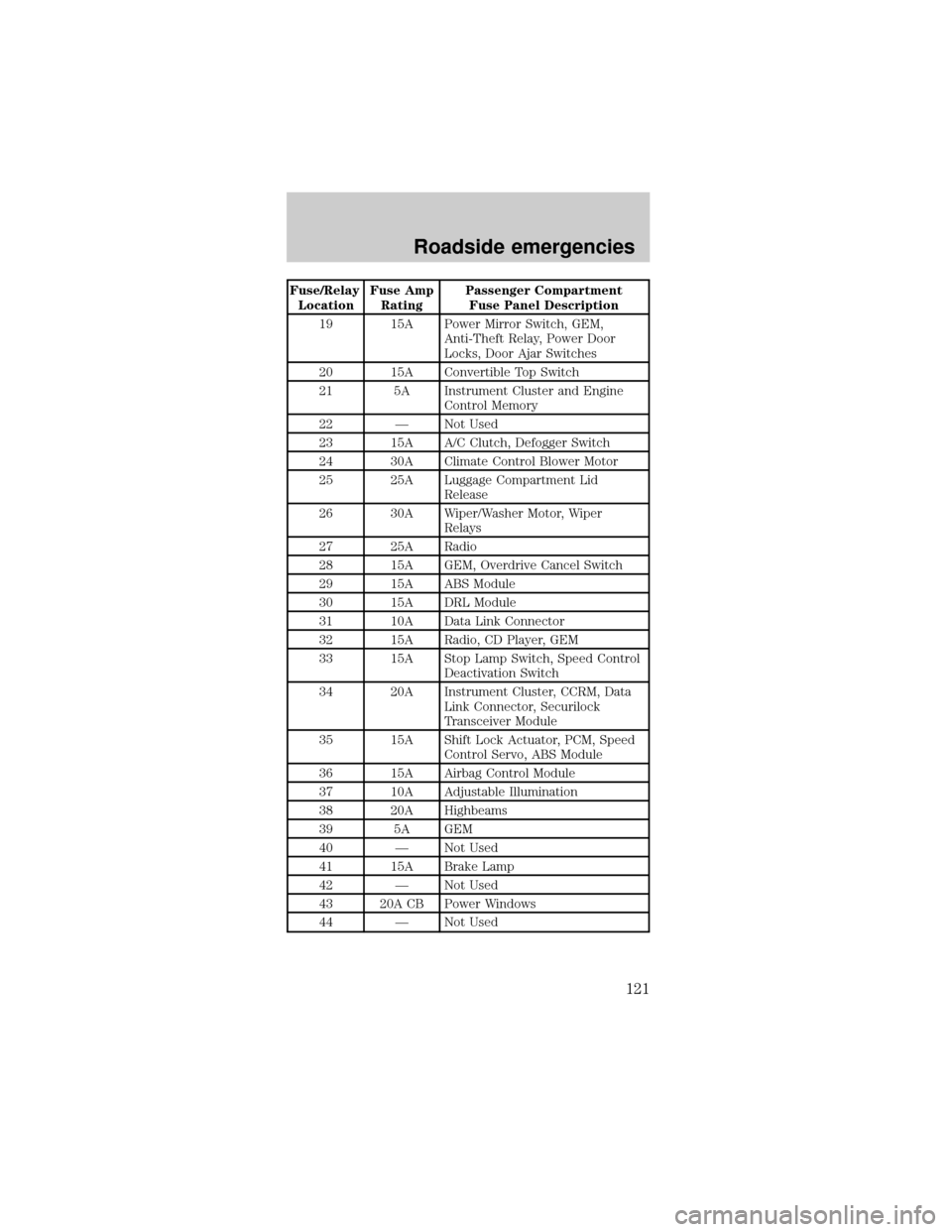
Fuse/Relay
LocationFuse Amp
RatingPassenger Compartment
Fuse Panel Description
19 15A Power Mirror Switch, GEM,
Anti-Theft Relay, Power Door
Locks, Door Ajar Switches
20 15A Convertible Top Switch
21 5A Instrument Cluster and Engine
Control Memory
22 Ð Not Used
23 15A A/C Clutch, Defogger Switch
24 30A Climate Control Blower Motor
25 25A Luggage Compartment Lid
Release
26 30A Wiper/Washer Motor, Wiper
Relays
27 25A Radio
28 15A GEM, Overdrive Cancel Switch
29 15A ABS Module
30 15A DRL Module
31 10A Data Link Connector
32 15A Radio, CD Player, GEM
33 15A Stop Lamp Switch, Speed Control
Deactivation Switch
34 20A Instrument Cluster, CCRM, Data
Link Connector, Securilock
Transceiver Module
35 15A Shift Lock Actuator, PCM, Speed
Control Servo, ABS Module
36 15A Airbag Control Module
37 10A Adjustable Illumination
38 20A Highbeams
39 5A GEM
40 Ð Not Used
41 15A Brake Lamp
42 Ð Not Used
43 20A CB Power Windows
44 Ð Not Used
Roadside emergencies
121