audio FORD MUSTANG 2000 4.G Owners Manual
[x] Cancel search | Manufacturer: FORD, Model Year: 2000, Model line: MUSTANG, Model: FORD MUSTANG 2000 4.GPages: 224, PDF Size: 1.86 MB
Page 7 of 224
POWERAUDIO
VOLUMEAM/FMREWFFPLAYEJCT12345CLOCKAUTOPRESETPROG
AUTOMATIC
DNRCrO2SCAN
TUNE
SEEKFM1ST
LO
HIOFF
FLOOR
MIX VENT
NORM
A/C
MAX
A/C
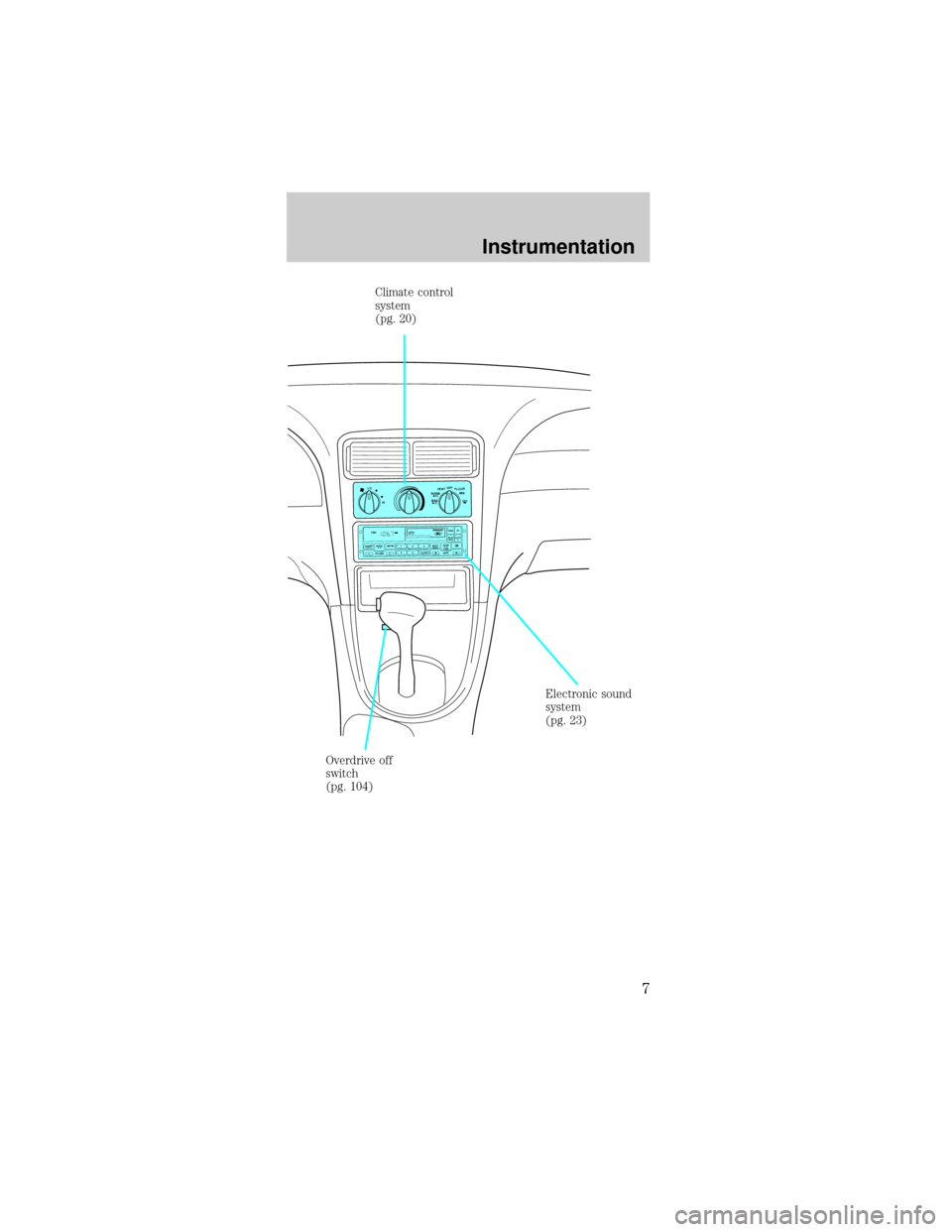
Climate control
system
(pg. 20)
Electronic sound
system
(pg. 23)
Overdrive off
switch
(pg. 104)
Instrumentation
7
Page 23 of 224
USING YOUR AUDIO SYSTEM
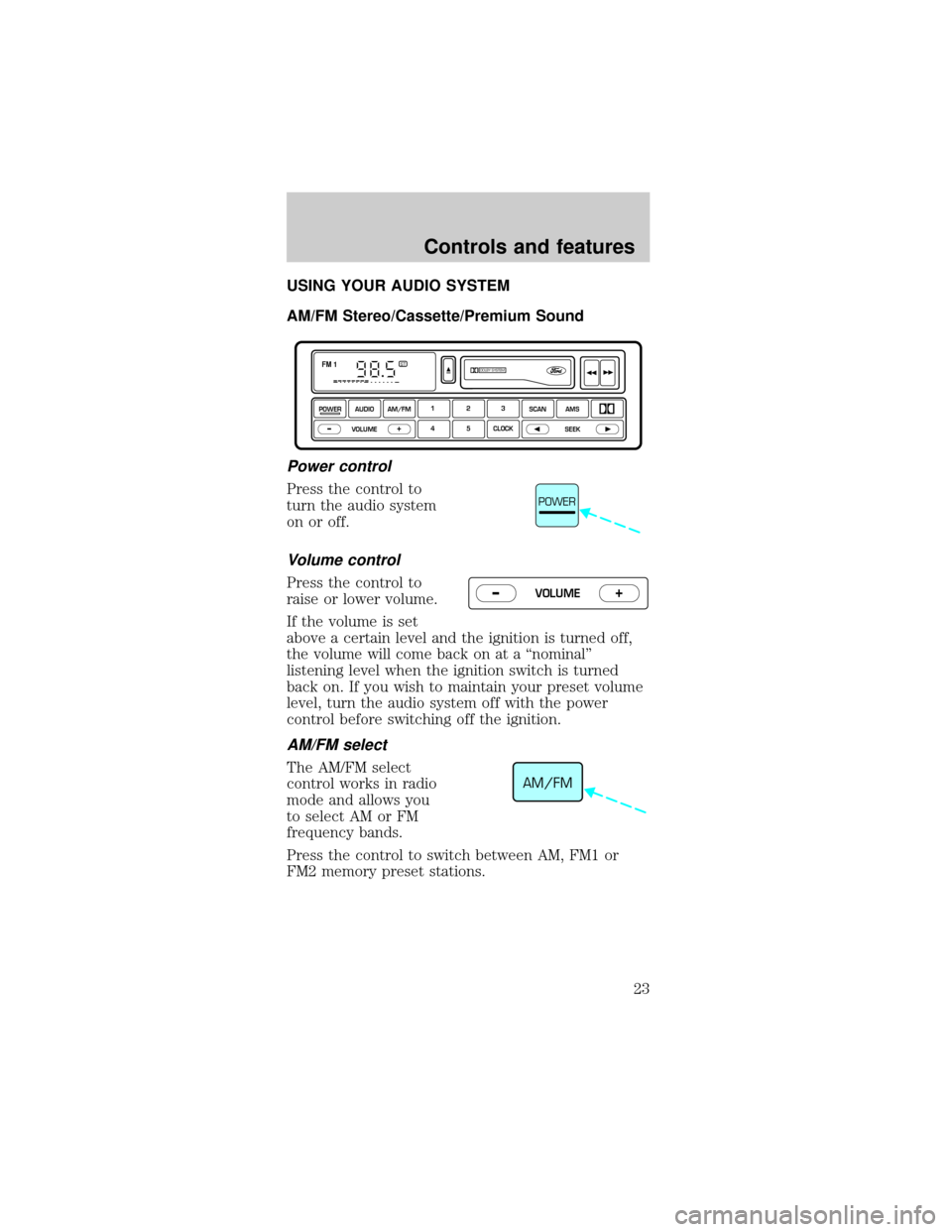
AM/FM Stereo/Cassette/Premium Sound
Power control
Press the control to
turn the audio system
on or off.
Volume control
Press the control to
raise or lower volume.
If the volume is set
above a certain level and the ignition is turned off,
the volume will come back on at a ªnominalº
listening level when the ignition switch is turned
back on. If you wish to maintain your preset volume
level, turn the audio system off with the power
control before switching off the ignition.
AM/FM select
The AM/FM select
control works in radio
mode and allows you
to select AM or FM
frequency bands.
Press the control to switch between AM, FM1 or
FM2 memory preset stations.
DOLBY SYSTEMSTFM 1
123
4 5 CLOCKAMS SCAN
SEEK
VOLUME
POWERAUDIO AM/FM
–+
POWER
VOLUME+ –
AM/FM
Controls and features
23
Page 26 of 224
held in memory on the control you selected.
Repeat the steps for each station memory preset
button you want to set.
If the battery is disconnected, the memory preset
stations will need to be reset.
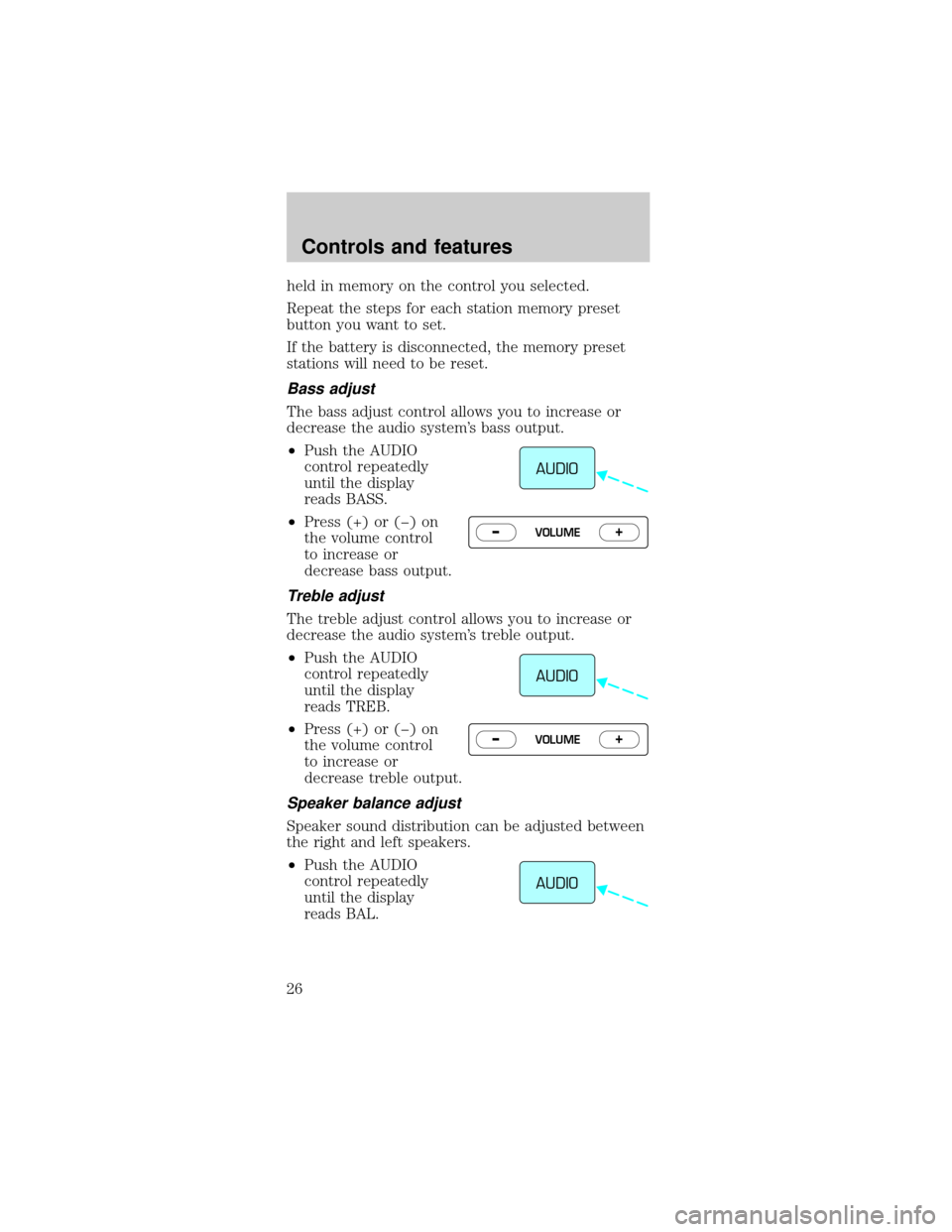
Bass adjust
The bass adjust control allows you to increase or
decrease the audio system's bass output.
²Push the AUDIO
control repeatedly
until the display
reads BASS.
²Press (+) or (þ) on
the volume control
to increase or
decrease bass output.
Treble adjust
The treble adjust control allows you to increase or
decrease the audio system's treble output.
²Push the AUDIO
control repeatedly
until the display
reads TREB.
²Press (+) or (þ) on
the volume control
to increase or
decrease treble output.
Speaker balance adjust
Speaker sound distribution can be adjusted between
the right and left speakers.
²Push the AUDIO
control repeatedly
until the display
reads BAL.
AUDIO
VOLUME+ –
AUDIO
VOLUME+ –
AUDIO
Controls and features
26
Page 27 of 224
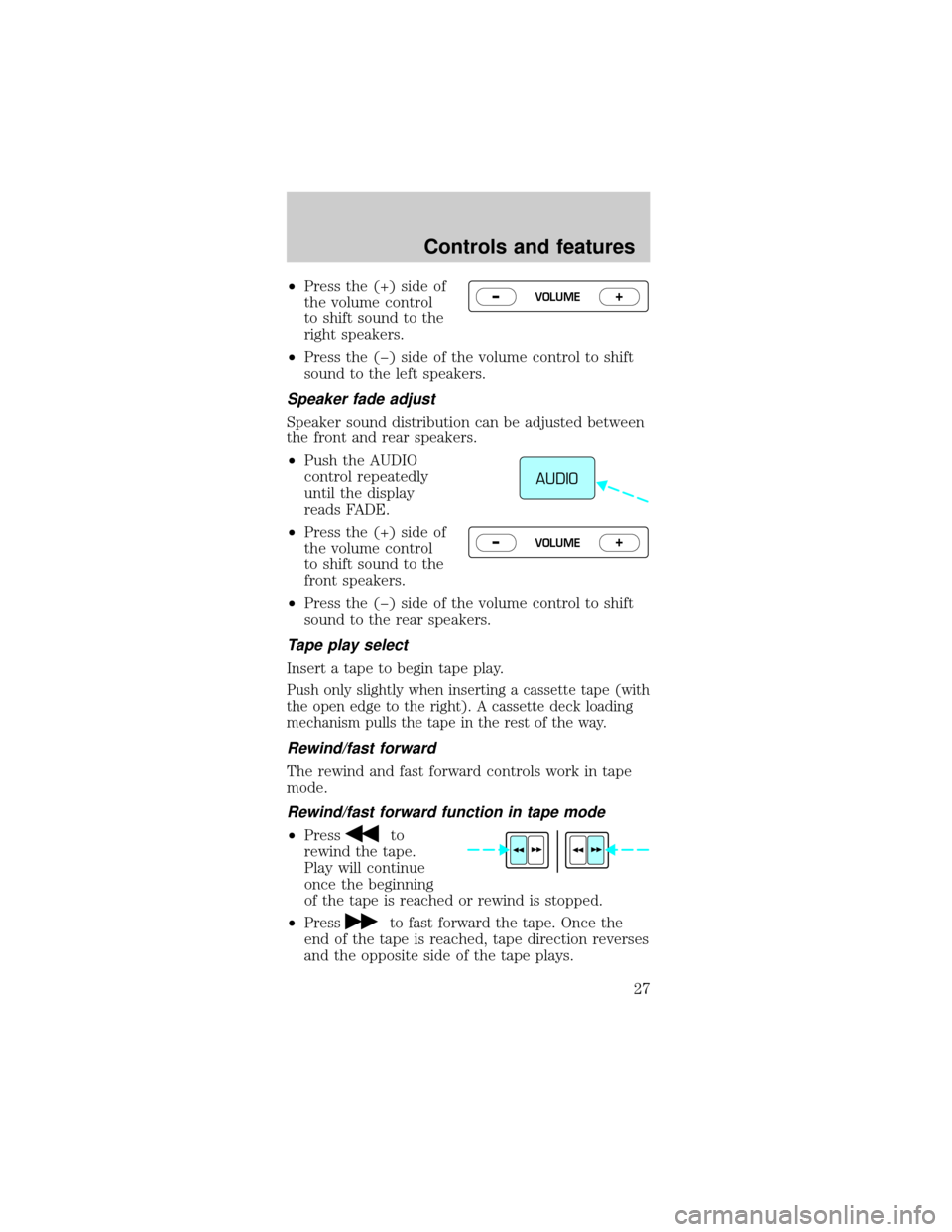
²Press the (+) side of
the volume control
to shift sound to the
right speakers.
²Press the (þ) side of the volume control to shift
sound to the left speakers.
Speaker fade adjust
Speaker sound distribution can be adjusted between
the front and rear speakers.
²Push the AUDIO
control repeatedly
until the display
reads FADE.
²Press the (+) side of
the volume control
to shift sound to the
front speakers.
²Press the (þ) side of the volume control to shift
sound to the rear speakers.
Tape play select
Insert a tape to begin tape play.
Push only slightly when inserting a cassette tape (with
the open edge to the right). A cassette deck loading
mechanism pulls the tape in the rest of the way.
Rewind/fast forward
The rewind and fast forward controls work in tape
mode.
Rewind/fast forward function in tape mode
²Pressto
rewind the tape.
Play will continue
once the beginning
of the tape is reached or rewind is stopped.
²Press
to fast forward the tape. Once the
end of the tape is reached, tape direction reverses
and the opposite side of the tape plays.
VOLUME+ –
AUDIO
VOLUME+ –
Controls and features
27
Page 28 of 224
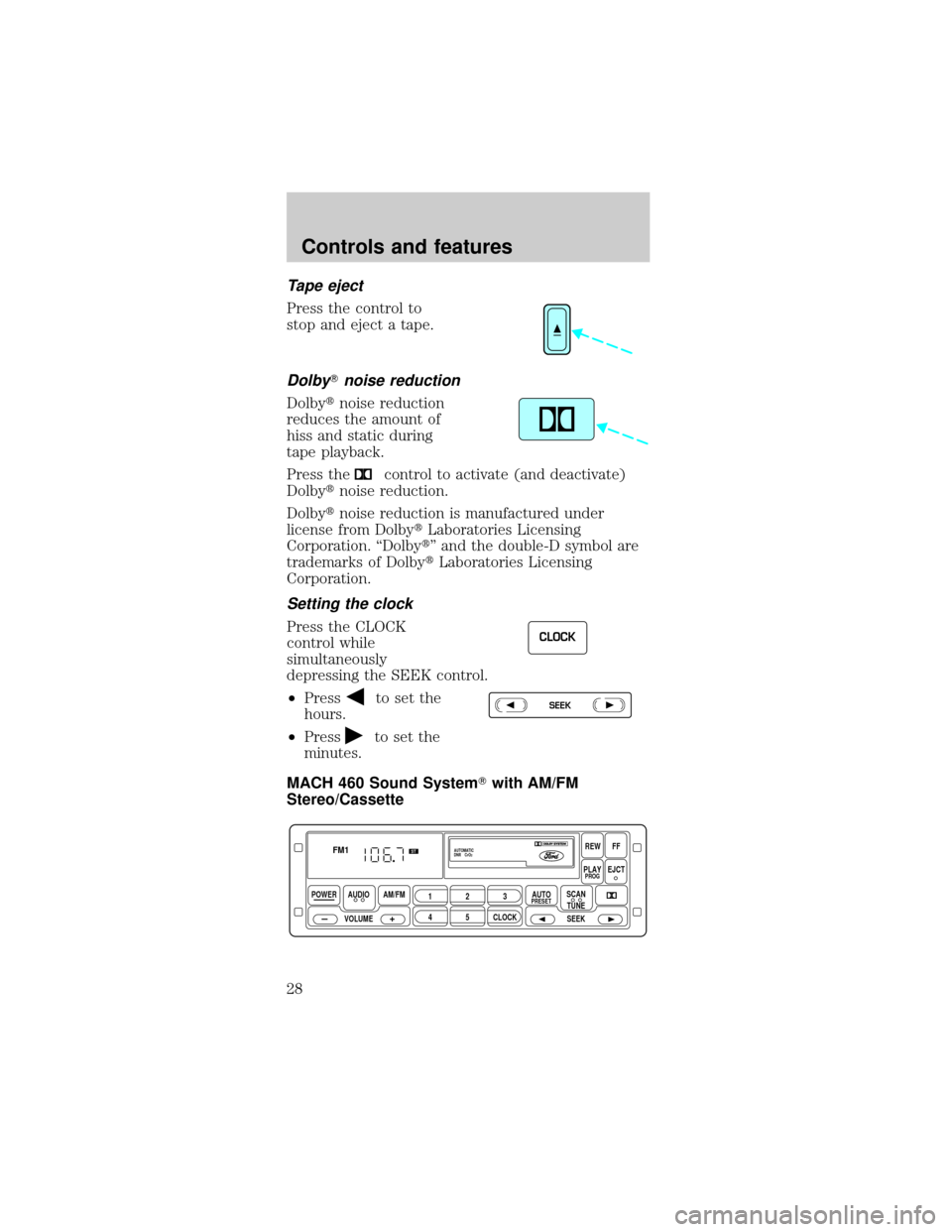
Tape eject
Press the control to
stop and eject a tape.
DolbyTnoise reduction
Dolbytnoise reduction
reduces the amount of
hiss and static during
tape playback.
Press the
control to activate (and deactivate)
Dolbytnoise reduction.
Dolbytnoise reduction is manufactured under
license from DolbytLaboratories Licensing
Corporation. ªDolbytº and the double-D symbol are
trademarks of DolbytLaboratories Licensing
Corporation.
Setting the clock
Press the CLOCK
control while
simultaneously
depressing the SEEK control.
²Press
to set the
hours.
²Press
to set the
minutes.
MACH 460 Sound SystemTwith AM/FM
Stereo/Cassette
CLOCK
SEEK
POWER AUDIO
VOLUMEAM/FM
REWFF
PLAYEJCT
123
45CLOCK
AUTOPRESETPROG
AUTOMATIC
DNR CrO2
SCAN
TUNE
SEEK
FM1ST
Controls and features
28
Page 29 of 224
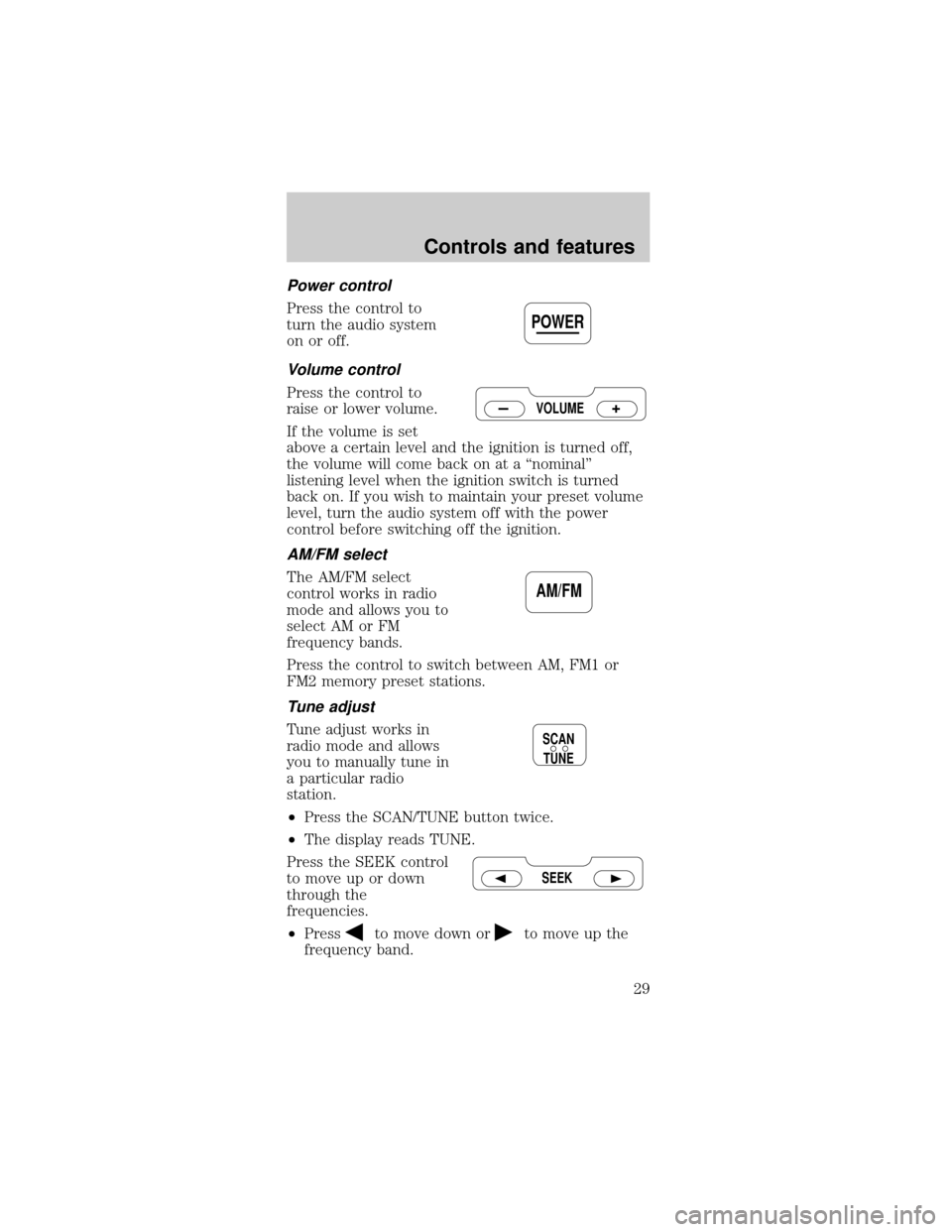
Power control
Press the control to
turn the audio system
on or off.
Volume control
Press the control to
raise or lower volume.
If the volume is set
above a certain level and the ignition is turned off,
the volume will come back on at a ªnominalº
listening level when the ignition switch is turned
back on. If you wish to maintain your preset volume
level, turn the audio system off with the power
control before switching off the ignition.
AM/FM select
The AM/FM select
control works in radio
mode and allows you to
select AM or FM
frequency bands.
Press the control to switch between AM, FM1 or
FM2 memory preset stations.
Tune adjust
Tune adjust works in
radio mode and allows
you to manually tune in
a particular radio
station.
²Press the SCAN/TUNE button twice.
²The display reads TUNE.
Press the SEEK control
to move up or down
through the
frequencies.
²Press
to move down orto move up the
frequency band.
POWER
VOLUME
AM/FM
SCAN
TUNE
SEEK
Controls and features
29
Page 32 of 224
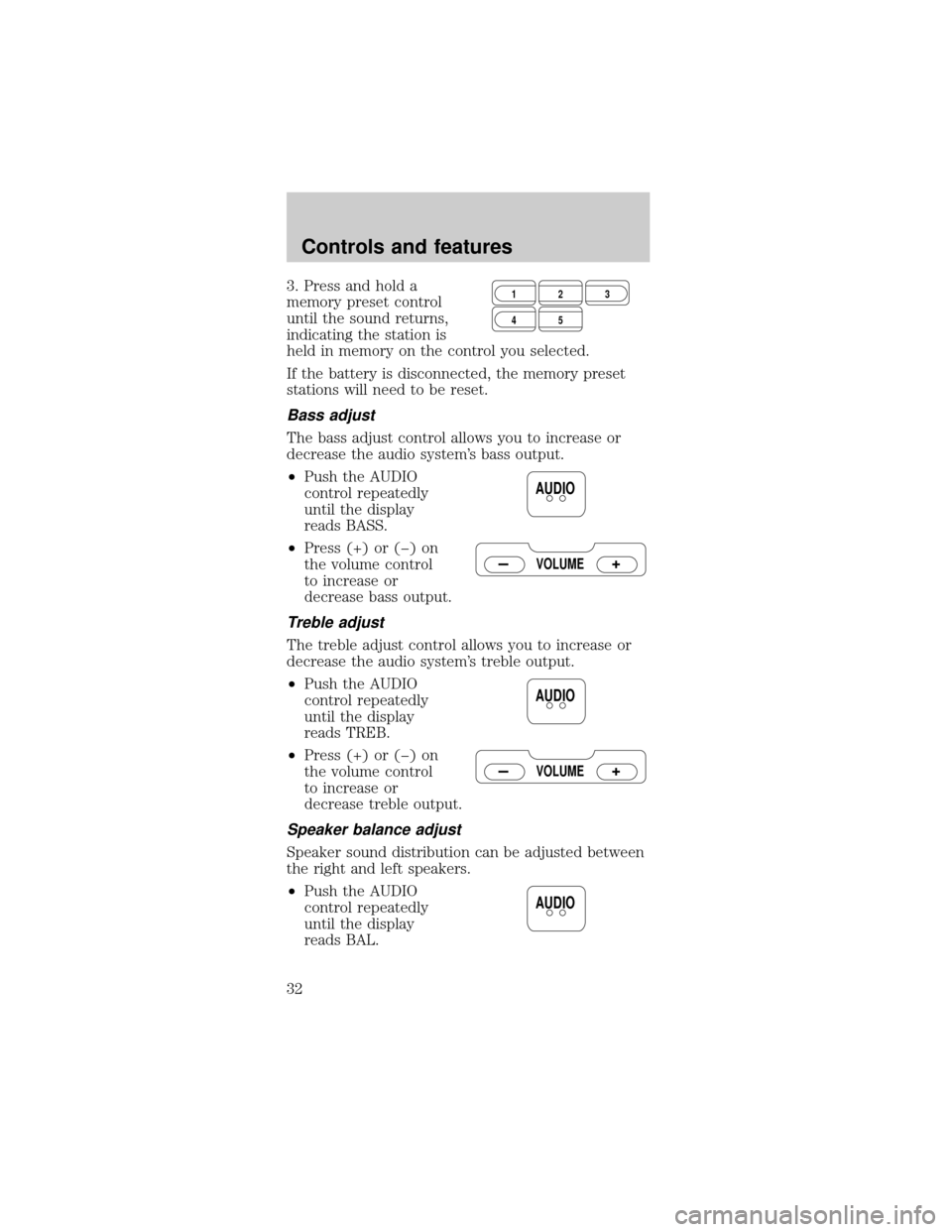
3. Press and hold a
memory preset control
until the sound returns,
indicating the station is
held in memory on the control you selected.
If the battery is disconnected, the memory preset
stations will need to be reset.
Bass adjust
The bass adjust control allows you to increase or
decrease the audio system's bass output.
²Push the AUDIO
control repeatedly
until the display
reads BASS.
²Press (+) or (þ) on
the volume control
to increase or
decrease bass output.
Treble adjust
The treble adjust control allows you to increase or
decrease the audio system's treble output.
²Push the AUDIO
control repeatedly
until the display
reads TREB.
²Press (+) or (þ) on
the volume control
to increase or
decrease treble output.
Speaker balance adjust
Speaker sound distribution can be adjusted between
the right and left speakers.
²Push the AUDIO
control repeatedly
until the display
reads BAL.
123
45
AUDIO
VOLUME
AUDIO
VOLUME
AUDIO
Controls and features
32
Page 33 of 224
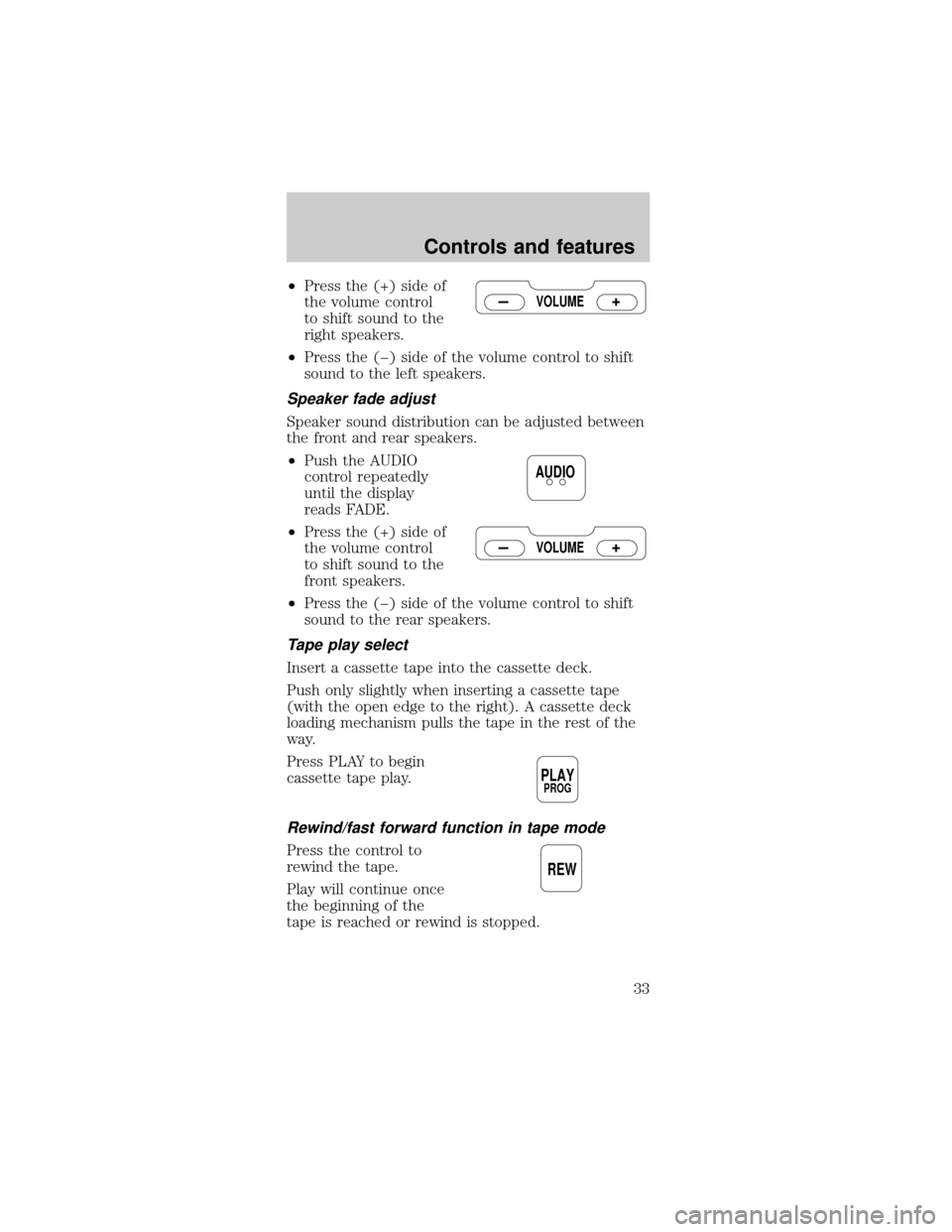
²Press the (+) side of
the volume control
to shift sound to the
right speakers.
²Press the (þ) side of the volume control to shift
sound to the left speakers.
Speaker fade adjust
Speaker sound distribution can be adjusted between
the front and rear speakers.
²Push the AUDIO
control repeatedly
until the display
reads FADE.
²Press the (+) side of
the volume control
to shift sound to the
front speakers.
²Press the (þ) side of the volume control to shift
sound to the rear speakers.
Tape play select
Insert a cassette tape into the cassette deck.
Push only slightly when inserting a cassette tape
(with the open edge to the right). A cassette deck
loading mechanism pulls the tape in the rest of the
way.
Press PLAY to begin
cassette tape play.
Rewind/fast forward function in tape mode
Press the control to
rewind the tape.
Play will continue once
the beginning of the
tape is reached or rewind is stopped.
VOLUME
AUDIO
VOLUME
PLAYPROG
REW
Controls and features
33
Page 35 of 224
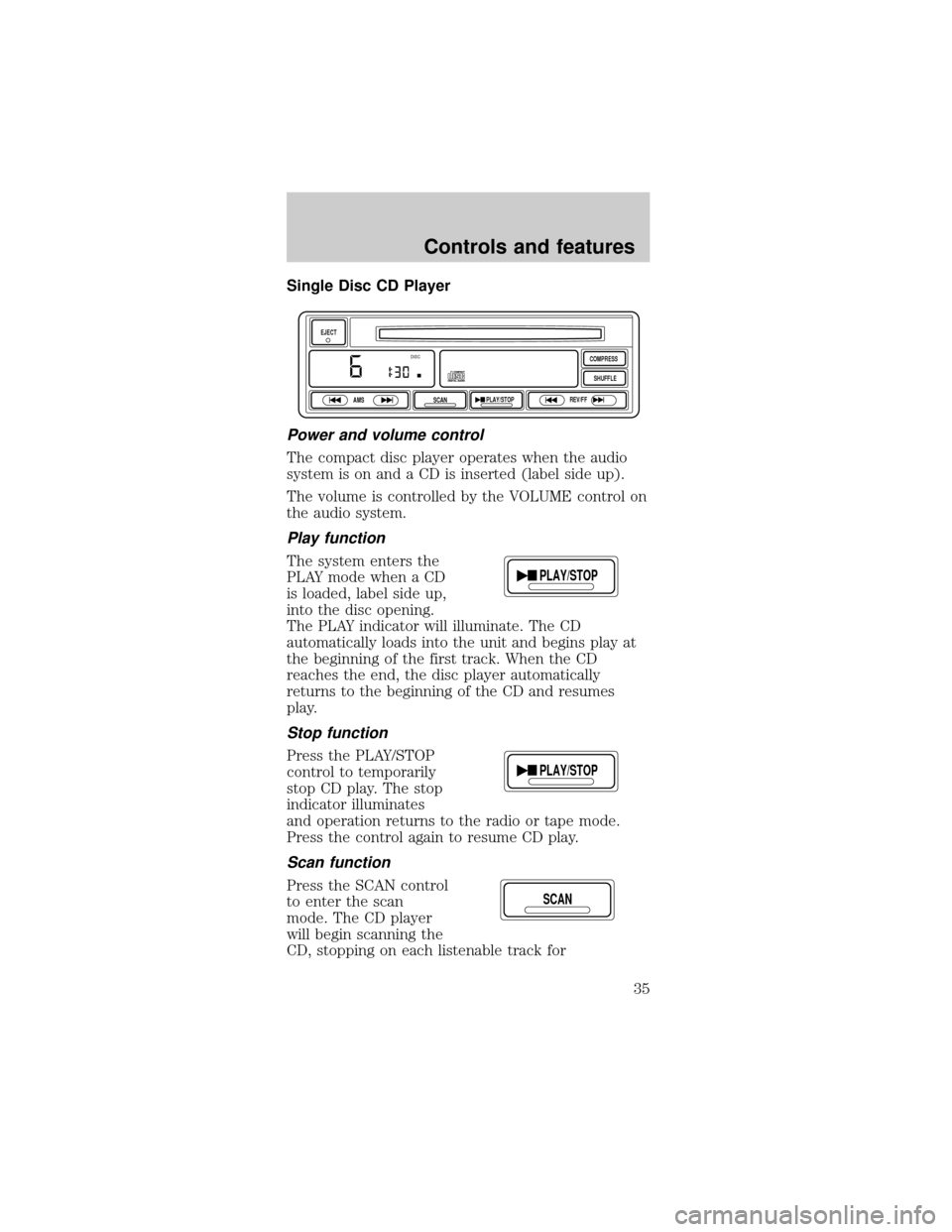
Single Disc CD Player
Power and volume control
The compact disc player operates when the audio
system is on and a CD is inserted (label side up).
The volume is controlled by the VOLUME control on
the audio system.
Play function
The system enters the
PLAY mode when a CD
is loaded, label side up,
into the disc opening.
The PLAY indicator will illuminate. The CD
automatically loads into the unit and begins play at
the beginning of the first track. When the CD
reaches the end, the disc player automatically
returns to the beginning of the CD and resumes
play.
Stop function
Press the PLAY/STOP
control to temporarily
stop CD play. The stop
indicator illuminates
and operation returns to the radio or tape mode.
Press the control again to resume CD play.
Scan function
Press the SCAN control
to enter the scan
mode. The CD player
will begin scanning the
CD, stopping on each listenable track for
EJECT
AMS
SCANPLAY/STOPREV/FFSHUFFLE COMPRESS
DISC
PLAY/STOP
PLAY/STOP
SCAN
Controls and features
35
Page 39 of 224

and FM stations may use for their broadcasts.
Allowable frequencies are:
AM 530, 540±1600, 1610 kHz
FM 87.7, 87.9±107.7, 107.9 MHz
Not all frequencies are used in a given area.
Radio reception factors
Three factors can affect radio reception:
²Distance/strength.The further an FM signal
travels, the weaker it is. The listenable range of
the average FM station is approximately 40 km
(24 miles). This range can be affected by ªsignal
modulation.º Signal modulation is a process radio
stations use to increase their strength/volume
relative to other stations.
²Terrain.Hills, mountains and tall buildings
between your vehicle's antenna and the radio
station signal can cause FM reception problems.
Static can be caused on AM stations by power
lines, electric fences, traffic lights and
thunderstorms. Moving away from an interfering
structure (out of its ªshadowº) returns your
reception to normal.
²Station overload.Weak signals are sometimes
captured by stronger signals when you pass a
broadcast tower. A stronger signal may
temporarily overtake a weaker signal and play
while the weak station frequency is displayed.
The audio system automatically switches to single
channel reception if it will improve the reception of
a station normally received in stereo.
Audio system warranties and service
Refer to the ªWarranty Guideº for audio system
warranty information.
If service is necessary, see your dealer or a qualified
technician.
Controls and features
39