reset FORD MUSTANG 2000 4.G Owners Manual
[x] Cancel search | Manufacturer: FORD, Model Year: 2000, Model line: MUSTANG, Model: FORD MUSTANG 2000 4.GPages: 224, PDF Size: 1.86 MB
Page 4 of 224
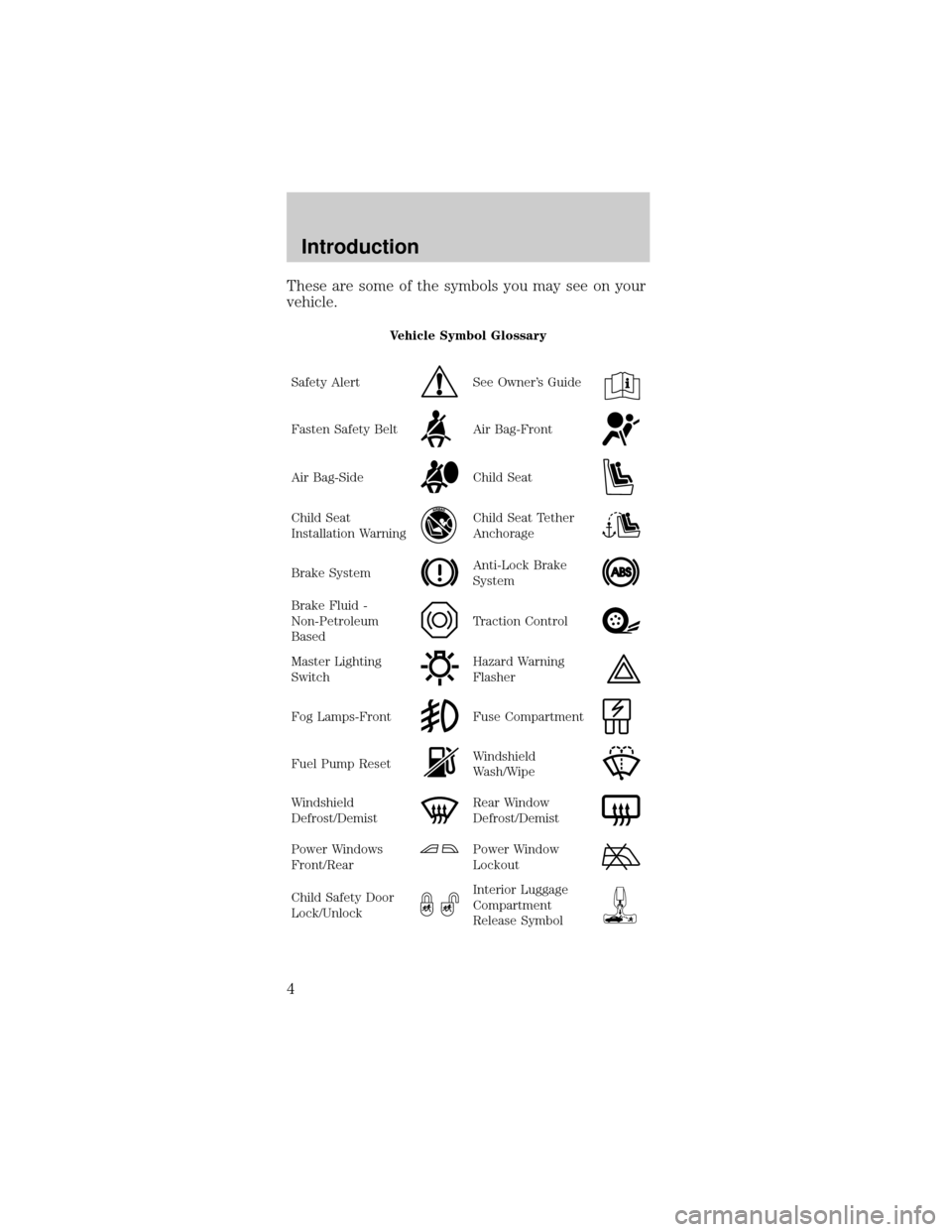
These are some of the symbols you may see on your
vehicle.
Vehicle Symbol Glossary
Safety Alert
See Owner's Guide
Fasten Safety BeltAir Bag-Front
Air Bag-SideChild Seat
Child Seat
Installation WarningChild Seat Tether
Anchorage
Brake SystemAnti-Lock Brake
System
Brake Fluid -
Non-Petroleum
BasedTraction Control
Master Lighting
SwitchHazard Warning
Flasher
Fog Lamps-FrontFuse Compartment
Fuel Pump ResetWindshield
Wash/Wipe
Windshield
Defrost/DemistRear Window
Defrost/Demist
Power Windows
Front/RearPower Window
Lockout
Child Safety Door
Lock/UnlockInterior Luggage
Compartment
Release Symbol
Introduction
4
Page 6 of 224
P! BRAKEL0
00000 00C
E
FH
LH10 203020 406080100
120
160
180405060 70
80
904
5
6
7 3
2
1
HTHEFT
RPMX1000
FUEL DOORSELECT/RESET
LOW
FUELO/D
OFF AIR
BAGSERVICE
ENGINE
SOON
MPH km/h.
REAR DEF
OFFHI
LOOFF ON
RSM
SET
ACC
COAST
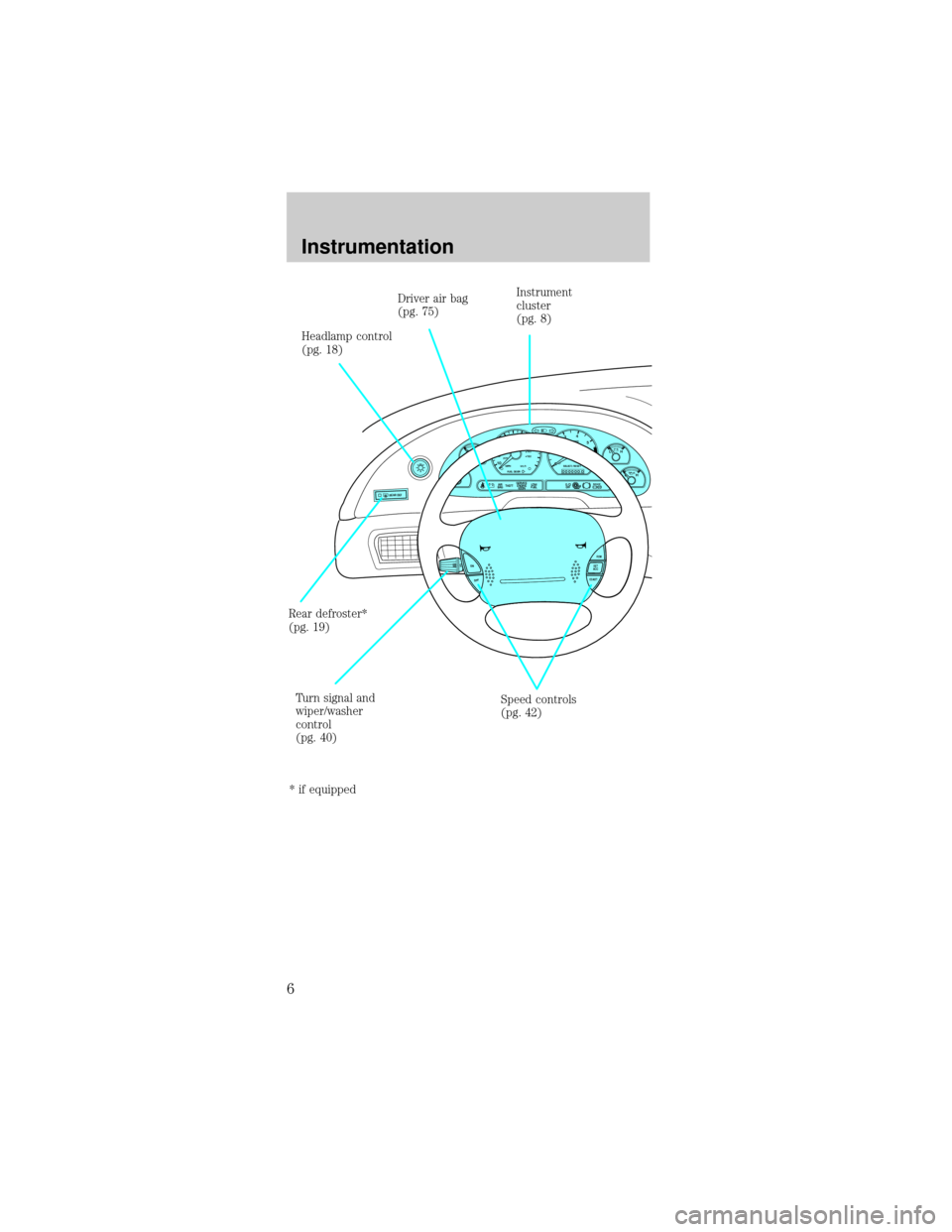
Headlamp control
(pg. 18)Driver air bag
(pg. 75)
Rear defroster*
(pg. 19)
Turn signal and
wiper/washer
control
(pg. 40)Instrument
cluster
(pg. 8)
Speed controls
(pg. 42)
* if equipped
Instrumentation
6
Page 7 of 224
POWERAUDIO
VOLUMEAM/FMREWFFPLAYEJCT12345CLOCKAUTOPRESETPROG
AUTOMATIC
DNRCrO2SCAN
TUNE
SEEKFM1ST
LO
HIOFF
FLOOR
MIX VENT
NORM
A/C
MAX
A/C
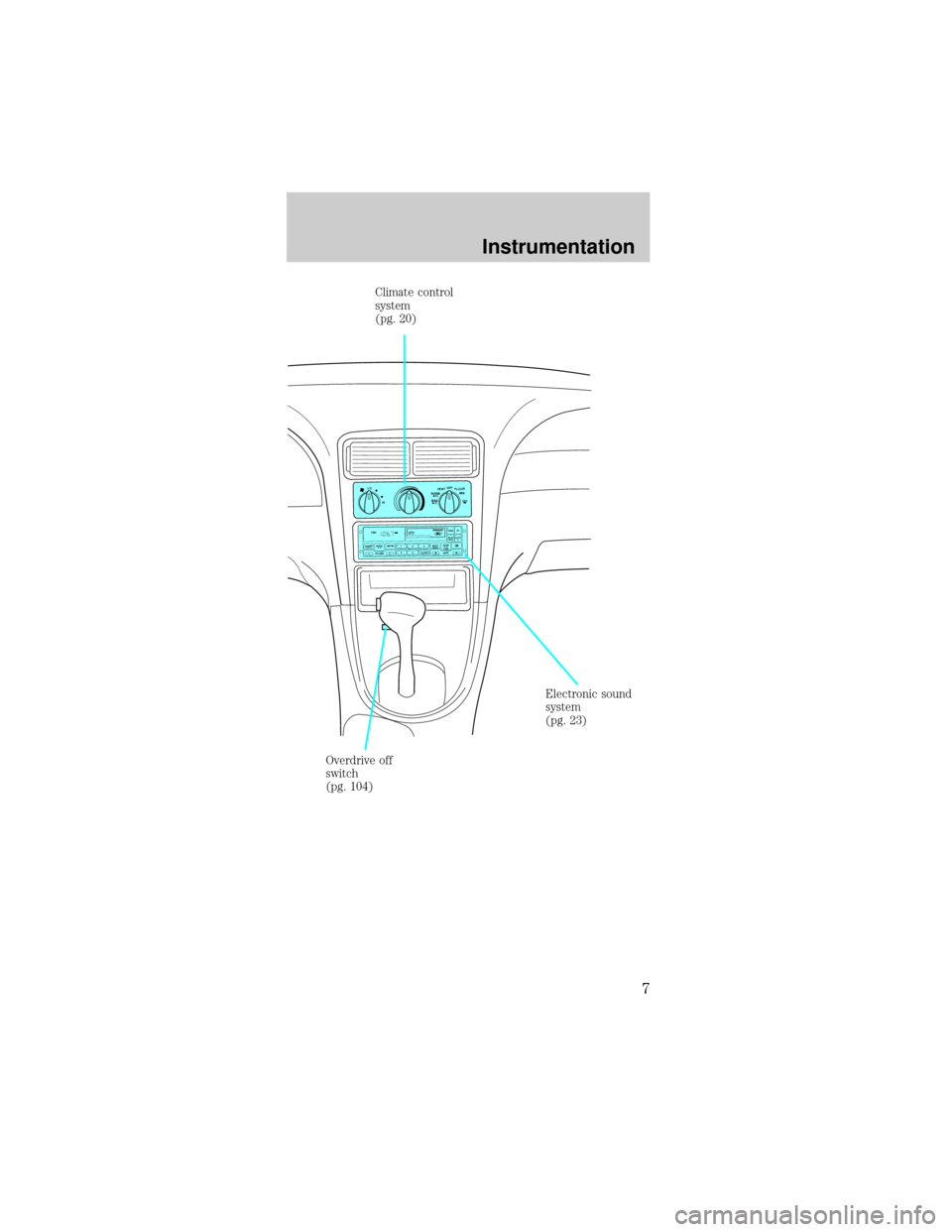
Climate control
system
(pg. 20)
Electronic sound
system
(pg. 23)
Overdrive off
switch
(pg. 104)
Instrumentation
7
Page 8 of 224
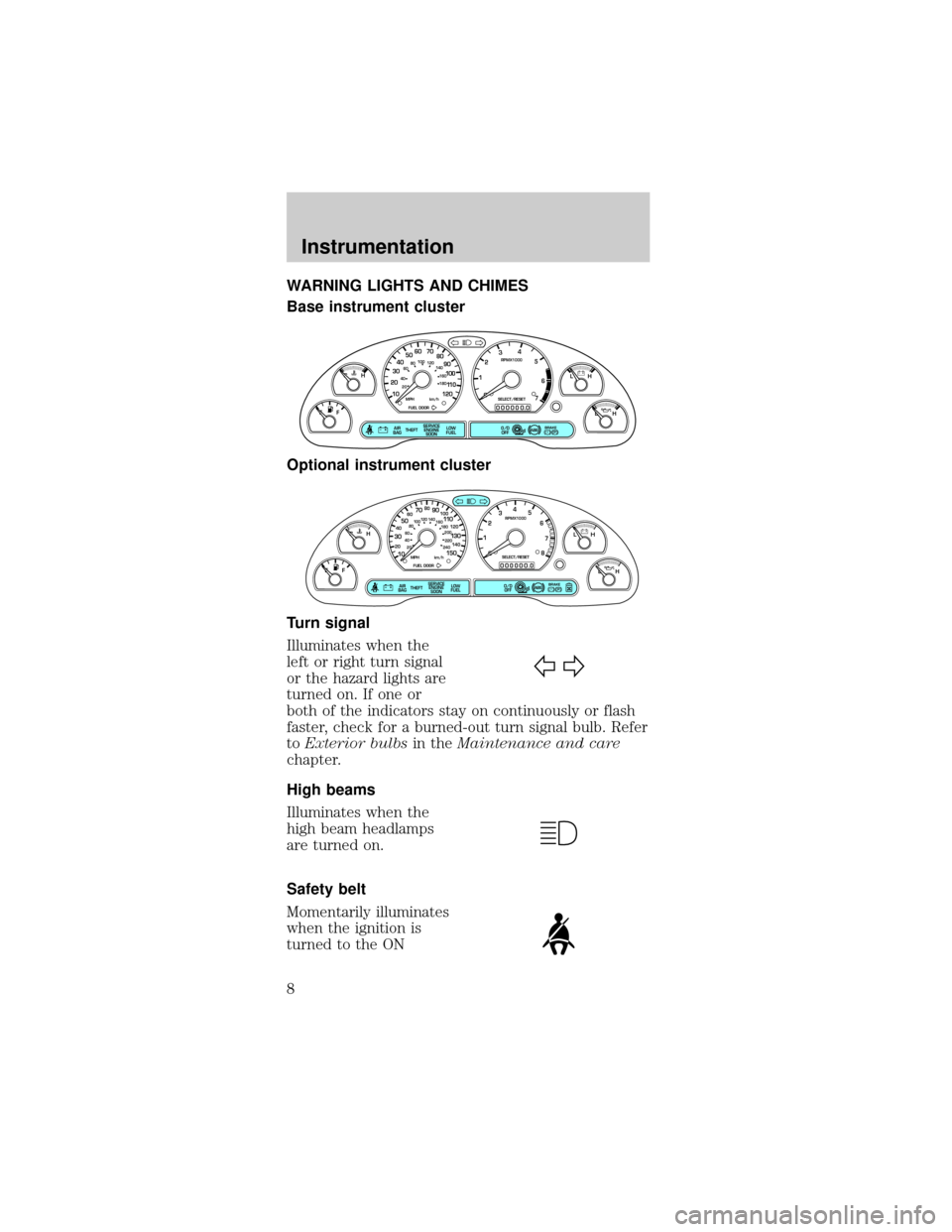
WARNING LIGHTS AND CHIMES
Base instrument cluster
Optional instrument cluster
Turn signal
Illuminates when the
left or right turn signal
or the hazard lights are
turned on. If one or
both of the indicators stay on continuously or flash
faster, check for a burned-out turn signal bulb. Refer
toExterior bulbsin theMaintenance and care
chapter.
High beams
Illuminates when the
high beam headlamps
are turned on.
Safety belt
Momentarily illuminates
when the ignition is
turned to the ON
P! BRAKE
L
0
00000 00
C
E
FH
LH
10 203020 406080100
120
140
160
180
405060 70
80
90
100
11 0
1204
5
6
7 3
2
1
H
THEFT
RPMX1000
FUEL DOORSELECT/RESET
LOW
FUELO/D
OFF AIR
BAGSERVICE
ENGINE
SOON
MPH km/h
ABS
.
P! BRAKE
L
0
00000 00
C
E
FH
LH
102040608020 40608010 012 0 14 0
160
180
200
220
240
100
120
140
305070 90
110
13 0
1504
5
6
7
8 3
2
1
H
THEFT
RPMX1000
FUEL DOORSELECT/RESET
LOW
FUELO/D
OFF AIR
BAGSERVICE
ENGINE
SOON
MPH km/h
ABS
.
Instrumentation
8
Page 13 of 224
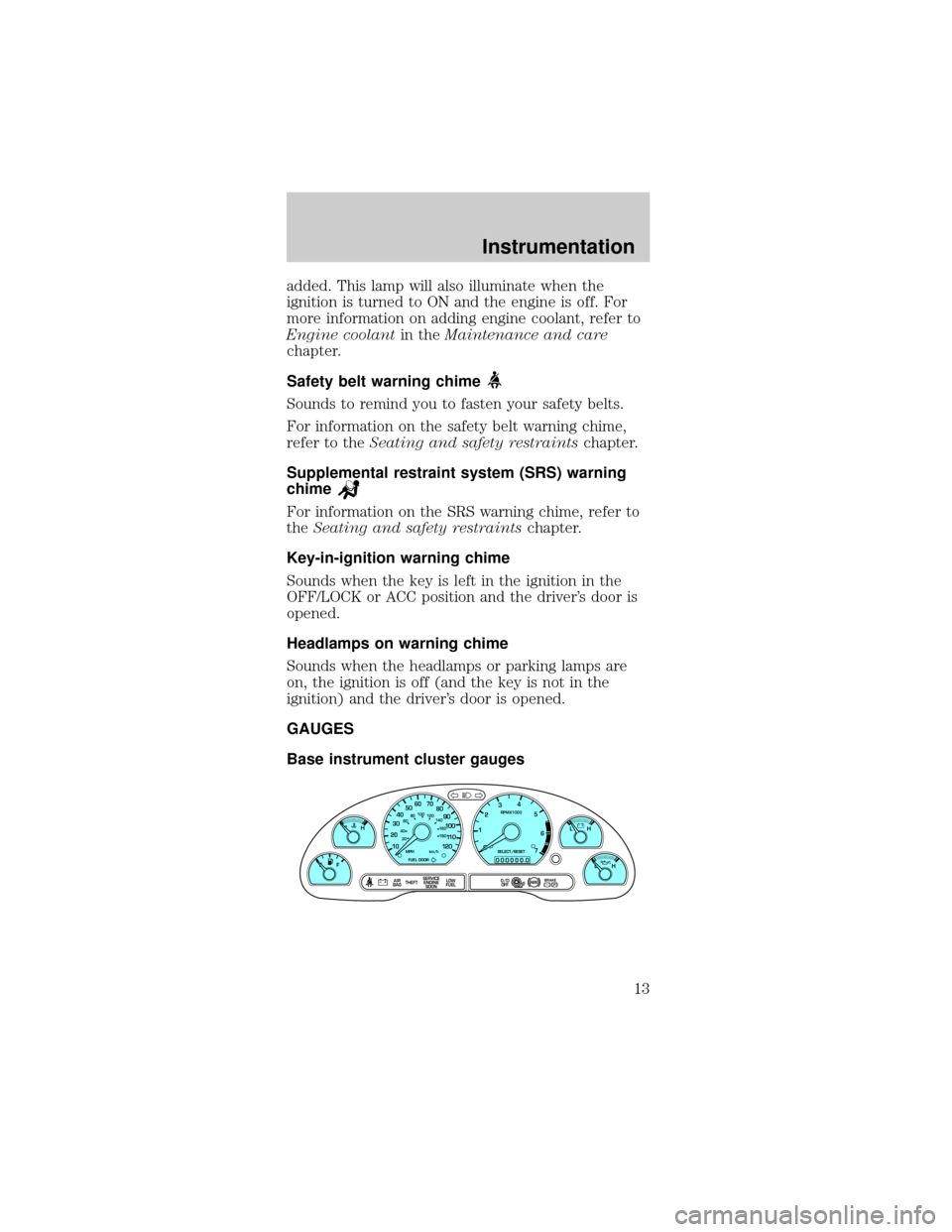
added. This lamp will also illuminate when the
ignition is turned to ON and the engine is off. For
more information on adding engine coolant, refer to
Engine coolantin theMaintenance and care
chapter.
Safety belt warning chime
Sounds to remind you to fasten your safety belts.
For information on the safety belt warning chime,
refer to theSeating and safety restraintschapter.
Supplemental restraint system (SRS) warning
chime
For information on the SRS warning chime, refer to
theSeating and safety restraintschapter.
Key-in-ignition warning chime
Sounds when the key is left in the ignition in the
OFF/LOCK or ACC position and the driver's door is
opened.
Headlamps on warning chime
Sounds when the headlamps or parking lamps are
on, the ignition is off (and the key is not in the
ignition) and the driver's door is opened.
GAUGES
Base instrument cluster gauges
C
P! BRAKE
L
0
00000 00
EFLH
10 203020 406080100
120
140
160
180
405060 70
80
90
100
11 0
1204
5
6
7 3
2
1
H
THEFT
RPMX1000
FUEL DOORSELECT/RESET
LOW
FUELO/D
OFF AIR
BAGSERVICE
ENGINE
SOON
MPH km/h
ABS
.
H
Instrumentation
13
Page 14 of 224
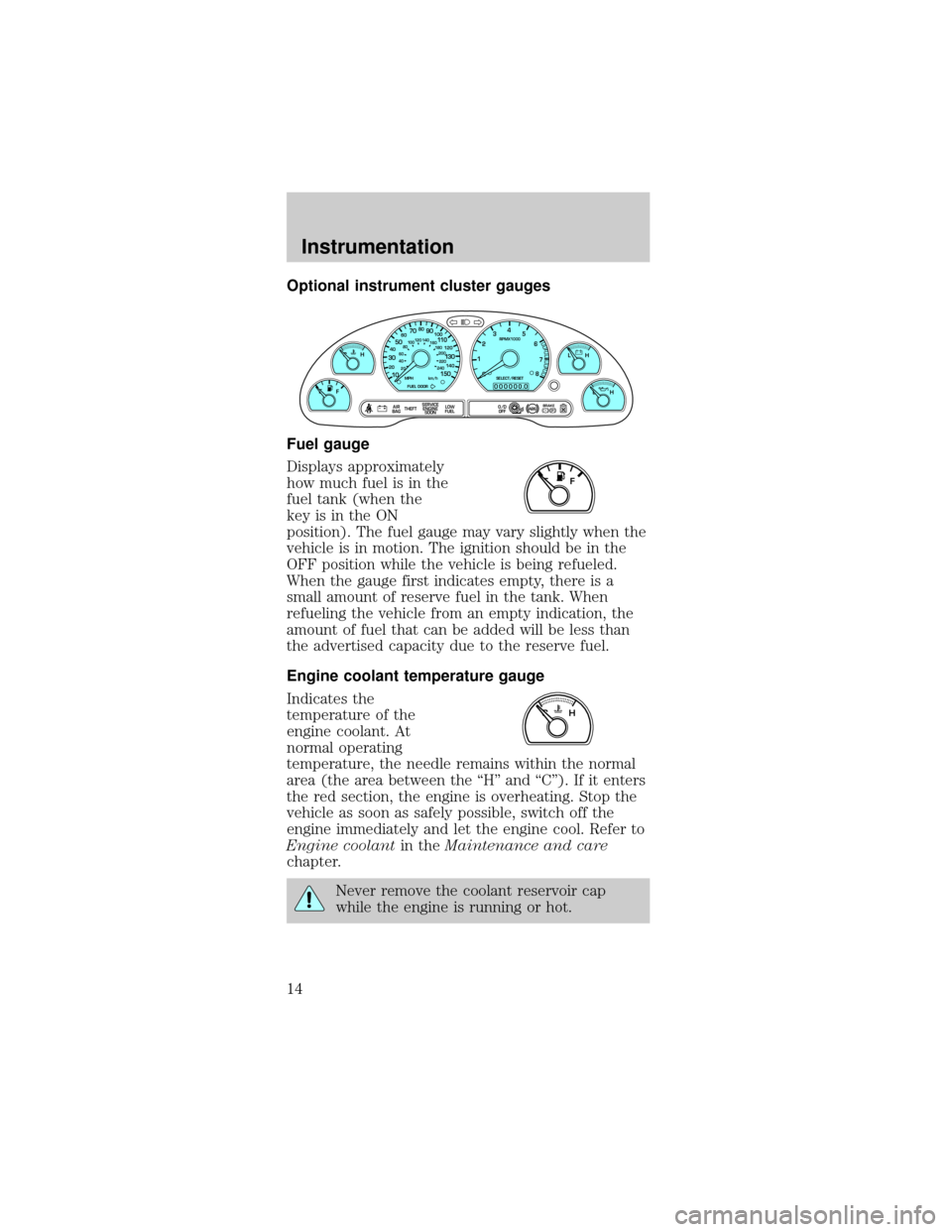
Optional instrument cluster gauges
Fuel gauge
Displays approximately
how much fuel is in the
fuel tank (when the
key is in the ON
position). The fuel gauge may vary slightly when the
vehicle is in motion. The ignition should be in the
OFF position while the vehicle is being refueled.
When the gauge first indicates empty, there is a
small amount of reserve fuel in the tank. When
refueling the vehicle from an empty indication, the
amount of fuel that can be added will be less than
the advertised capacity due to the reserve fuel.
Engine coolant temperature gauge
Indicates the
temperature of the
engine coolant. At
normal operating
temperature, the needle remains within the normal
area (the area between the ªHº and ªCº). If it enters
the red section, the engine is overheating. Stop the
vehicle as soon as safely possible, switch off the
engine immediately and let the engine cool. Refer to
Engine coolantin theMaintenance and care
chapter.
Never remove the coolant reservoir cap
while the engine is running or hot.
P! BRAKE
0
00000 00
FH
H
102040608020 40608010 012 0 14 0
160
180
200
220
240
100
120
140
305070 90
110
13 0
1504
5
6
7
8 3
2
1
H
THEFT
RPMX1000
FUEL DOORSELECT/RESET
LOW
FUELO/D
OFF AIR
BAGSERVICE
ENGINE
SOON
MPH km/h
ABS
.
L
L
F
CH
Instrumentation
14
Page 15 of 224
This gauge indicates the temperature of the engine
coolant, not the coolant level. If the coolant is not at
its proper level the gauge indication will not be
accurate.
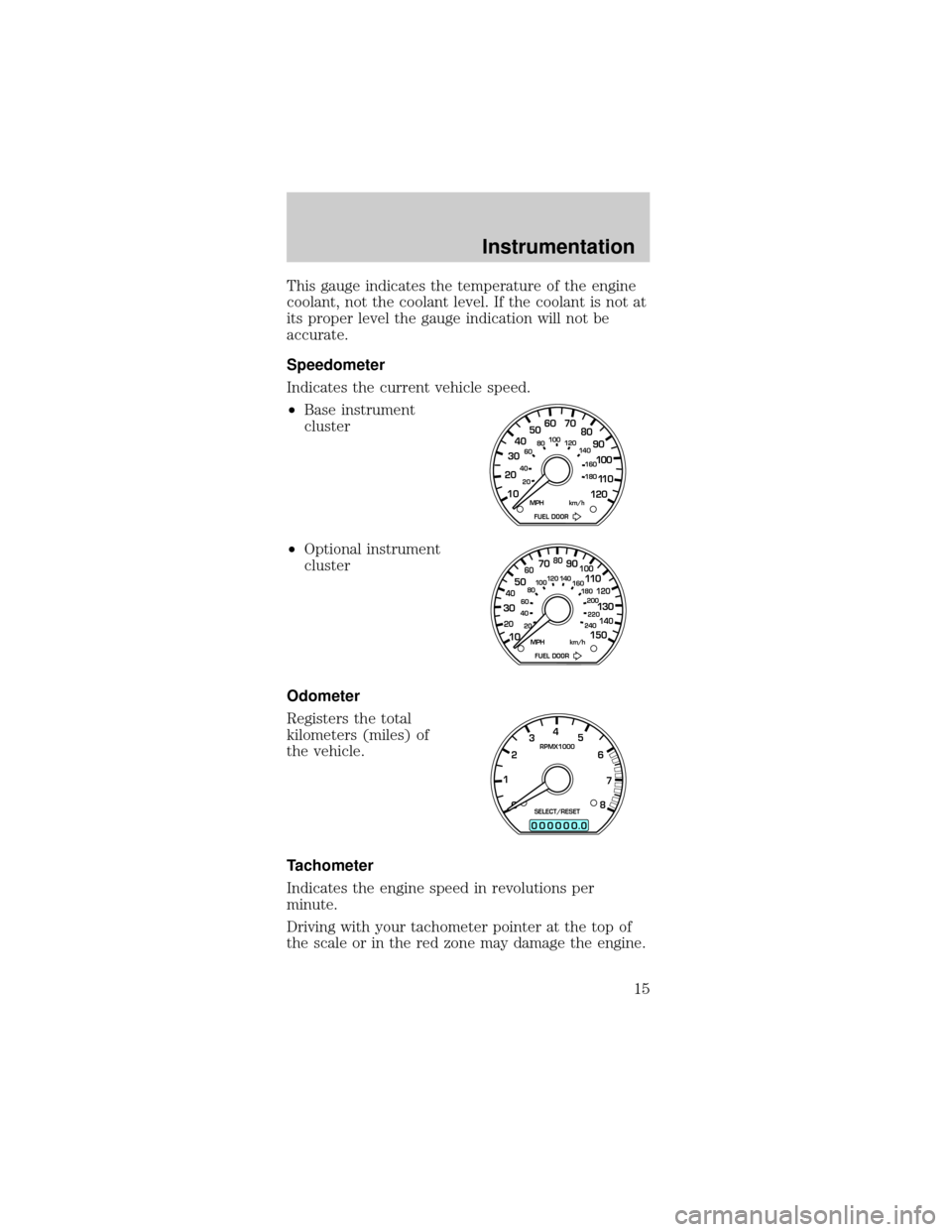
Speedometer
Indicates the current vehicle speed.
²Base instrument
cluster
²Optional instrument
cluster
Odometer
Registers the total
kilometers (miles) of
the vehicle.
Tachometer
Indicates the engine speed in revolutions per
minute.
Driving with your tachometer pointer at the top of
the scale or in the red zone may damage the engine.
10 203020 406080100
120
140
160
180
405060 70
80
90
100
11 0
120
FUEL DOOR MPH km/h
102040608020 40608010 012 0 14 0
160
180
200
220
240
100
120
140
305070 90
110
13 0
150
FUEL DOOR MPH km/h
0
00000 00
4
5
6
7
8 3
2
1RPMX1000
SELECT/RESET
.
Instrumentation
15
Page 16 of 224
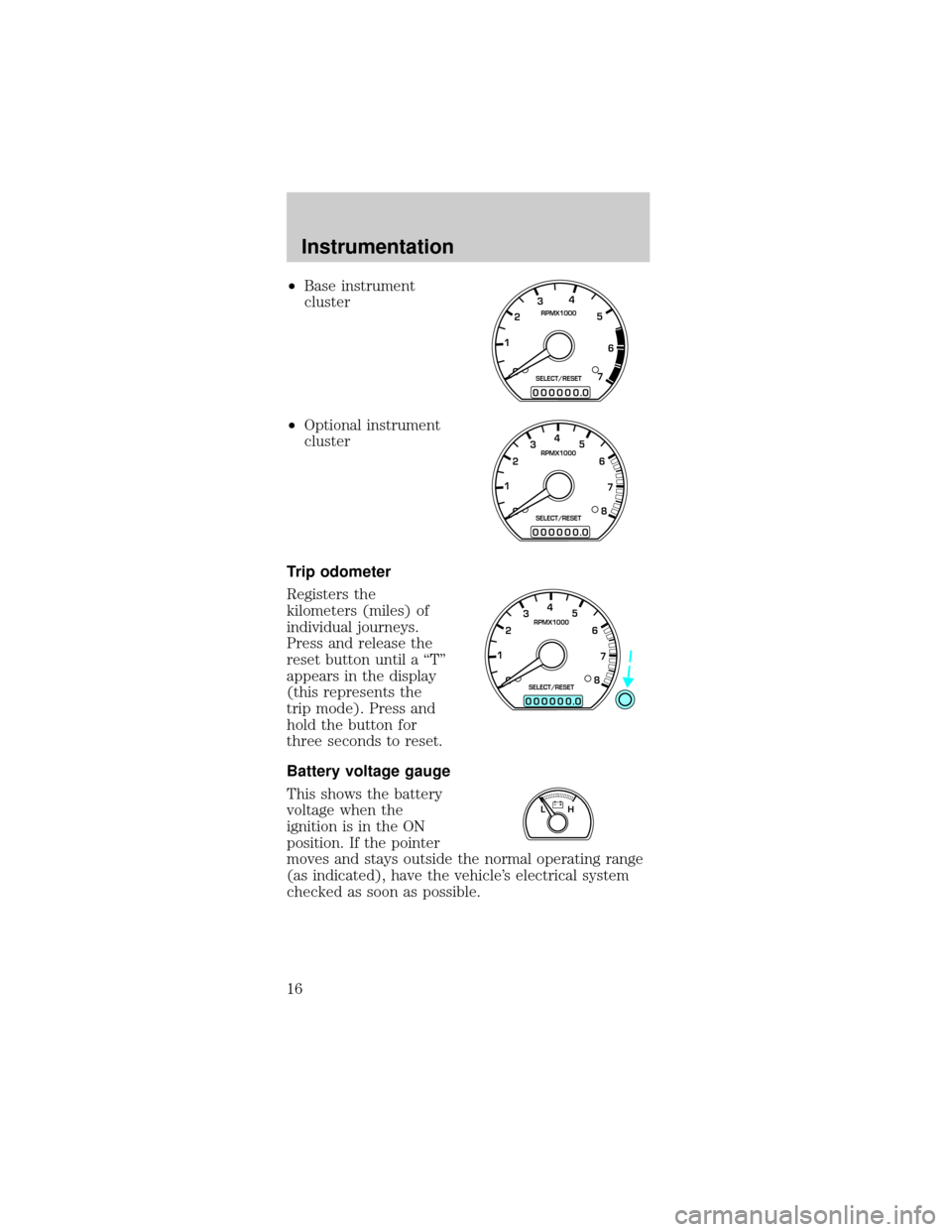
²Base instrument
cluster
²Optional instrument
cluster
Trip odometer
Registers the
kilometers (miles) of
individual journeys.
Press and release the
reset button until a ªTº
appears in the display
(this represents the
trip mode). Press and
hold the button for
three seconds to reset.
Battery voltage gauge
This shows the battery
voltage when the
ignition is in the ON
position. If the pointer
moves and stays outside the normal operating range
(as indicated), have the vehicle's electrical system
checked as soon as possible.
0
00000 00
4
5
6
7 3
2
1RPMX1000
SELECT/RESET
.
0
00000 00
4
5
6
7
8 3
2
1RPMX1000
SELECT/RESET
.
0
00000 00
4
5
6
7
8 3
2
1RPMX1000
SELECT/RESET
.
LH
Instrumentation
16
Page 23 of 224
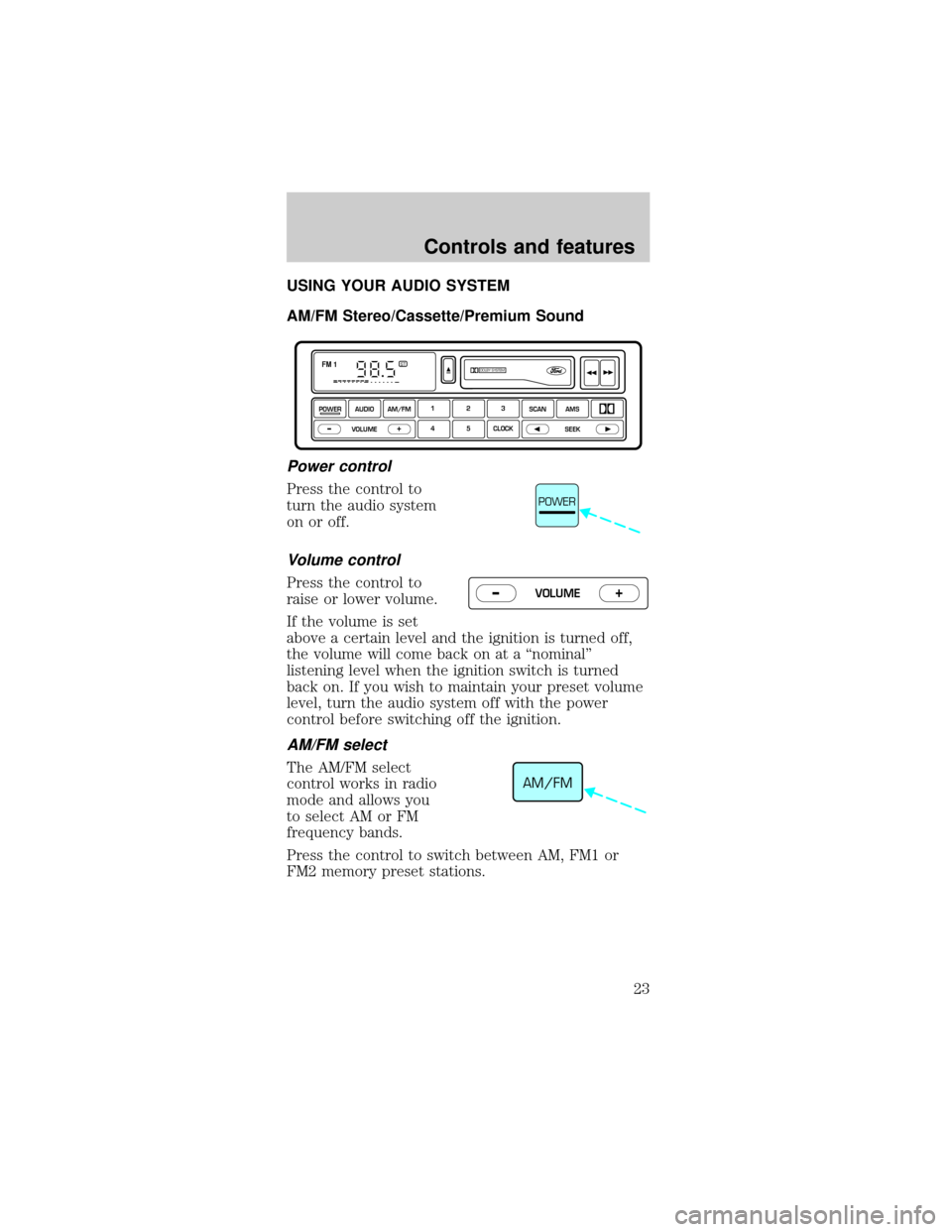
USING YOUR AUDIO SYSTEM
AM/FM Stereo/Cassette/Premium Sound
Power control
Press the control to
turn the audio system
on or off.
Volume control
Press the control to
raise or lower volume.
If the volume is set
above a certain level and the ignition is turned off,
the volume will come back on at a ªnominalº
listening level when the ignition switch is turned
back on. If you wish to maintain your preset volume
level, turn the audio system off with the power
control before switching off the ignition.
AM/FM select
The AM/FM select
control works in radio
mode and allows you
to select AM or FM
frequency bands.
Press the control to switch between AM, FM1 or
FM2 memory preset stations.
DOLBY SYSTEMSTFM 1
123
4 5 CLOCKAMS SCAN
SEEK
VOLUME
POWERAUDIO AM/FM
–+
POWER
VOLUME+ –
AM/FM
Controls and features
23
Page 25 of 224
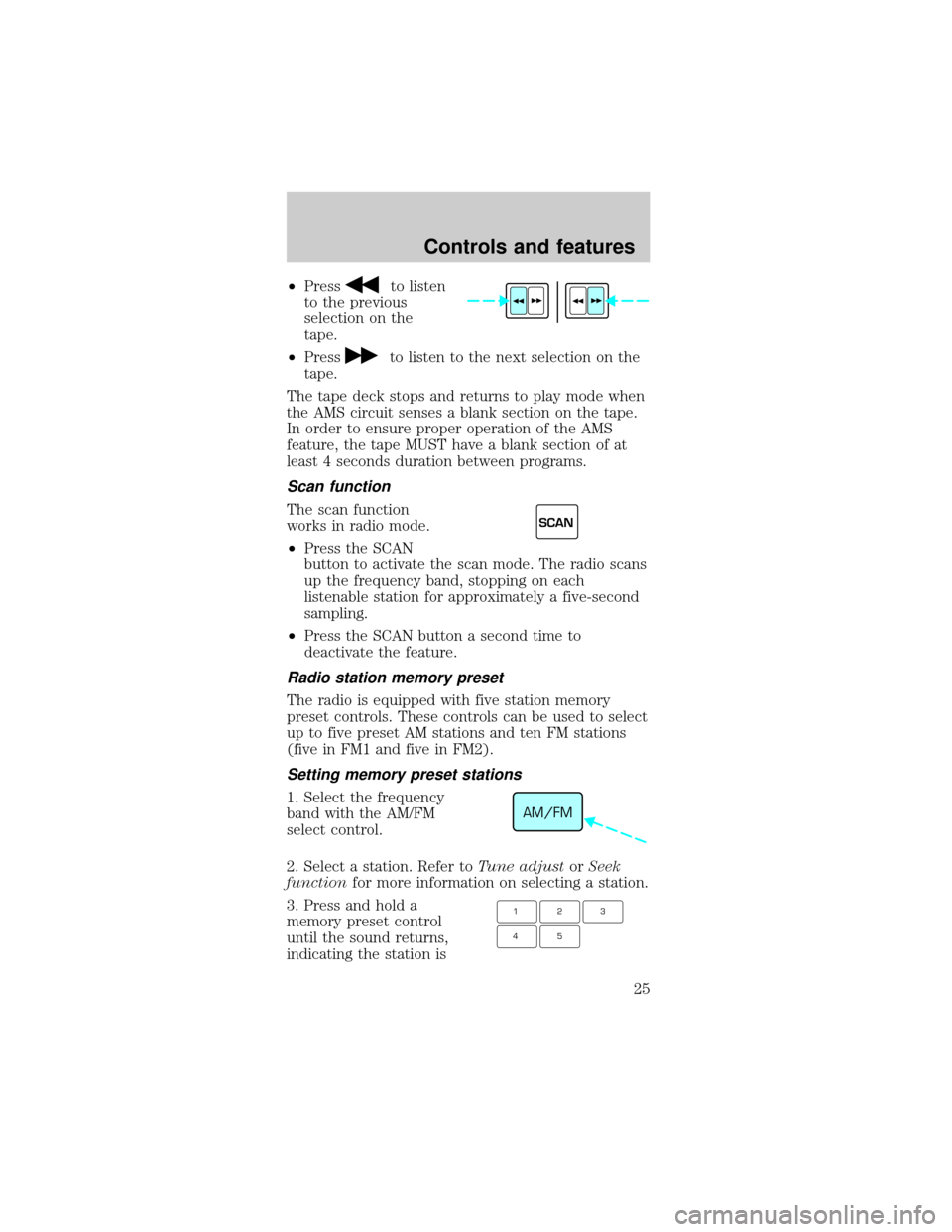
²Pressto listen
to the previous
selection on the
tape.
²Press
to listen to the next selection on the
tape.
The tape deck stops and returns to play mode when
the AMS circuit senses a blank section on the tape.
In order to ensure proper operation of the AMS
feature, the tape MUST have a blank section of at
least 4 seconds duration between programs.
Scan function
The scan function
works in radio mode.
²Press the SCAN
button to activate the scan mode. The radio scans
up the frequency band, stopping on each
listenable station for approximately a five-second
sampling.
²Press the SCAN button a second time to
deactivate the feature.
Radio station memory preset
The radio is equipped with five station memory
preset controls. These controls can be used to select
up to five preset AM stations and ten FM stations
(five in FM1 and five in FM2).
Setting memory preset stations
1. Select the frequency
band with the AM/FM
select control.
2. Select a station. Refer toTune adjustorSeek
functionfor more information on selecting a station.
3. Press and hold a
memory preset control
until the sound returns,
indicating the station is
SCAN
AM/FM
123
45
Controls and features
25