tow FORD MUSTANG 2004 4.G Owners Manual
[x] Cancel search | Manufacturer: FORD, Model Year: 2004, Model line: MUSTANG, Model: FORD MUSTANG 2004 4.GPages: 240, PDF Size: 3.62 MB
Page 2 of 240
Seating and Safety Restraints 64
Seating 64
Safety restraints 68
Air bags 79
Child restraints 84
Driving 99
Starting 99
Brakes 104
Traction control 107
Transmission operation 108
Vehicle loading 117
Trailer towing 120
Roadside Emergencies 122
Getting roadside assistance 122
Hazard flasher switch 124
Fuel pump shut-off switch 124
Fuses and relays 125
Changing tires 130
Jump starting 136
Wrecker towing 141
Customer Assistance 142
Reporting safety defects (U.S. only) 152
Cleaning 153
Maintenance and Specifications 161
Engine compartment 164
Engine oil 167
Battery 171
Fuel information 182
Part numbers 215
Refill capacities 215
Lubricant specifications 218
2004 Mustang(mus)
Owners Guide (post-2002-fmt)
USA English(fus)
Table of Contents
2
Page 5 of 240
Fuel pump shut-off switchIn the event of
an accident the safety switch will
automatically cut off the fuel supply to the engine.
The switch can also be activated through sudden
vibration (e.g. collision when parking). To reset
the switch, refer to theFuel pump shut-off
switchin theRoadside emergencieschapter.
SAFETY AND ENVIRONMENT PROTECTION
Warning symbols in this guide
How can you reduce the risk of personal injury and
prevent possible damage to others, your vehicle and
its equipment? In this guide, answers to such
questions are contained in comments highlighted by
the warning triangle symbol. These comments
should be read and observed.
Warning symbols on your vehicle
When you see this
symbol, it is imperative
that you consult the
relevant section of this
guide before touching or attempting adjustment of
any kind.
Protecting the environment
We must all play our
part in protecting the
environment. Correct
vehicle usage and the
authorized disposal of waste cleaning and lubrication
materials are significant steps towards this aim.
Information in this respect is highlighted in this
guide with the tree symbol.
BREAKING-IN YOUR VEHICLE
Your vehicle does not need an extensive break-in.
Try not to drive continuously at the same speed for
the first 1,600 km (1,000 miles) of new vehicle
2004 Mustang(mus)
Owners Guide (post-2002-fmt)
USA English(fus)
Introduction
5
Page 31 of 240
RADIO RECEPTION FACTORS
There are three factors that can effect radio
reception:
•Distance/strength: The further you travel from an
FM station, the weaker the signal and the weaker
the reception.
•Terrain: Hills, mountains, tall buildings, power
lines, electric fences, traffic lights and
thunderstorms can interfere with your reception.
•Station overload: When you pass a broadcast
tower, a stronger signal may overtake a weaker
one and play while the weak station frequency is
displayed.
CD PLAYER CARE
All audios are CD changer compatible. See your
dealer for further details.
Do:
•Handle discs by their edges only. Never touch the
playing surface.
•Inspect discs before playing. Clean only with an
approved CD cleaner and wipe from the center
out.
Don’t:
•Expose discs to direct sunlight or heat sources for
extended periods of time.
•Insert more than one disc into each slot of the CD
changer magazine.
•Clean using a circular motion.
CD units are designed to play commercially
pressed 12 cm (4.75 in) audio compact discs
only. Due to technical incompatibility, certain
recordable and re-recordable compact discs
may not function correctly when used in Ford
CD players. Irregular shaped CDs, CDs with a
scratch protection film attached, and CDs with
homemade paper (adhesive) labels should not
be inserted into the CD player. The label may
2004 Mustang(mus)
Owners Guide (post-2002-fmt)
USA English(fus)
Entertainment Systems
31
Page 36 of 240
Always remember to turn on your
headlamps at dusk or during inclement
weather. The Daytime Running Light (DRL)
System does not activate your tail lamps and
generally may not provide adequate lighting during
these conditions. Failure to activate your
headlamps under these conditions may result in a
collision.
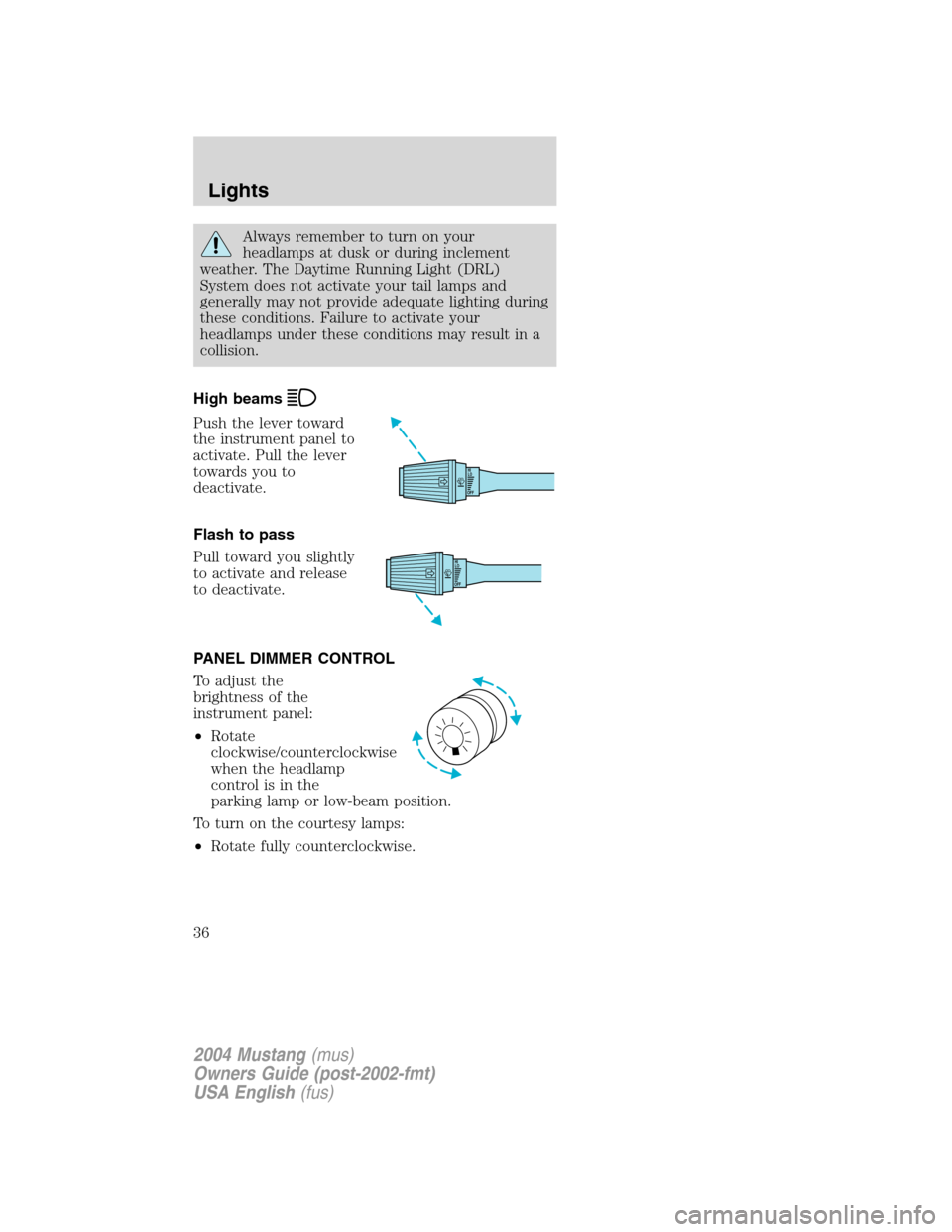
High beams
Push the lever toward
the instrument panel to
activate. Pull the lever
towards you to
deactivate.
Flash to pass
Pull toward you slightly
to activate and release
to deactivate.
PANEL DIMMER CONTROL
To adjust the
brightness of the
instrument panel:
•Rotate
clockwise/counterclockwise
when the headlamp
control is in the
parking lamp or low-beam position.
To turn on the courtesy lamps:
•Rotate fully counterclockwise.
OFFHI
LO
OFFHI
LO
2004 Mustang(mus)
Owners Guide (post-2002-fmt)
USA English(fus)
Lights
36
Page 43 of 240
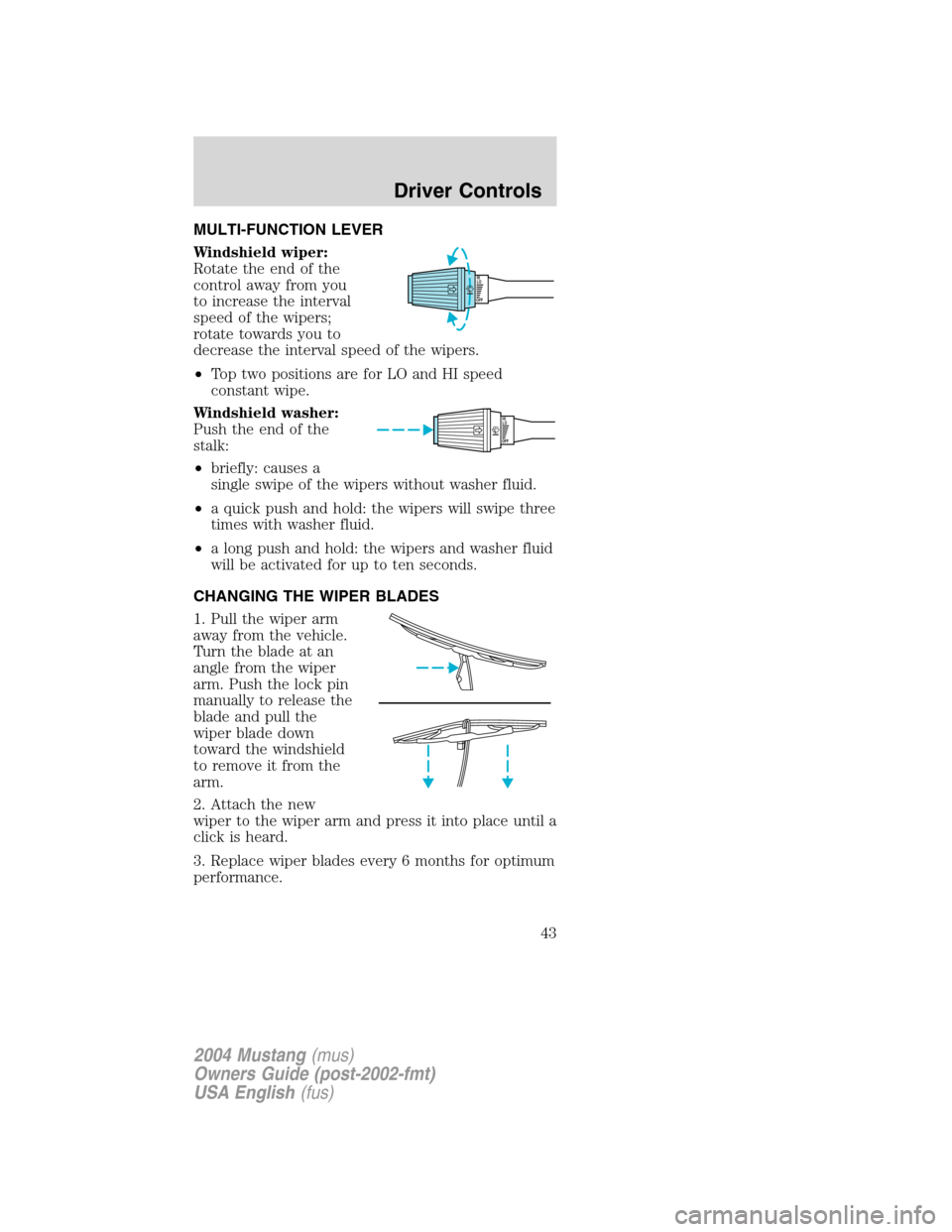
MULTI-FUNCTION LEVER
Windshield wiper:
Rotate the end of the
control away from you
to increase the interval
speed of the wipers;
rotate towards you to
decrease the interval speed of the wipers.
•Top two positions are for LO and HI speed
constant wipe.
Windshield washer:
Push the end of the
stalk:
•briefly: causes a
single swipe of the wipers without washer fluid.
•a quick push and hold: the wipers will swipe three
times with washer fluid.
•a long push and hold: the wipers and washer fluid
will be activated for up to ten seconds.
CHANGING THE WIPER BLADES
1. Pull the wiper arm
away from the vehicle.
Turn the blade at an
angle from the wiper
arm. Push the lock pin
manually to release the
blade and pull the
wiper blade down
toward the windshield
to remove it from the
arm.
2. Attach the new
wiper to the wiper arm and press it into place until a
click is heard.
3. Replace wiper blades every 6 months for optimum
performance.
OFFHI
LO
OFFHI
LO
2004 Mustang(mus)
Owners Guide (post-2002-fmt)
USA English(fus)
Driver Controls
43
Page 44 of 240
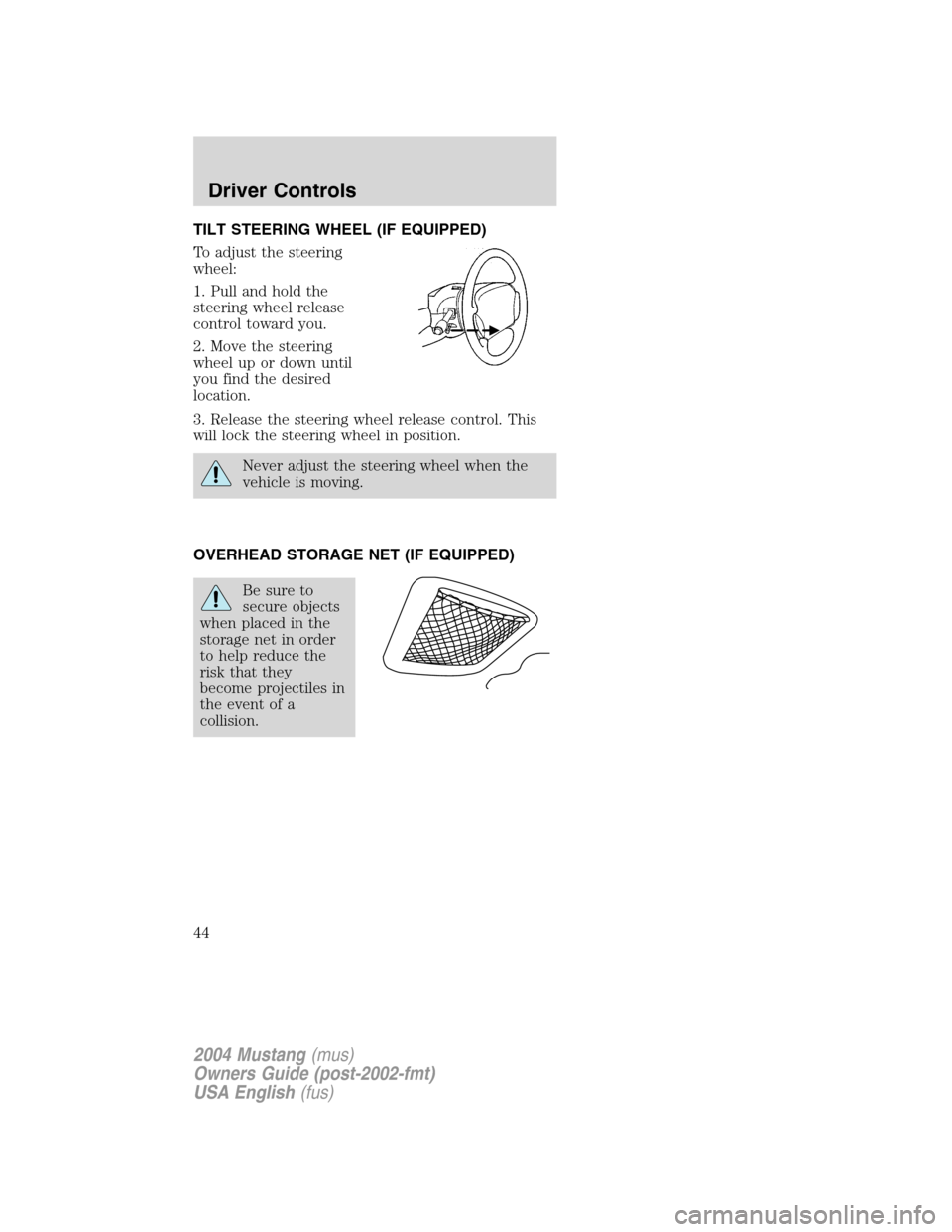
TILT STEERING WHEEL (IF EQUIPPED)
To adjust the steering
wheel:
1. Pull and hold the
steering wheel release
control toward you.
2. Move the steering
wheel up or down until
you find the desired
location.
3. Release the steering wheel release control. This
will lock the steering wheel in position.
Never adjust the steering wheel when the
vehicle is moving.
OVERHEAD STORAGE NET (IF EQUIPPED)
Be sure to
secure objects
when placed in the
storage net in order
to help reduce the
risk that they
become projectiles in
the event of a
collision.
2004 Mustang(mus)
Owners Guide (post-2002-fmt)
USA English(fus)
Driver Controls
44
Page 50 of 240
A driver’s first responsibility is the safe
operation of the vehicle. The most important
thing you can do to prevent a crash is to avoid
distractions and pay attention to the road. Wait
until it is safe to operate Mobile Communications
Equipment.
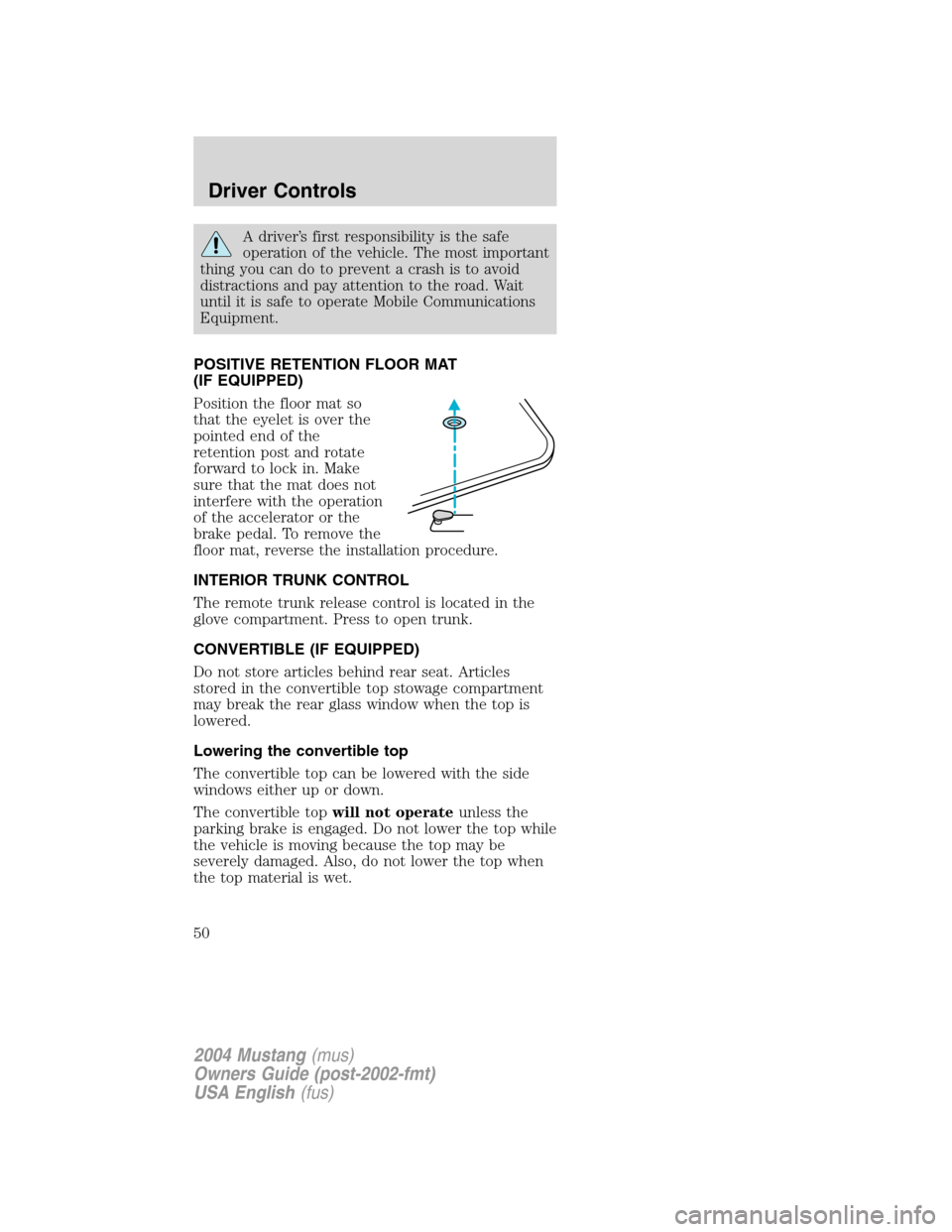
POSITIVE RETENTION FLOOR MAT
(IF EQUIPPED)
Position the floor mat so
that the eyelet is over the
pointed end of the
retention post and rotate
forward to lock in. Make
sure that the mat does not
interfere with the operation
of the accelerator or the
brake pedal. To remove the
floor mat, reverse the installation procedure.
INTERIOR TRUNK CONTROL
The remote trunk release control is located in the
glove compartment. Press to open trunk.
CONVERTIBLE (IF EQUIPPED)
Do not store articles behind rear seat. Articles
stored in the convertible top stowage compartment
may break the rear glass window when the top is
lowered.
Lowering the convertible top
The convertible top can be lowered with the side
windows either up or down.
The convertible topwill not operateunless the
parking brake is engaged. Do not lower the top while
the vehicle is moving because the top may be
severely damaged. Also, do not lower the top when
the top material is wet.
2004 Mustang(mus)
Owners Guide (post-2002-fmt)
USA English(fus)
Driver Controls
50
Page 51 of 240
To lower the convertible top:
1. Bring vehicle to a complete stop. Engage the
parking brake. Key must be in the ON position.
2. Check the convertible top stowage compartment
behind the rear seat to be sure it is empty and ready
to receive the top.
3. Unclamp the top from the windshield header at
both the right and left sides by pulling each clamp
rearward until the hook in the windshield header is
free. The clamps are flush with the header when in
the closed position.
4. Close the windshield header clamps immediately
after disengagement, to avoid cutting the top
material and to permit installation of the vinyl boot.
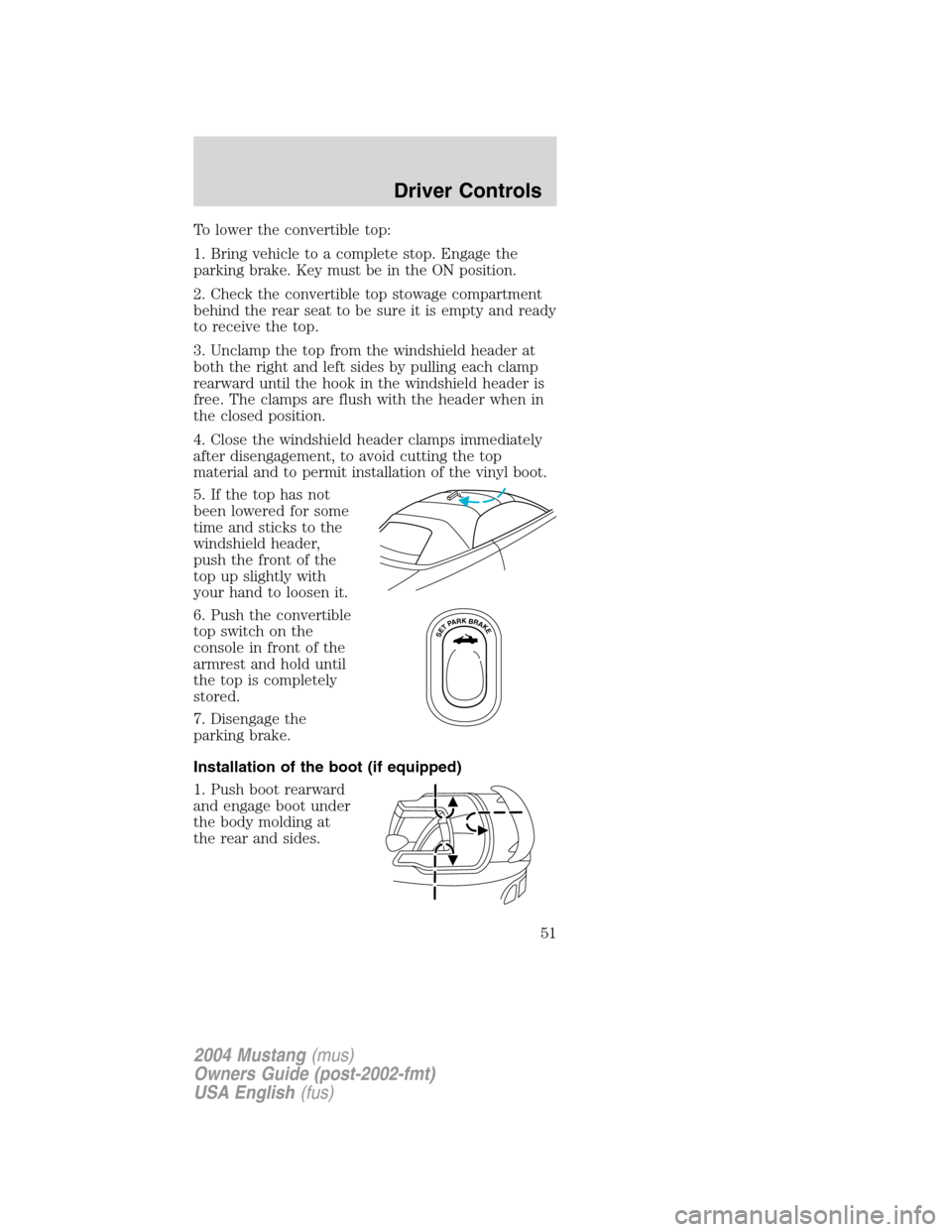
5. If the top has not
been lowered for some
time and sticks to the
windshield header,
push the front of the
top up slightly with
your hand to loosen it.
6. Push the convertible
top switch on the
console in front of the
armrest and hold until
the top is completely
stored.
7. Disengage the
parking brake.
Installation of the boot (if equipped)
1. Push boot rearward
and engage boot under
the body molding at
the rear and sides.
SETPARKBRAKE
2004 Mustang(mus)
Owners Guide (post-2002-fmt)
USA English(fus)
Driver Controls
51
Page 52 of 240
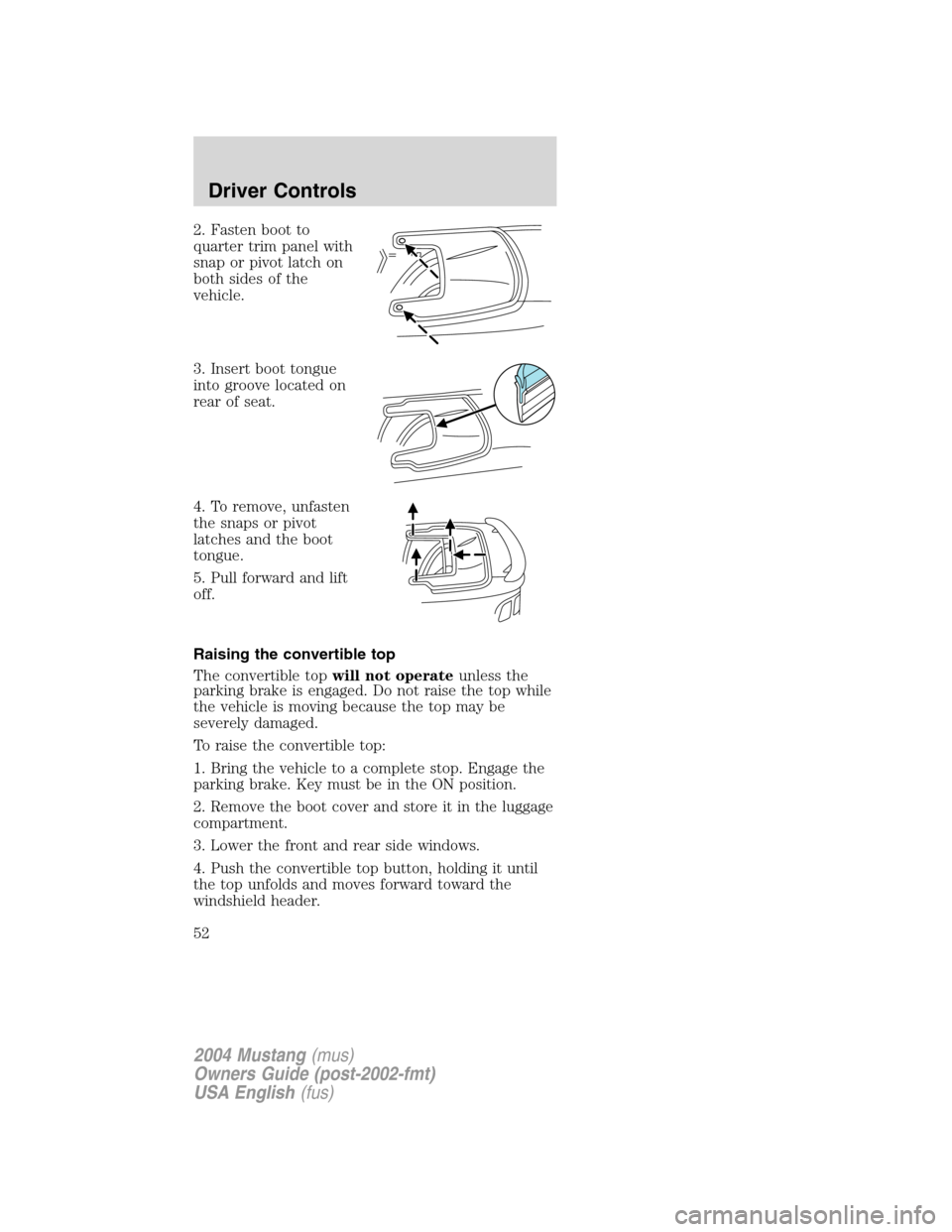
2. Fasten boot to
quarter trim panel with
snap or pivot latch on
both sides of the
vehicle.
3. Insert boot tongue
into groove located on
rear of seat.
4. To remove, unfasten
the snaps or pivot
latches and the boot
tongue.
5. Pull forward and lift
off.
Raising the convertible top
The convertible topwill not operateunless the
parking brake is engaged. Do not raise the top while
the vehicle is moving because the top may be
severely damaged.
To raise the convertible top:
1. Bring the vehicle to a complete stop. Engage the
parking brake. Key must be in the ON position.
2. Remove the boot cover and store it in the luggage
compartment.
3. Lower the front and rear side windows.
4. Push the convertible top button, holding it until
the top unfolds and moves forward toward the
windshield header.
2004 Mustang(mus)
Owners Guide (post-2002-fmt)
USA English(fus)
Driver Controls
52
Page 58 of 240
typical operating range for your remote entry
transmitter is approximately 10 meters (33 feet). A
decrease in the operating range could be caused by:
•weather conditions,
•nearby radio towers,
•structures around the vehicle and
•other vehicles parked next to the vehicle.
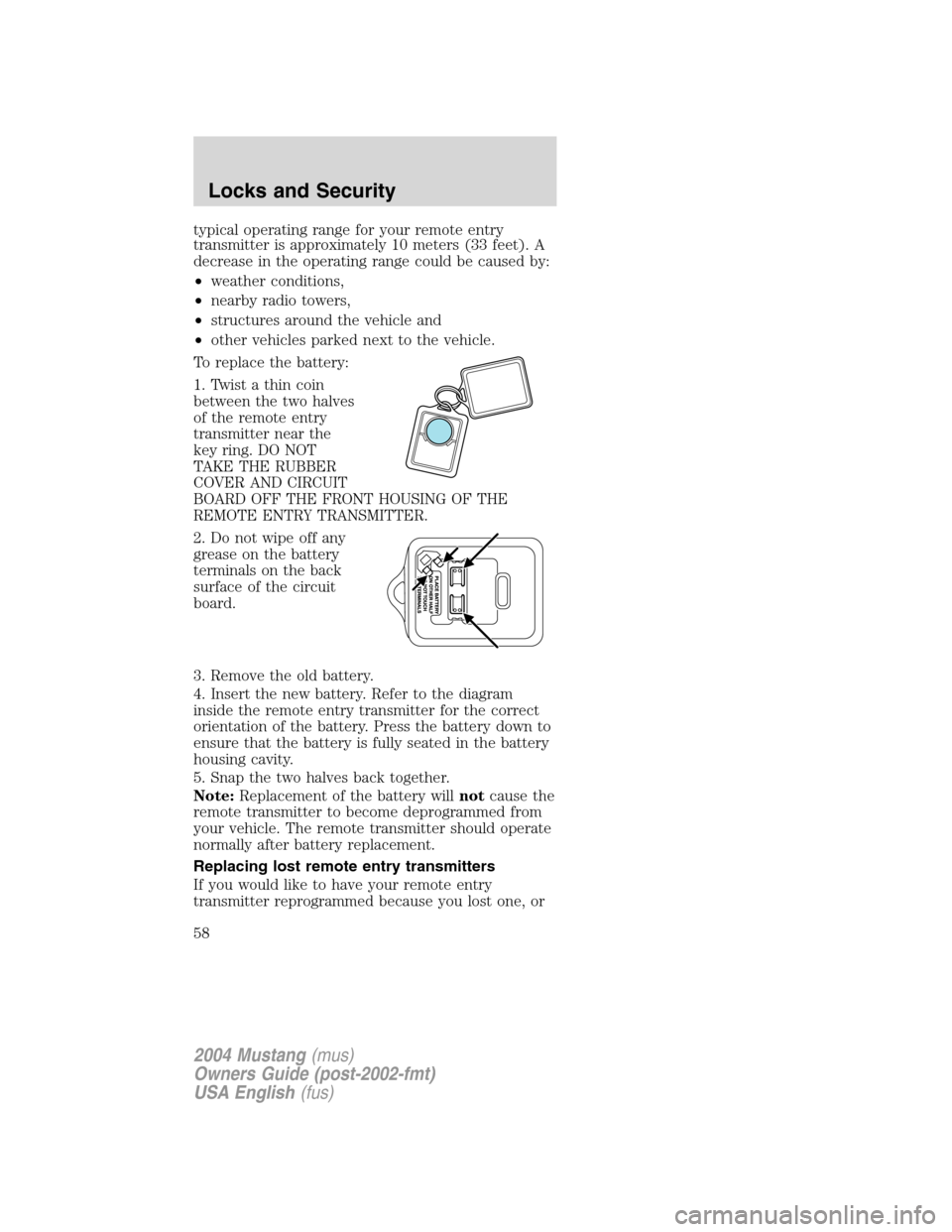
To replace the battery:
1. Twist a thin coin
between the two halves
of the remote entry
transmitter near the
key ring. DO NOT
TAKE THE RUBBER
COVER AND CIRCUIT
BOARD OFF THE FRONT HOUSING OF THE
REMOTE ENTRY TRANSMITTER.
2. Do not wipe off any
grease on the battery
terminals on the back
surface of the circuit
board.
3. Remove the old battery.
4. Insert the new battery. Refer to the diagram
inside the remote entry transmitter for the correct
orientation of the battery. Press the battery down to
ensure that the battery is fully seated in the battery
housing cavity.
5. Snap the two halves back together.
Note:Replacement of the battery willnotcause the
remote transmitter to become deprogrammed from
your vehicle. The remote transmitter should operate
normally after battery replacement.
Replacing lost remote entry transmitters
If you would like to have your remote entry
transmitter reprogrammed because you lost one, or
2004 Mustang(mus)
Owners Guide (post-2002-fmt)
USA English(fus)
Locks and Security
58