reset FORD MUSTANG 2008 5.G User Guide
[x] Cancel search | Manufacturer: FORD, Model Year: 2008, Model line: MUSTANG, Model: FORD MUSTANG 2008 5.GPages: 280, PDF Size: 2.69 MB
Page 31 of 280
AUTOSET:Allows you to set the strongest local radio stations without
losing your original manually set preset stations for AM/FM1/FM2. Press
MENU to access. Use
/to set or turn on/off.
When the six strongest stations are filled, the station stored in preset 1
will begin playing. If there are less than six strong stations, the system
will store the last one in the remaining presets. You can then access the
stations by pressing the memory presets. To disengage, press MENU to
access and press
/to turn the feature off.
BASS:Press MENU to access the bass setting. Use
/to adjust.
TREB (Treble):Press MENU to reach the treble setting. Use
/to
adjust.
BAL (Balance):Press MENU to reach the balance setting. Use
/
to adjust the audio between the left (L) and right (R) speakers.
FADE:Press MENU to reach the fade setting. Use
/to adjust the
audio between the back (B) and front (F) speakers.
OCCUPANCY mode:Use
/select and optimize sound for ALL
SEATS, DRIVERS SEAT, REAR SEATS or CONVERTIBLE (if equipped).
SPEEDVOL (Speed sensitive volume):Press MENU to reach the
SPEEDVOL setting. Radio volume automatically gets louder with
increasing vehicle speed to compensate for road and wind noise.
Use
/to adjust.
The default setting isoff;increasing your vehicle speed will not change
the volume level.
Adjust1–7:Increasing this setting from 1 (lowest setting) to 7 (highest
setting) allows the radio volume to automatically change slightly with
vehicle speed to compensate for road and wind noise.
Recommended level is1–3;SPEED OFF turns the feature off and level 7
is the maximum setting.
RBDS: Available only in FM mode. This feature allows you to search
RBDS-equipped stations for a certain category of music format:
CLASSIC, COUNTRY, INFORM, JAZZ/RB, ROCK, etc.
To activate,press MENU repeatedly until RBDS (ON/OFF) appears in
the display. Use
/to toggle RBDS ON/OFF. When RBDS is OFF,
you will not be able to search for RBDS equipped stations or view the
station name or type.
2008 05+ Mustang(197)
Owners Guide (post-2002-fmt)
USA(fus)
Entertainment Systems
31
Page 33 of 280
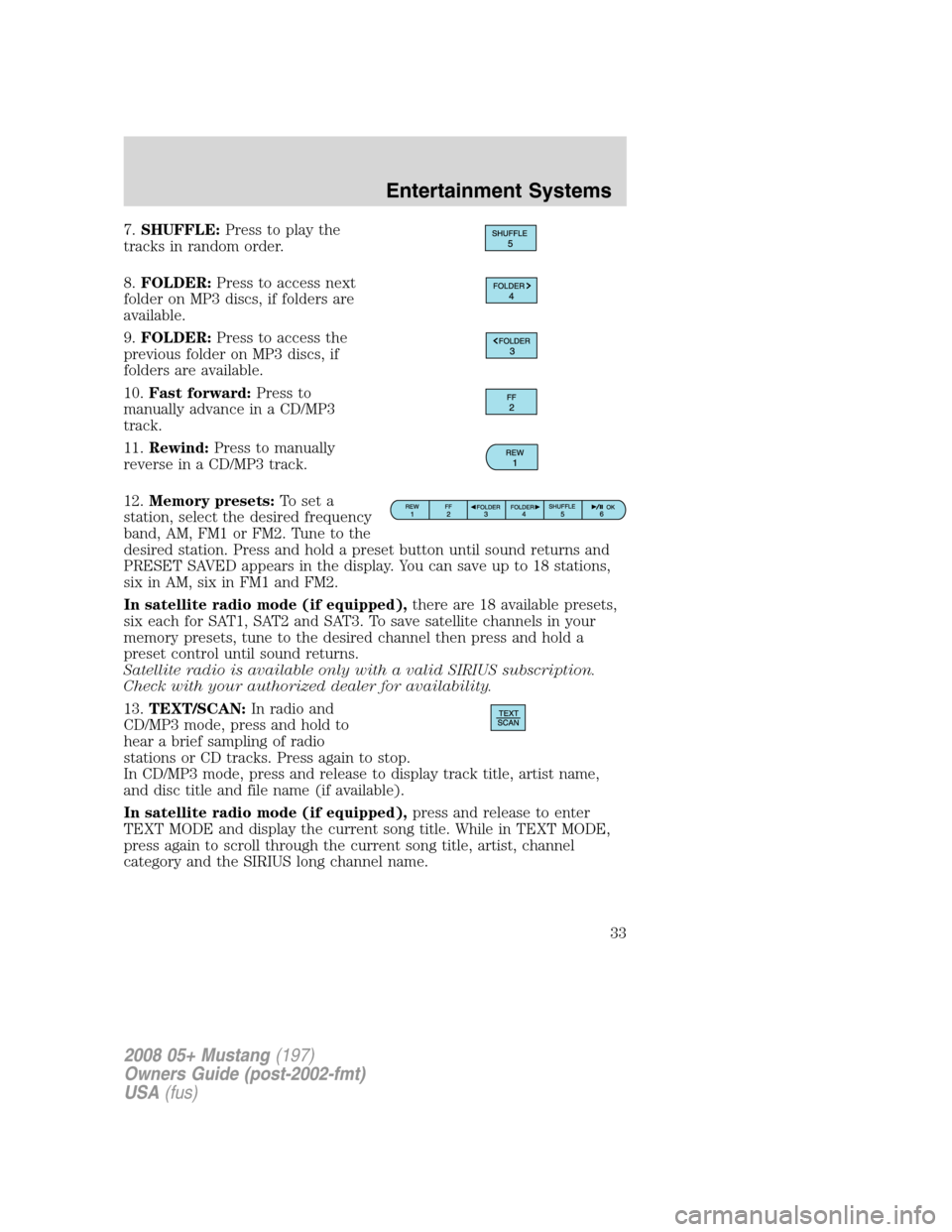
7.SHUFFLE:Press to play the
tracks in random order.
8.FOLDER:Press to access next
folder on MP3 discs, if folders are
available.
9.FOLDER:Press to access the
previous folder on MP3 discs, if
folders are available.
10.Fast forward:Press to
manually advance in a CD/MP3
track.
11.Rewind:Press to manually
reverse in a CD/MP3 track.
12.Memory presets:To set a
station, select the desired frequency
band, AM, FM1 or FM2. Tune to the
desired station. Press and hold a preset button until sound returns and
PRESET SAVED appears in the display. You can save up to 18 stations,
six in AM, six in FM1 and FM2.
In satellite radio mode (if equipped),there are 18 available presets,
six each for SAT1, SAT2 and SAT3. To save satellite channels in your
memory presets, tune to the desired channel then press and hold a
preset control until sound returns.
Satellite radio is available only with a valid SIRIUS subscription.
Check with your authorized dealer for availability.
13.TEXT/SCAN:In radio and
CD/MP3 mode, press and hold to
hear a brief sampling of radio
stations or CD tracks. Press again to stop.
In CD/MP3 mode, press and release to display track title, artist name,
and disc title and file name (if available).
In satellite radio mode (if equipped),press and release to enter
TEXT MODE and display the current song title. While in TEXT MODE,
press again to scroll through the current song title, artist, channel
category and the SIRIUS long channel name.
2008 05+ Mustang(197)
Owners Guide (post-2002-fmt)
USA(fus)
Entertainment Systems
33
Page 34 of 280
In TEXT MODE, sometimes the display requires additional text to be
displayed. When the “>” indicator is active, press SEEK
to view the
additional display text. When the “>” indicator is active, press
SEEK
to view the previous display text.
In satellite radio mode (if equipped),press and hold to hear a brief
sampling of the next channels. Press again to stop.
14.AM/FM:Press to select
AM/FM1/FM2 frequency band.
15.ON/OFF/Volume:Press to turn
ON/OFF. Turn to increase/decrease
volume.
If the volume is set above a certain
level and the ignition is turned off,
the volume will come back on at a
“nominal” listening level when the ignition switch is turned back on.
16.CD:Press to enter CD/MP3
mode. If a CD/MP3 is already loaded
into the system, CD play will begin
where it ended last.
17.LOAD:Press to begin the CD
load sequence. When the radio
prompts to select a slot, use the
presets to select the desired slot to
load the CD. If the selected slot
already contains a CD, the display will read SLOT FULL. Press and hold
to autoload up to 6 CDs. Load CDs one at a time when the radio
prompts to load a CD.
18.CD eject:Press to begin the CD
eject sequence. When the radio
prompts to select a CD, use the
presets to select the desired CD to eject. Press and hold to auto eject all
CDs present in the system. If there is no CD present, the display will
read NO CD.
19.CD slot:Insert one CD/MP3 at
a time, label side up, when the
system prompts to load a CD.
2008 05+ Mustang(197)
Owners Guide (post-2002-fmt)
USA(fus)
Entertainment Systems
34
Page 39 of 280
Satellite radio reception factors:To receive the satellite signal, your
vehicle has been equipped with a satellite radio antenna. Like AM/FM,
there are several factors that can affect satellite radio reception
performance:
•Antenna Obstructions: For optimal reception performance, keep the
antenna clear of snow and ice build-up and keep luggage and any
material as far away from the antenna as possible.
•Terrain: Hills, mountains, tall buildings, bridges, tunnels, freeway
overpasses, parking garages, dense tree foliage and thunderstorms can
interfere with your reception.
•Station overload: When you pass a ground based broadcast repeating
tower, a stronger signal may overtake a weaker one and result in an
audio mute.
Unlike AM/FM audible static, you will hear an audio mute when there is
a satellite radio signal interference. Your radio display may display NO
SIGNAL to indicate the interference.
SIRIUS satellite radio service:SIRIUS Satellite Radio is a subscription
based satellite radio service that broadcasts music, sports, news and
entertainment programming. A service fee is required in order to receive
SIRIUS service. Vehicles that are equipped with a factory installed
SIRIUS Satellite Radio system include:
•Hardware and limited subscription term, which begins on the date of
sale or lease of the vehicle.
•Online media player providing access to all 65 SIRIUS music channels
over the internet (U.S. customers only).
For information on extended subscription terms, contact SIRIUS at
1–888–539–7474.
Note:SIRIUS reserves the unrestricted right to change, rearrange, add
or delete programming including canceling, moving or adding particular
channels, and its prices, at any time, with or without notice to you. Ford
Motor Company shall not be responsible for any such programming
changes.
Satellite Radio Electronic Serial Number (ESN):This 12 digit
Satellite Serial Number is needed to activate, modify or track your
satellite radio account. You will need this number when communicating
with SIRIUS. While in Satellite Radio mode, you can view this number on
the radio display by pressing AUX and Preset 1 control simultaneously.
2008 05+ Mustang(197)
Owners Guide (post-2002-fmt)
USA(fus)
Entertainment Systems
39
Page 40 of 280
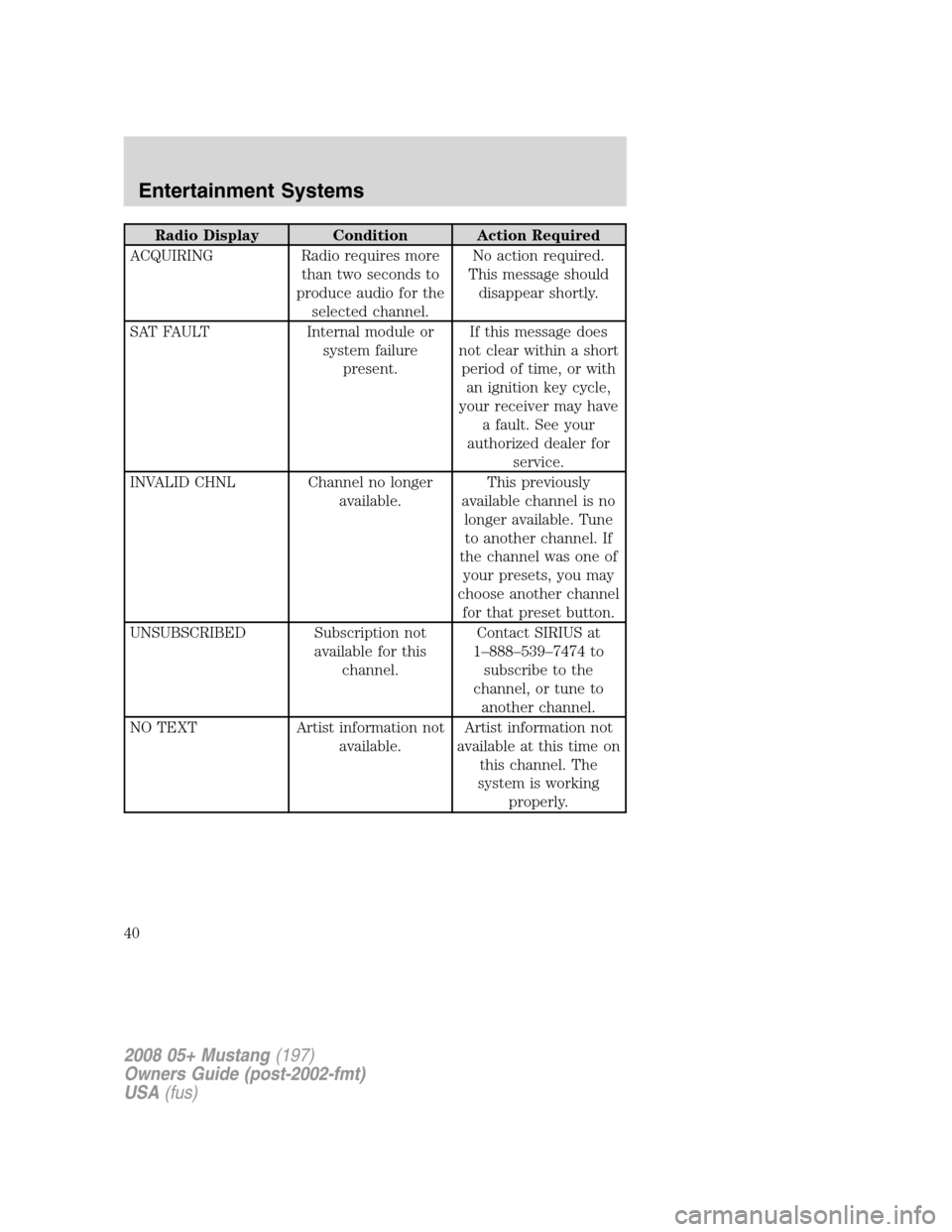
Radio Display Condition Action Required
ACQUIRING Radio requires more
than two seconds to
produce audio for the
selected channel.No action required.
This message should
disappear shortly.
SAT FAULT Internal module or
system failure
present.If this message does
not clear within a short
period of time, or with
an ignition key cycle,
your receiver may have
a fault. See your
authorized dealer for
service.
INVALID CHNL Channel no longer
available.This previously
available channel is no
longer available. Tune
to another channel. If
the channel was one of
your presets, you may
choose another channel
for that preset button.
UNSUBSCRIBED Subscription not
available for this
channel.Contact SIRIUS at
1–888–539–7474 to
subscribe to the
channel, or tune to
another channel.
NO TEXT Artist information not
available.Artist information not
available at this time on
this channel. The
system is working
properly.
2008 05+ Mustang(197)
Owners Guide (post-2002-fmt)
USA(fus)
Entertainment Systems
40
Page 47 of 280

Flash to pass
Pull toward you, to the first detent,
to activate and release to deactivate.
Note:Vehicles equipped with HID
headlamps will hear an audible click
when activating this feature.
Daytime running lamps (DRL) (if equipped)
Turns the headlamps on with a reduced output. When activated, the DRL
telltale is illuminated.
To activate:
•the ignition must be in the ON position,
•the headlamp control is in the OFF or parking lamp position and
•the parking brake must be disengaged.
Always remember to turn on your headlamps at dusk or during
inclement weather. The Daytime Running Lamp (DRL) system
does not activate the tail lamps and generally may not provide
adequate lighting during these conditions. Failure to activate your
headlamps under these conditions may result in a collision.
PANEL DIMMER CONTROL
Use to adjust the brightness of the
instrument panel and all applicable
switches in the vehicle during
headlamp and parklamp operation.
Move the control to the full upright
position, past detent, to turn on the
interior lamps.
Note:If the battery is disconnected,
discharged, or a new battery is
installed, the dimmer switch
requires re-calibration. Rotate the dimmer switch from the full dim
position to the full Dome/ON position to reset. This will ensure that your
displays are visible under all lighting conditions.
2008 05+ Mustang(197)
Owners Guide (post-2002-fmt)
USA(fus)
Lights
47
Page 60 of 280
When closing the power windows, you should verify they are free
of obstructions and ensure that children and/or pets are not in
the proximity of the window openings.
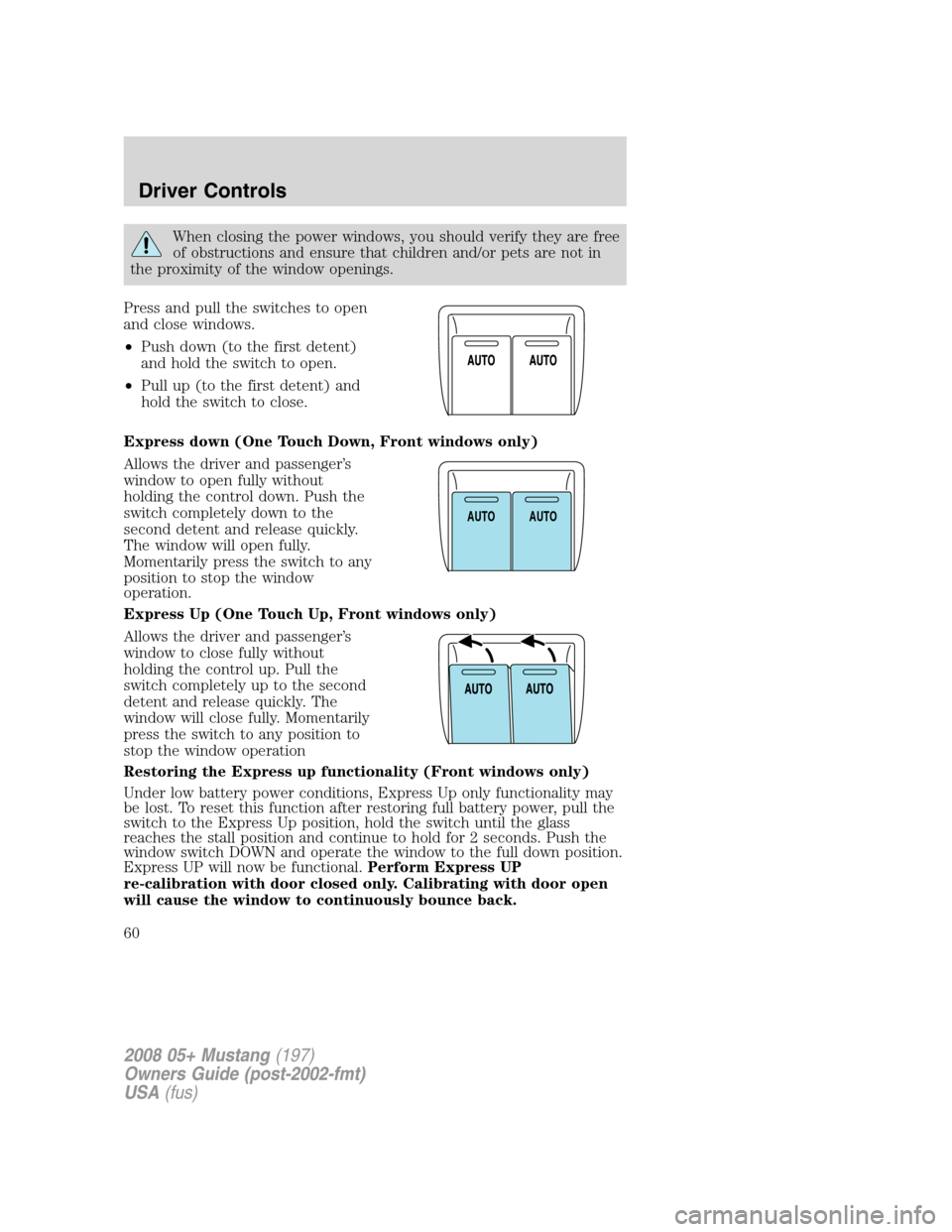
Press and pull the switches to open
and close windows.
•Push down (to the first detent)
and hold the switch to open.
•Pull up (to the first detent) and
hold the switch to close.
Express down (One Touch Down, Front windows only)
Allows the driver and passenger’s
window to open fully without
holding the control down. Push the
switch completely down to the
second detent and release quickly.
The window will open fully.
Momentarily press the switch to any
position to stop the window
operation.
Express Up (One Touch Up, Front windows only)
Allows the driver and passenger’s
window to close fully without
holding the control up. Pull the
switch completely up to the second
detent and release quickly. The
window will close fully. Momentarily
press the switch to any position to
stop the window operation
Restoring the Express up functionality (Front windows only)
Under low battery power conditions, Express Up only functionality may
be lost. To reset this function after restoring full battery power, pull the
switch to the Express Up position, hold the switch until the glass
reaches the stall position and continue to hold for 2 seconds. Push the
window switch DOWN and operate the window to the full down position.
Express UP will now be functional.Perform Express UP
re-calibration with door closed only. Calibrating with door open
will cause the window to continuously bounce back.
AUTOAUTO
2008 05+ Mustang(197)
Owners Guide (post-2002-fmt)
USA(fus)
Driver Controls
60
Page 70 of 280
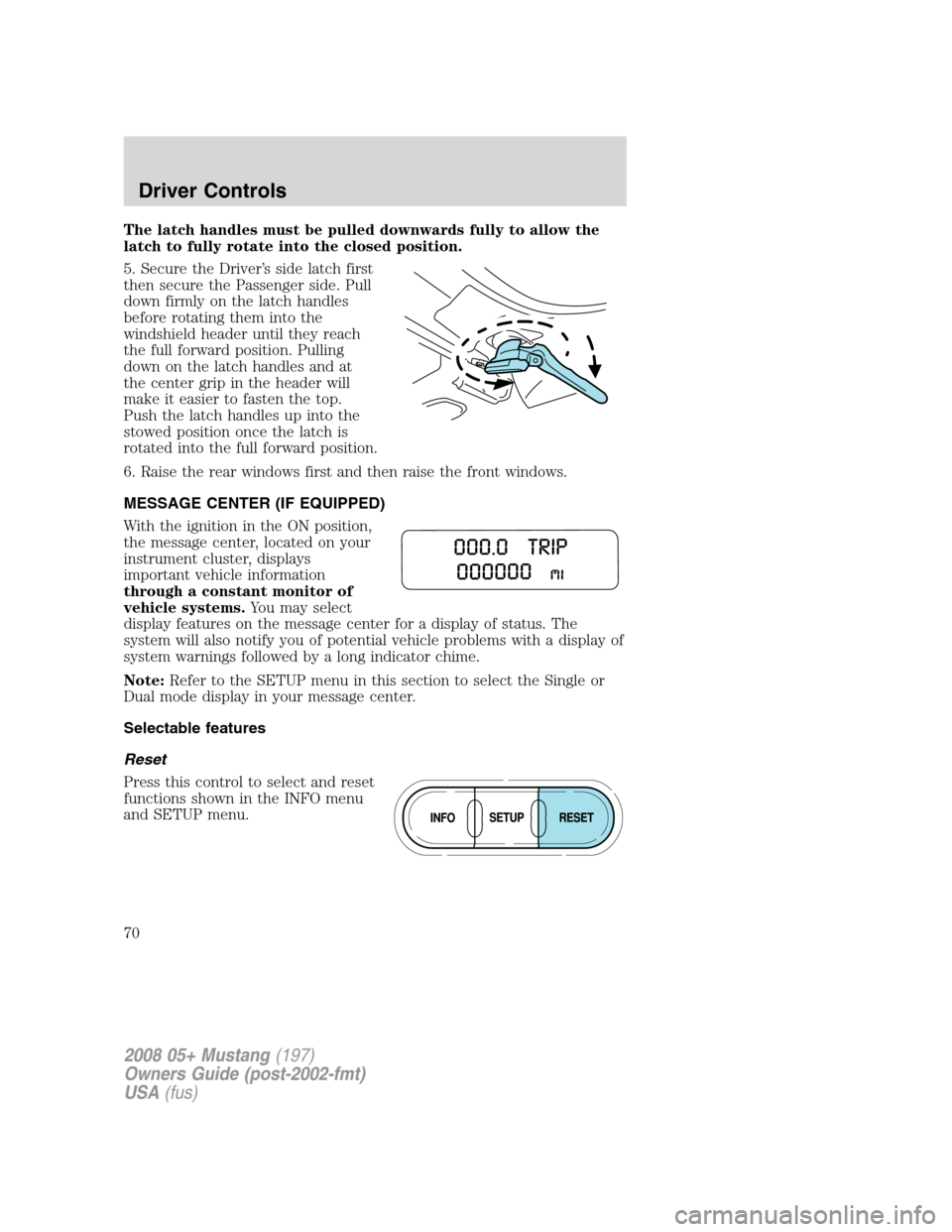
The latch handles must be pulled downwards fully to allow the
latch to fully rotate into the closed position.
5. Secure the Driver’s side latch first
then secure the Passenger side. Pull
down firmly on the latch handles
before rotating them into the
windshield header until they reach
the full forward position. Pulling
down on the latch handles and at
the center grip in the header will
make it easier to fasten the top.
Push the latch handles up into the
stowed position once the latch is
rotated into the full forward position.
6. Raise the rear windows first and then raise the front windows.
MESSAGE CENTER (IF EQUIPPED)
With the ignition in the ON position,
the message center, located on your
instrument cluster, displays
important vehicle information
through a constant monitor of
vehicle systems.You may select
display features on the message center for a display of status. The
system will also notify you of potential vehicle problems with a display of
system warnings followed by a long indicator chime.
Note:Refer to the SETUP menu in this section to select the Single or
Dual mode display in your message center.
Selectable features
Reset
Press this control to select and reset
functions shown in the INFO menu
and SETUP menu.
2008 05+ Mustang(197)
Owners Guide (post-2002-fmt)
USA(fus)
Driver Controls
70
Page 71 of 280
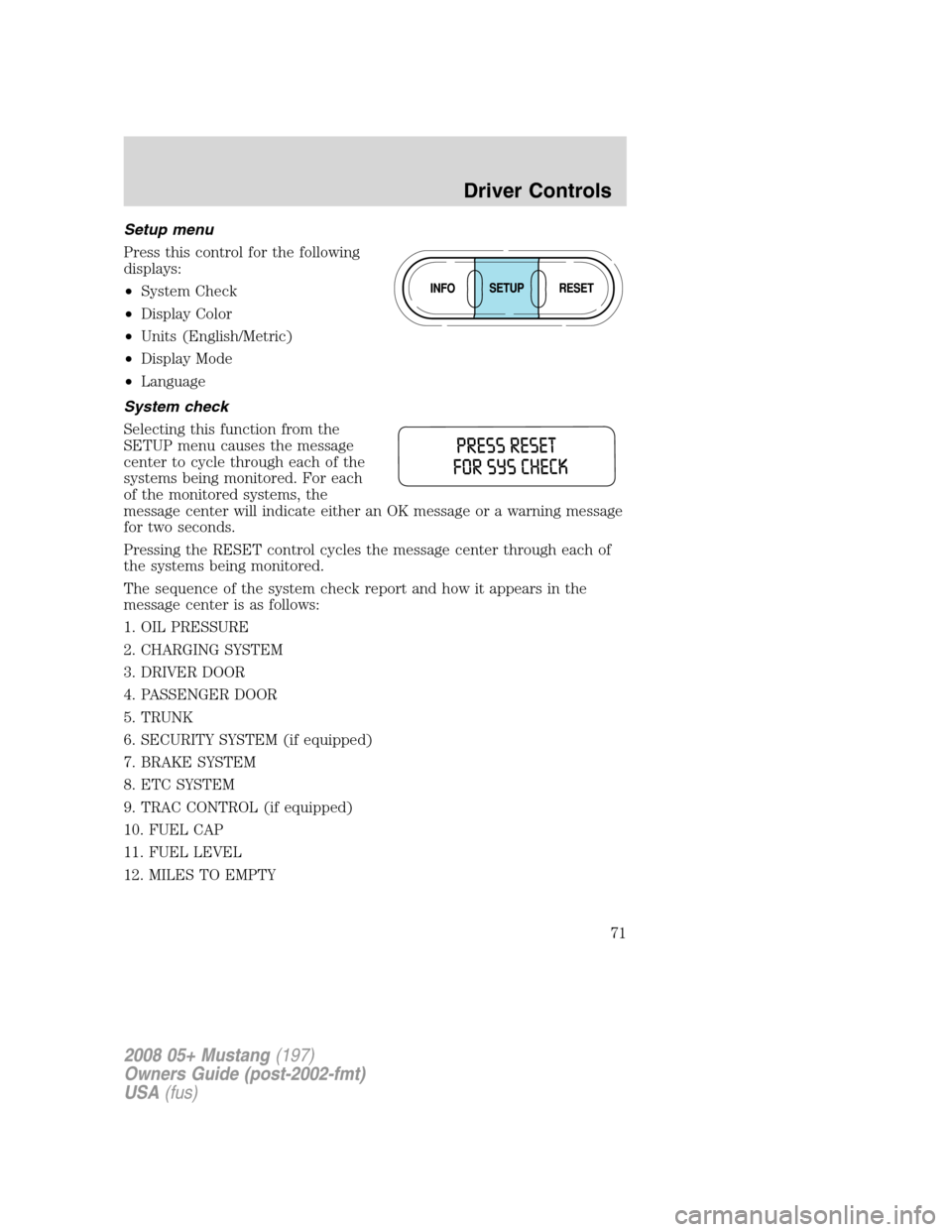
Setup menu
Press this control for the following
displays:
•System Check
•Display Color
•Units (English/Metric)
•Display Mode
•Language
System check
Selecting this function from the
SETUP menu causes the message
center to cycle through each of the
systems being monitored. For each
of the monitored systems, the
message center will indicate either an OK message or a warning message
for two seconds.
Pressing the RESET control cycles the message center through each of
the systems being monitored.
The sequence of the system check report and how it appears in the
message center is as follows:
1. OIL PRESSURE
2. CHARGING SYSTEM
3. DRIVER DOOR
4. PASSENGER DOOR
5. TRUNK
6. SECURITY SYSTEM (if equipped)
7. BRAKE SYSTEM
8. ETC SYSTEM
9. TRAC CONTROL (if equipped)
10. FUEL CAP
11. FUEL LEVEL
12. MILES TO EMPTY
2008 05+ Mustang(197)
Owners Guide (post-2002-fmt)
USA(fus)
Driver Controls
71
Page 72 of 280
Display color
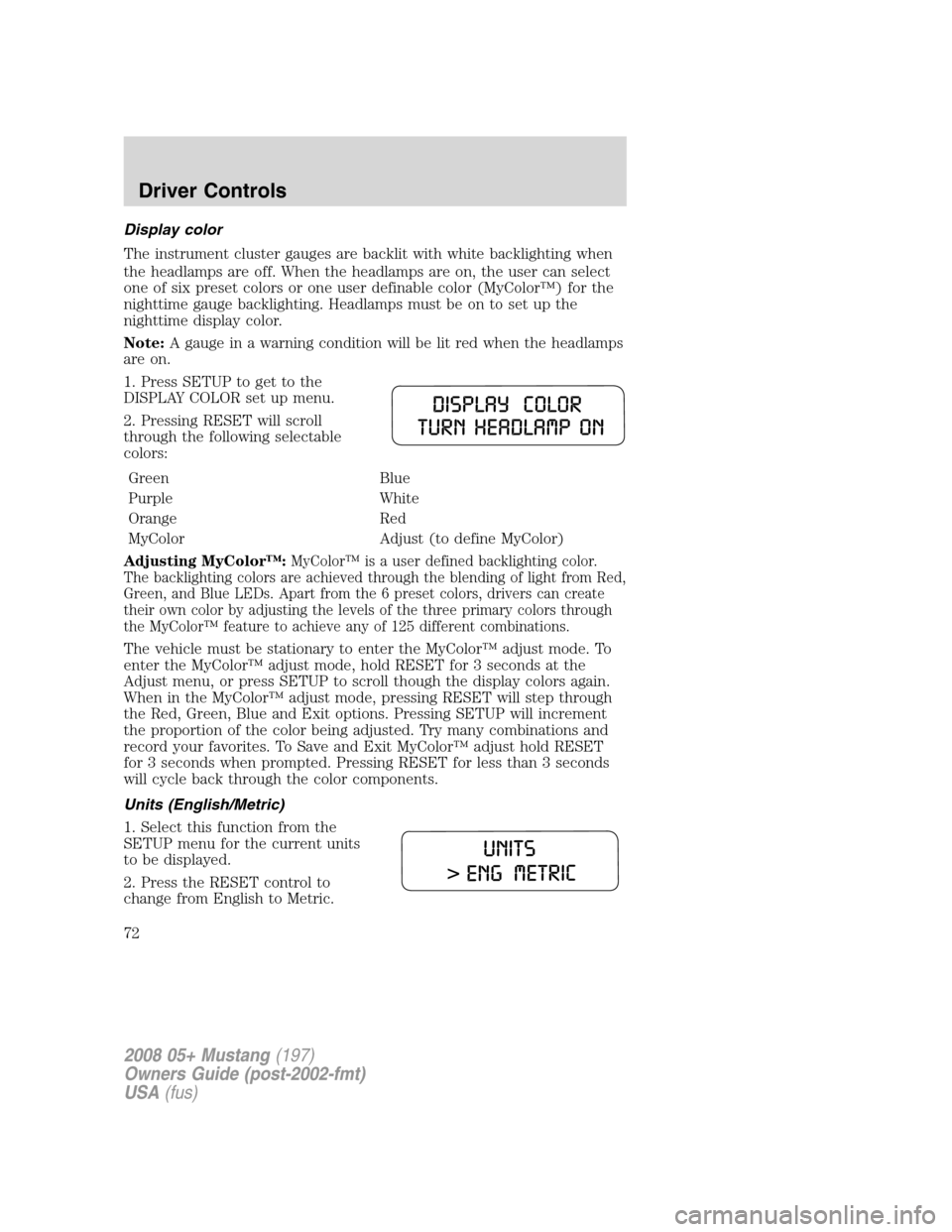
The instrument cluster gauges are backlit with white backlighting when
the headlamps are off. When the headlamps are on, the user can select
one of six preset colors or one user definable color (MyColor™) for the
nighttime gauge backlighting. Headlamps must be on to set up the
nighttime display color.
Note:A gauge in a warning condition will be lit red when the headlamps
are on.
1. Press SETUP to get to the
DISPLAY COLOR set up menu.
2. Pressing RESET will scroll
through the following selectable
colors:
Green Blue
Purple White
Orange Red
MyColor Adjust (to define MyColor)
Adjusting MyColor™:
MyColor™ is a user defined backlighting color.
The backlighting colors are achieved through the blending of light from Red,
Green, and Blue LEDs. Apart from the 6 preset colors, drivers can create
their own color by adjusting the levels of the three primary colors through
the MyColor™ feature to achieve any of 125 different combinations.
The vehicle must be stationary to enter the MyColor™ adjust mode. To
enter the MyColor™ adjust mode, hold RESET for 3 seconds at the
Adjust menu, or press SETUP to scroll though the display colors again.
When in the MyColor™ adjust mode, pressing RESET will step through
the Red, Green, Blue and Exit options. Pressing SETUP will increment
the proportion of the color being adjusted. Try many combinations and
record your favorites. To Save and Exit MyColor™ adjust hold RESET
for 3 seconds when prompted. Pressing RESET for less than 3 seconds
will cycle back through the color components.
Units (English/Metric)
1. Select this function from the
SETUP menu for the current units
to be displayed.
2. Press the RESET control to
change from English to Metric.
2008 05+ Mustang(197)
Owners Guide (post-2002-fmt)
USA(fus)
Driver Controls
72