ECU FORD MUSTANG 2008 5.G Owner's Manual
[x] Cancel search | Manufacturer: FORD, Model Year: 2008, Model line: MUSTANG, Model: FORD MUSTANG 2008 5.GPages: 280, PDF Size: 2.69 MB
Page 87 of 280
Illuminated entry
The interior lamps illuminate when the remote entry system is used to
unlock the door(s).
The illuminated entry system will turn off the interior lights if:
•the ignition switch is turned to the 3 (ON) position, or
•the remote transmitter lock control is pressed, or
•after 25 seconds of illumination.
The dome lamp control mustnotbe set to the off position for the
illuminated entry system to operate.
The inside lights will not turn off if:
•they have been turned on with the dimmer control, or
•any door is open.
The battery saver will shut off the interior lamps 10 minutes after the
ignition has been turned to the 1 (OFF/LOCK) position and a door is left
open, and in 30 minutes if the dome lamp control is left on and the
ignition has been turned to the 1 (OFF/LOCK) position. The battery
saver will also shut off the trunk lamps in 30 minutes if the trunk is left
open.
Perimeter lighting feature (if equipped)
The perimeter lighting feature illuminates the exterior of the vehicle in
order to provide better visibility to the user while he or she approaches
and enters the vehicle.
The perimeter lighting feature activates the head lamps, park lamps and
side marker lamps when:
•the user activates an unlock feature by using the remote keyless
transmitter or
•when the vehicle is unlocked, by using the driver’s door key lock
cylinder.
The perimeter lighting feature will turn off if:
•the vehicle is locked using the remote entry transmitter, or
•the ignition is turned to the 3 (ON) position, or
•after 25 seconds of illumination.
Enabling/disabling the perimeter lighting feature
Your vehicle comes with the perimeter lighting feature enabled. You may
enable/disable this feature by having your vehicle serviced by your
authorized dealer.
2008 05+ Mustang(197)
Owners Guide (post-2002-fmt)
USA(fus)
Locks and Security
87
Page 88 of 280

You may also perform the following power door lock sequence to
enable/disable the perimeter lamps feature. All vehicle doors must be
closed before beginning the procedure. You must complete Steps 1–3
within 30 seconds, or the procedure will have to be repeated.
1. Turn the ignition to the 3 (ON) position, then press the
control
three times.
2. Turn the ignition to the 1 (OFF) position, then press the
control
three times.
3. Turn the ignition to the 3 (ON) position; the horn will chirp to
indicate the driver configuration mode has been activated.
Activating or deactivating the perimeter lighting once in program mode is
accomplished by:
•pressing the trim panel power door unlock control (
) twice within
five seconds.
At this point, perimeter lighting will be activated if it was previously
deactivated, and deactivated if it was previously activated. Confirmation
of perimeter lighting being activated is provided by a short horn chirp
followed by a long horn sound; Confirmation of perimeter lighting being
deactivated is provided by a short horn chirp only.
Exiting the program mode is accomplished by turning the ignition to any
position other than the 3 (ON) position, or two minutes elapsing since
the program mode was entered.
SECURILOCK™ PASSIVE ANTI-THEFT SYSTEM
SecuriLock™ passive anti-theft system is an engine immobilization
system. This system is designed to help prevent the engine from being
started unless acoded key programmed to your vehicleis used. The
use of the wrong type of coded key may lead to a “no-start” condition.
Your vehicle comes with two coded keys; additional coded keys may be
purchased from your authorized dealer. The authorized dealer can
program your spare keys to your vehicle or you can program the keys
yourself. Refer toProgramming spare keysfor instructions on how to
program the coded key.
Note:The SecuriLock™ passive anti-theft system is not compatible with
non-Ford aftermarket remote start systems. Use of these systems may
result in vehicle starting problems and a loss of security protection.
2008 05+ Mustang(197)
Owners Guide (post-2002-fmt)
USA(fus)
Locks and Security
88
Page 89 of 280
Note:Large metallic objects, electronic devices that are used to
purchase gasoline or similar items, or a second coded key on the same
key chain may cause vehicle starting issues. You need to prevent these
objects from touching the coded key while starting the engine. These
objects will not cause damage to the coded key, but may cause a
momentary issue if they are too close to the key when starting the
engine. If a problem occurs, turn the ignition off, remove all objects on
the key chain away from the coded key and restart the engine.
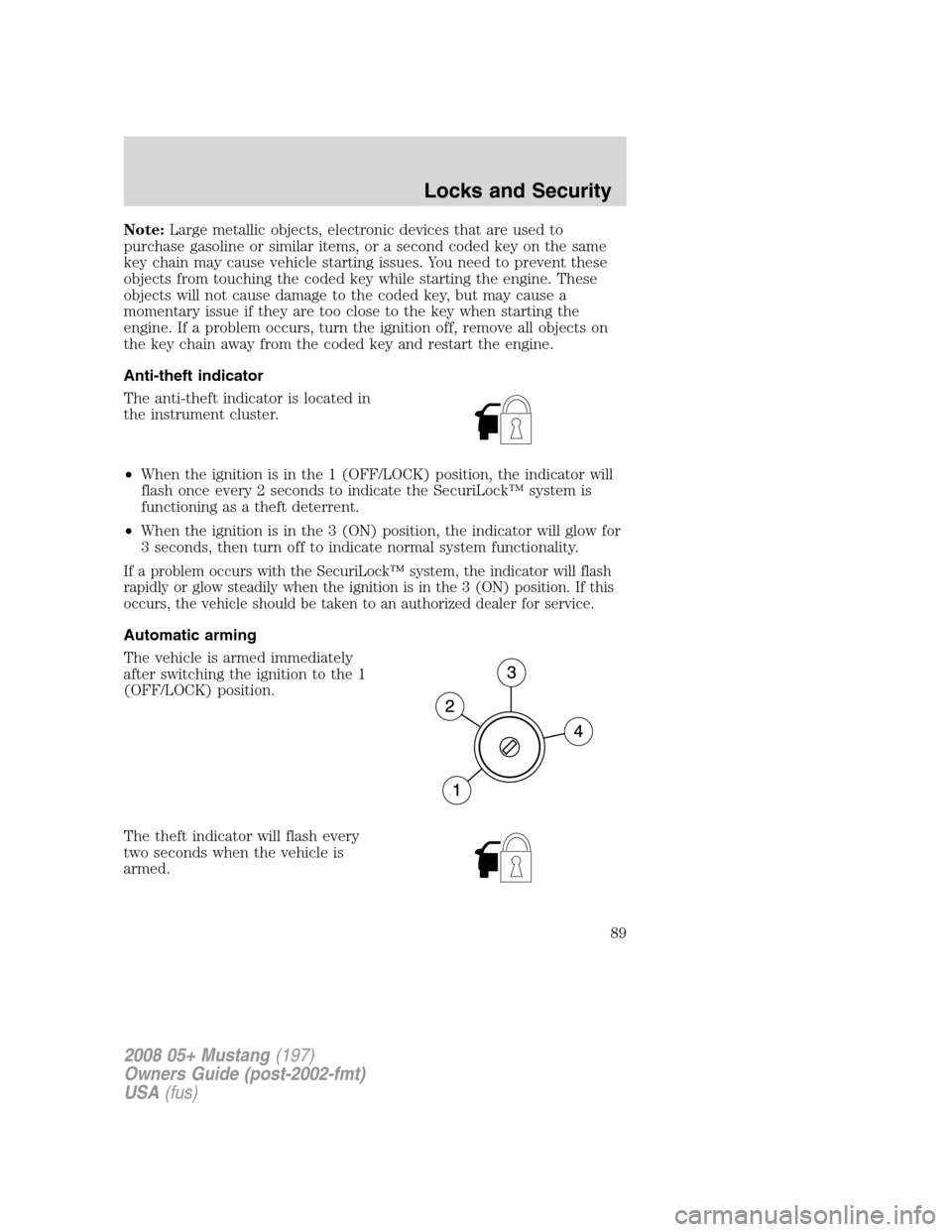
Anti-theft indicator
The anti-theft indicator is located in
the instrument cluster.
•When the ignition is in the 1 (OFF/LOCK) position, the indicator will
flash once every 2 seconds to indicate the SecuriLock™ system is
functioning as a theft deterrent.
•When the ignition is in the 3 (ON) position, the indicator will glow for
3 seconds, then turn off to indicate normal system functionality.
If a problem occurs with the SecuriLock™ system, the indicator will flash
rapidly or glow steadily when the ignition is in the 3 (ON) position. If this
occurs, the vehicle should be taken to an authorized dealer for service.
Automatic arming
The vehicle is armed immediately
after switching the ignition to the 1
(OFF/LOCK) position.
The theft indicator will flash every
two seconds when the vehicle is
armed.
2008 05+ Mustang(197)
Owners Guide (post-2002-fmt)
USA(fus)
Locks and Security
89
Page 90 of 280
Automatic disarming
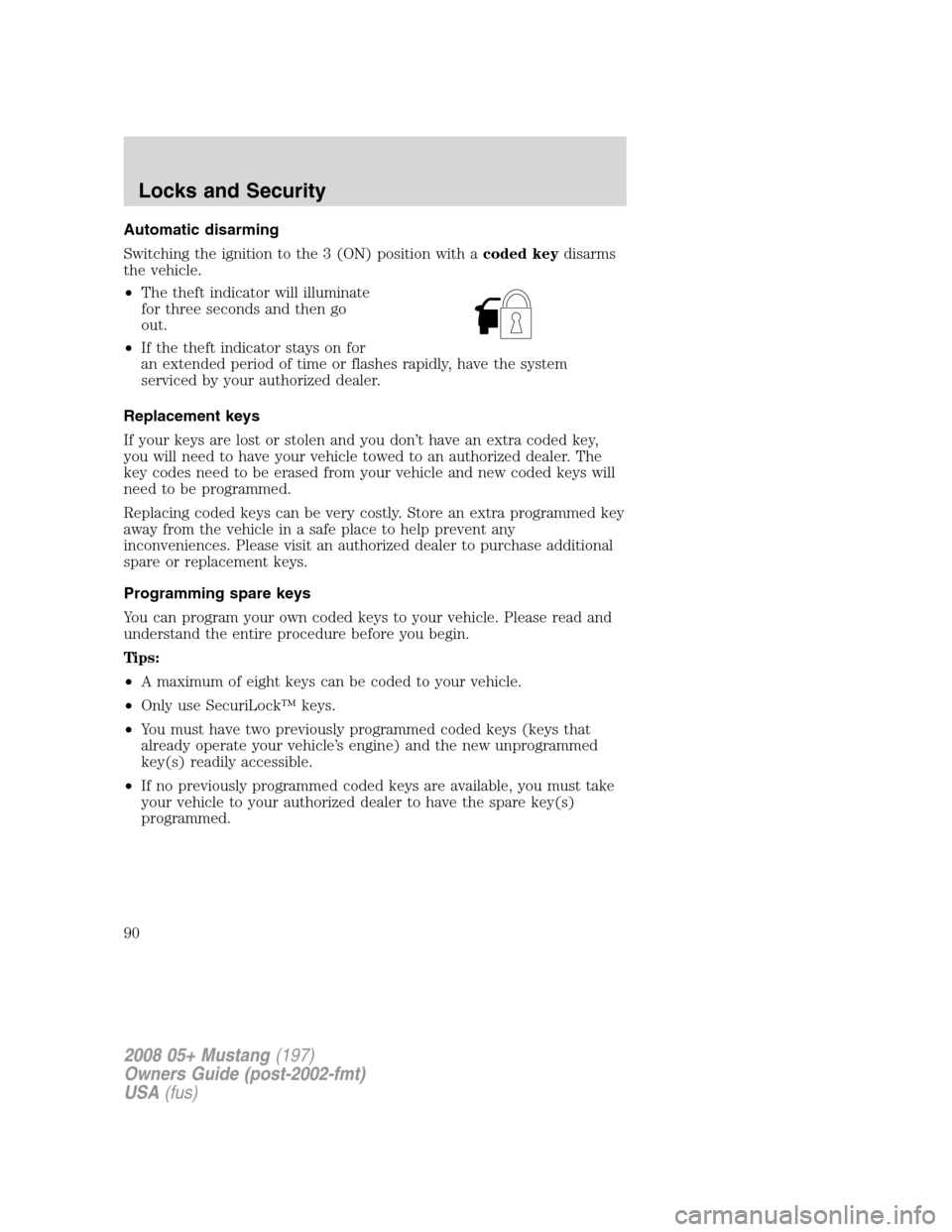
Switching the ignition to the 3 (ON) position with acoded keydisarms
the vehicle.
•The theft indicator will illuminate
for three seconds and then go
out.
•If the theft indicator stays on for
an extended period of time or flashes rapidly, have the system
serviced by your authorized dealer.
Replacement keys
If your keys are lost or stolen and you don’t have an extra coded key,
you will need to have your vehicle towed to an authorized dealer. The
key codes need to be erased from your vehicle and new coded keys will
need to be programmed.
Replacing coded keys can be very costly. Store an extra programmed key
away from the vehicle in a safe place to help prevent any
inconveniences. Please visit an authorized dealer to purchase additional
spare or replacement keys.
Programming spare keys
You can program your own coded keys to your vehicle. Please read and
understand the entire procedure before you begin.
Tips:
•A maximum of eight keys can be coded to your vehicle.
•Only use SecuriLock™ keys.
•You must have two previously programmed coded keys (keys that
already operate your vehicle’s engine) and the new unprogrammed
key(s) readily accessible.
•If no previously programmed coded keys are available, you must take
your vehicle to your authorized dealer to have the spare key(s)
programmed.
2008 05+ Mustang(197)
Owners Guide (post-2002-fmt)
USA(fus)
Locks and Security
90
Page 91 of 280
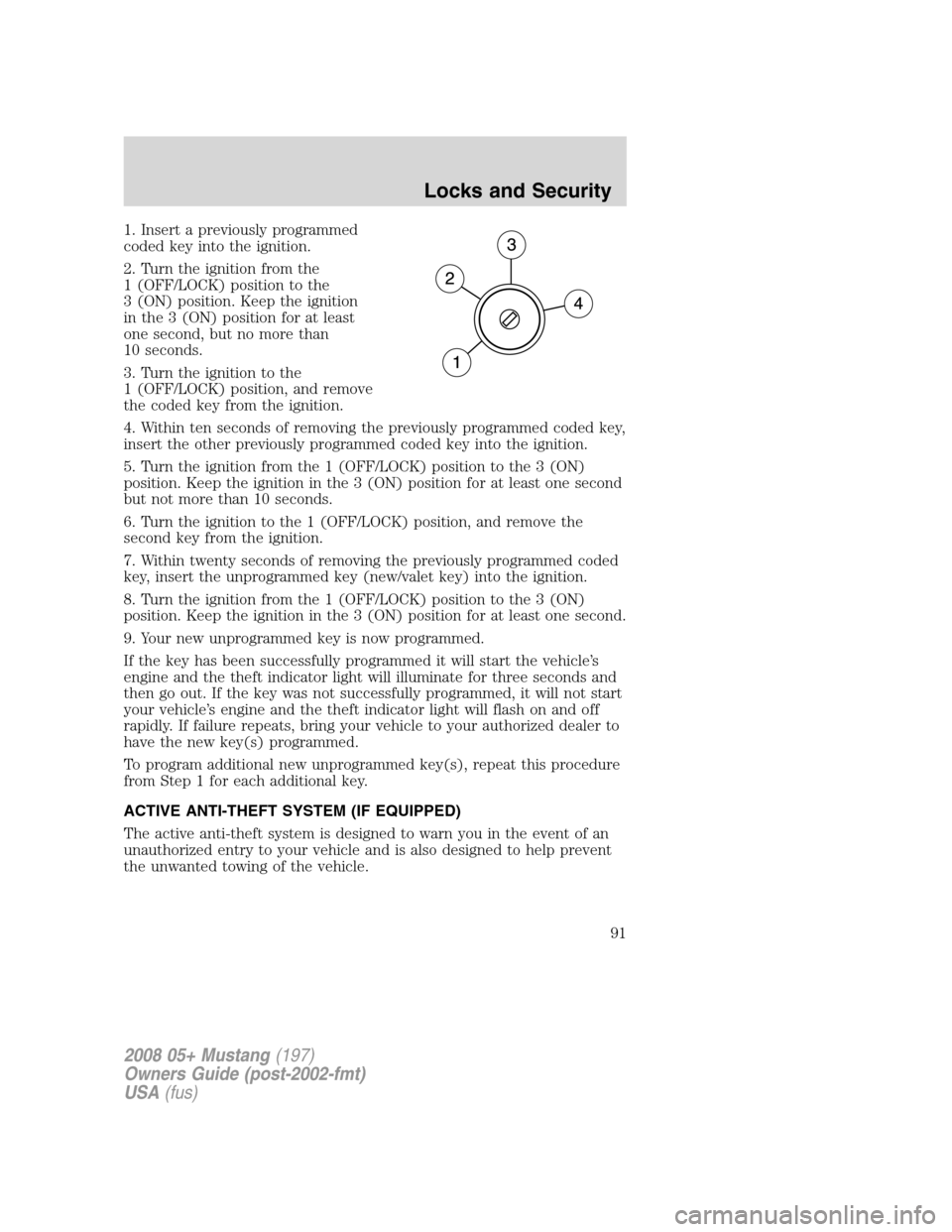
1. Insert a previously programmed
coded key into the ignition.
2. Turn the ignition from the
1 (OFF/LOCK) position to the
3 (ON) position. Keep the ignition
in the 3 (ON) position for at least
one second, but no more than
10 seconds.
3. Turn the ignition to the
1 (OFF/LOCK) position, and remove
the coded key from the ignition.
4. Within ten seconds of removing the previously programmed coded key,
insert the other previously programmed coded key into the ignition.
5. Turn the ignition from the 1 (OFF/LOCK) position to the 3 (ON)
position. Keep the ignition in the 3 (ON) position for at least one second
but not more than 10 seconds.
6. Turn the ignition to the 1 (OFF/LOCK) position, and remove the
second key from the ignition.
7. Within twenty seconds of removing the previously programmed coded
key, insert the unprogrammed key (new/valet key) into the ignition.
8. Turn the ignition from the 1 (OFF/LOCK) position to the 3 (ON)
position. Keep the ignition in the 3 (ON) position for at least one second.
9. Your new unprogrammed key is now programmed.
If the key has been successfully programmed it will start the vehicle’s
engine and the theft indicator light will illuminate for three seconds and
then go out. If the key was not successfully programmed, it will not start
your vehicle’s engine and the theft indicator light will flash on and off
rapidly. If failure repeats, bring your vehicle to your authorized dealer to
have the new key(s) programmed.
To program additional new unprogrammed key(s), repeat this procedure
from Step 1 for each additional key.
ACTIVE ANTI-THEFT SYSTEM (IF EQUIPPED)
The active anti-theft system is designed to warn you in the event of an
unauthorized entry to your vehicle and is also designed to help prevent
the unwanted towing of the vehicle.
2008 05+ Mustang(197)
Owners Guide (post-2002-fmt)
USA(fus)
Locks and Security
91
Page 92 of 280
When the vehicle is locked and armed, the active anti-theft system
monitors the following:
•Doors
•Hood
•Trunk
•Movement inside the vehicle
•Change in vehicle inclination
Note:The active anti-theft system includes a motion detection system
which monitors the passenger cabin and a vehicle incline sensor which
detects changes in vehicle attitude.
The interior motion detection and vehicle incline sensing systems
will operate only when the vehicle is locked using the remote
keyless entry transmitter or when using the power door lock
control with the accompanying door open and all doors then
become closed. For convertible vehicles, the convertible top must
be in the fully closed and latched position for the interior motion
sensing system to arm. If you lock the vehicle using the key in the
driver door key cylinder, the system will monitor the doors,
trunk, and hood but the motion sensing and vehicle incline
sensing will not arm.
Do not arm the interior motion detection system if movement within the
vehicle is likely to occur. Additionally, do not arm the vehicle incline
sensing system when the vehicle is in transport.
For proper operation of the interior motion detection system, ensure all
windows are closed prior to arming the system. This will help prevent
accidental alarm activation due to external influences and ensure proper
interior motion detection. Additionally, the interior motion sensing
system will not arm if either door or the trunk is ajar.
If there is any potential active anti-theft problem with your vehicle,
ensureALL remote entry transmittersare taken to an authorized
dealer to aid in troubleshooting.
Arming the system
When armed, the active anti-theft system is designed to notify you of an
unauthorized entry. When unauthorized entry or towing occurs, the
system will flash the turn signal lamps and interior lamps and sounds the
security horn.
2008 05+ Mustang(197)
Owners Guide (post-2002-fmt)
USA(fus)
Locks and Security
92
Page 93 of 280
The system is ready to arm whenever the key is out of the ignition. Any
of the following actions will arm the alarm system:
•Press the remote transmitter lock control one time to arm the system.
•Lock all doors using the interior power lock switch while the driver or
passenger door is open and then becomes closed.
•Lock the driver door with the key in the key lock cylinder (this will
nothowever arm the interior motion or vehicle incline sensing
systems or lock the passenger door).
If all the closures (doors, trunk, hood) are closed, the turn signal lamps
will flash once. If any closure is not properly closed the parklamps will
not flash.Note:Locking the driver door with the key does not lock the
passenger door. Use the power door lock control or manually lock the
passenger door to ensure the vehicle is properly secured.
The system will wait 20 seconds after locking before triggering an alarm.
After the 20–second pre-arm phase, the power door unlock control is
disabled (for more information, refer toPower door trim switch inhibit
section earlier in this chapter) to further protect your vehicle.
Disarming the system
You can disarm the active anti-theft system by any of the following
actions:
•Unlock the doors by using the remote entry transmitter.
•Unlock the driver’s door with the key in the door lock cylinder.
•Turn the ignition to the 3 (ON) position with a programmed coded
ignition key.
Note:Unlocking the trunk inhibits the motion and tilt sensing systems,
but the system continues to monitor the doors and hood. Once the trunk
becomes closed the motion and tilt sensing systems will re-arm.
2008 05+ Mustang(197)
Owners Guide (post-2002-fmt)
USA(fus)
Locks and Security
93
Page 106 of 280
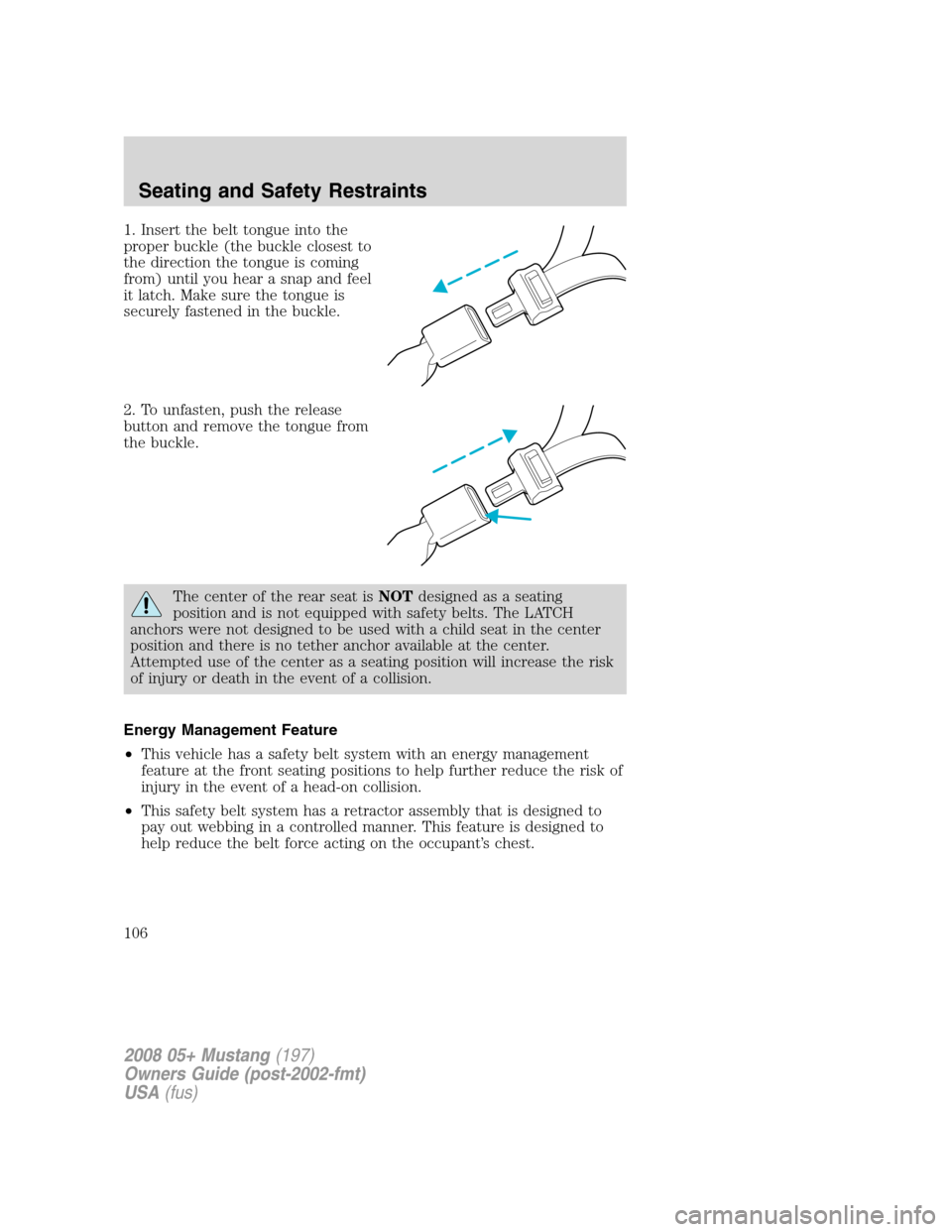
1. Insert the belt tongue into the
proper buckle (the buckle closest to
the direction the tongue is coming
from) until you hear a snap and feel
it latch. Make sure the tongue is
securely fastened in the buckle.
2. To unfasten, push the release
button and remove the tongue from
the buckle.
The center of the rear seat isNOTdesigned as a seating
position and is not equipped with safety belts. The LATCH
anchors were not designed to be used with a child seat in the center
position and there is no tether anchor available at the center.
Attempted use of the center as a seating position will increase the risk
of injury or death in the event of a collision.
Energy Management Feature
•This vehicle has a safety belt system with an energy management
feature at the front seating positions to help further reduce the risk of
injury in the event of a head-on collision.
•This safety belt system has a retractor assembly that is designed to
pay out webbing in a controlled manner. This feature is designed to
help reduce the belt force acting on the occupant’s chest.
2008 05+ Mustang(197)
Owners Guide (post-2002-fmt)
USA(fus)
Seating and Safety Restraints
106
Page 123 of 280
In case there is a problem with the
front passenger sensing system, the
airbag readiness lamp in the
instrument cluster will stay lit.
If the airbag readiness lamp is lit, do the following:
The driver and/or adult passengers should check for any objects that
may be lodged underneath the front passenger seat or cargo interfering
with the seat.
If objects are lodged and/or cargo is interfering with the seat; please take
the following steps to remove the obstruction:
•Pull the vehicle over.
•Turn the vehicle off.
•Driver and/or adult passengers should check for any objects lodged
underneath the front passenger seat or cargo interfering with the seat.
•Remove the obstruction(s) (if found).
•Restart the vehicle.
•Wait at least 2 minutes and verify that the airbag readiness light is no
longer illuminated
•If the airbag readiness lamp remains illuminated, this may or may/not
be a problem due to the front passenger sensing system.
DO NOT attempt to repair or service the system; take your vehicle
immediately to an authorized dealer.
If it is necessary to modify an advanced front airbag system to
accommodate a person with disabilities, contact the Ford Customer
Relationship Center at the phone number shown in theCustomer
Assistancesection of thisOwner’s Guide.
Any alteration/modification to the front passenger seat may
affect the performance of the front passenger sensing system.
Seat-mounted side airbag system
Do not place objects or mount equipment on or near the airbag
cover on the side of the seatbacks of the front seats or in front
seat areas that may come into contact with a deploying airbag. Failure
to follow these instructions may increase the risk of personal injury in
the event of a collision.
2008 05+ Mustang(197)
Owners Guide (post-2002-fmt)
USA(fus)
Seating and Safety Restraints
123
Page 130 of 280
SAFETY SEATS FOR CHILDREN
Child and infant or child safety seats
Use a safety seat that is recommended for the size and weight of the
child. Carefully follow all of the manufacturer’s instructions with the
safety seat you put in your vehicle. If you do not install and use the
safety seat properly, the child may be injured in a sudden stop or
collision.
When installing a child safety seat:
•Review and follow the information
presented in theAirbag
supplemental restraint system
(SRS) section in this chapter.
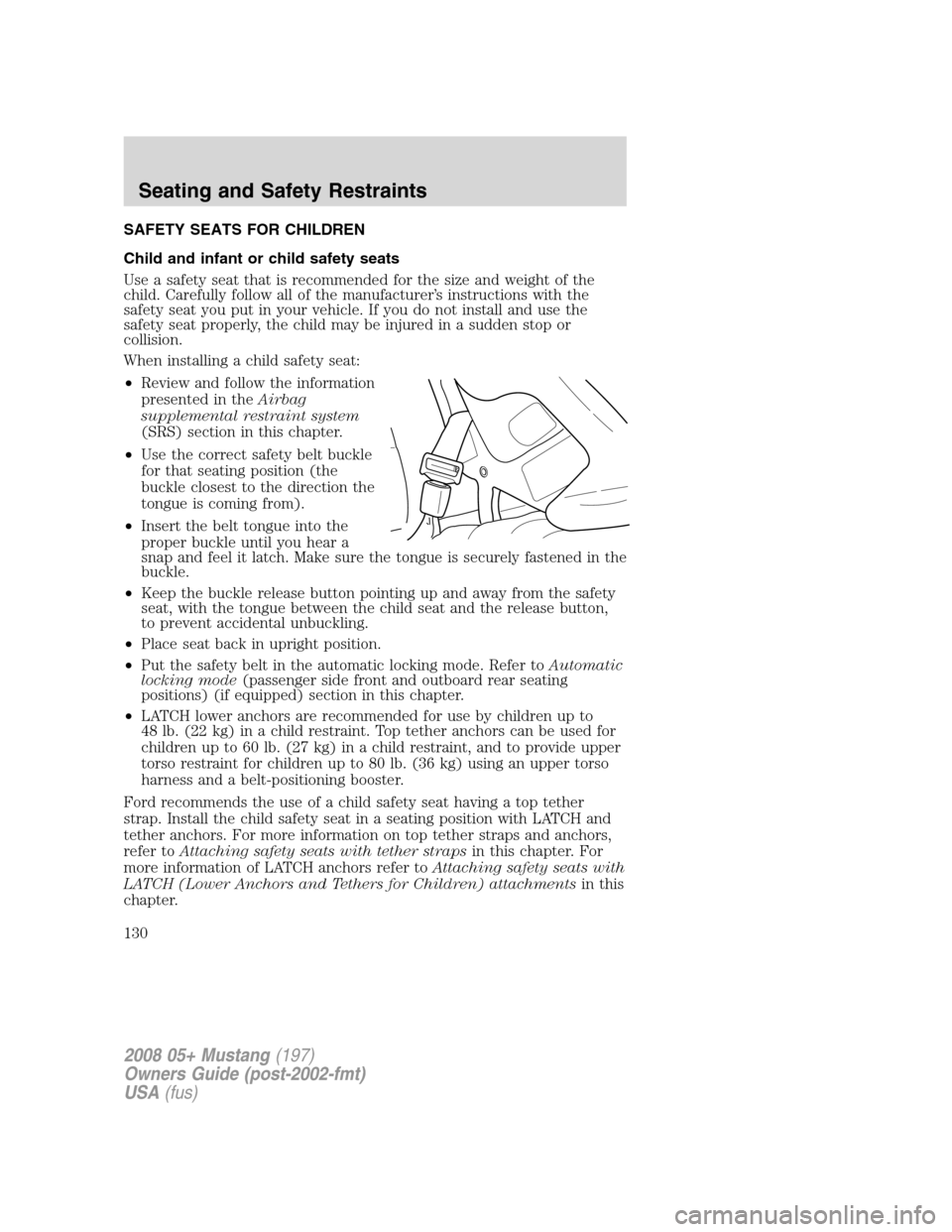
•Use the correct safety belt buckle
for that seating position (the
buckle closest to the direction the
tongue is coming from).
•Insert the belt tongue into the
proper buckle until you hear a
snap and feel it latch. Make sure the tongue is securely fastened in the
buckle.
•Keep the buckle release button pointing up and away from the safety
seat, with the tongue between the child seat and the release button,
to prevent accidental unbuckling.
•Place seat back in upright position.
•Put the safety belt in the automatic locking mode. Refer toAutomatic
locking mode(passenger side front and outboard rear seating
positions) (if equipped) section in this chapter.
•LATCH lower anchors are recommended for use by children up to
48 lb. (22 kg) in a child restraint. Top tether anchors can be used for
children up to 60 lb. (27 kg) in a child restraint, and to provide upper
torso restraint for children up to 80 lb. (36 kg) using an upper torso
harness and a belt-positioning booster.
Ford recommends the use of a child safety seat having a top tether
strap. Install the child safety seat in a seating position with LATCH and
tether anchors. For more information on top tether straps and anchors,
refer toAttaching safety seats with tether strapsin this chapter. For
more information of LATCH anchors refer toAttaching safety seats with
LATCH (Lower Anchors and Tethers for Children) attachmentsin this
chapter.
2008 05+ Mustang(197)
Owners Guide (post-2002-fmt)
USA(fus)
Seating and Safety Restraints
130