warning FORD MUSTANG 2009 5.G Owner's Manual
[x] Cancel search | Manufacturer: FORD, Model Year: 2009, Model line: MUSTANG, Model: FORD MUSTANG 2009 5.GPages: 292, PDF Size: 2.66 MB
Page 60 of 292
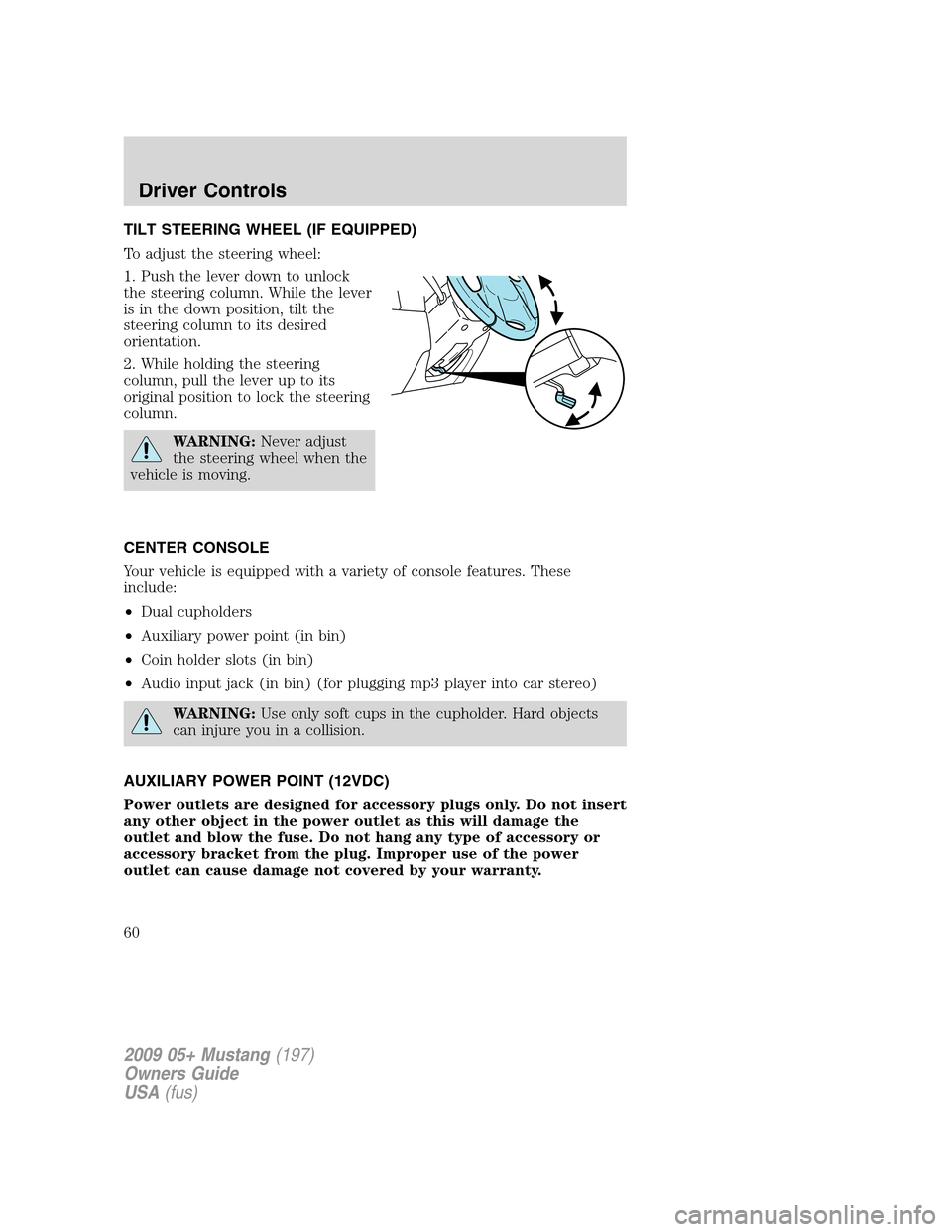
TILT STEERING WHEEL (IF EQUIPPED)
To adjust the steering wheel:
1. Push the lever down to unlock
the steering column. While the lever
is in the down position, tilt the
steering column to its desired
orientation.
2. While holding the steering
column, pull the lever up to its
original position to lock the steering
column.
WARNING:Never adjust
the steering wheel when the
vehicle is moving.
CENTER CONSOLE
Your vehicle is equipped with a variety of console features. These
include:
•Dual cupholders
•Auxiliary power point (in bin)
•Coin holder slots (in bin)
•Audio input jack (in bin) (for plugging mp3 player into car stereo)
WARNING:Use only soft cups in the cupholder. Hard objects
can injure you in a collision.
AUXILIARY POWER POINT (12VDC)
Power outlets are designed for accessory plugs only. Do not insert
any other object in the power outlet as this will damage the
outlet and blow the fuse. Do not hang any type of accessory or
accessory bracket from the plug. Improper use of the power
outlet can cause damage not covered by your warranty.
2009 05+ Mustang(197)
Owners Guide
USA(fus)
Driver Controls
60
Page 62 of 292
POWER WINDOWS
WARNING:Do not leave children unattended in the vehicle and
do not let children play with the power windows. They may
seriously injure themselves.
WARNING:When closing the power windows, you should verify
they are free of obstructions and ensure that children and/or
pets are not in the proximity of the window openings.
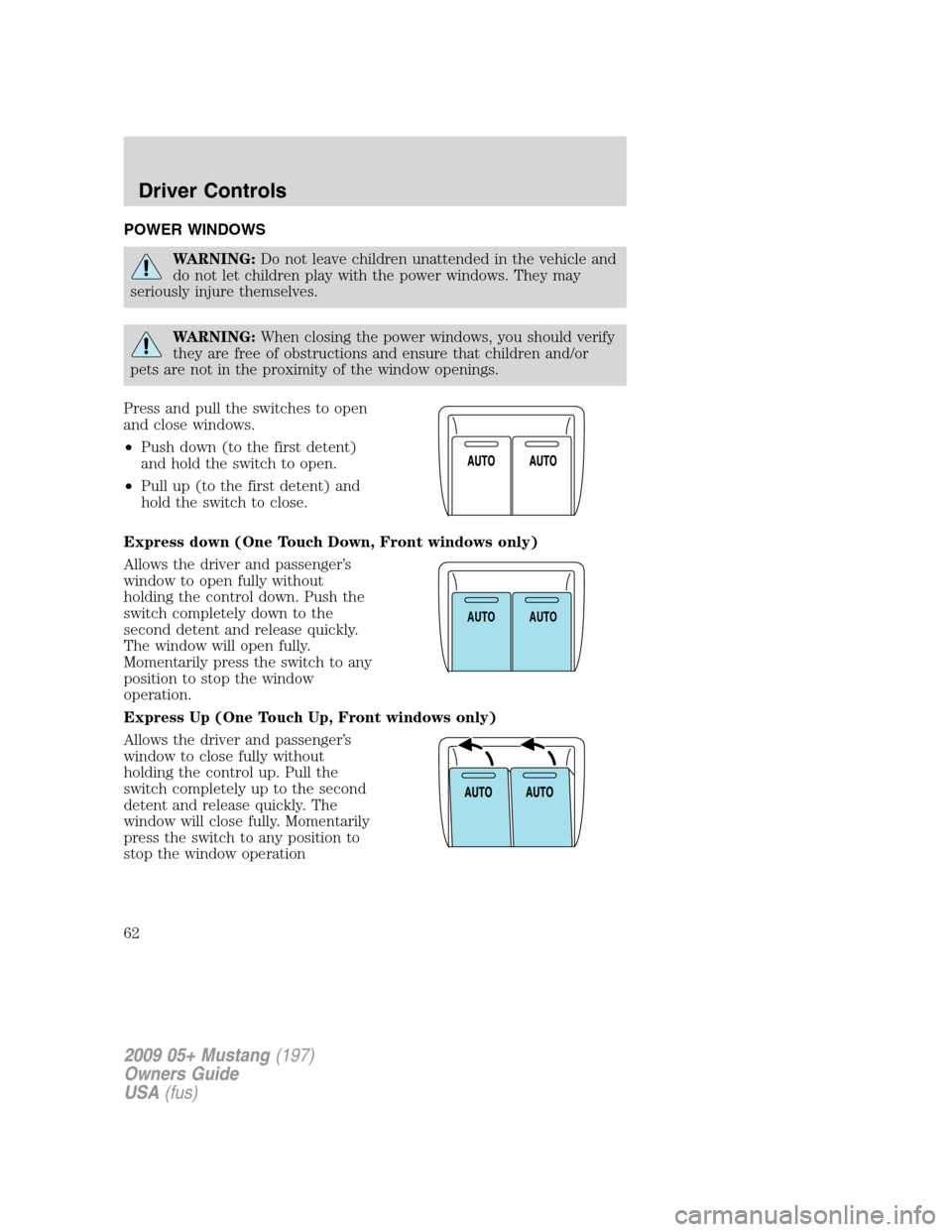
Press and pull the switches to open
and close windows.
•Push down (to the first detent)
and hold the switch to open.
•Pull up (to the first detent) and
hold the switch to close.
Express down (One Touch Down, Front windows only)
Allows the driver and passenger’s
window to open fully without
holding the control down. Push the
switch completely down to the
second detent and release quickly.
The window will open fully.
Momentarily press the switch to any
position to stop the window
operation.
Express Up (One Touch Up, Front windows only)
Allows the driver and passenger’s
window to close fully without
holding the control up. Pull the
switch completely up to the second
detent and release quickly. The
window will close fully. Momentarily
press the switch to any position to
stop the window operation
AUTOAUTO
2009 05+ Mustang(197)
Owners Guide
USA(fus)
Driver Controls
62
Page 64 of 292
Rear Power Windows (Convertible Only)
The rear quarter windows are operated by a single window switch
located at the Driver door window controls. Press and pull the window
switch to open and close the windows.
•Push down and hold the switch to open.
•Pull up and hold the switch to close.
Accessory delay
With accessory delay, the window switches, convertible top (if equipped)
and radio may be used for up to 10 minutes after the ignition switch is
turned to the off position or until either front door or trunk is opened.
INTERIOR MIRROR
The interior rear view mirror has two pivot points on the support arm
which lets you adjust the mirror UP or DOWN and from SIDE to SIDE.
WARNING:Do not adjust the mirror while the vehicle is in
motion.
Automatic dimming interior rear view mirror (if equipped)
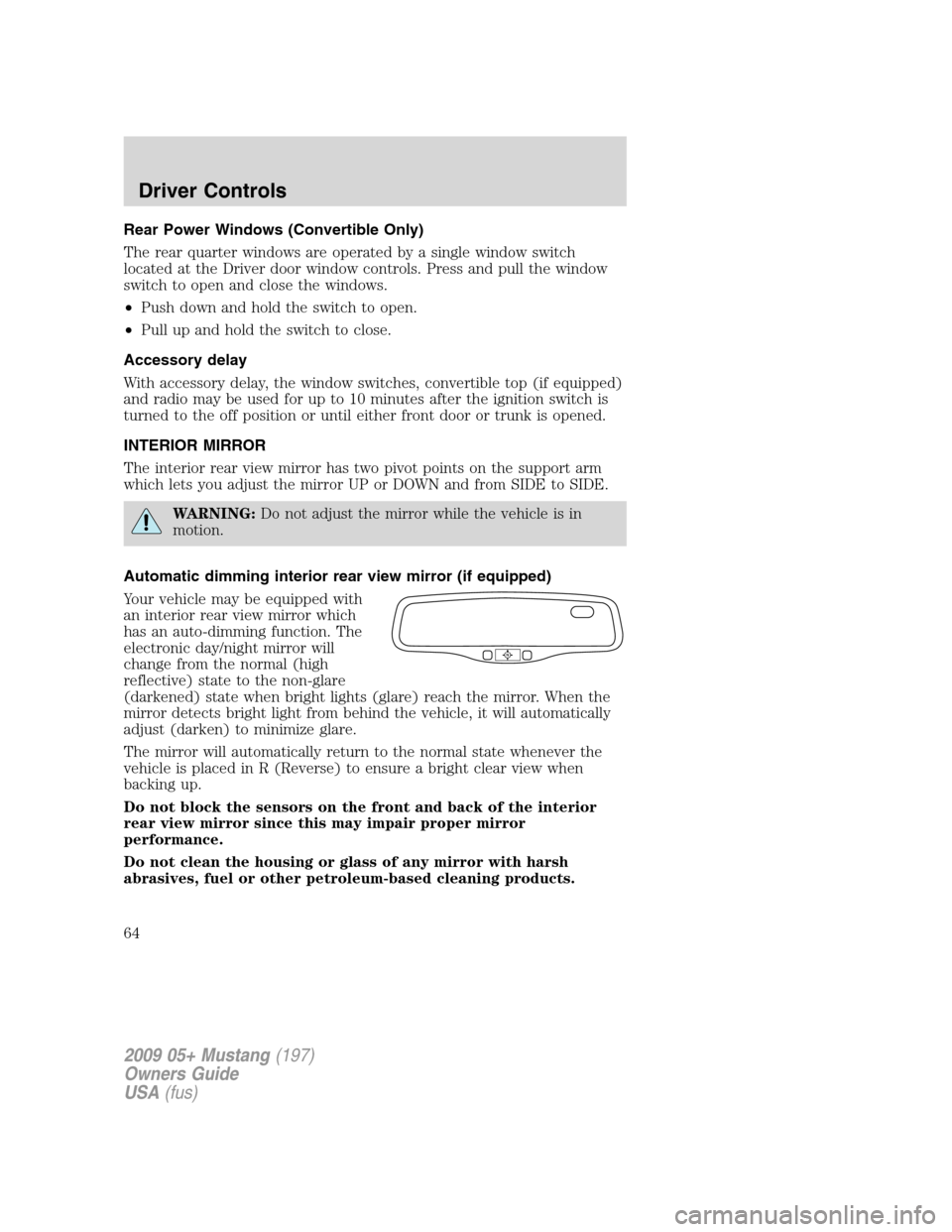
Your vehicle may be equipped with
an interior rear view mirror which
has an auto-dimming function. The
electronic day/night mirror will
change from the normal (high
reflective) state to the non-glare
(darkened) state when bright lights (glare) reach the mirror. When the
mirror detects bright light from behind the vehicle, it will automatically
adjust (darken) to minimize glare.
The mirror will automatically return to the normal state whenever the
vehicle is placed in R (Reverse) to ensure a bright clear view when
backing up.
Do not block the sensors on the front and back of the interior
rear view mirror since this may impair proper mirror
performance.
Do not clean the housing or glass of any mirror with harsh
abrasives, fuel or other petroleum-based cleaning products.
2009 05+ Mustang(197)
Owners Guide
USA(fus)
Driver Controls
64
Page 66 of 292
5. Repeatedly press until your zone number is shown in the mirror
display, then release.
6. The display will show all segments, then return to normal compass
mode within ten seconds.
Compass calibration adjustment
Perform this adjustment in an open area free from steel structures and
high voltage lines.
1. Start the vehicle.
2. Press and hold the control until “C” appears in the mirror display.
3. Drive the vehicle slowly (less than 3 mph [5 km/h]) in circles until the
display reads a direction.
4. The compass is now calibrated.
EXTERIOR MIRRORS
Power side view mirrors
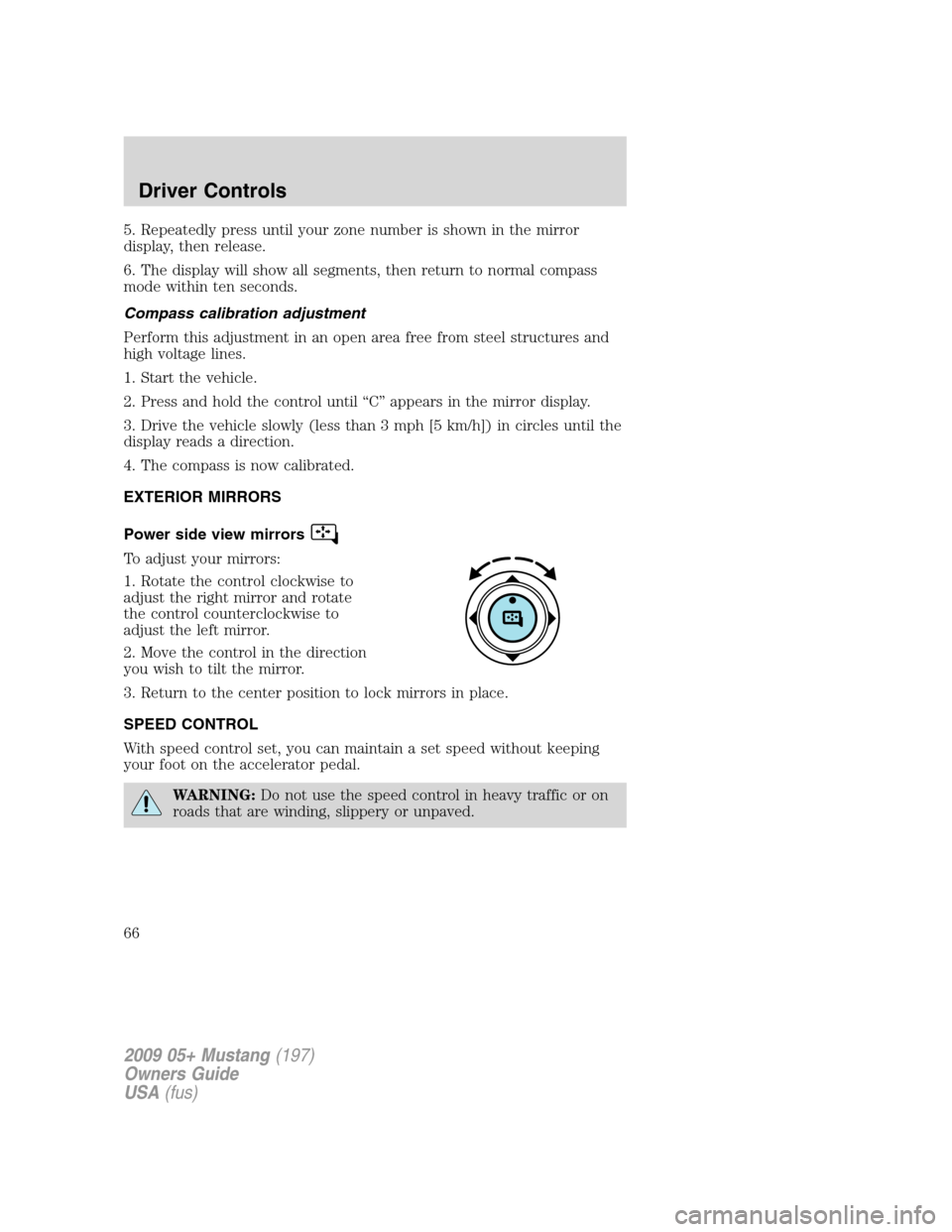
To adjust your mirrors:
1. Rotate the control clockwise to
adjust the right mirror and rotate
the control counterclockwise to
adjust the left mirror.
2. Move the control in the direction
you wish to tilt the mirror.
3. Return to the center position to lock mirrors in place.
SPEED CONTROL
With speed control set, you can maintain a set speed without keeping
your foot on the accelerator pedal.
WARNING:Do not use the speed control in heavy traffic or on
roads that are winding, slippery or unpaved.
2009 05+ Mustang(197)
Owners Guide
USA(fus)
Driver Controls
66
Page 70 of 292
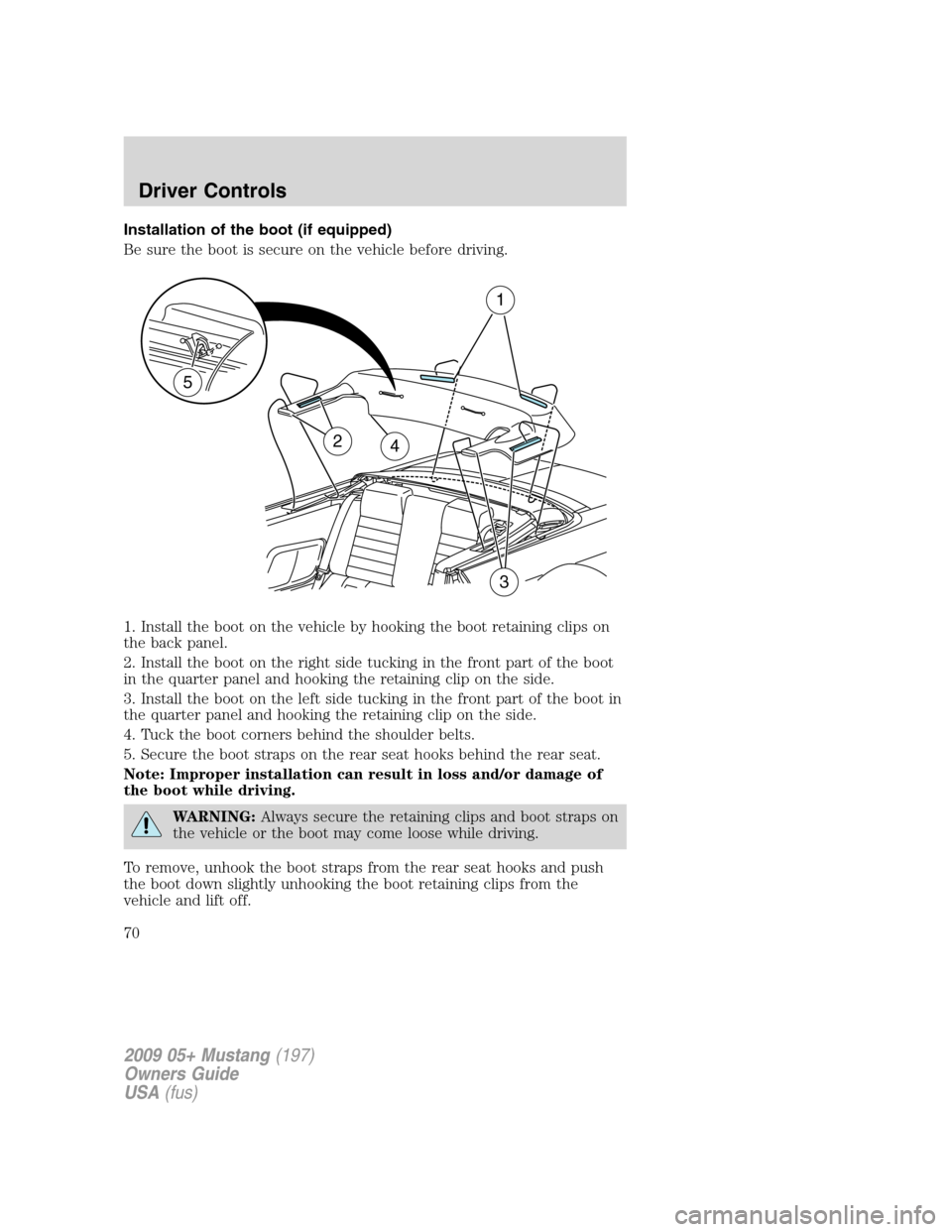
Installation of the boot (if equipped)
Be sure the boot is secure on the vehicle before driving.
1. Install the boot on the vehicle by hooking the boot retaining clips on
the back panel.
2. Install the boot on the right side tucking in the front part of the boot
in the quarter panel and hooking the retaining clip on the side.
3. Install the boot on the left side tucking in the front part of the boot in
the quarter panel and hooking the retaining clip on the side.
4. Tuck the boot corners behind the shoulder belts.
5. Secure the boot straps on the rear seat hooks behind the rear seat.
Note: Improper installation can result in loss and/or damage of
the boot while driving.
WARNING:Always secure the retaining clips and boot straps on
the vehicle or the boot may come loose while driving.
To remove, unhook the boot straps from the rear seat hooks and push
the boot down slightly unhooking the boot retaining clips from the
vehicle and lift off.
24
1
3
5
2009 05+ Mustang(197)
Owners Guide
USA(fus)
Driver Controls
70
Page 73 of 292
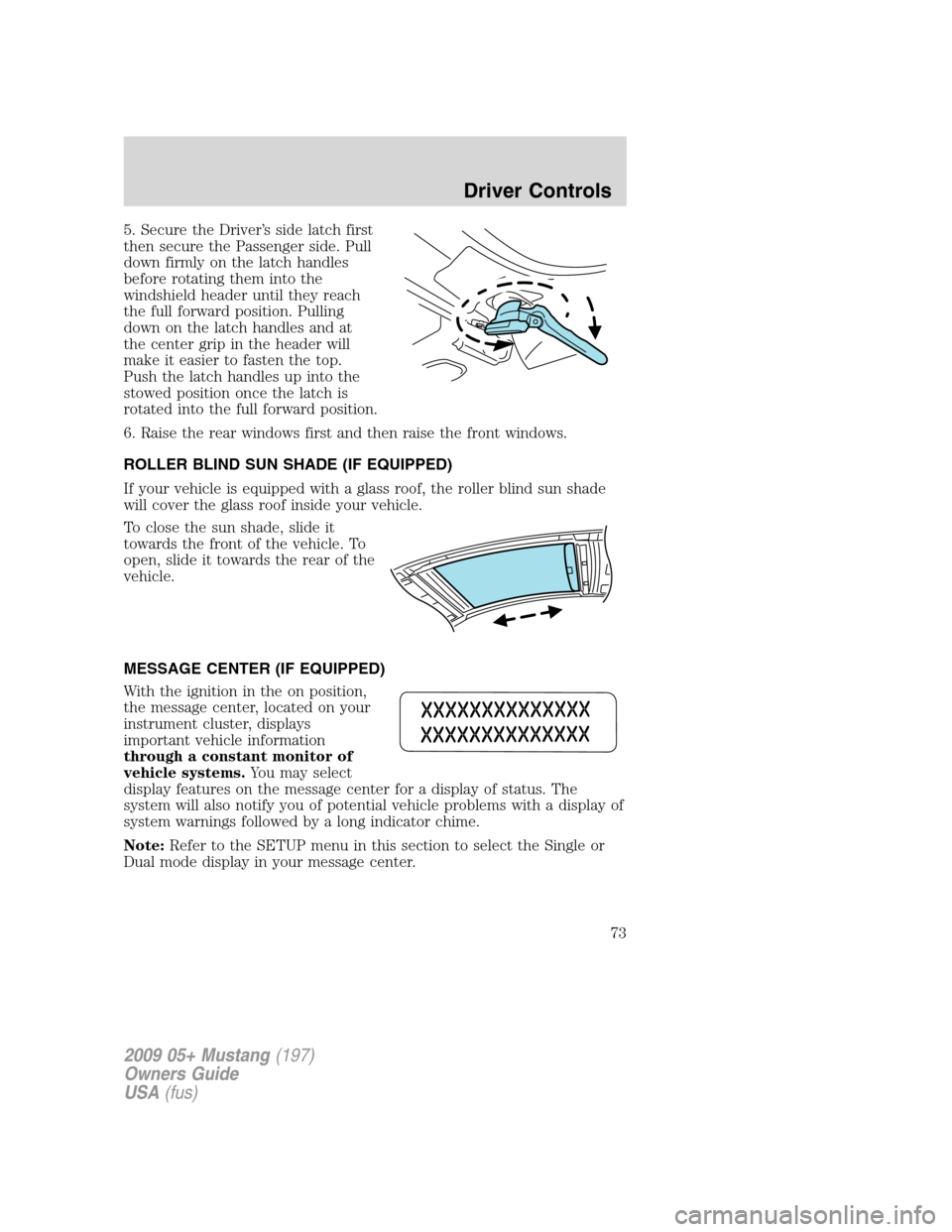
5. Secure the Driver’s side latch first
then secure the Passenger side. Pull
down firmly on the latch handles
before rotating them into the
windshield header until they reach
the full forward position. Pulling
down on the latch handles and at
the center grip in the header will
make it easier to fasten the top.
Push the latch handles up into the
stowed position once the latch is
rotated into the full forward position.
6. Raise the rear windows first and then raise the front windows.
ROLLER BLIND SUN SHADE (IF EQUIPPED)
If your vehicle is equipped with a glass roof, the roller blind sun shade
will cover the glass roof inside your vehicle.
To close the sun shade, slide it
towards the front of the vehicle. To
open, slide it towards the rear of the
vehicle.
MESSAGE CENTER (IF EQUIPPED)
With the ignition in the on position,
the message center, located on your
instrument cluster, displays
important vehicle information
through a constant monitor of
vehicle systems.You may select
display features on the message center for a display of status. The
system will also notify you of potential vehicle problems with a display of
system warnings followed by a long indicator chime.
Note:Refer to the SETUP menu in this section to select the Single or
Dual mode display in your message center.
2009 05+ Mustang(197)
Owners Guide
USA(fus)
Driver Controls
73
Page 74 of 292
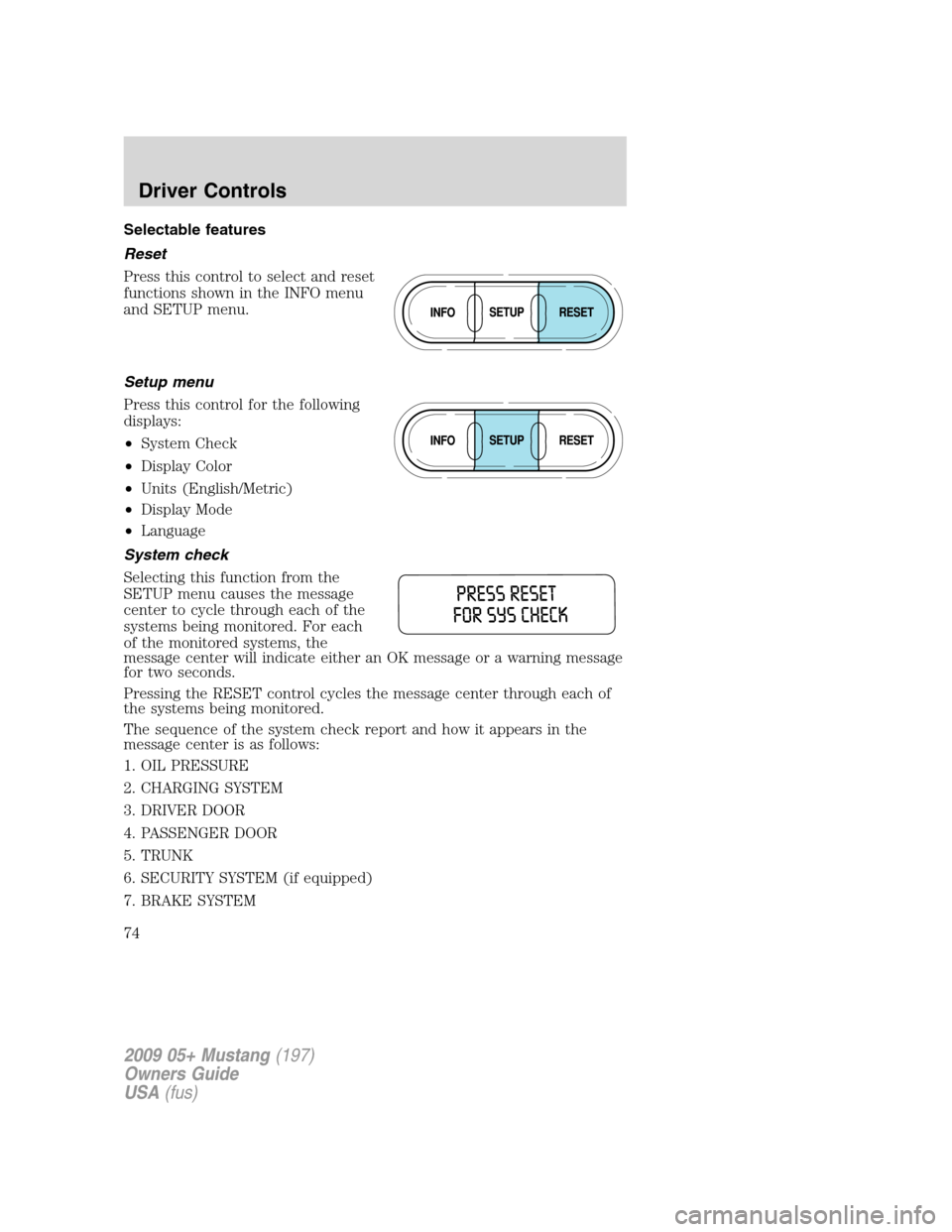
Selectable features
Reset
Press this control to select and reset
functions shown in the INFO menu
and SETUP menu.
Setup menu
Press this control for the following
displays:
•System Check
•Display Color
•Units (English/Metric)
•Display Mode
•Language
System check
Selecting this function from the
SETUP menu causes the message
center to cycle through each of the
systems being monitored. For each
of the monitored systems, the
message center will indicate either an OK message or a warning message
for two seconds.
Pressing the RESET control cycles the message center through each of
the systems being monitored.
The sequence of the system check report and how it appears in the
message center is as follows:
1. OIL PRESSURE
2. CHARGING SYSTEM
3. DRIVER DOOR
4. PASSENGER DOOR
5. TRUNK
6. SECURITY SYSTEM (if equipped)
7. BRAKE SYSTEM
2009 05+ Mustang(197)
Owners Guide
USA(fus)
Driver Controls
74
Page 75 of 292
8. TRAC CONTROL (if equipped)
9. FUEL CAP
10. FUEL LEVEL
11. MILES TO EMPTY
Display color
The instrument cluster gauges are backlit with white backlighting when
the headlamps are off. When the headlamps are on, the user can select
one of six preset colors or one user definable color (MyColor™) for the
nighttime gauge backlighting. Headlamps must be on to set up the
nighttime display color.
Note:A gauge in a warning condition will be lit red when the headlamps
are on.
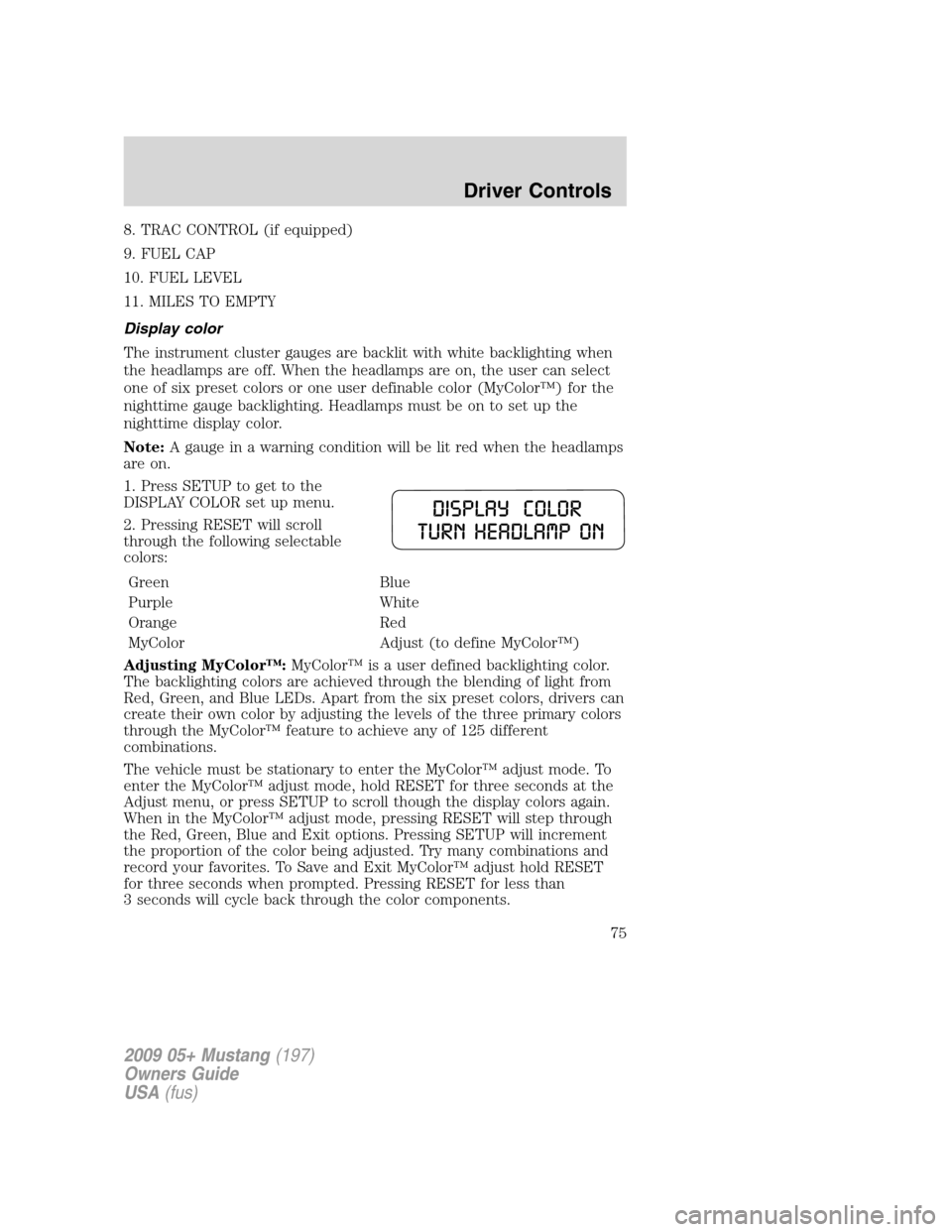
1. Press SETUP to get to the
DISPLAY COLOR set up menu.
2. Pressing RESET will scroll
through the following selectable
colors:
Green Blue
Purple White
Orange Red
MyColor Adjust (to define MyColor™)
Adjusting MyColor™:MyColor™ is a user defined backlighting color.
The backlighting colors are achieved through the blending of light from
Red, Green, and Blue LEDs. Apart from the six preset colors, drivers can
create their own color by adjusting the levels of the three primary colors
through the MyColor™ feature to achieve any of 125 different
combinations.
The vehicle must be stationary to enter the MyColor™ adjust mode. To
enter the MyColor™ adjust mode, hold RESET for three seconds at the
Adjust menu, or press SETUP to scroll though the display colors again.
When in the MyColor™ adjust mode, pressing RESET will step through
the Red, Green, Blue and Exit options. Pressing SETUP will increment
the proportion of the color being adjusted. Try many combinations and
record your favorites. To Save and Exit MyColor™ adjust hold RESET
for three seconds when prompted. Pressing RESET for less than
3 seconds will cycle back through the color components.
2009 05+ Mustang(197)
Owners Guide
USA(fus)
Driver Controls
75
Page 77 of 292
•Fuel Used
•Trip Elapsed Drive Time
•Average Speed
•Blank Display
Odometer/Trip odometer
Refer toGaugesin theInstrument Clusterchapter.
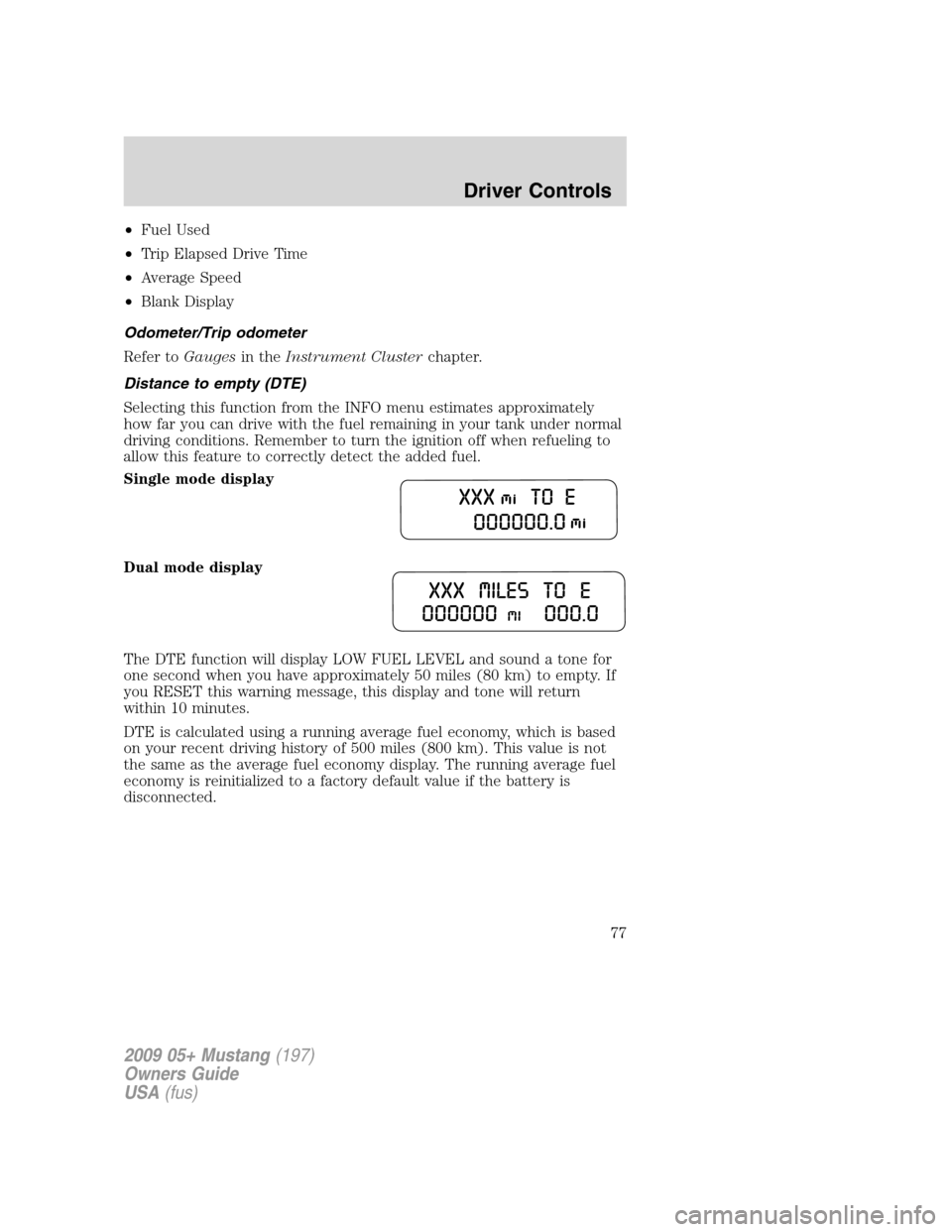
Distance to empty (DTE)
Selecting this function from the INFO menu estimates approximately
how far you can drive with the fuel remaining in your tank under normal
driving conditions. Remember to turn the ignition off when refueling to
allow this feature to correctly detect the added fuel.
Single mode display
Dual mode display
The DTE function will display LOW FUEL LEVEL and sound a tone for
one second when you have approximately 50 miles (80 km) to empty. If
you RESET this warning message, this display and tone will return
within 10 minutes.
DTE is calculated using a running average fuel economy, which is based
on your recent driving history of 500 miles (800 km). This value is not
the same as the average fuel economy display. The running average fuel
economy is reinitialized to a factory default value if the battery is
disconnected.
2009 05+ Mustang(197)
Owners Guide
USA(fus)
Driver Controls
77
Page 79 of 292
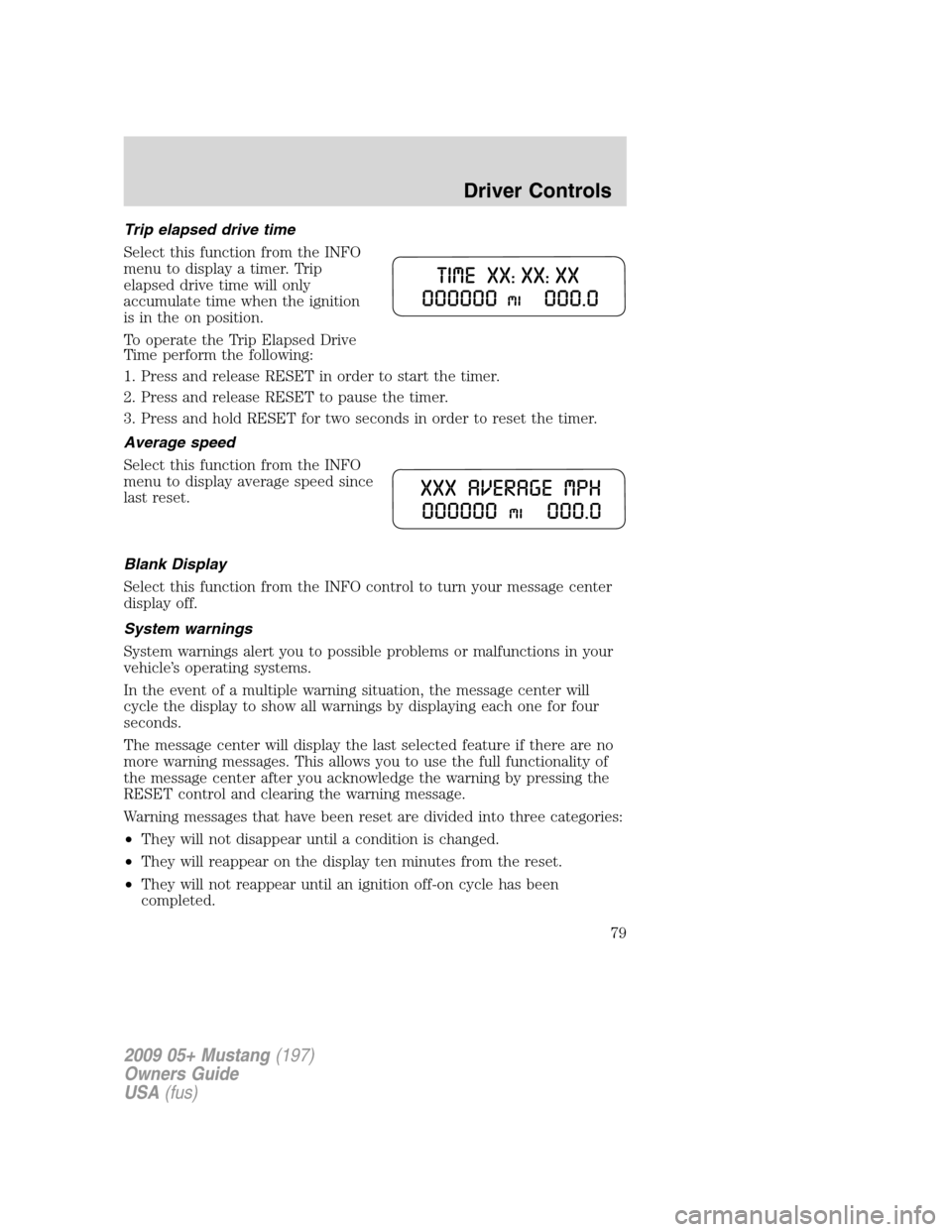
Trip elapsed drive time
Select this function from the INFO
menu to display a timer. Trip
elapsed drive time will only
accumulate time when the ignition
is in the on position.
To operate the Trip Elapsed Drive
Time perform the following:
1. Press and release RESET in order to start the timer.
2. Press and release RESET to pause the timer.
3. Press and hold RESET for two seconds in order to reset the timer.
Average speed
Select this function from the INFO
menu to display average speed since
last reset.
Blank Display
Select this function from the INFO control to turn your message center
display off.
System warnings
System warnings alert you to possible problems or malfunctions in your
vehicle’s operating systems.
In the event of a multiple warning situation, the message center will
cycle the display to show all warnings by displaying each one for four
seconds.
The message center will display the last selected feature if there are no
more warning messages. This allows you to use the full functionality of
the message center after you acknowledge the warning by pressing the
RESET control and clearing the warning message.
Warning messages that have been reset are divided into three categories:
•They will not disappear until a condition is changed.
•They will reappear on the display ten minutes from the reset.
•They will not reappear until an ignition off-on cycle has been
completed.
2009 05+ Mustang(197)
Owners Guide
USA(fus)
Driver Controls
79