brake FORD MUSTANG 2014 5.G User Guide
[x] Cancel search | Manufacturer: FORD, Model Year: 2014, Model line: MUSTANG, Model: FORD MUSTANG 2014 5.GPages: 461, PDF Size: 5.47 MB
Page 96 of 461
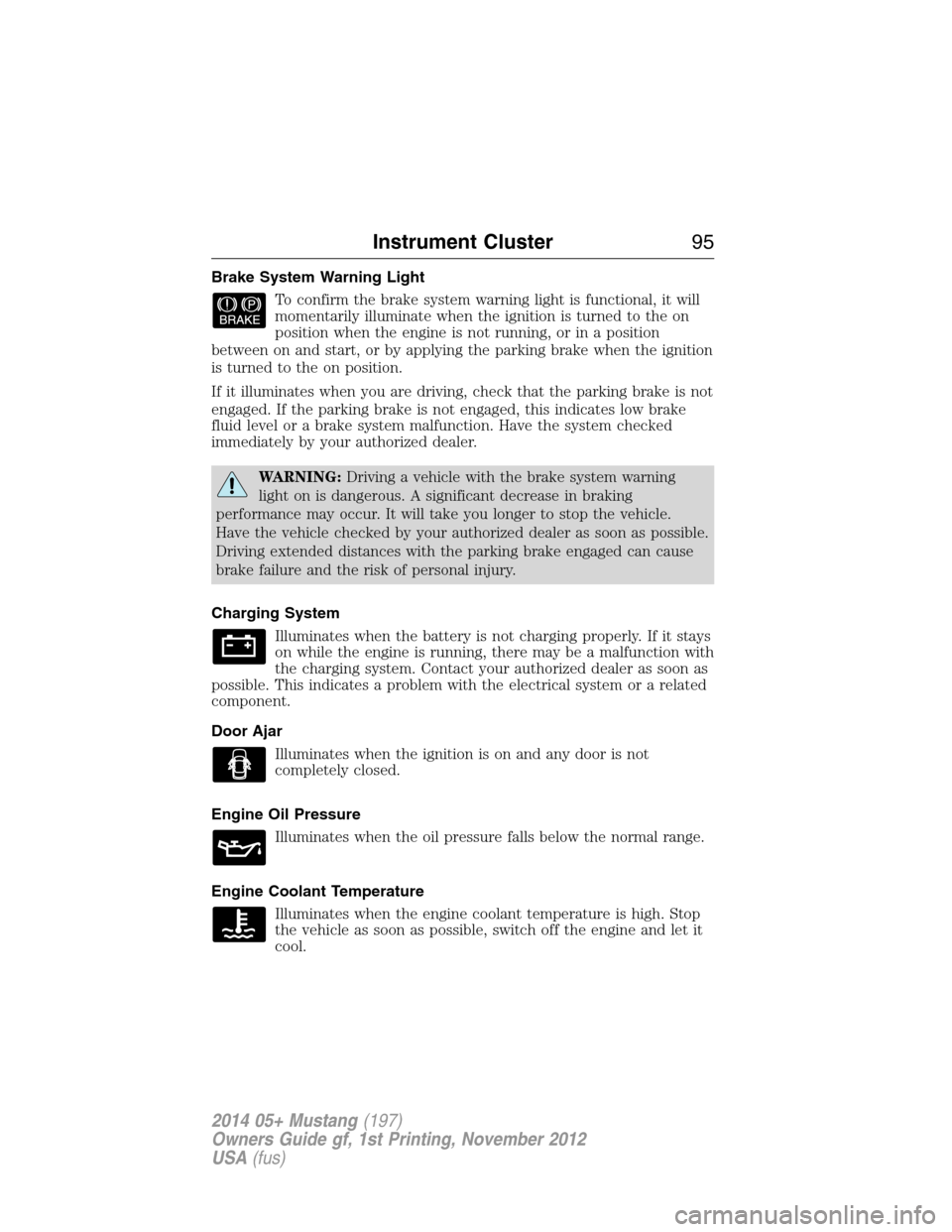
Brake System Warning Light
To confirm the brake system warning light is functional, it will
momentarily illuminate when the ignition is turned to the on
position when the engine is not running, or in a position
between on and start, or by applying the parking brake when the ignition
is turned to the on position.
If it illuminates when you are driving, check that the parking brake is not
engaged. If the parking brake is not engaged, this indicates low brake
fluid level or a brake system malfunction. Have the system checked
immediately by your authorized dealer.
WARNING:Driving a vehicle with the brake system warning
light on is dangerous. A significant decrease in braking
performance may occur. It will take you longer to stop the vehicle.
Have the vehicle checked by your authorized dealer as soon as possible.
Driving extended distances with the parking brake engaged can cause
brake failure and the risk of personal injury.
Charging System
Illuminates when the battery is not charging properly. If it stays
on while the engine is running, there may be a malfunction with
the charging system. Contact your authorized dealer as soon as
possible. This indicates a problem with the electrical system or a related
component.
Door Ajar
Illuminates when the ignition is on and any door is not
completely closed.
Engine Oil Pressure
Illuminates when the oil pressure falls below the normal range.
Engine Coolant Temperature
Illuminates when the engine coolant temperature is high. Stop
the vehicle as soon as possible, switch off the engine and let it
cool.
Instrument Cluster95
2014 05+ Mustang(197)
Owners Guide gf, 1st Printing, November 2012
USA(fus)
Page 99 of 461
Stability Control System Off
Illuminates when AdvanceTrac®/Traction control has been
disabled by the driver.
Turn Signal
Illuminates when the left or right turn signal or the hazard
warning flasher is turned on. If the indicators stay on or flash
faster, check for a burned out bulb.
Upshift (if equipped)
To maximize fuel economy, this light illuminates when the
manual transmission should be shifted to the next highest gear.
AUDIBLE WARNINGS AND INDICATORS
Key In Ignition Warning Chime
Sounds when the key is left in the ignition in the off or accessory
position and the driver’s door is opened.
Keyless Warning Alert (If Equipped)
Sounds when the keyless vehicle is in RUN and the driver’s door is
opened.
Headlamps On Warning Chime
Sounds when the headlamps or parking lamps are on, the ignition is off
(the key is not in the ignition) and the driver’s door is opened.
Parking Brake On Warning Chime
Sounds when you have left the parking brake on and drive your vehicle.
If the warning chime remains on after you have released the parking
brake, have the system checked by your authorized dealer immediately.
98Instrument Cluster
2014 05+ Mustang(197)
Owners Guide gf, 1st Printing, November 2012
USA(fus)
Page 102 of 461
RESET FOR SYSTEM CHECK
When this message appears,
press the RESET button and the
information display will begin to
cycle through the following systems
and provide a status of the item if
needed.
1. XXX% OIL LIFE
2. CHARGING SYSTEM
3. DOORS STATUS
4. TRUNK STATUS
5. BRAKE SYSTEM
6. FUEL LEVEL
7. MYKEY DISTANCE (if MyKey® is programmed)
8. MYKEY(S) PROGRAMMED
9. ADMIN KEYS PROGRAMMED
Note:Some systems show a message only if a condition is present.
OIL LIFE
This displays the remaining oil life.
An oil change is required whenever indicated by the information center
and according to the recommended maintenance schedule. USE ONLY
RECOMMENDED ENGINE OILS.
To reset the oil monitoring system to 100% after each oil change perform
the following:
1. Press and release SETUP to display OIL LIFE XXX% HOLD RESET =
NEW.
2. Press and hold RESET for two seconds and release to reset the oil life
to 100%.
Information Displays101
2014 05+ Mustang(197)
Owners Guide gf, 1st Printing, November 2012
USA(fus)
Page 107 of 461
Fuel Economy
Fuel Econ. Instant MPG (L/100km)
mi (km) to E
AVG MPG (L/100km)
Fuel Hist.: shows
fuel usage as a
bar graph based
on time. The
duration time can
be changed.Duration: 5 Minutes, 10 Minutes, 30 Minutes, Last 5
Resets. The graph is updated each minute with the
fuel economy that was achieved during the prior 5,
10, 30 minutes of driving.
†Track Apps
Accelerometer
Acceleration timer
Brake Performance
Dashboard
Screen (Shelby®
GT500®)Launch Control
(Shelby®
GT500®)Off/On / RPM Setting
View/Clear Results
†SeeTrack appslater in this section for more information.
Note:Track Apps is not intended to be used on public roadways.
106Information Displays
2014 05+ Mustang(197)
Owners Guide gf, 1st Printing, November 2012
USA(fus)
Page 115 of 461
Acceleration Timer
Displays the vehicle’s rate of acceleration.
1. Choose desired speed or distance.
2. Choose Automatic Start or Countdown Start.
3. Follow the on-screen prompts.
Brake Performance
Displays the vehicle’s rate of deceleration.
1. Choose desired speed to start recording data.
2. Follow the on-screen prompts.
Dashboard Screen (Shelby® GT500®)
For dashboard screen information, see theShelby GT500 Supplement.
Launch Control (Shelby® GT500®)
For launch control information, see theShelby GT500 Supplement.
INFORMATION MESSAGES
Note:Depending on the vehicle options equipped with your vehicle, not
all of the messages will display or be available. Certain messages may be
abbreviated or shortened depending upon which cluster type you have.
Press the RESET button for Type 1 displays or the OK button for Type 2
displays to acknowledge and remove some messages from the information
display. Other messages will be removed automatically after a short time.
Certain messages need to be confirmed before you can access the menus.
AdvanceTrac® /
Traction Control
MessagesAction / Description
SERVICE
ADVANCETRACDisplayed when the AdvanceTrac® system has
detected a condition that requires service.
Contact your authorized dealer as soon as
possible.
ADVANCETRAC
OFFDisplayed when the AdvanceTrac® system has
been disabled by the driver.
ADVANCETRAC ONDisplayed when the AdvanceTrac® system has
been enabled by the driver.
TRACTION
CONTROL OFFDisplayed when the traction control system
has been turned off.
11 4Information Displays
2014 05+ Mustang(197)
Owners Guide gf, 1st Printing, November 2012
USA(fus)
Page 116 of 461
Alarm/Security
MessagesAction / Description
TO STOP ALARM
START VEHICLEDisplayed when the perimeter alarm system is
armed and the vehicle is entered using the key
on the driver’s side door. In order to prevent
the perimeter alarm system from triggering,
the ignition must be turned to start or on
before the 12 second chime expires.
SECURITY EVENT
OCCURREDDisplayed when the active anti-theft system
was activated since the prior ignition cycle.
Battery and
Charging System
MessagesAction / Description
CHECK CHARGING
SYSTEMDisplayed when the charging system needs
servicing. If the warning stays on or continues
to come on, contact your authorized dealer as
soon as possible.
Brake System
MessagesAction / Description
BRAKE FLUID
LEVEL LOWIndicates the brake fluid level is low and the
brake system should be inspected immediately.
CHECK BRAKE
SYSTEMDisplayed when the brake system needs
servicing. If the warning stays on or continues
to come on, contact your authorized dealer as
soon as possible.
PARK BRAKE
ENGAGEDDisplayed when the parking brake is set and
the vehicle is in motion.
Door Messages Action / Description
X DOOR AJARDisplayed when the corresponding door is not
completely closed.
TRUNK AJARDisplayed when the trunk is not completely
closed.
Information Displays11 5
2014 05+ Mustang(197)
Owners Guide gf, 1st Printing, November 2012
USA(fus)
Page 127 of 461
WARNING:For safety reasons, do not connect or adjust the
settings on your portable music player while your vehicle is
moving.
WARNING:Store the portable music player in a secure location,
such as the center console or the glove box, when your vehicle is
moving. Hard objects may become projectiles in a crash or sudden stop,
which may increase the risk of serious injury. The audio extension cable
must be long enough to allow the portable music player to be safely
stored while your vehicle is moving.
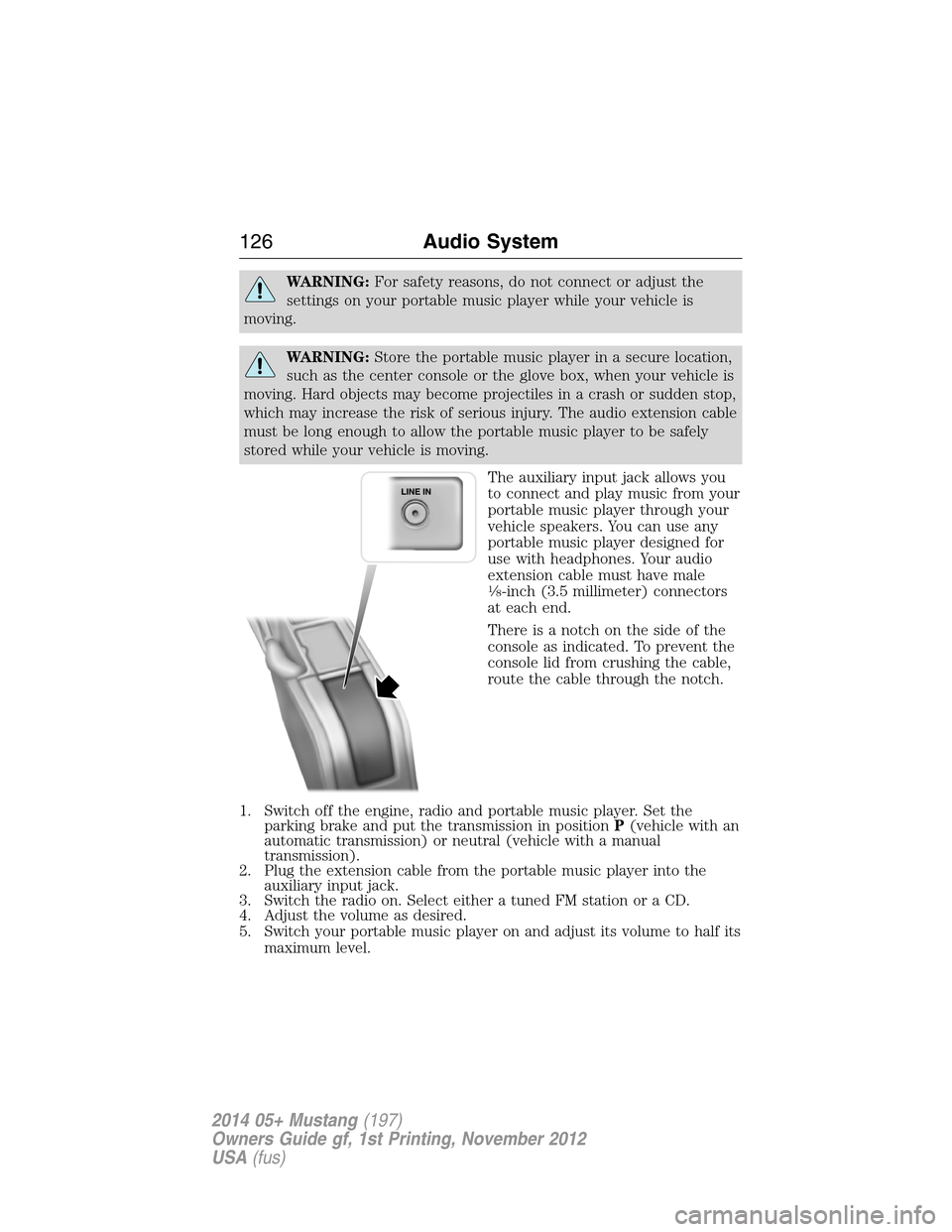
The auxiliary input jack allows you
to connect and play music from your
portable music player through your
vehicle speakers. You can use any
portable music player designed for
use with headphones. Your audio
extension cable must have male
18-inch (3.5 millimeter) connectors
at each end.
There is a notch on the side of the
console as indicated. To prevent the
console lid from crushing the cable,
route the cable through the notch.
1. Switch off the engine, radio and portable music player. Set the
parking brake and put the transmission in positionP(vehicle with an
automatic transmission) or neutral (vehicle with a manual
transmission).
2. Plug the extension cable from the portable music player into the
auxiliary input jack.
3. Switch the radio on. Select either a tuned FM station or a CD.
4. Adjust the volume as desired.
5. Switch your portable music player on and adjust its volume to half its
maximum level.
126Audio System
2014 05+ Mustang(197)
Owners Guide gf, 1st Printing, November 2012
USA(fus)
Page 156 of 461
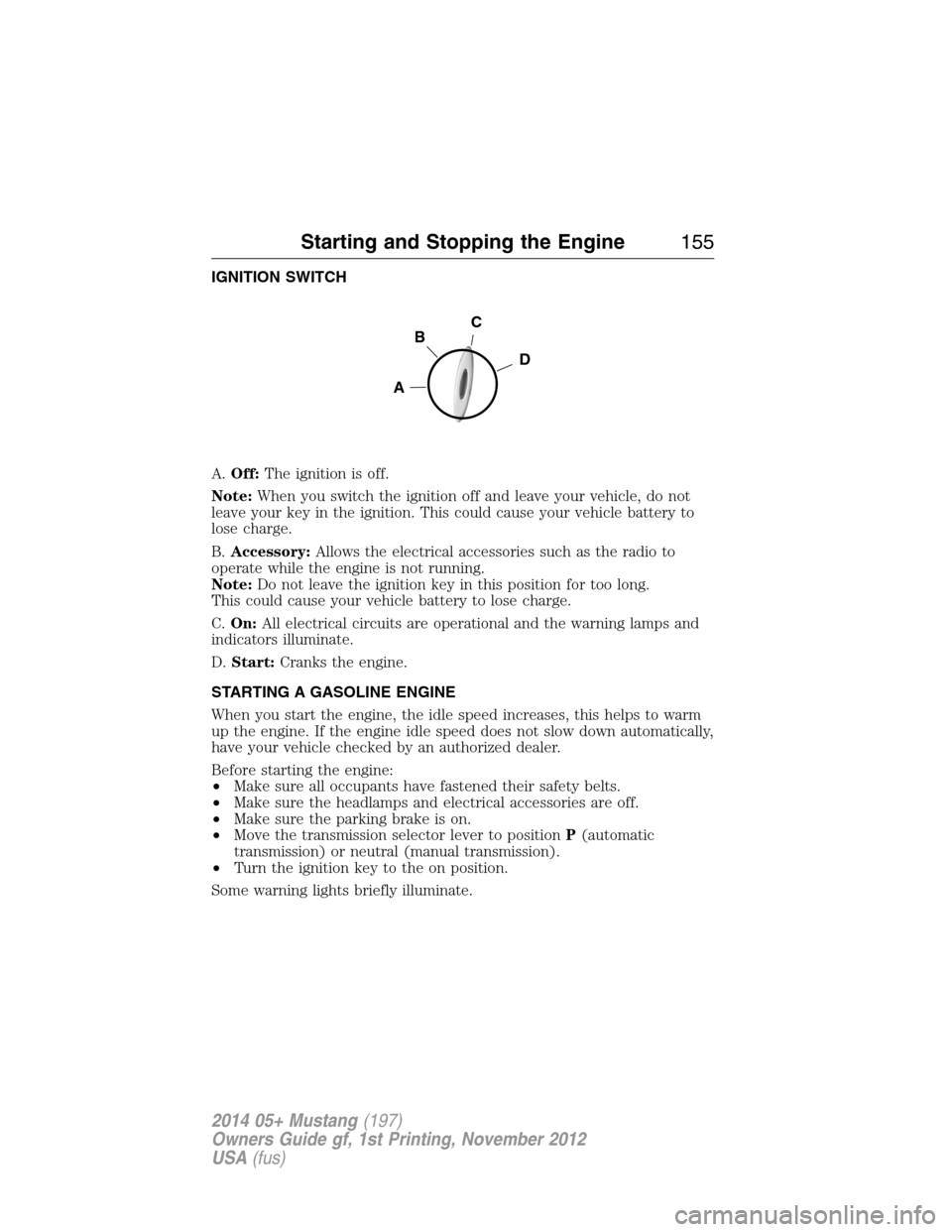
IGNITION SWITCH
A.Off:The ignition is off.
Note:When you switch the ignition off and leave your vehicle, do not
leave your key in the ignition. This could cause your vehicle battery to
lose charge.
B.Accessory:Allows the electrical accessories such as the radio to
operate while the engine is not running.
Note:Do not leave the ignition key in this position for too long.
This could cause your vehicle battery to lose charge.
C.On:All electrical circuits are operational and the warning lamps and
indicators illuminate.
D.Start:Cranks the engine.
STARTING A GASOLINE ENGINE
When you start the engine, the idle speed increases, this helps to warm
up the engine. If the engine idle speed does not slow down automatically,
have your vehicle checked by an authorized dealer.
Before starting the engine:
•Make sure all occupants have fastened their safety belts.
•Make sure the headlamps and electrical accessories are off.
•Make sure the parking brake is on.
•Move the transmission selector lever to positionP(automatic
transmission) or neutral (manual transmission).
•Turn the ignition key to the on position.
Some warning lights briefly illuminate.
C
D
B
A
Starting and Stopping the Engine155
2014 05+ Mustang(197)
Owners Guide gf, 1st Printing, November 2012
USA(fus)
Page 157 of 461
Note:Do not touch the accelerator pedal.
1. Fully press the brake pedal. If your vehicle is equipped with a manual
transmission, fully press the clutch pedal also.
2. Turn the key to the start position to start the engine. Release the key
when the engine starts.
Note:The engine may continue cranking for up to 15 seconds or until it
starts.
Note:If you cannot start the engine on the first try, wait for a short
period and try again.
If you have difficulty starting the engine when the temperature is below
-13°F (-25°C), press the accelerator pedal slightly and try again.
Failure to Start
If you cannot start the engine after three attempts, wait 10 seconds and
follow this procedure:
1. Fully press the brake pedal. If your vehicle is equipped with a manual
transmission, fully press the clutch pedal also.
2. Fully press the accelerator pedal and hold it there.
3. Start the engine.
Stopping the Engine When Your Vehicle is Stationary
1. Move the transmission selector lever to positionP(automatic
transmission) or1(manual transmission).
2. Turn the key to the off position.
3. Apply the parking brake.
Stopping the Engine When Your Vehicle is Moving
WARNING:When you switch off the engine when your vehicle is
still moving, this results in a loss of brake and steering assistance.
The steering does not lock, but higher effort is required. When you
switch off the ignition, some electrical circuits, warning lamps and
indicators may also be off.
1. Move the transmission selector lever to positionN(automatic
transmission) or neutral (manual transmission) and use the brakes to
bring your vehicle to a safe stop.
2. When your vehicle has stopped, move the transmission selector lever
to positionP(automatic transmission) or1(manual transmission)
and turn the key to the off position.
3. Apply the parking brake.
156Starting and Stopping the Engine
2014 05+ Mustang(197)
Owners Guide gf, 1st Printing, November 2012
USA(fus)
Page 170 of 461
AUTOMATIC TRANSMISSION (IF EQUIPPED)
WARNING:Always set the parking brake fully and make sure
the gearshift is latched in position P. Turn the ignition off and
remove the key whenever you leave your vehicle.
Your vehicle has been designed to improve fuel economy by reducing
fuel usage while coasting or decelerating. When you take your foot off
the accelerator pedal and the vehicle begins to slow down, the torque
converter clutch locks up and aggressively shuts off fuel flow to the
engine while decelerating. This fuel economy benefit may be perceived
as a light to medium braking sensation when removing your foot from
the accelerator pedal.
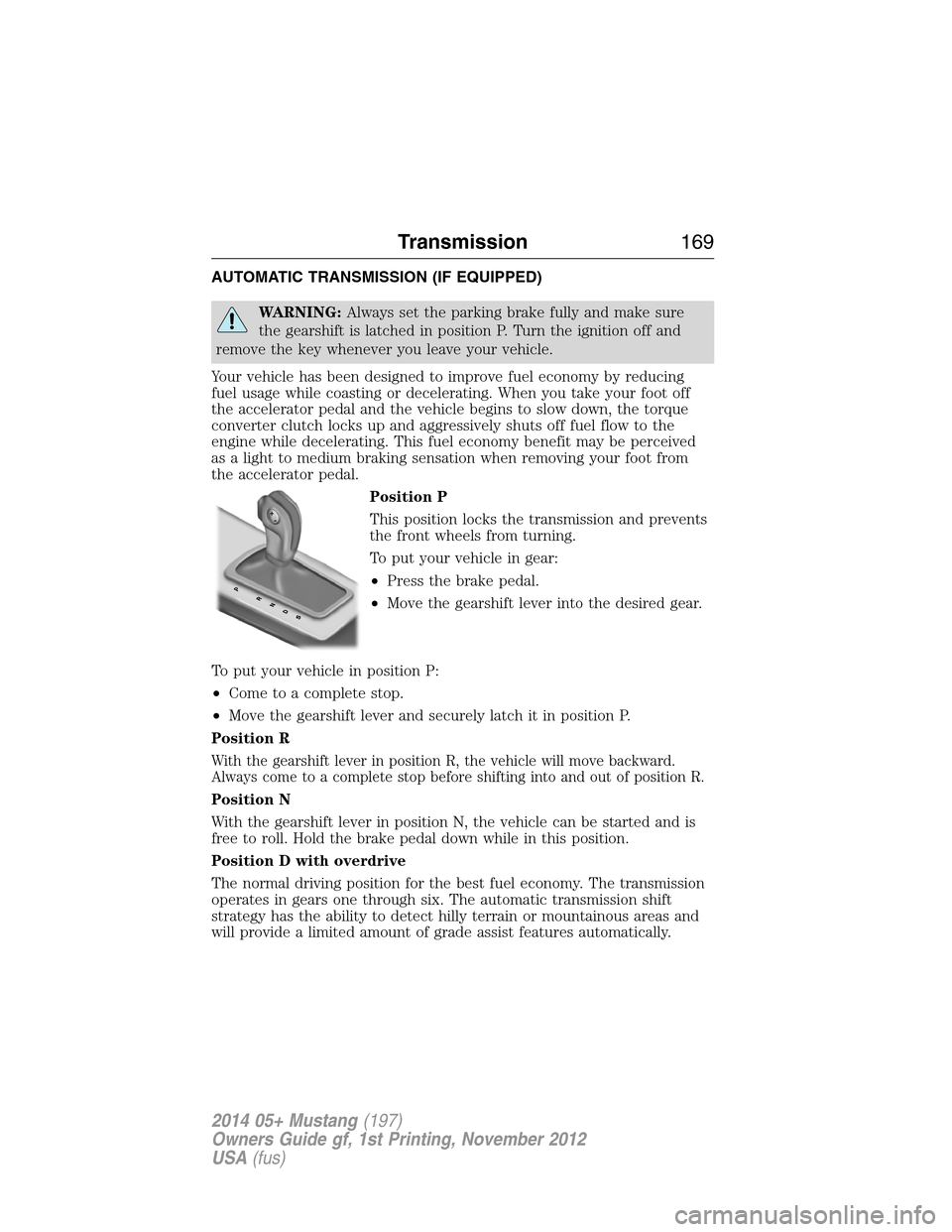
Position P
This position locks the transmission and prevents
the front wheels from turning.
To put your vehicle in gear:
•Press the brake pedal.
•Move the gearshift lever into the desired gear.
To put your vehicle in position P:
•Come to a complete stop.
•Move the gearshift lever and securely latch it in position P.
Position R
With the gearshift lever in position R, the vehicle will move backward.
Always come to a complete stop before shifting into and out of position R.
Position N
With the gearshift lever in position N, the vehicle can be started and is
free to roll. Hold the brake pedal down while in this position.
Position D with overdrive
The normal driving position for the best fuel economy. The transmission
operates in gears one through six. The automatic transmission shift
strategy has the ability to detect hilly terrain or mountainous areas and
will provide a limited amount of grade assist features automatically.
P
Transmission169
2014 05+ Mustang(197)
Owners Guide gf, 1st Printing, November 2012
USA(fus)