manual transmission FORD MUSTANG 2014 5.G Owners Manual
[x] Cancel search | Manufacturer: FORD, Model Year: 2014, Model line: MUSTANG, Model: FORD MUSTANG 2014 5.GPages: 461, PDF Size: 5.47 MB
Page 5 of 461
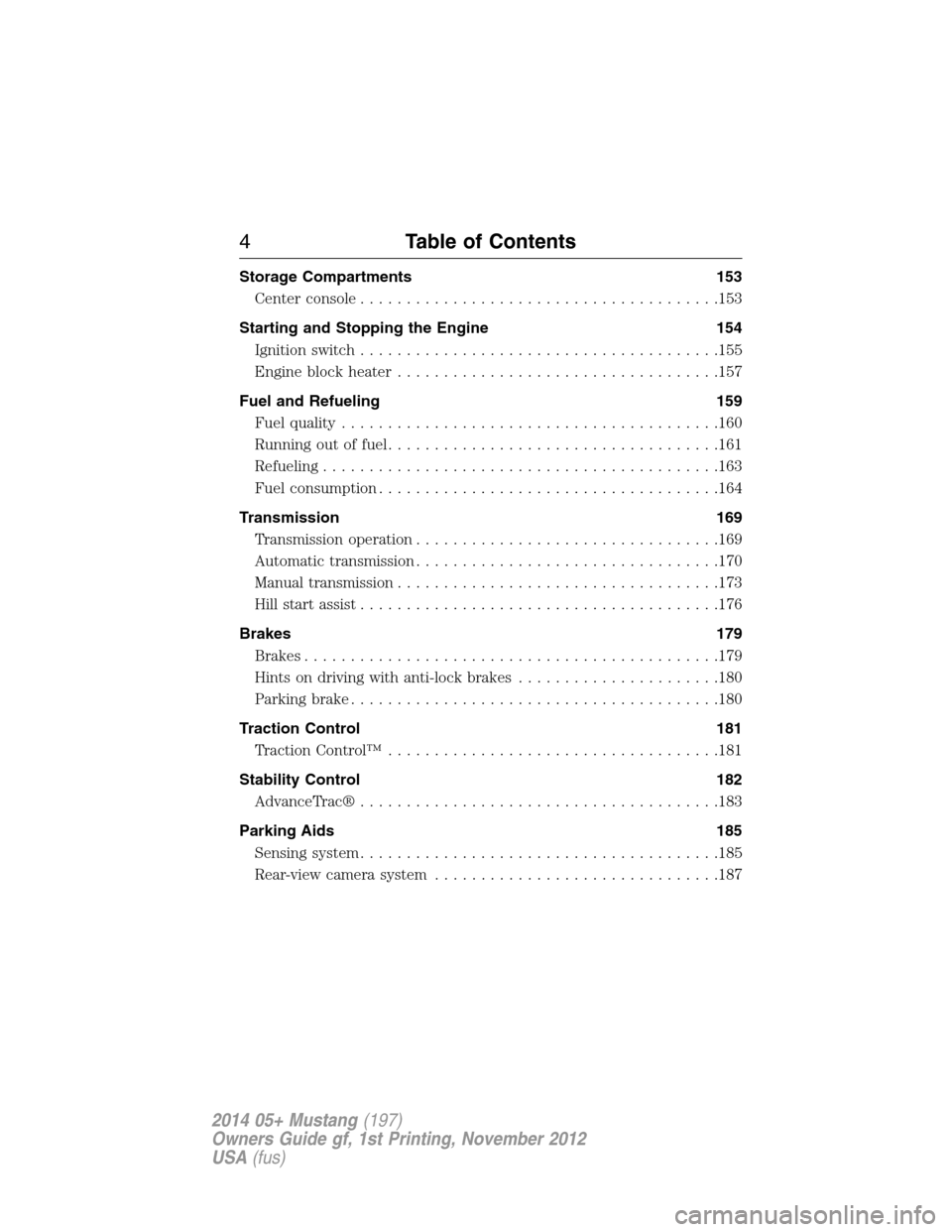
Storage Compartments 153
Center console.......................................153
Starting and Stopping the Engine 154
Ignition switch.......................................155
Engine block heater...................................157
Fuel and Refueling 159
Fuel quality.........................................160
Running out of fuel....................................161
Refueling...........................................163
Fuel consumption.....................................164
Transmission 169
Transmission operation.................................169
Automatic transmission.................................170
Manual transmission...................................173
Hill start assist.......................................176
Brakes 179
Brakes.............................................179
Hints on driving with anti-lock brakes......................180
Parking brake........................................180
Traction Control 181
TractionControl™ ....................................181
Stability Control 182
AdvanceTrac®.......................................183
Parking Aids 185
Sensing system.......................................185
Rear-view camera system...............................187
4Table of Contents
2014 05+ Mustang(197)
Owners Guide gf, 1st Printing, November 2012
USA(fus)
Page 42 of 461
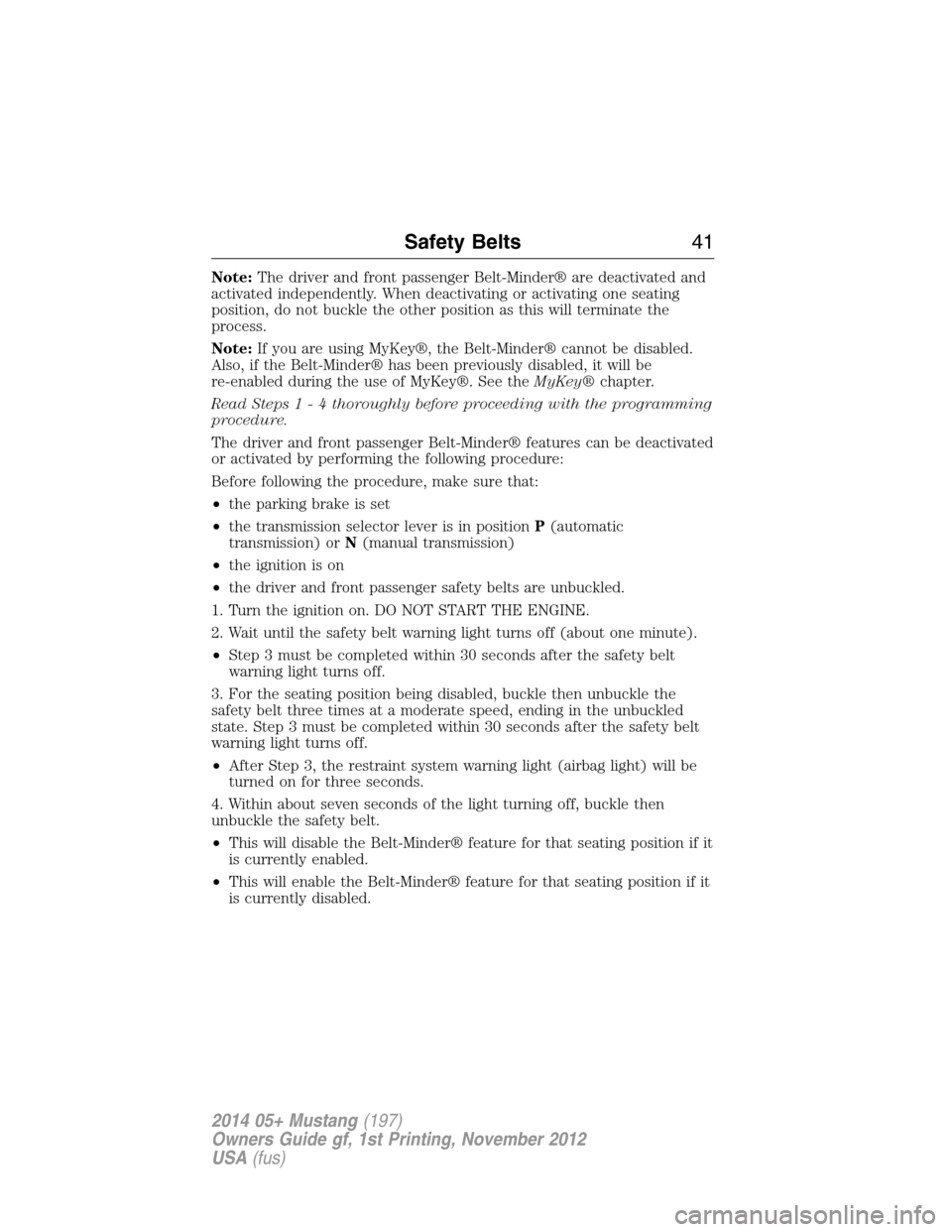
Note:The driver and front passenger Belt-Minder® are deactivated and
activated independently. When deactivating or activating one seating
position, do not buckle the other position as this will terminate the
process.
Note:If you are using MyKey®, the Belt-Minder® cannot be disabled.
Also, if the Belt-Minder® has been previously disabled, it will be
re-enabled during the use of MyKey®. See theMyKey®chapter.
Read Steps1-4thoroughly before proceeding with the programming
procedure.
The driver and front passenger Belt-Minder® features can be deactivated
or activated by performing the following procedure:
Before following the procedure, make sure that:
•the parking brake is set
•the transmission selector lever is in positionP(automatic
transmission) orN(manual transmission)
•the ignition is on
•the driver and front passenger safety belts are unbuckled.
1. Turn the ignition on. DO NOT START THE ENGINE.
2. Wait until the safety belt warning light turns off (about one minute).
•Step 3 must be completed within 30 seconds after the safety belt
warning light turns off.
3. For the seating position being disabled, buckle then unbuckle the
safety belt three times at a moderate speed, ending in the unbuckled
state. Step 3 must be completed within 30 seconds after the safety belt
warning light turns off.
•After Step 3, the restraint system warning light (airbag light) will be
turned on for three seconds.
4. Within about seven seconds of the light turning off, buckle then
unbuckle the safety belt.
•This will disable the Belt-Minder® feature for that seating position if it
is currently enabled.
•This will enable the Belt-Minder® feature for that seating position if it
is currently disabled.
Safety Belts41
2014 05+ Mustang(197)
Owners Guide gf, 1st Printing, November 2012
USA(fus)
Page 67 of 461
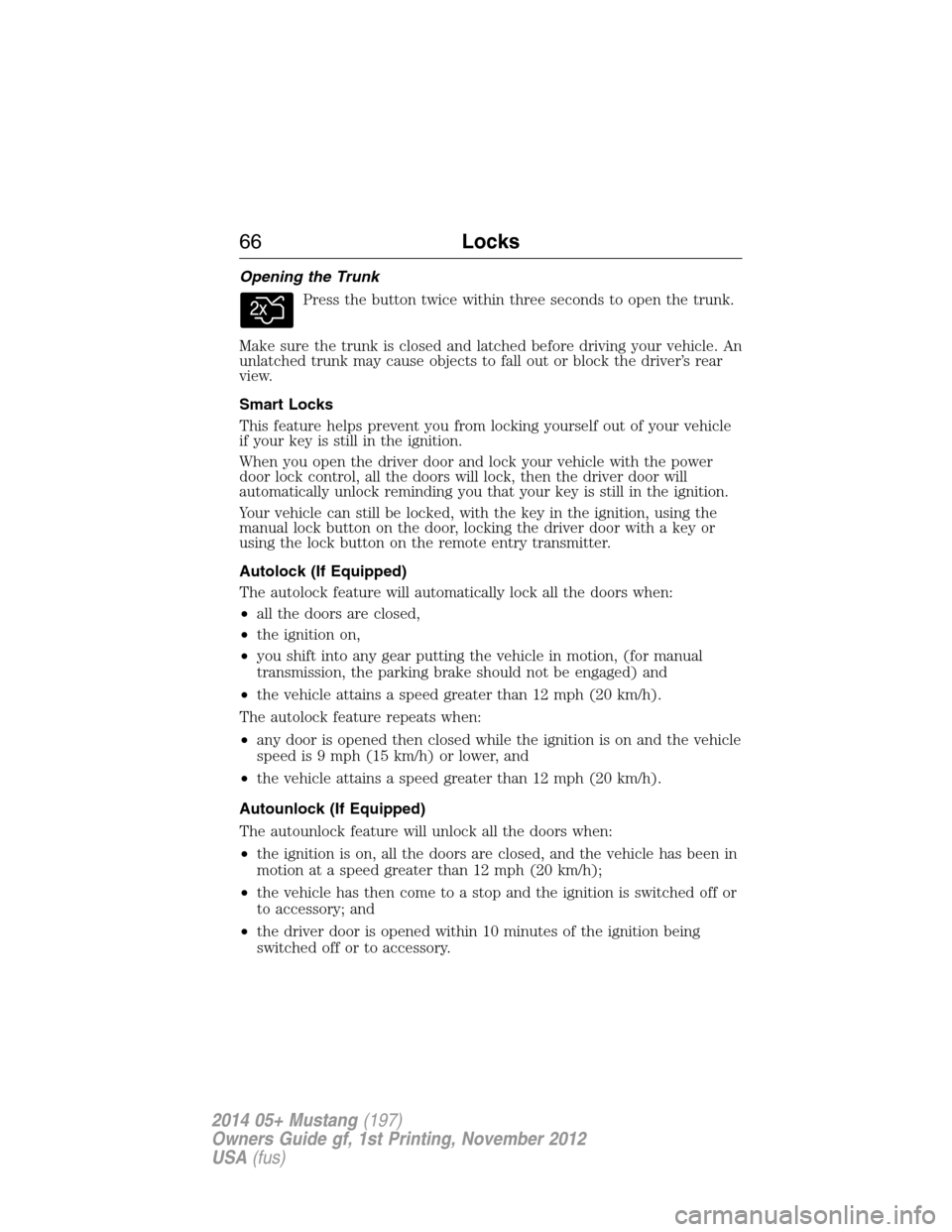
Opening the Trunk
Press the button twice within three seconds to open the trunk.
Make sure the trunk is closed and latched before driving your vehicle. An
unlatched trunk may cause objects to fall out or block the driver’s rear
view.
Smart Locks
This feature helps prevent you from locking yourself out of your vehicle
if your key is still in the ignition.
When you open the driver door and lock your vehicle with the power
door lock control, all the doors will lock, then the driver door will
automatically unlock reminding you that your key is still in the ignition.
Your vehicle can still be locked, with the key in the ignition, using the
manual lock button on the door, locking the driver door with a key or
using the lock button on the remote entry transmitter.
Autolock (If Equipped)
The autolock feature will automatically lock all the doors when:
•all the doors are closed,
•the ignition on,
•you shift into any gear putting the vehicle in motion, (for manual
transmission, the parking brake should not be engaged) and
•the vehicle attains a speed greater than 12 mph (20 km/h).
The autolock feature repeats when:
•any door is opened then closed while the ignition is on and the vehicle
speed is 9 mph (15 km/h) or lower, and
•the vehicle attains a speed greater than 12 mph (20 km/h).
Autounlock (If Equipped)
The autounlock feature will unlock all the doors when:
•the ignition is on, all the doors are closed, and the vehicle has been in
motion at a speed greater than 12 mph (20 km/h);
•the vehicle has then come to a stop and the ignition is switched off or
to accessory; and
•the driver door is opened within 10 minutes of the ignition being
switched off or to accessory.
66Locks
2014 05+ Mustang(197)
Owners Guide gf, 1st Printing, November 2012
USA(fus)
Page 99 of 461
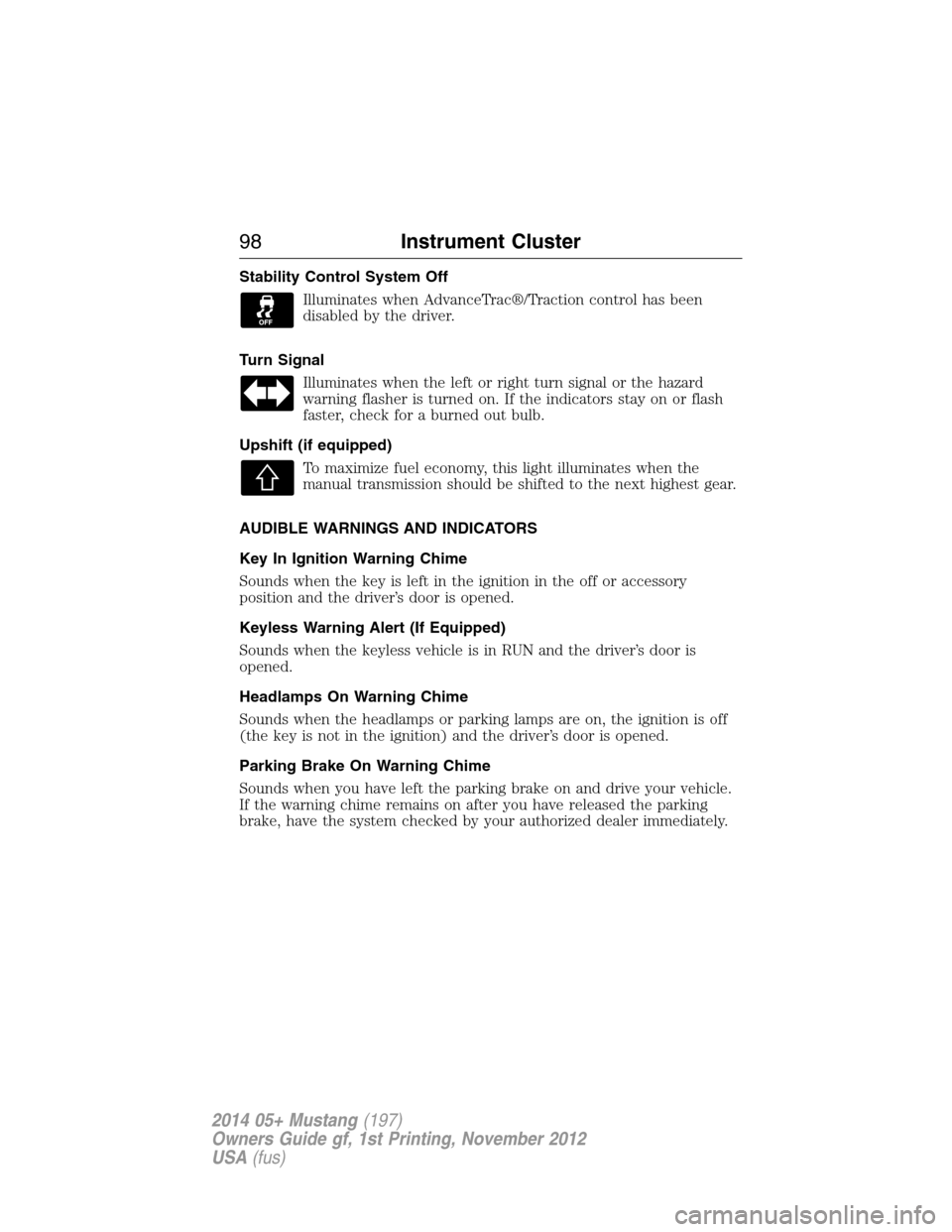
Stability Control System Off
Illuminates when AdvanceTrac®/Traction control has been
disabled by the driver.
Turn Signal
Illuminates when the left or right turn signal or the hazard
warning flasher is turned on. If the indicators stay on or flash
faster, check for a burned out bulb.
Upshift (if equipped)
To maximize fuel economy, this light illuminates when the
manual transmission should be shifted to the next highest gear.
AUDIBLE WARNINGS AND INDICATORS
Key In Ignition Warning Chime
Sounds when the key is left in the ignition in the off or accessory
position and the driver’s door is opened.
Keyless Warning Alert (If Equipped)
Sounds when the keyless vehicle is in RUN and the driver’s door is
opened.
Headlamps On Warning Chime
Sounds when the headlamps or parking lamps are on, the ignition is off
(the key is not in the ignition) and the driver’s door is opened.
Parking Brake On Warning Chime
Sounds when you have left the parking brake on and drive your vehicle.
If the warning chime remains on after you have released the parking
brake, have the system checked by your authorized dealer immediately.
98Instrument Cluster
2014 05+ Mustang(197)
Owners Guide gf, 1st Printing, November 2012
USA(fus)
Page 119 of 461
Park Aid Messages Action / Description
CHECK REAR PARK
AIDDisplayed when the transmission is in R
(Reverse) and the park aid is disabled.
Tire Messages Action / Description
LOW TIRE
PRESSUREDisplays when one or more tires on your
vehicle have low tire pressure.
TIRE PRESSURE
MONITOR FAULTDisplays when the tire pressure monitoring
system is malfunctioning. If the warning stays
on or continues to come on, contact your
authorized dealer.
TIRE PRESSURE
SENSOR FAULTDisplayed when a tire pressure sensor is
malfunctioning, or your spare tire is in use.
For more information on how the system
operates under these conditions. If the
warning stays on or continues to come on,
contact your authorized dealer as soon as
possible.
ELECTRONIC COMPASS
The compass heading displays in the center-integrated display.
Note:Driving near large buildings, bridges, power lines and powerful
broadcast antenna may affect the compass reading. Magnetic or metallic
objects placed in, on or near your vehicle may also affect compass
accuracy.
Usually, when something affects the compass readings, the compass
corrects itself after a few days of operating your vehicle in normal
conditions. If the compass still appears to be inaccurate, a manual
calibration may be necessary. SeeCompass calibration adjustment.
11 8Information Displays
2014 05+ Mustang(197)
Owners Guide gf, 1st Printing, November 2012
USA(fus)
Page 127 of 461
WARNING:For safety reasons, do not connect or adjust the
settings on your portable music player while your vehicle is
moving.
WARNING:Store the portable music player in a secure location,
such as the center console or the glove box, when your vehicle is
moving. Hard objects may become projectiles in a crash or sudden stop,
which may increase the risk of serious injury. The audio extension cable
must be long enough to allow the portable music player to be safely
stored while your vehicle is moving.
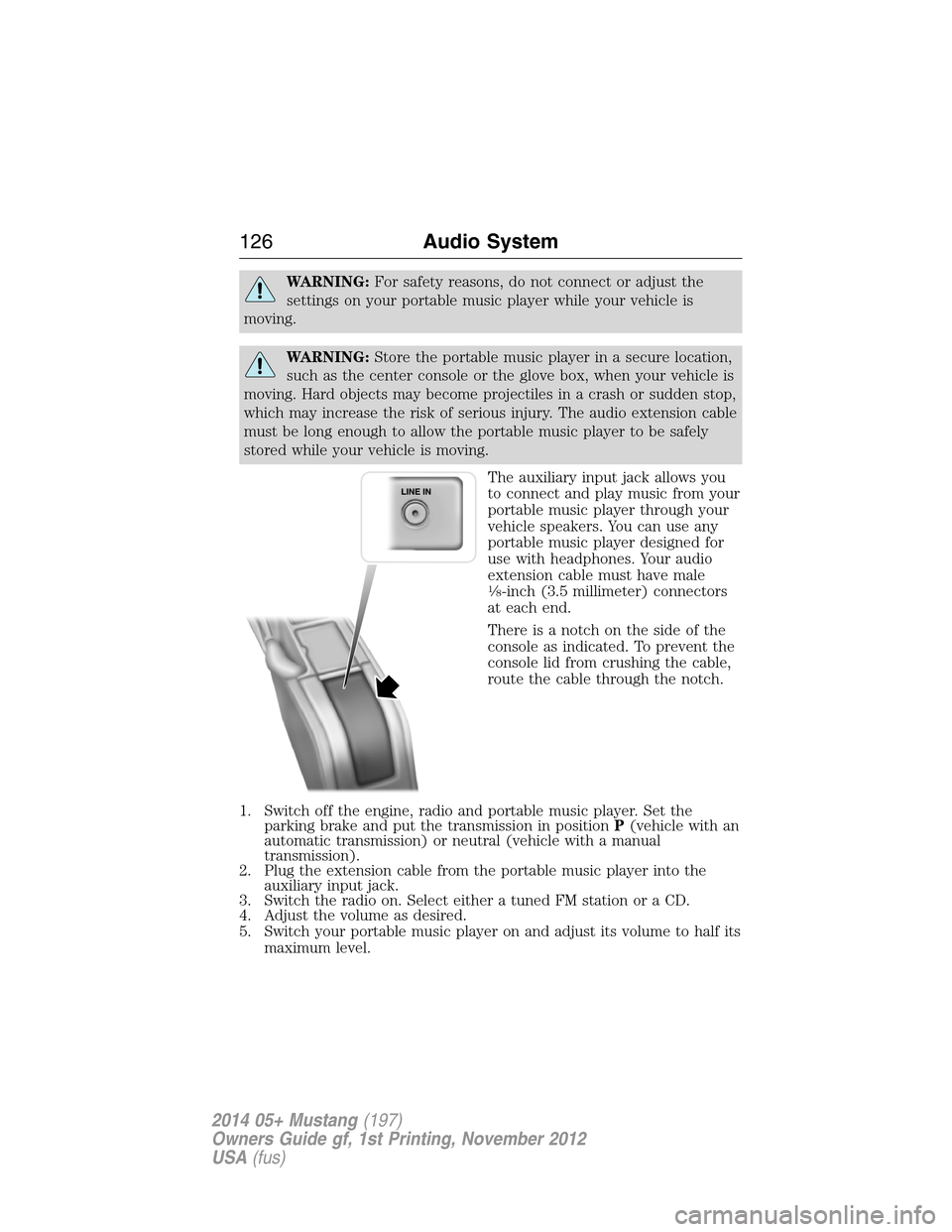
The auxiliary input jack allows you
to connect and play music from your
portable music player through your
vehicle speakers. You can use any
portable music player designed for
use with headphones. Your audio
extension cable must have male
18-inch (3.5 millimeter) connectors
at each end.
There is a notch on the side of the
console as indicated. To prevent the
console lid from crushing the cable,
route the cable through the notch.
1. Switch off the engine, radio and portable music player. Set the
parking brake and put the transmission in positionP(vehicle with an
automatic transmission) or neutral (vehicle with a manual
transmission).
2. Plug the extension cable from the portable music player into the
auxiliary input jack.
3. Switch the radio on. Select either a tuned FM station or a CD.
4. Adjust the volume as desired.
5. Switch your portable music player on and adjust its volume to half its
maximum level.
126Audio System
2014 05+ Mustang(197)
Owners Guide gf, 1st Printing, November 2012
USA(fus)
Page 137 of 461
•To improve the A/C cool down, drive with the windows slightly open
for 2-3 minutes after start-up or until the vehicle has been aired out.
•A small amount of air may be felt from the floor vent regardless of the
air distribution setting that is selected.
During extreme high ambient temperatures when idling stationary for
extended periods of time in gear, it is recommended to run the A/C in
the MAX A/C mode, adjust the blower fan speed to the lowest setting
and put the vehicle’s transmission into positionP(vehicles equipped
with an automatic transmission) to continue to receive cool air from
your A/C system.
For maximum cooling performance in AUTO mode, pressMAX A/C.
For maximum cooling performance in manual override control:
1. Choose Panel, A/C, and recirc controls.
2. Set the temperature to LO.
3. Set the fan to the highest blower setting.
To aid in side window defogging and demisting in cold or humid weather:
1. Select Floor/Panel.
2. Select A/C.
3. Adjust the temperature control to maintain comfort.
4. Set the fan speed to the highest setting.
5. Direct the outer instrument panel vents toward the side windows.
6. To increase airflow to the outer instrument panel vents, close the
vents located in the middle of the instrument panel.
HEATED WINDOWS AND MIRRORS (IF EQUIPPED)
Heated Rear Window
Note:The vehicle must be running to use this feature.
Press the control to clear the rear window of thin ice and fog. Press the
control again within 15 minutes to switch it off. It turns off automatically
after approximately 15 minutes, or when you switch the ignition off.
Do not use razor blades or other sharp objects to clean the inside
of the rear window or to remove decals from the inside of the
rear window. This may cause damage to the heated grid lines.
Your warranty does not cover this damage.
136Climate Control
2014 05+ Mustang(197)
Owners Guide gf, 1st Printing, November 2012
USA(fus)
Page 156 of 461
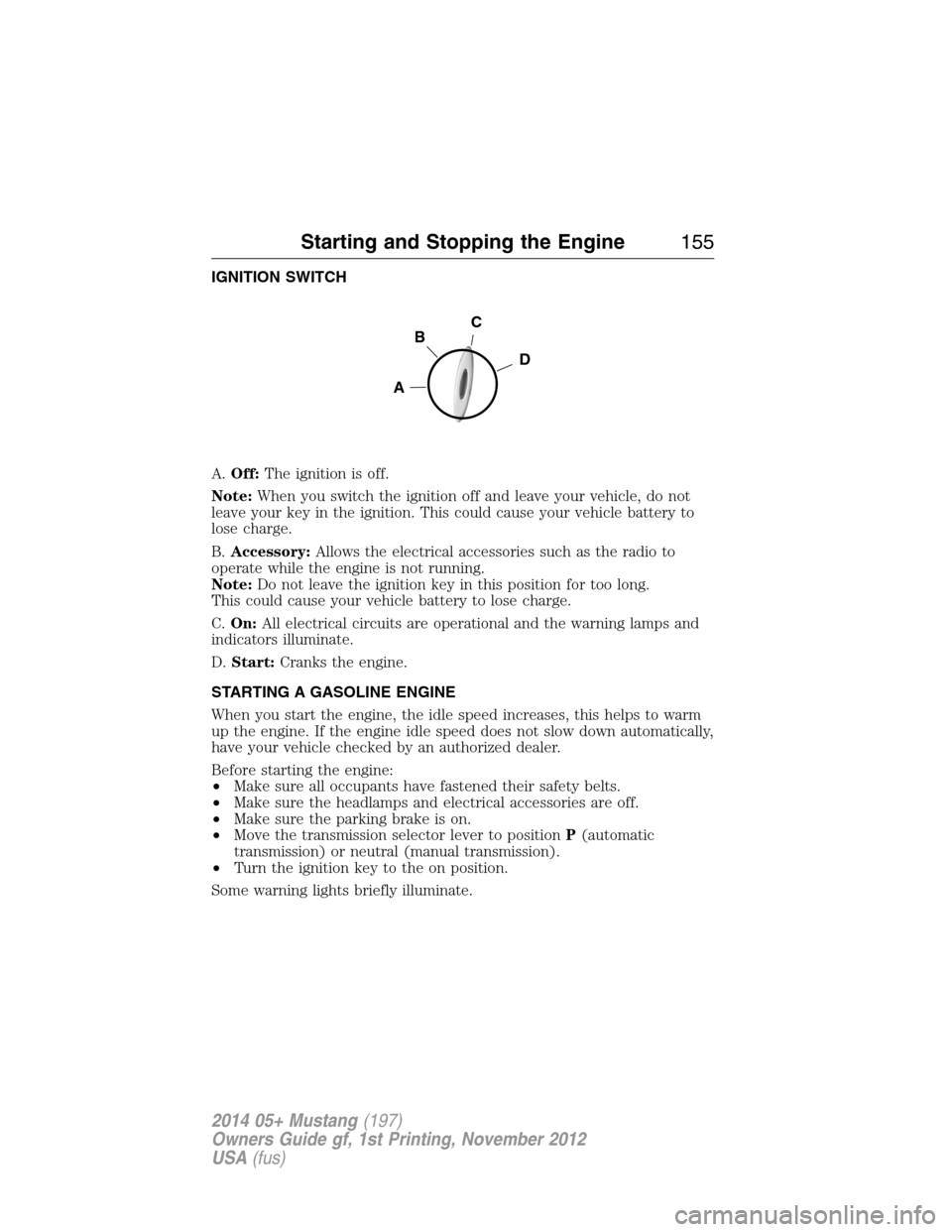
IGNITION SWITCH
A.Off:The ignition is off.
Note:When you switch the ignition off and leave your vehicle, do not
leave your key in the ignition. This could cause your vehicle battery to
lose charge.
B.Accessory:Allows the electrical accessories such as the radio to
operate while the engine is not running.
Note:Do not leave the ignition key in this position for too long.
This could cause your vehicle battery to lose charge.
C.On:All electrical circuits are operational and the warning lamps and
indicators illuminate.
D.Start:Cranks the engine.
STARTING A GASOLINE ENGINE
When you start the engine, the idle speed increases, this helps to warm
up the engine. If the engine idle speed does not slow down automatically,
have your vehicle checked by an authorized dealer.
Before starting the engine:
•Make sure all occupants have fastened their safety belts.
•Make sure the headlamps and electrical accessories are off.
•Make sure the parking brake is on.
•Move the transmission selector lever to positionP(automatic
transmission) or neutral (manual transmission).
•Turn the ignition key to the on position.
Some warning lights briefly illuminate.
C
D
B
A
Starting and Stopping the Engine155
2014 05+ Mustang(197)
Owners Guide gf, 1st Printing, November 2012
USA(fus)
Page 157 of 461
Note:Do not touch the accelerator pedal.
1. Fully press the brake pedal. If your vehicle is equipped with a manual
transmission, fully press the clutch pedal also.
2. Turn the key to the start position to start the engine. Release the key
when the engine starts.
Note:The engine may continue cranking for up to 15 seconds or until it
starts.
Note:If you cannot start the engine on the first try, wait for a short
period and try again.
If you have difficulty starting the engine when the temperature is below
-13°F (-25°C), press the accelerator pedal slightly and try again.
Failure to Start
If you cannot start the engine after three attempts, wait 10 seconds and
follow this procedure:
1. Fully press the brake pedal. If your vehicle is equipped with a manual
transmission, fully press the clutch pedal also.
2. Fully press the accelerator pedal and hold it there.
3. Start the engine.
Stopping the Engine When Your Vehicle is Stationary
1. Move the transmission selector lever to positionP(automatic
transmission) or1(manual transmission).
2. Turn the key to the off position.
3. Apply the parking brake.
Stopping the Engine When Your Vehicle is Moving
WARNING:When you switch off the engine when your vehicle is
still moving, this results in a loss of brake and steering assistance.
The steering does not lock, but higher effort is required. When you
switch off the ignition, some electrical circuits, warning lamps and
indicators may also be off.
1. Move the transmission selector lever to positionN(automatic
transmission) or neutral (manual transmission) and use the brakes to
bring your vehicle to a safe stop.
2. When your vehicle has stopped, move the transmission selector lever
to positionP(automatic transmission) or1(manual transmission)
and turn the key to the off position.
3. Apply the parking brake.
156Starting and Stopping the Engine
2014 05+ Mustang(197)
Owners Guide gf, 1st Printing, November 2012
USA(fus)
Page 171 of 461
Position S
Moving the gearshift lever to position:
•Provides additional grade (engine) braking and extends lower gear
operation to enhance performance for uphill climbs, hilly terrain or
mountainous areas. This will increase engine RPM during engine
braking.
•Provides additional lower gear operation through the automatic
transmission shift strategy which reacts to vehicle inputs (vehicle
acceleration, accelerator pedal, brake pedal and vehicle speed).
•Gears are selected more quickly and at higher engine speeds.
Note:The system will stay in position S until the gear shift lever is
moved into another gear for example position P or position D.
SelectShift Automatic® Transmission
Your SelectShift automatic transmission gives you the ability to manually
change gears if you would like. To use SelectShift, move the gearshift
lever into position S. Now you can use the thumb toggle on the side of
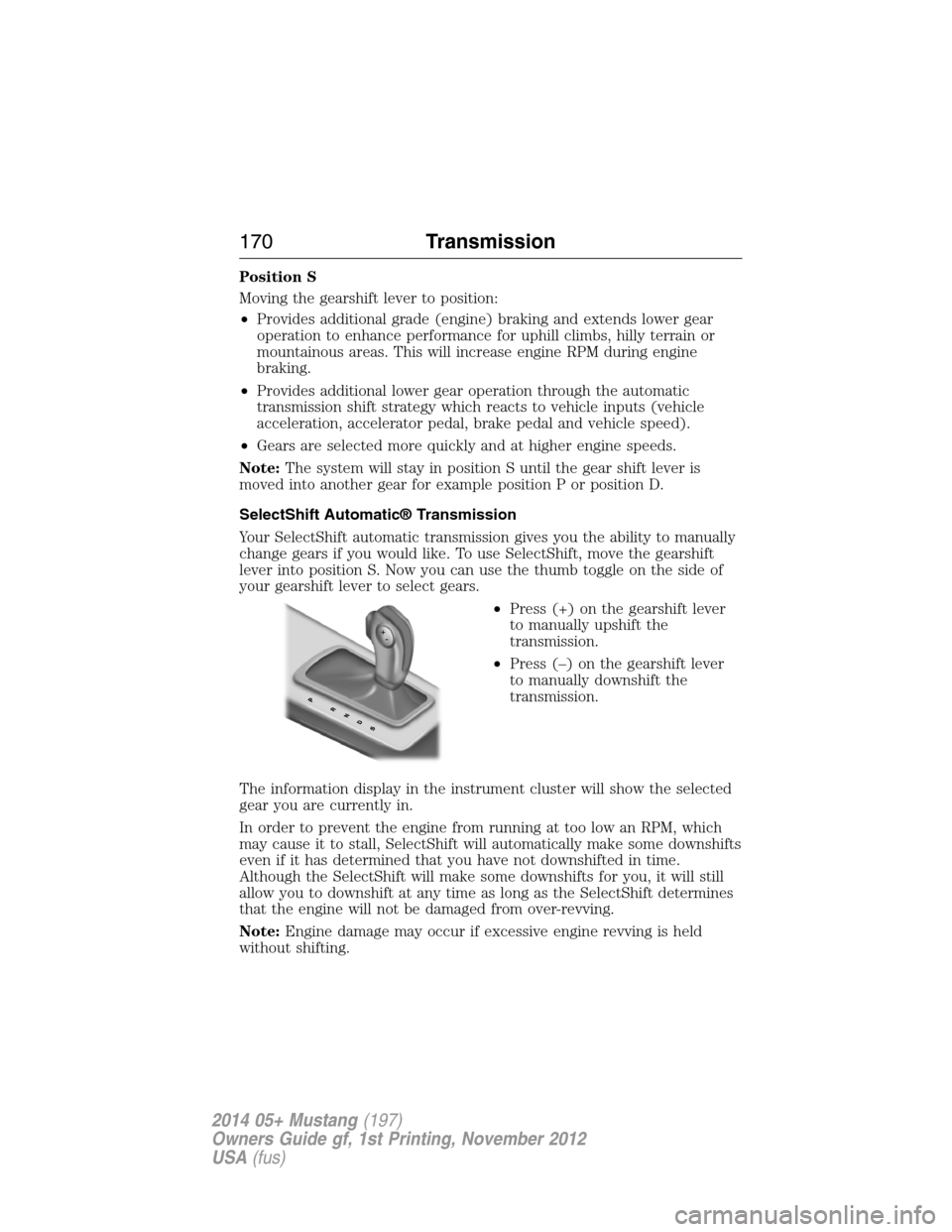
your gearshift lever to select gears.
•Press (+) on the gearshift lever
to manually upshift the
transmission.
•Press (–) on the gearshift lever
to manually downshift the
transmission.
The information display in the instrument cluster will show the selected
gear you are currently in.
In order to prevent the engine from running at too low an RPM, which
may cause it to stall, SelectShift will automatically make some downshifts
even if it has determined that you have not downshifted in time.
Although the SelectShift will make some downshifts for you, it will still
allow you to downshift at any time as long as the SelectShift determines
that the engine will not be damaged from over-revving.
Note:Engine damage may occur if excessive engine revving is held
without shifting.
170Transmission
2014 05+ Mustang(197)
Owners Guide gf, 1st Printing, November 2012
USA(fus)