ECO mode FORD MUSTANG 2018 User Guide
[x] Cancel search | Manufacturer: FORD, Model Year: 2018, Model line: MUSTANG, Model: FORD MUSTANG 2018Pages: 506, PDF Size: 7.66 MB
Page 99 of 506
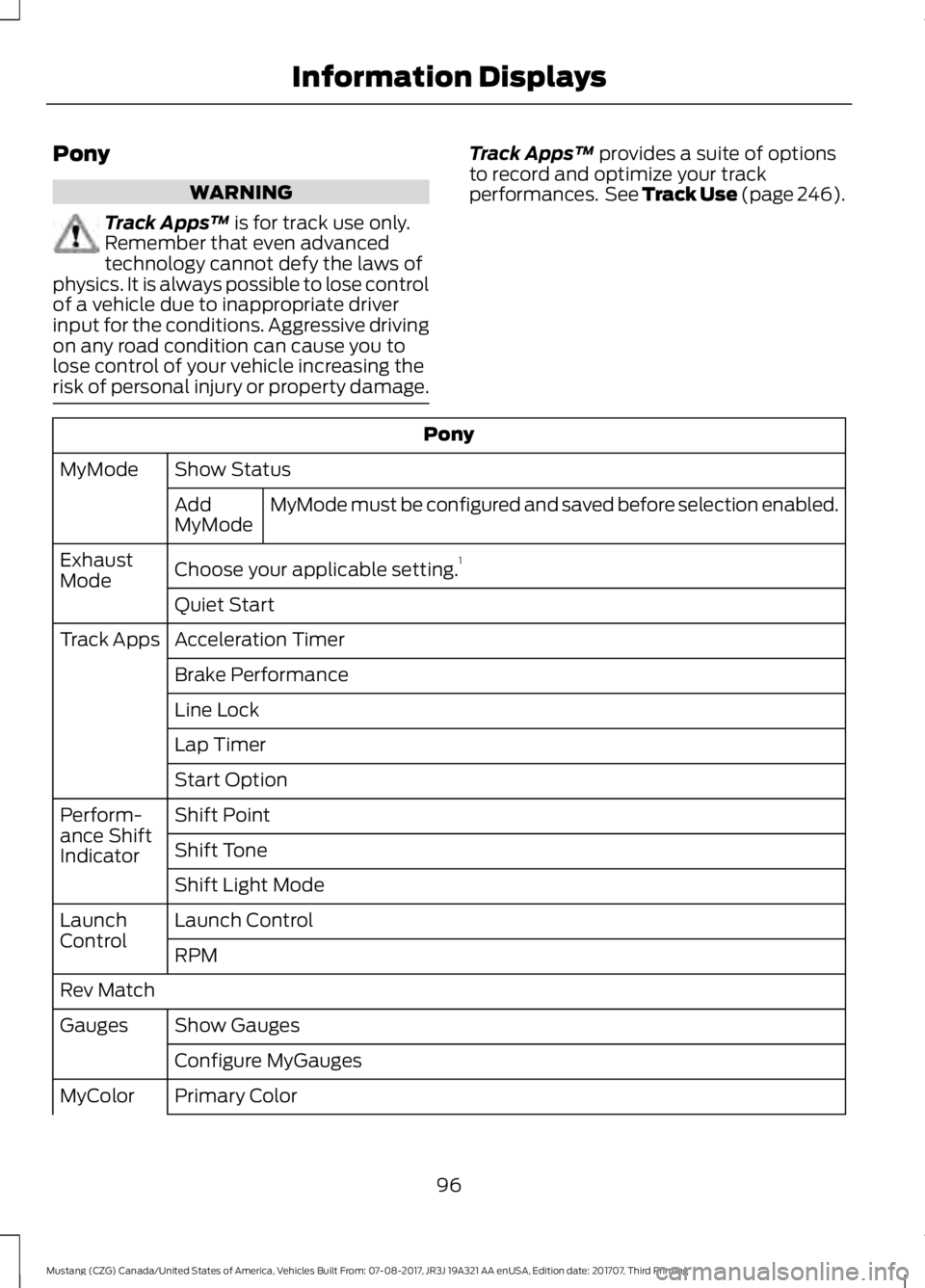
Pony
WARNING
Track Apps
™ is for track use only.
Remember that even advanced
technology cannot defy the laws of
physics. It is always possible to lose control
of a vehicle due to inappropriate driver
input for the conditions. Aggressive driving
on any road condition can cause you to
lose control of your vehicle increasing the
risk of personal injury or property damage. Track Apps
™
provides a suite of options
to record and optimize your track
performances. See Track Use (page 246). Pony
Show Status
MyMode
MyMode must be configured and saved before selection enabled.
Add
MyMode
Choose your applicable setting. 1
Exhaust
Mode
Quiet Start
Acceleration Timer
Track Apps
Brake Performance
Line Lock
Lap Timer
Start Option
Shift Point
Perform-
ance Shift
Indicator Shift Tone
Shift Light Mode
Launch Control
Launch
Control
RPM
Rev Match Show Gauges
Gauges
Configure MyGauges
Primary Color
MyColor
96
Mustang (CZG) Canada/United States of America, Vehicles Built From: 07-08-2017, JR3J 19A321 AA enUSA, Edition date: 201707, Third Printing Information Displays
Page 100 of 506
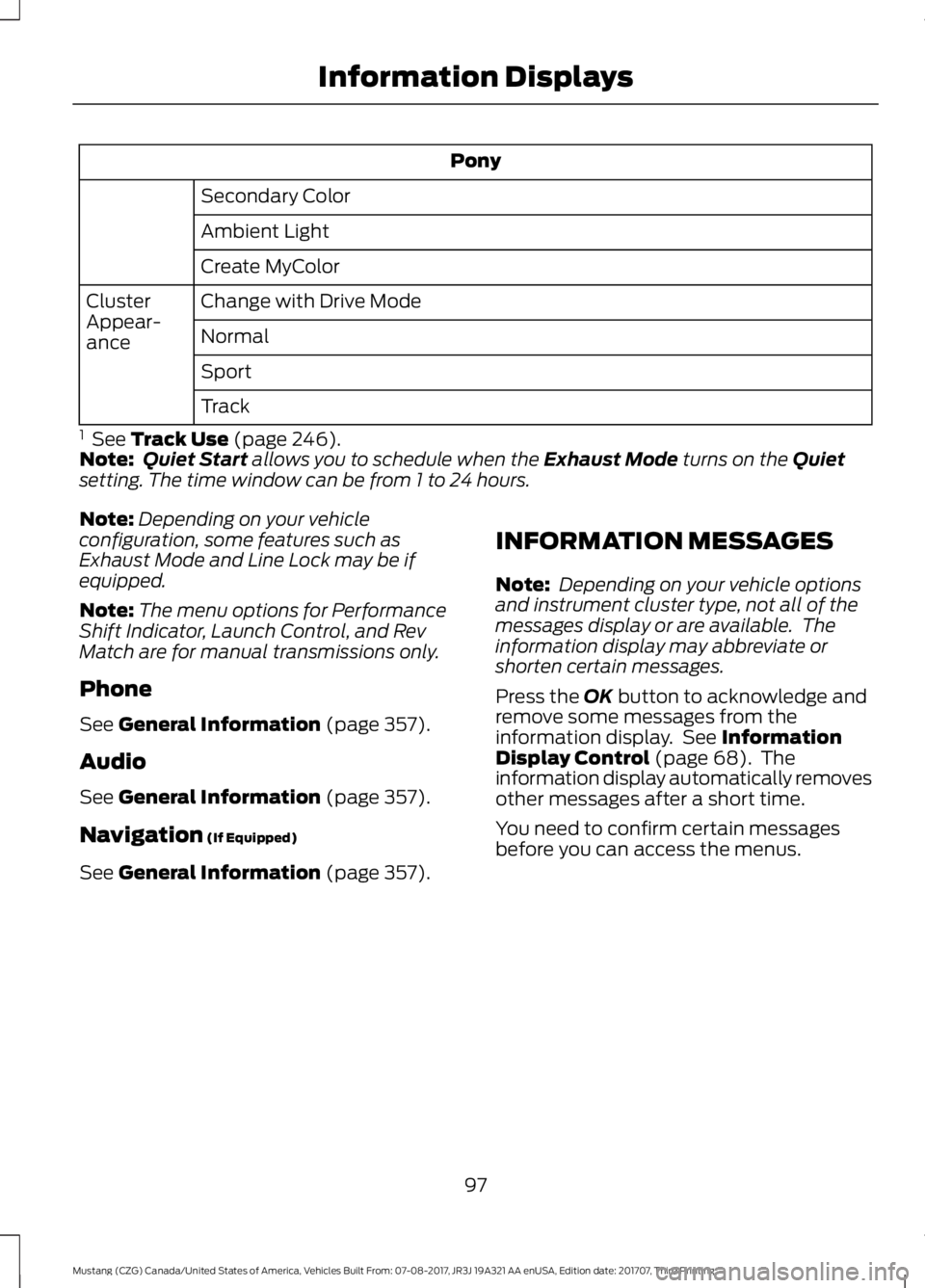
Pony
Secondary Color
Ambient Light
Create MyColor
Change with Drive Mode
Cluster
Appear-
ance Normal
Sport
Track
1 See Track Use (page 246).
Note: Quiet Start allows you to schedule when the Exhaust Mode turns on the Quiet
setting. The time window can be from 1 to 24 hours.
Note: Depending on your vehicle
configuration, some features such as
Exhaust Mode and Line Lock may be if
equipped.
Note: The menu options for Performance
Shift Indicator, Launch Control, and Rev
Match are for manual transmissions only.
Phone
See
General Information (page 357).
Audio
See
General Information (page 357).
Navigation
(If Equipped)
See
General Information (page 357). INFORMATION MESSAGES
Note:
Depending on your vehicle options
and instrument cluster type, not all of the
messages display or are available. The
information display may abbreviate or
shorten certain messages.
Press the
OK button to acknowledge and
remove some messages from the
information display. See
Information
Display Control (page 68). The
information display automatically removes
other messages after a short time.
You need to confirm certain messages
before you can access the menus.
97
Mustang (CZG) Canada/United States of America, Vehicles Built From: 07-08-2017, JR3J 19A321 AA enUSA, Edition date: 201707, Third Printing Information Displays
Page 115 of 506
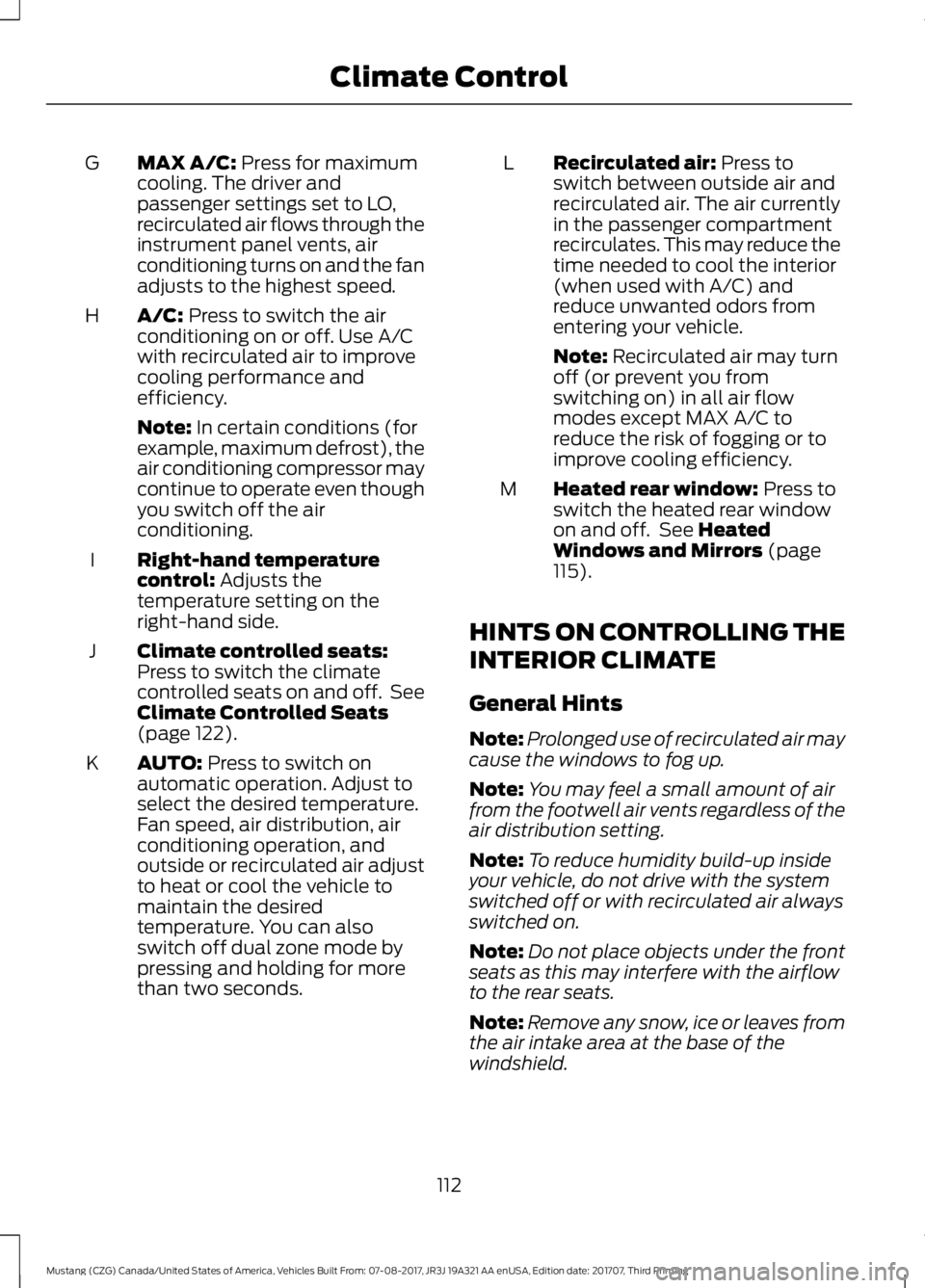
MAX A/C: Press for maximum
cooling. The driver and
passenger settings set to LO,
recirculated air flows through the
instrument panel vents, air
conditioning turns on and the fan
adjusts to the highest speed.
G
A/C:
Press to switch the air
conditioning on or off. Use A/C
with recirculated air to improve
cooling performance and
efficiency.
H
Note:
In certain conditions (for
example, maximum defrost), the
air conditioning compressor may
continue to operate even though
you switch off the air
conditioning.
Right-hand temperature
control:
Adjusts the
temperature setting on the
right-hand side.
I
Climate controlled seats:
Press to switch the climate
controlled seats on and off. See
Climate Controlled Seats
(page
122).
J
AUTO:
Press to switch on
automatic operation. Adjust to
select the desired temperature.
Fan speed, air distribution, air
conditioning operation, and
outside or recirculated air adjust
K
to heat or cool the vehicle to
maintain the desired
temperature. You can also
switch off dual zone mode by
pressing and holding for more
than two seconds. Recirculated air:
Press to
switch between outside air and
recirculated air. The air currently
in the passenger compartment
recirculates. This may reduce the
time needed to cool the interior
(when used with A/C) and
reduce unwanted odors from
entering your vehicle.
L
Note:
Recirculated air may turn
off (or prevent you from
switching on) in all air flow
modes except MAX A/C to
reduce the risk of fogging or to
improve cooling efficiency.
Heated rear window:
Press to
switch the heated rear window
on and off. See
Heated
Windows and Mirrors (page
115).
M
HINTS ON CONTROLLING THE
INTERIOR CLIMATE
General Hints
Note: Prolonged use of recirculated air may
cause the windows to fog up.
Note: You may feel a small amount of air
from the footwell air vents regardless of the
air distribution setting.
Note: To reduce humidity build-up inside
your vehicle, do not drive with the system
switched off or with recirculated air always
switched on.
Note: Do not place objects under the front
seats as this may interfere with the airflow
to the rear seats.
Note: Remove any snow, ice or leaves from
the air intake area at the base of the
windshield.
112
Mustang (CZG) Canada/United States of America, Vehicles Built From: 07-08-2017, JR3J 19A321 AA enUSA, Edition date: 201707, Third Printing Climate Control
Page 133 of 506
GENERAL INFORMATION
WARNINGS
Extended idling at high engine
speeds can produce very high
temperatures in the engine and
exhaust system, creating the risk of fire or
other damage. Do not park, idle or drive your vehicle
on dry grass or other dry ground
cover. The emission system heats up
the engine compartment and exhaust
system, creating the risk of fire. Do not start the engine in a closed
garage or in other enclosed areas.
Exhaust fumes can be toxic. Always
open the garage door before you start the
engine. Exhaust leaks may result in entry of
harmful and potentially lethal fumes
into the passenger compartment. If
you smell exhaust fumes inside your
vehicle, have your vehicle inspected
immediately. Do not drive if you smell
exhaust fumes. If you disconnect the battery, your vehicle
may exhibit some unusual driving
characteristics for approximately 5 mi
(8 km) after you reconnect it. This is
because the engine management system
must realign itself with the engine. You
can disregard any unusual driving
characteristics during this period.
The powertrain control system meets all
Canadian interference-causing equipment
standard requirements regulating the
impulse electrical field or radio noise.
When you start the engine, avoid pressing
the accelerator pedal before and during
operation. Only use the accelerator pedal
when you have difficulty starting the
engine. KEYLESS STARTING
Note:
The keyless starting system may not
function if the key is close to metal objects
or electronic devices such as cellular
phones.
Note: A valid key must be located inside
your vehicle to switch the ignition on and
start the engine.
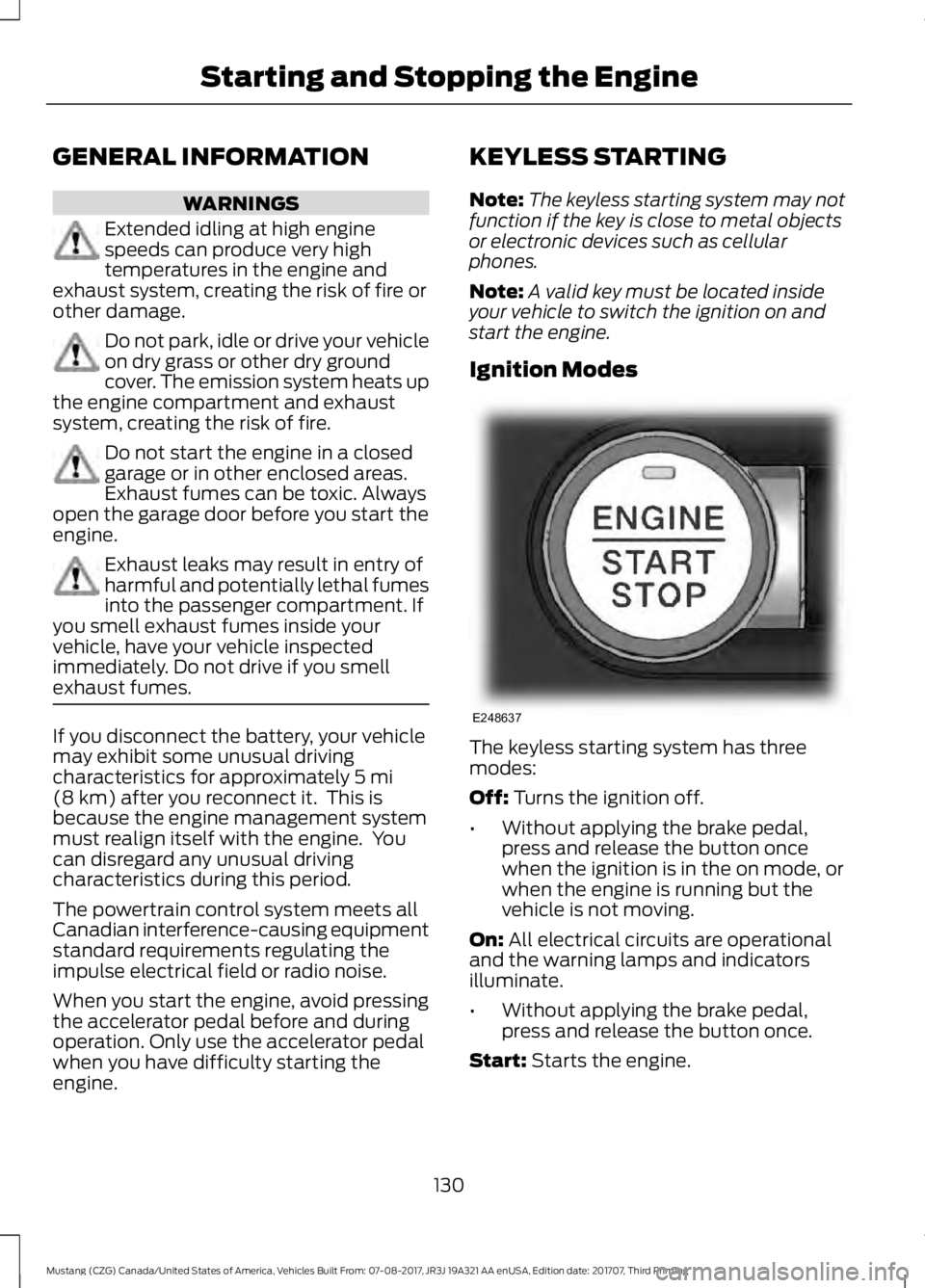
Ignition Modes The keyless starting system has three
modes:
Off: Turns the ignition off.
• Without applying the brake pedal,
press and release the button once
when the ignition is in the on mode, or
when the engine is running but the
vehicle is not moving.
On:
All electrical circuits are operational
and the warning lamps and indicators
illuminate.
• Without applying the brake pedal,
press and release the button once.
Start:
Starts the engine.
130
Mustang (CZG) Canada/United States of America, Vehicles Built From: 07-08-2017, JR3J 19A321 AA enUSA, Edition date: 201707, Third Printing Starting and Stopping the EngineE248637
Page 151 of 506
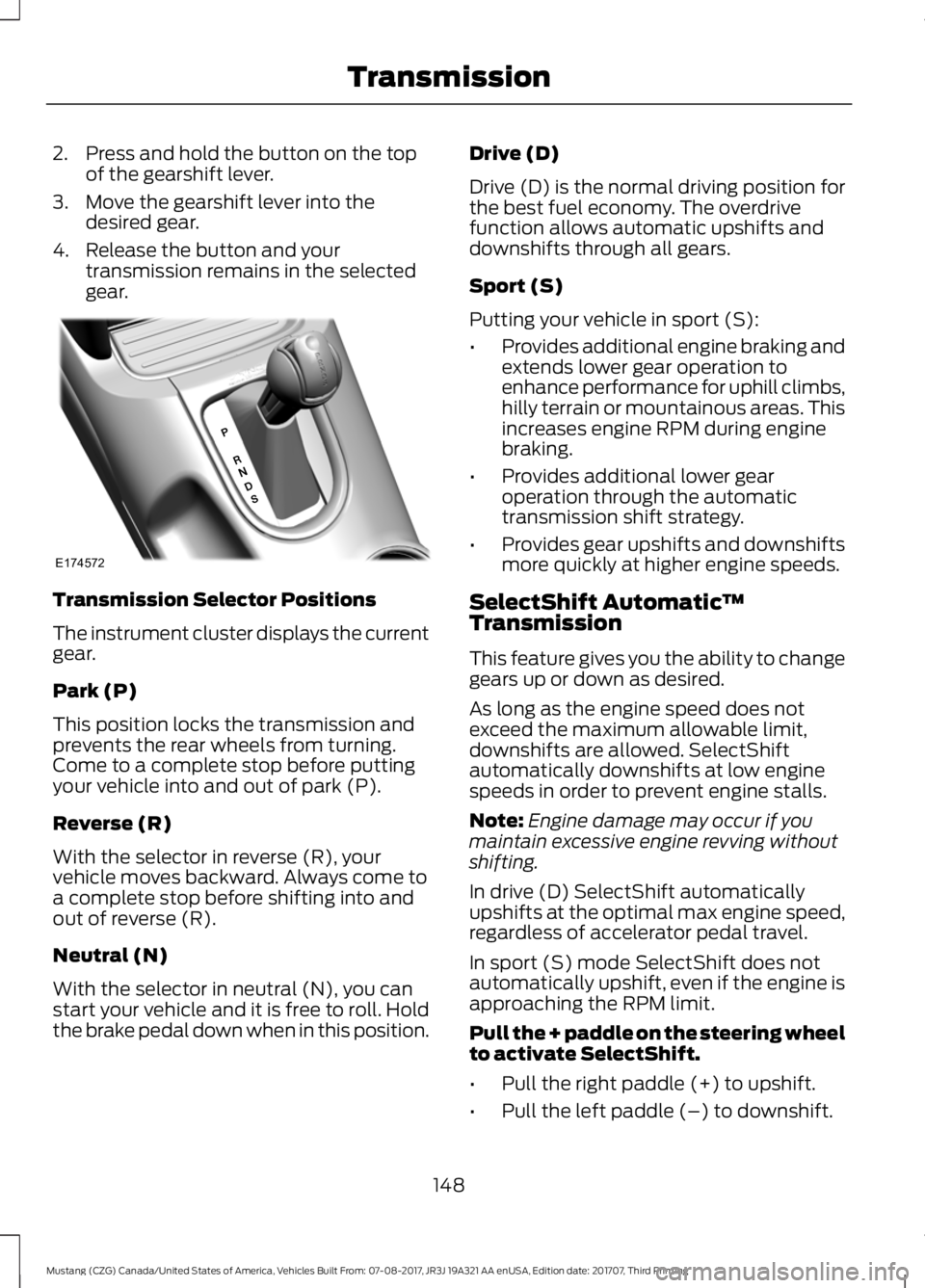
2. Press and hold the button on the top
of the gearshift lever.
3. Move the gearshift lever into the desired gear.
4. Release the button and your transmission remains in the selected
gear. Transmission Selector Positions
The instrument cluster displays the current
gear.
Park (P)
This position locks the transmission and
prevents the rear wheels from turning.
Come to a complete stop before putting
your vehicle into and out of park (P).
Reverse (R)
With the selector in reverse (R), your
vehicle moves backward. Always come to
a complete stop before shifting into and
out of reverse (R).
Neutral (N)
With the selector in neutral (N), you can
start your vehicle and it is free to roll. Hold
the brake pedal down when in this position. Drive (D)
Drive (D) is the normal driving position for
the best fuel economy. The overdrive
function allows automatic upshifts and
downshifts through all gears.
Sport (S)
Putting your vehicle in sport (S):
•
Provides additional engine braking and
extends lower gear operation to
enhance performance for uphill climbs,
hilly terrain or mountainous areas. This
increases engine RPM during engine
braking.
• Provides additional lower gear
operation through the automatic
transmission shift strategy.
• Provides gear upshifts and downshifts
more quickly at higher engine speeds.
SelectShift Automatic ™
Transmission
This feature gives you the ability to change
gears up or down as desired.
As long as the engine speed does not
exceed the maximum allowable limit,
downshifts are allowed. SelectShift
automatically downshifts at low engine
speeds in order to prevent engine stalls.
Note: Engine damage may occur if you
maintain excessive engine revving without
shifting.
In drive (D) SelectShift automatically
upshifts at the optimal max engine speed,
regardless of accelerator pedal travel.
In sport (S) mode SelectShift does not
automatically upshift, even if the engine is
approaching the RPM limit.
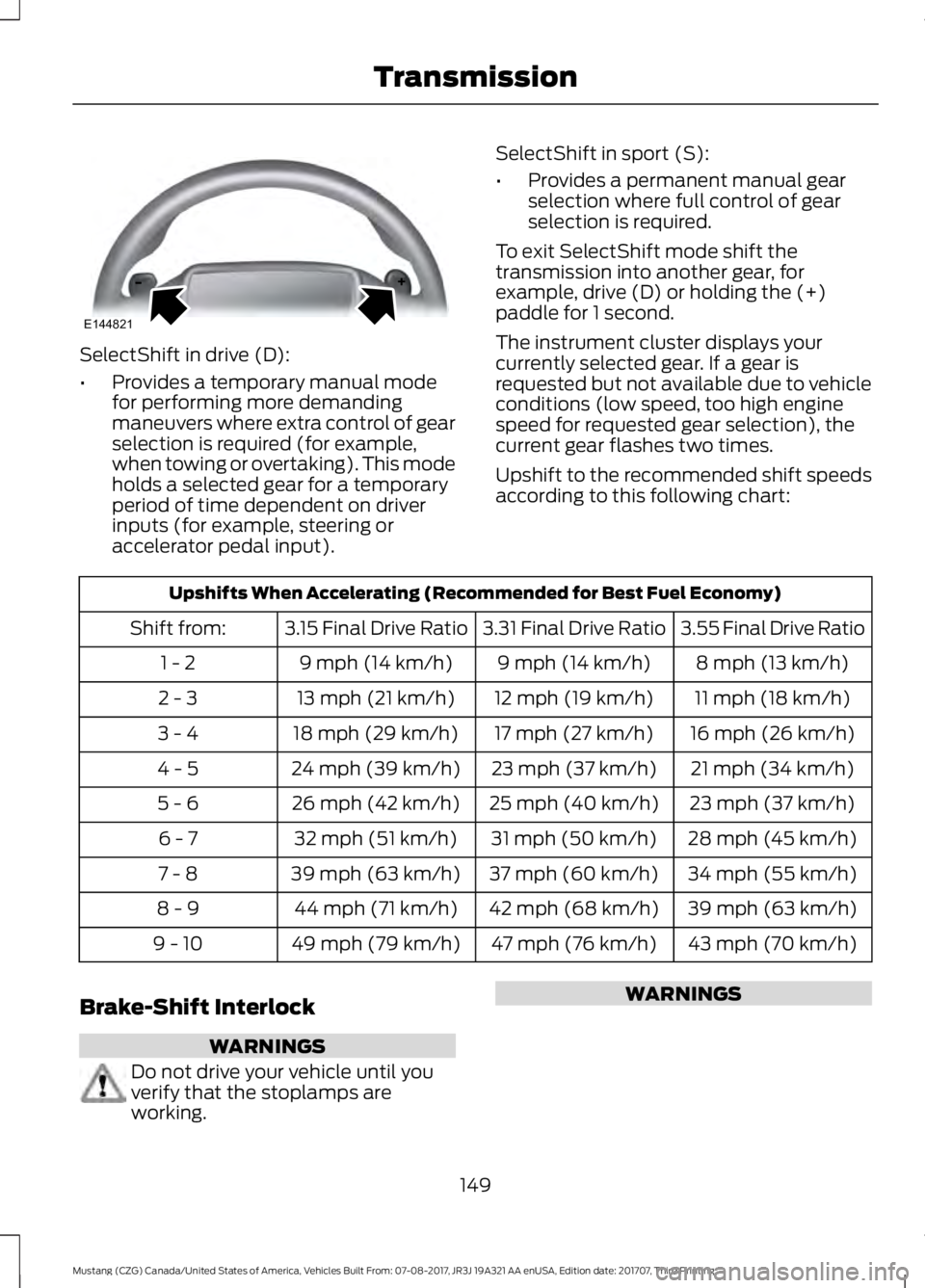
Pull the + paddle on the steering wheel
to activate SelectShift.
• Pull the right paddle (+) to upshift.
• Pull the left paddle (–) to downshift.
148
Mustang (CZG) Canada/United States of America, Vehicles Built From: 07-08-2017, JR3J 19A321 AA enUSA, Edition date: 201707, Third Printing TransmissionE174572
Page 152 of 506
SelectShift in drive (D):
•
Provides a temporary manual mode
for performing more demanding
maneuvers where extra control of gear
selection is required (for example,
when towing or overtaking). This mode
holds a selected gear for a temporary
period of time dependent on driver
inputs (for example, steering or
accelerator pedal input). SelectShift in sport (S):
•
Provides a permanent manual gear
selection where full control of gear
selection is required.
To exit SelectShift mode shift the
transmission into another gear, for
example, drive (D) or holding the (+)
paddle for 1 second.
The instrument cluster displays your
currently selected gear. If a gear is
requested but not available due to vehicle
conditions (low speed, too high engine
speed for requested gear selection), the
current gear flashes two times.
Upshift to the recommended shift speeds
according to this following chart: Upshifts When Accelerating (Recommended for Best Fuel Economy)
3.55 Final Drive Ratio
3.31 Final Drive Ratio
3.15 Final Drive Ratio
Shift from:
8 mph (13 km/h)
9 mph (14 km/h)
9 mph (14 km/h)
1 - 2
11 mph (18 km/h)
12 mph (19 km/h)
13 mph (21 km/h)
2 - 3
16 mph (26 km/h)
17 mph (27 km/h)
18 mph (29 km/h)
3 - 4
21 mph (34 km/h)
23 mph (37 km/h)
24 mph (39 km/h)
4 - 5
23 mph (37 km/h)
25 mph (40 km/h)
26 mph (42 km/h)
5 - 6
28 mph (45 km/h)
31 mph (50 km/h)
32 mph (51 km/h)
6 - 7
34 mph (55 km/h)
37 mph (60 km/h)
39 mph (63 km/h)
7 - 8
39 mph (63 km/h)
42 mph (68 km/h)
44 mph (71 km/h)
8 - 9
43 mph (70 km/h)
47 mph (76 km/h)
49 mph (79 km/h)
9 - 10
Brake-Shift Interlock WARNINGS
Do not drive your vehicle until you
verify that the stoplamps are
working. WARNINGS
149
Mustang (CZG) Canada/United States of America, Vehicles Built From: 07-08-2017, JR3J 19A321 AA enUSA, Edition date: 201707, Third Printing TransmissionE144821
Page 161 of 506
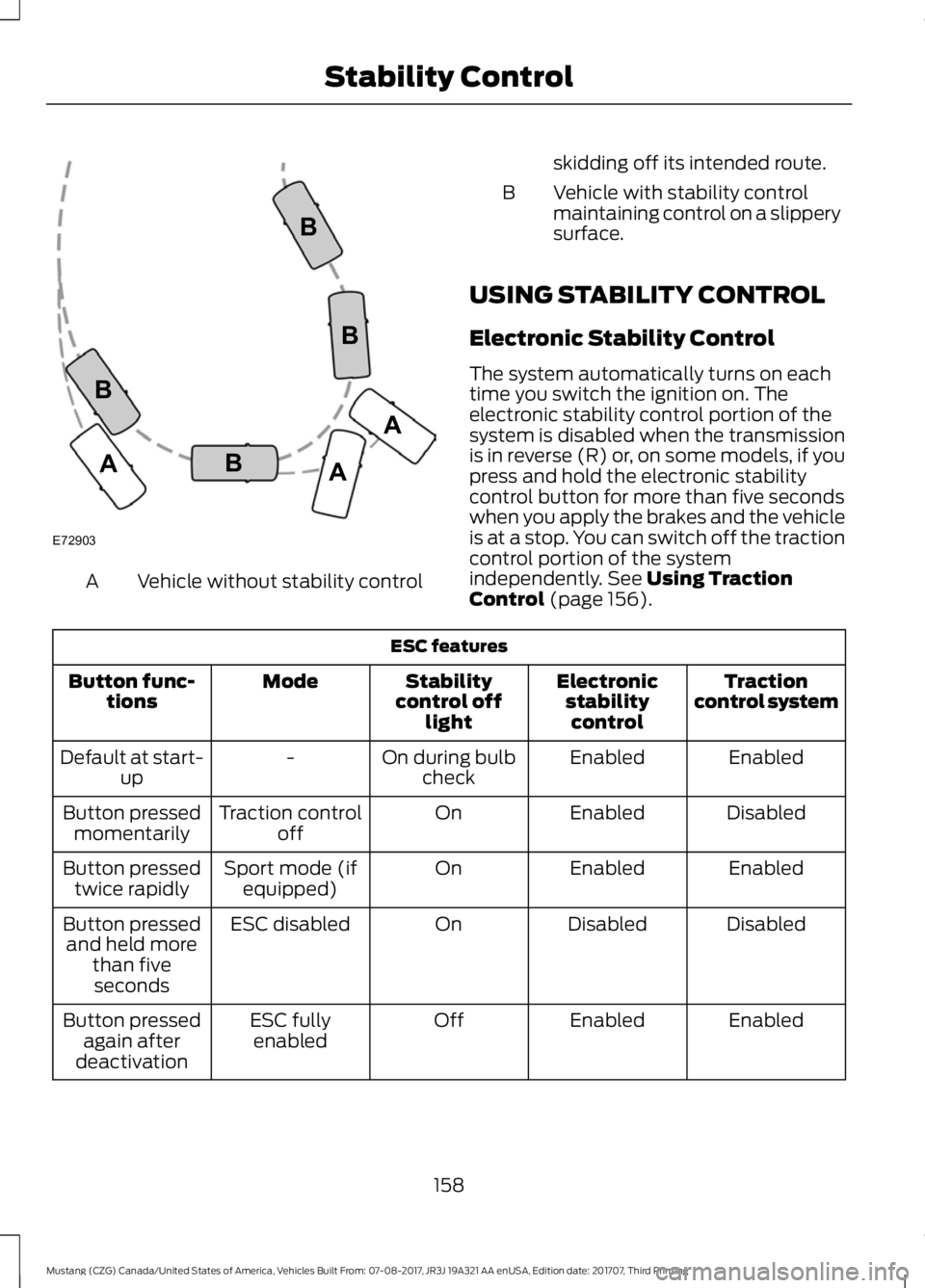
Vehicle without stability control
A skidding off its intended route.
Vehicle with stability control
maintaining control on a slippery
surface.
B
USING STABILITY CONTROL
Electronic Stability Control
The system automatically turns on each
time you switch the ignition on. The
electronic stability control portion of the
system is disabled when the transmission
is in reverse (R) or, on some models, if you
press and hold the electronic stability
control button for more than five seconds
when you apply the brakes and the vehicle
is at a stop. You can switch off the traction
control portion of the system
independently. See Using Traction
Control (page 156). ESC features
Traction
control system
Electronic
stabilitycontrol
Stability
control off light
Mode
Button func-
tions
Enabled
Enabled
On during bulb
check
-
Default at start-
up
Disabled
Enabled
On
Traction control
off
Button pressed
momentarily
Enabled
Enabled
On
Sport mode (if
equipped)
Button pressed
twice rapidly
Disabled
Disabled
On
ESC disabled
Button pressed
and held more than fiveseconds
Enabled
Enabled
Off
ESC fully
enabled
Button pressed
again after
deactivation
158
Mustang (CZG) Canada/United States of America, Vehicles Built From: 07-08-2017, JR3J 19A321 AA enUSA, Edition date: 201707, Third Printing Stability ControlE72903A
AA
B
BB
B
Page 187 of 506
Brake Support: Assists the driver in
reducing collision speed by preparing the
brake system for rapid braking. Brake
support does not automatically activate
the brakes, but if the driver presses the
brake pedal even lightly, brake support
could add additional braking up to full
force.
Active Braking
: Active braking may
activate if the system determines that a
collision is imminent. The system may help
the driver reduce impact damage or avoid
the crash completely.
Note: If you perceive Pre-Collision Assist
alerts as being too frequent or disturbing,
then you can reduce the alert sensitivity,
though the manufacturer recommends
using the highest sensitivity setting where
possible. Setting lower sensitivity would
lead to fewer and later system warnings.
Note: The system turns off when you
manually disable AdvanceTrac ™, or when
you select
Track mode. Distance Indication and Alert
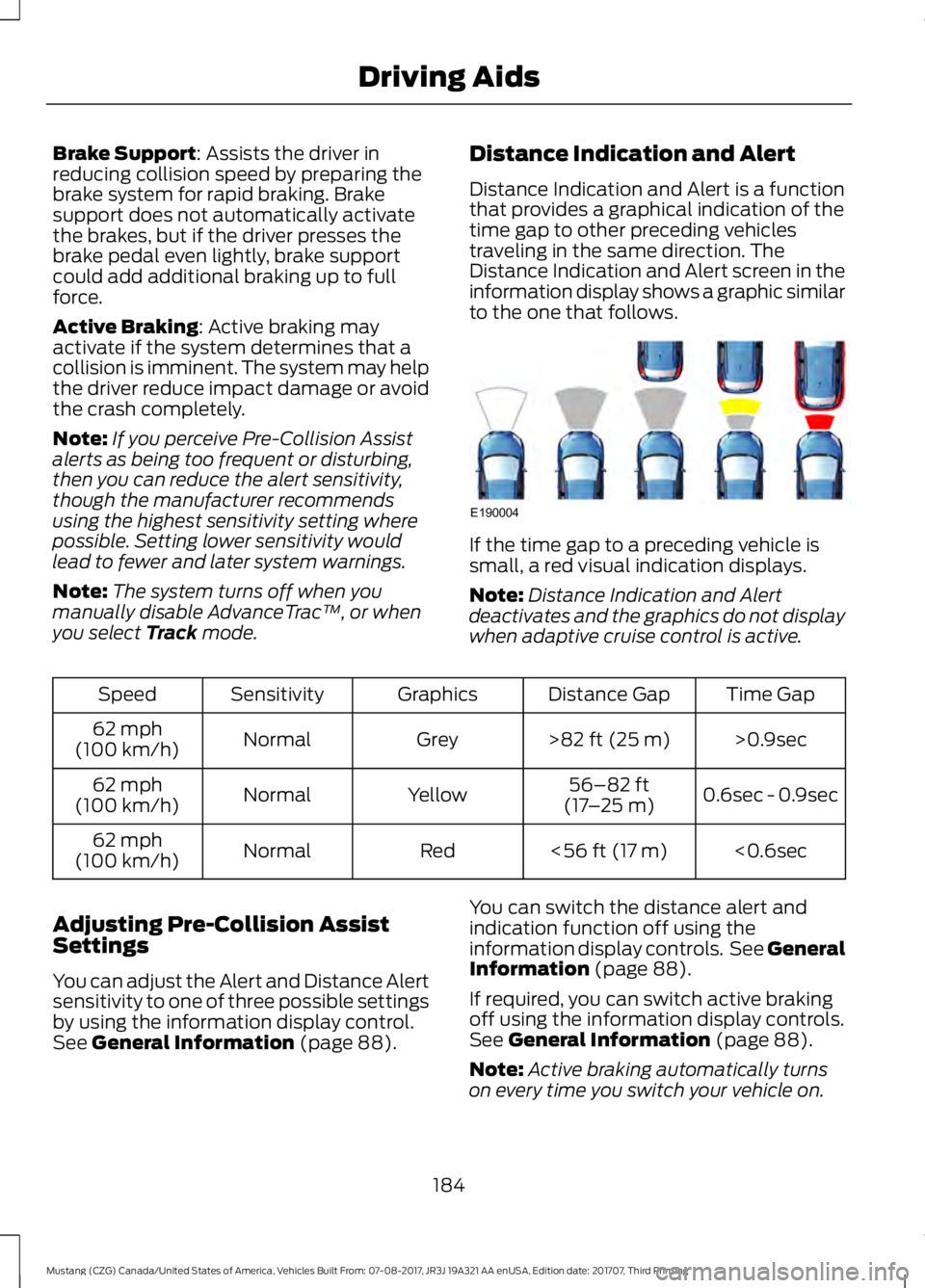
Distance Indication and Alert is a function
that provides a graphical indication of the
time gap to other preceding vehicles
traveling in the same direction. The
Distance Indication and Alert screen in the
information display shows a graphic similar
to the one that follows. If the time gap to a preceding vehicle is
small, a red visual indication displays.
Note:
Distance Indication and Alert
deactivates and the graphics do not display
when adaptive cruise control is active. Time Gap
Distance Gap
Graphics
Sensitivity
Speed
>0.9sec
>
82 ft (25 m)
Grey
Normal
62 mph
(100 km/h)
0.6sec - 0.9sec
56–82 ft
(17 –25 m)
Yellow
Normal
62 mph
(100 km/h)
<0.6sec
<
56 ft (17 m)
Red
Normal
62 mph
(100 km/h)
Adjusting Pre-Collision Assist
Settings
You can adjust the Alert and Distance Alert
sensitivity to one of three possible settings
by using the information display control.
See
General Information (page 88). You can switch the distance alert and
indication function off using the
information display controls. See General
Information
(page 88).
If required, you can switch active braking
off using the information display controls.
See
General Information (page 88).
Note: Active braking automatically turns
on every time you switch your vehicle on.
184
Mustang (CZG) Canada/United States of America, Vehicles Built From: 07-08-2017, JR3J 19A321 AA enUSA, Edition date: 201707, Third Printing Driving AidsE190004
Page 189 of 506
Note:
Proper system operation requires a
clear view of the road by the camera. Have
any windshield damage in the area of the
camera's field of view repaired.
Note: If something hits the front end of your
vehicle or damage occurs, the radar sensing
zone may change. This could cause missed
or false vehicle detections. Contact an
authorized dealer to have the radar checked
for proper coverage and operation.
Note: If your vehicle detects excessive heat
at the camera or a potential misalignment
condition, a message may display in the
information display indicating temporary
sensor unavailability. When operational
conditions are correct, the message
deactivates. For example, when the ambient
temperature around the sensor decreases
or the sensor automatically recalibrates
successfully.
DRIVE CONTROL (If Equipped)
Selectable Drive Modes
Selectable drive modes deliver a
customized driving experience using a
variety of electronic vehicle systems. The
systems optimize vehicle dynamics and
powertrain response based on your
selected mode. Systems associated with
selectable drive modes are:
• Electronically power assisted steering.
See
Steering (page 182).
• Electronic stability control and traction
control maintain your vehicle control
in adverse conditions or high
performance driving.
See Stability
Control (page 157).
• Electronic throttle control enhances
the powertrain response to your driving
input. •
Adaptive dampers (if equipped).
• Active exhaust adjusts the sound
characteristics of your vehicle (if
equipped).
Using Selectable Drive Modes
Note: Your vehicle may have some of the
drive modes that follow. To change the drive mode
setting, press the mode button
on the instrument panel under
the display. The first press illuminates the
selected mode, subsequent presses
change the selected mode.
Note: Mode changes are not available when
the ignition is off or when the transmission
is in reverse (R). Some modes may be
unavailable when the transmission is in drive
(D) or sport (S).
Modes:
• Normal
– Best suited for everyday
driving. If your vehicle is equipped with
adaptive dampers, the suspension
delivers a balanced combination of
comfort and handling. Selectable
steering defaults to Normal but can be
changed using the steering button.
• Sport
– Engages when you shift your
automatic transmission into sport (S).
Sport mode increases throttle
response and helps your vehicle
accelerate faster, but does not change
the vehicle dynamics or stability
system.
• Sport +
– Best suited for spirited
driving. This mode increases throttle
response, and if your vehicle is
equipped with active exhaust, it takes
on a more powerful tone. If your vehicle
is equipped with adaptive dampers, the
suspension becomes stiffer. This mode
has less body motion and more precise
steering. Selectable steering defaults
to
Sport but can be changed using the
steering button.
186
Mustang (CZG) Canada/United States of America, Vehicles Built From: 07-08-2017, JR3J 19A321 AA enUSA, Edition date: 201707, Third Printing Driving AidsE174706
Page 205 of 506
BREAKING-IN
Tires
New tires need to be run-in for
approximately 300 mi (500 km). During
this time, you may experience different
driving characteristics.
Brakes and Clutch
Avoid heavy use of the brakes and clutch
if possible for the first
100 mi (150 km) in
town and for the first 1,000 mi (1,500 km)
on freeways.
Engine
Avoid driving too fast during the first
1,000 mi (1,500 km)
. Vary your speed
frequently and change up through the
gears early. Do not labor the engine.
REDUCED ENGINE
PERFORMANCE WARNING
If you continue to drive your vehicle
when the engine is overheating, the
engine could stop without warning.
Failure to follow this instruction could
result in the loss of control of your vehicle. If the engine coolant temperature gauge
needle moves to the upper limit position,
the engine is overheating. See
Gauges
(page 81).
You must only drive your vehicle for a short
distance if the engine overheats. The
distance you can travel depends on
ambient temperature, vehicle load and
terrain. The engine continues to operate
with limited power for a short period of
time. If the engine temperature continues to rise,
the fuel supply to the engine reduces. The
air conditioning switches off and the engine
cooling fan operates continually.
1. Gradually reduce your speed and stop
your vehicle as soon as it is safe to do
so.
2. Immediately switch the engine off to prevent severe engine damage.
3. Wait for the engine to cool down.
4. Check the coolant level. See
Engine
Coolant Check (page 234).
5. Have your vehicle checked as soon as possible.
ECONOMICAL DRIVING
Fuel economy is affected by several things
such as how you drive, the conditions you
drive under and how you maintain your
vehicle.
There are some things to keep in mind that
may improve your fuel economy:
• Accelerate and slow down in a smooth,
moderate fashion.
• Drive at steady speeds.
• Anticipate stops; slowing down may
eliminate the need to stop.
• Combine errands and minimize
stop-and-go driving (When running
errands, go to the furthest destination
first and then work your way back
home).
• Close the windows for high-speed
driving.
• Drive at reasonable speeds.
• Keep the tires properly inflated and use
only the recommended size.
• Use the recommended engine oil.
• Perform all regularly scheduled
maintenance.
202
Mustang (CZG) Canada/United States of America, Vehicles Built From: 07-08-2017, JR3J 19A321 AA enUSA, Edition date: 201707, Third Printing Driving Hints