turn signal FORD MUSTANG 2019 User Guide
[x] Cancel search | Manufacturer: FORD, Model Year: 2019, Model line: MUSTANG, Model: FORD MUSTANG 2019Pages: 495, PDF Size: 8.04 MB
Page 404 of 495
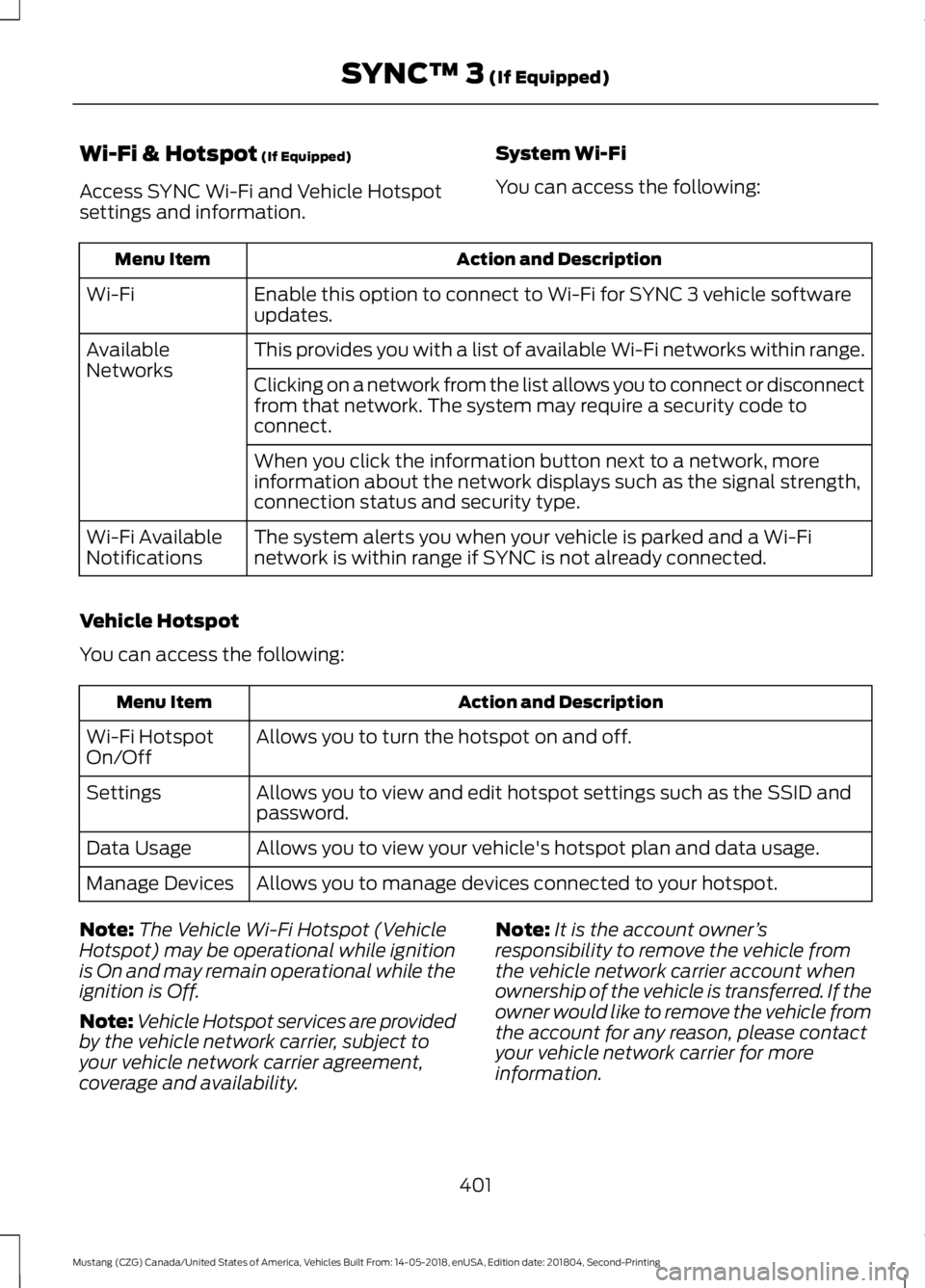
Wi-Fi & Hotspot (If Equipped)
Access SYNC Wi-Fi and Vehicle Hotspot
settings and information. System Wi-Fi
You can access the following: Action and Description
Menu Item
Enable this option to connect to Wi-Fi for SYNC 3 vehicle software
updates.
Wi-Fi
This provides you with a list of available Wi-Fi networks within range.
Available
Networks
Clicking on a network from the list allows you to connect or disconnect
from that network. The system may require a security code to
connect.
When you click the information button next to a network, more
information about the network displays such as the signal strength,
connection status and security type.
The system alerts you when your vehicle is parked and a Wi-Fi
network is within range if SYNC is not already connected.
Wi-Fi Available
Notifications
Vehicle Hotspot
You can access the following: Action and Description
Menu Item
Allows you to turn the hotspot on and off.
Wi-Fi Hotspot
On/Off
Allows you to view and edit hotspot settings such as the SSID and
password.
Settings
Allows you to view your vehicle's hotspot plan and data usage.
Data Usage
Allows you to manage devices connected to your hotspot.
Manage Devices
Note: The Vehicle Wi-Fi Hotspot (Vehicle
Hotspot) may be operational while ignition
is On and may remain operational while the
ignition is Off.
Note: Vehicle Hotspot services are provided
by the vehicle network carrier, subject to
your vehicle network carrier agreement,
coverage and availability. Note:
It is the account owner ’s
responsibility to remove the vehicle from
the vehicle network carrier account when
ownership of the vehicle is transferred. If the
owner would like to remove the vehicle from
the account for any reason, please contact
your vehicle network carrier for more
information.
401
Mustang (CZG) Canada/United States of America, Vehicles Built From: 14-05-2018, enUSA, Edition date: 201804, Second-Printing SYNC™ 3
(If Equipped)
Page 449 of 495
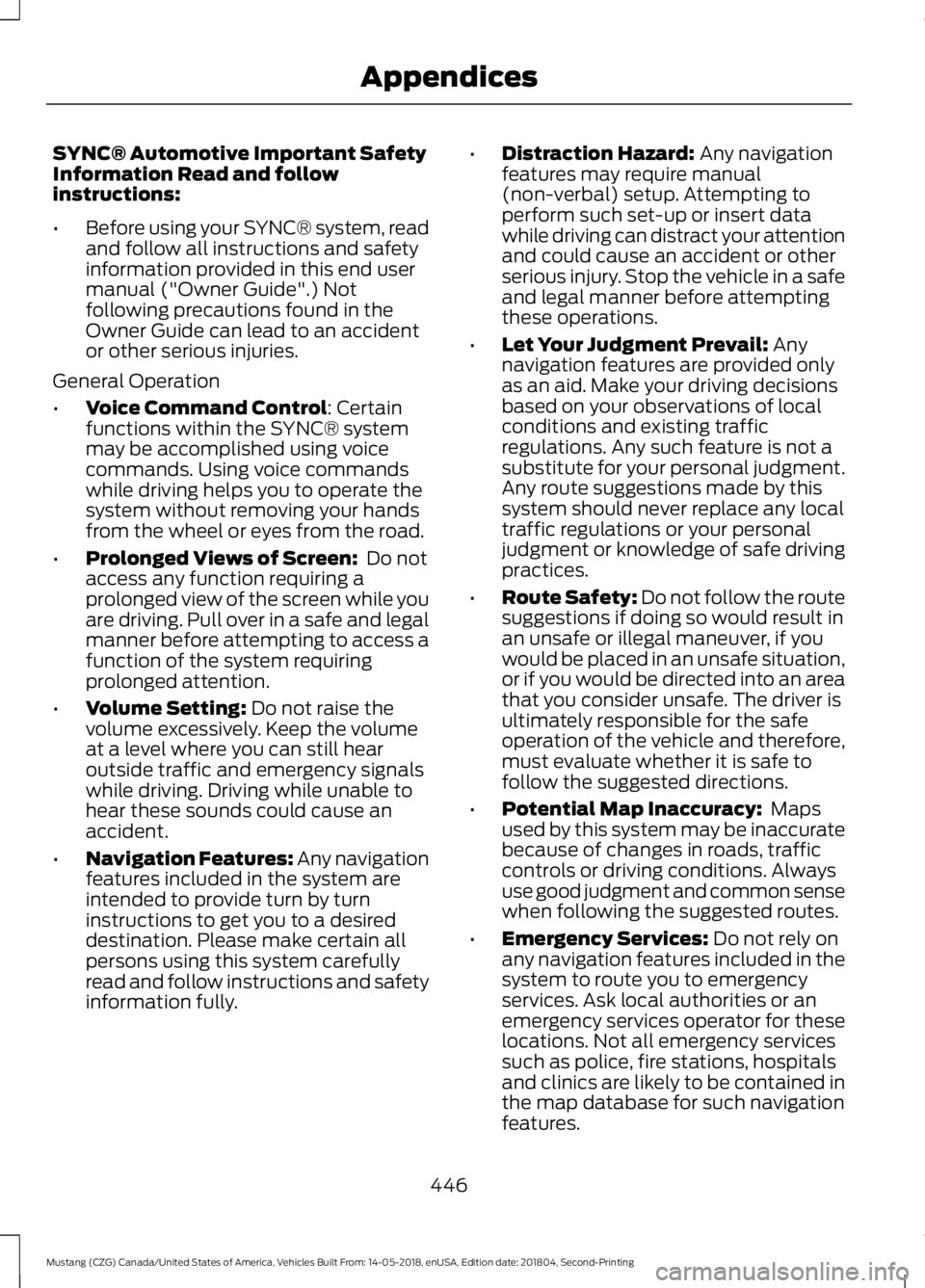
SYNC® Automotive Important Safety
Information Read and follow
instructions:
•
Before using your SYNC® system, read
and follow all instructions and safety
information provided in this end user
manual ("Owner Guide".) Not
following precautions found in the
Owner Guide can lead to an accident
or other serious injuries.
General Operation
• Voice Command Control: Certain
functions within the SYNC® system
may be accomplished using voice
commands. Using voice commands
while driving helps you to operate the
system without removing your hands
from the wheel or eyes from the road.
• Prolonged Views of Screen:
Do not
access any function requiring a
prolonged view of the screen while you
are driving. Pull over in a safe and legal
manner before attempting to access a
function of the system requiring
prolonged attention.
• Volume Setting:
Do not raise the
volume excessively. Keep the volume
at a level where you can still hear
outside traffic and emergency signals
while driving. Driving while unable to
hear these sounds could cause an
accident.
• Navigation Features:
Any navigation
features included in the system are
intended to provide turn by turn
instructions to get you to a desired
destination. Please make certain all
persons using this system carefully
read and follow instructions and safety
information fully. •
Distraction Hazard:
Any navigation
features may require manual
(non-verbal) setup. Attempting to
perform such set-up or insert data
while driving can distract your attention
and could cause an accident or other
serious injury. Stop the vehicle in a safe
and legal manner before attempting
these operations.
• Let Your Judgment Prevail:
Any
navigation features are provided only
as an aid. Make your driving decisions
based on your observations of local
conditions and existing traffic
regulations. Any such feature is not a
substitute for your personal judgment.
Any route suggestions made by this
system should never replace any local
traffic regulations or your personal
judgment or knowledge of safe driving
practices.
• Route Safety: Do not follow the route
suggestions if doing so would result in
an unsafe or illegal maneuver, if you
would be placed in an unsafe situation,
or if you would be directed into an area
that you consider unsafe. The driver is
ultimately responsible for the safe
operation of the vehicle and therefore,
must evaluate whether it is safe to
follow the suggested directions.
• Potential Map Inaccuracy:
Maps
used by this system may be inaccurate
because of changes in roads, traffic
controls or driving conditions. Always
use good judgment and common sense
when following the suggested routes.
• Emergency Services:
Do not rely on
any navigation features included in the
system to route you to emergency
services. Ask local authorities or an
emergency services operator for these
locations. Not all emergency services
such as police, fire stations, hospitals
and clinics are likely to be contained in
the map database for such navigation
features.
446
Mustang (CZG) Canada/United States of America, Vehicles Built From: 14-05-2018, enUSA, Edition date: 201804, Second-Printing Appendices
Page 484 of 495
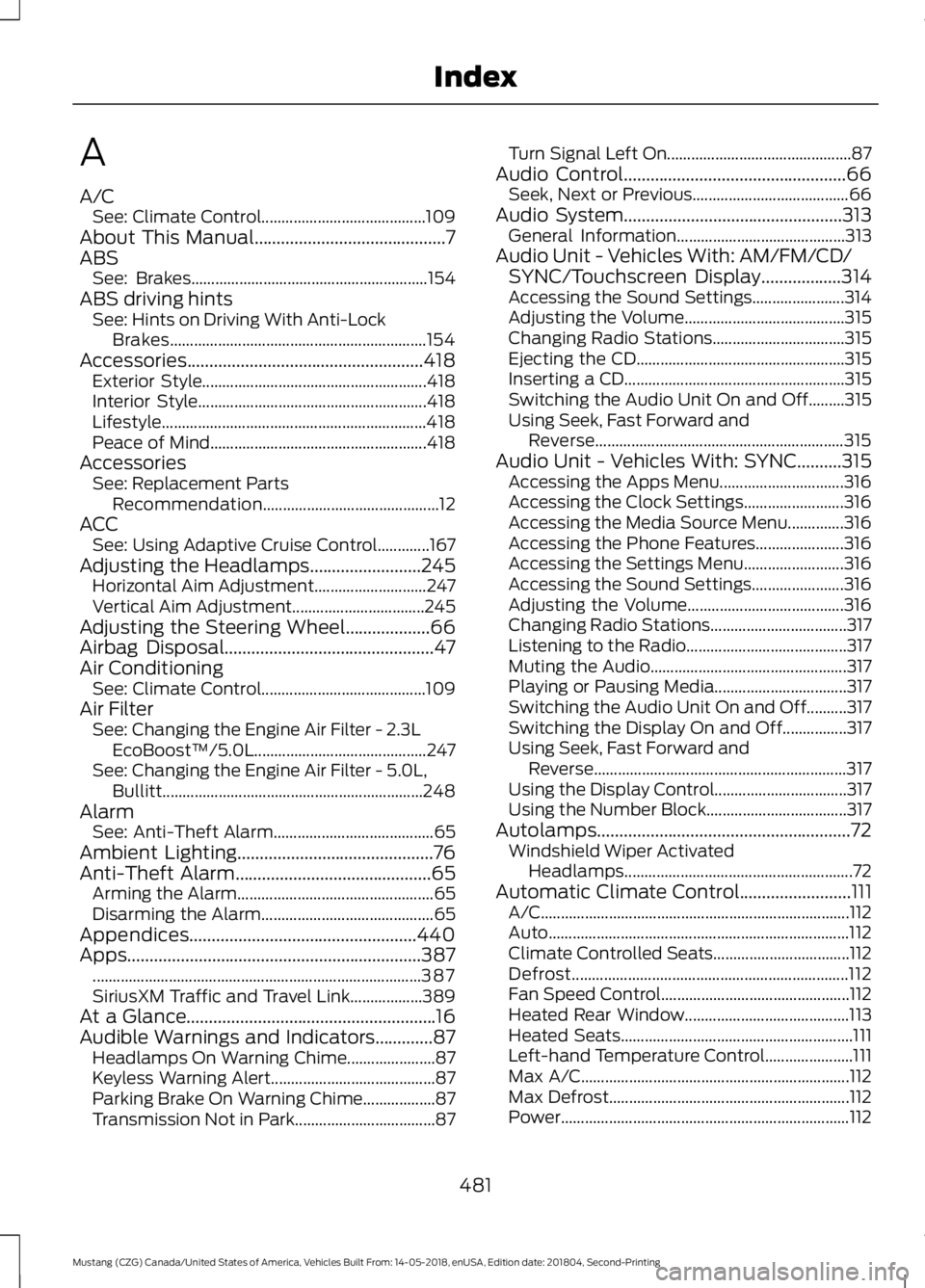
A
A/C
See: Climate Control......................................... 109
About This Manual...........................................7
ABS See: Brakes........................................................... 154
ABS driving hints See: Hints on Driving With Anti-Lock
Brakes................................................................ 154
Accessories
.....................................................418
Exterior Style........................................................ 418
Interior Style......................................................... 418
Lifestyle.................................................................. 418
Peace of Mind...................................................... 418
Accessories See: Replacement Parts
Recommendation............................................ 12
ACC See: Using Adaptive Cruise Control.............167
Adjusting the Headlamps
.........................245
Horizontal Aim Adjustment............................ 247
Vertical Aim Adjustment................................. 245
Adjusting the Steering Wheel...................66
Airbag Disposal...............................................47
Air Conditioning See: Climate Control......................................... 109
Air Filter See: Changing the Engine Air Filter - 2.3L
EcoBoost™/5.0L...........................................247
See: Changing the Engine Air Filter - 5.0L, Bullitt................................................................. 248
Alarm See: Anti-Theft Alarm........................................ 65
Ambient Lighting............................................76
Anti-Theft Alarm
............................................65
Arming the Alarm................................................. 65
Disarming the Alarm........................................... 65
Appendices...................................................440
Apps..................................................................387 ........................................................................\
.......... 387
SiriusXM Traffic and Travel Link.................. 389
At a Glance........................................................16
Audible Warnings and Indicators.............87 Headlamps On Warning Chime...................... 87
Keyless Warning Alert......................................... 87
Parking Brake On Warning Chime.................. 87
Transmission Not in Park................................... 87Turn Signal Left On..............................................
87
Audio Control
..................................................66
Seek, Next or Previous....................................... 66
Audio System.................................................313 General Information.......................................... 313
Audio Unit - Vehicles With: AM/FM/CD/ SYNC/Touchscreen Display
..................314
Accessing the Sound Settings....................... 314
Adjusting the Volume........................................ 315
Changing Radio Stations................................. 315
Ejecting the CD.................................................... 315
Inserting a CD....................................................... 315
Switching the Audio Unit On and Off.........315
Using Seek, Fast Forward and Reverse.............................................................. 315
Audio Unit - Vehicles With: SYNC..........315 Accessing the Apps Menu............................... 316
Accessing the Clock Settings......................... 316
Accessing the Media Source Menu..............316
Accessing the Phone Features...................... 316
Accessing the Settings Menu......................... 316
Accessing the Sound Settings....................... 316
Adjusting the Volume....................................... 316
Changing Radio Stations.................................. 317
Listening to the Radio........................................ 317
Muting the Audio................................................. 317
Playing or Pausing Media................................. 317
Switching the Audio Unit On and Off..........317
Switching the Display On and Off................317
Using Seek, Fast Forward and Reverse............................................................... 317
Using the Display Control................................. 317
Using the Number Block................................... 317
Autolamps.........................................................72 Windshield Wiper Activated
Headlamps......................................................... 72
Automatic Climate Control.........................111 A/C........................................................................\
..... 112
Auto........................................................................\
... 112
Climate Controlled Seats.................................. 112
Defrost..................................................................... 112
Fan Speed Control............................................... 112
Heated Rear Window......................................... 113
Heated Seats.......................................................... 111
Left-hand Temperature Control...................... 111
Max A/C................................................................... 112
Max Defrost............................................................ 112
Power........................................................................\
112
481
Mustang (CZG) Canada/United States of America, Vehicles Built From: 14-05-2018, enUSA, Edition date: 201804, Second-Printing Index