climate control FORD MUSTANG 2020 Owner's Manual
[x] Cancel search | Manufacturer: FORD, Model Year: 2020, Model line: MUSTANG, Model: FORD MUSTANG 2020Pages: 464, PDF Size: 7.44 MB
Page 356 of 464
Switching Automatic System Updates
On
Select the settings option on the
feature bar.
1. Select Automatic Updates.
2. Switch
Automatic System Updates
on.
The system is now set to check for and
receive system updates when it is
connected to a Wi-Fi network.
Note: You can use the system when a
download is in progress.
Note: If the system is disconnected from
the Wi-Fi network when a download is in
progress, the download continues the next
time the system is connected to a Wi-Fi
network.
Additional Information and
Assistance
For additional information and assistance,
we recommend that you contact an
authorized dealer or refer to the local Ford
website. USING VOICE RECOGNITION
The SYNC 3 system allows you to use voice
commands, to control features like audio
and climate controls. By using voice
commands, you can keep your hands on
the wheel and your eyes on the road.
You can access each feature controlled by
SYNC 3 through a variety of commands. To activate the SYNC 3 voice
commands push the voice
button on the steering wheel and
wait for the prompt.
___ is a dynamic listing, meaning that it can
be the name of anything, such as artist, the
name of contact or number. The context
and the description of the command tell
you what to say for this dynamic option.
There are some commands that work for
every feature, these commands are: Action and Description
Voice Command
Brings you to the main menu.
Main Menu
Returns you to the previous screen.
Go back
Ends the voice session.
Cancel
Gives you a list of possible voice commands.
List of Commands
You can name any feature and the system gives a list of
commands available for the feature. For example, you could
say:
___ List of Commands
Phone List of Commands
Navigation List of Commands
353
Mustang (CZG) Canada/United States of America, Vehicles Built From: 15-07-2019, enUSA, Edition date: 201906, Second-Printing SYNC™ 3
(If Equipped)E280315 E142599
Page 358 of 464
Description
Voice command
Play Audiobook ___ For USB audio only, you can say the name of an
artist, album, or a genre to browse by that selec-
tion. Your system must finish indexing before this
option is available. For example you can say
"Browse artist The Beatles" or "Browse genre
folk".
Browse ___
Browse Artist ___
Browse Album ___
Browse Genre ___
Browse Playlist ___
Browse Audiobook ___
Browse Podcast ___
1 This option may not be available in all markets or may require a subscription.
Climate Voice Commands (If Equipped)
You can control the temperature of the
vehicle using voice commands. ___ is a dynamic listing, meaning that for
climate voice commands it can be the
desired degrees for the temperature
setting.
To adjust the temperature, say: Description
Voice command
Adjust the temperature between 60–85°F
(15.5– 29.5°C).
Set Temperature ___
Phone Voice Commands
Pairing a Phone
You can use voice commands to connect
your Bluetooth enabled phone to the
system.
To pair your phone, press the voice button and when prompted, say: Description
Voice command
Follow the on-screen instructions to complete the pairingprocess. See
Settings (page 382).
Pair Phone
355
Mustang (CZG) Canada/United States of America, Vehicles Built From: 15-07-2019, enUSA, Edition date: 201906, Second-Printing SYNC™ 3
(If Equipped)
Page 362 of 464
You can say the following commands to access SiriusXM Traffic and Travel Link:
Description
Voice command
Displays a list of traffic incidents.
Show Traffic
Displays the current weather map.
Show Weather Map
Displays a list of fuel prices.
Show Fuel Prices
Displays the 5 day weather forecast.
Show 5 Day Fore-
cast
Help
Voice Settings Commands
You can say the following commands to access the voice settings: Description
Voice command
Allows you to enter the voice settings functionality.
Voice Settings
Sets standard prompting with longer prompts.
Interaction Mode
Standard
Sets advanced prompting with shorter prompts.
Interaction Mode
Advanced
Allows the system to confirm before making a phone call.
Call Confirmation On
The system does not confirm before placing a call.
Call Confirmation Off
The system displays a short list of available commands.
Voice Command Lists On
The system does not display the list of commands.
Voice Command Lists Off
You can use the volume control to adjust
the volume of the system voice prompts.
While prompt is active, adjust the volume
control up or down to your desired setting. Note:
Depending on the current climate
control settings, the fan speed may
automatically go down while issuing voice
commands or while making and receiving
phone calls via SYNC to reduce the amount
of background noise in the vehicle. The fan
speed will automatically return to normal
operation once the voice session ends. You
can adjust the fan speed during a voice
session, simply press the fan buttons (or
turn the fan knob) to increase or decrease
the fan speed to the setting you prefer.
359
Mustang (CZG) Canada/United States of America, Vehicles Built From: 15-07-2019, enUSA, Edition date: 201906, Second-Printing SYNC™ 3 (If Equipped)
Page 363 of 464
To disable this automatic fan speed
reduction feature during voice sessions,
press and hold the climate control AC and
Recirculated air buttons simultaneously,
release and then increase fan speed within
2 seconds. To re-enable this feature, repeat
the above sequence.
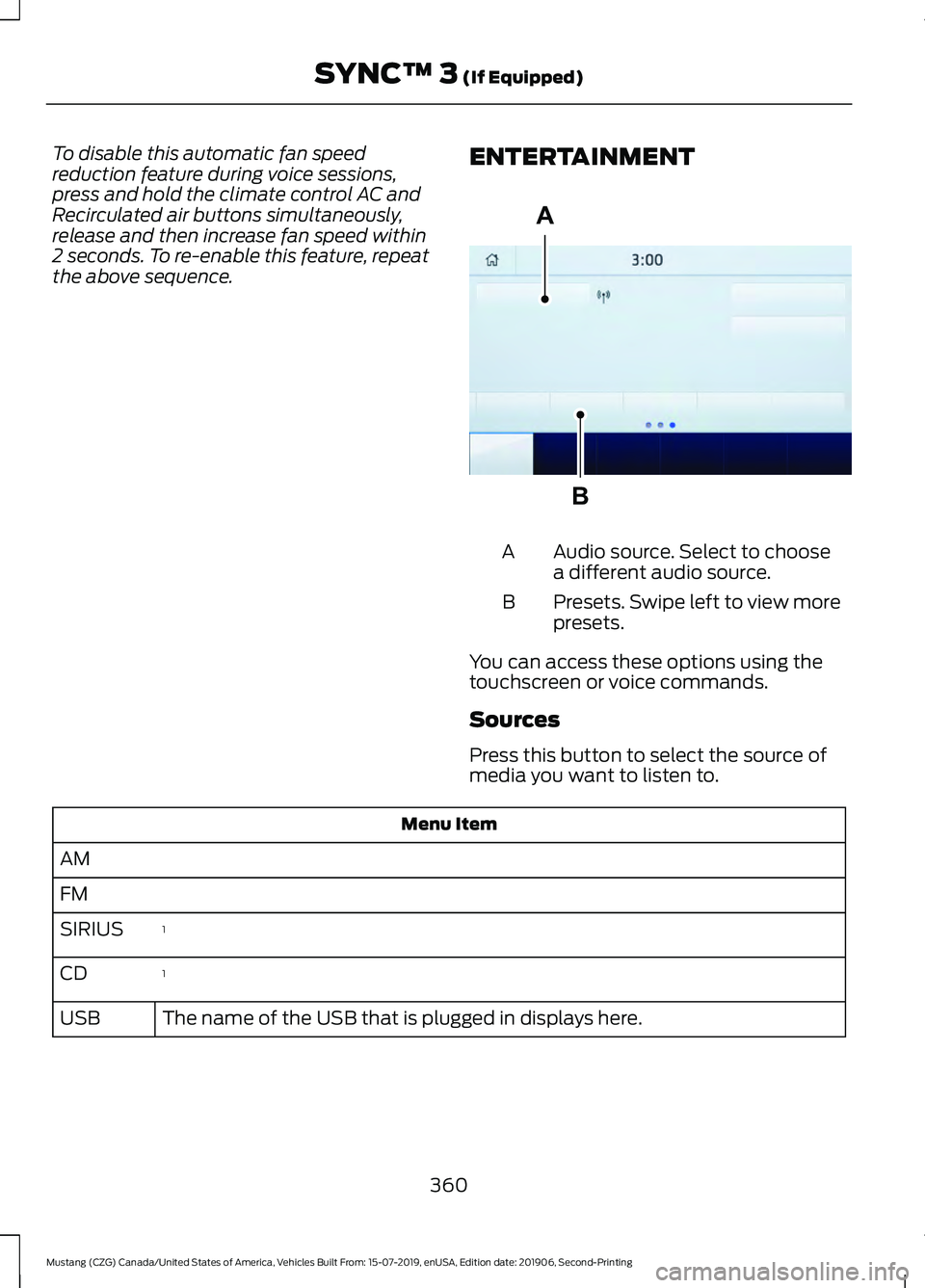
ENTERTAINMENT Audio source. Select to choose
a different audio source.
A
Presets. Swipe left to view more
presets.
B
You can access these options using the
touchscreen or voice commands.
Sources
Press this button to select the source of
media you want to listen to. Menu Item
AM
FM 1
SIRIUS
1
CD
The name of the USB that is plugged in displays here.
USB
360
Mustang (CZG) Canada/United States of America, Vehicles Built From: 15-07-2019, enUSA, Edition date: 201906, Second-Printing SYNC™ 3 (If Equipped)A
BE293491
Page 373 of 464
Supported USB file systems include: FAT,
exFAT, and NTFS.
SYNC 3 is also able to organize the media
from your USB device by metadata tags.
Metadata tags, which are descriptive
software identifiers embedded in the
media files, provide information about the
file.
If your indexed media files contain no
information embedded in these metadata
tags, SYNC 3 may classify the empty
metadata tags as unknown.
SYNC 3 is capable of indexing up to
50,000 songs per USB device, for up to 10
devices.
CLIMATE
Touch the climate button on the
touchscreen to access your climate control
features.
Note:
You can switch temperature units
between Fahrenheit and Celsius. See
Settings (page 382).
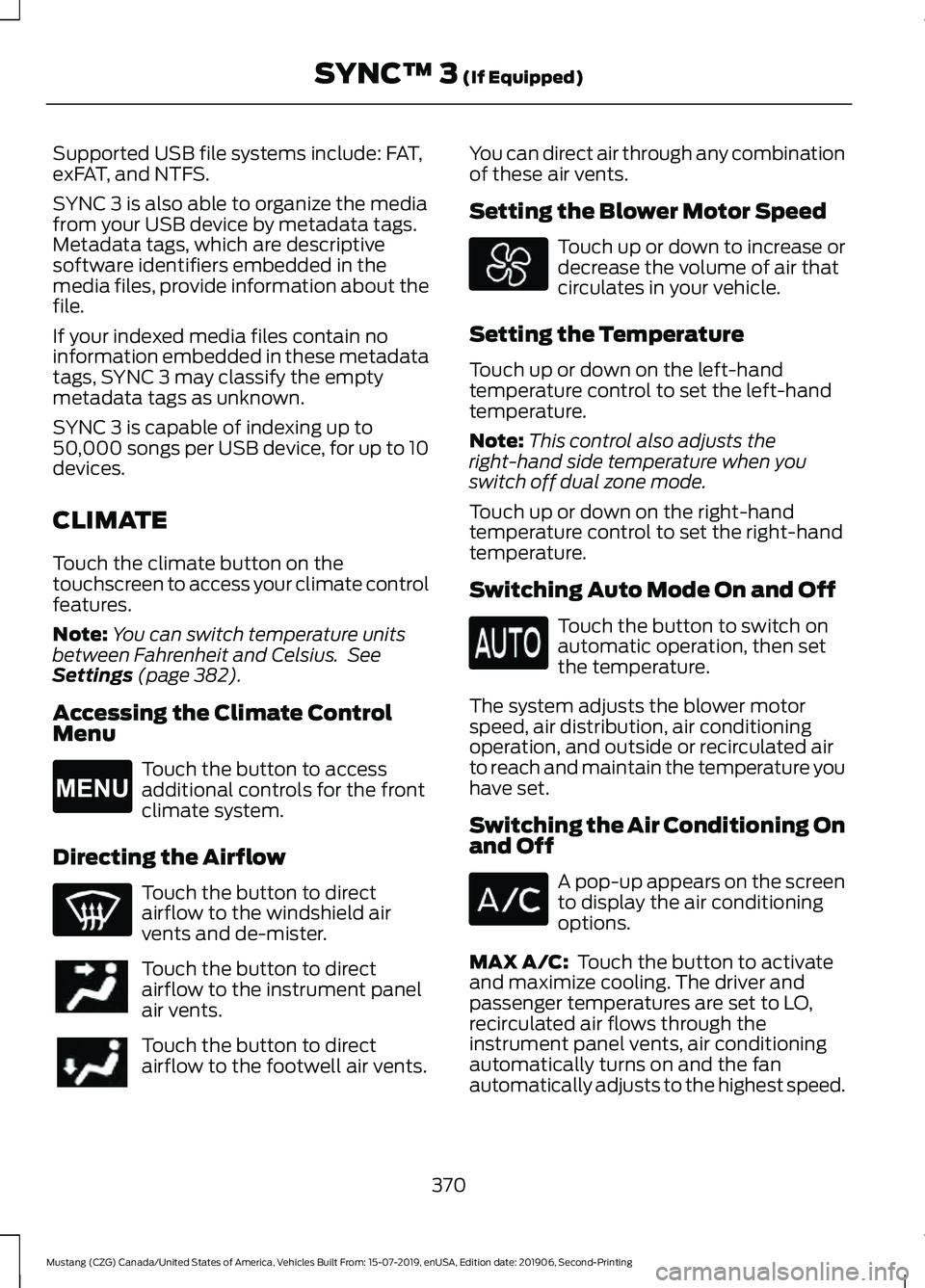
Accessing the Climate Control
Menu Touch the button to access
additional controls for the front
climate system.
Directing the Airflow Touch the button to direct
airflow to the windshield air
vents and de-mister.
Touch the button to direct
airflow to the instrument panel
air vents.
Touch the button to direct
airflow to the footwell air vents. You can direct air through any combination
of these air vents.
Setting the Blower Motor Speed Touch up or down to increase or
decrease the volume of air that
circulates in your vehicle.
Setting the Temperature
Touch up or down on the left-hand
temperature control to set the left-hand
temperature.
Note: This control also adjusts the
right-hand side temperature when you
switch off dual zone mode.
Touch up or down on the right-hand
temperature control to set the right-hand
temperature.
Switching Auto Mode On and Off Touch the button to switch on
automatic operation, then set
the temperature.
The system adjusts the blower motor
speed, air distribution, air conditioning
operation, and outside or recirculated air
to reach and maintain the temperature you
have set.
Switching the Air Conditioning On
and Off A pop-up appears on the screen
to display the air conditioning
options.
MAX A/C:
Touch the button to activate
and maximize cooling. The driver and
passenger temperatures are set to LO,
recirculated air flows through the
instrument panel vents, air conditioning
automatically turns on and the fan
automatically adjusts to the highest speed.
370
Mustang (CZG) Canada/United States of America, Vehicles Built From: 15-07-2019, enUSA, Edition date: 201906, Second-Printing SYNC™ 3
(If Equipped)E265038
Page 374 of 464
A/C: Touch to switch the air conditioning
on or off. Use A/C with recirculated air to
improve cooling performance and
efficiency.
Note: In certain conditions, such as
maximum defrost, the air conditioning
compressor may continue to operate even
though you switch off the air conditioning.
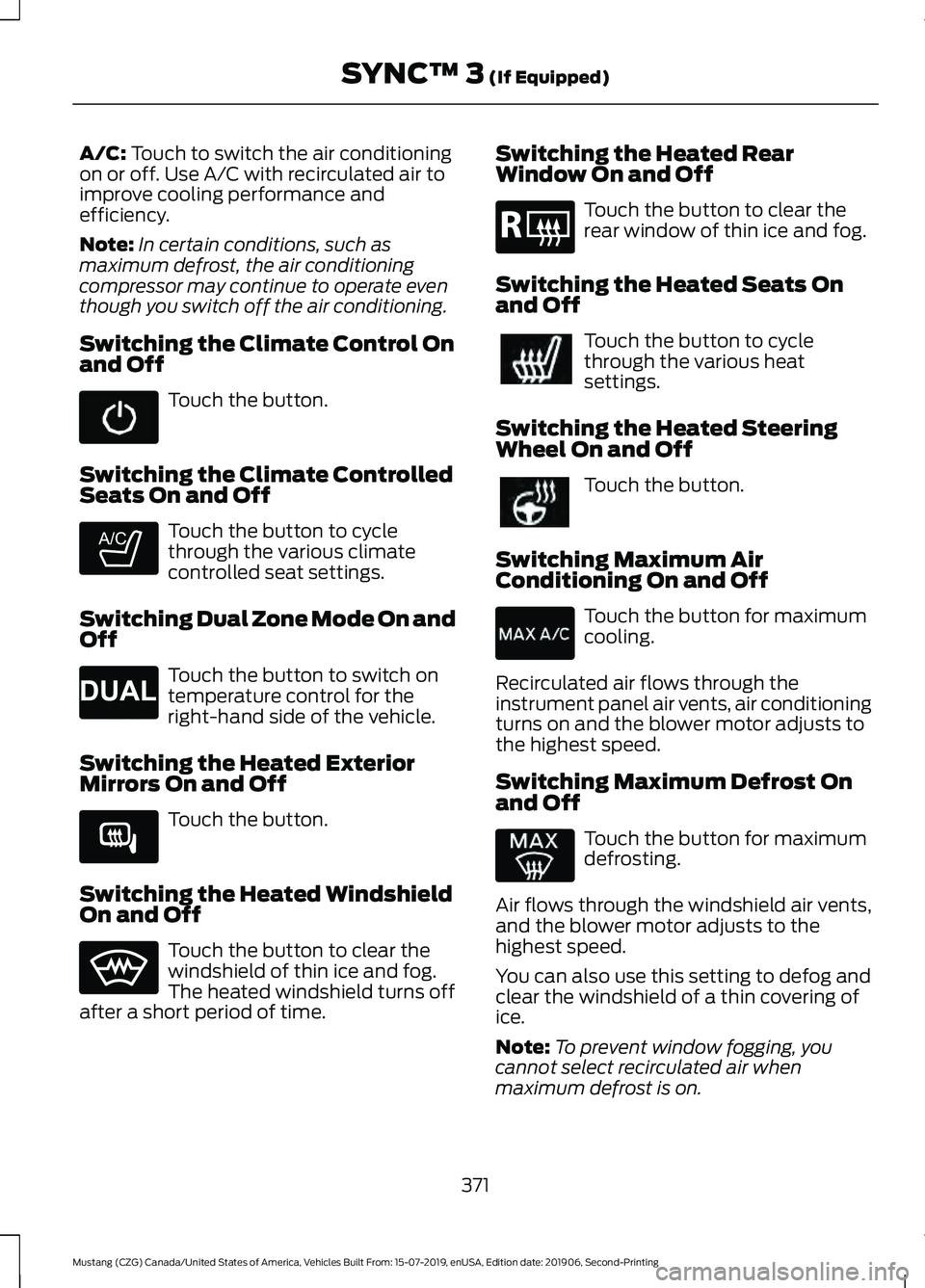
Switching the Climate Control On
and Off Touch the button.
Switching the Climate Controlled
Seats On and Off Touch the button to cycle
through the various climate
controlled seat settings.
Switching Dual Zone Mode On and
Off Touch the button to switch on
temperature control for the
right-hand side of the vehicle.
Switching the Heated Exterior
Mirrors On and Off Touch the button.
Switching the Heated Windshield
On and Off Touch the button to clear the
windshield of thin ice and fog.
The heated windshield turns off
after a short period of time. Switching the Heated Rear
Window On and Off Touch the button to clear the
rear window of thin ice and fog.
Switching the Heated Seats On
and Off Touch the button to cycle
through the various heat
settings.
Switching the Heated Steering
Wheel On and Off Touch the button.
Switching Maximum Air
Conditioning On and Off Touch the button for maximum
cooling.
Recirculated air flows through the
instrument panel air vents, air conditioning
turns on and the blower motor adjusts to
the highest speed.
Switching Maximum Defrost On
and Off Touch the button for maximum
defrosting.
Air flows through the windshield air vents,
and the blower motor adjusts to the
highest speed.
You can also use this setting to defog and
clear the windshield of a thin covering of
ice.
Note: To prevent window fogging, you
cannot select recirculated air when
maximum defrost is on.
371
Mustang (CZG) Canada/United States of America, Vehicles Built From: 15-07-2019, enUSA, Edition date: 201906, Second-Printing SYNC™ 3
(If Equipped) E265282 E265280 E266189 E184884
Page 375 of 464
Note:
The heated rear window also turns
on when you select maximum defrost.
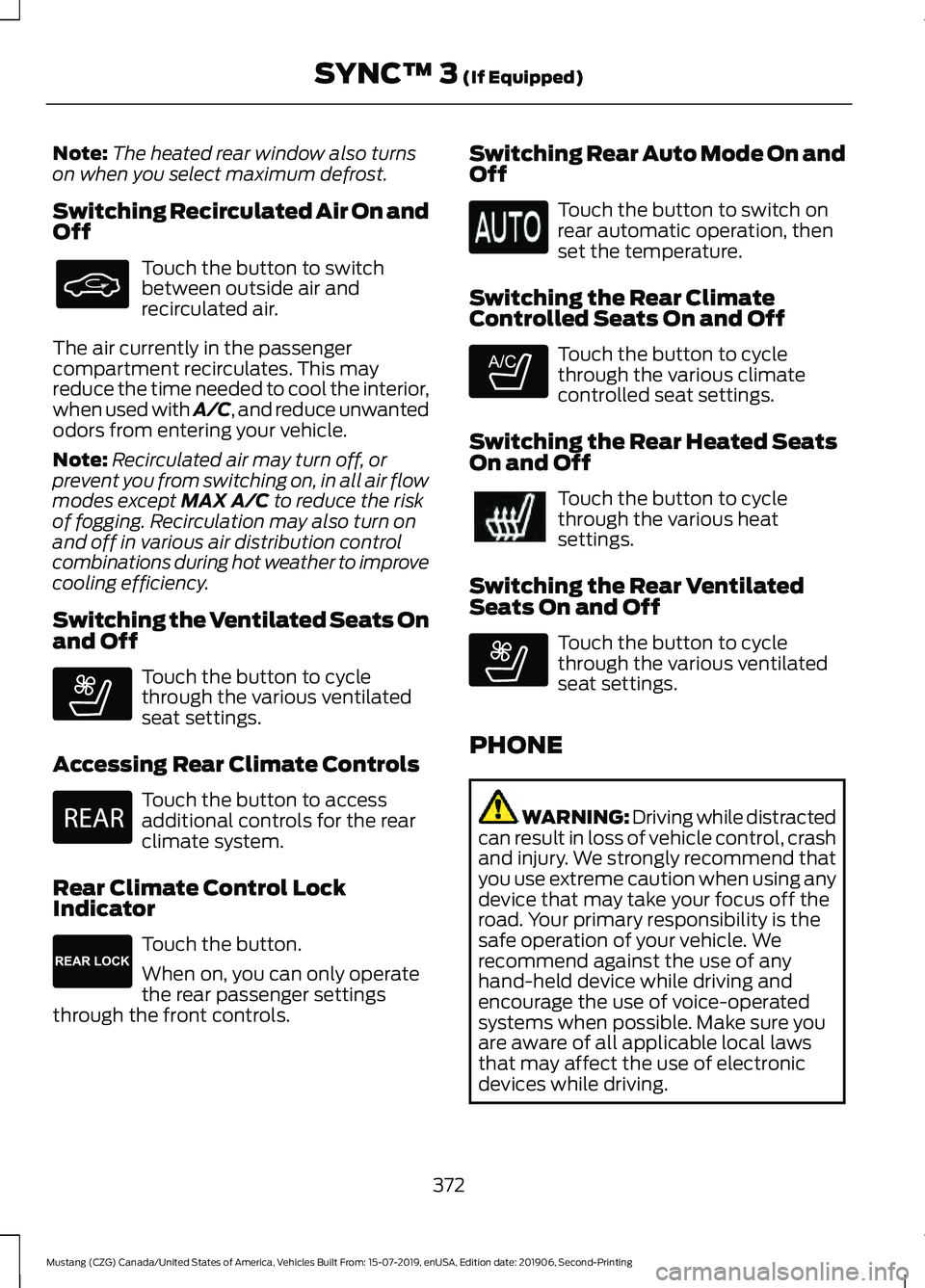
Switching Recirculated Air On and
Off Touch the button to switch
between outside air and
recirculated air.
The air currently in the passenger
compartment recirculates. This may
reduce the time needed to cool the interior,
when used with A/C, and reduce unwanted
odors from entering your vehicle.
Note: Recirculated air may turn off, or
prevent you from switching on, in all air flow
modes except MAX A/C to reduce the risk
of fogging. Recirculation may also turn on
and off in various air distribution control
combinations during hot weather to improve
cooling efficiency.
Switching the Ventilated Seats On
and Off Touch the button to cycle
through the various ventilated
seat settings.
Accessing Rear Climate Controls Touch the button to access
additional controls for the rear
climate system.
Rear Climate Control Lock
Indicator Touch the button.
When on, you can only operate
the rear passenger settings
through the front controls. Switching Rear Auto Mode On and
Off Touch the button to switch on
rear automatic operation, then
set the temperature.
Switching the Rear Climate
Controlled Seats On and Off Touch the button to cycle
through the various climate
controlled seat settings.
Switching the Rear Heated Seats
On and Off Touch the button to cycle
through the various heat
settings.
Switching the Rear Ventilated
Seats On and Off Touch the button to cycle
through the various ventilated
seat settings.
PHONE WARNING: Driving while distracted
can result in loss of vehicle control, crash
and injury. We strongly recommend that
you use extreme caution when using any
device that may take your focus off the
road. Your primary responsibility is the
safe operation of your vehicle. We
recommend against the use of any
hand-held device while driving and
encourage the use of voice-operated
systems when possible. Make sure you
are aware of all applicable local laws
that may affect the use of electronic
devices while driving.
372
Mustang (CZG) Canada/United States of America, Vehicles Built From: 15-07-2019, enUSA, Edition date: 201906, Second-Printing SYNC™ 3
(If Equipped) E268558 E270447 E265289 E265282 E268558
Page 452 of 464
A
A/C
See: Climate Control........................................... 111
About This Manual...........................................7
ABS See: Brakes........................................................... 154
ABS driving hints See: Hints on Driving With Anti-Lock
Brakes................................................................ 154
Accessories....................................................397
Accessories See: Replacement Parts
Recommendation............................................ 14
ACC See: Using Adaptive Cruise Control............168
Adjusting the Headlamps........................248 Horizontal Aim Adjustment........................... 250
Vertical Aim Adjustment................................ 248
Adjusting the Steering Wheel...................68
Airbag Disposal
...............................................49
Air Conditioning See: Climate Control........................................... 111
Air Filter See: Changing the Engine Air Filter - 2.3L
EcoBoost™/5.0L.......................................... 239
See: Changing the Engine Air Filter - 5.0L, Bullitt................................................................. 239
Alarm See: Anti-Theft Alarm......................................... 67
Ambient Lighting............................................76
Anti-Theft Alarm
............................................67
Arming the Alarm................................................. 67
Disarming the Alarm........................................... 67
Appendices.....................................................419
Apps
..................................................................379
SiriusXM Traffic and Travel Link.................... 381
Using Apps on an Android Device..............380
Using Apps on an iOS Device....................... 380
Using Mobile Navigation on an Android Device............................................................... 380
At a Glance........................................................18
Audible Warnings and Indicators.............89 Beltminder Warning............................................ 89
Direction Indicator Left On............................... 89
Headlamps On Warning Tone......................... 89
Keyless Warning Alert........................................ 89
Parking Brake On Warning Tone.................... 89Transmission Not in Park..................................
89
Audio Control..................................................68 You can operate the following functions
with the control:.............................................. 68
Audio System
................................................324
General Information......................................... 324
Audio Unit - Vehicles With: SYNC 3.......................................................................326
Accessing the Sound Settings....................... 327
Adjusting the Volume....................................... 327
Changing Radio Stations................................. 327
Ejecting the CD.................................................... 327
Inserting a CD...................................................... 327
Playing or Pausing Media................................ 327
Switching the Audio Unit On and Off.........327
Using Seek, Fast Forward and Reverse............................................................. 328
Audio Unit - Vehicles With: SYNC
.........324
Accessing the Apps Menu.............................. 325
Accessing the Clock Settings........................ 325
Accessing the Media Source Menu.............325
Accessing the Phone Features..................... 325
Accessing the Settings Menu........................ 325
Accessing the Sound Settings...................... 325
Adjusting the Volume....................................... 325
Changing Radio Stations................................ 325
Listening to the Radio...................................... 326
Muting the Audio............................................... 326
Playing or Pausing Media............................... 326
Switching the Audio Unit On and Off........326
Switching the Display On and Off...............326
Using Seek, Fast Forward and Reverse............................................................. 326
Using the Display Control............................... 326
Using the Number Block................................. 326
Autolamps.........................................................74 Windshield Wiper Activated
Headlamps......................................................... 74
Automatic Climate Control
........................112
Setting the Blower Motor Speed................... 112
Setting the Temperature................................... 113
Switching Auto Mode On and Off.................113
Switching Defrost On and Off......................... 113
Switching Maximum Air Conditioning On and Off................................................................ 113
Switching Maximum Defrost On and Off........................................................................\
. 113
449
Mustang (CZG) Canada/United States of America, Vehicles Built From: 15-07-2019, enUSA, Edition date: 201906, Second-Printing Index
Page 453 of 464

Switching Recirculated Air On and
Off........................................................................\
. 114
Switching the Air Conditioning On and Off........................................................................\
. 113
Switching the Climate Control On and Off........................................................................\
. 113
Automatic High Beam Control..................77
Automatic High Beam Control Indicators.........................................................77
Automatic Transmission...........................148
Automatic Transmission Adaptive
Learning.............................................................. 151
Brake-Shift Interlock.......................................... 151
If Your Vehicle Gets Stuck In Mud or Snow.................................................................... 151
SelectShift Automatic ™
Transmission................................................... 149
Understanding the Positions of Your Automatic Transmission............................. 149
Automatic Transmission Fluid Check.............................................................245
Autowipers.........................................................71
Auxiliary Power Points
................................129
12 Volt DC Power Point..................................... 129
Locations............................................................... 129
B
Battery See: Changing the 12V Battery..................... 246
Blind Spot Information System...............179 ........................................................................\
........... 180
Switching the System On and Off................181
System Errors........................................................ 181
Using the Blind Spot Information System.............................................................. 180
BLIS See: Blind Spot Information System...........179
Body Styling Kits
..........................................262
Bonnet Lock See: Opening and Closing the Hood...........232
Booster Seats..................................................28 Types of Booster Seats...................................... 28
Brake Fluid Check........................................245 Brake Fluid Service Interval........................... 246
Brakes...............................................................154 General Information.......................................... 154Breaking-In....................................................206
Brakes and Clutch............................................. 206
Engine.................................................................... 206
Ground Clearance............................................. 206
Tires........................................................................\
206
Bulb Specification Chart...........................319
C
Canceling the Set Speed...........................167
Capacities and Specifications - 2.3L EcoBoost™.................................................303
Air Conditioning System................................. 303
Alternative Engine Oil for Extremely Cold Climates........................................................... 306
Automatic Transmission................................ 303
Engine Coolant................................................... 304
Engine Oil 2.3L EcoBoost Base.................... 305
Engine Oil 2.3L EcoBoost High Output............................................................... 307
Fuel Tank.............................................................. 309
Grease................................................................... 309
Hydraulic Brake System..................................309
Locks...................................................................... 309
Manual Transmission...................................... 304
Rear Axle................................................................ 310
Washer Reservoir................................................. 311
Capacities and Specifications - 5.0L..................................................................311
Air Conditioning System.................................... 311
Alternative Engine Oil for Extremely Cold Climates............................................................ 315
Automatic Transmission.................................. 312
Engine Coolant.................................................... 313
Engine Oil............................................................... 314
Fuel Tank............................................................... 316
Grease..................................................................... 316
Hydraulic Brake System.................................... 317
Locks........................................................................\
317
Manual Transmission........................................ 313
Rear Axle................................................................. 317
Washer Reservoir................................................ 318
Capacities and Specifications
................297
Car Wash See: Cleaning the Exterior.............................. 255
Catalytic Converter......................................144 On-Board Diagnostics (OBD-II).................... 145
450
Mustang (CZG) Canada/United States of America, Vehicles Built From: 15-07-2019, enUSA, Edition date: 201906, Second-Printing Index
Page 454 of 464
Readiness for Inspection and Maintenance
(I/M) Testing................................................... 145
Center Console..............................................130
Locking Storage Bin........................................... 130
Changing a Bulb............................................251 LED Lamps............................................................ 251
Replacing Reverse Lamp Bulbs..................... 251
Changing a Fuse..........................................230 Fuses...................................................................... 230
Changing a Road Wheel
...........................289
Dissimilar Spare Wheel and Tire Assembly
Information..................................................... 289
Tire Change Procedure..................................... 291
Changing the 12V Battery.........................246 Battery Management System....................... 247
Remove and Reinstall the Battery..............248
Changing the Cabin Air Filter.....................117
Changing the Engine Air Filter - 2.3L EcoBoost™/5.0L......................................239
Changing the Engine Air Filter - 5.0L, Bullitt.............................................................239
Changing the Wi-Fi Hotspot Name or Password.....................................................323
Changing the Wiper Blades.....................250
Checking MyKey System Status..............58 MyKey Distance.................................................... 58
Number of Admin Keys...................................... 58
Number of MyKeys.............................................. 58
Checking the Wiper Blades.....................250
Child Restraint and Seatbelt Maintenance.................................................38
Child Restraint Positioning
.........................30
Child Safety......................................................20 General Information............................................ 20
Cleaning Leather Seats.............................259
Cleaning Products
.......................................255
Materials............................................................... 255
Cleaning the Convertible Top..................262
Cleaning the Engine....................................257
Cleaning the Exterior..................................255 Cleaning the Headlamps................................ 256
Exterior Chrome Parts..................................... 256
Exterior Plastic Parts........................................ 256
Stripes or Graphics............................................ 256
Underbody........................................................... 256
Under Hood......................................................... 256
Cleaning the Instrument Panel and Instrument Cluster Lens
........................258 Cleaning the Interior
...................................258
Mirrors.................................................................... 258
Cleaning the Wheels..................................260
Cleaning the Windows and Wiper Blades............................................................257
Clearing All MyKeys........................................57
Climate............................................................370 Accessing Rear Climate Controls.................372
Accessing the Climate Control Menu.........370
Directing the Airflow......................................... 370
Rear Climate Control Lock Indicator...........372
Setting the Blower Motor Speed.................370
Setting the Temperature................................. 370
Switching Auto Mode On and Off...............370
Switching Dual Zone Mode On and Off........................................................................\
371
Switching Maximum Air Conditioning On and Off............................................................... 371
Switching Maximum Defrost On and Off........................................................................\
371
Switching Rear Auto Mode On and Off....................................................................... 372
Switching Recirculated Air On and Off....................................................................... 372
Switching the Air Conditioning On and Off....................................................................... 370
Switching the Climate Controlled Seats On and Off............................................................... 371
Switching the Climate Control On and Off........................................................................\
371
Switching the Heated Exterior Mirrors On and Off............................................................... 371
Switching the Heated Rear Window On and Off........................................................................\
371
Switching the Heated Seats On and Off........................................................................\
371
Switching the Heated Steering Wheel On and Off............................................................... 371
Switching the Heated Windshield On and Off........................................................................\
371
Switching the Rear Climate Controlled Seats On and Off........................................... 372
Switching the Rear Heated Seats On and Off....................................................................... 372
Switching the Rear Ventilated Seats On and Off.............................................................. 372
Switching the Ventilated Seats On and Off....................................................................... 372
451
Mustang (CZG) Canada/United States of America, Vehicles Built From: 15-07-2019, enUSA, Edition date: 201906, Second-Printing Index