light FORD MUSTANG 2021 Owners Manual
[x] Cancel search | Manufacturer: FORD, Model Year: 2021, Model line: MUSTANG, Model: FORD MUSTANG 2021Pages: 530, PDF Size: 10.22 MB
Page 423 of 530
SiriusXM Traffic and Travel Link (If
Equipped)
SiriusXM Traffic and Travel Link is available
on vehicles equipped with navigation and
only in select markets. You must activate
and subscribe to receive SiriusXM Traffic
and Travel Link information. It helps you
locate the best gas prices, find movie
listings, get current traffic alerts, view the
weather map, get accurate ski conditions
and see current sports scores.
The system calculates a reasonable
efficient route based on available speed
limits, traffic, and road conditions. You may
know a local short cut that is more efficient
at a given time than the route provided by
SYNC 3, but you should expect a slight
difference in minutes or miles with the
SYNC 3 route.
Michelin Travel Guide (If Equipped)
The Michelin travel guide is a service which
provides additional information about
certain places of interest, for example
restaurants, hotels and tourist sites. Points
of interest that have Michelin travel guide
information display a button to show you
more information. Push the button to see
the additional information. If you have
paired your phone with the system, you
can press the phone button to directly
establish a call with the selected point of
interest.
Navigation Map Accuracy and
Updates
HERE is the digital map provider for the
navigation application. If you find map data
errors, you may report them directly to
HERE by going to www.here.com. HERE
evaluates all reported map errors and
responds with the result of their
investigation by e-mail. The navigation system map data may
contain inaccurate or incomplete
information due to the passage of time,
changing circumstances, sources used and
the nature of collecting comprehensive
geographic data, any of which may lead to
incorrect results. Inaccurate speed limit
information, turn restrictions and other
road attributes may affect the determined
route and associated guidance
Annual navigation map updates are
available for purchase through your
dealership. Depending on your purchase
agreement, you might be eligible for free
Map update. You can choose to download
the Map data update onto a USB, order a
USB, or use Wi-Fi to deliver automatic
updates. To update your Map data over
Wi-Fi, your vehicle must be connected to
a Wi-Fi access point. Map Data files are
large, so it is highly recommended to
perform the update when free Wi-Fi is
available otherwise high data rates may
apply. For USB updates, free map update
eligibility, and other details, contact
dealers at 1-866-462-8837 in the United
States and Canada or 01-800-557-5539
in Mexico or visit our local website for more
information.
APPS
The system allows you interact with select
mobile apps while keeping your eyes on
the road. Voice commands, your steering
wheel buttons, or a quick tap on your
touchscreen give you advanced control of
compatible mobile apps. You can also
stream your favorite music or podcasts,
share your time of arrival with friends, and
keep connected safely.
420
Mustang (CZG) Canada/United States of America, Vehicles Built From: 14-09-2020, enUSA, Edition date: 202010, Second-Printing SYNC™ 3
(If Equipped)
Page 426 of 530
Action and Description
Menu Item
Select to choose from a listing of
weather locations.
Area
Touch this button to view scores and schedules from a variety
of sports. You can also save up to 10 favorite teams for easier
access. The score automatically refreshes when a game is in
progress.
Sports Info
Touch this button to view ski conditions for a specific area.
Ski Conditions
SETTINGS Press the button to enter the
settings menu.
Once you select a tile, press the
button next to a menu item to
view an explanation of the
feature or setting.
Sound
Select this tile to adjust the sound settings.
Clock
Select this tile to adjust the clock settings.
Bluetooth®
Select this tile to switch Bluetooth® on
and off and adjust the settings.
Phone
Select this tile to connect, disconnect, and
manage the connected device settings.
Audio
Select this tile to adjust the audio settings. Driver Assist
(If Equipped)
Select this tile to adjust Driver Assist
features like Parking Aids, Lane Keeping
System, Pedestrian Detection, and
Auto-Start-Stop.
Vehicle
Select this tile to adjust vehicle settings
like windows, alarm, lighting, and MyKey
settings.
FordPass
Select this tile to adjust the FordPass
settings.
General
Select this tile to adjust settings like
language, measurement units, or to reset
the system.
911 Assist
(If Equipped)
Select this tile to switch 911 Assist on and
off.
Automatic Updates
Select this tile to adjust the automatic
update settings.
Mobile Apps
Select this tile to adjust permissions,
enable, disable, and update mobile apps.
423
Mustang (CZG) Canada/United States of America, Vehicles Built From: 14-09-2020, enUSA, Edition date: 202010, Second-Printing SYNC™ 3
(If Equipped)E280315 E268570
Page 427 of 530
Display
Select this tile to adjust display settings
like brightness and auto dim.
Charge Settings (If Equipped)
Select this tile to adjust the electric vehicle
charge settings.
Voice Control
Select this tile to adjust voice control
settings like command confirmations and
displayed lists.
Navigation
(If Equipped)
Select this tile to adjust navigation settings
like map preferences and route guidance.
Multi Contour Seats
(If Equipped)
Select this tile to adjust the position and
massage function of your multi contour
seats. Seats
(If Equipped)
Select this tile to adjust the lumbar
function of your seats.
Message Center
(If Equipped)
Select this tile to view vehicle messages.
Personal Profiles
(If Equipped)
Select this tile to adjust recalled memory
features when using personal profiles.
Valet Mode
(If Equipped)
Select this tile to enable and disable valet
mode.
Ambient Lighting
(If Equipped)
Select this tile to change the color or
intensity of the interior lighting.
424
Mustang (CZG) Canada/United States of America, Vehicles Built From: 14-09-2020, enUSA, Edition date: 202010, Second-Printing SYNC™ 3
(If Equipped)
Page 446 of 530
Make sure to change your vehicle
’s oils and
fluids at the specified intervals or in
conjunction with a repair. Flushing is a
viable way to change fluid for many vehicle
sub-systems during scheduled
maintenance. It is critical that systems are
flushed only with new fluid that is the same
as that required to fill and operate the system or using a Ford-approved flushing
chemical.
Owner Checks and Services
Make sure you perform the following basic
maintenance checks and inspections every
month or at six-month intervals.Check every month
Engine oil level.
For severe use, high engine speed and engine loads, engine braking and track use, check engine oil level every fuel fill-up.
Function of all interior and exterior lights.
Tires, including spare, for wear and proper pressure. Windshield washer fluid level. Check every six months
Battery connections. Clean if necessary.
Body and door drain holes for obstructions. Clean if necessary. Cooling system fluid level and coolant strength.
Door weatherstrips for wear. Lubricate if necessary.
Hinges, latches and outside locks for proper operation. Lubricate if necessary. Parking brake for proper operation.
Seatbelts and seat latches for wear and function.
Safety warning lamps operation for brake, ABS, airbag and seatbelt.
Washer spray and wiper operation. Clean or replace blades as necessary.
443
Mustang (CZG) Canada/United States of America, Vehicles Built From: 14-09-2020, enUSA, Edition date: 202010, Second-Printing Scheduled Maintenance
Page 452 of 530
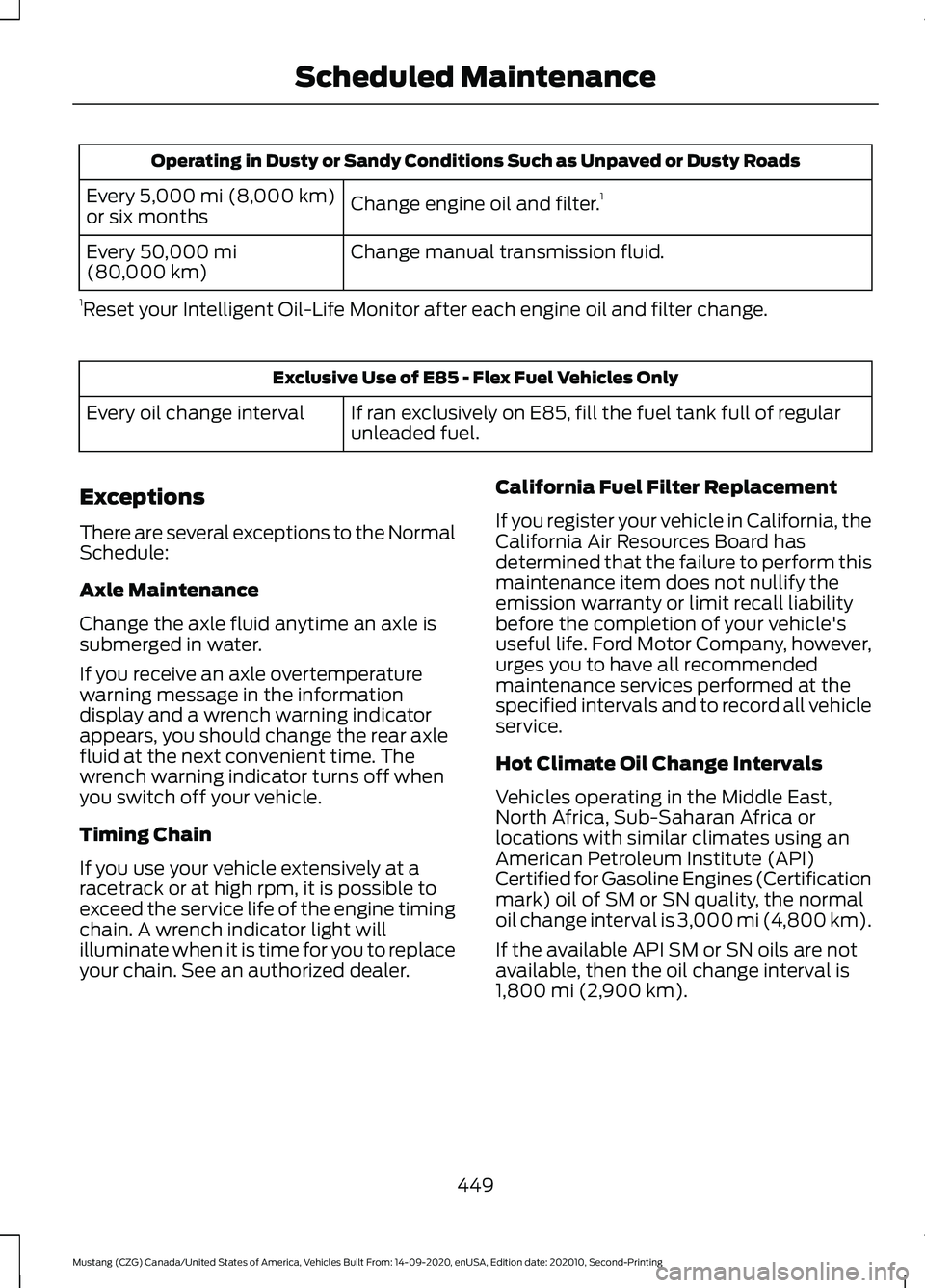
Operating in Dusty or Sandy Conditions Such as Unpaved or Dusty Roads
Change engine oil and filter. 1
Every 5,000 mi (8,000 km)
or six months
Change manual transmission fluid.
Every
50,000 mi
(80,000 km)
1 Reset your Intelligent Oil-Life Monitor after each engine oil and filter change. Exclusive Use of E85 - Flex Fuel Vehicles Only
If ran exclusively on E85, fill the fuel tank full of regular
unleaded fuel.
Every oil change interval
Exceptions
There are several exceptions to the Normal
Schedule:
Axle Maintenance
Change the axle fluid anytime an axle is
submerged in water.
If you receive an axle overtemperature
warning message in the information
display and a wrench warning indicator
appears, you should change the rear axle
fluid at the next convenient time. The
wrench warning indicator turns off when
you switch off your vehicle.
Timing Chain
If you use your vehicle extensively at a
racetrack or at high rpm, it is possible to
exceed the service life of the engine timing
chain. A wrench indicator light will
illuminate when it is time for you to replace
your chain. See an authorized dealer. California Fuel Filter Replacement
If you register your vehicle in California, the
California Air Resources Board has
determined that the failure to perform this
maintenance item does not nullify the
emission warranty or limit recall liability
before the completion of your vehicle's
useful life. Ford Motor Company, however,
urges you to have all recommended
maintenance services performed at the
specified intervals and to record all vehicle
service.
Hot Climate Oil Change Intervals
Vehicles operating in the Middle East,
North Africa, Sub-Saharan Africa or
locations with similar climates using an
American Petroleum Institute (API)
Certified for Gasoline Engines (Certification
mark) oil of SM or SN quality, the normal
oil change interval is 3,000 mi (4,800 km).
If the available API SM or SN oils are not
available, then the oil change interval is
1,800 mi (2,900 km)
.
449
Mustang (CZG) Canada/United States of America, Vehicles Built From: 14-09-2020, enUSA, Edition date: 202010, Second-Printing Scheduled Maintenance
Page 514 of 530
5. Service Continuity and Reception of
the SUNA Traffic Channel
We will use reasonable endeavours to
provide the SUNA Traffic Channel 24 hours
a day, 365 days a year. The SUNA Traffic
Channel may occasionally be unavailable
for technical reasons or for planned
maintenance. We will try to perform
maintenance at times when congestion is
light. We reserve the right to withdraw
SUNA Products and/or Services at any
time.
Also, we cannot assure the uninterrupted
reception of the SUNA Traffic Channel
RDS-TMC signal at any particular location.
6. Limitation of Liability
Neither Intelematics (nor its suppliers or
the manufacturer of your device (the
“Suppliers”)) shall be liable to you or to
any third party for any damages either
direct, indirect, incidental, consequential
or otherwise arising out of the use of or inability to use SUNA Products and/or
Services even if Intelematics or a Supplier
has been advised of the possibility of such
damages. You also acknowledge that the
neither Intelematics nor any Supplier
guarantees nor make any warranties that
relate to the availability, accuracy or
completeness of SUNA Products and/or
Services, and to the extent which it is
lawful to do so, both Intelematics and each
Supplier excludes any warranties which
might otherwise be implied by any State
or Federal legislation in relation to SUNA
Products and/or Services.
7. Please Note
Great care has been taken in preparing this
manual. Constant product development
may mean that some information is not
entirely up-to-date. The information in this
document is subject to change without
notice.
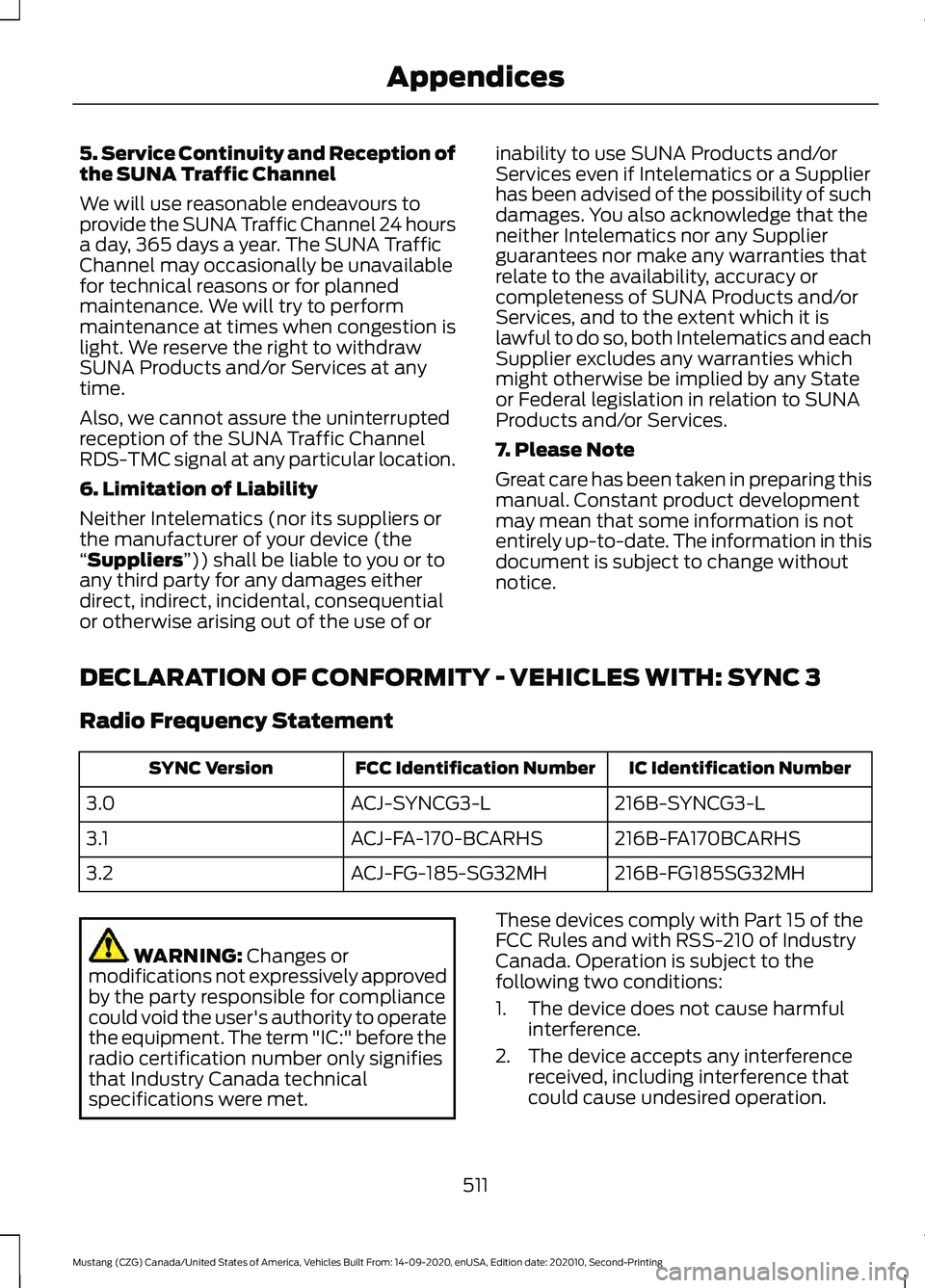
DECLARATION OF CONFORMITY - VEHICLES WITH: SYNC 3
Radio Frequency Statement IC Identification Number
FCC Identification Number
SYNC Version
216B-SYNCG3-L
ACJ-SYNCG3-L
3.0
216B-FA170BCARHS
ACJ-FA-170-BCARHS
3.1
216B-FG185SG32MH
ACJ-FG-185-SG32MH
3.2 WARNING:
Changes or
modifications not expressively approved
by the party responsible for compliance
could void the user's authority to operate
the equipment. The term "IC:" before the
radio certification number only signifies
that Industry Canada technical
specifications were met. These devices comply with Part 15 of the
FCC Rules and with RSS-210 of Industry
Canada. Operation is subject to the
following two conditions:
1. The device does not cause harmful
interference.
2. The device accepts any interference received, including interference that
could cause undesired operation.
511
Mustang (CZG) Canada/United States of America, Vehicles Built From: 14-09-2020, enUSA, Edition date: 202010, Second-Printing Appendices
Page 516 of 530
A
A/C
See: Climate Control.......................................... 127
About This Manual...........................................9
About This Supplement - Mach 1...............9 Mach 1 History........................................................ 10
ABS See: Brakes............................................................. 171
ABS driving hints See: Hints on Driving With Anti-Lock
Brakes.................................................................. 171
Accessories....................................................438
Accessories See: Replacement Parts
Recommendation............................................ 19
ACC See: Using Adaptive Cruise Control............185
Adjusting the Headlamps.........................272
Horizontal Aim Adjustment............................ 274
Vertical Aim Adjustment................................. 272
Adjusting the Steering Wheel....................75
Airbag Disposal...............................................57
Air Conditioning See: Climate Control.......................................... 127
Air Filter See: Changing the Engine Air Filter - 2.3L
EcoBoost™/5.0L.......................................... 263
See: Changing the Engine Air Filter - 5.0L, Mach 1............................................................... 262
Alarm See: Anti-Theft Alarm......................................... 74
Ambient Lighting
............................................83
Anti-Theft Alarm............................................74
Arming the Alarm................................................. 74
Disarming the Alarm........................................... 74
Appendices....................................................483
Apps
.................................................................420
SiriusXM Traffic and Travel Link...................422
Using Apps on an Android Device................421
Using Apps on an iOS Device......................... 421
Using Mobile Navigation on an Android Device................................................................. 421
At a Glance
.......................................................23
Audible Warnings and Indicators.............97 Beltminder Warning............................................ 98
Direction Indicator Left On............................... 98
Headlamps On Warning Tone......................... 97Keyless Warning Alert.........................................
97
Parking Brake On Warning Tone.....................97
Transmission Not in Park.................................. 98
Audio Control
...................................................75
You can operate the following functions
with the control:............................................... 75
Audio System
................................................365
General Information......................................... 365
Audio Unit - Vehicles With: 4.2 Inch Information and Entertainment Display
Screen...........................................................365
Accessing the Apps Menu.............................. 366
Accessing the Clock Settings.......................366
Accessing the Media Source Menu............366
Accessing the Phone Features.....................366
Accessing the Settings Menu.......................366
Accessing the Sound Settings.....................366
Adjusting the Volume...................................... 366
Changing Radio Stations............................... 366
Listening to the Radio...................................... 367
Muting the Audio................................................ 367
Playing or Pausing Media................................ 367
Switching the Audio Unit On and Off.........367
Switching the Display On and Off...............367
Using Seek, Fast Forward and Reverse .............................................................. 367
Using the Display Control............................... 367
Using the Number Block................................. 367
Audio Unit - Vehicles With: 8 Inch Information and Entertainment Display
Screen...........................................................367
Accessing the Sound Settings.....................368
Adjusting the Volume...................................... 368
Changing Radio Stations............................... 368
Ejecting the CD................................................... 368
Inserting a CD..................................................... 368
Playing or Pausing Media............................... 368
Switching the Audio Unit On and Off........368
Using Seek, Fast Forward and Reverse............................................................. 369
Autolamps
.........................................................81
Windshield Wiper Activated
Headlamps......................................................... 81
Automatic Climate Control......................128 Setting the Blower Motor Speed..................128
Setting the Temperature................................. 129
Switching Auto Mode On and Off................129
Switching Defrost On and Off.......................129
513
Mustang (CZG) Canada/United States of America, Vehicles Built From: 14-09-2020, enUSA, Edition date: 202010, Second-Printing Index
Page 520 of 530
Rev Match............................................................
208
Selectable Drive Modes.................................. 206
Selectable Steering.......................................... 208
Driver Alert.......................................................191
Using Driver Alert................................................. 191
Driver and Passenger Airbags...................49 Children and Airbags.......................................... 50
Proper Driver and Front Passenger Seating Adjustment........................................................ 49
Driver and Passenger Knee Airbags........54
Driving Aids
......................................................191
Driving at High Speed.................................333
Driving Hints...................................................229
Driving Through Water
...............................230
DRL See: Daytime Running Lamps - Vehicles With:
Configurable Daytime Running
Lamps.................................................................. 82
See: Daytime Running Lamps - Vehicles With: Daytime Running Lamps (DRL)................82
E
Economical Driving
.....................................229
Electromagnetic Compatibility..............483
Emission Law.................................................160 Tampering With a Noise Control
System.............................................................. 160
Enabling Remote Start
...............................124
End User License Agreement.................486 VEHICLE SOFTWARE END USER LICENSE
AGREEMENT (EULA) ................................ 486
Engine Block Heater....................................150 Using the Engine Block Heater....................... 151
Engine Coolant Check
...............................264
Adding Coolant.................................................. 264
Coolant Change................................................. 266
Engine Coolant Temperature Management.................................................. 267
Fail-Safe Cooling............................................... 266
Recycled Coolant............................................... 265
Severe Climates................................................. 266
Engine Emission Control...........................160
Engine Immobilizer See: Passive Anti-Theft System.....................73
Engine Oil Check...........................................261 Adding Engine Oil............................................... 261
Engine Oil Dipstick
.......................................261 Engine Specifications - 2.3L
EcoBoost™.................................................335
Drivebelt Routing............................................... 335
Engine Specifications - 5.0L, Mach 1........................................................................\
335
Drivebelt Routing............................................... 336
Engine Specifications - 5.0L....................337 Drivebelt Routing................................................ 337
Entertainment...............................................401 AM/FM Radio...................................................... 402
Apps........................................................................\
410
CD........................................................................\
... 408
HD Radio ™ Information (If
Available)........................................................ 405
SiriusXM® Satellite Radio (If Activated)....................................................... 403
Sources.................................................................. 401
Stereo or USB..................................................... 409
Supported Media Players, Formats and Metadata Information................................. 410
USB Ports.............................................................. 410
Environment.....................................................22
Essential Towing Checks..........................220 Before Towing a Trailer.................................... 220
Hitches................................................................... 220
Launching or Retrieving a Boat or Personal Watercraft (PWC)......................................... 221
Safety Chains...................................................... 220
Trailer Brakes....................................................... 220
Trailer Lamps....................................................... 220
When Towing a Trailer....................................... 221
Event Data Recording See: Data Recording............................................. 15
Export Unique Options
..................................21
Extending the Remote Start Duration.........................................................124
Exterior Mirrors
................................................87
Blind Spot Monitor.............................................. 88
Fold-Away Exterior Mirrors............................... 87
Heated Exterior Mirrors...................................... 87
Integrated Blind Spot Mirrors........................... 87
Memory Mirrors..................................................... 87
Power Exterior Mirrors........................................ 87
Projection Lights................................................... 87
Signal Indicator Mirrors...................................... 87
517
Mustang (CZG) Canada/United States of America, Vehicles Built From: 14-09-2020, enUSA, Edition date: 202010, Second-Printing Index
Page 523 of 530
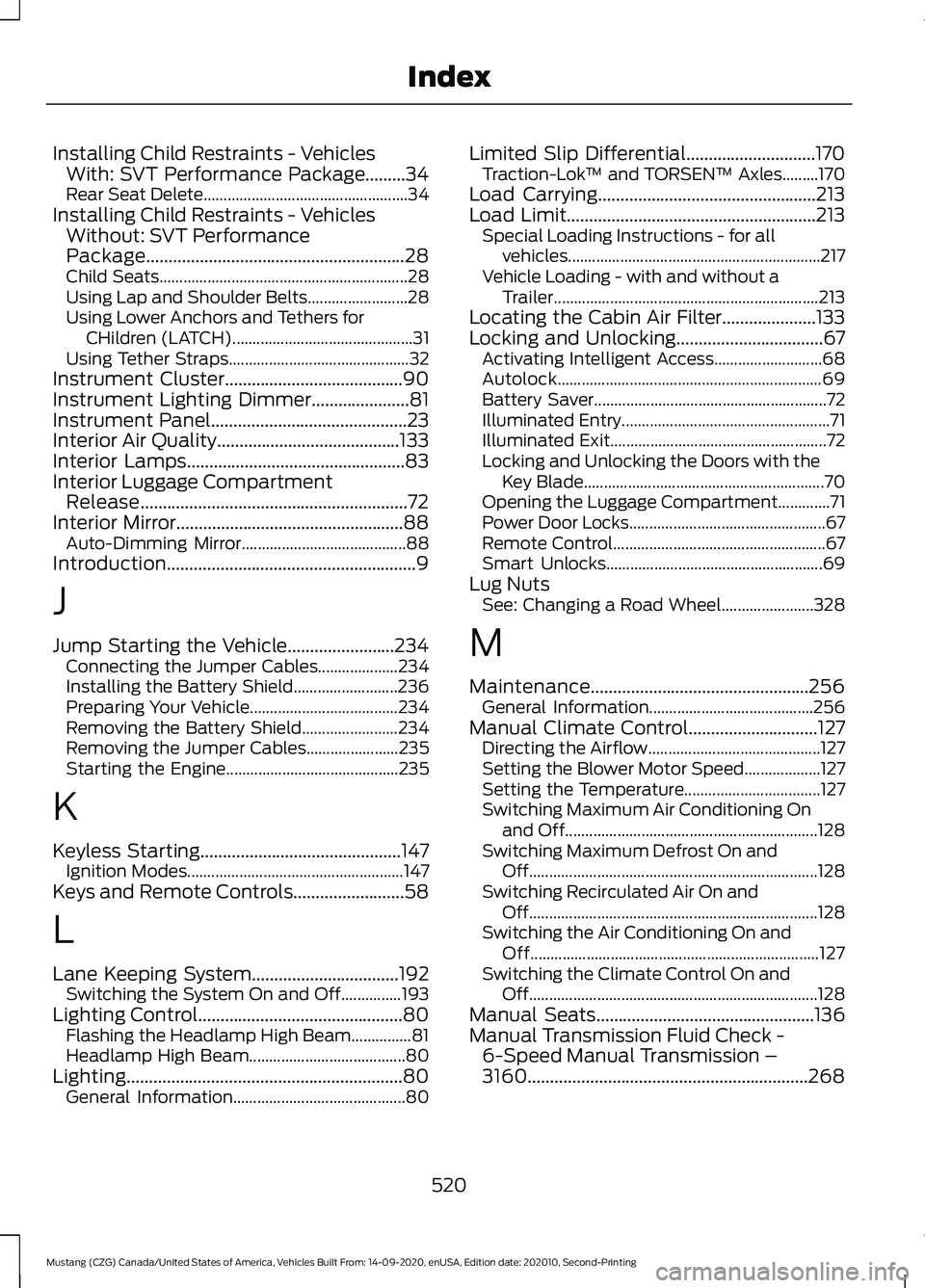
Installing Child Restraints - Vehicles
With: SVT Performance Package.........34
Rear Seat Delete................................................... 34
Installing Child Restraints - Vehicles Without: SVT Performance
Package..........................................................28
Child Seats.............................................................. 28
Using Lap and Shoulder Belts......................... 28
Using Lower Anchors and Tethers for CHildren (LATCH)............................................. 31
Using Tether Straps............................................. 32
Instrument Cluster
........................................90
Instrument Lighting Dimmer......................81
Instrument Panel
............................................23
Interior Air Quality.........................................133
Interior Lamps
.................................................83
Interior Luggage Compartment Release............................................................72
Interior Mirror...................................................88 Auto-Dimming Mirror......................................... 88
Introduction........................................................9
J
Jump Starting the Vehicle........................234 Connecting the Jumper Cables.................... 234
Installing the Battery Shield.......................... 236
Preparing Your Vehicle..................................... 234
Removing the Battery Shield........................ 234
Removing the Jumper Cables....................... 235
Starting the Engine........................................... 235
K
Keyless Starting
.............................................147
Ignition Modes...................................................... 147
Keys and Remote Controls.........................58
L
Lane Keeping System.................................192 Switching the System On and Off...............193
Lighting Control
..............................................80
Flashing the Headlamp High Beam...............81
Headlamp High Beam....................................... 80
Lighting
..............................................................80
General Information........................................... 80Limited Slip Differential.............................170
Traction-Lok ™ and TORSEN™ Axles.........170
Load Carrying.................................................213
Load Limit........................................................213 Special Loading Instructions - for all
vehicles............................................................... 217
Vehicle Loading - with and without a Trailer.................................................................. 213
Locating the Cabin Air Filter.....................133
Locking and Unlocking.................................67 Activating Intelligent Access........................... 68
Autolock.................................................................. 69
Battery Saver.......................................................... 72
Illuminated Entry.................................................... 71
Illuminated Exit...................................................... 72
Locking and Unlocking the Doors with the Key Blade............................................................ 70
Opening the Luggage Compartment.............71
Power Door Locks................................................. 67
Remote Control..................................................... 67
Smart Unlocks...................................................... 69
Lug Nuts See: Changing a Road Wheel....................... 328
M
Maintenance.................................................256 General Information......................................... 256
Manual Climate Control
.............................127
Directing the Airflow........................................... 127
Setting the Blower Motor Speed...................127
Setting the Temperature.................................. 127
Switching Maximum Air Conditioning On and Off............................................................... 128
Switching Maximum Defrost On and Off........................................................................\
128
Switching Recirculated Air On and Off........................................................................\
128
Switching the Air Conditioning On and Off........................................................................\
127
Switching the Climate Control On and Off........................................................................\
128
Manual Seats
.................................................136
Manual Transmission Fluid Check - 6-Speed Manual Transmission –
3160...............................................................268
520
Mustang (CZG) Canada/United States of America, Vehicles Built From: 14-09-2020, enUSA, Edition date: 202010, Second-Printing Index
Page 526 of 530
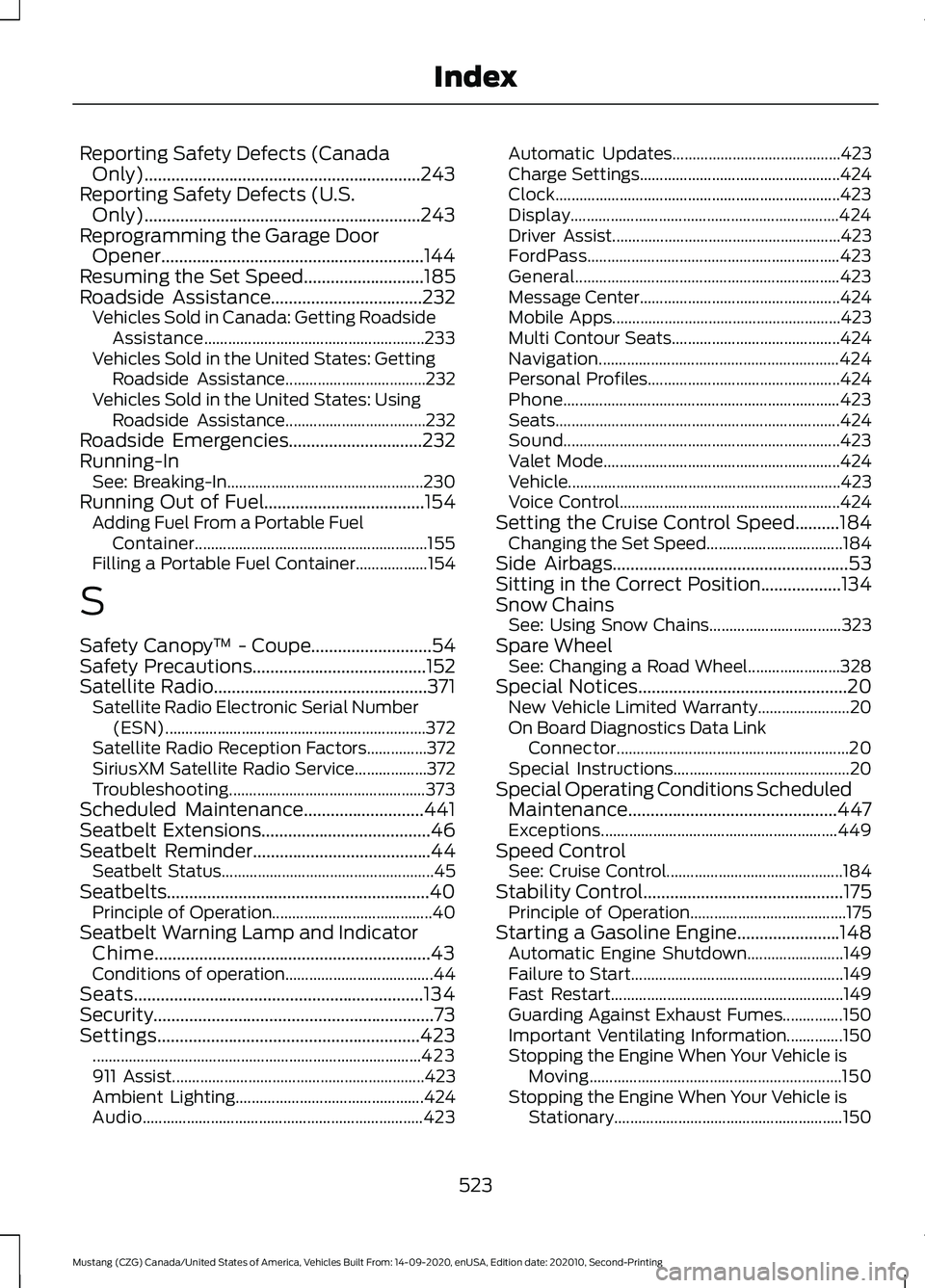
Reporting Safety Defects (Canada
Only)..............................................................243
Reporting Safety Defects (U.S. Only)..............................................................243
Reprogramming the Garage Door Opener...........................................................144
Resuming the Set Speed...........................185
Roadside Assistance..................................232 Vehicles Sold in Canada: Getting Roadside
Assistance....................................................... 233
Vehicles Sold in the United States: Getting Roadside Assistance................................... 232
Vehicles Sold in the United States: Using Roadside Assistance................................... 232
Roadside Emergencies
..............................232
Running-In See: Breaking-In................................................. 230
Running Out of Fuel....................................154 Adding Fuel From a Portable Fuel
Container.......................................................... 155
Filling a Portable Fuel Container.................. 154
S
Safety Canopy ™ - Coupe
...........................54
Safety Precautions.......................................152
Satellite Radio................................................371 Satellite Radio Electronic Serial Number
(ESN)................................................................. 372
Satellite Radio Reception Factors...............372
SiriusXM Satellite Radio Service.................. 372
Troubleshooting................................................. 373
Scheduled Maintenance...........................441
Seatbelt Extensions......................................46
Seatbelt Reminder
........................................44
Seatbelt Status..................................................... 45
Seatbelts...........................................................40 Principle of Operation........................................ 40
Seatbelt Warning Lamp and Indicator Chime..............................................................43
Conditions of operation..................................... 44
Seats.................................................................134
Security...............................................................73
Settings...........................................................423 ........................................................................\
.......... 423
911 Assist............................................................... 423
Ambient Lighting............................................... 424
Audio...................................................................... 423Automatic Updates..........................................
423
Charge Settings.................................................. 424
Clock....................................................................... 423
Display................................................................... 424
Driver Assist......................................................... 423
FordPass............................................................... 423
General.................................................................. 423
Message Center.................................................. 424
Mobile Apps......................................................... 423
Multi Contour Seats.......................................... 424
Navigation............................................................ 424
Personal Profiles................................................ 424
Phone..................................................................... 423
Seats....................................................................... 424
Sound..................................................................... 423
Valet Mode........................................................... 424
Vehicle.................................................................... 423
Voice Control....................................................... 424
Setting the Cruise Control Speed
..........184
Changing the Set Speed.................................. 184
Side Airbags
.....................................................53
Sitting in the Correct Position..................134
Snow Chains See: Using Snow Chains................................. 323
Spare Wheel See: Changing a Road Wheel....................... 328
Special Notices
...............................................20
New Vehicle Limited Warranty....................... 20
On Board Diagnostics Data Link Connector.......................................................... 20
Special Instructions............................................ 20
Special Operating Conditions Scheduled Maintenance...............................................447
Exceptions........................................................... 449
Speed Control See: Cruise Control............................................ 184
Stability Control
.............................................175
Principle of Operation....................................... 175
Starting a Gasoline Engine.......................148 Automatic Engine Shutdown........................ 149
Failure to Start..................................................... 149
Fast Restart.......................................................... 149
Guarding Against Exhaust Fumes...............150
Important Ventilating Information..............150
Stopping the Engine When Your Vehicle is Moving............................................................... 150
Stopping the Engine When Your Vehicle is Stationary......................................................... 150
523
Mustang (CZG) Canada/United States of America, Vehicles Built From: 14-09-2020, enUSA, Edition date: 202010, Second-Printing Index