clutch FORD MUSTANG 2021 User Guide
[x] Cancel search | Manufacturer: FORD, Model Year: 2021, Model line: MUSTANG, Model: FORD MUSTANG 2021Pages: 530, PDF Size: 10.22 MB
Page 175 of 530
•
You take corners too fast.
• The road surface is poor.
Note: If the system activates, the brake
pedal could pulse and may travel further.
Maintain pressure on the brake pedal. You
may also hear a noise from the system. This
is normal.
PARKING BRAKE
Vehicles With Automatic
Transmission WARNING: Always set the parking
brake and leave your vehicle with the
transmission in park (P).
Note: If you park your vehicle on a hill and
facing uphill, shift into park (P) and turn the
steering wheel away from the curb.
Note: If you park your vehicle on a hill and
facing downhill, shift into park (P) and turn
the steering wheel toward the curb.
Vehicles with Manual
Transmission WARNING:
Always set the parking
brake fully and make sure you shift the
gearshift lever to first gear. Switch the
ignition off and remove the key whenever
you leave your vehicle.
Note: If you park your vehicle on a hill and
facing uphill, select first gear and turn the
steering wheel away from the curb.
Note: If you park your vehicle on a hill and
facing downhill, select reverse gear and turn
the steering wheel toward the curb.
To park your vehicle:
1. Apply the brake and shift into the neutral position. 2. Fully apply the parking brake, hold the
clutch pedal down, then shift into first
(1).
3. Turn the ignition off.
After you turn the engine off you can now
release the clutch pedal.
All Vehicles WARNING:
If the parking brake is
fully released, but the brake warning
lamp remains illuminated, the brakes
may not be working properly. Have your
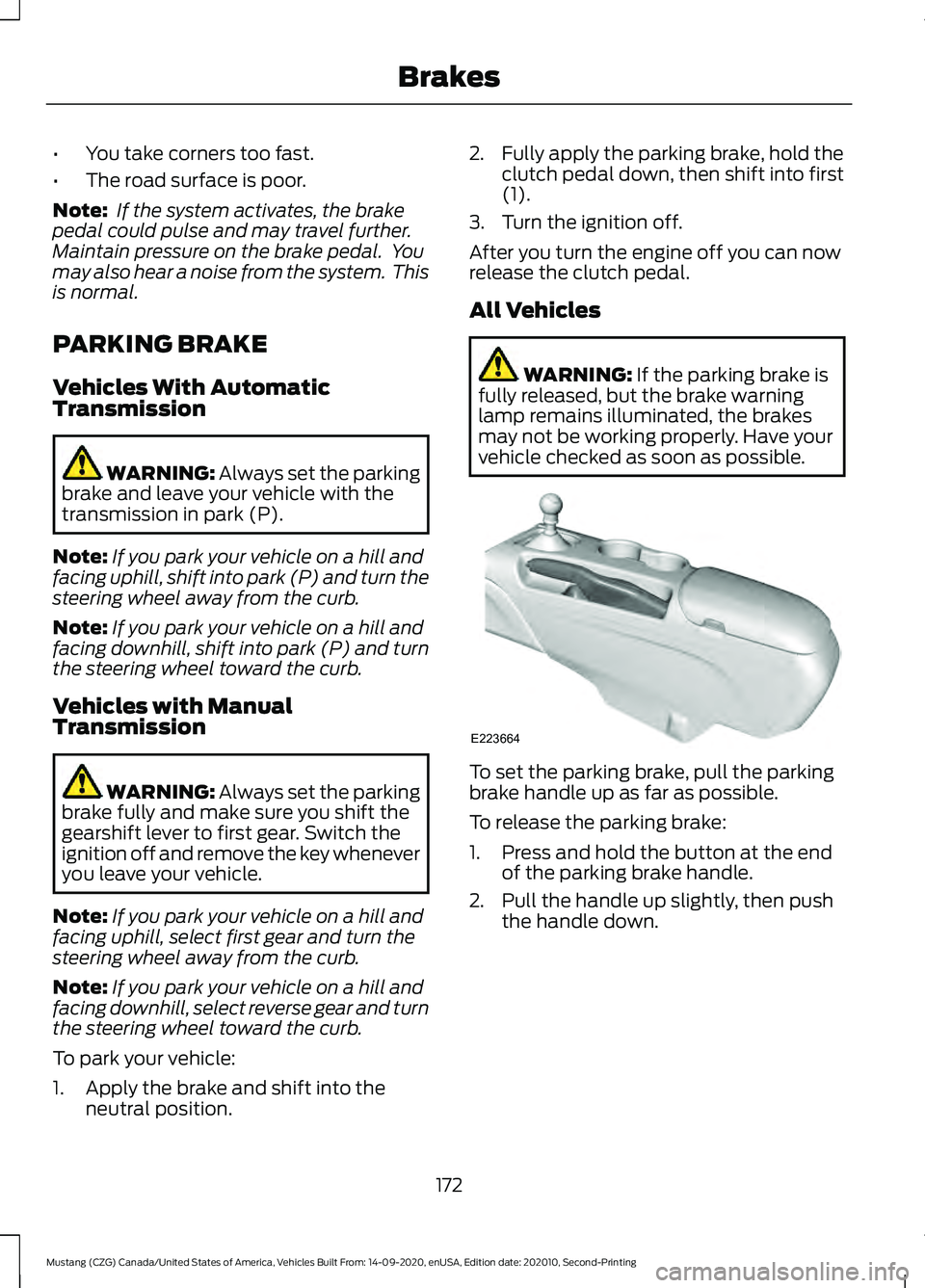
vehicle checked as soon as possible. To set the parking brake, pull the parking
brake handle up as far as possible.
To release the parking brake:
1. Press and hold the button at the end
of the parking brake handle.
2. Pull the handle up slightly, then push the handle down.
172
Mustang (CZG) Canada/United States of America, Vehicles Built From: 14-09-2020, enUSA, Edition date: 202010, Second-Printing BrakesE223664
Page 191 of 530
When you override the system,
the green indicator light
illuminates and the vehicle
image does not appear in the information
display.
The system resumes operation when you
release the accelerator pedal. The vehicle
speed decreases to the set speed, or a
lower speed if following a slower vehicle.
Changing the Set Speed
• Press SET+ or SET- to change the set
speed in small increments.
• Press the accelerator or brake pedal
until you reach the desired speed. Press
SET+
or SET-.
• Press and hold
SET+ or SET- to
change the set speed in large
increments. Release the control when
you reach the desired speed.
The system may apply the brakes to slow
the vehicle to the new set speed. The set
speed displays continuously in the
information display when the system is
active.
Canceling the Set Speed
Press
CNCL or tap the brake pedal. The
set speed does not erase.
Note: For vehicles with manual
transmission, if you press the clutch pedal
for an extended period, this action also
cancels the set speed.
Resuming the Set Speed
Note: Only use resume if you are aware of
the set speed and intend to return to it.
Press
RES. Your vehicle speed returns to
the previously set speed and gap setting.
The set speed displays continuously in the
information display when the system is
active. Automatic Cancellation
Note:
If the engine speed drops too low, an
audible warning sounds and a message
appears in the information display.
Automatic braking releases.
The system does not operate below
12 mph (20 km/h)
.
Hilly Condition Usage
Note: An audible alarm sounds and the
system shuts down if it applies brakes for
an extended period of time. This allows the
brakes to cool. The system functions
normally again after the brakes cool.
Select a lower gear when the system is
active in situations such as prolonged
downhill driving on steep grades, for
example in mountainous areas. The
system needs additional engine braking in
these situations to reduce the load on the
vehicle ’s regular brake system to prevent
it from overheating.
Switching Adaptive Cruise Control
Off
Note: You erase the set speed and gap
setting when you switch the system off.
Press
OFF when the system is in standby
mode, or switch the ignition off.
Detection Issues WARNING:
On rare occasions,
detection issues can occur due to the
road infrastructures, for example bridges,
tunnels and safety barriers. In these
cases, the system may brake late or
unexpectedly. At all times, you are
responsible for controlling your vehicle,
supervising the system and intervening,
if required.
188
Mustang (CZG) Canada/United States of America, Vehicles Built From: 14-09-2020, enUSA, Edition date: 202010, Second-Printing Cruise ControlE144529
Page 212 of 530
No Lift Shift
This feature provides you with the ability
to keep the accelerator pedal firmly
pressed down during high engine speed,
wide open throttle accelerations. During
wide open throttle gear shifts, the engine
controller prevents the engine speed from
flaring with the clutch disengaged during
a rapid upshift. This allows reduced
manual transmission upshift time, resulting
in quicker acceleration and smoother no
lift shifts.
DRIVE CONTROL (IF EQUIPPED)
Selectable Drive Modes
(If Equipped)
Selectable drive modes deliver a
customized driving experience using a
variety of electronic vehicle systems. The
systems optimize vehicle dynamics and
powertrain response based on your
selected mode. Systems associated with
selectable drive modes are:
• Electronically power assisted steering.
See
Steering (page 201).
• Electronic stability control and traction
control maintain your vehicle control
in adverse conditions or high
performance driving.
See Stability
Control (page 175).
• Electronic throttle control enhances
the powertrain response to your driving
input.
• Adaptive dampers (if equipped).
• Active exhaust adjusts the sound
characteristics of your vehicle (if
equipped).
Using Selectable Drive Modes
Note: Your vehicle may have some of the
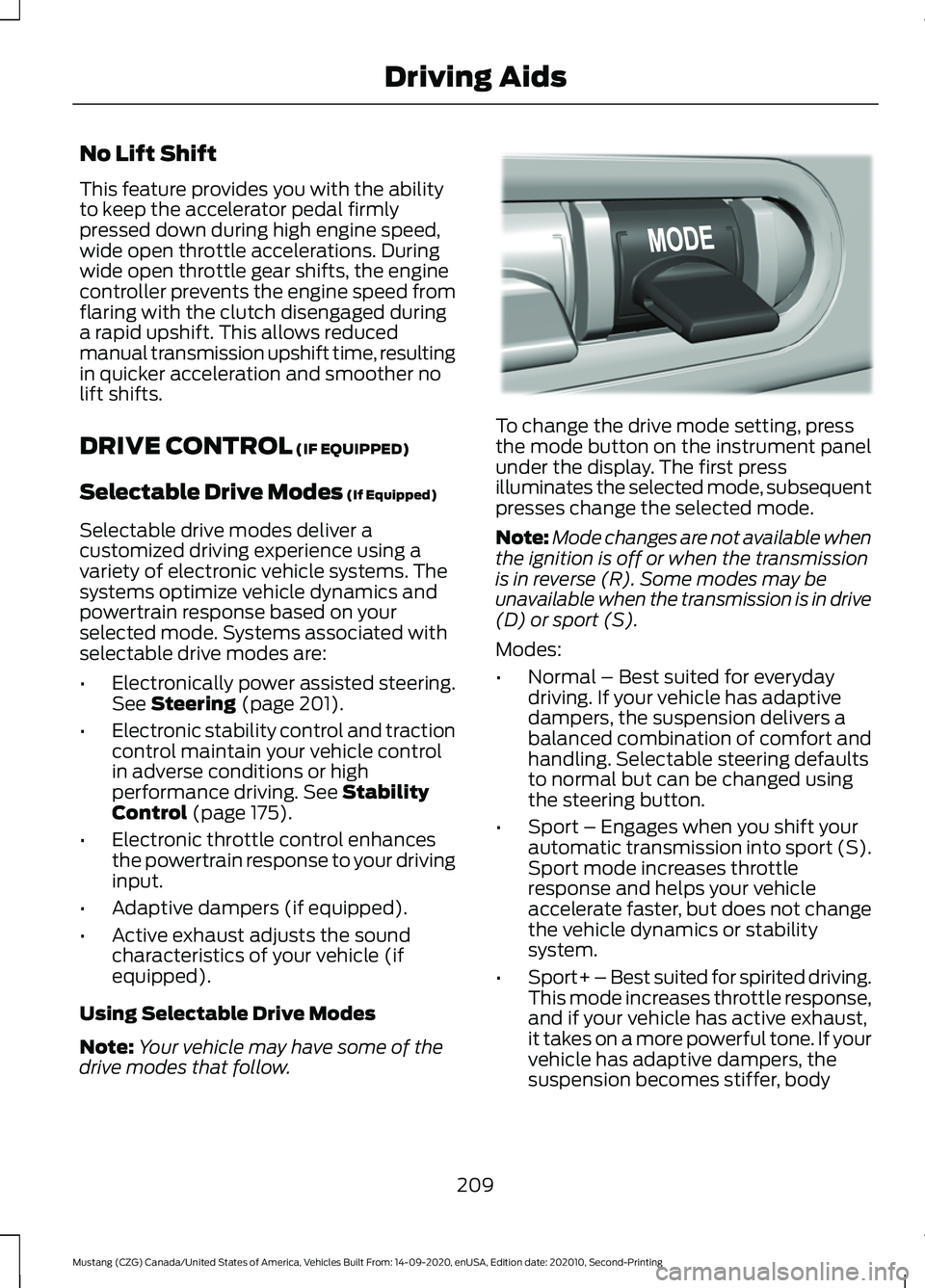
drive modes that follow. To change the drive mode setting, press
the mode button on the instrument panel
under the display. The first press
illuminates the selected mode, subsequent
presses change the selected mode.
Note:
Mode changes are not available when
the ignition is off or when the transmission
is in reverse (R). Some modes may be
unavailable when the transmission is in drive
(D) or sport (S).
Modes:
• Normal – Best suited for everyday
driving. If your vehicle has adaptive
dampers, the suspension delivers a
balanced combination of comfort and
handling. Selectable steering defaults
to normal but can be changed using
the steering button.
• Sport – Engages when you shift your
automatic transmission into sport (S).
Sport mode increases throttle
response and helps your vehicle
accelerate faster, but does not change
the vehicle dynamics or stability
system.
• Sport+ – Best suited for spirited driving.
This mode increases throttle response,
and if your vehicle has active exhaust,
it takes on a more powerful tone. If your
vehicle has adaptive dampers, the
suspension becomes stiffer, body
209
Mustang (CZG) Canada/United States of America, Vehicles Built From: 14-09-2020, enUSA, Edition date: 202010, Second-Printing Driving AidsE294773
Page 250 of 530
Protected Component
Fuse Rating
Fuse or Relay
Number
Convertible top master motor (base).
20A 2
17
Not used (GT500).
—
Not used.
—
18
Steering column lock relay (base).
20A 3
19 Transmission control unit (GT500).
10A 3
Brake on-off switch.
10A 3
20
Horn.
20A 3
21
Powertrain control module relay.
10A 3
22
Air conditioning clutch.
10A 3
23
Voltage quality module.
30A 2
24
Steering column lock relay (GT500).
20A 2
25
Not used (base).
—
Windshield wiper motor.
25A 2
26
Not used.
—
27
Automatic brake system valve.
30A 2
28
Not used.
—
29
Starter motor solenoid.
30A 2
30
Not used.
—
31
Latch relay coil.
10A 3
32
Run/start (base).
15A 3
33 Left-hand high-intensity discharge head-
lamps (GT500).
20A 3
Exhaust valves.
15A 3
34
247
Mustang (CZG) Canada/United States of America, Vehicles Built From: 14-09-2020, enUSA, Edition date: 202010, Second-Printing Fuses
Page 252 of 530
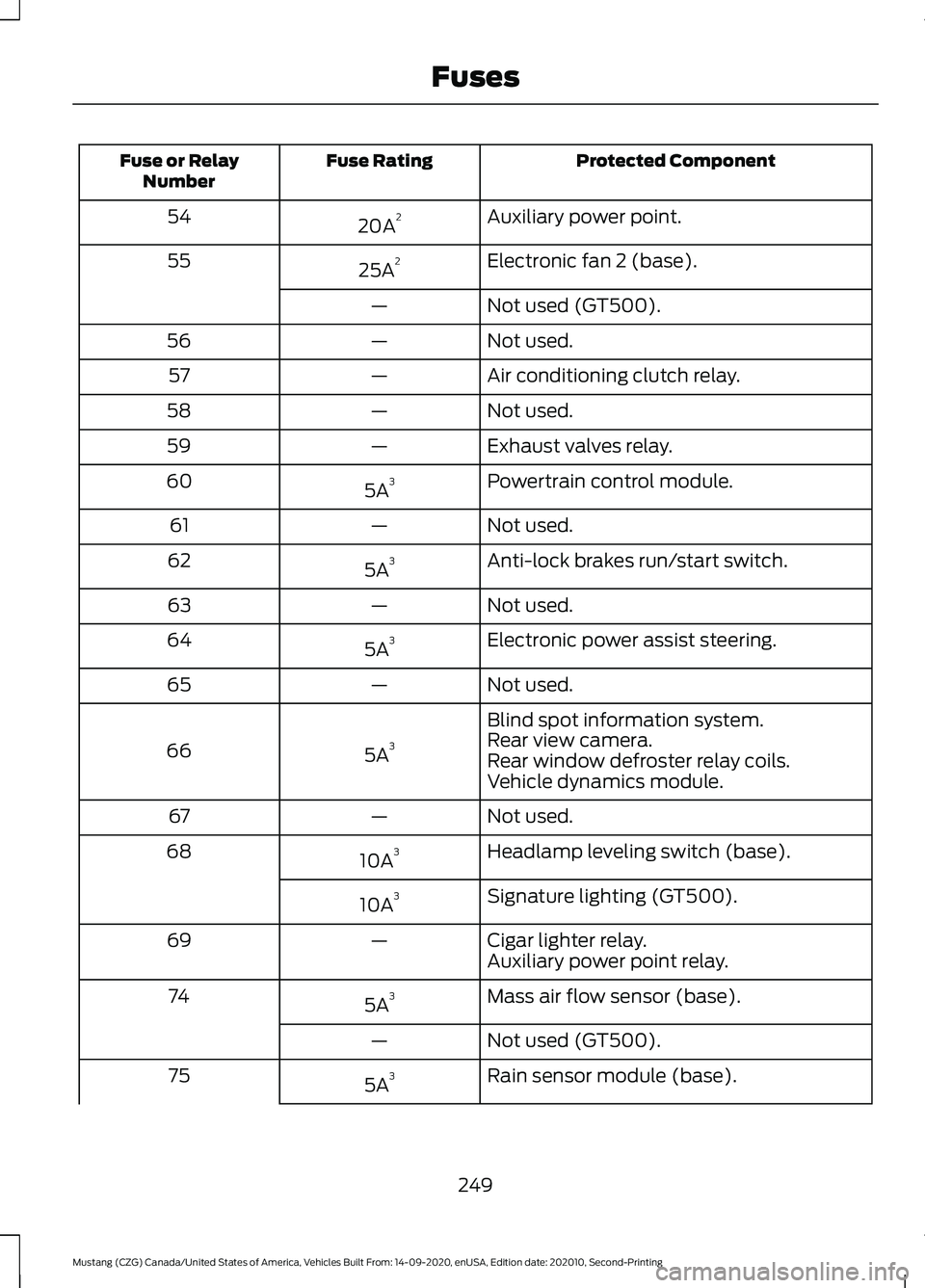
Protected Component
Fuse Rating
Fuse or Relay
Number
Auxiliary power point.
20A 2
54
Electronic fan 2 (base).
25A 2
55
Not used (GT500).
—
Not used.
—
56
Air conditioning clutch relay.
—
57
Not used.
—
58
Exhaust valves relay.
—
59
Powertrain control module.
5A 3
60
Not used.
—
61
Anti-lock brakes run/start switch.
5A 3
62
Not used.
—
63
Electronic power assist steering.
5A 3
64
Not used.
—
65
Blind spot information system.
5A 3
66 Rear view camera.
Rear window defroster relay coils.
Vehicle dynamics module.
Not used.
—
67
Headlamp leveling switch (base).
10A 3
68
Signature lighting (GT500).
10A 3
Cigar lighter relay.
—
69
Auxiliary power point relay.
Mass air flow sensor (base).
5A 3
74
Not used (GT500).
—
Rain sensor module (base).
5A 3
75
249
Mustang (CZG) Canada/United States of America, Vehicles Built From: 14-09-2020, enUSA, Edition date: 202010, Second-Printing Fuses
Page 271 of 530
1. Stop your vehicle as soon as it is safe
to do so. Fully apply the parking brake,
shift into park (P) or neutral (N).
2. Leave the engine running until the coolant temperature gauge needle
returns to the normal position. If the
temperature does not drop after
several minutes, follow the remaining
steps.
3. Switch the engine off and wait for it to
cool. Check the coolant level.
4. If the coolant level is at or below the minimum mark, add prediluted coolant
immediately.
5. If the coolant level is normal, restart the engine and continue.
MANUAL TRANSMISSION
FLUID CHECK - 6-SPEED
MANUAL TRANSMISSION –
3160
Note: Make sure the vehicle is on a level
surface.
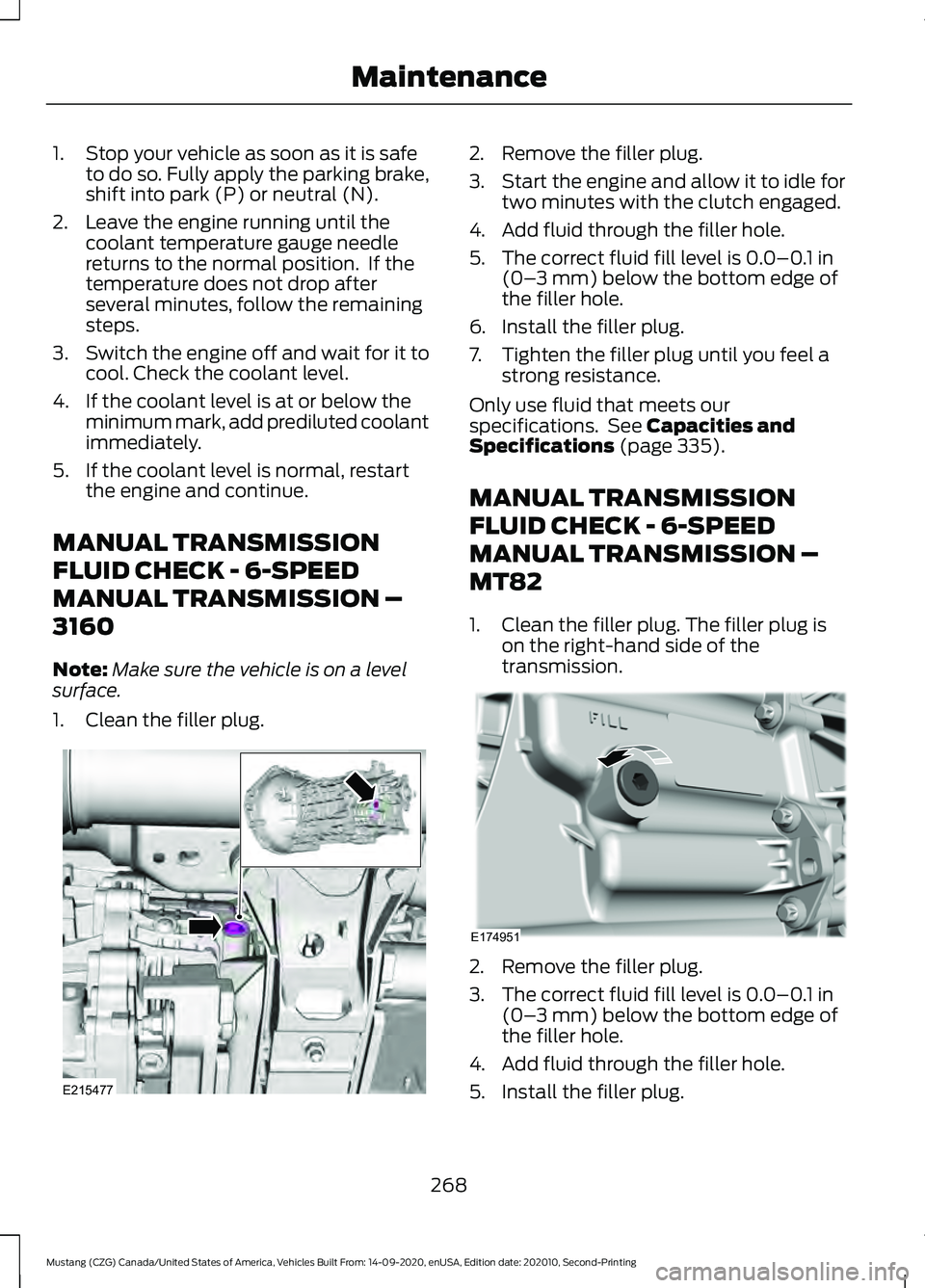
1. Clean the filler plug. 2. Remove the filler plug.
3.
Start the engine and allow it to idle for
two minutes with the clutch engaged.
4. Add fluid through the filler hole.
5. The correct fluid fill level is 0.0–0.1 in
(0– 3 mm) below the bottom edge of
the filler hole.
6. Install the filler plug.
7. Tighten the filler plug until you feel a strong resistance.
Only use fluid that meets our
specifications. See
Capacities and
Specifications (page 335).
MANUAL TRANSMISSION
FLUID CHECK - 6-SPEED
MANUAL TRANSMISSION –
MT82
1. Clean the filler plug. The filler plug is on the right-hand side of the
transmission. 2. Remove the filler plug.
3. The correct fluid fill level is
0.0–0.1 in
(0– 3 mm) below the bottom edge of
the filler hole.
4. Add fluid through the filler hole.
5. Install the filler plug.
268
Mustang (CZG) Canada/United States of America, Vehicles Built From: 14-09-2020, enUSA, Edition date: 202010, Second-Printing MaintenanceE215477 E174951
Page 273 of 530
Note:
If the brake fluid level is between the
MIN and the MAX marks on the reservoir, it
is acceptable.
Note: If the brake fluid level is below the
MIN
mark or above the MAX mark, have
your vehicle checked as soon as possible.
Note: To avoid fluid contamination, the
reservoir cap must remain in place and fully
tight, unless you are adding fluid.
Only use fluid that meets our
specifications. See
Capacities and
Specifications (page 335).
Brake Fluid Service Interval
Brake fluid absorbs water over time which
degrades the effectiveness of the brake
fluid. Change the brake fluid at the
specified intervals to prevent degraded
braking performance.
For detailed interval information, see
Scheduled Maintenance in your Owner's
Manual or your local maintenance guide.
CLUTCH FLUID CHECK -
MANUAL TRANSMISSION
The clutch and brake systems share the
same fluid reservoir. See
Brake Fluid
Check (page 269).
POWER STEERING FLUID
CHECK
Your vehicle is equipped with an electric
power steering (EPS) system. There is no
fluid reservoir to check or fill. CHANGING THE 12V BATTERY WARNING:
Batteries normally
produce explosive gases which can
cause personal injury. Therefore, do not
allow flames, sparks or lighted
substances to come near the battery.
When working near the battery, always
shield your face and protect your eyes.
Always provide correct ventilation. WARNING:
When lifting a
plastic-cased battery, excessive pressure
on the end walls could cause acid to flow
through the vent caps, resulting in
personal injury and damage to the
vehicle or battery. Lift the battery with a
battery carrier or with your hands on
opposite corners. WARNING:
Keep batteries out of
reach of children. Batteries contain
sulfuric acid. Avoid contact with skin,
eyes or clothing. Shield your eyes when
working near the battery to protect
against possible splashing of acid
solution. In case of acid contact with skin
or eyes, flush immediately with water for
a minimum of 15 minutes and get prompt
medical attention. If acid is swallowed,
call a physician immediately. WARNING:
Battery posts,
terminals and related accessories
contain lead and lead compounds,
chemicals known to the State of
California to cause cancer and
reproductive harm. Wash your hands
after handling
.
270
Mustang (CZG) Canada/United States of America, Vehicles Built From: 14-09-2020, enUSA, Edition date: 202010, Second-Printing Maintenance
Page 280 of 530
This information display driven feature
provides a suite of menu options to record
and optimize your track performances.
See General Information (page 99).
Note: Track Apps are for track use only. Do
not use them under any other driving
conditions.
Note: You cannot view or clear your results
unless your vehicle is at a complete stop
with the right arrow on the display menu
inactive. If your vehicle does not reach
100 mph (160 km/h)
during the track run,
your display may not show your selected
interval's results.
Note: The pre-collision assist system turns
off when using Track Apps or when you
switch off your stability control system.
Acceleration Timer
Displays your vehicle's rate of acceleration
for a given speed or distance range.
Accelerometer
Displays your vehicle's rate of acceleration
or deceleration. A dot moves toward the
area of acceleration or deceleration.
LEFT Acceleration or Deceleration
When accelerating or decelerating left, the
dot moves to the right on the
accelerometer.
RIGHT Acceleration or Deceleration
When accelerating or decelerating right,
the dot moves to the left on the
accelerometer.
Brake Performance
Displays your vehicle's rate of deceleration
for a given speed range. Exhaust Mode
Gives the driver the ability to choose the
vehicle's exhaust mode.
Note:
The Track Exhaust Mode setting is
only for use at tracks and not for use on
public roadways. Use of this setting results
in increased exterior noise, which may not
meet state and local laws and regulations.
It is the obligation of the driver to operate
the vehicle in a manner that complies with
state and local requirements. Only use the
Track Exhaust Mode setting at a
competition track or an off-road course
where elevated exterior vehicle noise is
acceptable.
Lap Timer
Gives you the ability to record lap times at
three separate tracks.
Launch Control
(If Equipped)
Maximizes your vehicle's traction from a
standing start.
Follow these steps to use launch control:
1. Bring your vehicle to a complete stop.
2. Make sure launch control is enabled. The indicator illuminates in the
information display when launch
control is enabled.
See Warning
Lamps and Indicators (page 94).
3. Fully press the clutch pedal.
4. Shift the transmission into 1st gear.
5. Fully depress the accelerator pedal and
allow the engine RPM to stabilize.
6. Release the clutch pedal.
277
Mustang (CZG) Canada/United States of America, Vehicles Built From: 14-09-2020, enUSA, Edition date: 202010, Second-Printing Track Use
Page 287 of 530
Note:
The pre-collision assist system turns
off when using Track Apps or when you
switch off your stability control system.
Acceleration Timer
Displays your vehicle's rate of acceleration
for a given speed or distance range.
Accelerometer
Displays your vehicle's rate of acceleration
or deceleration. A dot moves toward the
area of acceleration or deceleration.
LEFT Acceleration or Deceleration
When accelerating or decelerating left, the
dot moves to the right on the
accelerometer.
RIGHT Acceleration or Deceleration
When accelerating or decelerating right,
the dot moves to the left on the
accelerometer.
Brake Performance
Displays your vehicle's rate of deceleration
for a given speed range.
Exhaust Mode
Gives the driver the ability to choose the
vehicle's exhaust mode.
Note: The Track Exhaust Mode setting is
only for use at tracks and not for use on
public roadways. Use of this setting results
in increased exterior noise, which may not
meet state and local laws and regulations.
It is the obligation of the driver to operate
the vehicle in a manner that complies with
state and local requirements. Only use the
Track Exhaust Mode setting at a
competition track or an off-road course
where elevated exterior vehicle noise is
acceptable. Lap Timer
Gives you the ability to record lap times at
three separate tracks.
Launch Control (If Equipped)
Maximizes your vehicle's traction from a
standing start.
Follow these steps to use launch control:
1. Bring your vehicle to a complete stop.
2. Make sure launch control is enabled. The indicator illuminates in the
instrument display when launch control
is enabled.
See Warning Lamps and
Indicators (page 94).
3. Fully press the clutch pedal.
4. Shift the transmission into first gear.
5. Fully depress the accelerator pedal and
allow the engine RPM to stabilize.
6. Release the clutch pedal.
Line Lock
Line lock is a feature intended for use at
tracks only and should not be used on
public roadways. Use of this feature may
result in significantly increased rear tire
wear. It is intended to condition the rear
tires to maximize traction prior to track use.
Line lock maintains brake force at the front
wheels, allowing the rear wheels to spin
with minimal vehicle movement.
This feature is located in the Track Apps
menu. Make selections through the 5-way
information display control and OK button
located on the steering wheel.
Using Line Lock
There are three line lock stages:
• Initiated.
• Engaged.
• Off.
284
Mustang (CZG) Canada/United States of America, Vehicles Built From: 14-09-2020, enUSA, Edition date: 202010, Second-Printing Track Use
Page 348 of 530
Materials
Specification
Name
WSS-M2C949-A, MERCON® ULV
Motorcraft® MERCON® ULV Automatic Transmis-
sion Fluid(U.S.)
Motorcraft® MERCON® ULV Automatic Transmis-
sion Fluid / MERCON® ULV huile pour boîtes auto-
matique Motorcraft®(Canada)
XT-12-QULV(U.S. & Canada)
Manual Transmission
Capacities Quantity
Variant
2.7 qt (2.6 L)
All.
Materials Specification
Name
WSS-M2C200-D2
Motorcraft® Dual Clutch Transmission Fluid(U.S.)
Motorcraft® Dual Clutch Transmission Fluid / Huile
pour boîtes embrayage double Motor-
craft®(Canada)
XT-11-QDC(U.S. & Canada)
Engine Coolant
Capacities Quantity
Variant
9.5 qt (8.96 L)
All.
345
Mustang (CZG) Canada/United States of America, Vehicles Built From: 14-09-2020, enUSA, Edition date: 202010, Second-Printing Capacities and Specifications