instrument cluster FORD MUSTANG 2021 User Guide
[x] Cancel search | Manufacturer: FORD, Model Year: 2021, Model line: MUSTANG, Model: FORD MUSTANG 2021Pages: 530, PDF Size: 10.22 MB
Page 99 of 530
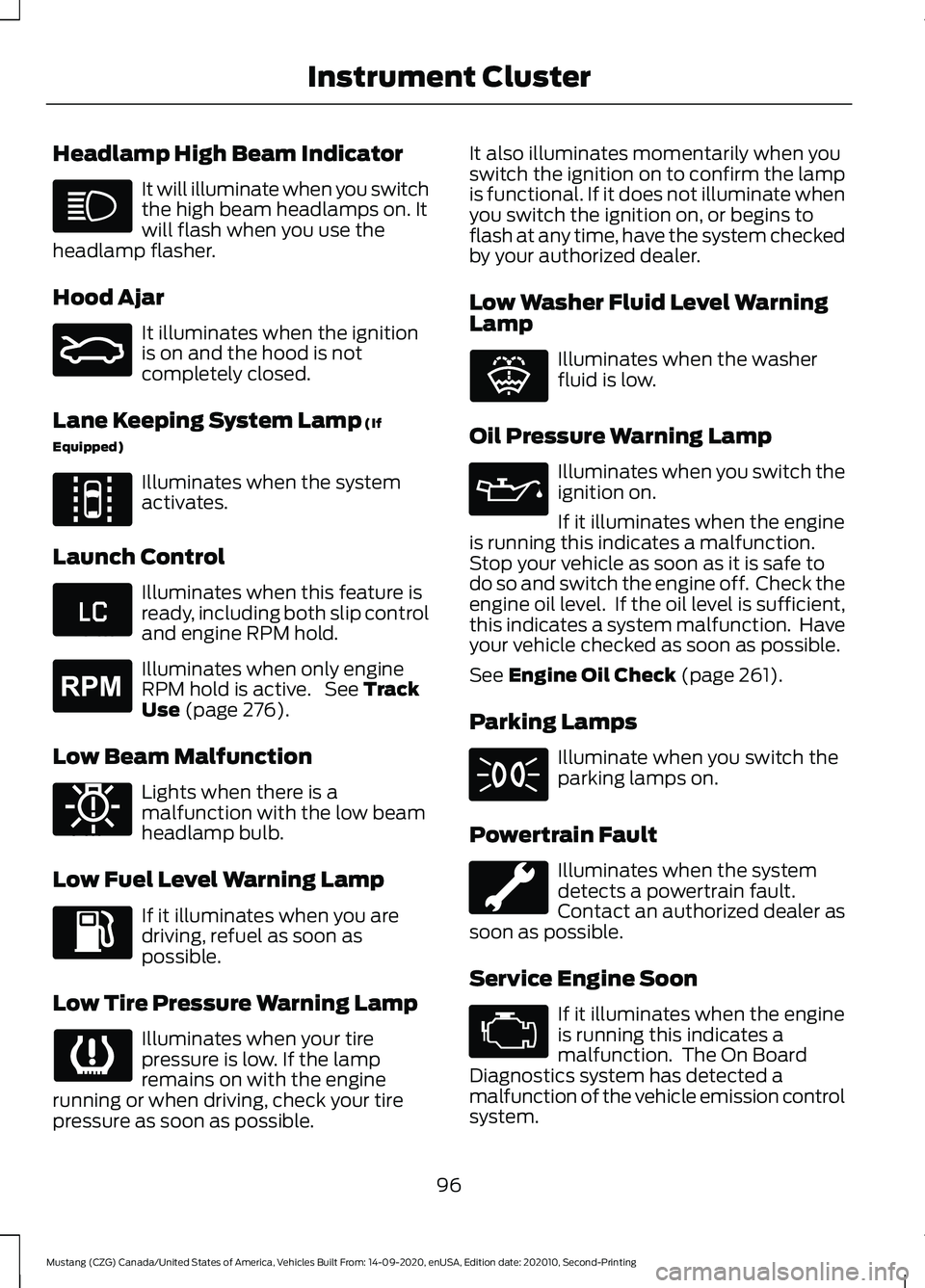
Headlamp High Beam Indicator
It will illuminate when you switch
the high beam headlamps on. It
will flash when you use the
headlamp flasher.
Hood Ajar It illuminates when the ignition
is on and the hood is not
completely closed.
Lane Keeping System Lamp (If
Equipped) Illuminates when the system
activates.
Launch Control Illuminates when this feature is
ready, including both slip control
and engine RPM hold.
Illuminates when only engine
RPM hold is active. See
Track
Use (page 276).
Low Beam Malfunction Lights when there is a
malfunction with the low beam
headlamp bulb.
Low Fuel Level Warning Lamp If it illuminates when you are
driving, refuel as soon as
possible.
Low Tire Pressure Warning Lamp Illuminates when your tire
pressure is low. If the lamp
remains on with the engine
running or when driving, check your tire
pressure as soon as possible. It also illuminates momentarily when you
switch the ignition on to confirm the lamp
is functional. If it does not illuminate when
you switch the ignition on, or begins to
flash at any time, have the system checked
by your authorized dealer.
Low Washer Fluid Level Warning
Lamp
Illuminates when the washer
fluid is low.
Oil Pressure Warning Lamp Illuminates when you switch the
ignition on.
If it illuminates when the engine
is running this indicates a malfunction.
Stop your vehicle as soon as it is safe to
do so and switch the engine off. Check the
engine oil level. If the oil level is sufficient,
this indicates a system malfunction. Have
your vehicle checked as soon as possible.
See
Engine Oil Check (page 261).
Parking Lamps Illuminate when you switch the
parking lamps on.
Powertrain Fault Illuminates when the system
detects a powertrain fault.
Contact an authorized dealer as
soon as possible.
Service Engine Soon If it illuminates when the engine
is running this indicates a
malfunction. The On Board
Diagnostics system has detected a
malfunction of the vehicle emission control
system.
96
Mustang (CZG) Canada/United States of America, Vehicles Built From: 14-09-2020, enUSA, Edition date: 202010, Second-Printing Instrument Cluster E159324 E144813 E234583 E255688 E181350 E132353
Page 100 of 530
If it flashes, engine misfire may be
occurring. Increased exhaust gas
temperatures could damage the catalytic
converter or other vehicle components.
Drive in a moderate fashion (avoid heavy
acceleration and deceleration) and have
your vehicle immediately serviced.
It illuminates when you switch the ignition
on prior to engine start to check the bulb
and to indicate whether your vehicle is
ready for Inspection and Maintenance
(I/M) testing.
Normally, it illuminates until the engine is
cranked and automatically turns off if no
malfunctions are present. However, if after
15 seconds it flashes eight times, this
indicates that your vehicle is not ready for
Inspection and Maintenance (I/M) testing.
See Catalytic Converter (page 161).
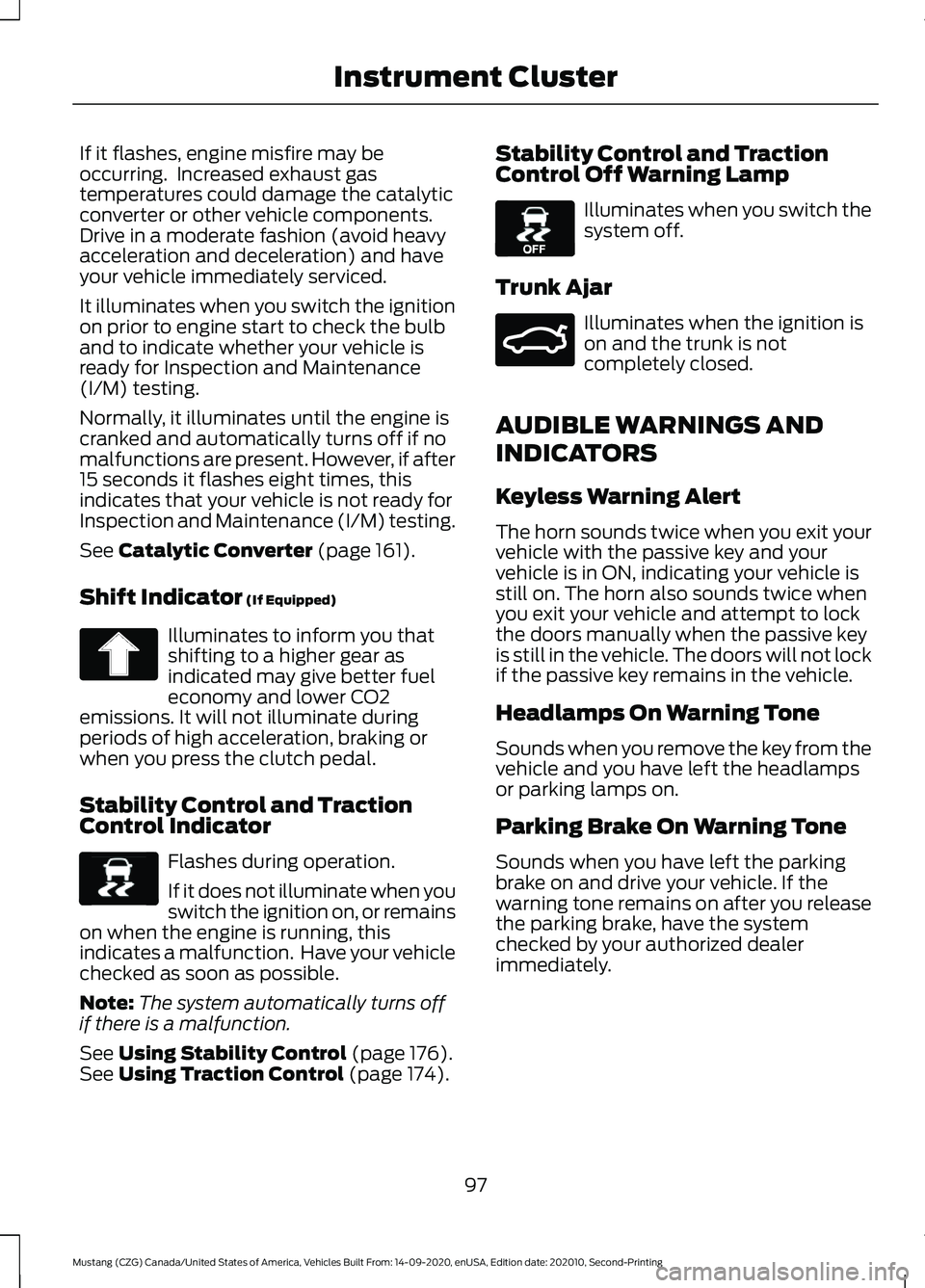
Shift Indicator
(If Equipped) Illuminates to inform you that
shifting to a higher gear as
indicated may give better fuel
economy and lower CO2
emissions. It will not illuminate during
periods of high acceleration, braking or
when you press the clutch pedal.
Stability Control and Traction
Control Indicator Flashes during operation.
If it does not illuminate when you
switch the ignition on, or remains
on when the engine is running, this
indicates a malfunction. Have your vehicle
checked as soon as possible.
Note: The system automatically turns off
if there is a malfunction.
See
Using Stability Control (page 176).
See Using Traction Control (page 174). Stability Control and Traction
Control Off Warning Lamp Illuminates when you switch the
system off.
Trunk Ajar Illuminates when the ignition is
on and the trunk is not
completely closed.
AUDIBLE WARNINGS AND
INDICATORS
Keyless Warning Alert
The horn sounds twice when you exit your
vehicle with the passive key and your
vehicle is in ON, indicating your vehicle is
still on. The horn also sounds twice when
you exit your vehicle and attempt to lock
the doors manually when the passive key
is still in the vehicle. The doors will not lock
if the passive key remains in the vehicle.
Headlamps On Warning Tone
Sounds when you remove the key from the
vehicle and you have left the headlamps
or parking lamps on.
Parking Brake On Warning Tone
Sounds when you have left the parking
brake on and drive your vehicle. If the
warning tone remains on after you release
the parking brake, have the system
checked by your authorized dealer
immediately.
97
Mustang (CZG) Canada/United States of America, Vehicles Built From: 14-09-2020, enUSA, Edition date: 202010, Second-Printing Instrument Cluster E138639 E130458 E159323
Page 101 of 530

Transmission Not in Park
Sounds when the gear selector is in any
position other than park (P), and you
switch the vehicle ignition off or to the
accessory position. If the door is ajar, the
tone is continuous. Once you close the
door, the tone continues for a period of
time.
Direction Indicator Left On
Sounds when the direction indicator does
not disengage after 2.0 mi (3.2 km) of
driving.
Beltminder Warning
Sounds when the system detects an
unfastened seatbelt in an occupied seat
and your vehicle is moving.
98
Mustang (CZG) Canada/United States of America, Vehicles Built From: 14-09-2020, enUSA, Edition date: 202010, Second-Printing Instrument Cluster
Page 106 of 530
Vacuum.
D
Cylinder head temperature.
E
Transmission oil temperature.
F
Axle temperature.
G
Engine oil pressure.
H
GENERAL INFORMATION -
VEHICLES WITH: 4.2 INCH
INSTRUMENT CLUSTER
DISPLAY SCREEN WARNING: Driving while distracted
can result in loss of vehicle control, crash
and injury. We strongly recommend that
you use extreme caution when using any
device that may take your focus off the
road. Your primary responsibility is the
safe operation of your vehicle. We
recommend against the use of any
hand-held device while driving and
encourage the use of voice-operated
systems when possible. Make sure you
are aware of all applicable local laws
that may affect the use of electronic
devices while driving.
Note: Some items could appear slightly
different or not at all if the features are
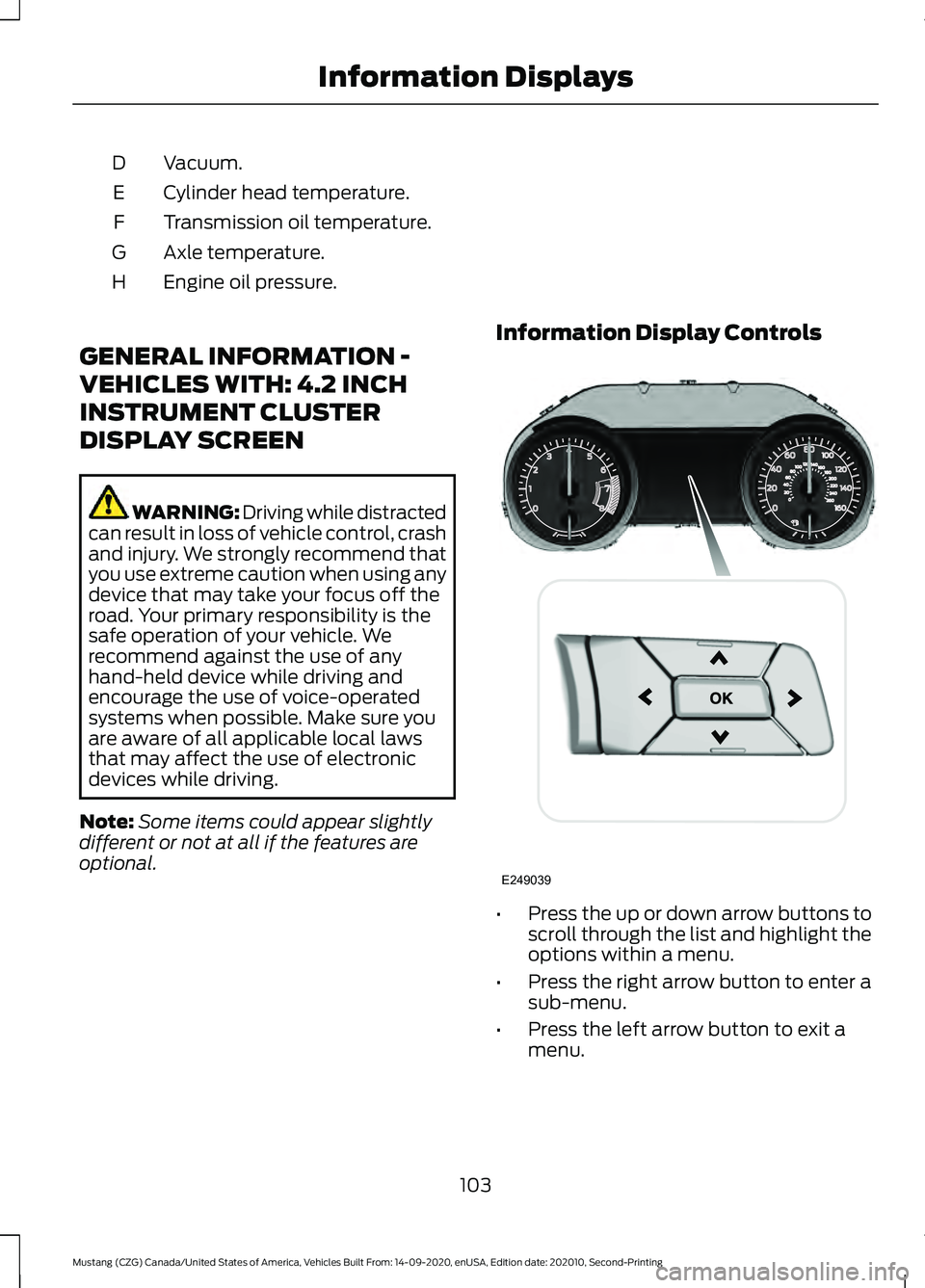
optional. Information Display Controls
•
Press the up or down arrow buttons to
scroll through the list and highlight the
options within a menu.
• Press the right arrow button to enter a
sub-menu.
• Press the left arrow button to exit a
menu.
103
Mustang (CZG) Canada/United States of America, Vehicles Built From: 14-09-2020, enUSA, Edition date: 202010, Second-Printing Information DisplaysE249039
Page 112 of 530
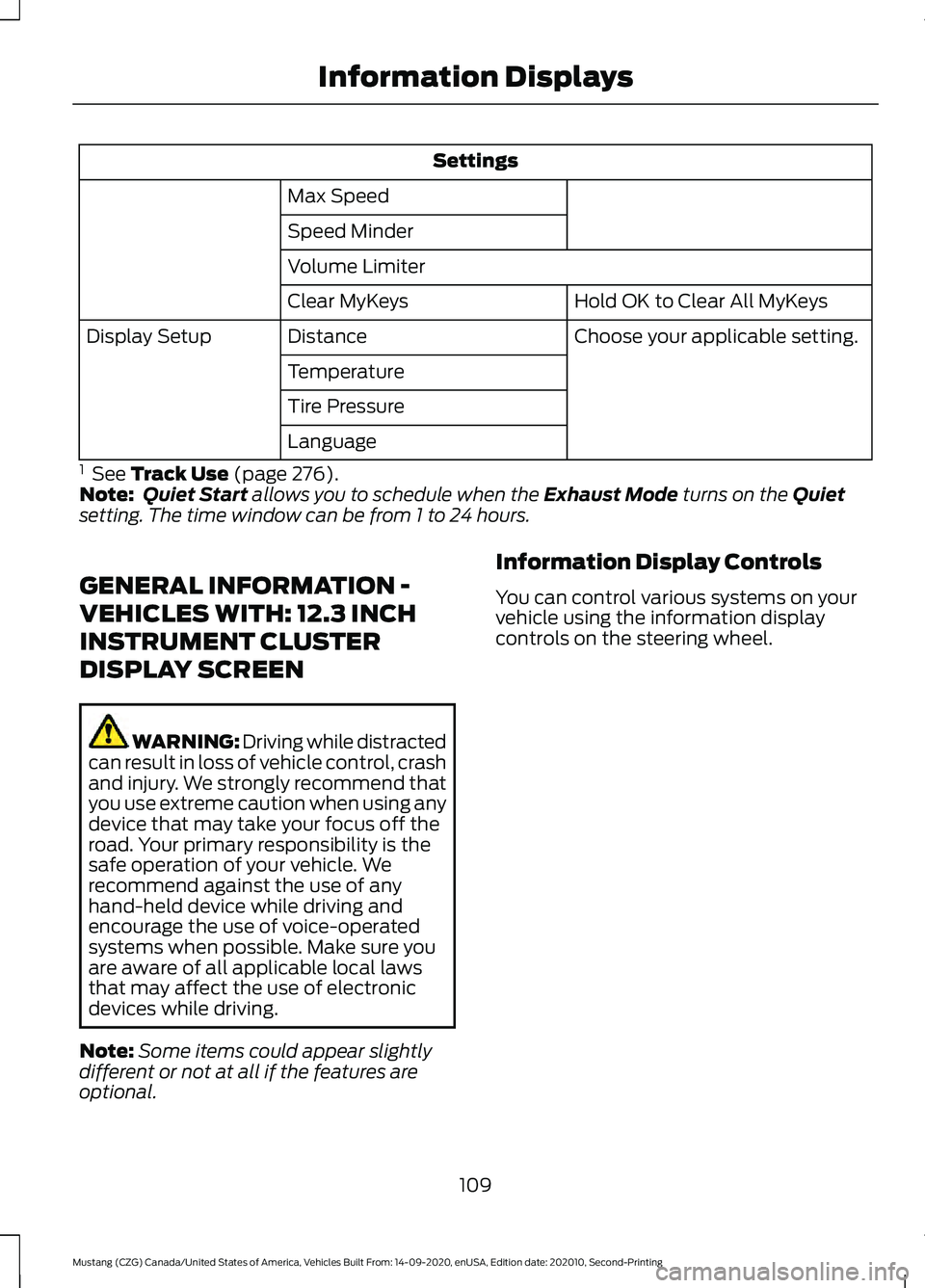
Settings
Max Speed
Speed Minder
Volume Limiter Hold OK to Clear All MyKeys
Clear MyKeys
Choose your applicable setting.
Distance
Display Setup
Temperature
Tire Pressure
Language
1 See Track Use (page 276).
Note: Quiet Start allows you to schedule when the Exhaust Mode turns on the Quiet
setting. The time window can be from 1 to 24 hours.
GENERAL INFORMATION -
VEHICLES WITH: 12.3 INCH
INSTRUMENT CLUSTER
DISPLAY SCREEN WARNING: Driving while distracted
can result in loss of vehicle control, crash
and injury. We strongly recommend that
you use extreme caution when using any
device that may take your focus off the
road. Your primary responsibility is the
safe operation of your vehicle. We
recommend against the use of any
hand-held device while driving and
encourage the use of voice-operated
systems when possible. Make sure you
are aware of all applicable local laws
that may affect the use of electronic
devices while driving.
Note: Some items could appear slightly
different or not at all if the features are
optional. Information Display Controls
You can control various systems on your
vehicle using the information display
controls on the steering wheel.
109
Mustang (CZG) Canada/United States of America, Vehicles Built From: 14-09-2020, enUSA, Edition date: 202010, Second-Printing Information Displays
Page 116 of 530
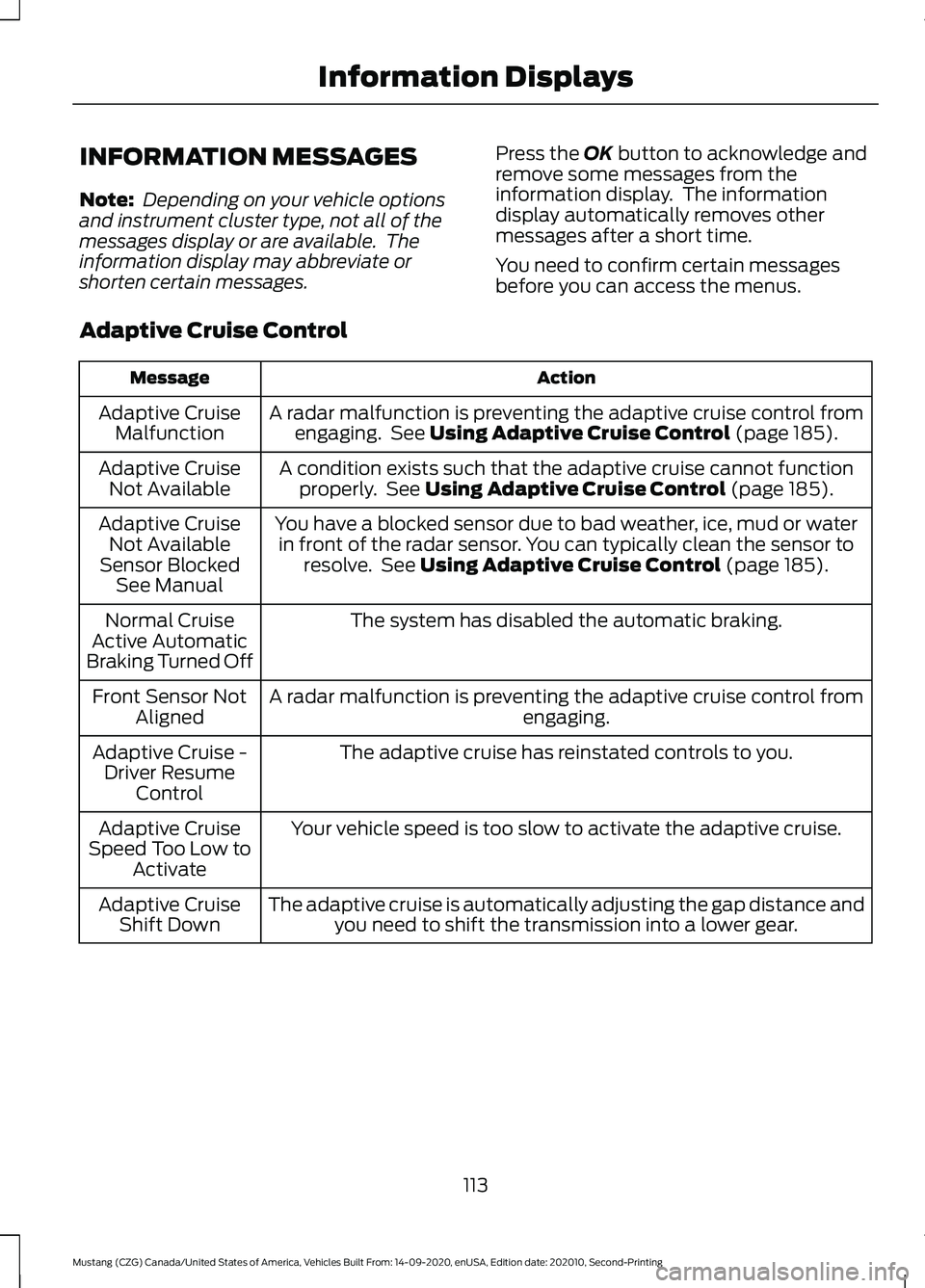
INFORMATION MESSAGES
Note:
Depending on your vehicle options
and instrument cluster type, not all of the
messages display or are available. The
information display may abbreviate or
shorten certain messages. Press the OK button to acknowledge and
remove some messages from the
information display. The information
display automatically removes other
messages after a short time.
You need to confirm certain messages
before you can access the menus.
Adaptive Cruise Control Action
Message
A radar malfunction is preventing the adaptive cruise control fromengaging. See
Using Adaptive Cruise Control (page 185).
Adaptive Cruise
Malfunction
A condition exists such that the adaptive cruise cannot functionproperly. See
Using Adaptive Cruise Control (page 185).
Adaptive Cruise
Not Available
You have a blocked sensor due to bad weather, ice, mud or waterin front of the radar sensor. You can typically clean the sensor to resolve. See
Using Adaptive Cruise Control (page 185).
Adaptive Cruise
Not Available
Sensor Blocked See Manual
The system has disabled the automatic braking.
Normal Cruise
Active Automatic
Braking Turned Off
A radar malfunction is preventing the adaptive cruise control from engaging.
Front Sensor Not
Aligned
The adaptive cruise has reinstated controls to you.
Adaptive Cruise -
Driver Resume Control
Your vehicle speed is too slow to activate the adaptive cruise.
Adaptive Cruise
Speed Too Low to Activate
The adaptive cruise is automatically adjusting the gap distance andyou need to shift the transmission into a lower gear.
Adaptive Cruise
Shift Down
113
Mustang (CZG) Canada/United States of America, Vehicles Built From: 14-09-2020, enUSA, Edition date: 202010, Second-Printing Information Displays
Page 169 of 530
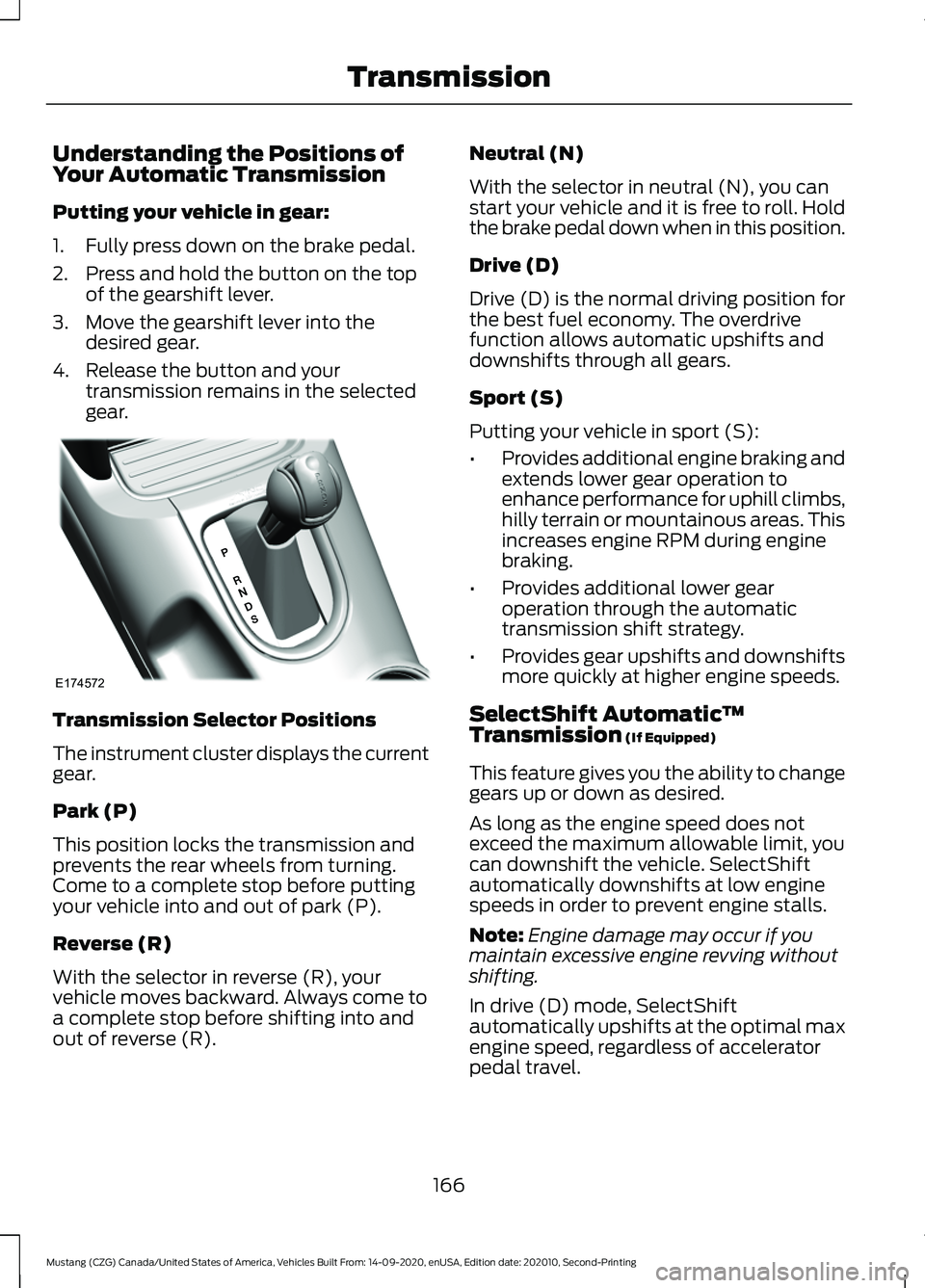
Understanding the Positions of
Your Automatic Transmission
Putting your vehicle in gear:
1. Fully press down on the brake pedal.
2. Press and hold the button on the top
of the gearshift lever.
3. Move the gearshift lever into the desired gear.
4. Release the button and your transmission remains in the selected
gear. Transmission Selector Positions
The instrument cluster displays the current
gear.
Park (P)
This position locks the transmission and
prevents the rear wheels from turning.
Come to a complete stop before putting
your vehicle into and out of park (P).
Reverse (R)
With the selector in reverse (R), your
vehicle moves backward. Always come to
a complete stop before shifting into and
out of reverse (R). Neutral (N)
With the selector in neutral (N), you can
start your vehicle and it is free to roll. Hold
the brake pedal down when in this position.
Drive (D)
Drive (D) is the normal driving position for
the best fuel economy. The overdrive
function allows automatic upshifts and
downshifts through all gears.
Sport (S)
Putting your vehicle in sport (S):
•
Provides additional engine braking and
extends lower gear operation to
enhance performance for uphill climbs,
hilly terrain or mountainous areas. This
increases engine RPM during engine
braking.
• Provides additional lower gear
operation through the automatic
transmission shift strategy.
• Provides gear upshifts and downshifts
more quickly at higher engine speeds.
SelectShift Automatic ™
Transmission (If Equipped)
This feature gives you the ability to change
gears up or down as desired.
As long as the engine speed does not
exceed the maximum allowable limit, you
can downshift the vehicle. SelectShift
automatically downshifts at low engine
speeds in order to prevent engine stalls.
Note: Engine damage may occur if you
maintain excessive engine revving without
shifting.
In drive (D) mode, SelectShift
automatically upshifts at the optimal max
engine speed, regardless of accelerator
pedal travel.
166
Mustang (CZG) Canada/United States of America, Vehicles Built From: 14-09-2020, enUSA, Edition date: 202010, Second-Printing TransmissionE174572
Page 170 of 530
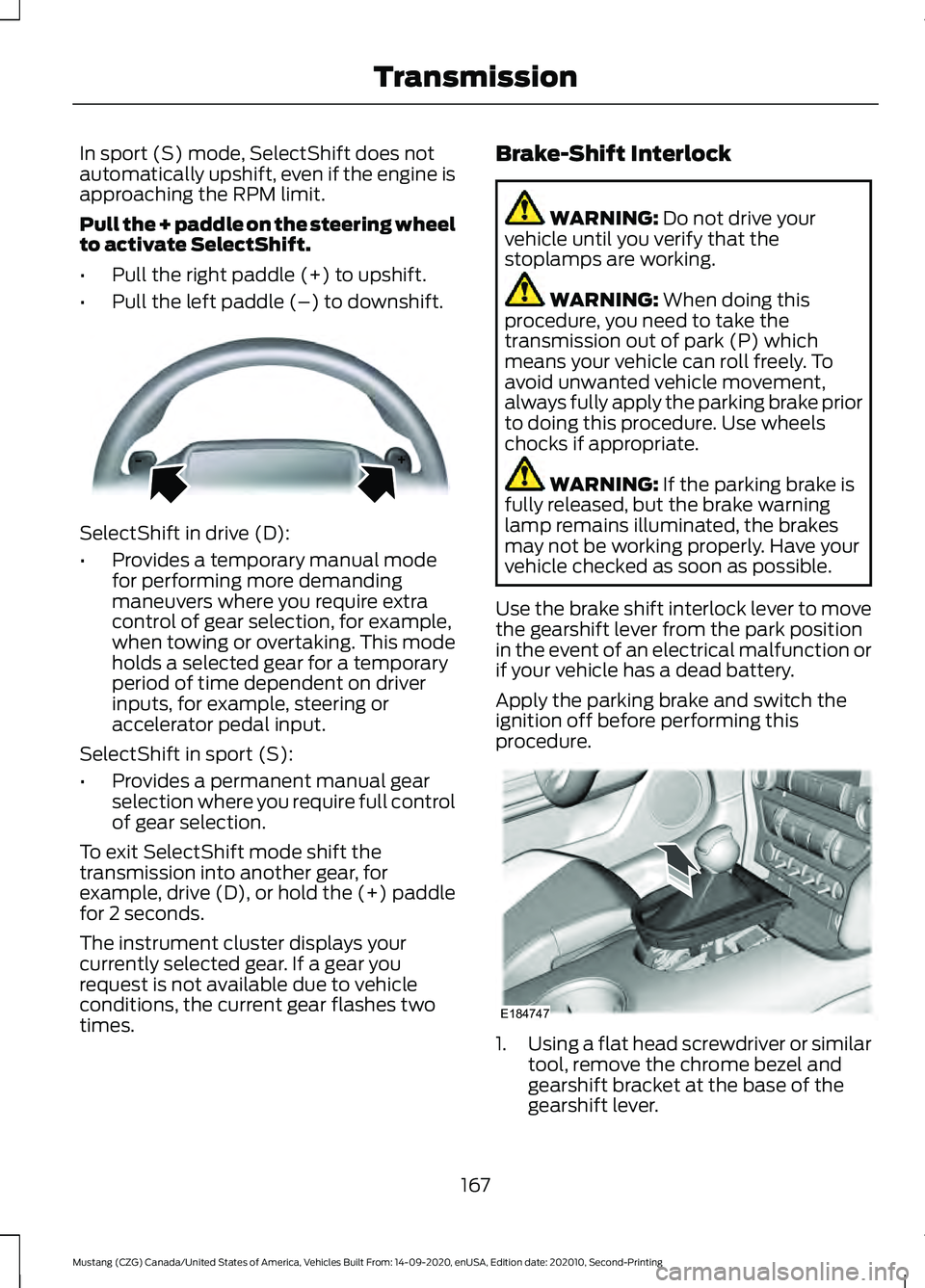
In sport (S) mode, SelectShift does not
automatically upshift, even if the engine is
approaching the RPM limit.
Pull the + paddle on the steering wheel
to activate SelectShift.
•
Pull the right paddle (+) to upshift.
• Pull the left paddle (–) to downshift. SelectShift in drive (D):
•
Provides a temporary manual mode
for performing more demanding
maneuvers where you require extra
control of gear selection, for example,
when towing or overtaking. This mode
holds a selected gear for a temporary
period of time dependent on driver
inputs, for example, steering or
accelerator pedal input.
SelectShift in sport (S):
• Provides a permanent manual gear
selection where you require full control
of gear selection.
To exit SelectShift mode shift the
transmission into another gear, for
example, drive (D), or hold the (+) paddle
for 2 seconds.
The instrument cluster displays your
currently selected gear. If a gear you
request is not available due to vehicle
conditions, the current gear flashes two
times. Brake-Shift Interlock WARNING: Do not drive your
vehicle until you verify that the
stoplamps are working. WARNING:
When doing this
procedure, you need to take the
transmission out of park (P) which
means your vehicle can roll freely. To
avoid unwanted vehicle movement,
always fully apply the parking brake prior
to doing this procedure. Use wheels
chocks if appropriate. WARNING:
If the parking brake is
fully released, but the brake warning
lamp remains illuminated, the brakes
may not be working properly. Have your
vehicle checked as soon as possible.
Use the brake shift interlock lever to move
the gearshift lever from the park position
in the event of an electrical malfunction or
if your vehicle has a dead battery.
Apply the parking brake and switch the
ignition off before performing this
procedure. 1.
Using a flat head screwdriver or similar
tool, remove the chrome bezel and
gearshift bracket at the base of the
gearshift lever.
167
Mustang (CZG) Canada/United States of America, Vehicles Built From: 14-09-2020, enUSA, Edition date: 202010, Second-Printing TransmissionE144821 E184747
Page 177 of 530
PRINCIPLE OF OPERATION
The traction control system helps avoid
drive wheel spin and loss of traction.
If your vehicle begins to slide, the system
applies the brakes to individual wheels
and, when needed, reduces engine power
at the same time. If the wheels spin when
accelerating on slippery or loose surfaces,
the system reduces engine power in order
to increase traction.
USING TRACTION CONTROL
WARNING: The stability and
traction control light illuminates steadily
if the system detects a failure. Make sure
you did not manually disable the traction
control system using the information
display controls or the switch. If the
stability control and traction control light
is still illuminating steadily, have the
system serviced by an authorized dealer
immediately. Operating your vehicle with
the traction control disabled could lead
to an increased risk of loss of vehicle
control, vehicle rollover, personal injury
and death.
The system automatically turns on each
time you switch the ignition on.
If your vehicle is stuck in mud or snow,
switching traction control off may be
beneficial as this allows the wheels to spin.
Note: When you switch traction control off,
stability control remains fully active.
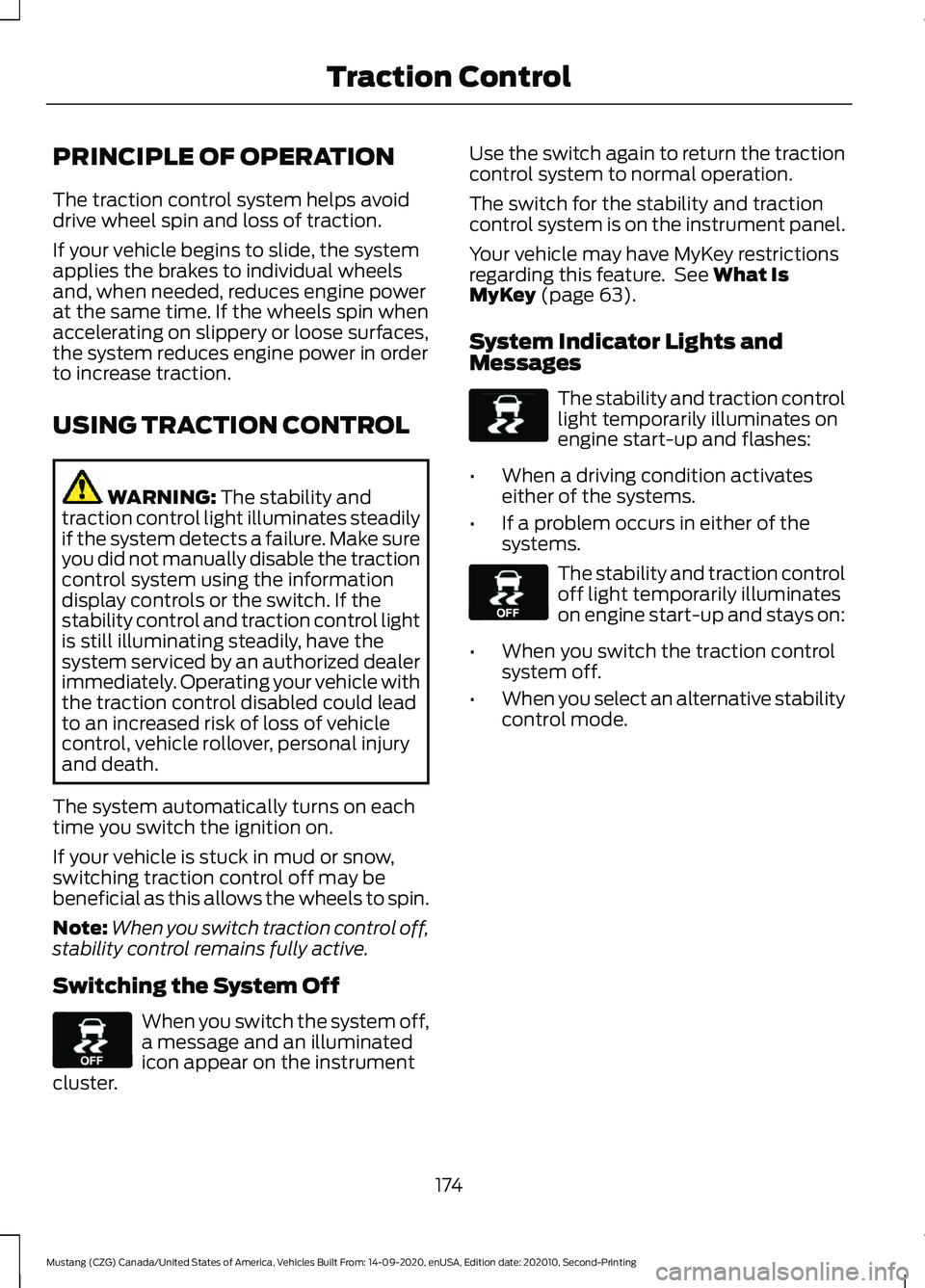
Switching the System Off When you switch the system off,
a message and an illuminated
icon appear on the instrument
cluster. Use the switch again to return the traction
control system to normal operation.
The switch for the stability and traction
control system is on the instrument panel.
Your vehicle may have MyKey restrictions
regarding this feature. See
What Is
MyKey (page 63).
System Indicator Lights and
Messages The stability and traction control
light temporarily illuminates on
engine start-up and flashes:
• When a driving condition activates
either of the systems.
• If a problem occurs in either of the
systems. The stability and traction control
off light temporarily illuminates
on engine start-up and stays on:
• When you switch the traction control
system off.
• When you select an alternative stability
control mode.
174
Mustang (CZG) Canada/United States of America, Vehicles Built From: 14-09-2020, enUSA, Edition date: 202010, Second-Printing Traction ControlE130458 E138639 E130458
Page 189 of 530
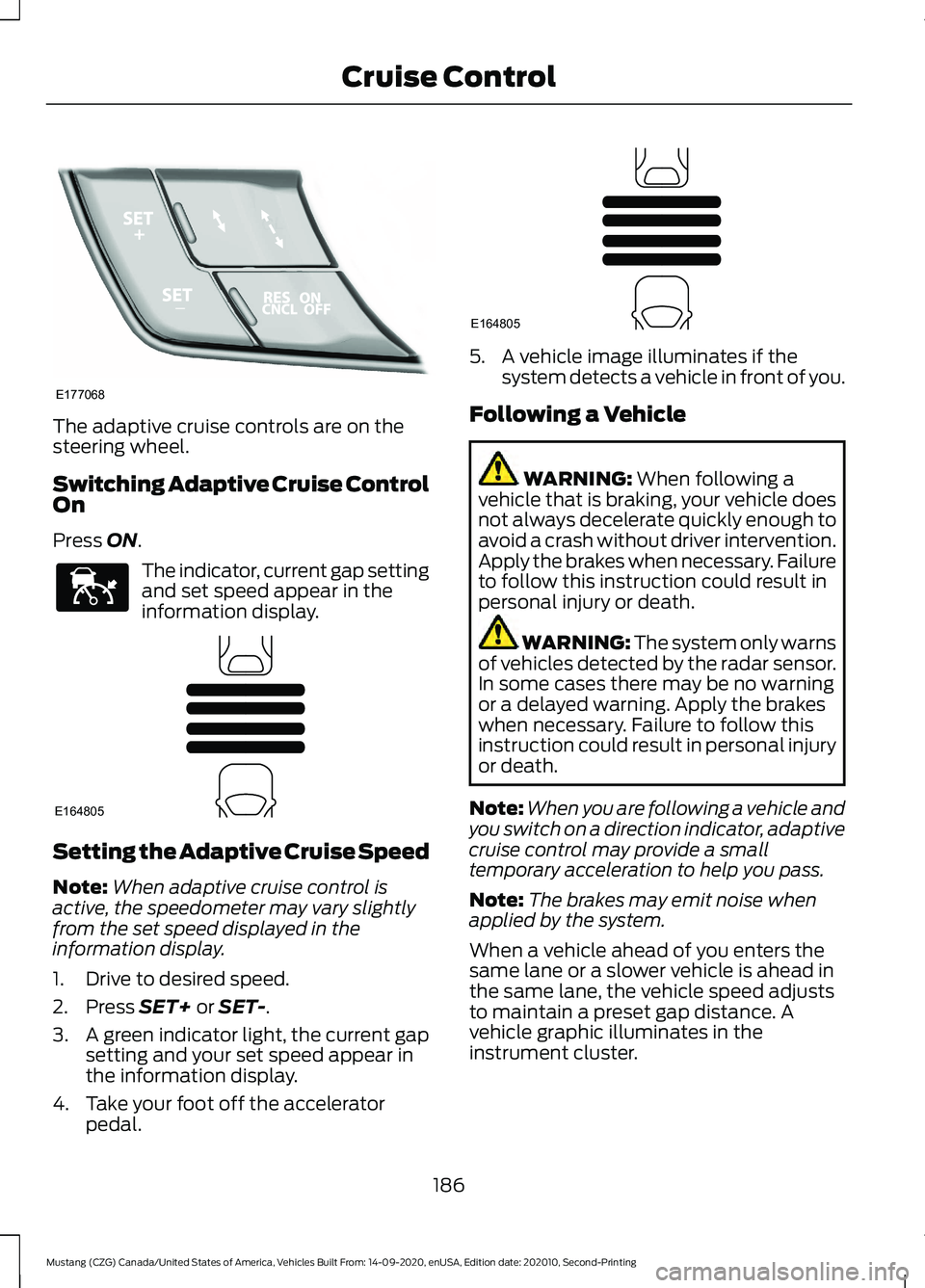
The adaptive cruise controls are on the
steering wheel.
Switching Adaptive Cruise Control
On
Press ON.
The indicator, current gap setting
and set speed appear in the
information display.
Setting the Adaptive Cruise Speed
Note:
When adaptive cruise control is
active, the speedometer may vary slightly
from the set speed displayed in the
information display.
1. Drive to desired speed.
2. Press
SET+ or SET-.
3. A green indicator light, the current gap
setting and your set speed appear in
the information display.
4. Take your foot off the accelerator pedal. 5. A vehicle image illuminates if the
system detects a vehicle in front of you.
Following a Vehicle WARNING:
When following a
vehicle that is braking, your vehicle does
not always decelerate quickly enough to
avoid a crash without driver intervention.
Apply the brakes when necessary. Failure
to follow this instruction could result in
personal injury or death. WARNING:
The system only warns
of vehicles detected by the radar sensor.
In some cases there may be no warning
or a delayed warning. Apply the brakes
when necessary. Failure to follow this
instruction could result in personal injury
or death.
Note: When you are following a vehicle and
you switch on a direction indicator, adaptive
cruise control may provide a small
temporary acceleration to help you pass.
Note: The brakes may emit noise when
applied by the system.
When a vehicle ahead of you enters the
same lane or a slower vehicle is ahead in
the same lane, the vehicle speed adjusts
to maintain a preset gap distance. A
vehicle graphic illuminates in the
instrument cluster.
186
Mustang (CZG) Canada/United States of America, Vehicles Built From: 14-09-2020, enUSA, Edition date: 202010, Second-Printing Cruise ControlE177068 E144529 E164805 E164805