instrument panel FORD MUSTANG 2021 User Guide
[x] Cancel search | Manufacturer: FORD, Model Year: 2021, Model line: MUSTANG, Model: FORD MUSTANG 2021Pages: 530, PDF Size: 10.22 MB
Page 134 of 530
4. Adjust the blower motor speed to the
lowest speed setting.
Defogging the Side Windows in
Cold Weather
1. Direct air to the instrument panel and windshield air vents.
2. Press and release A/C.
3. Adjust the temperature control to the setting you prefer.
4. Adjust the blower motor speed to the highest setting.
5. Direct air toward the side windows.
6. Close the instrument panel air vents.
HINTS ON CONTROLLING THE
INTERIOR CLIMATE -
VEHICLES WITH: AUTOMATIC
TEMPERATURE CONTROL
General Hints
Note: Prolonged use of recirculated air may
cause the windows to fog up.
Note: You may feel a small amount of air
from the footwell air vents regardless of the
air distribution setting.
Note: To reduce humidity build-up inside
your vehicle, do not drive with the system
switched off or with recirculated air always
switched on.
Note: Do not place objects under the front
seats as this may interfere with the airflow
to the rear seats.
Note: Remove any snow, ice or leaves from
the air intake area at the base of the
windshield.
Note: To improve the time to reach a
comfortable temperature in hot weather,
drive with the windows open until you feel
cold air through the air vents. Automatic Climate Control
Note:
Adjusting the settings when your
vehicle interior is extremely hot or cold is
not necessary. Automatic mode is best
recommended to maintain set temperature.
Note: The system adjusts to heat or cool
the interior to the temperature you select
as quickly as possible.
Note: For the system to function efficiently,
the instrument panel and side air vents
should be fully open.
Note: If you select
AUTO during cold
outside temperatures, the system directs
air flow to the windshield and side window
air vents. In addition, the blower motor may
run at a slower speed until the engine warms
up.
Note: If you select
AUTO during hot
temperatures and the inside of the vehicle
is hot, the system uses recirculated air to
maximize interior cooling. Blower motor
speed may also reduce until the air cools.
Quickly Heating the Interior
1. Press and release
AUTO.
2. Adjust the temperature function to the
setting you prefer.
Recommended Settings for
Heating
1. Press and release
AUTO.
2. Adjust the temperature function to the
setting you prefer. Use
72°F (22°C) as
a starting point, then adjust the setting
as necessary.
Quickly Cooling the Interior
1. Press and release
MAX A/C.
Recommended Settings for
Cooling
1. Press and release
AUTO.
131
Mustang (CZG) Canada/United States of America, Vehicles Built From: 14-09-2020, enUSA, Edition date: 202010, Second-Printing Climate Control
Page 136 of 530
WHAT IS THE CABIN AIR
FILTER
The cabin air filter improves the quality of
air in your vehicle by trapping dust, pollen
and other particles.
LOCATING THE CABIN AIR
FILTER
The cabin air filter is behind the glovebox.
Note:
The filter access door is above the
passenger footwell under the instrument
panel.
REPLACING THE CABIN AIR
FILTER
Replace the filter at regular intervals. See
Scheduled Maintenance (page 441).
Note: Make sure you have a cabin air filter
installed at all times. This prevents foreign
objects from entering the system. Running
the system without a filter in place could
result in degradation or damage to the
system.
Note: Using an aftermarket cabin air filter
could reduce cabin air filtration and climate
control performance.
133
Mustang (CZG) Canada/United States of America, Vehicles Built From: 14-09-2020, enUSA, Edition date: 202010, Second-Printing Interior Air Quality
Page 177 of 530
PRINCIPLE OF OPERATION
The traction control system helps avoid
drive wheel spin and loss of traction.
If your vehicle begins to slide, the system
applies the brakes to individual wheels
and, when needed, reduces engine power
at the same time. If the wheels spin when
accelerating on slippery or loose surfaces,
the system reduces engine power in order
to increase traction.
USING TRACTION CONTROL
WARNING: The stability and
traction control light illuminates steadily
if the system detects a failure. Make sure
you did not manually disable the traction
control system using the information
display controls or the switch. If the
stability control and traction control light
is still illuminating steadily, have the
system serviced by an authorized dealer
immediately. Operating your vehicle with
the traction control disabled could lead
to an increased risk of loss of vehicle
control, vehicle rollover, personal injury
and death.
The system automatically turns on each
time you switch the ignition on.
If your vehicle is stuck in mud or snow,
switching traction control off may be
beneficial as this allows the wheels to spin.
Note: When you switch traction control off,
stability control remains fully active.
Switching the System Off When you switch the system off,
a message and an illuminated
icon appear on the instrument
cluster. Use the switch again to return the traction
control system to normal operation.
The switch for the stability and traction
control system is on the instrument panel.
Your vehicle may have MyKey restrictions
regarding this feature. See
What Is
MyKey (page 63).
System Indicator Lights and
Messages The stability and traction control
light temporarily illuminates on
engine start-up and flashes:
• When a driving condition activates
either of the systems.
• If a problem occurs in either of the
systems. The stability and traction control
off light temporarily illuminates
on engine start-up and stays on:
• When you switch the traction control
system off.
• When you select an alternative stability
control mode.
174
Mustang (CZG) Canada/United States of America, Vehicles Built From: 14-09-2020, enUSA, Edition date: 202010, Second-Printing Traction ControlE130458 E138639 E130458
Page 209 of 530
DRIVE CONTROL - MACH 1 (IF
EQUIPPED)
Selectable Drive Modes
Selectable drive modes deliver a
customized driving experience using a
variety of electronic vehicle systems. The
systems optimize vehicle dynamics and
powertrain response based on your
selected mode. Systems associated with
selectable drive modes are:
• Electronically power assisted steering.
See
Steering (page 201).
• Electronic stability control and traction
control maintain your vehicle control
in adverse conditions or high
performance driving.
See Stability
Control (page 175).
• Electronic throttle control enhances
the powertrain response to your driving
input.
• Adaptive dampers, if your vehicle
comes with them.
• Active exhaust, if provided on your
vehicle, adjusts the sound
characteristics of your vehicle.
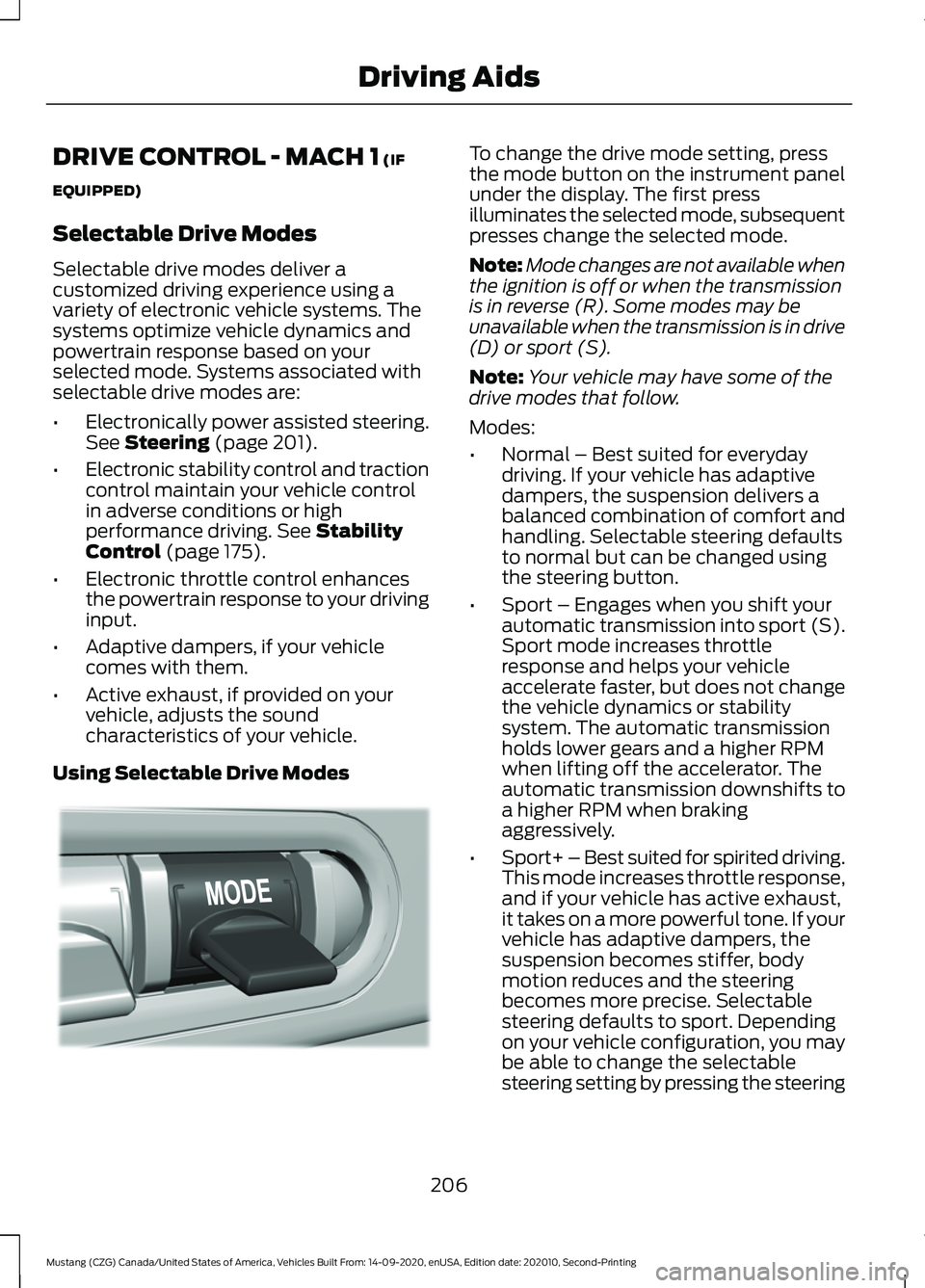
Using Selectable Drive Modes To change the drive mode setting, press
the mode button on the instrument panel
under the display. The first press
illuminates the selected mode, subsequent
presses change the selected mode.
Note:
Mode changes are not available when
the ignition is off or when the transmission
is in reverse (R). Some modes may be
unavailable when the transmission is in drive
(D) or sport (S).
Note: Your vehicle may have some of the
drive modes that follow.
Modes:
• Normal – Best suited for everyday
driving. If your vehicle has adaptive
dampers, the suspension delivers a
balanced combination of comfort and
handling. Selectable steering defaults
to normal but can be changed using
the steering button.
• Sport – Engages when you shift your
automatic transmission into sport (S).
Sport mode increases throttle
response and helps your vehicle
accelerate faster, but does not change
the vehicle dynamics or stability
system. The automatic transmission
holds lower gears and a higher RPM
when lifting off the accelerator. The
automatic transmission downshifts to
a higher RPM when braking
aggressively.
• Sport+ – Best suited for spirited driving.
This mode increases throttle response,
and if your vehicle has active exhaust,
it takes on a more powerful tone. If your
vehicle has adaptive dampers, the
suspension becomes stiffer, body
motion reduces and the steering
becomes more precise. Selectable
steering defaults to sport. Depending
on your vehicle configuration, you may
be able to change the selectable
steering setting by pressing the steering
206
Mustang (CZG) Canada/United States of America, Vehicles Built From: 14-09-2020, enUSA, Edition date: 202010, Second-Printing Driving AidsE294773
Page 211 of 530
To create or save MyMode, press the
button on the steering wheel and access
the menu. See General Information
(page 99). The available systems display.
Choose your desired settings using the
appropriate buttons and menus. Press and
hold OK to save your settings. MyMode is
added to the drive mode list and can be
selected the next time you drive your
vehicle.
Note: The system has diagnostic checks
that continuously monitor the system to
make sure it properly operates. If a mode is
unavailable due to a system fault or change
in gear position, the selected mode defaults
to normal.
Note: Pre-Collision Assist is automatically
disabled when track mode is selected.
See
Pre-Collision Assist (page 202).
Note: If your vehicle has adaptive dampers,
the steering setting is optimized to work with
each drive mode. Other steering settings
may not be available.
Selectable Steering Press the steering button on the
instrument panel to change the
steering feel. The first press
illuminates the selected mode. Each time
you press the button, it changes the mode.
Modes:
• Normal - Default factory setting.
• Sport - Slightly higher effort required
for steering with more road force felt
through the steering wheel.
• Comfort - Slightly less effort required
for steering with less road force felt
through the steering wheel.
Note: A soft feedback bump in the steering
wheel may be felt after you make a
selection. Note:
The steering setting defaults to
normal if the battery is disconnected or
removed.
Active Exhaust
(If Equipped) Use the information display to
adjust the tone of the exhaust.
Active Exhaust modes:
• Quiet - Lowers the noise of the exhaust.
• Normal - Default factory setting.
• Sport - Raises the noise of the exhaust.
• Track - Tunes the exhaust for track
performance.
Note: The track exhaust mode setting is
only for use at tracks and not for use on
public roadways. Use of this setting results
in increased exterior noise, which may not
meet state and local laws and regulations.
It is the obligation of the driver to operate
the vehicle in a manner that complies with
state and local requirements. Only use the
track exhaust mode setting at a competition
track or an off-road course where elevated
exterior vehicle noise is acceptable.
Rev Match
(If Equipped)
This feature provides a smoother driving
experience, particularly during a downshift
event. This is accomplished by a shift
position prediction that commands a quick
engine RPM match to the selected gear.
You can switch this feature on and off
through the information display. See
General Information
(page 99).
Note: The system remembers your last
selection through ignition cycles.
Note: Rev match is only available with a
manual transmission.
208
Mustang (CZG) Canada/United States of America, Vehicles Built From: 14-09-2020, enUSA, Edition date: 202010, Second-Printing Driving AidsE174705 E287122
Page 212 of 530
No Lift Shift
This feature provides you with the ability
to keep the accelerator pedal firmly
pressed down during high engine speed,
wide open throttle accelerations. During
wide open throttle gear shifts, the engine
controller prevents the engine speed from
flaring with the clutch disengaged during
a rapid upshift. This allows reduced
manual transmission upshift time, resulting
in quicker acceleration and smoother no
lift shifts.
DRIVE CONTROL (IF EQUIPPED)
Selectable Drive Modes
(If Equipped)
Selectable drive modes deliver a
customized driving experience using a
variety of electronic vehicle systems. The
systems optimize vehicle dynamics and
powertrain response based on your
selected mode. Systems associated with
selectable drive modes are:
• Electronically power assisted steering.
See
Steering (page 201).
• Electronic stability control and traction
control maintain your vehicle control
in adverse conditions or high
performance driving.
See Stability
Control (page 175).
• Electronic throttle control enhances
the powertrain response to your driving
input.
• Adaptive dampers (if equipped).
• Active exhaust adjusts the sound
characteristics of your vehicle (if
equipped).
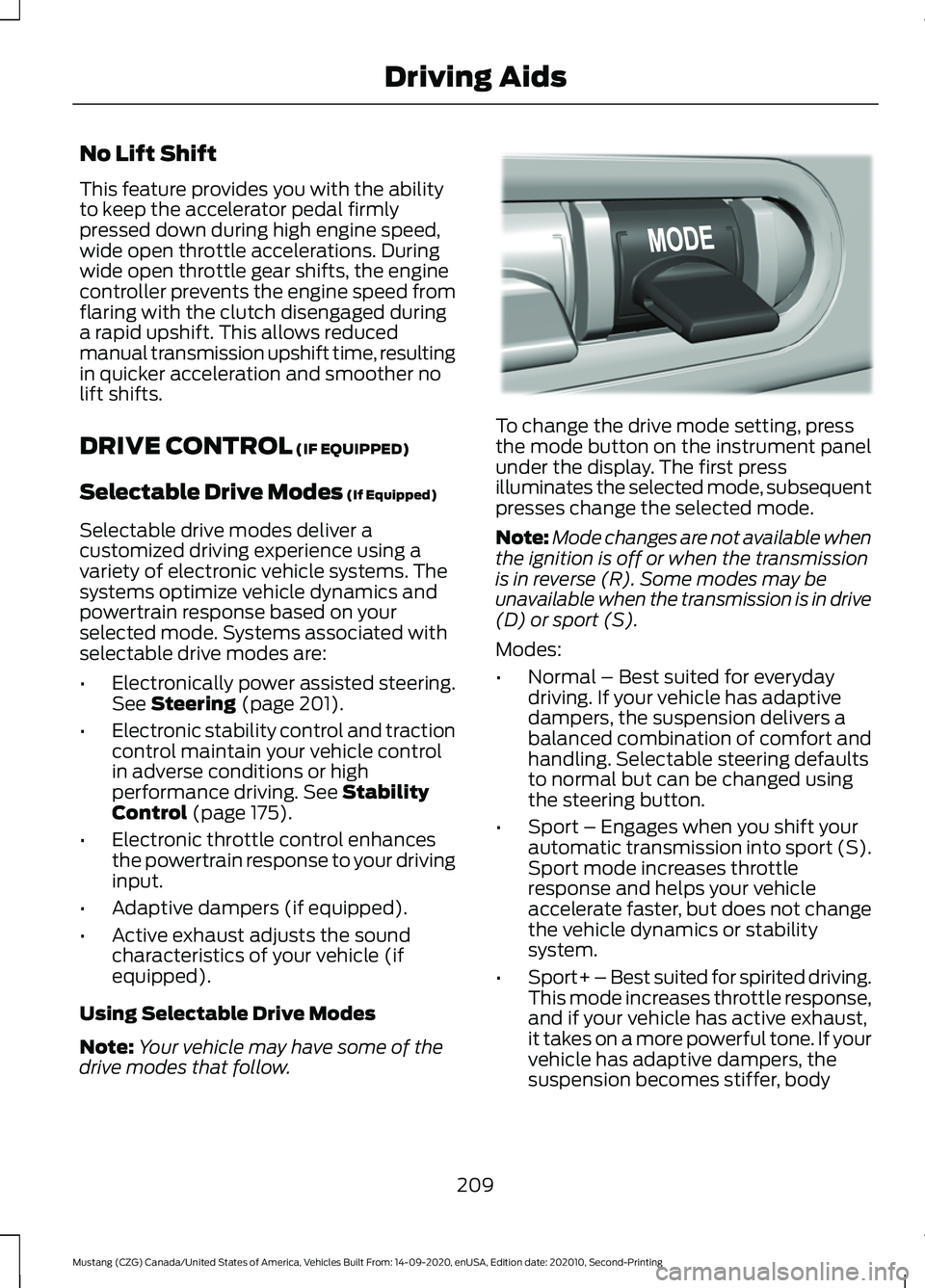
Using Selectable Drive Modes
Note: Your vehicle may have some of the
drive modes that follow. To change the drive mode setting, press
the mode button on the instrument panel
under the display. The first press
illuminates the selected mode, subsequent
presses change the selected mode.
Note:
Mode changes are not available when
the ignition is off or when the transmission
is in reverse (R). Some modes may be
unavailable when the transmission is in drive
(D) or sport (S).
Modes:
• Normal – Best suited for everyday
driving. If your vehicle has adaptive
dampers, the suspension delivers a
balanced combination of comfort and
handling. Selectable steering defaults
to normal but can be changed using
the steering button.
• Sport – Engages when you shift your
automatic transmission into sport (S).
Sport mode increases throttle
response and helps your vehicle
accelerate faster, but does not change
the vehicle dynamics or stability
system.
• Sport+ – Best suited for spirited driving.
This mode increases throttle response,
and if your vehicle has active exhaust,
it takes on a more powerful tone. If your
vehicle has adaptive dampers, the
suspension becomes stiffer, body
209
Mustang (CZG) Canada/United States of America, Vehicles Built From: 14-09-2020, enUSA, Edition date: 202010, Second-Printing Driving AidsE294773
Page 214 of 530
To create or save MyMode, press the
button on the steering wheel and access
the menu. See General Information
(page 99). The available systems display.
Select your desired settings using the
appropriate buttons and menus. Press and
hold OK to save your settings. MyMode is
added to the drive mode list and can be
selected the next time you drive your
vehicle.
Note: The system has diagnostic checks
that continuously monitor the system to
make sure it properly operates. If a mode is
unavailable due to a system fault or change
in gear position, the selected mode defaults
to normal.
Note: Pre-Collision Assist is automatically
disabled when track mode is selected.
See
Pre-Collision Assist (page 202).
Note: If your vehicle has adaptive dampers,
the steering setting is optimized to work with
each drive mode. Other steering settings
may not be available.
Selectable Steering
Note: The steering setting defaults to
normal if the battery is disconnected or
removed. Press the steering button on the
instrument panel to change the
steering feel. The first press
illuminates the selected mode. Each time
you press the button, it changes the mode.
Modes:
• Normal - Default factory setting.
• Sport - Slightly higher effort required
for steering with more road force felt
through the steering wheel.
• Comfort - Slightly less effort required
for steering with less road force felt
through the steering wheel. Note:
A soft feedback bump in the steering
wheel may be felt after you make a
selection.
Adaptive Dampers
(If Equipped) Press the button on the steering
wheel to adjust the suspension.
The first press illuminates the
current mode. Each time you press the
button, it changes the mode.
Adaptive damper modes:
• Normal — Available in normal and
sport drive modes.
• Sport — Available in normal, sport and
track drive modes.
• Track — Available only in track drive
mode.
• Drag Strip — Available only in drag strip
drive mode.
Active Exhaust
(If Equipped) Press the button on the
instrument panel under the
display to adjust the tone of the
exhaust.
Active Exhaust modes:
• Quiet - Lowers the noise of the exhaust.
• Normal - Default factory setting.
• Sport - Raises the noise of the exhaust.
• Track - Tunes the exhaust for track
performance.
Note: The track exhaust mode setting is
only for use at tracks and not for use on
public roadways. Use of this setting results
in increased exterior noise, which may not
meet state and local laws and regulations.
It is the obligation of the driver to operate
the vehicle in a manner that complies with
state and local requirements. Only use the
track exhaust mode setting at a competition
track or an off-road course where elevated
exterior vehicle noise is acceptable.
211
Mustang (CZG) Canada/United States of America, Vehicles Built From: 14-09-2020, enUSA, Edition date: 202010, Second-Printing Driving AidsE174705 E282723 E287122
Page 229 of 530
OPENING THE CONVERTIBLE
TOP
When you use the top, you must first
unlatch it from the windshield and then
use the convertible top control.
Note:
The convertible top does not operate
unless the vehicle is stationary or traveling
under 3 mph (5 km/h). A chime sounds and
a warning message appears in the
instrument panel. When you slow down, the
top operates.
Note: When you latch or unlatch the
convertible top, the audio system mutes
briefly. This allows the vehicle to optimize
the cabin ’s sound quality depending on the
position of the convertible top.
To unlatch the convertible top:
1. Bring the vehicle to a complete stop. The ignition must be on. We
recommend that the vehicle remains
running when you open the top to
prevent draining the battery.
2. Check the convertible top stowage compartment behind the rear seat to
be sure it is empty. Make sure the
convertible top outer surface is free of
debris.
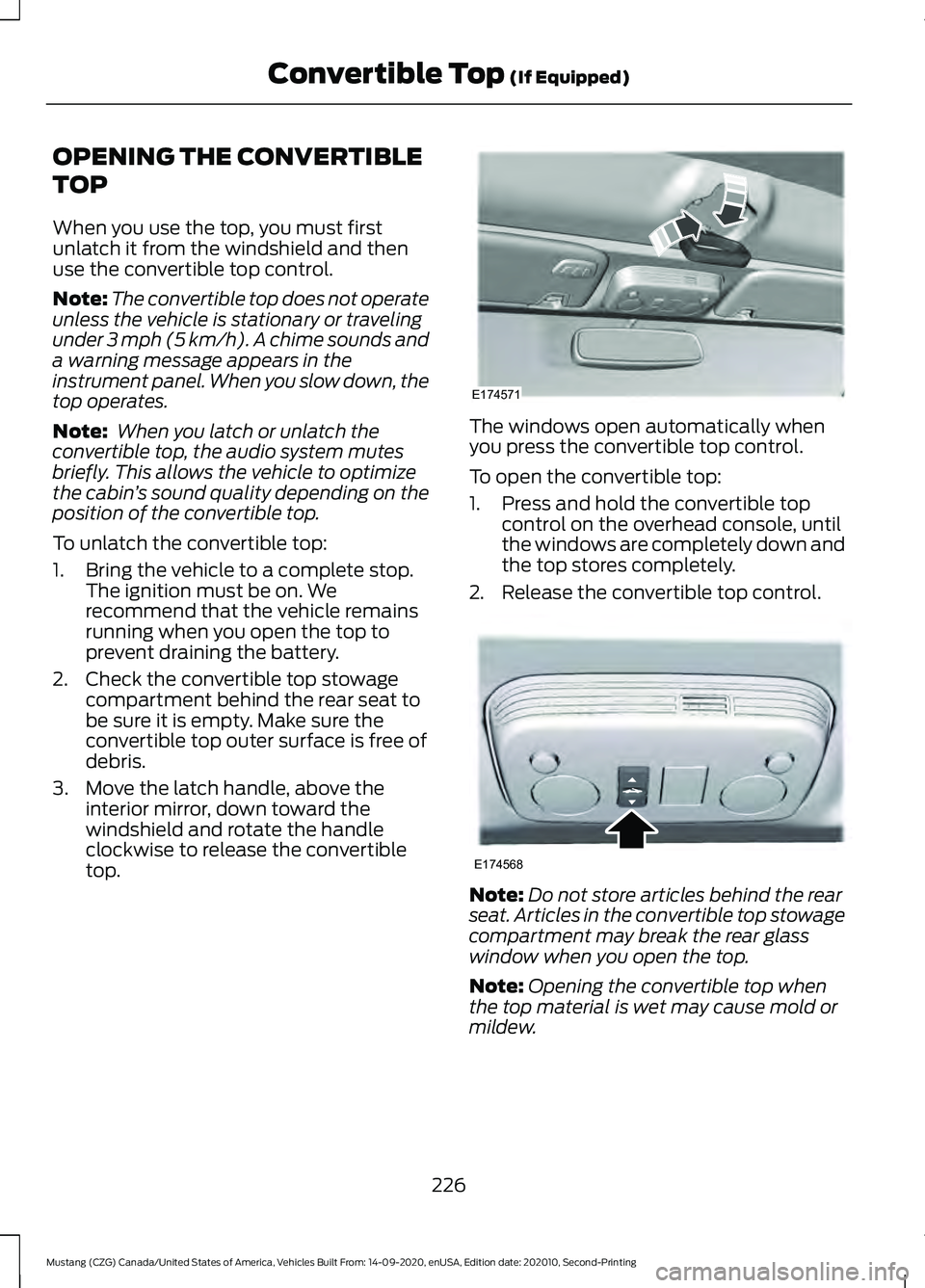
3. Move the latch handle, above the interior mirror, down toward the
windshield and rotate the handle
clockwise to release the convertible
top. The windows open automatically when
you press the convertible top control.
To open the convertible top:
1. Press and hold the convertible top
control on the overhead console, until
the windows are completely down and
the top stores completely.
2. Release the convertible top control. Note:
Do not store articles behind the rear
seat. Articles in the convertible top stowage
compartment may break the rear glass
window when you open the top.
Note: Opening the convertible top when
the top material is wet may cause mold or
mildew.
226
Mustang (CZG) Canada/United States of America, Vehicles Built From: 14-09-2020, enUSA, Edition date: 202010, Second-Printing Convertible Top
(If Equipped)E174571 E174568
Page 230 of 530
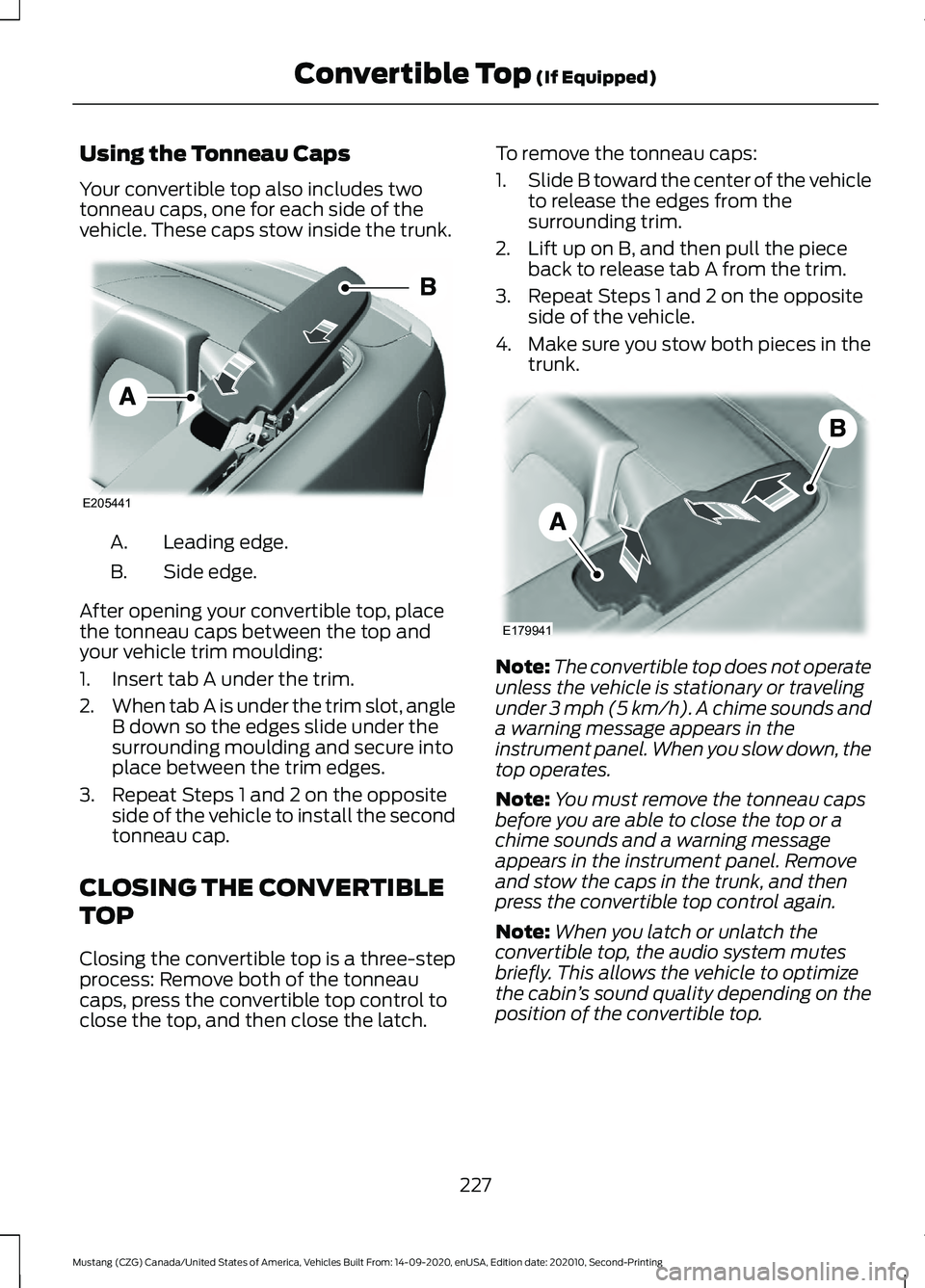
Using the Tonneau Caps
Your convertible top also includes two
tonneau caps, one for each side of the
vehicle. These caps stow inside the trunk.
Leading edge.
A.
Side edge.
B.
After opening your convertible top, place
the tonneau caps between the top and
your vehicle trim moulding:
1. Insert tab A under the trim.
2. When tab A is under the trim slot, angle
B down so the edges slide under the
surrounding moulding and secure into
place between the trim edges.
3. Repeat Steps 1 and 2 on the opposite side of the vehicle to install the second
tonneau cap.
CLOSING THE CONVERTIBLE
TOP
Closing the convertible top is a three-step
process: Remove both of the tonneau
caps, press the convertible top control to
close the top, and then close the latch. To remove the tonneau caps:
1.
Slide B toward the center of the vehicle
to release the edges from the
surrounding trim.
2. Lift up on B, and then pull the piece back to release tab A from the trim.
3. Repeat Steps 1 and 2 on the opposite side of the vehicle.
4. Make sure you stow both pieces in the trunk. Note:
The convertible top does not operate
unless the vehicle is stationary or traveling
under 3 mph (5 km/h). A chime sounds and
a warning message appears in the
instrument panel. When you slow down, the
top operates.
Note: You must remove the tonneau caps
before you are able to close the top or a
chime sounds and a warning message
appears in the instrument panel. Remove
and stow the caps in the trunk, and then
press the convertible top control again.
Note: When you latch or unlatch the
convertible top, the audio system mutes
briefly. This allows the vehicle to optimize
the cabin ’s sound quality depending on the
position of the convertible top.
227
Mustang (CZG) Canada/United States of America, Vehicles Built From: 14-09-2020, enUSA, Edition date: 202010, Second-Printing Convertible Top
(If Equipped)E205441 E179941
Page 236 of 530
Vehicles Sold in Canada: Getting
Roadside Assistance
To fully assist you should you have a
vehicle concern, Ford Motor Company of
Canada, Limited offers a complimentary
roadside assistance program. This program
is eligible within Canada or the continental
United States.
The service is available 24 hours a day,
seven days a week.
This program is separate from the New
Vehicle Limited Warranty, but the coverage
is concurrent with the powertrain coverage
period of your vehicle. Canadian roadside
coverage and benefits may differ from the
U.S. coverage.
If you require more information, please call
us in Canada at 1-800-665-2006, or visit
our website at www.ford.ca.
HAZARD FLASHERS
Note:
The hazard flashers operate when
the ignition is in any position, or if the key is
not in the ignition. If used when the vehicle
is not running, the battery loses charge. As
a result, there may be insufficient power to
restart your vehicle. The flasher control is on the
instrument panel. Use your
hazard flashers when your
vehicle is creating a safety hazard for other
motorists.
• Press the flasher control and all front
and rear direction indicators flash.
• Press the button again to switch them
off. FUEL SHUTOFF WARNING: If your vehicle has been
involved in a crash, have the fuel system
checked. Failure to follow this instruction
could result in fire, personal injury or
death.
Note: When you try to restart your vehicle
after a fuel shutoff, the vehicle makes sure
that various systems are safe to restart.
Once the vehicle determines the systems
are safe, then the vehicle allows you to
restart.
Note: In the event that your vehicle does
not restart after your third attempt, contact
a qualified technician.
The fuel pump shutoff stops the flow of
fuel to the engine in the event of a
moderate to severe crash. Not every
impact causes a shutoff.
Should your vehicle shut off after a crash,
you may restart your vehicle.
1. Press START/STOP to switch off your
vehicle.
2. Press the brake pedal and START/STOP
to switch on your
vehicle.
3. Remove your foot from the brake pedal
and press
START/STOP to switch off
your vehicle.
4. You can attempt to start the vehicle by pressing the brake pedal and
START/STOP
, or press START/STOP
without pressing the brake pedal.
5. If the vehicle does not start, repeat steps 1 through 4.
233
Mustang (CZG) Canada/United States of America, Vehicles Built From: 14-09-2020, enUSA, Edition date: 202010, Second-Printing Roadside Emergencies