lane assist FORD MUSTANG MACH-E 2021 Owners Manual
[x] Cancel search | Manufacturer: FORD, Model Year: 2021, Model line: MUSTANG MACH-E, Model: FORD MUSTANG MACH-E 2021Pages: 460, PDF Size: 7.29 MB
Page 11 of 460

Stability Control
How Does Stability Control Work
.........201
Switching Stability Control On and Off ........................................................................\
202
Stability Control Indicator .......................
204
Steering
Electric Power Steering ............................
205
Steering – Troubleshooting ....................
206
Parking Aids
Parking Aid Precautions ...........................
207
Switching Parking Aid On and Off ........
207
Rear Parking Aid .........................................
208
Front Parking Aid ........................................
208
Side Parking Aid ..........................................
209
Parking Aid Indicators .................................
211
Parking Aids – Troubleshooting ..............
211
Rear View Camera
What Is the Rear View Camera ...............
212
Rear View Camera Precautions ..............
212
Locating the Rear View Camera .............
212
Rear View Camera Guide Lines ..............
212
Rear View Camera Object Distance Indicators ....................................................
213
Rear View Camera Settings .....................
213
360 Degree Camera
What Is the 360 Degree Camera ...........
215
How Does the 360 Degree Camera Work ........................................................................\
.
215
360 Degree Camera Precautions ..........
215
360 Degree Camera Limitations ...........
215
Locating the 360 Degree Cameras .......
216
360 Degree Camera Guide Lines ..........
216
360 Degree Camera Settings ..................
217
Active Park Assist
What Is Active Park Assist ........................
218How Does Active Park Assist Work
.......
218
Active Park Assist Precautions ...............
218
Switching Active Park Assist On and Off ........................................................................\
.
218
Entering a Parallel Parking Space .........
218
Entering a Perpendicular Parking Space ........................................................................\
.
219
Exiting a Parking Space .............................
219
Active Park Assist – Troubleshooting ........................................................................\
220
Adaptive Cruise Control
How Does Adaptive Cruise Control With Stop and Go Work ..................................
222
Adaptive Cruise Control Precautions ........................................................................\
222
Adaptive Cruise Control Limitations ........................................................................\
222
Switching Adaptive Cruise Control On and Off ........................................................
224
Adaptive Cruise Control Automatic Cancellation ..............................................
225
Setting the Adaptive Cruise Control Speed ..........................................................
225
Setting the Adaptive Cruise Control Gap ........................................................................\
226
Canceling the Set Speed ..........................
227
Resuming the Set Speed ..........................
227
Overriding the Set Speed ........................
228
Adaptive Cruise Control Indicators ......
228
Switching From Adaptive Cruise Control to Cruise Control .....................................
228
Lane Centering ............................................
229
Intelligent Adaptive Cruise Control .......
231
Adaptive Cruise Control – Troubleshooting ......................................
232
Active Drive Assist
What Is Active Drive Assist ......................
235
How Does Active Drive Assist Work ......
235
Active Drive Assist Precautions .............
235
Active Drive Assist Requirements ........
236
7
2021 Mustang Mach-E (CGW) Canada/United States of America, Vehicles Built From: 07-06-2021, enUSA, Edition date: 202104, First-Printing Table of Contents
Page 12 of 460
Active Drive Assist Limitations
..............236
Active Drive Assist Settings ....................
236
Switching Active Drive Assist On and Off ........................................................................\
.
237
Active Drive Assist Alerts ..........................
237
Active Drive Assist Automatic Cancellation ..............................................
237
Active Drive Assist Indicators .................
238
Active Drive Assist – Troubleshooting ........................................................................\
239
Drive Mode Control
What Is Drive Mode Control ...................
240
Selecting a Drive Mode ............................
240
Drive Modes ..................................................
240
One Pedal Drive
What is One Pedal Drive ..........................
242
One Pedal Drive Precautions .................
242
One Pedal Drive Limitations ...................
242
Switching One Pedal Drive On and Off ........................................................................\
242
One Pedal Drive Indicators ......................
242
Lane Keeping System
What Is the Lane Keeping System .......
243
How Does the Lane Keeping System Work ............................................................
243
Lane Keeping System Precautions ......
243
Lane Keeping System Limitations .......
243
Switching the Lane Keeping System On and Off .......................................................
244
Switching the Lane Keeping System Mode ...........................................................
244
Lane Keeping System Settings .............
244
Alert Mode .....................................................
245
Aid Mode ........................................................
245
Alert and Aid Mode ....................................
245
Lane Keeping System Indicators ..........
246
Blind Spot Assist ........................................
246Lane Keeping System – Troubleshooting
........................................................................\
248
Blind Spot Information System
What Is Blind Spot Information System ........................................................................\
.
251
How Does Blind Spot Information System Work .............................................
251
Blind Spot Information System Precautions ................................................
251
Blind Spot Information System Limitations .................................................
251
Blind Spot Information System Requirements ............................................
251
Switching Blind Spot Information System On and Off .................................
251
Locating the Blind Spot Information System Sensors .......................................
252
Blind Spot Information System Indicators ...................................................
252
Blind Spot Information System – Troubleshooting ......................................
253
Cross Traffic Alert
What Is Cross Traffic Alert ......................
254
How Does Cross Traffic Alert Work ......
254
Cross Traffic Alert Precautions ..............
254
Cross Traffic Alert Limitations ...............
254
Switching Cross Traffic Alert On and Off ........................................................................\
254
Locating the Cross Traffic Alert Sensors ........................................................................\
255
Cross Traffic Alert Indicators ..................
255
Cross Traffic Alert – Troubleshooting ........................................................................\
256
Pre-Collision Assist
What Is Pre-Collision Assist ....................
257
How Does Pre-Collision Assist Work ........................................................................\
257
Pre-Collision Assist Precautions ...........
257
Pre-Collision Assist Limitations ............
258
8
2021 Mustang Mach-E (CGW) Canada/United States of America, Vehicles Built From: 07-06-2021, enUSA, Edition date: 202104, First-Printing Table of Contents
Page 19 of 460
If you require assistance or clarification on
policies or procedures, please contact the
customer relationship center.
United States
Ford Motor Company
Customer Relationship Center
PO Box 6248
Dearborn, MI 48126
1-800-392-3673 (FORD)
(TDD for the hearing impaired:
1-888-658-6805
www.ford.com/help/contact/
Canada
Customer Relationship Center
Ford Motor Company of Canada Limited
P.O. Box 2000
Oakville, Ontario L6J 5E4
1-800-565-3673 (FORD)
www.ford.ca
Facebook: FordServiceCA (English),
FordServiceQC (Francais)
Europe
Telephone: 02035644444
E-mail: [email protected]
Twitter: @forduk
Australia
Ford Motor Company
Attention: Customer Relationship Centre
Private Mail Bag 5
Fairlane Business Park #3
Campbellfield, Victoria, 3061
Telephone: 13 3673 (FORD)
E-mail: [email protected]
New Zealand
Ford Motor Company
Attention: Customer Relationship Centre
Private Bag 76912
Manukau City 2241
Telephone: 0800 367 369 (FORDNZ)
E-mail: [email protected]
China - Imported Vehicle
Customer Relationship Center
Telephone: 400-690-1886
Website: https://www.ford.com.cn/
China - Chang’
An Ford
Customer Relationship Center
Telephone: 800-810-8168
Mobile: 400-887-7766
Website: https://www.ford.com.cn/
Asia Pacific
E-mail: [email protected]
Caribbean, Central America and
Israel
Ford Motor Company
Ford Export Operations
Attention: Owner Relations
1555 Fairlane Drive
Fairlane Business Park #3
Allen Park, MI 48101
Fax: (313) 390-0804
Telephone: (313) 594-4857
E-mail: [email protected]
U.S. Virgin Islands and Puerto Rico
Ford Motor Company
Ford Export Operations
Attention: Owner Relations
1555 Fairlane Drive
Fairlane Business Park #3
Allen Park, MI 48101
Telephone: (800) 841-3673
E-mail: [email protected]
Chile
Ford Customer Service
Telephone: (800) 470-408
Argentina
Telephone: 0800-888-3673
15
2021 Mustang Mach-E (CGW) Canada/United States of America, Vehicles Built From: 07-06-2021, enUSA, Edition date: 202104, First-Printing Contacting Us
Page 77 of 460
WHAT IS MYKEY
MyKey allows you to program keys and
mobile devices with restricted driving
modes to promote good driving habits.
MYKEY SETTINGS
NON-CONFIGURABLE MYKEY
SETTINGS
Seatbelt Reminder or Belt-
Minder™
MyKey mutes the audio system until the
front seat belts are buckled.
Note:
If your vehicle includes an AM/FM
radio or a very basic audio system, then the
radio may not mute.
Satellite Radio (If Equipped)
Some Satellite radio channels have
restricted access to adult radio content.
Driving and Parking Aids
Settings for parking aids, blind spot
information system, and cross traffic alert
cannot be configured. These systems turn
on when the vehicle turns on and cannot
be switched off with a MyKey.
Settings for pre-collision assist and lane
keeping cannot be configured. These
systems turn on when the vehicle turns on
but can be switched off with a MyKey.
A new destination in the navigation system
can only be set using voice commands
when using a MyKey, and with your vehicle
moving.
Note: MyKey drivers may be able to turn
the lane departure warning feature off, but
this feature turns back on automatically
with every new key cycle. CONFIGURABLE MYKEY
SETTINGS
You can configure the following settings
after creating a MyKey. See
Creating a
MyKey (page 74).
Speed Limit WARNING:
Do not set MyKey
maximum speed limit to a limit that will
prevent the driver from maintaining a
safe speed considering posted speed
limits and prevailing road conditions. The
driver is always responsible to drive in
accordance with local laws and
prevailing conditions. Failure to do so
could result in accident or injury.
You can set a speed limit for your vehicle.
Warning messages appear in the
information display and a tone sounds if
your vehicle reaches the set speed. You
cannot override the set speed when using
a MyKey.
Speed Minder
You can set a speed reminder for your
vehicle. Warning messages appear in the
information display and a tone sounds if
your vehicle exceeds the set speed.
Audio System Volume Limit
The audio system maximum volume
reduces. A message appears in the
information display if you attempt to
exceed the volume limit. Automatic
volume control turns off.
Emergency Assistance
If you set emergency assistance to always
on, you cannot switch it off with a MyKey.
73
2021 Mustang Mach-E (CGW) Canada/United States of America, Vehicles Built From: 07-06-2021, enUSA, Edition date: 202104, First-Printing MyKey
™
Page 223 of 460
2. Use the turn signal lever to search for
a parking space on the driver or
passenger side of your vehicle.
Note: If you do not use the turn signal lever,
the system searches for a parking space on
the passenger side of your vehicle.
3. Drive your vehicle approximately 3 ft
(1 m) away from and parallel to the
other parked vehicles when searching
for a parking space.
Note: A tone sounds and a message
appears in the information and
entertainment display when active park
assist finds a suitable parking space.
4. Press and hold the brake pedal.
5. Release the steering wheel and shift into neutral (N).
6. Press and hold the active park assist button.
7. Release the brake pedal to allow your vehicle to park.
Note: You can slow down your vehicle at
any time by pressing the brake pedal.
Note: When parallel parking between
objects, the system parks closer to the
object in front of your vehicle to allow easier
access to the luggage compartment.
Note: When parking is complete, your
vehicle shifts into park (P).
ENTERING A PERPENDICULAR
PARKING SPACE
1. Press the active park assist button.
Note: Active park assist does not recognize
parking space lines and centers your vehicle
between objects.
2. Press the active park assist icon on the
touchscreen.
3. Select perpendicular parking. 4. Use the turn signal lever to search for
a parking space on the driver or
passenger side of your vehicle.
Note: If you do not use the turn signal lever,
the system searches for a parking space on
the passenger side of your vehicle.
5. Drive your vehicle approximately 3 ft
(1 m) away from and perpendicular to
the other parked vehicles when
searching for a parking space.
Note: A tone sounds and a message
appears in the information and
entertainment display when active park
assist finds a parking space.
6. Press and hold the brake pedal.
7. Release the steering wheel and shift into neutral (N).
8. Press and hold the active park assist button.
9. Release the brake pedal to allow the vehicle to park.
Note: Active park assist backs your vehicle
into parking spaces.
Note: Active park assist aligns the front end
of your vehicle with the lane side of the
object next to it.
Note: When the system detects only one
object, it allows enough distance to open
the door on either side.
Note: You can slow down your vehicle at
any time by pressing the brake pedal.
Note: When parking is complete, your
vehicle shifts into park (P).
EXITING A PARKING SPACE
Active park assist only assists leaving
parallel parking spaces.
1. Press the active park assist button.
2. Press the active park assist icon on the
touchscreen.
219
2021 Mustang Mach-E (CGW) Canada/United States of America, Vehicles Built From: 07-06-2021, enUSA, Edition date: 202104, First-Printing Active Park Assist
(If Equipped)
Page 233 of 460
4. Press Cruise Control.
5. Press
Normal Cruise Control. The cruise control indicator
replaces the adaptive cruise
control indicator if you select
normal cruise control. The gap setting
does not display, and the system does not
respond to lead vehicles. Automatic
emergency braking remains active to
maintain set speed. The system
remembers the last setting when you start
your vehicle.
LANE CENTERING
HOW DOES LANE CENTERING
WORK
Adaptive cruise control with lane centering
uses radar and camera sensors to help
keep your vehicle in the lane by applying
continuous assistance steering torque
input toward the lane center on highways.
Note: The adaptive cruise control gap
setting operates normally.
LANE CENTERING PRECAUTIONS WARNING:
Do not use the system
when towing a trailer. Failure to follow
this instruction could result in the loss of
control of your vehicle, personal injury or
death. WARNING:
Do not use the system
if any changes or modifications to the
steering wheel have been made. Any
changes or modifications to the steering
wheel could affect the functionality or
performance of the system. Failure to
follow this instruction could result in the
loss of control of your vehicle, personal
injury or death. Adaptive cruise control precautions apply
to lane centering unless stated otherwise
or contradicted by a lane centering
precaution. See Adaptive Cruise Control
Precautions
(page 222).
LANE CENTERING
REQUIREMENTS
You must keep your hands on the steering
wheel at all times.
The system only activates when all of the
following occur:
• You have adaptive cruise control with
stop and go on.
• Lane centering assist is enabled in your
information and entertainment screen.
See
Switching Lane Centering On
and Off (page 230).
• You have your hands on the steering
wheel.
• The system detects both lane
markings.
Note: If it does not detect valid lane
markings, the system stays inactive until
valid markings are available.
LANE CENTERING LIMITATIONS
Adaptive cruise control limitations apply
to lane centering unless stated otherwise
or contradicted by a lane centering
limitation. See Adaptive Cruise Control
Limitations
(page 222).
Lane Centering may not correctly operate
in any of the following conditions:
• Your vehicle is not centered in the lane.
• The lane is too narrow or wide.
• The system does not detect at least
one lane marking or when lanes merge
or split.
• Limited steering torque input is applied.
229
2021 Mustang Mach-E (CGW) Canada/United States of America, Vehicles Built From: 07-06-2021, enUSA, Edition date: 202104, First-Printing Adaptive Cruise ControlE332905
Page 234 of 460
•
Areas under construction or new
infrastructure.
• When modifications to the steering
system have been made.
• When using a spare tire.
• In high wind conditions.
Note: The driving assistance torque is
limited and may not be sufficient for all
driving situations such as driving through
tight curves or driving through curves at high
speeds.
Note: In exceptional conditions, the system
may deviate from the center line.
SWITCHING LANE CENTERING ON
AND OFF
You must keep your hands on the steering
wheel at all times.
The controls are on the steering wheel. Press the button.
The indicator appears in the instrument
cluster display. When the system is on, the
color of the indicator changes to indicate
the system status.
You can override the system at any time
by steering your vehicle.
Note: The correct requirements must be
met before you can switch the system on.
See Lane Centering Requirements (page
229).
If you drive off-center within the lane, the
system sets and maintains that preferred
lane position. The system provides
continuous assistance steering torque
input toward the preferred position.
Note: The system can only set preferred
lane positions within the lane. Note:
If the system cancels, the preferred
position erases. On the next activation, the
system provides continuous assistance
steering torque input toward the lane center.
Enabling and Disabling Lane
Centering
1. Access the vehicle drawer on the touchscreen.
2. Press
SETTINGS.
3. Press
Driver Assistance.
4. Press
Cruise Control.
5. Press
Lane Centering Assist.
LANE CENTERING ALERTS
You must keep your hands on the steering
wheel at all times.
When the system is active and detects no
steering activity for a period of time, the
system alerts you to put your hands on the
steering wheel. If you do not react to the
warnings the system cancels and slows
your vehicle down to idle speeds while
maintaining steering control.
The system also alerts you if your vehicle
crosses lane markings without detected
steering activity.
Note: The system may detect a light grip
or touch on the steering wheel as hands-off
driving.
LANE CENTERING AUTOMATIC
CANCELLATION
When an external condition cancels the
system, for example, no lane markings
available, a tone sounds and a message
appears in the instrument cluster display.
230
2021 Mustang Mach-E (CGW) Canada/United States of America, Vehicles Built From: 07-06-2021, enUSA, Edition date: 202104, First-Printing Adaptive Cruise ControlE308131
Page 235 of 460
If your vehicle starts to slow
down, you must provide steering
input to the wheel and press and
release the button to regain full system
performance.
Automatic cancellation can also occur if:
• The lane becomes too wide or too
narrow.
• The system cannot detect valid lane
markings.
• Lane markings cross over one another.
Note: The system disables until the next
key cycle if your vehicle slows down due to
driver inactivity twice within a key cycle.
LANE CENTERING INDICATORS Illuminates when you switch
lane centering on. The color of
the indicator changes to indicate
the system status.
Gray indicates the system is on but
inactive.
Green indicates the system is active and
applying steering torque assistance input
to keep your vehicle in the center of the
lane.
Amber with an audible tone and then gray
indicates a system automatic cancellation. INTELLIGENT ADAPTIVE
CRUISE CONTROL
HOW DOES INTELLIGENT
ADAPTIVE CRUISE CONTROL
WORK
Intelligent adaptive cruise control
combines speed sign recognition with
adaptive cruise control to adjust the cruise
set speed to the speed limit detected by
the speed sign recognition system. As the
system detects new speed signs, the set
speed updates.
Note:
The adaptive cruise control gap
setting operates normally.
INTELLIGENT ADAPTIVE CRUISE
CONTROL PRECAUTIONS WARNING: You are responsible for
controlling your vehicle at all times. The
system is designed to be an aid and does
not relieve you of your responsibility to
drive with due care and attention. Failure
to follow this instruction could result in
the loss of control of your vehicle,
personal injury or death.
INTELLIGENT ADAPTIVE CRUISE
CONTROL REQUIREMENTS
Traffic sign recognition must be enabled
for intelligent adaptive cruise control to be
active.
INTELLIGENT ADAPTIVE CRUISE
CONTROL LIMITATIONS
The speed limit information provided by
the navigation map data could be
inaccurate or out of date.
231
2021 Mustang Mach-E (CGW) Canada/United States of America, Vehicles Built From: 07-06-2021, enUSA, Edition date: 202104, First-Printing Adaptive Cruise ControlE308130 E297977
Page 236 of 460
The system may not detect and read
speed limit signs with conditional
information, for example, when a sign is
flashing, during specific time ranges, or
when children are present.
Note:
The system does not set the vehicle
speed to speed limits shown with a
supplementary traffic sign.
Under certain conditions, the system may
not adjust the vehicle speed until after your
vehicle passes the speed limit.
SWITCHING INTELLIGENT MODE
ON AND OFF
1. Access the vehicle drawer on the touchscreen.
2. Press SETTINGS.
3. Press
Driver Assistance.
4. Press
Cruise Control.
5. Press
Speed Sign Recognition.
ADJUSTING THE SET SPEED
TOLERANCE
1. Access the vehicle drawer on the touchscreen.
2. Press
SETTINGS.
3. Press
Driver Assistance.
4. Press
Cruise Control.
5. Press
Adaptive Cruise Control.
6. Press
Speed Sign Recognition.
7. Press
Tolerance.
8. Use
+ and - to set the tolerance.
Note: You cannot set the tolerance more
than
20 mph (30 km/h) above or below the
recognized speed. INTELLIGENT ADAPTIVE CRUISE
CONTROL ALERTS
If you increase the set speed beyond the
speed limit or speed limit plus a positive
tolerance value, the set speed indicator
flashes.
The warning does not occur if:
•
You override the set speed using the
accelerator pedal.
• The vehicle speed exceeds the set
speed due to being on a downhill slope.
INTELLIGENT ADAPTIVE CRUISE
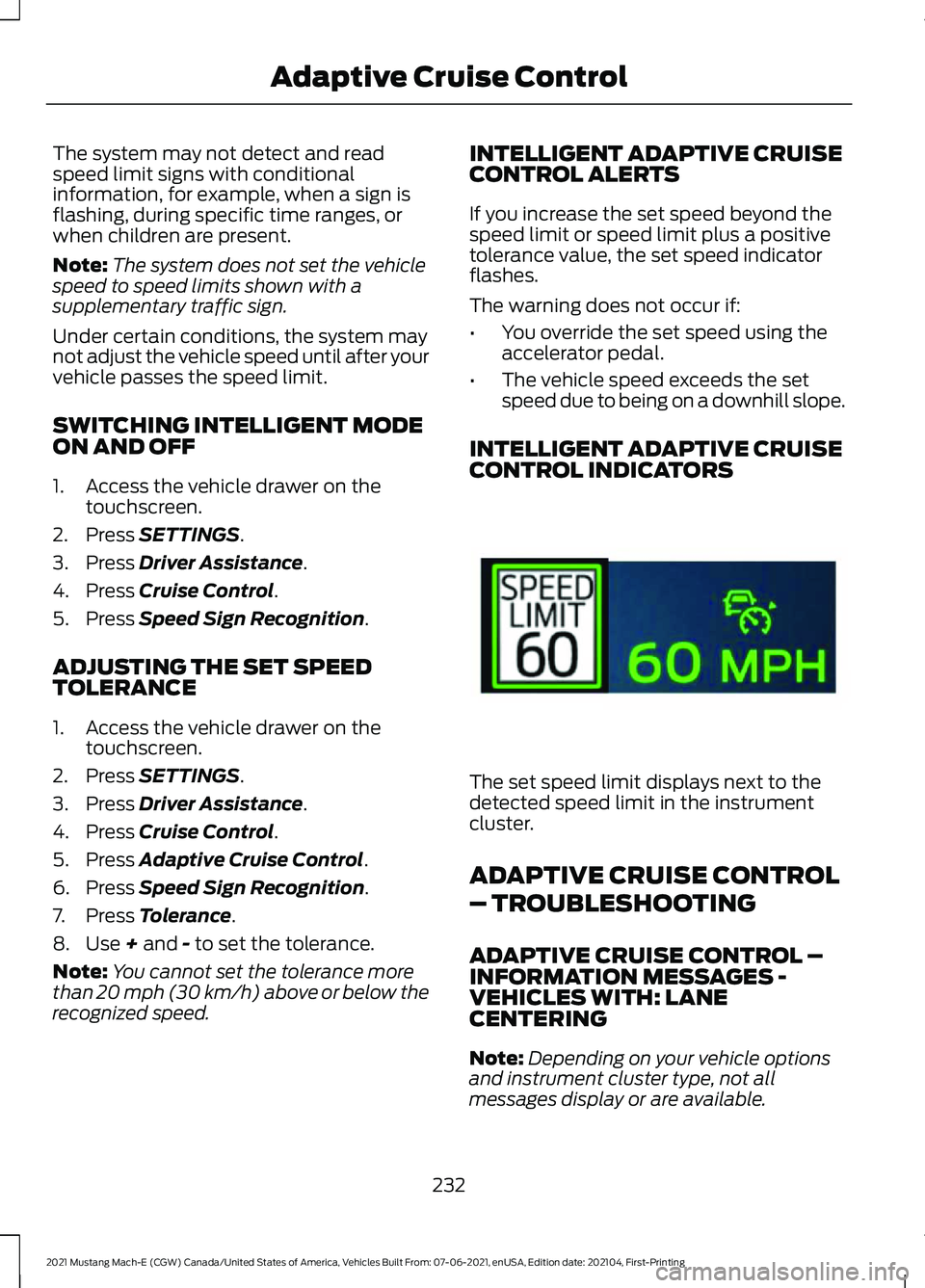
CONTROL INDICATORS The set speed limit displays next to the
detected speed limit in the instrument
cluster.
ADAPTIVE CRUISE CONTROL
– TROUBLESHOOTING
ADAPTIVE CRUISE CONTROL –
INFORMATION MESSAGES -
VEHICLES WITH: LANE
CENTERING
Note:
Depending on your vehicle options
and instrument cluster type, not all
messages display or are available.
232
2021 Mustang Mach-E (CGW) Canada/United States of America, Vehicles Built From: 07-06-2021, enUSA, Edition date: 202104, First-Printing Adaptive Cruise ControlE337564
Page 237 of 460
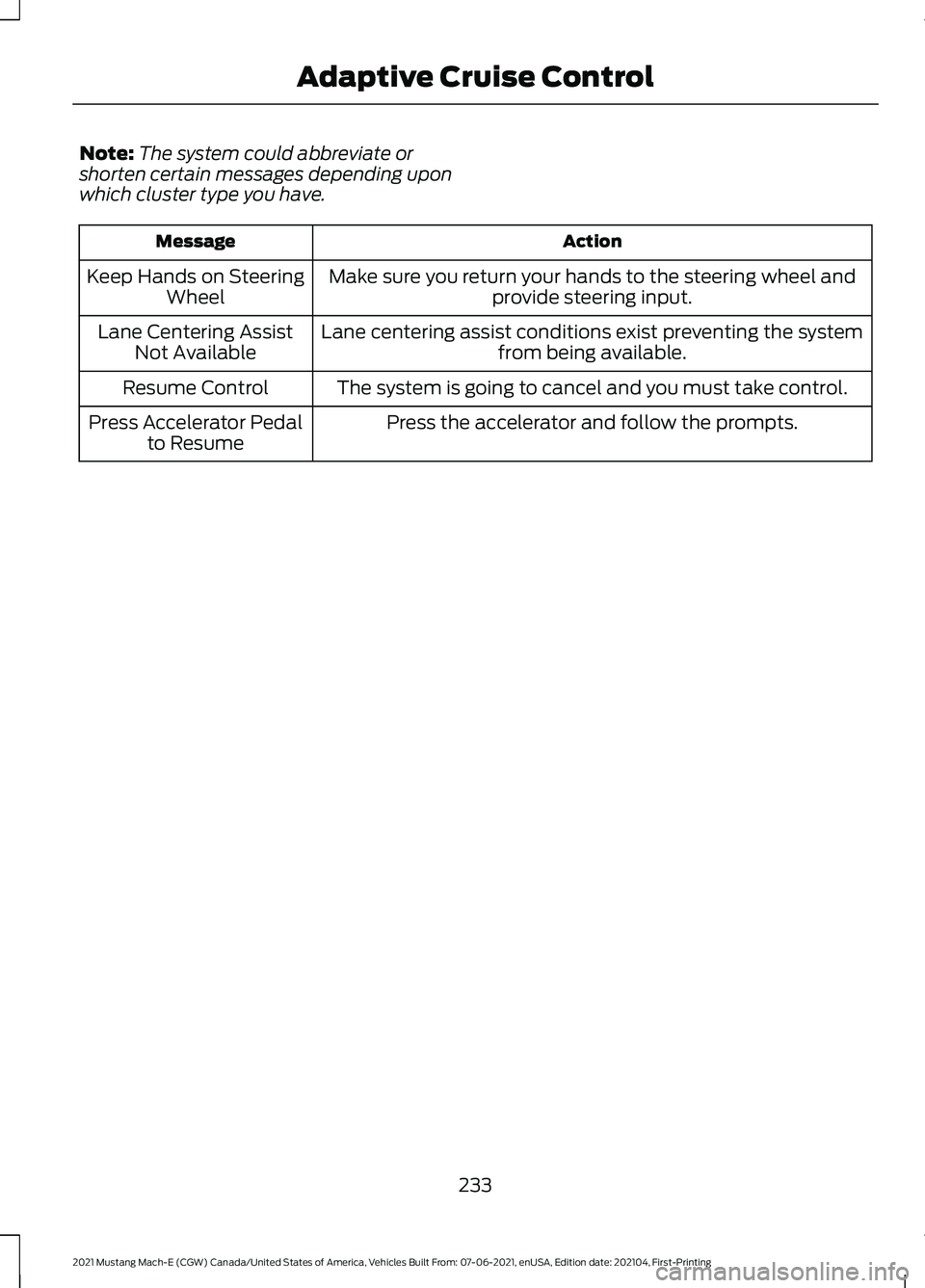
Note:
The system could abbreviate or
shorten certain messages depending upon
which cluster type you have. Action
Message
Make sure you return your hands to the steering wheel andprovide steering input.
Keep Hands on Steering
Wheel
Lane centering assist conditions exist preventing the system from being available.
Lane Centering Assist
Not Available
The system is going to cancel and you must take control.
Resume Control
Press the accelerator and follow the prompts.
Press Accelerator Pedal
to Resume
233
2021 Mustang Mach-E (CGW) Canada/United States of America, Vehicles Built From: 07-06-2021, enUSA, Edition date: 202104, First-Printing Adaptive Cruise Control