maintenance FORD MUSTANG MACH E 2023 Owner's Manual
[x] Cancel search | Manufacturer: FORD, Model Year: 2023, Model line: MUSTANG MACH E, Model: FORD MUSTANG MACH E 2023Pages: 496, PDF Size: 13.09 MB
Page 417 of 496
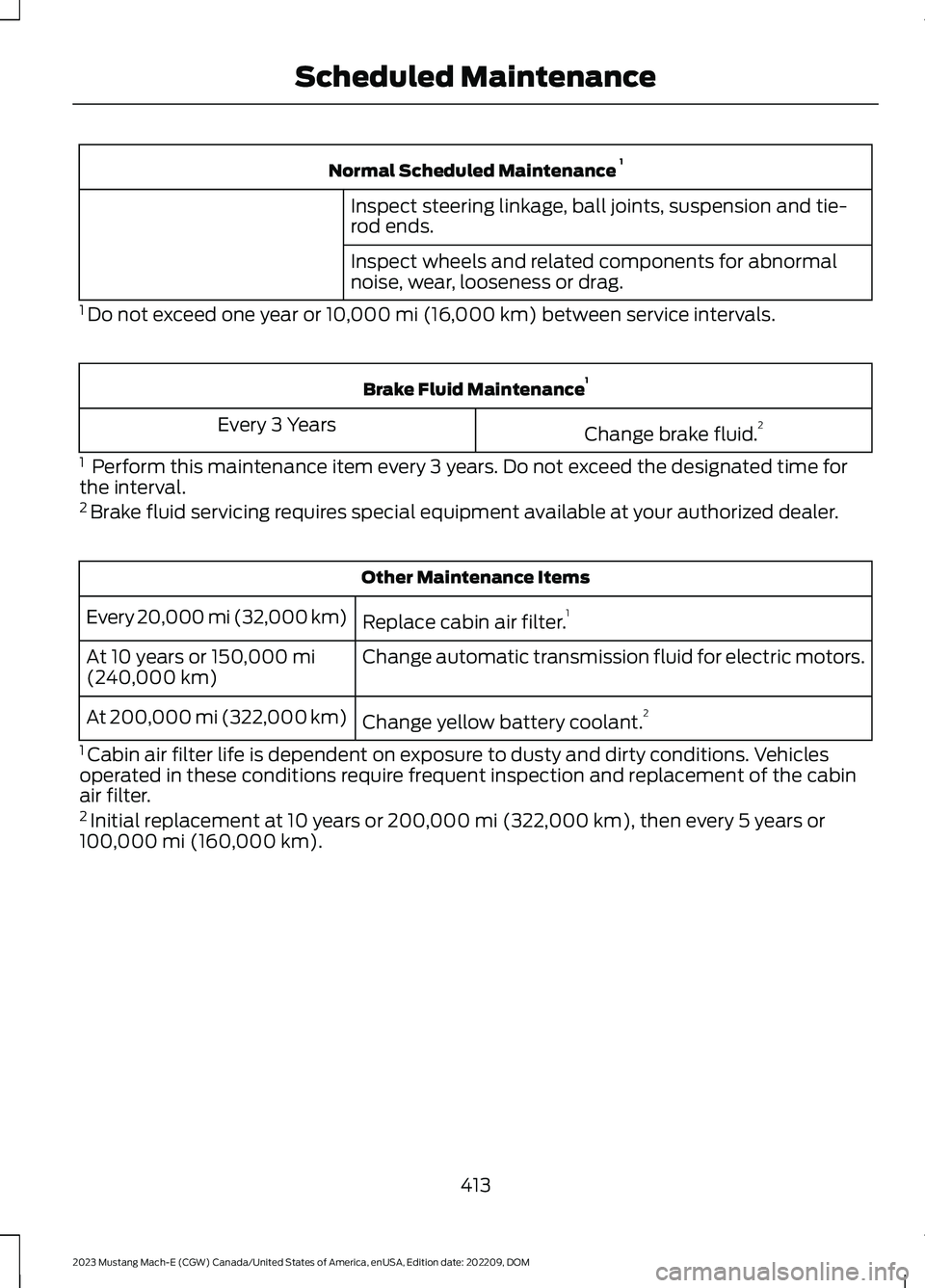
Normal Scheduled Maintenance 1
Inspect steering linkage, ball joints, suspension and tie-rod ends.
Inspect wheels and related components for abnormalnoise, wear, looseness or drag.
1 Do not exceed one year or 10,000 mi (16,000 km) between service intervals.
Brake Fluid Maintenance1
Change brake fluid.2Every 3 Years
1 Perform this maintenance item every 3 years. Do not exceed the designated time forthe interval.2 Brake fluid servicing requires special equipment available at your authorized dealer.
Other Maintenance Items
Replace cabin air filter.1Every 20,000 mi (32,000 km)
Change automatic transmission fluid for electric motors.At 10 years or 150,000 mi(240,000 km)
Change yellow battery coolant.2At 200,000 mi (322,000 km)
1 Cabin air filter life is dependent on exposure to dusty and dirty conditions. Vehiclesoperated in these conditions require frequent inspection and replacement of the cabinair filter.2 Initial replacement at 10 years or 200,000 mi (322,000 km), then every 5 years or100,000 mi (160,000 km).
413
2023 Mustang Mach-E (CGW) Canada/United States of America, enUSA, Edition date: 202209, DOMScheduled Maintenance
Page 445 of 496
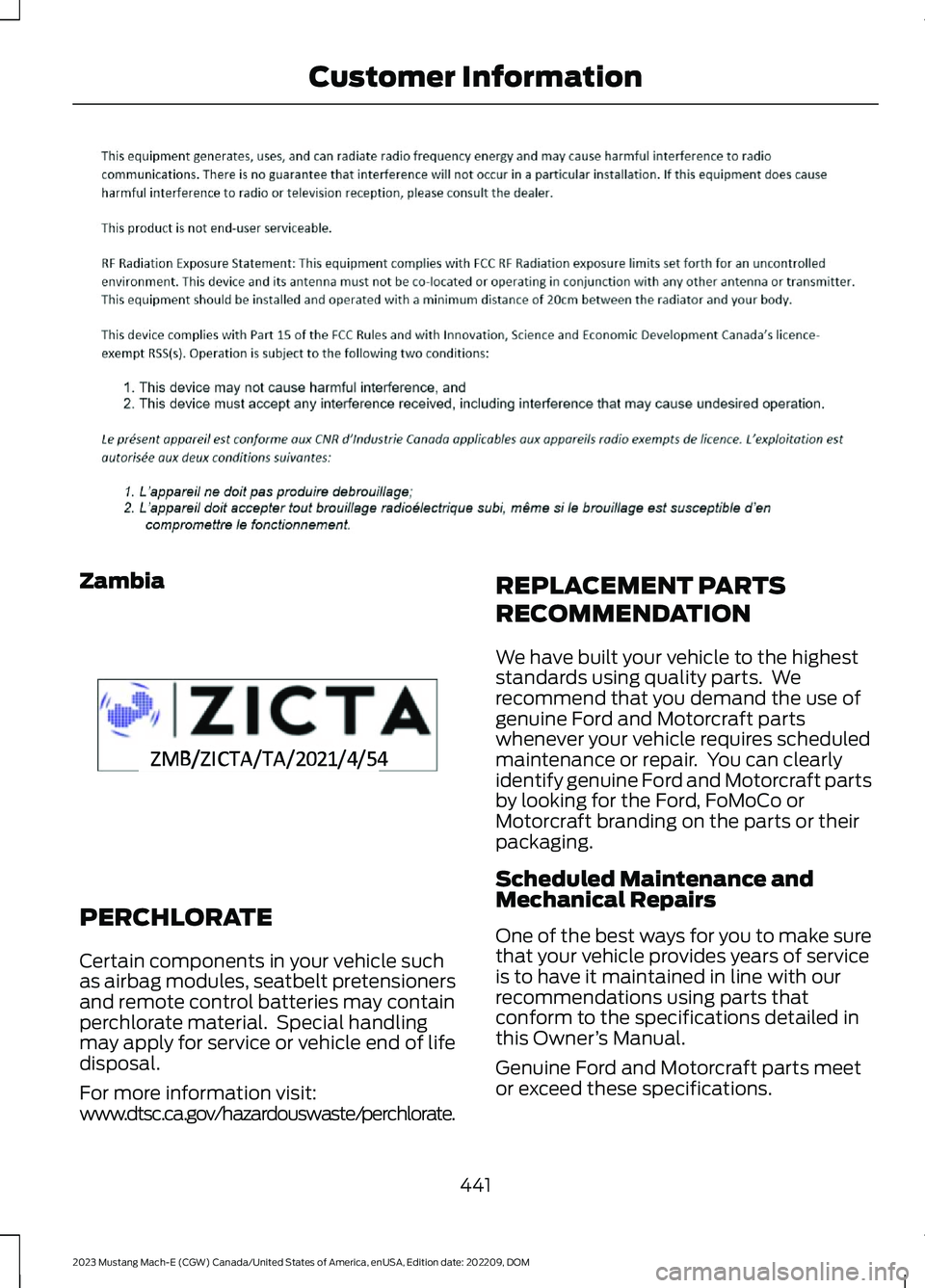
Zambia
PERCHLORATE
Certain components in your vehicle suchas airbag modules, seatbelt pretensionersand remote control batteries may containperchlorate material. Special handlingmay apply for service or vehicle end of lifedisposal.
For more information visit:www.dtsc.ca.gov/hazardouswaste/perchlorate.
REPLACEMENT PARTS
RECOMMENDATION
We have built your vehicle to the higheststandards using quality parts. Werecommend that you demand the use ofgenuine Ford and Motorcraft partswhenever your vehicle requires scheduledmaintenance or repair. You can clearlyidentify genuine Ford and Motorcraft partsby looking for the Ford, FoMoCo orMotorcraft branding on the parts or theirpackaging.
Scheduled Maintenance andMechanical Repairs
One of the best ways for you to make surethat your vehicle provides years of serviceis to have it maintained in line with ourrecommendations using parts thatconform to the specifications detailed inthis Owner’s Manual.
Genuine Ford and Motorcraft parts meetor exceed these specifications.
441
2023 Mustang Mach-E (CGW) Canada/United States of America, enUSA, Edition date: 202209, DOMCustomer InformationE357468 E364773
Page 471 of 496
SUNA TRAFFIC CHANNEL – TERMSAND CONDITIONS
By activating, using and/or accessing theSUNA Traffic Channel, SUNA Predictive orother content or material provided byIntelematics (together,SUNA Productsand/or Services), you must acceptcertain terms and conditions. The followingis a brief summary of the terms andconditions that apply to you. To view thefull terms and conditions relevant to youruse of the SUNA Products and/or Services,please consult:
Website
www.sunatraffic.com.au/termsandcon-ditions/
1. Acceptance
By using SUNA Products and/or Services,you will be deemed to have accepted andagreed to be bound by the terms andconditions fully detailed at:
Website
www.sunatraffic.com.au/termsandcon-ditions/
2. Intellectual Property
SUNA Products and/or Services are foryour personal use. You may not record, orretransmit the content, nor use the contentin association with any other trafficinformation or route guidance service ordevice not approved by Intelematics. Youobtain no right of ownership in anyIntellectual Property Rights (includingcopyright) in the data that is used toprovide SUNA Products and/or Services.
3. Appropriate Use
SUNA Products and/or Services areintended as an aid to personal motoringand travel planning, and do not providecomprehensive or accurate information onall occasions. On occasions, you mayexperience additional delay as a result ofusing SUNA Products and/or Services. Youacknowledge that it is not intended, orsuitable, for use in applications where timeof arrival or driving directions may impactthe safety of the public or yourself.
4. Use of SUNA Products and Serviceswhile driving
You, and other authorized drivers of thevehicle in which SUNA Products and/orServices are available or installed andactive, remain at all times responsible forobserving all relevant laws and codes ofsafe driving. In particular, you agree to onlyactively operate SUNA Products and/orServices when the Vehicle is at a completestop and it is safe to do so.
5. Service Continuity and Reception ofthe SUNA Traffic Channel
We will use reasonable endeavors toprovide the SUNA Traffic Channel 24 hoursa day, 365 days a year. The SUNA TrafficChannel may occasionally be unavailablefor technical reasons or for plannedmaintenance. We will try to performmaintenance at times when congestion islight. We reserve the right to withdrawSUNA Products and/or Services at anytime.
Also, we cannot assure the uninterruptedreception of the SUNA Traffic ChannelRDS-TMC signal at any particular location.
6. Limitation of Liability
Neither Intelematics (nor its suppliers orthe manufacturer of your device (the“Suppliers”)) shall be liable to you or toany third party for any damages eitherdirect, indirect, incidental, consequentialor otherwise arising out of the use of orinability to use SUNA Products and/or
467
2023 Mustang Mach-E (CGW) Canada/United States of America, enUSA, Edition date: 202209, DOMCustomer Information
Page 472 of 496
Services even if Intelematics or a Supplierhas been advised of the possibility of suchdamages. You also acknowledge thatneither Intelematics nor any Supplierguarantees nor make any warranties thatrelate to the availability, accuracy orcompleteness of SUNA Products and/orServices, and to the extent which it islawful to do so, both Intelematics and eachSupplier excludes any warranties whichmight otherwise be implied by any Stateor Federal legislation in relation to SUNAProducts and/or Services.
7. Please Note
Great care has been taken in preparing thismanual. Constant product developmentmay mean that some information is notentirely up-to-date. The information in thisdocument is subject to change withoutnotice.
EXPORT UNIQUE OPTIONS
For your particular global region, yourvehicle may be equipped with features andoptions that are different from the featuresand options that are described in thisOwner’s Manual. A market uniquesupplement may be supplied thatcomplements this book. By referring to themarket unique supplement, if provided,you can properly identify those features,recommendations and specifications thatare unique to your vehicle. This Owner’sManual is written primarily for the U.S. andCanadian markets. Features or equipmentlisted as standard may be different on unitsbuilt for export.Refer to this Owner’sManual for all other requiredinformation and warnings.
WARRANTY INFORMATION
The following warranties may apply to yourvehicle:
•New vehicle limited warranties.
•Emissions warranties, if applicable.(Note: Fully-electric vehicles are noteligible for emissions warranties.)
•Other warranties, if applicable.
Detailed warranty information specific toyour vehicle can be found in the WarrantyGuide at www.owner.ford.com.
The following California WarrantyStatement, required by Californiaregulations, applies to vehicles certified toCalifornia emissions standards andregistered in a state that requires Californiaemissions warranty. If applicable,additional California Emissions Warrantiescan be found in the Warranty Guide atwww.owner.ford.com.
CALIFORNIA EMISSION CONTROLWARRANTY STATEMENT
YOUR WARRANTY RIGHTS ANDOBLIGATIONS
The California Air Resources Board andFord Motor Company are pleased toexplain the emission control systemwarranty on your (year) vehicle. InCalifornia, new motor vehicles must bedesignated, built and equipped to meetthe State's stringent anti-smog standards.Ford Motor Company must warrant theemission control system on your vehiclefor the periods of time listed belowprovided there has been no abuse, neglector improper maintenance of your vehicle.
Your emission control system may includeparts such as the carburetor orfuel-injection system, the ignition system,catalytic converter and engine computer.Also included may be hoses, belts,connectors and other emission-relatedassemblies. Where a warrantable conditionexists, Ford Motor Company will repair yourvehicle at no cost to you includingdiagnosis, parts and labor.
468
2023 Mustang Mach-E (CGW) Canada/United States of America, enUSA, Edition date: 202209, DOMCustomer Information
Page 473 of 496
MANUFACTURER'S WARRANTYCOVERAGE:
(For 1990 and subsequent modelpassenger cars, light-duty trucks, andmedium-duty vehicles.)
- For 3 years or 50,000 miles (whicheveroccurs first);
1) If your vehicle fails a Smog Checkinspection, all necessary repairs andadjustments will be made by Ford MotorCompany to ensure that your emissioncontrol system PERFORMANCEWARRANTY.
2) If any emission-related part on yourvehicle is defective, the part will berepaired or replaced by Ford MotorCompany. This is your short-term emissioncontrol system DEFECTS WARRANTY.
- For 7 years or 70,000 miles (whicheveroccurs first);
1) If an emission-related part listed in thiswarranty booklet specially noted withcoverage for 7 years or 70,000 miles isdefective, the part will be repaired orreplaced by Ford Motor Company. This isyour long-term emission control systemDEFECTS WARRANTY.
OWNER'S WARRANTYRESPONSIBILITIES:
- As the vehicle owner, you are responsiblefor the performance of the requiredmaintenance listed in your owner'smanual. Ford Motor Companyrecommends that you retain all receiptscovering maintenance on your vehicle, butFord Motor Company cannot denywarranty solely for the lack of receipts orfor your failure to ensure the performanceof all scheduled maintenance.
- You are responsible for presenting yourvehicle to a Ford or Lincoln dealer as soonas a problem exists. The warranty repairsshould be completed in a reasonableamount of time, not to exceed 30 days.
- As the vehicle owner, you should also beaware that Ford Motor Company may denyyou warranty coverage if your vehicle or apart has failed due to abuse, neglect,improper maintenance or unapprovedmodifications.
If you have any questions regarding yourwarranty rights and responsibilities, youshould contact Ford Customer Service at1-800-392-3673 or the California AirResource Board at 9528 Telstar Avenue,El Monte, CA 91731.
469
2023 Mustang Mach-E (CGW) Canada/United States of America, enUSA, Edition date: 202209, DOMCustomer Information
Page 483 of 496
Extending the Remote StartDuration.........................................................135Exterior Bulbs................................................330Exterior Bulb Specification Chart................330Exterior Lamps................................................113Exterior Lamp Indicators...................................114Exterior Lamps On Audible Warning............114Switching the Daytime Running Lamps Onand Off................................................................113Switching Welcome Lighting On andOff.........................................................................114Using the Turn Signal Lamps..........................113Exterior Lighting Control..............................111Exterior Lighting..............................................111Autolamps..............................................................112Automatic High Beam Control.......................114Automatic High Beam Control –Troubleshooting..............................................116Exterior Lamps......................................................113Headlamps..............................................................111Headlamps – Troubleshooting.......................112Exterior Mirrors...............................................123
F
Fastening and Unfastening theSeatbelts........................................................49Federal Highway AdministrationRegulation...................................................442Floor Mats......................................................304FM Radio.........................................................378FM Radio Limitations.......................................378Selecting an FM Radio Station.....................379Folding the Exterior Mirrors - VehiclesWith: Manual Folding Mirrors................124Folding the Exterior Mirrors - VehiclesWith: Power Folding Mirrors...................123Ford Assistant..............................................389Ford Assistant – Frequently AskedQuestions........................................................389Ford Assistant Settings...................................389Using Ford Assistant........................................389Ford Power-UpSee: Software Update Settings...................404See: Vehicle Software Updates...................404Ford Protect..................................................408Front Exterior - Excluding: GT....................33Front Exterior - GT.........................................34
Front Parking Aid..........................................222Front Parking Aid Audible Warnings...........223Front Parking Aid Limitations........................223Locating the Front Parking AidSensors.............................................................223What is the Front Parking Aid........................222Front Passenger Sensing System............60Front Passenger Sensing SystemIndicators............................................................62Front Passenger Sensing SystemPrecautions.......................................................62How Does the Front Passenger SensingSystem Work....................................................60What Is the Front Passenger SensingSystem................................................................60Front Seat Precautions...............................143Front Seats......................................................143Heated Seats.......................................................149Manual Seats.......................................................144Power Seats.........................................................146Fuse Precautions..........................................314Fuses.................................................................314Battery Fuse Box................................................320Body Control Module Fuse Box.....................321Fuses – Troubleshooting................................324Under Hood Fuse Box.......................................314Fuses – Troubleshooting..........................324Fuses – Frequently Asked Questions.........324
G
Garage Door Opener AdditionalAssistance....................................................158Garage Door Opener...................................155Garage Door Opener Introduction.........155Garage Door Opener Precautions andFrequencies.................................................155General Maintenance Information........410Glasses Holder...............................................163Locating the Glasses Holder..........................163Global Opening and Closing.....................119Switching Global Closing On and Off.........120Switching Global Opening On andOff.......................................................................120Using Global Closing.........................................120Using Global Opening........................................119What Is Global Opening and Closing...........119Glossary of Tire Terminology..................345
479
2023 Mustang Mach-E (CGW) Canada/United States of America, enUSA, Edition date: 202209, DOMIndex
Page 486 of 496
Switching Lane Change Assist On andOff......................................................................256Lane Change Assist -Troubleshooting.........................................257Lane Change Assist - InformationMessages..........................................................257Lane Keeping System Indicators...........266Lane Keeping System................................263Aid Mode...............................................................265Alert and Aid Mode...........................................265Alert Mode............................................................265Blind Spot Assist...............................................266Lane Keeping System –Troubleshooting............................................268Lane Keeping System Limitations........263Lane Keeping System Precautions.......263Lane Keeping System Settings..............264Lane Keeping System –Troubleshooting........................................268Lane Keeping System – Frequently AskedQuestions........................................................269Lane Keeping System – InformationMessages.........................................................268Liftgate...............................................................92Closing the Liftgate.............................................94Liftgate – Troubleshooting...............................96Opening the Liftgate...........................................92Liftgate Obstacle Detection......................96Liftgate Precautions......................................92Liftgate – Troubleshooting........................96Liftgate – Frequently AskedQuestions...........................................................98Liftgate – Information Messages...................97Liftgate – Warning Lamps................................96Linking or Unlinking a PersonalProfile............................................................399Live Traffic.......................................................401Switching Live Traffic On and Off................401What Is Live Traffic............................................401Load Carrying................................................290Roof Rack.............................................................294Load Carrying Precautions......................290Locating the 360 Degree Cameras.......229Locating the Blind Spot InformationSystem Sensors.........................................272Locating the Brake Fluid Reservoir.........197Locating the Charge Port............................177
Locating the Cross Traffic AlertSensors.........................................................275Locating the Keyless Entry Keypad.........87Locating the Memory FunctionButtons..........................................................154Locating the Power Outlets.......................161Locating the Pre-Collision AssistSensors.........................................................279Locating the Rear View Camera............226Locating the Safety ComplianceCertification Labels...................................291Locating the Tire label...............................339Locating the Tire Sealant and InflatorKit....................................................................355Locating the USB Ports..............................159Locating the Wireless AccessoryCharger..........................................................162Locating Your Vehicle...................................69Locking the Rear Window Controls.......120Luggage Compartment AnchorPoints............................................................299Locating the Luggage CompartmentAnchor Points................................................299Luggage Compartment............................296Closing the Frunk...............................................297Luggage Compartment AnchorPoints................................................................299Luggage Compartment –Troubleshooting............................................299Opening the Frunk............................................296Luggage CompartmentPrecautions.................................................296Luggage Compartment –Troubleshooting........................................299Luggage Compartment – WarningLamps...............................................................299
M
Maintenance..................................................32512V Battery...........................................................32812V Battery – Troubleshooting.....................328Exterior Bulbs......................................................330Interior Bulbs.......................................................330Maintenance Precautions........................325Making and Receiving a PhoneCall.................................................................394
482
2023 Mustang Mach-E (CGW) Canada/United States of America, enUSA, Edition date: 202209, DOMIndex
Page 487 of 496
Manually Releasing the Electric ParkingBrake.............................................................200Manual Seats.................................................144Adjusting the Head Restraint.........................144Adjusting the Seat Backrest...........................145Adjusting the Seat Height...............................146Folding the Seat Backrest................................151Head Restraint Components.........................144Installing the Head Restraint.........................145Moving the Seat Backward andForward.............................................................145Removing the Head Restraint........................145Unfolding the Seat Backrest...........................151Memory Function.........................................154Memory Function Precautions................154Mislock...............................................................82Mislock Limitations..............................................82Switching Mislock On and Off.........................82What Is Mislock.....................................................82Mobile CommunicationsEquipment..................................................442Mobile Device Data........................................25Motorcraft Parts..........................................366Muting the Audio..........................................378MyKey Settings................................................76Configurable MyKey Settings...........................76Non-Configurable MyKey Settings................76MyKey – Troubleshooting...........................79MyKey – Frequently Asked Questions.........80MyKey – Information Messages......................79MyKey™.............................................................76MyKey Settings......................................................76MyKey – Troubleshooting.................................79
N
Navigation Map Updates..........................401Navigation.......................................................401Adjusting the Map..............................................401Live Traffic.............................................................401Route Guidance.................................................402Setting a Destination........................................401Waypoints............................................................402Normal Scheduled Maintenance...........412
O
One Pedal Drive Indicators......................262
One Pedal Drive Limitations....................262One Pedal Drive............................................262One Pedal Drive Precautions..................262Opening and Closing the Hood..............325Opening and Closing the Windows........119Opening the Frunk......................................296Opening the Frunk from Inside YourVehicle..............................................................296Opening the Frunk from Outside YourVehicle..............................................................296Opening the Liftgate.....................................92Opening the Hands-Free Liftgate..................93Opening the Liftgate From Inside YourVehicle.................................................................92Opening the Liftgate From Outside YourVehicle.................................................................92Opening the Liftgate Using the RemoteControl.................................................................93Operating the Doors From Inside YourVehicle..............................................................81Opening the Doors From Inside YourVehicle..................................................................81Unlocking and Locking the Doors Using theCentral Locking.................................................81Operating the Doors From Outside YourVehicle..............................................................81Opening and Closing the Doors.......................81Unlocking and Locking the Doors Using theRemote Control................................................81Ordering a Canadian French Owner'sManual...........................................................415OTASee: Software Update Settings...................404See: Vehicle Software Updates...................404Overriding Cross Traffic Braking............208Overriding Reverse Brake Assist............204Overriding the Set Speed.........................243Over the airSee: Software Update Settings...................404Over-the-airSee: Software Update Settings...................404See: Vehicle Software Updates...................404See: Vehicle Software Updates...................404
P
Parking Aid Indicators................................225Parking Aid Precautions.............................221
483
2023 Mustang Mach-E (CGW) Canada/United States of America, enUSA, Edition date: 202209, DOMIndex
Page 490 of 496
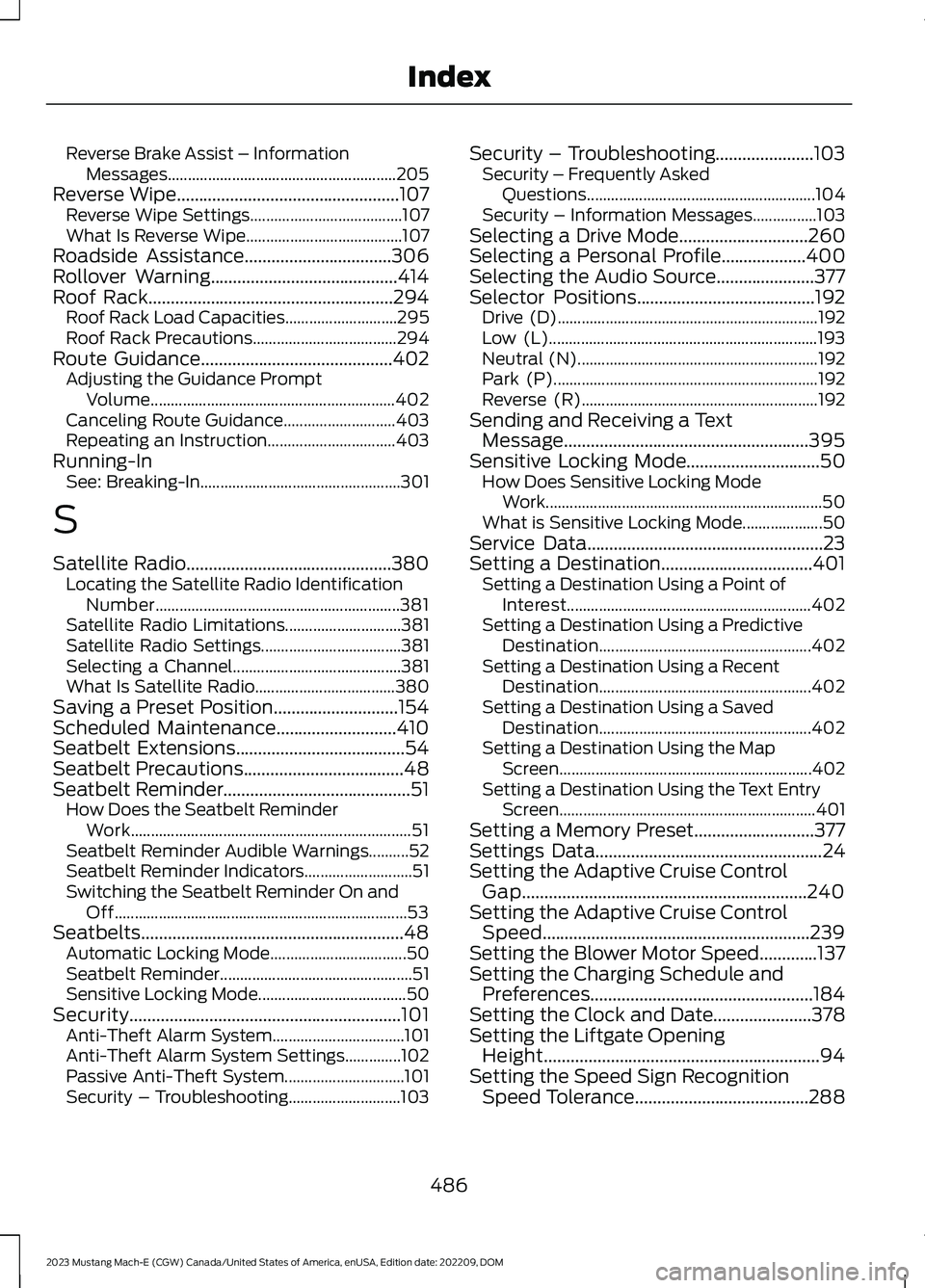
Reverse Brake Assist – InformationMessages.........................................................205Reverse Wipe..................................................107Reverse Wipe Settings......................................107What Is Reverse Wipe.......................................107Roadside Assistance.................................306Rollover Warning..........................................414Roof Rack.......................................................294Roof Rack Load Capacities............................295Roof Rack Precautions....................................294Route Guidance...........................................402Adjusting the Guidance PromptVolume.............................................................402Canceling Route Guidance............................403Repeating an Instruction................................403Running-InSee: Breaking-In..................................................301
S
Satellite Radio..............................................380Locating the Satellite Radio IdentificationNumber.............................................................381Satellite Radio Limitations.............................381Satellite Radio Settings...................................381Selecting a Channel..........................................381What Is Satellite Radio...................................380Saving a Preset Position............................154Scheduled Maintenance...........................410Seatbelt Extensions......................................54Seatbelt Precautions....................................48Seatbelt Reminder..........................................51How Does the Seatbelt ReminderWork......................................................................51Seatbelt Reminder Audible Warnings..........52Seatbelt Reminder Indicators...........................51Switching the Seatbelt Reminder On andOff.........................................................................53Seatbelts...........................................................48Automatic Locking Mode..................................50Seatbelt Reminder................................................51Sensitive Locking Mode.....................................50Security.............................................................101Anti-Theft Alarm System.................................101Anti-Theft Alarm System Settings..............102Passive Anti-Theft System..............................101Security – Troubleshooting............................103
Security – Troubleshooting......................103Security – Frequently AskedQuestions.........................................................104Security – Information Messages................103Selecting a Drive Mode.............................260Selecting a Personal Profile...................400Selecting the Audio Source......................377Selector Positions........................................192Drive (D).................................................................192Low (L)...................................................................193Neutral (N)............................................................192Park (P)..................................................................192Reverse (R)...........................................................192Sending and Receiving a TextMessage.......................................................395Sensitive Locking Mode..............................50How Does Sensitive Locking ModeWork.....................................................................50What is Sensitive Locking Mode....................50Service Data.....................................................23Setting a Destination..................................401Setting a Destination Using a Point ofInterest.............................................................402Setting a Destination Using a PredictiveDestination.....................................................402Setting a Destination Using a RecentDestination.....................................................402Setting a Destination Using a SavedDestination.....................................................402Setting a Destination Using the MapScreen...............................................................402Setting a Destination Using the Text EntryScreen................................................................401Setting a Memory Preset...........................377Settings Data...................................................24Setting the Adaptive Cruise ControlGap................................................................240Setting the Adaptive Cruise ControlSpeed............................................................239Setting the Blower Motor Speed.............137Setting the Charging Schedule andPreferences..................................................184Setting the Clock and Date......................378Setting the Liftgate OpeningHeight..............................................................94Setting the Speed Sign RecognitionSpeed Tolerance.......................................288
486
2023 Mustang Mach-E (CGW) Canada/United States of America, enUSA, Edition date: 202209, DOMIndex