CD player FORD POLICE INTERCEPTOR 2021 Owners Manual
[x] Cancel search | Manufacturer: FORD, Model Year: 2021, Model line: POLICE INTERCEPTOR, Model: FORD POLICE INTERCEPTOR 2021Pages: 412, PDF Size: 7.51 MB
Page 8 of 412

Cleaning the Engine
..................................240
Cleaning the Windows and Wiper Blades ........................................................................\
.
241
Cleaning the Interior ...................................
241
Cleaning the Instrument Panel and Instrument Cluster Lens ......................
242
Repairing Minor Paint Damage ..............
242
Cleaning the Wheels .................................
242
Vehicle Storage ............................................
243
Wheels and Tires
General Information ..................................
246
Tire Care .........................................................
247
Using Snow Chains .....................................
261
Tire Pressure Monitoring System ..........
263
Changing a Road Wheel ..........................
268
Technical Specifications ..........................
274
Capacities and Specifications
Engine Specifications - 3.0L ...................
275
Engine Specifications - 3.3L ....................
275
Engine Specifications - 3.3L, Hybrid Electric Vehicle (HEV) ..........................
276
Motorcraft Parts - 3.0L ..............................
277
Motorcraft Parts - 3.3L ..............................
278
Vehicle Identification Number ...............
279
Capacities and Specifications - 3.0L ........................................................................\
279
Capacities and Specifications - 3.3L ........................................................................\
286
Capacities and Specifications - 3.3L, Hybrid Electric Vehicle (HEV) ............
294
Bulb Specification Chart ..........................
301
Audio System
General Information ..................................
303
Audio Unit .....................................................
303
USB Port ........................................................
306SYNC™
General Information
..................................
307
Using Voice Recognition ..........................
308
Using SYNC™ With Your Phone ............
310
SYNC™ Applications and Services .......
311
Using SYNC™ With Your Media Player ........................................................................\
.
314
SYNC™ Troubleshooting ..........................
315
Ford Protect
Ford Protect ..................................................
324
Scheduled Maintenance
General Maintenance Information .......
326
Normal Scheduled Maintenance .........
329
Special Operating Conditions Scheduled Maintenance .............................................
332
Decommissioning the Vehicle
Decommissioning Requirements .........
336
Customer Information
Radio Frequency Certification Labels ........................................................................\
337
Appendices
Electromagnetic Compatibility .............
369
End User License Agreement .................
372
5
Explorer (CTW) Police, Canada/United States of America, Police, enUSA, Edition date: 202007, Second-Printing Table of Contents
Page 18 of 412
Note:
Event data recorder data is recorded
by your vehicle only if a non-trivial crash
situation occurs; no data is recorded by the
event data recorder under normal driving
conditions and no personal data or
information (for example name, gender,
age, and crash location) is recorded.
However, parties, such as law enforcement,
could combine the event data recorder data
with the type of personally identifying data
routinely acquired during a crash
investigation.
To read data recorded by an event data
recorder, special equipment is required,
and access to the vehicle or the event data
recorder is needed. In addition to the
vehicle manufacturer, other parties, such
as law enforcement, that have such special
equipment, can read the information if they
have access to the vehicle or the event
data recorder.
SETTINGS DATA
Your vehicle has electronic control units
that have the ability to store data based
on your personalized settings. The data is
stored locally in the vehicle or on devices
that you connect to it, for example, a USB
drive or digital music player. You can delete
some of this data and also choose whether
to share it through the services to which
you subscribe. See General Information
(page 84).
Comfort and Convenience Data
Data recorded includes, for example:
• Seat and steering wheel position.
• Climate control settings.
• Radio presets. Entertainment Data
Data recorded includes, for example:
•
Music, videos or album art.
• Contacts and corresponding address
book entries.
• Navigation destinations.
MOBILE DEVICE DATA
If you connect a mobile device to your
vehicle, you can display data from your
device on the touchscreen for example,
music and album art. You can share your
vehicle data with mobile apps on your
device through the system.
The mobile apps function operates by your
connected device sending data to us in the
United States. The data is encrypted and
includes, for example, the vehicle
identification number of your vehicle, the
SYNC module serial number, odometer,
enabled apps, usage statistics and
debugging information. We retain it only
as long as necessary to provide the service,
to troubleshoot, for continuous
improvement and to offer you products
and services that may be of interest to you
according to your preferences and where
allowed by law.
If you connect a cell phone to the system,
the system creates a profile that links to
that cell phone. The cell phone profile
enables more mobile features and efficient
operation. The profile contains, for
example data from your phonebook, read
and unread text messages and call history,
including history of calls when your cell
phone was not connected to the system.
If you connect a media device, the system
creates and retains a media device index
of supported media content. The system
also records a short diagnostic log of
approximately 10 minutes of all recent
system activity.
15
Explorer (CTW) Police, Canada/United States of America, Police, enUSA, Edition date: 202007, Second-Printing Data Privacy
Page 310 of 412
GENERAL INFORMATION
SYNC is an in-vehicle communications
system that works with your Bluetooth
enabled cellular phone and portable media
player. This allows you to:
•
Make and receive calls.
• Access and play music from your
portable music player.
• Use 911 Assist or Emergency Assistance
and applications via SYNC AppLink. *
• Access phonebook contacts and music
using voice commands.
• Stream music from your connected
phone.
• Text message.
• Use the advanced voice recognition
system.
• Charge your USB device (if your device
supports this).
* These features are not available in all
markets and may require activation.
Available AppLink enabled apps vary by
market.
Make sure that you review your device's
manual before using it with SYNC.
Support
SYNC support is available at your regional
Ford website. See SYNC™
Troubleshooting (page 315).
SYNC Owner Account
Why do I need a SYNC owner account?
• Essential for keeping up with the latest
software downloads available for
SYNC.
• Access to customer support for any
questions you may have. Driving Restrictions
For your safety, certain features are
speed-dependent and restricted when your
vehicle is traveling over
3 mph (5 km/h).
Safety Information WARNING: Driving while distracted
can result in loss of vehicle control, crash
and injury. We strongly recommend that
you use extreme caution when using any
device that may take your focus off the
road. Your primary responsibility is the
safe operation of your vehicle. We
recommend against the use of any
hand-held device while driving and
encourage the use of voice-operated
systems when possible. Make sure you
are aware of all applicable local laws
that may affect the use of electronic
devices while driving.
When using SYNC:
• Do not operate playing devices if the
power cords or cables are broken, split
or damaged. Place cords and cables
out of the way, so they do not interfere
with the operation of pedals, seats,
compartments or safe driving abilities.
• Do not leave playing devices in your
vehicle during extreme conditions as it
could cause them damage. See your
device's manual for further information.
• Do not attempt to service or repair the
system. See an authorized dealer.
Privacy Information
When a cellular phone is connected to
SYNC, the system creates a profile within
your vehicle that is linked to that cellular
phone. This profile is created in order to
offer you more cellular features and to
operate more efficiently. Among other
things, this profile may contain data about
your cellular phone book, text messages
307
Explorer (CTW) Police, Canada/United States of America, Police, enUSA, Edition date: 202007, Second-Printing SYNC™
Page 311 of 412
(read and unread), and call history,
including history of calls when your cellular
phone was not connected to the system.
In addition, if you connect a media device,
the system creates and retains an index of
supported media content. The system also
records a short development log of
approximately 10 minutes of all recent
system activity. The log profile and other
system data may be used to improve the
system and help diagnose any problems
that may occur.
The cellular profile, media device index,
and development log will remain in the
vehicle unless you delete them and are
generally accessible only in the vehicle
when you connect the cellular phone or
media player. If you no longer plan to use
the system or the vehicle, we recommend
you perform a Master Reset to erase all
stored information.
No one can access system data without
special equipment and access to the
vehicle's SYNC module. Ford Motor
Company and Ford of Canada will not
access the system data for any purpose
other than as described absent consent, a
court order, or where required by law
enforcement, other government
authorities, or other third parties acting
with lawful authority. Other parties may
seek to access the information
independently of Ford Motor Company and
Ford of Canada. For further privacy
information, see the section on 911 Assist.
See SYNC™ Applications and Services
(page 311).
USING VOICE RECOGNITION
This system helps you control many
features using voice commands. This
allows you to keep your hands on the
wheel and focus on what is around you.
Initiating a Voice Session Press the voice button. A list of
available voice commands
appears in the display.
Global Voice Commands
These voice commands are always
available. You can say them at any time. Global voice commands
Gives you available commands you can use
on the current screen.
Help
Gives you a list of possible voice
commands.
List of Commands
This command ends the voice session. You
can also cancel a session by pressing seek
up, seek down, or holding the voice button
for two or more seconds.
Cancel
308
Explorer (CTW) Police, Canada/United States of America, Police, enUSA, Edition date: 202007, Second-Printing SYNC™E142599
Page 317 of 412
App Permissions
App permissions are organized by groups.
You can grant these group permissions
individually. You can change a permission
group status any time when not driving, by
using the settings menu.
When you launch an app using SYNC, the
system may ask you to grant certain
permissions, for example:
•
To allow your vehicle to provide vehicle
information to the app such as, but not
limited to: Fuel level, fuel economy, fuel
consumption, engine speed, rain
sensor, odometer, VIN, external
temperature, gear position, tire
pressure, and head lamp status.
• To allow your vehicle to provide driving
characteristic information such as, but
not limited to: MyKey, seatbelt status,
engine revolutions per minute, gear
position, braking events, steering wheel
angle, and accelerator pedal position.
• To allow your vehicle to provide
location information, including: GPS
and speed.
• To allow the app to send push
notifications using the vehicle display
and voice capabilities while running in
a background state. Push notifications
may be particularly useful for news or
location based apps.
Note: You only need to grant permissions
the first time you use an app with SYNC.
Note: Ford is not responsible or liable for
any damages or loss of privacy relating to
usage of an app, or dissemination of any
vehicle data that you approve Ford to
provide to an app. Enabling SYNC Mobile Apps
In order to enable mobile apps, SYNC
requires user consent to send and receive
app authorization information and updates
using the data plan associated with the
connected device.
Data is sent to Ford in the United States
through the connected device. The
information is encrypted and includes, for
example, the vehicle identification number
of your vehicle, the SYNC module serial
number, odometer, enabled apps, usage
statistics and debugging information.
Updates may take place.
Note:
You must enable mobile apps for
each connected device the first time you
select a mobile app using the system.
Note: Standard data rates apply. Ford is
not responsible for any additional charges
you may receive from your service provider,
when your vehicle sends or receives data
through the connected device. This includes
any additional charges incurred due to
driving in areas when roaming out of a home
network.
USING SYNC™ WITH YOUR
MEDIA PLAYER
SYNC supports digital media sources
including: iPod, Bluetooth devices, and
most USB drives. SYNC also supports
audio formats, such as MP3, WMA, WAV
and ACC.
Media Sources
The AUX or MEDIA button allows you to
view and select available media sources.
Press the
AUX or MEDIA button to view
your sources. Use the directional arrows
and OK button to select your source. You
can also use the steering wheel audio
controls.
314
Explorer (CTW) Police, Canada/United States of America, Police, enUSA, Edition date: 202007, Second-Printing SYNC™
Page 318 of 412
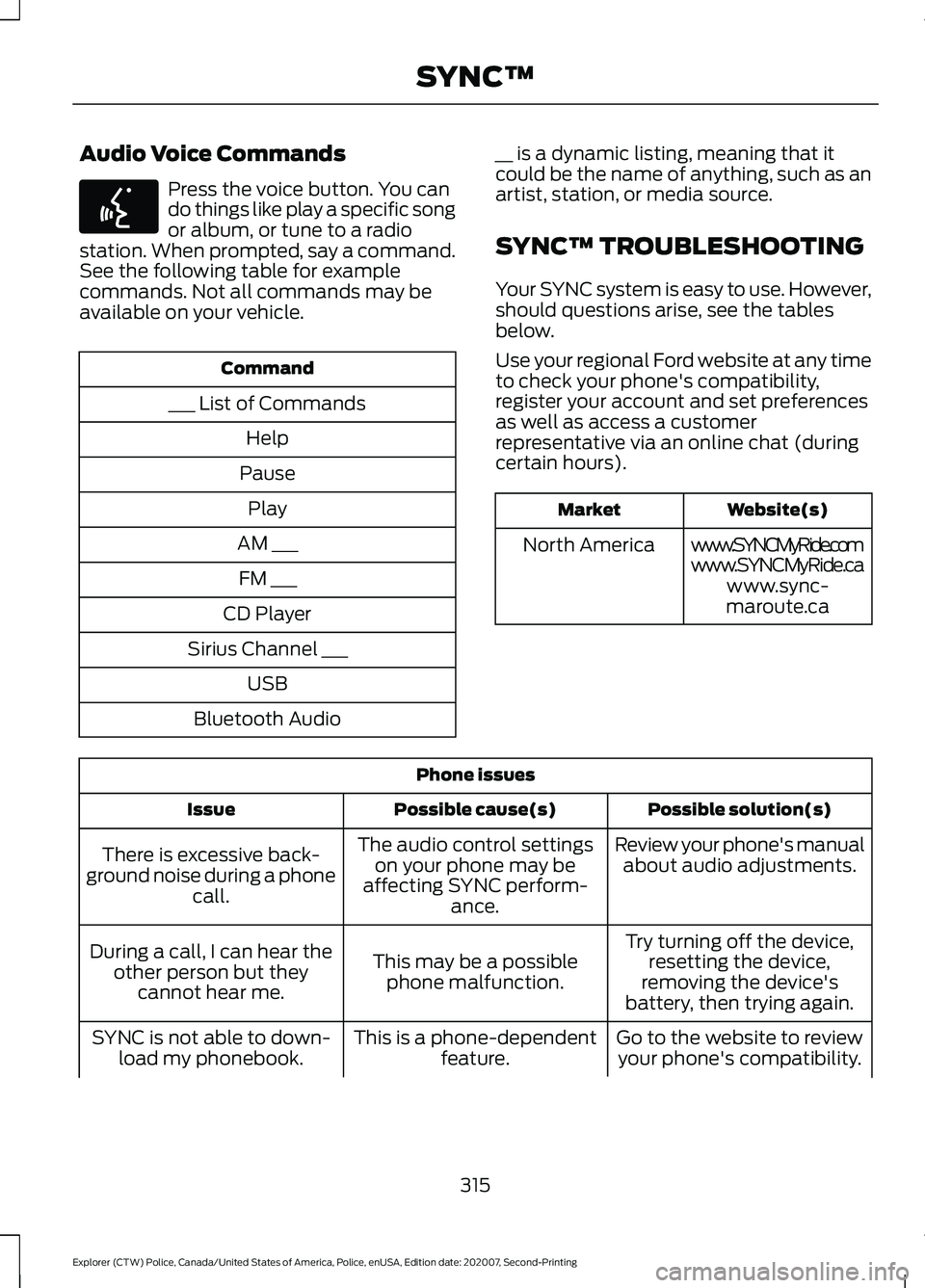
Audio Voice Commands
Press the voice button. You can
do things like play a specific song
or album, or tune to a radio
station. When prompted, say a command.
See the following table for example
commands. Not all commands may be
available on your vehicle. Command
___ List of Commands Help
Pause Play
AM ___ FM ___
CD Player
Sirius Channel ___ USB
Bluetooth Audio __ is a dynamic listing, meaning that it
could be the name of anything, such as an
artist, station, or media source.
SYNC™ TROUBLESHOOTING
Your SYNC system is easy to use. However,
should questions arise, see the tables
below.
Use your regional Ford website at any time
to check your phone's compatibility,
register your account and set preferences
as well as access a customer
representative via an online chat (during
certain hours). Website(s)
Market
www.SYNCMyRide.com
North America
www.SYNCMyRide.cawww.sync-
maroute.ca Phone issues
Possible solution(s)
Possible cause(s)
Issue
Review your phone's manualabout audio adjustments.
The audio control settings
on your phone may be
affecting SYNC perform- ance.
There is excessive back-
ground noise during a phone call.
Try turning off the device,resetting the device,
removing the device's
battery, then trying again.
This may be a possible
phone malfunction.
During a call, I can hear the
other person but theycannot hear me.
Go to the website to reviewyour phone's compatibility.
This is a phone-dependent
feature.
SYNC is not able to down-
load my phonebook.
315
Explorer (CTW) Police, Canada/United States of America, Police, enUSA, Edition date: 202007, Second-Printing SYNC™E142599
Page 411 of 412
Information Contained on the Tire
Sidewall........................................................... 250
Police Wheels and Tires................................. 260
Temperature A B C............................................ 248
Traction AA A B C.............................................. 248
Treadwear............................................................ 248
Tire Pressure Monitoring System...........263 Changing Tires With a Tire Pressure
Monitoring System....................................... 264
Understanding Your Tire Pressure Monitoring System ...................................... 264
Tires See: Wheels and Tires..................................... 246
Towing a Trailer.............................................185
Load Placement................................................. 185
Towing the Vehicle on Four Wheels..........................................................190
Emergency Towing............................................ 190
Recreational Towing......................................... 190
Towing..............................................................185
Traction Control
............................................156
Principle of Operation....................................... 156
Transmission..................................................142
Transporting the Vehicle...........................199
U
Under Hood Overview - 3.0L..................220
Under Hood Overview - 3.3L....................221
Unique Driving Characteristics................123
USB Port.........................................................306 Locating the USB Ports.................................. 306
Using All-Wheel Drive
.................................144
Driving In Special Conditions With
All-Wheel Drive (AWD)............................... 146
How Utility Vehicles Differ from Other Vehicles............................................................. 146
Operating AWD Vehicles With Mismatched Tires.................................................................... 146
Using Snow Chains......................................261
Using Stability Control...............................158
Using SYNC™ With Your Media Player
.............................................................314
Audio Voice Commands.................................. 315
Media Sources..................................................... 314
Using SYNC™ With Your Phone.............310 Accessing Features through the Phone
Menu.................................................................... 311Pairing a Phone...................................................
310
Phone Controls..................................................... 311
Phone Voice Commands................................. 310
Using Traction Control................................156 Switching the System Off............................... 156
System Indicator Lights and Messages.......................................................... 156
Using a Switch..................................................... 156
Using the Information Display Controls............................................................. 156
Using Voice Recognition...........................308 Initiating a Voice Session............................... 308
System Interaction and Feedback.............309
Utilizing the Mediation/Arbitration Program (Canada Only)........................204
V
Vehicle Care
...................................................238
General Information......................................... 238
Vehicle Identification Number................279
Vehicle Storage
.............................................243
Body........................................................................\
243
Brakes.................................................................... 244
Cooling system................................................... 244
Disconnecting Your 12 Volt Battery.............244
Engine ..................................................................... 243
Fuel system.......................................................... 244
General.................................................................. 243
Miscellaneous..................................................... 244
Plugging in Your HYBRID................................ 244
Removing Vehicle From Storage.................244
Tires........................................................................\
244
Ventilation See: Climate Control.......................................... 101
VIN See: Vehicle Identification Number............279
Voice Control...................................................66
W
Warning Lamps and Indicators.................79 Anti-Lock Braking System................................. 79
Battery...................................................................... 79
Blind Spot Monitor............................................... 79
Brake System Warning Lamp.......................... 79
Cruise Control....................................................... 80
Deep Snow and Sand........................................ 80
408
Explorer (CTW) Police, Canada/United States of America, Police, enUSA, Edition date: 202007, Second-Printing Index