towing FORD POLICE INTERCEPTOR 2021 Owners Manual
[x] Cancel search | Manufacturer: FORD, Model Year: 2021, Model line: POLICE INTERCEPTOR, Model: FORD POLICE INTERCEPTOR 2021Pages: 412, PDF Size: 7.51 MB
Page 7 of 412
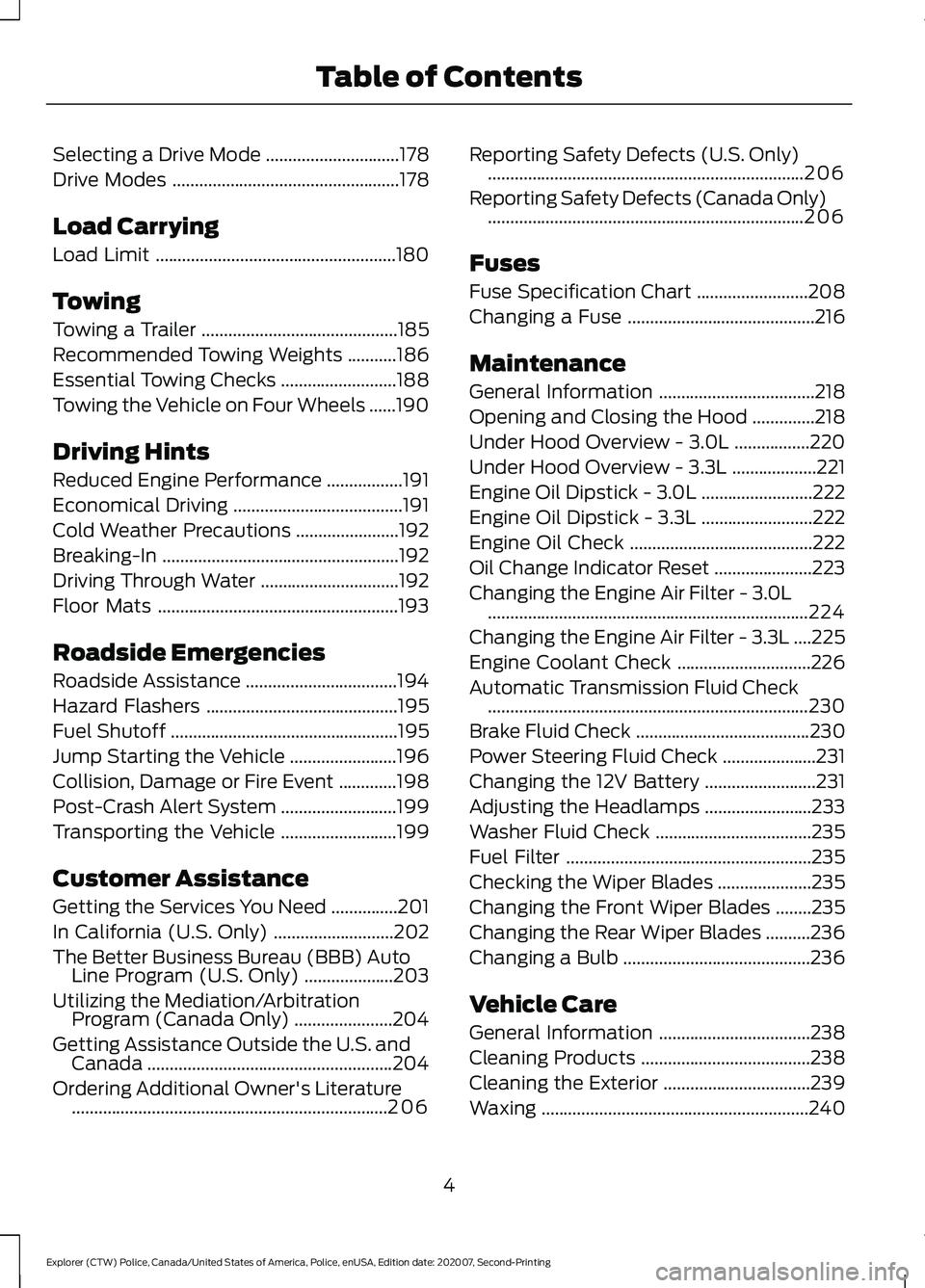
Selecting a Drive Mode
..............................178
Drive Modes ...................................................
178
Load Carrying
Load Limit ......................................................
180
Towing
Towing a Trailer ............................................
185
Recommended Towing Weights ...........
186
Essential Towing Checks ..........................
188
Towing the Vehicle on Four Wheels ......
190
Driving Hints
Reduced Engine Performance .................
191
Economical Driving ......................................
191
Cold Weather Precautions .......................
192
Breaking-In .....................................................
192
Driving Through Water ...............................
192
Floor Mats ......................................................
193
Roadside Emergencies
Roadside Assistance ..................................
194
Hazard Flashers ...........................................
195
Fuel Shutoff ...................................................
195
Jump Starting the Vehicle ........................
196
Collision, Damage or Fire Event .............
198
Post-Crash Alert System ..........................
199
Transporting the Vehicle ..........................
199
Customer Assistance
Getting the Services You Need ...............
201
In California (U.S. Only) ...........................
202
The Better Business Bureau (BBB) Auto Line Program (U.S. Only) ....................
203
Utilizing the Mediation/Arbitration Program (Canada Only) ......................
204
Getting Assistance Outside the U.S. and Canada .......................................................
204
Ordering Additional Owner's Literature .......................................................................
206 Reporting Safety Defects (U.S. Only)
.......................................................................
206
Reporting Safety Defects (Canada Only) .......................................................................
206
Fuses
Fuse Specification Chart .........................
208
Changing a Fuse ..........................................
216
Maintenance
General Information ...................................
218
Opening and Closing the Hood ..............
218
Under Hood Overview - 3.0L .................
220
Under Hood Overview - 3.3L ...................
221
Engine Oil Dipstick - 3.0L .........................
222
Engine Oil Dipstick - 3.3L .........................
222
Engine Oil Check .........................................
222
Oil Change Indicator Reset ......................
223
Changing the Engine Air Filter - 3.0L ........................................................................\
224
Changing the Engine Air Filter - 3.3L ....
225
Engine Coolant Check ..............................
226
Automatic Transmission Fluid Check ........................................................................\
230
Brake Fluid Check .......................................
230
Power Steering Fluid Check .....................
231
Changing the 12V Battery .........................
231
Adjusting the Headlamps ........................
233
Washer Fluid Check ...................................
235
Fuel Filter .......................................................
235
Checking the Wiper Blades .....................
235
Changing the Front Wiper Blades ........
235
Changing the Rear Wiper Blades ..........
236
Changing a Bulb ..........................................
236
Vehicle Care
General Information ..................................
238
Cleaning Products ......................................
238
Cleaning the Exterior .................................
239
Waxing ............................................................
240
4
Explorer (CTW) Police, Canada/United States of America, Police, enUSA, Edition date: 202007, Second-Printing Table of Contents
Page 101 of 412
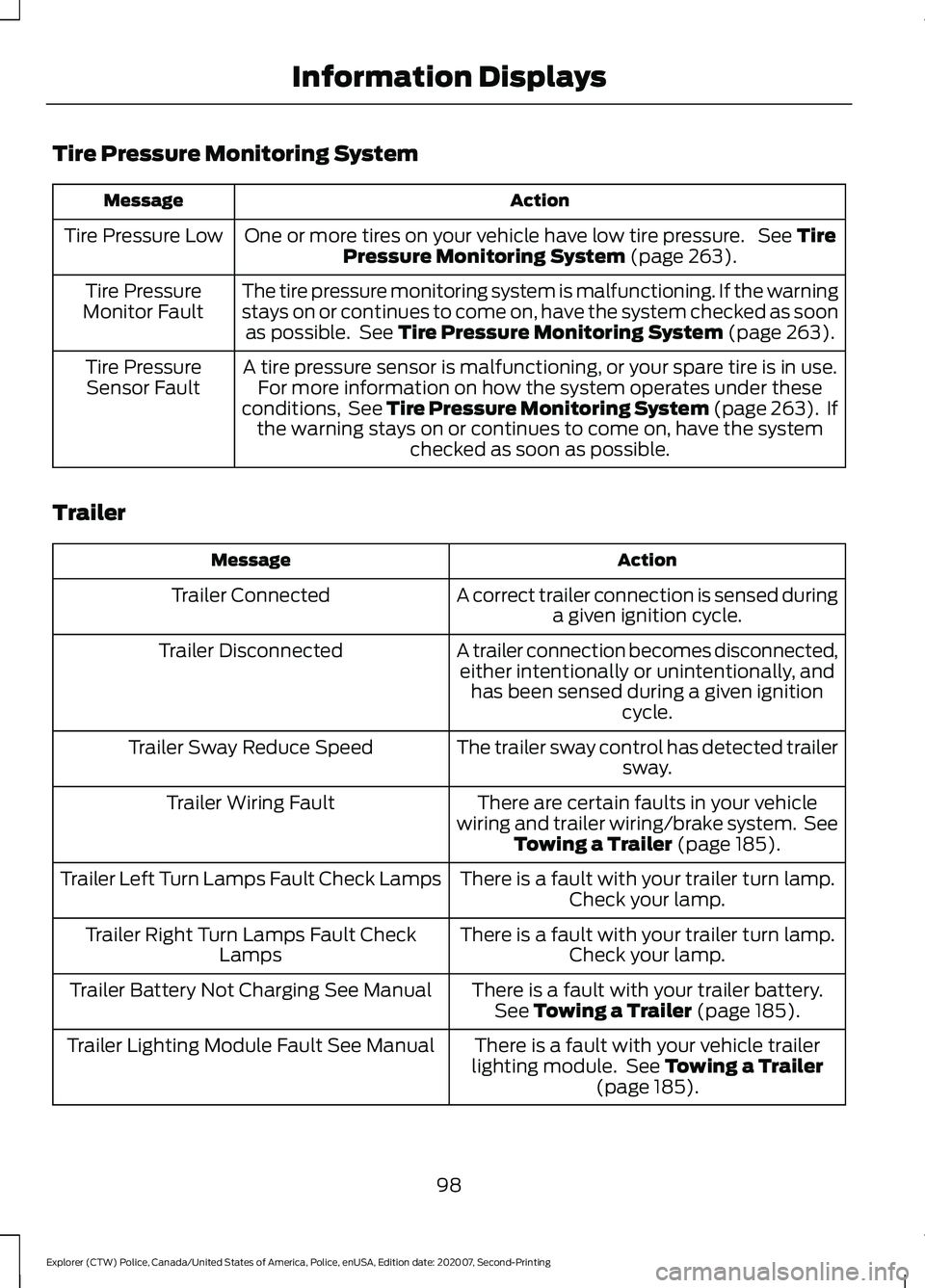
Tire Pressure Monitoring System
Action
Message
One or more tires on your vehicle have low tire pressure. See Tire
Pressure Monitoring System (page 263).
Tire Pressure Low
The tire pressure monitoring system is malfunctioning. If the warning
stays on or continues to come on, have the system checked as soonas possible. See
Tire Pressure Monitoring System (page 263).
Tire Pressure
Monitor Fault
A tire pressure sensor is malfunctioning, or your spare tire is in use.For more information on how the system operates under these
conditions, See Tire Pressure Monitoring System (page 263). If the warning stays on or continues to come on, have the system checked as soon as possible.
Tire Pressure
Sensor Fault
Trailer Action
Message
A correct trailer connection is sensed duringa given ignition cycle.
Trailer Connected
A trailer connection becomes disconnected,either intentionally or unintentionally, and has been sensed during a given ignition cycle.
Trailer Disconnected
The trailer sway control has detected trailersway.
Trailer Sway Reduce Speed
There are certain faults in your vehicle
wiring and trailer wiring/brake system. See Towing a Trailer
(page 185).
Trailer Wiring Fault
There is a fault with your trailer turn lamp.Check your lamp.
Trailer Left Turn Lamps Fault Check Lamps
There is a fault with your trailer turn lamp.Check your lamp.
Trailer Right Turn Lamps Fault Check
Lamps
There is a fault with your trailer battery.See
Towing a Trailer (page 185).
Trailer Battery Not Charging See Manual
There is a fault with your vehicle trailer
lighting module. See
Towing a Trailer
(page 185).
Trailer Lighting Module Fault See Manual
98
Explorer (CTW) Police, Canada/United States of America, Police, enUSA, Edition date: 202007, Second-Printing Information Displays
Page 103 of 412
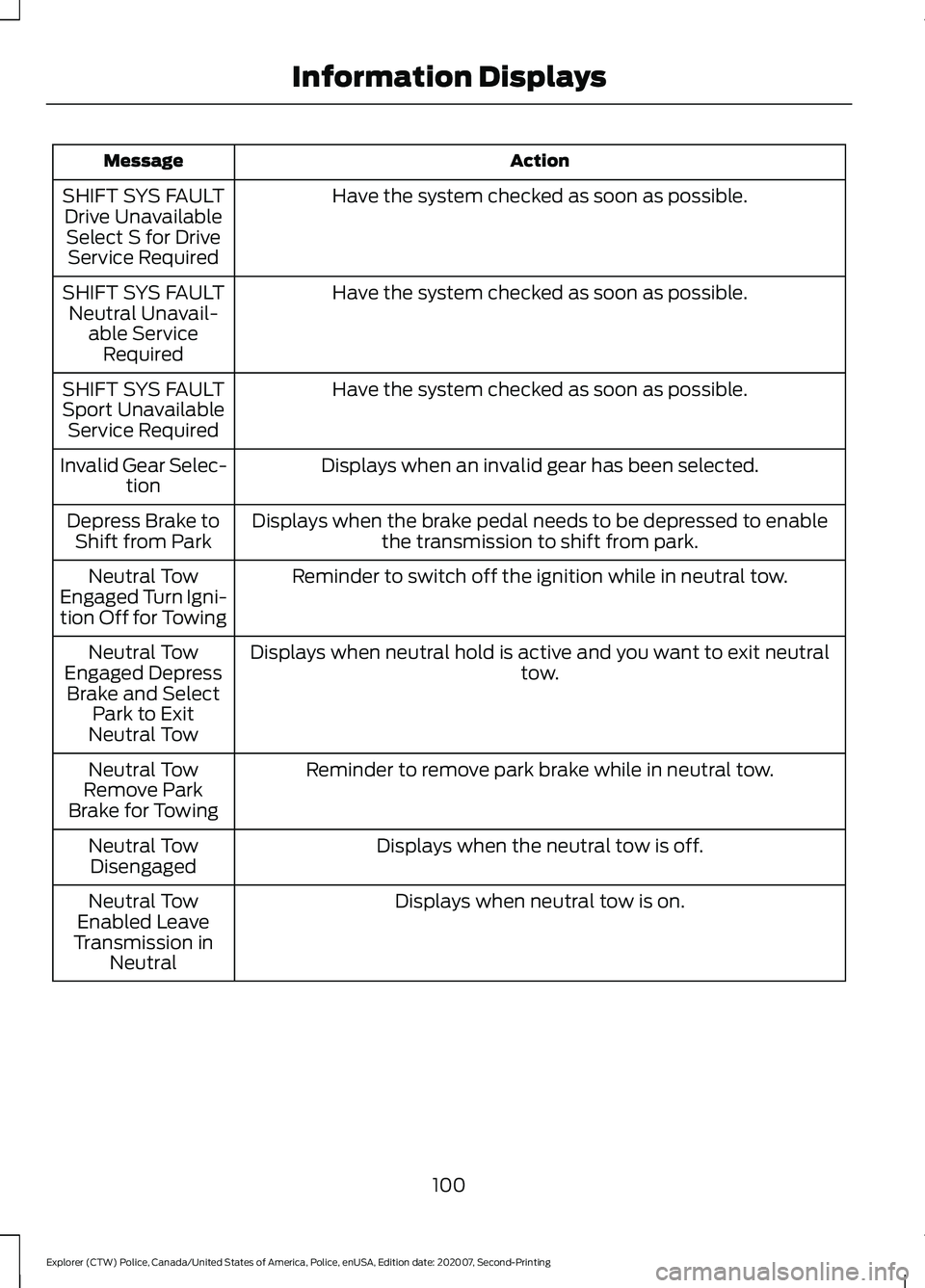
Action
Message
Have the system checked as soon as possible.
SHIFT SYS FAULT
Drive UnavailableSelect S for Drive Service Required
Have the system checked as soon as possible.
SHIFT SYS FAULT
Neutral Unavail- able ServiceRequired
Have the system checked as soon as possible.
SHIFT SYS FAULT
Sport Unavailable Service Required
Displays when an invalid gear has been selected.
Invalid Gear Selec-
tion
Displays when the brake pedal needs to be depressed to enable the transmission to shift from park.
Depress Brake to
Shift from Park
Reminder to switch off the ignition while in neutral tow.
Neutral Tow
Engaged Turn Igni-
tion Off for Towing
Displays when neutral hold is active and you want to exit neutral tow.
Neutral Tow
Engaged Depress Brake and Select Park to Exit
Neutral Tow
Reminder to remove park brake while in neutral tow.
Neutral Tow
Remove Park
Brake for Towing
Displays when the neutral tow is off.
Neutral Tow
Disengaged
Displays when neutral tow is on.
Neutral Tow
Enabled Leave
Transmission in Neutral
100
Explorer (CTW) Police, Canada/United States of America, Police, enUSA, Edition date: 202007, Second-Printing Information Displays
Page 126 of 412
HYBRID VEHICLE OPERATION
This hybrid vehicle combines electric and
gasoline propulsion to provide
breakthrough performance and improved
efficiency. Familiarizing yourself with these
unique characteristics provides an optimal
driving experience from your vehicle.
Starting
When you start your vehicle, a
green READY indicator light
appears in the instrument cluster
letting you know that your vehicle is ready
for driving.
The engine may not start because your
vehicle has a silent key start feature. This
fuel saving feature allows your vehicle to
be ready to drive without requiring the gas
engine to be running. The indicator remains
on when your vehicle is on, whether the
engine is running or not, to indicate your
vehicle is capable of movement using the
electric motor, gas engine or both.
Typically, the engine does not start unless
your vehicle is cold, or you request a
climate control change, or press the
accelerator pedal.
Driving
The gas engine starts and stops to provide
power when needed and to save fuel when
not needed. When coasting at low speeds,
coming to a stop, or standing, the gas
engine normally shuts down and your
vehicle operates in electric-only mode.
Conditions that could cause the engine to
start up or remain running include:
• Considerably accelerating your vehicle.
• Climbing a hill.
• Charge level of the high voltage battery
is low.
• High or low outside temperatures
causing the system to heat or cool. •
Engine not warm enough to provide a
desirable temperature for the
passenger.
• Towing a trailer.
• Selectable drive modes. Certain
selectable drive modes could cause
the engine to run. See What Is Drive
Mode Control (page 178).
Stopping
The gas engine could shut off to conserve
fuel as you come to a stop. You do not
have to restart your vehicle. Simply step
on the accelerator when you are ready to
drive.
Transmission Operation
The engine and electric motor together
propel the vehicle through the automatic
transmission. This is normal hybrid
operating and helps deliver fuel efficiency
and performance.
Battery
Your hybrid vehicle has a high voltage
battery. A cool battery maintains battery
life and provides the best possible
performance. The air conditioning system
cools the high voltage battery. When the
air conditioning system is on and cooling
the battery, there could be a slight increase
in air temperature coming from the climate
control vents.
During extended downhill driving, the
engine continues to run instead of shutting
off. During this engine braking, the engine
stays on, but it is not using any fuel. You
could also hear a slight whine or whistle
when operating your vehicle. This is the
normal operation of the electric motor in
the hybrid system.
123
Explorer (CTW) Police, Canada/United States of America, Police, enUSA, Edition date: 202007, Second-Printing Unique Driving Characteristics - Hybrid Electric Vehicle
(HEV)E293827
Page 130 of 412
Your vehicle is designed to operate on
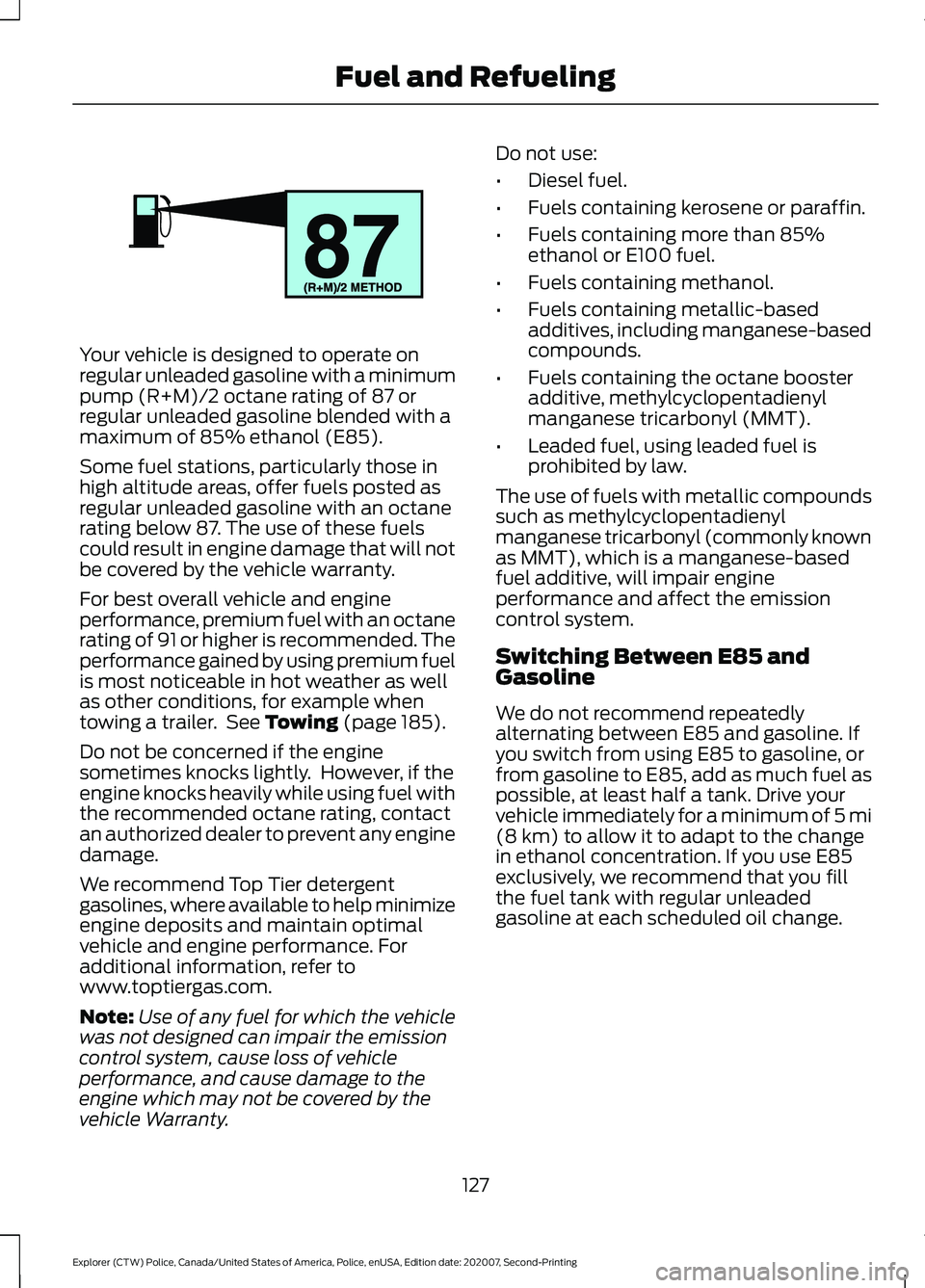
regular unleaded gasoline with a minimum
pump (R+M)/2 octane rating of 87 or
regular unleaded gasoline blended with a
maximum of 85% ethanol (E85).
Some fuel stations, particularly those in
high altitude areas, offer fuels posted as
regular unleaded gasoline with an octane
rating below 87. The use of these fuels
could result in engine damage that will not
be covered by the vehicle warranty.
For best overall vehicle and engine
performance, premium fuel with an octane
rating of 91 or higher is recommended. The
performance gained by using premium fuel
is most noticeable in hot weather as well
as other conditions, for example when
towing a trailer. See Towing (page 185).
Do not be concerned if the engine
sometimes knocks lightly. However, if the
engine knocks heavily while using fuel with
the recommended octane rating, contact
an authorized dealer to prevent any engine
damage.
We recommend Top Tier detergent
gasolines, where available to help minimize
engine deposits and maintain optimal
vehicle and engine performance. For
additional information, refer to
www.toptiergas.com.
Note: Use of any fuel for which the vehicle
was not designed can impair the emission
control system, cause loss of vehicle
performance, and cause damage to the
engine which may not be covered by the
vehicle Warranty. Do not use:
•
Diesel fuel.
• Fuels containing kerosene or paraffin.
• Fuels containing more than 85%
ethanol or E100 fuel.
• Fuels containing methanol.
• Fuels containing metallic-based
additives, including manganese-based
compounds.
• Fuels containing the octane booster
additive, methylcyclopentadienyl
manganese tricarbonyl (MMT).
• Leaded fuel, using leaded fuel is
prohibited by law.
The use of fuels with metallic compounds
such as methylcyclopentadienyl
manganese tricarbonyl (commonly known
as MMT), which is a manganese-based
fuel additive, will impair engine
performance and affect the emission
control system.
Switching Between E85 and
Gasoline
We do not recommend repeatedly
alternating between E85 and gasoline. If
you switch from using E85 to gasoline, or
from gasoline to E85, add as much fuel as
possible, at least half a tank. Drive your
vehicle immediately for a minimum of 5 mi
(8 km)
to allow it to adapt to the change
in ethanol concentration. If you use E85
exclusively, we recommend that you fill
the fuel tank with regular unleaded
gasoline at each scheduled oil change.
127
Explorer (CTW) Police, Canada/United States of America, Police, enUSA, Edition date: 202007, Second-Printing Fuel and RefuelingE161513
Page 131 of 412
FUEL QUALITY - GASOLINE
Choosing the Right Fuel
Your vehicle is designed to operate on
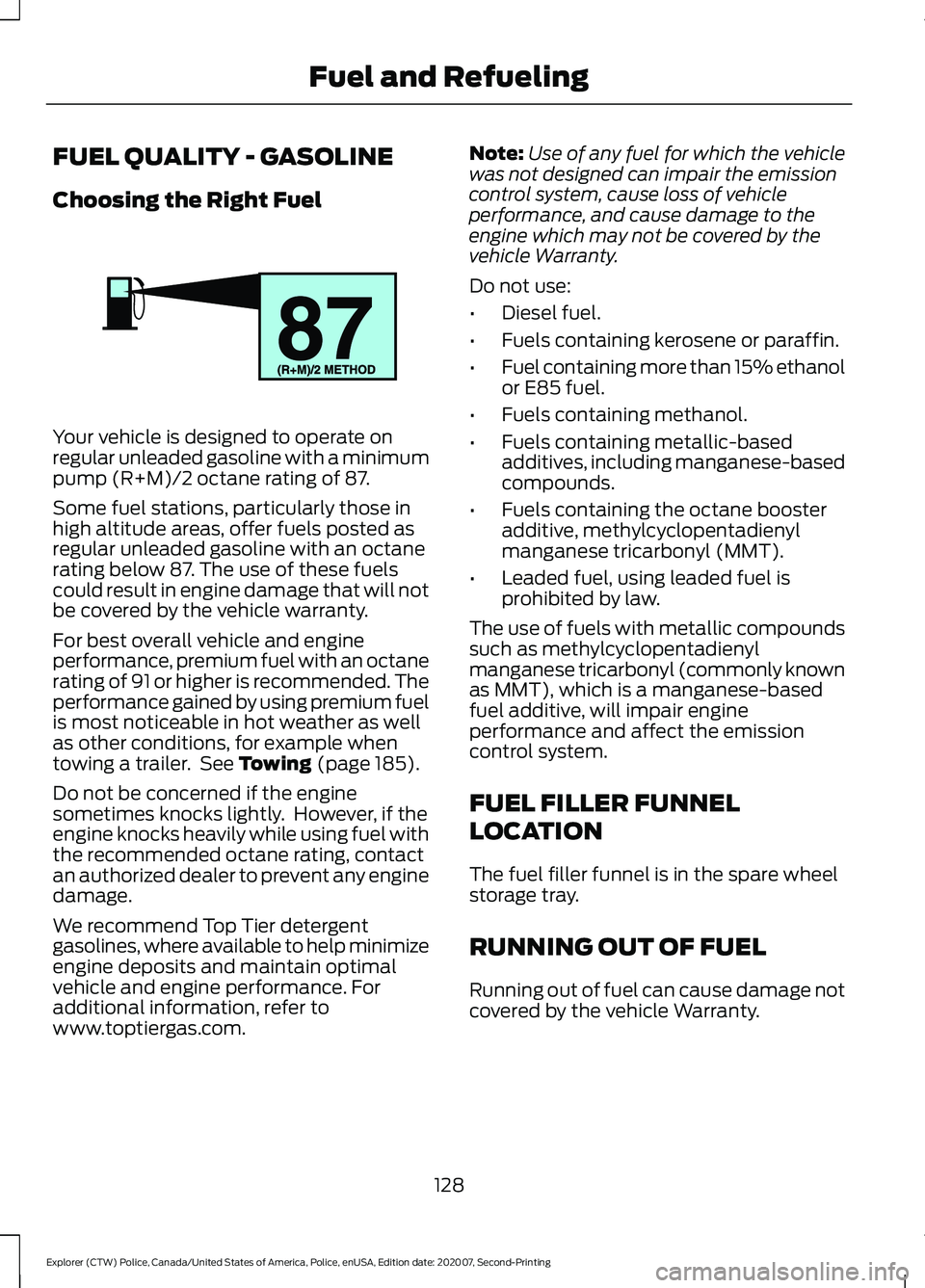
regular unleaded gasoline with a minimum
pump (R+M)/2 octane rating of 87.
Some fuel stations, particularly those in
high altitude areas, offer fuels posted as
regular unleaded gasoline with an octane
rating below 87. The use of these fuels
could result in engine damage that will not
be covered by the vehicle warranty.
For best overall vehicle and engine
performance, premium fuel with an octane
rating of 91 or higher is recommended. The
performance gained by using premium fuel
is most noticeable in hot weather as well
as other conditions, for example when
towing a trailer. See Towing (page 185).
Do not be concerned if the engine
sometimes knocks lightly. However, if the
engine knocks heavily while using fuel with
the recommended octane rating, contact
an authorized dealer to prevent any engine
damage.
We recommend Top Tier detergent
gasolines, where available to help minimize
engine deposits and maintain optimal
vehicle and engine performance. For
additional information, refer to
www.toptiergas.com. Note:
Use of any fuel for which the vehicle
was not designed can impair the emission
control system, cause loss of vehicle
performance, and cause damage to the
engine which may not be covered by the
vehicle Warranty.
Do not use:
• Diesel fuel.
• Fuels containing kerosene or paraffin.
• Fuel containing more than 15% ethanol
or E85 fuel.
• Fuels containing methanol.
• Fuels containing metallic-based
additives, including manganese-based
compounds.
• Fuels containing the octane booster
additive, methylcyclopentadienyl
manganese tricarbonyl (MMT).
• Leaded fuel, using leaded fuel is
prohibited by law.
The use of fuels with metallic compounds
such as methylcyclopentadienyl
manganese tricarbonyl (commonly known
as MMT), which is a manganese-based
fuel additive, will impair engine
performance and affect the emission
control system.
FUEL FILLER FUNNEL
LOCATION
The fuel filler funnel is in the spare wheel
storage tray.
RUNNING OUT OF FUEL
Running out of fuel can cause damage not
covered by the vehicle Warranty.
128
Explorer (CTW) Police, Canada/United States of America, Police, enUSA, Edition date: 202007, Second-Printing Fuel and RefuelingE161513
Page 156 of 412
If it continues to flash or does not
illuminate, the system has malfunctioned.
Have your vehicle checked as soon as
possible.
Note:
You can apply the electric parking
brake when the ignition is off.
Note: The electric parking brake could
automatically apply when you shift into park
(P). See Transmission (page 142).
Applying the Electric Parking Brake in
an Emergency
Note: Do not apply the electric parking
brake when your vehicle is moving, except
in an emergency. If you repeatedly use the
electric parking brake to slow or stop your
vehicle, you could cause damage to the
brake system.
You can use the electric parking brake to
slow or stop your vehicle in an emergency. Pull the switch upward and hold
it.
The red warning lamp
illuminates, a tone sounds and
the stoplamps turn on.
The electric parking brake continues to
slow your vehicle down unless you release
the switch.
Manually Releasing the Electric
Parking Brake
Switch the ignition on.
Press and hold the brake pedal.
Push the switch downward.
The red warning lamp turns off. If it remains illuminated or flashes, the
system has malfunctioned. Have your
vehicle checked as soon as possible.
Pulling Away on a Hill When Towing a
Trailer
Press and hold the brake pedal.
Pull the switch upward and hold
it.
Shift into gear.
Press the accelerator pedal until engine
has developed sufficient torque to prevent
your vehicle from rolling down the hill. Release the switch and pull
away in a normal manner.
Automatically Releasing the
Electric Parking Brake
Close the driver door.
Shift into gear.
Press the accelerator pedal and pull away
in a normal manner. The red warning lamp turns off.
If it remains illuminated or flashes, the
electric parking brake has not released.
Manually release the parking brake.
153
Explorer (CTW) Police, Canada/United States of America, Police, enUSA, Edition date: 202007, Second-Printing BrakesE267156 E270480 E267156 E270480 E267156 E267156 E270480
Page 165 of 412
The camera is on the luggage
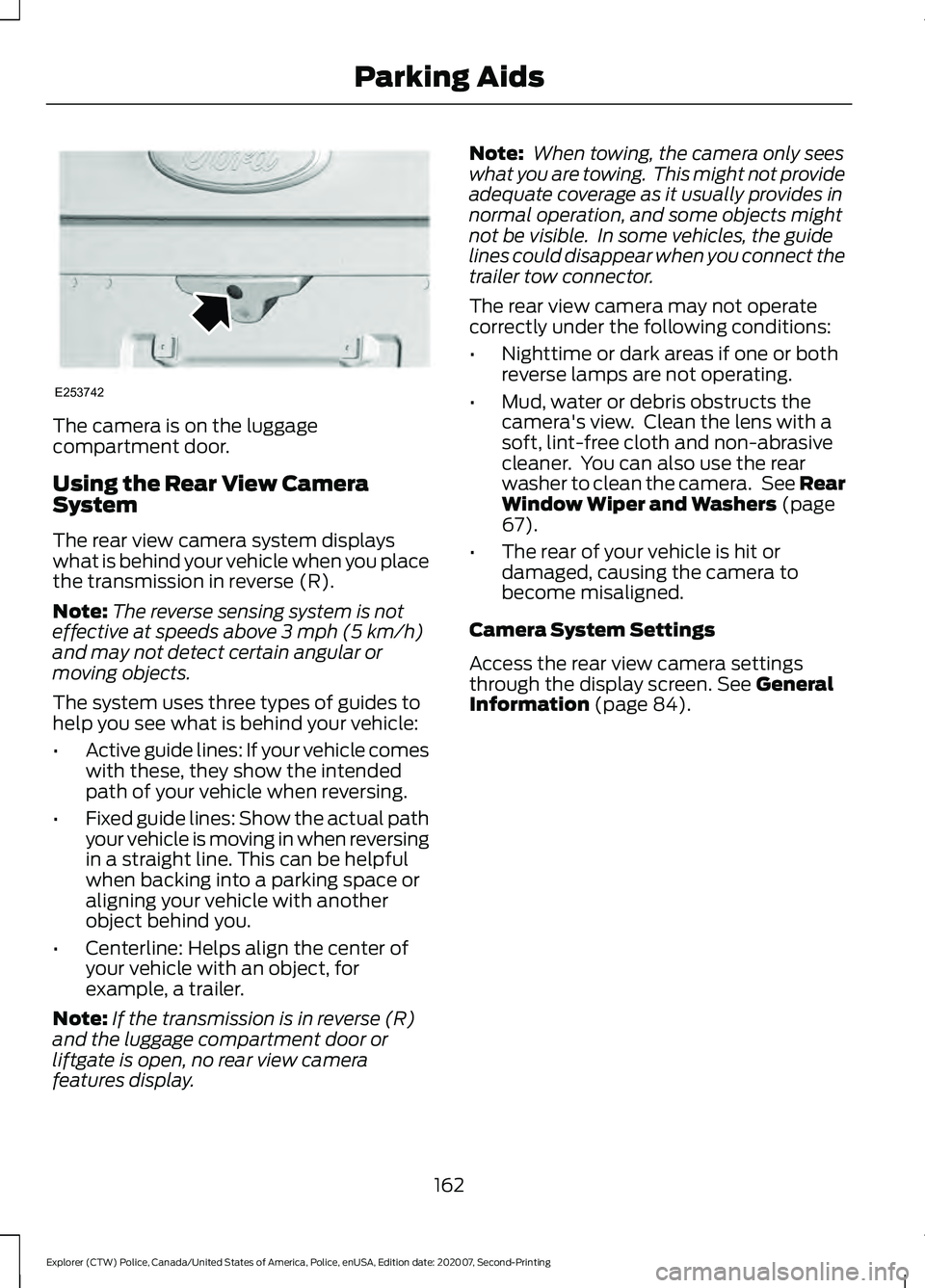
compartment door.
Using the Rear View Camera
System
The rear view camera system displays
what is behind your vehicle when you place
the transmission in reverse (R).
Note:
The reverse sensing system is not
effective at speeds above 3 mph (5 km/h)
and may not detect certain angular or
moving objects.
The system uses three types of guides to
help you see what is behind your vehicle:
• Active guide lines: If your vehicle comes
with these, they show the intended
path of your vehicle when reversing.
• Fixed guide lines: Show the actual path
your vehicle is moving in when reversing
in a straight line. This can be helpful
when backing into a parking space or
aligning your vehicle with another
object behind you.
• Centerline: Helps align the center of
your vehicle with an object, for
example, a trailer.
Note: If the transmission is in reverse (R)
and the luggage compartment door or
liftgate is open, no rear view camera
features display. Note:
When towing, the camera only sees
what you are towing. This might not provide
adequate coverage as it usually provides in
normal operation, and some objects might
not be visible. In some vehicles, the guide
lines could disappear when you connect the
trailer tow connector.
The rear view camera may not operate
correctly under the following conditions:
• Nighttime or dark areas if one or both
reverse lamps are not operating.
• Mud, water or debris obstructs the
camera's view. Clean the lens with a
soft, lint-free cloth and non-abrasive
cleaner. You can also use the rear
washer to clean the camera. See Rear
Window Wiper and Washers
(page
67).
• The rear of your vehicle is hit or
damaged, causing the camera to
become misaligned.
Camera System Settings
Access the rear view camera settings
through the display screen.
See General
Information (page 84).
162
Explorer (CTW) Police, Canada/United States of America, Police, enUSA, Edition date: 202007, Second-Printing Parking AidsE253742
Page 171 of 412
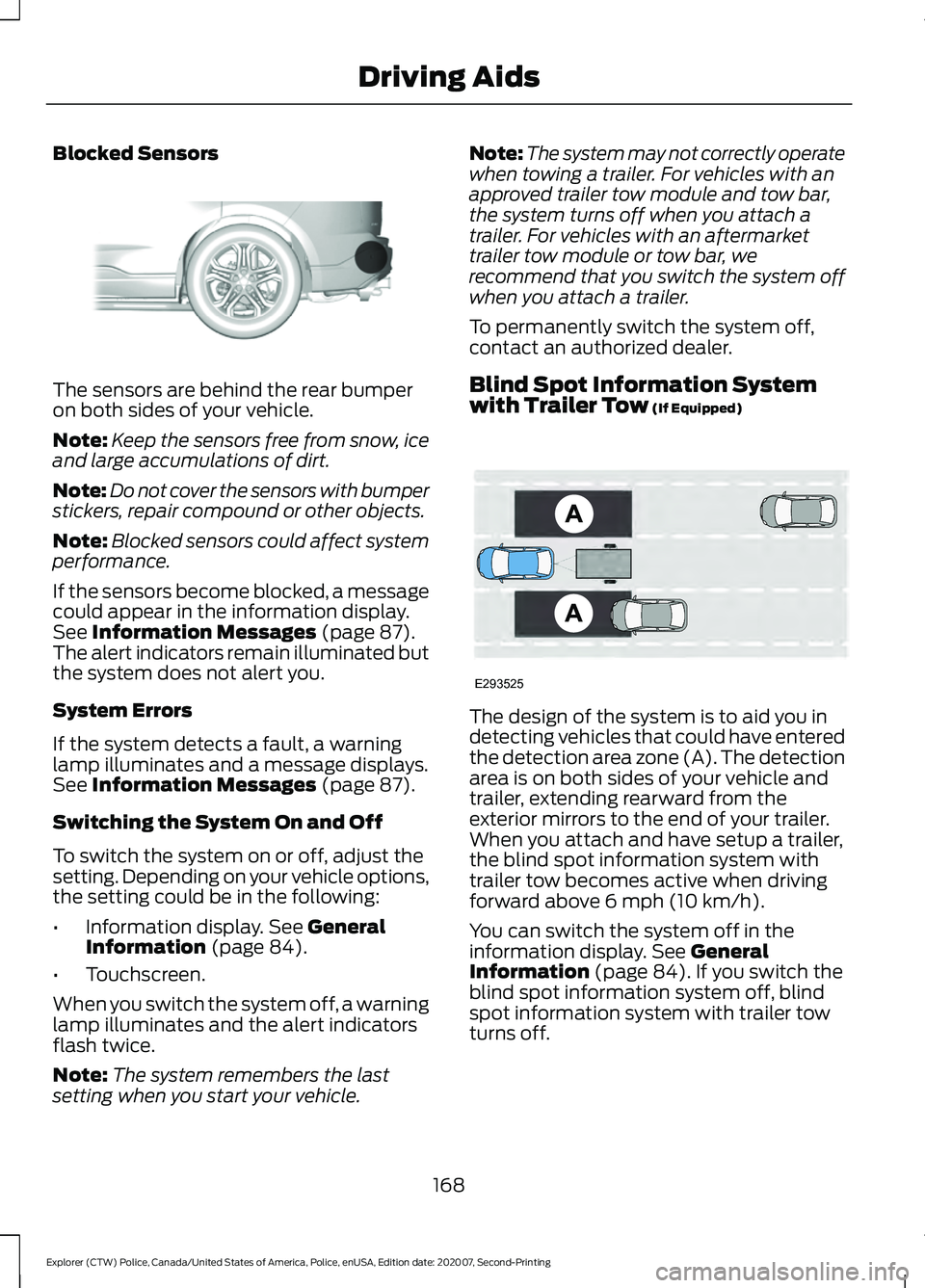
Blocked Sensors
The sensors are behind the rear bumper
on both sides of your vehicle.
Note:
Keep the sensors free from snow, ice
and large accumulations of dirt.
Note: Do not cover the sensors with bumper
stickers, repair compound or other objects.
Note: Blocked sensors could affect system
performance.
If the sensors become blocked, a message
could appear in the information display.
See Information Messages (page 87).
The alert indicators remain illuminated but
the system does not alert you.
System Errors
If the system detects a fault, a warning
lamp illuminates and a message displays.
See
Information Messages (page 87).
Switching the System On and Off
To switch the system on or off, adjust the
setting. Depending on your vehicle options,
the setting could be in the following:
• Information display.
See General
Information (page 84).
• Touchscreen.
When you switch the system off, a warning
lamp illuminates and the alert indicators
flash twice.
Note: The system remembers the last
setting when you start your vehicle. Note:
The system may not correctly operate
when towing a trailer. For vehicles with an
approved trailer tow module and tow bar,
the system turns off when you attach a
trailer. For vehicles with an aftermarket
trailer tow module or tow bar, we
recommend that you switch the system off
when you attach a trailer.
To permanently switch the system off,
contact an authorized dealer.
Blind Spot Information System
with Trailer Tow
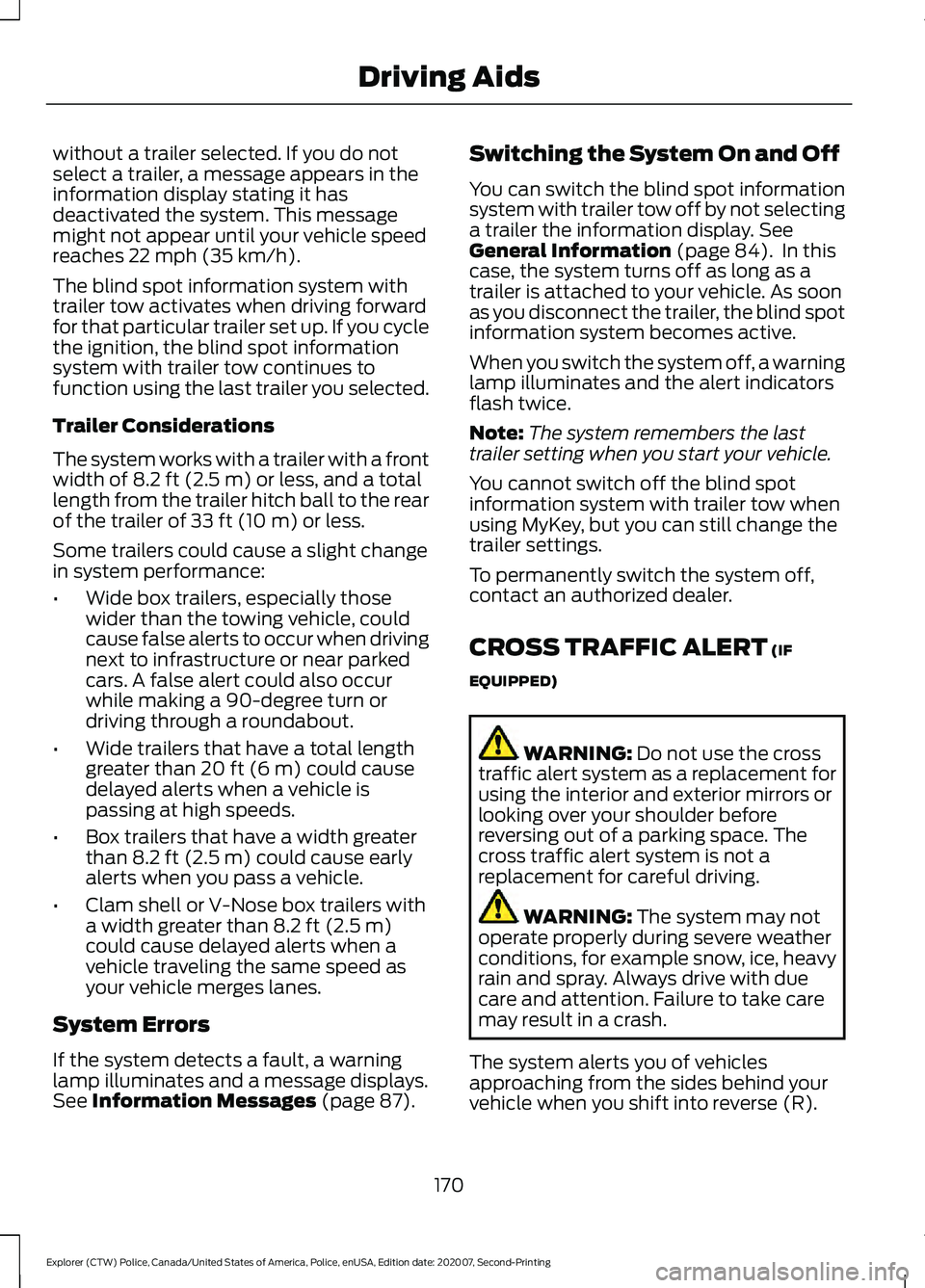
(If Equipped) The design of the system is to aid you in
detecting vehicles that could have entered
the detection area zone (A). The detection
area is on both sides of your vehicle and
trailer, extending rearward from the
exterior mirrors to the end of your trailer.
When you attach and have setup a trailer,
the blind spot information system with
trailer tow becomes active when driving
forward above
6 mph (10 km/h).
You can switch the system off in the
information display.
See General
Information (page 84). If you switch the
blind spot information system off, blind
spot information system with trailer tow
turns off.
168
Explorer (CTW) Police, Canada/United States of America, Police, enUSA, Edition date: 202007, Second-Printing Driving AidsE205199 E293525
Page 173 of 412
without a trailer selected. If you do not
select a trailer, a message appears in the
information display stating it has
deactivated the system. This message
might not appear until your vehicle speed
reaches 22 mph (35 km/h).
The blind spot information system with
trailer tow activates when driving forward
for that particular trailer set up. If you cycle
the ignition, the blind spot information
system with trailer tow continues to
function using the last trailer you selected.
Trailer Considerations
The system works with a trailer with a front
width of
8.2 ft (2.5 m) or less, and a total
length from the trailer hitch ball to the rear
of the trailer of
33 ft (10 m) or less.
Some trailers could cause a slight change
in system performance:
• Wide box trailers, especially those
wider than the towing vehicle, could
cause false alerts to occur when driving
next to infrastructure or near parked
cars. A false alert could also occur
while making a 90-degree turn or
driving through a roundabout.
• Wide trailers that have a total length
greater than
20 ft (6 m) could cause
delayed alerts when a vehicle is
passing at high speeds.
• Box trailers that have a width greater
than
8.2 ft (2.5 m) could cause early
alerts when you pass a vehicle.
• Clam shell or V-Nose box trailers with
a width greater than
8.2 ft (2.5 m)
could cause delayed alerts when a
vehicle traveling the same speed as
your vehicle merges lanes.
System Errors
If the system detects a fault, a warning
lamp illuminates and a message displays.
See
Information Messages (page 87). Switching the System On and Off
You can switch the blind spot information
system with trailer tow off by not selecting
a trailer the information display.
See
General Information (page 84). In this
case, the system turns off as long as a
trailer is attached to your vehicle. As soon
as you disconnect the trailer, the blind spot
information system becomes active.
When you switch the system off, a warning
lamp illuminates and the alert indicators
flash twice.
Note: The system remembers the last
trailer setting when you start your vehicle.
You cannot switch off the blind spot
information system with trailer tow when
using MyKey, but you can still change the
trailer settings.
To permanently switch the system off,
contact an authorized dealer.
CROSS TRAFFIC ALERT
(IF
EQUIPPED) WARNING:
Do not use the cross
traffic alert system as a replacement for
using the interior and exterior mirrors or
looking over your shoulder before
reversing out of a parking space. The
cross traffic alert system is not a
replacement for careful driving. WARNING:
The system may not
operate properly during severe weather
conditions, for example snow, ice, heavy
rain and spray. Always drive with due
care and attention. Failure to take care
may result in a crash.
The system alerts you of vehicles
approaching from the sides behind your
vehicle when you shift into reverse (R).
170
Explorer (CTW) Police, Canada/United States of America, Police, enUSA, Edition date: 202007, Second-Printing Driving Aids