Index FORD POLICE INTERCEPTOR UTILITY 2015 1.G User Guide
[x] Cancel search | Manufacturer: FORD, Model Year: 2015, Model line: POLICE INTERCEPTOR UTILITY, Model: FORD POLICE INTERCEPTOR UTILITY 2015 1.GPages: 398, PDF Size: 6.24 MB
Page 349 of 398
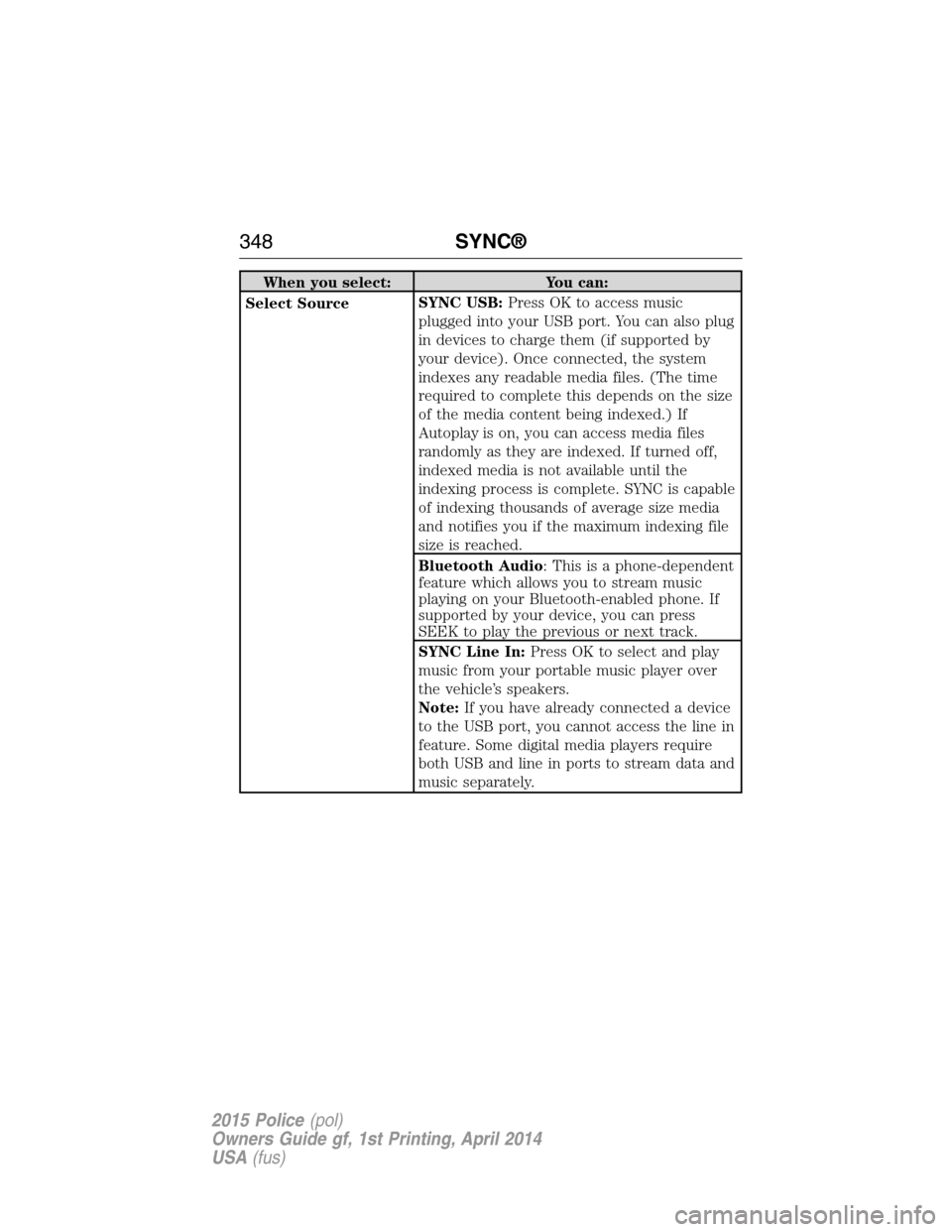
When you select: You can:
Select SourceSYNC USB:Press OK to access music
plugged into your USB port. You can also plug
in devices to charge them (if supported by
your device). Once connected, the system
indexes any readable media files. (The time
required to complete this depends on the size
of the media content being indexed.) If
Autoplay is on, you can access media files
randomly as they are indexed. If turned off,
indexed media is not available until the
indexing process is complete. SYNC is capable
of indexing thousands of average size media
and notifies you if the maximum indexing file
size is reached.
Bluetooth Audio: This is a phone-dependent
feature which allows you to stream music
playing on your Bluetooth-enabled phone. If
supported by your device, you can press
SEEK to play the previous or next track.
SYNC Line In:Press OK to select and play
music from your portable music player over
the vehicle’s speakers.
Note:If you have already connected a device
to the USB port, you cannot access the line in
feature. Some digital media players require
both USB and line in ports to stream data and
music separately.
348SYNC®
2015 Police(pol)
Owners Guide gf, 1st Printing, April 2014
USA(fus)
Page 350 of 398
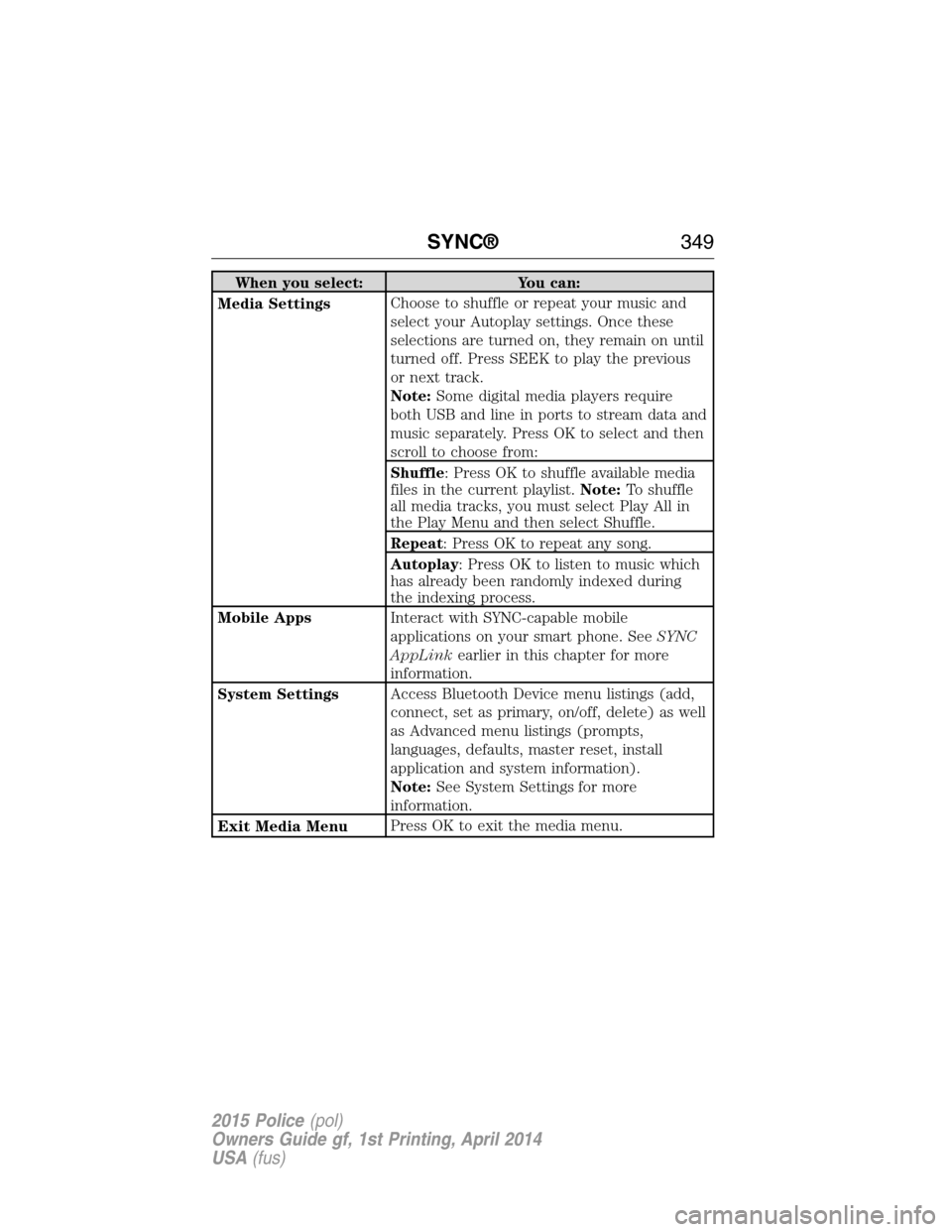
When you select: You can:
Media SettingsChoose to shuffle or repeat your music and
select your Autoplay settings. Once these
selections are turned on, they remain on until
turned off. Press SEEK to play the previous
or next track.
Note:Some digital media players require
both USB and line in ports to stream data and
music separately. Press OK to select and then
scroll to choose from:
Shuffle: Press OK to shuffle available media
files in the current playlist.Note:To shuffle
all media tracks, you must select Play All in
the Play Menu and then select Shuffle.
Repeat: Press OK to repeat any song.
Autoplay: Press OK to listen to music which
has already been randomly indexed during
the indexing process.
Mobile AppsInteract with SYNC-capable mobile
applications on your smart phone. SeeSYNC
AppLinkearlier in this chapter for more
information.
System SettingsAccess Bluetooth Device menu listings (add,
connect, set as primary, on/off, delete) as well
as Advanced menu listings (prompts,
languages, defaults, master reset, install
application and system information).
Note:See System Settings for more
information.
Exit Media MenuPress OK to exit the media menu.
SYNC®349
2015 Police(pol)
Owners Guide gf, 1st Printing, April 2014
USA(fus)
Page 351 of 398
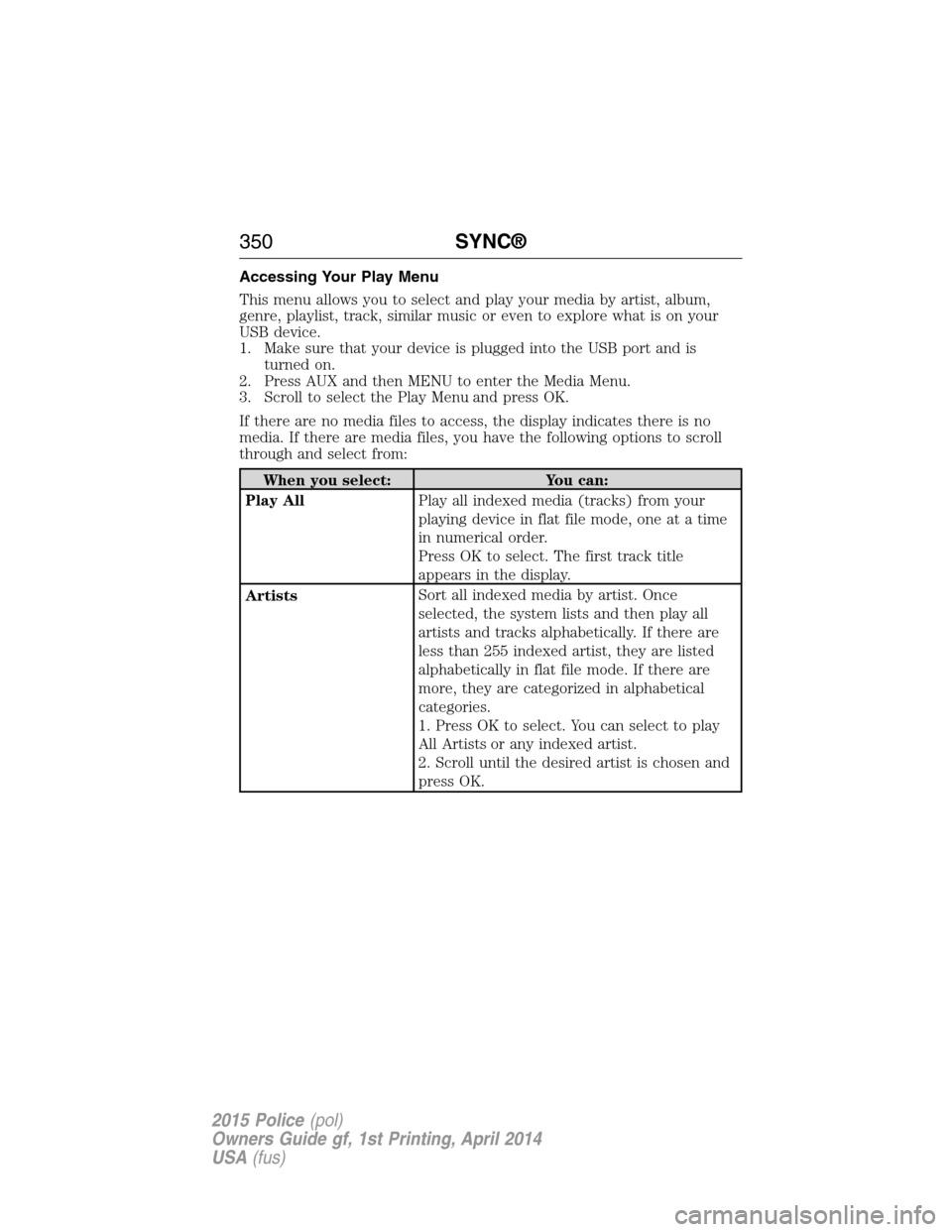
Accessing Your Play Menu
This menu allows you to select and play your media by artist, album,
genre, playlist, track, similar music or even to explore what is on your
USB device.
1. Make sure that your device is plugged into the USB port and is
turned on.
2. Press AUX and then MENU to enter the Media Menu.
3. Scroll to select the Play Menu and press OK.
If there are no media files to access, the display indicates there is no
media. If there are media files, you have the following options to scroll
through and select from:
When you select: You can:
Play AllPlay all indexed media (tracks) from your
playing device in flat file mode, one at a time
in numerical order.
Press OK to select. The first track title
appears in the display.
ArtistsSort all indexed media by artist. Once
selected, the system lists and then play all
artists and tracks alphabetically. If there are
less than 255 indexed artist, they are listed
alphabetically in flat file mode. If there are
more, they are categorized in alphabetical
categories.
1. Press OK to select. You can select to play
All Artists or any indexed artist.
2. Scroll until the desired artist is chosen and
press OK.
350SYNC®
2015 Police(pol)
Owners Guide gf, 1st Printing, April 2014
USA(fus)
Page 352 of 398
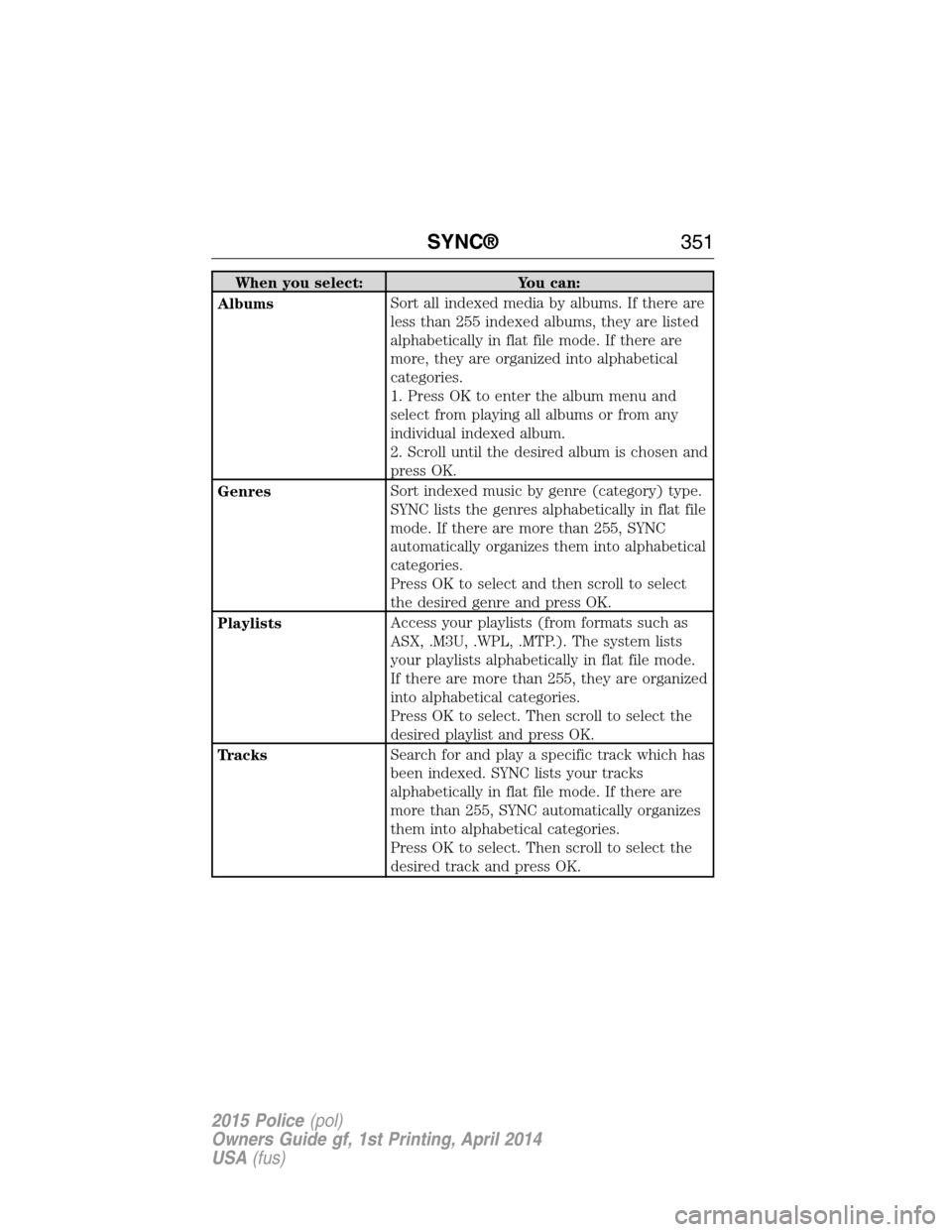
When you select: You can:
AlbumsSort all indexed media by albums. If there are
less than 255 indexed albums, they are listed
alphabetically in flat file mode. If there are
more, they are organized into alphabetical
categories.
1. Press OK to enter the album menu and
select from playing all albums or from any
individual indexed album.
2. Scroll until the desired album is chosen and
press OK.
GenresSort indexed music by genre (category) type.
SYNC lists the genres alphabetically in flat file
mode. If there are more than 255, SYNC
automatically organizes them into alphabetical
categories.
Press OK to select and then scroll to select
the desired genre and press OK.
PlaylistsAccess your playlists (from formats such as
ASX, .M3U, .WPL, .MTP.). The system lists
your playlists alphabetically in flat file mode.
If there are more than 255, they are organized
into alphabetical categories.
Press OK to select. Then scroll to select the
desired playlist and press OK.
TracksSearch for and play a specific track which has
been indexed. SYNC lists your tracks
alphabetically in flat file mode. If there are
more than 255, SYNC automatically organizes
them into alphabetical categories.
Press OK to select. Then scroll to select the
desired track and press OK.
SYNC®351
2015 Police(pol)
Owners Guide gf, 1st Printing, April 2014
USA(fus)
Page 353 of 398
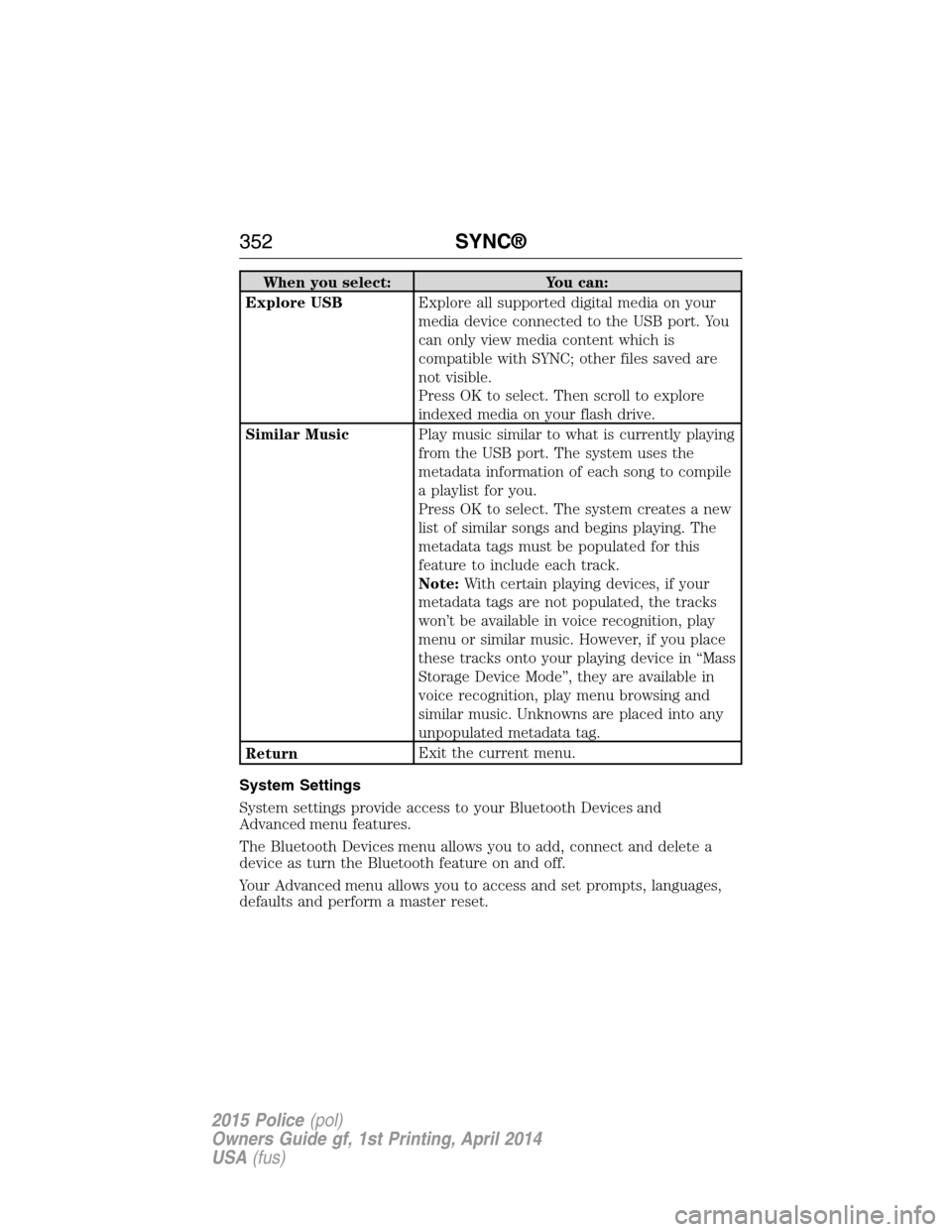
When you select: You can:
Explore USBExplore all supported digital media on your
media device connected to the USB port. You
can only view media content which is
compatible with SYNC; other files saved are
not visible.
Press OK to select. Then scroll to explore
indexed media on your flash drive.
Similar MusicPlay music similar to what is currently playing
from the USB port. The system uses the
metadata information of each song to compile
a playlist for you.
Press OK to select. The system creates a new
list of similar songs and begins playing. The
metadata tags must be populated for this
feature to include each track.
Note:With certain playing devices, if your
metadata tags are not populated, the tracks
won’t be available in voice recognition, play
menu or similar music. However, if you place
these tracks onto your playing device in “Mass
Storage Device Mode”, they are available in
voice recognition, play menu browsing and
similar music. Unknowns are placed into any
unpopulated metadata tag.
ReturnExit the current menu.
System Settings
System settings provide access to your Bluetooth Devices and
Advanced menu features.
The Bluetooth Devices menu allows you to add, connect and delete a
device as turn the Bluetooth feature on and off.
Your Advanced menu allows you to access and set prompts, languages,
defaults and perform a master reset.
352SYNC®
2015 Police(pol)
Owners Guide gf, 1st Printing, April 2014
USA(fus)
Page 355 of 398
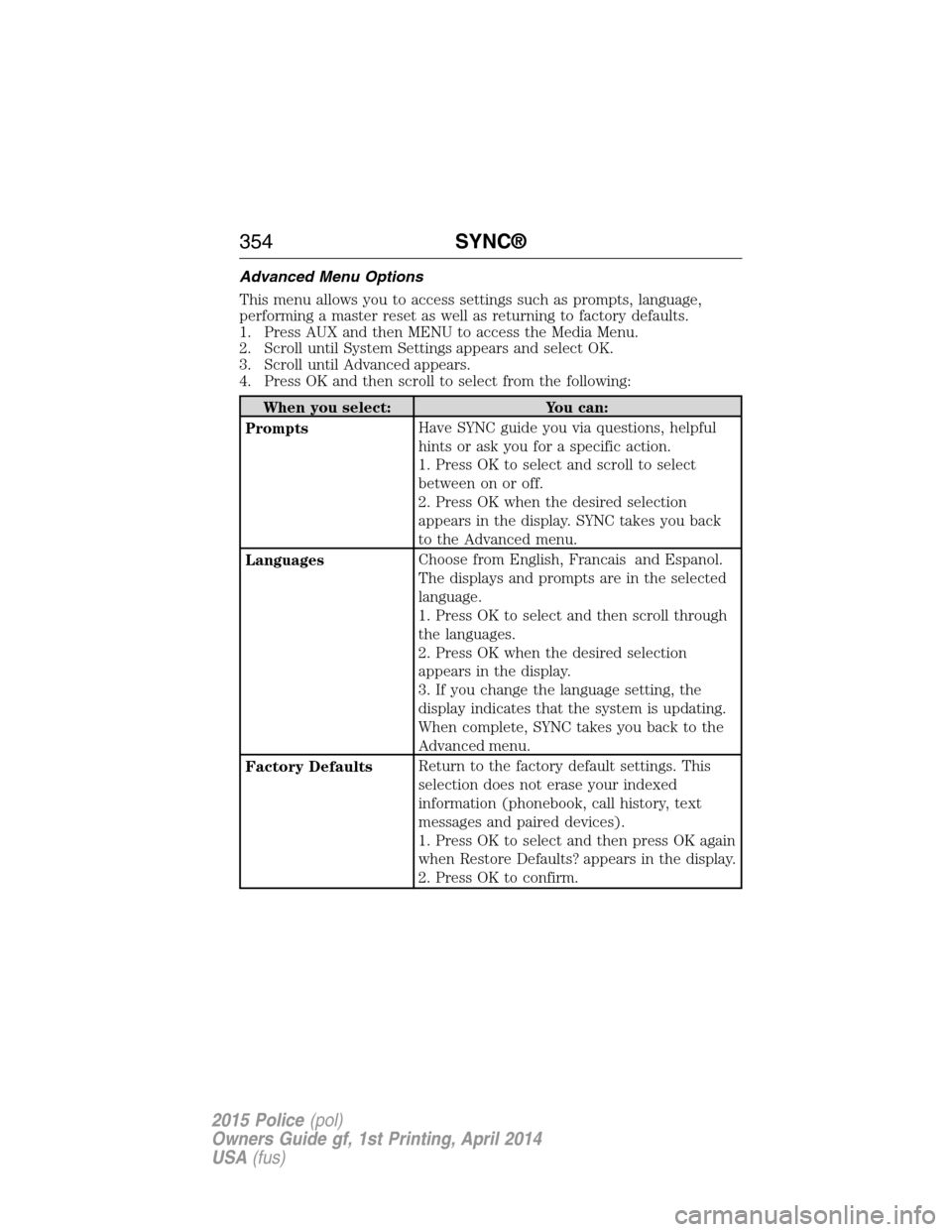
Advanced Menu Options
This menu allows you to access settings such as prompts, language,
performing a master reset as well as returning to factory defaults.
1. Press AUX and then MENU to access the Media Menu.
2. Scroll until System Settings appears and select OK.
3. Scroll until Advanced appears.
4. Press OK and then scroll to select from the following:
When you select: You can:
PromptsHave SYNC guide you via questions, helpful
hints or ask you for a specific action.
1. Press OK to select and scroll to select
between on or off.
2. Press OK when the desired selection
appears in the display. SYNC takes you back
to the Advanced menu.
LanguagesChoose from English, Francais and Espanol.
The displays and prompts are in the selected
language.
1. Press OK to select and then scroll through
the languages.
2. Press OK when the desired selection
appears in the display.
3. If you change the language setting, the
display indicates that the system is updating.
When complete, SYNC takes you back to the
Advanced menu.
Factory DefaultsReturn to the factory default settings. This
selection does not erase your indexed
information (phonebook, call history, text
messages and paired devices).
1. Press OK to select and then press OK again
when Restore Defaults? appears in the display.
2. Press OK to confirm.
354SYNC®
2015 Police(pol)
Owners Guide gf, 1st Printing, April 2014
USA(fus)
Page 392 of 398
911 Assist™ ..............................336
A
ABS (see Brakes) .....................149
Accessing call history/phone
book during active call .............325
Accessing your media menu
features ......................................347
Accessing your phone menu
features ......................................327
Accessory delay ..........................88
Active call menu options .........325
Advanced menu options ...334, 354
Advanced menu options
(prompts, languages, defaults,
master reset, installing
applications) ..............................334
Airbag supplemental restraint
system ..........................................47
and child safety seats ..............48
description ................................47
disposal ......................................62
driver airbag ..............................47
passenger airbag .......................47
side airbag ...........................47, 51
Air cleaner filter .......231, 233, 299
Air conditioning ........................107
manual heating and air
conditioning system ...............107
Air filter, cabin ..........................109
All Wheel Drive (AWD),
driving off road .........................139
Ambulance packages ..................15
Antifreeze
(see Engine coolant) ................218Anti-lock brake system
(see Brakes) ..............................149
Anti-theft system
arming the system ....................73
disarming a triggered system ..73
Audio system
Single CD ................................307
Audio system (see Radio) .......307
Automatic transmission ............137
fluid, adding ....................223, 227
fluid, checking ................223, 227
fluid, refill capacities ..............293
fluid, specification ..................293
Auxiliary input jack (Line in) ..314
Auxiliary powerpoint ................117
B
Battery .......................................228
acid, treating emergencies .....228
jumping a disabled battery ....189
maintenance-free ....................228
replacement, specifications ...299
servicing ..................................228
Blind Spot Information
System .......................................159
Booster seats ...............................22
Brakes ........................................148
anti-lock ...................................149
anti-lock brake system (ABS)
warning light ...........................149
brake warning light ................149
fluid, checking and adding ....227
fluid, refill capacities ..............293
fluid, specifications .................293
lubricant specifications ..........293
parking ....................................149
trailer .......................................178
Index391
2015 Police(pol)
Owners Guide gf, 1st Printing, April 2014
USA(fus)
Page 393 of 398
C
Capacities for refilling fluids ....293
Cargo management system ......166
CD ..............................................307
CD player ..................................305
Cell phone use ............................16
Changing a tire .........................282
Child safety restraints ..........28, 31
Child safety seats
attaching with tether straps ....31
automatic locking mode
(retractor) .................................38
LATCH .......................................28
Child safety seats - booster
seats .............................................22
Cleaning your vehicle ...............247
engine compartment ..............249
instrument panel ....................251
interior .....................................251
plastic parts ............................249
washing ....................................247
waxing .....................................249
wheels ......................................253
wiper blades ............................250
Climate control (see Air
conditioning or Heating) ..........107
Clock ..........................................307
Console ......................................118
overhead ..................................119
Coolant ......................................218
checking and adding ..............218
refill capacities ........................293
specifications ..........................293
Cross Traffic Alert ....................159
Cruise control ...........................157
Customer Assistance ................187Ford Extended Service
Plan ..........................................302
Getting roadside assistance ...187
Getting the service you
need .........................................192
Ordering additional owner’s
literature .................................198
Utilizing the
Mediation/Arbitration
Program ...................................196
D
Defrost .......................................107
rear window ............................108
Dipstick
automatic transmission
fluid ..................................223, 227
engine oil .................................217
Driving under special
conditions ..................138, 142, 145
sand .........................................143
snow and ice ...........................146
through water .................144, 185
E
Electronic message center .........98
Electronic stability control ......152
Emergencies, roadside
jump-starting ..........................189
running out of fuel .................128
Emergency brake
(see Parking brake) ..................149
Emission control system ..........133
End user license agreement ....363
Engine ........................................292
cleaning ...................................249
coolant .....................................218
fail-safe cooling .......................222
392Index
2015 Police(pol)
Owners Guide gf, 1st Printing, April 2014
USA(fus)
Page 394 of 398
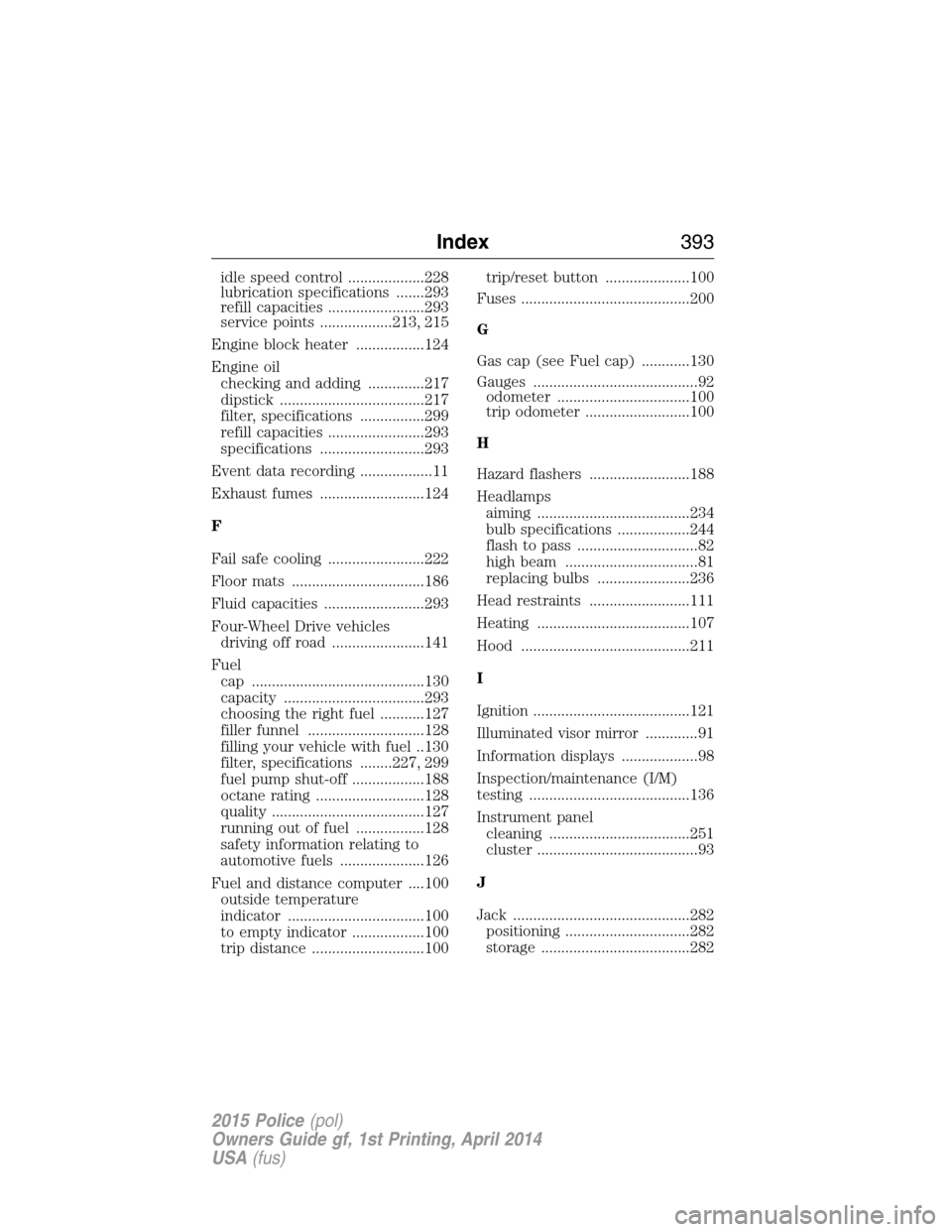
idle speed control ...................228
lubrication specifications .......293
refill capacities ........................293
service points ..................213, 215
Engine block heater .................124
Engine oil
checking and adding ..............217
dipstick ....................................217
filter, specifications ................299
refill capacities ........................293
specifications ..........................293
Event data recording ..................11
Exhaust fumes ..........................124
F
Fail safe cooling ........................222
Floor mats .................................186
Fluid capacities .........................293
Four-Wheel Drive vehicles
driving off road .......................141
Fuel
cap ...........................................130
capacity ...................................293
choosing the right fuel ...........127
filler funnel .............................128
filling your vehicle with fuel ..130
filter, specifications ........227, 299
fuel pump shut-off ..................188
octane rating ...........................128
quality ......................................127
running out of fuel .................128
safety information relating to
automotive fuels .....................126
Fuel and distance computer ....100
outside temperature
indicator ..................................100
to empty indicator ..................100
trip distance ............................100trip/reset button .....................100
Fuses ..........................................200
G
Gas cap (see Fuel cap) ............130
Gauges .........................................92
odometer .................................100
trip odometer ..........................100
H
Hazard flashers .........................188
Headlamps
aiming ......................................234
bulb specifications ..................244
flash to pass ..............................82
high beam .................................81
replacing bulbs .......................236
Head restraints .........................111
Heating ......................................107
Hood ..........................................211
I
Ignition .......................................121
Illuminated visor mirror .............91
Information displays ...................98
Inspection/maintenance (I/M)
testing ........................................136
Instrument panel
cleaning ...................................251
cluster ........................................93
J
Jack ............................................282
positioning ...............................282
storage .....................................282
Index393
2015 Police(pol)
Owners Guide gf, 1st Printing, April 2014
USA(fus)
Page 395 of 398
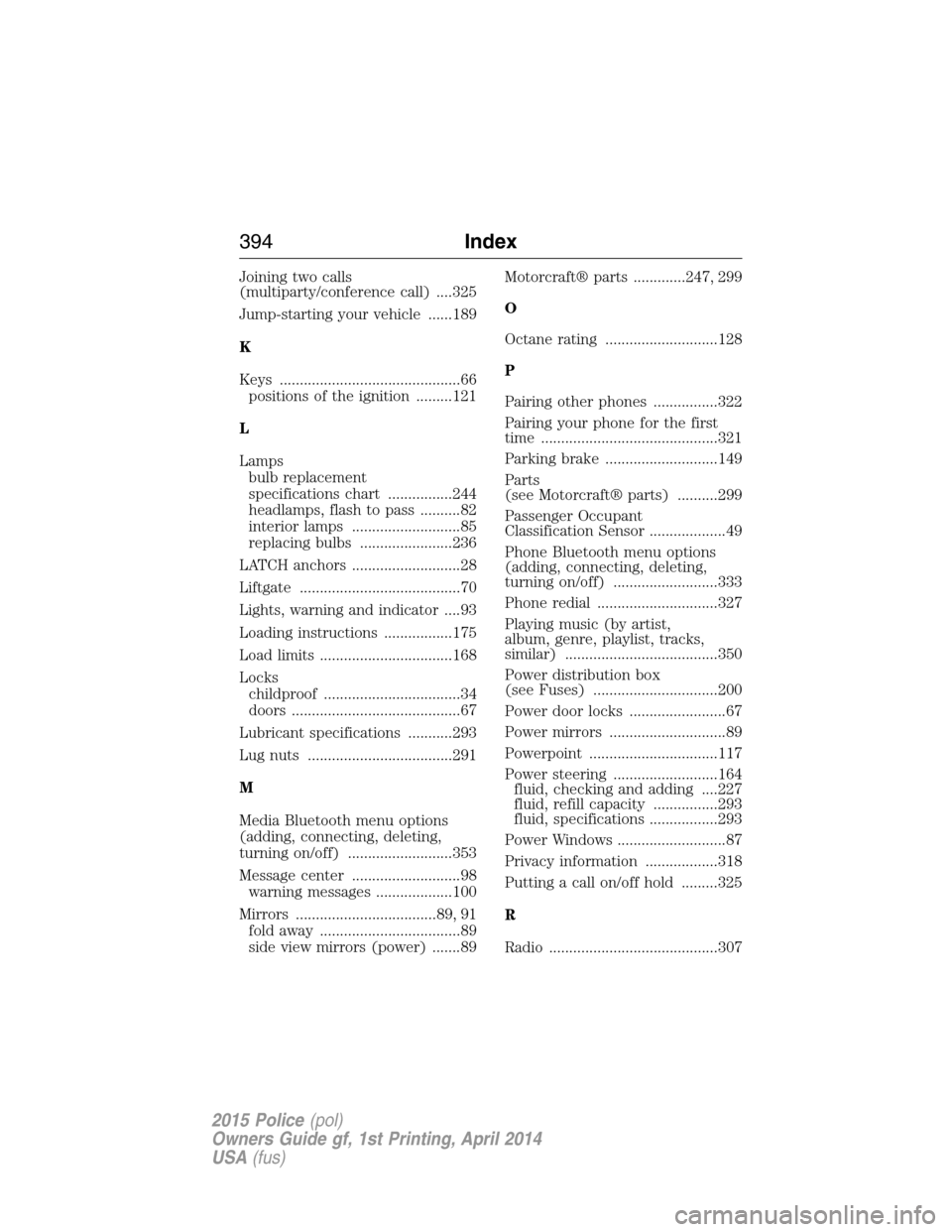
Joining two calls
(multiparty/conference call) ....325
Jump-starting your vehicle ......189
K
Keys .............................................66
positions of the ignition .........121
L
Lamps
bulb replacement
specifications chart ................244
headlamps, flash to pass ..........82
interior lamps ...........................85
replacing bulbs .......................236
LATCH anchors ...........................28
Liftgate ........................................70
Lights, warning and indicator ....93
Loading instructions .................175
Load limits .................................168
Locks
childproof ..................................34
doors ..........................................67
Lubricant specifications ...........293
Lug nuts ....................................291
M
Media Bluetooth menu options
(adding, connecting, deleting,
turning on/off) ..........................353
Message center ...........................98
warning messages ...................100
Mirrors ...................................89, 91
fold away ...................................89
side view mirrors (power) .......89Motorcraft® parts .............247, 299
O
Octane rating ............................128
P
Pairing other phones ................322
Pairing your phone for the first
time ............................................321
Parking brake ............................149
Parts
(see Motorcraft® parts) ..........299
Passenger Occupant
Classification Sensor ...................49
Phone Bluetooth menu options
(adding, connecting, deleting,
turning on/off) ..........................333
Phone redial ..............................327
Playing music (by artist,
album, genre, playlist, tracks,
similar) ......................................350
Power distribution box
(see Fuses) ...............................200
Power door locks ........................67
Power mirrors .............................89
Powerpoint ................................117
Power steering ..........................164
fluid, checking and adding ....227
fluid, refill capacity ................293
fluid, specifications .................293
Power Windows ...........................87
Privacy information ..................318
Putting a call on/off hold .........325
R
Radio ..........................................307
394Index
2015 Police(pol)
Owners Guide gf, 1st Printing, April 2014
USA(fus)