audio FORD RANGER 2006 2.G User Guide
[x] Cancel search | Manufacturer: FORD, Model Year: 2006, Model line: RANGER, Model: FORD RANGER 2006 2.GPages: 256, PDF Size: 2.64 MB
Page 30 of 256
CD units are designed to play commercially pressed 4.75 in (12
cm) audio compact discs only. Due to technical incompatibility,
certain recordable and re-recordable compact discs may not
function correctly when used in Ford CD players. Irregular
shaped CDs, CDs with a scratch protection film attached, and CDs
with homemade paper (adhesive) labels should not be inserted
into the CD player. The label may peel and cause the CD to
become jammed. It is recommended that homemade CDs be
identified with permanent felt tip marker rather than adhesive
labels. Ballpoint pens may damage CDs. Please contact your
dealer for further information.
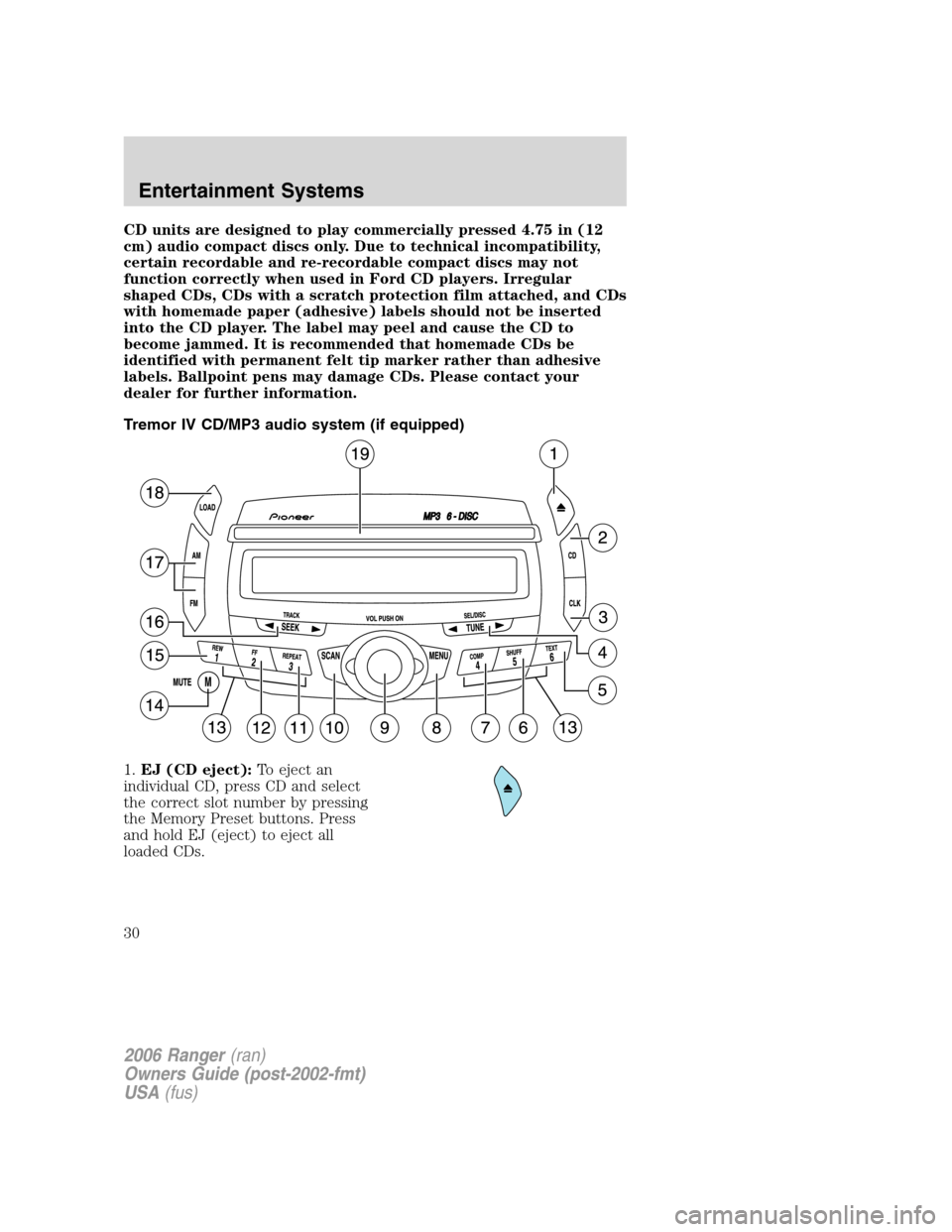
Tremor IV CD/MP3 audio system (if equipped)
1.EJ (CD eject):To eject an
individual CD, press CD and select
the correct slot number by pressing
the Memory Preset buttons. Press
and hold EJ (eject) to eject all
loaded CDs.
2006 Ranger(ran)
Owners Guide (post-2002-fmt)
USA(fus)
Entertainment Systems
30
Page 32 of 256
TREB (treble):PressTUNEto decrease/increase the treble
levels.
BAL (Balance):Press
TUNEto adjust the audio between the
left and right speakers.
FADE:Press
TUNEto adjust the audio between the front and
rear speakers.
Flat file/directory mode:In MP3 mode, press
TUNEto select
Flat file mode or Directory mode.
Track number/normal music name/file name:Press
TUNEto
view by track number, music name or file name.
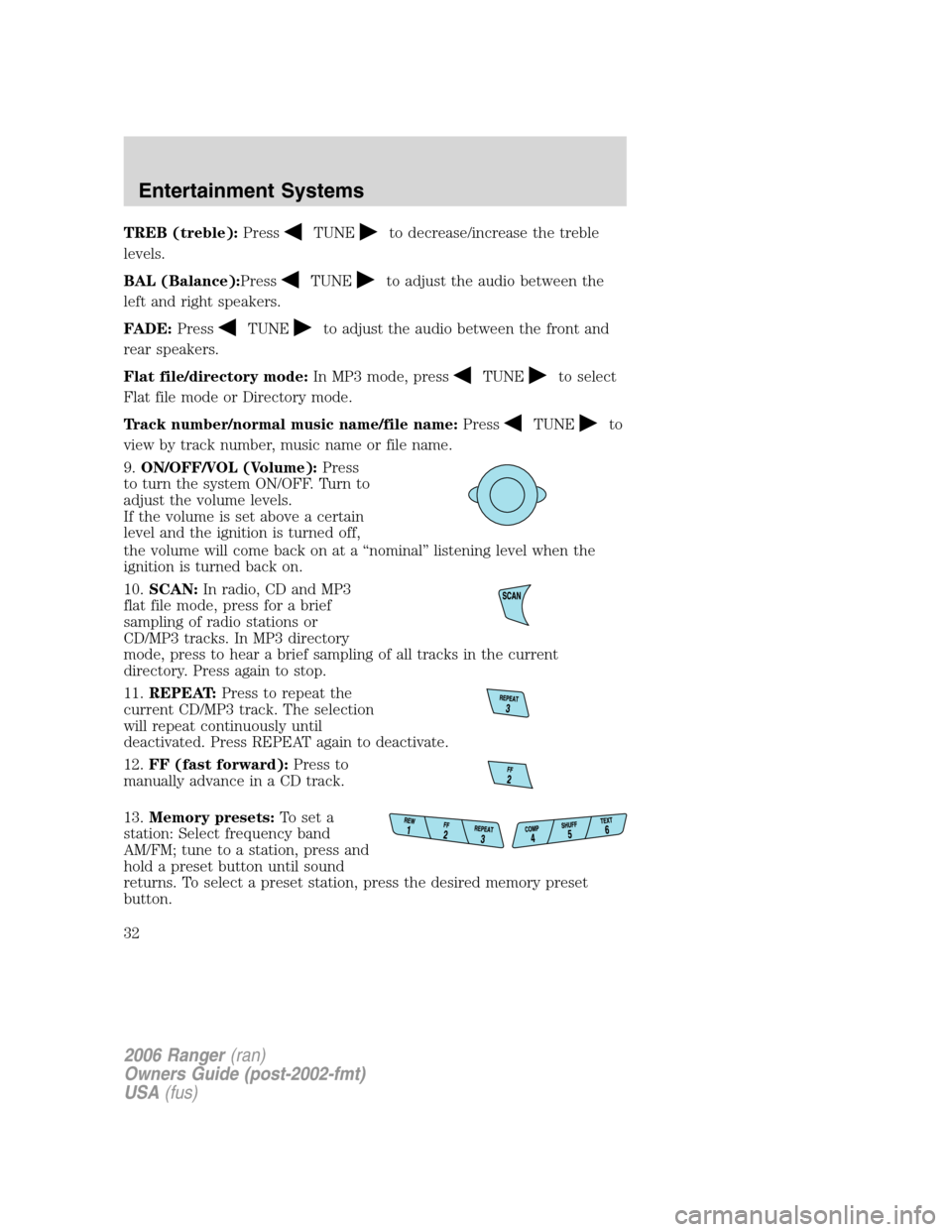
9.ON/OFF/VOL (Volume):Press
to turn the system ON/OFF. Turn to
adjust the volume levels.
If the volume is set above a certain
level and the ignition is turned off,
the volume will come back on at a “nominal” listening level when the
ignition is turned back on.
10.SCAN:In radio, CD and MP3
flat file mode, press for a brief
sampling of radio stations or
CD/MP3 tracks. In MP3 directory
mode, press to hear a brief sampling of all tracks in the current
directory. Press again to stop.
11.REPEAT:Press to repeat the
current CD/MP3 track. The selection
will repeat continuously until
deactivated. Press REPEAT again to deactivate.
12.FF (fast forward):Press to
manually advance in a CD track.
13.Memory presets:To set a
station: Select frequency band
AM/FM; tune to a station, press and
hold a preset button until sound
returns. To select a preset station, press the desired memory preset
button.
2006 Ranger(ran)
Owners Guide (post-2002-fmt)
USA(fus)
Entertainment Systems
32
Page 33 of 256
14.MUTE:Press to mute the
playing media. Press again to return
to the playing media.
15.REW (rewind):Press to
manually reverse a CD track.
16.SEEK:In radio, CD and MP3
flat file mode, press
/to
access the previous/next strong
station or track. In MP3 directory mode, press to select the next/previous
track in the current directory.
17.AM/FM:Press to select
AM/FM1/FM2 frequency band.
18.LOAD:To load a CD/MP3 disc
to a specific slot, press LOAD and
select the slot number by pressing
the Memory Preset buttons. Press
and hold LOAD to autoload up to
six discs.
19.CD slot:Insert a CD, label side
up.
GENERAL AUDIO INFORMATION
Radio frequencies:AM and FM frequencies are established by the
Federal Communications Commission (FCC) and the Canadian Radio and
Telecommunications Commission (CRTC). Those frequencies are:
AM - 530, 540–1700, 1710 kHz
FM- 87.7, 87.9–107.7, 107.9 MHz
2006 Ranger(ran)
Owners Guide (post-2002-fmt)
USA(fus)
Entertainment Systems
33
Page 35 of 256
Don’t:
•Expose discs to direct sunlight or heat sources for extended periods
of time.
•Clean using a circular motion.
CD units are designed to play commercially pressed 4.75 in (12
cm) audio compact discs only. Due to technical incompatibility,
certain recordable and re-recordable compact discs may not
function correctly when used in Ford CD players. Dirty, warped
or damaged CDs, irregular shaped CDs, CDs with a scratch
protection film attached, and CDs with homemade paper
(adhesive) labels should not be inserted into the CD player. The
label may peel and cause the CD to become jammed. It is
recommended that homemade CDs be identified with permanent
felt tip marker rather than adhesive labels. Ballpoint pens may
damage CDs. Please contact your authorized dealer for further
information.
Audio system warranty and service:Refer to theWarranty Guide
for audio system warranty information. If service is necessary, see your
dealer or qualified technician.
2006 Ranger(ran)
Owners Guide (post-2002-fmt)
USA(fus)
Entertainment Systems
35
Page 168 of 256
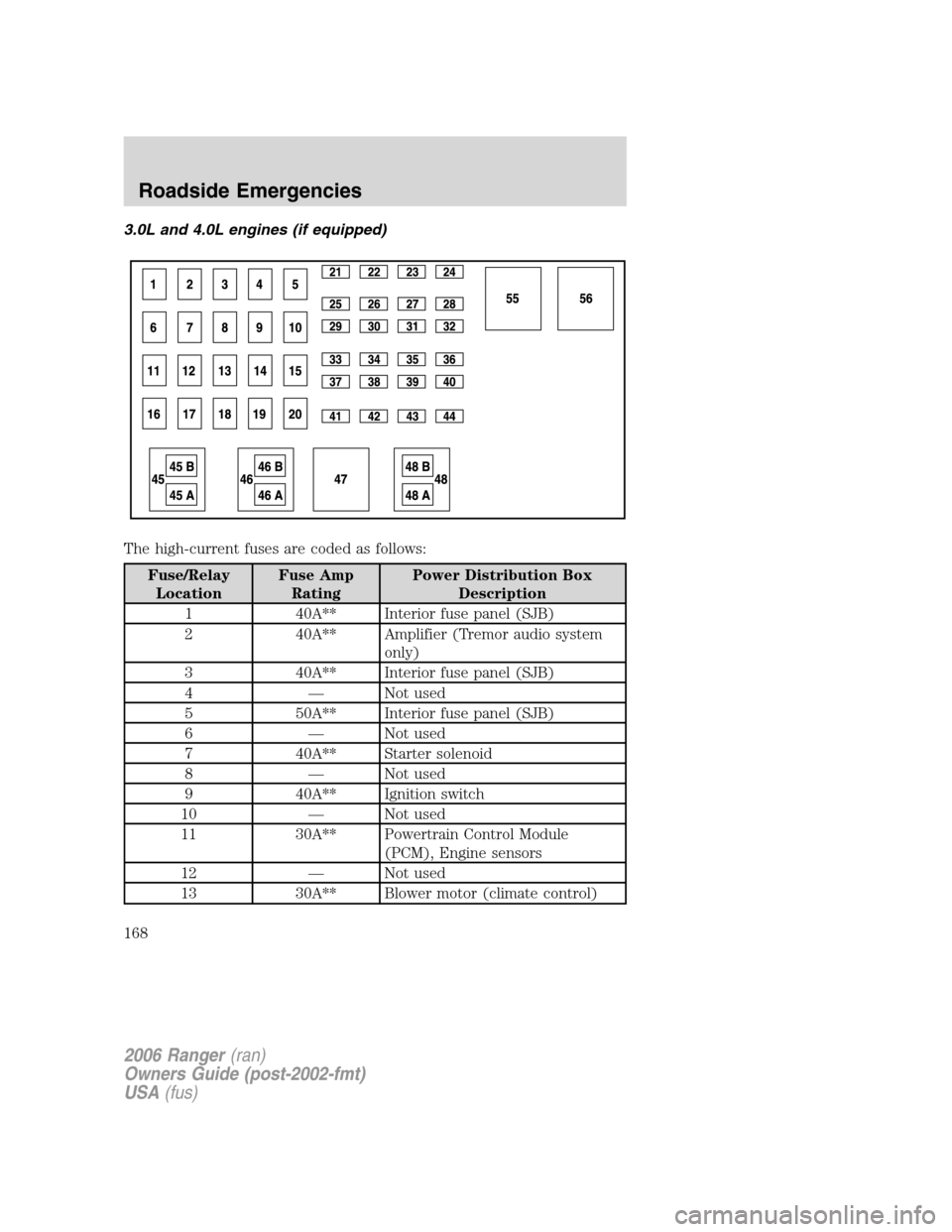
3.0L and 4.0L engines (if equipped)
The high-current fuses are coded as follows:
Fuse/Relay
LocationFuse Amp
RatingPower Distribution Box
Description
1 40A** Interior fuse panel (SJB)
2 40A** Amplifier (Tremor audio system
only)
3 40A** Interior fuse panel (SJB)
4 — Not used
5 50A** Interior fuse panel (SJB)
6 — Not used
7 40A** Starter solenoid
8 — Not used
9 40A** Ignition switch
10 — Not used
11 30A** Powertrain Control Module
(PCM), Engine sensors
12 — Not used
13 30A** Blower motor (climate control)
2006 Ranger(ran)
Owners Guide (post-2002-fmt)
USA(fus)
Roadside Emergencies
168
Page 251 of 256
A
Air cleaner filter ...............235–236
Airbag supplemental restraint
system ..........................................78
and child safety seats ..............80
description ................................78
disposal ......................................83
driver airbag ..............................81
indicator light ...........................82
operation ...................................81
passenger airbag .......................81
passenger deactivation
switch ........................................83
Ambulance packages ....................9
Antifreeze
(see Engine coolant) ................213
Anti-lock brake system
(see Brakes) ..............................139
Audio system
(see Radio) ..........18, 20, 23, 27, 30
Automatic transmission ............142
driving an automatic
overdrive .................................143
fluid, refill capacities ..............237
fluid, specification ..................243
Auxiliary power point .................50
Axle
lubricant specifications ..240, 243
refill capacities ........................237
traction lok ..............................141
B
Battery .......................................211
acid, treating emergencies .....211
jumping a disabled battery ....178
maintenance-free ....................211
replacement, specifications ...236
servicing ..................................211Bed extender ..............................55
BeltMinder ...................................73
Brakes ........................................139
anti-lock ...................................139
anti-lock brake system (ABS)
warning light ...........................139
fluid, checking and adding ....231
fluid, refill capacities ..............237
fluid, specifications .........240, 243
lubricant specifications ..240, 243
parking ....................................140
shift interlock ..........................142
Bulbs ............................................43
C
Capacities for refilling fluids ....237
Cargo area shade ........................55
Cargo net .....................................55
Cell phone use ..............................9
Changing a tire .........................170
Child safety restraints ................88
child safety belts ......................88
Child safety seats ........................92
attaching with tether straps ....96
in front seat ..............................93
in rear seat ................................93
Cleaning your vehicle
engine compartment ..............193
instrument panel ....................196
interior .....................................196
plastic parts ............................195
safety belts ..............................196
washing ....................................192
waxing .....................................192
wheels ......................................193
wiper blades ............................195
2006 Ranger(ran)
Owners Guide (post-2002-fmt)
USA(fus)
Index
251