lock FORD RANGER 2008 2.G Owner's Manual
[x] Cancel search | Manufacturer: FORD, Model Year: 2008, Model line: RANGER, Model: FORD RANGER 2008 2.GPages: 272, PDF Size: 2.73 MB
Page 62 of 272
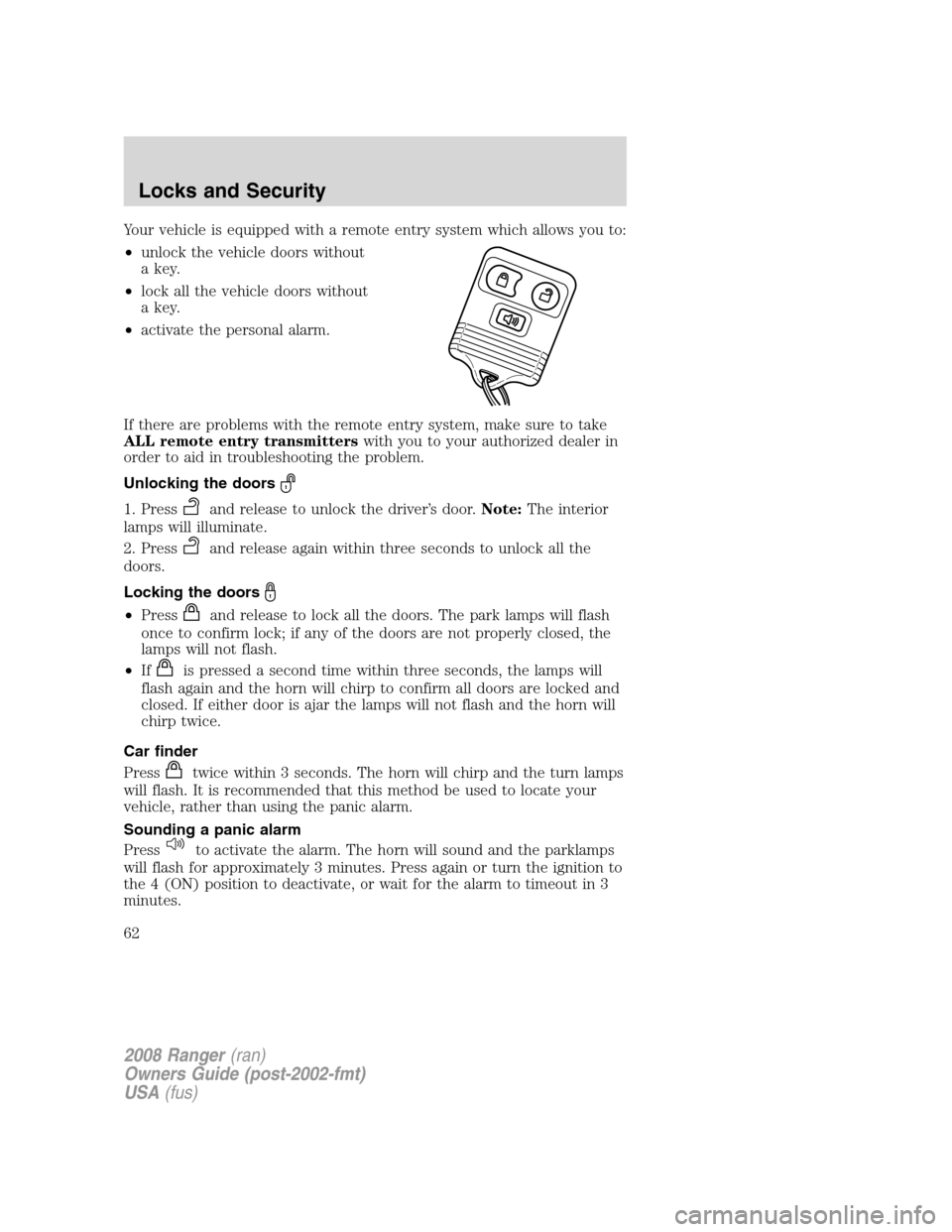
Your vehicle is equipped with a remote entry system which allows you to:
•unlock the vehicle doors without
a key.
•lock all the vehicle doors without
a key.
•activate the personal alarm.
If there are problems with the remote entry system, make sure to take
ALL remote entry transmitterswith you to your authorized dealer in
order to aid in troubleshooting the problem.
Unlocking the doors
1. Pressand release to unlock the driver’s door.Note:The interior
lamps will illuminate.
2. Press
and release again within three seconds to unlock all the
doors.
Locking the doors
•Pressand release to lock all the doors. The park lamps will flash
once to confirm lock; if any of the doors are not properly closed, the
lamps will not flash.
•If
is pressed a second time within three seconds, the lamps will
flash again and the horn will chirp to confirm all doors are locked and
closed. If either door is ajar the lamps will not flash and the horn will
chirp twice.
Car finder
Press
twice within 3 seconds. The horn will chirp and the turn lamps
will flash. It is recommended that this method be used to locate your
vehicle, rather than using the panic alarm.
Sounding a panic alarm
Press
to activate the alarm. The horn will sound and the parklamps
will flash for approximately 3 minutes. Press again or turn the ignition to
the 4 (ON) position to deactivate, or wait for the alarm to timeout in 3
minutes.
2008 Ranger(ran)
Owners Guide (post-2002-fmt)
USA(fus)
Locks and Security
62
Page 63 of 272
Note:The panic alarm will only operate when the ignition is in the 2
(LOCK) or 3 (OFF) position.
Replacing the battery
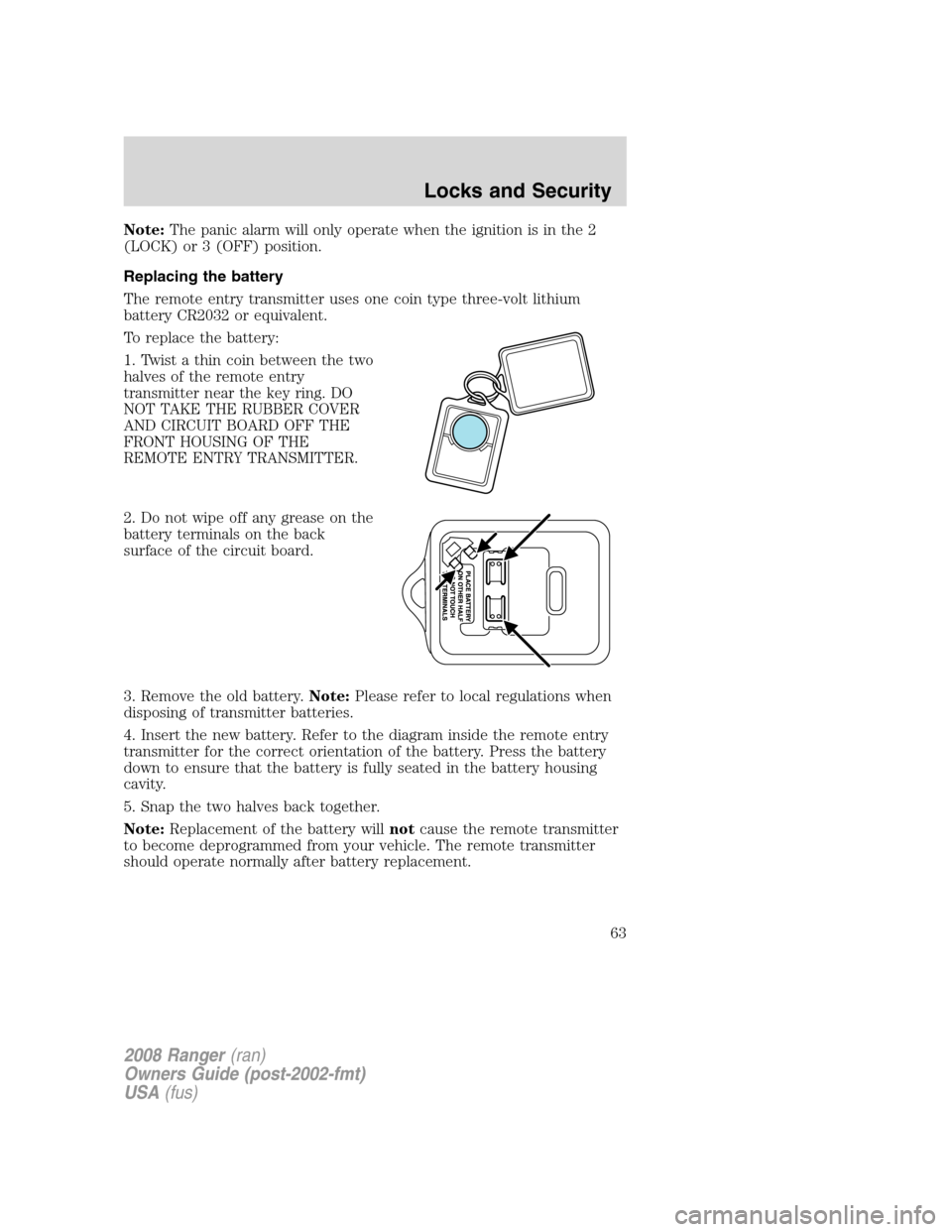
The remote entry transmitter uses one coin type three-volt lithium
battery CR2032 or equivalent.
To replace the battery:
1. Twist a thin coin between the two
halves of the remote entry
transmitter near the key ring. DO
NOT TAKE THE RUBBER COVER
AND CIRCUIT BOARD OFF THE
FRONT HOUSING OF THE
REMOTE ENTRY TRANSMITTER.
2. Do not wipe off any grease on the
battery terminals on the back
surface of the circuit board.
3. Remove the old battery.Note:Please refer to local regulations when
disposing of transmitter batteries.
4. Insert the new battery. Refer to the diagram inside the remote entry
transmitter for the correct orientation of the battery. Press the battery
down to ensure that the battery is fully seated in the battery housing
cavity.
5. Snap the two halves back together.
Note:Replacement of the battery willnotcause the remote transmitter
to become deprogrammed from your vehicle. The remote transmitter
should operate normally after battery replacement.
2008 Ranger(ran)
Owners Guide (post-2002-fmt)
USA(fus)
Locks and Security
63
Page 64 of 272
Replacing lost remote entry transmitters
If you would like to have your remote entry transmitter reprogrammed
because you lost one, or would like to buy additional remote entry
transmitters, you can either reprogram them yourself, or takeall
remote entry transmittersto your authorized dealer for
reprogramming.
How to reprogram your remote entry transmitters
You must haveall remote entry transmitters(maximum of four)
available before beginning this procedure.
Note:Ensure the brake pedal is not
depressed during this sequence.
To reprogram the remote entry
transmitters:
1. Ensure the vehicle is
electronically unlocked.
2. Put the key in the ignition.
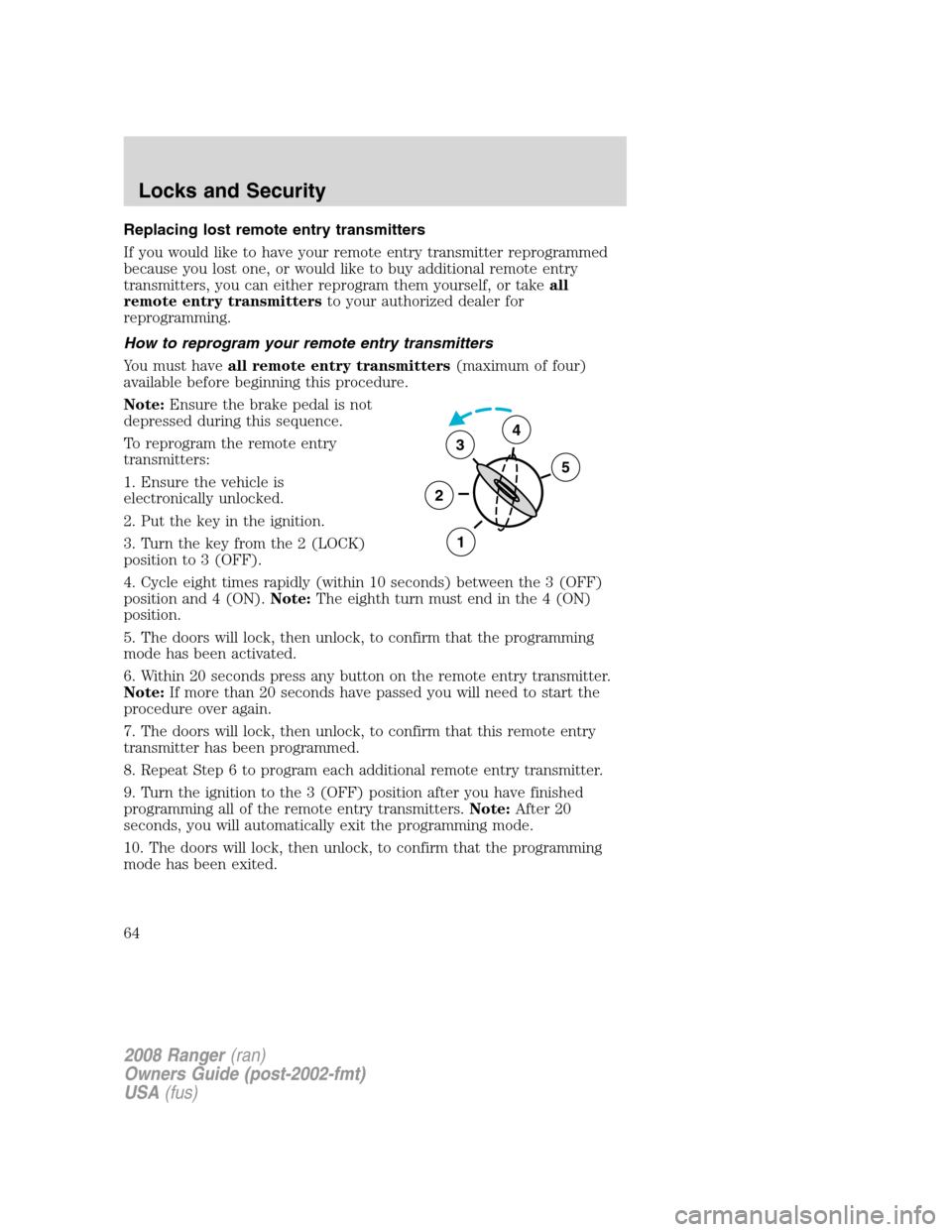
3. Turn the key from the 2 (LOCK)
position to 3 (OFF).
4. Cycle eight times rapidly (within 10 seconds) between the 3 (OFF)
position and 4 (ON).Note:The eighth turn must end in the 4 (ON)
position.
5. The doors will lock, then unlock, to confirm that the programming
mode has been activated.
6. Within 20 seconds press any button on the remote entry transmitter.
Note:If more than 20 seconds have passed you will need to start the
procedure over again.
7. The doors will lock, then unlock, to confirm that this remote entry
transmitter has been programmed.
8. Repeat Step 6 to program each additional remote entry transmitter.
9. Turn the ignition to the 3 (OFF) position after you have finished
programming all of the remote entry transmitters.Note:After 20
seconds, you will automatically exit the programming mode.
10. The doors will lock, then unlock, to confirm that the programming
mode has been exited.
3
2
1
5
4
2008 Ranger(ran)
Owners Guide (post-2002-fmt)
USA(fus)
Locks and Security
64
Page 65 of 272
Illuminated entry
The interior lamps illuminate when the remote entry system is used to
unlock the door(s) or sound the personal alarm.
The illuminated entry system will turn off the interior lights if:
•the ignition switch is turned to the ON position, or
•the remote transmitter lock control is pressed, or
•after 25 seconds of illumination.
The inside lights will not turn off if:
•they have been turned on with the dimmer control, or
•any door is open.
The battery saver will shut off the interior lamps after several minutes if
they are left on accidentally.
SECURILOCK™ PASSIVE ANTI-THEFT SYSTEM (IF EQUIPPED)
SecuriLock™ passive anti-theft system is an engine immobilization
system. This system is designed to help prevent the engine from being
started unless acoded key programmed to your vehicleis used. The
use of the wrong type of coded key may lead to a “no-start” condition.
Your vehicle comes with two coded keys; additional coded keys may be
purchased from your authorized dealer. The authorized dealer can
program your spare keys to your vehicle or you can program the keys
yourself. Refer toProgramming spare keysfor instructions on how to
program the coded key.
Note:The SecuriLock™ passive anti-theft system is not compatible with
non-Ford aftermarket remote start systems. Use of these systems may
result in vehicle starting problems and a loss of security protection.
Note:Large metallic objects, electronic devices that are used to
purchase gasoline or similar items, or a second coded key on the same
key chain may cause vehicle starting issues. You need to prevent these
objects from touching the coded key while starting the engine. These
objects will not cause damage to the coded key, but may cause a
momentary issue if they are too close to the key when starting the
engine. If a problem occurs, turn the ignition off, remove all objects on
the key chain away from the coded key and restart the engine.
2008 Ranger(ran)
Owners Guide (post-2002-fmt)
USA(fus)
Locks and Security
65
Page 66 of 272
Anti-theft indicator
The anti-theft indicator is located in
the instrument cluster.
Vehicles equipped with the SecuriLock™ Passive Anti-theft system
behave as follows:
•When the ignition is in the 1(OFF/LOCK) position, the indicator will
flash once every 2 seconds for a total of 10 seconds to indicate the
SecuriLock™ system is functioning as a theft deterrent.
•When the ignition is in the 3 (ON) position, the indicator will glow for
3 seconds to indicate a programmed key has been validated and the
SecuriLock™ Passive Anti-theft system has enabled the engine.
Vehicles without the SecuriLock™ Passive Anti-theft system behave as
follows:
•When the ignition is in the 1 (OFF/LOCK) position, the indicator will
not flash.
•When the igniton is in the 3 (ON) position, the indicator will glow for
3 seconds to indicate the engine is enabled.
Replacement keys
If your keys are lost or stolen and you don’t have an extra coded key,
you will need to have your vehicle towed to an authorized dealer. The
key codes need to be erased from your vehicle and new coded keys will
need to be programmed.
Replacing coded keys can be very costly. Store an extra programmed key
away from the vehicle in a safe place to help prevent any
inconveniences. Please visit an authorized dealer to purchase additional
spare or replacement keys.
Programming spare keys
You can program your own coded keys to your vehicle. Please read and
understand the entire procedure before you begin.
Tips:
•A maximum of eight keys can be coded to your vehicle.
•Only use Securilock™ keys.
•You must have two previously programmed coded keys (keys that
already operate your vehicle’s engine) and the new unprogrammed
key(s) readily accessible.
2008 Ranger(ran)
Owners Guide (post-2002-fmt)
USA(fus)
Locks and Security
66
Page 67 of 272
•If no previously programmed coded keys are available, you must take
your vehicle to your authorized dealer to have the spare key(s)
programmed.
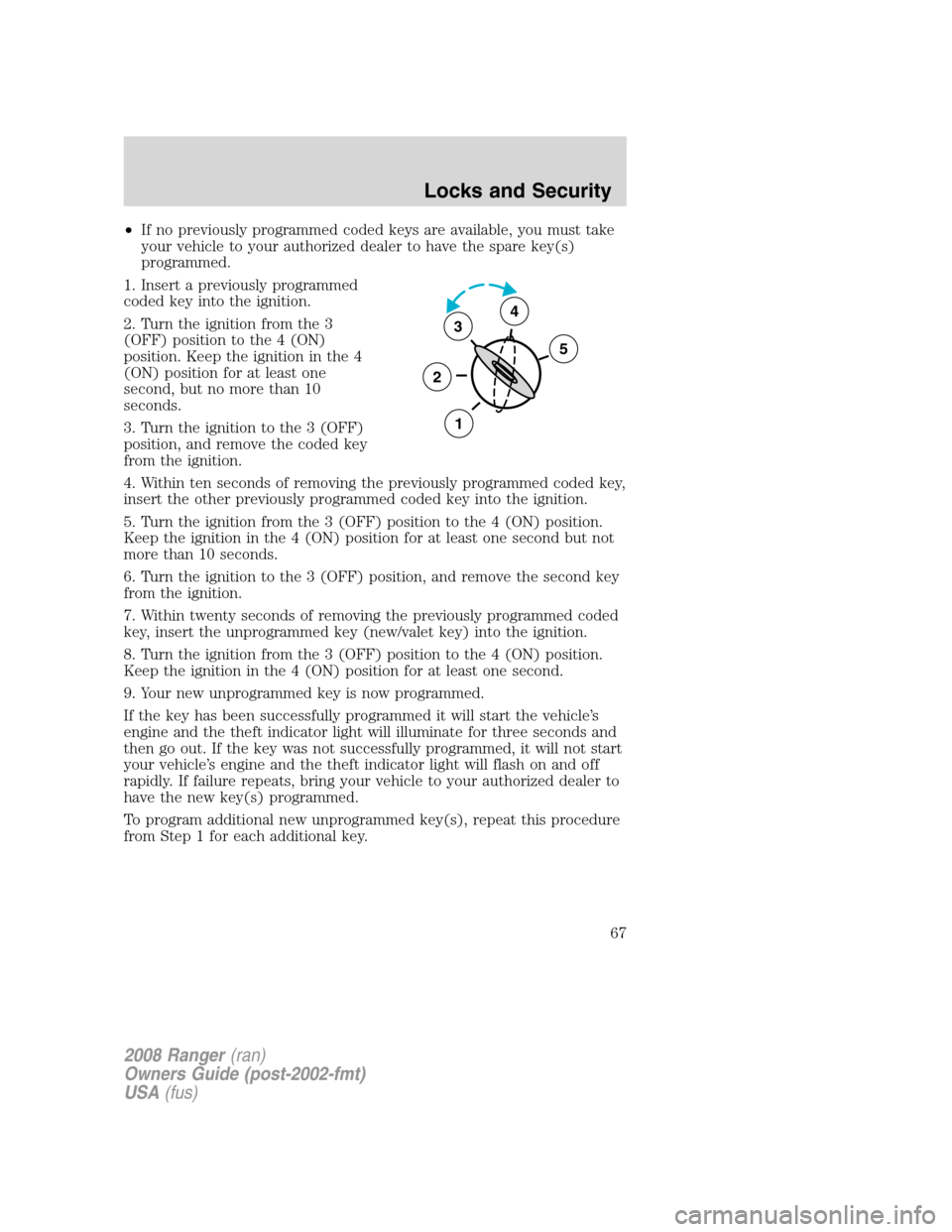
1. Insert a previously programmed
coded key into the ignition.
2. Turn the ignition from the 3
(OFF) position to the 4 (ON)
position. Keep the ignition in the 4
(ON) position for at least one
second, but no more than 10
seconds.
3. Turn the ignition to the 3 (OFF)
position, and remove the coded key
from the ignition.
4. Within ten seconds of removing the previously programmed coded key,
insert the other previously programmed coded key into the ignition.
5. Turn the ignition from the 3 (OFF) position to the 4 (ON) position.
Keep the ignition in the 4 (ON) position for at least one second but not
more than 10 seconds.
6. Turn the ignition to the 3 (OFF) position, and remove the second key
from the ignition.
7. Within twenty seconds of removing the previously programmed coded
key, insert the unprogrammed key (new/valet key) into the ignition.
8. Turn the ignition from the 3 (OFF) position to the 4 (ON) position.
Keep the ignition in the 4 (ON) position for at least one second.
9. Your new unprogrammed key is now programmed.
If the key has been successfully programmed it will start the vehicle’s
engine and the theft indicator light will illuminate for three seconds and
then go out. If the key was not successfully programmed, it will not start
your vehicle’s engine and the theft indicator light will flash on and off
rapidly. If failure repeats, bring your vehicle to your authorized dealer to
have the new key(s) programmed.
To program additional new unprogrammed key(s), repeat this procedure
from Step 1 for each additional key.
3
2
1
5
4
2008 Ranger(ran)
Owners Guide (post-2002-fmt)
USA(fus)
Locks and Security
67
Page 69 of 272
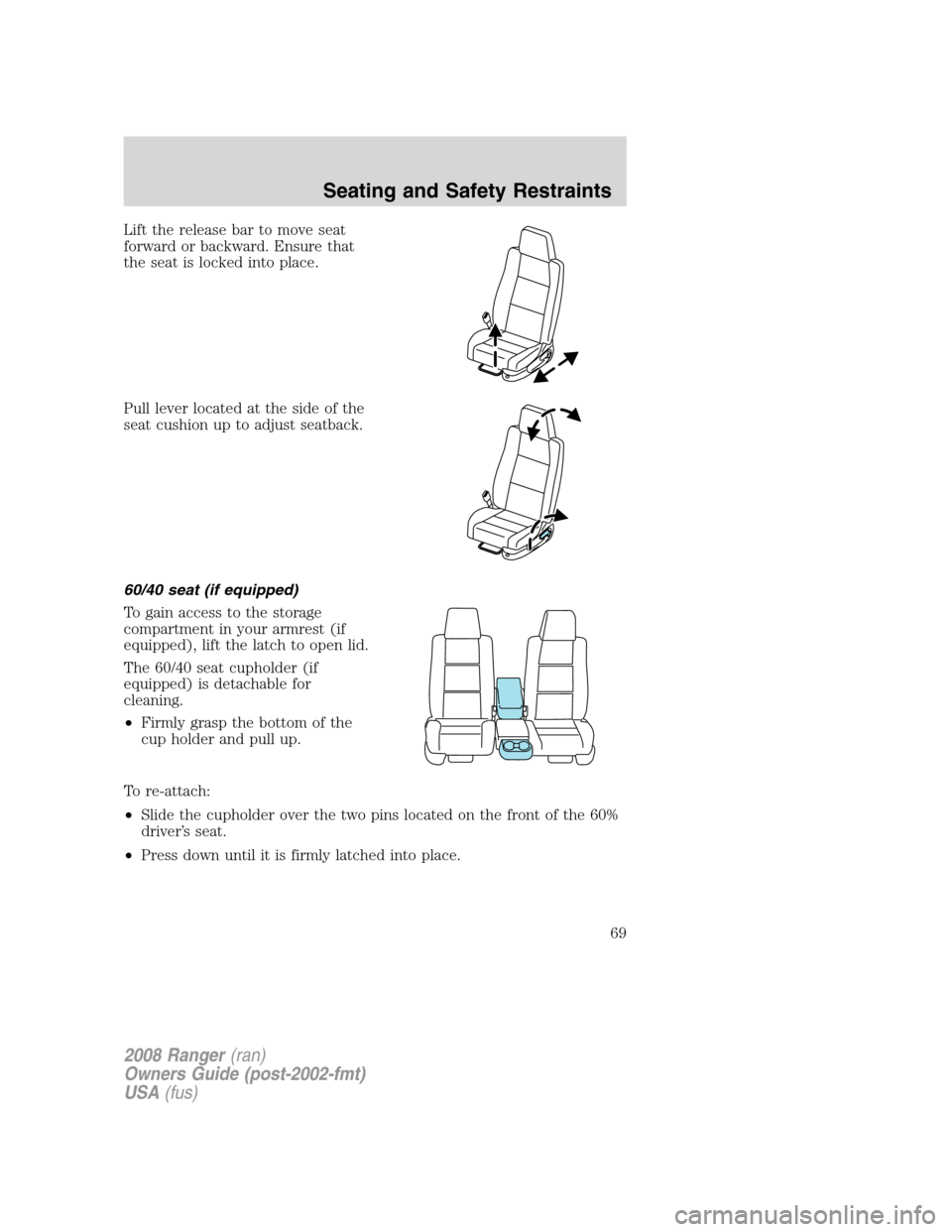
Lift the release bar to move seat
forward or backward. Ensure that
the seat is locked into place.
Pull lever located at the side of the
seat cushion up to adjust seatback.
60/40 seat (if equipped)
To gain access to the storage
compartment in your armrest (if
equipped), lift the latch to open lid.
The 60/40 seat cupholder (if
equipped) is detachable for
cleaning.
•Firmly grasp the bottom of the
cup holder and pull up.
To re-attach:
•Slide the cupholder over the two pins located on the front of the 60%
driver’s seat.
•Press down until it is firmly latched into place.
2008 Ranger(ran)
Owners Guide (post-2002-fmt)
USA(fus)
Seating and Safety Restraints
69
Page 70 of 272
Using the manual lumbar support (if equipped)
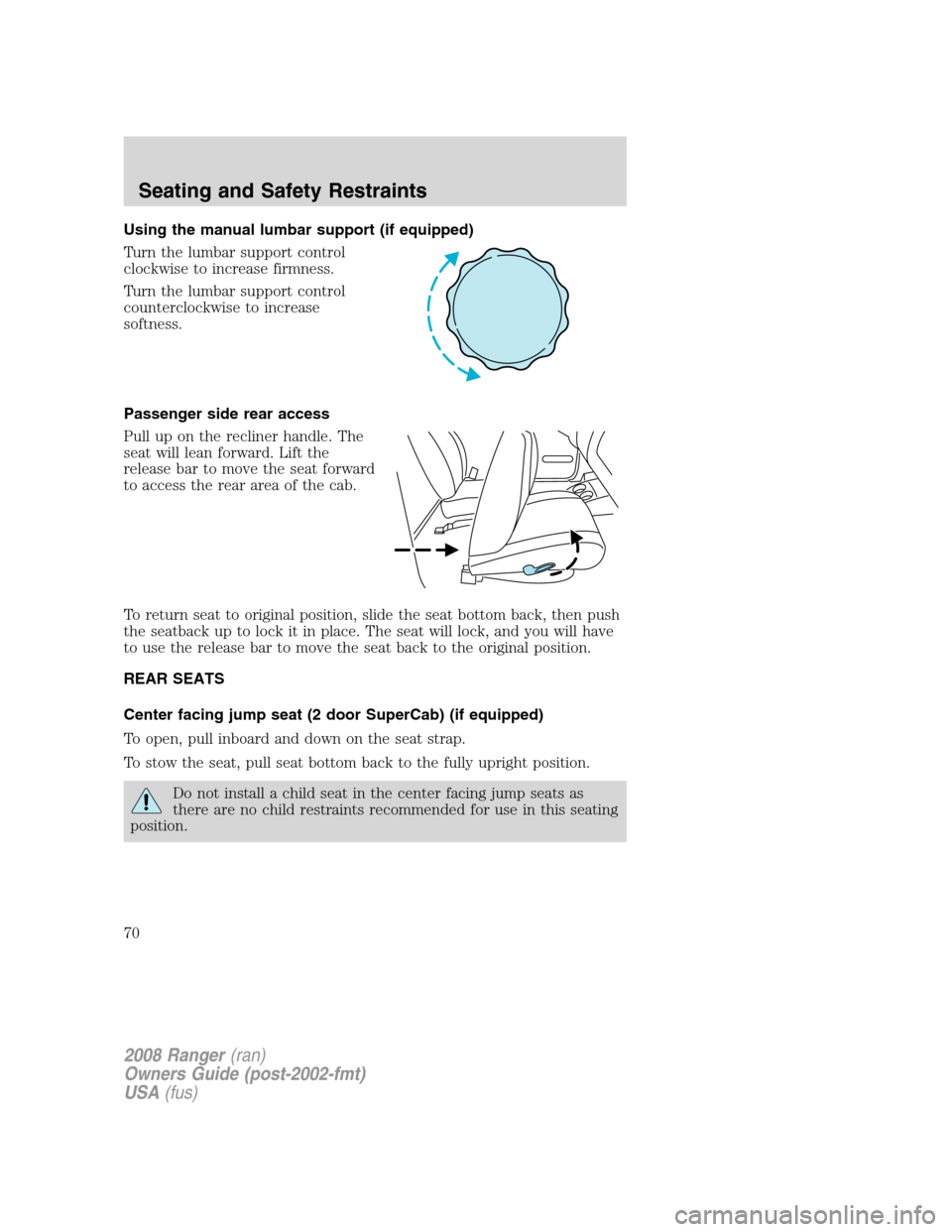
Turn the lumbar support control
clockwise to increase firmness.
Turn the lumbar support control
counterclockwise to increase
softness.
Passenger side rear access
Pull up on the recliner handle. The
seat will lean forward. Lift the
release bar to move the seat forward
to access the rear area of the cab.
To return seat to original position, slide the seat bottom back, then push
the seatback up to lock it in place. The seat will lock, and you will have
to use the release bar to move the seat back to the original position.
REAR SEATS
Center facing jump seat (2 door SuperCab) (if equipped)
To open, pull inboard and down on the seat strap.
To stow the seat, pull seat bottom back to the fully upright position.
Do not install a child seat in the center facing jump seats as
there are no child restraints recommended for use in this seating
position.
2008 Ranger(ran)
Owners Guide (post-2002-fmt)
USA(fus)
Seating and Safety Restraints
70
Page 77 of 272
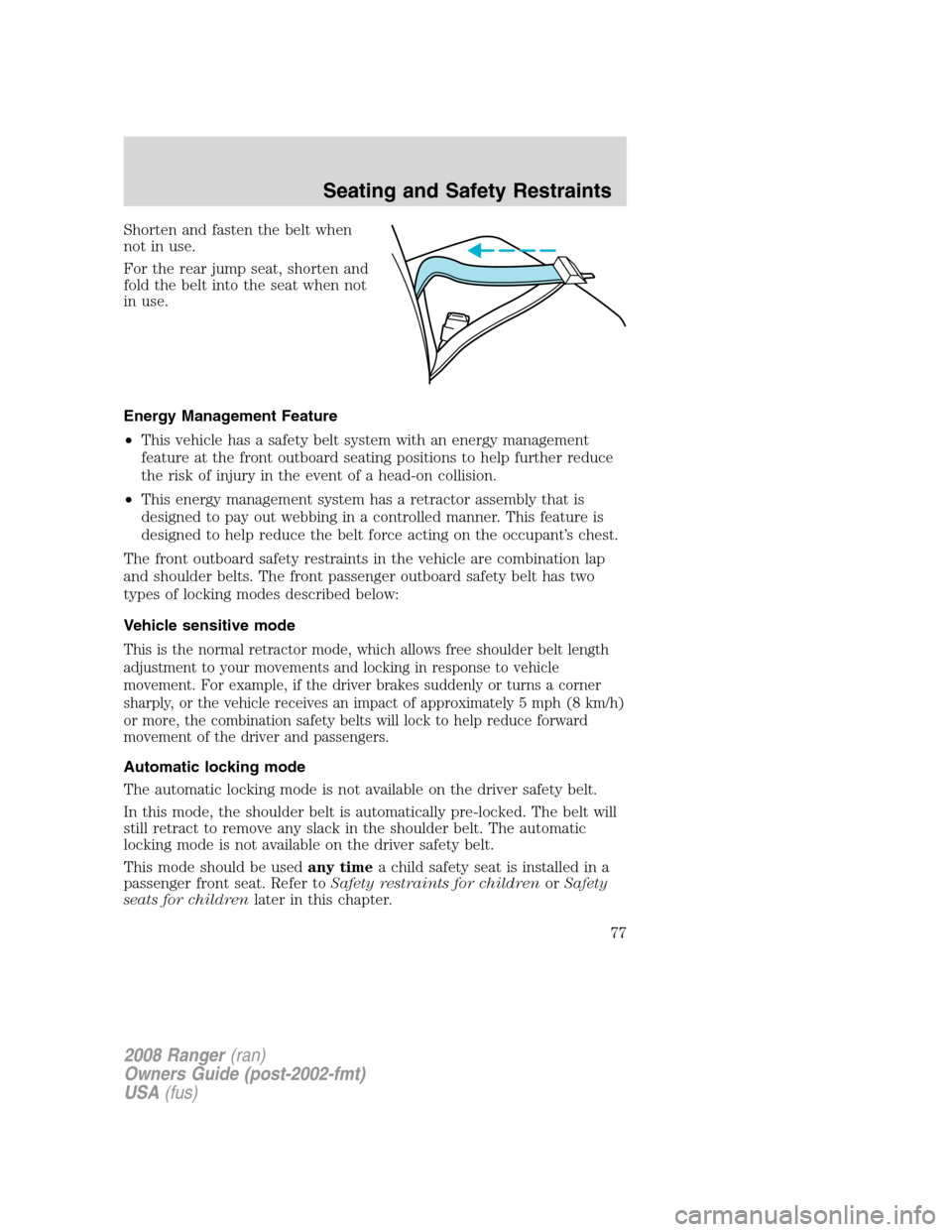
Shorten and fasten the belt when
not in use.
For the rear jump seat, shorten and
fold the belt into the seat when not
in use.
Energy Management Feature
•This vehicle has a safety belt system with an energy management
feature at the front outboard seating positions to help further reduce
the risk of injury in the event of a head-on collision.
•This energy management system has a retractor assembly that is
designed to pay out webbing in a controlled manner. This feature is
designed to help reduce the belt force acting on the occupant’s chest.
The front outboard safety restraints in the vehicle are combination lap
and shoulder belts. The front passenger outboard safety belt has two
types of locking modes described below:
Vehicle sensitive mode
This is the normal retractor mode, which allows free shoulder belt length
adjustment to your movements and locking in response to vehicle
movement. For example, if the driver brakes suddenly or turns a corner
sharply, or the vehicle receives an impact of approximately 5 mph (8 km/h)
or more, the combination safety belts will lock to help reduce forward
movement of the driver and passengers.
Automatic locking mode
The automatic locking mode is not available on the driver safety belt.
In this mode, the shoulder belt is automatically pre-locked. The belt will
still retract to remove any slack in the shoulder belt. The automatic
locking mode is not available on the driver safety belt.
This mode should be usedany timea child safety seat is installed in a
passenger front seat. Refer toSafety restraints for childrenorSafety
seats for childrenlater in this chapter.
2008 Ranger(ran)
Owners Guide (post-2002-fmt)
USA(fus)
Seating and Safety Restraints
77
Page 78 of 272
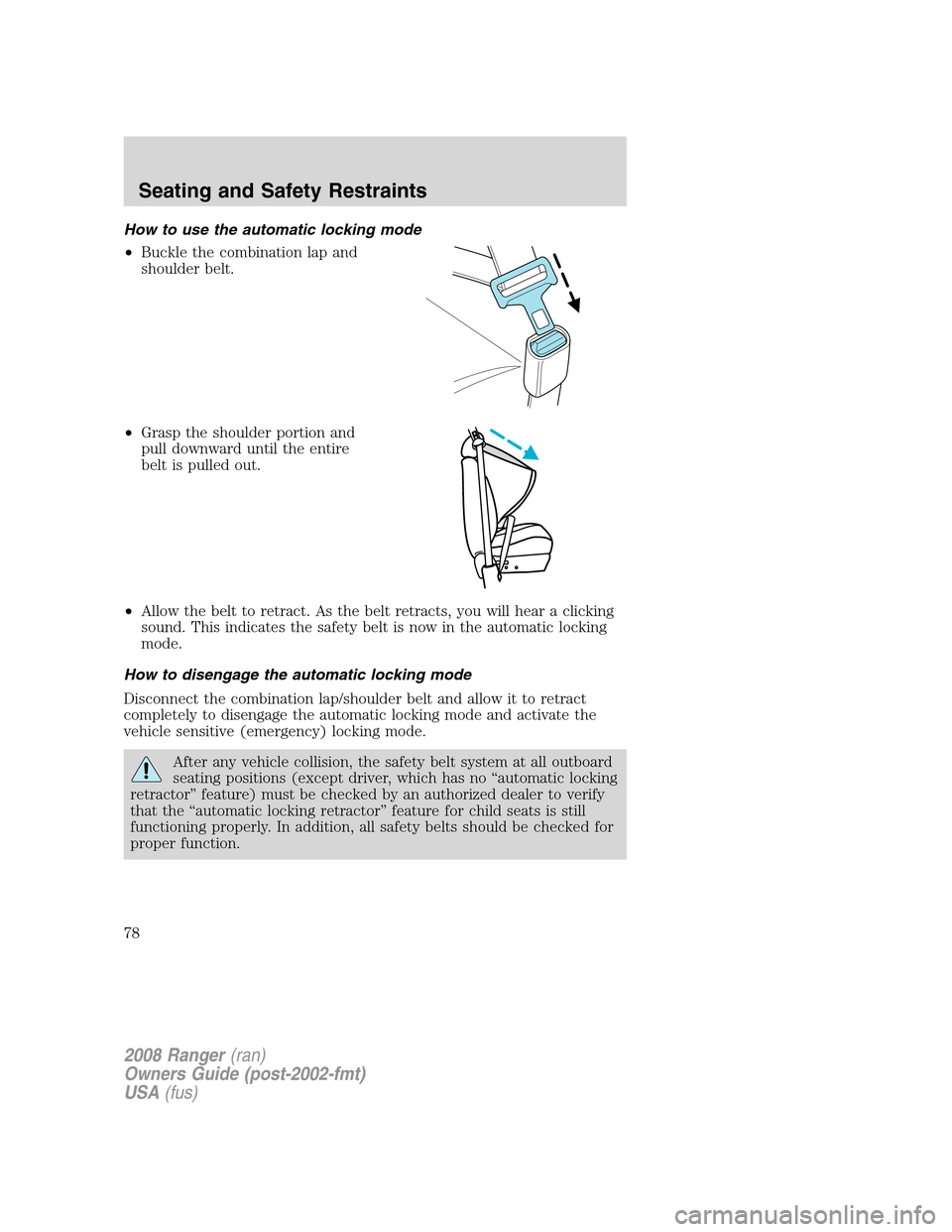
How to use the automatic locking mode
•Buckle the combination lap and
shoulder belt.
•Grasp the shoulder portion and
pull downward until the entire
belt is pulled out.
•Allow the belt to retract. As the belt retracts, you will hear a clicking
sound. This indicates the safety belt is now in the automatic locking
mode.
How to disengage the automatic locking mode
Disconnect the combination lap/shoulder belt and allow it to retract
completely to disengage the automatic locking mode and activate the
vehicle sensitive (emergency) locking mode.
After any vehicle collision, the safety belt system at all outboard
seating positions (except driver, which has no “automatic locking
retractor” feature) must be checked by an authorized dealer to verify
that the “automatic locking retractor” feature for child seats is still
functioning properly. In addition, all safety belts should be checked for
proper function.
2008 Ranger(ran)
Owners Guide (post-2002-fmt)
USA(fus)
Seating and Safety Restraints
78