audio FORD RANGER 2009 2.G Owners Manual
[x] Cancel search | Manufacturer: FORD, Model Year: 2009, Model line: RANGER, Model: FORD RANGER 2009 2.GPages: 280, PDF Size: 2.45 MB
Page 1 of 280
Introduction 4
Instrument Cluster 12
Warning lights and chimes 12
Gauges 16
Entertainment Systems 19
AM/FM stereo 19
AM/FM Stereo single CD/MP3 system 21
CDX6/MP3 Premium/Audiophile Pioneer system 26
Auxiliary input jack (Line in) 32
Satellite radio information 37
Climate Controls 41
Heater only 41
Manual heating and air conditioning 42
Lights 44
Headlamps 44
Turn signal control 48
Bulb replacement 48
Driver Controls 54
Windshield wiper/washer control 54
Steering wheel adjustment 55
Power windows 56
Mirrors 57
Speed control 58
Locks and Security 63
Keys 63
Locks 63
Anti-theft system 67
Table of Contents
1
2009 Ranger(ran)
Owners Guide, 1st Printing
USA(fus)
Page 19 of 280
AUDIO SYSTEMS
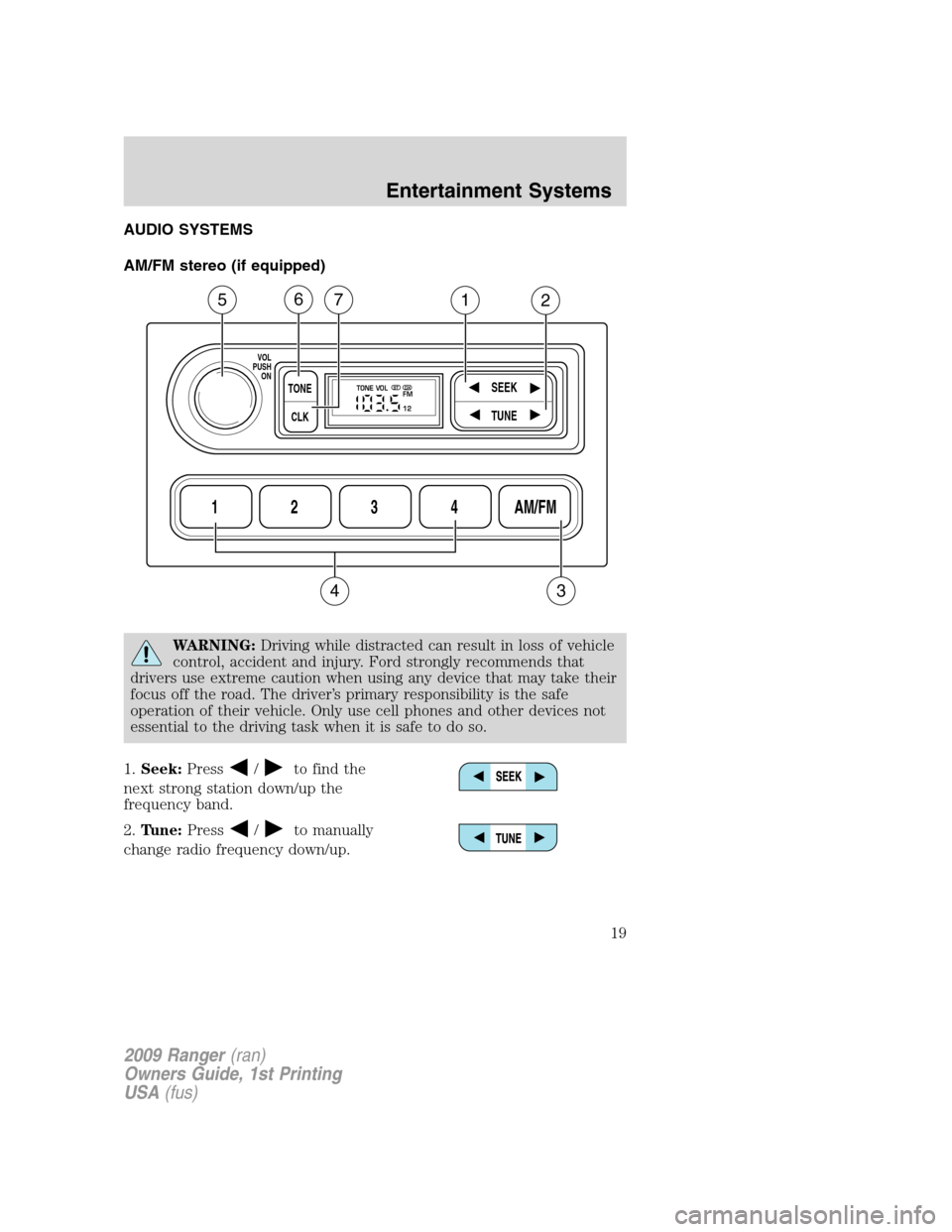
AM/FM stereo (if equipped)
WARNING:Driving while distracted can result in loss of vehicle
control, accident and injury. Ford strongly recommends that
drivers use extreme caution when using any device that may take their
focus off the road. The driver’s primary responsibility is the safe
operation of their vehicle. Only use cell phones and other devices not
essential to the driving task when it is safe to do so.
1.Seek:Press
/to find the
next strong station down/up the
frequency band.
2.Tune:Press
/to manually
change radio frequency down/up.
1234AM/FM
SEEKTONE
CLK
TUNE
TONE VOL
12 FMSTDX
VOL
PUSH
ON
5
3
67
4
12
2009 Ranger(ran)
Owners Guide, 1st Printing
USA(fus)
Entertainment Systems
19
Page 20 of 280
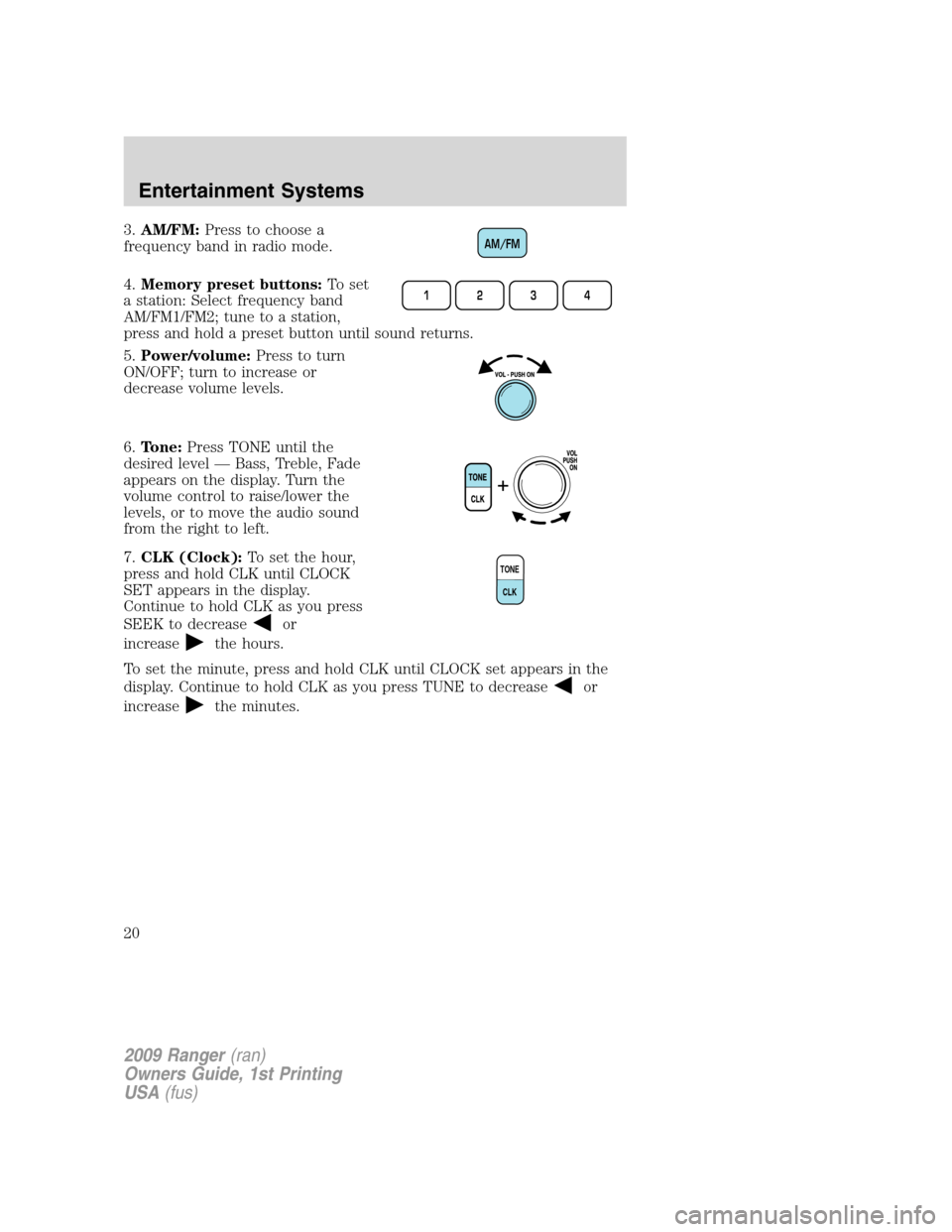
3.AM/FM:Press to choose a
frequency band in radio mode.
4.Memory preset buttons:To set
a station: Select frequency band
AM/FM1/FM2; tune to a station,
press and hold a preset button until sound returns.
5.Power/volume:Press to turn
ON/OFF; turn to increase or
decrease volume levels.
6.Tone:Press TONE until the
desired level — Bass, Treble, Fade
appears on the display. Turn the
volume control to raise/lower the
levels, or to move the audio sound
from the right to left.
7.CLK (Clock):To set the hour,
press and hold CLK until CLOCK
SET appears in the display.
Continue to hold CLK as you press
SEEK to decrease
or
increase
the hours.
To set the minute, press and hold CLK until CLOCK set appears in the
display. Continue to hold CLK as you press TUNE to decrease
or
increase
the minutes.
AM/FM
1234
TONE
CLK
2009 Ranger(ran)
Owners Guide, 1st Printing
USA(fus)
Entertainment Systems
20
Page 23 of 280
delete, press SEEKor preset #6. The song will appear in the
display for confirmation. Press SEEK
or preset #6 again and the
display will read SONG DELETED. If you do not want to delete the
currently listed song, press
MENUto select either RETURN or
CANCEL.
Note:If there are no songs presently saved, the display will read NO
SONGS.
•DELETE ALL SONGS:Press SEEK
or preset #6 to delete all
songs from the system’s memory. The display will read ARE YOU
SURE ? Press SEEK
or preset #6 to confirm deletion of all saved
songs and the display will read ALL DELETED.
Note:If there are no songs presently saved, the display will read NO
SONGS.
•ENABLE ALERTS / DISABLE ALERTS:Press SEEK
or preset
#6 to enable/disable the satellite alert status which alerts you when
your selected songs are playing on a satellite radio channel. (The
system default is disabled.) SONG ALERTS ENABLED/DISABLED will
appear in the display. The menu listing will display the opposite state.
For example, if you have chosen to enable the song alerts, the menu
listing will read DISABLE as the alerts are currently on, so your other
optionistoturnthemoff.
Satellite radio is available only with a valid SIRIUS radio
subscription. Check with your authorized dealer for availability.
Autoset:Press
MENUto set the strongest local radio stations
for AM/FM1/FM2 without losing your original manually set preset
stations.
When the six strongest stations are filled, the station stored in preset 1
will begin playing. If there are less than six strong stations, the system
will store the last one in the remaining presets.
Bass:Press
MENUto decrease/increase the bass setting.
Treble:Press
MENUto decrease/increase the treble setting.
Balance:Press
MENUto adjust the audio between the left and
right speakers.
Fade:Press
MENUto adjust the audio between the front and
rear speakers.
Next/previous directory:In MP3 mode, press
MENUto go to
the previous/next directory.
2009 Ranger(ran)
Owners Guide, 1st Printing
USA(fus)
Entertainment Systems
23
Page 25 of 280
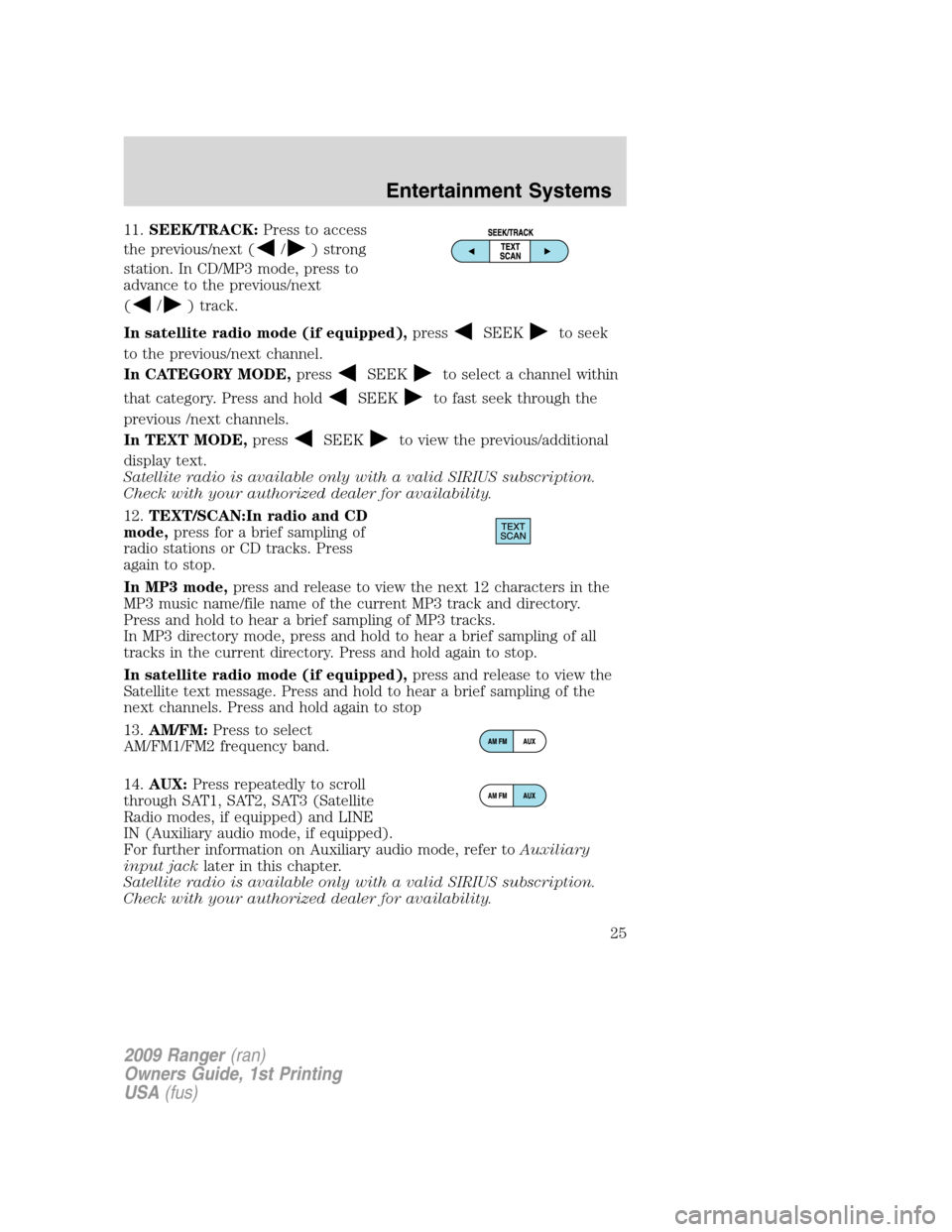
11.SEEK/TRACK:Press to access
the previous/next (
/) strong
station. In CD/MP3 mode, press to
advance to the previous/next
(
/) track.
In satellite radio mode (if equipped),press
SEEKto seek
to the previous/next channel.
In CATEGORY MODE,press
SEEKto select a channel within
that category. Press and hold
SEEKto fast seek through the
previous /next channels.
In TEXT MODE,press
SEEKto view the previous/additional
display text.
Satellite radio is available only with a valid SIRIUS subscription.
Check with your authorized dealer for availability.
12.TEXT/SCAN:In radio and CD
mode,press for a brief sampling of
radio stations or CD tracks. Press
again to stop.
In MP3 mode,press and release to view the next 12 characters in the
MP3 music name/file name of the current MP3 track and directory.
Press and hold to hear a brief sampling of MP3 tracks.
In MP3 directory mode, press and hold to hear a brief sampling of all
tracks in the current directory. Press and hold again to stop.
In satellite radio mode (if equipped),press and release to view the
Satellite text message. Press and hold to hear a brief sampling of the
next channels. Press and hold again to stop
13.AM/FM:Press to select
AM/FM1/FM2 frequency band.
14.AUX:Press repeatedly to scroll
through SAT1, SAT2, SAT3 (Satellite
Radio modes, if equipped) and LINE
IN (Auxiliary audio mode, if equipped).
For further information on Auxiliary audio mode, refer toAuxiliary
input jacklater in this chapter.
Satellite radio is available only with a valid SIRIUS subscription.
Check with your authorized dealer for availability.
2009 Ranger(ran)
Owners Guide, 1st Printing
USA(fus)
Entertainment Systems
25
Page 26 of 280
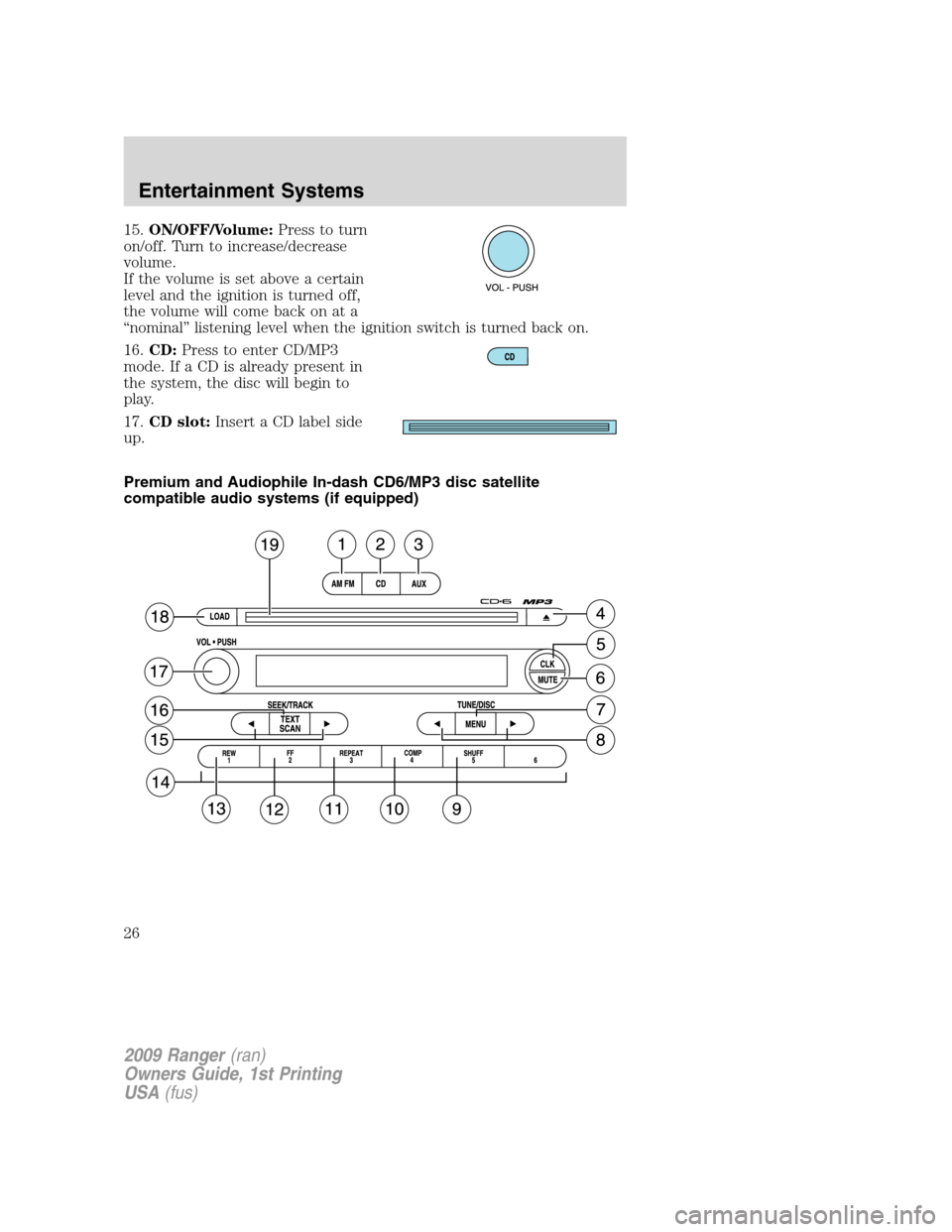
15.ON/OFF/Volume:Press to turn
on/off. Turn to increase/decrease
volume.
If the volume is set above a certain
level and the ignition is turned off,
the volume will come back on at a
“nominal” listening level when the ignition switch is turned back on.
16.CD:Press to enter CD/MP3
mode. If a CD is already present in
the system, the disc will begin to
play.
17.CD slot:Insert a CD label side
up.
Premium and Audiophile In-dash CD6/MP3 disc satellite
compatible audio systems (if equipped)
2009 Ranger(ran)
Owners Guide, 1st Printing
USA(fus)
Entertainment Systems
26
Page 27 of 280
WARNING:Driving while distracted can result in loss of vehicle
control, accident and injury. Ford strongly recommends that
drivers use extreme caution when using any device that may take their
focus off the road. The driver’s primary responsibility is the safe
operation of their vehicle. Only use cell phones and other devices not
essential to the driving task when it is safe to do so.
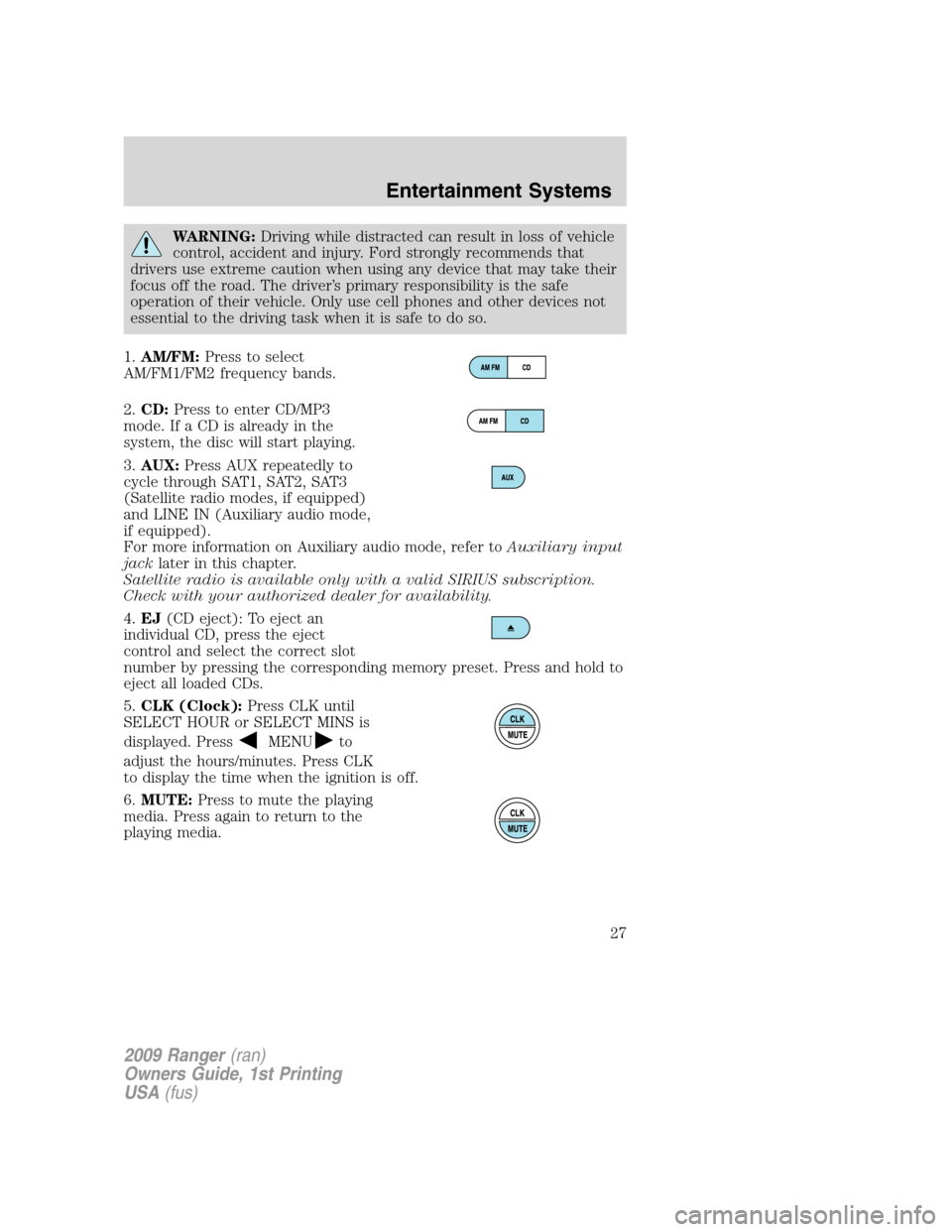
1.AM/FM:Press to select
AM/FM1/FM2 frequency bands.
2.CD:Press to enter CD/MP3
mode. If a CD is already in the
system, the disc will start playing.
3.AUX:Press AUX repeatedly to
cycle through SAT1, SAT2, SAT3
(Satellite radio modes, if equipped)
and LINE IN (Auxiliary audio mode,
if equipped).
For more information on Auxiliary audio mode, refer toAuxiliary input
jacklater in this chapter.
Satellite radio is available only with a valid SIRIUS subscription.
Check with your authorized dealer for availability.
4.EJ(CD eject): To eject an
individual CD, press the eject
control and select the correct slot
number by pressing the corresponding memory preset. Press and hold to
eject all loaded CDs.
5.CLK (Clock):Press CLK until
SELECT HOUR or SELECT MINS is
displayed. Press
MENUto
adjust the hours/minutes. Press CLK
to display the time when the ignition is off.
6.MUTE:Press to mute the playing
media. Press again to return to the
playing media.
2009 Ranger(ran)
Owners Guide, 1st Printing
USA(fus)
Entertainment Systems
27
Page 29 of 280
•DELETE ALL SONGS:Press SEEKor preset #6 to delete all
songs from the system’s memory. The display will read ARE YOU
SURE ? Press SEEK
or preset #6 to confirm deletion of all saved
songs and the display will read ALL DELETED.
Note:If there are no songs presently saved, the display will read NO
SONGS.
•ENABLE ALERTS / DISABLE ALERTS:Press SEEK
or preset
#6 to enable/disable the satellite alert status which alerts you when
your selected songs are playing on a satellite radio channel. (The
system default is disabled.) SONG ALERTS ENABLED/DISABLED will
appear in the display. The menu listing will display the opposite state.
For example, if you have chosen to enable the song alerts, the menu
listing will read DISABLE as the alerts are currently on, so your other
optionistoturnthemoff.
Satellite radio is available only with a valid SIRIUS radio
subscription. Check with your authorized dealer for availability.
AUTOSET:Allows you to set the strongest local radio stations without
losing your original manually set preset stations for AM/FM1/FM2 . Press
MENU to access. Use
MENUto set.
When the six strongest stations are filled, the station stored in preset 1
will begin playing. If there are less than six strong stations, the system
will store the last one in the remaining presets.
BASS:Press
MENUto decrease/increase the bass setting.
TREBLE:Press
MENUto decrease/increase the treble setting.
BALANCE:Press
MENUto adjust the audio between the left
and right speakers.
FADE:Press
MENUto adjust the audio between the front and
rear speakers.
Next/previous directory:In MP3 mode, press MENU
/to go to
the previous/next directory.
Flat file/directory mode:In MP3 mode, press MENU to access this
feature. Use
MENUto select flat file mode or directory mode.
2009 Ranger(ran)
Owners Guide, 1st Printing
USA(fus)
Entertainment Systems
29
Page 32 of 280
18.LOAD:Press to load a CD. To
load a CD disc to a specific slot,
press LOAD and select the slot
number by pressing the memory preset buttons. Press and hold LOAD to
autoload up to six discs.
19.CD slot:Insert a CD, label
side up.
Auxiliary input jack (Line in)-(if equipped)
WARNING:Driving while distracted can result in loss of vehicle
control, accident and injury. Ford strongly recommends that
drivers use extreme caution when using any device that may take their
focus off the road. The driver’s primary responsibility is the safe
operation of their vehicle. Only use cell phones and other devices not
essential to the driving task when it is safe to do so.
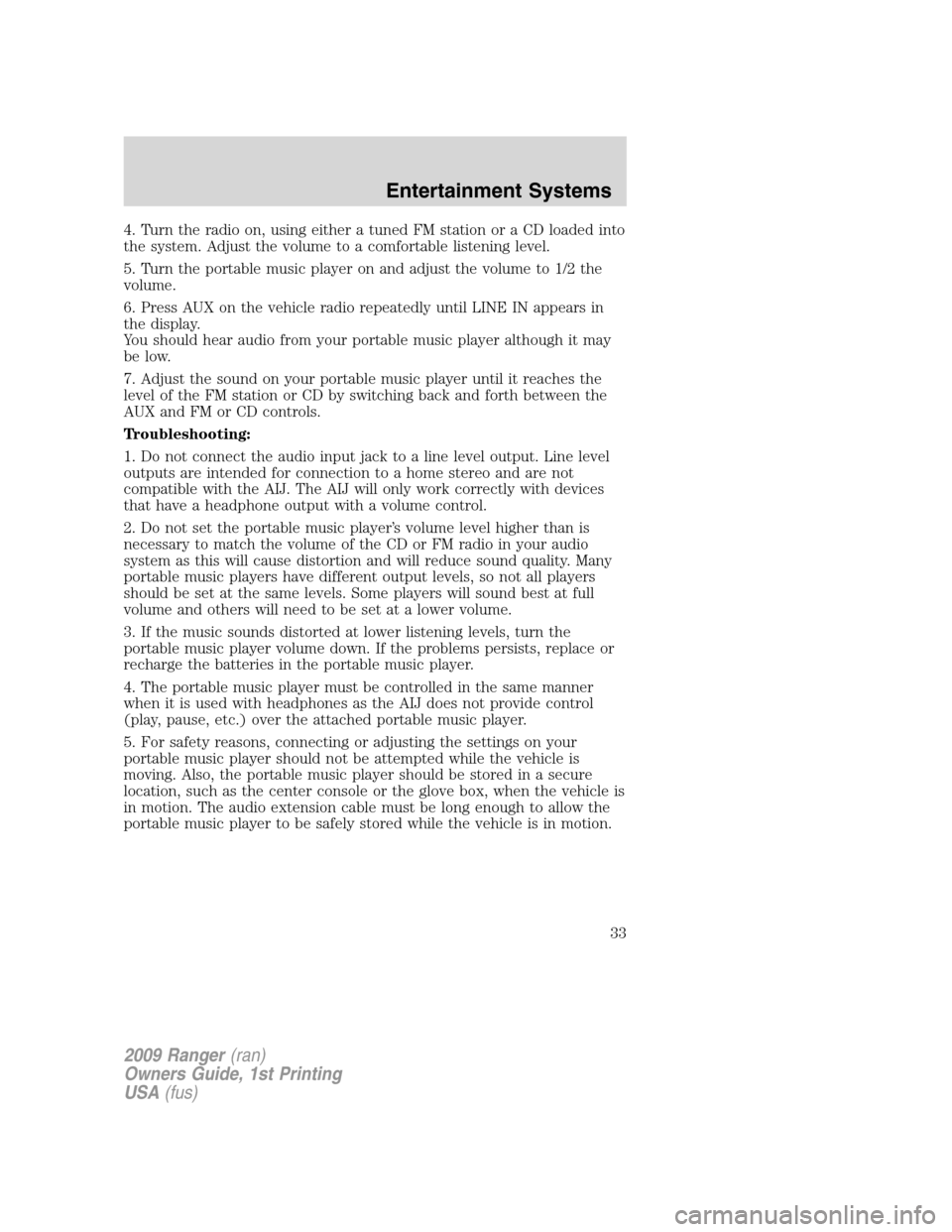
Your vehicle may be equipped with
an Auxiliary Input Jack (AIJ). The
Auxiliary Input Jack provides a way
to connect your portable music
player to the in-vehicle audio
system. This allows the audio from a
portable music player to be played
through the vehicle speakers with
high fidelity. To achieve optimal
performance, please observe the
following instructions when
attaching your portable music device to the audio system.
Required equipment:
1. Any portable music player designed to be used with headphones
2. An audio extension cable with stereo male 1/8 in. (3.5 mm)
connectors at each end
To play your portable music player using the auxiliary input jack:
1. Begin with the vehicle parked and the radio turned off.
2. Ensure that the battery in your portable music player is new or fully
charged and that the device is turned off.
3. Attach one end of the audio extension cable to the headphone output
of your player and the other end of the audio extension cable to the AIJ
in your vehicle.
2009 Ranger(ran)
Owners Guide, 1st Printing
USA(fus)
Entertainment Systems
32
Page 33 of 280
4. Turn the radio on, using either a tuned FM station or a CD loaded into
the system. Adjust the volume to a comfortable listening level.
5. Turn the portable music player on and adjust the volume to 1/2 the
volume.
6. Press AUX on the vehicle radio repeatedly until LINE IN appears in
the display.
You should hear audio from your portable music player although it may
be low.
7. Adjust the sound on your portable music player until it reaches the
level of the FM station or CD by switching back and forth between the
AUX and FM or CD controls.
Troubleshooting:
1. Do not connect the audio input jack to a line level output. Line level
outputs are intended for connection to a home stereo and are not
compatible with the AIJ. The AIJ will only work correctly with devices
that have a headphone output with a volume control.
2. Do not set the portable music player’s volume level higher than is
necessary to match the volume of the CD or FM radio in your audio
system as this will cause distortion and will reduce sound quality. Many
portable music players have different output levels, so not all players
should be set at the same levels. Some players will sound best at full
volume and others will need to be set at a lower volume.
3. If the music sounds distorted at lower listening levels, turn the
portable music player volume down. If the problems persists, replace or
recharge the batteries in the portable music player.
4. The portable music player must be controlled in the same manner
when it is used with headphones as the AIJ does not provide control
(play, pause, etc.) over the attached portable music player.
5. For safety reasons, connecting or adjusting the settings on your
portable music player should not be attempted while the vehicle is
moving. Also, the portable music player should be stored in a secure
location, such as the center console or the glove box, when the vehicle is
in motion. The audio extension cable must be long enough to allow the
portable music player to be safely stored while the vehicle is in motion.
2009 Ranger(ran)
Owners Guide, 1st Printing
USA(fus)
Entertainment Systems
33