instrument cluster FORD RANGER 2019 User Guide
[x] Cancel search | Manufacturer: FORD, Model Year: 2019, Model line: RANGER, Model: FORD RANGER 2019Pages: 512, PDF Size: 7.63 MB
Page 91 of 512
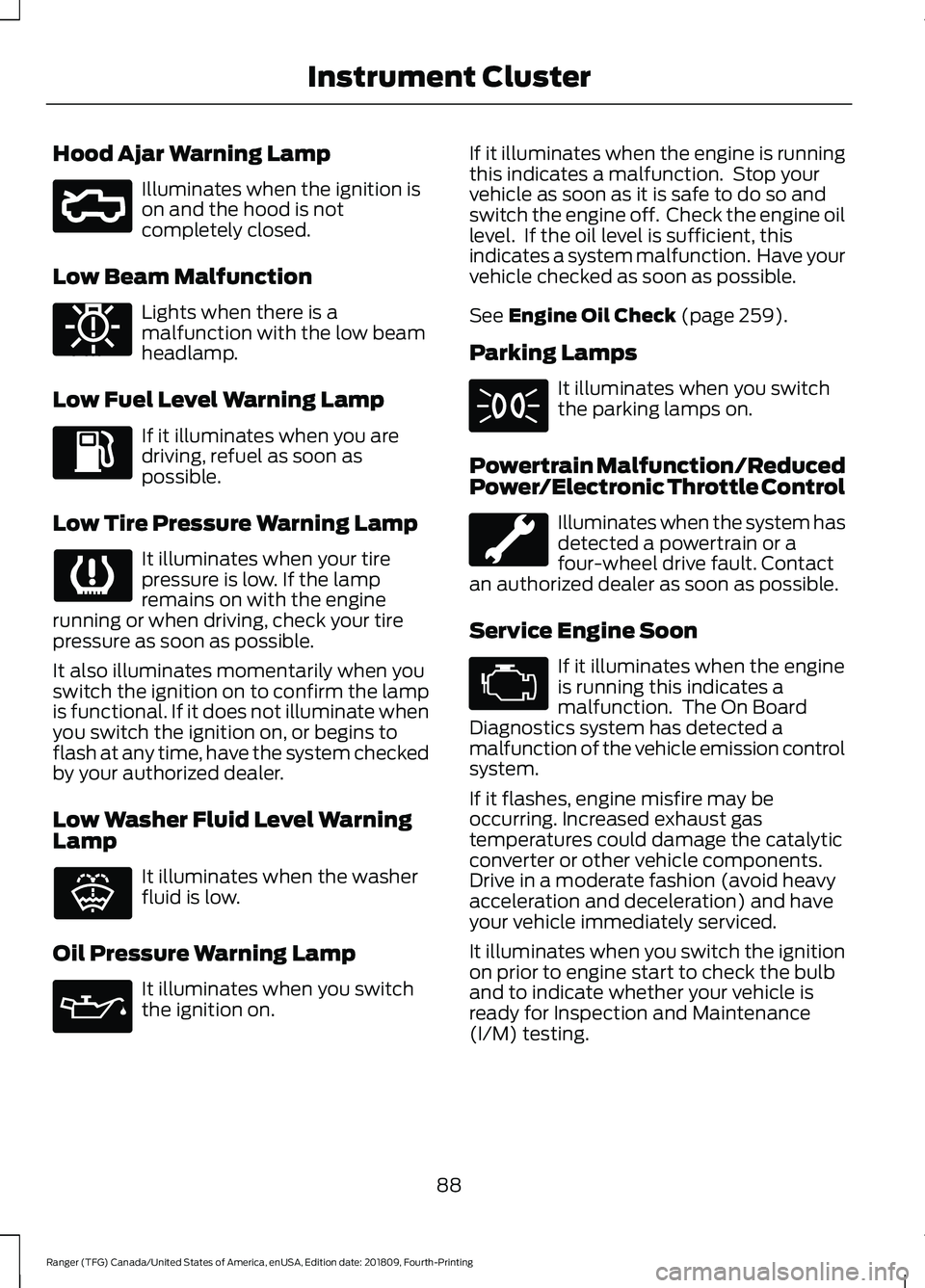
Hood Ajar Warning Lamp
Illuminates when the ignition is
on and the hood is not
completely closed.
Low Beam Malfunction Lights when there is a
malfunction with the low beam
headlamp.
Low Fuel Level Warning Lamp If it illuminates when you are
driving, refuel as soon as
possible.
Low Tire Pressure Warning Lamp It illuminates when your tire
pressure is low. If the lamp
remains on with the engine
running or when driving, check your tire
pressure as soon as possible.
It also illuminates momentarily when you
switch the ignition on to confirm the lamp
is functional. If it does not illuminate when
you switch the ignition on, or begins to
flash at any time, have the system checked
by your authorized dealer.
Low Washer Fluid Level Warning
Lamp It illuminates when the washer
fluid is low.
Oil Pressure Warning Lamp It illuminates when you switch
the ignition on. If it illuminates when the engine is running
this indicates a malfunction. Stop your
vehicle as soon as it is safe to do so and
switch the engine off. Check the engine oil
level. If the oil level is sufficient, this
indicates a system malfunction. Have your
vehicle checked as soon as possible.
See Engine Oil Check (page 259).
Parking Lamps It illuminates when you switch
the parking lamps on.
Powertrain Malfunction/Reduced
Power/Electronic Throttle Control Illuminates when the system has
detected a powertrain or a
four-wheel drive fault. Contact
an authorized dealer as soon as possible.
Service Engine Soon If it illuminates when the engine
is running this indicates a
malfunction. The On Board
Diagnostics system has detected a
malfunction of the vehicle emission control
system.
If it flashes, engine misfire may be
occurring. Increased exhaust gas
temperatures could damage the catalytic
converter or other vehicle components.
Drive in a moderate fashion (avoid heavy
acceleration and deceleration) and have
your vehicle immediately serviced.
It illuminates when you switch the ignition
on prior to engine start to check the bulb
and to indicate whether your vehicle is
ready for Inspection and Maintenance
(I/M) testing.
88
Ranger (TFG) Canada/United States of America, enUSA, Edition date: 201809, Fourth-Printing Instrument ClusterE296055 E181350 E132353
Page 92 of 512
Normally, it illuminates until the engine is
cranked and automatically turns off if no
malfunctions are present. However, if after
15 seconds it flashes eight times, this
indicates that your vehicle is not ready for
Inspection and Maintenance (I/M) testing.
See Emission Law (page 148).
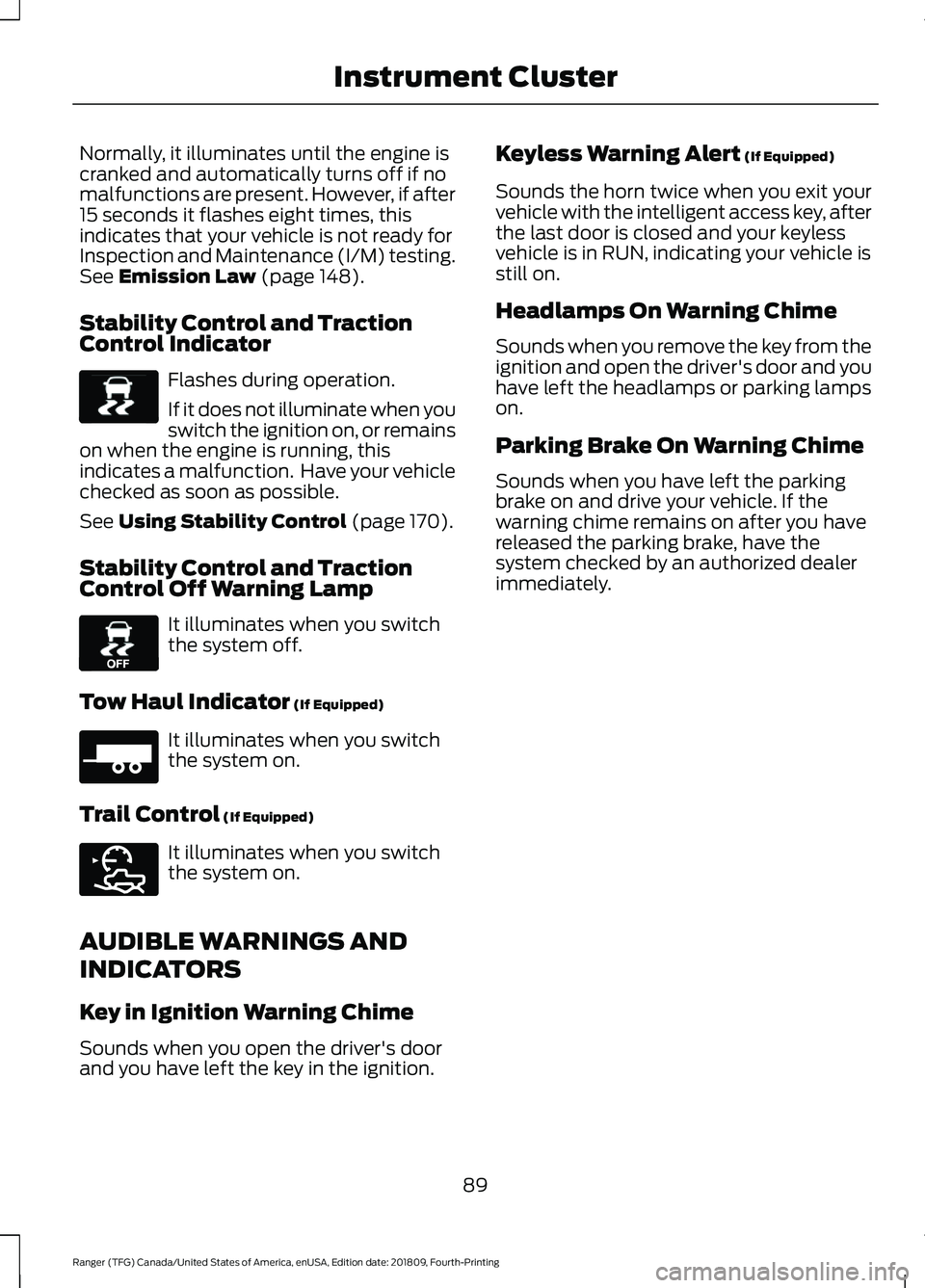
Stability Control and Traction
Control Indicator Flashes during operation.
If it does not illuminate when you
switch the ignition on, or remains
on when the engine is running, this
indicates a malfunction. Have your vehicle
checked as soon as possible.
See
Using Stability Control (page 170).
Stability Control and Traction
Control Off Warning Lamp It illuminates when you switch
the system off.
Tow Haul Indicator
(If Equipped) It illuminates when you switch
the system on.
Trail Control
(If Equipped) It illuminates when you switch
the system on.
AUDIBLE WARNINGS AND
INDICATORS
Key in Ignition Warning Chime
Sounds when you open the driver's door
and you have left the key in the ignition. Keyless Warning Alert
(If Equipped)
Sounds the horn twice when you exit your
vehicle with the intelligent access key, after
the last door is closed and your keyless
vehicle is in RUN, indicating your vehicle is
still on.
Headlamps On Warning Chime
Sounds when you remove the key from the
ignition and open the driver's door and you
have left the headlamps or parking lamps
on.
Parking Brake On Warning Chime
Sounds when you have left the parking
brake on and drive your vehicle. If the
warning chime remains on after you have
released the parking brake, have the
system checked by an authorized dealer
immediately.
89
Ranger (TFG) Canada/United States of America, enUSA, Edition date: 201809, Fourth-Printing Instrument ClusterE138639 E130458 E271981 E272858
Page 101 of 512
Settings
Hold OK to Clear All MyKeys
Clear MyKeys
Enter the submenu and select your setting
Measurement
Units
Display
Setup
Enter the submenu and select your setting
Temperature
Enter the submenu and select your setting
Gauge Display
Enter the submenu and select your setting
Tire Pressure
Enter the submenu and select your setting
Language
INFORMATION MESSAGES
Note: Depending on your vehicle options
and instrument cluster type, not all
messages display or are available. Certain
messages may be abbreviated or shortened
depending upon which cluster type you
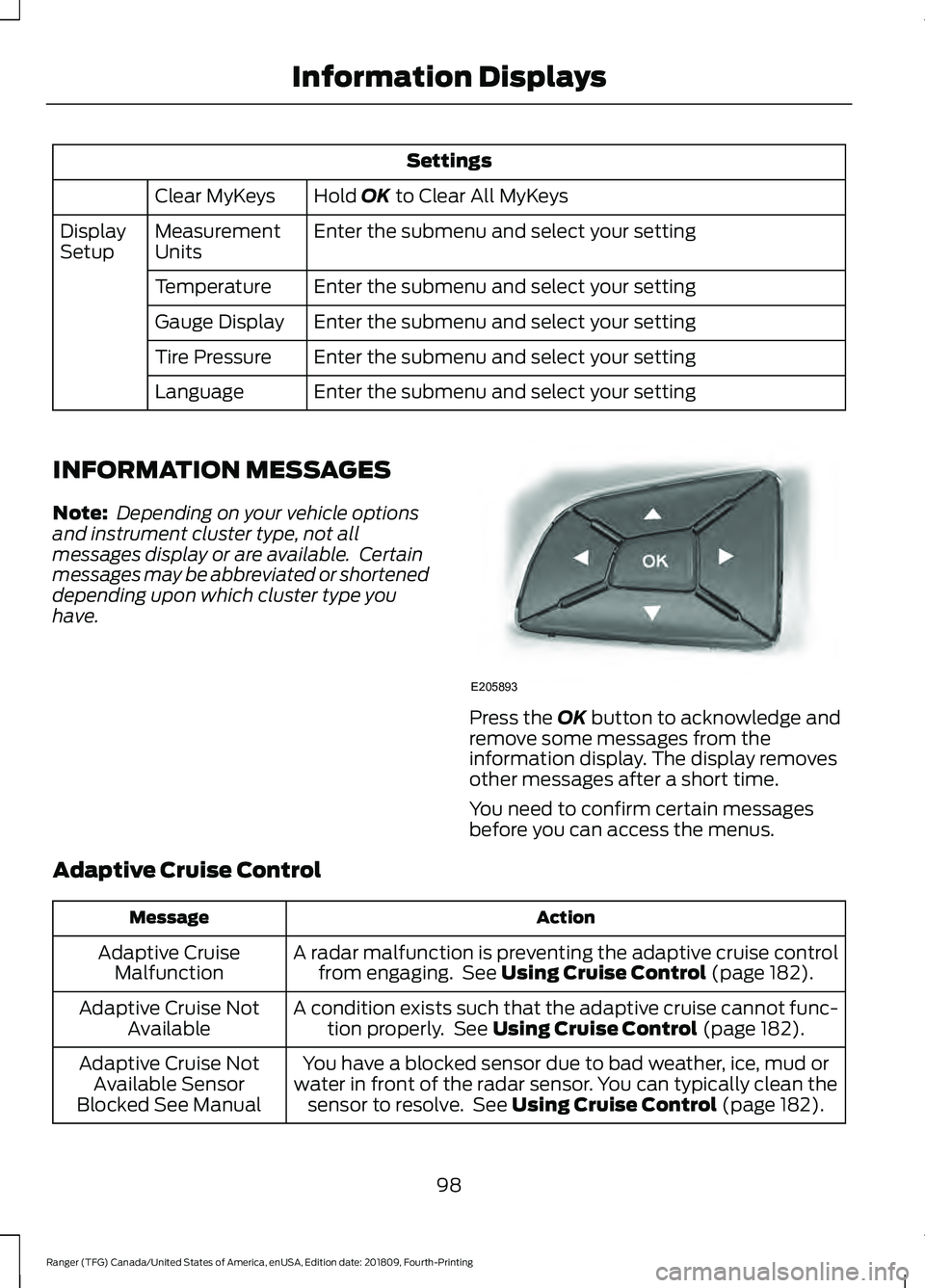
have. Press the
OK button to acknowledge and
remove some messages from the
information display. The display removes
other messages after a short time.
You need to confirm certain messages
before you can access the menus.
Adaptive Cruise Control Action
Message
A radar malfunction is preventing the adaptive cruise controlfrom engaging. See
Using Cruise Control (page 182).
Adaptive Cruise
Malfunction
A condition exists such that the adaptive cruise cannot func-tion properly. See
Using Cruise Control (page 182).
Adaptive Cruise Not
Available
You have a blocked sensor due to bad weather, ice, mud or
water in front of the radar sensor. You can typically clean the sensor to resolve. See
Using Cruise Control (page 182).
Adaptive Cruise Not
Available Sensor
Blocked See Manual
98
Ranger (TFG) Canada/United States of America, enUSA, Edition date: 201809, Fourth-Printing Information DisplaysE205893
Page 142 of 512
AUTO-START-STOP
The system helps reduce fuel consumption
by automatically shutting off and restarting
the engine while your vehicle is stopped.
The engine will restart automatically when
you release the brake pedal. In some
situations, your vehicle may restart
automatically, for example:
•
To maintain interior comfort
• To recharge the battery
Note: Power assist steering is turned off
when the engine is off. WARNING: Apply the parking
brake, shift into park (P), switch the
ignition off and remove the key before
you leave your vehicle. Failure to follow
this instruction could result in personal
injury or death. WARNING:
Apply the parking
brake, shift into park (P), switch the
ignition off and remove the key before
you open the hood or have any service
or repair work completed. If you do not
switch the ignition off, the engine could
restart at any time. Failure to follow this
instruction could result in personal injury
or death. WARNING:
The system may
require the engine to automatically
restart when the auto-start-stop
indicator illuminates green or flashes
amber. Failure to follow this instruction
could result in personal injury.
The Auto-Start-Stop system status is
available at a glance within the information
display. See Information Displays (page
90
). Enabling Auto-Start-Stop
The system is automatically enabled every
time you start your vehicle if the following
conditions are met:
•
The Auto-Start-Stop button is not
pressed (not illuminated).
• Your vehicle exceeds an initial speed
of
3 mph (5 km/h) after you have
initially started the vehicle.
• Your vehicle is stopped.
• Your foot is on the brake pedal.
• The transmission is in drive (D).
• The driver's door is closed.
• There is adequate brake vacuum.
• The interior compartment has been
cooled or warmed to an acceptable
level.
• The front windshield defroster is off.
• The steering wheel is not turned rapidly
or is not at a sharp angle.
• The vehicle is not on a steep road
grade.
• The battery is within optimal operating
conditions (battery state of charge and
temperature in range).
• The engine coolant is at operating
temperature.
• Elevation is below approximately
12,000 ft (3,650 m)
.
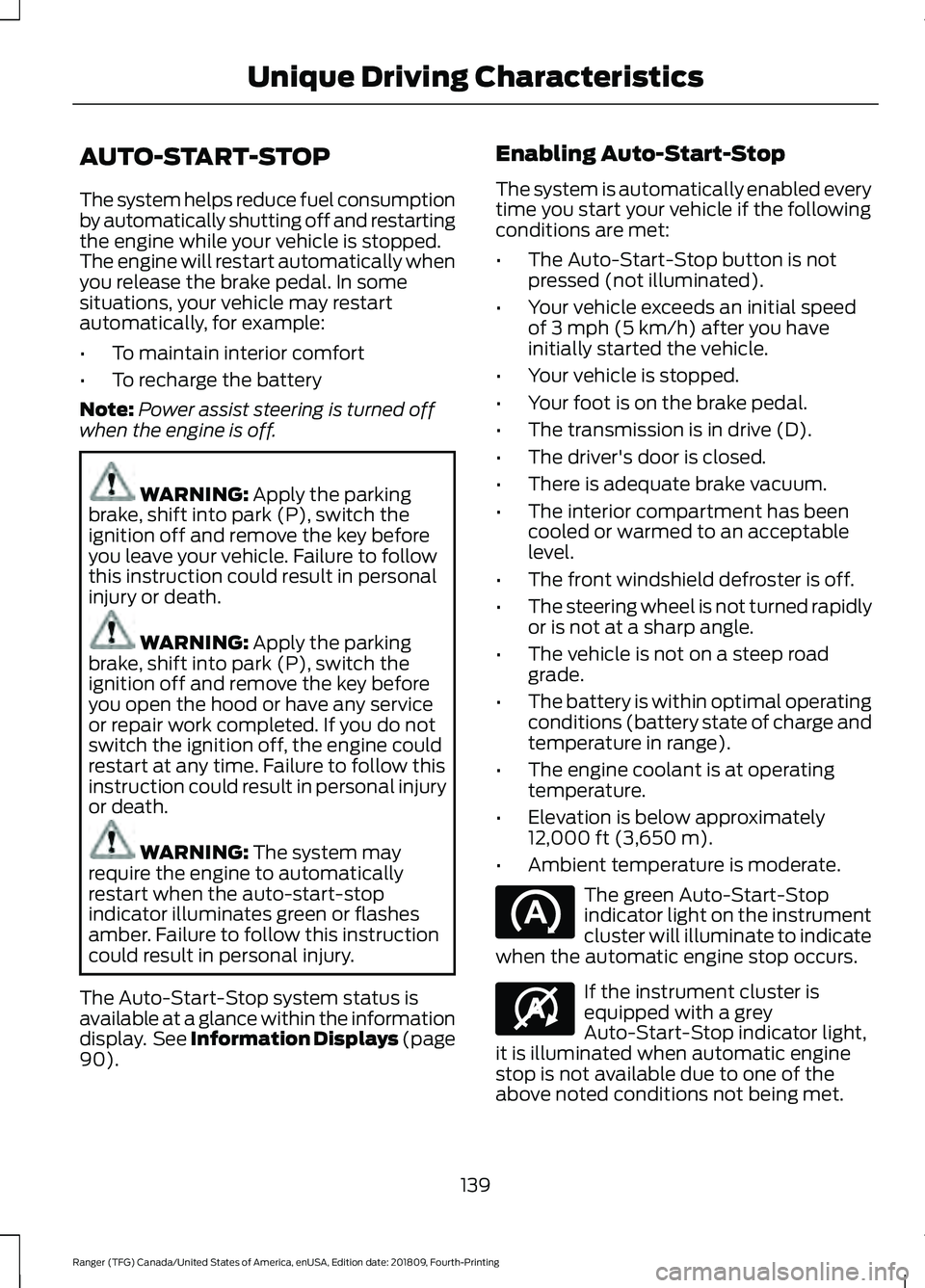
• Ambient temperature is moderate. The green Auto-Start-Stop
indicator light on the instrument
cluster will illuminate to indicate
when the automatic engine stop occurs. If the instrument cluster is
equipped with a grey
Auto-Start-Stop indicator light,
it is illuminated when automatic engine
stop is not available due to one of the
above noted conditions not being met.
139
Ranger (TFG) Canada/United States of America, enUSA, Edition date: 201809, Fourth-Printing Unique Driving Characteristics E146361
Page 156 of 512
Sport Mode (S)
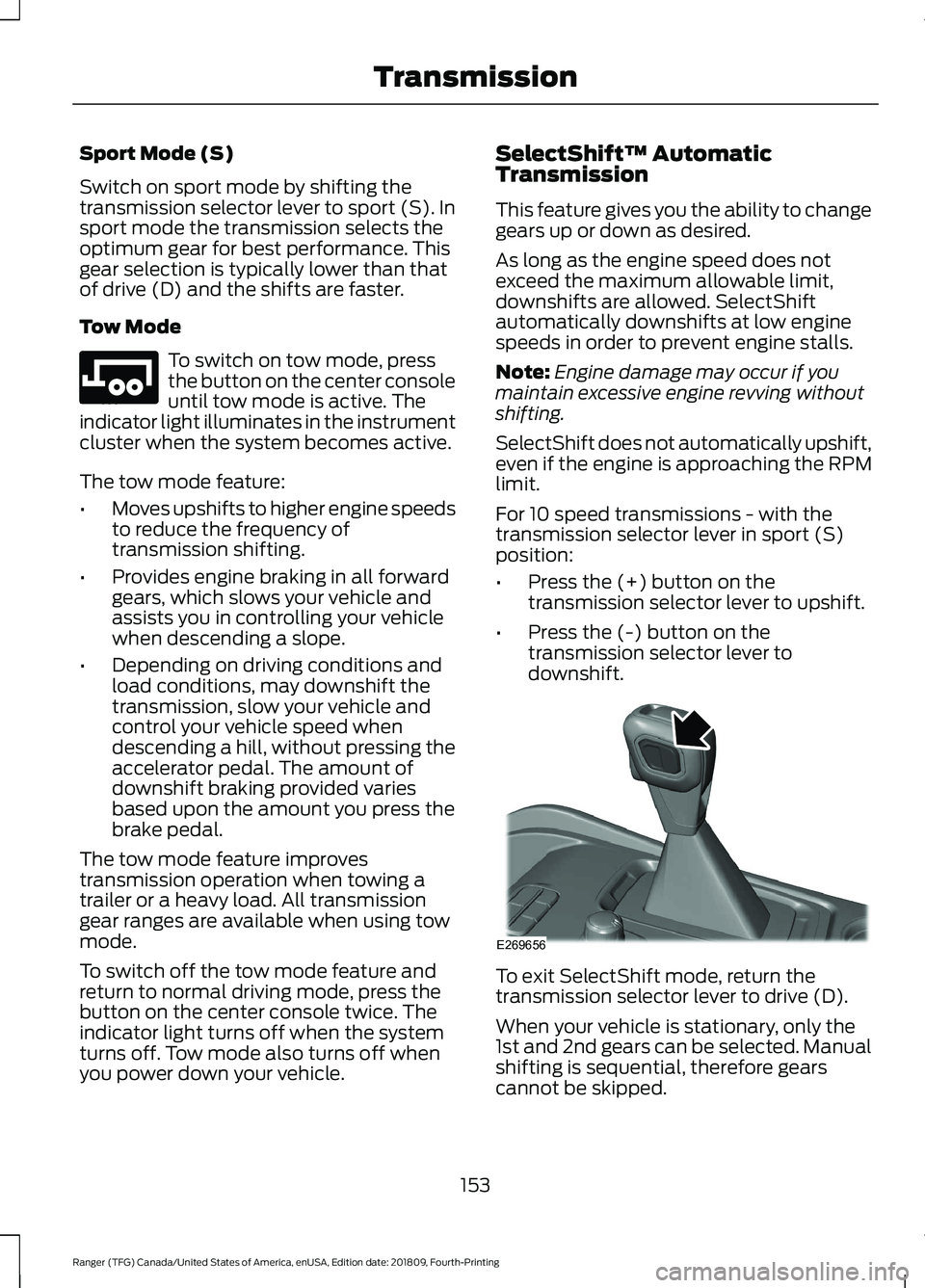
Switch on sport mode by shifting the
transmission selector lever to sport (S). In
sport mode the transmission selects the
optimum gear for best performance. This
gear selection is typically lower than that
of drive (D) and the shifts are faster.
Tow Mode
To switch on tow mode, press
the button on the center console
until tow mode is active. The
indicator light illuminates in the instrument
cluster when the system becomes active.
The tow mode feature:
• Moves upshifts to higher engine speeds
to reduce the frequency of
transmission shifting.
• Provides engine braking in all forward
gears, which slows your vehicle and
assists you in controlling your vehicle
when descending a slope.
• Depending on driving conditions and
load conditions, may downshift the
transmission, slow your vehicle and
control your vehicle speed when
descending a hill, without pressing the
accelerator pedal. The amount of
downshift braking provided varies
based upon the amount you press the
brake pedal.
The tow mode feature improves
transmission operation when towing a
trailer or a heavy load. All transmission
gear ranges are available when using tow
mode.
To switch off the tow mode feature and
return to normal driving mode, press the
button on the center console twice. The
indicator light turns off when the system
turns off. Tow mode also turns off when
you power down your vehicle. SelectShift™ Automatic
Transmission
This feature gives you the ability to change
gears up or down as desired.
As long as the engine speed does not
exceed the maximum allowable limit,
downshifts are allowed. SelectShift
automatically downshifts at low engine
speeds in order to prevent engine stalls.
Note:
Engine damage may occur if you
maintain excessive engine revving without
shifting.
SelectShift does not automatically upshift,
even if the engine is approaching the RPM
limit.
For 10 speed transmissions - with the
transmission selector lever in sport (S)
position:
• Press the (+) button on the
transmission selector lever to upshift.
• Press the (-) button on the
transmission selector lever to
downshift. To exit SelectShift mode, return the
transmission selector lever to drive (D).
When your vehicle is stationary, only the
1st and 2nd gears can be selected. Manual
shifting is sequential, therefore gears
cannot be skipped.
153
Ranger (TFG) Canada/United States of America, enUSA, Edition date: 201809, Fourth-Printing TransmissionE246592 E269656
Page 157 of 512
Progressive Range Selection
Progressive Range Selection gives you the
ability to lockout gears from the automatic
shifting range. This may provide you with
an improved driving experience for
example, in slippery conditions or when
experiencing a steep slope.
With the transmission in drive (D), press
the – button to active PRS. The available
and selected gears appear on the
instrument cluster.
All available gears display with the current
gear indicated. Press the – button again to
lock out gears beginning with the highest
gear. For example, press the – button or
twice to lock out 10th and 9th gears. Only
the available gears display and the
transmission shifts between the available
gears. Press the + button to unlock gears
to allow the transmission to shift to higher
gears. The transmission shifts within the
gear range you select.
Brake-Shift Interlock
WARNING: When doing this
procedure, you need to take the
transmission out of park (P) which
means your vehicle can roll freely. To
avoid unwanted vehicle movement,
always fully apply the parking brake prior
to doing this procedure. Use wheels
chocks if appropriate. WARNING:
If the parking brake is
fully released, but the brake warning
lamp remains illuminated, the brakes
may not be working properly. Have your
vehicle checked as soon as possible.
Note: For some markets this feature is
disabled. Your vehicle has a brake-shift interlock
feature that prevents moving the gearshift
lever from park (P) when the ignition is on
and you do not press the brake pedal.
The system requires service if you cannot
move the gearshift lever out of park (P)
with the ignition on and the brake pedal
pressed. It is possible that a fuse has blown
or your vehicle
’s brake lamps are not
operating properly. See Fuses (page 241).
If the fuse is not blown and the brake
lamps are properly working, the following
procedure allows you to move the selector
lever from park (P):
Note: See an authorized dealer as soon as
possible if this procedure is used.
10 Speed Transmission
Apply the parking brake and switch the
ignition off before performing this
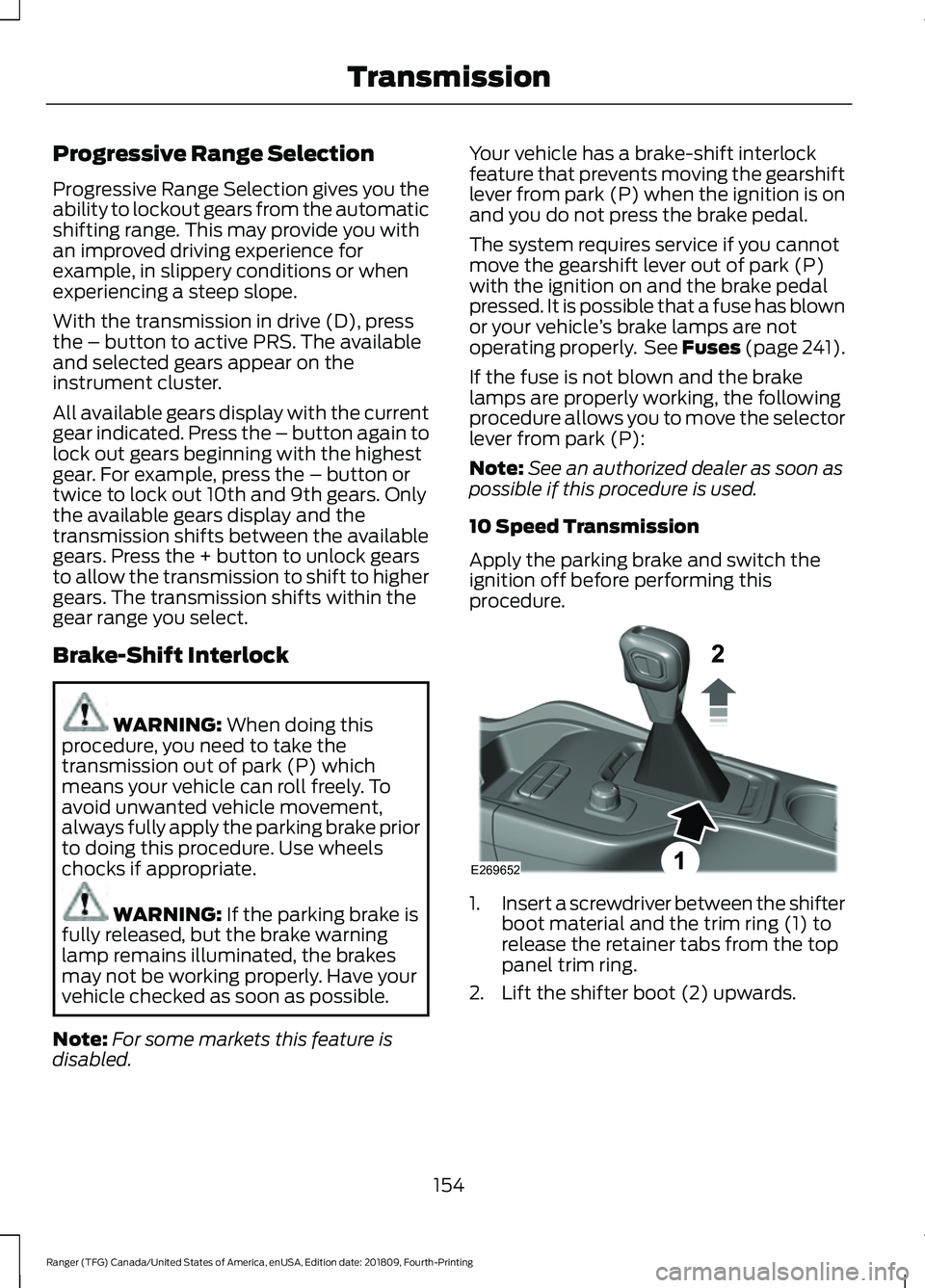
procedure. 1.
Insert a screwdriver between the shifter
boot material and the trim ring (1) to
release the retainer tabs from the top
panel trim ring.
2. Lift the shifter boot (2) upwards.
154
Ranger (TFG) Canada/United States of America, enUSA, Edition date: 201809, Fourth-Printing TransmissionE269652
Page 166 of 512
ELECTRONIC LOCKING
DIFFERENTIAL (IF EQUIPPED)
Note: Do not operate the system on dry
hard surface roads. Doing so could lead to
excessive tire noise and wear. Use the
system only on consistently slippery or loose
surfaces.
The system locks the left and right portions
of the rear axle together to form a solid
driving axle, resulting in increased rear
wheel traction in certain conditions.
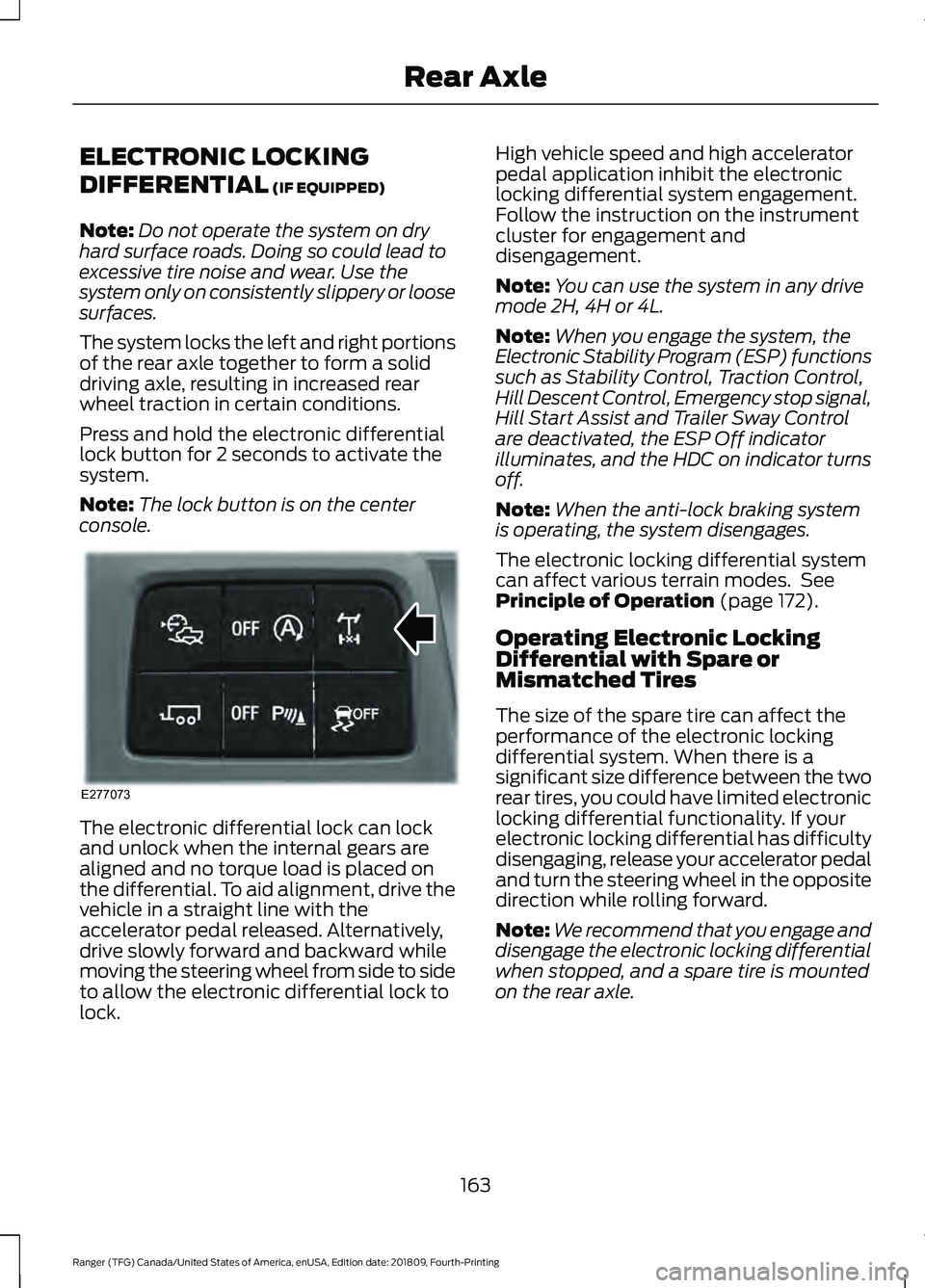
Press and hold the electronic differential
lock button for 2 seconds to activate the
system.
Note: The lock button is on the center
console. The electronic differential lock can lock
and unlock when the internal gears are
aligned and no torque load is placed on
the differential. To aid alignment, drive the
vehicle in a straight line with the
accelerator pedal released. Alternatively,
drive slowly forward and backward while
moving the steering wheel from side to side
to allow the electronic differential lock to
lock. High vehicle speed and high accelerator
pedal application inhibit the electronic
locking differential system engagement.
Follow the instruction on the instrument
cluster for engagement and
disengagement.
Note:
You can use the system in any drive
mode 2H, 4H or 4L.
Note: When you engage the system, the
Electronic Stability Program (ESP) functions
such as Stability Control, Traction Control,
Hill Descent Control, Emergency stop signal,
Hill Start Assist and Trailer Sway Control
are deactivated, the ESP Off indicator
illuminates, and the HDC on indicator turns
off.
Note: When the anti-lock braking system
is operating, the system disengages.
The electronic locking differential system
can affect various terrain modes. See
Principle of Operation
(page 172).
Operating Electronic Locking
Differential with Spare or
Mismatched Tires
The size of the spare tire can affect the
performance of the electronic locking
differential system. When there is a
significant size difference between the two
rear tires, you could have limited electronic
locking differential functionality. If your
electronic locking differential has difficulty
disengaging, release your accelerator pedal
and turn the steering wheel in the opposite
direction while rolling forward.
Note: We recommend that you engage and
disengage the electronic locking differential
when stopped, and a spare tire is mounted
on the rear axle.
163
Ranger (TFG) Canada/United States of America, enUSA, Edition date: 201809, Fourth-Printing Rear AxleE277073
Page 171 of 512
PRINCIPLE OF OPERATION
The traction control system helps avoid
drive wheel spin and loss of traction.
If your vehicle begins to slide, the system
applies the brakes to individual wheels
and, when needed, reduces engine power
at the same time. If the wheels spin when
accelerating on slippery or loose surfaces,
the system reduces engine power in order
to increase traction.
USING TRACTION CONTROL
WARNING: The stability and
traction control light illuminates steadily
if the system detects a failure. Make sure
you did not manually disable the traction
control system using the information
display controls or the switch. If the
stability control and traction control light
is still illuminating steadily, have the
system serviced by an authorized dealer
immediately. Operating your vehicle with
the traction control disabled could lead
to an increased risk of loss of vehicle
control, vehicle rollover, personal injury
and death.
The system automatically turns on each
time you switch the ignition on.
If your vehicle is stuck in mud or snow,
switching traction control off may be
beneficial as this allows the wheels to spin.
Note: When you switch traction control off,
stability control remains fully active. Switching the System Off The switch for the stability and traction
control system is on the console.
When you switch the system off, a
message and an illuminated icon appear
on the instrument cluster.
Use the switch again to return the traction
control system to normal operation.
Your vehicle may have MyKey restrictions
regarding this feature. See
Principle of
Operation (page 57).
System Indicator Lights and
Messages The stability and traction control
light temporarily illuminates on
engine start-up and flashes:
• When a driving condition activates
either of the systems.
• If a problem occurs in either of the
systems. The stability and traction control
off light temporarily illuminates
on engine start-up and stays on:
• When you switch the traction control
system off.
• When you select an alternative stability
control mode.
168
Ranger (TFG) Canada/United States of America, enUSA, Edition date: 201809, Fourth-Printing Traction ControlE166706 E138639 E130458
Page 188 of 512
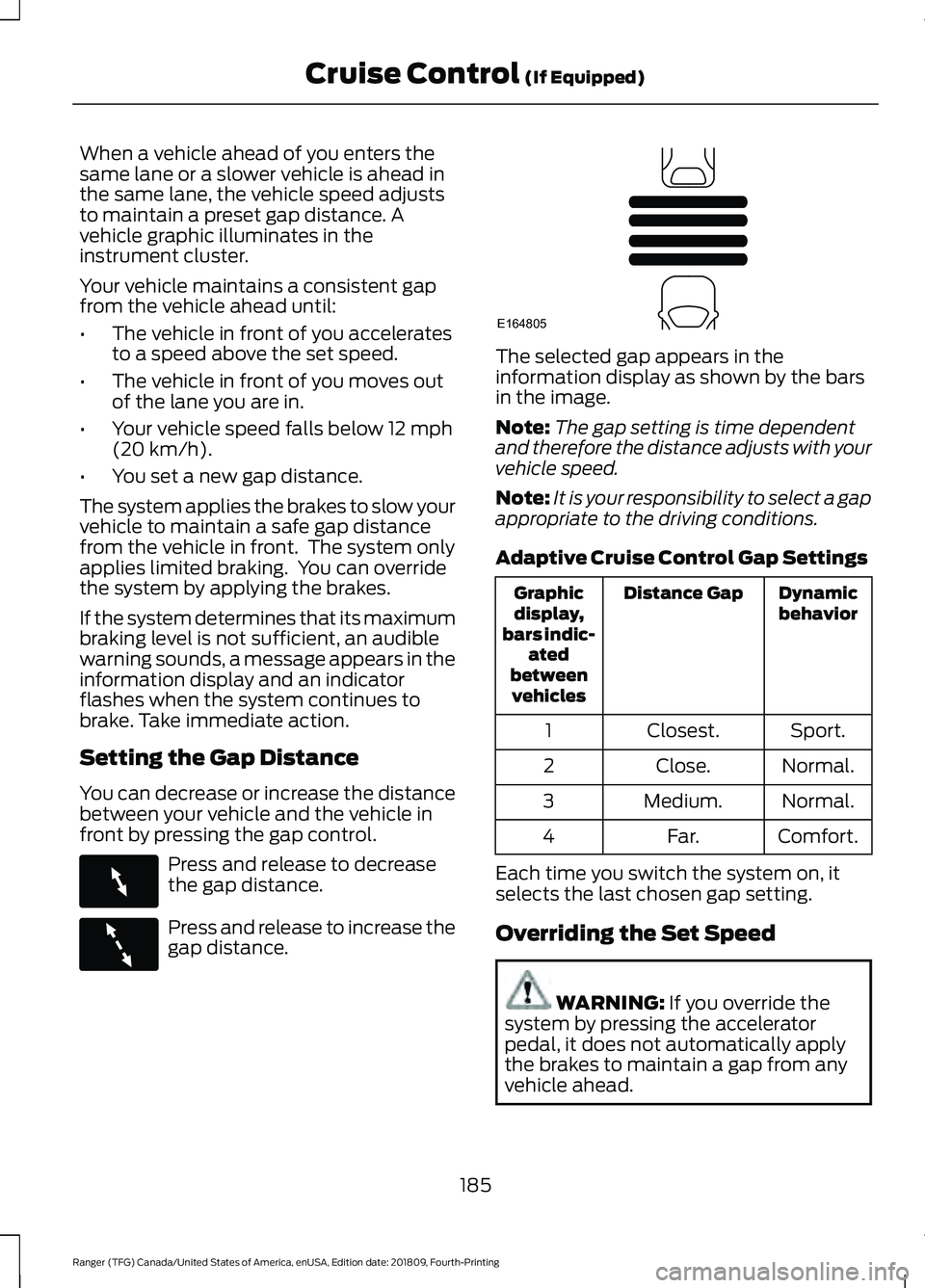
When a vehicle ahead of you enters the
same lane or a slower vehicle is ahead in
the same lane, the vehicle speed adjusts
to maintain a preset gap distance. A
vehicle graphic illuminates in the
instrument cluster.
Your vehicle maintains a consistent gap
from the vehicle ahead until:
•
The vehicle in front of you accelerates
to a speed above the set speed.
• The vehicle in front of you moves out
of the lane you are in.
• Your vehicle speed falls below 12 mph
(20 km/h).
• You set a new gap distance.
The system applies the brakes to slow your
vehicle to maintain a safe gap distance
from the vehicle in front. The system only
applies limited braking. You can override
the system by applying the brakes.
If the system determines that its maximum
braking level is not sufficient, an audible
warning sounds, a message appears in the
information display and an indicator
flashes when the system continues to
brake. Take immediate action.
Setting the Gap Distance
You can decrease or increase the distance
between your vehicle and the vehicle in
front by pressing the gap control. Press and release to decrease
the gap distance.
Press and release to increase the
gap distance. The selected gap appears in the
information display as shown by the bars
in the image.
Note:
The gap setting is time dependent
and therefore the distance adjusts with your
vehicle speed.
Note: It is your responsibility to select a gap
appropriate to the driving conditions.
Adaptive Cruise Control Gap Settings Dynamic
behavior
Distance Gap
Graphic
display,
bars indic- ated
between vehicles
Sport.
Closest.
1
Normal.
Close.
2
Normal.
Medium.
3
Comfort.
Far.
4
Each time you switch the system on, it
selects the last chosen gap setting.
Overriding the Set Speed WARNING:
If you override the
system by pressing the accelerator
pedal, it does not automatically apply
the brakes to maintain a gap from any
vehicle ahead.
185
Ranger (TFG) Canada/United States of America, enUSA, Edition date: 201809, Fourth-Printing Cruise Control
(If Equipped)E263697 E263696 E164805
Page 226 of 512
your vehicle has intelligent access,
press the engine START/STOP button
once without pressing the brake pedal.
You do not need to leave your keys in
the vehicle. You can lock and unlock
your vehicle as you normally do.
9. Release the brake pedal. WARNING: Do not disconnect the
battery during recreational towing. It
prevents the transfer case from shifting
properly and may cause the vehicle to
roll, even if the transmission is in park
(P). WARNING:
Shifting the transfer
case to its neutral position for
recreational towing may cause the
vehicle to roll, even if the transmission is
in park (P). It may injure the driver and
others. Make sure you press the foot
brake and the vehicle is in a secure, safe
position when you shift to neutral (N).
Note: Failing to put the transfer case in its
neutral position may damage vehicle
components.
Note: You can check the four-wheel-down
towing status at any time by opening the
driver door or by switching the ignition to the
accessory or on position and verifying the
confirmation message appears in the
cluster.
To exit four-wheel-down towing and return
the transfer case to the
2H position:
1. With your vehicle still properly secured
to the tow vehicle, switch the ignition
to the on position but do not start the
engine. If your vehicle has an ignition
key, turn the key to the on position. If
your vehicle has intelligent access,
press the engine START/STOP button
once without pressing the brake pedal.
2. Press and hold the brake pedal. 3. Shift the transmission out of neutral
(N) and into park (P).
4. Observe the messages on the information display screen.
Note: If completed successfully, the
instrument cluster displays
4X2, and
Neutral Tow Disabled.
Note: If the indicator light and message do
not display, you must perform the procedure
again from the beginning.
Note: You may hear an audible noise as the
transfer case shifts out of its neutral
position. This is normal.
223
Ranger (TFG) Canada/United States of America, enUSA, Edition date: 201809, Fourth-Printing Towing