Information displays FORD RANGER 2019 Owner's Guide
[x] Cancel search | Manufacturer: FORD, Model Year: 2019, Model line: RANGER, Model: FORD RANGER 2019Pages: 512, PDF Size: 7.63 MB
Page 120 of 512
You can locate the cabin air filter behind
the glove box.
Note:
Make sure you have a cabin air filter
installed at all times. This prevents foreign
objects from entering the system. Running
the system without a filter in place could
result in degradation or damage to the
system.
Replace the filter at regular intervals. See
Scheduled Maintenance (page 437).
For additional cabin air filter information,
or to replace the filter, see an authorized
dealer.
REMOTE START
(IF EQUIPPED)
The climate control system adjusts the
interior temperature during remote start.
You can switch this feature on or off and
adjust the settings using the information
display controls. See
Information
Displays (page 90).
You cannot adjust the climate control
setting during remote start operation.
Switch the ignition on to make
adjustments.
Based on your remote start settings, the
following vehicle-dependent features may
or may not remain on after remote starting
your vehicle:
• Climate controlled seats.
• Heated steering wheel.
• Heated mirrors.
• Heated rear window.
• Windshield wiper de-icer.
Note: For dual zone climate controlled
seats, the passenger seat setting defaults
to match the driver seat during remote start. Automatic Settings
If
Auto is on, the system sets the interior
temperature to 72°F (22°C) and heats or
cools the vehicle interior as required to
achieve comfort.
Note: In cold weather, the heated rear
window and heated mirrors turn on.
Last Settings
If
Last Settings is on, the system uses the
settings last selected before you turned
off the vehicle.
Heated and Cooled Features
In Auto mode, certain heated features may
switch on during cold weather, and cooled
features during hot weather.
117
Ranger (TFG) Canada/United States of America, enUSA, Edition date: 201809, Fourth-Printing Climate Control
Page 139 of 512
1.
Press and hold the push button ignition
switch until the engine stops, or press
it three times within two seconds.
2. Shift into neutral and use the brakes to
bring your vehicle to a safe stop.
3. Shift into park (P).
4. Press the push button ignition switch.
Fast Restart
The system allows you to start the engine
within 10 seconds of switching it off, even
if it does not detect a valid passive key. Within 10 seconds of switching the engine
off, fully press the brake or clutch pedal
and press the push button ignition switch.
After 10 seconds, you can no longer start
the engine if the system does not detect a
valid passive key.
When you start the engine, it remains
running until you press the push button
ignition switch, even if your vehicle does
not detect a valid passive key. If you open
and close a door when the engine is
running, the system searches for a valid
passive key.
Starting System Information Messages Action
Message
Displays if you switch the ignition on and do not start the
engine.
Full Accessory Power
Active
Displays when you start the engine as a reminder to fully
press the brake pedal.
To START Press Brake
Displays when you start the engine as a reminder to fully
press the clutch pedal.
To START Press Clutch
Displays when you start the engine as a reminder to fully
press the brake and clutch pedals.
To START Press Brake
and Clutch
Displays if the engine fails to start.
Cranking Time Exceeded
Displays if the system does not detect a valid passive key.
No Key Detected
Displays if you are unable to start the engine with a correctly
coded key. The system has detected a fault that requires
service. Have your vehicle checked as soon as possible.
Starting System Fault
Displays for 10 seconds if you switch the engine off and the
system does not detect a valid passive key. After 10 seconds,
you can no longer start the engine if the system does not
detect a valid passive key.
Restart Now or Key is
Needed
Key Outside Vehicle Audible
Warning
Sounds when you remove the passive key
from your vehicle and the engine is running. 136
Ranger (TFG) Canada/United States of America, enUSA, Edition date: 201809, Fourth-Printing Starting and Stopping the Engine
Page 142 of 512
AUTO-START-STOP
The system helps reduce fuel consumption
by automatically shutting off and restarting
the engine while your vehicle is stopped.
The engine will restart automatically when
you release the brake pedal. In some
situations, your vehicle may restart
automatically, for example:
•
To maintain interior comfort
• To recharge the battery
Note: Power assist steering is turned off
when the engine is off. WARNING: Apply the parking
brake, shift into park (P), switch the
ignition off and remove the key before
you leave your vehicle. Failure to follow
this instruction could result in personal
injury or death. WARNING:
Apply the parking
brake, shift into park (P), switch the
ignition off and remove the key before
you open the hood or have any service
or repair work completed. If you do not
switch the ignition off, the engine could
restart at any time. Failure to follow this
instruction could result in personal injury
or death. WARNING:
The system may
require the engine to automatically
restart when the auto-start-stop
indicator illuminates green or flashes
amber. Failure to follow this instruction
could result in personal injury.
The Auto-Start-Stop system status is
available at a glance within the information
display. See Information Displays (page
90
). Enabling Auto-Start-Stop
The system is automatically enabled every
time you start your vehicle if the following
conditions are met:
•
The Auto-Start-Stop button is not
pressed (not illuminated).
• Your vehicle exceeds an initial speed
of
3 mph (5 km/h) after you have
initially started the vehicle.
• Your vehicle is stopped.
• Your foot is on the brake pedal.
• The transmission is in drive (D).
• The driver's door is closed.
• There is adequate brake vacuum.
• The interior compartment has been
cooled or warmed to an acceptable
level.
• The front windshield defroster is off.
• The steering wheel is not turned rapidly
or is not at a sharp angle.
• The vehicle is not on a steep road
grade.
• The battery is within optimal operating
conditions (battery state of charge and
temperature in range).
• The engine coolant is at operating
temperature.
• Elevation is below approximately
12,000 ft (3,650 m)
.
• Ambient temperature is moderate. The green Auto-Start-Stop
indicator light on the instrument
cluster will illuminate to indicate
when the automatic engine stop occurs. If the instrument cluster is
equipped with a grey
Auto-Start-Stop indicator light,
it is illuminated when automatic engine
stop is not available due to one of the
above noted conditions not being met.
139
Ranger (TFG) Canada/United States of America, enUSA, Edition date: 201809, Fourth-Printing Unique Driving Characteristics E146361
Page 143 of 512
Automatic Engine Restart
Any of the following conditions will result
in an automatic restart of the engine:
•
Your foot is removed from the brake
pedal.
• You press the accelerator pedal.
• You press the accelerator and the
brake pedal at the same time.
• The driver safety belt becomes
unfastened or the driver door is ajar.
• The transmission is moved into reverse
(R).
• Your vehicle is moving.
• The battery is not within optimal
operating conditions.
• The maximum engine off time is
exceeded.
• When you press the Auto-Start-Stop
button while the engine is stopped
automatically.
• The heated windshield is turned on.
Any of the following conditions may result
in an automatic restart of the engine:
• The blower fan speed is increased or
the climate control temperature is
changed.
• An electrical accessory is turned on or
plugged in.
Disabling Auto-Start-Stop Press the Auto-Start-Stop
button located on the center
console to switch the system off.
The button will illuminate. The system will
only be deactivated for the current ignition
cycle. Press the button again to restore
Auto-Start-Stop function. If your vehicle is in an Auto-Start-Stop
state and you shift the transmission to
reverse without pressing the brake, a
message telling you to press the brake
appears. You must press the brake pedal
within 60 seconds, or you will need to shift
to park and manually restart your vehicle.
Note:
If the Shift to P, Restart Engine
message appears and the amber
Auto-Start-Stop indicator light is flashing,
automatic restart is not available. The
vehicle must be restarted manually. See
Information Displays (page 90).
140
Ranger (TFG) Canada/United States of America, enUSA, Edition date: 201809, Fourth-Printing Unique Driving Characteristics
Page 150 of 512
Filling the Fuel Tank
For consistent results when refueling:
•
Turn the ignition off before fueling; an
inaccurate reading results if the engine
is left running.
• Use the same fill rate
(low-medium-high) each time the tank
is filled.
• Allow no more than one automatic
shut-off when refueling.
Results are most accurate when the filling
method is consistent.
Calculating Fuel Economy
Your vehicle calculates fuel economy
figures through the trip computer average
fuel function. See Information Displays
(page 90).
The first
1,000 mi (1,500 km) of driving is
the break-in period of the engine. A more
accurate measurement is obtained after
2,000 mi (3,000 km)
.
1. Completely fill the fuel tank and record
the initial odometer reading.
See
Refueling (page 144).
2. Each time you fill the fuel tank, record the amount of fuel added.
3. After at least three fill ups, fill the fuel tank and record the current odometer
reading.
4. Subtract your initial odometer reading from the current odometer reading.
To calculate L/100 km (liters per 100
kilometers) fuel consumption, multiply the
liters used by 100, then divide by kilometers
traveled. To calculate MPG (miles per
gallon) fuel consumption, divide miles
traveled by gallons used. Keep a record for at least one month and
record the type of driving, for example city
or highway. This provides an accurate
estimate of your vehicle
’s fuel economy
under current driving conditions. Keeping
records during summer and winter shows
how temperature impacts fuel economy.
Conditions
• Heavily loading your vehicle reduces
fuel economy.
• Carrying unnecessary weight in your
vehicle may reduce fuel economy.
• Avoid adding accessories that increase
aerodynamic drag to your vehicle such
as bug deflectors, car top carriers and
ski or bike racks.
• Using fuel blended with alcohol may
lower fuel economy.
• Fuel economy may decrease with lower
temperatures.
• Fuel economy may decrease when
driving short distances.
• You will get better fuel economy when
driving on flat terrain than when driving
on hilly terrain.
147
Ranger (TFG) Canada/United States of America, enUSA, Edition date: 201809, Fourth-Printing Fuel and Refueling
Page 159 of 512
PRINCIPLE OF OPERATION
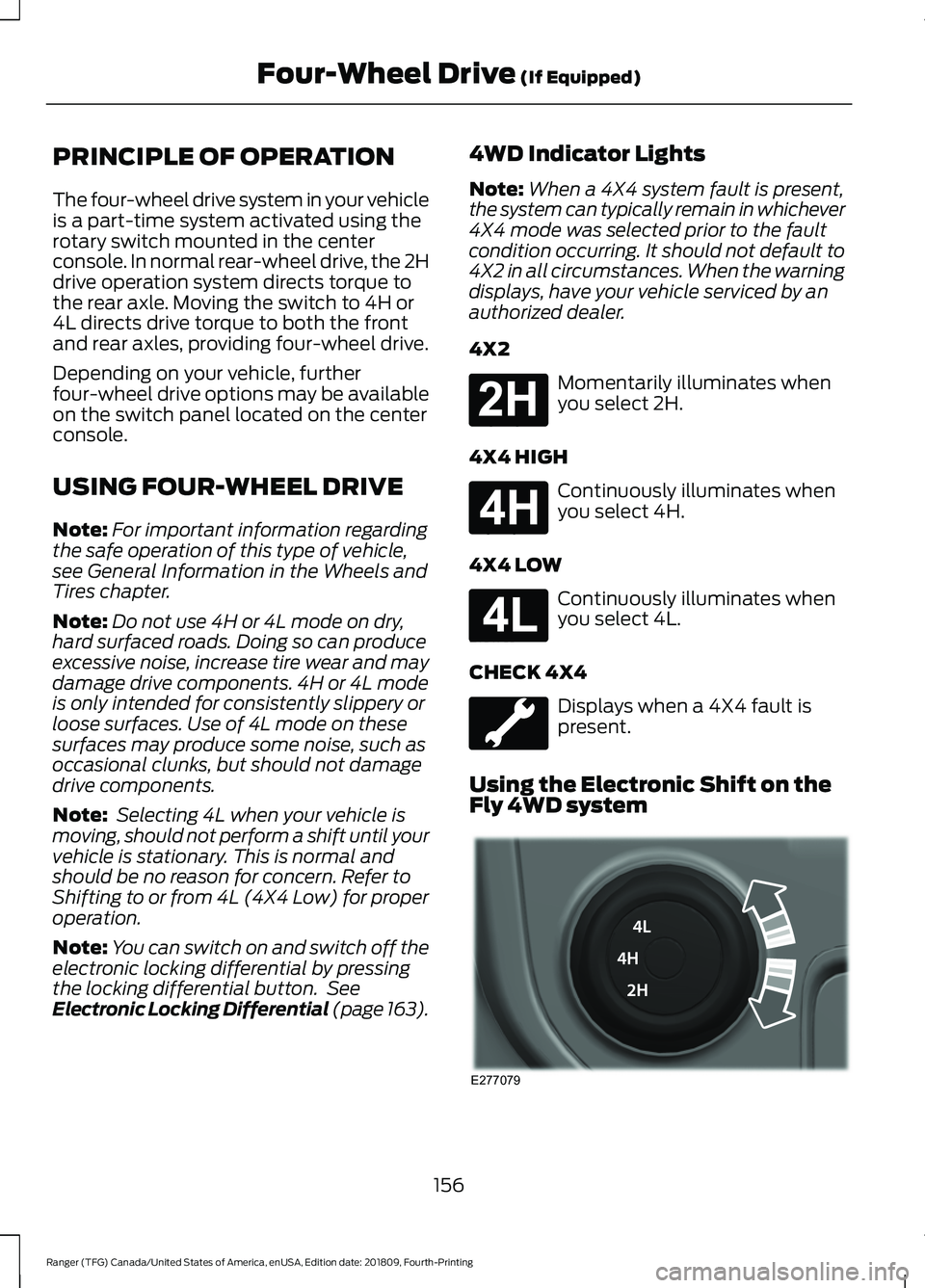
The four-wheel drive system in your vehicle
is a part-time system activated using the
rotary switch mounted in the center
console. In normal rear-wheel drive, the 2H
drive operation system directs torque to
the rear axle. Moving the switch to 4H or
4L directs drive torque to both the front
and rear axles, providing four-wheel drive.
Depending on your vehicle, further
four-wheel drive options may be available
on the switch panel located on the center
console.
USING FOUR-WHEEL DRIVE
Note:
For important information regarding
the safe operation of this type of vehicle,
see General Information in the Wheels and
Tires chapter.
Note: Do not use 4H or 4L mode on dry,
hard surfaced roads. Doing so can produce
excessive noise, increase tire wear and may
damage drive components. 4H or 4L mode
is only intended for consistently slippery or
loose surfaces. Use of 4L mode on these
surfaces may produce some noise, such as
occasional clunks, but should not damage
drive components.
Note: Selecting 4L when your vehicle is
moving, should not perform a shift until your
vehicle is stationary. This is normal and
should be no reason for concern. Refer to
Shifting to or from 4L (4X4 Low) for proper
operation.
Note: You can switch on and switch off the
electronic locking differential by pressing
the locking differential button. See
Electronic Locking Differential (page 163). 4WD Indicator Lights
Note:
When a 4X4 system fault is present,
the system can typically remain in whichever
4X4 mode was selected prior to the fault
condition occurring. It should not default to
4X2 in all circumstances. When the warning
displays, have your vehicle serviced by an
authorized dealer.
4X2 Momentarily illuminates when
you select 2H.
4X4 HIGH Continuously illuminates when
you select 4H.
4X4 LOW Continuously illuminates when
you select 4L.
CHECK 4X4 Displays when a 4X4 fault is
present.
Using the Electronic Shift on the
Fly 4WD system 156
Ranger (TFG) Canada/United States of America, enUSA, Edition date: 201809, Fourth-Printing Four-Wheel Drive (If Equipped)E181778 E181779 E181780 E277079
Page 161 of 512
The differences that make your vehicle so
versatile also make it handle differently
than an ordinary passenger car.
Maintain steering wheel control at all
times, especially in rough terrain. Since
sudden changes in terrain can result in
abrupt steering wheel motion, make sure
you grip the steering wheel from the
outside. Do not grip the spokes of the
steering wheel.
Drive cautiously to avoid vehicle damage
from concealed objects such as rocks and
stumps.
You should either know the terrain or
examine maps of the area before driving.
Map out your route before driving in the
area. To maintain steering and braking
control of your vehicle, you must have all
four wheels on the ground and they must
be rolling, not sliding or spinning.
Driving Off-Road With Truck and
Utility Vehicles
Note:
On some models, the initial shift from
two-wheel drive to four-wheel drive when
your vehicle is moving can cause some
momentary clunk or ratchet sounds. This is
the front drivetrain coming up to speed.
Note: Your vehicle may have a front air
dam. Due to low ground clearance, you can
damage it when taking your vehicle off-road.
You can take the air dam off by removing
the bolts that secure it.
Note: Momentarily releasing the
accelerator pedal when a shift in progress
message displays, should improve
engagement or disengagement
performance.
Four-wheel drive vehicles are specially
designed for driving on sand, snow, mud
and rough terrain and have operating
characteristics that are somewhat
different from conventional vehicles, both
on and off the road. The transfer case supplies power to all four
wheels. On four-wheel drive vehicles, the
transfer case allows you to select different
4WD modes when necessary. You can find
information on transfer case operation and
shifting procedures in this chapter. You can
find information on transfer case
maintenance in the Maintenance chapter.
You should become thoroughly familiar
with this information before you operate
your vehicle.
Four-wheel drive uses all four wheels to
power your vehicle. This increases traction,
enabling you to drive over terrain and road
conditions that a conventional two-wheel
drive vehicle cannot.
Basic Operating Principles
•
Drive slower in strong crosswinds which
can affect the normal steering
characteristics of your vehicle.
• When driving your vehicle on surfaces
made slippery by loose sand, water,
gravel, snow or ice proceed with care.
• Do not use 4H or 4L on dry, hard
surfaced roads. Doing so can produce
excessive noise, increase tire wear and
may damage drive components. 4H or
4L modes are only for consistently
slippery or loose surfaces.
If Your Vehicle Leaves the Road
If your vehicle leaves the road, reduce your
vehicle speed and avoid severe braking.
When your vehicle speed decreases, ease
your vehicle back onto the road. Do not
sharply turn the steering wheel when
returning your vehicle to the road.
It may be safer to stay on the shoulder of
the road and gradually slow down before
returning to the road. You may lose control
if you do not slow down or if you too
sharply or abruptly turn the steering wheel.
158
Ranger (TFG) Canada/United States of America, enUSA, Edition date: 201809, Fourth-Printing Four-Wheel Drive (If Equipped)
Page 175 of 512
PRINCIPLE OF OPERATION
Using the Terrain Management
System
The terrain management system optimizes
drivability and comfort by maximizing
traction when operating on different types
of terrain.
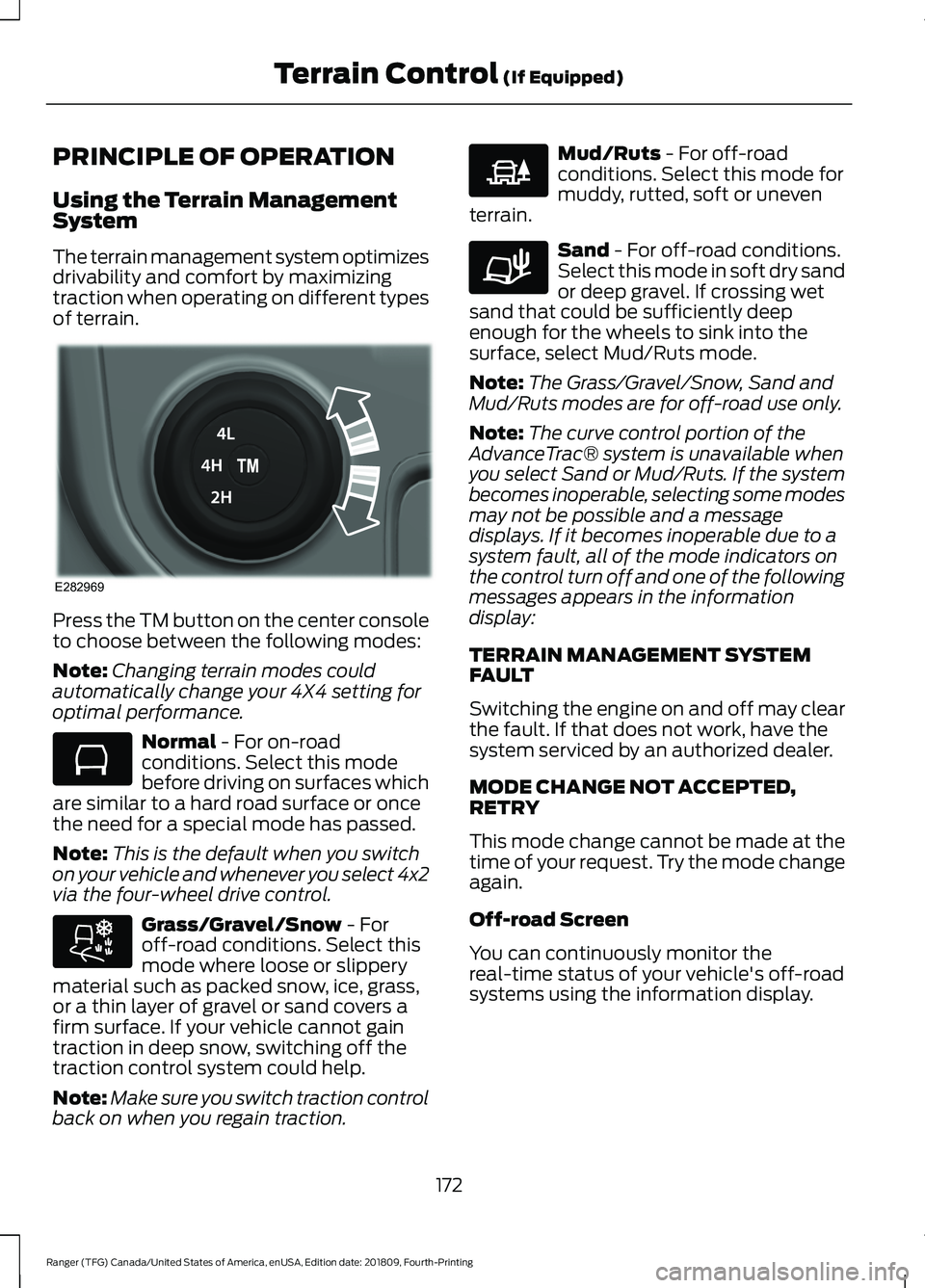
Press the TM button on the center console
to choose between the following modes:
Note:
Changing terrain modes could
automatically change your 4X4 setting for
optimal performance. Normal - For on-road
conditions. Select this mode
before driving on surfaces which
are similar to a hard road surface or once
the need for a special mode has passed.
Note: This is the default when you switch
on your vehicle and whenever you select 4x2
via the four-wheel drive control. Grass/Gravel/Snow
- For
off-road conditions. Select this
mode where loose or slippery
material such as packed snow, ice, grass,
or a thin layer of gravel or sand covers a
firm surface. If your vehicle cannot gain
traction in deep snow, switching off the
traction control system could help.
Note: Make sure you switch traction control
back on when you regain traction. Mud/Ruts
- For off-road
conditions. Select this mode for
muddy, rutted, soft or uneven
terrain. Sand
- For off-road conditions.
Select this mode in soft dry sand
or deep gravel. If crossing wet
sand that could be sufficiently deep
enough for the wheels to sink into the
surface, select Mud/Ruts mode.
Note: The Grass/Gravel/Snow, Sand and
Mud/Ruts modes are for off-road use only.
Note: The curve control portion of the
AdvanceTrac® system is unavailable when
you select Sand or Mud/Ruts. If the system
becomes inoperable, selecting some modes
may not be possible and a message
displays. If it becomes inoperable due to a
system fault, all of the mode indicators on
the control turn off and one of the following
messages appears in the information
display:
TERRAIN MANAGEMENT SYSTEM
FAULT
Switching the engine on and off may clear
the fault. If that does not work, have the
system serviced by an authorized dealer.
MODE CHANGE NOT ACCEPTED,
RETRY
This mode change cannot be made at the
time of your request. Try the mode change
again.
Off-road Screen
You can continuously monitor the
real-time status of your vehicle's off-road
systems using the information display.
172
Ranger (TFG) Canada/United States of America, enUSA, Edition date: 201809, Fourth-Printing Terrain Control
(If Equipped)E282969 E283048 E283044 E225313 E283037
Page 178 of 512
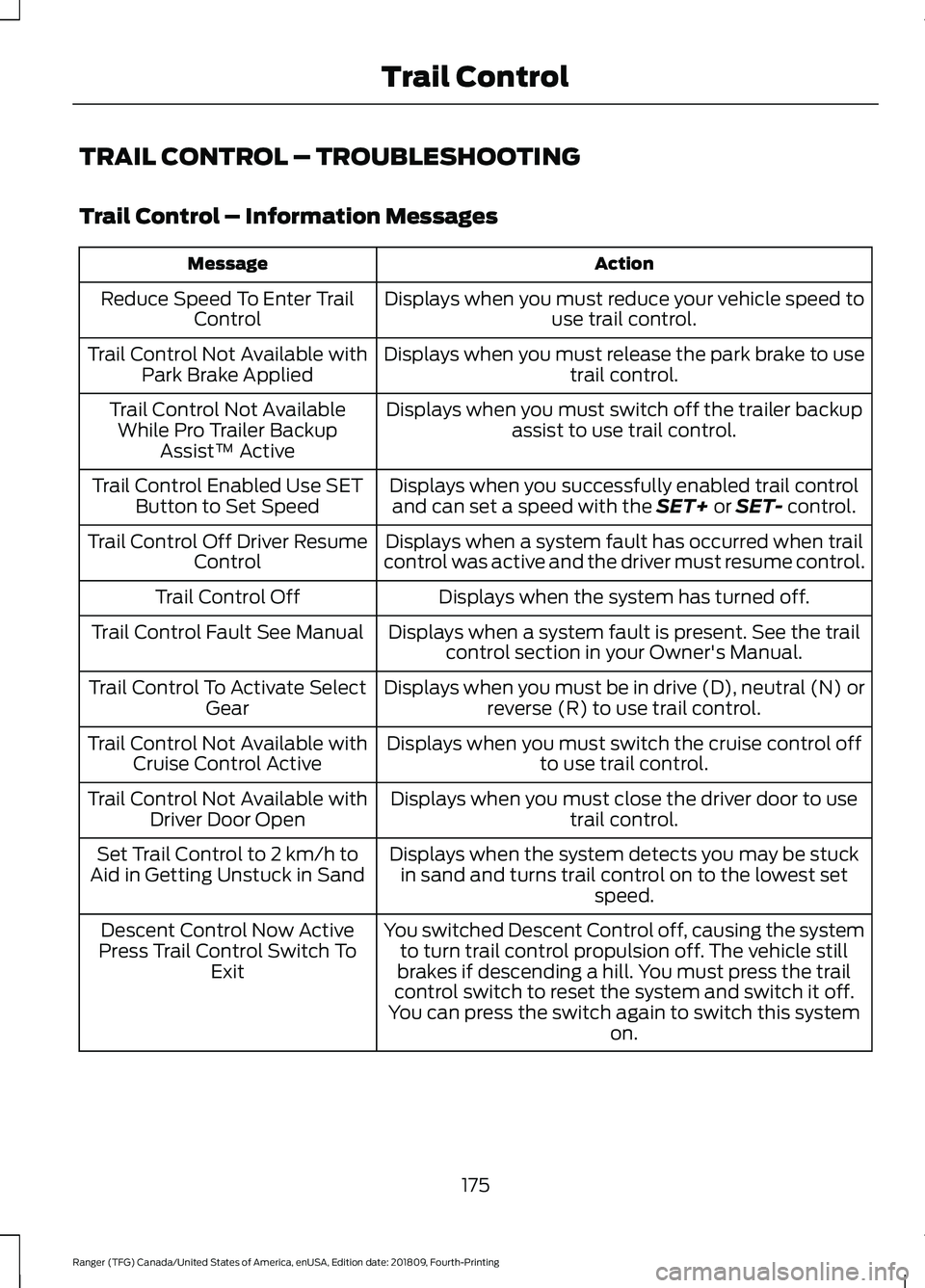
TRAIL CONTROL – TROUBLESHOOTING
Trail Control – Information Messages
Action
Message
Displays when you must reduce your vehicle speed touse trail control.
Reduce Speed To Enter Trail
Control
Displays when you must release the park brake to usetrail control.
Trail Control Not Available with
Park Brake Applied
Displays when you must switch off the trailer backupassist to use trail control.
Trail Control Not Available
While Pro Trailer Backup Assist™ Active
Displays when you successfully enabled trail controland can set a speed with the SET+ or SET- control.
Trail Control Enabled Use SET
Button to Set Speed
Displays when a system fault has occurred when trail
control was active and the driver must resume control.
Trail Control Off Driver Resume
Control
Displays when the system has turned off.
Trail Control Off
Displays when a system fault is present. See the trailcontrol section in your Owner's Manual.
Trail Control Fault See Manual
Displays when you must be in drive (D), neutral (N) orreverse (R) to use trail control.
Trail Control To Activate Select
Gear
Displays when you must switch the cruise control offto use trail control.
Trail Control Not Available with
Cruise Control Active
Displays when you must close the driver door to usetrail control.
Trail Control Not Available with
Driver Door Open
Displays when the system detects you may be stuckin sand and turns trail control on to the lowest set speed.
Set Trail Control to 2 km/h to
Aid in Getting Unstuck in Sand
You switched Descent Control off, causing the systemto turn trail control propulsion off. The vehicle still
brakes if descending a hill. You must press the trail
control switch to reset the system and switch it off.
You can press the switch again to switch this system on.
Descent Control Now Active
Press Trail Control Switch To Exit
175
Ranger (TFG) Canada/United States of America, enUSA, Edition date: 201809, Fourth-Printing Trail Control
Page 180 of 512
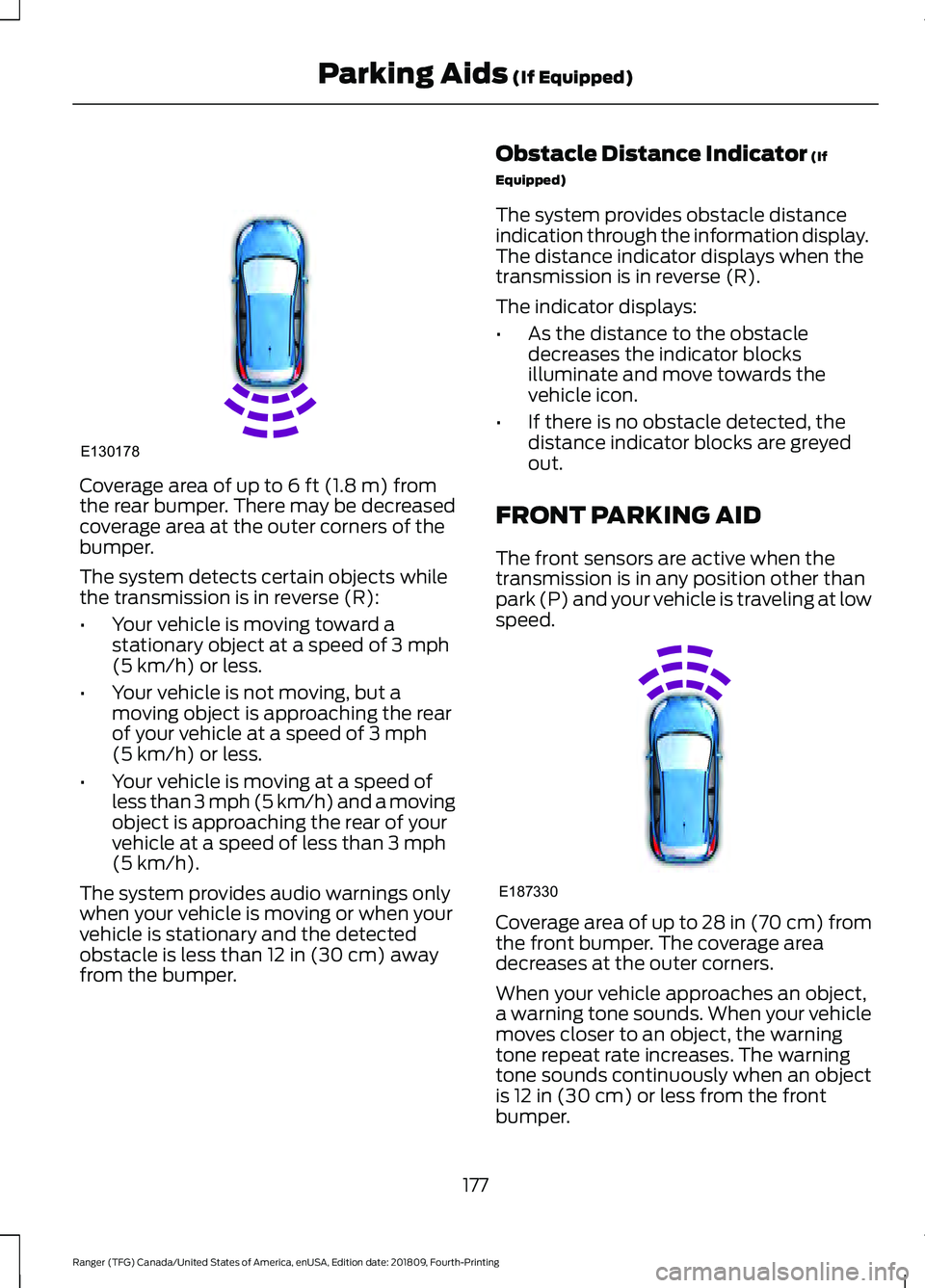
Coverage area of up to 6 ft (1.8 m) from
the rear bumper. There may be decreased
coverage area at the outer corners of the
bumper.
The system detects certain objects while
the transmission is in reverse (R):
• Your vehicle is moving toward a
stationary object at a speed of
3 mph
(5 km/h) or less.
• Your vehicle is not moving, but a
moving object is approaching the rear
of your vehicle at a speed of
3 mph
(5 km/h) or less.
• Your vehicle is moving at a speed of
less than 3 mph (5 km/h) and a moving
object is approaching the rear of your
vehicle at a speed of less than
3 mph
(5 km/h).
The system provides audio warnings only
when your vehicle is moving or when your
vehicle is stationary and the detected
obstacle is less than
12 in (30 cm) away
from the bumper. Obstacle Distance Indicator
(If
Equipped)
The system provides obstacle distance
indication through the information display.
The distance indicator displays when the
transmission is in reverse (R).
The indicator displays:
• As the distance to the obstacle
decreases the indicator blocks
illuminate and move towards the
vehicle icon.
• If there is no obstacle detected, the
distance indicator blocks are greyed
out.
FRONT PARKING AID
The front sensors are active when the
transmission is in any position other than
park (P) and your vehicle is traveling at low
speed. Coverage area of up to
28 in (70 cm) from
the front bumper. The coverage area
decreases at the outer corners.
When your vehicle approaches an object,
a warning tone sounds. When your vehicle
moves closer to an object, the warning
tone repeat rate increases. The warning
tone sounds continuously when an object
is
12 in (30 cm) or less from the front
bumper.
177
Ranger (TFG) Canada/United States of America, enUSA, Edition date: 201809, Fourth-Printing Parking Aids
(If Equipped)E130178 E187330