CD player FORD RANGER 2023 User Guide
[x] Cancel search | Manufacturer: FORD, Model Year: 2023, Model line: RANGER, Model: FORD RANGER 2023Pages: 470, PDF Size: 13.06 MB
Page 385 of 470
Using the Radio
Setting a Radio Station Using theTouchscreen
Directly Tuning a Radio Station
Select Sources.
Select AM or FM.
Select Frequency.
Enter the frequency of the radio stationand select Enter.
Note:You must enter the frequency to twodecimal places.
Selecting a Radio Station From a List
Select Sources.
Select FM or DAB.
Select Station.
Select a radio station from the list.
Switching Traffic Announcements On
Select Traffic (TA).
Note:If you switch traffic announcementson, traffic announcements broadcast byradio stations interrupt the current audiosource to help you plan your route.
Storing a Radio Station
You can use the different sets of presetsto allow different drivers to store theirfavorite radio stations.
Set a radio station.
Select Presets.
Note:Only do this if you wish to select adifferent set of presets.
Press and hold one of the preset buttons.
Note:The radio briefly mutes to indicatethe radio station has been stored.
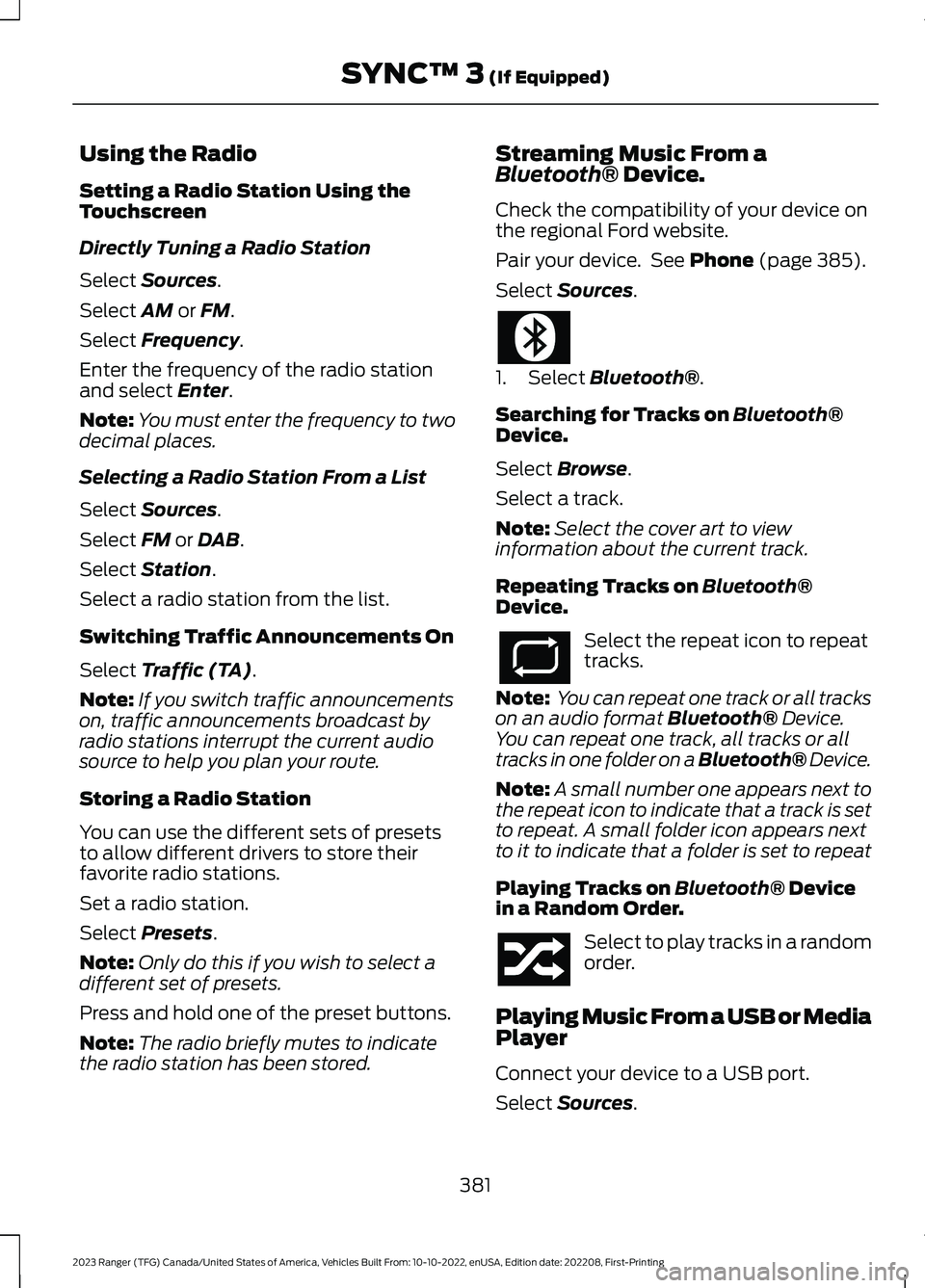
Streaming Music From aBluetooth® Device.
Check the compatibility of your device onthe regional Ford website.
Pair your device. See Phone (page 385).
Select Sources.
1.Select Bluetooth®.
Searching for Tracks on Bluetooth®Device.
Select Browse.
Select a track.
Note:Select the cover art to viewinformation about the current track.
Repeating Tracks on Bluetooth®Device.
Select the repeat icon to repeattracks.
Note: You can repeat one track or all trackson an audio format Bluetooth® Device.You can repeat one track, all tracks or alltracks in one folder on a Bluetooth® Device.
Note:A small number one appears next tothe repeat icon to indicate that a track is setto repeat. A small folder icon appears nextto it to indicate that a folder is set to repeat
Playing Tracks on Bluetooth® Devicein a Random Order.
Select to play tracks in a randomorder.
Playing Music From a USB or MediaPlayer
Connect your device to a USB port.
Select Sources.
381
2023 Ranger (TFG) Canada/United States of America, Vehicles Built From: 10-10-2022, enUSA, Edition date: 202208, First-PrintingSYNC™ 3 (If Equipped)
Page 386 of 470
Select USB.
Note:The system indexes your musicbefore you can play it.
Searching for Tracks on a USB or MediaPlayer
Select Browse.
Select a track.
Note:Select the cover art to viewinformation about the current track.
Note:You can also browse by album, artist,audiobook, genre, playlist, podcast or trackname.
Repeating Tracks on a USB or MediaPlayer
Select the repeat icon to repeattracks.
Note:You can repeat one track or all trackson an audio format USB or media player.You can repeat one track, all tracks or alltracks in one folder on a USB or mediaplayer.
Note:A small number one appears next tothe repeat icon to indicate that a track is setto repeat. A small folder icon appears nextto it to indicate that a folder is set to repeat
Supported Devices
The system supports most USB and mediaplayers, including iOS and Android devices.
Supported File Formats
The system supports the following fileformats:
•MP3, MP4, WMA, WAV, AAC, AIFF, APE,DSD, and FLAC audio file formats.
•MP3, WMA, WAV, M4A, M4B, AAC, andFLAC file extensions.
•FAT, exFAT, and NTFS file systems.
Audio File Metadata
The system organizes files on your USB ormedia player by metadata tags. Metadatatags contain information about the file. Ifthe metadata tags for the files on your USBor media player contain no information,the system classifies them as unknown.The system can index up to 50000 trackson a USB device or media player, and upto 10 devices.
CLIMATE
Touch the climate button on thetouchscreen to access the climate controlfeatures.
Note:You can switch temperature unitsbetween Fahrenheit and Celsius. SeeSettings (page 393).
Accessing the Climate ControlMenu
Touch the button to accessadditional controls for the frontclimate system.
Directing the Airflow
Touch the button to directairflow to the windshield airvents and de-mister.
Touch the button to directairflow to the instrument panelair vents.
Touch the button to directairflow to the footwell air vents.
You can direct air through any combinationof these air vents.
382
2023 Ranger (TFG) Canada/United States of America, Vehicles Built From: 10-10-2022, enUSA, Edition date: 202208, First-PrintingSYNC™ 3 (If Equipped)E250655 E265038 E244097 E244098
Page 401 of 470
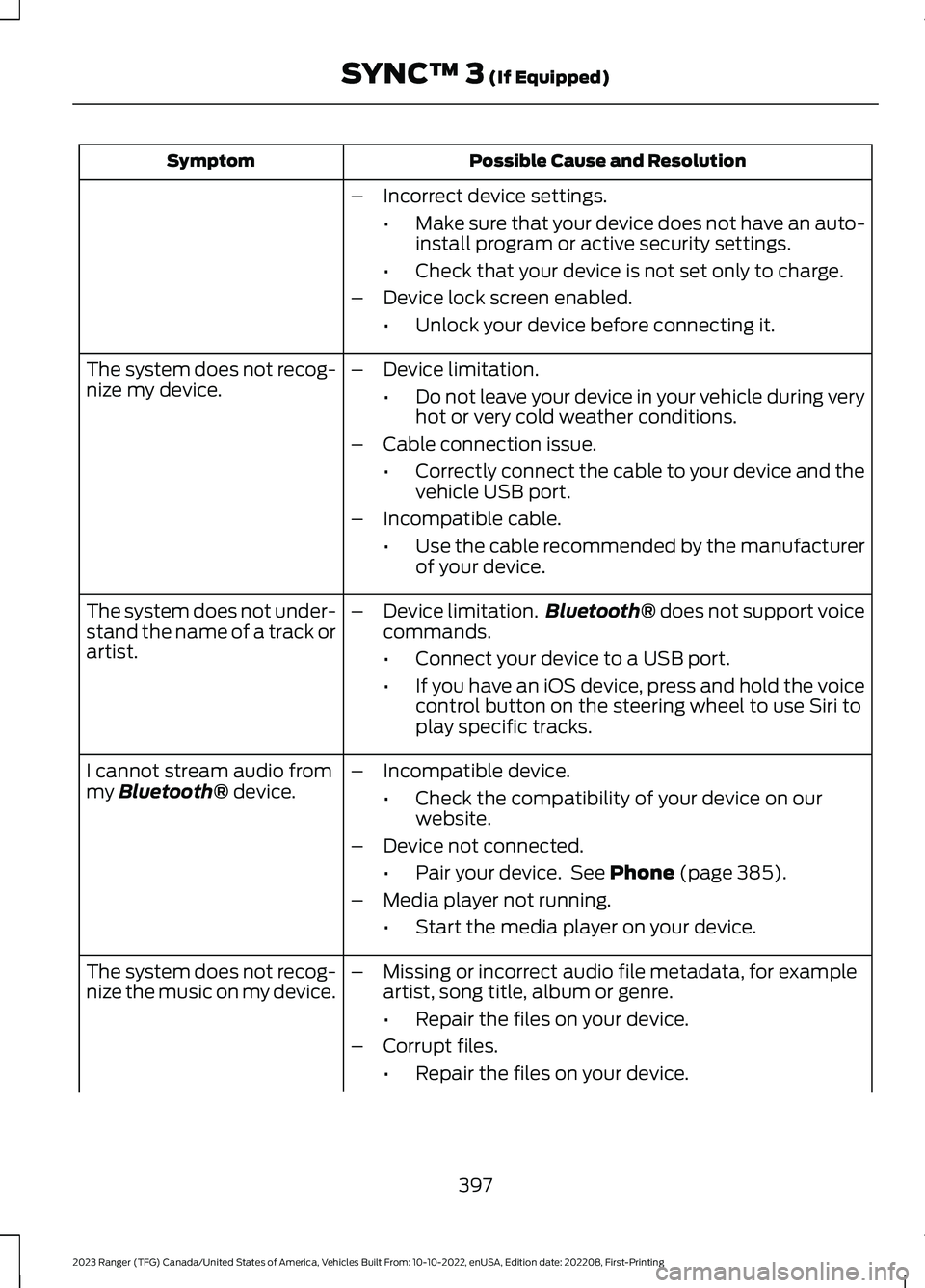
Possible Cause and ResolutionSymptom
–Incorrect device settings.
•Make sure that your device does not have an auto-install program or active security settings.
•Check that your device is not set only to charge.
–Device lock screen enabled.
•Unlock your device before connecting it.
The system does not recog-nize my device.–Device limitation.
•Do not leave your device in your vehicle during veryhot or very cold weather conditions.
–Cable connection issue.
•Correctly connect the cable to your device and thevehicle USB port.
–Incompatible cable.
•Use the cable recommended by the manufacturerof your device.
The system does not under-stand the name of a track orartist.
–Device limitation.Bluetooth® does not support voicecommands.
•Connect your device to a USB port.
•If you have an iOS device, press and hold the voicecontrol button on the steering wheel to use Siri toplay specific tracks.
I cannot stream audio frommy Bluetooth® device.–Incompatible device.
•Check the compatibility of your device on ourwebsite.
–Device not connected.
•Pair your device. See Phone (page 385).
–Media player not running.
•Start the media player on your device.
The system does not recog-nize the music on my device.–Missing or incorrect audio file metadata, for exampleartist, song title, album or genre.
•Repair the files on your device.
–Corrupt files.
•Repair the files on your device.
397
2023 Ranger (TFG) Canada/United States of America, Vehicles Built From: 10-10-2022, enUSA, Edition date: 202208, First-PrintingSYNC™ 3 (If Equipped)
Page 470 of 470
Towing..............................................................224Traction Control.............................................178Principle of Operation.......................................178Trail Control Indicators...............................185Trail Control....................................................184Trail Control – Troubleshooting....................185Trail Control – Troubleshooting..............185Trail Control – InformationMessages..........................................................185Trailer Sway Control....................................225Transmission Code Designation............328Transmission...................................................161Transporting the Vehicle...........................238Type Approvals............................................456
U
Under Hood Overview...............................265Under Seat Storage......................................141Unique Driving Characteristics................148Universal Garage Door Opener...............134USB Port.........................................................354Using Adaptive Cruise Control................193Using a Slide-In Camper...........................223Using Cruise Control....................................192Using Four-Wheel Drive.............................165Using MyKey With Remote StartSystems..........................................................62Using Snow Chains....................................308Using Stability Control...............................180Using SYNC™ With Your MediaPlayer............................................................362Using SYNC™ With Your Phone............359Using Traction Control................................178Using Voice Recognition............................357Using Voice Recognition - VehiclesWithout: SYNC..........................................355Utilizing the Mediation/ArbitrationProgram (Canada Only)........................245
V
Vehicle Care...................................................284General Information.........................................284Vehicle Certification Label.......................328Vehicle Identification Number................327Vehicle Storage............................................289Vehicle Wi-Fi Hotspot.................................341
VentilationSee: Climate Control...........................................117VINSee: Vehicle Identification Number.............327Voice Control....................................................73
W
Warning Lamps and Indicators.................92Warranty Information................................426Washer Fluid Check.....................................277WashersSee: Cleaning the Exterior..............................285See: Wipers and Washers..................................75Waxing.............................................................286What Is 911 Assist...........................................50What Is a Connected Vehicle...................337What is the Rear Occupant AlertSystem...........................................................132What Is Trail Control...................................184Wheel NutsSee: Changing a Road Wheel.........................313Wheels and Tires.........................................292General Information.........................................292Technical Specifications.................................324Wi FiSee: Changing the Vehicle Wi-Fi HotspotName or Password.......................................342See: Connecting the Vehicle to a Wi-FiNetwork - Vehicles With: SYNC 3...........337See: Creating a Vehicle Wi-Fi Hotspot -Vehicles With: SYNC 3.................................341See: Creating a Vehicle Wi-Fi Hotspot -Vehicles Without: SYNC..............................341See: Vehicle Wi-Fi Hotspot.............................341Windows and Mirrors....................................83Windshield Washers......................................76Windshield Wipers.........................................75Wiper BladesSee: Checking the Wiper Blades...................277Wipers and Washers.....................................75
466
2023 Ranger (TFG) Canada/United States of America, Vehicles Built From: 10-10-2022, enUSA, Edition date: 202208, First-PrintingIndex