audio FORD RANGER 2023 User Guide
[x] Cancel search | Manufacturer: FORD, Model Year: 2023, Model line: RANGER, Model: FORD RANGER 2023Pages: 470, PDF Size: 13.06 MB
Page 192 of 470
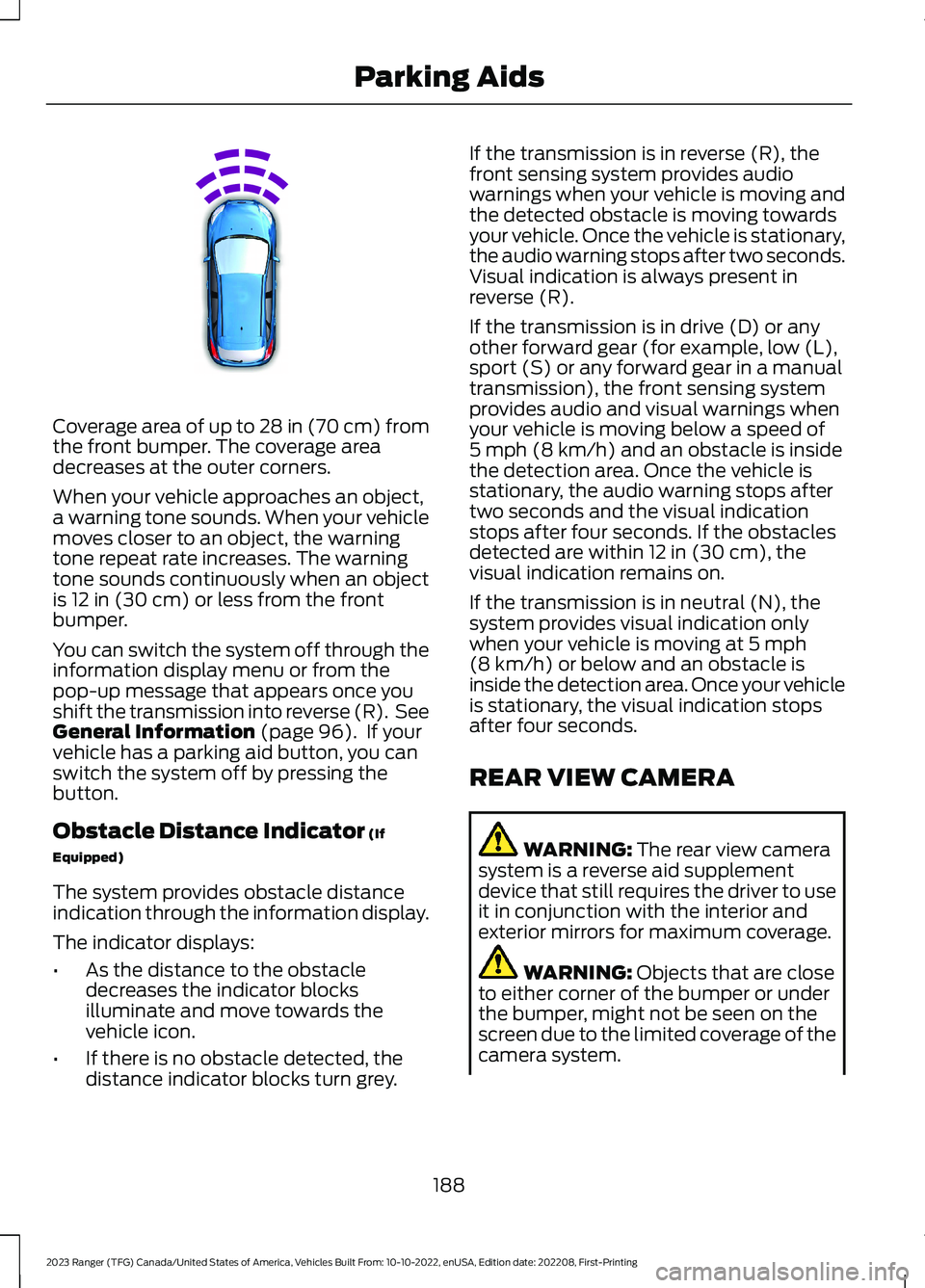
Coverage area of up to 28 in (70 cm) fromthe front bumper. The coverage areadecreases at the outer corners.
When your vehicle approaches an object,a warning tone sounds. When your vehiclemoves closer to an object, the warningtone repeat rate increases. The warningtone sounds continuously when an objectis 12 in (30 cm) or less from the frontbumper.
You can switch the system off through theinformation display menu or from thepop-up message that appears once youshift the transmission into reverse (R). SeeGeneral Information (page 96). If yourvehicle has a parking aid button, you canswitch the system off by pressing thebutton.
Obstacle Distance Indicator (If
Equipped)
The system provides obstacle distanceindication through the information display.
The indicator displays:
•As the distance to the obstacledecreases the indicator blocksilluminate and move towards thevehicle icon.
•If there is no obstacle detected, thedistance indicator blocks turn grey.
If the transmission is in reverse (R), thefront sensing system provides audiowarnings when your vehicle is moving andthe detected obstacle is moving towardsyour vehicle. Once the vehicle is stationary,the audio warning stops after two seconds.Visual indication is always present inreverse (R).
If the transmission is in drive (D) or anyother forward gear (for example, low (L),sport (S) or any forward gear in a manualtransmission), the front sensing systemprovides audio and visual warnings whenyour vehicle is moving below a speed of5 mph (8 km/h) and an obstacle is insidethe detection area. Once the vehicle isstationary, the audio warning stops aftertwo seconds and the visual indicationstops after four seconds. If the obstaclesdetected are within 12 in (30 cm), thevisual indication remains on.
If the transmission is in neutral (N), thesystem provides visual indication onlywhen your vehicle is moving at 5 mph(8 km/h) or below and an obstacle isinside the detection area. Once your vehicleis stationary, the visual indication stopsafter four seconds.
REAR VIEW CAMERA
WARNING: The rear view camerasystem is a reverse aid supplementdevice that still requires the driver to useit in conjunction with the interior andexterior mirrors for maximum coverage.
WARNING: Objects that are closeto either corner of the bumper or underthe bumper, might not be seen on thescreen due to the limited coverage of thecamera system.
188
2023 Ranger (TFG) Canada/United States of America, Vehicles Built From: 10-10-2022, enUSA, Edition date: 202208, First-PrintingParking AidsE187330
Page 263 of 470
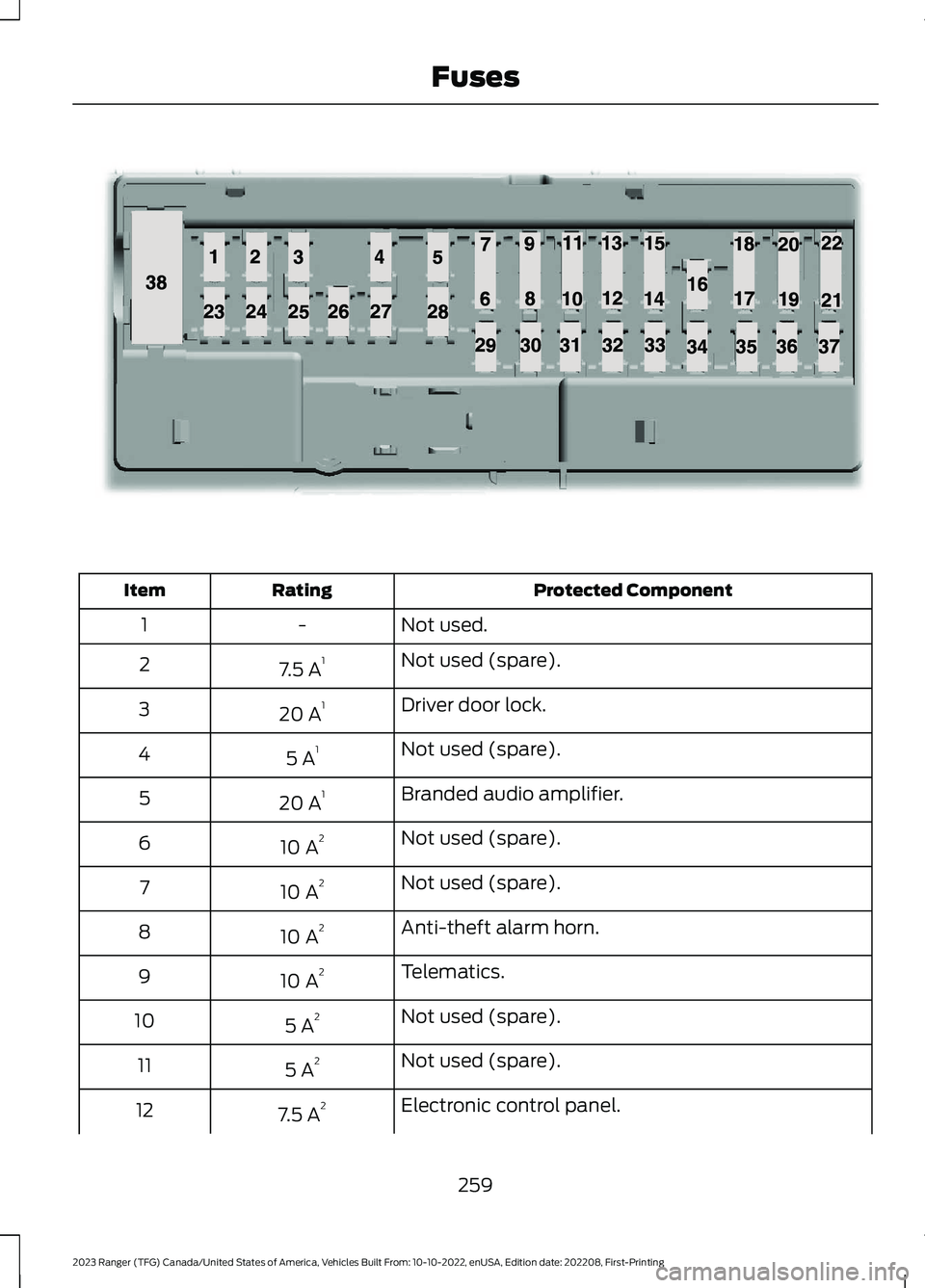
Protected ComponentRatingItem
Not used.-1
Not used (spare).7.5 A12
Driver door lock.20 A13
Not used (spare).5 A14
Branded audio amplifier.20 A15
Not used (spare).10 A26
Not used (spare).10 A27
Anti-theft alarm horn.10 A28
Telematics.10 A29
Not used (spare).5 A210
Not used (spare).5 A211
Electronic control panel.7.5 A212
259
2023 Ranger (TFG) Canada/United States of America, Vehicles Built From: 10-10-2022, enUSA, Edition date: 202208, First-PrintingFusesE145984
Page 264 of 470
Protected ComponentRatingItem
Climate control.
Instrument cluster.
7.5 A213Steering column control module.Data link connector.
Extended power module (for restraints module andoccupant module).10 A214
Data link module.10 A215Data link connector.
Not used (spare).15 A116
Not used (spare).5 A217
Ignition switch.
5 A218Lock solenoid.Push button start.
Extended power module (for restraints module andoccupant module).7.5 A219
Auxiliary switches.7.5 A220
Humidity and in-car temperature sensor.5 A221
Not used (spare).5 A222
Inverter.10 A123Door lock switch.
Central locking system.20 A124
Driver door power window.30 A125
Not used (spare).30 A126
Not used (spare).30 A127
Branded audio amplifier.20 A128
Not used (spare).30 A129
Not used (spare).30 A130
260
2023 Ranger (TFG) Canada/United States of America, Vehicles Built From: 10-10-2022, enUSA, Edition date: 202208, First-PrintingFuses
Page 265 of 470
Protected ComponentRatingItem
SYNC.15 A131
Radio transceiver module.10 A132Door entry remote.
Audio unit.20 A133
Run/start relay.30 A134
Not used (spare).5 A135
Auto-dimming interior mirror.15 A136Mirror adjustment control.
Not used (spare).20 A137
Power windows.30 A338
1 Micro 2 fuse.2 Micro 3 fuse.3 PTC fuse.
CHANGING A FUSE
Fuses
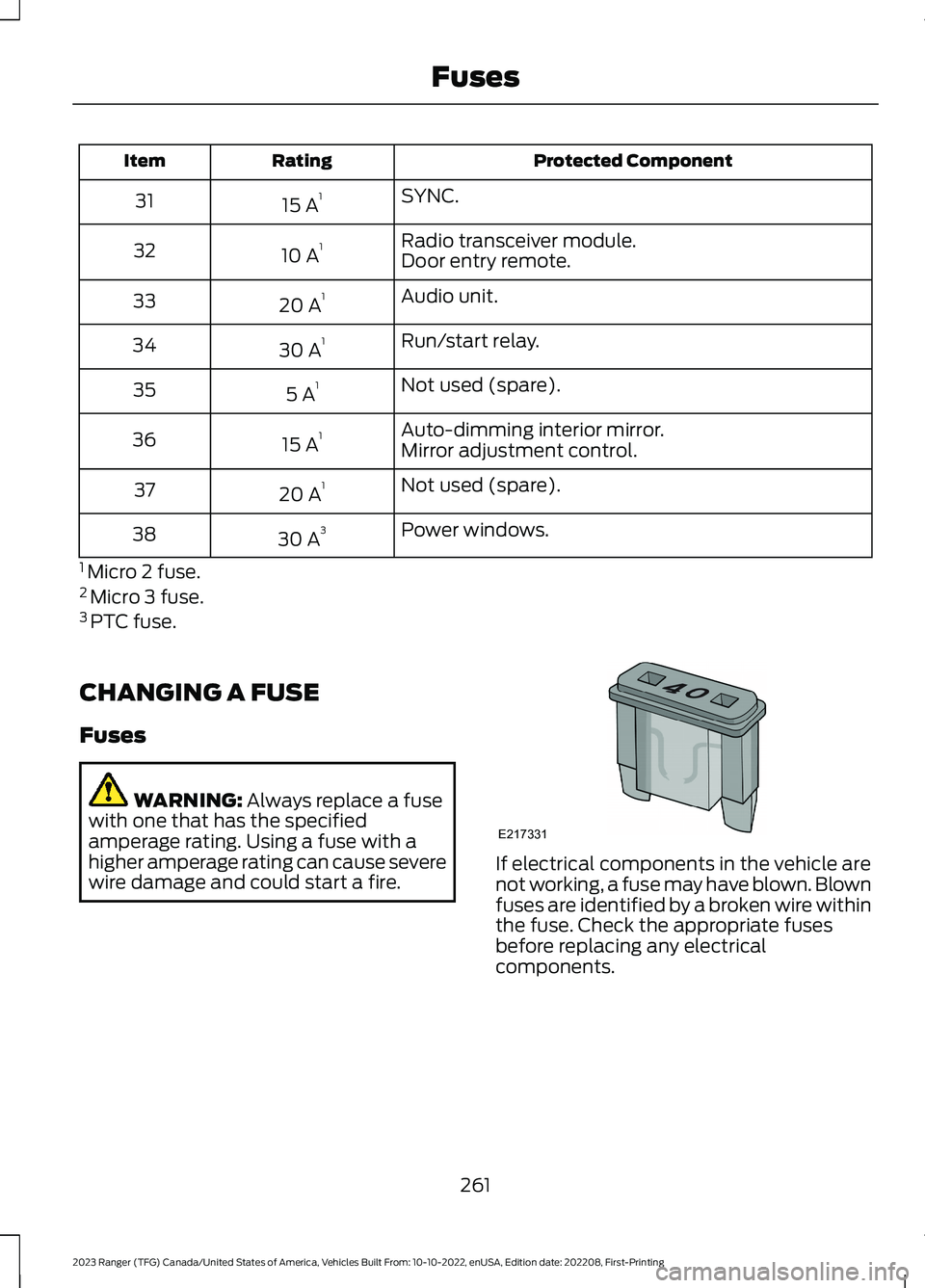
WARNING: Always replace a fusewith one that has the specifiedamperage rating. Using a fuse with ahigher amperage rating can cause severewire damage and could start a fire.If electrical components in the vehicle arenot working, a fuse may have blown. Blownfuses are identified by a broken wire withinthe fuse. Check the appropriate fusesbefore replacing any electricalcomponents.
261
2023 Ranger (TFG) Canada/United States of America, Vehicles Built From: 10-10-2022, enUSA, Edition date: 202208, First-PrintingFusesE217331
Page 278 of 470
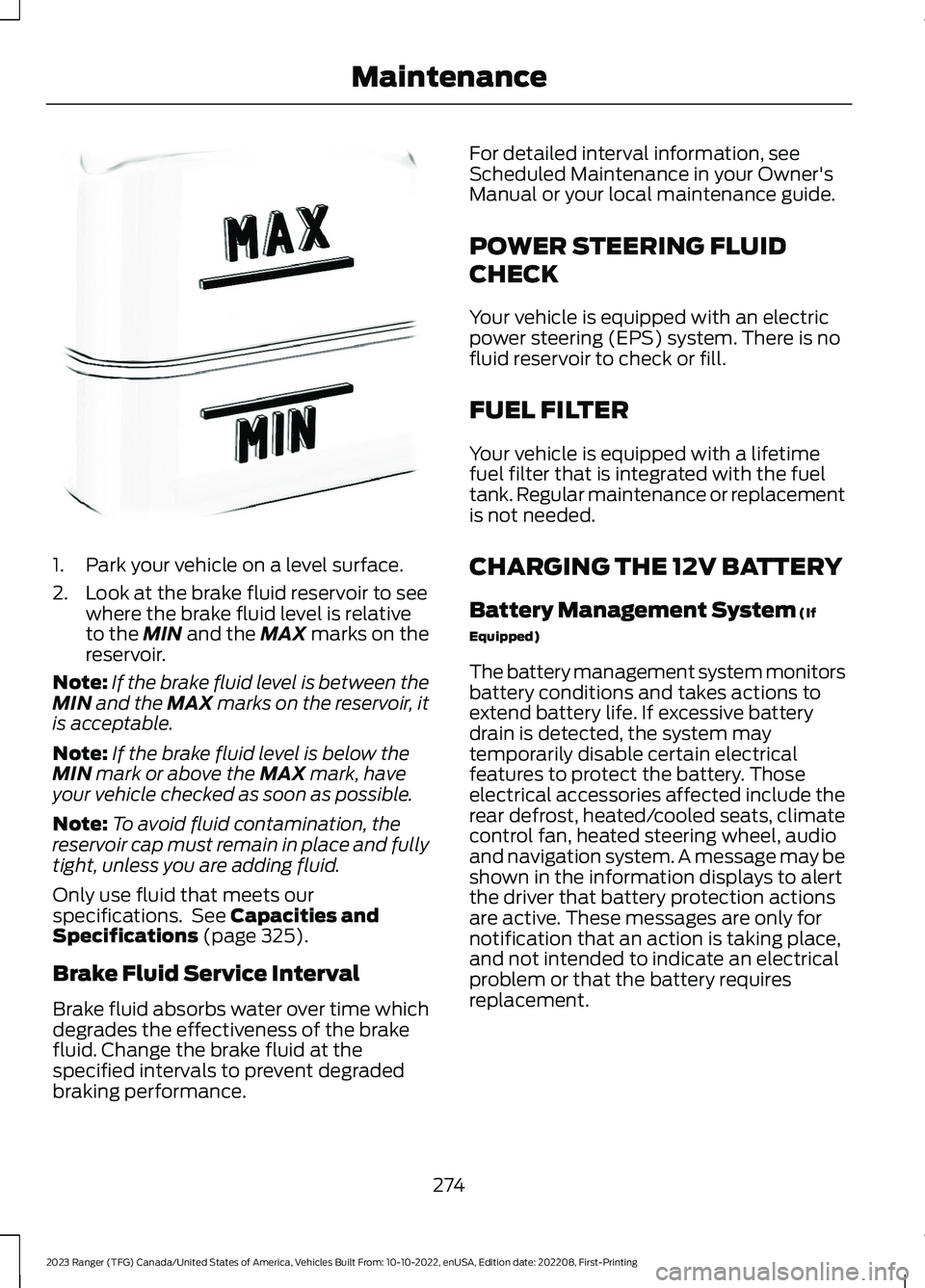
1.Park your vehicle on a level surface.
2.Look at the brake fluid reservoir to seewhere the brake fluid level is relativeto the MIN and the MAX marks on thereservoir.
Note:If the brake fluid level is between theMIN and the MAX marks on the reservoir, itis acceptable.
Note:If the brake fluid level is below theMIN mark or above the MAX mark, haveyour vehicle checked as soon as possible.
Note:To avoid fluid contamination, thereservoir cap must remain in place and fullytight, unless you are adding fluid.
Only use fluid that meets ourspecifications. See Capacities andSpecifications (page 325).
Brake Fluid Service Interval
Brake fluid absorbs water over time whichdegrades the effectiveness of the brakefluid. Change the brake fluid at thespecified intervals to prevent degradedbraking performance.
For detailed interval information, seeScheduled Maintenance in your Owner'sManual or your local maintenance guide.
POWER STEERING FLUID
CHECK
Your vehicle is equipped with an electricpower steering (EPS) system. There is nofluid reservoir to check or fill.
FUEL FILTER
Your vehicle is equipped with a lifetimefuel filter that is integrated with the fueltank. Regular maintenance or replacementis not needed.
CHARGING THE 12V BATTERY
Battery Management System (If
Equipped)
The battery management system monitorsbattery conditions and takes actions toextend battery life. If excessive batterydrain is detected, the system maytemporarily disable certain electricalfeatures to protect the battery. Thoseelectrical accessories affected include therear defrost, heated/cooled seats, climatecontrol fan, heated steering wheel, audioand navigation system. A message may beshown in the information displays to alertthe driver that battery protection actionsare active. These messages are only fornotification that an action is taking place,and not intended to indicate an electricalproblem or that the battery requiresreplacement.
274
2023 Ranger (TFG) Canada/United States of America, Vehicles Built From: 10-10-2022, enUSA, Edition date: 202208, First-PrintingMaintenanceE170684
Page 347 of 470
GENERAL INFORMATION
Radio Frequencies and ReceptionFactors
AM and FM frequencies are established bythe Federal Communications Commission(FCC) and the Canadian Radio andTelecommunications Commission (CRTC).Those frequencies are:
•AM: 530-1710 kHz
•FM: 87.9-107.9 MHz
Note:Listening to loud audio for longperiods of time could damage your hearing.
Radio Reception Factors
The further you travel from an AM or FM station, theweaker the signal and the weaker the reception.Distance and strength
Hills, mountains, tall buildings, bridges, tunnels, freewayoverpasses, parking garages, dense tree foliage andthunderstorms can interfere with the reception.
Terrain
When you pass a ground-based broadcast repeatingtower, a stronger signal may overtake a weaker one andresult in the audio system muting.
Station overload
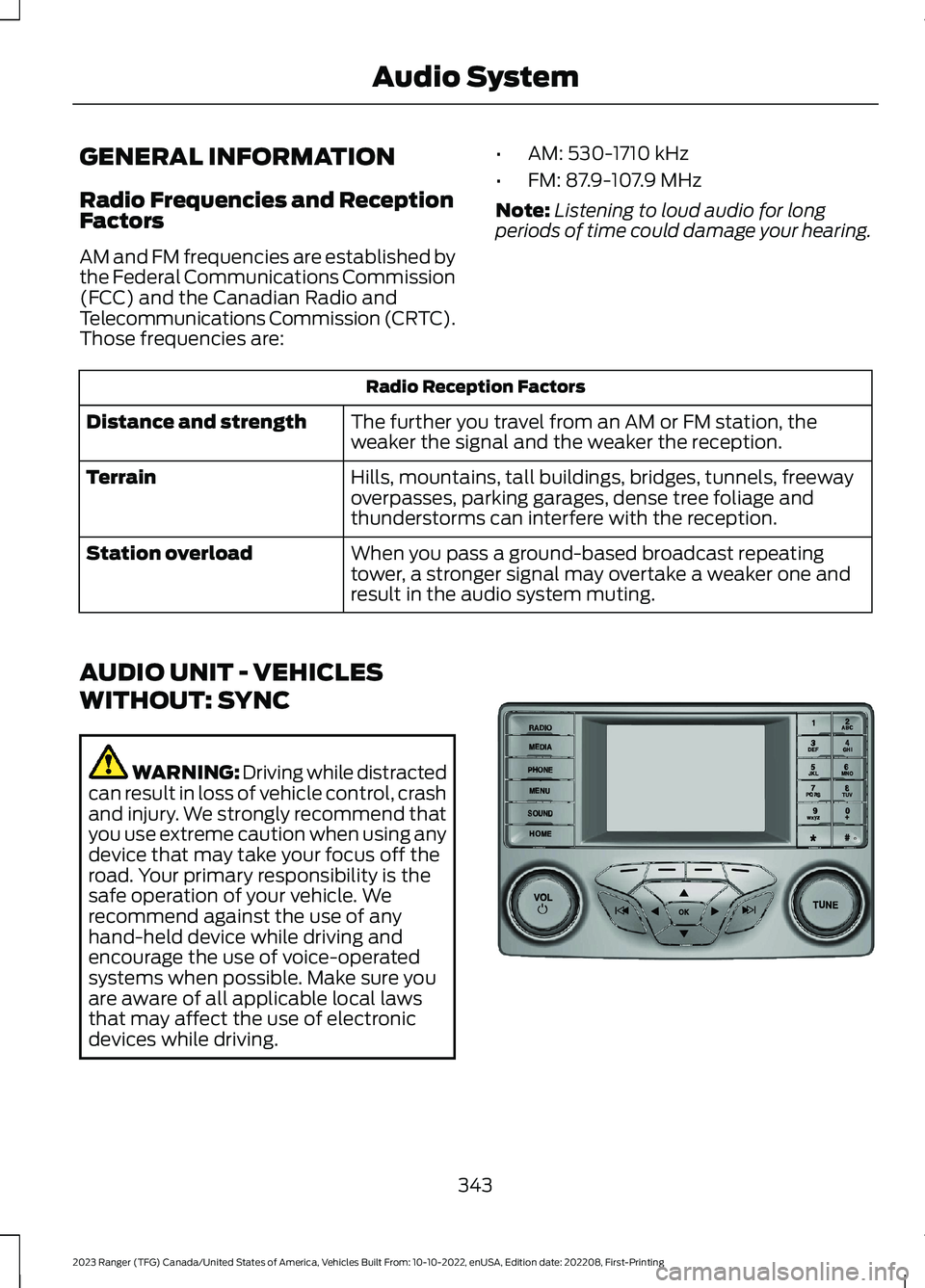
AUDIO UNIT - VEHICLES
WITHOUT: SYNC
WARNING: Driving while distractedcan result in loss of vehicle control, crashand injury. We strongly recommend thatyou use extreme caution when using anydevice that may take your focus off theroad. Your primary responsibility is thesafe operation of your vehicle. Werecommend against the use of anyhand-held device while driving andencourage the use of voice-operatedsystems when possible. Make sure youare aware of all applicable local lawsthat may affect the use of electronicdevices while driving.
343
2023 Ranger (TFG) Canada/United States of America, Vehicles Built From: 10-10-2022, enUSA, Edition date: 202208, First-PrintingAudio SystemE381207
Page 348 of 470
Accessing the Clock Settings
Press and release the button toaccess the clock setting.
Use the center arrow controls tochange the hours and minutes.
Accessing the Media Source Menu
Press and release the button toopen the media source menu.
You can press this multiple times tochange to a media device or scroll throughthe media sources using the arrow buttons.Press OK to select a source.
Accessing the Menu
Press and release the button toaccess different audio systemfeatures.
Accessing the Phone Features
Press and release the button toaccess the phone features of thesystem.
Accessing the Sound Settings
Press and release the button toaccess settings for Treble,Midrange, Bass, Fade andBalance.
Adjusting the Volume
Turn to adjust the volume.
Changing Radio Stations
In radio mode, turn to search through theradio frequency band.
Listening to the Radio
Press and release the button tolisten to the radio or change theradio frequency band.
344
2023 Ranger (TFG) Canada/United States of America, Vehicles Built From: 10-10-2022, enUSA, Edition date: 202208, First-PrintingAudio SystemE265036 E265035 E265038 E265037 E265271 E265373 E265696 E265033
Page 349 of 470
Muting the Audio
Press and release the button tomute the playing audio.
Switching the Audio Unit On andOff
Press and release the button.
Using the Display Control
Use the up and down arrow buttons toselect the various settings. When you makeyour selection, press the left and rightarrow buttons to change the settings.
Press and release to confirm aselection.
Press and release the function buttonsbelow the display to select differentfunctions of the audio system dependingon which mode you are in.
Using the Number Block
In radio mode, store and recall your favoriteradio stations. To store a favorite station,press and hold until the sound returns. Inphone mode, enter a phone number.
Using Seek, Fast Forward andReverse
In radio mode, select a frequency band andpress and release either button. Thesystem stops at the first station it finds inthat direction.
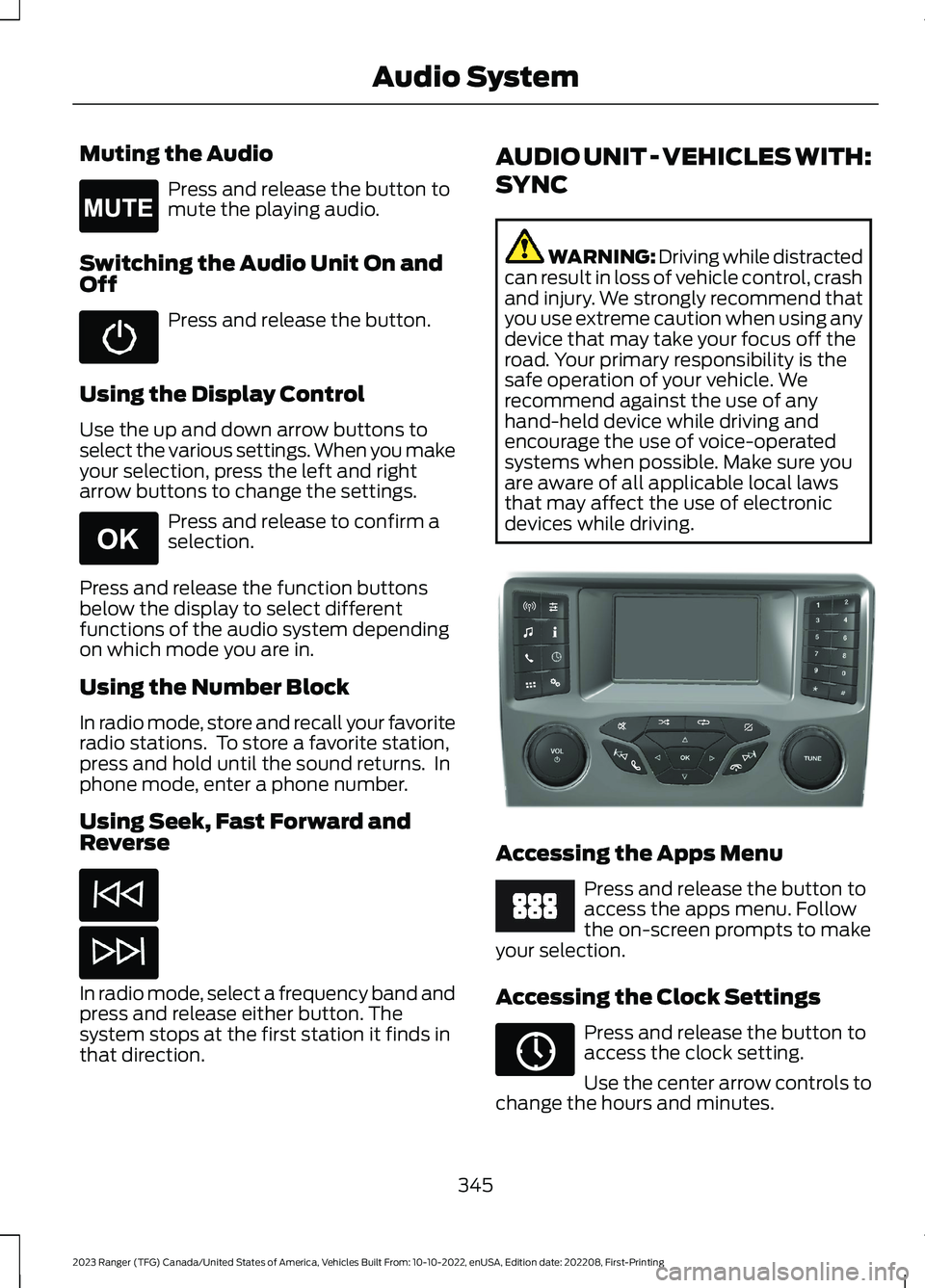
AUDIO UNIT - VEHICLES WITH:
SYNC
WARNING: Driving while distractedcan result in loss of vehicle control, crashand injury. We strongly recommend thatyou use extreme caution when using anydevice that may take your focus off theroad. Your primary responsibility is thesafe operation of your vehicle. Werecommend against the use of anyhand-held device while driving andencourage the use of voice-operatedsystems when possible. Make sure youare aware of all applicable local lawsthat may affect the use of electronicdevices while driving.
Accessing the Apps Menu
Press and release the button toaccess the apps menu. Followthe on-screen prompts to makeyour selection.
Accessing the Clock Settings
Press and release the button toaccess the clock setting.
Use the center arrow controls tochange the hours and minutes.
345
2023 Ranger (TFG) Canada/United States of America, Vehicles Built From: 10-10-2022, enUSA, Edition date: 202208, First-PrintingAudio SystemE265043 E265041 E381208 E249410 E265036
Page 350 of 470
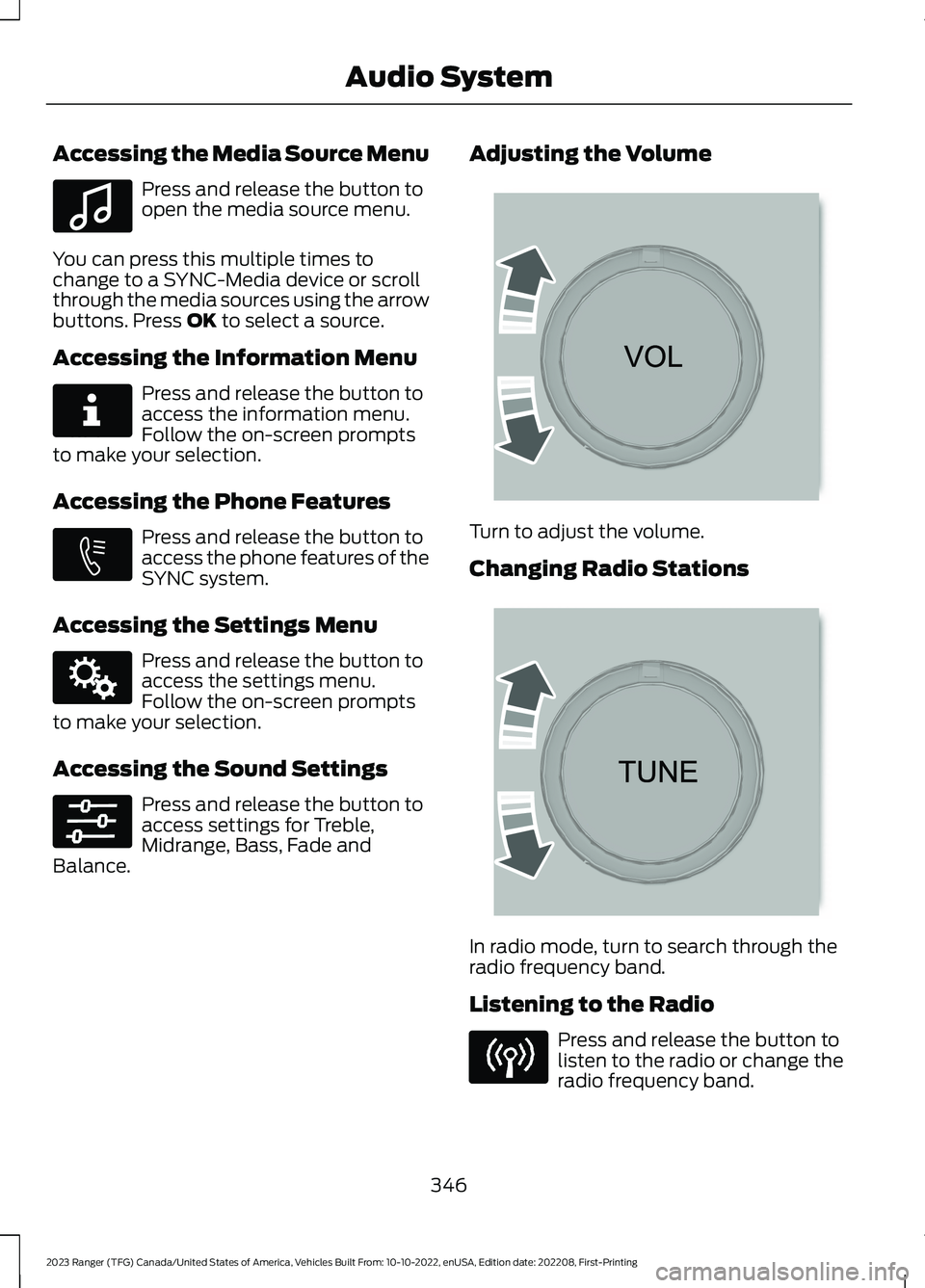
Accessing the Media Source Menu
Press and release the button toopen the media source menu.
You can press this multiple times tochange to a SYNC-Media device or scrollthrough the media sources using the arrowbuttons. Press OK to select a source.
Accessing the Information Menu
Press and release the button toaccess the information menu.Follow the on-screen promptsto make your selection.
Accessing the Phone Features
Press and release the button toaccess the phone features of theSYNC system.
Accessing the Settings Menu
Press and release the button toaccess the settings menu.Follow the on-screen promptsto make your selection.
Accessing the Sound Settings
Press and release the button toaccess settings for Treble,Midrange, Bass, Fade andBalance.
Adjusting the Volume
Turn to adjust the volume.
Changing Radio Stations
In radio mode, turn to search through theradio frequency band.
Listening to the Radio
Press and release the button tolisten to the radio or change theradio frequency band.
346
2023 Ranger (TFG) Canada/United States of America, Vehicles Built From: 10-10-2022, enUSA, Edition date: 202208, First-PrintingAudio SystemE100027 E268570 E272546 E142607 E265373 E265696
Page 351 of 470
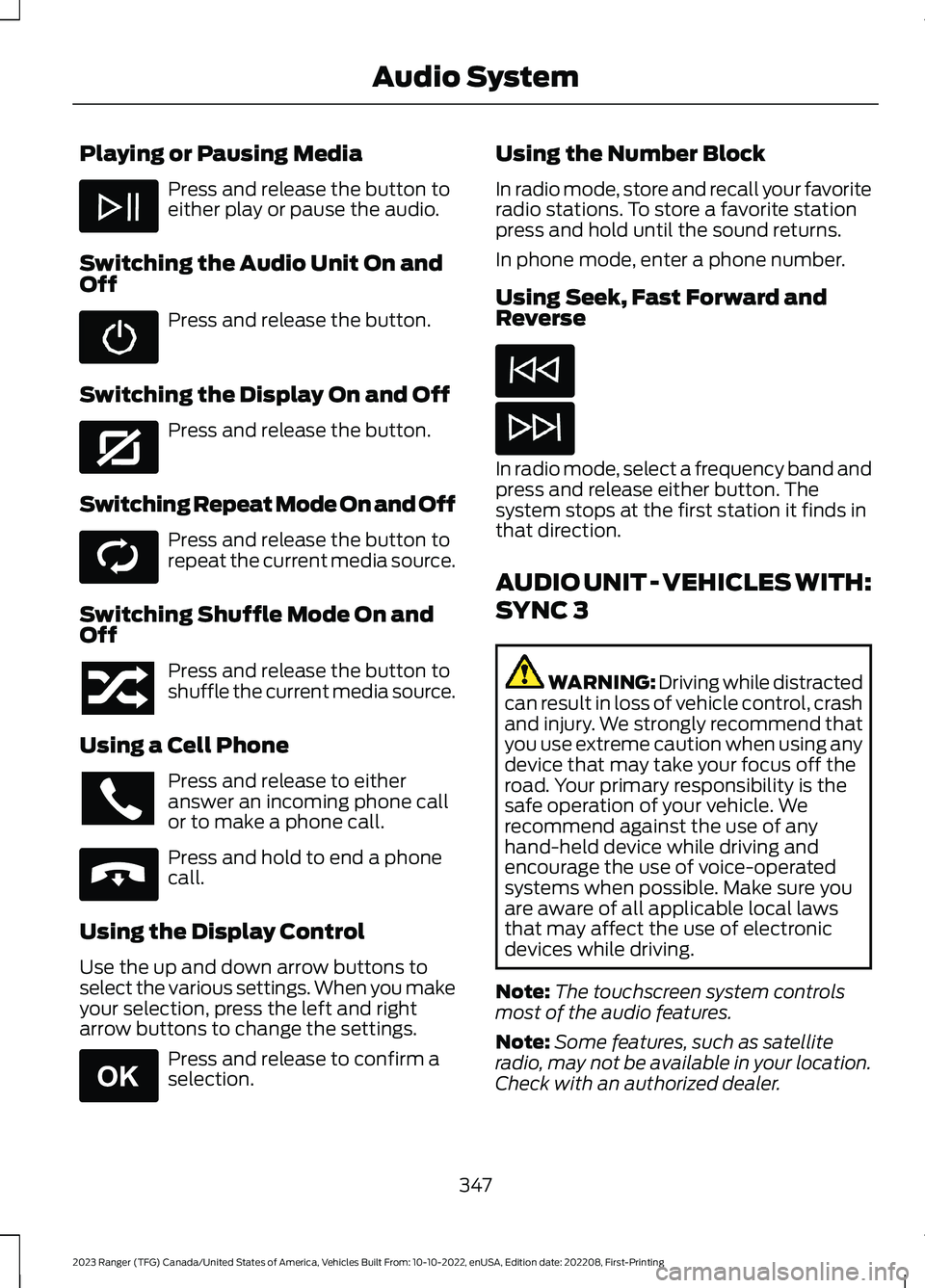
Playing or Pausing Media
Press and release the button toeither play or pause the audio.
Switching the Audio Unit On andOff
Press and release the button.
Switching the Display On and Off
Press and release the button.
Switching Repeat Mode On and Off
Press and release the button torepeat the current media source.
Switching Shuffle Mode On andOff
Press and release the button toshuffle the current media source.
Using a Cell Phone
Press and release to eitheranswer an incoming phone callor to make a phone call.
Press and hold to end a phonecall.
Using the Display Control
Use the up and down arrow buttons toselect the various settings. When you makeyour selection, press the left and rightarrow buttons to change the settings.
Press and release to confirm aselection.
Using the Number Block
In radio mode, store and recall your favoriteradio stations. To store a favorite stationpress and hold until the sound returns.
In phone mode, enter a phone number.
Using Seek, Fast Forward andReverse
In radio mode, select a frequency band andpress and release either button. Thesystem stops at the first station it finds inthat direction.
AUDIO UNIT - VEHICLES WITH:
SYNC 3
WARNING: Driving while distractedcan result in loss of vehicle control, crashand injury. We strongly recommend thatyou use extreme caution when using anydevice that may take your focus off theroad. Your primary responsibility is thesafe operation of your vehicle. Werecommend against the use of anyhand-held device while driving andencourage the use of voice-operatedsystems when possible. Make sure youare aware of all applicable local lawsthat may affect the use of electronicdevices while driving.
Note:The touchscreen system controlsmost of the audio features.
Note:Some features, such as satelliteradio, may not be available in your location.Check with an authorized dealer.
347
2023 Ranger (TFG) Canada/United States of America, Vehicles Built From: 10-10-2022, enUSA, Edition date: 202208, First-PrintingAudio System E272035 E268569 E265040 E265041