steering FORD RANGER 2023 Repair Manual
[x] Cancel search | Manufacturer: FORD, Model Year: 2023, Model line: RANGER, Model: FORD RANGER 2023Pages: 470, PDF Size: 13.06 MB
Page 305 of 470
You are strongly urged to buy areliable tire pressure gauge, asautomatic service station gaugescould be inaccurate. Werecommend the use of a digital ordial-type tire pressure gaugerather than a stick-type tirepressure gauge.
Use the recommended coldinflation pressure for optimum tireperformance and wear.Under-inflation or over-inflationcould cause uneven treadwearpatterns.
WARNING: Under-inflationis the most common cause oftire failures and may result insevere tire cracking, treadseparation or blowout, withunexpected loss of vehiclecontrol and increased risk ofinjury. Under-inflation increasessidewall flexing and rollingresistance, resulting in heatbuildup and internal damage tothe tire. It also may result inunnecessary tire stress, irregularwear, loss of vehicle control andaccidents. A tire can lose up tohalf of its air pressure and notappear to be flat!
Always inflate your tires to ourrecommended inflation pressureeven if it is less than the maximuminflation pressure informationfound on the tire. Ourrecommended tire inflation
pressure is found on the SafetyCompliance Certification Label or
Tire Label (affixed to either thedoor hinge pillar, door-latch post,or the door edge that meets thedoor-latch post, next to thedriver's seating position), or TireLabel located on the B-pillar orthe edge of the driver's door.Failure to follow the tire pressurerecommendations can causeuneven treadwear patterns andadversely affect the way yourvehicle handles.
Note:Do not reduce tire pressureto change the ride characteristicsof the vehicle. If you do notmaintain the inflation pressure atthe levels specified by us, yourvehicle could experience acondition known as shimmy.Shimmy is a severe vibration andoscillation in the steering wheelafter the vehicle travels over abump or dip in the road that doesnot dampen out by itself. Shimmycould result from significantunder-inflation of the tires,improper tires (load range, size, ortype), or vehicle modifications suchas lift-kits. In the event that yourvehicle experiences shimmy, youshould slowly reduce speed byeither lifting off the acceleratorpedal or lightly applying the brakes.The shimmy will cease as thevehicle speed decreases.
Maximum Inflation Pressure isthe tire manufacturer's maximumpermissible pressure and thepressure at which the maximum
load can be carried by the tire. Thispressure is normally higher than
301
2023 Ranger (TFG) Canada/United States of America, Vehicles Built From: 10-10-2022, enUSA, Edition date: 202208, First-PrintingWheels and Tires
Page 312 of 470
Note:Uneven tread depthbetween the front and rear tirescould lead to degradation in 4WDengagement and disengagementperformance, additional noise fromthe 4WD system or damage.
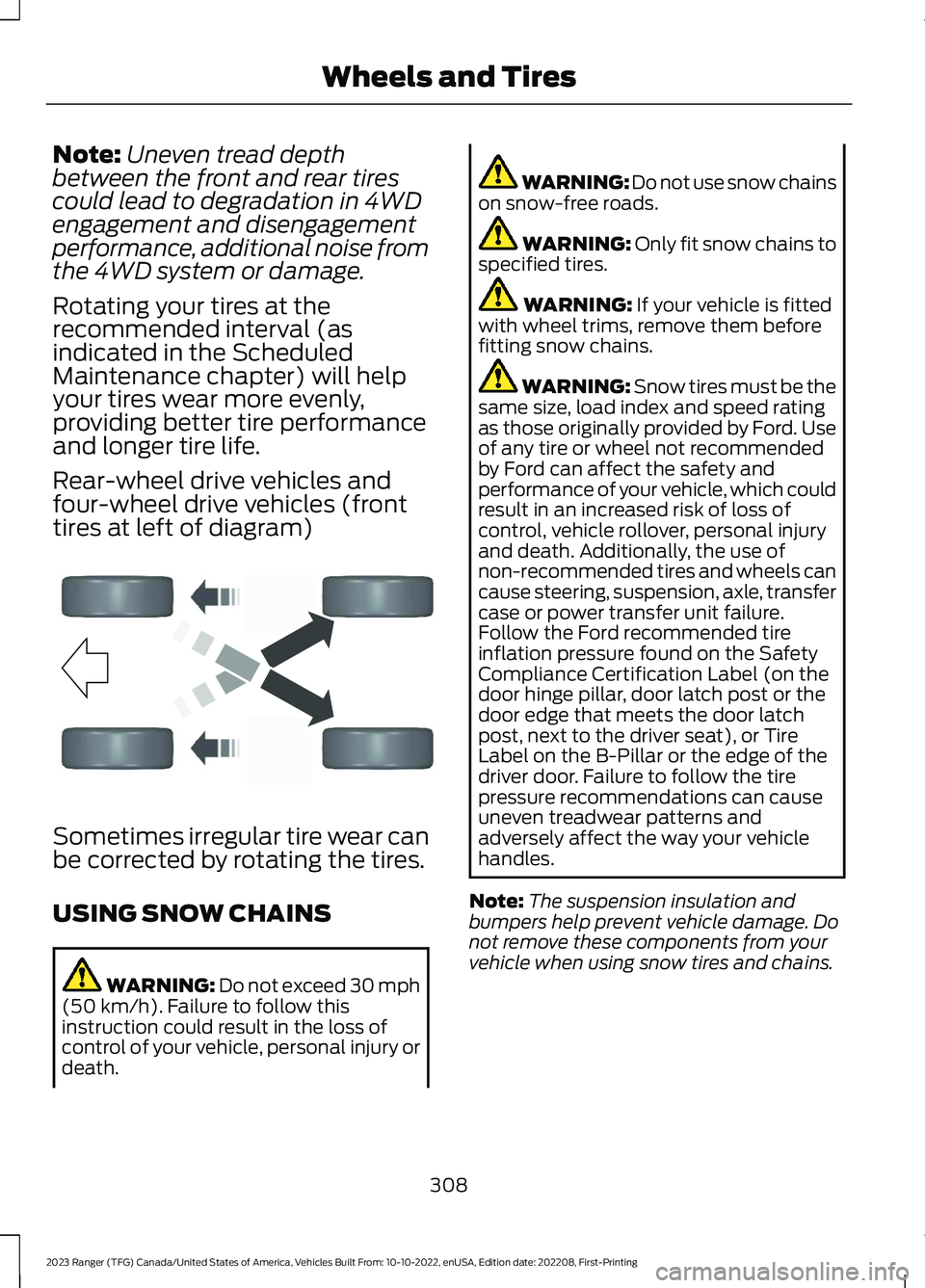
Rotating your tires at therecommended interval (asindicated in the ScheduledMaintenance chapter) will helpyour tires wear more evenly,providing better tire performanceand longer tire life.
Rear-wheel drive vehicles andfour-wheel drive vehicles (fronttires at left of diagram)
Sometimes irregular tire wear canbe corrected by rotating the tires.
USING SNOW CHAINS
WARNING: Do not exceed 30 mph(50 km/h). Failure to follow thisinstruction could result in the loss ofcontrol of your vehicle, personal injury ordeath.
WARNING: Do not use snow chainson snow-free roads.
WARNING: Only fit snow chains tospecified tires.
WARNING: If your vehicle is fittedwith wheel trims, remove them beforefitting snow chains.
WARNING: Snow tires must be thesame size, load index and speed ratingas those originally provided by Ford. Useof any tire or wheel not recommendedby Ford can affect the safety andperformance of your vehicle, which couldresult in an increased risk of loss ofcontrol, vehicle rollover, personal injuryand death. Additionally, the use ofnon-recommended tires and wheels cancause steering, suspension, axle, transfercase or power transfer unit failure.Follow the Ford recommended tireinflation pressure found on the SafetyCompliance Certification Label (on thedoor hinge pillar, door latch post or thedoor edge that meets the door latchpost, next to the driver seat), or TireLabel on the B-Pillar or the edge of thedriver door. Failure to follow the tirepressure recommendations can causeuneven treadwear patterns andadversely affect the way your vehiclehandles.
Note:The suspension insulation andbumpers help prevent vehicle damage. Donot remove these components from yourvehicle when using snow tires and chains.
308
2023 Ranger (TFG) Canada/United States of America, Vehicles Built From: 10-10-2022, enUSA, Edition date: 202208, First-PrintingWheels and TiresE142548
Page 317 of 470
How Temperature Affects Your TirePressure
The tire pressure monitoring systemmonitors tire pressure in each pneumatictire. While driving in a normal manner, atypical passenger tire inflation pressuremay increase about 2–4 psi (14–28 kPa)from a cold start situation. If the vehicle isstationary overnight with the outsidetemperature significantly lower than thedaytime temperature, the tire pressure maydecrease about 3 psi (21 kPa) for a drop of30°F (17°C) in ambient temperature. Thislower pressure value may be detected bythe tire pressure monitoring system asbeing significantly lower than therecommended inflation pressure andactivate the system warning light for lowtire pressure. If the low tire pressurewarning light is on, visually check each tireto verify that no tire is flat. If one or moretires are flat, repair as necessary. Checkthe air pressure in the road tires. If any tireis under-inflated, carefully drive the vehicleto the nearest location where air can beadded to the tires. Inflate all the tires tothe recommended inflation pressure.
CHANGING A ROAD WHEEL
WARNING: If the tire pressuremonitor sensor becomes damaged itmay not function.
If you get a flat tire when driving, do notheavily apply the brake. Instead, graduallydecrease your speed. Firmly hold thesteering wheel and slowly move to a safeplace on the side of the road.
Have a flat serviced by an authorizeddealer in order to prevent damage to thesystem sensors. See Tire PressureMonitoring System (page 309). Replacethe spare tire with a road tire as soon aspossible. During repairing or replacing ofthe flat tire, have the authorized dealerinspect the system sensor for damage.
Note:The use of tire sealant could damageyour tire pressure monitoring system andshould only be used in roadsideemergencies.
Note:The tire pressure monitoring systemindicator light illuminates when the sparetire is in use. To restore the full function ofthe monitoring system, all road wheels withtire pressure monitoring sensors must bemounted on this vehicle.
Dissimilar Spare Wheel and TireAssembly Information
WARNING: Failure to follow theseguidelines could result in an increasedrisk of loss of vehicle control, injury ordeath.
If you have a dissimilar spare wheel andtire, then it is intended for temporary useonly. This means that if you need to use it,you should replace it as soon as possiblewith a road wheel and tire assembly thatis the same size and type as the road tiresand wheels that were originally providedby Ford.
A dissimilar spare wheel and tire assemblyis defined as a spare wheel and tireassembly that is different in brand, size orappearance from the other road tires andwheels on your vehicle.
313
2023 Ranger (TFG) Canada/United States of America, Vehicles Built From: 10-10-2022, enUSA, Edition date: 202208, First-PrintingWheels and Tires
Page 323 of 470
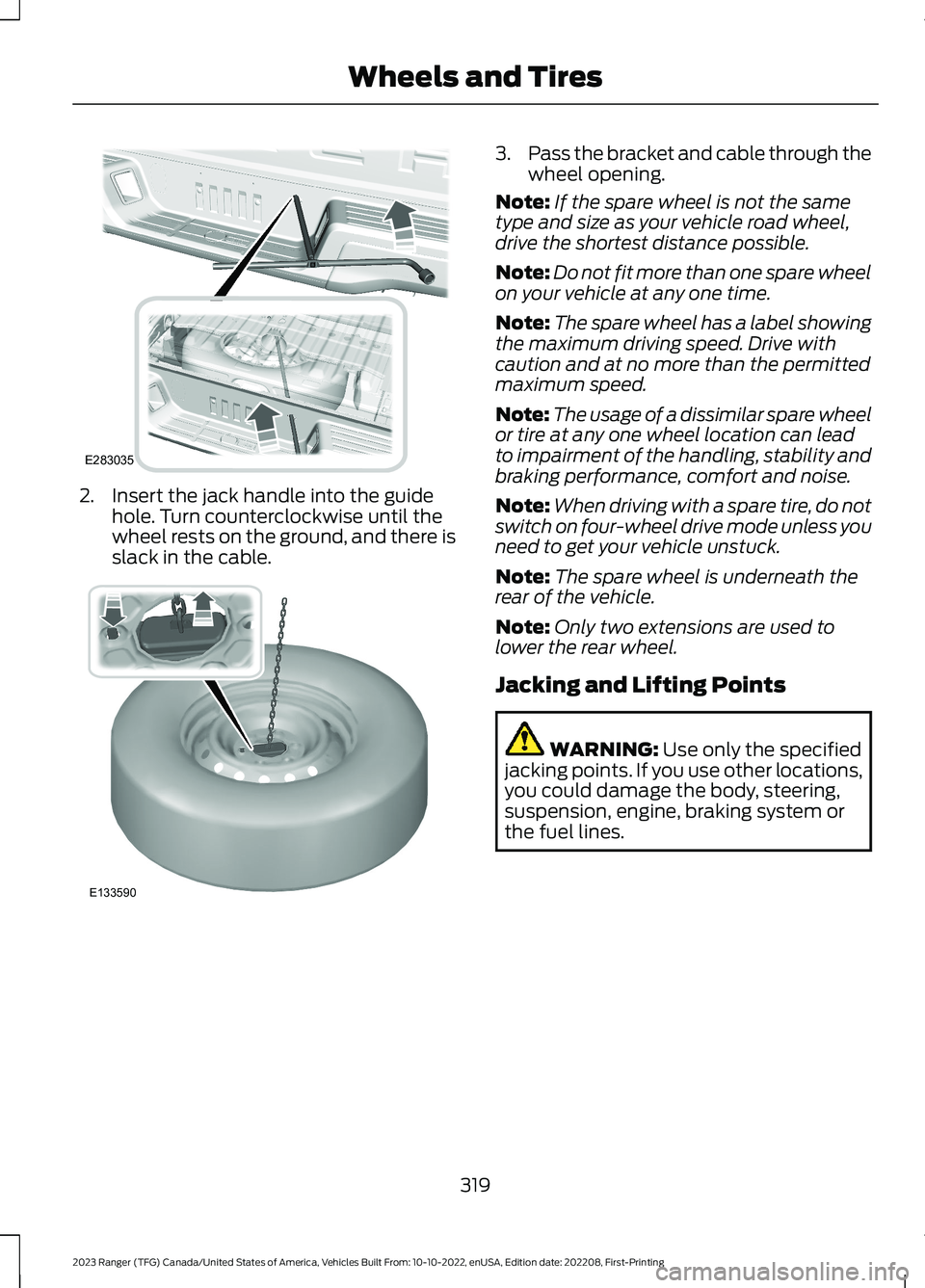
2.Insert the jack handle into the guidehole. Turn counterclockwise until thewheel rests on the ground, and there isslack in the cable.
3.Pass the bracket and cable through thewheel opening.
Note:If the spare wheel is not the sametype and size as your vehicle road wheel,drive the shortest distance possible.
Note:Do not fit more than one spare wheelon your vehicle at any one time.
Note:The spare wheel has a label showingthe maximum driving speed. Drive withcaution and at no more than the permittedmaximum speed.
Note:The usage of a dissimilar spare wheelor tire at any one wheel location can leadto impairment of the handling, stability andbraking performance, comfort and noise.
Note:When driving with a spare tire, do notswitch on four-wheel drive mode unless youneed to get your vehicle unstuck.
Note:The spare wheel is underneath therear of the vehicle.
Note:Only two extensions are used tolower the rear wheel.
Jacking and Lifting Points
WARNING: Use only the specifiedjacking points. If you use other locations,you could damage the body, steering,suspension, engine, braking system orthe fuel lines.
319
2023 Ranger (TFG) Canada/United States of America, Vehicles Built From: 10-10-2022, enUSA, Edition date: 202208, First-PrintingWheels and TiresE283035 E133590
Page 341 of 470
WHAT IS A CONNECTED
VEHICLE
A connected vehicle has technology thatallows your vehicle to connect to a mobilenetwork and for you to access a range offeatures. When used in conjunction withthe FordPass app, it could allow you tomonitor and control your vehicle further,for example checking the tire pressures,the fuel level and the vehicle location. Foradditional information, refer to the localFord website.
CONNECTED VEHICLE
REQUIREMENTS
Connected service and related featurefunctionality requires a compatible vehiclenetwork.
Some remote features require additionalservice activation. Log in to your Fordaccount for details. Some restrictions, thirdparty terms and message or data ratesmay apply.
CONNECTED VEHICLE
LIMITATIONS
Evolving technology, cellular networks, orregulations could affect functionality andavailability, or continued provision of somefeatures. These changes could even stopsome features from functioning.
CONNECTING THE VEHICLE TO
A MOBILE NETWORK
WHAT IS THE MODEM
The modem allows access to arange of features built into yourvehicle.
ENABLING AND DISABLING THEMODEM - VEHICLES WITH: AM/FM/USB/BLUETOOTH
1.Using the information display controlon the steering wheel, select Settings.
2.Select FordPass.
3.Select Connectivity.
4.Switch connectivity features on or off.
ENABLING AND DISABLING THEMODEM - VEHICLES WITH: SYNC3
1.Press Settings.
2.Press FordPass Connect.
3.Press Connectivity Settings.
4.Switch connectivity features on or off.
CONNECTING FORDPASS TO THEMODEM
1.Make sure that the modem is enabledusing the vehicle settings menu.
2.Open the FordPass app on your deviceand log in.
3.Add your vehicle or select your vehicleif already added.
4.Select the option to activate yourvehicle.
5.Make sure that the name on the screenmatches the name shown in yourFordPass account.
6.Confirm that FordPass account isconnected to the modem.
CONNECTING THE VEHICLE TO
A WI-FI NETWORK - VEHICLES
WITH: SYNC 3
1.Press Settings.
2.Press Wi-Fi.
337
2023 Ranger (TFG) Canada/United States of America, Vehicles Built From: 10-10-2022, enUSA, Edition date: 202208, First-PrintingConnected Vehicle
Page 359 of 470
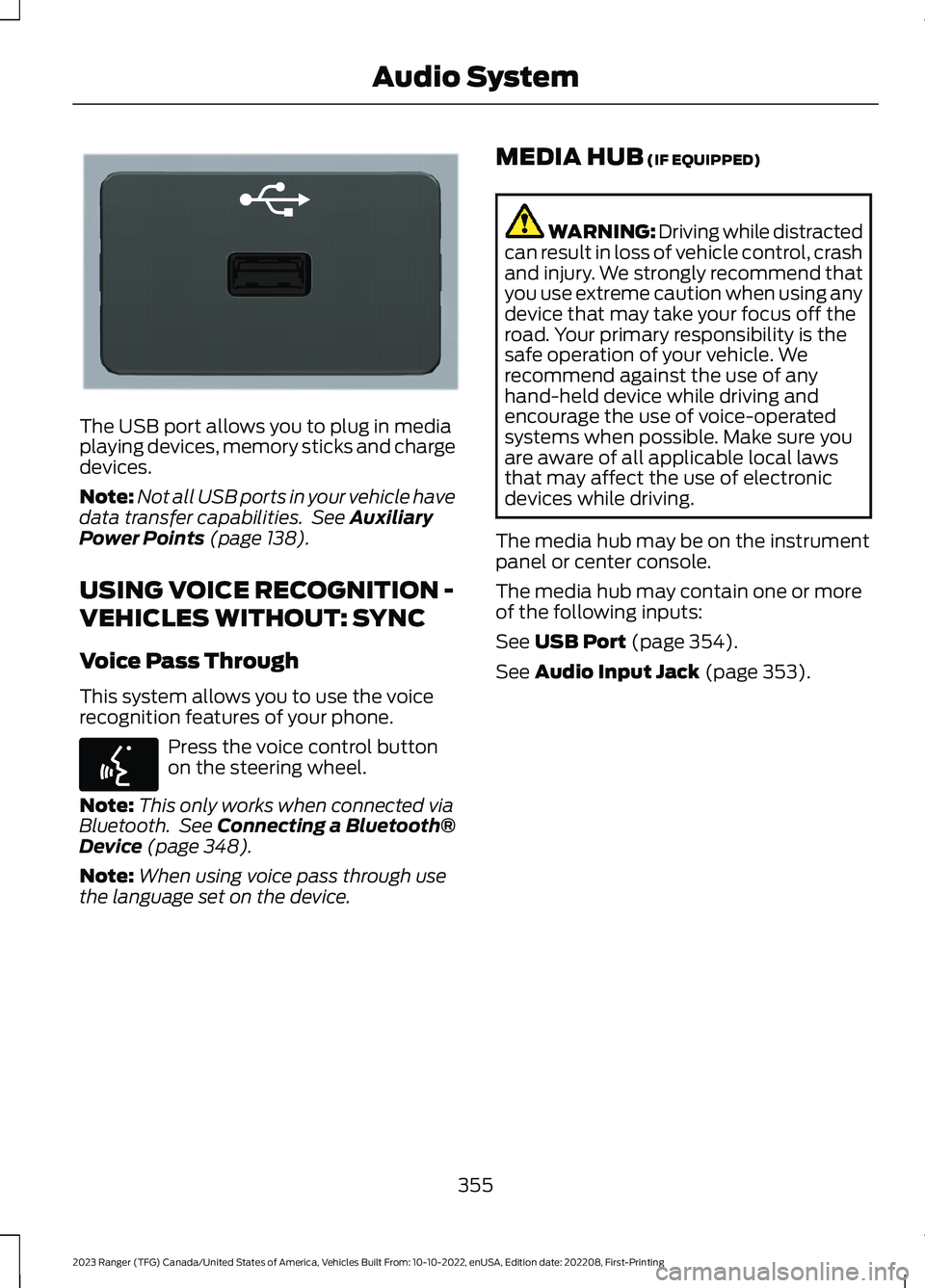
The USB port allows you to plug in mediaplaying devices, memory sticks and chargedevices.
Note:Not all USB ports in your vehicle havedata transfer capabilities. See AuxiliaryPower Points (page 138).
USING VOICE RECOGNITION -
VEHICLES WITHOUT: SYNC
Voice Pass Through
This system allows you to use the voicerecognition features of your phone.
Press the voice control buttonon the steering wheel.
Note:This only works when connected viaBluetooth. See Connecting a Bluetooth®Device (page 348).
Note:When using voice pass through usethe language set on the device.
MEDIA HUB (IF EQUIPPED)
WARNING: Driving while distractedcan result in loss of vehicle control, crashand injury. We strongly recommend thatyou use extreme caution when using anydevice that may take your focus off theroad. Your primary responsibility is thesafe operation of your vehicle. Werecommend against the use of anyhand-held device while driving andencourage the use of voice-operatedsystems when possible. Make sure youare aware of all applicable local lawsthat may affect the use of electronicdevices while driving.
The media hub may be on the instrumentpanel or center console.
The media hub may contain one or moreof the following inputs:
See USB Port (page 354).
See Audio Input Jack (page 353).
355
2023 Ranger (TFG) Canada/United States of America, Vehicles Built From: 10-10-2022, enUSA, Edition date: 202208, First-PrintingAudio SystemE201595 E142599
Page 364 of 470
__ is a dynamic listing, meaning that itcould be the name of anything, such as acontact or phone number.
Phone Controls
Use the phone buttons on your steeringwheel to answer, reject, or hang up a call.
Accessing Features through thePhone Menu
You can access your call history,phonebook, sent text messages, as wellas access phone and system settings.
1.Press the PHONE button to enter thephone menu.
2.Scroll through the menu to viewcontacts, text messages, and thephone dialer.
SYNC™ APPLICATIONS AND
SERVICES
•SYNC AppLink: Allows you to connectto and use certain applications if yourphone is compatible.
These features may require activation.Available AppLink enabled apps vary bymarket.
SYNC Mobile Apps
The system enables voice and steeringwheel control of SYNC AppLink enabledsmartphone apps. When an app is runningthrough AppLink, you can control mainfeatures of the app through voicecommands and steering wheel controls.
Note:You must pair and connect yoursmartphone to SYNC to access AppLink.
Note:Android users need to connect thephone to SYNC using Bluetooth®.
Note:For information about available apps,supported devices and troubleshooting,please refer to the local Ford website.
Note:Availability of SYNC AppLink enabledapps vary by region.
Note: Make sure you have an activeaccount for the app that you havedownloaded. Some apps workautomatically with no setup. Other appswant you to configure your personal settingsand personalize your experience by creatingstations or favorites. We recommend youdo this at home or outside of your vehicle.
To Access Using the SYNC Menu
Press the Mobile Apps button to accessthe menu on-screen. Then select:
Action and DescriptionMenuItem
Scroll through the list ofavailable applications andselect a particular app.
FindMobileApps
Note:If you cannot find a compatible SYNCAppLink app, make sure the required app isrunning on the mobile device.
360
2023 Ranger (TFG) Canada/United States of America, Vehicles Built From: 10-10-2022, enUSA, Edition date: 202208, First-PrintingSYNC™ (If Equipped)
Page 365 of 470
To Access Using Voice Commands
Press the voice button, then when prompted say:
Action and DescriptionVoice Command
Say the name of the application after the tone.The app should start. When an app is running through SYNC, youcan press the voice button and speak commands specific to theapp, for example Play Playlist Road Trip.
Mobile Applications
SYNC lists all of the currently available mobile apps.List Applications
Searches your connected mobile device for SYNC-compatiblemobile apps.Find Applications
Use this command to discover the available voice commands.Help
App Permissions
App permissions are organized by groups.You can individually grant these grouppermissions. You can change a grouppermission status any time when notdriving, by using the settings menu.
When you launch an app using SYNC, thesystem may ask you to grant certainpermissions, for example:
•To allow your vehicle to provide vehicleinformation to the app such as, but notlimited to: Fuel level, fuel economy, fuelconsumption, engine speed, rainsensor, odometer, VIN, externaltemperature, gear position, tirepressure, and headlamp status.
•To allow your vehicle to provide drivingcharacteristic information such as, butnot limited to: MyKey, seatbelt status,engine revolutions per minute, gearposition, braking events, steering wheelangle, and accelerator pedal position.
•To allow your vehicle to providelocation information, including: GPSand speed.
•To allow the app to send pushnotifications using the touchscreendisplay and voice capabilities whilerunning in a background state. Pushnotifications may be particularly usefulfor news or location based apps.
Note:You only need to grant permissionsthe first time you use an app with SYNC.
Note:Ford is not responsible or liable forany damages or loss of privacy relating tousage of an app, or dissemination of anyvehicle data that you approve Ford toprovide to an app.
Enabling SYNC Mobile Apps
To enable mobile apps, SYNC requires userconsent to send and receive appauthorization information and updatesusing the data plan associated with theconnected device.
361
2023 Ranger (TFG) Canada/United States of America, Vehicles Built From: 10-10-2022, enUSA, Edition date: 202208, First-PrintingSYNC™ (If Equipped)
Page 366 of 470
Data is sent to Ford in the United Statesthrough the connected device. Theinformation is encrypted and includes, forexample, the vehicle identification numberof your vehicle, the SYNC module serialnumber, odometer, enabled apps, usagestatistics and debugging information.Updates may take place.
Note:You must enable mobile apps foreach connected device the first time youselect a mobile app using the system.
Note:Standard data rates apply. Ford isnot responsible for any additional chargesyou may receive from your service provider,when your vehicle sends or receives datathrough the connected device. This includesany additional charges incurred due todriving in areas when roaming out of a homenetwork.
USING SYNC™ WITH YOUR
MEDIA PLAYER
SYNC supports digital media sourcesincluding: iPod,Bluetooth® devices, andmost USB drives. SYNC also supportsaudio formats, such as MP3, WMA, WAVand ACC.
Media Sources
The AUX or MEDIA button allows you toview and select available media sources.
Press the AUX or MEDIA button to viewyour sources. Use the directional arrowsand OK button to select your source. Youcan also use the steering wheel audiocontrols.
Audio Voice Commands
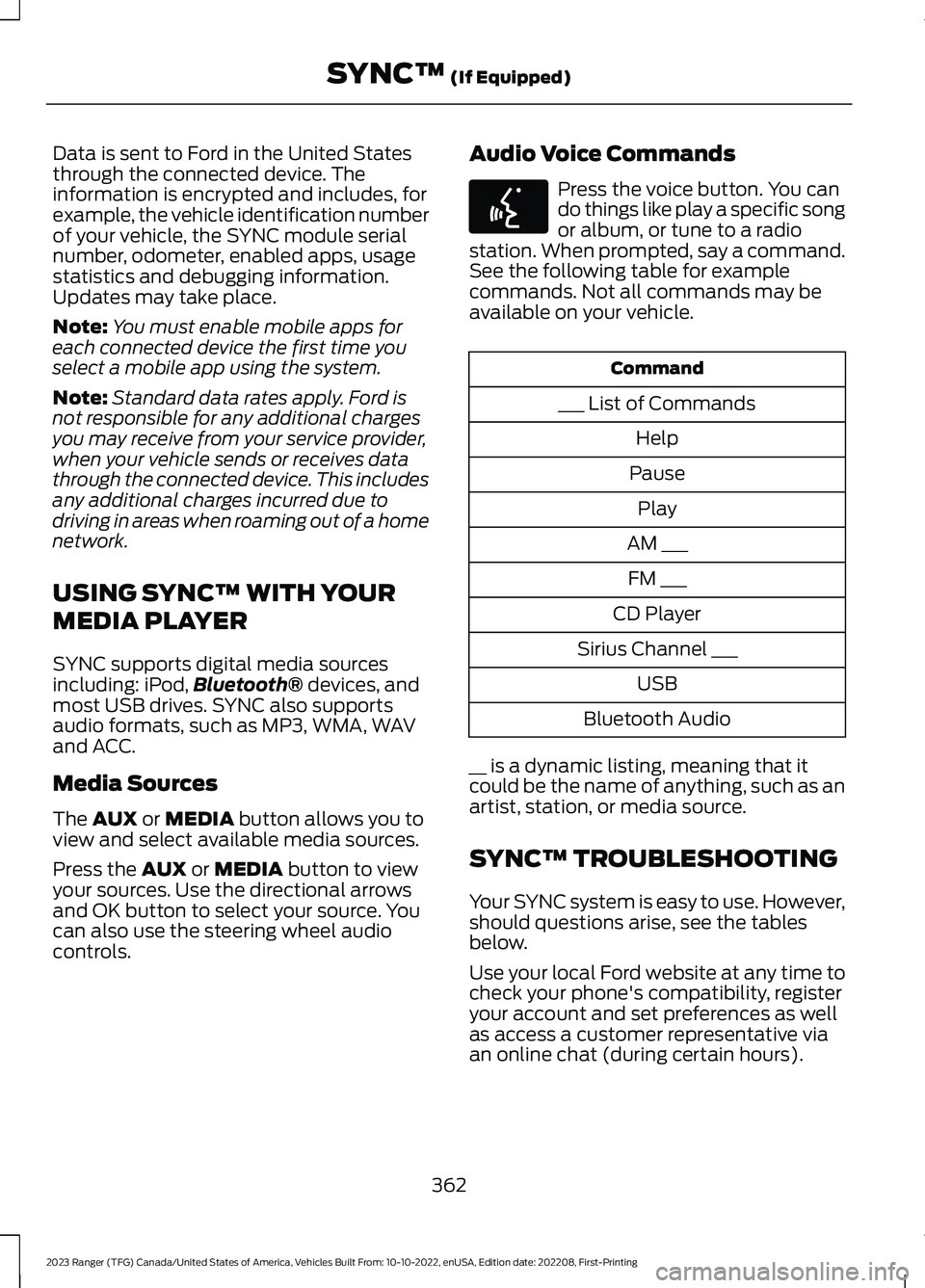
Press the voice button. You cando things like play a specific songor album, or tune to a radiostation. When prompted, say a command.See the following table for examplecommands. Not all commands may beavailable on your vehicle.
Command
___ List of Commands
Help
Pause
Play
AM ___
FM ___
CD Player
Sirius Channel ___
USB
Bluetooth Audio
__ is a dynamic listing, meaning that itcould be the name of anything, such as anartist, station, or media source.
SYNC™ TROUBLESHOOTING
Your SYNC system is easy to use. However,should questions arise, see the tablesbelow.
Use your local Ford website at any time tocheck your phone's compatibility, registeryour account and set preferences as wellas access a customer representative viaan online chat (during certain hours).
362
2023 Ranger (TFG) Canada/United States of America, Vehicles Built From: 10-10-2022, enUSA, Edition date: 202208, First-PrintingSYNC™ (If Equipped)E142599
Page 378 of 470
Switching Automatic System UpdatesOn
Select the settings option on thefeature bar.
1.Select Automatic Updates.
2.Switch Automatic System Updateson.
The system is now set to check for andreceive system updates when it isconnected to a Wi-Fi network.
Note:You can use the system when adownload is in progress.
Note:If the system is disconnected fromthe Wi-Fi network when a download is inprogress, the download continues the nexttime the system is connected to a Wi-Finetwork.
Additional Information andAssistance
For additional information and assistance,we recommend that you contact anauthorized dealer or refer to the local Fordwebsite.
USING VOICE RECOGNITION
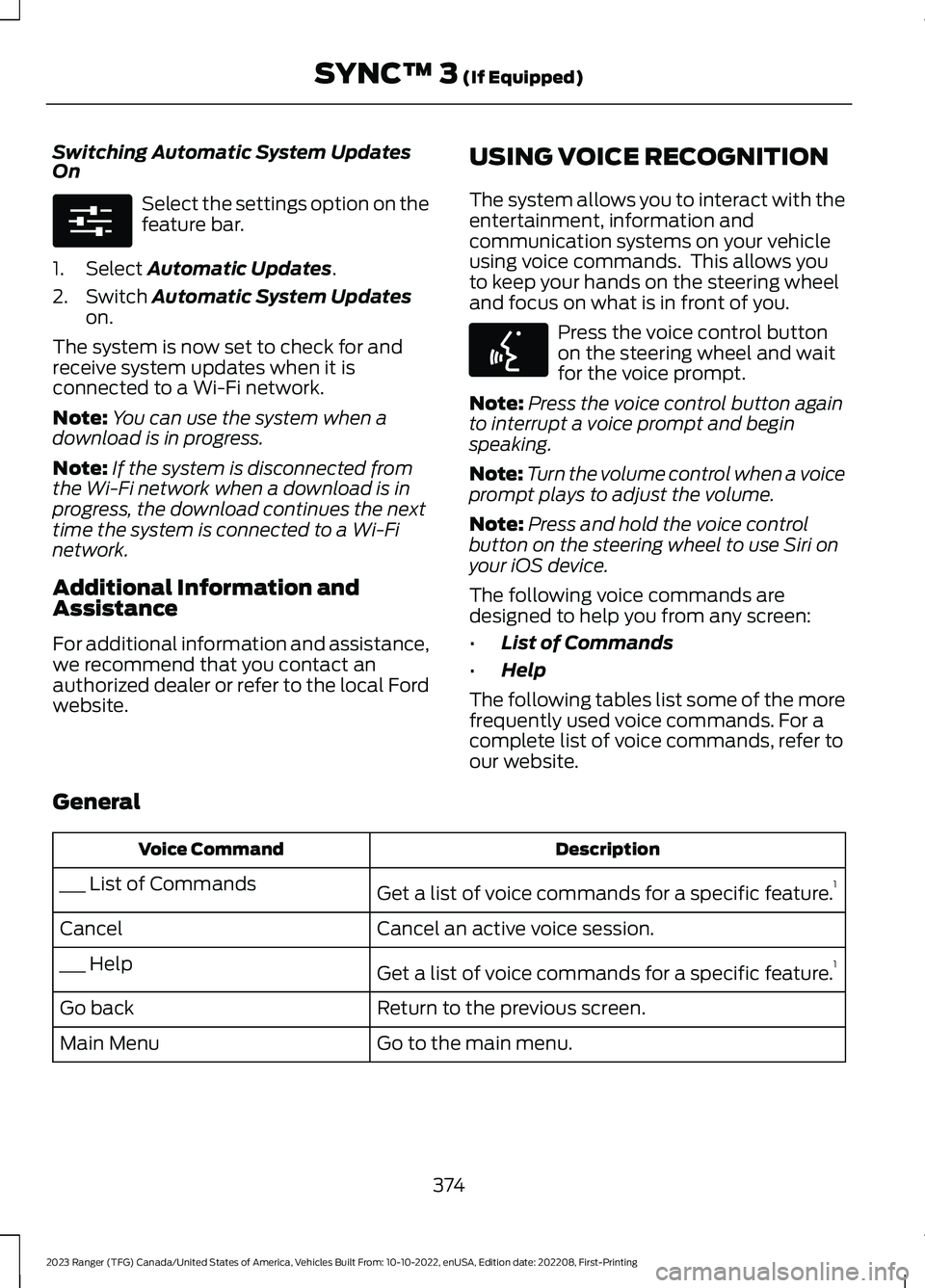
The system allows you to interact with theentertainment, information andcommunication systems on your vehicleusing voice commands. This allows youto keep your hands on the steering wheeland focus on what is in front of you.
Press the voice control buttonon the steering wheel and waitfor the voice prompt.
Note:Press the voice control button againto interrupt a voice prompt and beginspeaking.
Note:Turn the volume control when a voiceprompt plays to adjust the volume.
Note:Press and hold the voice controlbutton on the steering wheel to use Siri onyour iOS device.
The following voice commands aredesigned to help you from any screen:
•List of Commands
•Help
The following tables list some of the morefrequently used voice commands. For acomplete list of voice commands, refer toour website.
General
DescriptionVoice Command
Get a list of voice commands for a specific feature.1___ List of Commands
Cancel an active voice session.Cancel
Get a list of voice commands for a specific feature.1___ Help
Return to the previous screen.Go back
Go to the main menu.Main Menu
374
2023 Ranger (TFG) Canada/United States of America, Vehicles Built From: 10-10-2022, enUSA, Edition date: 202208, First-PrintingSYNC™ 3 (If Equipped)E280315 E142599