bulb FORD SUPER DUTY 2005 1.G User Guide
[x] Cancel search | Manufacturer: FORD, Model Year: 2005, Model line: SUPER DUTY, Model: FORD SUPER DUTY 2005 1.GPages: 304, PDF Size: 6.38 MB
Page 53 of 304
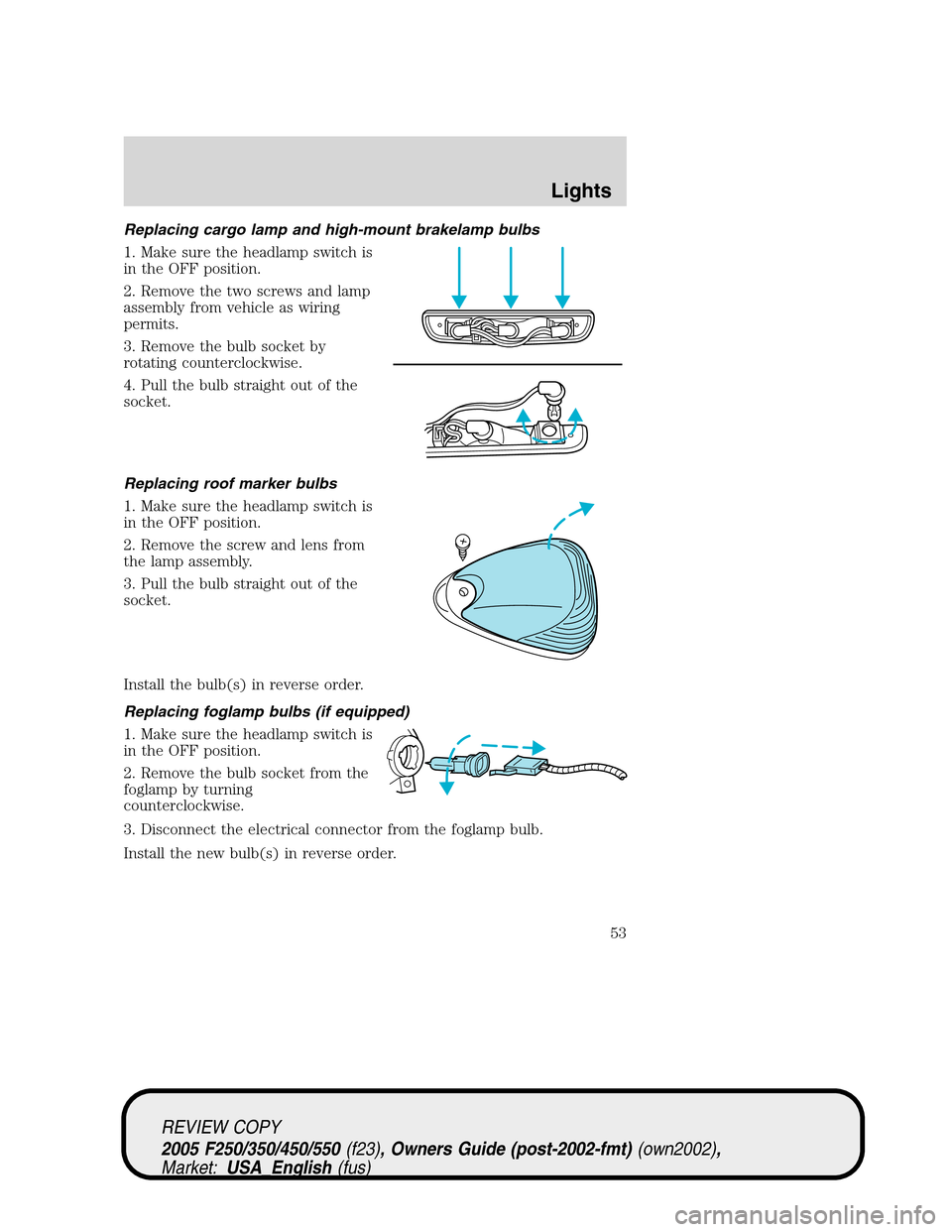
Replacing cargo lamp and high-mount brakelamp bulbs
1. Make sure the headlamp switch is
in the OFF position.
2. Remove the two screws and lamp
assembly from vehicle as wiring
permits.
3. Remove the bulb socket by
rotating counterclockwise.
4. Pull the bulb straight out of the
socket.
Replacing roof marker bulbs
1. Make sure the headlamp switch is
in the OFF position.
2. Remove the screw and lens from
the lamp assembly.
3. Pull the bulb straight out of the
socket.
Install the bulb(s) in reverse order.
Replacing foglamp bulbs (if equipped)
1. Make sure the headlamp switch is
in the OFF position.
2. Remove the bulb socket from the
foglamp by turning
counterclockwise.
3. Disconnect the electrical connector from the foglamp bulb.
Install the new bulb(s) in reverse order.
REVIEW COPY
2005 F250/350/450/550(f23), Owners Guide (post-2002-fmt)(own2002),
Market:USA_English(fus)
Lights
53
Page 54 of 304
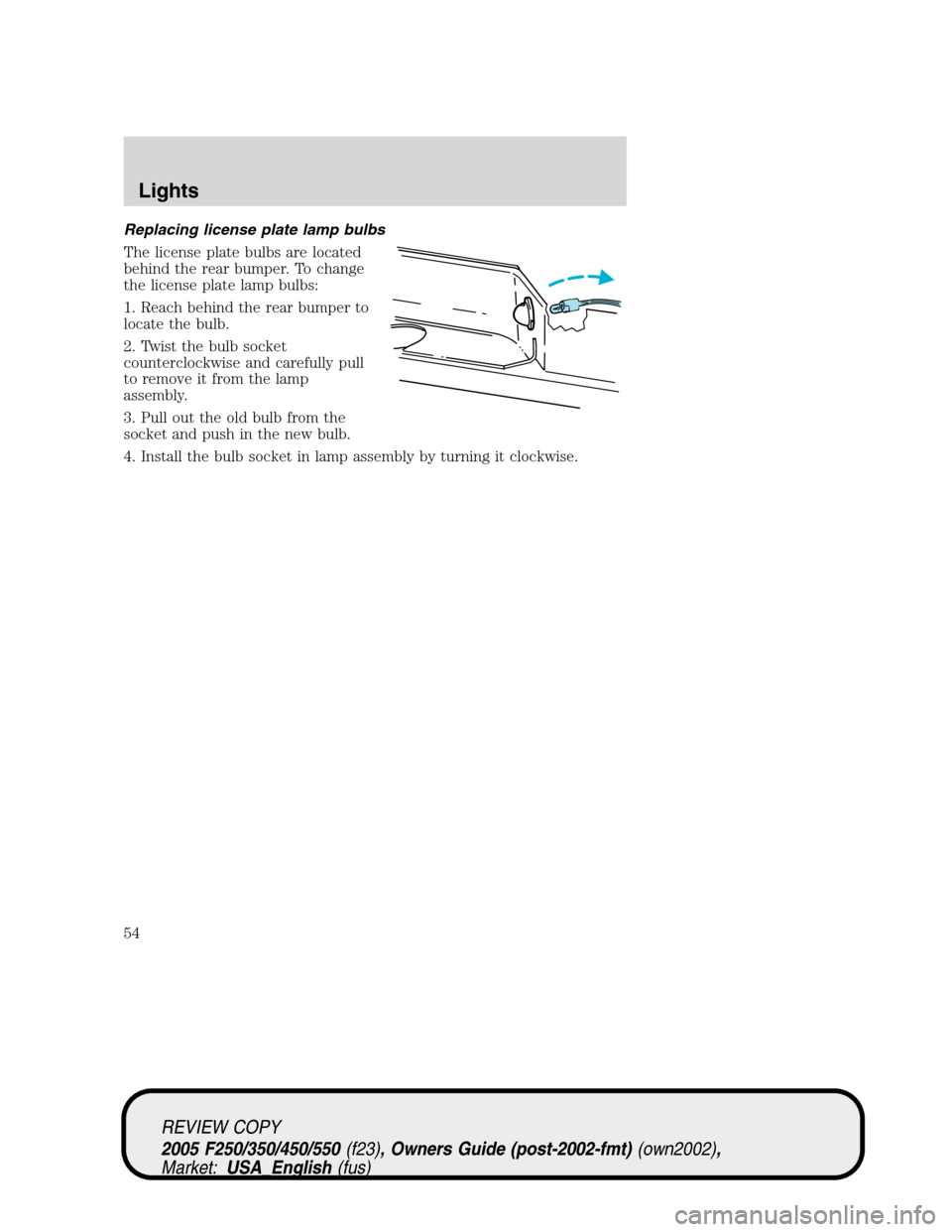
Replacing license plate lamp bulbs
The license plate bulbs are located
behind the rear bumper. To change
the license plate lamp bulbs:
1. Reach behind the rear bumper to
locate the bulb.
2. Twist the bulb socket
counterclockwise and carefully pull
to remove it from the lamp
assembly.
3. Pull out the old bulb from the
socket and push in the new bulb.
4. Install the bulb socket in lamp assembly by turning it clockwise.
REVIEW COPY
2005 F250/350/450/550(f23), Owners Guide (post-2002-fmt)(own2002),
Market:USA_English(fus)
Lights
54
Page 299 of 304
A
Accessory delay ..........................60
Air bag supplemental
restraint system ................108–109
and child safety seats ............110
description ..............................109
disposal ....................................112
driver air bag ..........................111
indicator light .........................112
operation .................................111
passenger air bag ...................111
passenger deactivation
switch ......................................113
Air cleaner filter ...............278, 280
Air conditioning ..........................37
Ambulance packages ....................8
Antifreeze (see
Engine coolant) ........................255
Anti-lock brake system
(see Brakes) ..............................181
Audio system
(see Radio) ................20, 22, 25, 28
Automatic transmission ............184
driving an automatic
overdrive .................................186
fluid, adding ............................273
fluid, checking ........................273
fluid, refill capacities ..............281
fluid, specification ..................287
Auxiliary power point .................58
Axle
lubricant specifications ..283, 287
refill capacities ........................281
traction lok ..............................183
B
Battery .......................................253acid, treating emergencies .....253
jumping a disabled battery ....221
maintenance-free ....................253
replacement, specifications ...280
servicing ..................................253
BeltMinder .................................104
Brakes ........................................181
anti-lock ...................................181
anti-lock brake system
(ABS) warning light ...............181
fluid, checking and adding ....272
fluid, refill capacities ..............281
fluid, specifications .........283, 287
lubricant specifications ..283, 287
parking ....................................182
shift interlock ..........................184
Break-in period .............................5
Bulbs ............................................47
C
Capacities for refilling fluids ....281
Cassette tape player .......20, 22, 25
Cell phone use ............................67
Certification Label ....................294
Child safety restraints ..............118
child safety belts ....................118
Child safety seats ......................120
attaching with tether straps ..124
in front seat ............................122
in rear seat ..............................122
Cleaning your vehicle
engine compartment ..............239
instrument panel ....................241
interior .....................................241
interior trim ............................241
plastic parts ............................240
safety belts ..............................241
washing ....................................238
REVIEW COPY
2005 F250/350/450/550(f23), Owners Guide (post-2002-fmt)(own2002),
Market:USA_English(fus)
Index
Index
299
Page 301 of 304
filter, specifications ........252, 280
recommendations ...................252
refill capacities ........................281
specifications ..................283, 287
Exhaust fumes ..........................180
F
Fail safe cooling ........................260
Fluid capacities .........................281
Foglamps .....................................41
Four-Wheel Drive vehicles .......193
description ..............................197
driving off road .......................199
electronic shift ................193, 197
indicator light .........................194
lever operated shift ................195
manual locking hubs ..............193
preparing to drive your
vehicle .....................................184
Fuel ............................................261
calculating fuel economy .72, 265
cap ...........................................263
capacity ...................................281
choosing the right fuel ...........264
comparisons with EPA fuel
economy estimates .................268
detergent in fuel .....................265
filling your vehicle
with fuel ..................261, 263, 266
filter, specifications ........265, 280
fuel pump shut-off switch .....213
improving fuel economy ........265
octane rating ...................264, 287
quality ......................................264
running out of fuel .................265
safety information relating to
automotive fuels .....................261
Fuel pump shut-off switch .......213
Fuses ..................................213–214G
Gas cap (see Fuel cap) ............263
Gas mileage (see Fuel
economy) ...................................265
Gauges .........................................16
transmission fluid
temperature gauge ...................20
H
Hazard flashers .........................212
Head restraints ...........................90
Headlamps ...................................40
aiming ..................................42, 44
autolamp system .......................40
daytime running lights .............41
flash to pass ..............................42
high beam .................................41
replacing bulbs ...................48–51
turning on and off ....................40
Heating
heating and air conditioning
system ...........................34–35, 37
Hood ..........................................246
I
Ignition ...............................175, 287
Infant seats
(see Safety seats) .....................120
Inspection/maintenance
(I/M) testing ..............................270
Instrument panel
cleaning ...................................241
cluster ........................................12
lighting up panel and
interior .......................................42
J
Jump-starting your vehicle ......221
REVIEW COPY
2005 F250/350/450/550(f23), Owners Guide (post-2002-fmt)(own2002),
Market:USA_English(fus)
Index
301
Page 302 of 304
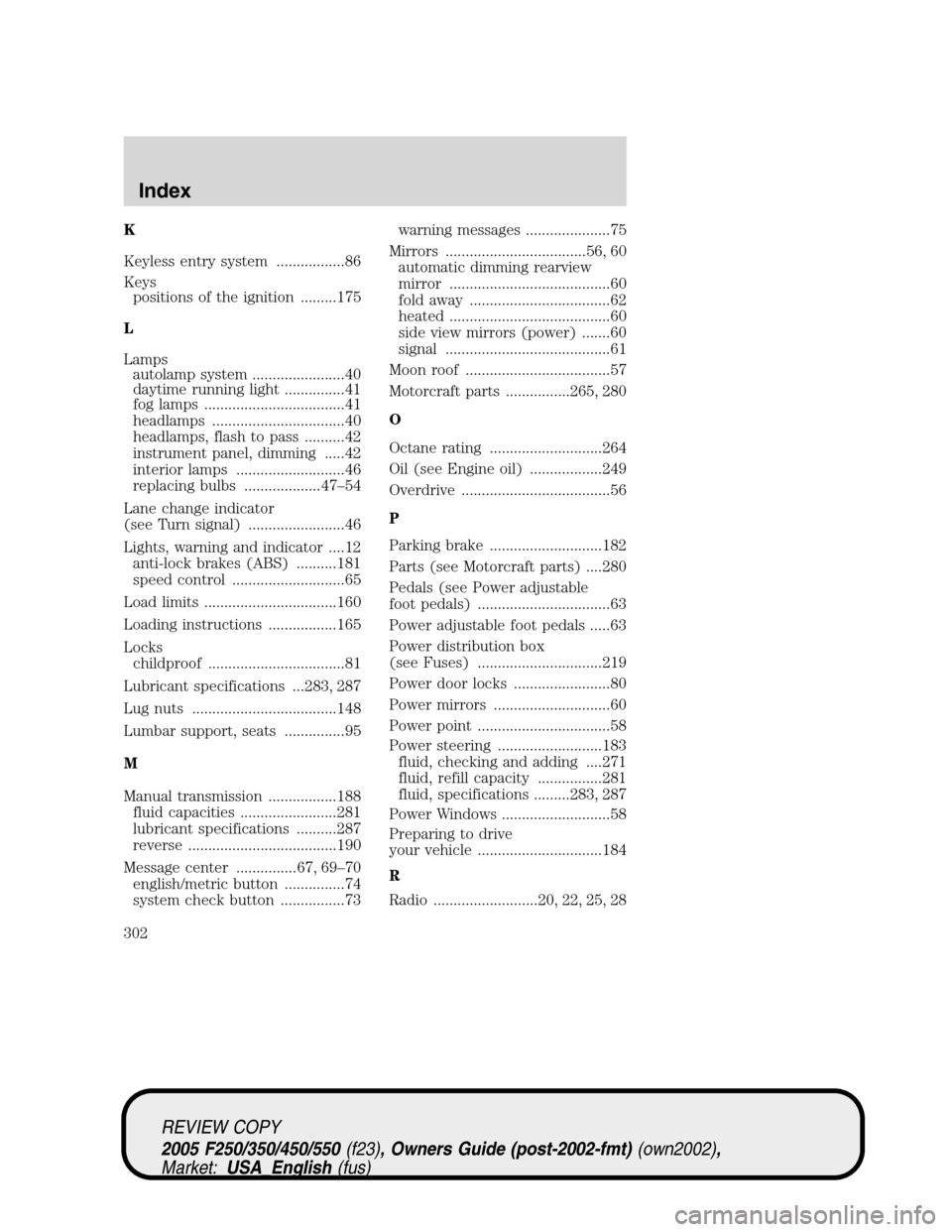
K
Keyless entry system .................86
Keys
positions of the ignition .........175
L
Lamps
autolamp system .......................40
daytime running light ...............41
fog lamps ...................................41
headlamps .................................40
headlamps, flash to pass ..........42
instrument panel, dimming .....42
interior lamps ...........................46
replacing bulbs ...................47–54
Lane change indicator
(see Turn signal) ........................46
Lights, warning and indicator ....12
anti-lock brakes (ABS) ..........181
speed control ............................65
Load limits .................................160
Loading instructions .................165
Locks
childproof ..................................81
Lubricant specifications ...283, 287
Lug nuts ....................................148
Lumbar support, seats ...............95
M
Manual transmission .................188
fluid capacities ........................281
lubricant specifications ..........287
reverse .....................................190
Message center ...............67, 69–70
english/metric button ...............74
system check button ................73warning messages .....................75
Mirrors ...................................56, 60
automatic dimming rearview
mirror ........................................60
fold away ...................................62
heated ........................................60
side view mirrors (power) .......60
signal .........................................61
Moon roof ....................................57
Motorcraft parts ................265, 280
O
Octane rating ............................264
Oil (see Engine oil) ..................249
Overdrive .....................................56
P
Parking brake ............................182
Parts (see Motorcraft parts) ....280
Pedals (see Power adjustable
foot pedals) .................................63
Power adjustable foot pedals .....63
Power distribution box
(see Fuses) ...............................219
Power door locks ........................80
Power mirrors .............................60
Power point .................................58
Power steering ..........................183
fluid, checking and adding ....271
fluid, refill capacity ................281
fluid, specifications .........283, 287
Power Windows ...........................58
Preparing to drive
your vehicle ...............................184
R
Radio ..........................20, 22, 25, 28
REVIEW COPY
2005 F250/350/450/550(f23), Owners Guide (post-2002-fmt)(own2002),
Market:USA_English(fus)
Index
302