lock FORD SUPER DUTY 2009 2.G Workshop Manual
[x] Cancel search | Manufacturer: FORD, Model Year: 2009, Model line: SUPER DUTY, Model: FORD SUPER DUTY 2009 2.GPages: 418, PDF Size: 3.55 MB
Page 167 of 418
Programming spare keys
A maximum of eight keys can be coded to your vehicle. Only
SecuriLock™ keys can be used. To program acoded keyyourself, you
will need two previously programmedcoded keys(keys that already
operate your vehicle’s engine) and the new unprogrammed key(s) readily
accessible for timely implementation of each step in the procedure.
If two previously programmed coded keys are not available, you must
bring your vehicle to your authorized dealer to have the spare coded
key(s) programmed.
Please read and understand the entire procedure before you begin.
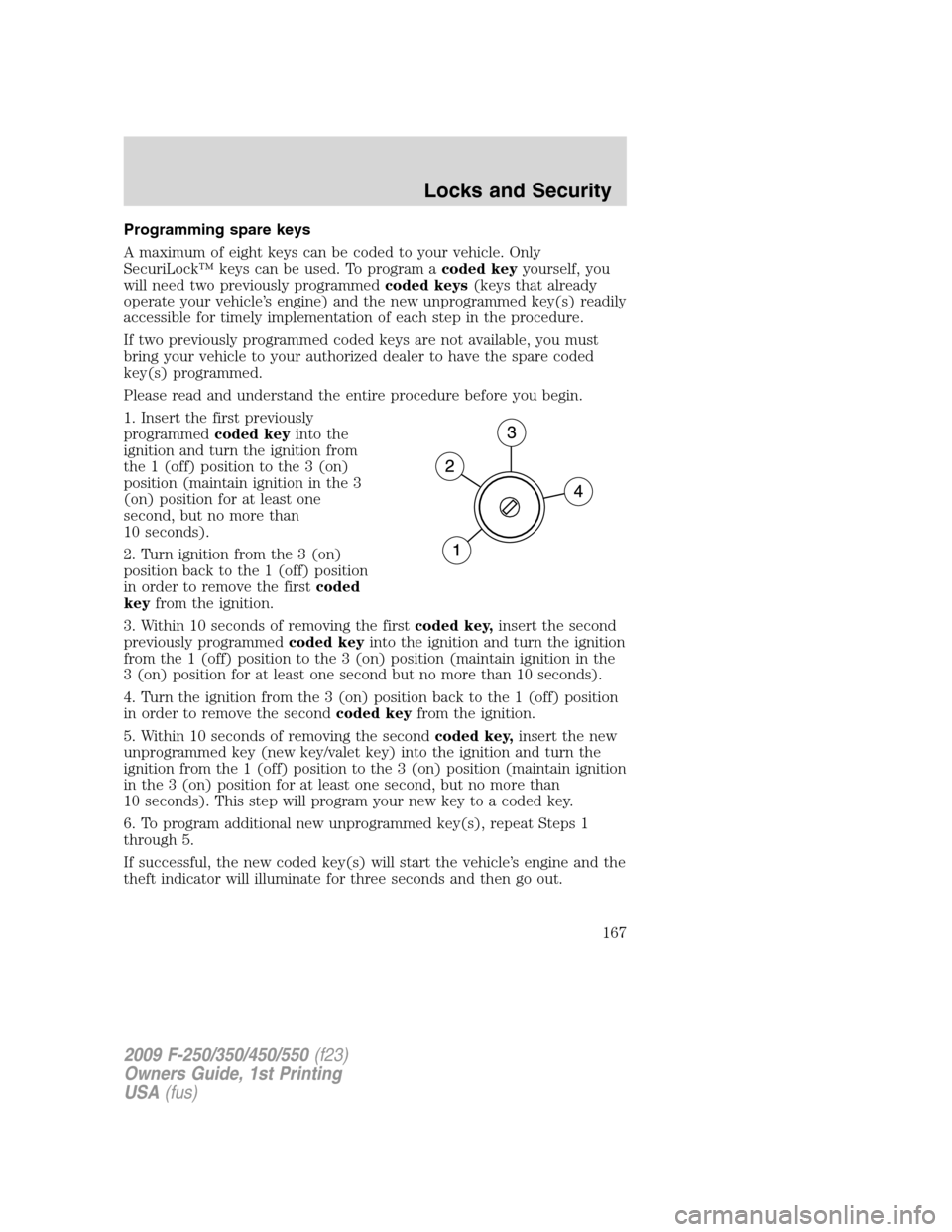
1. Insert the first previously
programmedcoded keyinto the
ignition and turn the ignition from
the 1 (off) position to the 3 (on)
position (maintain ignition in the 3
(on) position for at least one
second, but no more than
10 seconds).
2. Turn ignition from the 3 (on)
position back to the 1 (off) position
in order to remove the firstcoded
keyfrom the ignition.
3. Within 10 seconds of removing the firstcoded key,insert the second
previously programmedcoded keyinto the ignition and turn the ignition
from the 1 (off) position to the 3 (on) position (maintain ignition in the
3 (on) position for at least one second but no more than 10 seconds).
4. Turn the ignition from the 3 (on) position back to the 1 (off) position
in order to remove the secondcoded keyfrom the ignition.
5. Within 10 seconds of removing the secondcoded key,insert the new
unprogrammed key (new key/valet key) into the ignition and turn the
ignition from the 1 (off) position to the 3 (on) position (maintain ignition
in the 3 (on) position for at least one second, but no more than
10 seconds). This step will program your new key to a coded key.
6. To program additional new unprogrammed key(s), repeat Steps 1
through 5.
If successful, the new coded key(s) will start the vehicle’s engine and the
theft indicator will illuminate for three seconds and then go out.
2009 F-250/350/450/550(f23)
Owners Guide, 1st Printing
USA(fus)
Locks and Security
167
Page 168 of 418
If not successful, the new coded key(s) will not start the vehicle’s engine
and the theft indicator will flash on and off and you may repeat Steps 1
through 5. If failure repeats, bring your vehicle to your authorized dealer
to have the new spare key(s) programmed.
PERIMETER ALARM SYSTEM (IF EQUIPPED)
The perimeter anti-theft system will warn you in the event of an
unauthorized entry to your vehicle.
If there is any potential perimeter anti-theft problem with your vehicle,
ensureALL remote entry transmittersare taken to the authorized
dealer to aid in troubleshooting.
Arming the system
When armed, this system will respond if unauthorized entry is
attempted. When unauthorized entry occurs, the system will flash the
park/turn lamps and will sound the horn.
The system is ready to arm whenever the key is removed from the
ignition. Either of the following actions will prearm the alarm system:
•Press the
control on the remote entry transmitter.
•Open a door and press the power door lock control to lock all the
doors, and then close the door.
Disarming the system
You can disarm the system by any of the following actions:
•Unlock the doors by pressing the
control on your remote entry
transmitter.
•Unlock the doors with a key. Turn the key full travel (toward the front
of the vehicle) to ensure the alarm disarms.
•Turn the ignition to the on position with a programmed coded ignition
key.
Triggering the anti-theft system
The armed system will be triggered if any door or hood is opened
without using the key or the remote entry transmitter.
2009 F-250/350/450/550(f23)
Owners Guide, 1st Printing
USA(fus)
Locks and Security
168
Page 173 of 418
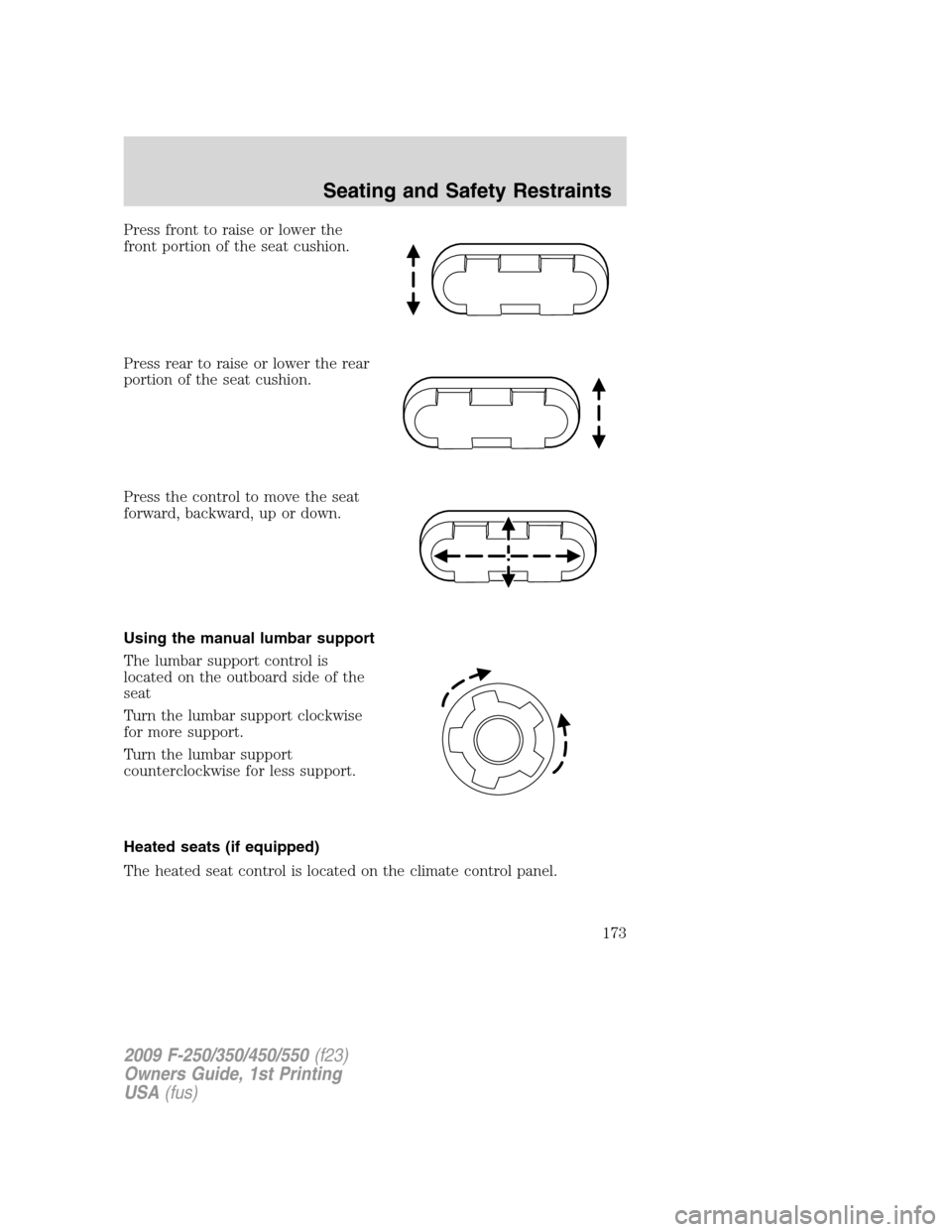
Press front to raise or lower the
front portion of the seat cushion.
Press rear to raise or lower the rear
portion of the seat cushion.
Press the control to move the seat
forward, backward, up or down.
Using the manual lumbar support
The lumbar support control is
located on the outboard side of the
seat
Turn the lumbar support clockwise
for more support.
Turn the lumbar support
counterclockwise for less support.
Heated seats (if equipped)
The heated seat control is located on the climate control panel.
2009 F-250/350/450/550(f23)
Owners Guide, 1st Printing
USA(fus)
Seating and Safety Restraints
173
Page 175 of 418
A position can be recalled:
•in any gearshift position if the ignition isnotin the on position.
•only in P (Park) or N (Neutral) if the ignition is in the on position.
A memory seat position may be programmed at any time.
The memory positions are also recalled when you press your remote
entry transmitter
(unlock) control (if the transmitter is programmed
to a memory position) or, when you enter a valid personal entry code
that is programmed to a memory position.
To program the memory feature to a remote entry transmitter and for
more information on how to use the keypad, refer toRemote entry
systemin theLocks and Securitychapter.
REAR SEATS
Adjustable head restraints (if equipped)
The purpose of these head restraints is to help limit head motion in the
event of a rear collision. To properly adjust your head restraints, lift the
head restraint so that it is located directly behind your head or as close
to that position as possible.
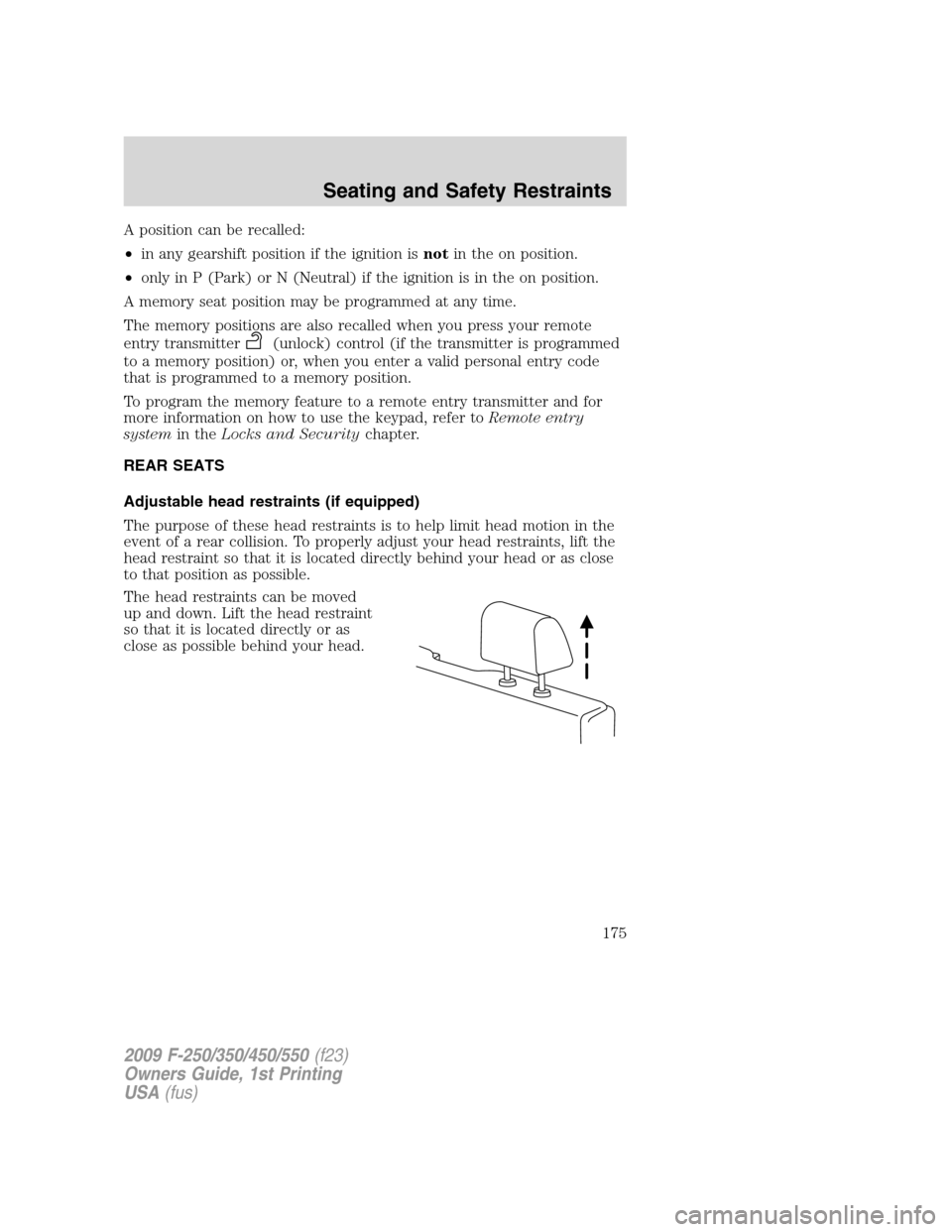
The head restraints can be moved
up and down. Lift the head restraint
so that it is located directly or as
close as possible behind your head.
2009 F-250/350/450/550(f23)
Owners Guide, 1st Printing
USA(fus)
Seating and Safety Restraints
175
Page 176 of 418
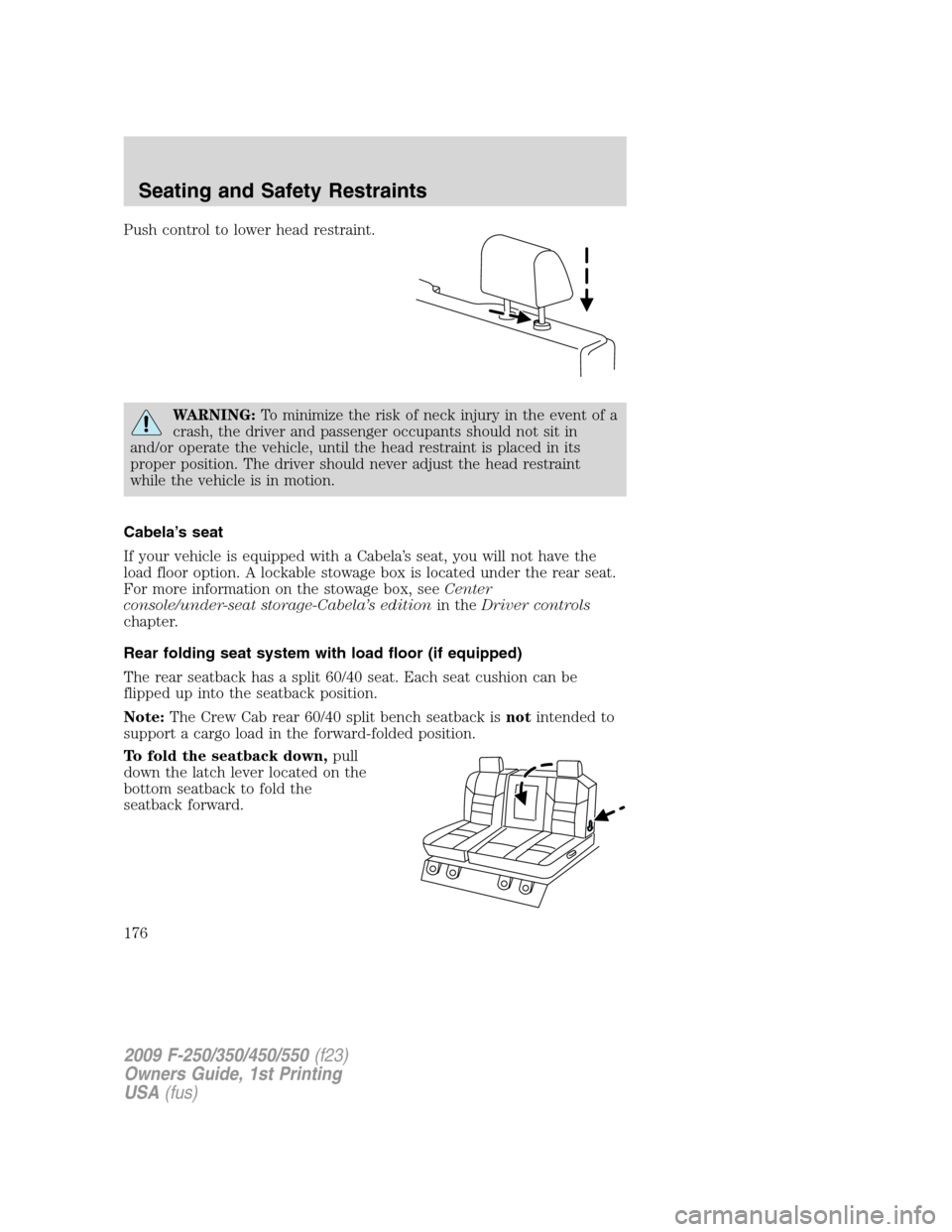
Push control to lower head restraint.
WARNING:To minimize the risk of neck injury in the event of a
crash, the driver and passenger occupants should not sit in
and/or operate the vehicle, until the head restraint is placed in its
proper position. The driver should never adjust the head restraint
while the vehicle is in motion.
Cabela’s seat
If your vehicle is equipped with a Cabela’s seat, you will not have the
load floor option. A lockable stowage box is located under the rear seat.
For more information on the stowage box, seeCenter
console/under-seat storage-Cabela’s editionin theDriver controls
chapter.
Rear folding seat system with load floor (if equipped)
The rear seatback has a split 60/40 seat. Each seat cushion can be
flipped up into the seatback position.
Note:The Crew Cab rear 60/40 split bench seatback isnotintended to
support a cargo load in the forward-folded position.
To fold the seatback down,pull
down the latch lever located on the
bottom seatback to fold the
seatback forward.
2009 F-250/350/450/550(f23)
Owners Guide, 1st Printing
USA(fus)
Seating and Safety Restraints
176
Page 177 of 418
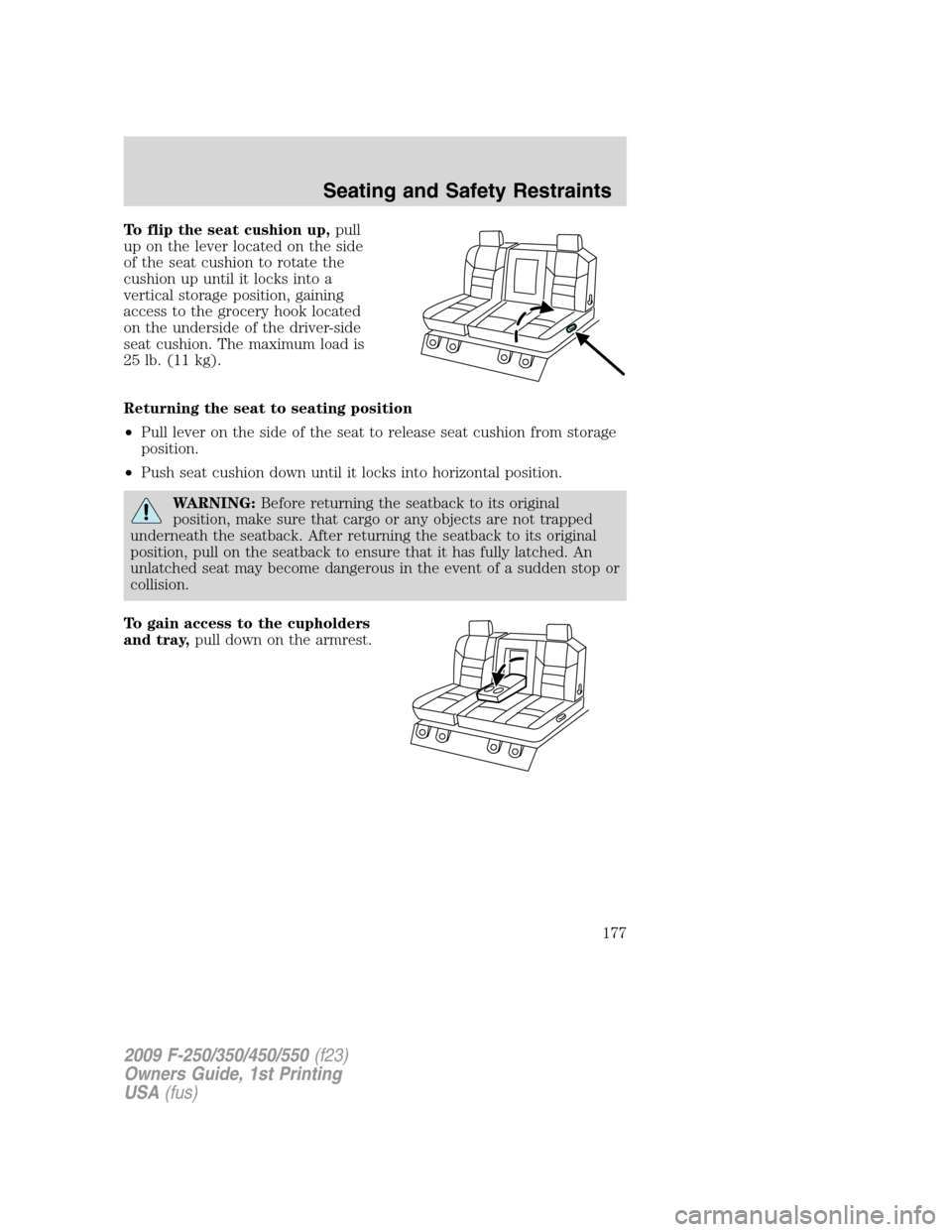
To flip the seat cushion up,pull
up on the lever located on the side
of the seat cushion to rotate the
cushion up until it locks into a
vertical storage position, gaining
access to the grocery hook located
on the underside of the driver-side
seat cushion. The maximum load is
25 lb. (11 kg).
Returning the seat to seating position
•Pull lever on the side of the seat to release seat cushion from storage
position.
•Push seat cushion down until it locks into horizontal position.
WARNING:Before returning the seatback to its original
position, make sure that cargo or any objects are not trapped
underneath the seatback. After returning the seatback to its original
position, pull on the seatback to ensure that it has fully latched. An
unlatched seat may become dangerous in the event of a sudden stop or
collision.
To gain access to the cupholders
and tray,pull down on the armrest.
2009 F-250/350/450/550(f23)
Owners Guide, 1st Printing
USA(fus)
Seating and Safety Restraints
177
Page 178 of 418
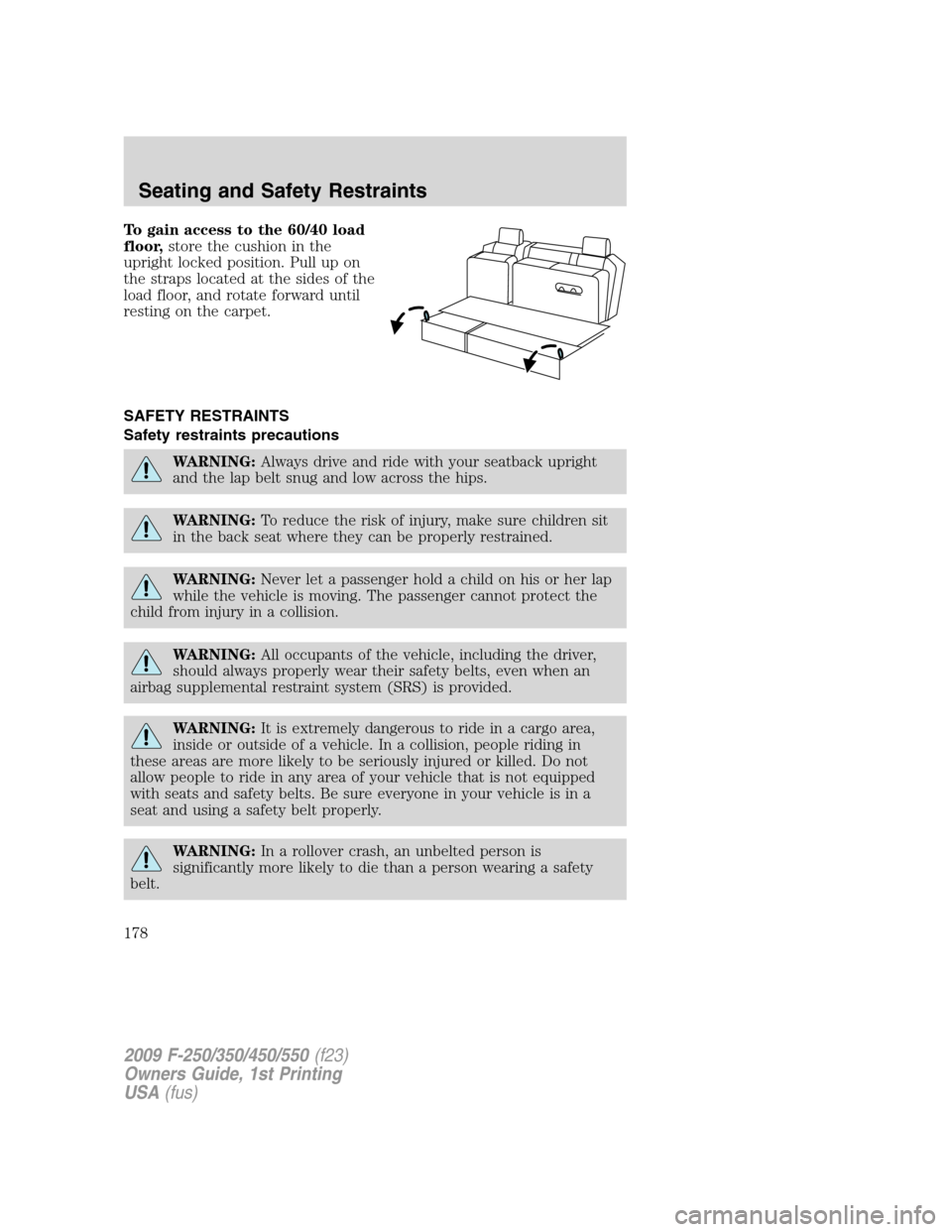
To gain access to the 60/40 load
floor,store the cushion in the
upright locked position. Pull up on
the straps located at the sides of the
load floor, and rotate forward until
resting on the carpet.
SAFETY RESTRAINTS
Safety restraints precautions
WARNING:Always drive and ride with your seatback upright
and the lap belt snug and low across the hips.
WARNING:To reduce the risk of injury, make sure children sit
in the back seat where they can be properly restrained.
WARNING:Never let a passenger hold a child on his or her lap
while the vehicle is moving. The passenger cannot protect the
child from injury in a collision.
WARNING:All occupants of the vehicle, including the driver,
should always properly wear their safety belts, even when an
airbag supplemental restraint system (SRS) is provided.
WARNING:It is extremely dangerous to ride in a cargo area,
inside or outside of a vehicle. In a collision, people riding in
these areas are more likely to be seriously injured or killed. Do not
allow people to ride in any area of your vehicle that is not equipped
with seats and safety belts. Be sure everyone in your vehicle is in a
seat and using a safety belt properly.
WARNING:In a rollover crash, an unbelted person is
significantly more likely to die than a person wearing a safety
belt.
2009 F-250/350/450/550(f23)
Owners Guide, 1st Printing
USA(fus)
Seating and Safety Restraints
178
Page 180 of 418
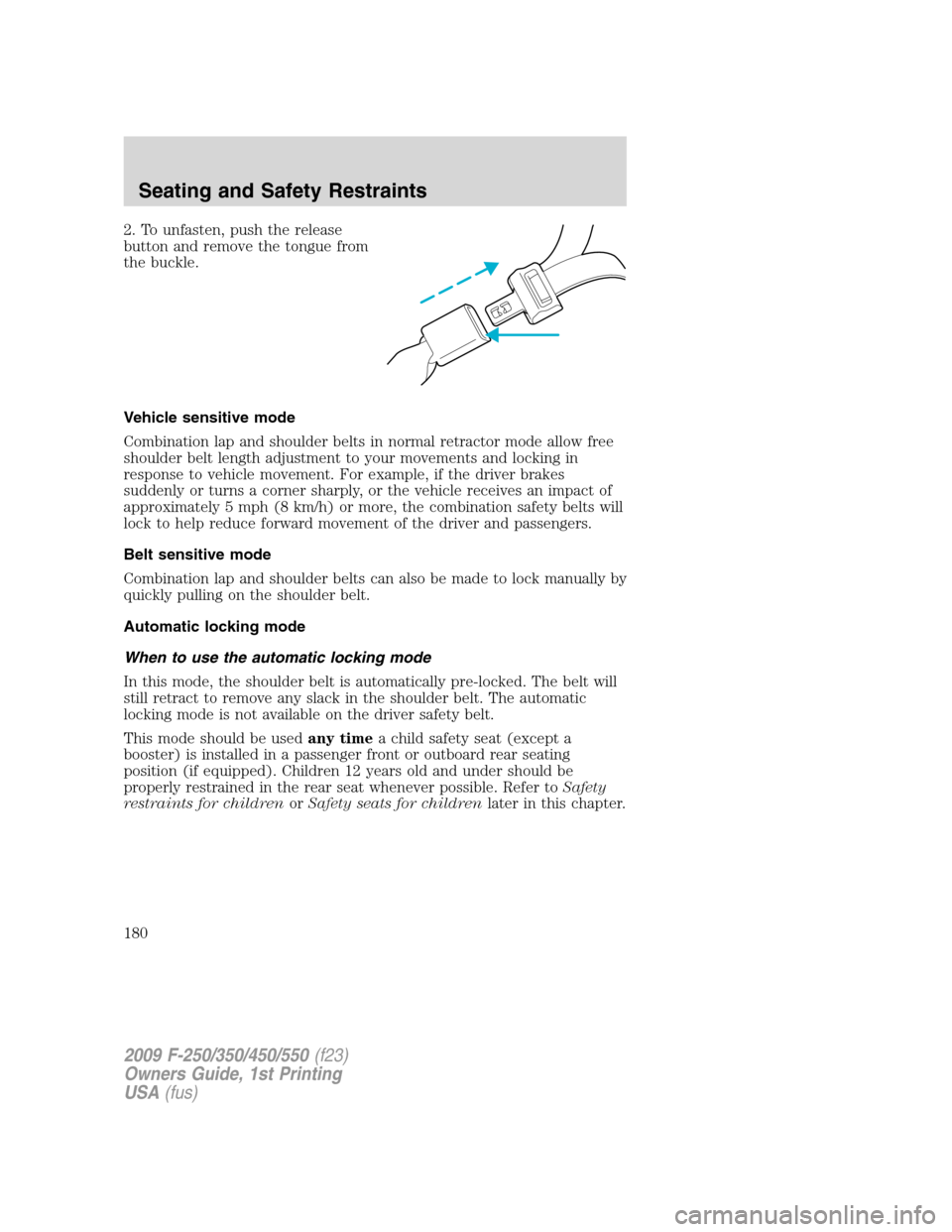
2. To unfasten, push the release
button and remove the tongue from
the buckle.
Vehicle sensitive mode
Combination lap and shoulder belts in normal retractor mode allow free
shoulder belt length adjustment to your movements and locking in
response to vehicle movement. For example, if the driver brakes
suddenly or turns a corner sharply, or the vehicle receives an impact of
approximately 5 mph (8 km/h) or more, the combination safety belts will
lock to help reduce forward movement of the driver and passengers.
Belt sensitive mode
Combination lap and shoulder belts can also be made to lock manually by
quickly pulling on the shoulder belt.
Automatic locking mode
When to use the automatic locking mode
In this mode, the shoulder belt is automatically pre-locked. The belt will
still retract to remove any slack in the shoulder belt. The automatic
locking mode is not available on the driver safety belt.
This mode should be usedany timea child safety seat (except a
booster) is installed in a passenger front or outboard rear seating
position (if equipped). Children 12 years old and under should be
properly restrained in the rear seat whenever possible. Refer toSafety
restraints for childrenorSafety seats for childrenlater in this chapter.
2009 F-250/350/450/550(f23)
Owners Guide, 1st Printing
USA(fus)
Seating and Safety Restraints
180
Page 181 of 418
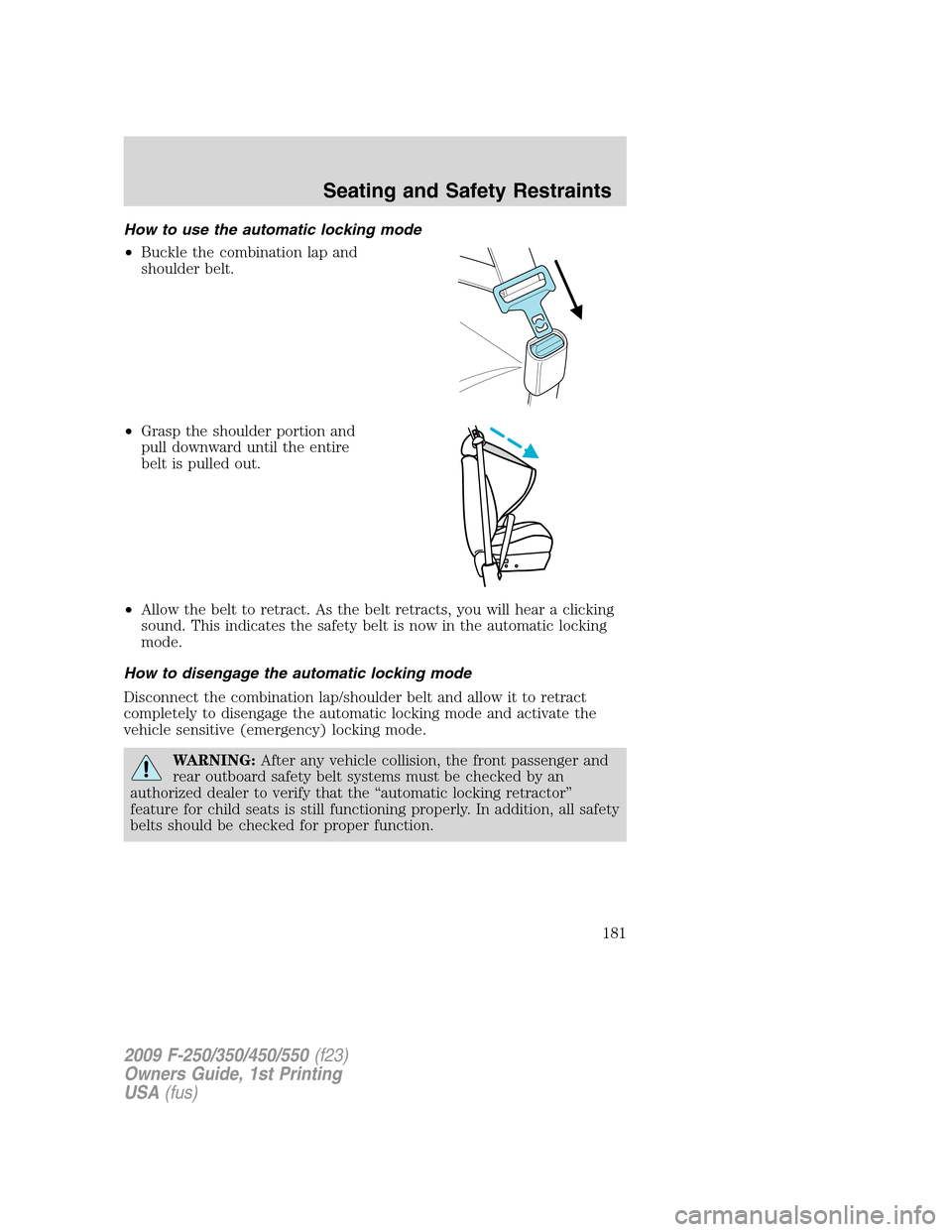
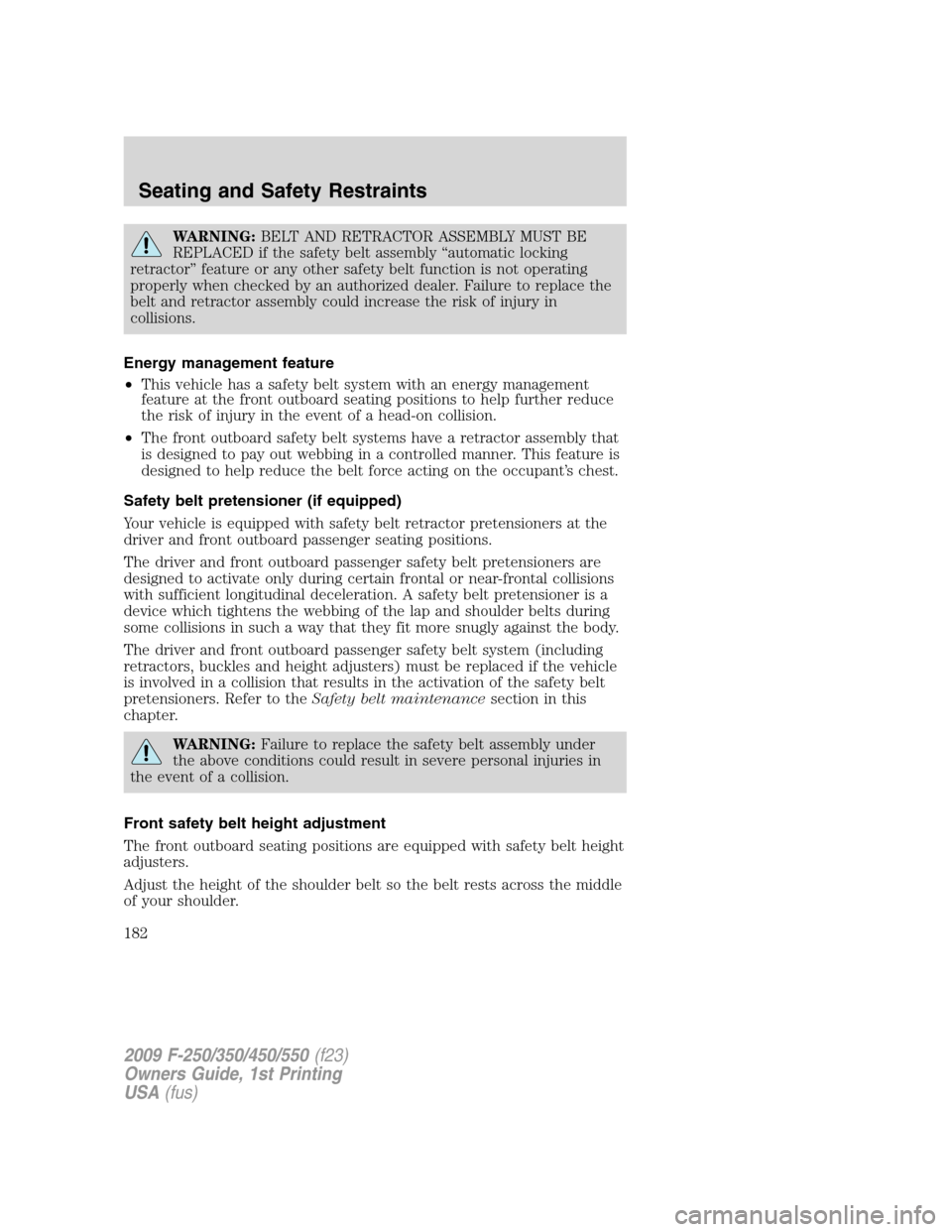
How to use the automatic locking mode
•Buckle the combination lap and
shoulder belt.
•Grasp the shoulder portion and
pull downward until the entire
belt is pulled out.
•Allow the belt to retract. As the belt retracts, you will hear a clicking
sound. This indicates the safety belt is now in the automatic locking
mode.
How to disengage the automatic locking mode
Disconnect the combination lap/shoulder belt and allow it to retract
completely to disengage the automatic locking mode and activate the
vehicle sensitive (emergency) locking mode.
WARNING:After any vehicle collision, the front passenger and
rear outboard safety belt systems must be checked by an
authorized dealer to verify that the “automatic locking retractor”
feature for child seats is still functioning properly. In addition, all safety
belts should be checked for proper function.
2009 F-250/350/450/550(f23)
Owners Guide, 1st Printing
USA(fus)
Seating and Safety Restraints
181
Page 182 of 418
WARNING:BELT AND RETRACTOR ASSEMBLY MUST BE
REPLACED if the safety belt assembly “automatic locking
retractor” feature or any other safety belt function is not operating
properly when checked by an authorized dealer. Failure to replace the
belt and retractor assembly could increase the risk of injury in
collisions.
Energy management feature
•This vehicle has a safety belt system with an energy management
feature at the front outboard seating positions to help further reduce
the risk of injury in the event of a head-on collision.
•The front outboard safety belt systems have a retractor assembly that
is designed to pay out webbing in a controlled manner. This feature is
designed to help reduce the belt force acting on the occupant’s chest.
Safety belt pretensioner (if equipped)
Your vehicle is equipped with safety belt retractor pretensioners at the
driver and front outboard passenger seating positions.
The driver and front outboard passenger safety belt pretensioners are
designed to activate only during certain frontal or near-frontal collisions
with sufficient longitudinal deceleration. A safety belt pretensioner is a
device which tightens the webbing of the lap and shoulder belts during
some collisions in such a way that they fit more snugly against the body.
The driver and front outboard passenger safety belt system (including
retractors, buckles and height adjusters) must be replaced if the vehicle
is involved in a collision that results in the activation of the safety belt
pretensioners. Refer to theSafety belt maintenancesection in this
chapter.
WARNING:Failure to replace the safety belt assembly under
the above conditions could result in severe personal injuries in
the event of a collision.
Front safety belt height adjustment
The front outboard seating positions are equipped with safety belt height
adjusters.
Adjust the height of the shoulder belt so the belt rests across the middle
of your shoulder.
2009 F-250/350/450/550(f23)
Owners Guide, 1st Printing
USA(fus)
Seating and Safety Restraints
182