warning light FORD SUPER DUTY 2012 3.G User Guide
[x] Cancel search | Manufacturer: FORD, Model Year: 2012, Model line: SUPER DUTY, Model: FORD SUPER DUTY 2012 3.GPages: 454, PDF Size: 3.41 MB
Page 20 of 454
•On (amber light):Illuminates when the speed control system is
turned on. Turns off when the speed control system is engaged or
turned off.
•Engaged (green light):Illuminates when the speed control system is
engaged. Turns off when the speed control system is disengaged.
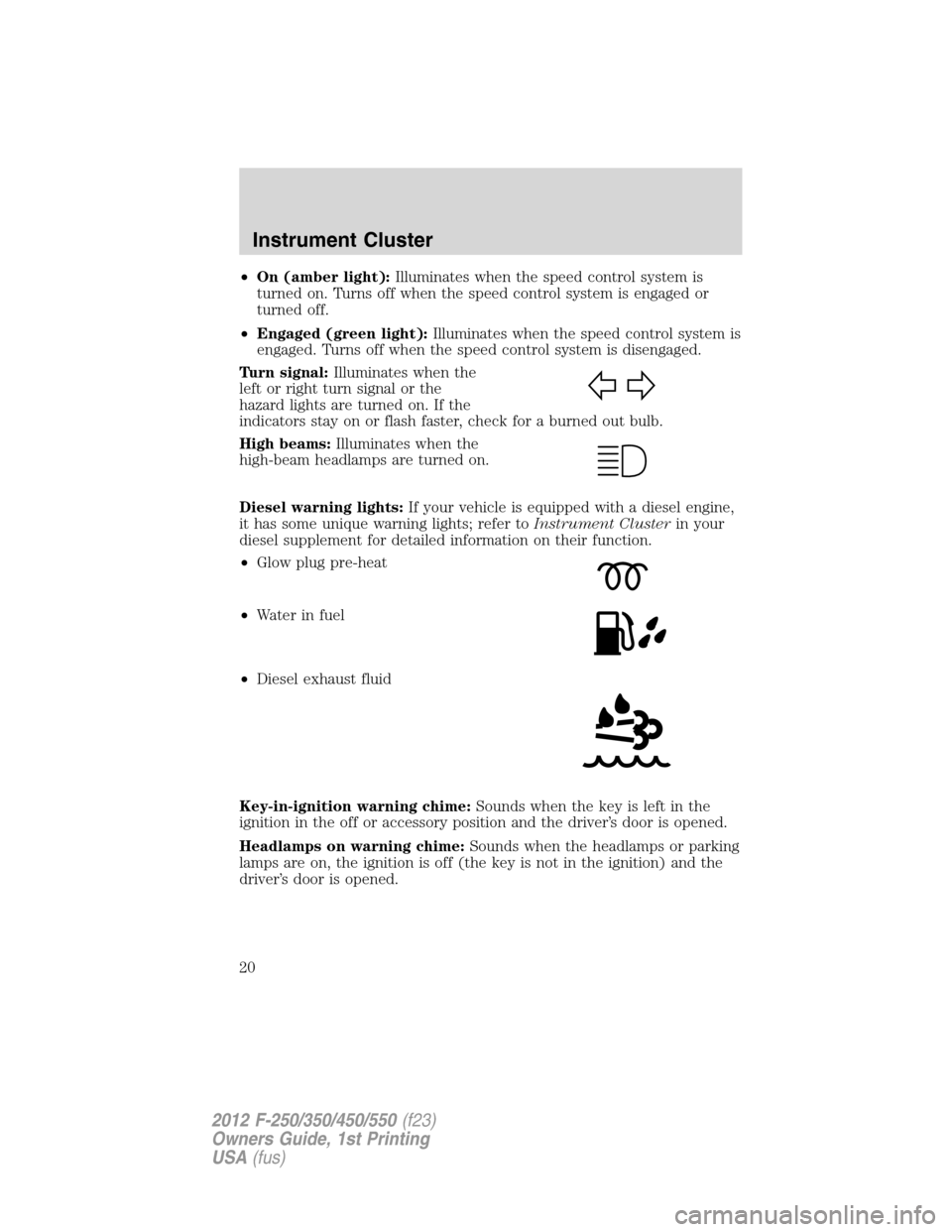
Turn signal:Illuminates when the
left or right turn signal or the
hazard lights are turned on. If the
indicators stay on or flash faster, check for a burned out bulb.
High beams:Illuminates when the
high-beam headlamps are turned on.
Diesel warning lights:If your vehicle is equipped with a diesel engine,
it has some unique warning lights; refer toInstrument Clusterin your
diesel supplement for detailed information on their function.
•Glow plug pre-heat
•Waterinfuel
•Diesel exhaust fluid
Key-in-ignition warning chime:Sounds when the key is left in the
ignition in the off or accessory position and the driver’s door is opened.
Headlamps on warning chime:Sounds when the headlamps or parking
lamps are on, the ignition is off (the key is not in the ignition) and the
driver’s door is opened.
Instrument Cluster
20
2012 F-250/350/450/550(f23)
Owners Guide, 1st Printing
USA(fus)
Page 36 of 454
ENGINE TURNS OFF IN XX (diesel engine only)— Displayed
when the vehicle is in the final 30 seconds of a countdown to where the
engine will intentionally be turned off by the PCM. The diesel engine
shutdown for extended idling is an optional feature. Refer to your diesel
supplement for more information.
ENGINE TURNED OFF (diesel engine only)— Displayed after the
30 second countdown. Refer to your diesel supplement for more
information.
DRIVE TO CLEAN EXHAUST FILTER (diesel engine only)—
Displayed when the Diesel Particulate Filter (DPF) is full of particles
(exhaust soot) and the vehicle is not being operated in a manner to
allow normal cleaning. This message will stay on until the exhaust filter
cleaning has begun, at which time the CLEANING EXHAUST FILTER
message will be displayed. It is recommended the vehicle operator drive
the vehicle above 30 mph (48 km/h) until the CLEANING EXHAUST
FILTER message turns off. This message is NORMAL. Refer to your
diesel supplement for more information.
Note:If this message is ignored, your vehicle will continue to fill the
Diesel Particulate Filter (DPF) with particles (exhaust soot). If cleaning
is not permitted, the
light will illuminate and engine power may be
limited. If the vehicle is still not operated in a manner to allow cleaning,
the service engine soon light
will illuminate and engine power will
be further limited. Dealer service will then be required to restore your
vehicle to full-power operation.
Note:Diesel Particulate Filter (DPF) regeneration will not initiate at idle
or in Power Take Off (PTO) mode. When DRIVE TO CLEAN EXHAUST
FILTER is displayed in the message center, PTO and/or Stationary
Elevated Idle Control (SEIC) must be disengaged/inactive in order to
properly clean the DPF. The vehicle must be driven until the CLEANING
EXHAUST FILTER message turns off.
CLEANING EXHAUST FILTER (diesel engine only)— Displayed
when the vehicle has entered the cleaning mode. Various engine actions
will raise the exhaust temperature in the Diesel Particulate Filter (DPF)
system to burn off the particles (exhaust soot). After the particles are
burned off, the exhaust temperature will fall back to normal levels. This
message is NORMAL. Refer to your diesel supplement for more
information.
WARNING:When the CLEANING EXHAUST FILTER message
appears in the message center, do not park near flammable
materials, vapors or structures until filter cleaning is complete.
Instrument Cluster
36
2012 F-250/350/450/550(f23)
Owners Guide, 1st Printing
USA(fus)
Page 40 of 454
OPTIONAL MESSAGE CENTER (IF EQUIPPED)
Your vehicle’s message center is capable of monitoring many vehicle
systems and will alert you to potential vehicle problems and various
conditions with a informational messages and/or warnings.
The message center is also used to program/configure the different
features of your vehicle.
The message center display is located in the instrument cluster. Use the
steering wheel mounted buttons to navigate through the message center.
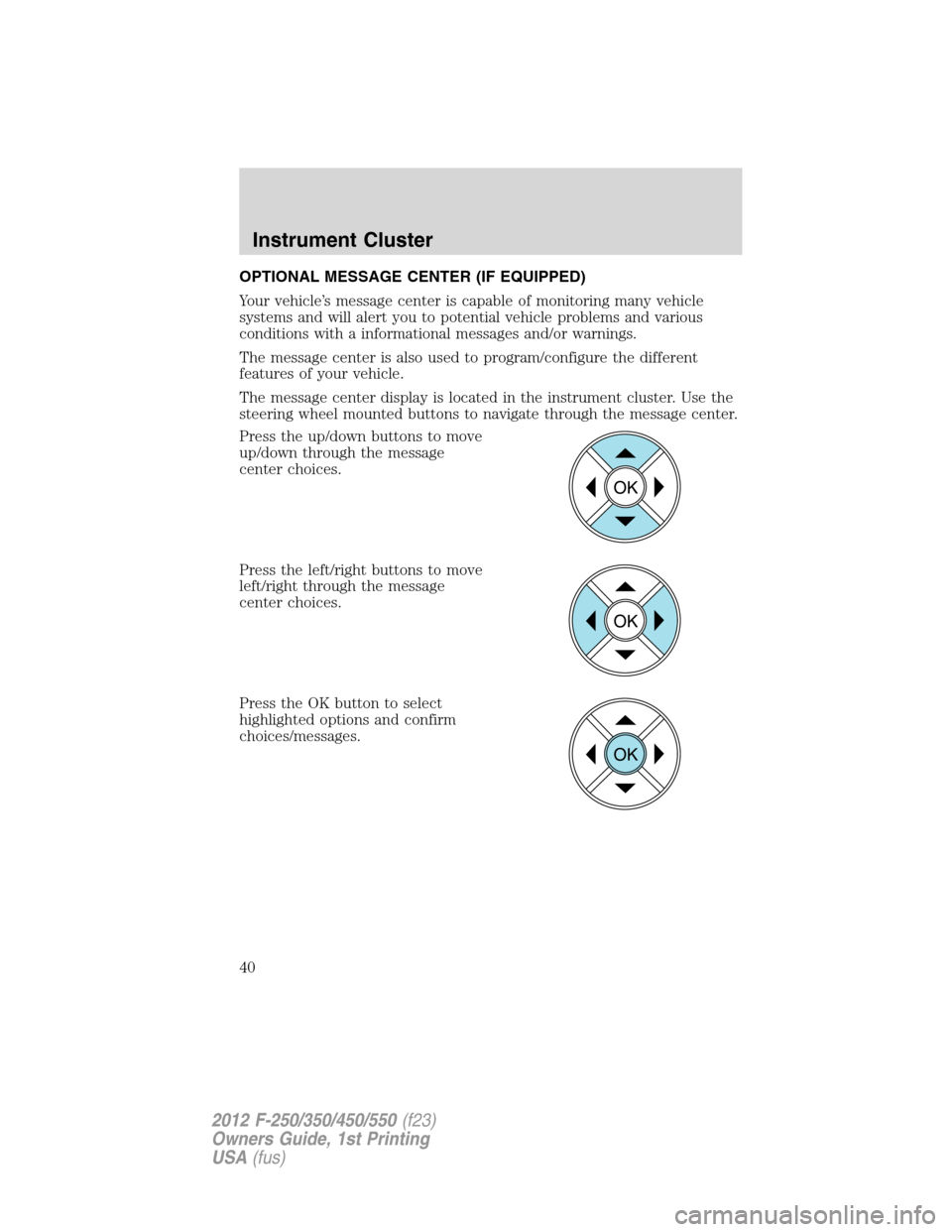
Press the up/down buttons to move
up/down through the message
center choices.
Press the left/right buttons to move
left/right through the message
center choices.
Press the OK button to select
highlighted options and confirm
choices/messages.
OK
OK
OK
Instrument Cluster
40
2012 F-250/350/450/550(f23)
Owners Guide, 1st Printing
USA(fus)
Page 48 of 454
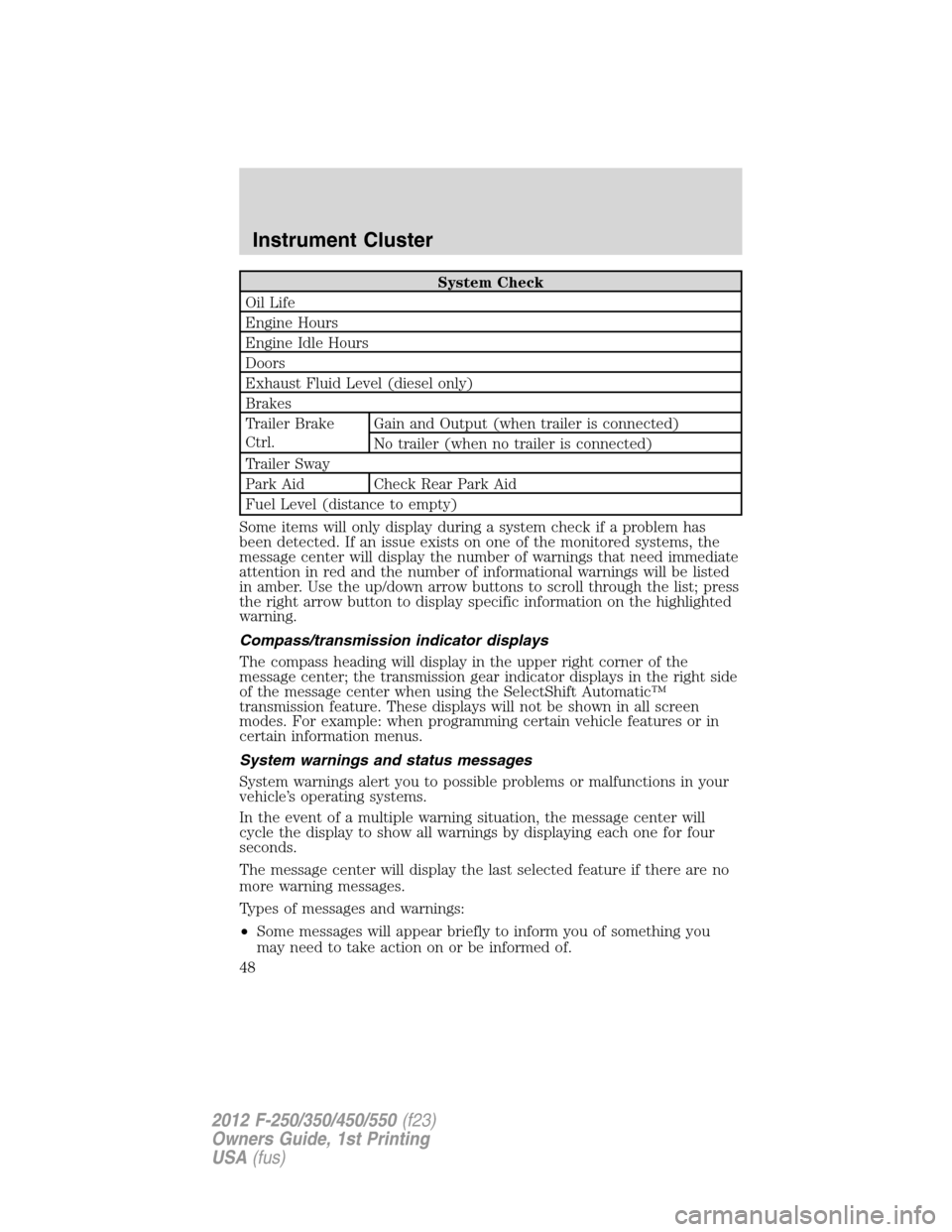
System Check
Oil Life
Engine Hours
Engine Idle Hours
Doors
Exhaust Fluid Level (diesel only)
Brakes
Trailer Brake
Ctrl.Gain and Output (when trailer is connected)
No trailer (when no trailer is connected)
Trailer Sway
Park Aid Check Rear Park Aid
Fuel Level (distance to empty)
Some items will only display during a system check if a problem has
been detected. If an issue exists on one of the monitored systems, the
message center will display the number of warnings that need immediate
attention in red and the number of informational warnings will be listed
in amber. Use the up/down arrow buttons to scroll through the list; press
the right arrow button to display specific information on the highlighted
warning.
Compass/transmission indicator displays
The compass heading will display in the upper right corner of the
message center; the transmission gear indicator displays in the right side
of the message center when using the SelectShift Automatic™
transmission feature. These displays will not be shown in all screen
modes. For example: when programming certain vehicle features or in
certain information menus.
System warnings and status messages
System warnings alert you to possible problems or malfunctions in your
vehicle’s operating systems.
In the event of a multiple warning situation, the message center will
cycle the display to show all warnings by displaying each one for four
seconds.
The message center will display the last selected feature if there are no
more warning messages.
Types of messages and warnings:
•Some messages will appear briefly to inform you of something you
may need to take action on or be informed of.
Instrument Cluster
48
2012 F-250/350/450/550(f23)
Owners Guide, 1st Printing
USA(fus)
Page 50 of 454
TRANSPORT MODE CONTACT DEALER (if equipped)—
Displayed when the vehicle is set to transport mode. The transport mode
is used to disable certain vehicle functions to prevent battery discharge
when the vehicle is in the transport/inventory phase and is not driven
long enough to maintain the battery’s charge. This mode can be disabled
by doing the following: Turn the ignition on, without starting the engine.
Press and release the brake pedal fully five times and press the hazard
button four times (on, off, on, off) within 10 seconds.
CHECK COOLANT ADDITIVE (diesel engine only)— Displayed
when the coolant additive needs to be checked. Refer to your diesel
supplement for more information.
POWER REDUCED TO LOWER ENGINE TEMP— Displayed when
the engine temperature gauge needle moves to H. You may notice
reduced engine power. Refer toEngine coolantin theMaintenance
and Specificationschapter for more information.
CLEANING EXHAUST FILTER (diesel engine only)—
Displayed
when the vehicle has entered the cleaning mode. Various engine actions will
raise the exhaust temperature in the Diesel Particulate Filter (DPF) system
to burn off the particles (exhaust soot). After the particles are burned off,
the exhaust temperature will fall back to normal levels. This message is
NORMAL. Refer to your diesel supplement for more information.
WARNING:When the CLEANING EXHAUST FILTER message
appears in the message center, do not park near flammable
materials, vapors or structures until filter cleaning is complete.
DRIVE TO CLEAN EXHAUST SYSTEM (diesel engine only)—
Displayed when the Diesel Particulate Filter (DPF) is full of particles
(exhaust soot) and the vehicle is not being operated in a manner to
allow normal cleaning. This message will stay on until the exhaust filter
cleaning has begun, at which time the CLEANING EXHAUST FILTER
message will be displayed. It is recommended the vehicle operator drive
the vehicle above 30 mph (48 km/h) until the CLEANING EXHAUST
FILTER message turns off. This message is NORMAL. Refer to your
diesel supplement for more information.
Note:If this message is ignored, your vehicle will continue to fill the
Diesel Particulate Filter (DPF) with particles (exhaust soot). If cleaning
is not permitted, the
light will illuminate and engine power may be
limited. If the vehicle is still not operated in a manner to allow cleaning,
the service engine soon light
will illuminate and engine power will
be further limited. Dealer service will then be required to restore your
vehicle to full-power operation.
Instrument Cluster
50
2012 F-250/350/450/550(f23)
Owners Guide, 1st Printing
USA(fus)
Page 91 of 454
Daytime running lamps (DRL) (if equipped)
Turns the headlamps on with a reduced output.
To activate:
•the ignition must be in the on position,
•the headlamp control is in the off or parking lamp position and
•the parking brake must be disengaged.
•the transmission is not in P (Park)
WARNING:Always remember to turn on your headlamps at
dusk or during inclement weather. The Daytime Running Lamp
(DRL) system does not activate the tail lamps and generally may not
provide adequate lighting during these conditions. Failure to activate
your headlamps under these conditions may result in a collision.
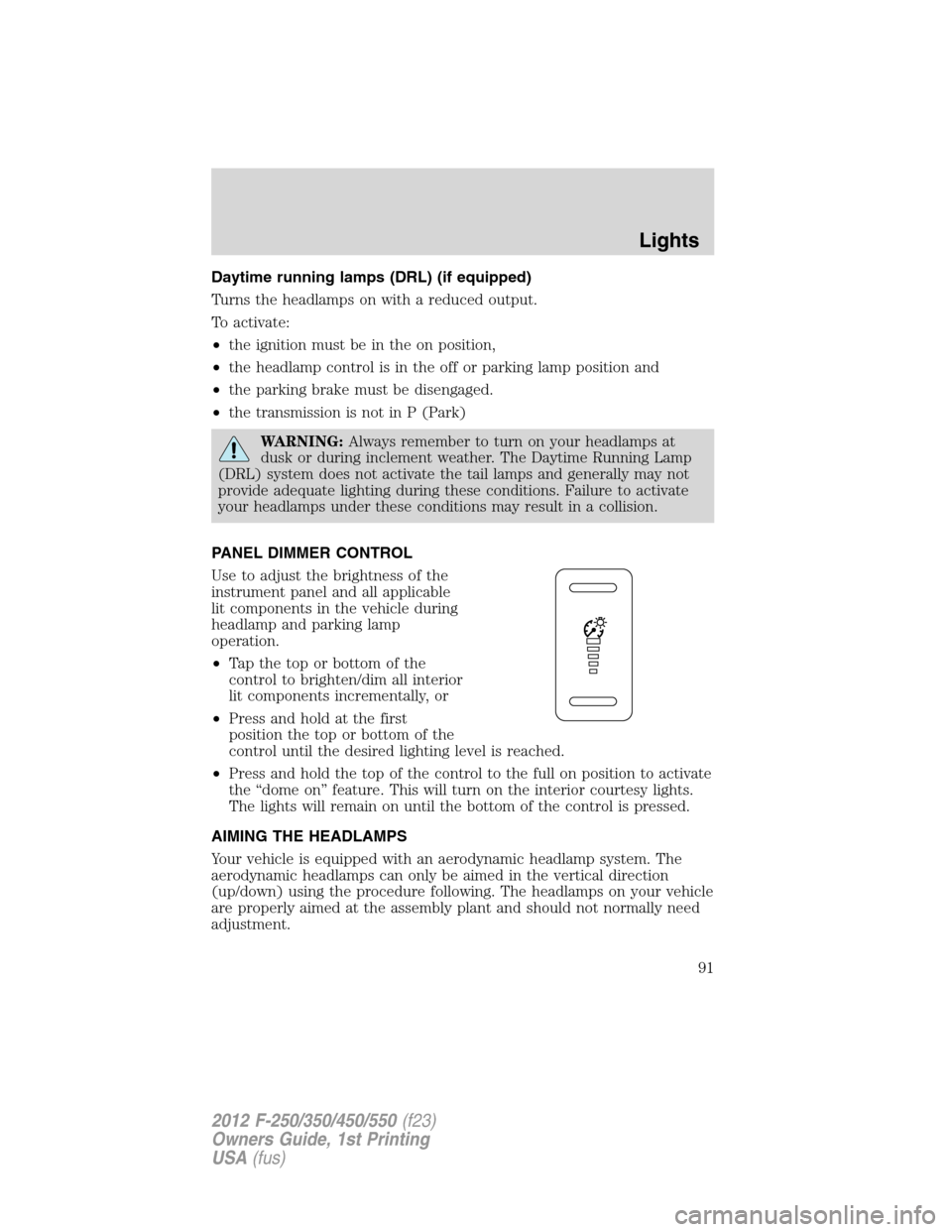
PANEL DIMMER CONTROL
Use to adjust the brightness of the
instrument panel and all applicable
lit components in the vehicle during
headlamp and parking lamp
operation.
•Tapthetoporbottomofthe
control to brighten/dim all interior
lit components incrementally, or
•Press and hold at the first
position the top or bottom of the
control until the desired lighting level is reached.
•Press and hold the top of the control to the full on position to activate
the “dome on” feature. This will turn on the interior courtesy lights.
The lights will remain on until the bottom of the control is pressed.
AIMING THE HEADLAMPS
Your vehicle is equipped with an aerodynamic headlamp system. The
aerodynamic headlamps can only be aimed in the vertical direction
(up/down) using the procedure following. The headlamps on your vehicle
are properly aimed at the assembly plant and should not normally need
adjustment.
Lights
91
2012 F-250/350/450/550(f23)
Owners Guide, 1st Printing
USA(fus)
Page 97 of 454
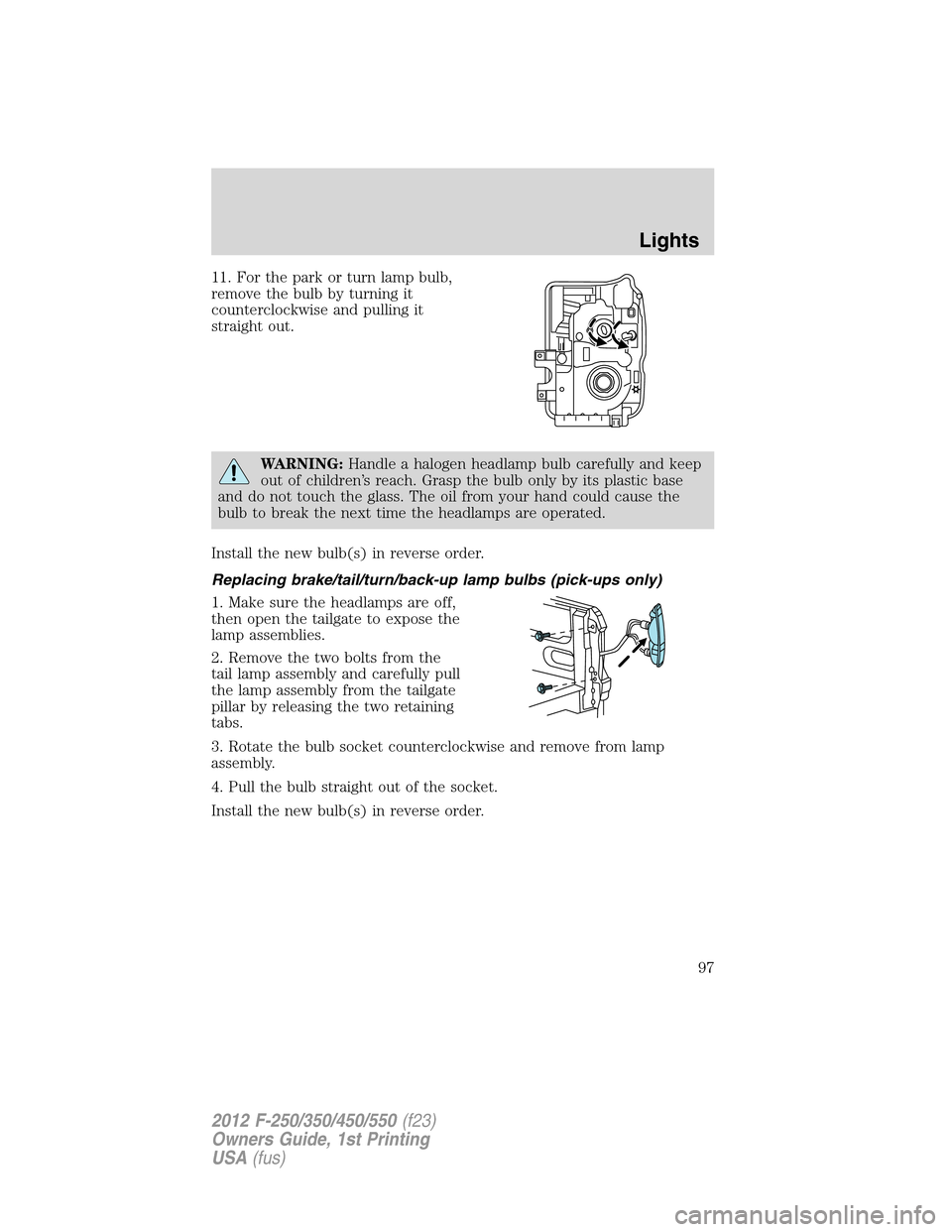
11. For the park or turn lamp bulb,
remove the bulb by turning it
counterclockwise and pulling it
straight out.
WARNING:Handle a halogen headlamp bulb carefully and keep
out of children’s reach. Grasp the bulb only by its plastic base
and do not touch the glass. The oil from your hand could cause the
bulb to break the next time the headlamps are operated.
Install the new bulb(s) in reverse order.
Replacing brake/tail/turn/back-up lamp bulbs (pick-ups only)
1. Make sure the headlamps are off,
then open the tailgate to expose the
lamp assemblies.
2. Remove the two bolts from the
tail lamp assembly and carefully pull
the lamp assembly from the tailgate
pillar by releasing the two retaining
tabs.
3. Rotate the bulb socket counterclockwise and remove from lamp
assembly.
4. Pull the bulb straight out of the socket.
Install the new bulb(s) in reverse order.
Lights
97
2012 F-250/350/450/550(f23)
Owners Guide, 1st Printing
USA(fus)
Page 101 of 454
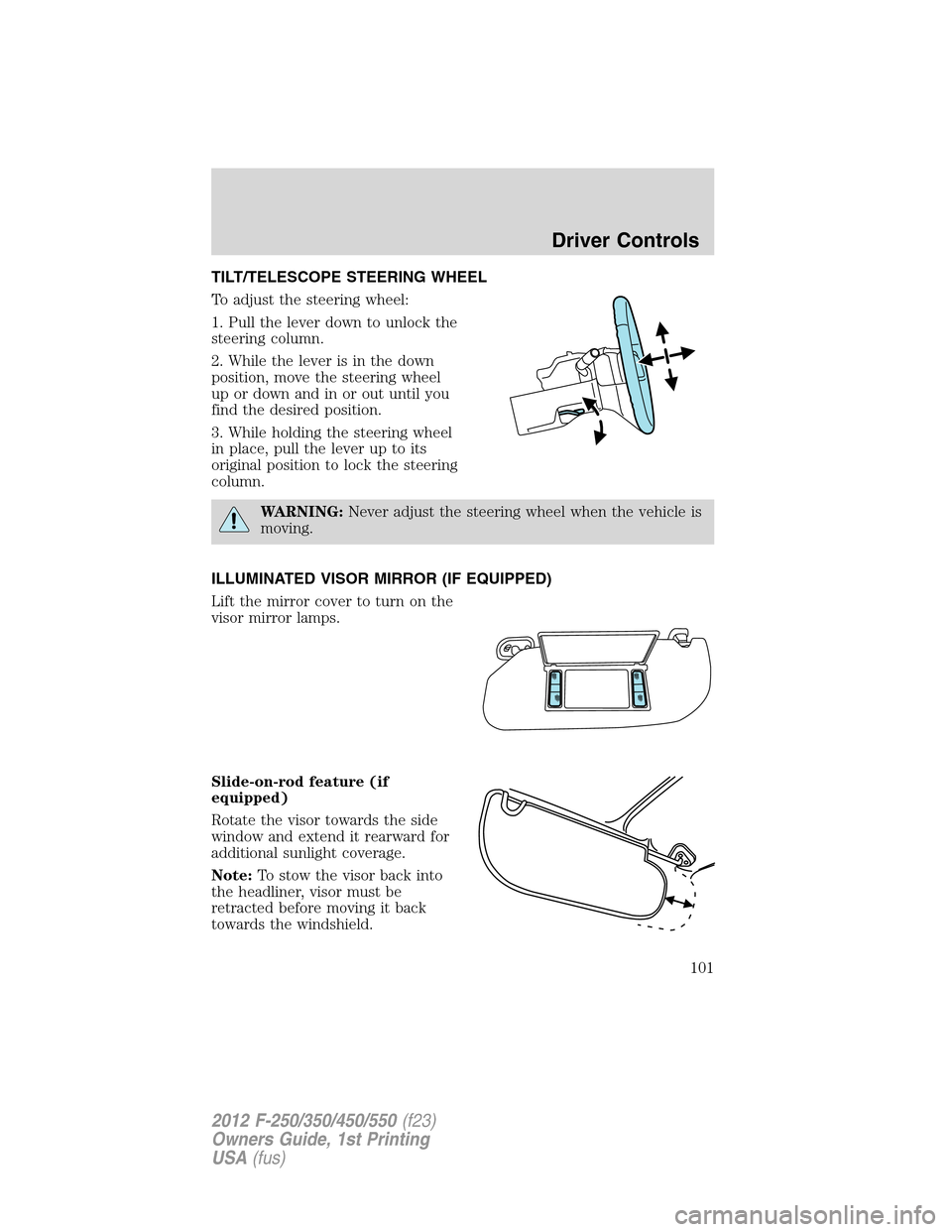
TILT/TELESCOPE STEERING WHEEL
To adjust the steering wheel:
1. Pull the lever down to unlock the
steering column.
2. While the lever is in the down
position, move the steering wheel
up or down and in or out until you
find the desired position.
3. While holding the steering wheel
in place, pull the lever up to its
original position to lock the steering
column.
WARNING:Never adjust the steering wheel when the vehicle is
moving.
ILLUMINATED VISOR MIRROR (IF EQUIPPED)
Lift the mirror cover to turn on the
visor mirror lamps.
Slide-on-rod feature (if
equipped)
Rotate the visor towards the side
window and extend it rearward for
additional sunlight coverage.
Note:To stow the visor back into
the headliner, visor must be
retracted before moving it back
towards the windshield.
Driver Controls
101
2012 F-250/350/450/550(f23)
Owners Guide, 1st Printing
USA(fus)
Page 103 of 454
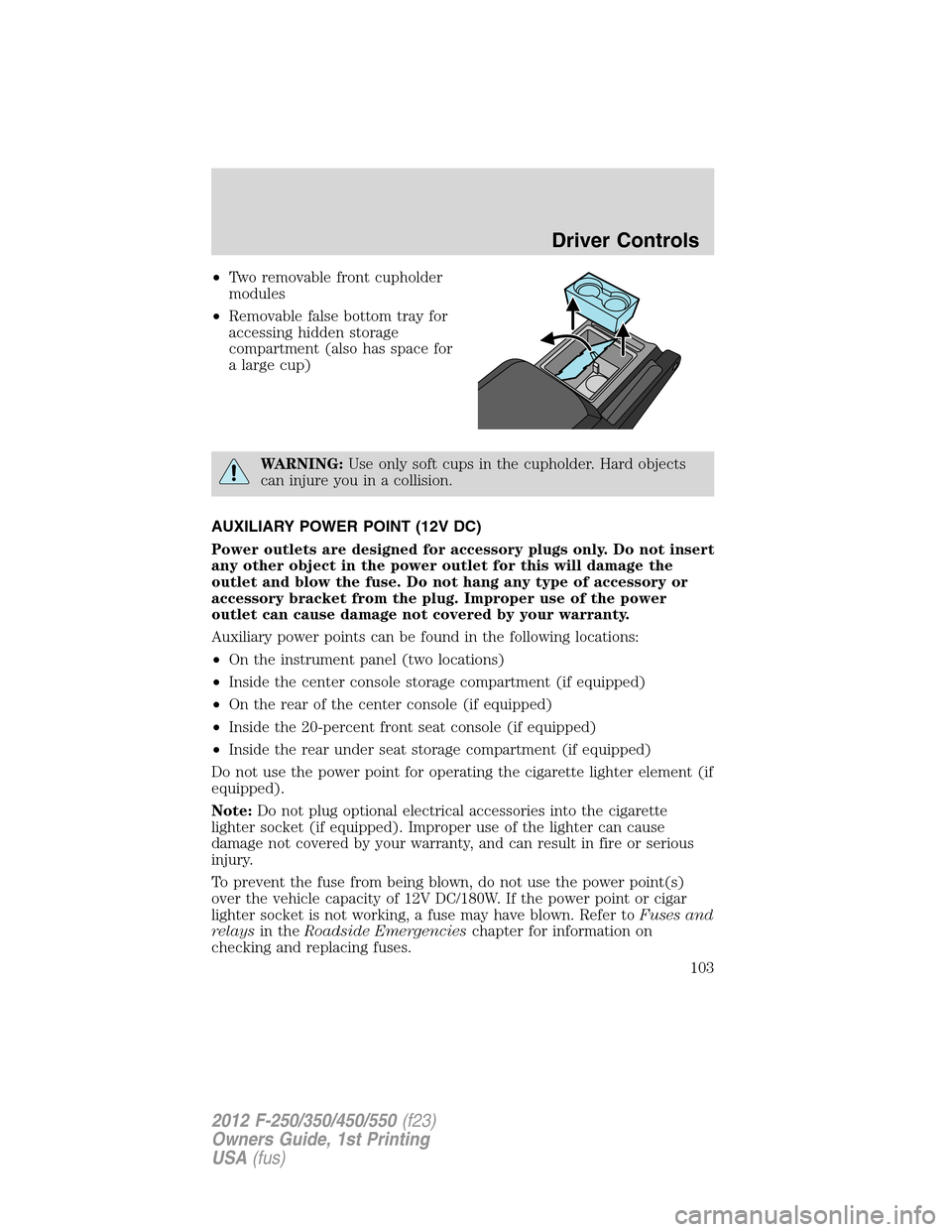
•Two removable front cupholder
modules
•Removable false bottom tray for
accessing hidden storage
compartment (also has space for
a large cup)
WARNING:Use only soft cups in the cupholder. Hard objects
can injure you in a collision.
AUXILIARY POWER POINT (12V DC)
Power outlets are designed for accessory plugs only. Do not insert
any other object in the power outlet for this will damage the
outlet and blow the fuse. Do not hang any type of accessory or
accessory bracket from the plug. Improper use of the power
outlet can cause damage not covered by your warranty.
Auxiliary power points can be found in the following locations:
•On the instrument panel (two locations)
•Inside the center console storage compartment (if equipped)
•On the rear of the center console (if equipped)
•Inside the 20-percent front seat console (if equipped)
•Inside the rear under seat storage compartment (if equipped)
Do not use the power point for operating the cigarette lighter element (if
equipped).
Note:Do not plug optional electrical accessories into the cigarette
lighter socket (if equipped). Improper use of the lighter can cause
damage not covered by your warranty, and can result in fire or serious
injury.
To prevent the fuse from being blown, do not use the power point(s)
over the vehicle capacity of 12V DC/180W. If the power point or cigar
lighter socket is not working, a fuse may have blown. Refer toFuses and
relaysin theRoadside Emergencieschapter for information on
checking and replacing fuses.
Driver Controls
103
2012 F-250/350/450/550(f23)
Owners Guide, 1st Printing
USA(fus)
Page 105 of 454
The power point can switch to a fault mode when it is overloaded,
overheated, or shorted. For overloading and shorting conditions, unplug
your device and turn the ignition key off then on. For an overheating
condition, let the system cool off, then turn the ignition key off then on.
The 110V AC power point can provide power whenever the vehicle
ignition is in the on position and the power point green indicator light
located in the top left corner is turned on. Refer to the indicator light
code below for the power point status.
Indicator light codes
Green light is on — Power point is ready to supply power
Green light is off — Power point power supply is off. Ignition is not in
the on position
Green light is blinking — Power point is in fault mode
Note:The 110V AC power point will turn off after 13 minutes if the
ignition is in the on position without the engine running. Keep the
engine running or cycle the ignition before the 13 minute time-out to
keep the inverter on.
POWER WINDOWS (IF EQUIPPED)
WARNING:Do not leave children unattended in the vehicle and
do not let children play with the power windows. They may
seriously injure themselves.
WARNING:When closing the power windows, you should verify
they are free of obstructions and ensure that children and/or
pets are not in the proximity of the window openings.
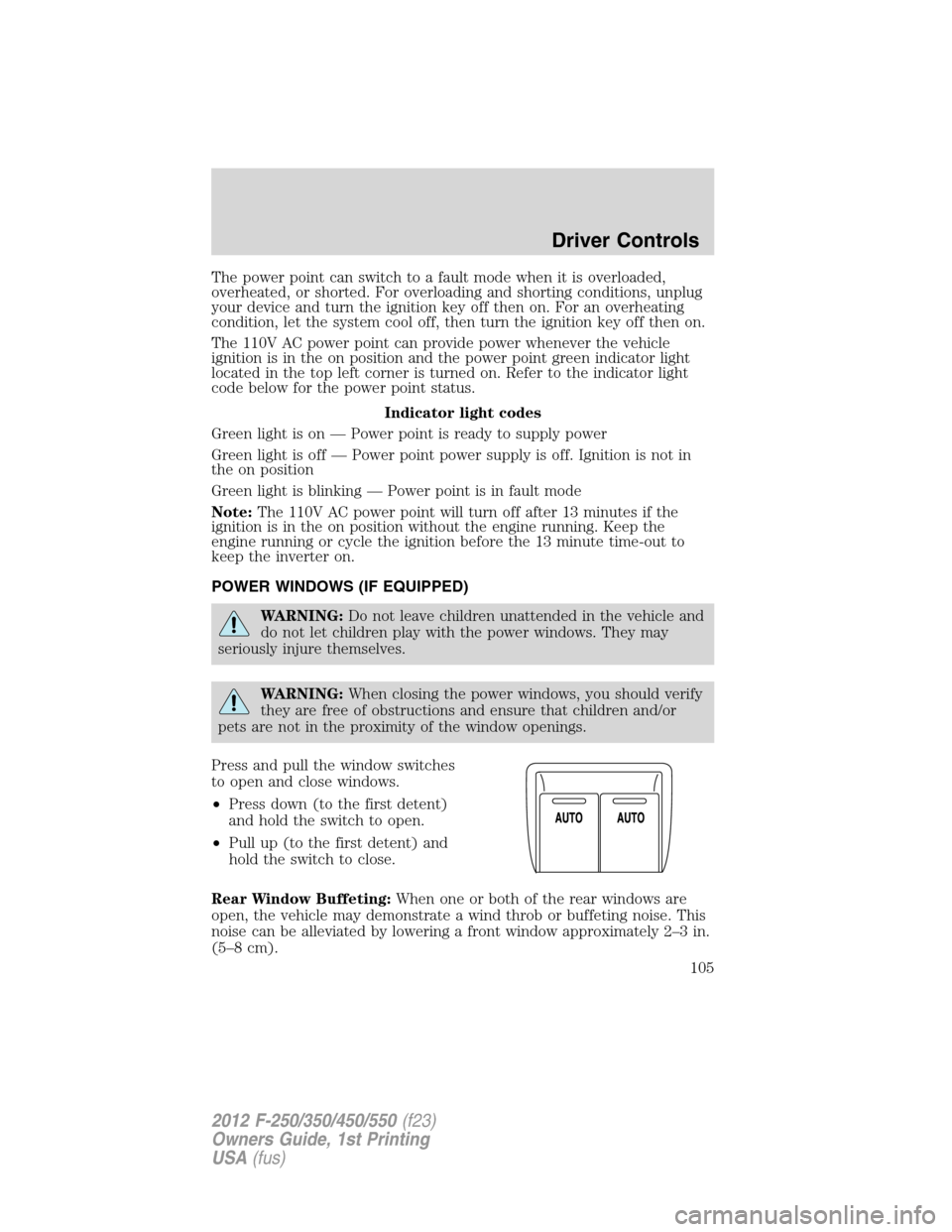
Press and pull the window switches
to open and close windows.
•Press down (to the first detent)
and hold the switch to open.
•Pull up (to the first detent) and
hold the switch to close.
Rear Window Buffeting:When one or both of the rear windows are
open, the vehicle may demonstrate a wind throb or buffeting noise. This
noise can be alleviated by lowering a front window approximately 2–3 in.
(5–8 cm).
Driver Controls
105
2012 F-250/350/450/550(f23)
Owners Guide, 1st Printing
USA(fus)