ABS FORD SUPER DUTY 2013 3.G User Guide
[x] Cancel search | Manufacturer: FORD, Model Year: 2013, Model line: SUPER DUTY, Model: FORD SUPER DUTY 2013 3.GPages: 563, PDF Size: 7.27 MB
Page 319 of 563
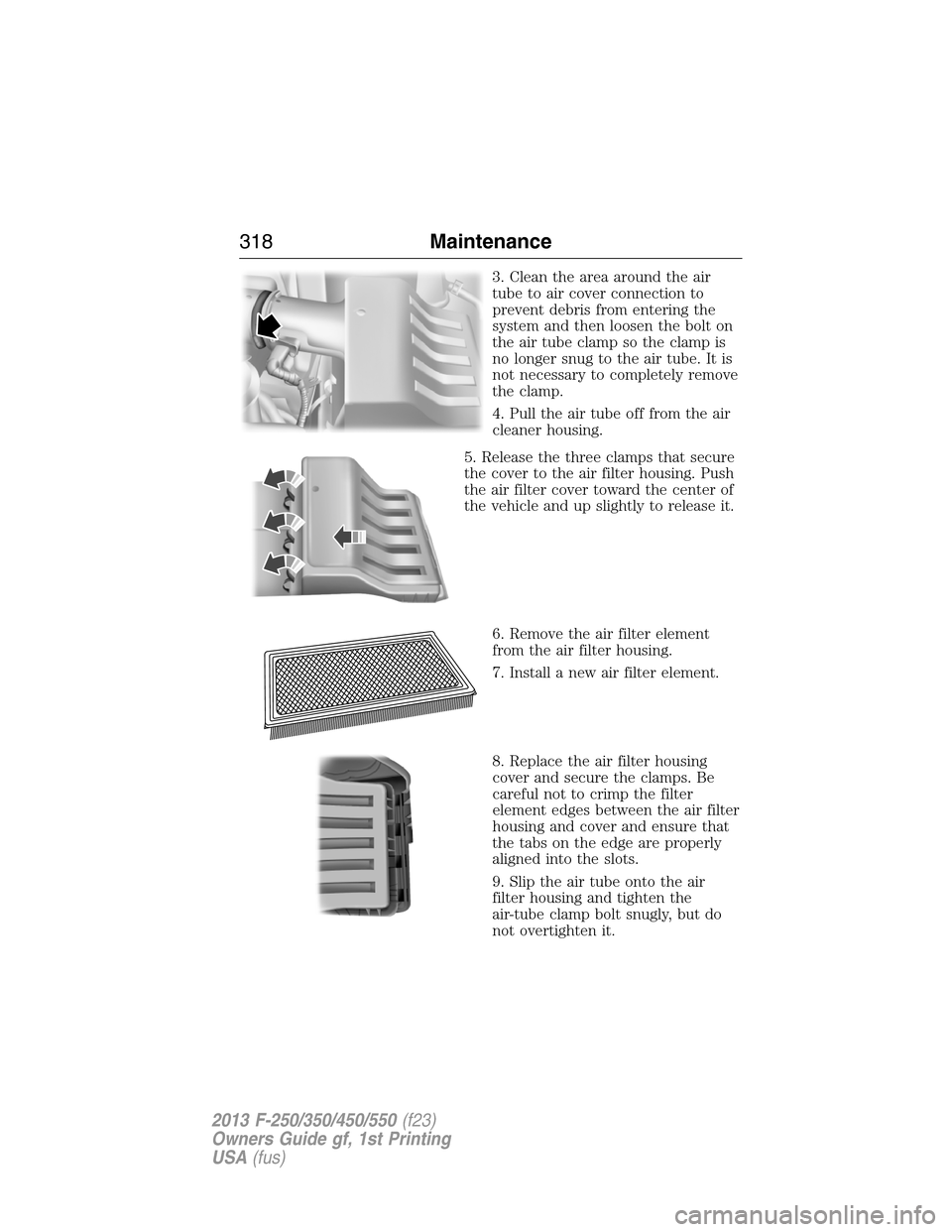
3. Clean the area around the air
tube to air cover connection to
prevent debris from entering the
system and then loosen the bolt on
the air tube clamp so the clamp is
no longer snug to the air tube. It is
not necessary to completely remove
the clamp.
4. Pull the air tube off from the air
cleaner housing.
5. Release the three clamps that secure
the cover to the air filter housing. Push
the air filter cover toward the center of
the vehicle and up slightly to release it.
6. Remove the air filter element
from the air filter housing.
7. Install a new air filter element.
8. Replace the air filter housing
cover and secure the clamps. Be
careful not to crimp the filter
element edges between the air filter
housing and cover and ensure that
the tabs on the edge are properly
aligned into the slots.
9. Slip the air tube onto the air
filter housing and tighten the
air-tube clamp bolt snugly, but do
not overtighten it.
318Maintenance
2013 F-250/350/450/550(f23)
Owners Guide gf, 1st Printing
USA(fus)
Page 325 of 563
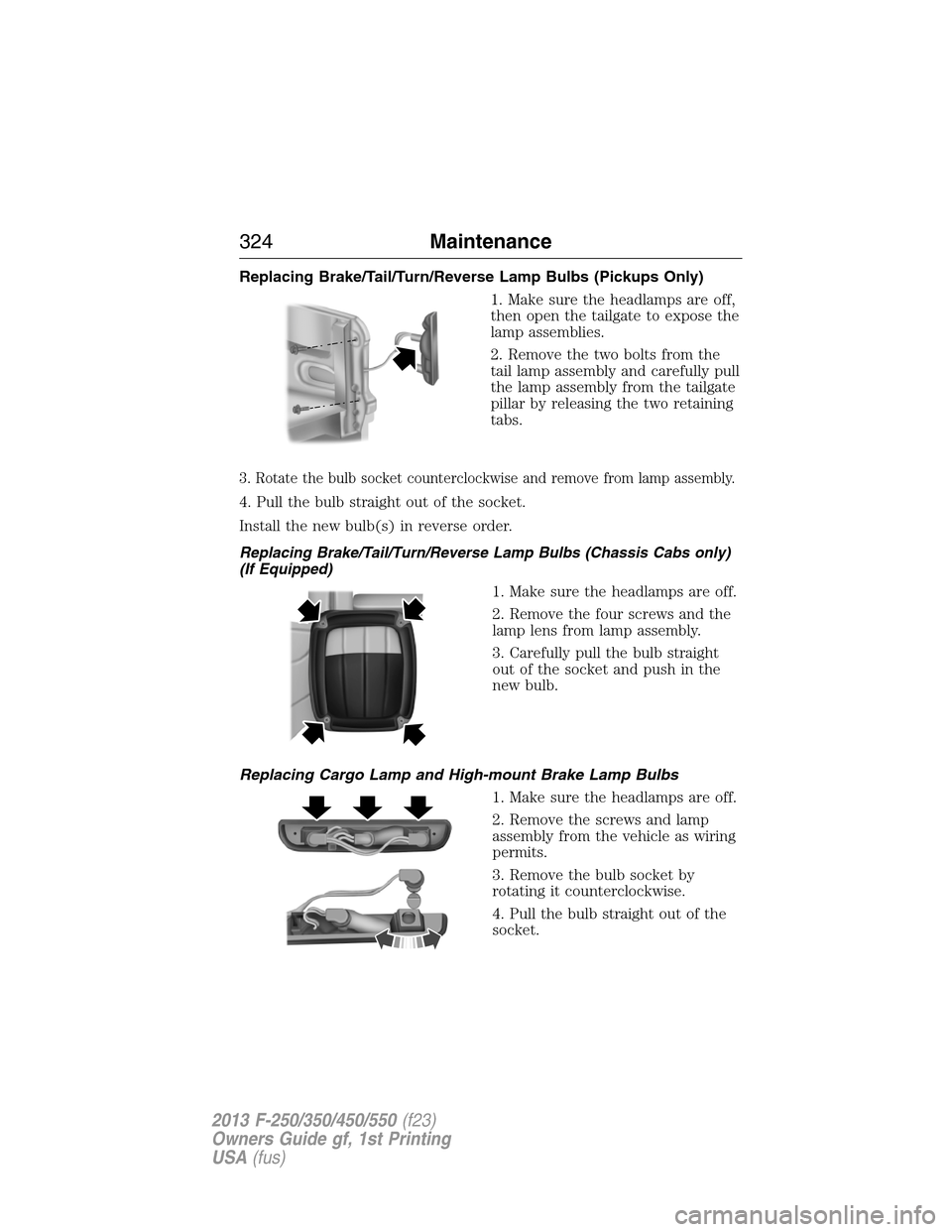
Replacing Brake/Tail/Turn/Reverse Lamp Bulbs (Pickups Only)
1. Make sure the headlamps are off,
then open the tailgate to expose the
lamp assemblies.
2. Remove the two bolts from the
tail lamp assembly and carefully pull
the lamp assembly from the tailgate
pillar by releasing the two retaining
tabs.
3. Rotate the bulb socket counterclockwise and remove from lamp assembly.
4. Pull the bulb straight out of the socket.
Install the new bulb(s) in reverse order.
Replacing Brake/Tail/Turn/Reverse Lamp Bulbs (Chassis Cabs only)
(If Equipped)
1. Make sure the headlamps are off.
2. Remove the four screws and the
lamp lens from lamp assembly.
3. Carefully pull the bulb straight
out of the socket and push in the
new bulb.
Replacing Cargo Lamp and High-mount Brake Lamp Bulbs
1. Make sure the headlamps are off.
2. Remove the screws and lamp
assembly from the vehicle as wiring
permits.
3. Remove the bulb socket by
rotating it counterclockwise.
4. Pull the bulb straight out of the
socket.
324Maintenance
2013 F-250/350/450/550(f23)
Owners Guide gf, 1st Printing
USA(fus)
Page 326 of 563
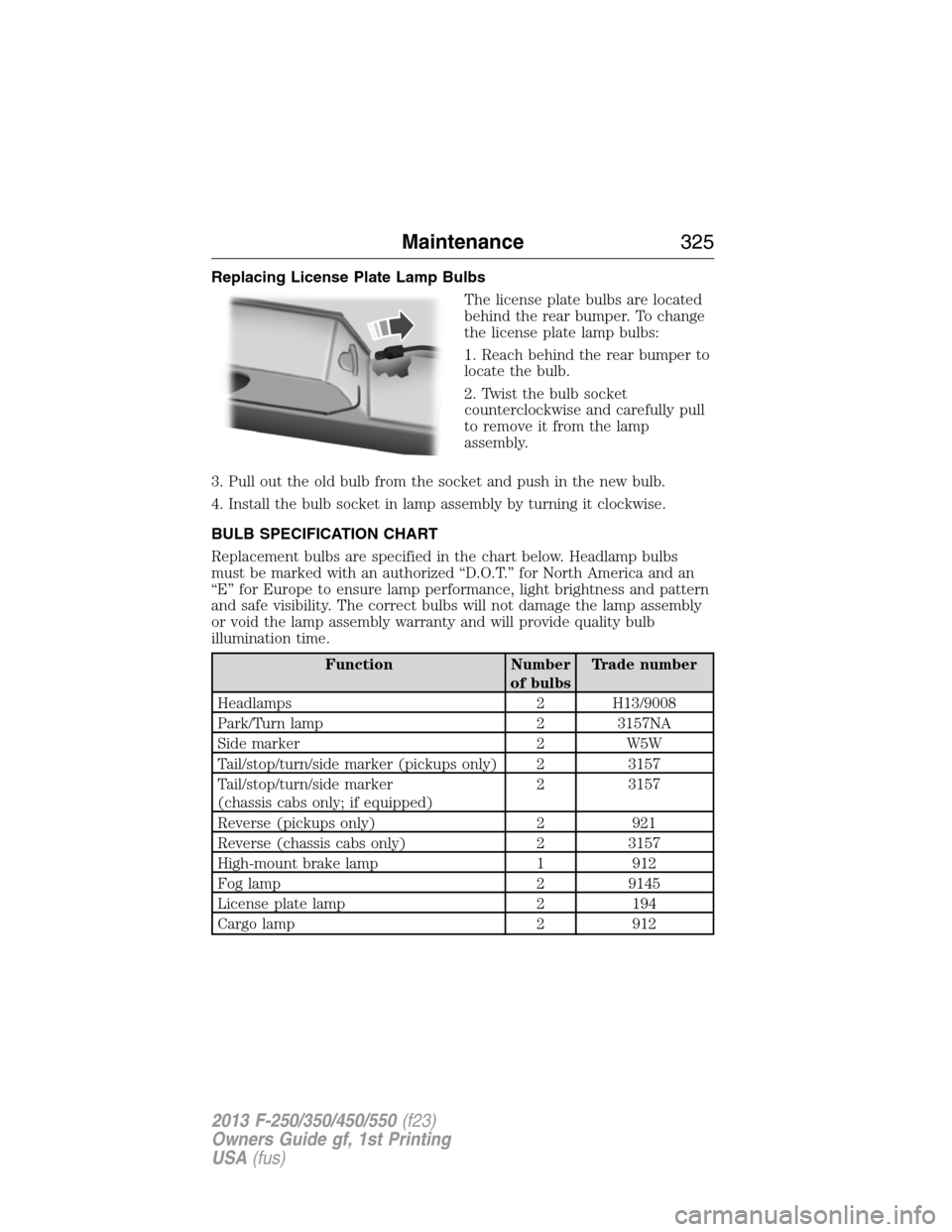
Replacing License Plate Lamp Bulbs
The license plate bulbs are located
behind the rear bumper. To change
the license plate lamp bulbs:
1. Reach behind the rear bumper to
locate the bulb.
2. Twist the bulb socket
counterclockwise and carefully pull
to remove it from the lamp
assembly.
3. Pull out the old bulb from the socket and push in the new bulb.
4. Install the bulb socket in lamp assembly by turning it clockwise.
BULB SPECIFICATION CHART
Replacement bulbs are specified in the chart below. Headlamp bulbs
must be marked with an authorized “D.O.T.” for North America and an
“E” for Europe to ensure lamp performance, light brightness and pattern
and safe visibility. The correct bulbs will not damage the lamp assembly
or void the lamp assembly warranty and will provide quality bulb
illumination time.
Function Number
of bulbsTrade number
Headlamps 2 H13/9008
Park/Turn lamp 2 3157NA
Side marker 2 W5W
Tail/stop/turn/side marker (pickups only) 2 3157
Tail/stop/turn/side marker
(chassis cabs only; if equipped)2 3157
Reverse (pickups only) 2 921
Reverse (chassis cabs only) 2 3157
High-mount brake lamp 1 912
Fog lamp 2 9145
License plate lamp 2 194
Cargo lamp 2 912
Maintenance325
2013 F-250/350/450/550(f23)
Owners Guide gf, 1st Printing
USA(fus)
Page 395 of 563
Ford ESP Can Quickly Pay for Itself
One service bill – the cost of parts and labor – can easily exceed the
price of your Ford ESP Service Contract. With Ford ESP, you minimize
your risk for unexpected repair bills and rising repair costs.
Avoid the rising cost of properly maintaining your vehicle!
Ford ESP also offers a Premium Maintenance Plan that covers items that
routinely wear out.
The coverage is prepaid, so you never have to worry about affording
your vehicle maintenance. It covers regular checkups, routine
inspections, preventive care and replacement of items that require
periodic attention fornormal wear:
•Wiper blades•Brake pads and linings
•Spark plugs
(except California)•Shock absorbers
•Clutch disc•Belts and hoses.
Contact your selling Ford or Lincoln dealership today so they can
customize a Ford Extended Service Plan that fits your driving lifestyle
and budget.
Interest Free Finance Options Available
Take advantage of our installment payment plan, just a 10% down
payment will provide you with an affordable no interest, no-fee payment
opportunity.
Protect Yourself from the Rising Cost of Vehicle Repairs with a
Ford Extended Service Plan
To learn more, call our Ford ESP specialists at 800–367–3377, and do not
forget to ask about our interest free payment program, allowing you all
the security and benefits Ford ESP has to offer while paying over time.
You’re pre-approved with no credit checks, no hassles!
Or, mail your name, address, city, state and zip code to:
Ford ESP
P.O. Box 8072
Royal Oak, MI 48068–9933
394Ford Extended Service Plan
2013 F-250/350/450/550(f23)
Owners Guide gf, 1st Printing
USA(fus)
Page 399 of 563
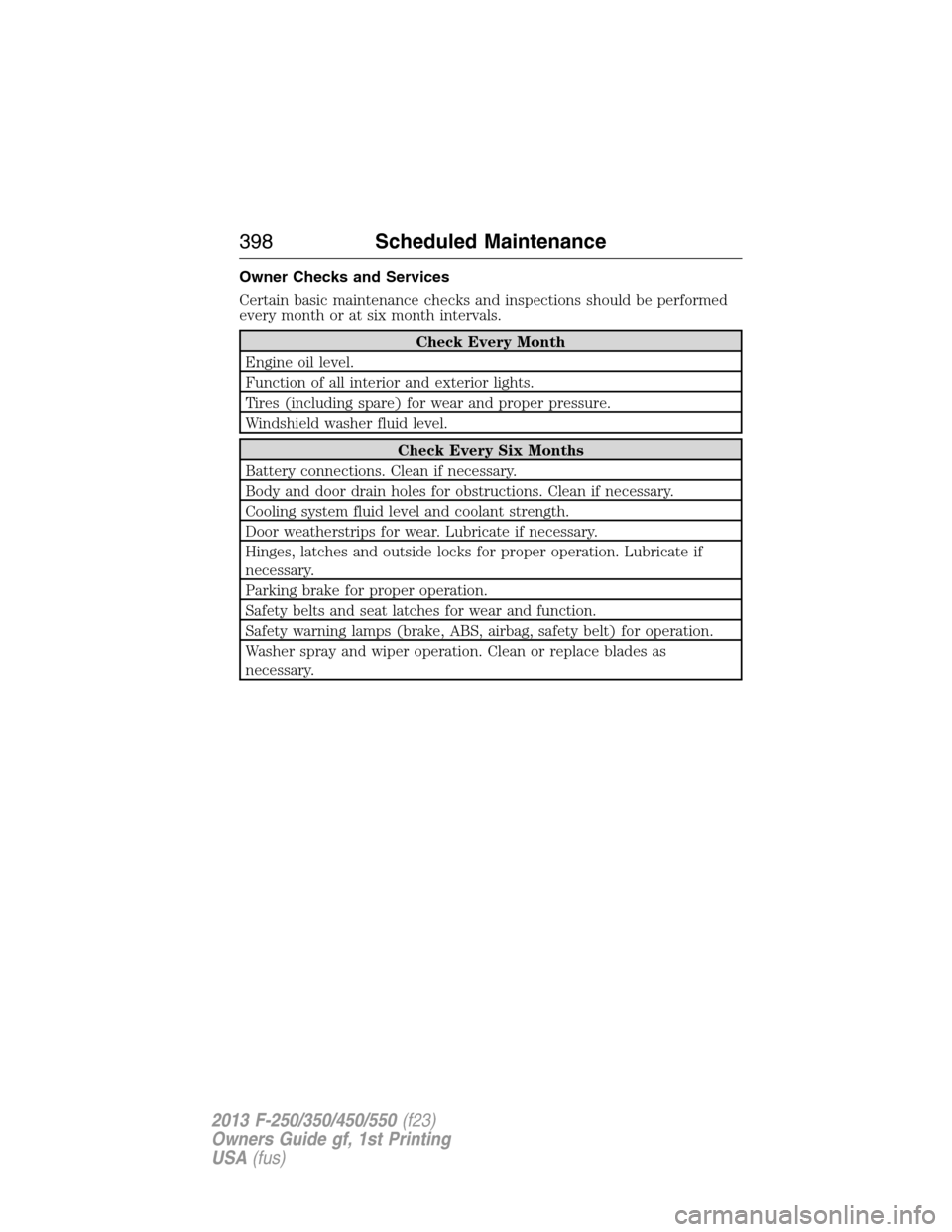
Owner Checks and Services
Certain basic maintenance checks and inspections should be performed
every month or at six month intervals.
Check Every Month
Engine oil level.
Function of all interior and exterior lights.
Tires (including spare) for wear and proper pressure.
Windshield washer fluid level.
Check Every Six Months
Battery connections. Clean if necessary.
Body and door drain holes for obstructions. Clean if necessary.
Cooling system fluid level and coolant strength.
Door weatherstrips for wear. Lubricate if necessary.
Hinges, latches and outside locks for proper operation. Lubricate if
necessary.
Parking brake for proper operation.
Safety belts and seat latches for wear and function.
Safety warning lamps (brake, ABS, airbag, safety belt) for operation.
Washer spray and wiper operation. Clean or replace blades as
necessary.
398Scheduled Maintenance
2013 F-250/350/450/550(f23)
Owners Guide gf, 1st Printing
USA(fus)
Page 416 of 563
•Do not leave playing devices in your vehicle during extreme conditions
as it could cause them damage. See your device’s user guide for
further information.
•Do not attempt to service or repair the system. See your authorized
dealer.
For your safety, some SYNC functions are speed-dependent. Their use is
limited to when your vehicle is traveling at speeds under 3 mph
(5 km/h).
Make sure that you review your device’s user guide before using it with
SYNC.
Privacy Information
When a cellular phone is connected to SYNC, the system creates a
profile within your vehicle that is linked to that cellular phone. This
profile is created in order to offer you more cellular features and to
operate more efficiently. Among other things, this profile may contain
data about your cellular phone book, text messages (read and unread),
and call history, including history of calls when your cell phone was not
connected to the system. In addition, if you connect a media device, the
system creates and retains an index of supported media content. The
system also records a short development log of approximately
10 minutes of all recent system activity. The log profile and other system
data may be used to improve the system and help diagnose any problems
that may occur.
The cellular profile, media device index, and development log remain in
the vehicle unless you delete them and are generally accessible only in
the vehicle when the cellular phone or media player is connected. If you
no longer plan to use the system or the vehicle, we recommend you
perform a Master Reset to erase all stored information.
System data cannot be accessed without special equipment and access to
the vehicle’s SYNC module. Ford Motor Company and Ford of Canada do
not access the system data for any purpose other than as described
absent consent, a court order, or where required by law enforcement,
other government authorities, or other third parties acting with lawful
authority. Other parties may seek to access the information
independently of Ford Motor Company and Ford of Canada. For further
privacy information, see the sections on 911 Assist®, Vehicle Health
Report, and Traffic, Directions and Information.
SYNC®415
2013 F-250/350/450/550(f23)
Owners Guide gf, 1st Printing
USA(fus)
Page 464 of 563
Privacy information
When a cellular phone is connected to SYNC®, SYNC® creates a profile
within your vehicle that is linked to that cellular phone. This profile is
created in order to offer you more cellular features and to operate more
efficiently. Among other things, this profile may contain data about your
cellular phone book, text messages (read and unread), and call history,
including history of calls when your cell phone was not connected to
SYNC®. In addition, if you connect a media device, SYNC® creates and
retains an index of media content supported by SYNC®. SYNC® also
records a short development log of approximately 10 minutes of all
recent SYNC® activity. The log profile and other SYNC® data may be
used to improve SYNC® and help diagnose any problems that may occur.
The cellular profile, media device index, and development log will remain
in the vehicle unless you delete it and are generally accessible only in
the vehicle when the cellular phone or media player is connected. If you
no longer plan to use SYNC® or the vehicle, we recommend you perform
a Master Reset to erase all information stored in SYNC®.
SYNC® data cannot be accessed without special equipment and access
to the vehicle’s SYNC® module. Ford Motor Company and Ford of
Canada will not access SYNC® data for any purpose other than as
described absent consent, a court order, or where required by law
enforcement, other government authorities, or other third parties acting
with lawful authority. Other parties may seek to access the information
independently of Ford Motor Company and Ford of Canada. For further
privacy information, see the sections on 911 Assist™ (if equipped),
Vehicle Health Report (if equipped), and Traffic, Directions and
Information (if equipped).
USING VOICE RECOGNITION
This system helps you control many features using voice commands. This
allows you to keep your hands on the wheel and focus on what is in
front of you. The system provides feedback through audible tones,
prompts, questions and spoken confirmations depending on the situation
and the chosen level of interaction (voice settings).
The system also asks short questions (confirmation prompts) when it is
not sure of your request or when there are multiple possible responses
to your request.
When using voice commands, words and icons may appear in the lower
left status bar indicating the status of the voice session (such as
Listening, Success, Failed, Paused or Try Again).
MyFord Touch® (If Equipped)463
2013 F-250/350/450/550(f23)
Owners Guide gf, 1st Printing
USA(fus)
Page 556 of 563
911 Assist™ ......................432, 505
A
ABS (see Brakes) .....................220
Accessing and using your USB
port ............................................483
Accessing call history/phone
book during active call .............422
Accessing your calendar ..........504
Accessing your media menu
features ......................................445
Accessing your phone menu
features ......................................423
Accessory delay ..........................90
Active call menu options .........422
Adding (pairing) a phone ........491
Advanced menu options ...430, 450
Advanced menu options
(prompts, languages, defaults,
master reset, installing
applications) ..............................430
Airbag supplemental restraint
system ..........................................48
and child safety seats ..............49
description ................................48
disposal ......................................59
driver airbag ..............................48
passenger airbag .......................48
passenger deactivation
switch ........................................51
side airbag ...........................48, 55
Air cleaner filter ...............317, 388
Air conditioning ........................145
manual heating and air
conditioning system ...............145
Air filter .............................317, 388All Wheel Drive (AWD),
driving off road .........................207
Ambient mood/lighting .............511
Ambulance packages ..................15
AM/FM .......................................470
Antifreeze
(see Engine coolant) ................301
Anti-lock brake system
(see Brakes) ..............................220
Anti-theft system ..................75, 77
arming the system ..............75, 77
disarming a triggered system ..77
AppLink™ .................................440
Audio system
Single CD ................135–136, 139
Audio system
(see Radio) ................135–136, 139
Automatic transmission ............199
driving an automatic
overdrive .................................197
fluid, adding ............................306
fluid, checking ........................306
fluid, refill capacities ..............384
fluid, specification ..................384
Selectshift (SST) ....................202
Auxiliary Input Jack .................480
Auxiliary input jack (Line in) ..140
Auxiliary powerpoint ................177
A/V inputs ..........................142, 488
Axle
refill capacities ........................384
B
Battery .......................................312
acid, treating emergencies .....312
jumping a disabled battery ....274
Index555
2013 F-250/350/450/550(f23)
Owners Guide gf, 1st Printing
USA(fus)
Page 557 of 563
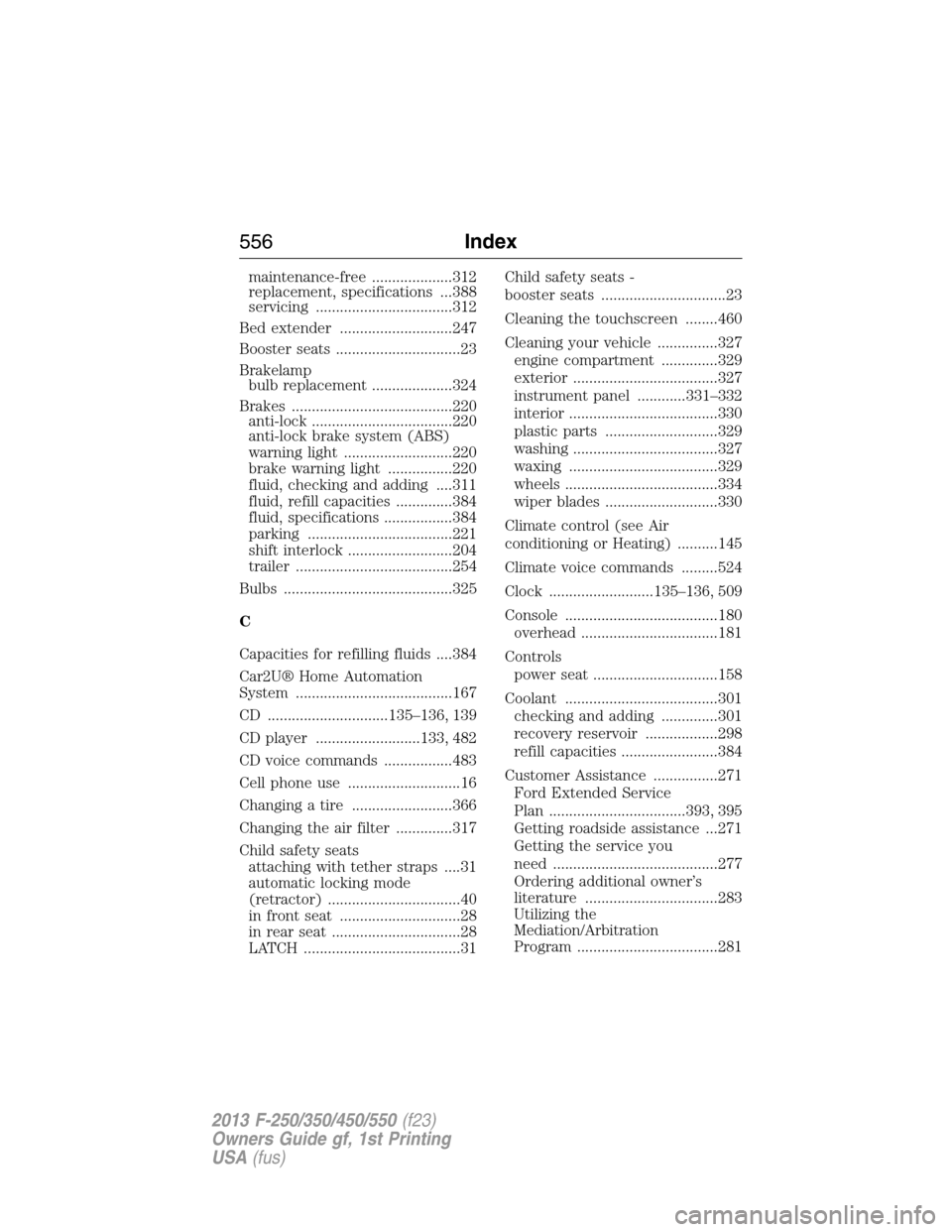
maintenance-free ....................312
replacement, specifications ...388
servicing ..................................312
Bed extender ............................247
Booster seats ...............................23
Brakelamp
bulb replacement ....................324
Brakes ........................................220
anti-lock ...................................220
anti-lock brake system (ABS)
warning light ...........................220
brake warning light ................220
fluid, checking and adding ....311
fluid, refill capacities ..............384
fluid, specifications .................384
parking ....................................221
shift interlock ..........................204
trailer .......................................254
Bulbs ..........................................325
C
Capacities for refilling fluids ....384
Car2U® Home Automation
System .......................................167
CD ..............................135–136, 139
CD player ..........................133, 482
CD voice commands .................483
Cell phone use ............................16
Changing a tire .........................366
Changing the air filter ..............317
Child safety seats
attaching with tether straps ....31
automatic locking mode
(retractor) .................................40
in front seat ..............................28
in rear seat ................................28
LATCH .......................................31Child safety seats -
booster seats ...............................23
Cleaning the touchscreen ........460
Cleaning your vehicle ...............327
engine compartment ..............329
exterior ....................................327
instrument panel ............331–332
interior .....................................330
plastic parts ............................329
washing ....................................327
waxing .....................................329
wheels ......................................334
wiper blades ............................330
Climate control (see Air
conditioning or Heating) ..........145
Climate voice commands .........524
Clock ..........................135–136, 509
Console ......................................180
overhead ..................................181
Controls
power seat ...............................158
Coolant ......................................301
checking and adding ..............301
recovery reservoir ..................298
refill capacities ........................384
Customer Assistance ................271
Ford Extended Service
Plan ..................................393, 395
Getting roadside assistance ...271
Getting the service you
need .........................................277
Ordering additional owner’s
literature .................................283
Utilizing the
Mediation/Arbitration
Program ...................................281
556Index
2013 F-250/350/450/550(f23)
Owners Guide gf, 1st Printing
USA(fus)