change time FORD SUPER DUTY 2013 3.G User Guide
[x] Cancel search | Manufacturer: FORD, Model Year: 2013, Model line: SUPER DUTY, Model: FORD SUPER DUTY 2013 3.GPages: 563, PDF Size: 7.27 MB
Page 144 of 563
SIRIUS® Satellite Radio Service
Note:SIRIUS® reserves the unrestricted right to change, rearrange, add or
delete programming including canceling, moving or adding particular
channels, and its prices, at any time, with or without notice to you. Ford
Motor Company shall not be responsible for any such programming changes.
SIRIUS® satellite radio is a
subscription-based satellite radio
service that broadcasts a variety of
music, sports, news, weather, traffic
and entertainment programming.
Your factory-installed SIRIUS®
satellite radio system includes
hardware and a limited subscription term which begins on the date of
sale or lease of your vehicle. See your authorized dealer for availability.
For more information on extended subscription terms (a service fee is
required), the online media player and a complete list of SIRIUS® satellite
radio channels, and other features, please visit www.siriusxm.com in the
United States, www.sirius.ca in Canada, or call SIRIUS® at 1–888–539–7474.
Satellite Radio Electronic Serial Number (ESN)
You need your ESN to activate, modify or track your satellite radio
account. When in satellite radio mode, you can view this number by
pressing SIRIUS and memory preset 1 at the same time.
Troubleshooting
SIRIUS® Troubleshooting Tips
Radio Display Condition Possible Action
Acquiring Radio requires more
than two seconds to
produce audio for the
selected channel.No action required.
This message should
disappear shortly.
Sat Fault/SIRIUS®
system failureThere is an internal
module or system
failure present.If this message does
not clear shortly, or
with an ignition key
cycle, your receiver
may have a fault. See
your authorized dealer
for service.
Audio System143
2013 F-250/350/450/550(f23)
Owners Guide gf, 1st Printing
USA(fus)
Page 149 of 563
Distributes air through the instrument panel vents and floor
vents.
Distributes air through the floor vents.
E.A/C:Press to turn air conditioning on or off. Air conditioning cools the
vehicle using outside air. To improve air conditioning when starting your
vehicle, drive with the windows slightly open for two to three minutes.
Use A/C with recirculated air to improve cooling performance and efficiency.
Note:A/C turns on automatically in MAX A/C, Defrost and Floor/Defrost.
F.MAX A/C:Distributes recirculated air through the instrument panel
vents to cool the vehicle. This position is more economical and efficient
than normal A/C.
G.Recirculated air:Press to switch between outside air and
recirculated air. When the LED on the button is lit, the air currently in
the passenger compartment is being recirculated. Using recirculated air
can reduce the time needed to cool the interior and reduce unwanted
odors from entering your vehicle. Even when this button is not selected,
air may still recirculate in some instances in order to reduce vehicle
warm-up time in cold conditions or to cool down time in hot conditions.
Note:Recirculated air engages automatically when MAX A/C is selected
or can be turned on manually in any airflow mode except Defrost.
Note:You may notice changes in sound between recirculated mode and
other airflow modes.
Note:For better cooling in hot conditions, recirculated air automatically
engages when the air distribution control is in panel or panel/floor modes
and the air conditioning is on. You can switch to fresh air by pressing the
recirculated air button again.
H.PASS TEMP:Press to switch between single and dual zone. Turn to
increase or decrease the air temperature on the passenger side of the vehicle.
I.Fan speed control +:Press to increase the volume of air circulated in
your vehicle.
J.AUTO:Press to turn on fully automatic operation. Select the desired
temperature using the temperature control. The system automatically
determines fan speed, air distribution, A/C operation, and outside or
recirculated air, to heat or cool the vehicle to maintain the selected
temperature.
K.Fan speed control - :Press to decrease the volume of air circulated
in your vehicle.
148Climate Control
2013 F-250/350/450/550(f23)
Owners Guide gf, 1st Printing
USA(fus)
Page 169 of 563
Note:We recommend that upon the sale or lease termination of your
vehicle, you erase the programmed function buttons for security reasons.
SeeErasing the Function Button Codeslater in this section.
Note:You can program a maximum of three devices. To change or
replace any of the three devices after it has been initially programmed,
you must first erase the current settings. SeeErasing the Function
Button Codeslater in this section.
Note:Programming the system to a community gate will require a
unique set of instructions depending on the gate system model. Contact
the help line at 1-866-572-2728 for further information.
Note:If you accidently enter the program mode by pressing and
releasing the outer two buttons or all three buttons simultaneously, do
not press any button until the module times out after a few seconds and
resets to normal mode. When the module has timed out, all three LED
lamps will flash rapidly for a few seconds then turn off. Any settings
should remain as previously set.
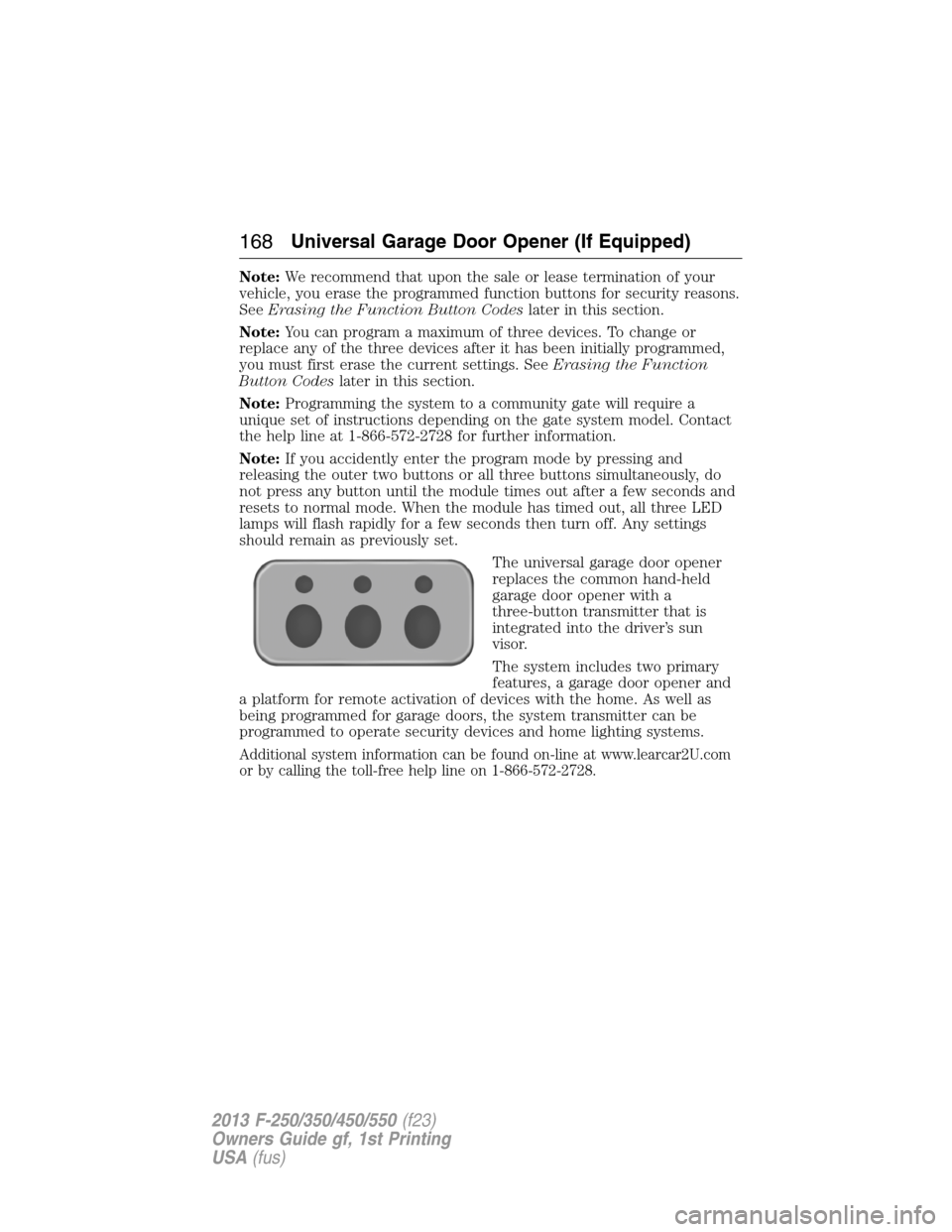
The universal garage door opener
replaces the common hand-held
garage door opener with a
three-button transmitter that is
integrated into the driver’s sun
visor.
The system includes two primary
features, a garage door opener and
a platform for remote activation of devices with the home. As well as
being programmed for garage doors, the system transmitter can be
programmed to operate security devices and home lighting systems.
Additional system information can be found on-line at www.learcar2U.com
or by calling the toll-free help line on 1-866-572-2728.
168Universal Garage Door Opener (If Equipped)
2013 F-250/350/450/550(f23)
Owners Guide gf, 1st Printing
USA(fus)
Page 173 of 563
Note:We recommend that upon the sale or lease termination of your
vehicle, you erase the programmed function buttons for security reasons.
SeeErasing the function button codeslater in this section.
Note:You can program a maximum of three devices. To change or
replace any of the three devices after it has been initially programmed,
you must first erase the current settings. SeeErasing the function
button codeslater in this section.
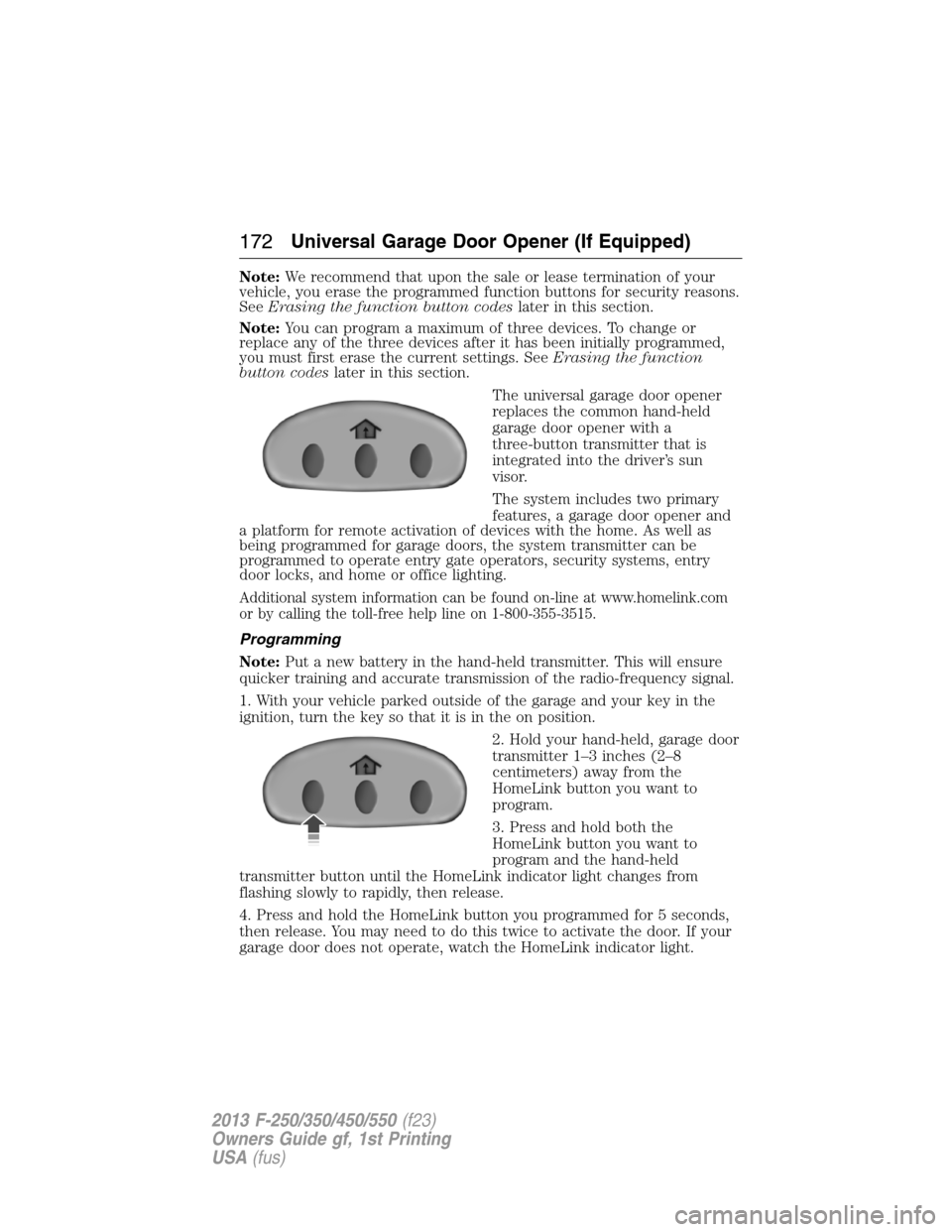
The universal garage door opener
replaces the common hand-held
garage door opener with a
three-button transmitter that is
integrated into the driver’s sun
visor.
The system includes two primary
features, a garage door opener and
a platform for remote activation of devices with the home. As well as
being programmed for garage doors, the system transmitter can be
programmed to operate entry gate operators, security systems, entry
door locks, and home or office lighting.
Additional system information can be found on-line at www.homelink.com
or by calling the toll-free help line on 1-800-355-3515.
Programming
Note:Put a new battery in the hand-held transmitter. This will ensure
quicker training and accurate transmission of the radio-frequency signal.
1. With your vehicle parked outside of the garage and your key in the
ignition, turn the key so that it is in the on position.
2. Hold your hand-held, garage door
transmitter 1–3 inches (2–8
centimeters) away from the
HomeLink button you want to
program.
3. Press and hold both the
HomeLink button you want to
program and the hand-held
transmitter button until the HomeLink indicator light changes from
flashing slowly to rapidly, then release.
4. Press and hold the HomeLink button you programmed for 5 seconds,
then release. You may need to do this twice to activate the door. If your
garage door does not operate, watch the HomeLink indicator light.
172Universal Garage Door Opener (If Equipped)
2013 F-250/350/450/550(f23)
Owners Guide gf, 1st Printing
USA(fus)
Page 176 of 563
2. Press the same button twice to confirm the change to Programming
mode. If done properly the LED light will appear red.
3. Hold the transmitter within 1–3 inches (2–8 centimeters) of the
button on the sun visor you want to program.
4. Press and hold both the programmed Genie button on the hand-held
transmitter and the button on the sun visor you want to program. The
indicator light on the sun visor will flash rapidly when the programming
is successful.
Note:the Genie transmitter will transmit for up to 30 seconds. If
HomeLink® does not program within 30 seconds the Genie transmitter
will need to be pressed again. If the Genie transmitter LED displays
green and red, release the button until the LED turns off before pressing
the button again.
Once HomeLink® has been programmed successfully, the Genie
transmitter must be changed out of program mode. To do this:
1. Press and hold the previously programmed Genie button on the
hand-held transmitter for 10 seconds. The indicator light will change
from red to red and green.
2. Press the same button twice to confirm the change. If done correctly
the LED will turn green.
Programming HomeLink® to the Genie Intellicode® garage door
opener motor
Note:You may need a ladder to access the garage door opener motor.
To program HomeLink® to the
garage door opener motor.
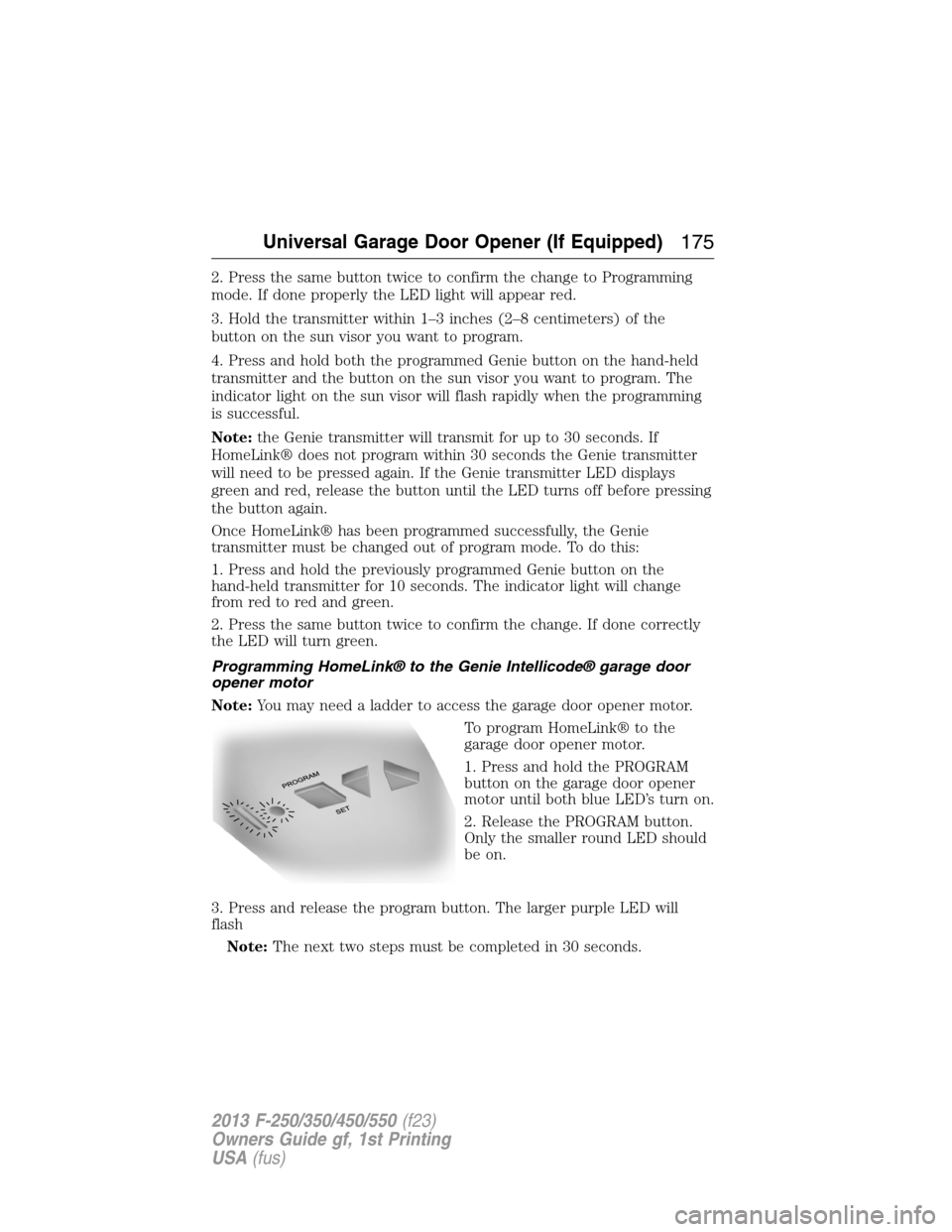
1. Press and hold the PROGRAM
button on the garage door opener
motor until both blue LED’s turn on.
2. Release the PROGRAM button.
Only the smaller round LED should
be on.
3. Press and release the program button. The larger purple LED will
flash
Note:The next two steps must be completed in 30 seconds.
Universal Garage Door Opener (If Equipped)175
2013 F-250/350/450/550(f23)
Owners Guide gf, 1st Printing
USA(fus)
Page 177 of 563
4. Press and release the Genie Intellicode 2 hand-held transmitter’s
previously programmed button. Both indicator lights on the garage door
opener motor unit should now flash purple.
5. Press and hold the previously programmed button on the sun visor for
2 seconds. Repeat this step up to 3 times until the garage door moves.
Programming is now complete.
At this point, programming is complete.
Clearing a HomeLink® device
To erase programming from the three HomeLink® buttons, press and
hold the two outer HomeLink® buttons until the indicator light begins to
flash. The LED will begin flashing in 10 to 20 seconds, at which time
both buttons should be released. Programming has now been erased, and
the led should blink slowly to indicate the device is in train mode when
any of the three HomeLink buttons are pressed.
FCC and RSS-210 Industry Canada Compliance
This device complies with Part 15 of the FCC Rules and with RSS-210 of
Industry Canada. Operation is subject to the following two conditions:
(1) this device may not cause harmful interference, and (2) this device
must accept any interference received, including interference that may
cause undesired operation.
Changes or modifications to your device not expressly approved by the
party responsible for compliance can void the user’s authority to operate
the equipment.
176Universal Garage Door Opener (If Equipped)
2013 F-250/350/450/550(f23)
Owners Guide gf, 1st Printing
USA(fus)
Page 215 of 563
How Your Vehicle Differs From Other Vehicles
WARNING:Vehicles with a higher center of gravity such as
utility and four-wheel drive vehicles handle differently than
vehicles with a lower center of gravity. Utility and four-wheel drive
vehicles arenotdesigned for cornering at speeds as high as passenger
cars any more than low-slung sports cars are designed to perform
satisfactorily under off-road conditions. Avoid sharp turns, excessive
speed and abrupt maneuvers in these vehicles. Failure to drive
cautiously could result in an increased risk of loss of vehicle control,
vehicle rollover, personal injury and death.
Truck and utility vehicles can differ from some other vehicles. Your
vehicle may be higher to allow it to travel over rough terrain without
getting hung up or damaging underbody components.
The differences that make your vehicle so versatile also make it handle
differently than an ordinary passenger car.
Maintain steering wheel control at all times, especially in rough terrain.
Since sudden changes in terrain can result in abrupt steering wheel
motion, make sure you grip the steering wheel from the outside. Do not
grip the spokes.
Drive cautiously to avoid vehicle damage from concealed objects such as
rocks and stumps.
You should either know the terrain or examine maps of the area before
driving. Map out your route before driving in the area. To maintain
steering and braking control of your vehicle, you must have all four
wheels on the ground and they must be rolling, not sliding or spinning.
Driving Off-Road With Truck and Utility Vehicles
Note:On some models, the initial shift from two-wheel drive to four-wheel
drive while the vehicle is moving can cause some momentary clunk and
ratcheting sounds. This is the front drivetrain coming up to speed and the
automatic locking hubs engaging and is not cause for concern.
Note:Your vehicle may be equipped with a front air dam that can
become damaged (due to reduced ground clearance) when taking your
vehicle off-road. This air dam can be taken off by removing two bolts.
4WD vehicles are specially equipped for driving on sand, snow, mud and
rough terrain and have operating characteristics that are somewhat
different from conventional vehicles, both on and off the road.
214Four-Wheel Drive (If Equipped)
2013 F-250/350/450/550(f23)
Owners Guide gf, 1st Printing
USA(fus)
Page 258 of 563
Explanation of Information Display Warning Messages
Note:Your TBC can be diagnosed by your authorized dealer to determine
exactly which trailer fault has occurred. However, if the fault is with the
trailer this diagnosis isnotcovered under your Ford warranty.
TRAILER BRAKE MODULE FAULT:Displays in response to faults
sensed by the TBC (accompanied by a single chime). If this message is
displayed, please contact your authorized dealer as soon as possible for
diagnosis and repair. The TBC may still function, but performance may
be degraded.
WIRING FAULT ON TRAILER:Displays when a short circuit on the
electric brake output wire has occurred. If theWIRING FAULT ON
TRAILERmessage is displayed and accompanied by a single chime,
with no trailer connected, the problem is with the vehicle wiring between
the TBC to the 7–pin connector at the bumper. If the message is only
displayed with a trailer connected, the problem is related to the trailer
wiring. Consult your trailer dealer for assistance. This can be a short to
ground (i.e., chaffed wire), short to voltage (i.e., pulled pin on trailer
emergency break-away battery) or the trailer brakes may be drawing too
much current.
Points to Remember
Note:Do not attempt removal of the TBC without consulting the
Workshop Manual.Damage to the unit may result.
•Adjust GAIN setting before using the TBC for the first time.
•Adjust GAIN setting (according to procedure above) whenever road,
weather and trailer or vehicle loading conditions change from when
the GAIN was initially set.
•The manual control lever should only be used for proper adjustment
of the GAIN during trailer setup. Misuse, such as application during
trailer sway, could cause instability of trailer or tow vehicle.
•Avoid towing in adverse weather conditions. The TBC does not
provide anti-lock control of the trailer wheels. Trailer wheels can lock
up on slippery surfaces, resulting in reduced stability of trailer and
tow vehicle.
•The TBC is equipped with a feature which reduces output at vehicle
speeds below 11 mph (18 km/h) so trailer and vehicle braking is not
jerky or harsh. This feature is only available when applying the brakes
using the vehicle’s brake pedal, not the TBC.
•The controller interacts with the brake control system and powertrain
control system of the vehicle to provide the best performance on
different road conditions.
Towing257
2013 F-250/350/450/550(f23)
Owners Guide gf, 1st Printing
USA(fus)
Page 261 of 563
Exceeding these limits may allow water to enter vehicle components:
•Causing internal damage to the components.
•Affecting driveability, emissions, and reliability.
Replace the rear axle lubricant anytime the rear axle has been
submerged in water. Water may have contaminated the rear axle
lubricant, which is not normally checked or changed unless a leak is
suspected or other axle repair is required.
Recovery Hooks
WARNING:Using recovery hooks is dangerous and should only be
done by a person familiar with proper vehicle recovery safety
practices. Improper use of recovery hooks may cause hook failure and/or
separation from the vehicle and could result in serious injury or death.
WARNING:Always slowly remove the slack from the recovery
strap prior to pulling. Failure to do so can introduce significantly
higher loads which can cause the recovery hooks to break off, or the
recovery strap to fail which can cause serious injury or death.
WARNING:Never link two straps together with a clevis pin.
These heavy metal objects could become projectiles if the strap
breaks and can cause serious injury or death.
Your vehicle comes equipped with frame-mounted front recovery hooks.
These hooks should never have a load applied to them greater than the
GVWR of your vehicle.
Before using the recovery hooks:
•Make sure all attaching points are secure and capable of withstanding
the applied load.
•Never use chains, cables or tow straps with metal hook ends.
•Only use recovery straps that have a minimum breaking strength two
to three times the GVW of the stuck vehicle.
•Make sure the recovery strap is in good condition and free of visible
cuts, tears or damage.
•Use a damper device such as a tarp, heavy blanket or piece of carpet
draped over the recovery strap to help absorb the energy in the event
the strap breaks.
260Towing
2013 F-250/350/450/550(f23)
Owners Guide gf, 1st Printing
USA(fus)
Page 265 of 563
BREAKING-IN
You need to break in new tires for approximately 300 mi (480 km).
During this time, your vehicle may exhibit some unique driving
characteristics. Avoid driving too fast during the first 1000 mi (1600 km).
Vary your speed frequently and change up through the gears early. Do
not labor the engine. Do not tow during the first 1000 miles (1600 km).
ECONOMICAL DRIVING
Fuel economy is affected by several things, such as how you drive, the
conditions you drive under and how you maintain your vehicle.
There are some things to keep in mind that may improve your fuel
economy:
•Accelerate and slow down in a smooth, moderate fashion.
•Drive at steady speeds without stopping.
•Anticipate stops; slowing down may eliminate the need to stop.
•Combine errands and minimize stop-and-go driving.
•Close the windows for high-speed driving.
•Drive at reasonable speeds (traveling at 55 mph [88 km/h] uses 15%
less fuel than traveling at 65 mph [105 km/h]).
•Keep the tires properly inflated and use only the recommended size.
•Use the recommended engine oil.
•Perform all regularly scheduled maintenance.
There are also some things you may not want to do because they may
reduce your fuel economy:
•Sudden or hard accelerations.
•Rev the engine before turning it off.
•Idle for periods longer than one minute.
•Warm up your vehicle on cold mornings.
•Use the air conditioner or front defroster.
•Use the speed control in hilly terrain.
•Rest your foot on the brake pedal while driving.
•Drive a heavily loaded vehicle or tow a trailer.
•Carry unnecessary weight (approximately 1 mpg [0.4 km/L] is lost for
every 400 pounds [180 kilograms] of weight carried).
264Driving Hints
2013 F-250/350/450/550(f23)
Owners Guide gf, 1st Printing
USA(fus)