transmission FORD SUPER DUTY 2013 3.G Owners Manual
[x] Cancel search | Manufacturer: FORD, Model Year: 2013, Model line: SUPER DUTY, Model: FORD SUPER DUTY 2013 3.GPages: 563, PDF Size: 7.27 MB
Page 5 of 563
Auxiliary Power Points 177
Storage Compartments 180
Overhead console.....................................181
Starting and Stopping the Engine 182
Ignition switch.......................................183
Engine block heater...................................185
Fuel and Refueling 187
Fuel quality.........................................189
Refueling...........................................191
Fuel consumption.....................................193
Transmission 197
Transmission operation.................................197
Hill start assist.......................................206
Four-Wheel Drive (If Equipped) 207
Four wheel drive.....................................207
Brakes 220
Brakes.............................................220
Hints on driving with anti-lock brakes......................221
Parking brake........................................221
Traction Control 222
TractionControl™ ....................................222
Stability Control 224
AdvanceTrac®.......................................225
Terrain Response 227
Hill descent control...................................227
Parking Aids 229
Sensing system.......................................229
Rear-view camera system...............................231
4Table of Contents
2013 F-250/350/450/550(f23)
Owners Guide gf, 1st Printing
USA(fus)
Page 7 of 563
Maintenance 296
General information...................................296
Opening and closing the hood............................297
Under hood overview..................................298
Engine oil dipstick....................................300
Engine oil check......................................300
Engine coolant check..................................301
Automatic transmission fluid check........................306
Brake fluid check.....................................311
Power steering fluid check..............................311
Fuel filter...........................................311
Washer fluid check....................................312
Changing the vehicle battery.............................312
Checking the wiper blades..............................315
Air filter(s).........................................317
Adjusting the headlamps................................319
Changing a bulb......................................320
Bulb specification chart.................................325
Vehicle Care 327
Cleaning products.....................................327
Cleaning the exterior..................................327
Waxing.............................................329
Repairing minor paint damage............................329
Cleaning the engine...................................329
Cleaning the windows and wiper blades.....................330
Cleaning the interior...................................330
Cleaning the instrument panel and instrument cluster lens.......331
Cleaning the alloy wheels...............................334
Vehicle storage.......................................335
6Table of Contents
2013 F-250/350/450/550(f23)
Owners Guide gf, 1st Printing
USA(fus)
Page 8 of 563
Wheels and Tires 338
Tire care...........................................341
Tire Pressure Monitoring System (TPMS)...................360
Changing a road wheel.................................366
Technical specifications.................................380
Wheel lug nut torque..................................380
Capacities and Specifications 382
Engine specifications..................................382
Engine drivebelt......................................382
Part numbers........................................388
Vehicle identification number............................389
Vehicle certification label...............................390
Transmission code designation............................390
Accessories 391
Accessories.........................................391
Ford Extended Service Plan 393
Scheduled Maintenance 396
Normal scheduled maintenance and log.....................401
SYNC® 413
Pairing your phone for the first time.......................418
911 Assist™.........................................432
Vehicle Health Report..................................435
Table of Contents7
2013 F-250/350/450/550(f23)
Owners Guide gf, 1st Printing
USA(fus)
Page 45 of 563
If... Then...
The driver’s safety belt becomes
unbuckled for approximately one
minute while the vehicle is
traveling at least 6 mph
(9.7 km/h) and more than
1-2 minutes have elapsed since
the ignition switch has been
turned to on...The Belt-Minder® feature is activated -
the safety belt warning light illuminates
and the warning chime sounds for six
seconds every 25 seconds, repeating for
approximately five minutes or until the
safety belts are buckled.
Deactivating and Activating the Belt-Minder® Feature (Driver Only)
WARNING:While the design allows you to deactivate your
Belt-Minder®, this system is designed to improve your chances of
being safely belted and surviving an accident. We recommend you leave
the Belt-Minder® system activated for yourself and others who may use
the vehicle. To reduce the risk of injury, do not deactivate/activate the
Belt-Minder® feature while driving the vehicle.
Note:If you are using MyKey®, the Belt-Minder® cannot be disabled.
Also, if the Belt-Minder® has been previously disabled, it will be
re-enabled during the use of MyKey®. See theMyKey®chapter.
Read Steps1-4thoroughly before proceeding with the deactivation
and activation programming procedure.
Before following the procedure, make sure that:
•the parking brake is set
•the transmission selector lever is in positionP
•the ignition is off
•all vehicle doors are closed
•the driver’s safety belt is unbuckled
•the parking lamps and headlamps are off.
1. Turn the ignition on. DO NOT START THE ENGINE.
2. Wait until the safety belt warning light turns off (approximately one
minute).
•Step 3 must be completed within 30 seconds after the safety belt
warning light turns off.
44Safety Belts
2013 F-250/350/450/550(f23)
Owners Guide gf, 1st Printing
USA(fus)
Page 61 of 563
GENERAL INFORMATION ON RADIO FREQUENCIES
This device complies with part 15 of the FCC Rules and with Industry
Canada license-exempt RSS standard(s). Operation is subject to the
following two conditions: (1) This device may not cause harmful
interference, and (2) This device must accept any interference received,
including interference that may cause undesired operation.
Note:Changes or modifications not expressly approved by the party
responsible for compliance could void the user’s authority to operate the
equipment. The termICbefore the radio certification number only
signifies that Industry Canada technical specifications were met.
The typical operating range for your transmitter is approximately 33 feet
(10 meters). Vehicles with the remote start feature will have a greater
range. A decrease in operating range could be caused by:
•weather conditions
•nearby radio towers
•structures around your vehicle
•other vehicles parked next to your vehicle.
The radio frequency used by your remote control can also be used by
other short distance radio transmissions (e.g. amateur radios, medical
equipment, wireless headphones, remote controls and alarm systems). If
the frequencies are jammed, you will not be able to use your remote
control. You can lock and unlock the doors with the key.
Note:Make sure your vehicle is locked before leaving it unattended.
Note:If you are in range, the remote control will operate if you press
any button unintentionally.
60Keys and Remote Control
2013 F-250/350/450/550(f23)
Owners Guide gf, 1st Printing
USA(fus)
Page 86 of 563
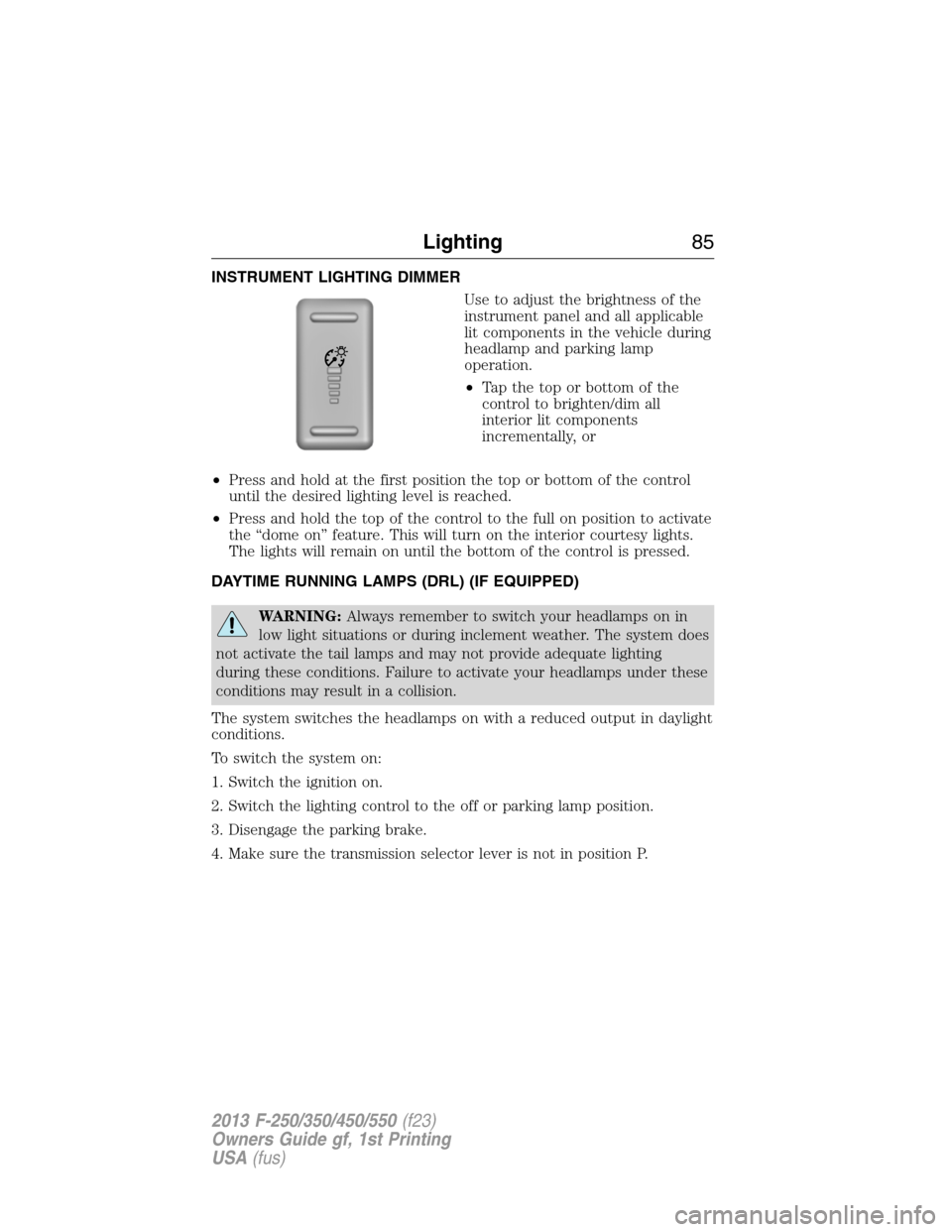
INSTRUMENT LIGHTING DIMMER
Use to adjust the brightness of the
instrument panel and all applicable
lit components in the vehicle during
headlamp and parking lamp
operation.
•Tapthetoporbottomofthe
control to brighten/dim all
interior lit components
incrementally, or
•Press and hold at the first position the top or bottom of the control
until the desired lighting level is reached.
•Press and hold the top of the control to the full on position to activate
the “dome on” feature. This will turn on the interior courtesy lights.
The lights will remain on until the bottom of the control is pressed.
DAYTIME RUNNING LAMPS (DRL) (IF EQUIPPED)
WARNING:Always remember to switch your headlamps on in
low light situations or during inclement weather. The system does
not activate the tail lamps and may not provide adequate lighting
during these conditions. Failure to activate your headlamps under these
conditions may result in a collision.
The system switches the headlamps on with a reduced output in daylight
conditions.
To switch the system on:
1. Switch the ignition on.
2. Switch the lighting control to the off or parking lamp position.
3. Disengage the parking brake.
4. Make sure the transmission selector lever is not in position P.
Lighting85
2013 F-250/350/450/550(f23)
Owners Guide gf, 1st Printing
USA(fus)
Page 96 of 563
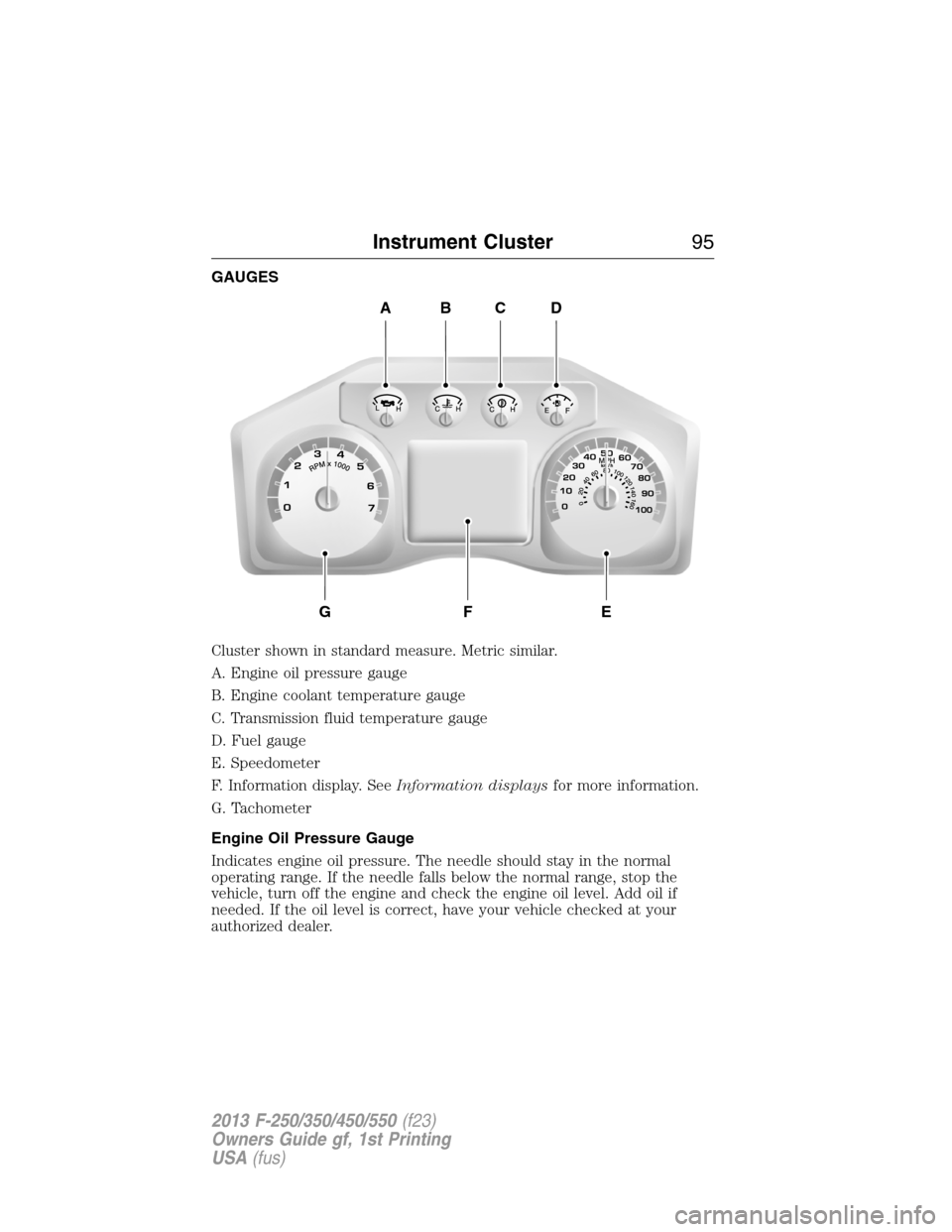
GAUGES
Cluster shown in standard measure. Metric similar.
A. Engine oil pressure gauge
B. Engine coolant temperature gauge
C. Transmission fluid temperature gauge
D. Fuel gauge
E. Speedometer
F. Information display. SeeInformation displaysfor more information.
G. Tachometer
Engine Oil Pressure Gauge
Indicates engine oil pressure. The needle should stay in the normal
operating range. If the needle falls below the normal range, stop the
vehicle, turn off the engine and check the engine oil level. Add oil if
needed. If the oil level is correct, have your vehicle checked at your
authorized dealer.
ABCD
GFE
Instrument Cluster95
2013 F-250/350/450/550(f23)
Owners Guide gf, 1st Printing
USA(fus)
Page 97 of 563
Engine Coolant Temperature Gauge
Indicates engine coolant temperature. At normal operating temperature,
the level indicator will be in the normal range. If the engine coolant
temperature exceeds the normal range, stop the vehicle as soon as safely
possible, switch off the engine and let the engine cool.
WARNING:Never remove the coolant reservoir cap while the
engine is running or hot.
Transmission Fluid Temperature Gauge
Indicates transmission fluid temperature. At normal operating
temperature, the level indicator will be in the normal range. If the
transmission fluid temperature exceeds the normal range, stop the
vehicle as soon as safely possible and verify the airflow is not restricted
such as snow or debris blocking airflow through the grill. Also, higher
than normal operating temperature can be caused by special operation
conditions (i.e. snowplowing, towing or off-road use). Refer toSpecial
operating conditions in the scheduled maintenance informationfor
instructions. Operating the transmission for extended periods of time
with the gauge in the higher than normal area may cause internal
transmission damage. Altering the severity of the driving conditions is
recommended to lower the transmission temperature into the normal
range. If the gauge continues to show high temperatures, see your
authorized dealer.
Fuel Gauge
Indicates approximately how much fuel is left in the fuel tank (when the
ignition is on). The fuel gauge may vary slightly when the vehicle is in
motion or on a grade. The fuel icon and arrow indicates which side of
the vehicle the fuel filler door is located.
Information Display
Odometer
Located in the bottom of the information display Registers the
accumulated distance your vehicle has travelled.
Trip Computer
SeeTrip A/BinInformation Displays.
Vehicle Settings and Personalization
SeeInformation Displays.
96Instrument Cluster
2013 F-250/350/450/550(f23)
Owners Guide gf, 1st Printing
USA(fus)
Page 101 of 563
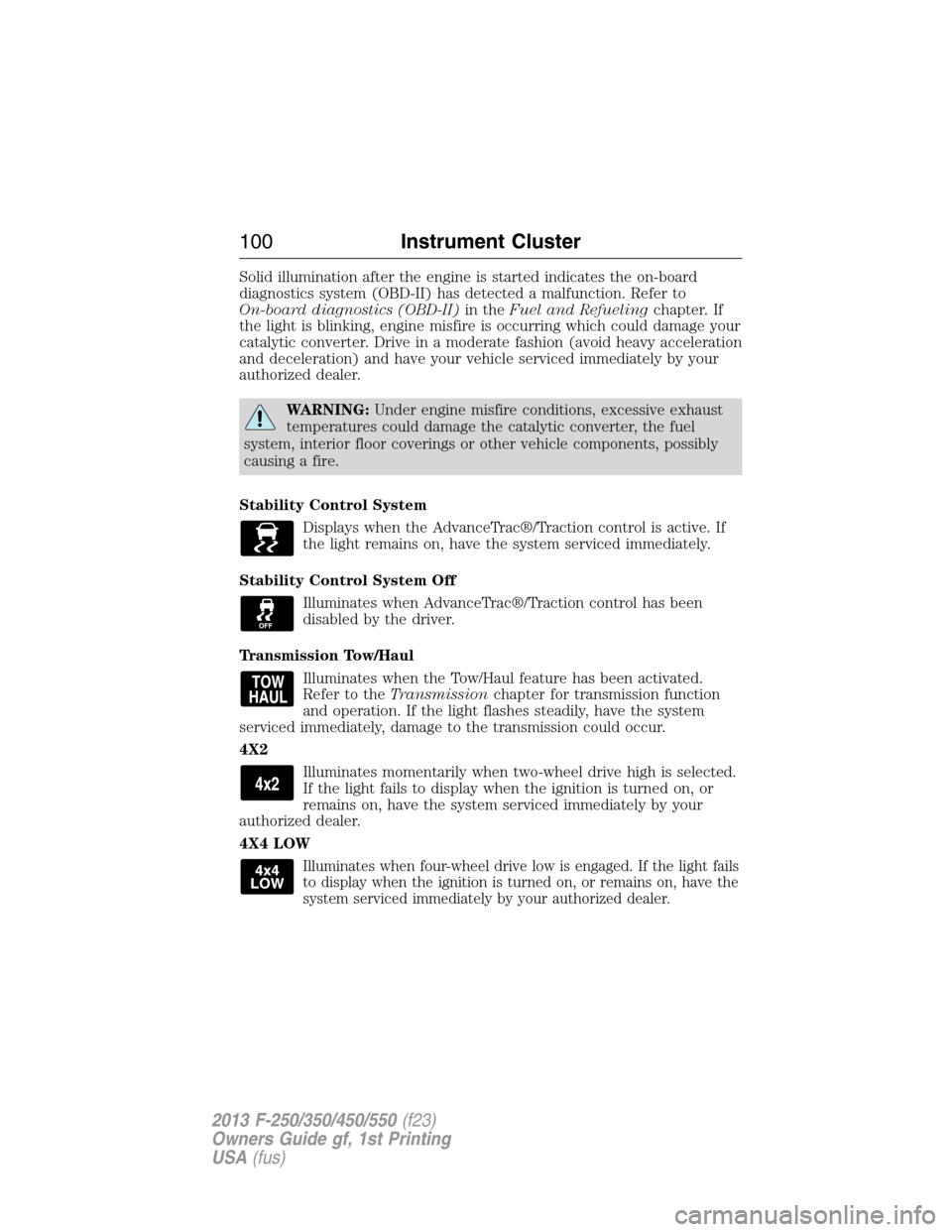
Solid illumination after the engine is started indicates the on-board
diagnostics system (OBD-II) has detected a malfunction. Refer to
On-board diagnostics (OBD-II)in theFuel and Refuelingchapter. If
the light is blinking, engine misfire is occurring which could damage your
catalytic converter. Drive in a moderate fashion (avoid heavy acceleration
and deceleration) and have your vehicle serviced immediately by your
authorized dealer.
WARNING:Under engine misfire conditions, excessive exhaust
temperatures could damage the catalytic converter, the fuel
system, interior floor coverings or other vehicle components, possibly
causing a fire.
Stability Control System
Displays when the AdvanceTrac®/Traction control is active. If
the light remains on, have the system serviced immediately.
Stability Control System Off
Illuminates when AdvanceTrac®/Traction control has been
disabled by the driver.
Transmission Tow/Haul
Illuminates when the Tow/Haul feature has been activated.
Refer to theTransmissionchapter for transmission function
and operation. If the light flashes steadily, have the system
serviced immediately, damage to the transmission could occur.
4X2
Illuminates momentarily when two-wheel drive high is selected.
If the light fails to display when the ignition is turned on, or
remains on, have the system serviced immediately by your
authorized dealer.
4X4 LOW
Illuminates when four-wheel drive low is engaged. If the light fails
to display when the ignition is turned on, or remains on, have the
system serviced immediately by your authorized dealer.
100Instrument Cluster
2013 F-250/350/450/550(f23)
Owners Guide gf, 1st Printing
USA(fus)
Page 110 of 563
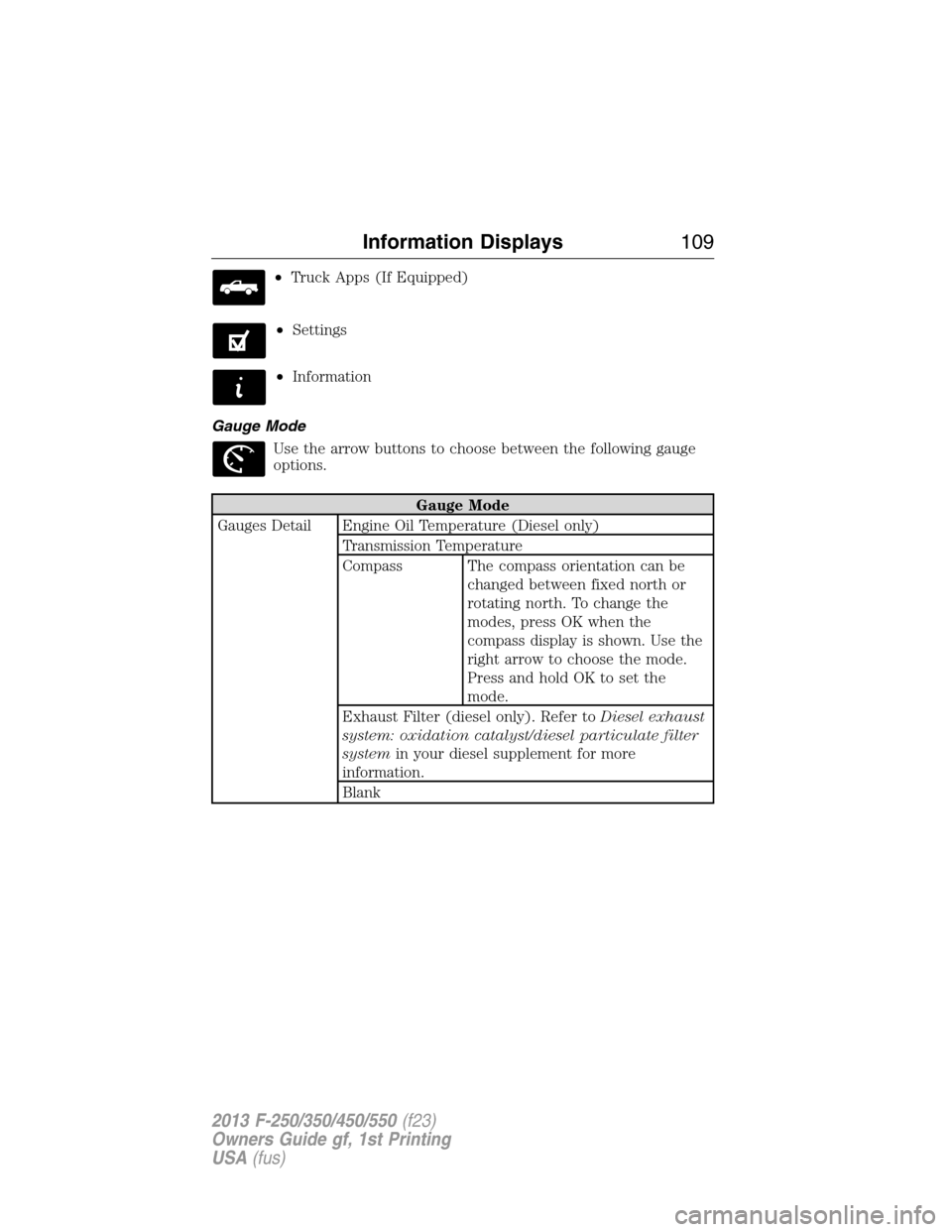
•Truck Apps (If Equipped)
•Settings
•Information
Gauge Mode
Use the arrow buttons to choose between the following gauge
options.
Gauge Mode
Gauges Detail Engine Oil Temperature (Diesel only)
Transmission Temperature
Compass The compass orientation can be
changed between fixed north or
rotating north. To change the
modes, press OK when the
compass display is shown. Use the
right arrow to choose the mode.
Press and hold OK to set the
mode.
Exhaust Filter (diesel only). Refer toDiesel exhaust
system: oxidation catalyst/diesel particulate filter
systemin your diesel supplement for more
information.
Blank
Information Displays109
2013 F-250/350/450/550(f23)
Owners Guide gf, 1st Printing
USA(fus)