remote control FORD SUPER DUTY 2013 3.G Owner's Manual
[x] Cancel search | Manufacturer: FORD, Model Year: 2013, Model line: SUPER DUTY, Model: FORD SUPER DUTY 2013 3.GPages: 563, PDF Size: 7.27 MB
Page 152 of 563
HEATED WINDOWS AND MIRRORS (IF EQUIPPED)
Heated Rear Window
Note:The engine must be running to use this feature.
Note:If your vehicle is equipped with a sliding rear window, the feature
still operates when the window is opened.
Press the button to clear the rear window of thin ice and fog. Press the
button again within 10 minutes to switch it off. It switches off
automatically after 10 minutes, or when you switch the ignition off.
Do not use razor blades or other sharp objects to clean the inside
of the rear window or to remove decals from the inside of the
rear window. This may cause damage to the heated grid lines and
will not be covered by your warranty.
Heated Exterior Mirror (If Equipped)
Note:Do not remove ice from the mirrors with a scraper or attempt to
readjust the mirror glass if it is frozen in place. These actions could
cause damage to the glass and mirrors.
Note:Do not clean the housing or glass of any mirror with harsh
abrasives, fuel or other petroleum-based cleaning products.
Both mirrors are heated to remove ice, mist and fog when the rear
window defroster is activated.
REMOTE START CLIMATE OPERATION (IF EQUIPPED)
The climate control system adjusts the cabin temperature during remote
start.
You cannot adjust the system during remote start operation. Turn the
ignition on to return the system to its previous settings. You can now
make adjustments. You will need to turn certain vehicle-dependent
features back on, such as:
•heated seats
•cooled seats
•heated steering wheel
•heated mirrors
•heated rear window.
Climate Control151
2013 F-250/350/450/550(f23)
Owners Guide gf, 1st Printing
USA(fus)
Page 153 of 563
Manual Climate Systems
In hot weather, the climate control system is set to MAX A/C.
In moderate weather, the system either heats or cools (based on
previous settings). The rear defroster and heated mirrors are not
automatically turned on.
In cold weather, maximum heat is provided in floor/defrost mode. The
rear defroster and heated mirrors are automatically turned on. If your
vehicle is equipped with a diesel engine and a supplemental heater, the
supplemental heater also turns on.
Automatic Climate Systems
Automatic Settings
The climate control system automatically sets the interior temperature to
72°F (22°C).
In hot weather, the system is set to 72°F (22°C). Cooled seats are set to
high (if available, and selected to AUTO in the information display).
In moderate weather, the system either heats or cools (based on
previous settings). The rear defroster, heated mirrors and heated/cooled
seats are not automatically turned on.
In cold weather, the system is set to 72°F (22°C). The heated seats and
heated steering wheel (if equipped) are set to high. The rear defroster
and heated mirrors are automatically turned on.
Heated and Cooled Devices
The climate control system controls other heated and cooled devices
inside the vehicle. These devices (if equipped) may also be switched on
during remote start. Heated devices are typically switched on during cold
weather, and cooled devices during hot weather. If your vehicle is
equipped with a diesel engine and a supplemental heater, the
supplemental heater also turns on.
152Climate Control
2013 F-250/350/450/550(f23)
Owners Guide gf, 1st Printing
USA(fus)
Page 160 of 563
MEMORY FUNCTION (IF EQUIPPED)
This system allows automatic positioning of the driver seat, power
mirrors, and adjustable pedals to two programmable positions.
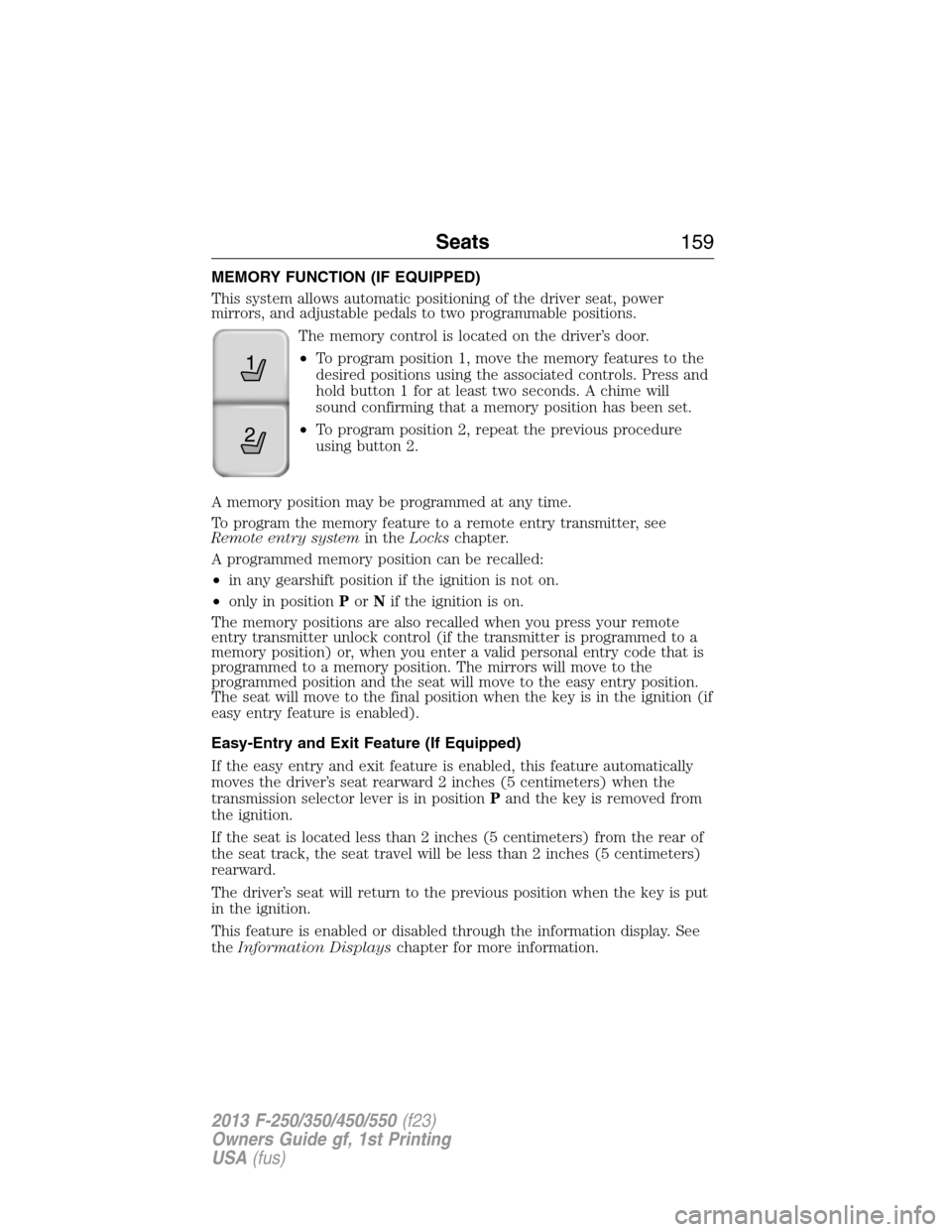
The memory control is located on the driver’s door.
•To program position 1, move the memory features to the
desired positions using the associated controls. Press and
hold button 1 for at least two seconds. A chime will
sound confirming that a memory position has been set.
•To program position 2, repeat the previous procedure
using button 2.
A memory position may be programmed at any time.
To program the memory feature to a remote entry transmitter, see
Remote entry systemin theLockschapter.
A programmed memory position can be recalled:
•in any gearshift position if the ignition is not on.
•only in positionPorNif the ignition is on.
The memory positions are also recalled when you press your remote
entry transmitter unlock control (if the transmitter is programmed to a
memory position) or, when you enter a valid personal entry code that is
programmed to a memory position. The mirrors will move to the
programmed position and the seat will move to the easy entry position.
The seat will move to the final position when the key is in the ignition (if
easy entry feature is enabled).
Easy-Entry and Exit Feature (If Equipped)
If the easy entry and exit feature is enabled, this feature automatically
moves the driver’s seat rearward 2 inches (5 centimeters) when the
transmission selector lever is in positionPand the key is removed from
the ignition.
If the seat is located less than 2 inches (5 centimeters) from the rear of
the seat track, the seat travel will be less than 2 inches (5 centimeters)
rearward.
The driver’s seat will return to the previous position when the key is put
in the ignition.
This feature is enabled or disabled through the information display. See
theInformation Displayschapter for more information.
21
Seats159
2013 F-250/350/450/550(f23)
Owners Guide gf, 1st Printing
USA(fus)
Page 168 of 563
UNIVERSAL GARAGE DOOR OPENER
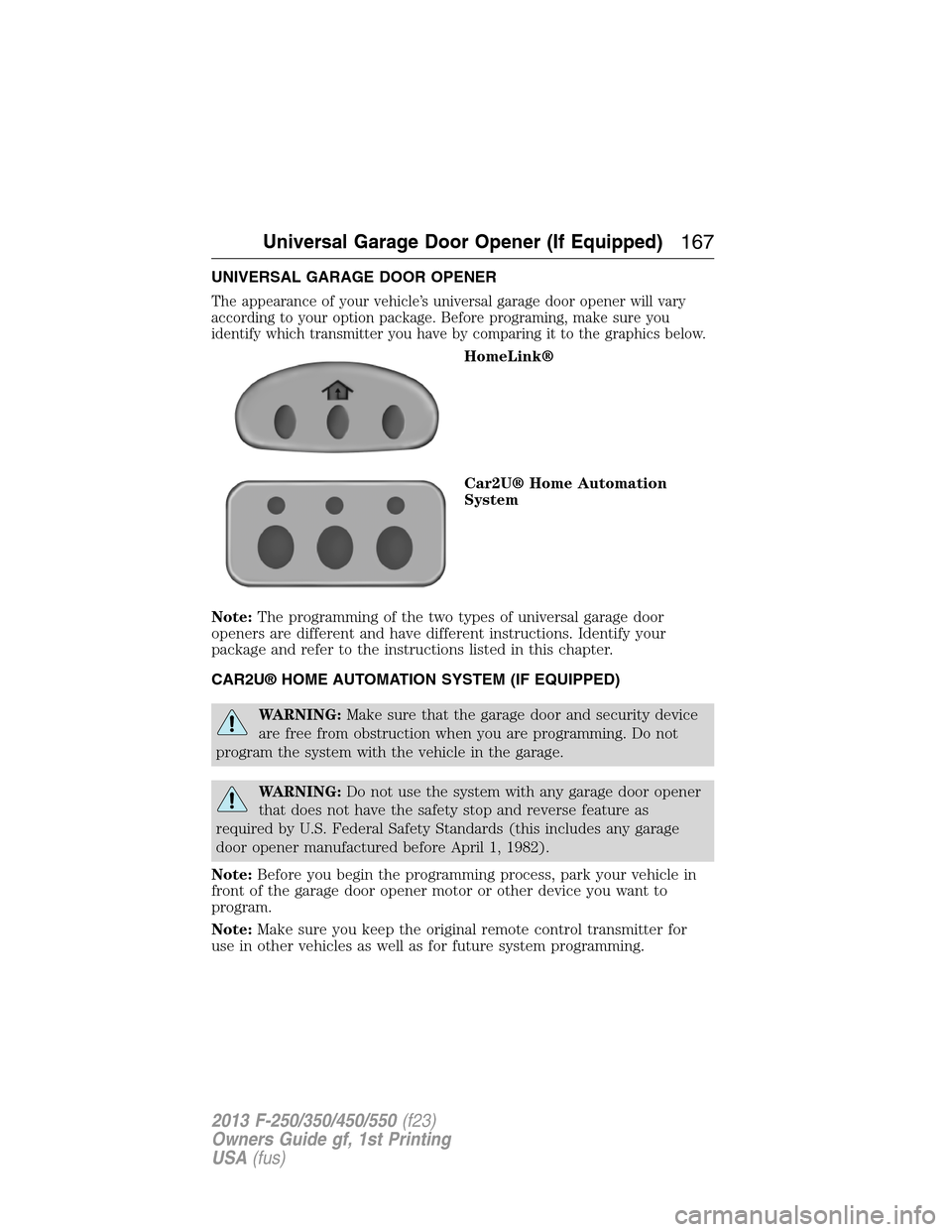
The appearance of your vehicle’s universal garage door opener will vary
according to your option package. Before programing, make sure you
identify which transmitter you have by comparing it to the graphics below.
HomeLink®
Car2U® Home Automation
System
Note:The programming of the two types of universal garage door
openers are different and have different instructions. Identify your
package and refer to the instructions listed in this chapter.
CAR2U® HOME AUTOMATION SYSTEM (IF EQUIPPED)
WARNING:Make sure that the garage door and security device
are free from obstruction when you are programming. Do not
program the system with the vehicle in the garage.
WARNING:Do not use the system with any garage door opener
that does not have the safety stop and reverse feature as
required by U.S. Federal Safety Standards (this includes any garage
door opener manufactured before April 1, 1982).
Note:Before you begin the programming process, park your vehicle in
front of the garage door opener motor or other device you want to
program.
Note:Make sure you keep the original remote control transmitter for
use in other vehicles as well as for future system programming.
Universal Garage Door Opener (If Equipped)167
2013 F-250/350/450/550(f23)
Owners Guide gf, 1st Printing
USA(fus)
Page 172 of 563
8. The LED lamp will begin to flash rapidly until programming is
complete. If your garage door does not operate, repeat the previous
steps. Otherwise, call the toll-free help line at 1-866-572-2728.
The LED lamp above the selected button will illuminate to confirm that
the system is responding to the button command.
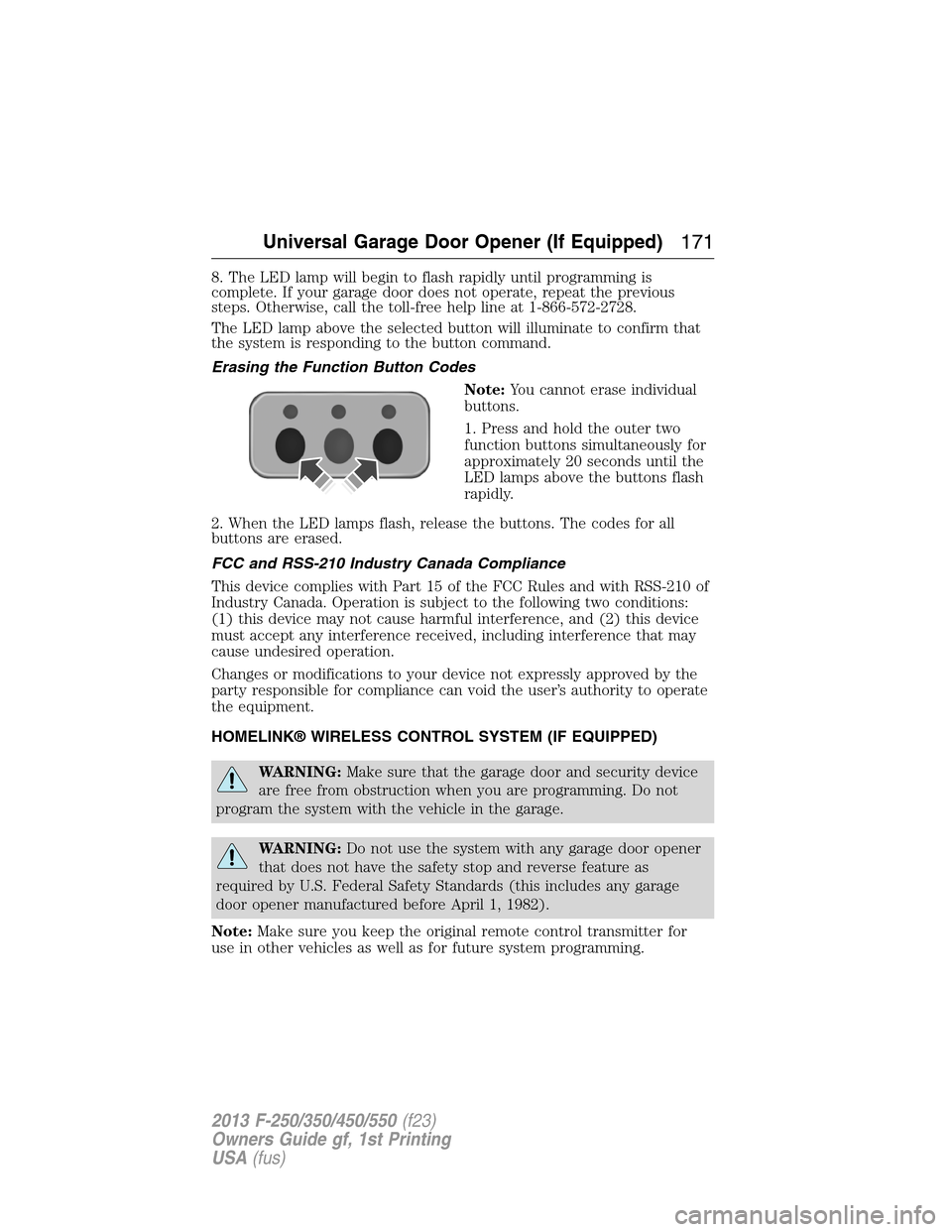
Erasing the Function Button Codes
Note:You cannot erase individual
buttons.
1. Press and hold the outer two
function buttons simultaneously for
approximately 20 seconds until the
LED lamps above the buttons flash
rapidly.
2. When the LED lamps flash, release the buttons. The codes for all
buttons are erased.
FCC and RSS-210 Industry Canada Compliance
This device complies with Part 15 of the FCC Rules and with RSS-210 of
Industry Canada. Operation is subject to the following two conditions:
(1) this device may not cause harmful interference, and (2) this device
must accept any interference received, including interference that may
cause undesired operation.
Changes or modifications to your device not expressly approved by the
party responsible for compliance can void the user’s authority to operate
the equipment.
HOMELINK® WIRELESS CONTROL SYSTEM (IF EQUIPPED)
WARNING:Make sure that the garage door and security device
are free from obstruction when you are programming. Do not
program the system with the vehicle in the garage.
WARNING:Do not use the system with any garage door opener
that does not have the safety stop and reverse feature as
required by U.S. Federal Safety Standards (this includes any garage
door opener manufactured before April 1, 1982).
Note:Make sure you keep the original remote control transmitter for
use in other vehicles as well as for future system programming.
Universal Garage Door Opener (If Equipped)171
2013 F-250/350/450/550(f23)
Owners Guide gf, 1st Printing
USA(fus)
Page 294 of 563
Fuse or relay
locationFuse amp
ratingProtected circuits
24 15A Steering wheel control module,
Diagnostic connector, Power fold
mirror relay, Remote keyless
entry, Electronic finish panel
25 15A Not used (spare)
26 5A Steering wheel control module
27 20A Not used (spare)
28 15A Ignition switch
29 20A SYNC, GPS module, Radio
faceplate
30 15A Parking lamp relay, Trailer tow
parking lamp relay
31 5A Trailer brake controller (brake
signal), Customer access
32 15A Moonroof motor, Telescoping
mirror switch, Auto dimming
mirrors, Power inverter, Driver
and passenger door lock switch
illumination, Rear heated seat
switch illumination
33 10A Restraint control module
34 10A Heated steering wheel module,
Rear heated seats module
35 5A Select shift switch, Reverse park
aid module, Trailer brake control
module
36 10A Fuel tank select switch
37 10A PTC heater
38 10A AM/FM radio faceplate
39 15A High beam headlamps
40 10A Parking lamps (in mirrors), Roof
marker lamps
Fuses293
2013 F-250/350/450/550(f23)
Owners Guide gf, 1st Printing
USA(fus)
Page 356 of 563
Tire Replacement Requirements
WARNING:Only use replacement tires and wheels that are the
same size, load index, speed rating and type (such as P-metric
versus LT-metric or all-season versus all-terrain) as those originally
provided by Ford. The recommended tire and wheel size may be found on
either the Safety Compliance Certification Label (affixed to either the door
hinge pillar, door-latch post, or the door edge that meets the door-latch
post, next to the driver’s seating position), or the Tire Label which is
located on the B-Pillar or edge of the driver’s door. If this information is
not found on these labels then you should contact your authorized dealer
as soon as possible. Use of any tire or wheel not recommended by Ford
can affect the safety and performance of your vehicle, which could result
in an increased risk of loss of vehicle control, vehicle rollover, personal
injury and death. Additionally, the use of non-recommended tires and
wheels could cause steering, suspension, axle, transfer case, or power
transfer unit failure. If you have questions regarding tire replacement,
contact your authorized dealer as soon as possible.
WARNING:When mounting replacement tires and wheels, you
should not exceed the maximum pressure indicated on the
sidewall of the tire to set the beads without additional precautions
listed below. If the beads do not seat at the maximum pressure
indicated, re-lubricate and try again.
When inflating the tire for mounting pressures up to 20 psi (138 kPa)
greater than the maximum pressure on the tire sidewall, take the
following precautions to protect the person mounting the tire:
1. Make sure that you have the correct tire and wheel size.
2. Lubricate the tire bead and wheel bead seat area again.
3. Stand at a minimum of 12 feet (3.66 meters) away from the tire
wheel assembly.
4. Use both eye and ear protection.
For a mounting pressure more than 20 psi (138 kPa) greater than the
maximum pressure, an authorized dealer or other tire service
professional should do the mounting.
Always inflate steel carcass tires with a remote air fill with the person
inflating standing at a minimum of 12 feet (3.66 meters) away from the
tire wheel assembly.
Your vehicle is equipped with tires designed to provide a safe ride and
handling capability.
Wheels and Tires355
2013 F-250/350/450/550(f23)
Owners Guide gf, 1st Printing
USA(fus)
Page 393 of 563
Peace of mind
•Keyless entry keypad•Back up alarm*
•Remote start•Cable lock*
•Vehicle security systems•Bed hooks*
•Wheel locks•Tool/Cargo boxes*
•Protective seat covers*•Speed/cruise control
•Bumper and hitch mounted parking sensors*
*Ford Licensed Accessories (FLA) are warranted by the accessory
manufacturer’s warranty. Ford Licensed Accessories are fully designed
and developed by the accessory manufacturer and have not been
designed or tested to Ford Motor Company engineering requirements.
Contact your Ford dealer for details regarding the manufacturer’s limited
warranty and/or a copy of the FLA product limited warranty offered by
the accessory manufacturer.
For maximum vehicle performance, keep the following information in
mind when adding accessories or equipment to your vehicle:
•When adding accessories, equipment, passengers and luggage to your
vehicle, do not exceed the total weight capacity of the vehicle or of
the front or rear axle (GVWR or GAWR as indicated on the Safety
Compliance Certification label). Consult your authorized dealer for
specific weight information.
•
The Federal Communications Commission (FCC) and Canadian Radio
Telecommunications Commission (CRTC) regulate the use of mobile
communications systems — such as two-way radios, telephones and
theft alarms - that are equipped with radio transmitters. Any such
equipment installed in your vehicle should comply with FCC or CRTC
regulations and should be installed only by a qualified service technician.
•Mobile communications systems may harm the operation of your vehicle,
particularly if they are not properly designed for automotive use.
•To avoid interference with other vehicle functions, such as anti-lock
braking systems, amateur radio users who install radios and antennas
onto their vehicle should not locate the amateur radio antennas in the
area of the driver’s side hood.
•Any non-Ford custom electrical or electronic accessories or
components that are added to the vehicle by the authorized dealer or
the owner, may adversely affect battery performance and durability,
and may also adversely affect the performance of other electrical
systems in the vehicle.
392Accessories
2013 F-250/350/450/550(f23)
Owners Guide gf, 1st Printing
USA(fus)
Page 561 of 563
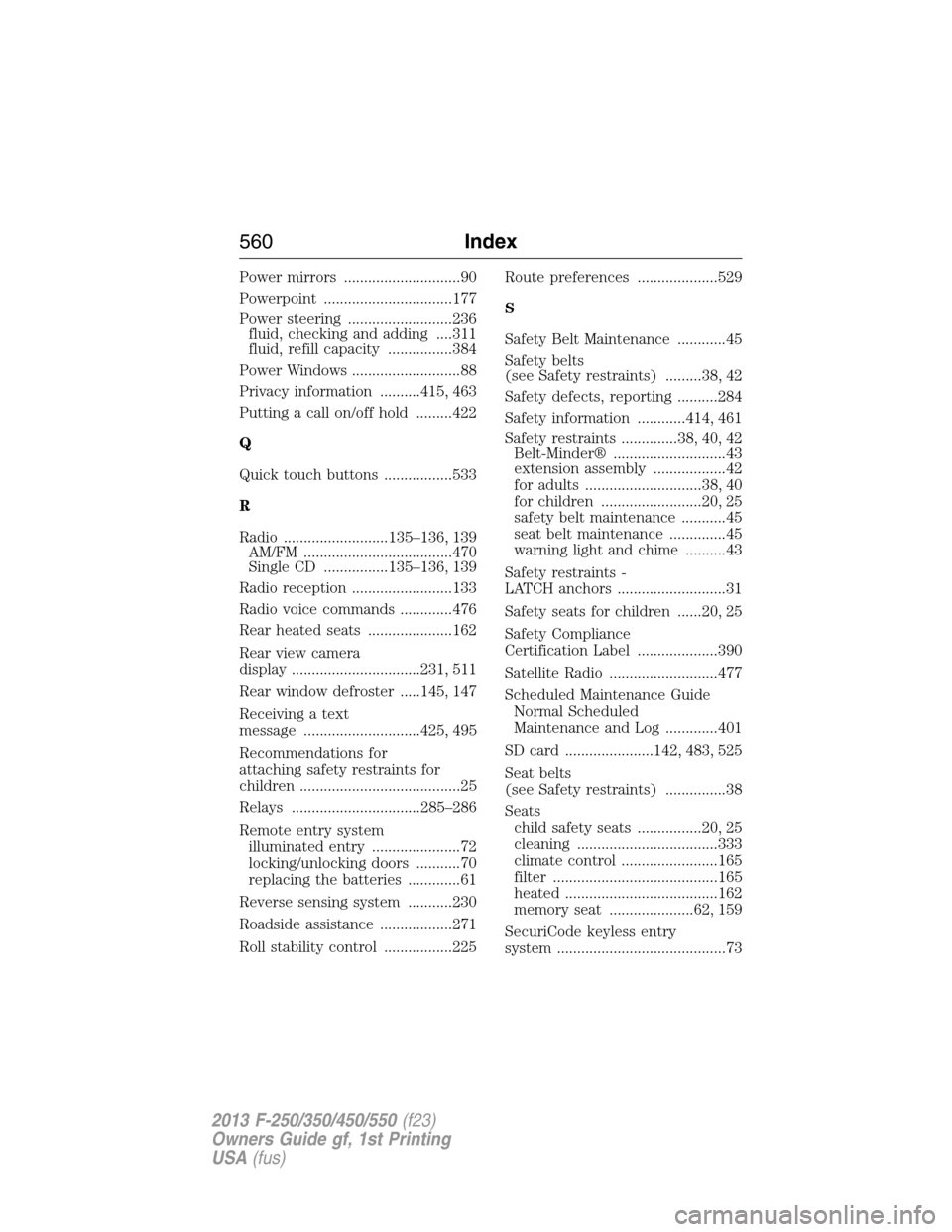
Power mirrors .............................90
Powerpoint ................................177
Power steering ..........................236
fluid, checking and adding ....311
fluid, refill capacity ................384
Power Windows ...........................88
Privacy information ..........415, 463
Putting a call on/off hold .........422
Q
Quick touch buttons .................533
R
Radio ..........................135–136, 139
AM/FM .....................................470
Single CD ................135–136, 139
Radio reception .........................133
Radio voice commands .............476
Rear heated seats .....................162
Rear view camera
display ................................231, 511
Rear window defroster .....145, 147
Receiving a text
message .............................425, 495
Recommendations for
attaching safety restraints for
children ........................................25
Relays ................................285–286
Remote entry system
illuminated entry ......................72
locking/unlocking doors ...........70
replacing the batteries .............61
Reverse sensing system ...........230
Roadside assistance ..................271
Roll stability control .................225Route preferences ....................529
S
Safety Belt Maintenance ............45
Safety belts
(see Safety restraints) .........38, 42
Safety defects, reporting ..........284
Safety information ............414, 461
Safety restraints ..............38, 40, 42
Belt-Minder® ............................43
extension assembly ..................42
for adults .............................38, 40
for children .........................20, 25
safety belt maintenance ...........45
seat belt maintenance ..............45
warning light and chime ..........43
Safety restraints -
LATCH anchors ...........................31
Safety seats for children ......20, 25
Safety Compliance
Certification Label ....................390
Satellite Radio ...........................477
Scheduled Maintenance Guide
Normal Scheduled
Maintenance and Log .............401
SD card ......................142, 483, 525
Seat belts
(see Safety restraints) ...............38
Seats
child safety seats ................20, 25
cleaning ...................................333
climate control ........................165
filter .........................................165
heated ......................................162
memory seat .....................62, 159
SecuriCode keyless entry
system ..........................................73
560Index
2013 F-250/350/450/550(f23)
Owners Guide gf, 1st Printing
USA(fus)