ECO mode FORD SUPER DUTY 2013 3.G Workshop Manual
[x] Cancel search | Manufacturer: FORD, Model Year: 2013, Model line: SUPER DUTY, Model: FORD SUPER DUTY 2013 3.GPages: 563, PDF Size: 7.27 MB
Page 511 of 563
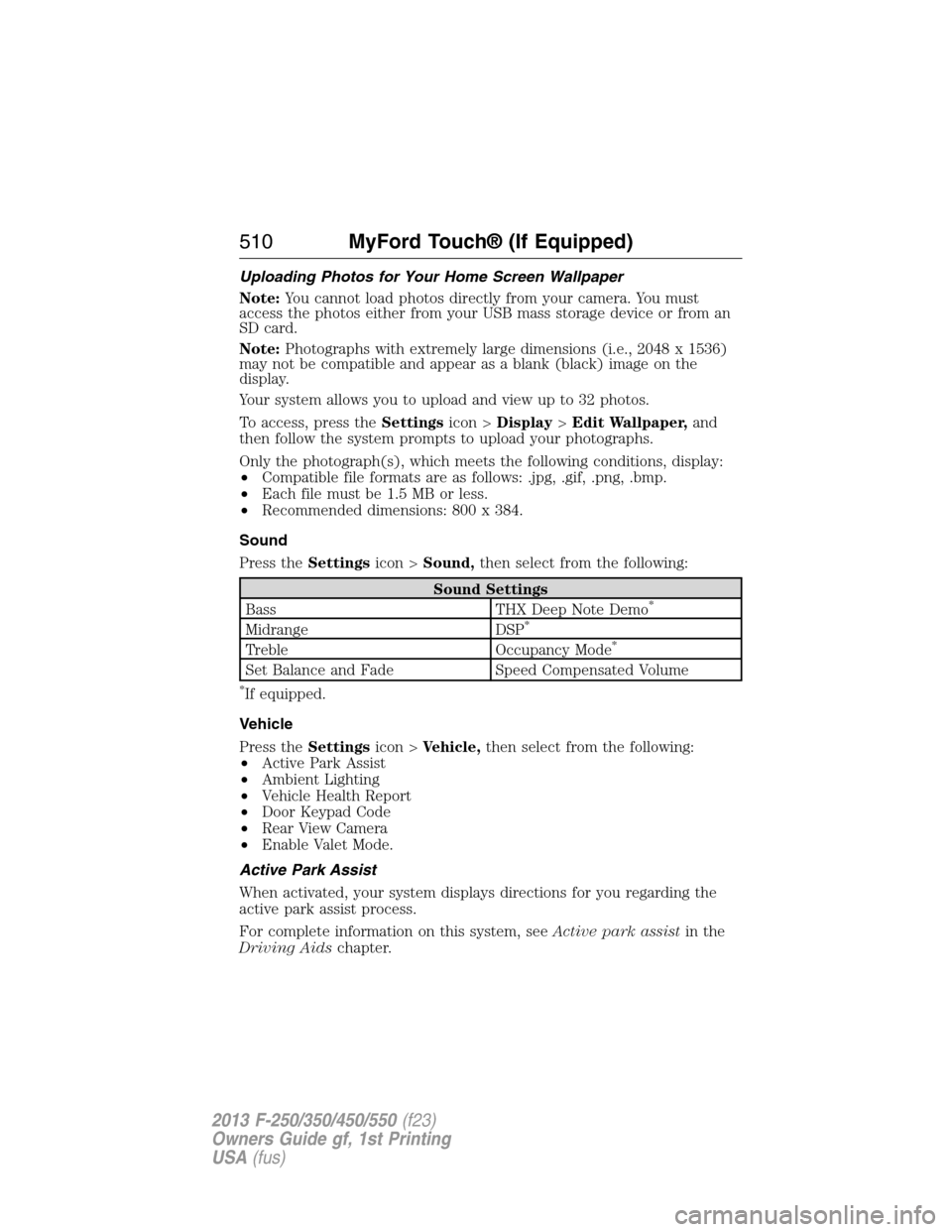
Uploading Photos for Your Home Screen Wallpaper
Note:You cannot load photos directly from your camera. You must
access the photos either from your USB mass storage device or from an
SD card.
Note:Photographs with extremely large dimensions (i.e., 2048 x 1536)
may not be compatible and appear as a blank (black) image on the
display.
Your system allows you to upload and view up to 32 photos.
To access, press theSettingsicon >Display>Edit Wallpaper,and
then follow the system prompts to upload your photographs.
Only the photograph(s), which meets the following conditions, display:
•Compatible file formats are as follows: .jpg, .gif, .png, .bmp.
•Each file must be 1.5 MB or less.
•Recommended dimensions: 800 x 384.
Sound
Press theSettingsicon >Sound,then select from the following:
Sound Settings
Bass THX Deep Note Demo*
Midrange DSP*
Treble Occupancy Mode*
Set Balance and Fade Speed Compensated Volume
*If equipped.
Vehicle
Press theSettingsicon >Vehicle,then select from the following:
•Active Park Assist
•Ambient Lighting
•Vehicle Health Report
•Door Keypad Code
•Rear View Camera
•Enable Valet Mode.
Active Park Assist
When activated, your system displays directions for you regarding the
active park assist process.
For complete information on this system, seeActive park assistin the
Driving Aidschapter.
510MyFord Touch® (If Equipped)
2013 F-250/350/450/550(f23)
Owners Guide gf, 1st Printing
USA(fus)
Page 523 of 563
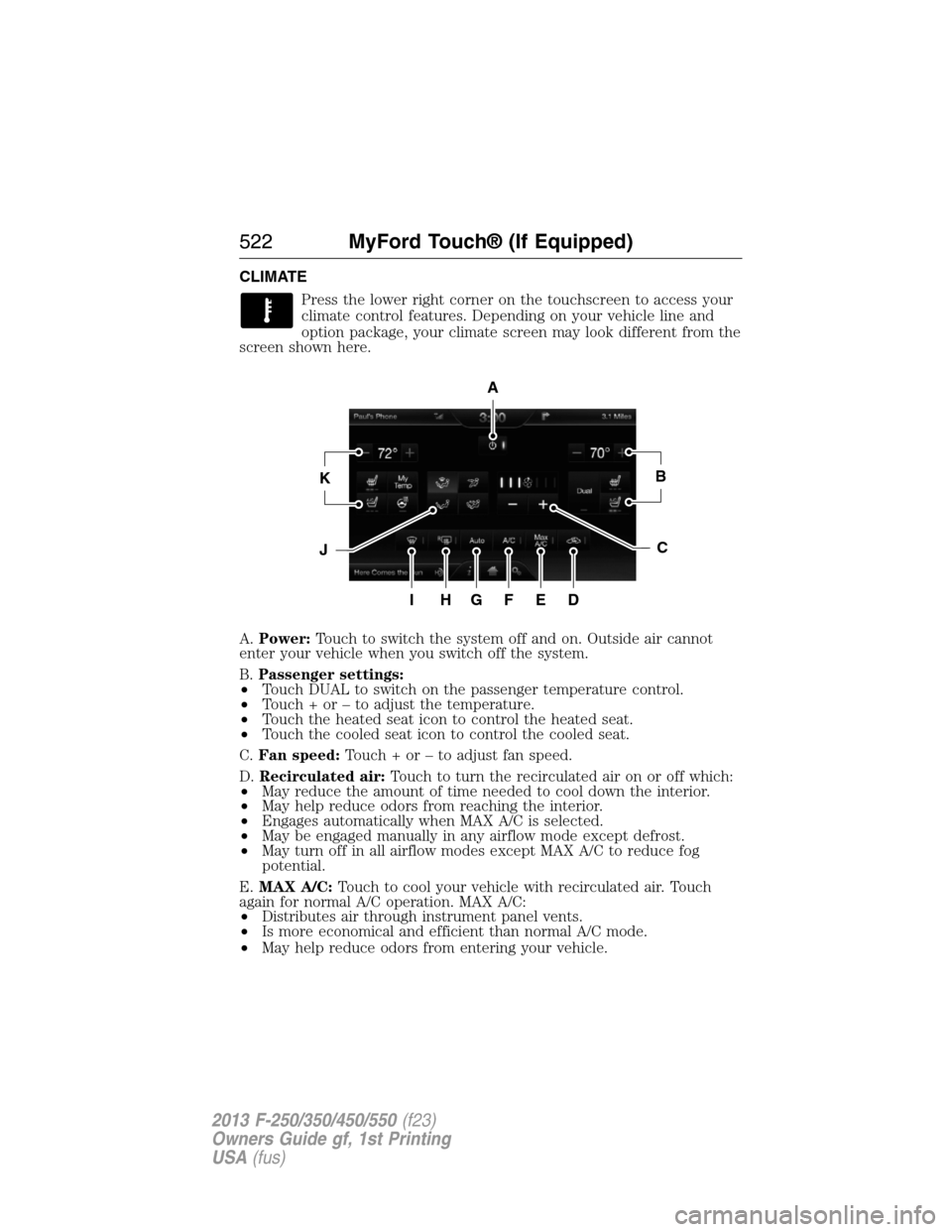
CLIMATE
Press the lower right corner on the touchscreen to access your
climate control features. Depending on your vehicle line and
option package, your climate screen may look different from the
screen shown here.
A.Power:Touch to switch the system off and on. Outside air cannot
enter your vehicle when you switch off the system.
B.Passenger settings:
•Touch DUAL to switch on the passenger temperature control.
•Touch + or – to adjust the temperature.
•Touch the heated seat icon to control the heated seat.
•Touch the cooled seat icon to control the cooled seat.
C.Fan speed:Touch + or – to adjust fan speed.
D.Recirculated air:Touch to turn the recirculated air on or off which:
•May reduce the amount of time needed to cool down the interior.
•May help reduce odors from reaching the interior.
•Engages automatically when MAX A/C is selected.
•May be engaged manually in any airflow mode except defrost.
•May turn off in all airflow modes except MAX A/C to reduce fog
potential.
E.MAX A/C:Touch to cool your vehicle with recirculated air. Touch
again for normal A/C operation. MAX A/C:
•Distributes air through instrument panel vents.
•Is more economical and efficient than normal A/C mode.
•May help reduce odors from entering your vehicle.
A
KB
JC
IHGFED
522MyFord Touch® (If Equipped)
2013 F-250/350/450/550(f23)
Owners Guide gf, 1st Printing
USA(fus)
Page 532 of 563
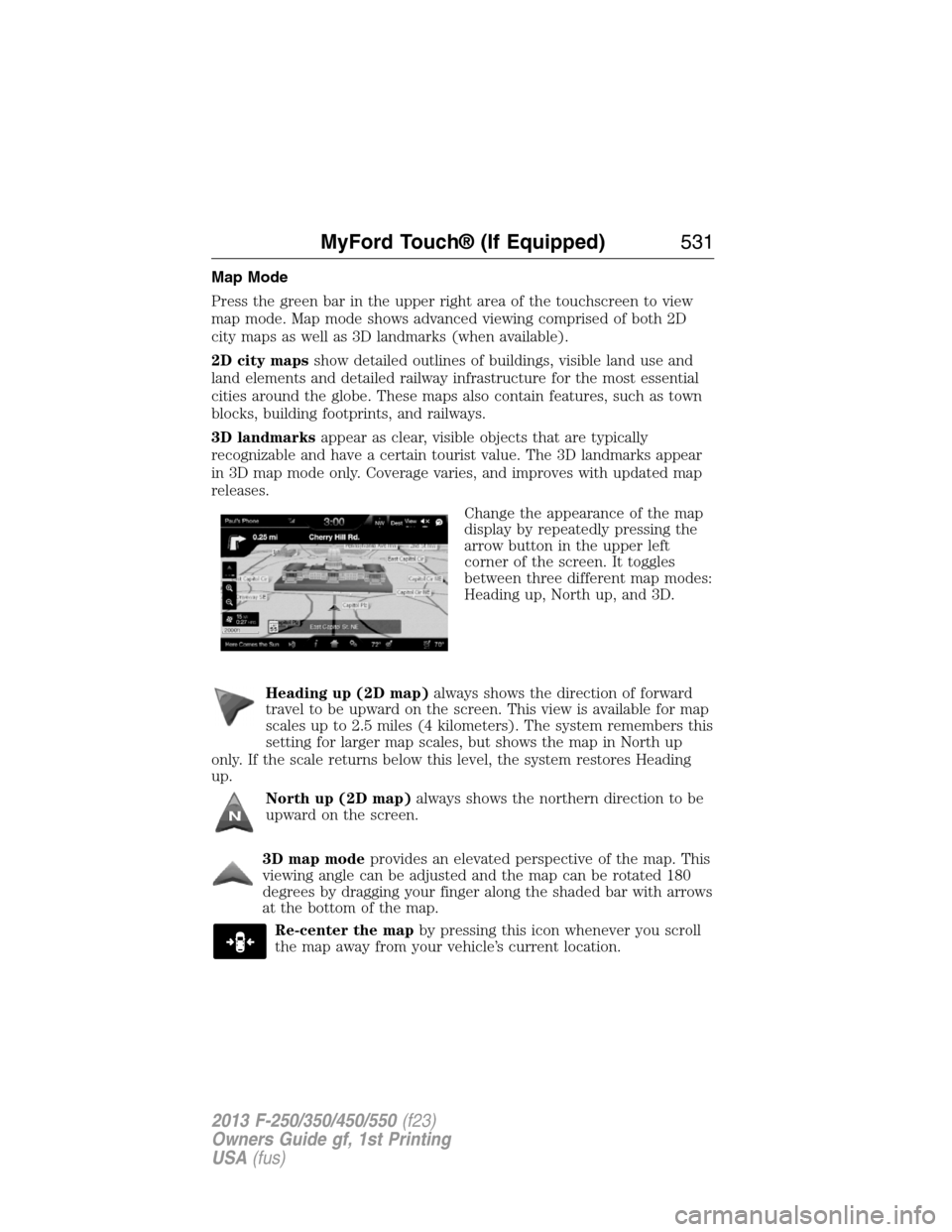
Map Mode
Press the green bar in the upper right area of the touchscreen to view
map mode. Map mode shows advanced viewing comprised of both 2D
city maps as well as 3D landmarks (when available).
2D city mapsshow detailed outlines of buildings, visible land use and
land elements and detailed railway infrastructure for the most essential
cities around the globe. These maps also contain features, such as town
blocks, building footprints, and railways.
3D landmarksappear as clear, visible objects that are typically
recognizable and have a certain tourist value. The 3D landmarks appear
in 3D map mode only. Coverage varies, and improves with updated map
releases.
Change the appearance of the map
display by repeatedly pressing the
arrow button in the upper left
corner of the screen. It toggles
between three different map modes:
Heading up, North up, and 3D.
Heading up (2D map)always shows the direction of forward
travel to be upward on the screen. This view is available for map
scales up to 2.5 miles (4 kilometers). The system remembers this
setting for larger map scales, but shows the map in North up
only. If the scale returns below this level, the system restores Heading
up.
North up (2D map)always shows the northern direction to be
upward on the screen.
3D map modeprovides an elevated perspective of the map. This
viewing angle can be adjusted and the map can be rotated 180
degrees by dragging your finger along the shaded bar with arrows
at the bottom of the map.
Re-center the mapby pressing this icon whenever you scroll
the map away from your vehicle’s current location.
MyFord Touch® (If Equipped)531
2013 F-250/350/450/550(f23)
Owners Guide gf, 1st Printing
USA(fus)
Page 557 of 563
maintenance-free ....................312
replacement, specifications ...388
servicing ..................................312
Bed extender ............................247
Booster seats ...............................23
Brakelamp
bulb replacement ....................324
Brakes ........................................220
anti-lock ...................................220
anti-lock brake system (ABS)
warning light ...........................220
brake warning light ................220
fluid, checking and adding ....311
fluid, refill capacities ..............384
fluid, specifications .................384
parking ....................................221
shift interlock ..........................204
trailer .......................................254
Bulbs ..........................................325
C
Capacities for refilling fluids ....384
Car2U® Home Automation
System .......................................167
CD ..............................135–136, 139
CD player ..........................133, 482
CD voice commands .................483
Cell phone use ............................16
Changing a tire .........................366
Changing the air filter ..............317
Child safety seats
attaching with tether straps ....31
automatic locking mode
(retractor) .................................40
in front seat ..............................28
in rear seat ................................28
LATCH .......................................31Child safety seats -
booster seats ...............................23
Cleaning the touchscreen ........460
Cleaning your vehicle ...............327
engine compartment ..............329
exterior ....................................327
instrument panel ............331–332
interior .....................................330
plastic parts ............................329
washing ....................................327
waxing .....................................329
wheels ......................................334
wiper blades ............................330
Climate control (see Air
conditioning or Heating) ..........145
Climate voice commands .........524
Clock ..........................135–136, 509
Console ......................................180
overhead ..................................181
Controls
power seat ...............................158
Coolant ......................................301
checking and adding ..............301
recovery reservoir ..................298
refill capacities ........................384
Customer Assistance ................271
Ford Extended Service
Plan ..................................393, 395
Getting roadside assistance ...271
Getting the service you
need .........................................277
Ordering additional owner’s
literature .................................283
Utilizing the
Mediation/Arbitration
Program ...................................281
556Index
2013 F-250/350/450/550(f23)
Owners Guide gf, 1st Printing
USA(fus)
Page 563 of 563
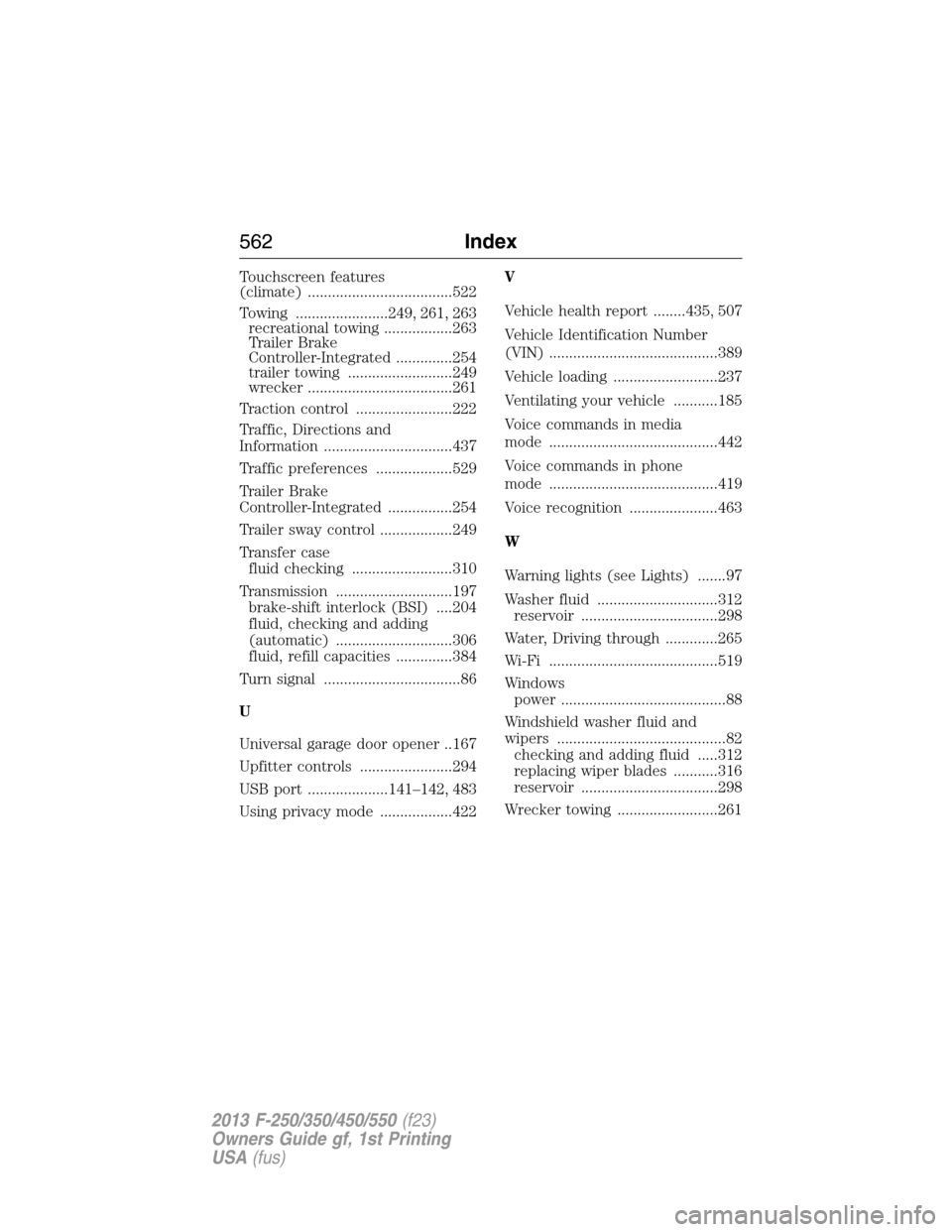
Touchscreen features
(climate) ....................................522
Towing .......................249, 261, 263
recreational towing .................263
Trailer Brake
Controller-Integrated ..............254
trailer towing ..........................249
wrecker ....................................261
Traction control ........................222
Traffic, Directions and
Information ................................437
Traffic preferences ...................529
Trailer Brake
Controller-Integrated ................254
Trailer sway control ..................249
Transfer case
fluid checking .........................310
Transmission .............................197
brake-shift interlock (BSI) ....204
fluid, checking and adding
(automatic) .............................306
fluid, refill capacities ..............384
Turn signal ..................................86
U
Universal garage door opener ..167
Upfitter controls .......................294
USB port ....................141–142, 483
Using privacy mode ..................422V
Vehicle health report ........435, 507
Vehicle Identification Number
(VIN) ..........................................389
Vehicle loading ..........................237
Ventilating your vehicle ...........185
Voice commands in media
mode ..........................................442
Voice commands in phone
mode ..........................................419
Voice recognition ......................463
W
Warning lights (see Lights) .......97
Washer fluid ..............................312
reservoir ..................................298
Water, Driving through .............265
Wi-Fi ..........................................519
Windows
power .........................................88
Windshield washer fluid and
wipers ..........................................82
checking and adding fluid .....312
replacing wiper blades ...........316
reservoir ..................................298
Wrecker towing .........................261
562Index
2013 F-250/350/450/550(f23)
Owners Guide gf, 1st Printing
USA(fus)