CD player FORD SUPER DUTY 2014 3.G Owner's Manual
[x] Cancel search | Manufacturer: FORD, Model Year: 2014, Model line: SUPER DUTY, Model: FORD SUPER DUTY 2014 3.GPages: 458, PDF Size: 5.3 MB
Page 384 of 458
3. Press the lower left corner on the
touchscreen. Select either a tuned FM
station or a CD (if there is a CD already
loaded into the system).
4. Adjust the volume as desired.
5. Turn the portable music player on and adjust the volume to ½ the maximum.
6. Press the lower left corner on the touchscreen. Select the A/V In tab.
(You should hear audio from your
portable music player although it may
be low.)
7. Adjust the sound on your portable music player until it reaches the level
of the FM station or CD by switching
back and forth between the controls.
In order to playback video from your iPod
or iPhone, you must have a special
combination USB/RCA composite video
cable (which you can buy from Apple).
When you connect the cable to your iPod
or iPhone, plug the other end into both the
RCA jacks and the USB port. Troubleshooting
•
Do not connect the audio input jack to
a line level output. The jack only works
correctly with devices that have a
headphone output with a volume
control.
• Do not set the portable music player's
volume level higher than is necessary
to match the volume of the CD or FM
radio as this causes distortion and
reduces sound quality.
• If the music sounds distorted at lower
listening levels, turn the portable music
player volume down. If the problem
persists, replace or recharge the
batteries in the portable media player.
• Control the portable media player in
the same manner when used with
headphones, as the auxiliary input jack
does not provide control (such as Play
or Pause) over the attached portable
media player.
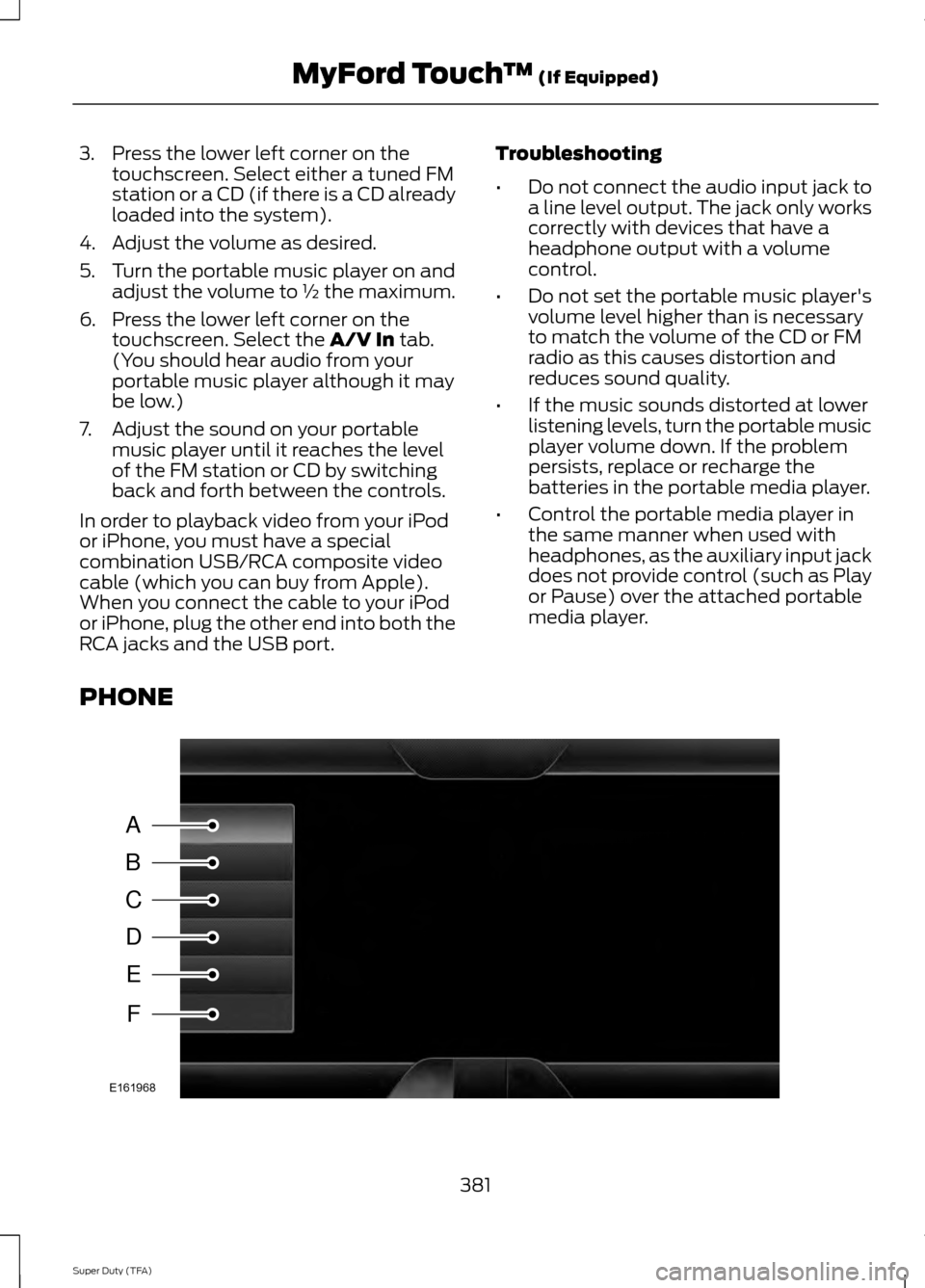
PHONE 381
Super Duty (TFA) MyFord Touch
™
(If Equipped)A
B
C
D
E
F
E161968
Page 417 of 458
TRADEMARKS: This EULA does not grant
you any rights in connection with any
trademarks or service marks of FORD
MOTOR COMPANY, MS, Microsoft
Corporation, third party software or service
providers, their affiliates or suppliers.
PRODUCT SUPPORT: Product support
for the SOFTWARE is not provided by MS,
its parent corporation Microsoft
Corporation, or their affiliates or
subsidiaries. For product support, please
refer to FORD MOTOR COMPANY
instructions provided in the documentation
for the DEVICE. Should you have any
questions concerning this EULA, or if you
desire to contact FORD MOTOR
COMPANY for any other reason, please
refer to the address provided in the
documentation for the DEVICE.
No Liability for Certain Damages:
EXCEPT AS PROHIBITED BY LAW, FORD
MOTOR COMPANY, ANY THIRD PARTY
SOFTWARE OR SERVICES SUPPLIERS,
MS, MICROSOFT CORPORATION AND
THEIR AFFILIATES SHALL HAVE NO
LIABILITY FOR ANY INDIRECT, SPECIAL,
CONSEQUENTIAL OR INCIDENTAL
DAMAGES ARISING FROM OR IN
CONNECTION WITH THE USE OR
PERFORMANCE OF THE SOFTWARE. THIS
LIMITATION SHALL APPLY EVEN IF ANY
REMEDY FAILS OF ITS ESSENTIAL
PURPOSE. IN NO EVENT SHALL MS,
MICROSOFT CORPORATION AND/OR
THEIR AFFILIATES BE LIABLE FOR ANY
AMOUNT IN EXCESS OF U.S. TWO
HUNDRED FIFTY DOLLARS (U.S.
$250.00).
• THERE ARE NO WARRANTIES OTHER
THAN THOSE THAT MAY EXPRESSLY
BE PROVIDED FOR YOUR NEW
VEHICLE. Adobe
Contains Adobe® [Flash® Player] or
[AIR®] technology by Adobe Systems
Incorporated. This [Licensee Product]
contains [Adobe® Flash® Player]
[Adobe® AIR®] software under license
from Adobe Systems Incorporated,
Copyright ©1995-2009 Adobe
Macromedia Software LLC. All rights
reserved. Adobe, Flash and AIR are
trademarks of Adobe Systems
Incorporated.
End User Notice
Microsoft® Windows® Mobile for
Automotive Important Safety
Information
This system Ford SYNC™ contains
software that is licensed to Manufacturer
FORD MOTOR COMPANY by an affiliate
of Microsoft Corporation pursuant to a
license agreement. Any removal,
reproduction, reverse engineering or other
unauthorized use of the software from this
system in violation of the license
agreement is strictly prohibited and may
subject you to legal action.
Read and follow instructions:
Before
using your Windows Automotive- based
system, read and follow all instructions
and safety information provided in this end
user manual ("User's Guide"). Not
following precautions found in this User's
Guide can lead to an accident or other
serious consequences.
Keep User's Guide in vehicle: When kept
in the vehicle, the User's Guide will be a
ready reference for you and other users
unfamiliar with the Windows
Automotive-based system. Please make
certain that before using the system for
the first time, all persons have access to
the User's Guide and read its instructions
and safety information carefully.
414
Super Duty (TFA) Appendices
Page 450 of 458
E
Economical Driving......................................198
Electronic Locking Differential................156 Activating the Electronic Locking
Differential....................................................... 156
Emission Control System...........................137 On-Board Diagnostics (OBD-II)................... 138
Readiness for Inspection/Maintenance (I/M) Testing................................................... 139
End User License Agreement..................410 SYNC® End User License Agreement
(EULA).............................................................. 410
Engine Block Heater.....................................131 Using the Engine Block Heater...................... 132
Engine Coolant Check
...............................226
Adding Engine Coolant..................................... 227
Checking the Engine Coolant........................ 226
Recycled Engine Coolant................................ 228
Severe Climates................................................. 228
What You Should Know About Fail-Safe Cooling.............................................................. 228
Engine Immobilizer See: Passive Anti-Theft System..................... 57
Engine Oil Check..........................................225 Adding Engine Oil............................................... 225
Engine Oil Dipstick.......................................225
Engine Specifications
.................................292
Drivebelt Routing............................................... 292
Entertainment..............................................364 A/V Inputs............................................................ 380
AM/FM Radio...................................................... 366
Bluetooth Audio................................................. 379
Browsing Device Content............................... 364
CD........................................................................\
..... 375
SD Card Slot and USB Port............................ 376
SIRIUS® Satellite Radio (If Activated)......................................................... 371
Supported Media Players, Formats and Metadata Information................................. 379Essential Towing Checks...........................187
Before Towing a Trailer..................................... 193
Hitches................................................................... 188
Launching or Retrieving a Boat or Personal Watercraft (PWC)......................................... 194
Safety Chains....................................................... 189
Trailer Brakes....................................................... 189
Trailer Lamps........................................................ 193
Trailer Towing Connector................................ 188
Using a Step Bumper (If Equipped)............193
When Towing a Trailer...................................... 193
Event Data Recording See: Data Recording.............................................. 9
Export Unique Options..................................13
Exterior Mirrors
................................................69
Clearance Lamps................................................. 70
Fold-Away Exterior Mirrors............................... 70
Heated Exterior Mirrors...................................... 70
Memory Mirrors..................................................... 70
Power Exterior Mirrors........................................ 69
Signal Indicator Mirrors...................................... 70
Telescoping Mirrors............................................... 71
F
Fastening the Safety Belts
.........................28
Fastening the Cinch Tongue............................. 29
Restraint of Pregnant Women........................ 29
Safety Belt Extension Assembly.................... 30
Safety Belt Locking Modes............................... 29
Using the Safety Belt with Cinch Tongue (Front Center and Rear Center Seats
Only).................................................................... 28
Floor Mats
.......................................................199
Fog Lamps - Front See: Front Fog Lamps........................................ 66
Foot Pedals See: Adjusting the Pedals................................. 62
Ford Credit
..........................................................11
(U.S. Only)................................................................. 11
Ford Extended Service Plan (ESP).......425 SERVICE PLANS (CANADA ONLY).............427
SERVICE PLANS (U.S. Only)......................... 425
Four-Wheel Drive
..........................................147
Front Fog Lamps............................................66
Front Seat Armrest.......................................116
Fuel and Refueling
.......................................133
447
Super Duty (TFA) Index
Page 456 of 458
Using Cruise Control....................................172
Switching Cruise Control Off.......................... 172
Switching Cruise Control On........................... 172
Using Four-Wheel Drive.............................147 4WD Indicator Lights........................................ 148
Driving Off-Road With Truck and Utility Vehicles.............................................................. 151
Electronic Shift-On-the-Fly (ESOF) 4WD system................................................................ 147
How Your Vehicle Differs From Other Vehicles.............................................................. 151
Manual Shift On Stop (MSOS) 4WD system................................................................ 147
Using a Manual Shift On Stop (MSOS) 4wd system............................................................... 148
Using the Electronic Shift on the Fly 4WD system............................................................... 150
Using Hill Descent Control........................166 Hill descent modes............................................ 166
Using MyKey With Remote Start Systems
...........................................................51
Using Snow Chains......................................273
Using Stability Control...............................163 AdvanceTrac® with Roll Stability Control ™
(RSC®).............................................................. 163
Using SYNC™ With Your Media Player............................................................334
Accessing Your Play Menu............................. 338
Connecting Your Digital Media Player to the USB Port........................................................... 334
Media Menu Features...................................... 336
Media Voice Commands................................. 334
System Settings................................................ 340
What's Playing?................................................. 334
Using SYNC™ With Your Phone.............316 Accessing Features through the Phone
Menu.................................................................. 320
Accessing Your Phone Settings.................... 323
Making Calls......................................................... 319
Pairing a Phone for the First Time................317
Pairing Subsequent Phones............................ 317
Phone Options during an Active Call..........319
Phone Voice Commands................................. 317
Receiving Calls..................................................... 319
System Settings................................................. 324
Text Messaging................................................... 322Using Traction Control.................................161
System Indicator Lights and
Messages.......................................................... 162
Using Voice Recognition
............................314
Initiating a Voice Session................................. 314
System Interaction and Feedback...............315
Utilizing the Mediation/Arbitration Program (Canada Only)
........................209
V
Vehicle Care...................................................246 General Information......................................... 246
Vehicle Certification Label
.......................294
Vehicle Identification Number................294
Vehicle Storage..............................................251
Battery.................................................................... 252
Body........................................................................\
. 251
Brakes..................................................................... 252
Cooling system................................................... 252
Engine..................................................................... 252
Fuel system.......................................................... 252
General................................................................... 251
Miscellaneous..................................................... 252
Removing Vehicle From Storage.................. 252
Tires........................................................................\
. 252
Ventilated Seats.............................................115 Heated and Ventilated Seats Air Filter
Replacement ................................................... 115
Ventilation See: Climate Control......................................... 102
VIN See: Vehicle Identification Number............294
Voice Control
...................................................60
453
Super Duty (TFA) Index