instrument panel FORD SUPER DUTY 2019 Owner's Guide
[x] Cancel search | Manufacturer: FORD, Model Year: 2019, Model line: SUPER DUTY, Model: FORD SUPER DUTY 2019Pages: 666, PDF Size: 13.6 MB
Page 527 of 666
Function
Button
Playlists
Artist
Albums
Songs
Genres
Podcasts
Audio books
Composers
This button allows you to choose a specific
letter to view within the category you are
browsing.
A-Z Jump
If available, this allows you to browse the
folders and files on your USB device.
Explore Device
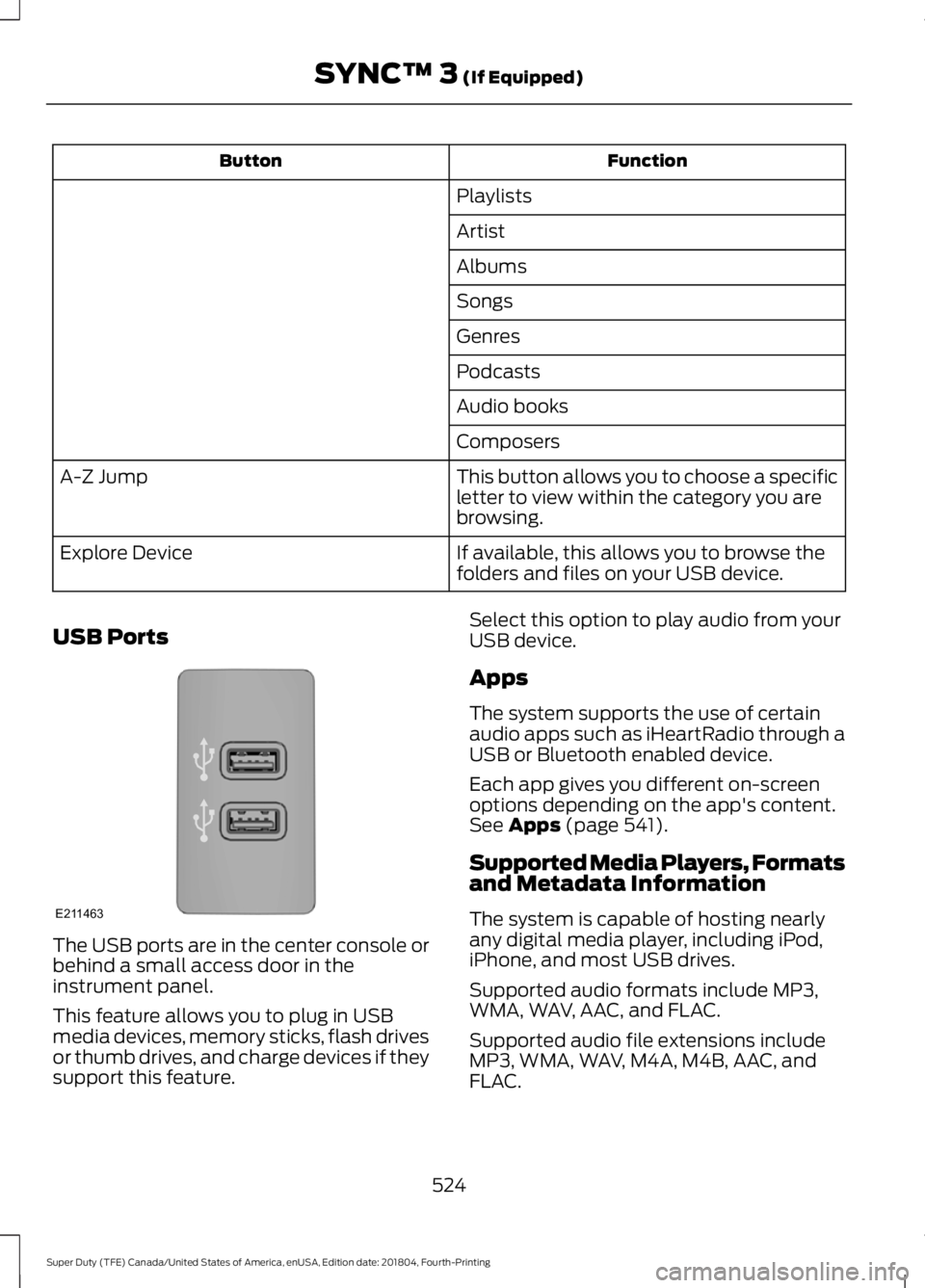
USB Ports The USB ports are in the center console or
behind a small access door in the
instrument panel.
This feature allows you to plug in USB
media devices, memory sticks, flash drives
or thumb drives, and charge devices if they
support this feature. Select this option to play audio from your
USB device.
Apps
The system supports the use of certain
audio apps such as iHeartRadio through a
USB or Bluetooth enabled device.
Each app gives you different on-screen
options depending on the app's content.
See Apps (page 541).
Supported Media Players, Formats
and Metadata Information
The system is capable of hosting nearly
any digital media player, including iPod,
iPhone, and most USB drives.
Supported audio formats include MP3,
WMA, WAV, AAC, and FLAC.
Supported audio file extensions include
MP3, WMA, WAV, M4A, M4B, AAC, and
FLAC.
524
Super Duty (TFE) Canada/United States of America, enUSA, Edition date: 201804, Fourth-Printing SYNC™ 3
(If Equipped)E211463
Page 528 of 666
Supported USB file systems include: FAT,
exFAT, and NTFS.
SYNC 3 is also able to organize the media
from your USB device by metadata tags.
Metadata tags, which are descriptive
software identifiers embedded in the
media files, provide information about the
file.
If your indexed media files contain no
information embedded in these metadata
tags, SYNC 3 may classify the empty
metadata tags as unknown.
SYNC 3 is capable of indexing up to
50,000 songs per USB device, for up to 10
devices.
CLIMATE
Touch the climate button on the
touchscreen to access your climate control
features.
Note:
You can switch temperature units
between Fahrenheit and Celsius. See
Settings (page 544).
Accessing the Climate Control
Menu Touch the button to access
additional controls for the front
climate system.
Directing the Airflow Touch the button to direct
airflow to the windshield air
vents and de-mister.
Touch the button to direct
airflow to the instrument panel
air vents.
Touch the button to direct
airflow to the footwell air vents. You can direct air through any combination
of these air vents.
Setting the Blower Motor Speed Touch up or down to increase or
decrease the volume of air that
circulates in your vehicle.
Setting the Temperature
Touch up or down on the left-hand
temperature control to set the left-hand
temperature.
Note: This control also adjusts the
right-hand side temperature when you
switch off dual zone mode.
Touch up or down on the right-hand
temperature control to set the right-hand
temperature.
Switching Auto Mode On and Off Touch the button to switch on
automatic operation, then set
the temperature.
The system adjusts the blower motor
speed, air distribution, air conditioning
operation, and outside or recirculated air
to reach and maintain the temperature you
have set.
Switching the Air Conditioning On
and Off A pop-up appears on the screen
to display the air conditioning
options.
MAX A/C:
Touch the button to activate
and maximize cooling. The driver and
passenger temperatures are set to LO,
recirculated air flows through the
instrument panel vents, air conditioning
automatically turns on and the fan
automatically adjusts to the highest speed.
525
Super Duty (TFE) Canada/United States of America, enUSA, Edition date: 201804, Fourth-Printing SYNC™ 3
(If Equipped)E265038
Page 529 of 666
A/C: Touch to switch the air conditioning
on or off. Use A/C with recirculated air to
improve cooling performance and
efficiency.
Note: In certain conditions, such as
maximum defrost, the air conditioning
compressor may continue to operate even
though you switch off the air conditioning.
Switching the Climate Control On
and Off Touch the button.
Switching the Climate Controlled
Seats On and Off Touch the button to cycle
through the various climate
controlled seat settings and off.
Switching Dual Zone Mode On and
Off Touch the button to switch on
temperature control for the
right-hand side of the vehicle.
Switching the Heated Exterior
Mirrors On and Off Touch the button.
Switching the Heated Windshield
On and Off Touch the button to clear the
windshield of thin ice and fog.
The heated windshield turns off
after a short period of time. Switching the Heated Rear
Window On and Off Touch the button to clear the
rear window of thin ice and fog.
Switching the Heated Seats On
and Off Touch the button to cycle
through the various heat settings
and off.
Switching the Heated Steering
Wheel On and Off Touch the button.
Switching Maximum Air
Conditioning On and Off Touch the button for maximum
cooling.
Recirculated air flows through the
instrument panel air vents, air conditioning
turns on and the blower motor adjusts to
the highest speed.
Switching Maximum Defrost On
and Off Touch the button for maximum
defrosting.
Air flows through the windshield air vents,
and the blower motor adjusts to the
highest speed.
You can also use this setting to defog and
clear the windshield of a thin covering of
ice.
Note: To prevent window fogging, you
cannot select recirculated air when
maximum defrost is on.
526
Super Duty (TFE) Canada/United States of America, enUSA, Edition date: 201804, Fourth-Printing SYNC™ 3
(If Equipped) E265282 E265280 E266189 E184884
Page 578 of 666
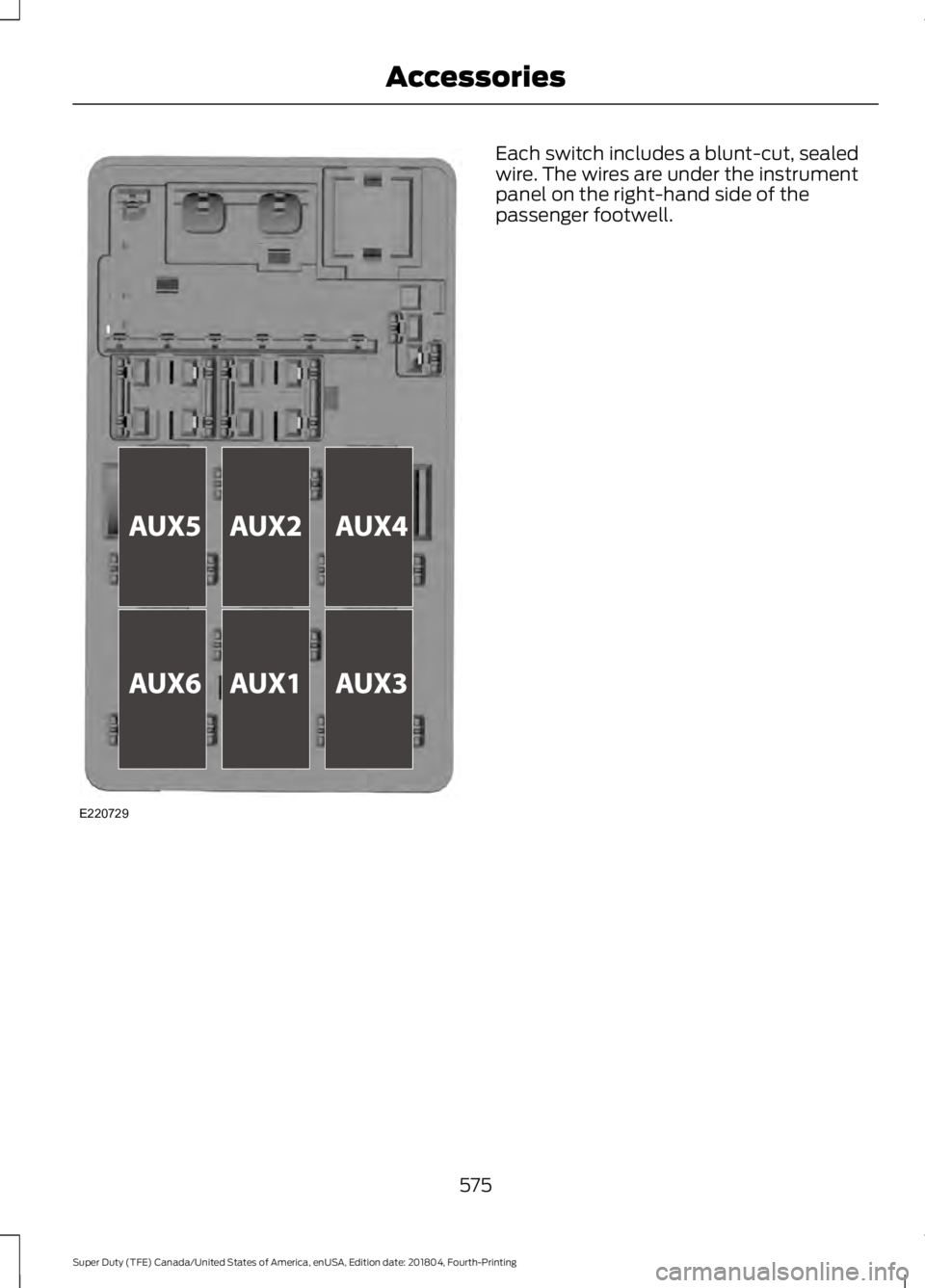
Each switch includes a blunt-cut, sealed
wire. The wires are under the instrument
panel on the right-hand side of the
passenger footwell.
575
Super Duty (TFE) Canada/United States of America, enUSA, Edition date: 201804, Fourth-Printing AccessoriesE220729
Page 655 of 666
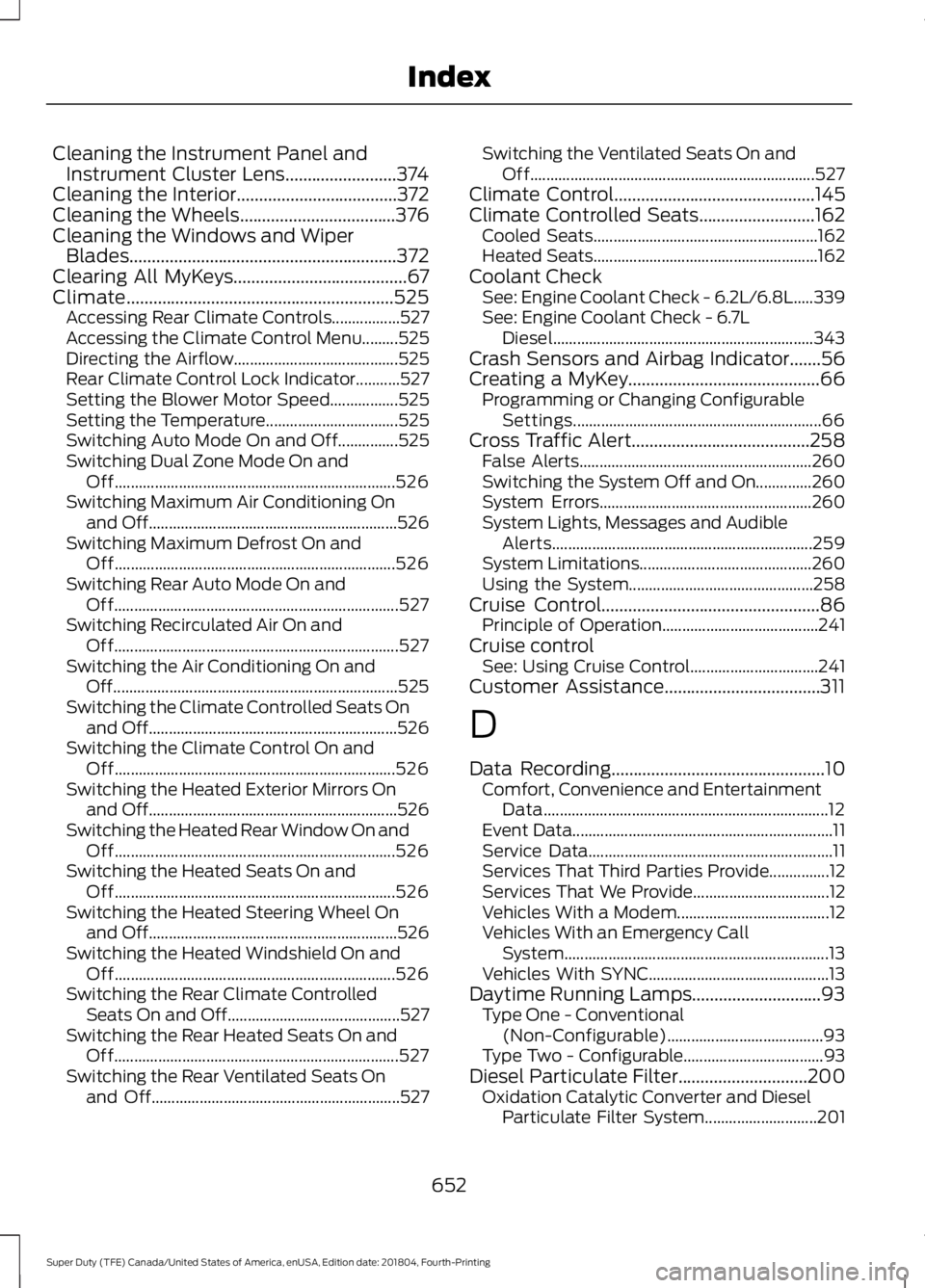
Cleaning the Instrument Panel and
Instrument Cluster Lens.........................374
Cleaning the Interior....................................372
Cleaning the Wheels...................................376
Cleaning the Windows and Wiper Blades............................................................372
Clearing All MyKeys.......................................67
Climate............................................................525 Accessing Rear Climate Controls.................527
Accessing the Climate Control Menu.........525
Directing the Airflow......................................... 525
Rear Climate Control Lock Indicator...........527
Setting the Blower Motor Speed.................525
Setting the Temperature................................. 525
Switching Auto Mode On and Off...............525
Switching Dual Zone Mode On and Off...................................................................... 526
Switching Maximum Air Conditioning On and Off.............................................................. 526
Switching Maximum Defrost On and Off...................................................................... 526
Switching Rear Auto Mode On and Off....................................................................... 527
Switching Recirculated Air On and Off....................................................................... 527
Switching the Air Conditioning On and Off....................................................................... 525
Switching the Climate Controlled Seats On and Off.............................................................. 526
Switching the Climate Control On and Off...................................................................... 526
Switching the Heated Exterior Mirrors On and Off.............................................................. 526
Switching the Heated Rear Window On and Off...................................................................... 526
Switching the Heated Seats On and Off...................................................................... 526
Switching the Heated Steering Wheel On and Off.............................................................. 526
Switching the Heated Windshield On and Off...................................................................... 526
Switching the Rear Climate Controlled Seats On and Off........................................... 527
Switching the Rear Heated Seats On and Off....................................................................... 527
Switching the Rear Ventilated Seats On and Off.............................................................. 527Switching the Ventilated Seats On and
Off....................................................................... 527
Climate Control.............................................145
Climate Controlled Seats..........................162 Cooled Seats........................................................ 162
Heated Seats........................................................ 162
Coolant Check See: Engine Coolant Check - 6.2L/6.8L.....339
See: Engine Coolant Check - 6.7L
Diesel................................................................. 343
Crash Sensors and Airbag Indicator
.......56
Creating a MyKey...........................................66
Programming or Changing Configurable
Settings.............................................................. 66
Cross Traffic Alert
........................................258
False Alerts.......................................................... 260
Switching the System Off and On..............260
System Errors..................................................... 260
System Lights, Messages and Audible Alerts................................................................. 259
System Limitations........................................... 260
Using the System.............................................. 258
Cruise Control.................................................86 Principle of Operation....................................... 241
Cruise control See: Using Cruise Control................................ 241
Customer Assistance...................................311
D
Data Recording
................................................10
Comfort, Convenience and Entertainment
Data....................................................................... 12
Event Data................................................................. 11
Service Data............................................................. 11
Services That Third Parties Provide...............12
Services That We Provide.................................. 12
Vehicles With a Modem...................................... 12
Vehicles With an Emergency Call System.................................................................. 13
Vehicles With SYNC............................................. 13
Daytime Running Lamps.............................93 Type One - Conventional
(Non-Configurable)....................................... 93
Type Two - Configurable................................... 93
Diesel Particulate Filter
.............................200
Oxidation Catalytic Converter and Diesel
Particulate Filter System............................ 201
652
Super Duty (TFE) Canada/United States of America, enUSA, Edition date: 201804, Fourth-Printing Index
Page 659 of 666

Remote Start........................................................
142
Seats........................................................................\
142
Starting System .................................................. 142
Tire Pressure Monitoring System.................. 142
Trailer....................................................................... 143
Installing Child Restraints...........................22 Child Seats.............................................................. 22
Combining Seatbelt and LATCH Lower Anchors for Attaching Child Safety
Seats.................................................................... 30
Front Seat Tether Strap Attachment (Regular Cab).................................................... 31
Rear Seat Tether Strap Attachment (Crew Cab and Super Cab)....................................... 32
Use of Inboard Lower Anchors from the Outboard Seating Positions (Center
Seating Use) .................................................... 30
Using Inflatable Seatbelts (Rear Seat Outboard Positions)...................................... 26
Using Lap and Shoulder Belts (Except Front Center Position of Super Cab and Crew
Cab)...................................................................... 22
Using Lap and Shoulder Belts (Front Center Position of Super Cab and Crew
Cab)...................................................................... 24
Using Lower Anchors and Tethers for CHildren (LATCH)........................................... 28
Using Tether Straps............................................ 30
Instrument Cluster.......................................104
Instrument Lighting Dimmer.....................92
Instrument Panel............................................18
Interior Lamps.................................................95 Front Interior Lamp............................................. 95
Rear Interior Lamps............................................ 96
Interior Mirror
.................................................100
Auto-Dimming Mirror......................................... 101
Manual Dimming Mirror.................................... 101
Introduction.........................................................7
J
Jump Starting the Vehicle........................306 Connecting the Jumper Cables................... 306
Jump Starting...................................................... 307
Preparing Your Vehicle.................................... 306
Removing the Jumper Cables....................... 307K
Keyless Entry
....................................................72
SECURICODE™ KEYLESS ENTRY
KEYPAD............................................................... 72
Keyless Starting
.............................................174
Ignition Modes...................................................... 174
Keys and Remote Controls.........................58
L
Lane Keeping System
................................250
Switching the System On and Off................251
System Display................................................... 252
System Settings.................................................. 251
Troubleshooting................................................. 252
Lighting Control...............................................91 Flashing the Headlamp High Beam..............92
Headlamp High Beam......................................... 91
Lighting...............................................................91 General Information............................................. 91
Limited Slip Differential..............................221
Load Carrying
................................................266
Load Limit......................................................266
Special Loading Instructions for Owners of
Pick-up Trucks and Utility-type
Vehicles............................................................. 270
Vehicle Loading - with and without a Trailer................................................................ 266
Locking and Unlocking................................69 Activating Intelligent Access........................... 69
Autolock.................................................................... 71
Battery Saver........................................................... 71
Illuminated Entry.................................................... 71
Power Door Locks................................................ 69
Remote Control.................................................... 69
Smart Unlock......................................................... 70
Smart Unlocks for Intelligent Access Keys...................................................................... 70
Lug Nuts See: Changing a Road Wheel....................... 406
M
Maintenance.................................................329 General Information......................................... 329
Manual Climate Control
.............................145
Directing the Airflow.......................................... 145
656
Super Duty (TFE) Canada/United States of America, enUSA, Edition date: 201804, Fourth-Printing Index