brake FORD SUPER DUTY 2022 Manual Online
[x] Cancel search | Manufacturer: FORD, Model Year: 2022, Model line: SUPER DUTY, Model: FORD SUPER DUTY 2022Pages: 740, PDF Size: 9.95 MB
Page 347 of 740
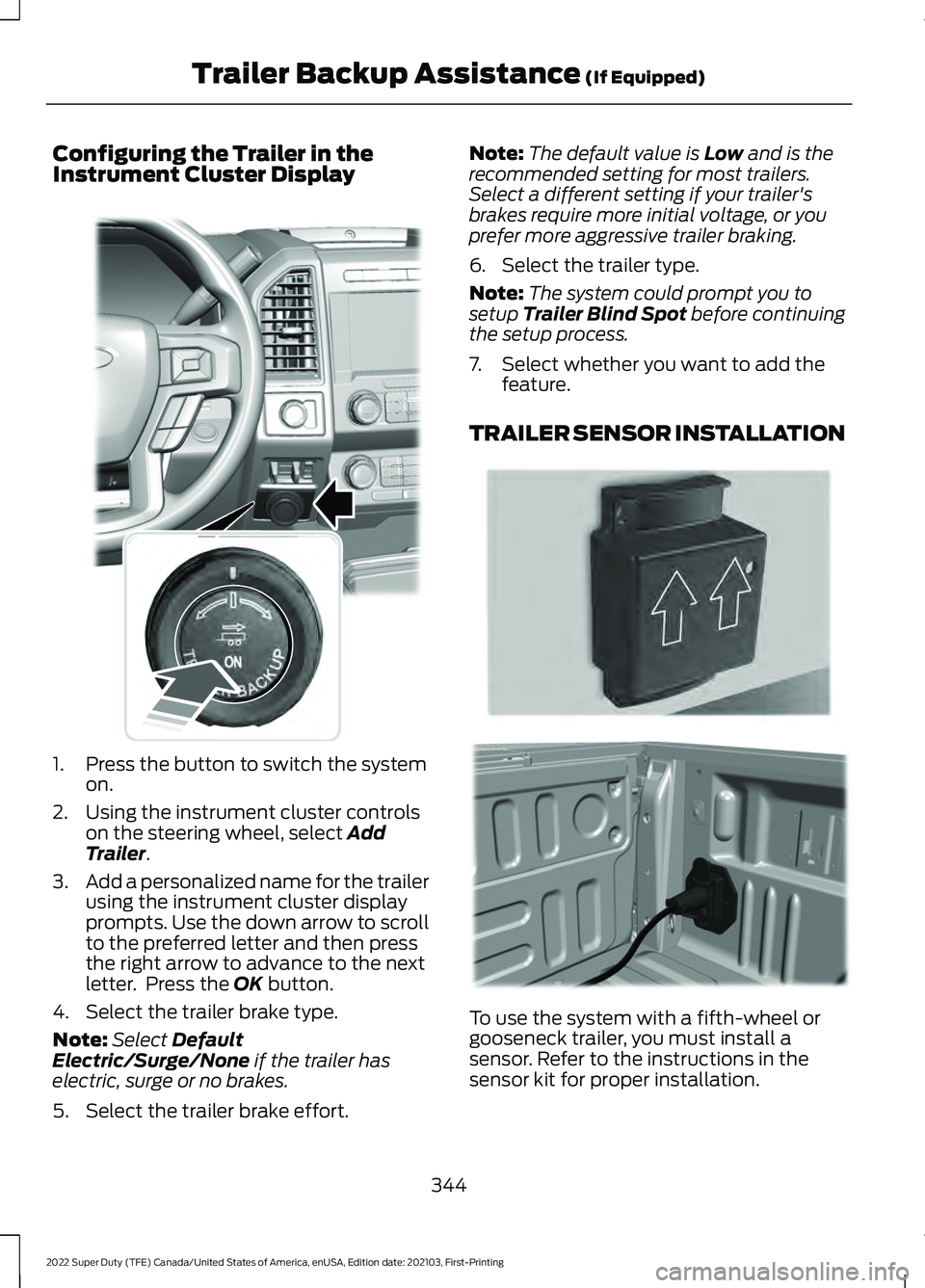
Configuring the Trailer in the
Instrument Cluster Display
1. Press the button to switch the system
on.
2. Using the instrument cluster controls on the steering wheel, select Add
Trailer.
3. Add a personalized name for the trailer
using the instrument cluster display
prompts. Use the down arrow to scroll
to the preferred letter and then press
the right arrow to advance to the next
letter. Press the
OK button.
4. Select the trailer brake type.
Note: Select
Default
Electric/Surge/None if the trailer has
electric, surge or no brakes.
5. Select the trailer brake effort. Note:
The default value is
Low and is the
recommended setting for most trailers.
Select a different setting if your trailer's
brakes require more initial voltage, or you
prefer more aggressive trailer braking.
6. Select the trailer type.
Note: The system could prompt you to
setup
Trailer Blind Spot before continuing
the setup process.
7. Select whether you want to add the feature.
TRAILER SENSOR INSTALLATION To use the system with a fifth-wheel or
gooseneck trailer, you must install a
sensor. Refer to the instructions in the
sensor kit for proper installation.
344
2022 Super Duty (TFE) Canada/United States of America, enUSA, Edition date: 202103, First-Printing Trailer Backup Assistance
(If Equipped)E318266 E315959 E316145
Page 360 of 740
WHAT IS TRAILER REVERSE
GUIDANCE
Trailer reverse guidance provides views
and graphics on the touchscreen to help
you steer your vehicle when you backup a
trailer.
HOW DOES TRAILER REVERSE
GUIDANCE WORK
Trailer reverse guidance uses a sticker or
sensor attached to the trailer to detect the
trailer angle relative to the towing vehicle
and provides instructions, graphics and
camera views on the touchscreen.
TRAILER REVERSE GUIDANCE
PRECAUTIONS
WARNING: Driving while distracted
can result in loss of vehicle control, crash
and injury. We strongly recommend that
you use extreme caution when using any
device that may take your focus off the
road. Your primary responsibility is the
safe operation of your vehicle. We
recommend against the use of any
hand-held device while driving and
encourage the use of voice-operated
systems when possible. Make sure you
are aware of all applicable local laws
that may affect the use of electronic
devices while driving. WARNING: This system is an extra
driving aid. It does not replace your
attention and judgment, or the need to
apply the brakes. This system does NOT
automatically brake your vehicle. If you
fail to press the brake pedal when
necessary, you may collide with another
vehicle. Note:
The system is not a substitute for
safe driving practices. Always be aware of
your vehicle and trailer combination, and
the surrounding environment.
Note: The system does not detect or
prevent your vehicle or trailer from making
contact with obstacles in the surrounding
environment.
Note: The front end of your vehicle swings
out when changing the direction of the
trailer.
Note: In certain conditions, the trailer could
turn faster or the trailer angle could increase
more than anticipated. Always monitor the
clearance between the trailer and vehicle
and the surroundings.
SETTING UP TRAILER
REVERSE GUIDANCE FOR A
CONVENTIONAL TRAILER
CONFIGURING THE TRAILER
You must configure a trailer in the system
to use trailer reverse guidance. This is a
one-time setup process and the trailer
information is saved in the system for the
next time you use that trailer.
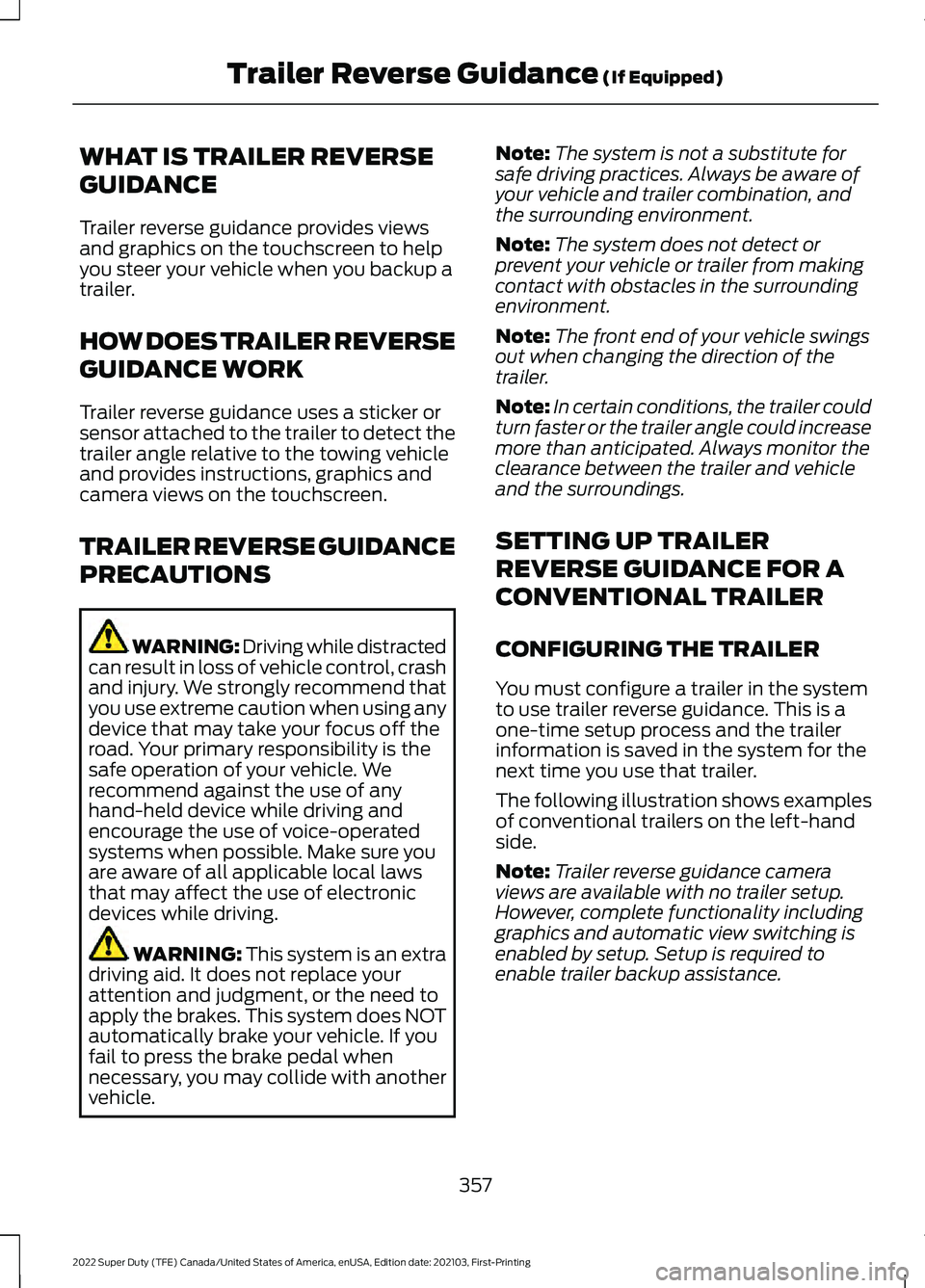
The following illustration shows examples
of conventional trailers on the left-hand
side.
Note: Trailer reverse guidance camera
views are available with no trailer setup.
However, complete functionality including
graphics and automatic view switching is
enabled by setup. Setup is required to
enable trailer backup assistance.
357
2022 Super Duty (TFE) Canada/United States of America, enUSA, Edition date: 202103, First-Printing Trailer Reverse Guidance
(If Equipped)
Page 361 of 740
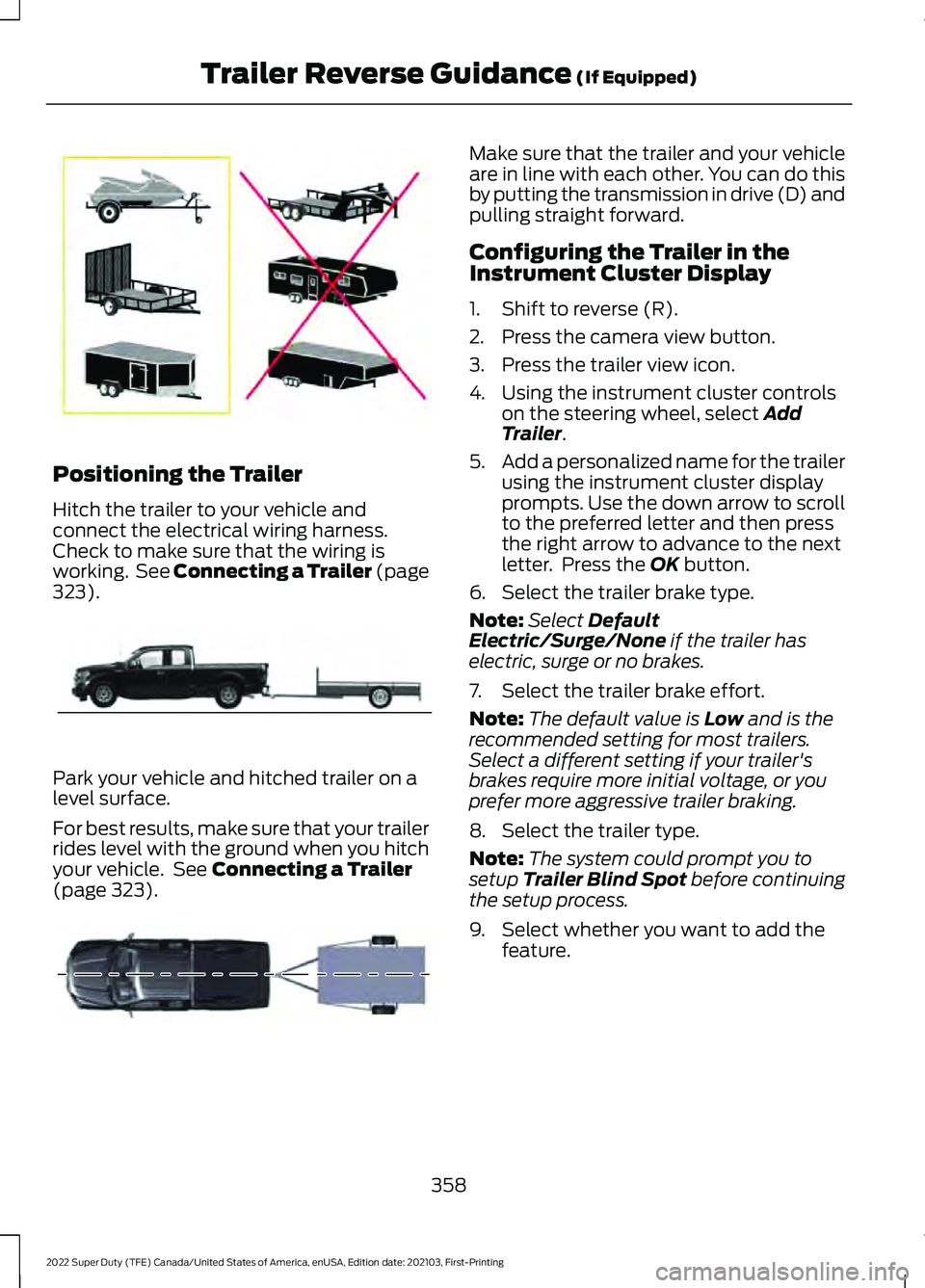
Positioning the Trailer
Hitch the trailer to your vehicle and
connect the electrical wiring harness.
Check to make sure that the wiring is
working. See Connecting a Trailer (page
323).
Park your vehicle and hitched trailer on a
level surface.
For best results, make sure that your trailer
rides level with the ground when you hitch
your vehicle. See
Connecting a Trailer
(page 323). Make sure that the trailer and your vehicle
are in line with each other. You can do this
by putting the transmission in drive (D) and
pulling straight forward.
Configuring the Trailer in the
Instrument Cluster Display
1. Shift to reverse (R).
2. Press the camera view button.
3. Press the trailer view icon.
4. Using the instrument cluster controls
on the steering wheel, select
Add
Trailer.
5. Add a personalized name for the trailer
using the instrument cluster display
prompts. Use the down arrow to scroll
to the preferred letter and then press
the right arrow to advance to the next
letter. Press the
OK button.
6. Select the trailer brake type.
Note: Select
Default
Electric/Surge/None if the trailer has
electric, surge or no brakes.
7. Select the trailer brake effort.
Note: The default value is
Low and is the
recommended setting for most trailers.
Select a different setting if your trailer's
brakes require more initial voltage, or you
prefer more aggressive trailer braking.
8. Select the trailer type.
Note: The system could prompt you to
setup
Trailer Blind Spot before continuing
the setup process.
9. Select whether you want to add the feature.
358
2022 Super Duty (TFE) Canada/United States of America, enUSA, Edition date: 202103, First-Printing Trailer Reverse Guidance
(If Equipped)E209766 E209759 E209760
Page 364 of 740
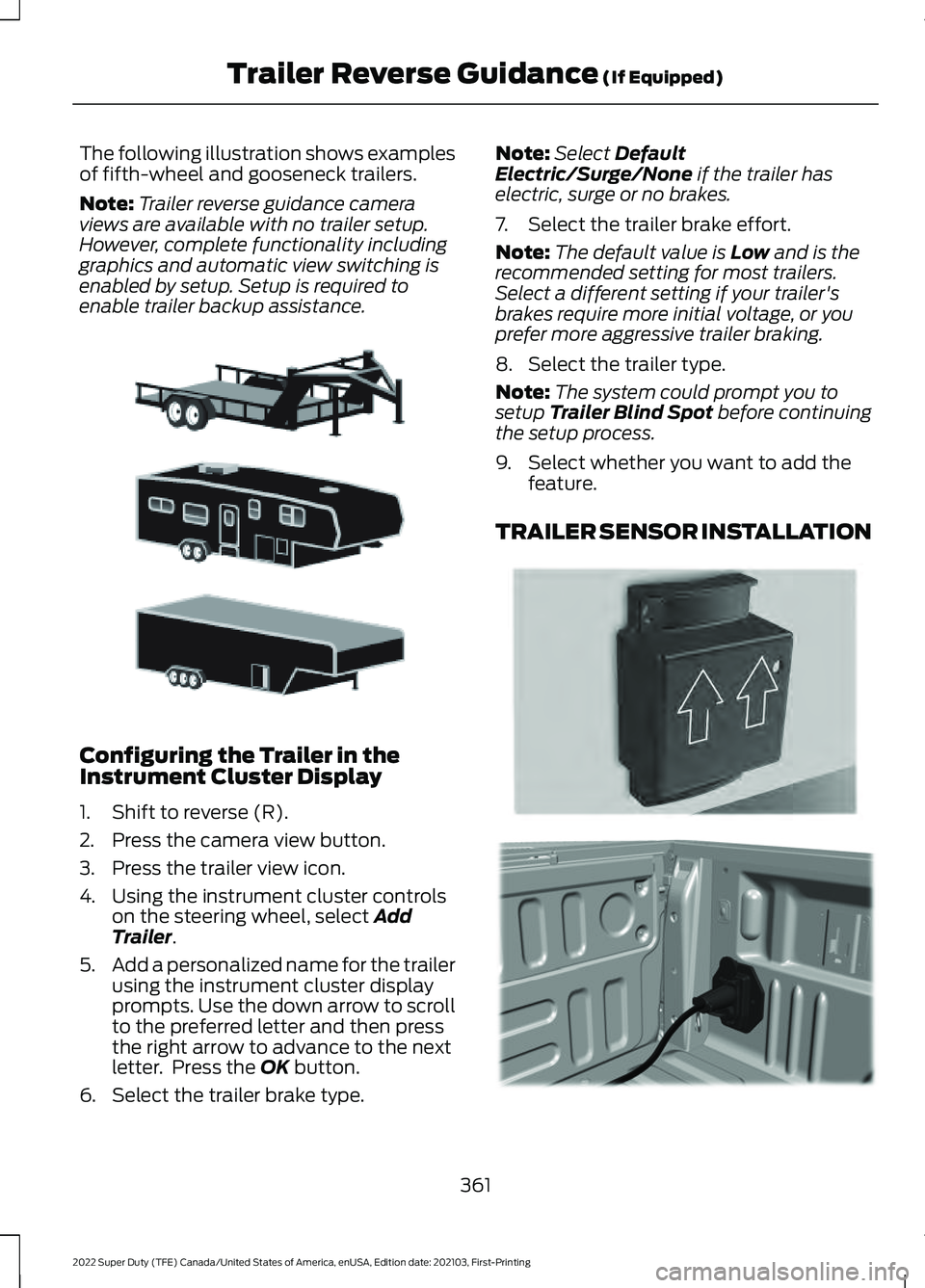
The following illustration shows examples
of fifth-wheel and gooseneck trailers.
Note:
Trailer reverse guidance camera
views are available with no trailer setup.
However, complete functionality including
graphics and automatic view switching is
enabled by setup. Setup is required to
enable trailer backup assistance. Configuring the Trailer in the
Instrument Cluster Display
1. Shift to reverse (R).
2. Press the camera view button.
3. Press the trailer view icon.
4. Using the instrument cluster controls
on the steering wheel, select Add
Trailer.
5. Add a personalized name for the trailer
using the instrument cluster display
prompts. Use the down arrow to scroll
to the preferred letter and then press
the right arrow to advance to the next
letter. Press the
OK button.
6. Select the trailer brake type. Note:
Select
Default
Electric/Surge/None if the trailer has
electric, surge or no brakes.
7. Select the trailer brake effort.
Note: The default value is
Low and is the
recommended setting for most trailers.
Select a different setting if your trailer's
brakes require more initial voltage, or you
prefer more aggressive trailer braking.
8. Select the trailer type.
Note: The system could prompt you to
setup
Trailer Blind Spot before continuing
the setup process.
9. Select whether you want to add the feature.
TRAILER SENSOR INSTALLATION 361
2022 Super Duty (TFE) Canada/United States of America, enUSA, Edition date: 202103, First-Printing Trailer Reverse Guidance
(If Equipped)E311877 E315959 E316145
Page 374 of 740
OFF-ROAD DRIVING
WHAT IS OFF-ROAD DRIVING
Off-road driving is driving your vehicle on
unsurfaced roads or trails, made from dirt,
rocks, sand and mud.
BASIC OFF-ROAD DRIVING
TECHNIQUES
Off-road Driving Hints
Before taking your vehicle off-roading, a
basic vehicle inspection should be done to
make sure that the vehicle is in top working
condition. It is always recommended that
at least two vehicles are used while
off-roading. The buddy system helps make
sure that help is close at hand should a
vehicle become stuck or damaged. It is also
wise to take supplies such as a first aid kit,
supply of water, tow strap, cell or satellite
phone with you any time an off-road
excursion is planned.
1. Grip the steering wheel with thumbs
on the outside of the rim. This will
reduce the risk of injury due to abrupt
steering wheel motions that occur
when negotiating rough terrain.
2. Throttle, brake and steering inputs should be made in a smooth and
controlled manner. Sudden inputs to
the controls can cause loss of traction
or upset the vehicle, especially while
on loose terrain or while crossing
obstacles such as rocks or logs.
3. Look ahead on your route noting upcoming obstacles, or any other
factors which may indicate a change
in available traction, and adjust the
vehicle speed and route accordingly. 4. When driving off-road, if the front or
rear suspension is bottoming out
and/or excessive contact with the
skid-plates is encountered, reduce
vehicle speed to avoid potential
damage to the vehicle.
5. When with other vehicles, it is recommended that communication is
used, and the lead vehicle notify other
vehicles of obstacles that could cause
potential vehicle damage.
6. Always keep available ground clearance in mind and pick a route that
minimizes the risk of catching the
underside of the vehicle on an obstacle.
7. When negotiating low speed obstacles,
applying light brake pressure in
conjunction with the throttle will help
prevent the vehicle from jerking and
will allow you to negotiate the obstacle
in a more controlled manner. Using 4L
will also help with this.
8. Off-roading requires a high degree of concentration. Even if your local law
does not prohibit alcohol use while
driving off-road, Ford strongly
recommends against drinking if you
plan to off-road.
Crossing Obstacles
• Review the path ahead before
attempting to cross any obstacle. It is
best if the obstacle is reviewed from
outside the vehicle so that there is a
good understanding of terrain condition
both in front of and behind the
obstacle.
• Approach obstacles slowly.
371
2022 Super Duty (TFE) Canada/United States of America, enUSA, Edition date: 202103, First-Printing Driving Hints
Page 375 of 740
•
If a large obstacle such as a rock
cannot be avoided, choose a path that
places the rock directly under the tire
rather than the undercarriage of the
vehicle. This will help prevent damage
to the vehicle.
• Ditches and washouts should be
crossed at a 45° angle, allowing each
wheel to independently cross the
obstacle.
Hill Climbing WARNING:
Extreme care should
be used when steering the vehicle in
reverse down a slope so as not to cause
the vehicle to swerve out of control.
• Always attempt to climb a steep hill
along the fall line of the slope and not
diagonally.
• If the vehicle is unable to make it up
the hill, DO NOT attempt to turn back
down the slope. Place the vehicle in
low range and slowly back down in
reverse.
• When descending a steep slope, select
low gear and engage hill descent
control. Use the throttle and brake
pedals to control your descent speed.
Note: Hill descent control is functional in
reverse and should be used in this situation.
DRIVING THROUGH WATER
LIMITATIONS - TREMOR Maximum Wading
Depth
Model
33 in (837 mm)
All.
When you are driving though water do not
exceed
4 mph (7 km/h). AFTER DRIVING YOUR VEHICLE
OFF-ROAD WARNING:
After off-road use,
before returning to the road, check the
wheels and tires for damage. Off-road
use may cause damage to your wheels
and tires that can lead to tire failure, loss
of vehicle control, serious injury or death.
Driving off-road places more stress on your
vehicle than most on-road driving. After
driving off-road check for damage to your
vehicle and, if necessary, have your vehicle
fixed as soon as possible.
Inspect the underbody of your vehicle by
checking tires, body structure, steering,
suspension, and exhaust system for
damage.
Check the radiator for mud and debris and
clean as needed.
Remove accumulations of plants or brush.
These things could be a fire hazard or hide
damage to the fuel lines, brake hoses, and
propeller shafts.
After extended operation in mud, sand,
water, or similar dirty conditions, inspect
the underbody and clean your vehicle as
soon as possible.
If you experience unusual vibration after
driving in mud, slush or similar conditions,
check the wheels for impacted material.
Impacted material can cause vibrations
while driving and wheel imbalance.
Remove the material to resolve the
problem.
372
2022 Super Duty (TFE) Canada/United States of America, enUSA, Edition date: 202103, First-Printing Driving Hints
Page 377 of 740
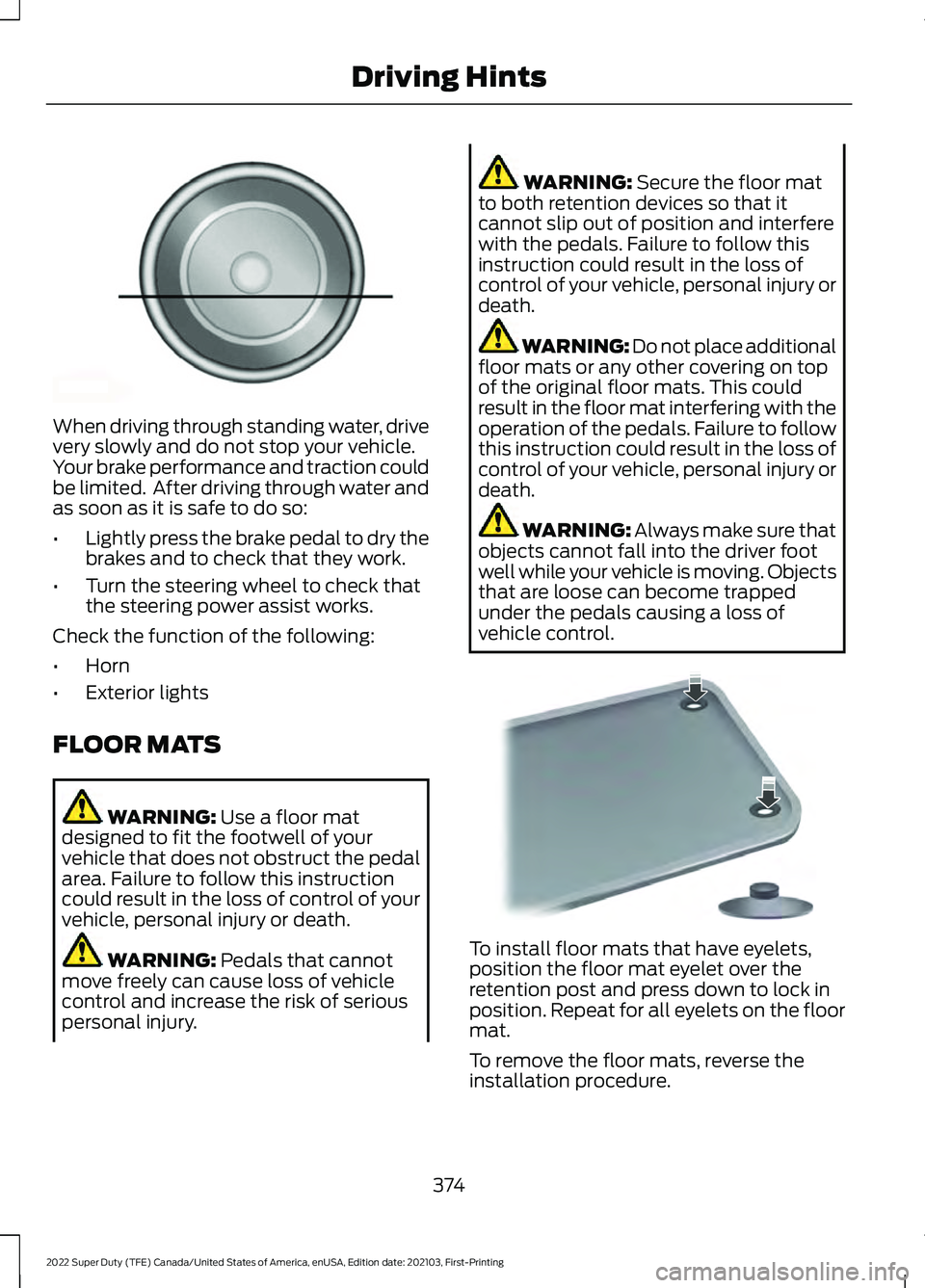
When driving through standing water, drive
very slowly and do not stop your vehicle.
Your brake performance and traction could
be limited. After driving through water and
as soon as it is safe to do so:
•
Lightly press the brake pedal to dry the
brakes and to check that they work.
• Turn the steering wheel to check that
the steering power assist works.
Check the function of the following:
• Horn
• Exterior lights
FLOOR MATS WARNING: Use a floor mat
designed to fit the footwell of your
vehicle that does not obstruct the pedal
area. Failure to follow this instruction
could result in the loss of control of your
vehicle, personal injury or death. WARNING:
Pedals that cannot
move freely can cause loss of vehicle
control and increase the risk of serious
personal injury. WARNING:
Secure the floor mat
to both retention devices so that it
cannot slip out of position and interfere
with the pedals. Failure to follow this
instruction could result in the loss of
control of your vehicle, personal injury or
death. WARNING: Do not place additional
floor mats or any other covering on top
of the original floor mats. This could
result in the floor mat interfering with the
operation of the pedals. Failure to follow
this instruction could result in the loss of
control of your vehicle, personal injury or
death. WARNING:
Always make sure that
objects cannot fall into the driver foot
well while your vehicle is moving. Objects
that are loose can become trapped
under the pedals causing a loss of
vehicle control. To install floor mats that have eyelets,
position the floor mat eyelet over the
retention post and press down to lock in
position. Repeat for all eyelets on the floor
mat.
To remove the floor mats, reverse the
installation procedure.
374
2022 Super Duty (TFE) Canada/United States of America, enUSA, Edition date: 202103, First-Printing Driving HintsE176913 E142666
Page 387 of 740
TOWING YOUR VEHICLE
PRECAUTIONS
Use the following guidelines when towing
your vehicle. Failure to follow this
instruction could result in vehicle damage
not covered by the vehicle warranty.
Note:
Make sure you properly secure your
vehicle to the tow vehicle.
Note: If you are unsure of the vehicle ’s
configuration, contact an authorized dealer.
RECREATIONALLY TOWING
YOUR VEHICLE - 4X4 WARNING: Do not disconnect the
battery when recreationally towing your
vehicle. This prevents the transfer case
from shifting properly and could cause
the vehicle to roll, even if the
transmission is in park (P). WARNING:
Placing the transfer
case in its neutral position could cause
your vehicle to freely roll. Make sure you
press and hold the brake pedal and the
vehicle is in a secure, safe position when
you place the transfer case in its neutral
position.
Follow these guidelines if you have a need
for recreational towing. An example of
recreational towing would be towing your
vehicle behind a motorhome. These
guidelines are to make sure that you do
not damage the transmission. You can only tow your vehicle with all
wheels on the ground by placing the
transfer case in its neutral position and
engaging the recreational tow feature.
Perform the following steps after
positioning your vehicle behind the tow
vehicle and properly securing them
together.
Note:
Put your climate control system in
recirculated air mode to prevent exhaust
fumes from entering your vehicle.
Note: Failure to put the transfer case in its
neutral position can damage vehicle
components.
Note: You can check the towing status at
any time by opening the driver door or
turning the ignition to the accessory or on
position. Neutral Tow Enabled Leave
Transmission in Neutral
appears in the
instrument cluster display to confirm you
can recreationally tow your vehicle.
Note: If your vehicle has an anti-theft
alarm, make sure you switch perimeter
sensing on when towing. See
Setting the
Alarm Security Level (page 107).
Switching
Neutral Tow On
1. Place your vehicle in accessory mode by pressing the push button ignition
switch once without pressing the brake
pedal or by turning the ignition key to
the on position.
2. Press and hold the brake pedal.
3. Rotate the four-wheel drive control to 2H
.
4. Shift into neutral (N).
5. Using the instrument cluster controls on the steering wheel, select Settings.
6. Select
Advanced Settings.
7. Select
Vehicle.
8. Select
Neutral Tow.
384
2022 Super Duty (TFE) Canada/United States of America, enUSA, Edition date: 202103, First-Printing Towing Your Vehicle
Page 388 of 740
9. Press and hold the OK button until a
confirmation message appears in the
information display.
Note: If completed successfully, the
information display shows
Neutral Tow
Enabled Leave Transmission in Neutral.
This indicates that your vehicle is safe to
tow with all wheels on the ground.
Note: If you do not see a confirmation
message in the instrument cluster display,
you must perform the procedure again from
the beginning.
Note: You may hear noise as the transfer
case shifts into its neutral position. This is
normal.
10. Leave the transmission in neutral (N)
and switch your vehicle off by
pressing the push button ignition
switch once without pressing the
brake pedal or turning the key as far
toward the off position.
Note: Vehicles with keys do not turn to the
off position when the transmission is in
neutral (N). You must leave the key in the
ignition when towing. Use the keyless entry
keypad or an extra set of keys to lock and
unlock your vehicle.
Switching
Neutral Tow Off
1. With your vehicle properly secured to the tow vehicle, place your vehicle in
accessory mode by pressing the push
button ignition switch once without
pressing the brake pedal or by turning
the ignition key to the on position.
2. Press and hold the brake pedal.
3. Shift out of neutral (N).
4. Release the brake pedal.
Note: If completed successfully, the
instrument cluster displays 2H and Neutral
Tow Disabled
. Note:
You must perform the switching
neutral tow on and switching neutral tow
off procedures again from the beginning if
the indicator light and message do not
display.
Note: You may hear a noise as the transfer
case shifts out of its neutral position. This
is normal.
5. Apply the parking brake, then disconnect your vehicle from the tow
vehicle.
6. Release the parking brake, start the engine, and shift into drive (D) to make
sure the transfer case is out of the
neutral tow position.
7. If the transfer case does not successfully shift out of its neutral
position, set the parking brake. Have
your vehicle checked as soon as
possible.
Resolving the
Shift Delayed Pull
Forward Message
1. Press and hold the brake pedal.
2. Start your vehicle.
3. Shift into neutral (N).
4. With the vehicle running, shift into drive
(D) and let the vehicle roll forward up
to
3 ft (1 m).
Note: You may hear a noise as the transfer
case shifts out of its neutral position. This
is normal.
5. Make sure the instrument cluster displays
Neutral Tow Disabled.
385
2022 Super Duty (TFE) Canada/United States of America, enUSA, Edition date: 202103, First-Printing Towing Your Vehicle
Page 389 of 740
RECREATIONALLY TOWING
YOUR VEHICLE - 4X2
You cannot recreational tow your vehicle
with all wheels on the ground because
vehicle or transmission damage could
occur. You must recreational tow your
vehicle with all four wheels off the ground,
such as when using a car-hauling trailer.
Otherwise, you cannot recreational tow
your vehicle.
EMERGENCY TOWING
If your vehicle becomes inoperable without
access to wheel dollies or a vehicle
transport trailer, it can be flat-towed with
all wheels on the ground, regardless of the
powertrain and transmission configuration,
under the following conditions:
•
Your vehicle is facing forward for
towing in a forward direction.
• The transmission is in neutral (N). If
you cannot move the transmission into
neutral (N), use the brake shift
interlock procedure. See Using Brake
Shift Interlock (page 226). Failure to
do so could result in damage to the
transmission.
• Maximum speed is 35 mph (56 km/h).
• Maximum distance is
50 mi (80 km).
TOWING YOUR VEHICLE – TROUBLESHOOTING
TOWING YOUR VEHICLE – INFORMATION MESSAGES Details
Message
The transfer case is in the neutral position and your vehicle is safeto tow with all four wheels on the ground.
Neutral Tow
Enabled Leave
Transmission in Neutral
There is a transfer case gear tooth blockage present. With your
vehicle on, shift the transmission into drive (D) and let the vehicle roll forward, up to
3 ft (1 m).
Shift Delayed Pull
Forward
The transfer case is not in the neutral position and your vehicle isnot safe to tow with all four wheels on the ground.
Neutral Tow
Disabled
386
2022 Super Duty (TFE) Canada/United States of America, enUSA, Edition date: 202103, First-Printing Towing Your Vehicle