brake FORD SUPER DUTY 2022 Repair Manual
[x] Cancel search | Manufacturer: FORD, Model Year: 2022, Model line: SUPER DUTY, Model: FORD SUPER DUTY 2022Pages: 740, PDF Size: 9.95 MB
Page 289 of 740
WHAT IS THE LANE KEEPING
SYSTEM
The lane keeping system alerts you by
providing temporary steering wheel
vibration when it detects an unintended
lane departure.
HOW DOES THE LANE
KEEPING SYSTEM WORK
The lane keeping system uses a forward
looking camera mounted on the windshield
to monitor vehicle movement within the
travel lane.
When the camera detects a drift out of the
travel lane, the lane keeping system alerts
the driver by vibrating the steering wheel.
The driver can select the steering wheel
vibration intensity.
LANE KEEPING SYSTEM
PRECAUTIONS
WARNING: You are responsible for
controlling your vehicle at all times. The
system is designed to be an aid and does
not relieve you of your responsibility to
drive with due care and attention. Failure
to follow this instruction could result in
the loss of control of your vehicle,
personal injury or death. WARNING: The system will not
operate if the sensor cannot track the
road lane markings. WARNING:
The sensor may
incorrectly track lane markings as other
structures or objects. This can result in
a false or missed warning. WARNING:
In cold and severe
weather conditions the system may not
function. Rain, snow and spray can all
limit sensor performance. WARNING:
The system may not
operate properly if the sensor is blocked.
Keep the windshield free from
obstruction. WARNING:
If damage occurs in the
immediate area surrounding the sensor,
have your vehicle checked as soon as
possible. WARNING:
The system may not
correctly operate if your vehicle is fitted
with a suspension kit not approved by
us. WARNING:
Large contrasts in
outside lighting can limit sensor
performance.
LANE KEEPING SYSTEM
LIMITATIONS
The lane keeping system only operates
when the vehicle speed is greater than
40 mph (64 km/h)
.
The system works when the camera can
detect at least one lane marking.
The lane keeping system may not correctly
operate in any of the following conditions:
• The lane keeping system does not
detect at least one lane marking.
• You switch the turn signal on.
• You apply direct steering, accelerate
fast or brake hard.
• The vehicle speed is less than
40 mph
(64 km/h).
• The anti-lock brake, stability control or
traction control system activates.
286
2022 Super Duty (TFE) Canada/United States of America, enUSA, Edition date: 202103, First-Printing Lane Keeping System
(If Equipped)
Page 297 of 740
When you switch blind spot information
system off, a warning lamp illuminates and
a message displays. When you switch the
system on or off, the alert indicators flash
twice.
Note:
The system remembers the last
setting when you start your vehicle.
To permanently switch the system off,
contact an authorized dealer.
SWITCHING BLIND SPOT
INFORMATION SYSTEM ON
AND OFF - VEHICLES WITH: 8
INCH SCREEN
To switch the system on or off, use the
instrument cluster display:
1. Select Driver Assist.
2. Select
Blind Spot.
3. Switch the feature on or off.
When you switch blind spot information
system off, a warning lamp illuminates and
a message displays. When you switch the
system on or off, the alert indicators flash
twice.
Note: The system remembers the last
setting when you start your vehicle.
To permanently switch the system off,
contact an authorized dealer. LOCATING THE BLIND SPOT
INFORMATION SYSTEM
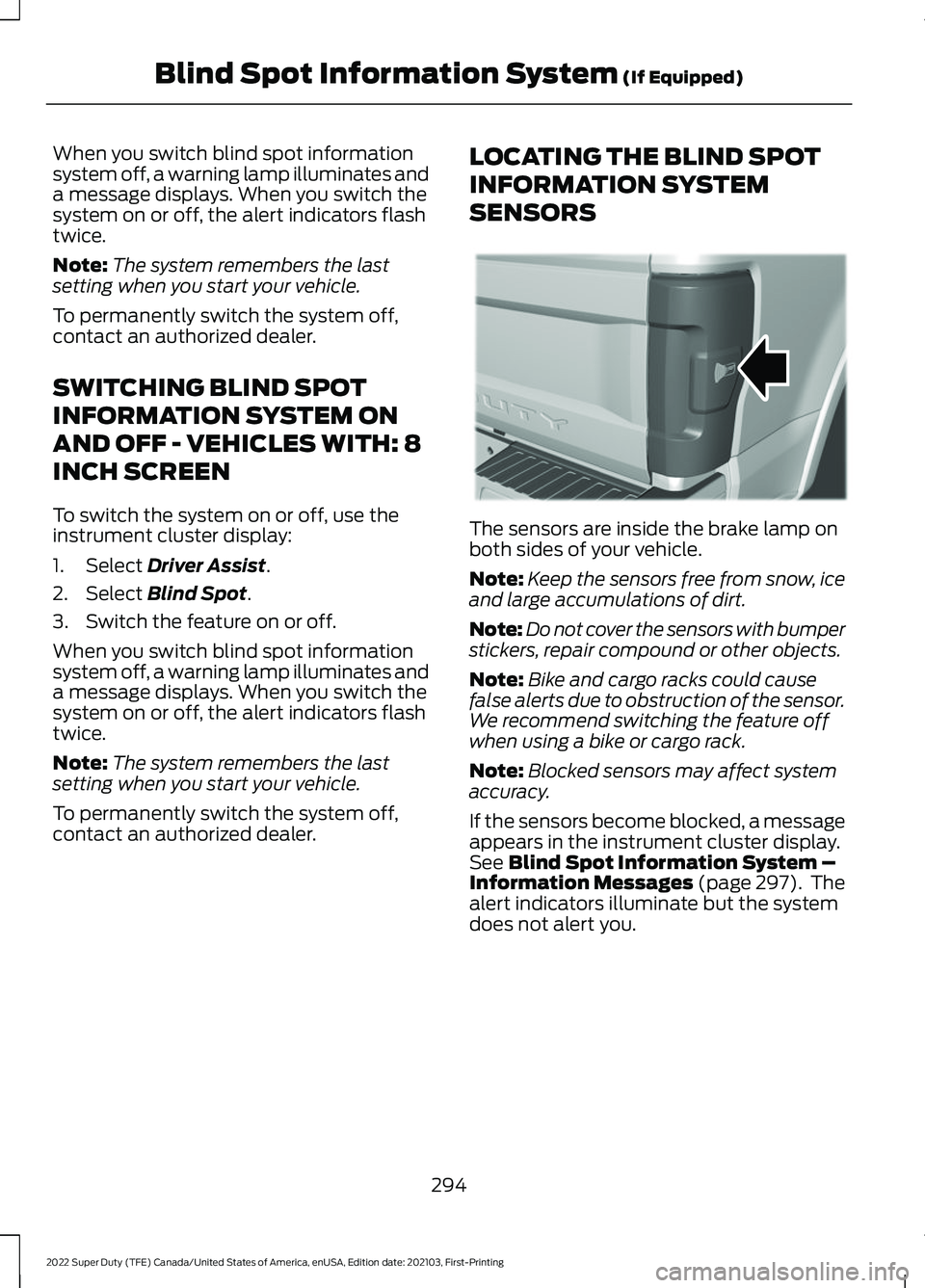
SENSORS The sensors are inside the brake lamp on
both sides of your vehicle.
Note:
Keep the sensors free from snow, ice
and large accumulations of dirt.
Note: Do not cover the sensors with bumper
stickers, repair compound or other objects.
Note: Bike and cargo racks could cause
false alerts due to obstruction of the sensor.
We recommend switching the feature off
when using a bike or cargo rack.
Note: Blocked sensors may affect system
accuracy.
If the sensors become blocked, a message
appears in the instrument cluster display.
See
Blind Spot Information System –
Information Messages (page 297). The
alert indicators illuminate but the system
does not alert you.
294
2022 Super Duty (TFE) Canada/United States of America, enUSA, Edition date: 202103, First-Printing Blind Spot Information System
(If Equipped)E231384
Page 302 of 740
Cross Traffic Alert Limitations
with a Trailer Attached
The system remains on when you attach
a trailer in vehicles with blind spot
information system with trailer tow under
the following conditions:
•
You connect a trailer.
• The trailer is a bike rack or cargo rack
with a maximum length of 3 ft (1 m).
• You set the trailer length to
3 ft (1 m)
in the instrument cluster display.
Note: The system may not correctly operate
when towing a trailer. For vehicles with an
approved trailer tow module and tow bar,
the system turns off when you attach a
trailer. For vehicles with an aftermarket
trailer tow module or tow bar, we
recommend that you switch the system off
when you attach a trailer.
SWITCHING CROSS TRAFFIC
ALERT ON AND OFF -
VEHICLES WITH: 4.2 INCH
SCREEN
To switch the system on or off, use the
instrument cluster display:
1. Select
Driver Assist.
2. Select
Cross Traffic Alert.
3. Switch the feature on or off.
Note: The system switches on every time
you switch the ignition on. To permanently
switch the system off, contact an authorized
dealer. SWITCHING CROSS TRAFFIC
ALERT ON AND OFF -
VEHICLES WITH: 8 INCH
SCREEN
To switch the system on or off, use the
instrument cluster display:
1. Select
Driver Assist.
2. Select
Cross Traffic Alert.
3. Switch the feature on or off.
Note: The system switches on every time
you switch the ignition on. To permanently
switch the system off, contact an authorized
dealer.
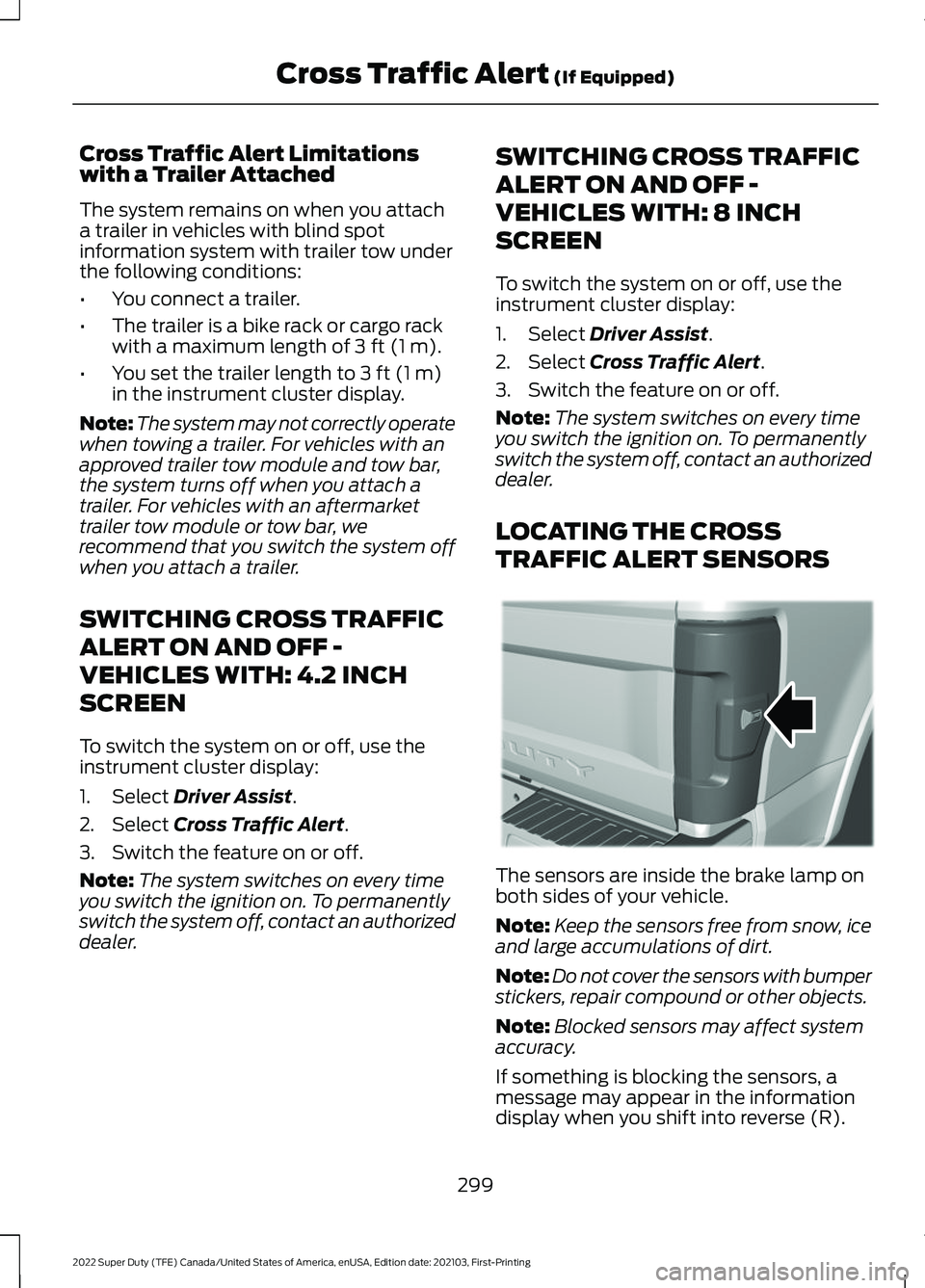
LOCATING THE CROSS
TRAFFIC ALERT SENSORS The sensors are inside the brake lamp on
both sides of your vehicle.
Note:
Keep the sensors free from snow, ice
and large accumulations of dirt.
Note: Do not cover the sensors with bumper
stickers, repair compound or other objects.
Note: Blocked sensors may affect system
accuracy.
If something is blocking the sensors, a
message may appear in the information
display when you shift into reverse (R).
299
2022 Super Duty (TFE) Canada/United States of America, enUSA, Edition date: 202103, First-Printing Cross Traffic Alert
(If Equipped)E231384
Page 304 of 740
WHAT IS PRE-COLLISION
ASSIST
Pre-collision assist detects and warns of
approaching hazards in the roadway. If
your vehicle is rapidly approaching another
stationary vehicle, a vehicle traveling in the
same direction as yours, or a pedestrian
within your driving path, the system
provides multiple levels of assistance to
help avoid a collision.
HOW DOES PRE-COLLISION
ASSIST WORK
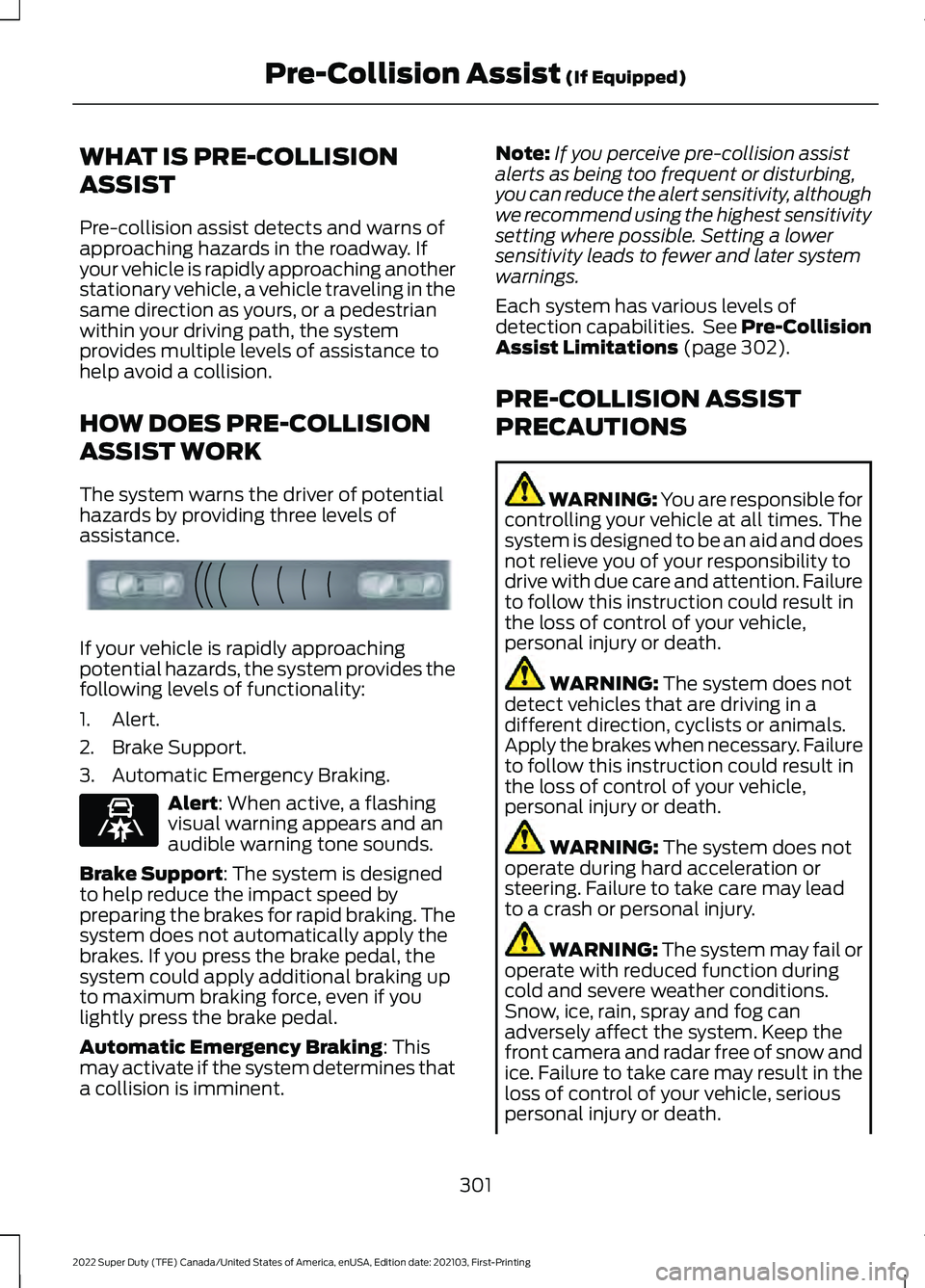
The system warns the driver of potential
hazards by providing three levels of
assistance.
If your vehicle is rapidly approaching
potential hazards, the system provides the
following levels of functionality:
1. Alert.
2. Brake Support.
3. Automatic Emergency Braking.
Alert: When active, a flashing
visual warning appears and an
audible warning tone sounds.
Brake Support
: The system is designed
to help reduce the impact speed by
preparing the brakes for rapid braking. The
system does not automatically apply the
brakes. If you press the brake pedal, the
system could apply additional braking up
to maximum braking force, even if you
lightly press the brake pedal.
Automatic Emergency Braking
: This
may activate if the system determines that
a collision is imminent. Note:
If you perceive pre-collision assist
alerts as being too frequent or disturbing,
you can reduce the alert sensitivity, although
we recommend using the highest sensitivity
setting where possible. Setting a lower
sensitivity leads to fewer and later system
warnings.
Each system has various levels of
detection capabilities. See Pre-Collision
Assist Limitations
(page 302).
PRE-COLLISION ASSIST
PRECAUTIONS WARNING: You are responsible for
controlling your vehicle at all times. The
system is designed to be an aid and does
not relieve you of your responsibility to
drive with due care and attention. Failure
to follow this instruction could result in
the loss of control of your vehicle,
personal injury or death. WARNING:
The system does not
detect vehicles that are driving in a
different direction, cyclists or animals.
Apply the brakes when necessary. Failure
to follow this instruction could result in
the loss of control of your vehicle,
personal injury or death. WARNING:
The system does not
operate during hard acceleration or
steering. Failure to take care may lead
to a crash or personal injury. WARNING: The system may fail or
operate with reduced function during
cold and severe weather conditions.
Snow, ice, rain, spray and fog can
adversely affect the system. Keep the
front camera and radar free of snow and
ice. Failure to take care may result in the
loss of control of your vehicle, serious
personal injury or death.
301
2022 Super Duty (TFE) Canada/United States of America, enUSA, Edition date: 202103, First-Printing Pre-Collision Assist
(If Equipped)E156130 E329466
Page 305 of 740
WARNING: Take additional care if
your vehicle is heavily loaded or you are
towing a trailer. These conditions could
result in reduced performance of this
system. Failure to follow this instruction
could result in the loss of control of your
vehicle, personal injury or death. WARNING:
The system cannot
help prevent all crashes. Do not rely on
this system to replace driver judgment
and the need to maintain a safe distance
and speed. WARNING:
In situations where the
vehicle camera has limited detection
capability, this may reduce system
performance. These situations include
but are not limited to direct or low
sunlight, vehicles at night without tail
lights, unconventional vehicle types,
pedestrians with complex backgrounds,
running pedestrians, partly obscured
pedestrians, or pedestrians that the
system cannot distinguish from a group.
Failure to take care may result in the loss
of control of your vehicle, serious
personal injury or death.
PRE-COLLISION ASSIST
LIMITATIONS
Pre-collision assist depends on the
detection ability of its camera and sensors.
Any obstructions or damage to these areas
can limit detection or prevent the system
from functioning.
See Locating the
Pre-Collision Assist Sensors (page 303).
The system is active at speeds above
3 mph (5 km/h)
.
Note: The Pre-Collision Assist system
disables when you select
4X4 LOW, Deep
Snow/Sand mode, Rock Crawl mode, or
when you manually disable AdvanceTrac ™.Note:
Brake support and automatic
emergency braking are active at speeds up
to 80 mph (130 km/h). If your vehicle has a
radar sensor included with adaptive cruise
control, then brake support and automatic
emergency braking are active up to the
maximum speed of the vehicle.
Pedestrian Detection Limitations
Pedestrian detection is active at speeds
up to
50 mph (80 km/h).
Pedestrian detection operates optimally
when detected hazards are clearly
identifiable. System performance may
reduce in situations where pedestrians are
running, partly obscured, have a complex
background, or cannot be distinguished
from a group.
SWITCHING PRE-COLLISION
ASSIST ON AND OFF -
VEHICLES WITH: 2.3 INCH
SCREEN
To switch the system on or off, use the
instrument cluster display:
1. Select
Driver Assist.
2. Select
Pre-Collision.
3. Switch the feature on or off.
Note: If your vehicle has a radar sensor, we
recommend that you switch the system off
if you install a snow plow or similar object
in such a way that it may block the radar
sensor. Your vehicle remembers the selected
setting across key cycles.
302
2022 Super Duty (TFE) Canada/United States of America, enUSA, Edition date: 202103, First-Printing Pre-Collision Assist
(If Equipped)
Page 316 of 740
WHAT IS THE GROSS
COMBINED WEIGHT RATING
Gross Combined Weight Rating
(GCWR) is the maximum
allowable weight of the vehicle
and the loaded trailer, including
all cargo and passengers, that the
vehicle can handle without risking
damage. (Important: The towing
vehicle
’s braking system is rated
for operation at Gross Vehicle
Weight Rating, not at Gross Combined Weight Rating.)
Separate functional brakes should
be used for safe control of towed
vehicles and for trailers where the
Gross Combined Weight of the
towing vehicle plus the trailer
exceed the Gross Vehicle Weight
Rating of the towing vehicle.
Note:
For trailer towing
information refer to the RV and
Trailer Towing Guide available at
an authorized dealer, or online at
the website that follows. RV & Trailer Towing Guide Online
www .fl e e t.f or d . c om/ t o wing-g uide sWebsite
313
2022 Super Duty (TFE) Canada/United States of America, enUSA, Edition date: 202103, First-Printing Load Carrying
Page 328 of 740
Website
Market
ht tp s:/ /
www .fl e e t.f or d . c om/
t o wing-g uide s/United States of
America
ht tp s:/ /
www .fl e e t.f or d . c a/
t o wing-g uide s/Canada
FIFTH-WHEEL TRAILER HITCH
Your vehicle has a fifth-wheel prep
package. This package enables your
vehicle to accept certain fifth-wheel trailer
hitches and gooseneck ball hitches. The
fifth-wheel trailer hitch attaches to the four
mounting pads in the pick-up bed. A 7-pin
trailer wiring connector could be in the bed
as well. The gooseneck ball hitch is a
separate mounting pad from the
fifth-wheel hitch in the center of the bed.
Shorter pick-up boxes provide less
clearance between the cab and the
fifth-wheel and gooseneck trailer
compared to longer box pick-ups. When
selecting a trailer and tow vehicle, it is
critical to check that this combination
provides clearance between the front of
the trailer and tow vehicle for turns up to
90°. Failure to follow this recommendation
could result in the trailer contacting the
cab of the tow vehicle during tight turns
that are typical during low-speed parking
and turning maneuvers. This contact could
result in damage to the trailer and tow
vehicle.
Note: Contact an authorized dealer to
purchase gooseneck and fifth-wheel hitches
that are compatible with your vehicle.
Note: The mounting pads in the bed are
specifically designed for certain fifth-wheel
trailer hitches and gooseneck ball hitches.
Do not use these mounting pads for other
purposes. CONNECTING A TRAILER
Recognizing a Trailer
1.
Attach the trailer and wiring connector
to your vehicle.
2. Switch on your vehicle.
3. Set up a profile for the trailer using the
instrument cluster display.
Note: If your vehicle does not recognize the
trailer, press and hold the brake pedal for a
few seconds.
Note: Trailer profiles store trailer types,
dimensions, preferences, trailer specific
mileage and fuel economy.
Note: Disabling the trailer detection
notification makes the default trailer profile
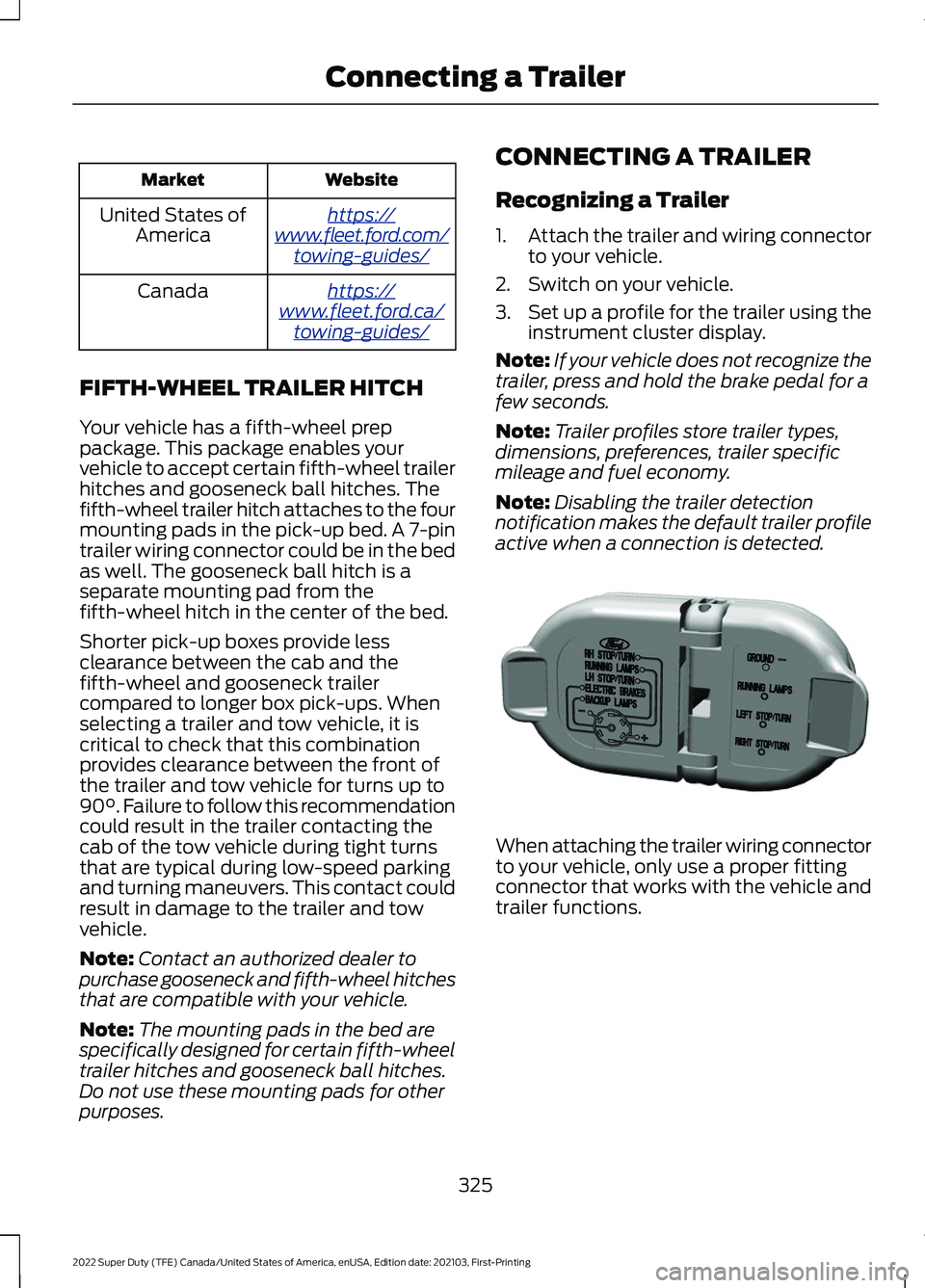
active when a connection is detected. When attaching the trailer wiring connector
to your vehicle, only use a proper fitting
connector that works with the vehicle and
trailer functions.
325
2022 Super Duty (TFE) Canada/United States of America, enUSA, Edition date: 202103, First-Printing Connecting a TrailerE163167
Page 329 of 740
Trailer Light Check
WARNING: Never connect any
trailer lamp wiring to the vehicle's tail
lamp wiring; this may damage the
electrical system resulting in fire. Contact
your authorized dealer as soon as
possible for assistance in proper trailer
tow wiring installation. Additional
electrical equipment may be required.
Most towed vehicles require trailer lamps.
Make sure all running lights, brake lights,
turn signals and hazard lights are working.
Safety Chains
Install trailer safety chains to the trailer
hitch as recommended by the
manufacturer. Cross the chains under the
trailer coupler and allow enough slack for
turning tight corners. Do not allow the
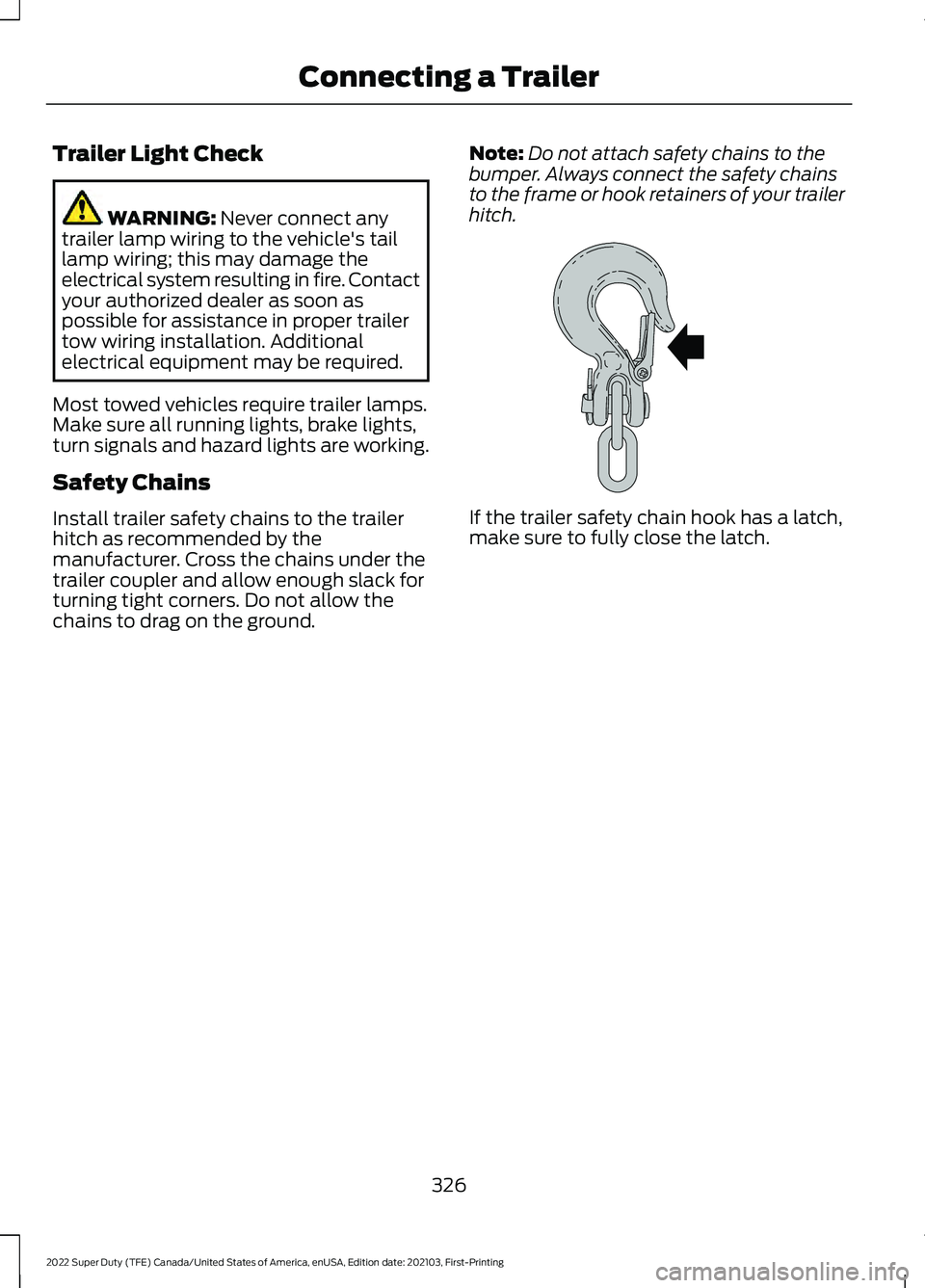
chains to drag on the ground. Note:
Do not attach safety chains to the
bumper. Always connect the safety chains
to the frame or hook retainers of your trailer
hitch. If the trailer safety chain hook has a latch,
make sure to fully close the latch.
326
2022 Super Duty (TFE) Canada/United States of America, enUSA, Edition date: 202103, First-Printing Connecting a TrailerE265060
Page 330 of 740
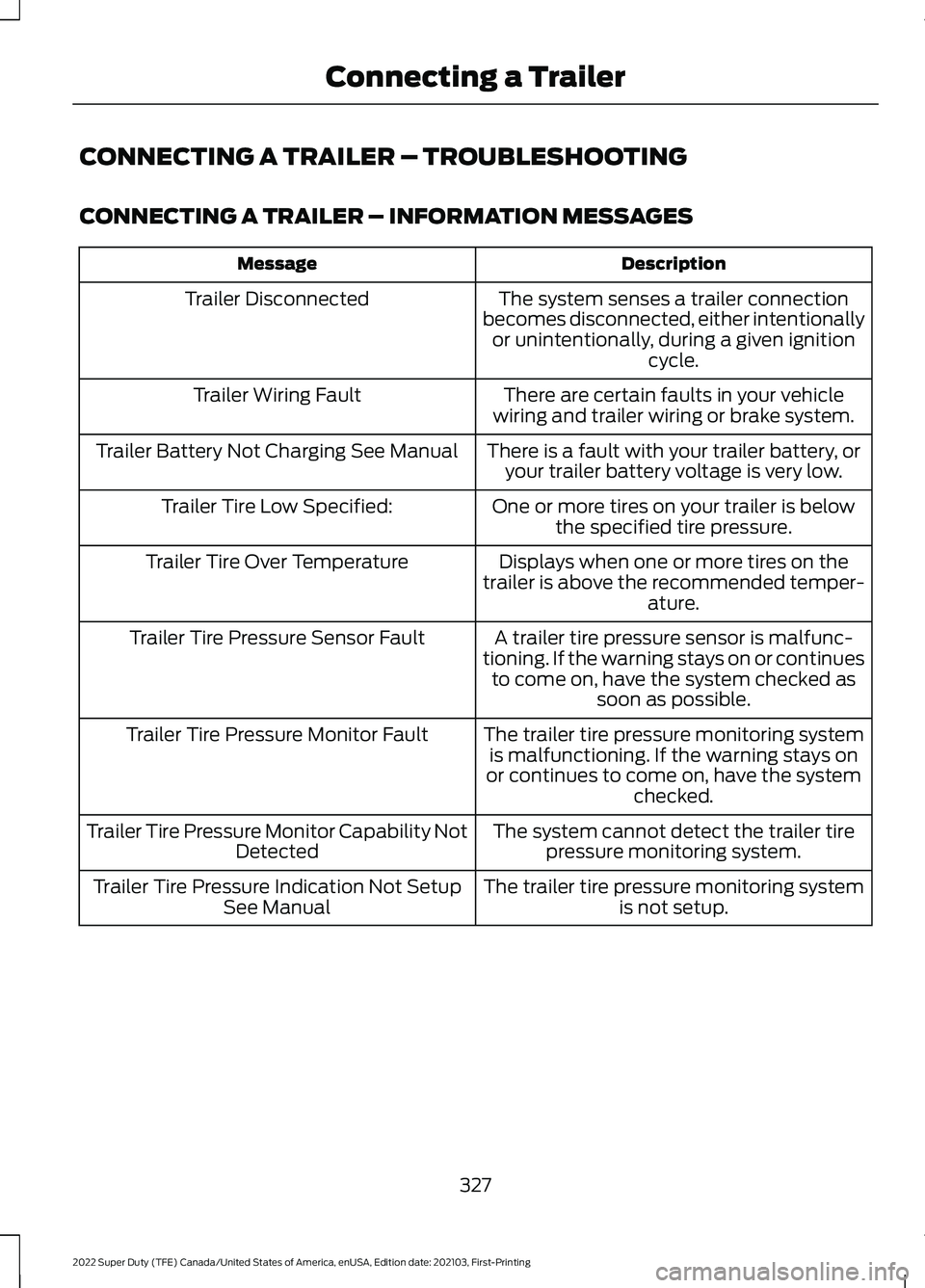
CONNECTING A TRAILER – TROUBLESHOOTING
CONNECTING A TRAILER – INFORMATION MESSAGES
Description
Message
The system senses a trailer connection
becomes disconnected, either intentionally or unintentionally, during a given ignition cycle.
Trailer Disconnected
There are certain faults in your vehicle
wiring and trailer wiring or brake system.
Trailer Wiring Fault
There is a fault with your trailer battery, oryour trailer battery voltage is very low.
Trailer Battery Not Charging See Manual
One or more tires on your trailer is belowthe specified tire pressure.
Trailer Tire Low Specified:
Displays when one or more tires on the
trailer is above the recommended temper- ature.
Trailer Tire Over Temperature
A trailer tire pressure sensor is malfunc-
tioning. If the warning stays on or continues to come on, have the system checked as soon as possible.
Trailer Tire Pressure Sensor Fault
The trailer tire pressure monitoring systemis malfunctioning. If the warning stays on
or continues to come on, have the system checked.
Trailer Tire Pressure Monitor Fault
The system cannot detect the trailer tirepressure monitoring system.
Trailer Tire Pressure Monitor Capability Not
Detected
The trailer tire pressure monitoring systemis not setup.
Trailer Tire Pressure Indication Not Setup
See Manual
327
2022 Super Duty (TFE) Canada/United States of America, enUSA, Edition date: 202103, First-Printing Connecting a Trailer
Page 331 of 740
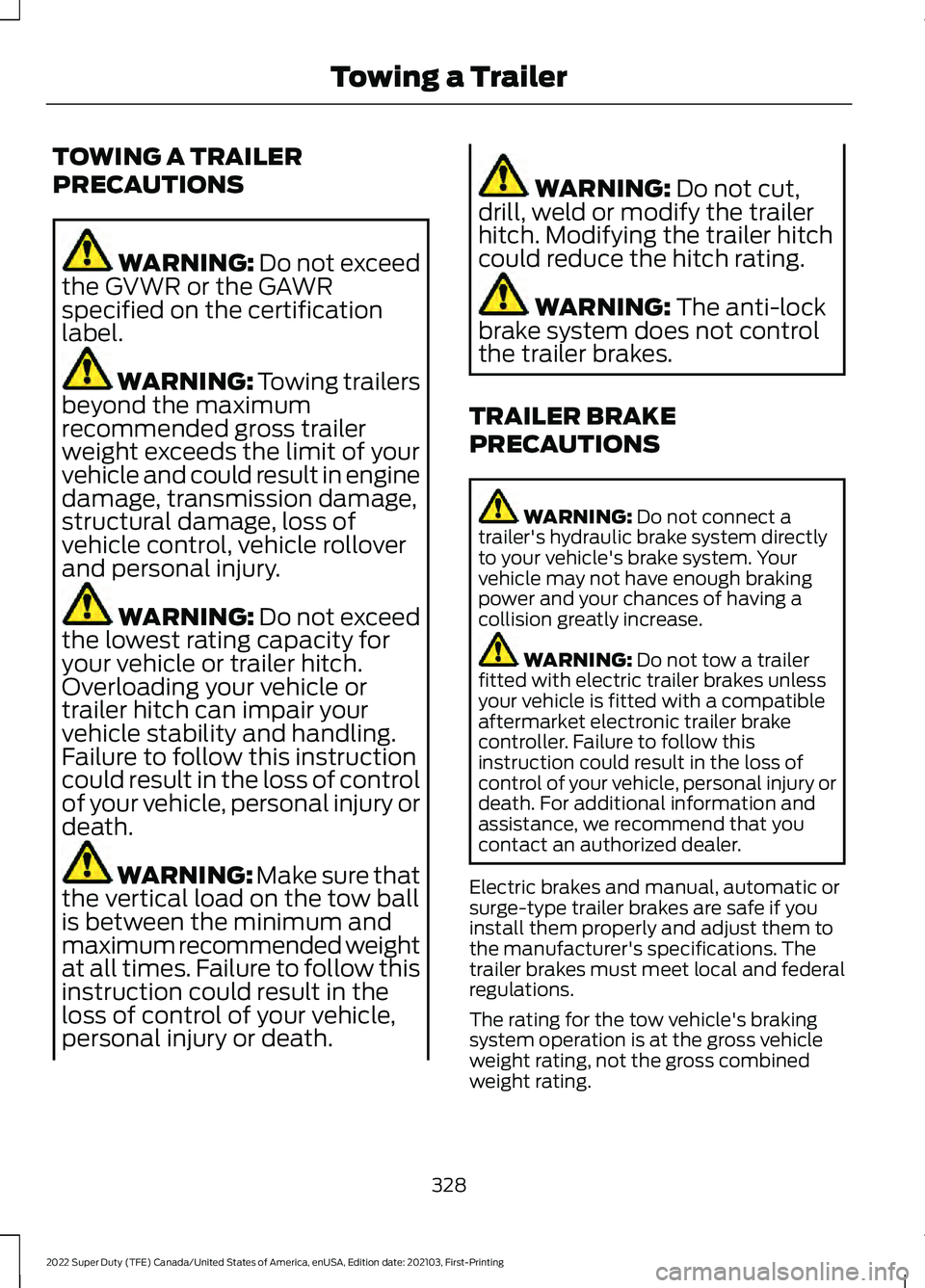
TOWING A TRAILER
PRECAUTIONS
WARNING: Do not exceed
the GVWR or the GAWR
specified on the certification
label. WARNING:
Towing trailers
beyond the maximum
recommended gross trailer
weight exceeds the limit of your
vehicle and could result in engine
damage, transmission damage,
structural damage, loss of
vehicle control, vehicle rollover
and personal injury. WARNING:
Do not exceed
the lowest rating capacity for
your vehicle or trailer hitch.
Overloading your vehicle or
trailer hitch can impair your
vehicle stability and handling.
Failure to follow this instruction
could result in the loss of control
of your vehicle, personal injury or
death. WARNING: Make sure that
the vertical load on the tow ball
is between the minimum and
maximum recommended weight
at all times. Failure to follow this
instruction could result in the
loss of control of your vehicle,
personal injury or death. WARNING:
Do not cut,
drill, weld or modify the trailer
hitch. Modifying the trailer hitch
could reduce the hitch rating. WARNING:
The anti-lock
brake system does not control
the trailer brakes.
TRAILER BRAKE
PRECAUTIONS WARNING:
Do not connect a
trailer's hydraulic brake system directly
to your vehicle's brake system. Your
vehicle may not have enough braking
power and your chances of having a
collision greatly increase. WARNING:
Do not tow a trailer
fitted with electric trailer brakes unless
your vehicle is fitted with a compatible
aftermarket electronic trailer brake
controller. Failure to follow this
instruction could result in the loss of
control of your vehicle, personal injury or
death. For additional information and
assistance, we recommend that you
contact an authorized dealer.
Electric brakes and manual, automatic or
surge-type trailer brakes are safe if you
install them properly and adjust them to
the manufacturer's specifications. The
trailer brakes must meet local and federal
regulations.
The rating for the tow vehicle's braking
system operation is at the gross vehicle
weight rating, not the gross combined
weight rating.
328
2022 Super Duty (TFE) Canada/United States of America, enUSA, Edition date: 202103, First-Printing Towing a Trailer