brake light FORD SUPER DUTY 2023 User Guide
[x] Cancel search | Manufacturer: FORD, Model Year: 2023, Model line: SUPER DUTY, Model: FORD SUPER DUTY 2023Pages: 738, PDF Size: 18.49 MB
Page 304 of 738
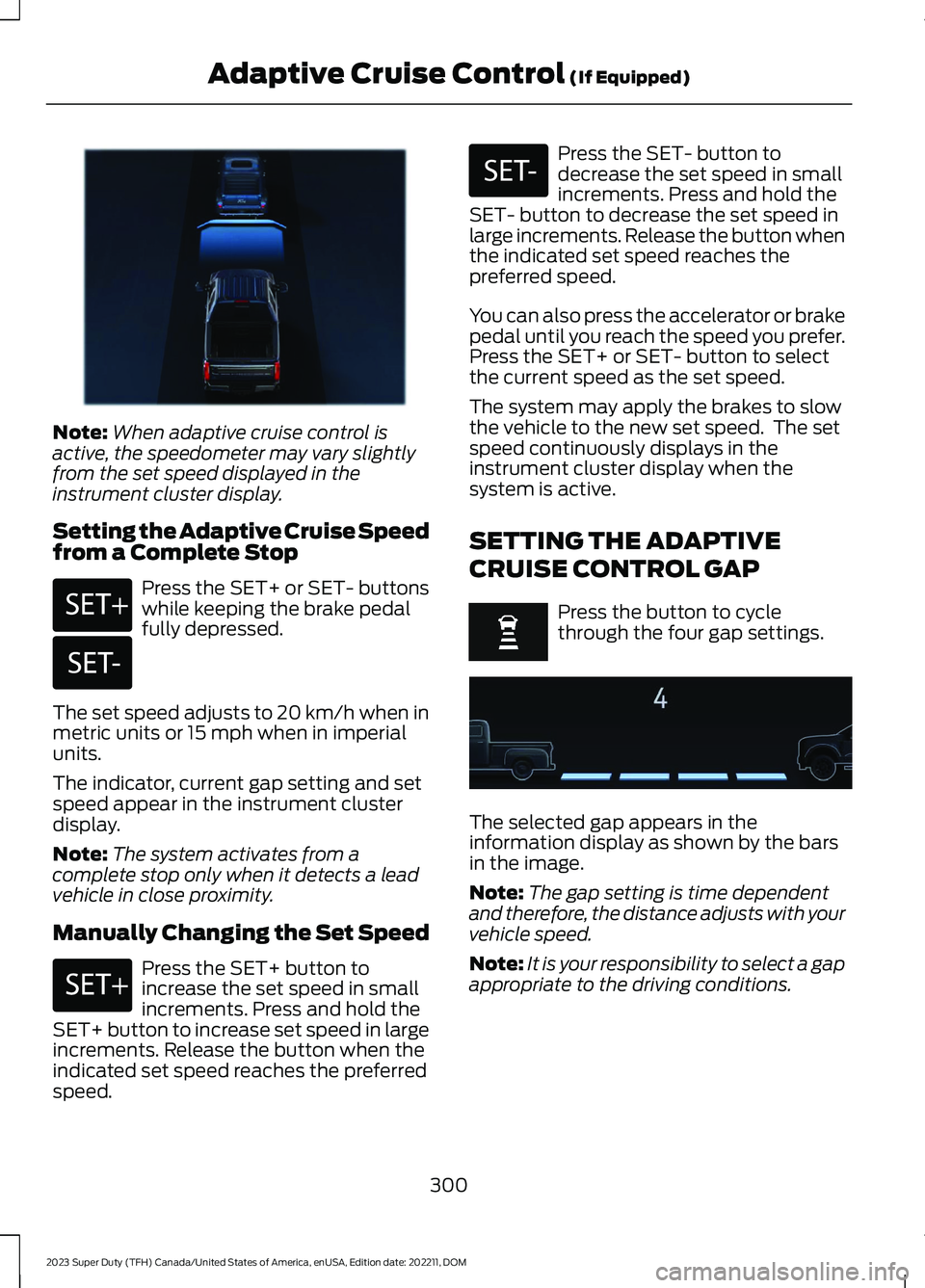
Note:When adaptive cruise control isactive, the speedometer may vary slightlyfrom the set speed displayed in theinstrument cluster display.
Setting the Adaptive Cruise Speedfrom a Complete Stop
Press the SET+ or SET- buttonswhile keeping the brake pedalfully depressed.
The set speed adjusts to 20 km/h when inmetric units or 15 mph when in imperialunits.
The indicator, current gap setting and setspeed appear in the instrument clusterdisplay.
Note:The system activates from acomplete stop only when it detects a leadvehicle in close proximity.
Manually Changing the Set Speed
Press the SET+ button toincrease the set speed in smallincrements. Press and hold theSET+ button to increase set speed in largeincrements. Release the button when theindicated set speed reaches the preferredspeed.
Press the SET- button todecrease the set speed in smallincrements. Press and hold theSET- button to decrease the set speed inlarge increments. Release the button whenthe indicated set speed reaches thepreferred speed.
You can also press the accelerator or brakepedal until you reach the speed you prefer.Press the SET+ or SET- button to selectthe current speed as the set speed.
The system may apply the brakes to slowthe vehicle to the new set speed. The setspeed continuously displays in theinstrument cluster display when thesystem is active.
SETTING THE ADAPTIVE
CRUISE CONTROL GAP
Press the button to cyclethrough the four gap settings.
The selected gap appears in theinformation display as shown by the barsin the image.
Note:The gap setting is time dependentand therefore, the distance adjusts with yourvehicle speed.
Note:It is your responsibility to select a gapappropriate to the driving conditions.
300
2023 Super Duty (TFH) Canada/United States of America, enUSA, Edition date: 202211, DOMAdaptive Cruise Control (If Equipped)E380799 E246884 E246885 E246884 E246885 E375589
Page 309 of 738
The indicator appears in the instrumentcluster display. When the system is on, thecolor of the indicator changes to indicatethe system status.
You can override the system at any timeby steering your vehicle.
Note:The correct requirements must bemet before you can switch the system on.See Lane Centering Requirements (page304).
Enabling and Disabling LaneCentering
1.Press Features on the touchscreen.
2.Press Driver Assistance.
3.Press Cruise Control.
4.Press Lane Centering Assist.
LANE CENTERING ALERTS
You must keep your hands on the steeringwheel at all times.
When the system is active and detects nosteering activity for a period of time, thesystem alerts you to put your hands on thesteering wheel. If you do not reactappropriately to the warnings the adaptivecruise control with lane centering systemcancels and slows your vehicle down toidle speeds while maintaining steeringcontrol. See Lane Centering AutomaticCancellation (page 305).
The system also alerts you if your vehiclecrosses lane line markings withoutdetected steering activity.
Note:The system could detect a light gripor light touch on the steering wheel ashands-off driving.
LANE CENTERING AUTOMATICCANCELLATION
When an external condition cancels thesystem, and your hands are on the steeringwheel, a tone sounds and a messageappears in the instrument cluster display.
When an external condition cancels thesystem, and your hands are not on thesteering wheel, the system immediatelyalerts you to take control of the vehicle. Ifthis alert is ignored, the system slows thevehicle while maintaining steeringassistance when lane markings areavailable. When no lane markings areavailable, the vehicle comes to a stop.
If your vehicle starts to slowdown after system cancellation,you must take full control of thevehicle. To re-enable adaptive cruisecontrol with lane centering aftercancellation, press and release the resumebutton.
Automatic cancellation can also occur if:
•The lane becomes too wide or narrow.
•The system cannot detect valid lanemarkings.
•Lane markings cross over one another.
•The curve of the road is too sharp.
Note:If your vehicle slows down due to yourinactivity twice within a key cycle, thesystem disables. To reset the system, whenthe vehicle is stationary, return the gearselector to park (P) and turn the vehicle off.Then, restart the vehicle with your foot onthe brake pedal.
LANE CENTERING MANUALCANCELLATION
When you perform the following actions,adaptive cruise control with lane centeringwill cancel:
305
2023 Super Duty (TFH) Canada/United States of America, enUSA, Edition date: 202211, DOMAdaptive Cruise Control (If Equipped)E308130
Page 311 of 738
The system only applies limited braking.You can override the system with theaccelerator pedal or cancel the system byapplying the brakes.
The system may adapt to various factorssuch as time of day, lane width. This couldinfluence speed adjustments andaccelerations.
The system may adapt to various drivemodes. See Drive Mode Control (page311).This could influence speedadjustments and accelerations.
Note:The system does not activate theturn signal automatically.
PREDICTIVE SPEED ASSISTLIMITATIONS
WARNING: The system may notalways adjust vehicle speed in certainroad or weather conditions such ascrossing traffic, yield or stop signs, rightof way, traffic lights, speed bumps, rain,snow, fog. You must always apply thebrake or accelerator pedal whennecessary.
The road geometry and speed limitinformation provided by the navigationmap data could be inaccurate or out ofdate.
The system may not detect and readspeed limit signs with conditionalinformation, for example, when a sign isflashing, during specific time ranges, orwhen children are present.
Note:The system does not set the vehiclespeed to speed limits shown with asupplementary traffic sign.
Under certain conditions, the system maynot adjust the vehicle speed until after yourvehicle passes the speed limit.
Detection of road geometry operates onlywhere related information is available.Road geometry information may not beavailable in some areas.
SWITCHING PREDICTIVE SPEEDASSIST MODE ON AND OFF
1.Press Features on the touchscreen.
2.Press Driver Assistance.
3.Press Cruise Control.
4.Press Adaptive Cruise Control.
5.Switch Predictive Speed Assist on oroff.
ADJUSTING THE SET SPEEDTOLERANCE
1.Press Features on the touchscreen.
2.Press Driver Assistance.
3.Press Cruise Control.
4.Press Adaptive Cruise Control.
5.Switch Predictive Speed Assist on.
6.Press Tolerance.
7.Adjust the slider to set the tolerance.
Note:You can set tolerance for vehiclespeed adjustment based on speed signrecognition only.
PREDICTIVE SPEED ASSISTALERTS
If the speed sign recognition systemdetects a speed limit below the minimumadaptive cruise control set speed, a tonesounds and the system returns to standbymode.
307
2023 Super Duty (TFH) Canada/United States of America, enUSA, Edition date: 202211, DOMAdaptive Cruise Control (If Equipped)
Page 328 of 738
ActionMessage
Lost communication with the trailer module. Blind spot assistis disabled until the failure is fixed.Trailer Brake ModuleFault
Lost communication with the trailer module. Blind spot assistis disabled until the failure is fixed.Trailer Lighting ModuleFault See Manual
Front camera fault. Blind spot assist is disabled until thefailure is fixed.Front Camera FaultService Required
LANE KEEPING SYSTEM – TROUBLESHOOTING
LANE KEEPING SYSTEM – INFORMATION MESSAGES
ActionMessage
The system has malfunctioned. Have yourvehicle checked as soon as possible.Lane Keeping Sys. Malfunction ServiceRequired
The system has detected a condition thathas caused the system to be temporarilyunavailable.
Front Camera Temporarily Not Available
The system has detected a condition thatrequires you to clean the windshield in orderfor it to operate properly.
Front Camera Low Visibility Clean Screen
The system has malfunctioned. Have yourvehicle checked as soon as possible.Front Camera Malfunction Service Required
The system requests that you keep yourhands on the steering wheel.Keep Hands on Steering Wheel
324
2023 Super Duty (TFH) Canada/United States of America, enUSA, Edition date: 202211, DOMLane Keeping System (If Equipped)
Page 342 of 738
WHAT IS PRE-COLLISION
ASSIST
Pre-collision assist detects and warns ofapproaching hazards in the roadway. Thesystem provides multiple levels ofassistance to help avoid a collision if yourvehicle is rapidly approaching anotherstationary vehicle, a vehicle traveling in thesame direction as yours, or a pedestrian orcyclist within your driving path.
HOW DOES PRE-COLLISION
ASSIST WORK
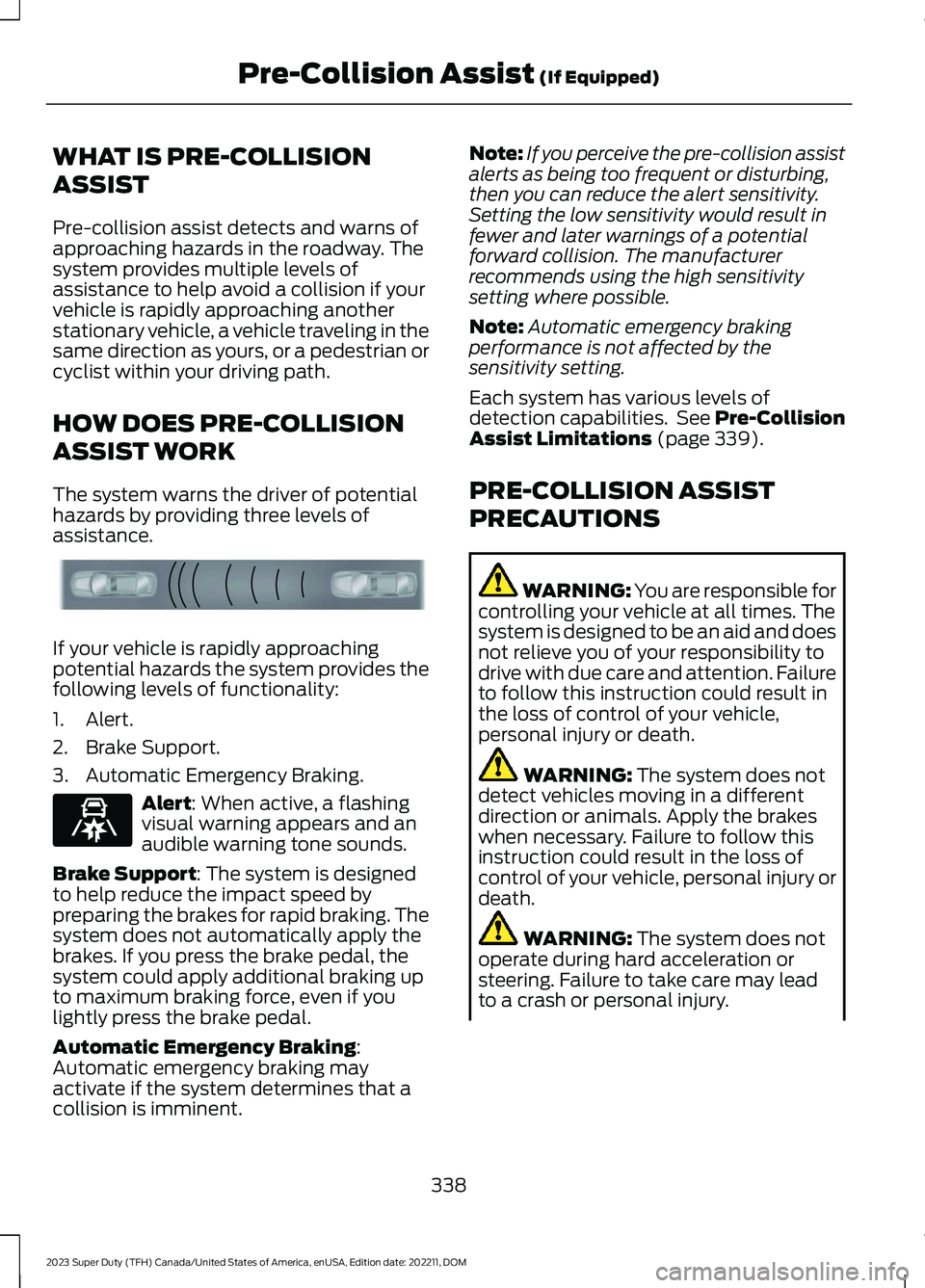
The system warns the driver of potentialhazards by providing three levels ofassistance.
If your vehicle is rapidly approachingpotential hazards the system provides thefollowing levels of functionality:
1.Alert.
2.Brake Support.
3.Automatic Emergency Braking.
Alert: When active, a flashingvisual warning appears and anaudible warning tone sounds.
Brake Support: The system is designedto help reduce the impact speed bypreparing the brakes for rapid braking. Thesystem does not automatically apply thebrakes. If you press the brake pedal, thesystem could apply additional braking upto maximum braking force, even if youlightly press the brake pedal.
Automatic Emergency Braking:Automatic emergency braking mayactivate if the system determines that acollision is imminent.
Note:If you perceive the pre-collision assistalerts as being too frequent or disturbing,then you can reduce the alert sensitivity.Setting the low sensitivity would result infewer and later warnings of a potentialforward collision. The manufacturerrecommends using the high sensitivitysetting where possible.
Note:Automatic emergency brakingperformance is not affected by thesensitivity setting.
Each system has various levels ofdetection capabilities. See Pre-CollisionAssist Limitations (page 339).
PRE-COLLISION ASSIST
PRECAUTIONS
WARNING: You are responsible forcontrolling your vehicle at all times. Thesystem is designed to be an aid and doesnot relieve you of your responsibility todrive with due care and attention. Failureto follow this instruction could result inthe loss of control of your vehicle,personal injury or death.
WARNING: The system does notdetect vehicles moving in a differentdirection or animals. Apply the brakeswhen necessary. Failure to follow thisinstruction could result in the loss ofcontrol of your vehicle, personal injury ordeath.
WARNING: The system does notoperate during hard acceleration orsteering. Failure to take care may leadto a crash or personal injury.
338
2023 Super Duty (TFH) Canada/United States of America, enUSA, Edition date: 202211, DOMPre-Collision Assist (If Equipped)E156130 E329466
Page 343 of 738
WARNING: The system mayoperate with reduced function duringcold and inclement weather conditions.Snow, ice, rain, spray and fog canadversely affect the system. Keep thefront camera and radar free of snow andice. Failure to follow this instruction mayresult in the loss of control of yourvehicle, serious personal injury or death.
WARNING: Take additional care ifyour vehicle is heavily loaded or you aretowing a trailer. These conditions couldresult in reduced performance of thissystem. Failure to follow this instructioncould result in the loss of control of yourvehicle, personal injury or death.
WARNING: The system cannothelp prevent all crashes. Do not rely onthis system to replace driver judgmentand the need to maintain a safe distanceand speed.
WARNING: System performancecould be reduced in situations where thevehicle camera has limited detectioncapability. These situations include butare not limited to direct or low sunlight,vehicles at night without tail lights,unconventional vehicle types, andpedestrians and cyclists with complex,partially obscured backgrounds. Failureto take care may result in the loss ofcontrol of your vehicle, personal injury ordeath.
PRE-COLLISION ASSIST
LIMITATIONS
Pre-collision assist depends on thedetection ability of its camera and sensors.Any obstructions or damage to these areascan limit detection or prevent the systemfrom functioning. See Locating thePre-Collision Assist Sensors (page 341).
The system is active at 3 mph (5 km/h)and above.
Note:The pre-collision assist systemautomatically disables when you manuallydisable AdvanceTrac™, 4X4 low, and RockCrawl (if available).
Note:Brake support and automaticemergency braking are active up to themaximum speed of the vehicle.
Pedestrian Detection Limitations
Pedestrian detection is active at speedsup to 50 mph (80 km/h).
Pedestrian detection operates optimallywhen detected hazards are clearlyidentifiable. System performance mayreduce in situations where pedestrians arerunning, partly obscured, have a complexbackground, or cannot be distinguishedfrom a group.
Cyclist Detection Limitations
Cyclist detection is active at speeds up to50 mph (80 km/h).
Cyclist detection functions optimally whendetected hazards are clearly identifiable.System performance may reduce insituations where cyclists are fast-moving,partly obscured, have a complexbackground, or cannot be distinguishedfrom a group.
339
2023 Super Duty (TFH) Canada/United States of America, enUSA, Edition date: 202211, DOMPre-Collision Assist (If Equipped)
Page 366 of 738
When attaching the trailer wiring connectorto your vehicle, only use a proper fittingconnector that works with the vehicle andtrailer functions.
Trailer Light Check
WARNING: Never connect anytrailer lamp wiring to the vehicle's taillamp wiring; this may damage theelectrical system resulting in fire. Contactyour authorized dealer as soon aspossible for assistance in proper trailertow wiring installation. Additionalelectrical equipment may be required.
Most towed vehicles require trailer lamps.Make sure all running lights, brake lights,turn signals and hazard lights are working.
Safety Chains
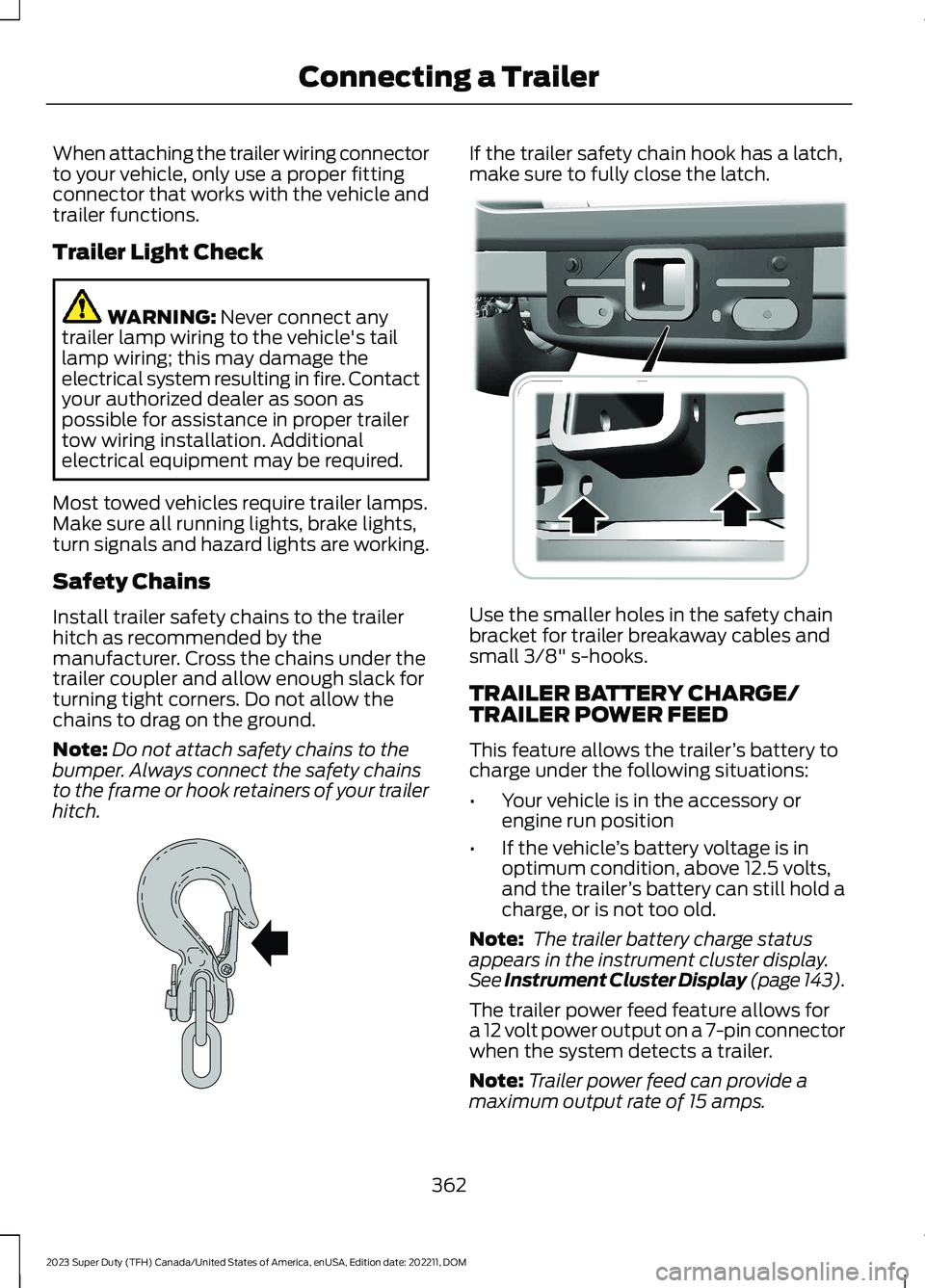
Install trailer safety chains to the trailerhitch as recommended by themanufacturer. Cross the chains under thetrailer coupler and allow enough slack forturning tight corners. Do not allow thechains to drag on the ground.
Note:Do not attach safety chains to thebumper. Always connect the safety chainsto the frame or hook retainers of your trailerhitch.
If the trailer safety chain hook has a latch,make sure to fully close the latch.
Use the smaller holes in the safety chainbracket for trailer breakaway cables andsmall 3/8" s-hooks.
TRAILER BATTERY CHARGE/TRAILER POWER FEED
This feature allows the trailer’s battery tocharge under the following situations:
•Your vehicle is in the accessory orengine run position
•If the vehicle’s battery voltage is inoptimum condition, above 12.5 volts,and the trailer’s battery can still hold acharge, or is not too old.
Note: The trailer battery charge statusappears in the instrument cluster display.See Instrument Cluster Display (page 143).
The trailer power feed feature allows fora 12 volt power output on a 7-pin connectorwhen the system detects a trailer.
Note:Trailer power feed can provide amaximum output rate of 15 amps.
362
2023 Super Duty (TFH) Canada/United States of America, enUSA, Edition date: 202211, DOMConnecting a TrailerE265060 E376302
Page 370 of 738
Certain states require functioning trailerbrakes for trailers over a specified weight.Be sure to check state regulations for thisspecified weight.
Ford Motor Company recommendsseparate functioning brake systems fortrailers weighing more than 1,500 lb(680 kg) when loaded.
TOWING A TRAILER
LIMITATIONS
The vehicle's load capacitydesignation is by weight, not byvolume, so you cannot necessarilyuse all available space whenloading a vehicle or trailer.
Note:Your vehicle could havereduced performance whenoperating at high altitudes andwhen heavily loaded or towing a
trailer. When driving at elevation,to match driving performance asperceived at sea level, reduce grossvehicle weight and grosscombination weight by 2% per1,000 ft (300 m) elevation.
LOADING YOUR TRAILER
To help minimize how trailermovement affects your vehiclewhen driving:
•Load the heaviest items closestto the trailer floor.
•Load the heaviest itemscentered between theleft-hand and right-hand sidetrailer tires.
•Load the heaviest items abovethe trailer axles or just slightlyforward toward the trailertongue. Do not allow the finaltrailer tongue weight to goabove or below 10-15% of theloaded trailer weight. Thetrailer tongue weight shouldnever exceed 10% of themaximum towing capacitywhen towing a conventionaltrailer, and should neverexceed 15% of the maximumtowing capacity when towinga fifth-wheel or goosenecktrailer.
•Select a ball mount with thecorrect rise or drop. When youconnect both the loadedvehicle and trailer, the trailerframe should be level, or
slightly angled down towardyour vehicle, when viewed fromthe side.
TRAILER TOWING HINTS
Towing a trailer places an extra load onyour vehicle's engine, transmission, axle,brakes, tires and suspension. Periodicallyinspect these components during and afterany towing operation.
When driving with a trailer or payload, aslight takeoff vibration or shudder may bepresent due to the increased payloadweight.
366
2023 Super Duty (TFH) Canada/United States of America, enUSA, Edition date: 202211, DOMTowing a Trailer
Page 375 of 738
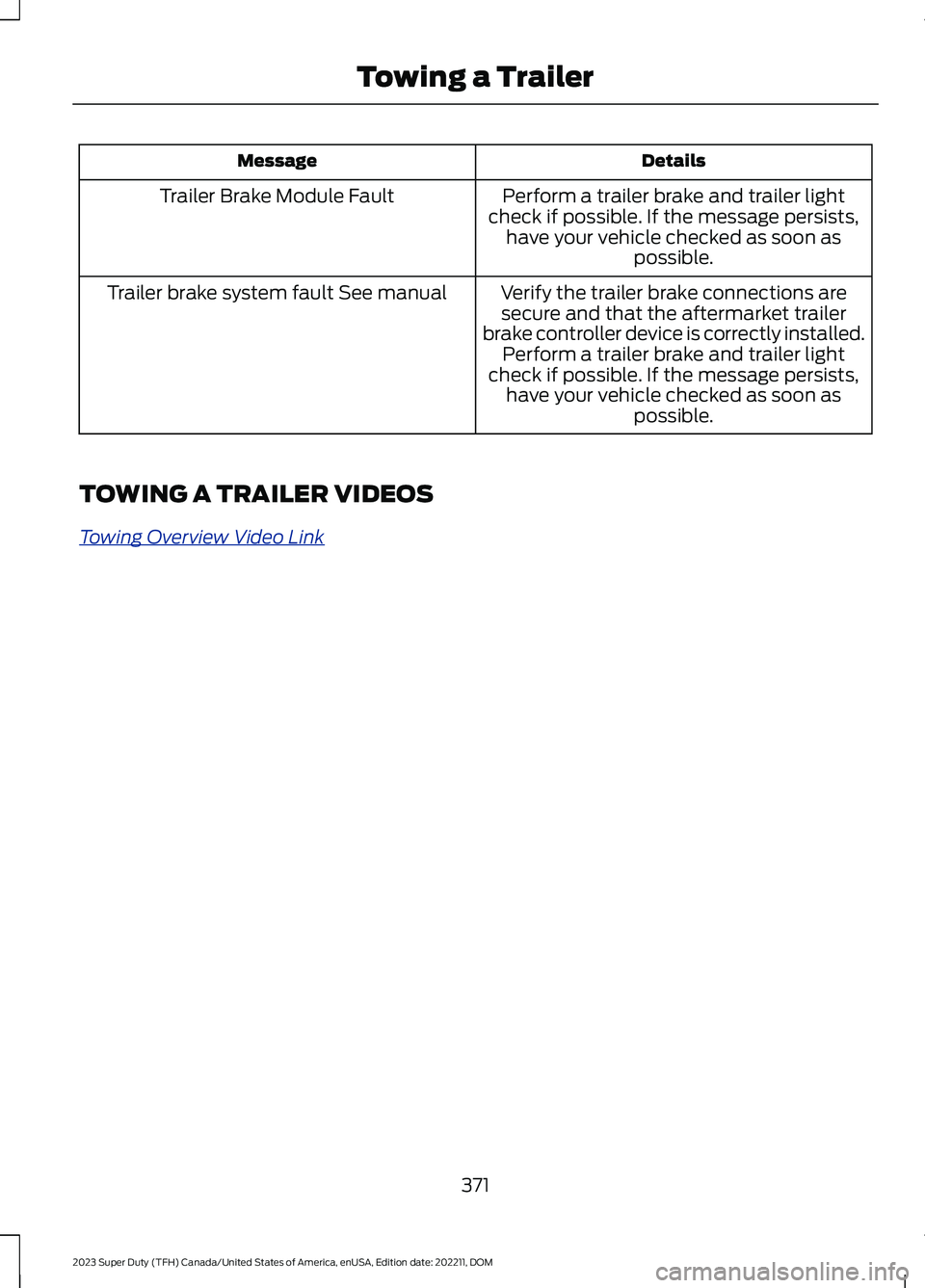
DetailsMessage
Perform a trailer brake and trailer lightcheck if possible. If the message persists,have your vehicle checked as soon aspossible.
Trailer Brake Module Fault
Verify the trailer brake connections aresecure and that the aftermarket trailerbrake controller device is correctly installed.Perform a trailer brake and trailer lightcheck if possible. If the message persists,have your vehicle checked as soon aspossible.
Trailer brake system fault See manual
TOWING A TRAILER VIDEOS
Towing Overview Video Link
371
2023 Super Duty (TFH) Canada/United States of America, enUSA, Edition date: 202211, DOMTowing a Trailer
Page 379 of 738
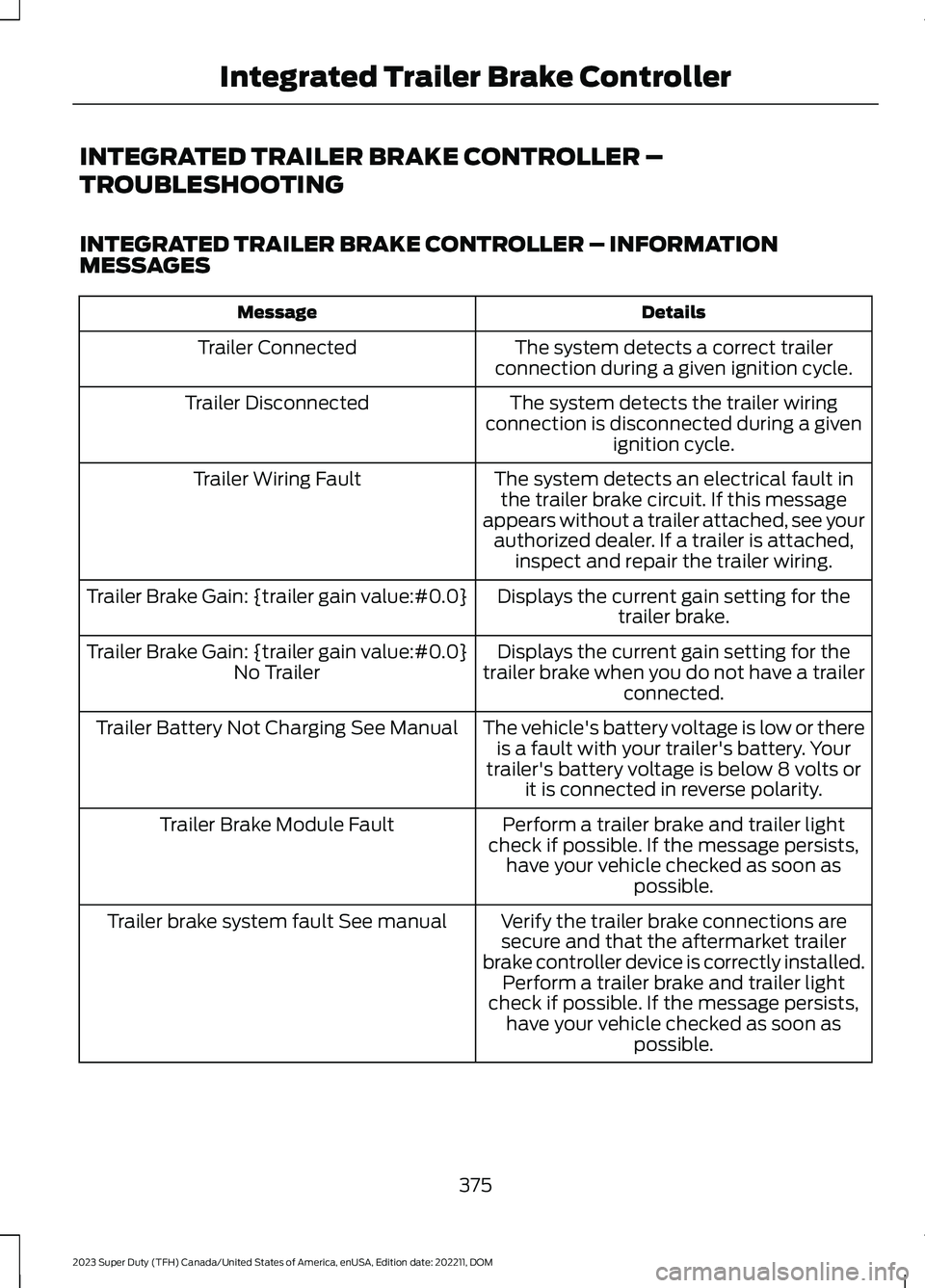
INTEGRATED TRAILER BRAKE CONTROLLER –
TROUBLESHOOTING
INTEGRATED TRAILER BRAKE CONTROLLER – INFORMATIONMESSAGES
DetailsMessage
The system detects a correct trailerconnection during a given ignition cycle.Trailer Connected
The system detects the trailer wiringconnection is disconnected during a givenignition cycle.
Trailer Disconnected
The system detects an electrical fault inthe trailer brake circuit. If this messageappears without a trailer attached, see yourauthorized dealer. If a trailer is attached,inspect and repair the trailer wiring.
Trailer Wiring Fault
Displays the current gain setting for thetrailer brake.Trailer Brake Gain: {trailer gain value:#0.0}
Displays the current gain setting for thetrailer brake when you do not have a trailerconnected.
Trailer Brake Gain: {trailer gain value:#0.0}No Trailer
The vehicle's battery voltage is low or thereis a fault with your trailer's battery. Yourtrailer's battery voltage is below 8 volts orit is connected in reverse polarity.
Trailer Battery Not Charging See Manual
Perform a trailer brake and trailer lightcheck if possible. If the message persists,have your vehicle checked as soon aspossible.
Trailer Brake Module Fault
Verify the trailer brake connections aresecure and that the aftermarket trailerbrake controller device is correctly installed.Perform a trailer brake and trailer lightcheck if possible. If the message persists,have your vehicle checked as soon aspossible.
Trailer brake system fault See manual
375
2023 Super Duty (TFH) Canada/United States of America, enUSA, Edition date: 202211, DOMIntegrated Trailer Brake Controller