clock FORD TAURUS 2000 4.G User Guide
[x] Cancel search | Manufacturer: FORD, Model Year: 2000, Model line: TAURUS, Model: FORD TAURUS 2000 4.GPages: 232, PDF Size: 2.08 MB
Page 192 of 232
2. Install the bulb retaining ring over the plastic base and lock the ring
by rotating clockwise until it snaps into place.
3. Connect the electrical connector to the bulb.
4. Install the protective dust shield and lock the shield by rotating it
clockwise until it locks into position.
5. Carefully position the headlamp assembly onto the vehicle.
6. Hold the headlamp assembly snugly against the vehicle and install the
retainer pins straight down to lock the lamp into place.
7. Before reinstalling the bolt, make sure the retainer pins are fully
seated, and install bolt on headlamp housing.
8. Turn the headlamps on and make sure they work properly. If the
headlamp was correctly aligned before you changed the bulb, you should
not need to align it again.
Replacing front parking lamp/turn signal/cornering lamp bulbs
1. Make sure the headlamp control
is in the OFF position.
2. Remove the bolt from the
headlamp housing.
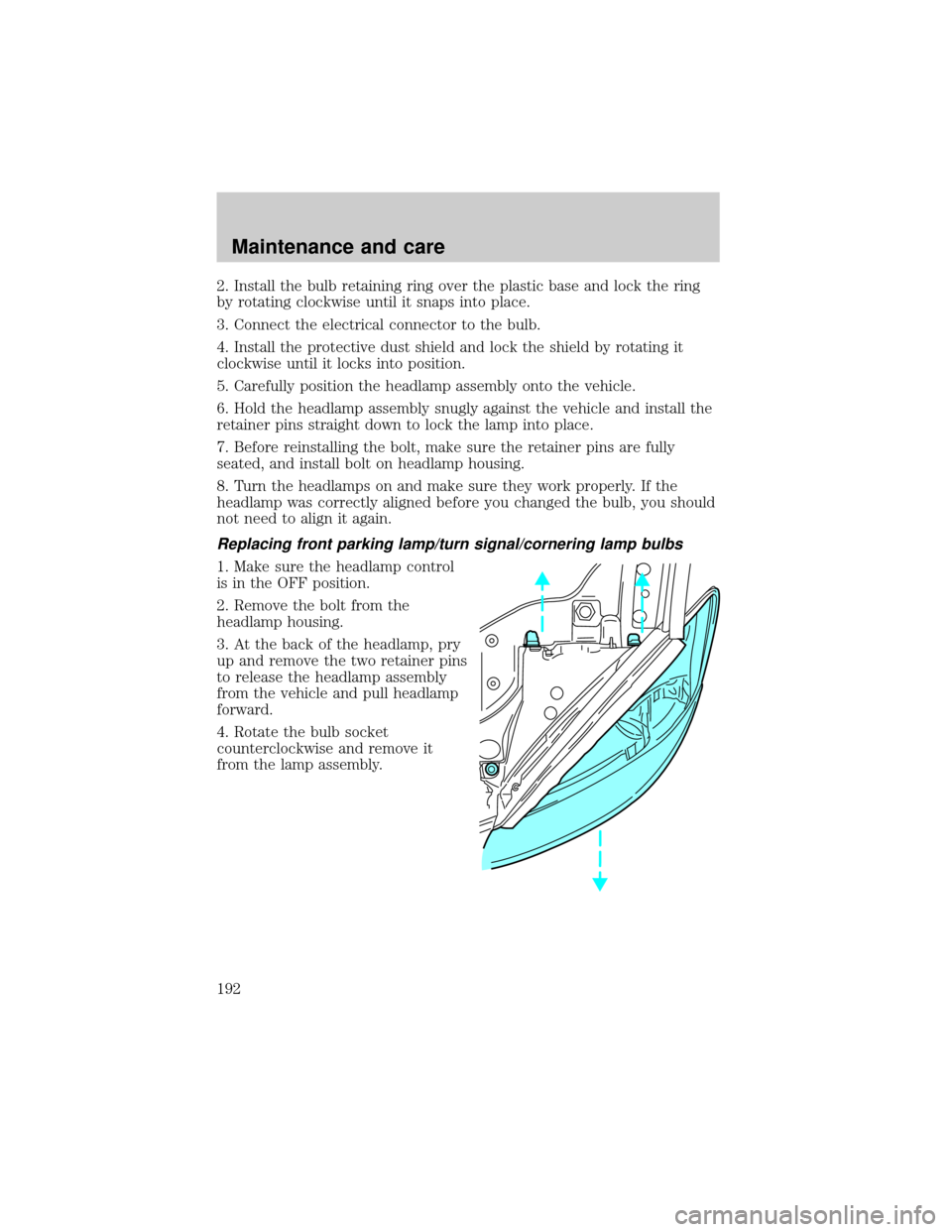
3. At the back of the headlamp, pry
up and remove the two retainer pins
to release the headlamp assembly
from the vehicle and pull headlamp
forward.
4. Rotate the bulb socket
counterclockwise and remove it
from the lamp assembly.
Maintenance and care
192
Page 193 of 232
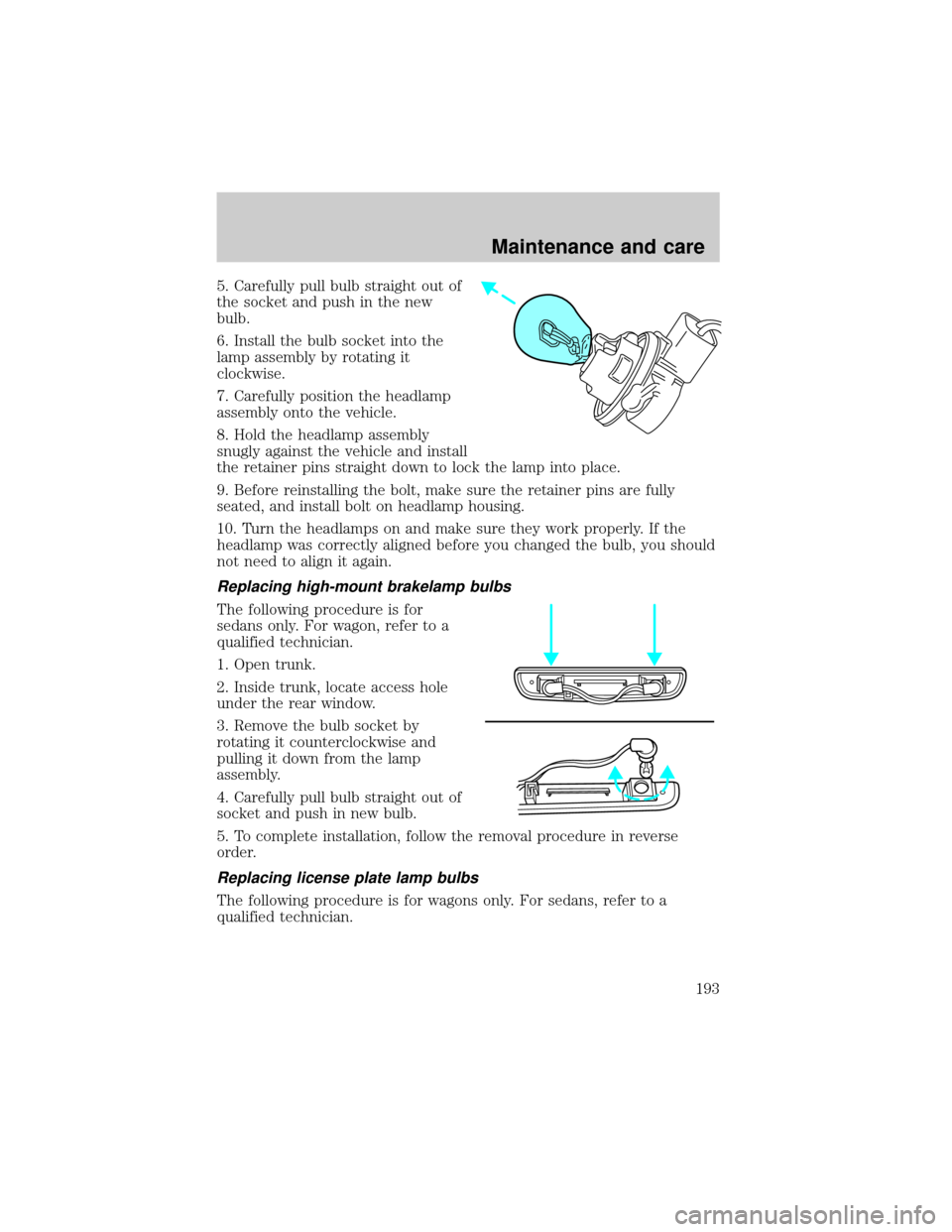
5. Carefully pull bulb straight out of
the socket and push in the new
bulb.
6. Install the bulb socket into the
lamp assembly by rotating it
clockwise.
7. Carefully position the headlamp
assembly onto the vehicle.
8. Hold the headlamp assembly
snugly against the vehicle and install
the retainer pins straight down to lock the lamp into place.
9. Before reinstalling the bolt, make sure the retainer pins are fully
seated, and install bolt on headlamp housing.
10. Turn the headlamps on and make sure they work properly. If the
headlamp was correctly aligned before you changed the bulb, you should
not need to align it again.
Replacing high-mount brakelamp bulbs
The following procedure is for
sedans only. For wagon, refer to a
qualified technician.
1. Open trunk.
2. Inside trunk, locate access hole
under the rear window.
3. Remove the bulb socket by
rotating it counterclockwise and
pulling it down from the lamp
assembly.
4. Carefully pull bulb straight out of
socket and push in new bulb.
5. To complete installation, follow the removal procedure in reverse
order.
Replacing license plate lamp bulbs
The following procedure is for wagons only. For sedans, refer to a
qualified technician.
Maintenance and care
193
Page 194 of 232
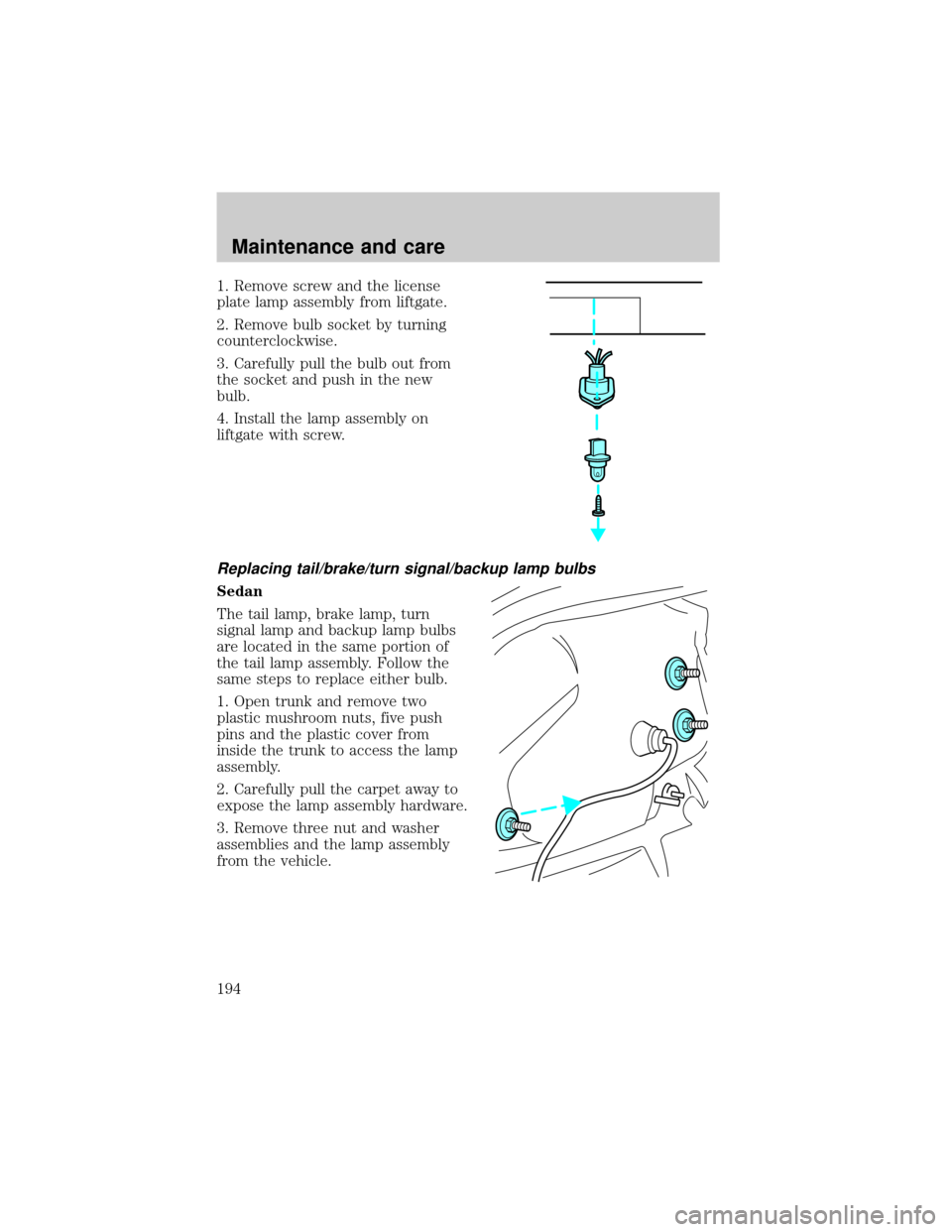
1. Remove screw and the license
plate lamp assembly from liftgate.
2. Remove bulb socket by turning
counterclockwise.
3. Carefully pull the bulb out from
the socket and push in the new
bulb.
4. Install the lamp assembly on
liftgate with screw.
Replacing tail/brake/turn signal/backup lamp bulbs
Sedan
The tail lamp, brake lamp, turn
signal lamp and backup lamp bulbs
are located in the same portion of
the tail lamp assembly. Follow the
same steps to replace either bulb.
1. Open trunk and remove two
plastic mushroom nuts, five push
pins and the plastic cover from
inside the trunk to access the lamp
assembly.
2. Carefully pull the carpet away to
expose the lamp assembly hardware.
3. Remove three nut and washer
assemblies and the lamp assembly
from the vehicle.
Maintenance and care
194
Page 195 of 232
4. Remove the bulb socket by
rotating it counterclockwise, then
pulling it out of the lamp assembly.
5. Pull the bulb from the socket and
push in the new bulb.
6. Install the bulb socket into the
lamp assembly by rotating it
clockwise.
7. Install the lamp assembly on the
vehicle with three nut and washer
assemblies ensuring the washers on the nuts are flush with the body to
prevent water from entering the trunk.
8. Carefully push the carpet back in to place and install the plastic cover
inside the trunk with five push pins and two plastic mushroom nuts.
Wagon
The tail lamp/turn lamp bulbs are
located in the same portion of the
tail lamp assembly, one just below
the other. Follow the same steps to
replace either bulb:
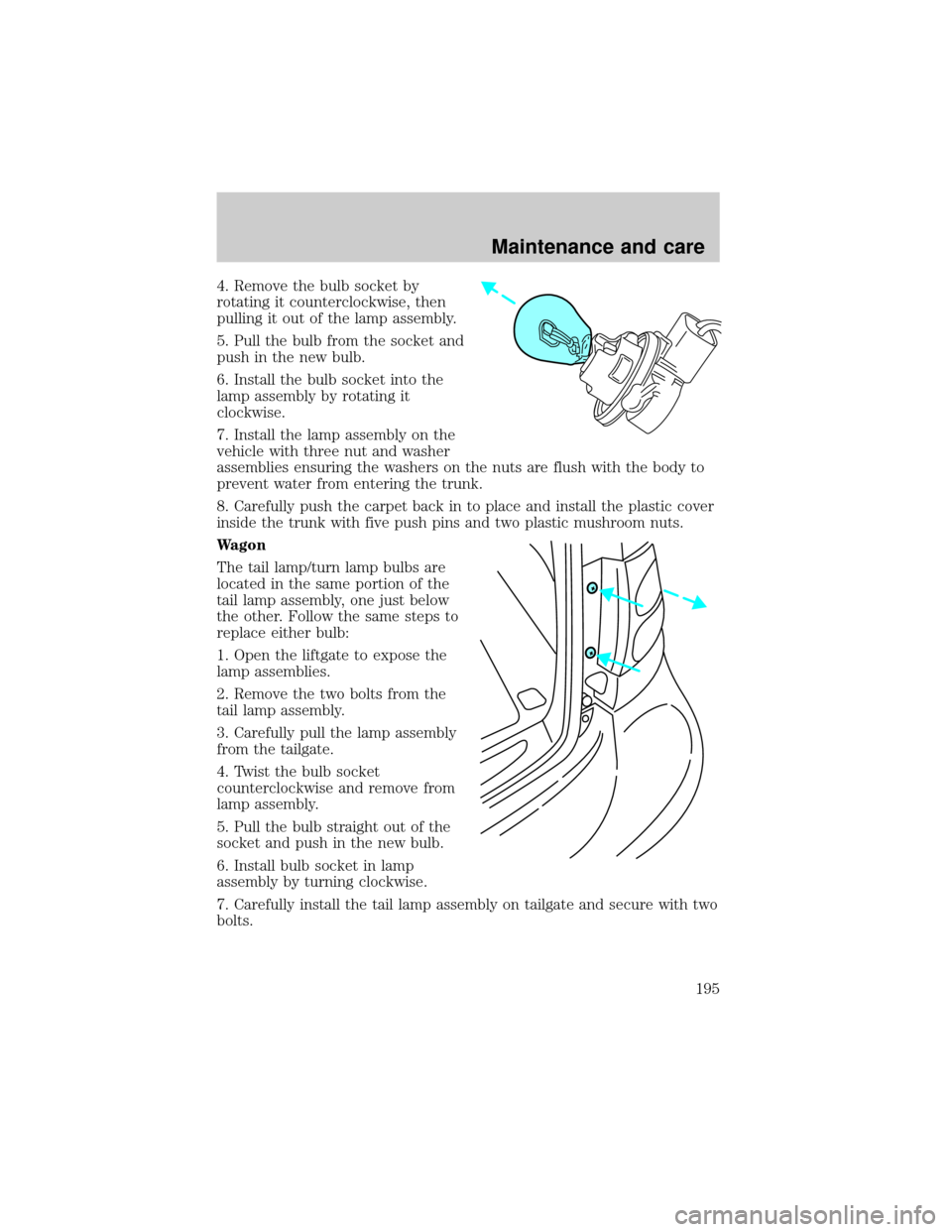
1. Open the liftgate to expose the
lamp assemblies.
2. Remove the two bolts from the
tail lamp assembly.
3. Carefully pull the lamp assembly
from the tailgate.
4. Twist the bulb socket
counterclockwise and remove from
lamp assembly.
5. Pull the bulb straight out of the
socket and push in the new bulb.
6. Install bulb socket in lamp
assembly by turning clockwise.
7. Carefully install the tail lamp assembly on tailgate and secure with two
bolts.
Maintenance and care
195
Page 198 of 232
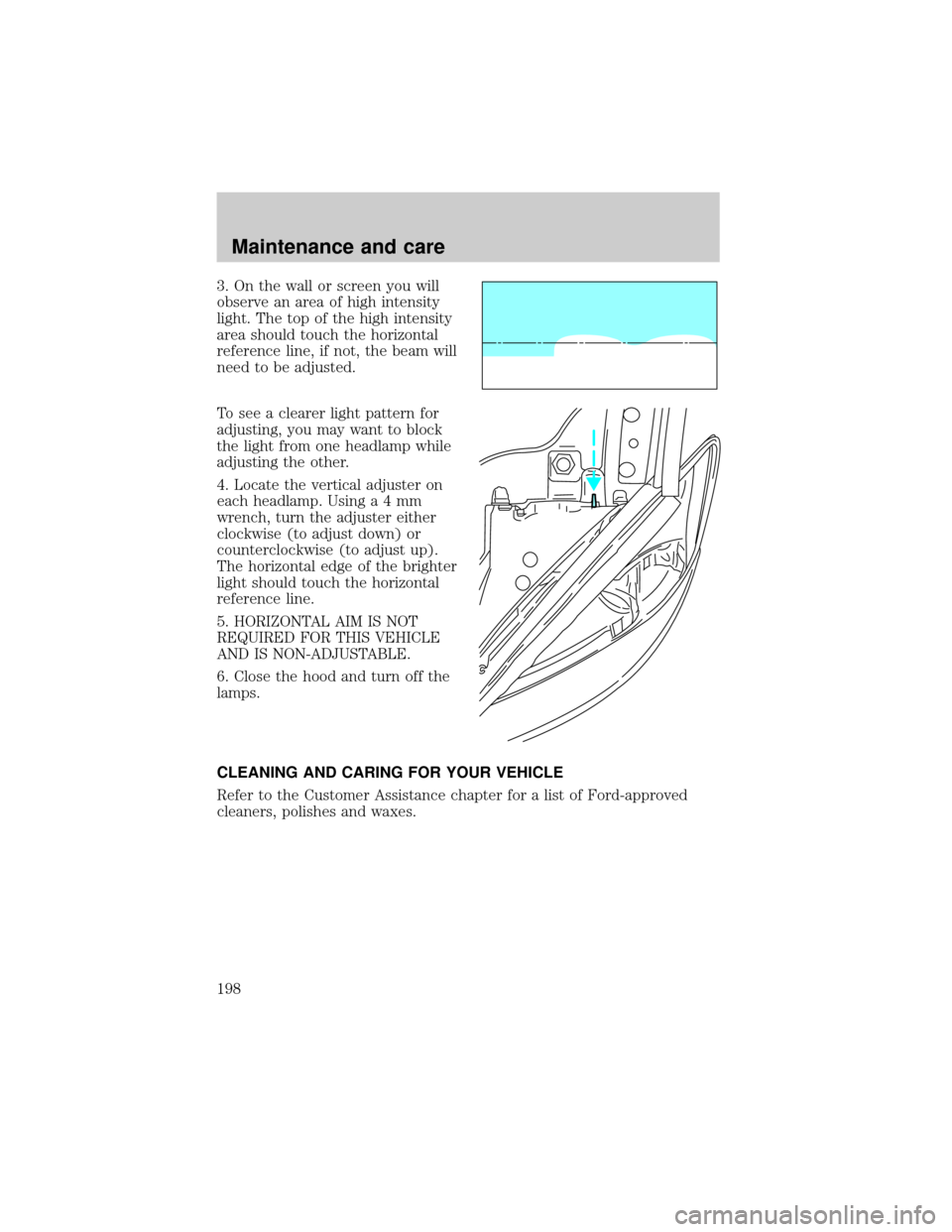
3. On the wall or screen you will
observe an area of high intensity
light. The top of the high intensity
area should touch the horizontal
reference line, if not, the beam will
need to be adjusted.
To see a clearer light pattern for
adjusting, you may want to block
the light from one headlamp while
adjusting the other.
4. Locate the vertical adjuster on
each headlamp. Usinga4mm
wrench, turn the adjuster either
clockwise (to adjust down) or
counterclockwise (to adjust up).
The horizontal edge of the brighter
light should touch the horizontal
reference line.
5. HORIZONTAL AIM IS NOT
REQUIRED FOR THIS VEHICLE
AND IS NON-ADJUSTABLE.
6. Close the hood and turn off the
lamps.
CLEANING AND CARING FOR YOUR VEHICLE
Refer to the Customer Assistance chapter for a list of Ford-approved
cleaners, polishes and waxes.
Maintenance and care
198
Page 226 of 232

windows ..................................203
wiper blades ............................201
woodtone trim ........................203
Climate control (see Air
conditioning or Heating) ............18
Clock .......................................31,38
Console ........................................56
Controls
power seat .................................75
Coolant
checking and adding ..............157
refill capacities .................161,206
specifications ...................207,208
Cruise control
(see Speed control) ....................44
Customer Assistance ................130
Ford accessories
for your vehicle ......................219
Ford Extended
Service Plan ............................212
Getting assistance outside
the U.S. and Canada ..............218
Getting roadside assistance ...130
Getting the
service you need ....................212
Ordering additional
owner's literature ...................223
The Dispute
Settlement Board ...................215
Utilizing the Mediation/
Arbitration Program ...............218
Daytime running lamps
(see Lamps) ................................16
Defrost
rear window ..............................17
Dipstick
automatic
transmission fluid ...................163
engine oil .................................152
Doors
door ajar warning .......................9
lubricant specifications ..........207Driving under special
conditions
through water .........................124
Emergencies, roadside
jump-starting ..........................142
Emission control system ..........188
Engine ........................................208
check engine/
service engine soon light ...........9
cleaning ...................................201
coolant .....................................157
idle speed control ...................171
lubrication
specifications ...................207,208
refill capacities ........................206
service points ...................150,151
starting after a collision .........131
Engine block heater .................111
Engine oil ..................................152
checking and adding ..............152
dipstick ....................................152
filter, specifications .........154,205
recommendations ...................154
refill capacities ........................206
specifications ...................207,208
Exhaust fumes ..........................112
Floor mats ...................................56
Fluid capacities .........................206
Fuel ............................................178
calculating fuel economy .......184
cap ...........................................181
capacity ...................................206
choosing the right fuel ...........182
comparisons with EPA fuel
economy estimates .................187
detergent in fuel .....................184
filling your vehicle
with fuel ....................178,181,185
filter, specifications .........184,205
fuel pump shut-off switch .....131
gauge .........................................15
improving fuel economy ........184
Index
226