ignition FORD TAURUS 2014 6.G Owner's Manual
[x] Cancel search | Manufacturer: FORD, Model Year: 2014, Model line: TAURUS, Model: FORD TAURUS 2014 6.GPages: 550, PDF Size: 7.21 MB
Page 83 of 550
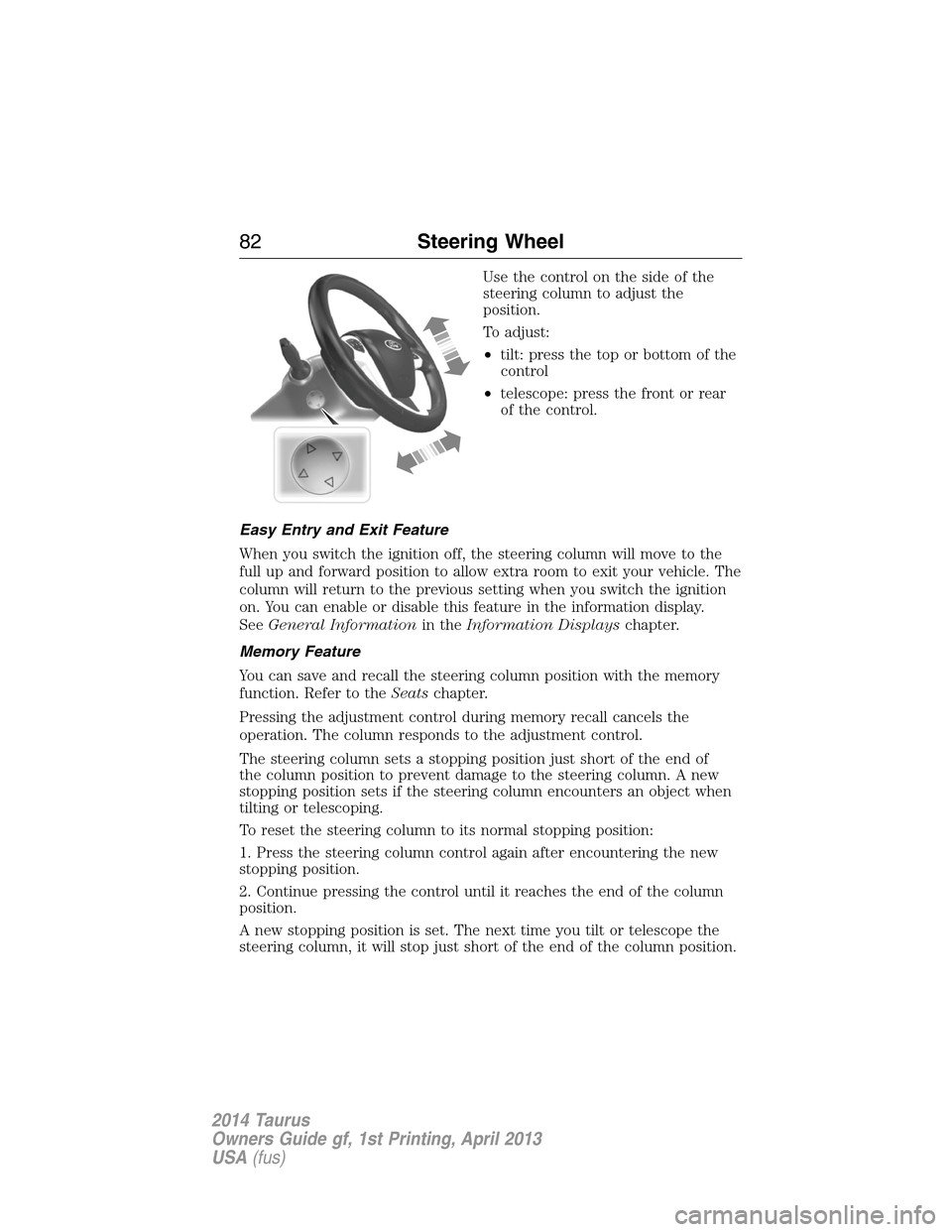
Use the control on the side of the
steering column to adjust the
position.
To adjust:
•tilt: press the top or bottom of the
control
•telescope: press the front or rear
of the control.
Easy Entry and Exit Feature
When you switch the ignition off, the steering column will move to the
full up and forward position to allow extra room to exit your vehicle. The
column will return to the previous setting when you switch the ignition
on. You can enable or disable this feature in the information display.
SeeGeneral Informationin theInformation Displayschapter.
Memory Feature
You can save and recall the steering column position with the memory
function. Refer to theSeatschapter.
Pressing the adjustment control during memory recall cancels the
operation. The column responds to the adjustment control.
The steering column sets a stopping position just short of the end of
the column position to prevent damage to the steering column. A new
stopping position sets if the steering column encounters an object when
tilting or telescoping.
To reset the steering column to its normal stopping position:
1. Press the steering column control again after encountering the new
stopping position.
2. Continue pressing the control until it reaches the end of the column
position.
A new stopping position is set. The next time you tilt or telescope the
steering column, it will stop just short of the end of the column position.
82Steering Wheel
2014 Taurus
Owners Guide gf, 1st Printing, April 2013
USA(fus)
Page 91 of 550
AUTOLAMPS
WARNING:In severe weather conditions, it may be necessary to
switch your headlamps on manually.
Note:If the vehicle is equipped with autolamps, it will have the
windshield wiper rainlamp feature.When the windshield wipers are
turned to low- or high-speed wiping during daylight, and the headlamp
control is in the autolamp position, the exterior lamps will turn on after a
brief delay and will remain on until the wipers are turned off.
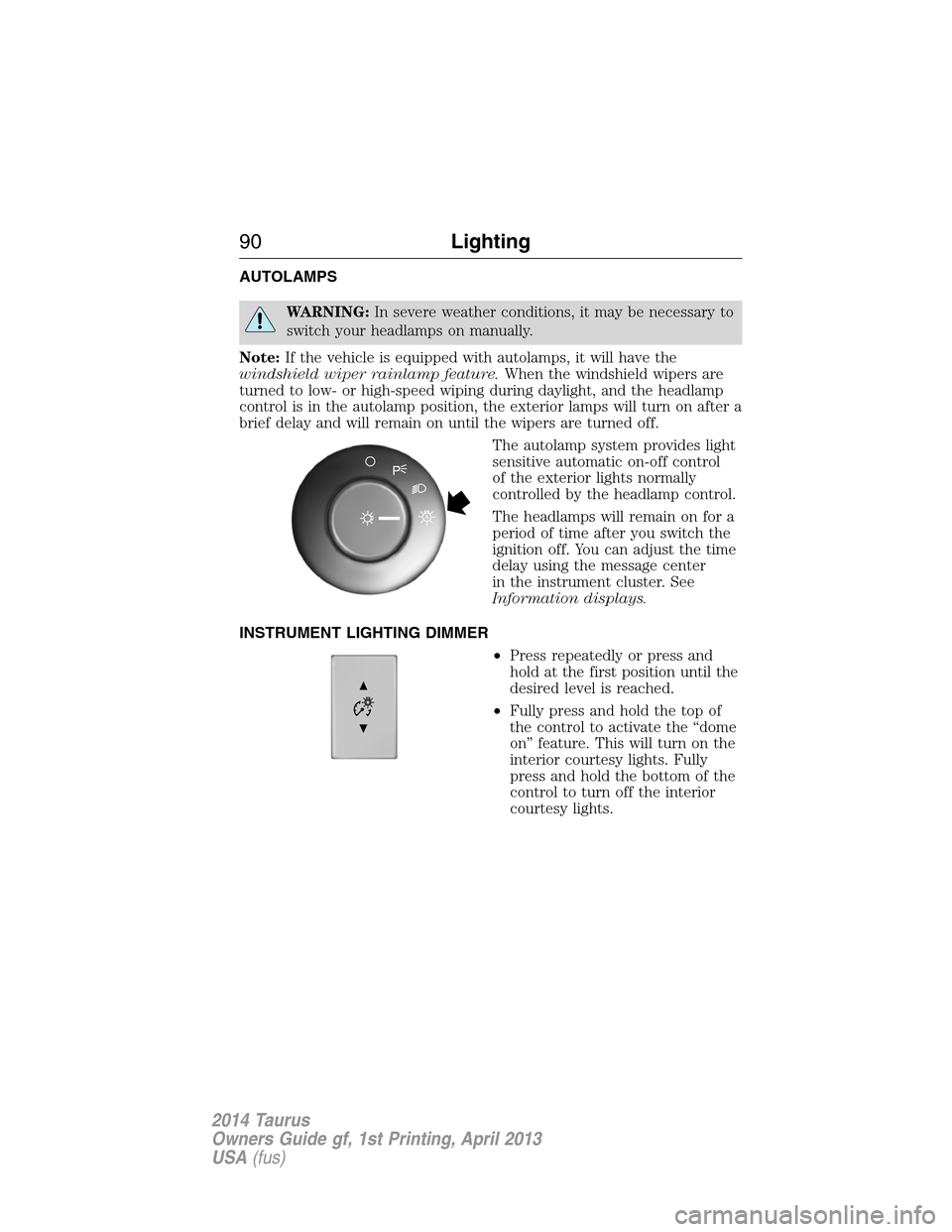
The autolamp system provides light
sensitive automatic on-off control
of the exterior lights normally
controlled by the headlamp control.
The headlamps will remain on for a
period of time after you switch the
ignition off. You can adjust the time
delay using the message center
in the instrument cluster. See
Information displays.
INSTRUMENT LIGHTING DIMMER
•Press repeatedly or press and
hold at the first position until the
desired level is reached.
•Fully press and hold the top of
the control to activate the “dome
on” feature. This will turn on the
interior courtesy lights. Fully
press and hold the bottom of the
control to turn off the interior
courtesy lights.
90Lighting
2014 Taurus
Owners Guide gf, 1st Printing, April 2013
USA(fus)
Page 92 of 550
HEADLAMP EXIT DELAY
You can set the delay time to keep the headlamps on for up to three
minutes after the ignition is turned off.
Follow the steps below to change the delay time (Steps 1 through 6
must be done within 10 seconds):
1. Turn the ignition off.
2. Turn the lighting control to the autolamp position.
3. Turn the lighting control to the off position.
4. Turn the ignition on.
5. Turn the ignition off.
6. Turn the lighting control to the autolamp position. The headlamps and
parking lamps will turn on.
7. Turn the lighting control to the off position when the desired delay
time has been reached. The headlamps and parking lamps will turn off.
You can set the headlamp exit delay to one of the following settings:
•Off
•10 seconds
•20 seconds
•120 seconds
Note:You can also adjust the time delay using the display controls in
the instrument cluster. See theInformation Displayschapter.
DAYTIME RUNNING LAMPS (IF EQUIPPED)
WARNING:Always remember to turn on your headlamps at
dusk or during inclement weather. The Daytime Running Lamp
(DRL) system does not activate the tail lamps and generally may not
provide adequate lighting during these conditions. Failure to activate
your headlamps under these conditions may result in a collision.
The system turns the headlamps on with a reduced output.
To activate:
•the ignition must be in the on position and
•the lighting control is in the off, autolamp, or parking lamp position
and
•the transmission is not in PARK.
Lighting91
2014 Taurus
Owners Guide gf, 1st Printing, April 2013
USA(fus)
Page 95 of 550
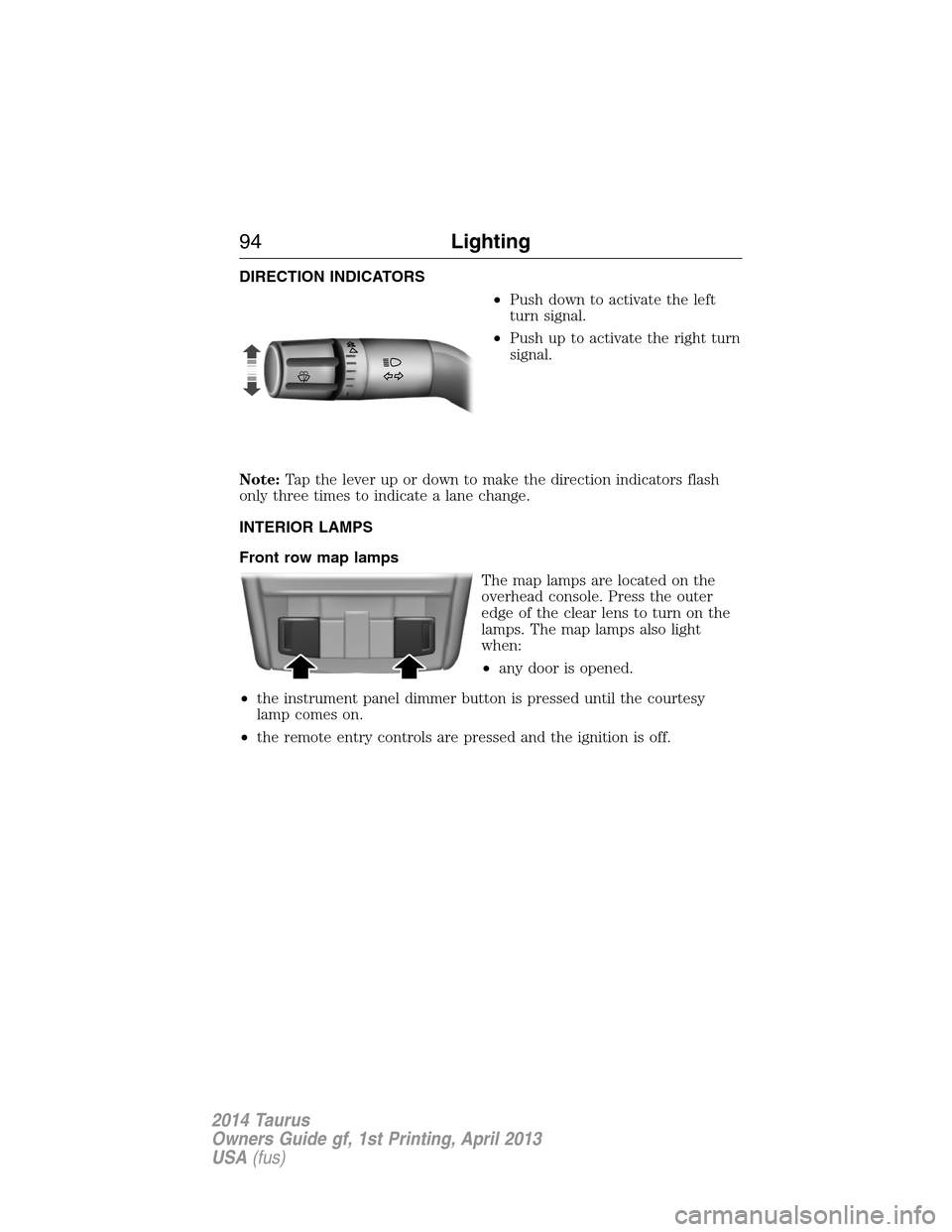
DIRECTION INDICATORS
•Push down to activate the left
turn signal.
•Push up to activate the right turn
signal.
Note:Tap the lever up or down to make the direction indicators flash
only three times to indicate a lane change.
INTERIOR LAMPS
Front row map lamps
The map lamps are located on the
overhead console. Press the outer
edge of the clear lens to turn on the
lamps. The map lamps also light
when:
•any door is opened.
•the instrument panel dimmer button is pressed until the courtesy
lamp comes on.
•the remote entry controls are pressed and the ignition is off.
94Lighting
2014 Taurus
Owners Guide gf, 1st Printing, April 2013
USA(fus)
Page 96 of 550
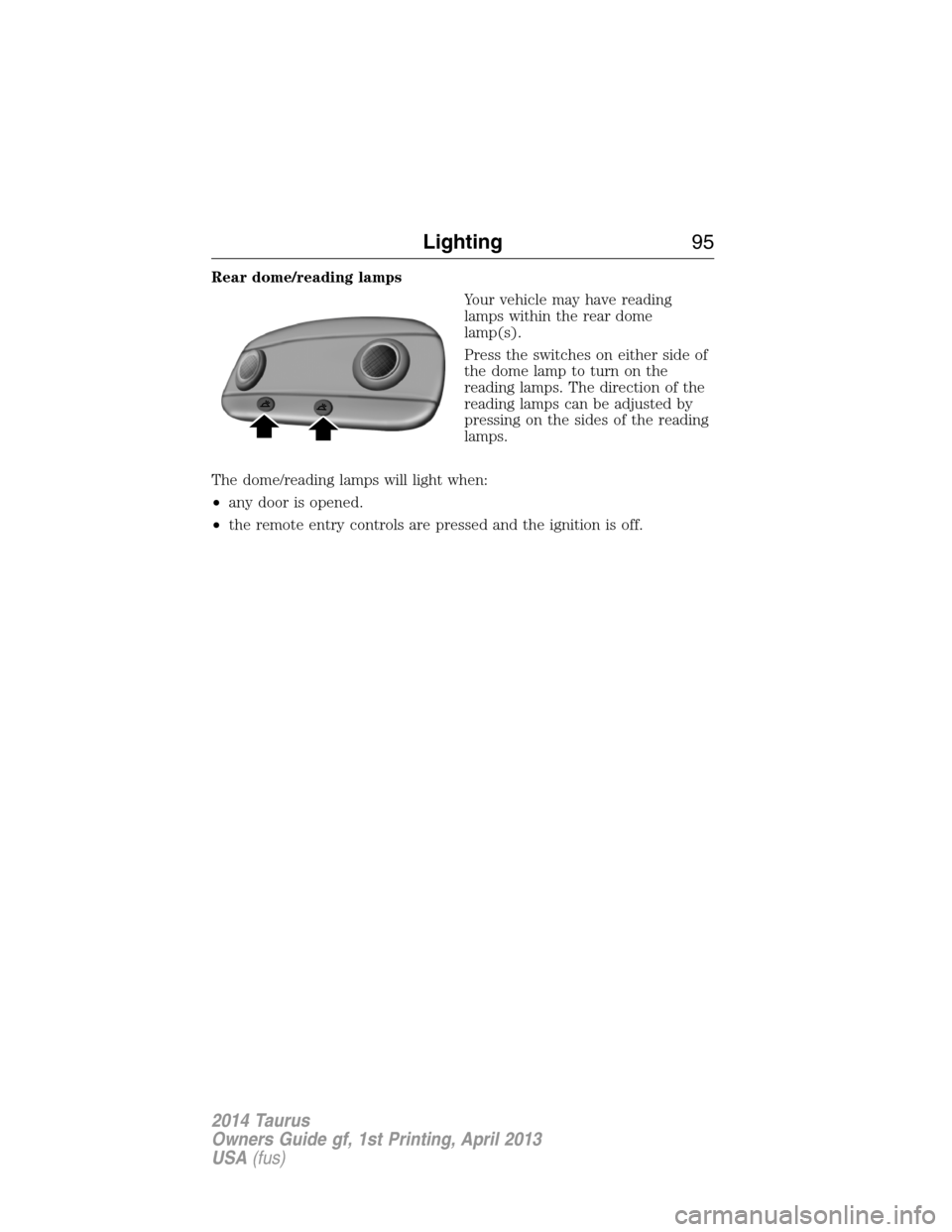
Rear dome/reading lamps
Your vehicle may have reading
lamps within the rear dome
lamp(s).
Press the switches on either side of
the dome lamp to turn on the
reading lamps. The direction of the
reading lamps can be adjusted by
pressing on the sides of the reading
lamps.
The dome/reading lamps will light when:
•any door is opened.
•the remote entry controls are pressed and the ignition is off.
Lighting95
2014 Taurus
Owners Guide gf, 1st Printing, April 2013
USA(fus)
Page 97 of 550
POWER WINDOWS
WARNING:Do not leave children unattended in your vehicle
and do not let children play with the power windows. They may
seriously injure themselves.
WARNING:When closing the power windows, you should verify
they are free of obstructions and make sure that children and
pets are not in the proximity of the window openings.
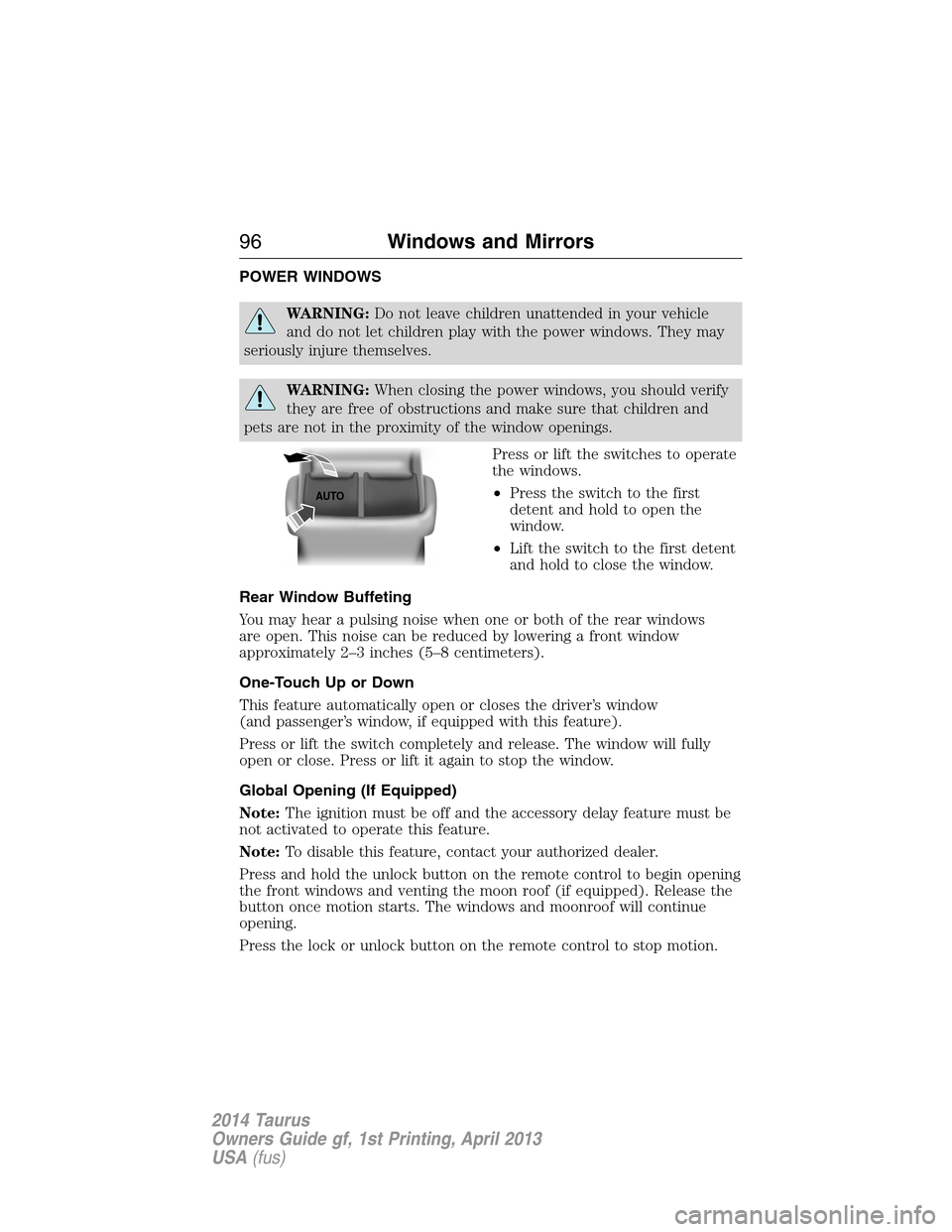
Press or lift the switches to operate
the windows.
•Press the switch to the first
detent and hold to open the
window.
•Lift the switch to the first detent
and hold to close the window.
Rear Window Buffeting
You may hear a pulsing noise when one or both of the rear windows
are open. This noise can be reduced by lowering a front window
approximately 2–3 inches (5–8 centimeters).
One-Touch Up or Down
This feature automatically open or closes the driver’s window
(and passenger’s window, if equipped with this feature).
Press or lift the switch completely and release. The window will fully
open or close. Press or lift it again to stop the window.
Global Opening (If Equipped)
Note:The ignition must be off and the accessory delay feature must be
not activated to operate this feature.
Note:To disable this feature, contact your authorized dealer.
Press and hold the unlock button on the remote control to begin opening
the front windows and venting the moon roof (if equipped). Release the
button once motion starts. The windows and moonroof will continue
opening.
Press the lock or unlock button on the remote control to stop motion.
AUTO
96Windows and Mirrors
2014 Taurus
Owners Guide gf, 1st Printing, April 2013
USA(fus)
Page 98 of 550
Bounce-Back (One-Touch Up or Down Windows Only)
The window will stop automatically while closing and reverse some
distance if there is an obstacle in the way.
Overriding the Bounce-Back Feature
WARNING:When you override the bounce-back feature the
window will not reverse if it detects an obstacle. Take care when
closing the windows to avoid personal injury or damage to your vehicle.
Pull up the window switch and hold within two seconds of the window
reaching the bounce-back position. The window will travel up with no
bounce-back protection. The window will stop if you release the switch
before the window is fully closed.
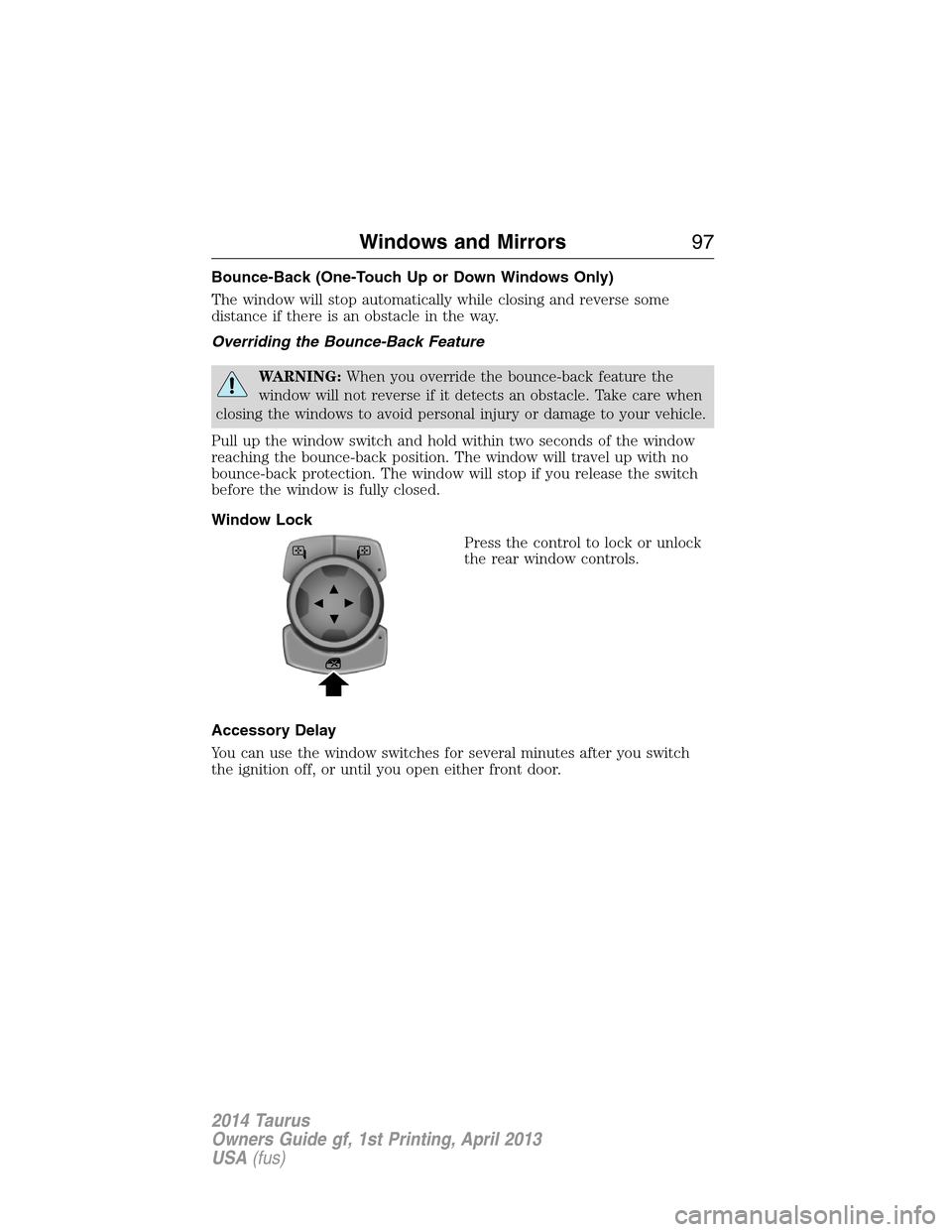
Window Lock
Press the control to lock or unlock
the rear window controls.
Accessory Delay
You can use the window switches for several minutes after you switch
the ignition off, or until you open either front door.
Windows and Mirrors97
2014 Taurus
Owners Guide gf, 1st Printing, April 2013
USA(fus)
Page 104 of 550
GAUGES
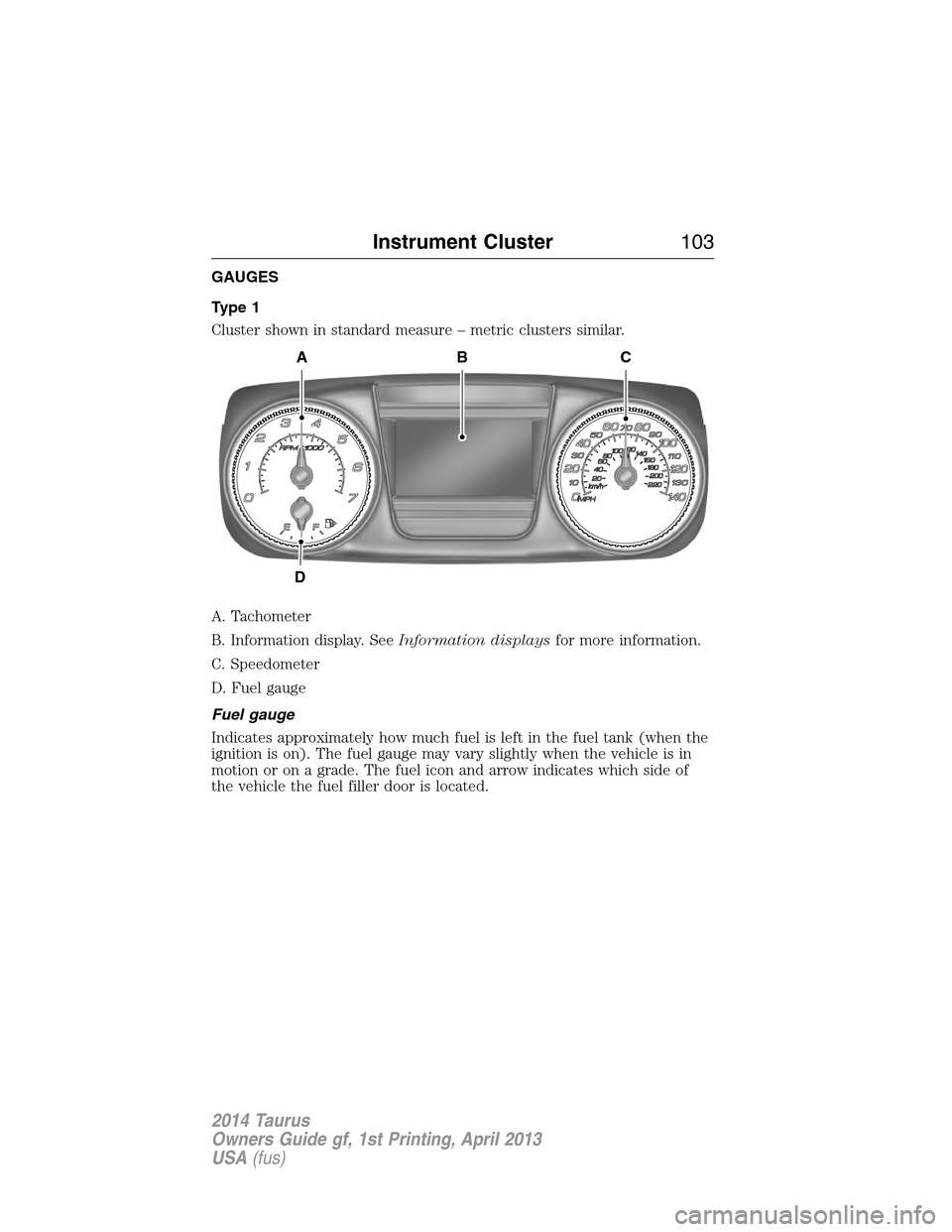
Type 1
Cluster shown in standard measure – metric clusters similar.
A. Tachometer
B. Information display. SeeInformation displaysfor more information.
C. Speedometer
D. Fuel gauge
Fuel gauge
Indicates approximately how much fuel is left in the fuel tank (when the
ignition is on). The fuel gauge may vary slightly when the vehicle is in
motion or on a grade. The fuel icon and arrow indicates which side of
the vehicle the fuel filler door is located.
A
D
CB
Instrument Cluster103
2014 Taurus
Owners Guide gf, 1st Printing, April 2013
USA(fus)
Page 106 of 550
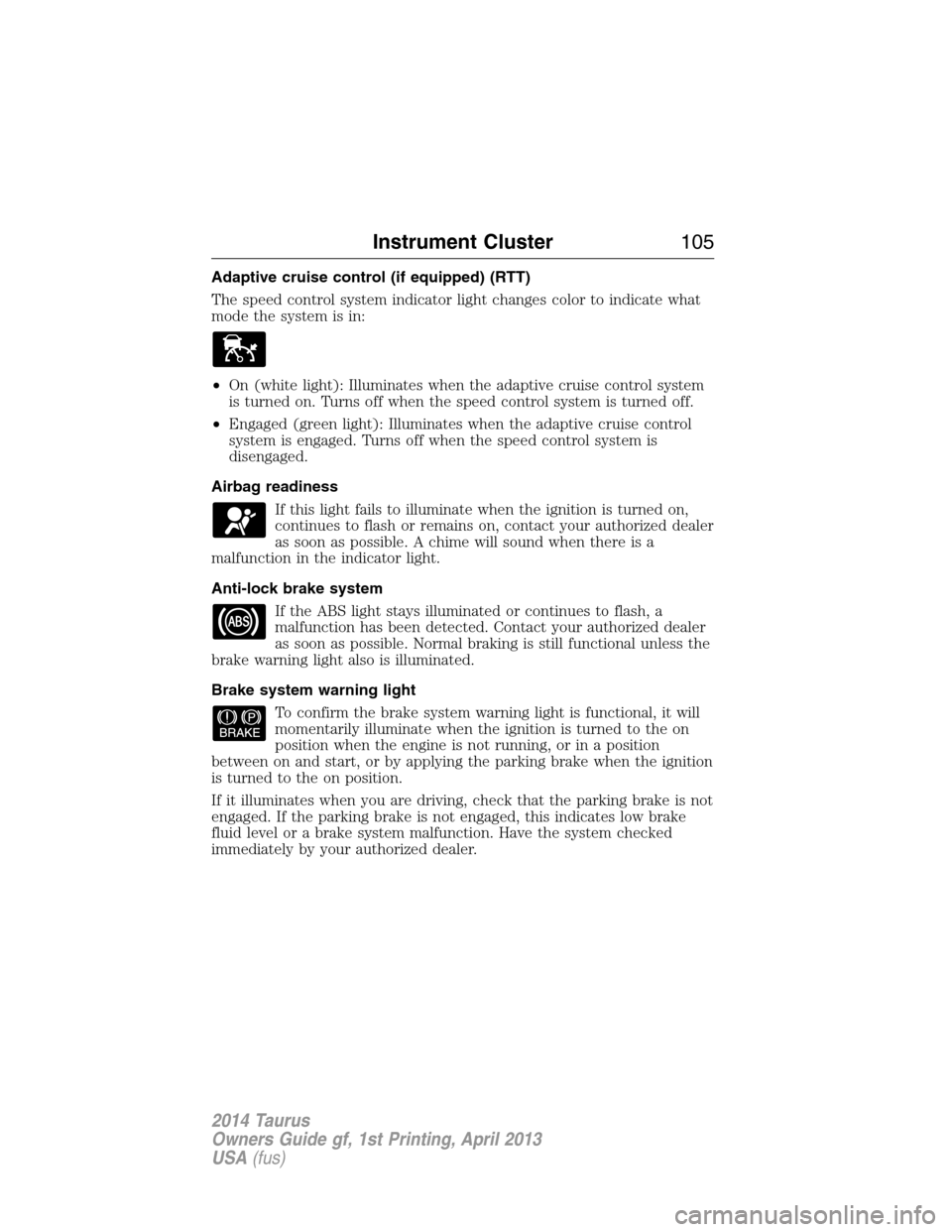
Adaptive cruise control (if equipped) (RTT)
The speed control system indicator light changes color to indicate what
mode the system is in:
•On (white light): Illuminates when the adaptive cruise control system
is turned on. Turns off when the speed control system is turned off.
•Engaged (green light): Illuminates when the adaptive cruise control
system is engaged. Turns off when the speed control system is
disengaged.
Airbag readiness
If this light fails to illuminate when the ignition is turned on,
continues to flash or remains on, contact your authorized dealer
as soon as possible. A chime will sound when there is a
malfunction in the indicator light.
Anti-lock brake system
If the ABS light stays illuminated or continues to flash, a
malfunction has been detected. Contact your authorized dealer
as soon as possible. Normal braking is still functional unless the
brake warning light also is illuminated.
Brake system warning light
To confirm the brake system warning light is functional, it will
momentarily illuminate when the ignition is turned to the on
position when the engine is not running, or in a position
between on and start, or by applying the parking brake when the ignition
is turned to the on position.
If it illuminates when you are driving, check that the parking brake is not
engaged. If the parking brake is not engaged, this indicates low brake
fluid level or a brake system malfunction. Have the system checked
immediately by your authorized dealer.
Instrument Cluster105
2014 Taurus
Owners Guide gf, 1st Printing, April 2013
USA(fus)
Page 107 of 550
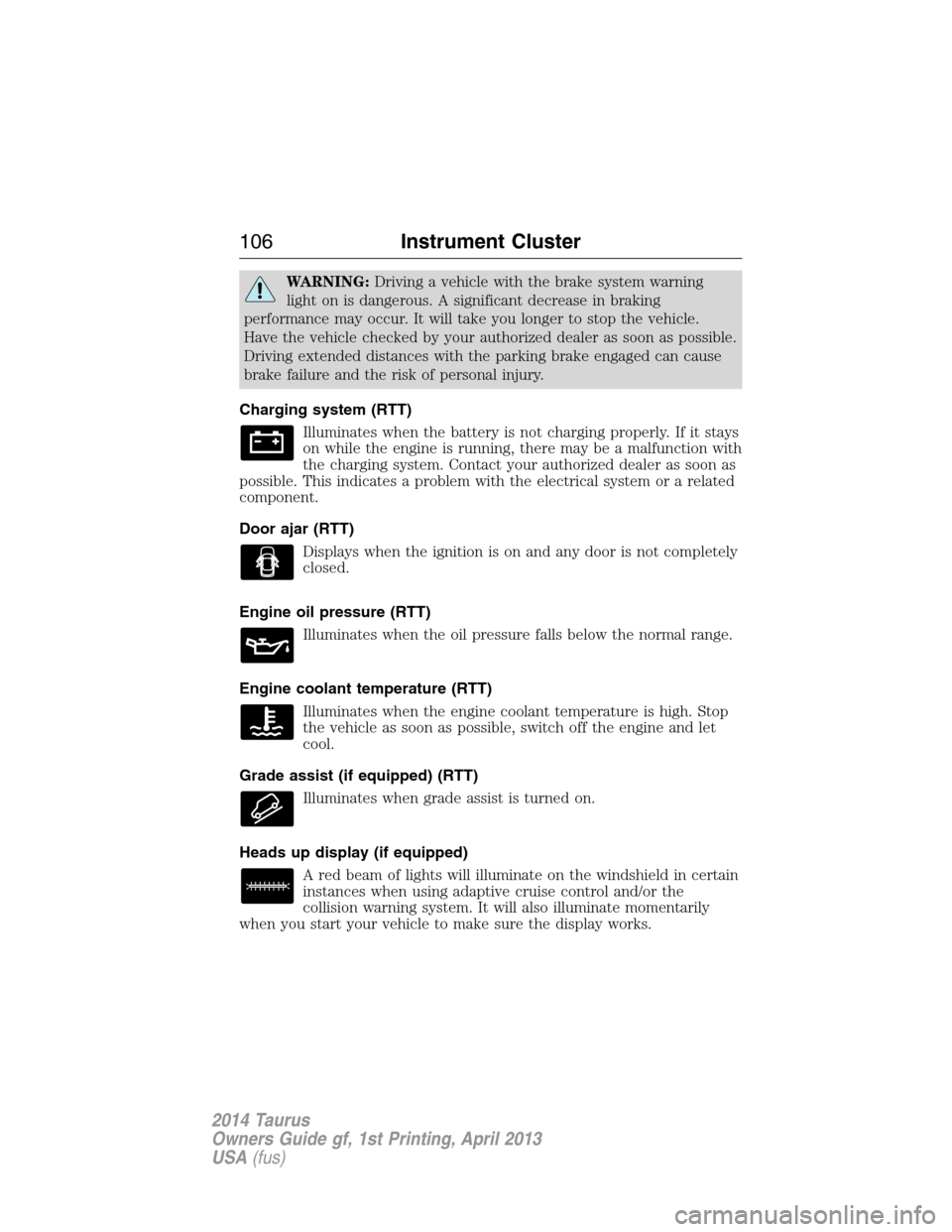
WARNING:Driving a vehicle with the brake system warning
light on is dangerous. A significant decrease in braking
performance may occur. It will take you longer to stop the vehicle.
Have the vehicle checked by your authorized dealer as soon as possible.
Driving extended distances with the parking brake engaged can cause
brake failure and the risk of personal injury.
Charging system (RTT)
Illuminates when the battery is not charging properly. If it stays
on while the engine is running, there may be a malfunction with
the charging system. Contact your authorized dealer as soon as
possible. This indicates a problem with the electrical system or a related
component.
Door ajar (RTT)
Displays when the ignition is on and any door is not completely
closed.
Engine oil pressure (RTT)
Illuminates when the oil pressure falls below the normal range.
Engine coolant temperature (RTT)
Illuminates when the engine coolant temperature is high. Stop
the vehicle as soon as possible, switch off the engine and let
cool.
Grade assist (if equipped) (RTT)
Illuminates when grade assist is turned on.
Heads up display (if equipped)
A red beam of lights will illuminate on the windshield in certain
instances when using adaptive cruise control and/or the
collision warning system. It will also illuminate momentarily
when you start your vehicle to make sure the display works.
106Instrument Cluster
2014 Taurus
Owners Guide gf, 1st Printing, April 2013
USA(fus)